Share
Embed
TLSeminar: Introduction
cs6501: Understanding and Securing TLS
University of Virginia, Spring 2017
https://tlseminar.github.io/
David Evans
January 20, 2017
Transcript
45 slides
-
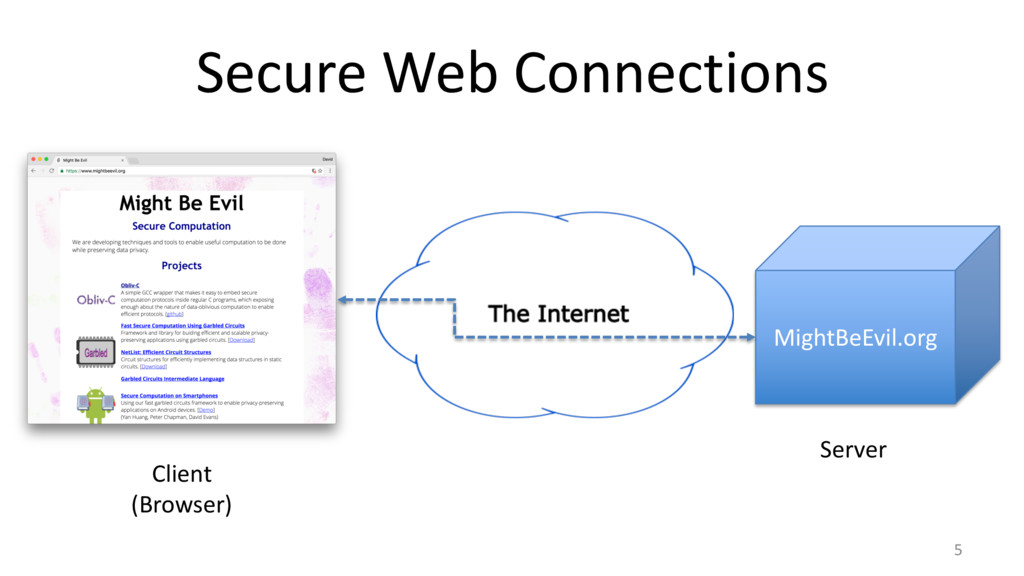
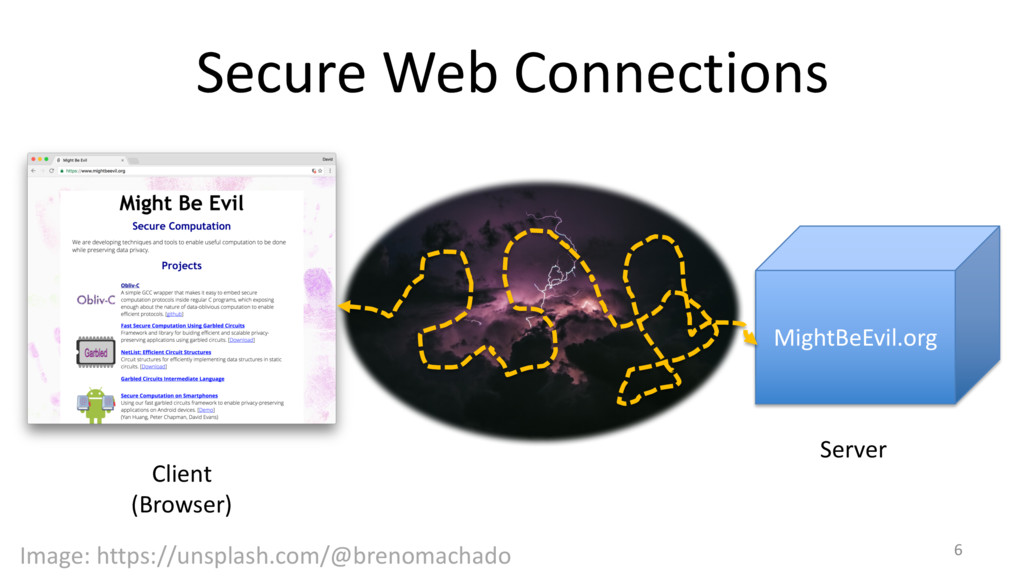
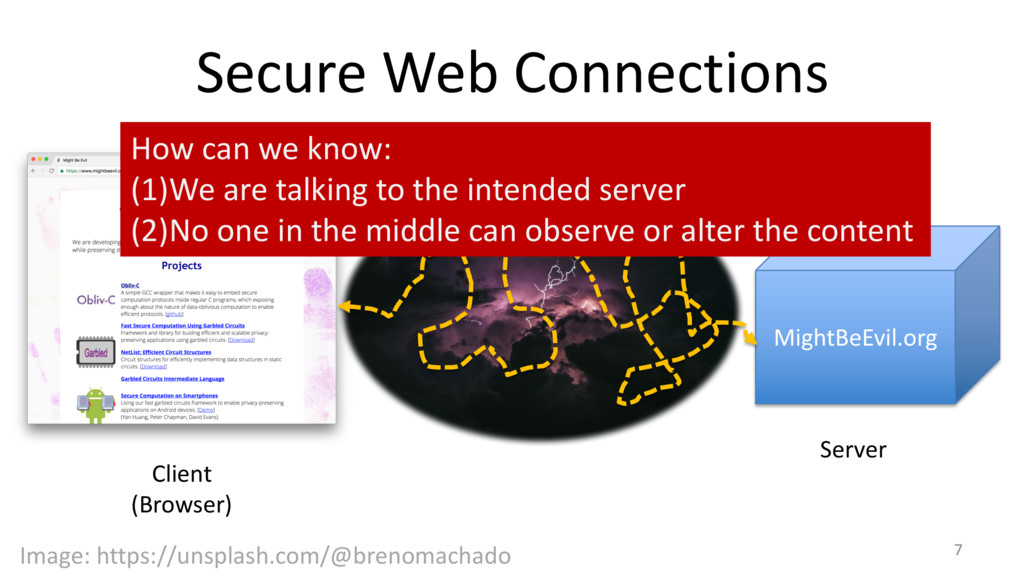
Secure Web Connections 7 Client (Browser) MightBeEvil.org Server Image: https://unsplash.com/@brenomachado
How can we know: (1)We are talking to the intended server (2)No one in the middle can observe or alter the content -
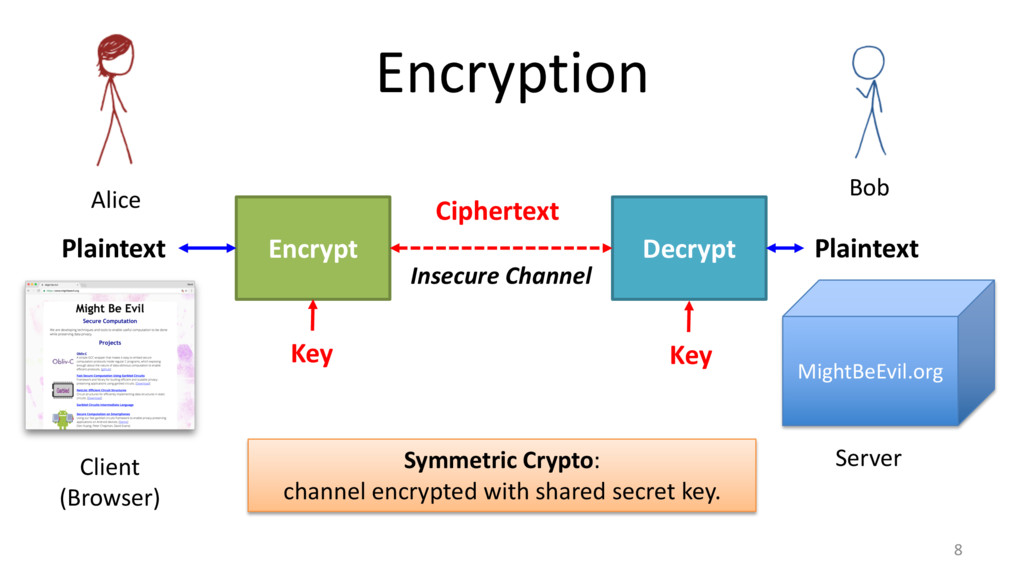
Encryption 8 Encrypt Decrypt Plaintext Ciphertext Plaintext Insecure Channel Key
Key Symmetric Crypto: channel encrypted with shared secret key. Bob MightBeEvil.org Alice Client (Browser) Server -
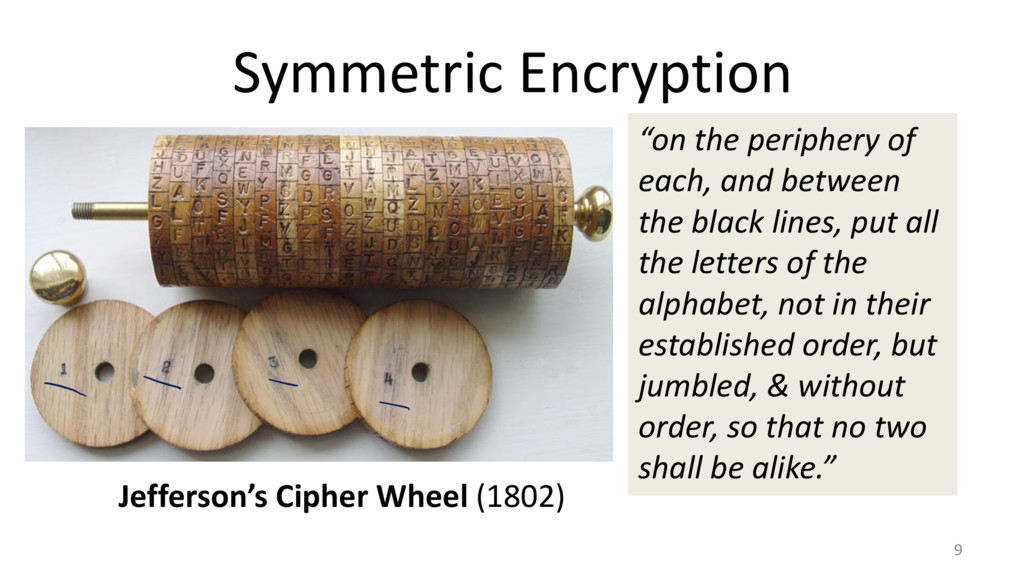
Symmetric Encryption 9 Jefferson’s Cipher Wheel (1802) “on the
periphery of each, and between the black lines, put all the letters of the alphabet, not in their established order, but jumbled, & without order, so that no two shall be alike.” -
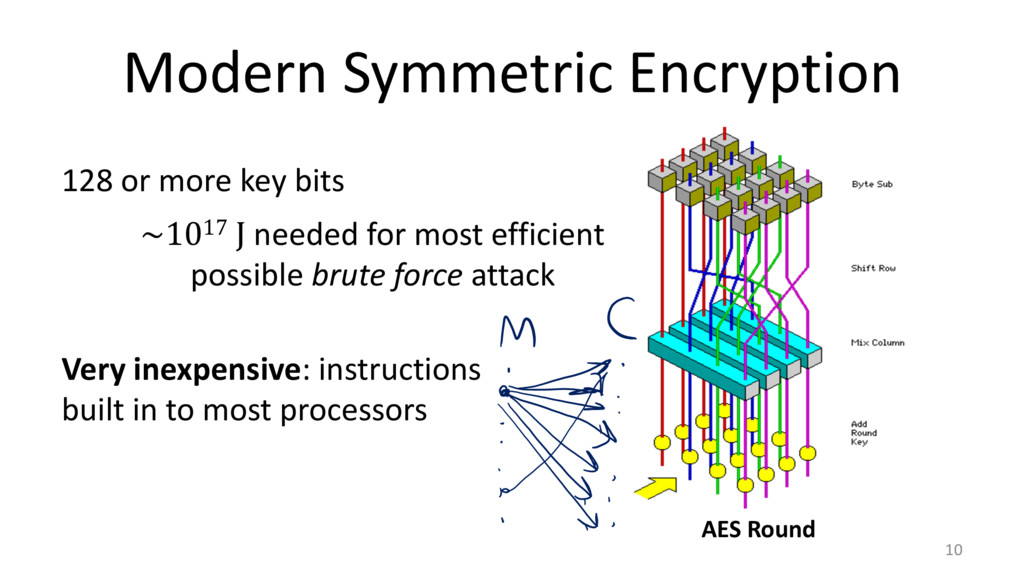
Modern Symmetric Encryption 10 AES Round 128 or more key
bits ~1017 J needed for most efficient possible brute force attack Very inexpensive: instructions built in to most processors -
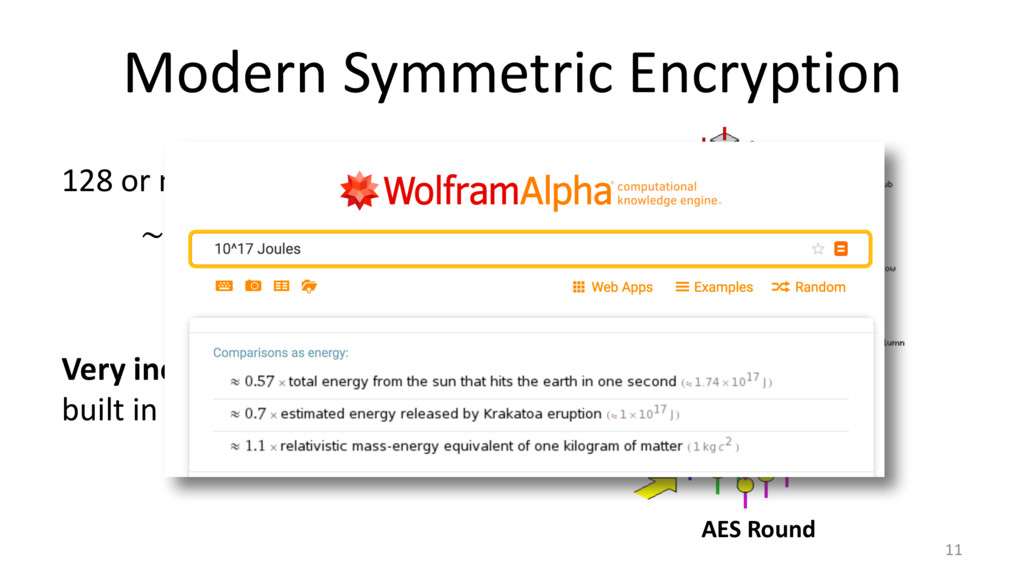
Modern Symmetric Encryption 11 AES Round 128 or more key
bits ~1017 J needed for most efficient possible brute force attack Very inexpensive: instructions built in to most processors -
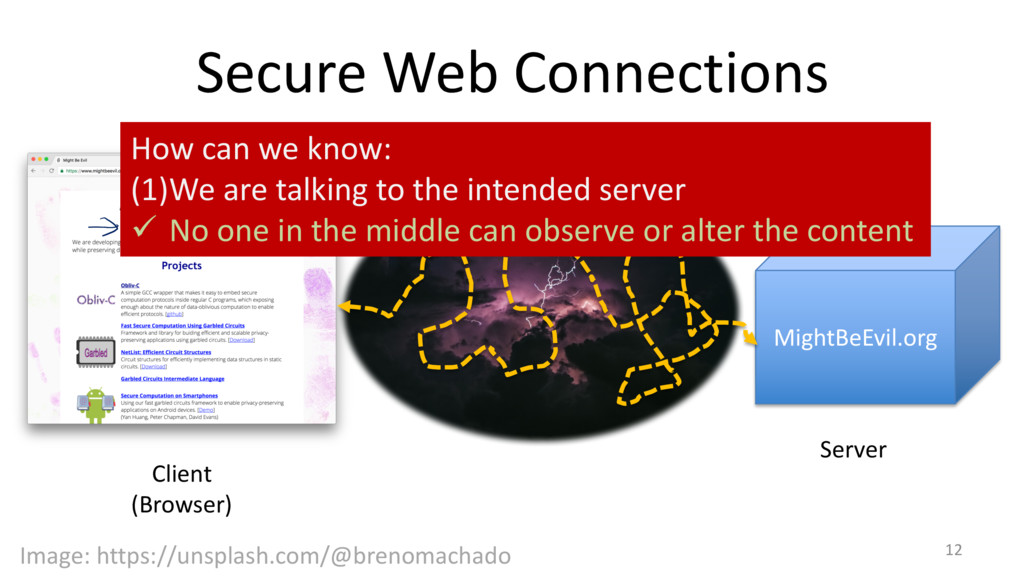
Secure Web Connections 12 Client (Browser) MightBeEvil.org Server Image: https://unsplash.com/@brenomachado
How can we know: (1)We are talking to the intended server ü No one in the middle can observe or alter the content -
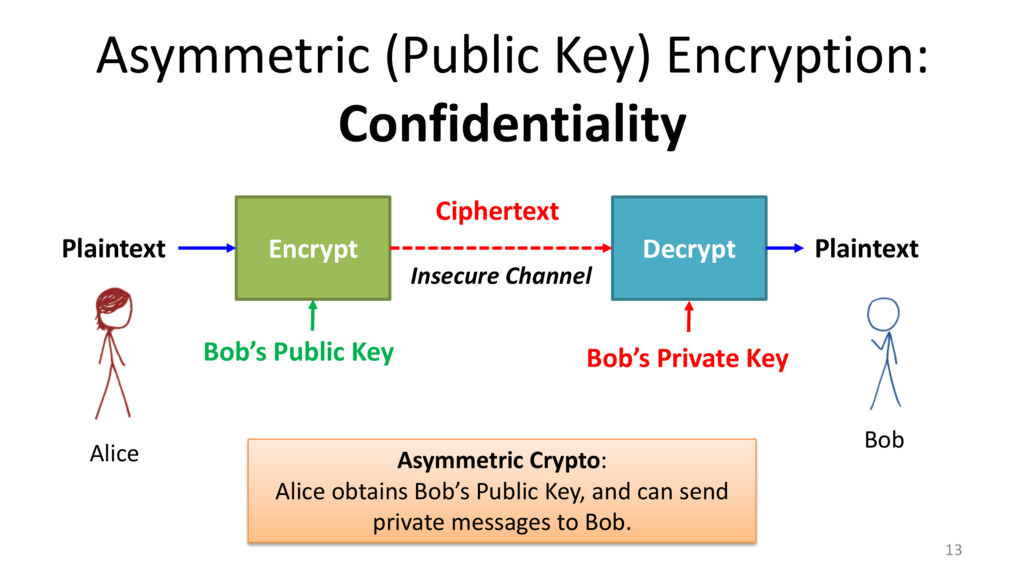
Asymmetric (Public Key) Encryption: Confidentiality 13 Encrypt Decrypt Plaintext
Ciphertext Plaintext Bob’s Public Key Bob’s Private Key Alice Bob Insecure Channel Asymmetric Crypto: Alice obtains Bob’s Public Key, and can send private messages to Bob. -
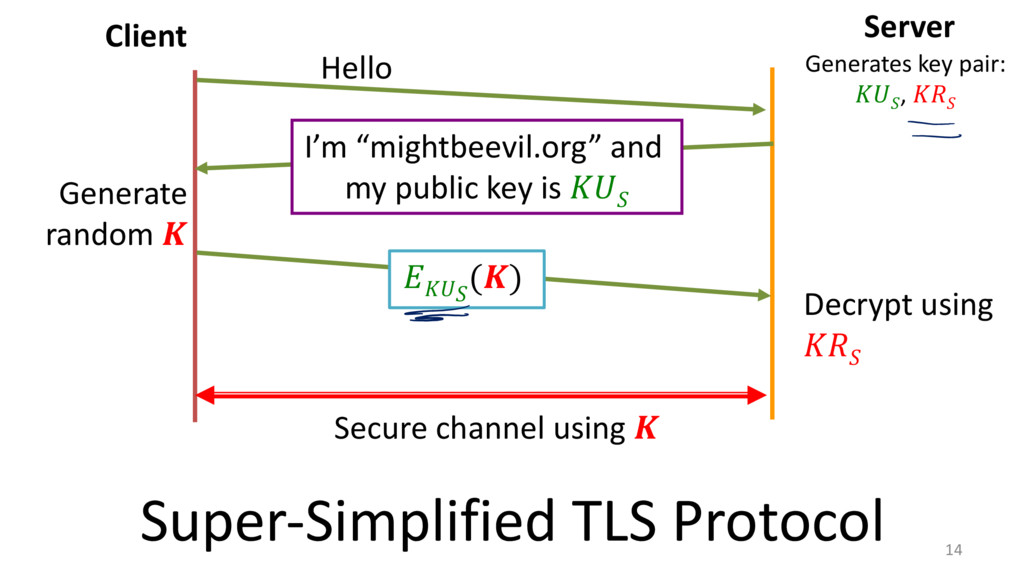
14 Client Server Hello I’m “mightbeevil.org” and my public
key is Generate random () Decrypt using Secure channel using Super-‐Simplified TLS Protocol Generates key pair: , -
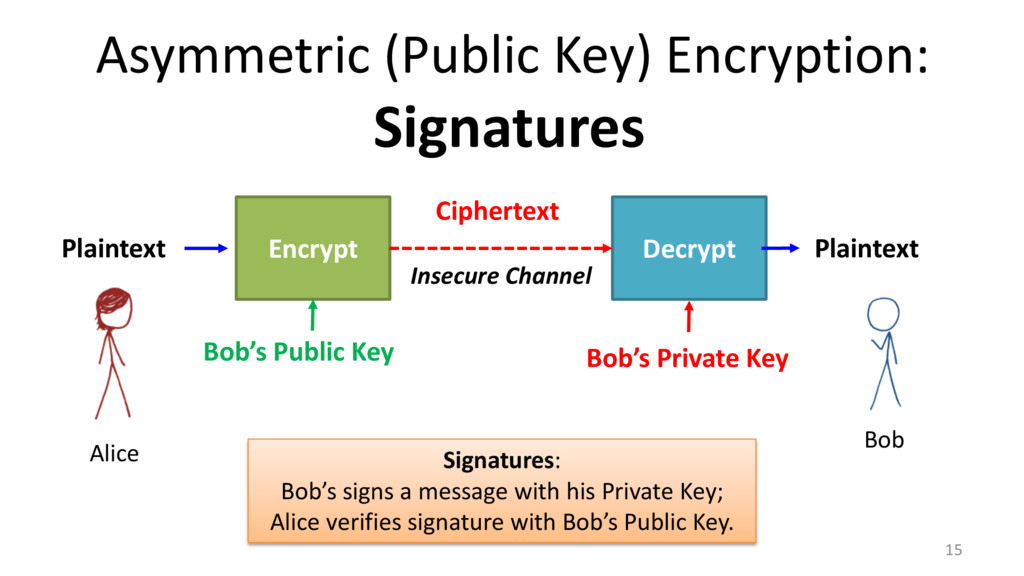
15 Encrypt Decrypt Plaintext Ciphertext Plaintext Bob’s Public Key Bob’s
Private Key Alice Bob Insecure Channel Signatures: Bob’s signs a message with his Private Key; Alice verifies signature with Bob’s Public Key. Asymmetric (Public Key) Encryption: Confidentiality Signatures -
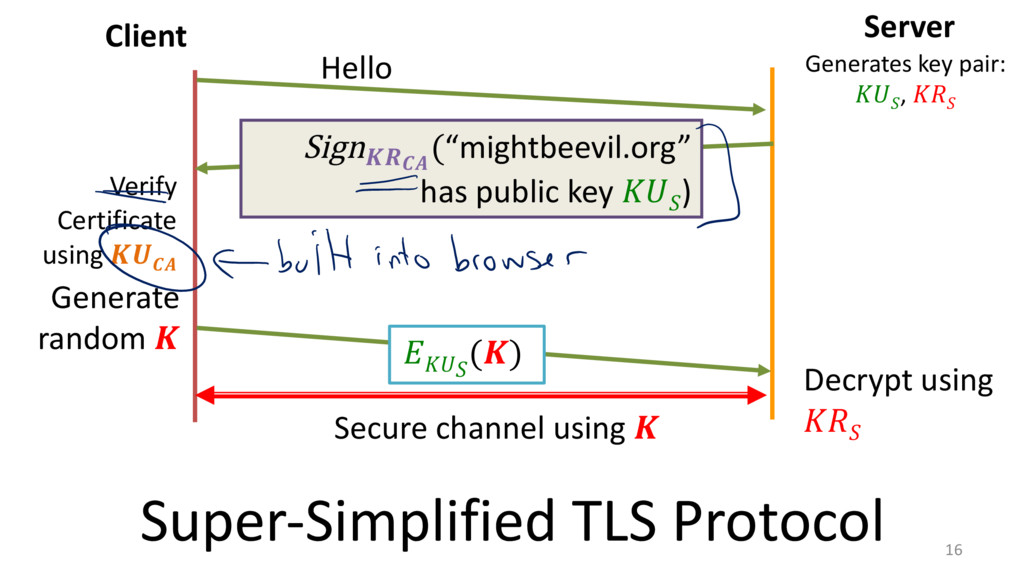
16 Client Server Hello Sign (“mightbeevil.org” has public key
) Generate random () Decrypt using Secure channel using Super-‐Simplified TLS Protocol Generates key pair: , Verify Certificate using -
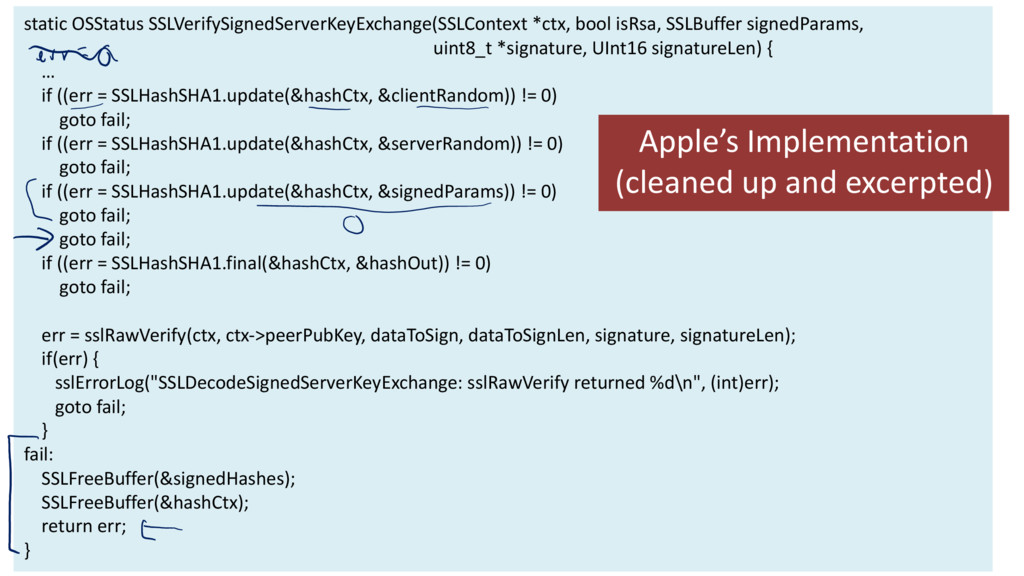
18 static OSStatus SSLVerifySignedServerKeyExchange(SSLContext *ctx, bool isRsa, SSLBuffer signedParams, uint8_t
*signature, UInt16 signatureLen) { … if ((err = SSLHashSHA1.update(&hashCtx, &clientRandom)) != 0) goto fail; if ((err = SSLHashSHA1.update(&hashCtx, &serverRandom)) != 0) goto fail; if ((err = SSLHashSHA1.update(&hashCtx, &signedParams)) != 0) goto fail; goto fail; if ((err = SSLHashSHA1.final(&hashCtx, &hashOut)) != 0) goto fail; err = sslRawVerify(ctx, ctx-‐>peerPubKey, dataToSign, dataToSignLen, signature, signatureLen); if(err) { sslErrorLog("SSLDecodeSignedServerKeyExchange: sslRawVerify returned %d\n", (int)err); goto fail; } fail: SSLFreeBuffer(&signedHashes); SSLFreeBuffer(&hashCtx); return err; } Apple’s Implementation (cleaned up and excerpted) -
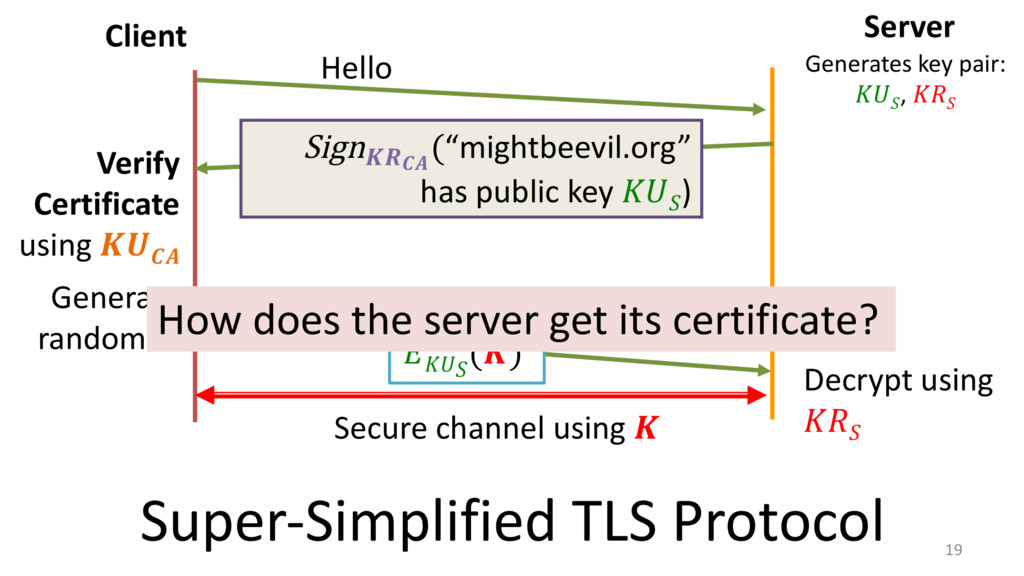
19 Client Server Hello Sign (“mightbeevil.org” has public key
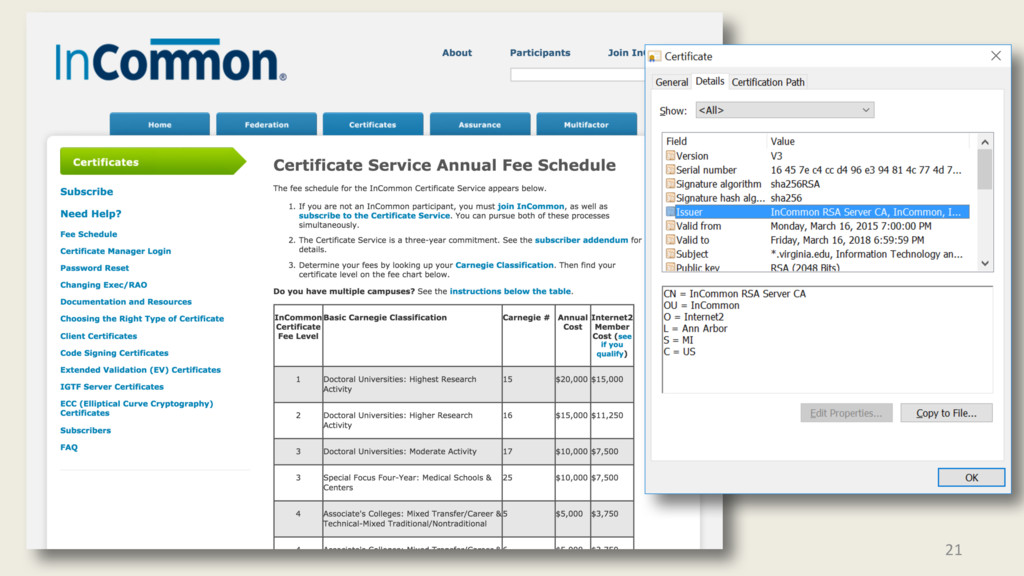
) Generate random () Decrypt using Secure channel using Super-‐Simplified TLS Protocol Generates key pair: , Verify Certificate using How does the server get its certificate? -
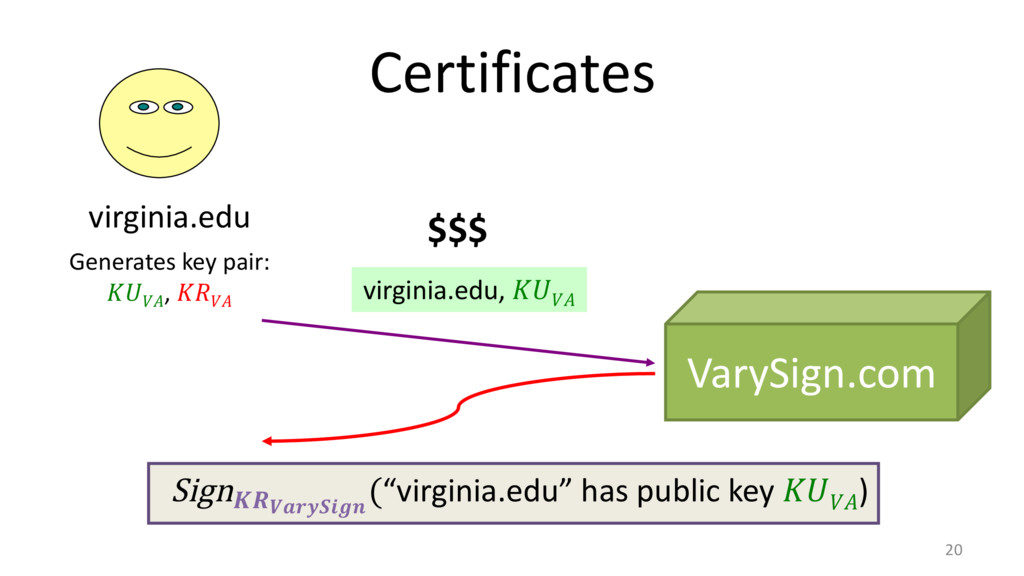
Certificates 20 VarySign.com virginia.edu virginia.edu, Generates key pair: ,
Sign (“virginia.edu” has public key ) $$$ -
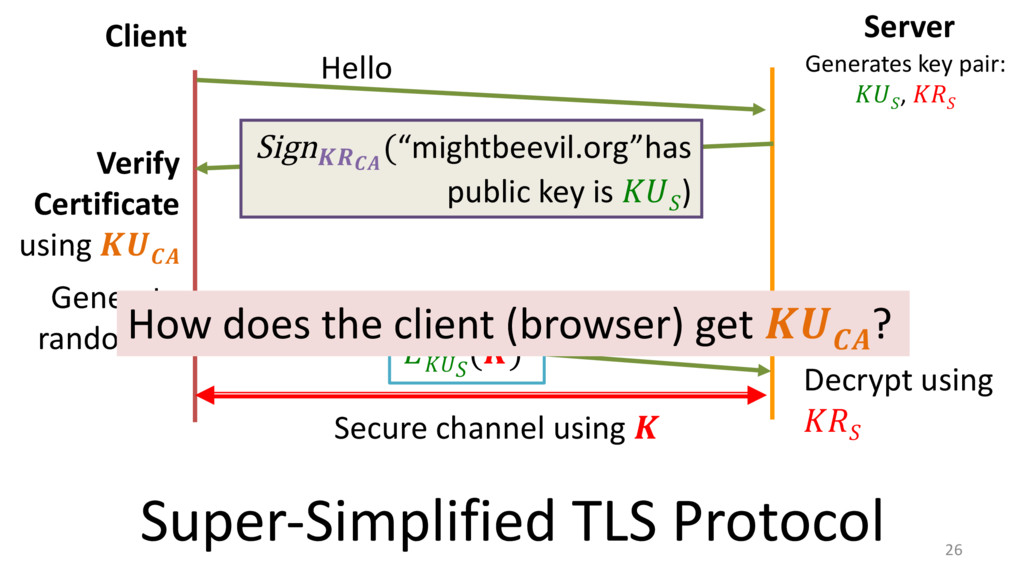
26 Client Server Hello Sign (“mightbeevil.org”has public key is
) Generate random () Decrypt using Secure channel using Super-‐Simplified TLS Protocol Generates key pair: , Verify Certificate using How does the client (browser) get ? -
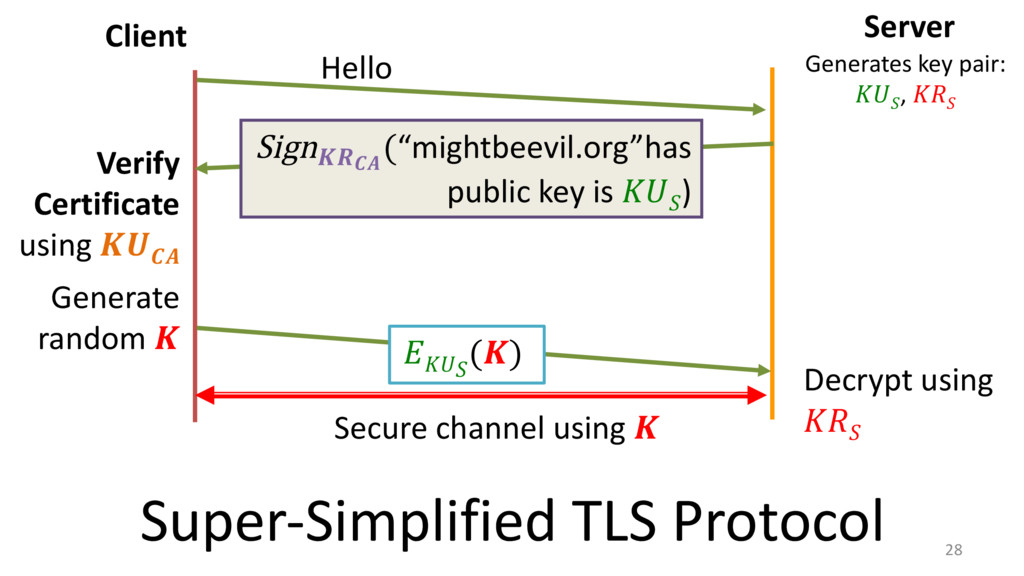
28 Client Server Hello Sign (“mightbeevil.org”has public key is
) Generate random () Decrypt using Secure channel using Super-‐Simplified TLS Protocol Generates key pair: , Verify Certificate using -
29 Client Server Hello, Ciphers: [..., RSA-‐1024, DHE, …] Sign
(“mightbeevil.org”has public key is ), Cipher: RSA-‐1024 Generate random () Decrypt using Secure channel using Slightly Less-‐Simplified TLS Protocol Generates key pair: , Verify Certificate using Picks ciphers to use -
30 Client Server Hello, Ciphers: [..., RSA-‐1024, …] Sign (“mightbeevil.org”has
public key is ), Cipher: DH-‐E Generate random () Decrypt using Secure channel using Slightly Less-‐Simplified TLS Protocol Generates key pair: , Verify Certificate using Picks ciphers to use -
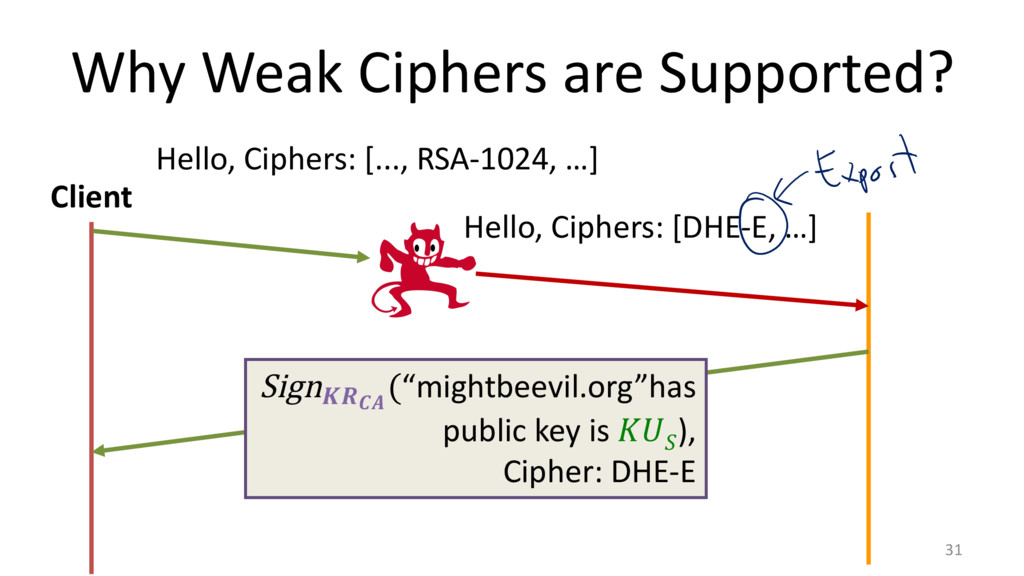
Why Weak Ciphers are Supported? 31 Client Hello, Ciphers: [...,
RSA-‐1024, …] Sign (“mightbeevil.org”has public key is ), Cipher: DHE-‐E Hello, Ciphers: [DHE-‐E, …] -
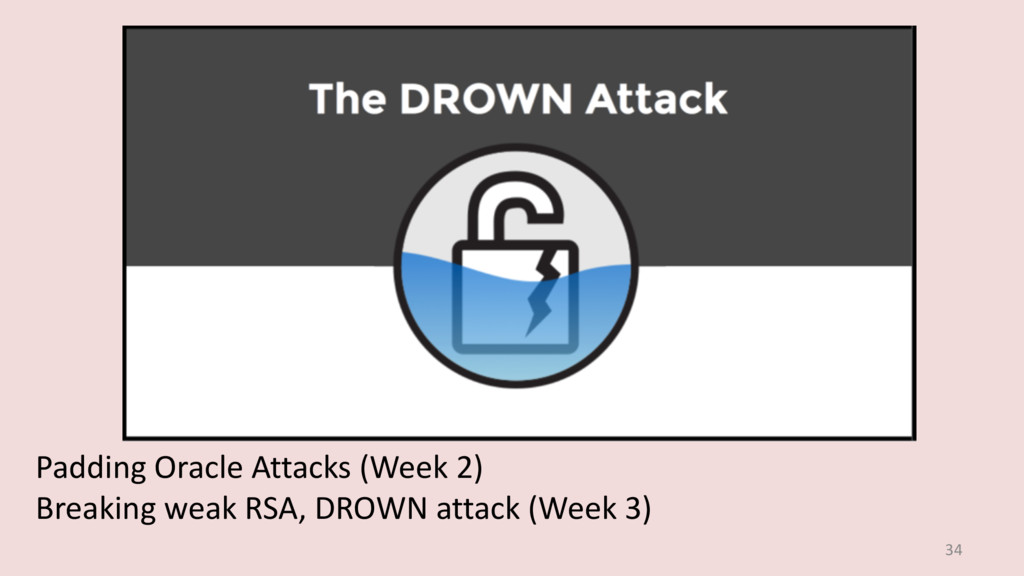
34 Padding Oracle Attacks (Week 2) Breaking weak RSA, DROWN
attack (Week 3) -
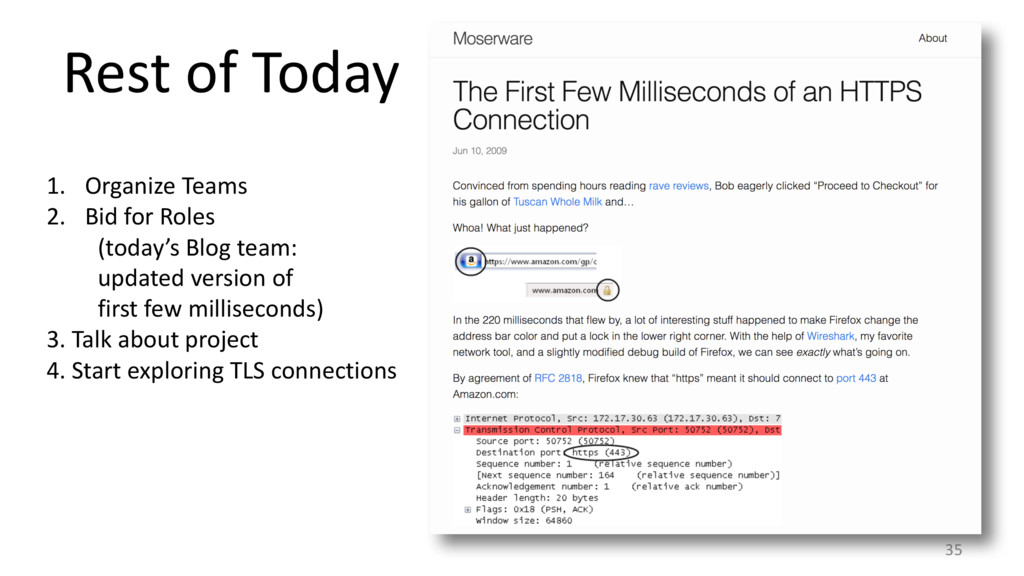
Rest of Today 35 1. Organize Teams 2. Bid for
Roles (today’s Blog team: updated version of first few milliseconds) 3. Talk about project 4. Start exploring TLS connections -
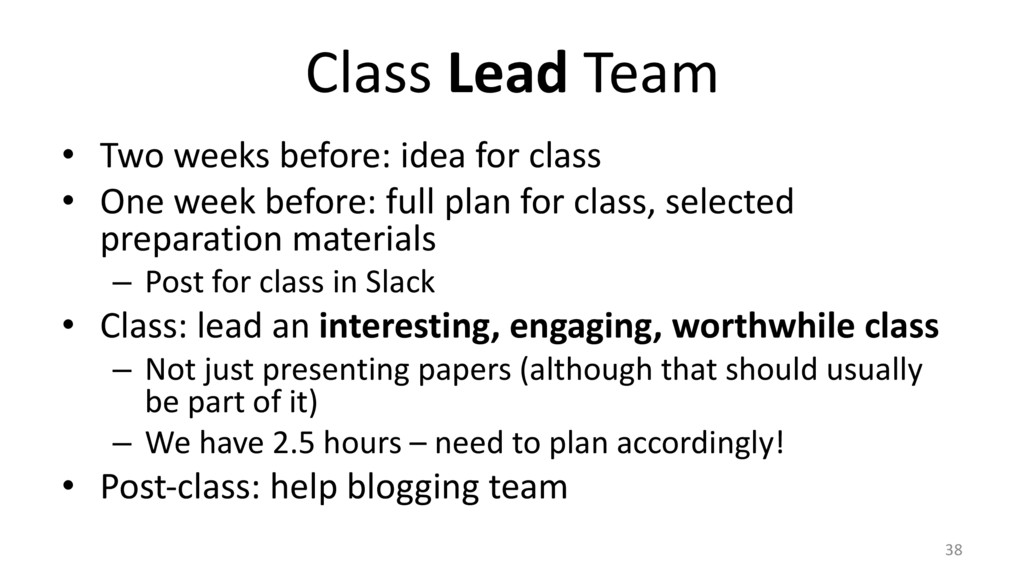
Class Lead Team • Two weeks before: idea for class
• One week before: full plan for class, selected preparation materials – Post for class in Slack • Class: lead an interesting, engaging, worthwhile class – Not just presenting papers (although that should usually be part of it) – We have 2.5 hours – need to plan accordingly! • Post-‐class: help blogging team 38 -
Class Blogging Team • Write a blog post about class
topic – Incorporate materials provided by Lead team – Organize into useful and effective web presentation • Draft due by following Tuesday • Final version ready by next Friday 39 -
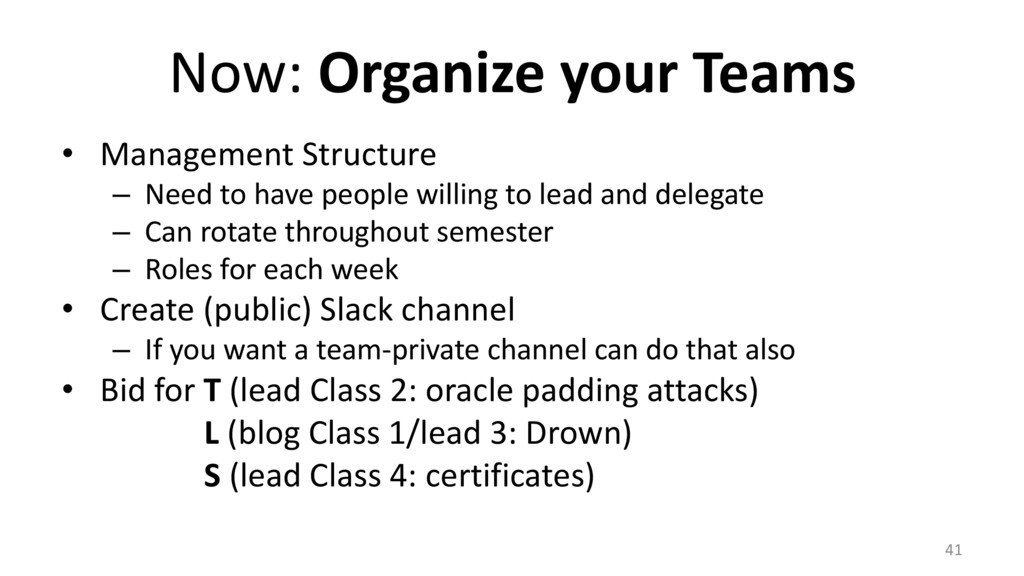
Now: Organize your Teams • Management Structure – Need to
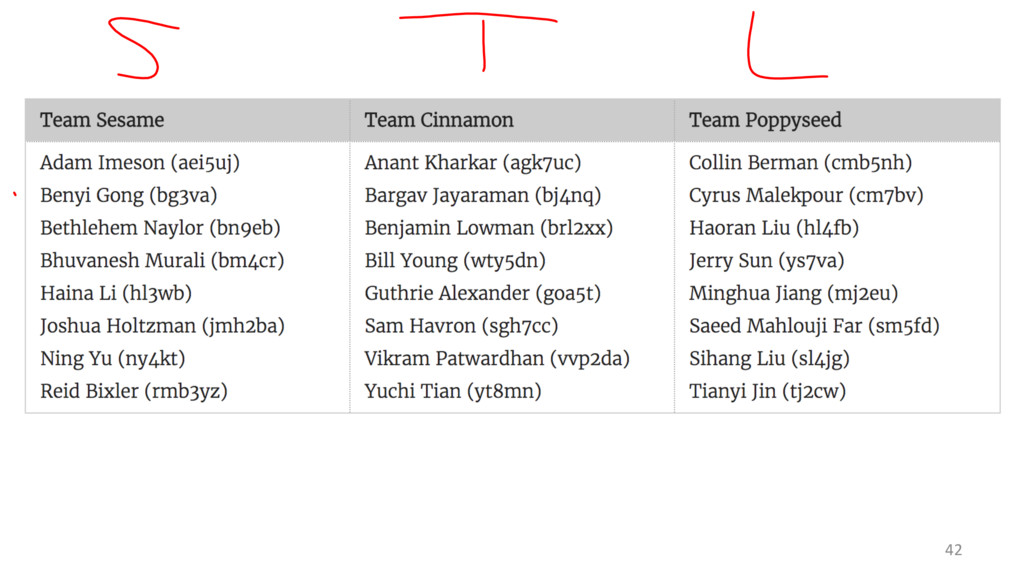
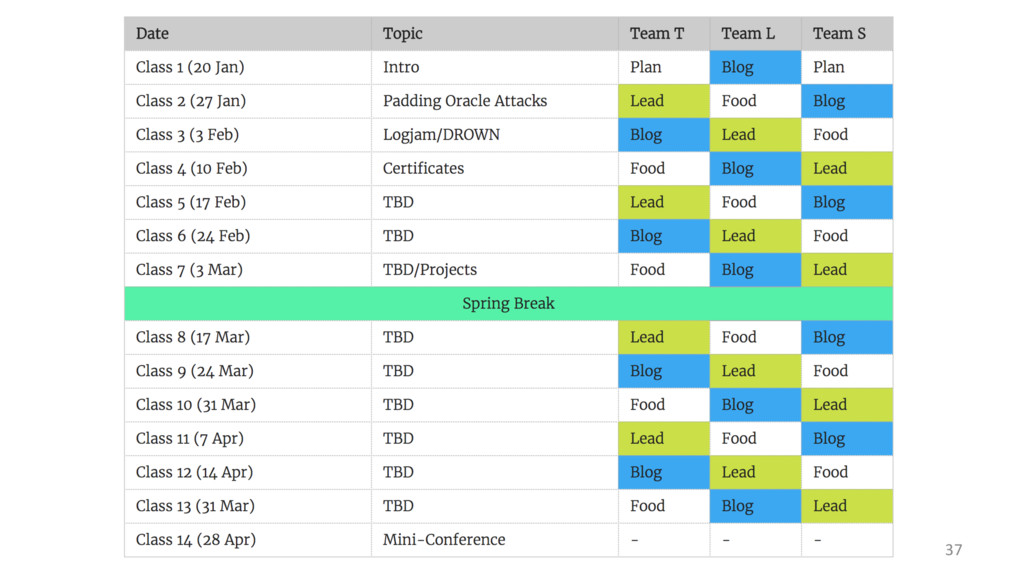
have people willing to lead and delegate – Can rotate throughout semester – Roles for each week • Create (public) Slack channel – If you want a team-‐private channel can do that also • Bid for T (lead Class 2: oracle padding attacks) L (blog Class 1/lead 3: Drown) S (lead Class 4: certificates) 41 -
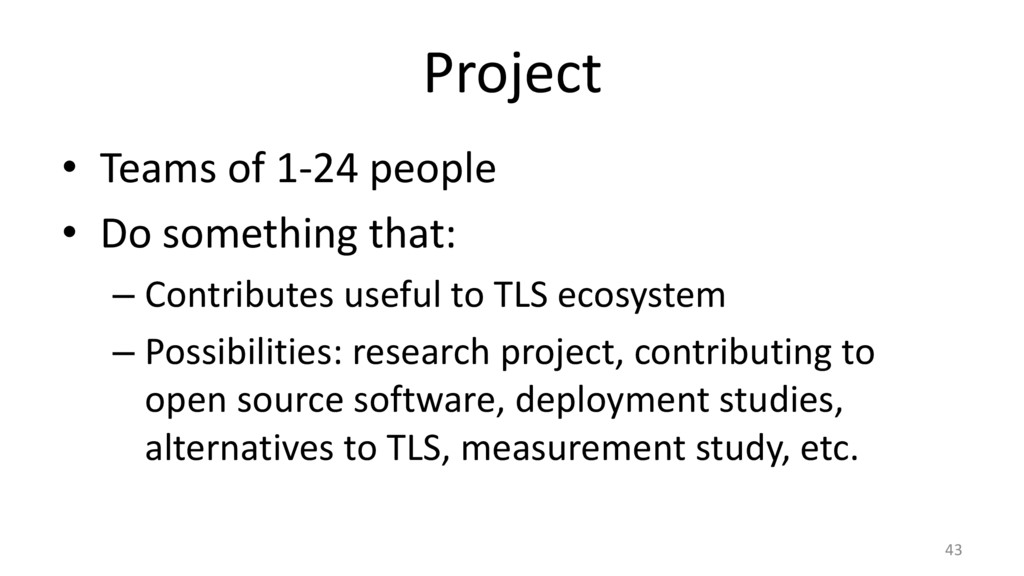
Project • Teams of 1-‐24 people • Do something that:
– Contributes useful to TLS ecosystem – Possibilities: research project, contributing to open source software, deployment studies, alternatives to TLS, measurement study, etc. 43 -
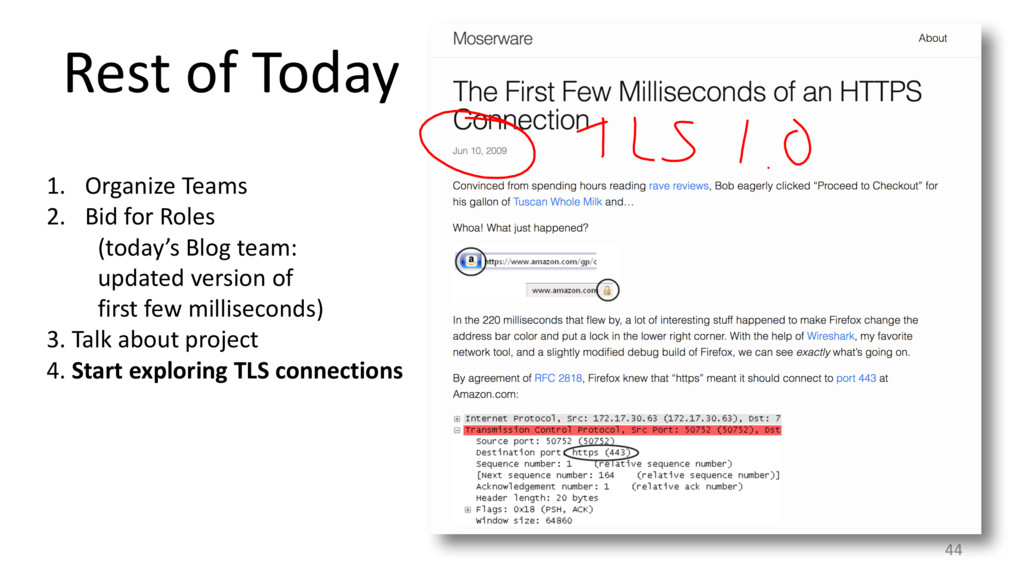
Rest of Today 44 1. Organize Teams 2. Bid for
Roles (today’s Blog team: updated version of first few milliseconds) 3. Talk about project 4. Start exploring TLS connections