Upgrade to Pro — share decks privately, control downloads, hide ads and more …

ASP.NET Web API

Avatar for eyalvardi eyalvardi
September 06, 2013

ASP.NET Web API

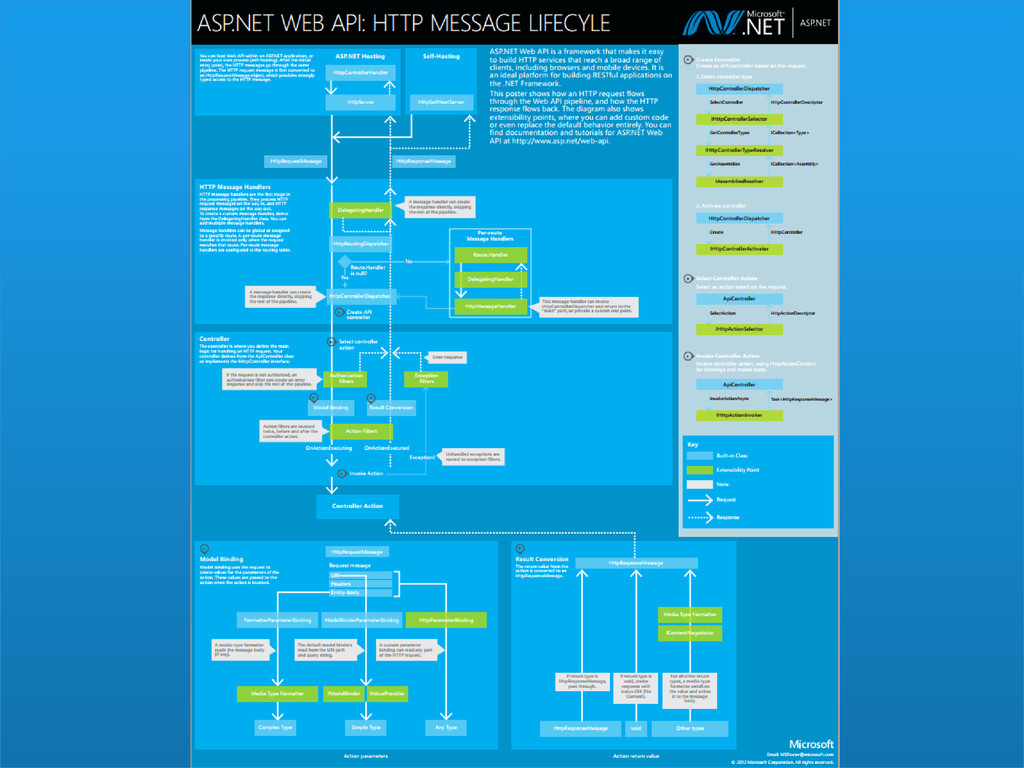
ASP.NET Web-API is a powerful service framework sitting over Asp.Net MVC and lets the developer enforce a RESTful architectural style. After a brief discussion on how the request and response flow in the WebApi pipeline, we will dig into the main extensibility points and see how flexible is the infrastructure. In particular, we will see scenarios like content negotiation, validation, versioning, hosting outside IIS and few others.

Avatar for eyalvardi

eyalvardi

September 06, 2013

Other Decks in Technology

Transcript

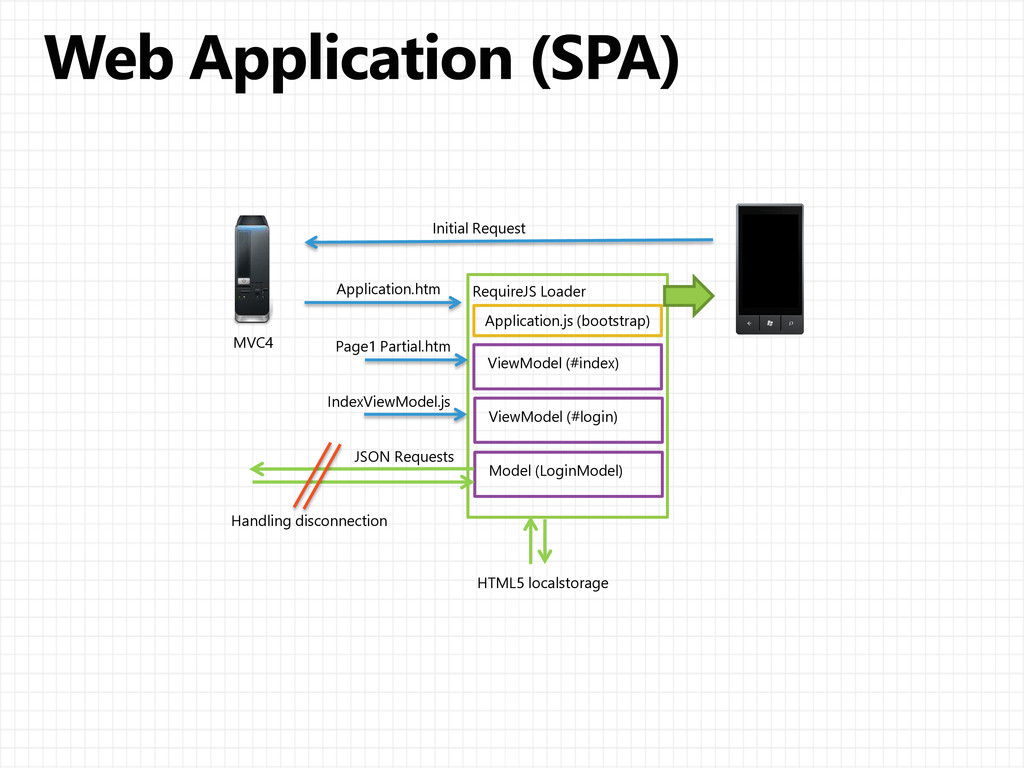
  1. Initial Request Application.htm MVC4 RequireJS Loader Page1 Partial.htm IndexViewModel.js Application.js

    (bootstrap) ViewModel (#index) ViewModel (#login) Model (LoginModel) JSON Requests HTML5 localstorage Handling disconnection
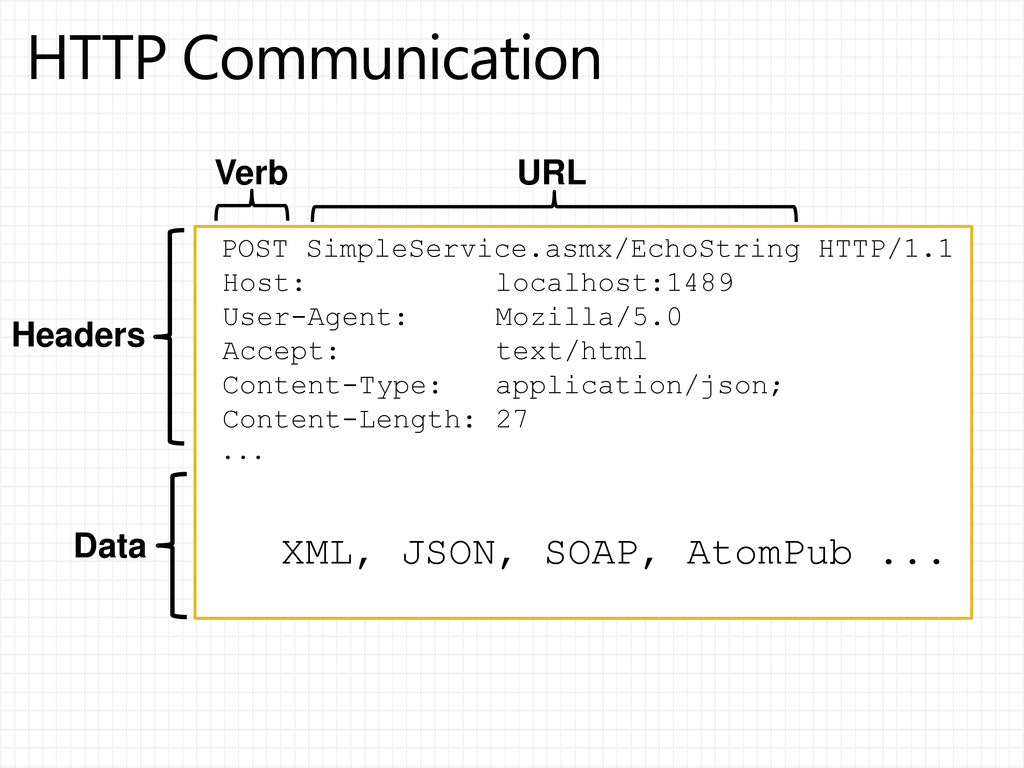
  2. POST SimpleService.asmx/EchoString HTTP/1.1 Host: localhost:1489 User-Agent: Mozilla/5.0 Accept: text/html Content-Type:

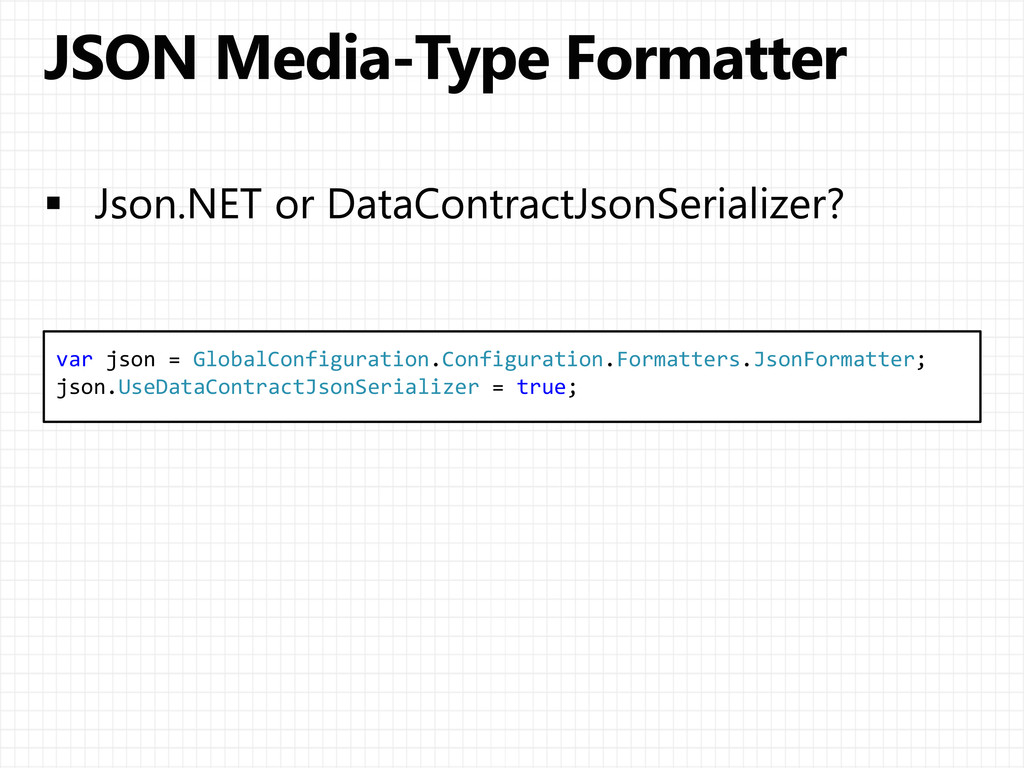
    application/json; Content-Length: 27 ... XML, JSON, SOAP, AtomPub ... Headers Data Verb URL
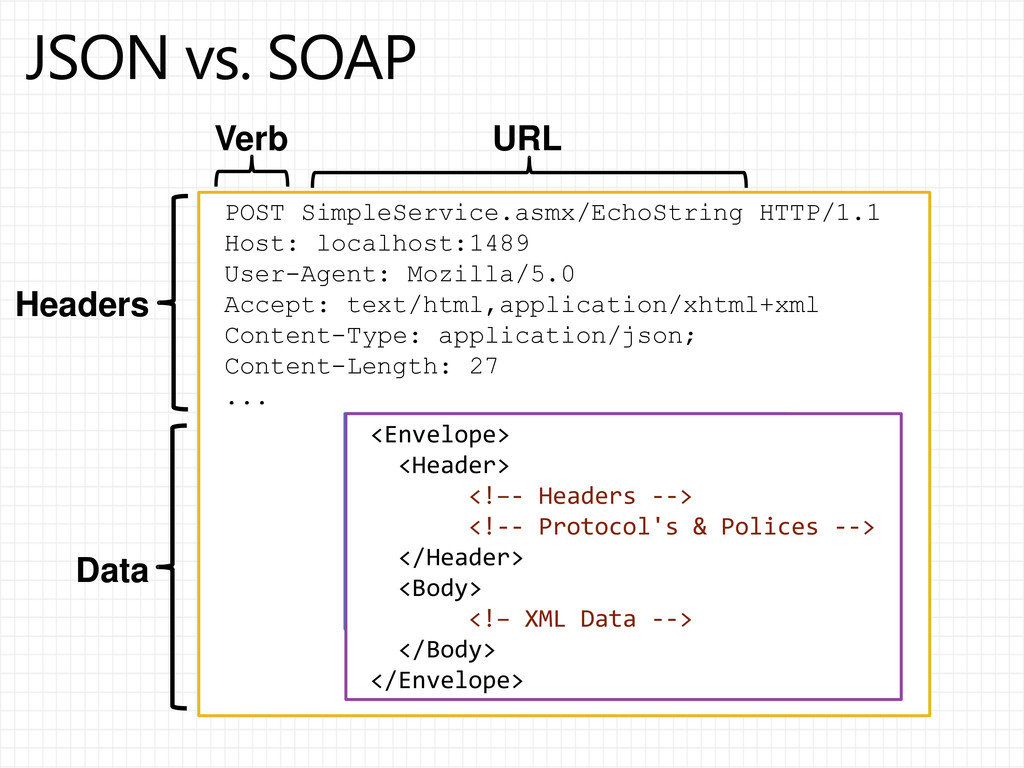
  3. POST SimpleService.asmx/EchoString HTTP/1.1 Host: localhost:1489 User-Agent: Mozilla/5.0 Accept: text/html,application/xhtml+xml Content-Type:

    application/json; Content-Length: 27 ... { "Age":37, "FirstName":"Eyal", "ID":"123", "LastName":"Vardi“ } Headers Data Verb URL <Envelope> <Header> <!–- Headers --> <!-- Protocol's & Polices --> </Header> <Body> <!– XML Data --> </Body> </Envelope>
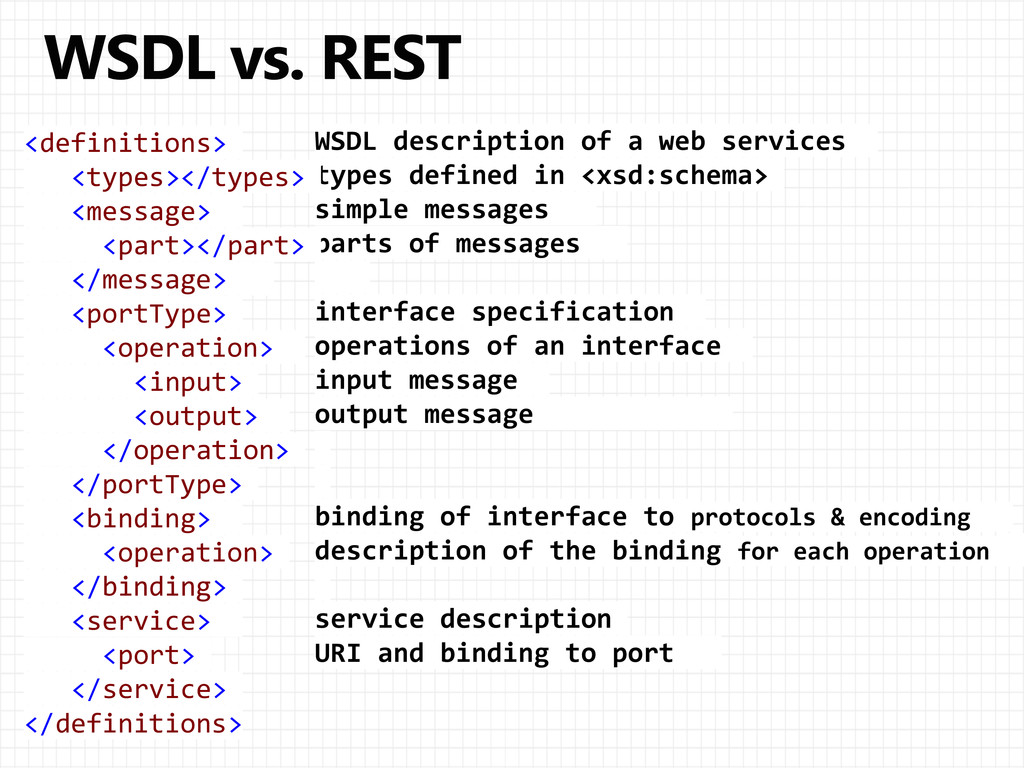
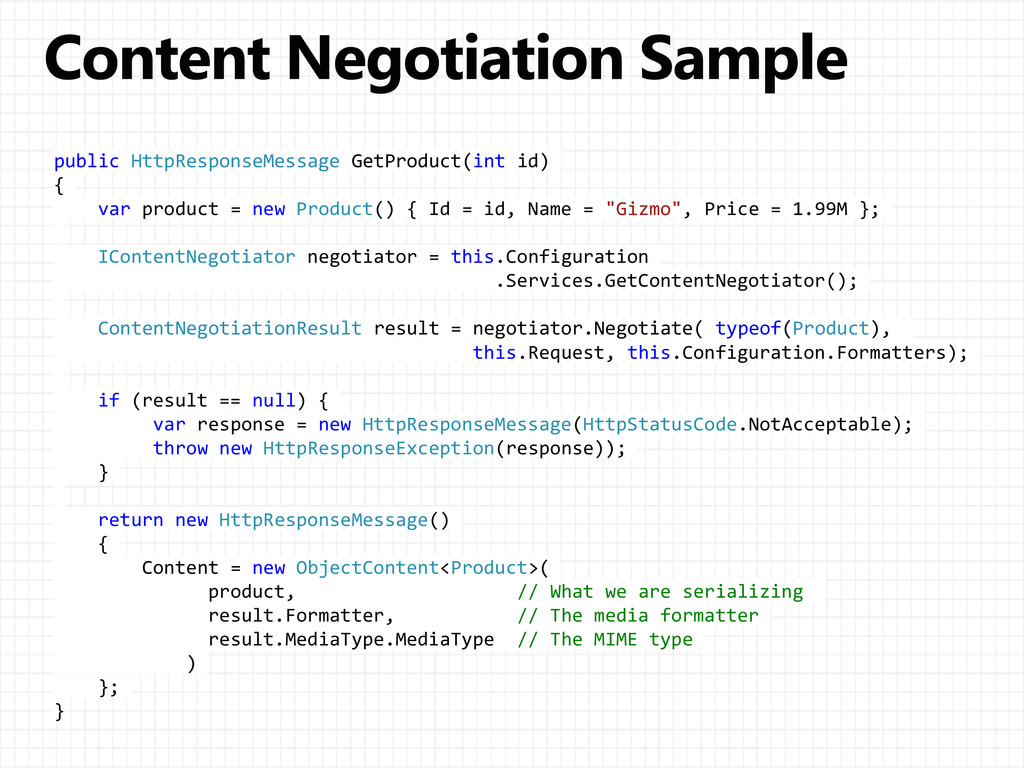
  4. WSDL description of a web services types defined in <xsd:schema>
    simple messages parts of messages interface specification operations of an interface input message output message binding of interface to protocols & encoding description of the binding for each operation service description URI and binding to port <definitions> <types></types> <message> <part></part> </message> <portType> <operation> <input> <output> </operation> </portType> <binding> <operation> </binding> <service> <port> </service> </definitions>
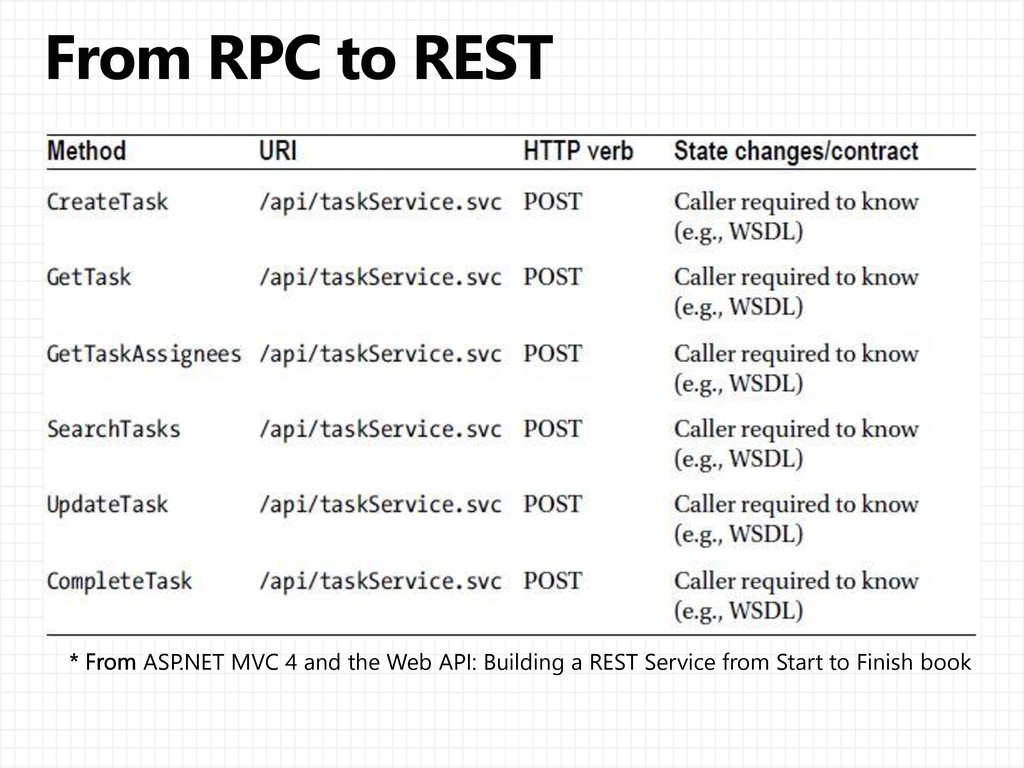
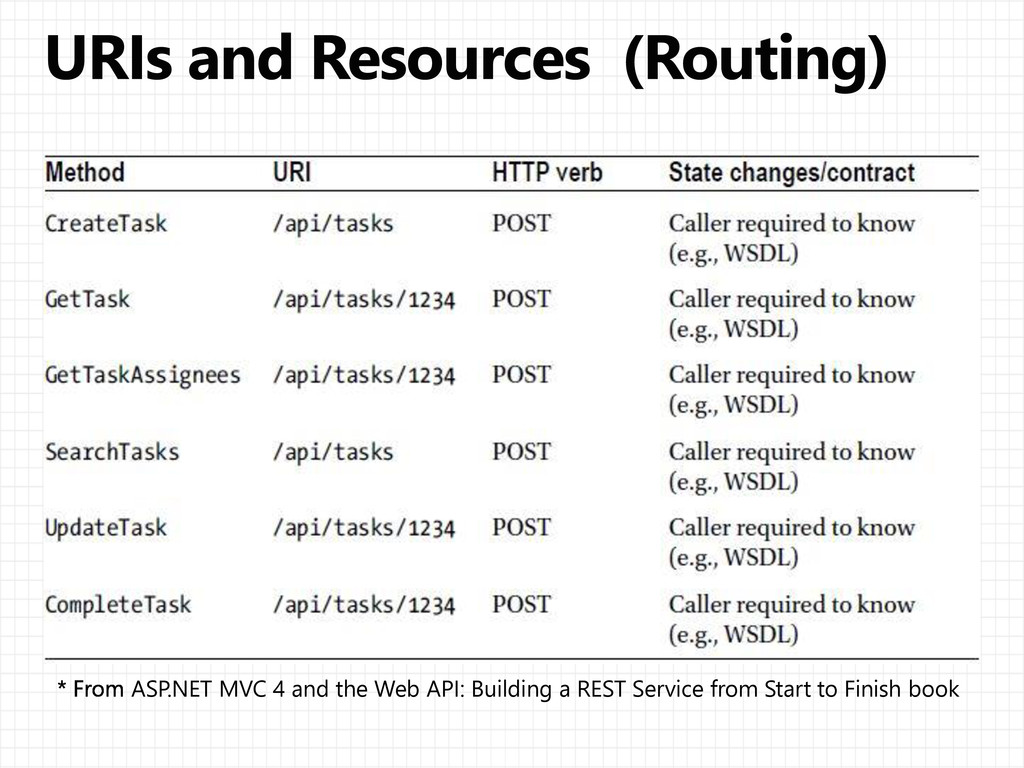
  5. ASP.NET MVC 4 and the Web API: Building a REST

    Service from Start to Finish book
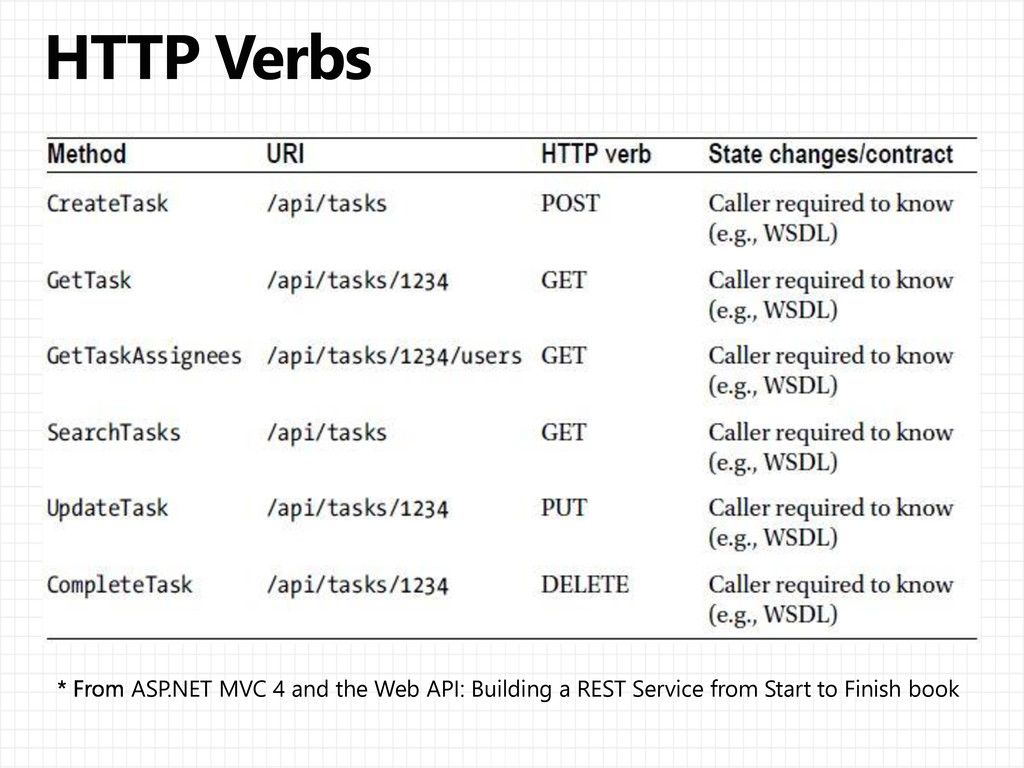
  6. ASP.NET MVC 4 and the Web API: Building a REST

    Service from Start to Finish book
  7. ASP.NET MVC 4 and the Web API: Building a REST

    Service from Start to Finish book
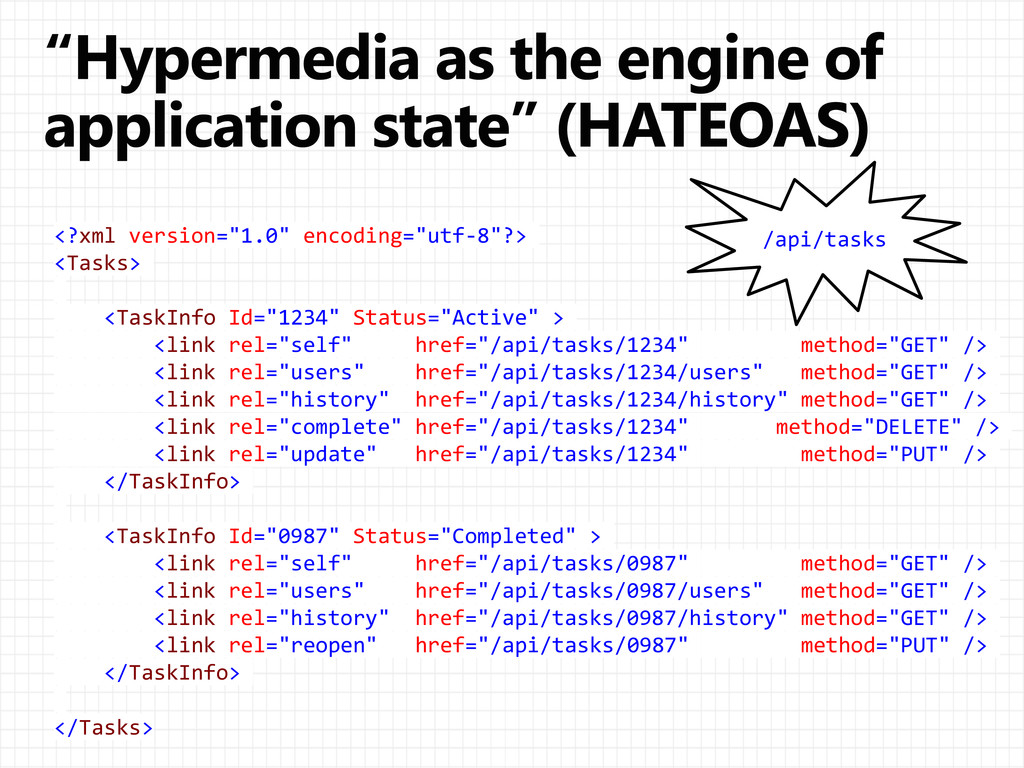
  8. <?xml version="1.0" encoding="utf-8"?> <Tasks> <TaskInfo Id="1234" Status="Active" > <link rel="self"

    href="/api/tasks/1234" method="GET" /> <link rel="users" href="/api/tasks/1234/users" method="GET" /> <link rel="history" href="/api/tasks/1234/history" method="GET" /> <link rel="complete" href="/api/tasks/1234" method="DELETE" /> <link rel="update" href="/api/tasks/1234" method="PUT" /> </TaskInfo> <TaskInfo Id="0987" Status="Completed" > <link rel="self" href="/api/tasks/0987" method="GET" /> <link rel="users" href="/api/tasks/0987/users" method="GET" /> <link rel="history" href="/api/tasks/0987/history" method="GET" /> <link rel="reopen" href="/api/tasks/0987" method="PUT" /> </TaskInfo> </Tasks> /api/tasks
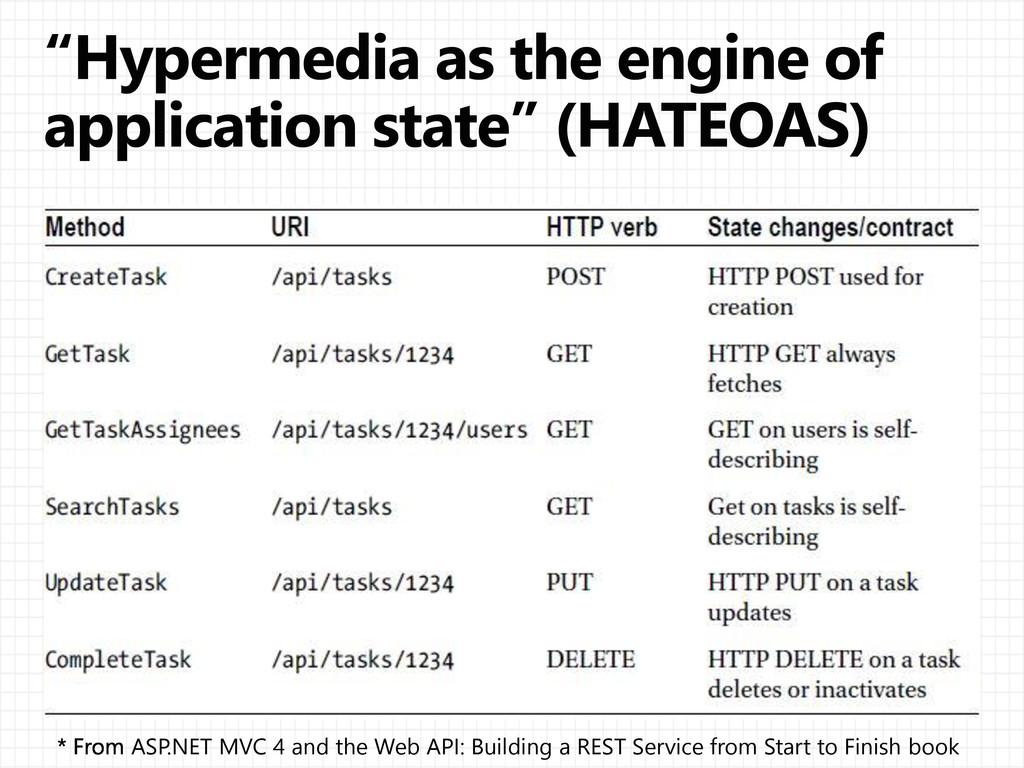
  9. ASP.NET MVC 4 and the Web API: Building a REST

    Service from Start to Finish book
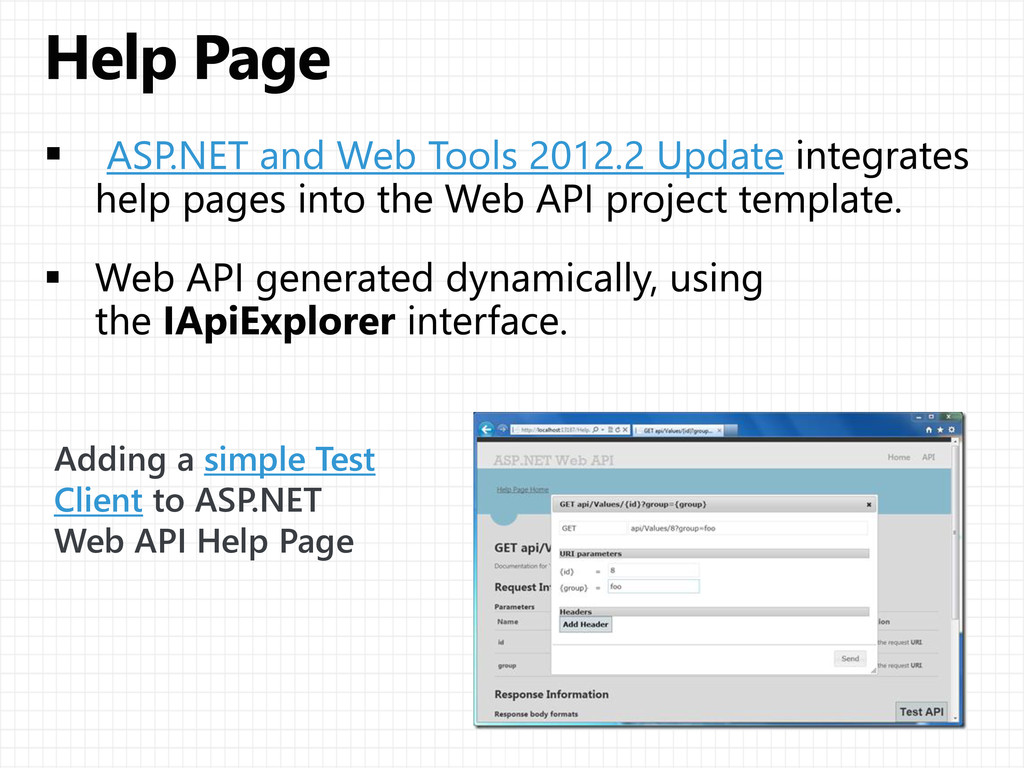
  10. ASP.NET and Web Tools 2012.2 Update Adding a simple Test

    Client to ASP.NET Web API Help Page
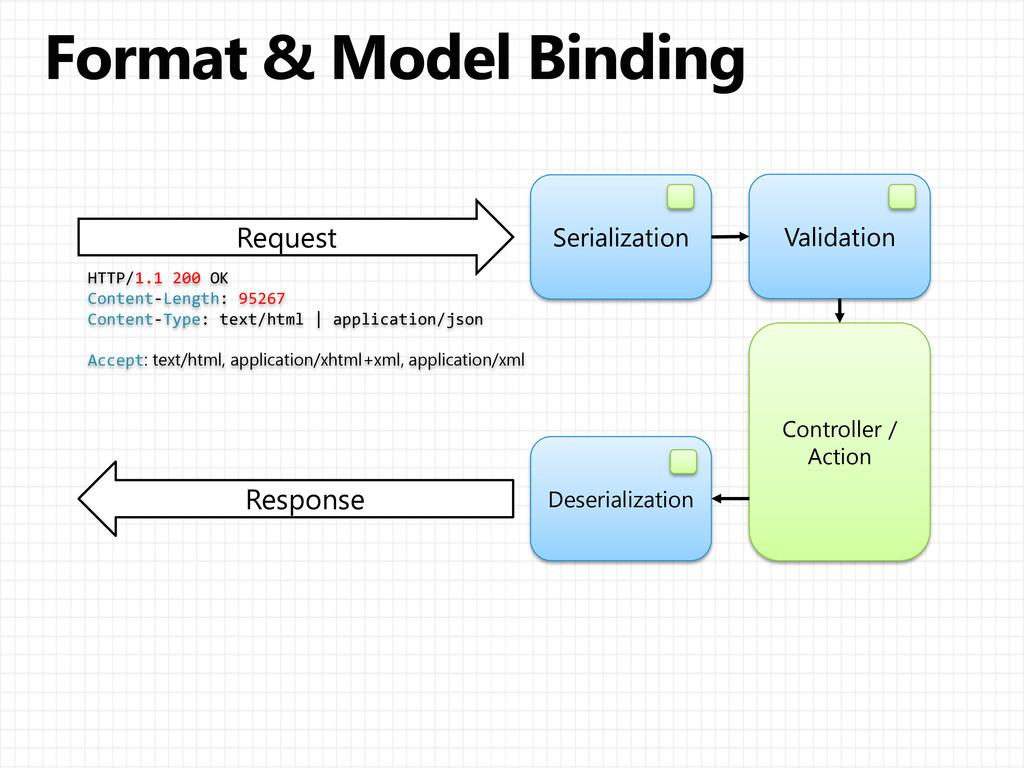
  11. Serialization Validation Deserialization Response Controller / Action Request HTTP/1.1 200

    OK Content-Length: 95267 Content-Type: text/html | application/json Accept: text/html, application/xhtml+xml, application/xml
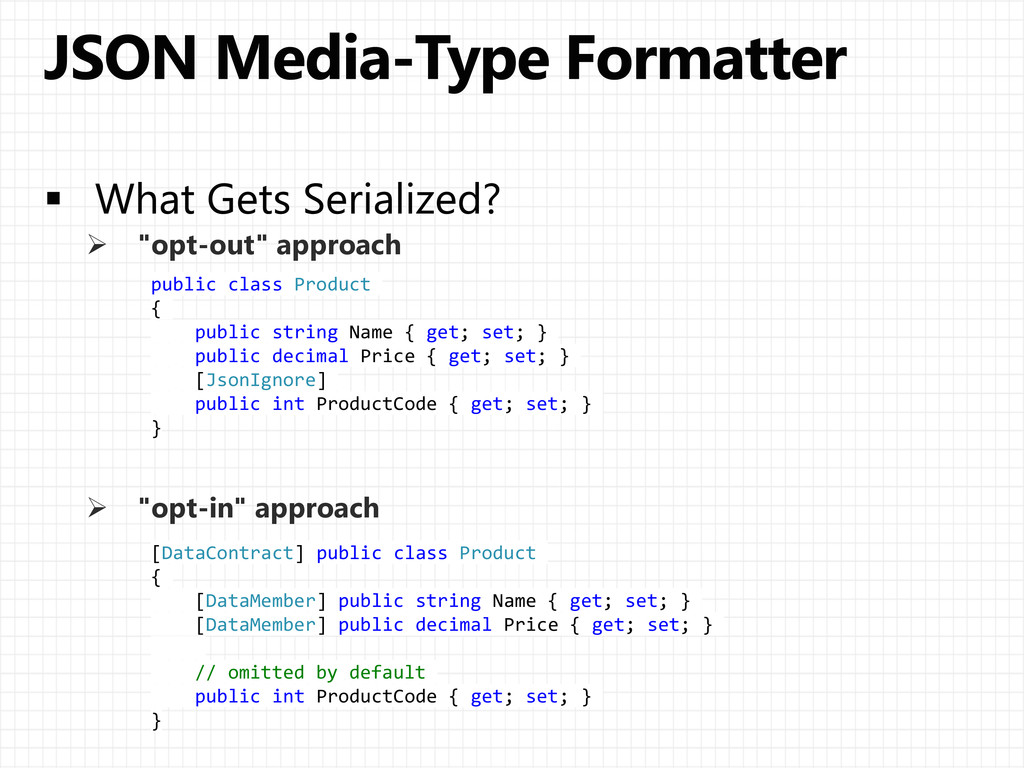
  12.  "opt-out" approach  "opt-in" approach public class Product {

    public string Name { get; set; } public decimal Price { get; set; } [JsonIgnore] public int ProductCode { get; set; } } [DataContract] public class Product { [DataMember] public string Name { get; set; } [DataMember] public decimal Price { get; set; } // omitted by default public int ProductCode { get; set; } }
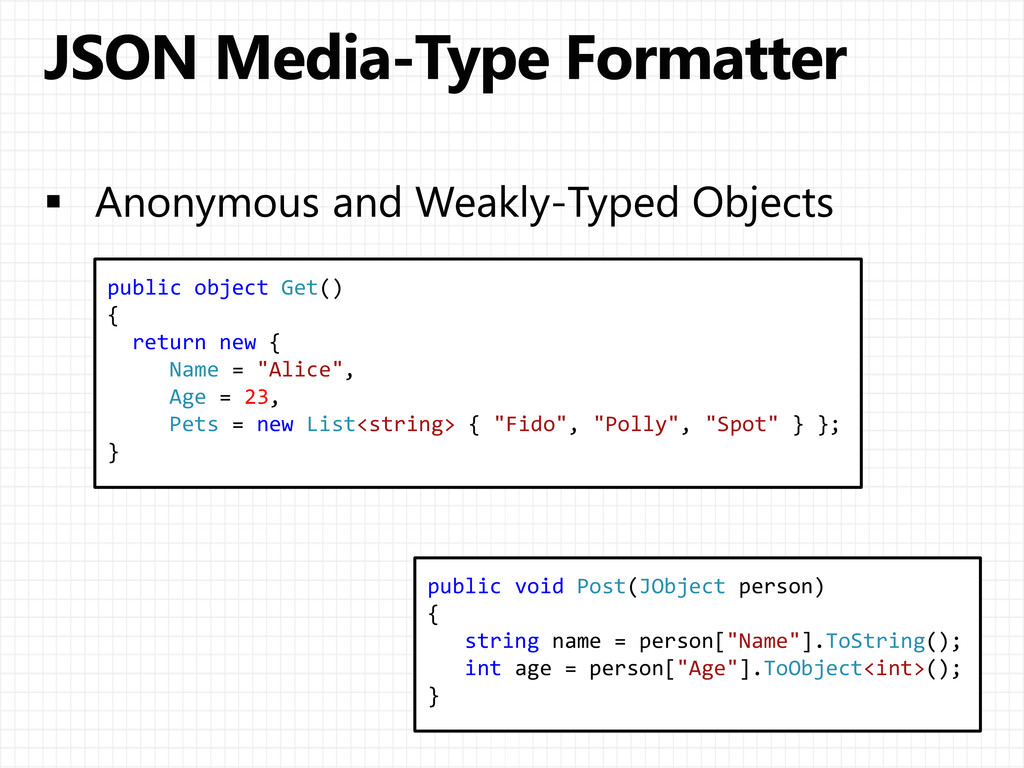
  13. public object Get() { return new { Name = "Alice",

    Age = 23, Pets = new List<string> { "Fido", "Polly", "Spot" } }; } public void Post(JObject person) { string name = person["Name"].ToString(); int age = person["Age"].ToObject<int>(); }
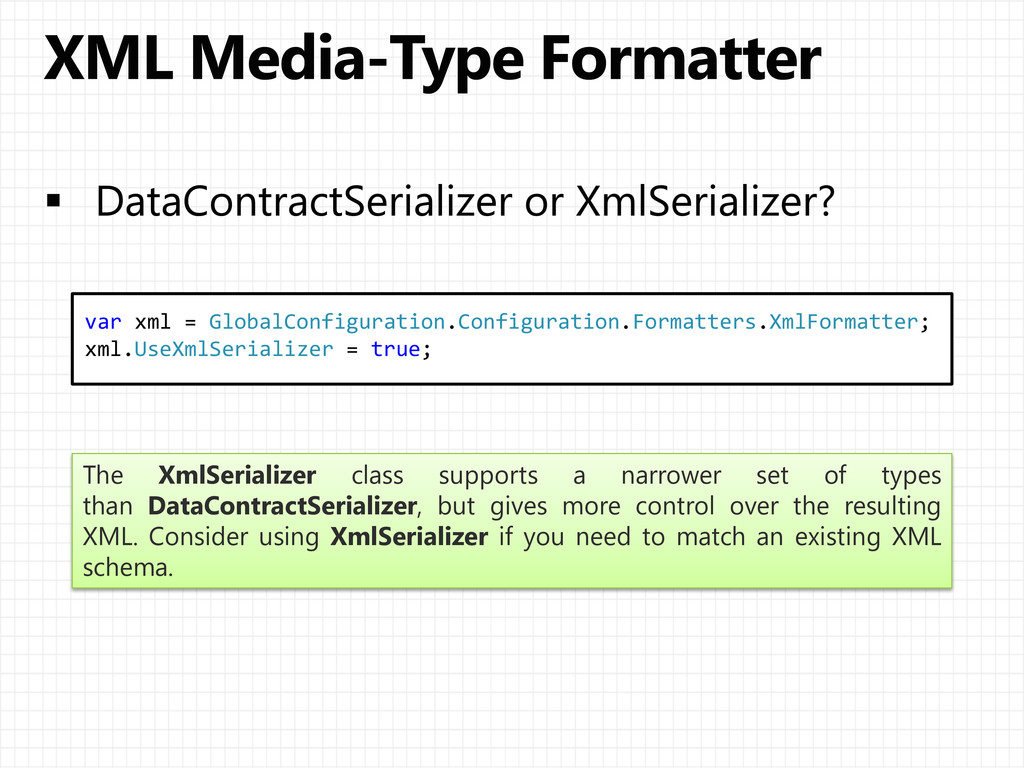
  14. var xml = GlobalConfiguration.Configuration.Formatters.XmlFormatter; xml.UseXmlSerializer = true; The XmlSerializer class

    supports a narrower set of types than DataContractSerializer, but gives more control over the resulting XML. Consider using XmlSerializer if you need to match an existing XML schema.
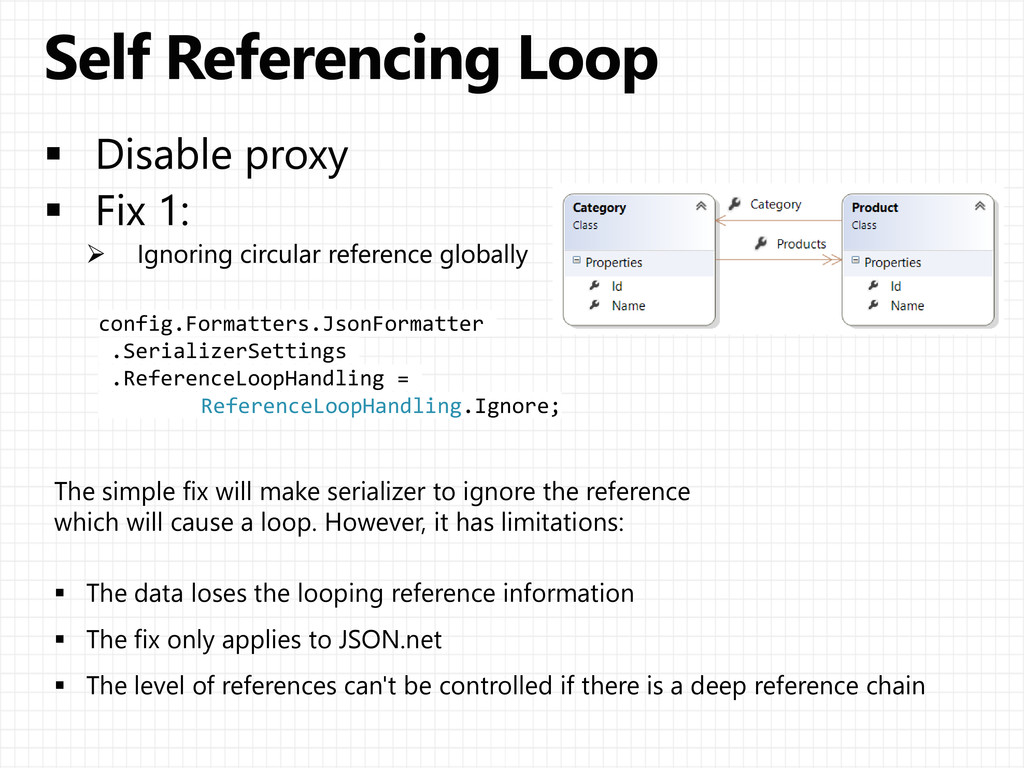
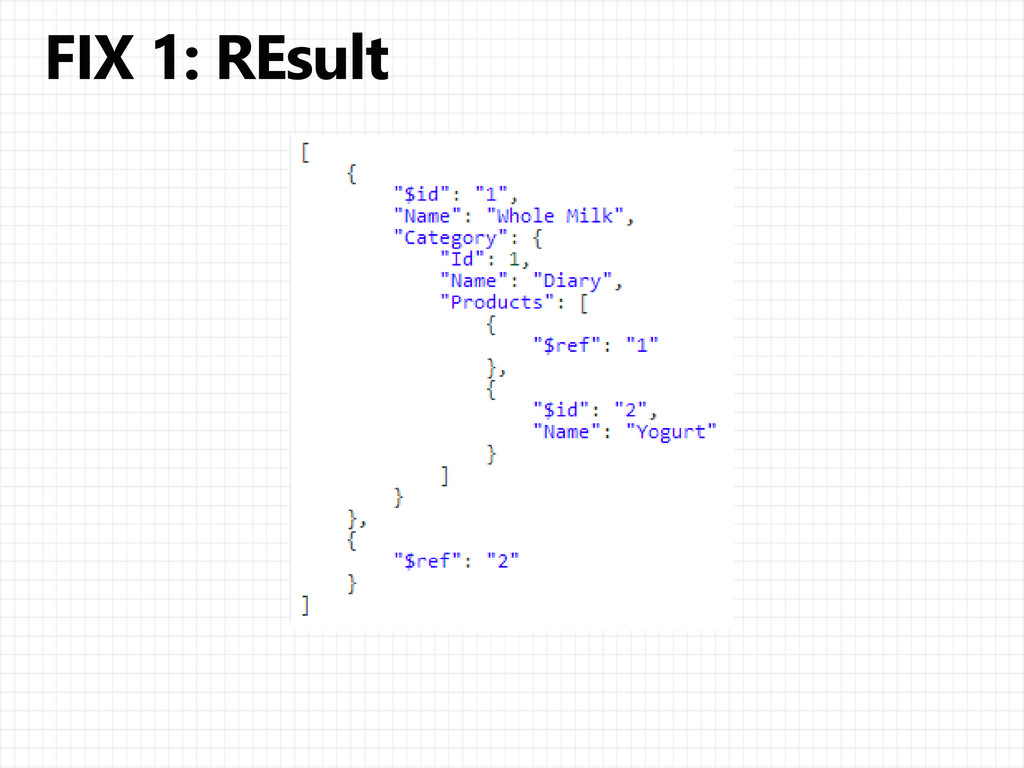
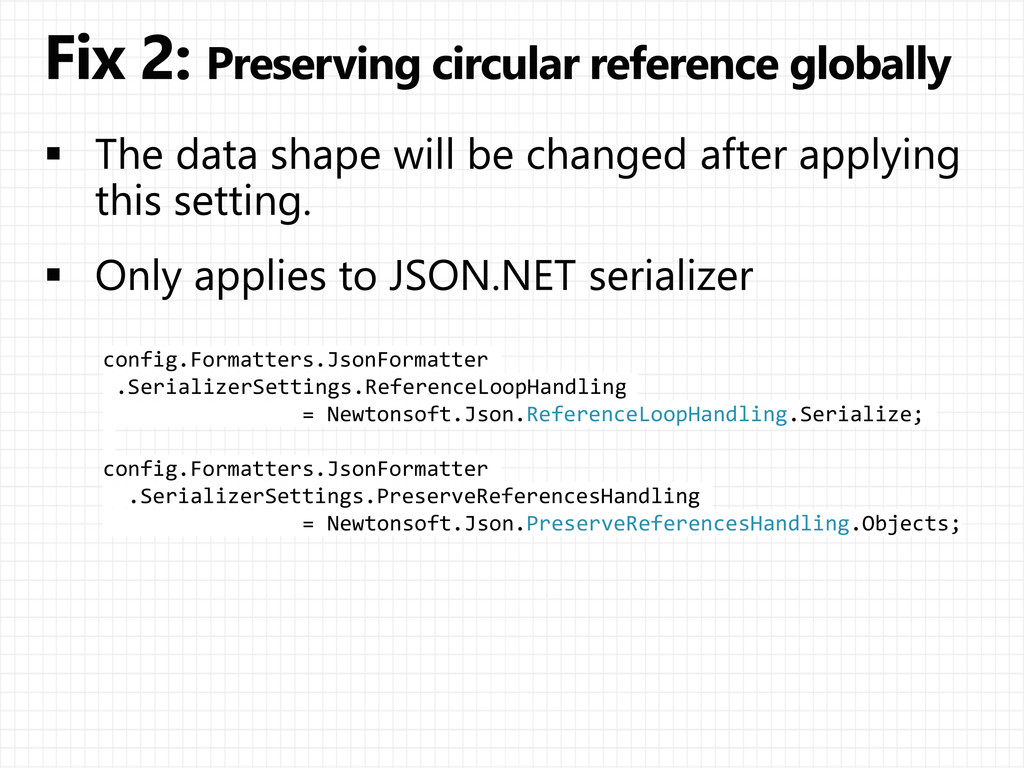
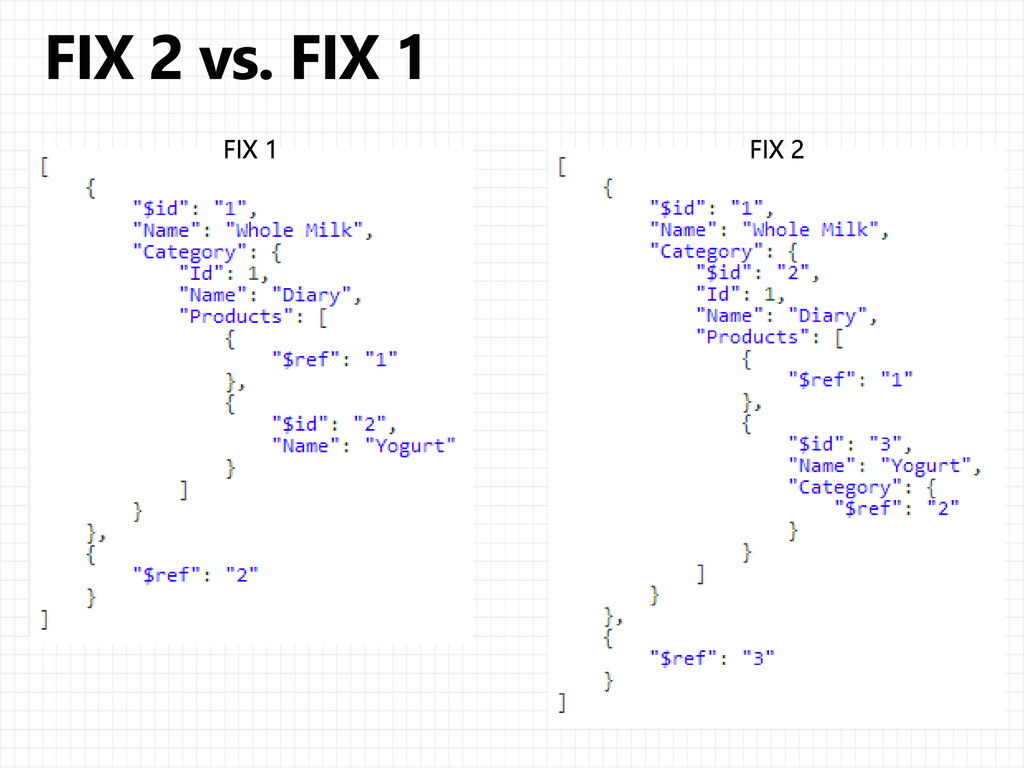
  15. config.Formatters.JsonFormatter .SerializerSettings .ReferenceLoopHandling = ReferenceLoopHandling.Ignore; The simple fix will make

    serializer to ignore the reference which will cause a loop. However, it has limitations:  The data loses the looping reference information  The fix only applies to JSON.net  The level of references can't be controlled if there is a deep reference chain
  16. // Fix 3 [JsonObject(IsReference = true)] public class Category {

    public int Id { get; set; } public string Name { get; set; } // Fix 3 [JsonIgnore] [IgnoreDataMember] public virtual ICollection<Product> Products { get; set; } } [DataContract(IsReference = true)] public class Product { [Key] public int Id { get; set; } [DataMember] public string Name { get; set; } [DataMember] public virtual Category Category { get; set; } }
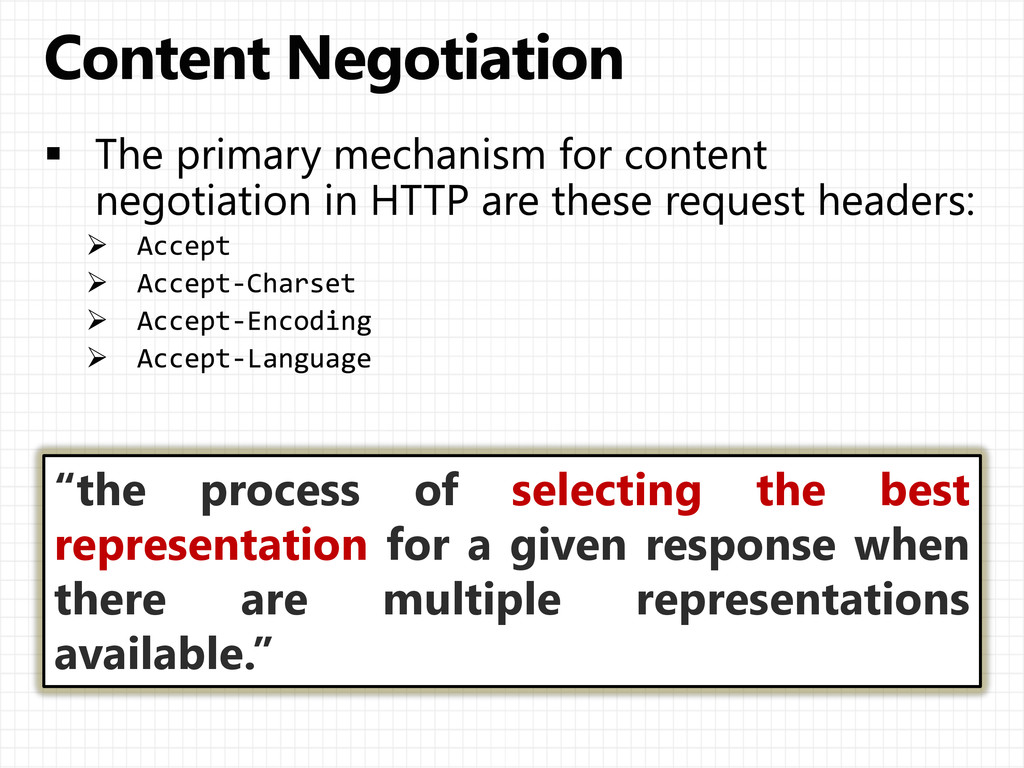
  17. “the process of selecting the best representation for a given

    response when there are multiple representations available.”
  18. public HttpResponseMessage GetProduct(int id) { var product = new Product()

    { Id = id, Name = "Gizmo", Price = 1.99M }; IContentNegotiator negotiator = this.Configuration .Services.GetContentNegotiator(); ContentNegotiationResult result = negotiator.Negotiate( typeof(Product), this.Request, this.Configuration.Formatters); if (result == null) { var response = new HttpResponseMessage(HttpStatusCode.NotAcceptable); throw new HttpResponseException(response)); } return new HttpResponseMessage() { Content = new ObjectContent<Product>( product, // What we are serializing result.Formatter, // The media formatter result.MediaType.MediaType // The MIME type ) }; }
  19. public class ProductMD { [StringLength(50), Required] public string Name {

    get; set; } [Range(0, 9999)] public int Weight { get; set; } }
  20.  [Required]  [Exclude]  [DataType]  [Range] [MetadataTypeAttribute( typeof(

    Employee.EmployeeMetadata ) )] public partial class Employee } internal sealed class EmployeeMetadata } [StringLength(60)] [RoundtripOriginal] public string AddressLine { get; set; } } }  [StringLength(60)]  [RegularExpression]  [AllowHtml]  [Compare]
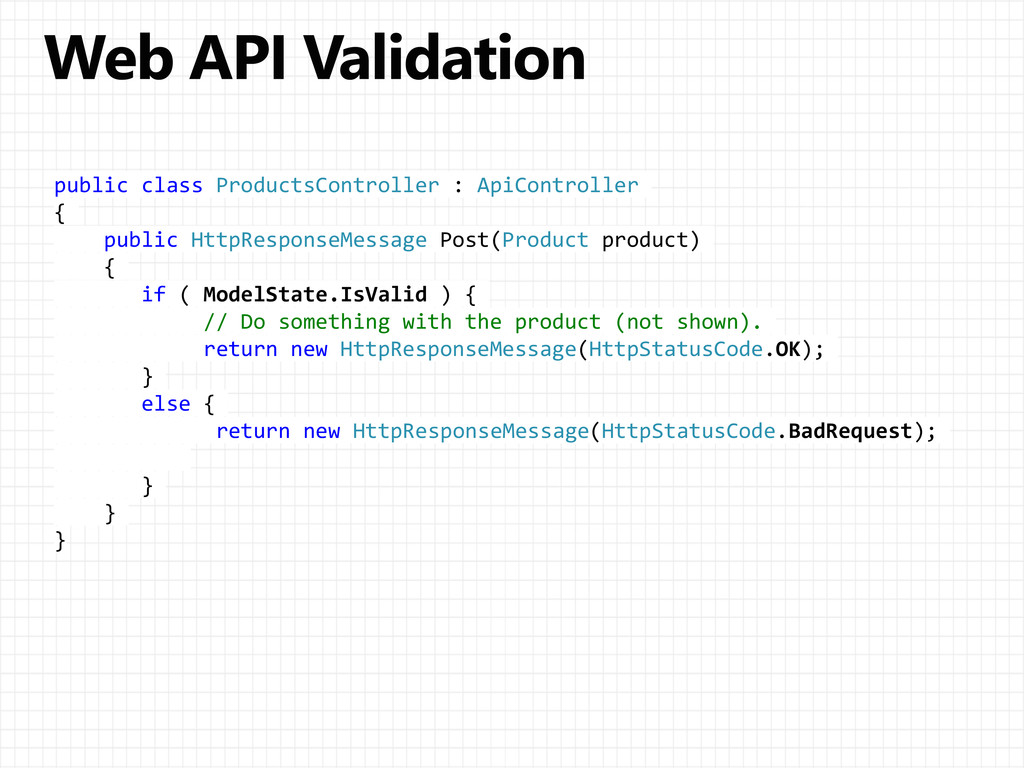
  21. public class ProductsController : ApiController { public HttpResponseMessage Post(Product product)

    { if ( ModelState.IsValid ) { // Do something with the product (not shown). return new HttpResponseMessage(HttpStatusCode.OK); } else { return new HttpResponseMessage(HttpStatusCode.BadRequest); } } }
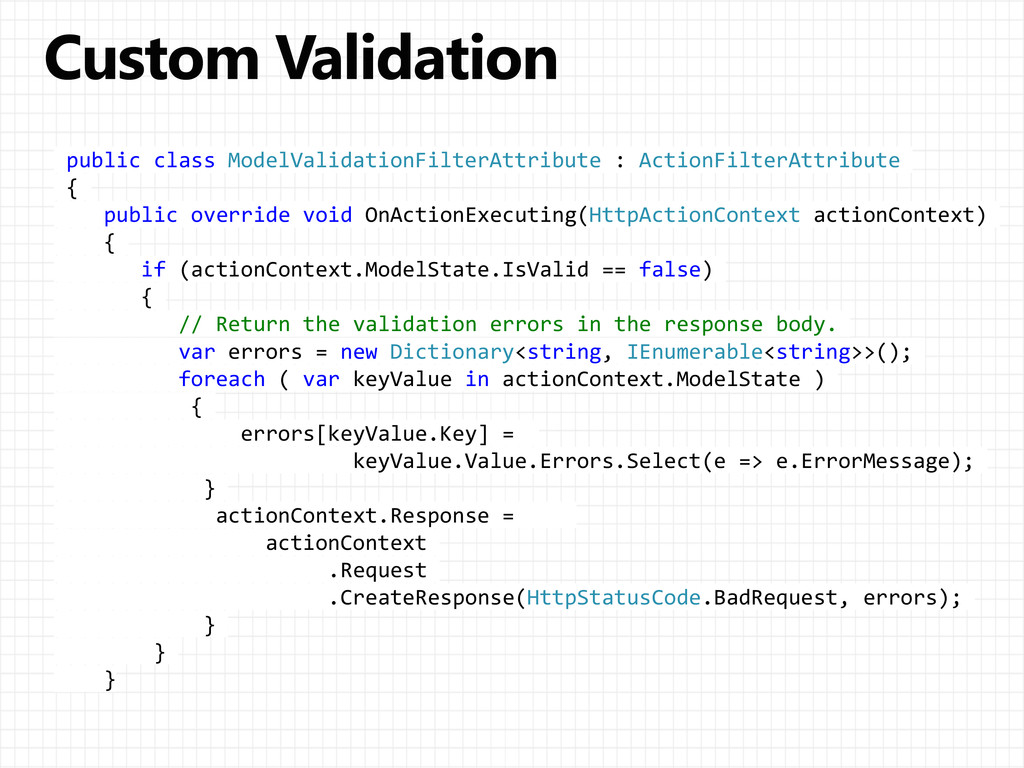
  22. public class ModelValidationFilterAttribute : ActionFilterAttribute { public override void OnActionExecuting(HttpActionContext

    actionContext) { if (actionContext.ModelState.IsValid == false) { // Return the validation errors in the response body. var errors = new Dictionary<string, IEnumerable<string>>(); foreach ( var keyValue in actionContext.ModelState ) { errors[keyValue.Key] = keyValue.Value.Errors.Select(e => e.ErrorMessage); } actionContext.Response = actionContext .Request .CreateResponse(HttpStatusCode.BadRequest, errors); } } }
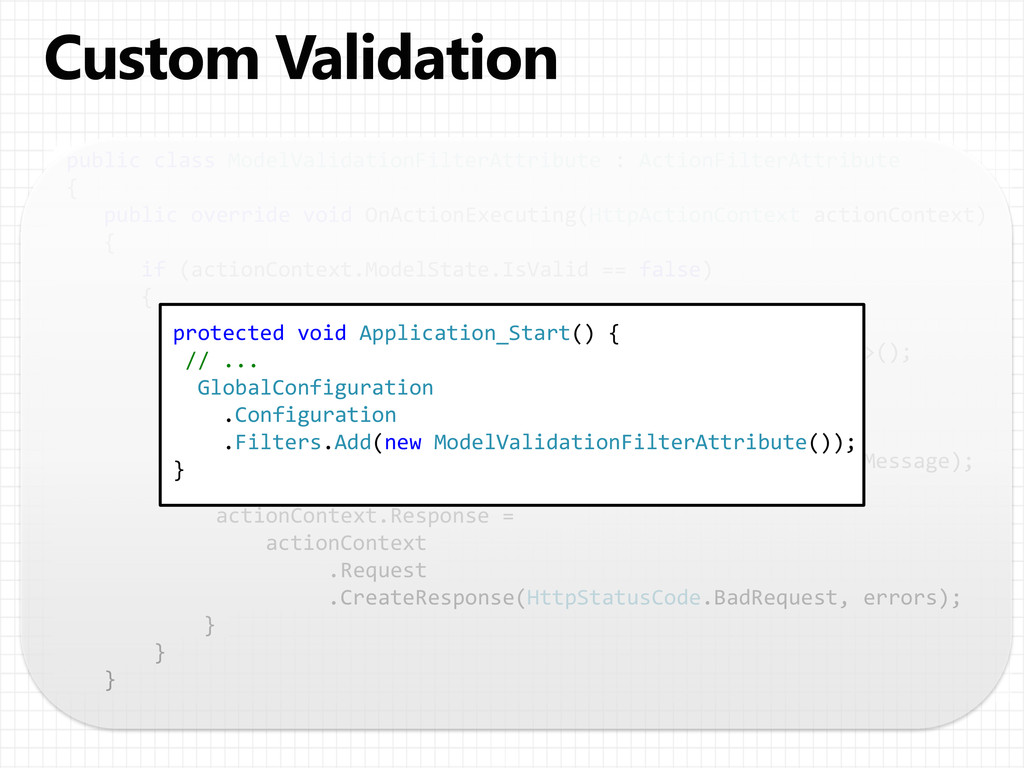
  23. public class ModelValidationFilterAttribute : ActionFilterAttribute { public override void OnActionExecuting(HttpActionContext

    actionContext) { if (actionContext.ModelState.IsValid == false) { // Return the validation errors in the response body. var errors = new Dictionary<string, IEnumerable<string>>(); foreach ( var keyValue in actionContext.ModelState ) { errors[keyValue.Key] = keyValue.Value.Errors.Select(e => e.ErrorMessage); } actionContext.Response = actionContext .Request .CreateResponse(HttpStatusCode.BadRequest, errors); } } } protected void Application_Start() { // ... GlobalConfiguration .Configuration .Filters.Add(new ModelValidationFilterAttribute()); }
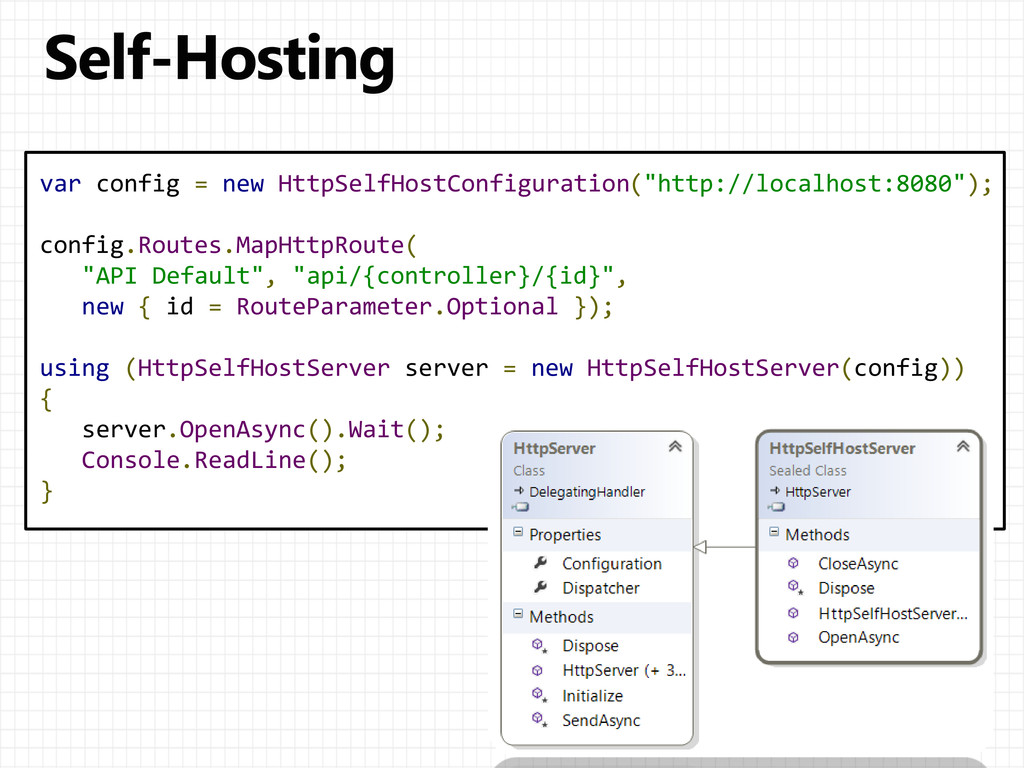
  24. var config = new HttpSelfHostConfiguration("http://localhost:8080"); config.Routes.MapHttpRoute( "API Default", "api/{controller}/{id}", new

    { id = RouteParameter.Optional }); using (HttpSelfHostServer server = new HttpSelfHostServer(config)) { server.OpenAsync().Wait(); Console.ReadLine(); }