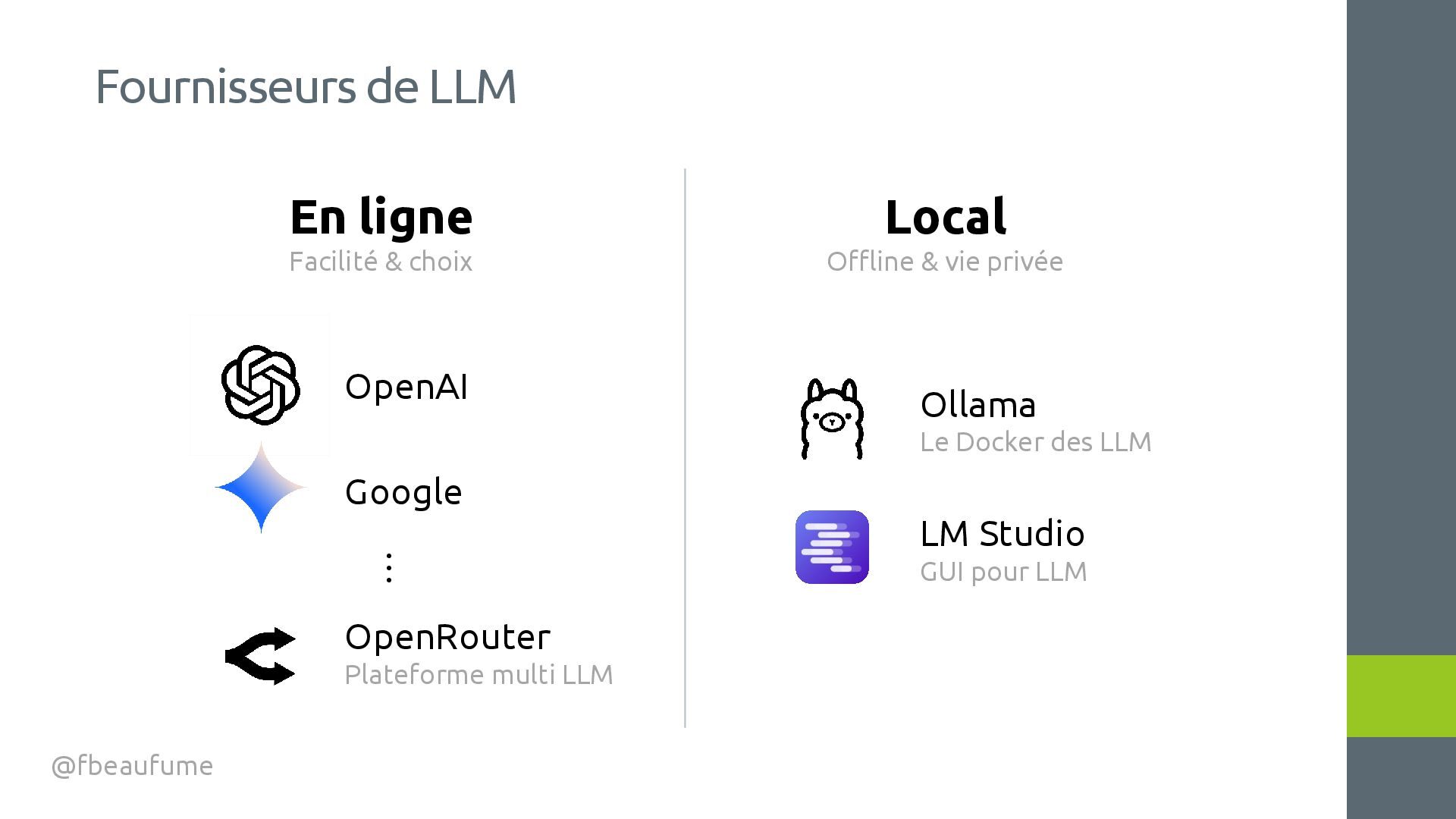
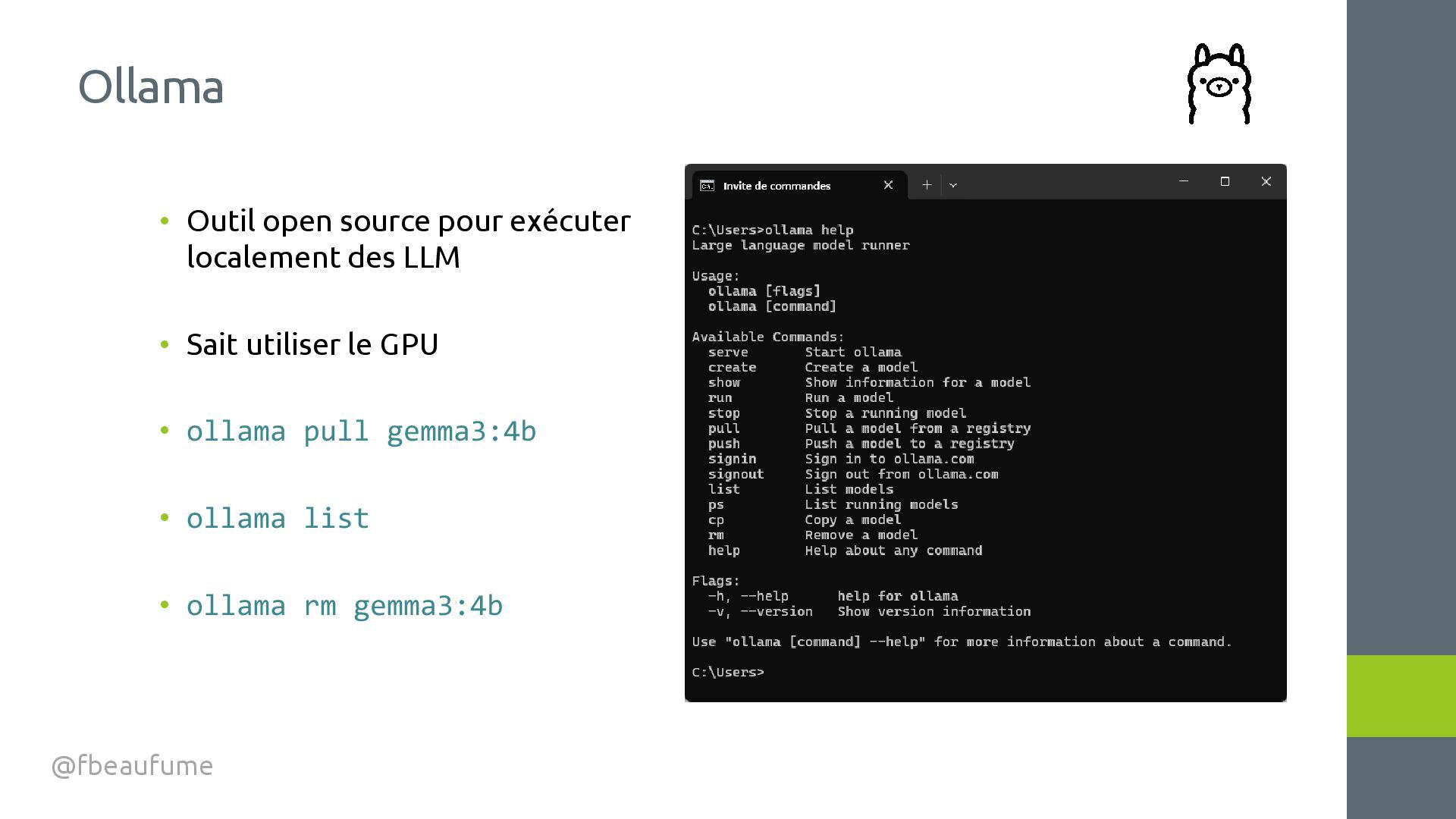
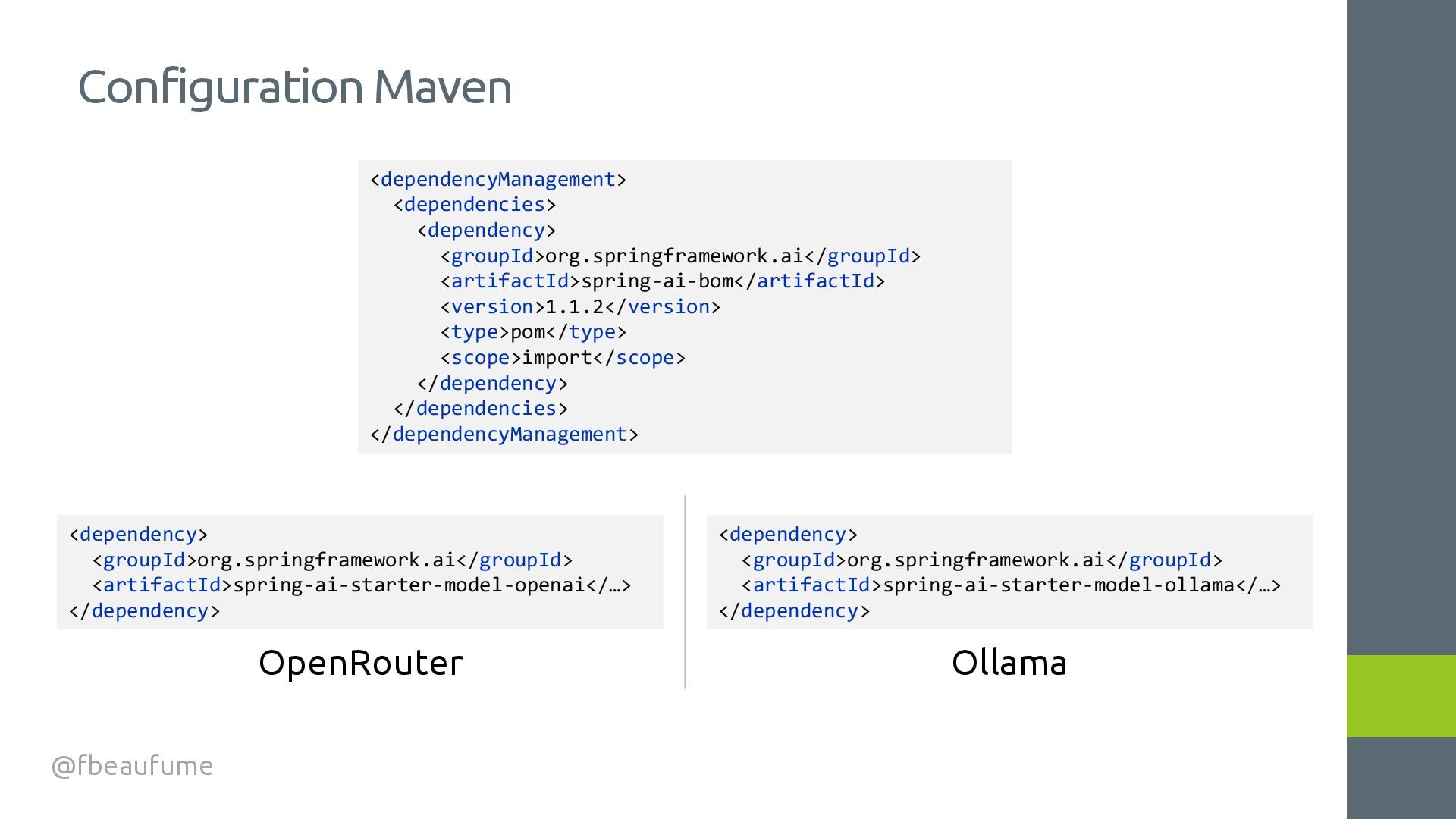
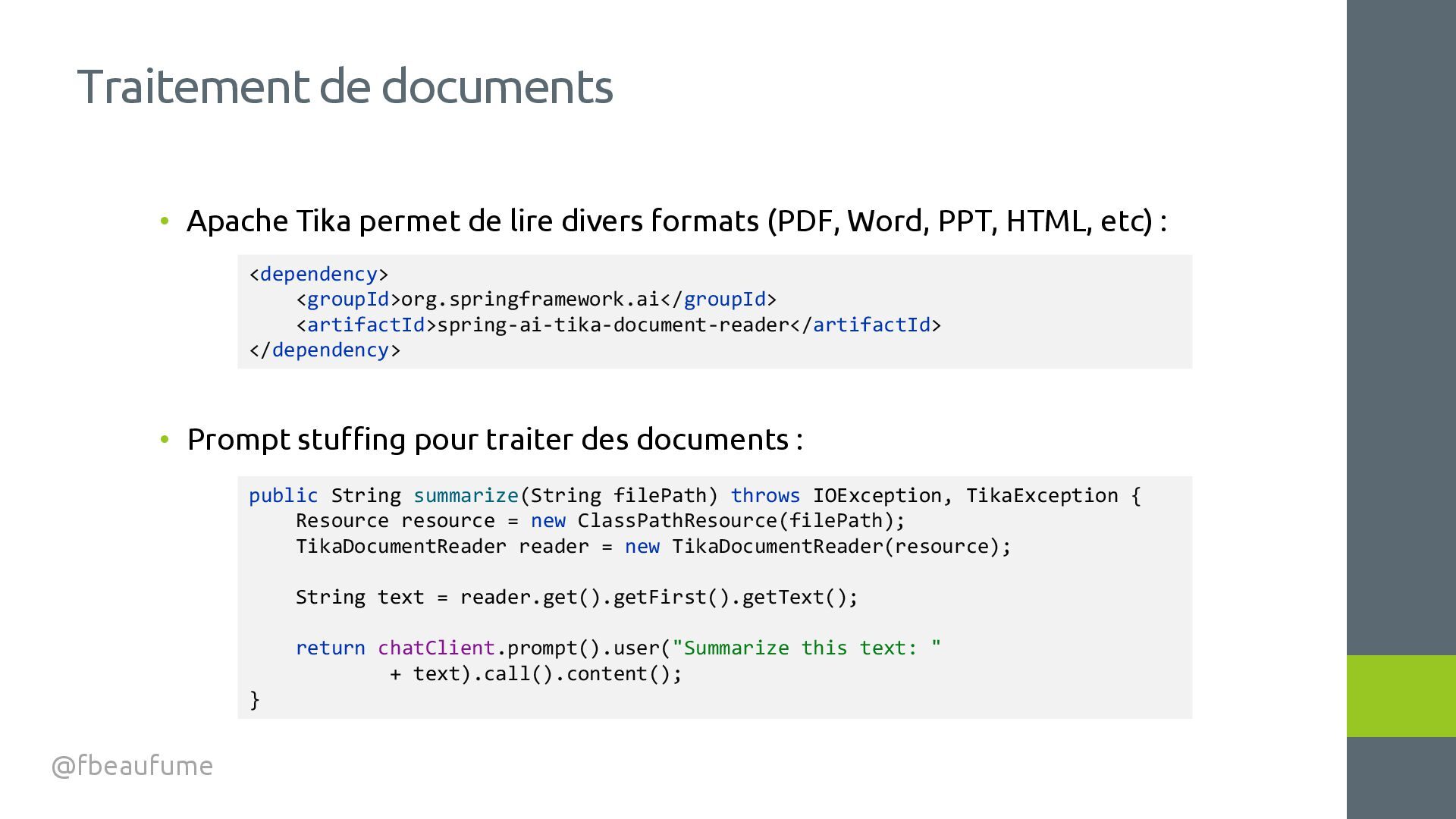
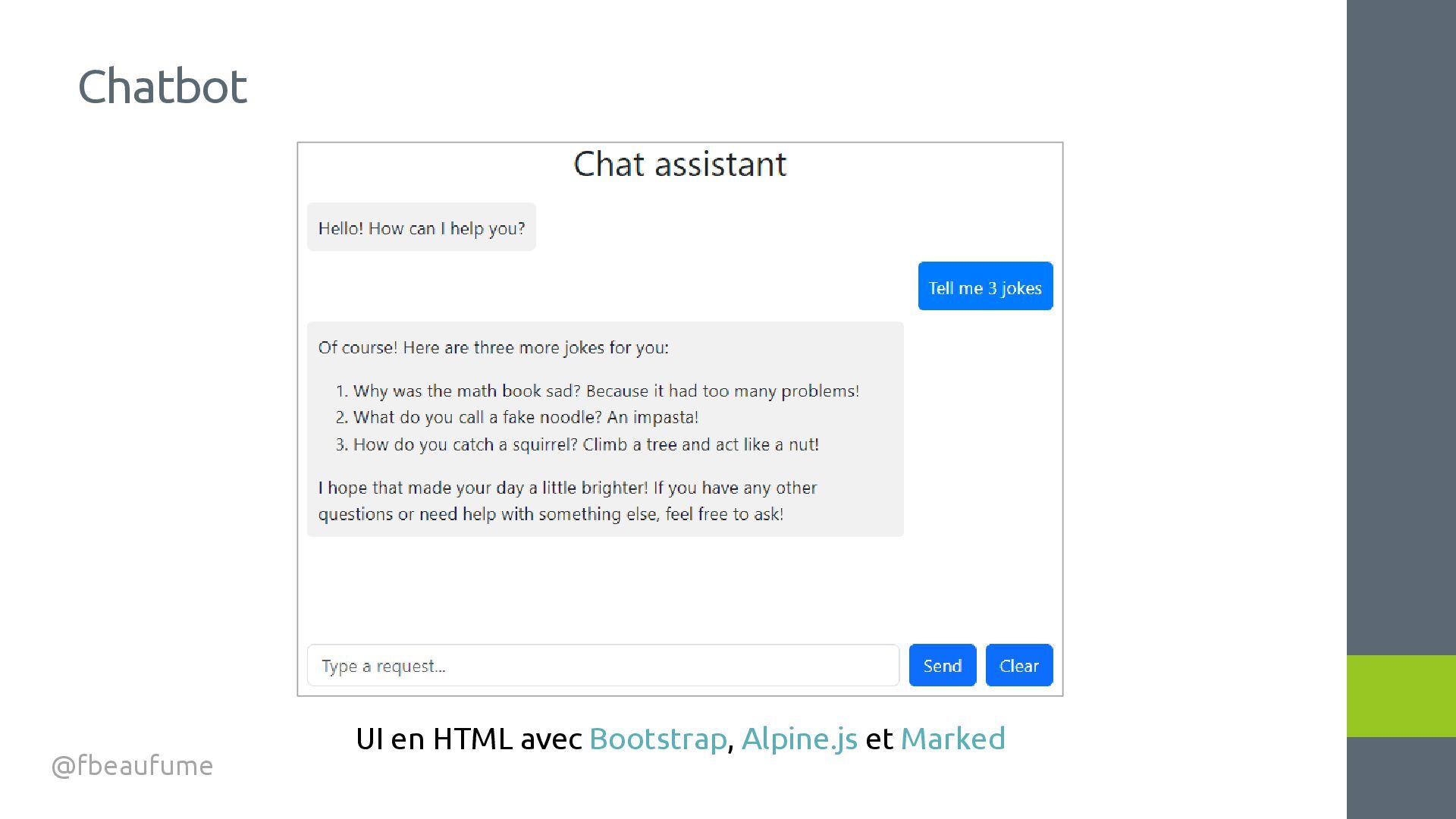
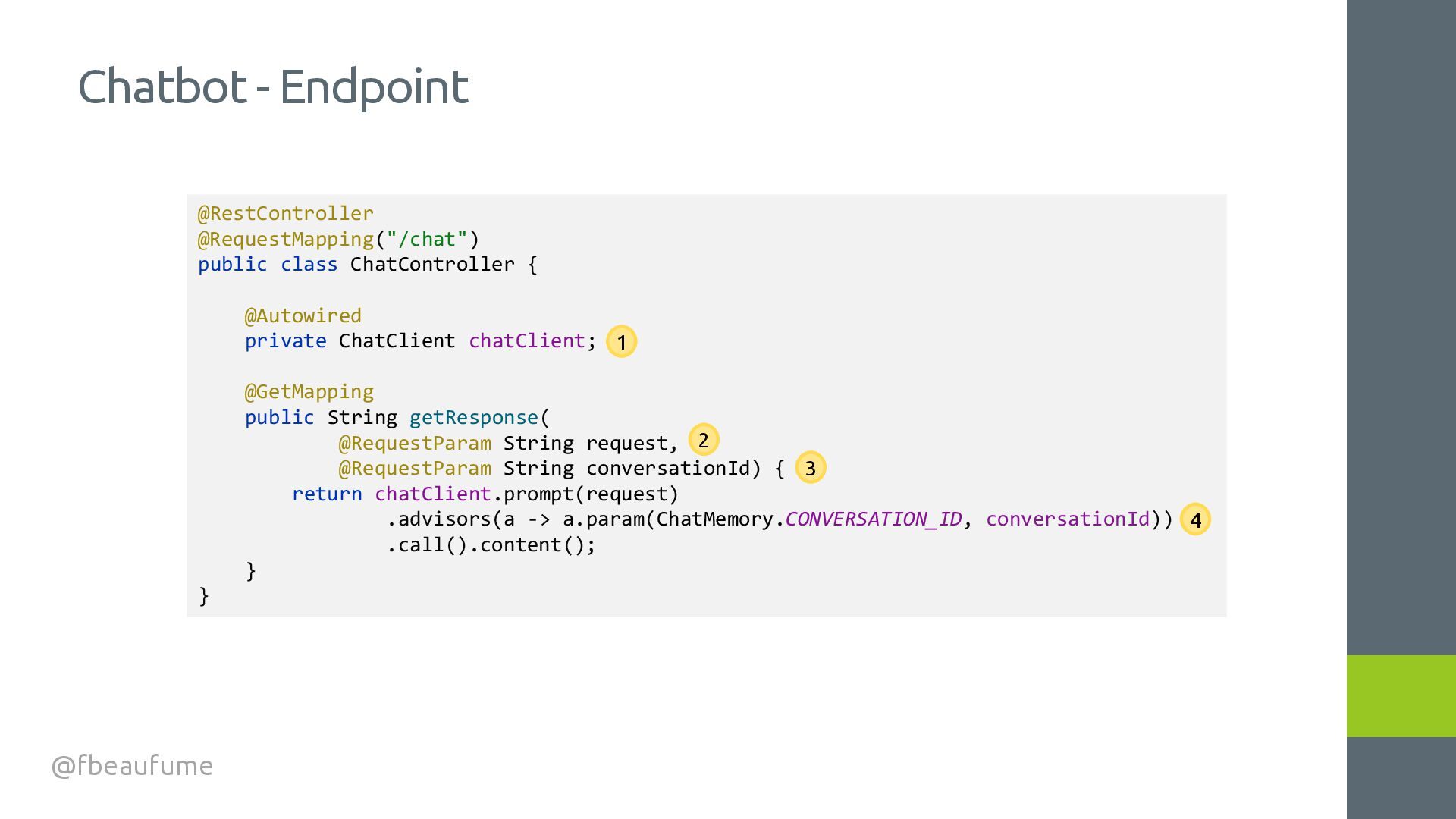
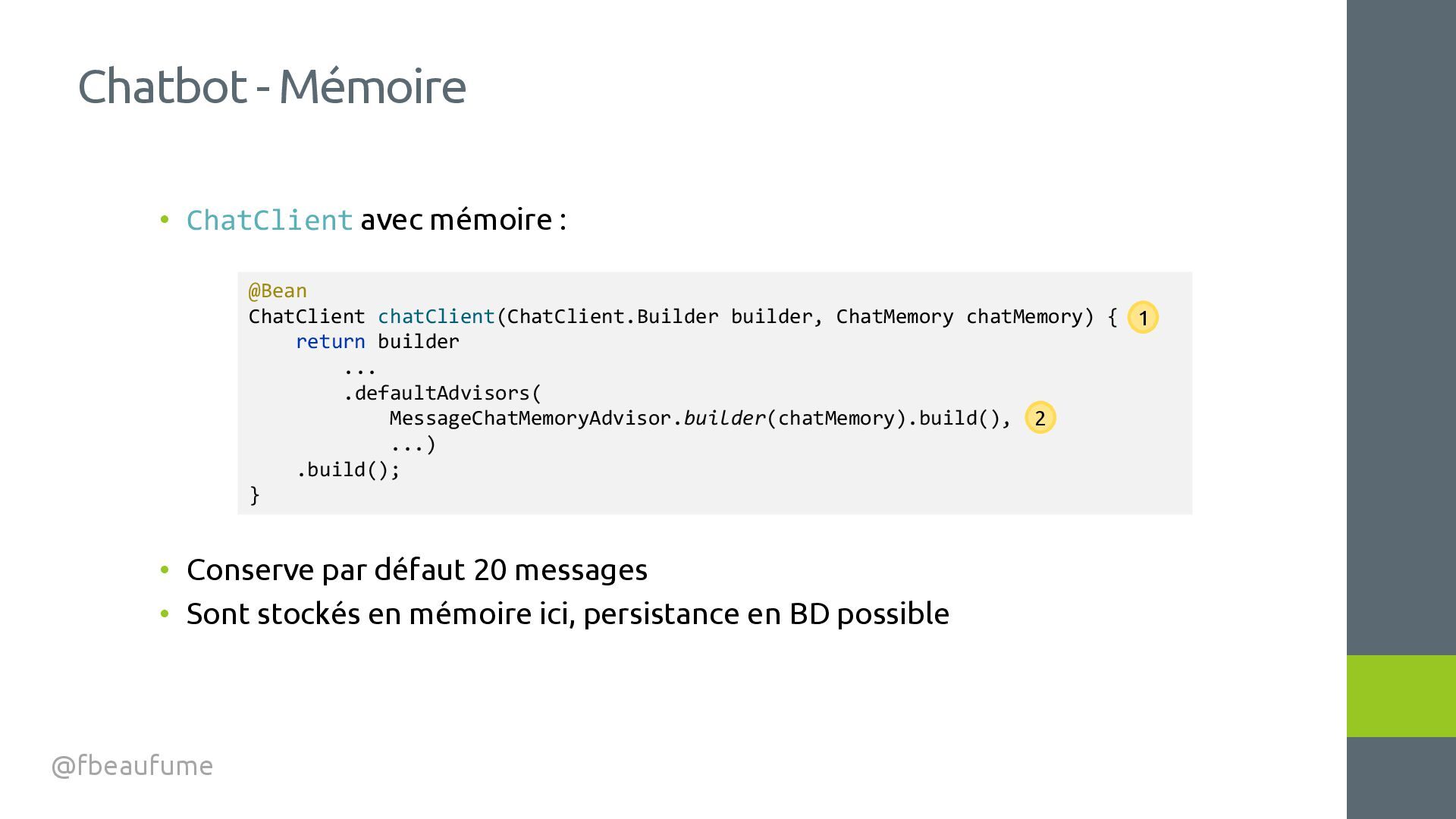
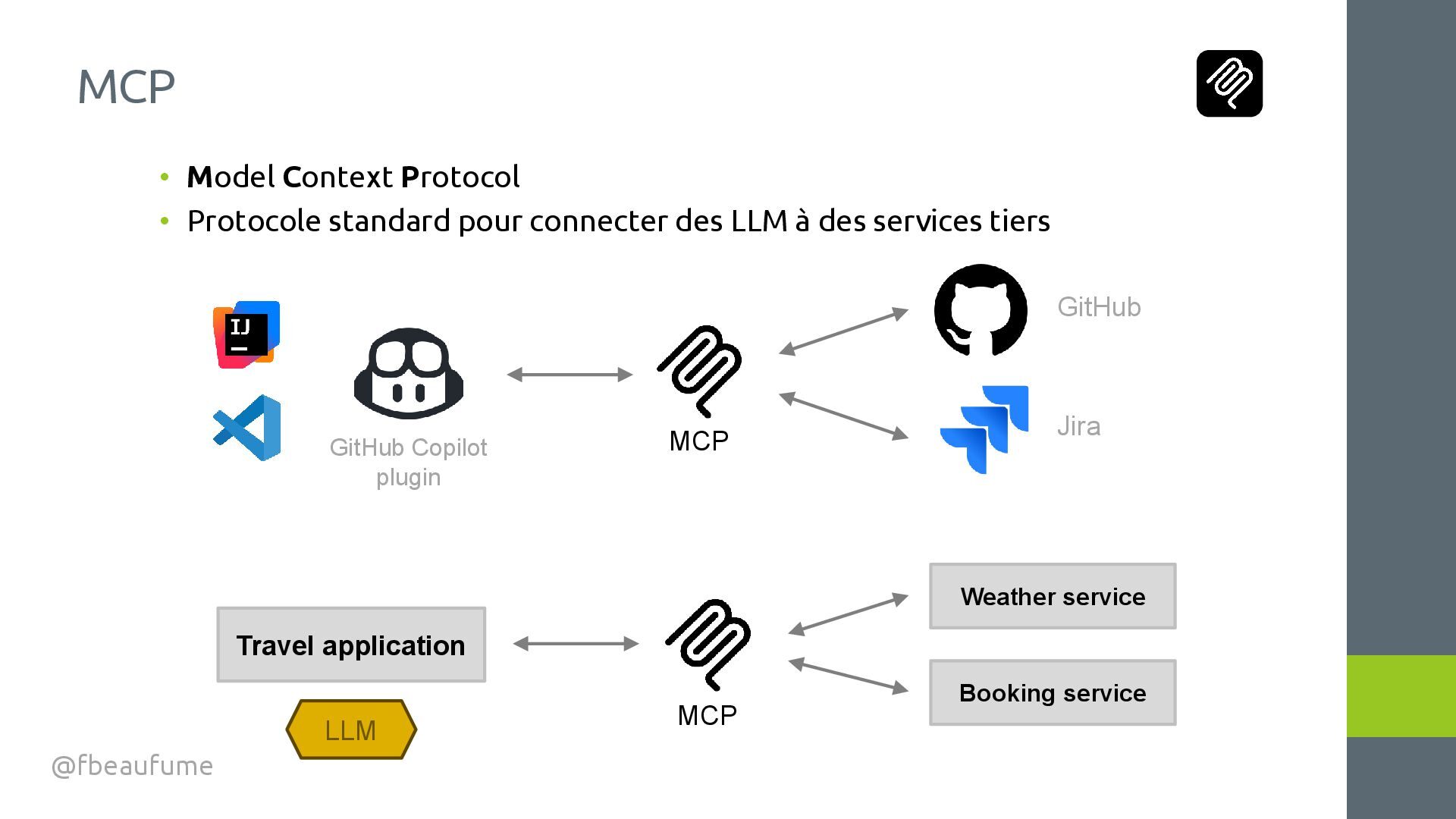
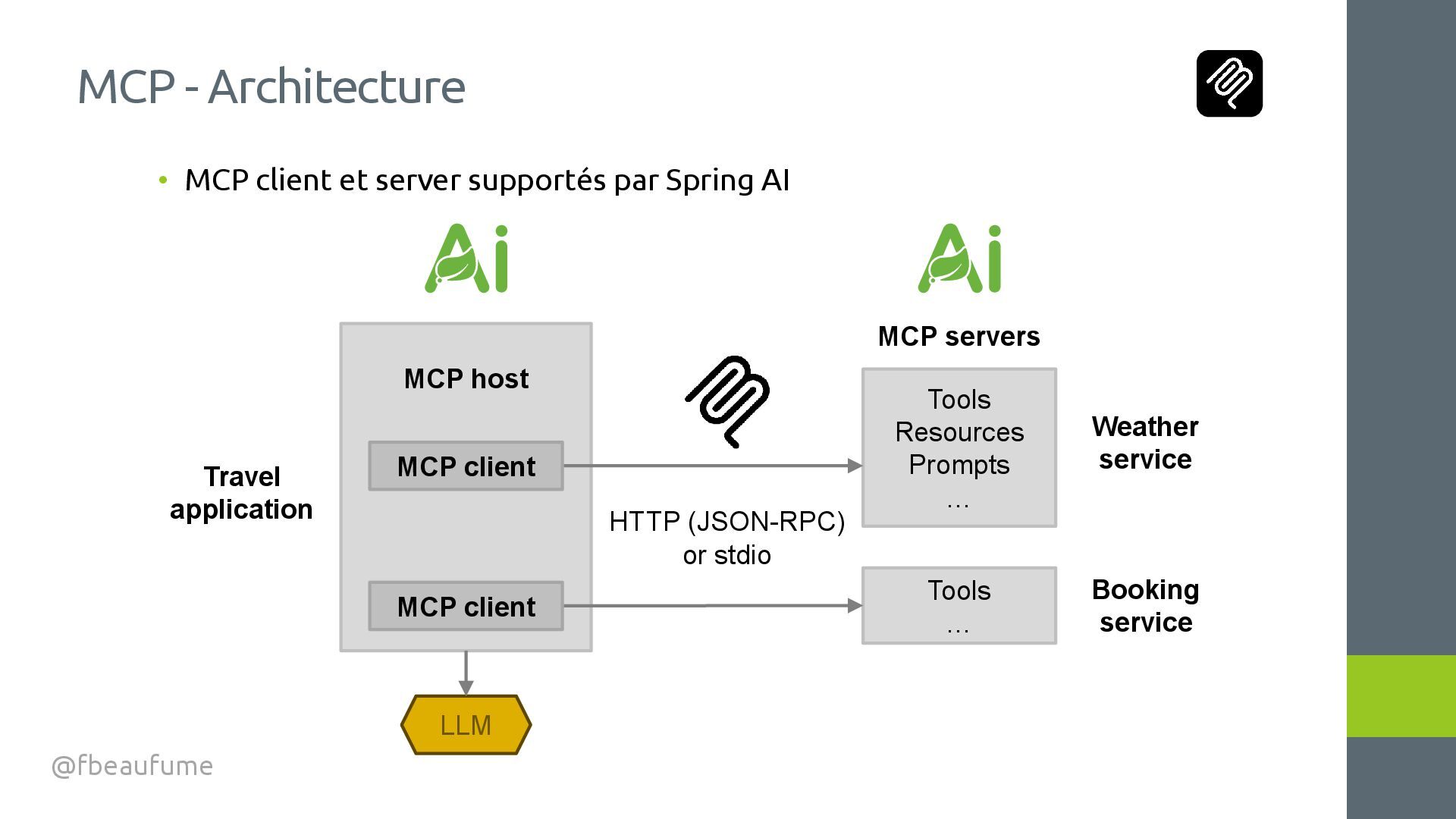
dans des applications Spring • Haut niveau et masque la complexité d'accès aux divers LLM • Fournisseurs : Anthropic, OpenAI, Microsoft, Google, Mistral, Ollama, … • Fonctionnalités principales : • Prompting, observabilité, structured output, image, voix, évaluation, modération, function calling, chatbot, RAG, bases vectorielles, MCP, agents Spring AI @fbeaufume
avec Spring AI • Prompting • Traitement de documents • Mesure des tokens consommés • Structured output • Log des appels • Description d'image • Modération • Chatbot • Function calling • MCP client et serveur Sommaire @fbeaufume
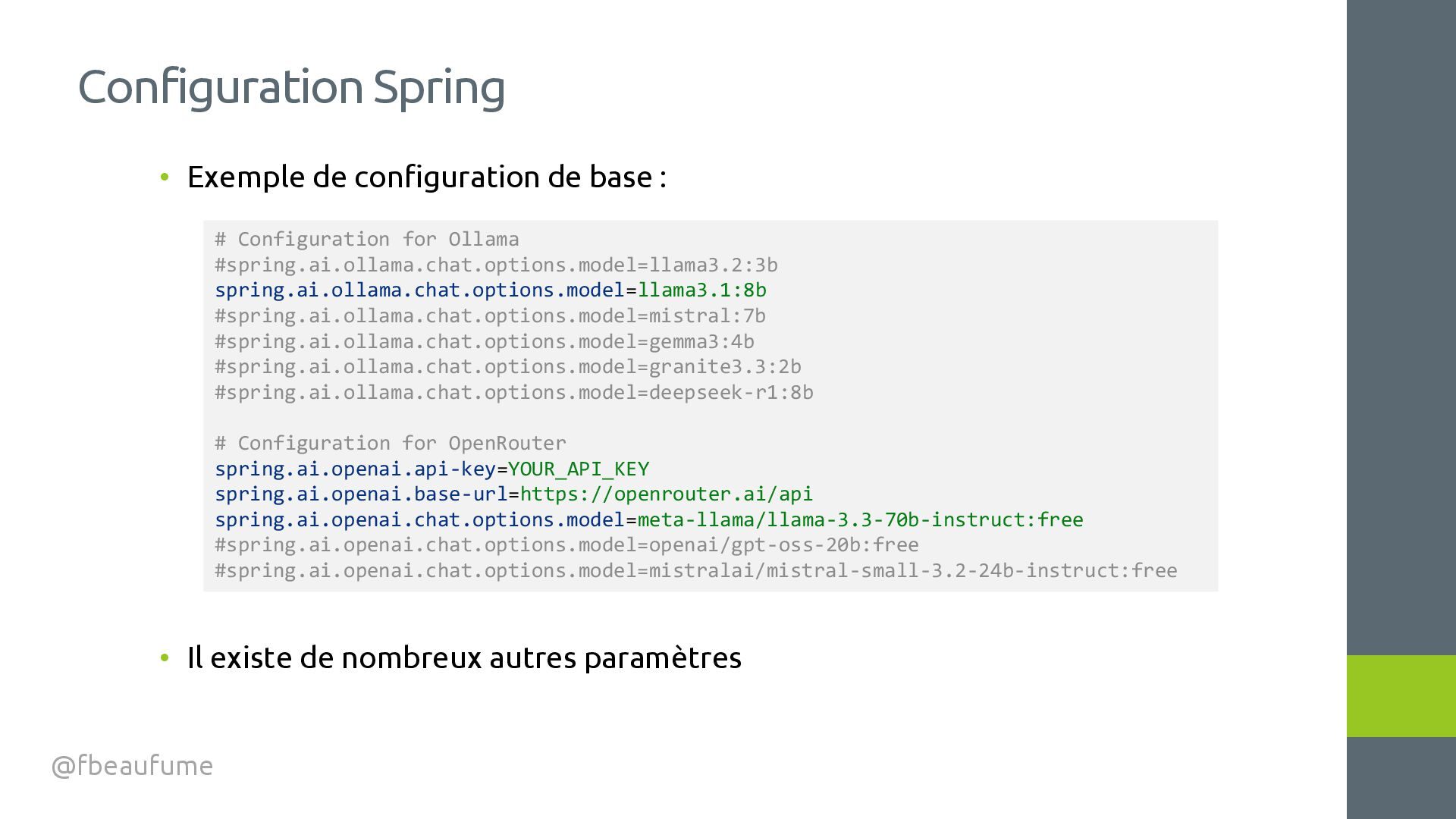
de nombreux autres paramètres Configuration Spring @fbeaufume # Configuration for Ollama #spring.ai.ollama.chat.options.model=llama3.2:3b spring.ai.ollama.chat.options.model=llama3.1:8b #spring.ai.ollama.chat.options.model=mistral:7b #spring.ai.ollama.chat.options.model=gemma3:4b #spring.ai.ollama.chat.options.model=granite3.3:2b #spring.ai.ollama.chat.options.model=deepseek-r1:8b # Configuration for OpenRouter spring.ai.openai.api-key=YOUR_API_KEY spring.ai.openai.base-url=https://openrouter.ai/api spring.ai.openai.chat.options.model=meta-llama/llama-3.3-70b-instruct:free #spring.ai.openai.chat.options.model=openai/gpt-oss-20b:free #spring.ai.openai.chat.options.model=mistralai/mistral-small-3.2-24b-instruct:free
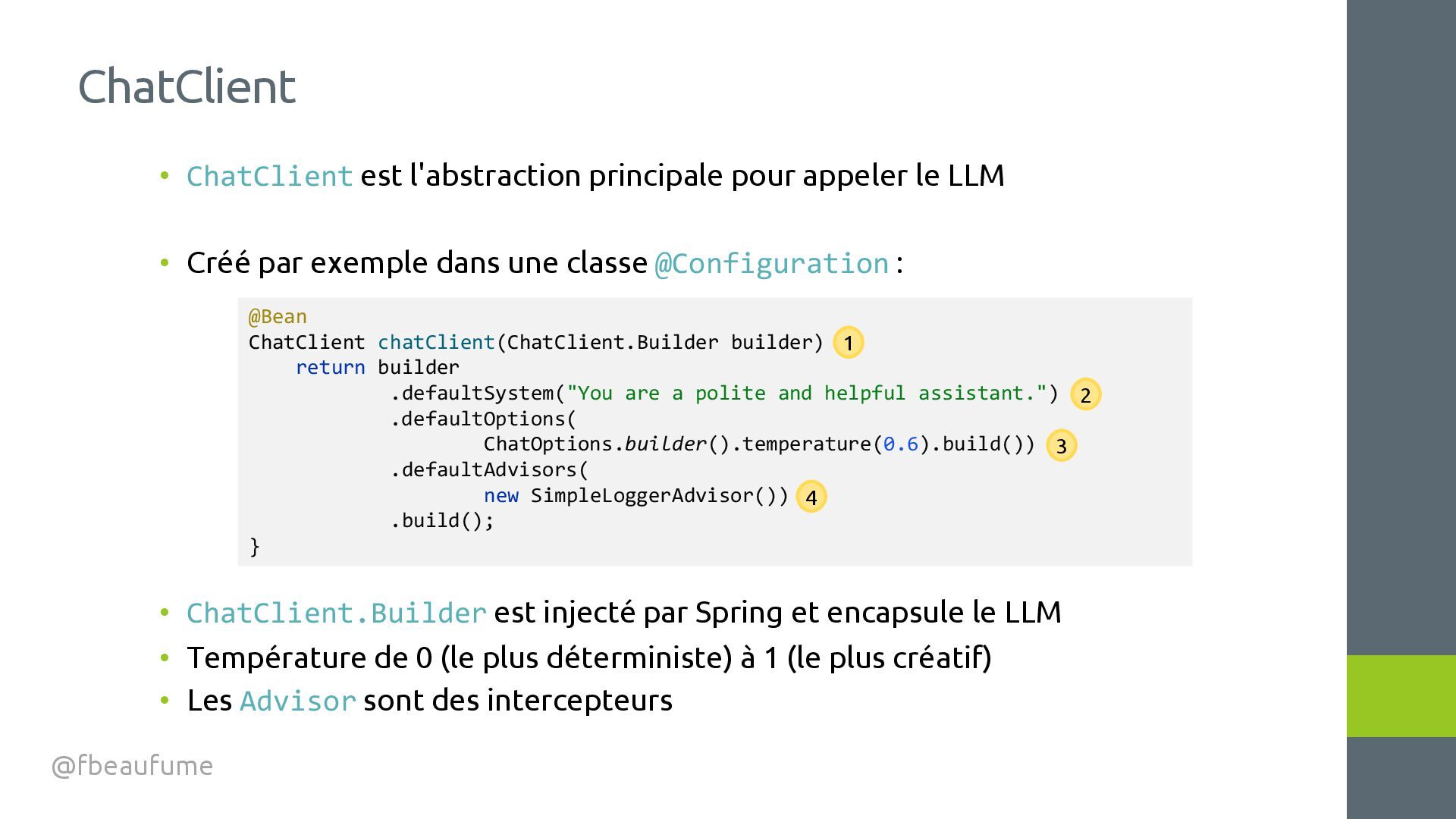
Créé par exemple dans une classe @Configuration : • ChatClient.Builder est injecté par Spring et encapsule le LLM • Température de 0 (le plus déterministe) à 1 (le plus créatif) • Les Advisor sont des intercepteurs ChatClient @fbeaufume @Bean ChatClient chatClient(ChatClient.Builder builder) { return builder .defaultSystem("You are a polite and helpful assistant.") .defaultOptions( ChatOptions.builder().temperature(0.6).build()) .defaultAdvisors( new SimpleLoggerAdvisor()) .build(); } 1 2 3 4
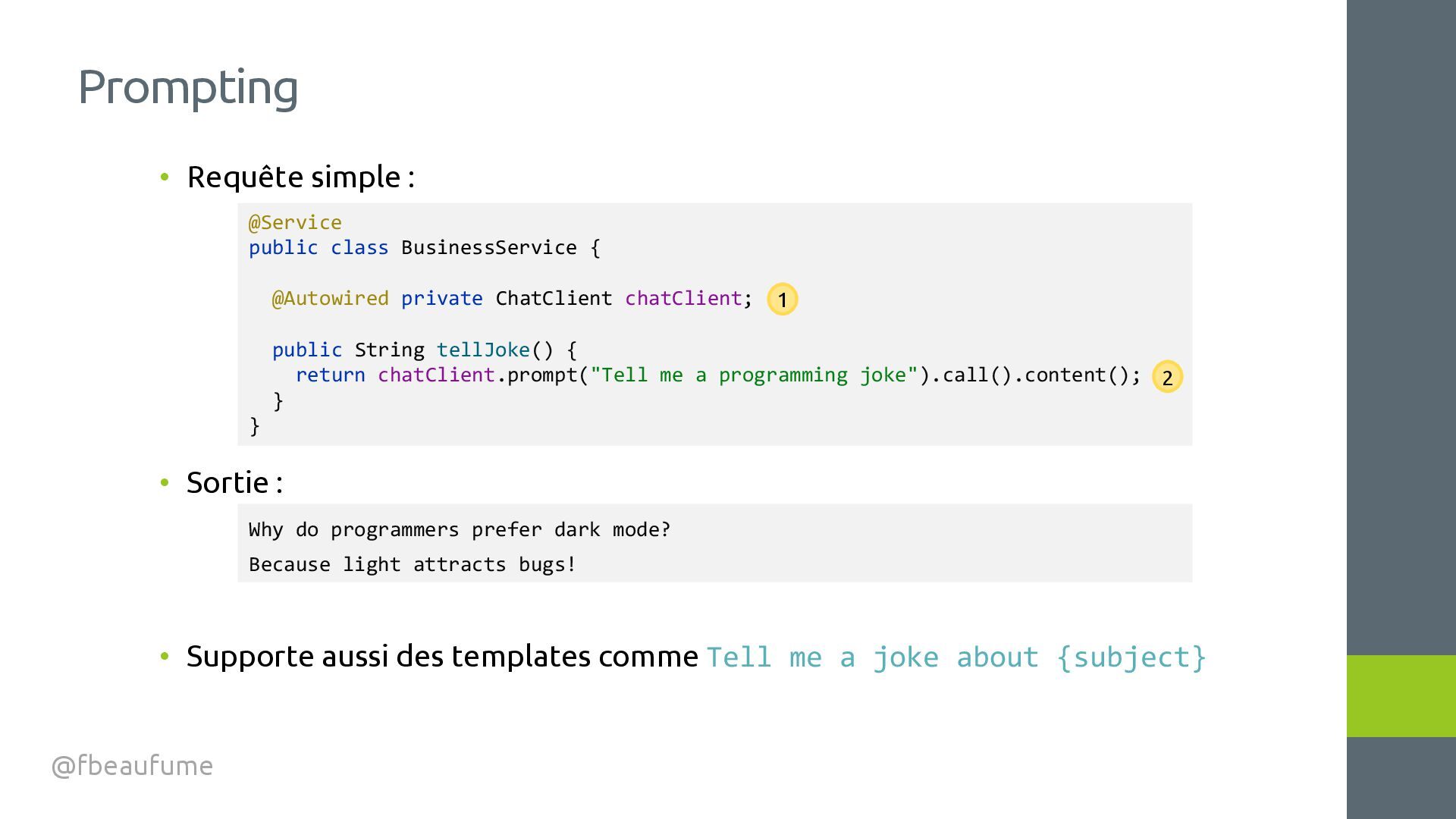
des templates comme Tell me a joke about {subject} Prompting @fbeaufume @Service public class BusinessService { @Autowired private ChatClient chatClient; public String tellJoke() { return chatClient.prompt("Tell me a programming joke").call().content(); } } Why do programmers prefer dark mode? Because light attracts bugs! 1 2
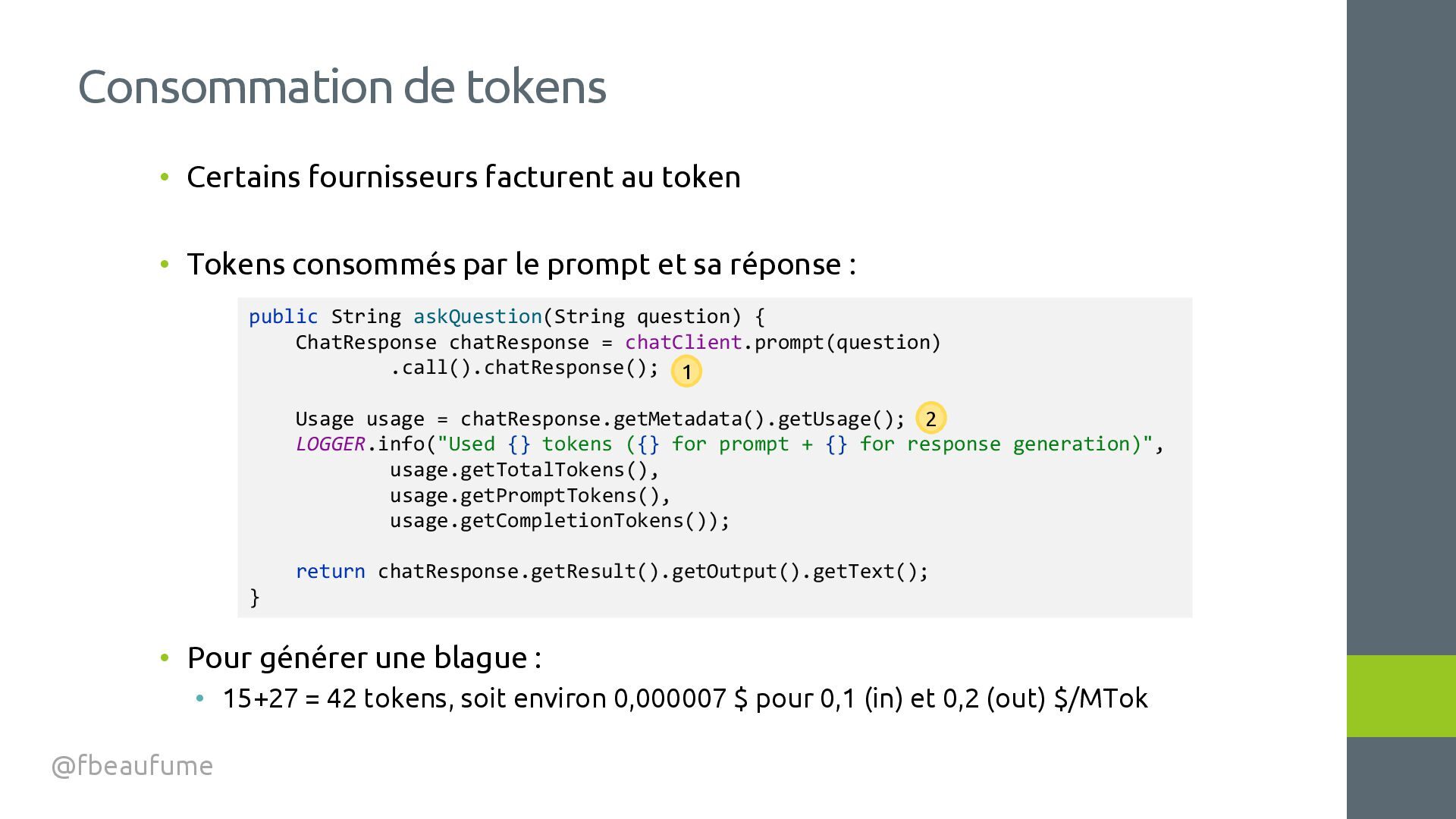
le prompt et sa réponse : • Pour générer une blague : • 15+27 = 42 tokens, soit environ 0,000007 $ pour 0,1 (in) et 0,2 (out) $/MTok Consommation de tokens @fbeaufume public String askQuestion(String question) { ChatResponse chatResponse = chatClient.prompt(question) .call().chatResponse(); Usage usage = chatResponse.getMetadata().getUsage(); LOGGER.info("Used {} tokens ({} for prompt + {} for response generation)", usage.getTotalTokens(), usage.getPromptTokens(), usage.getCompletionTokens()); return chatResponse.getResult().getOutput().getText(); } 1 2
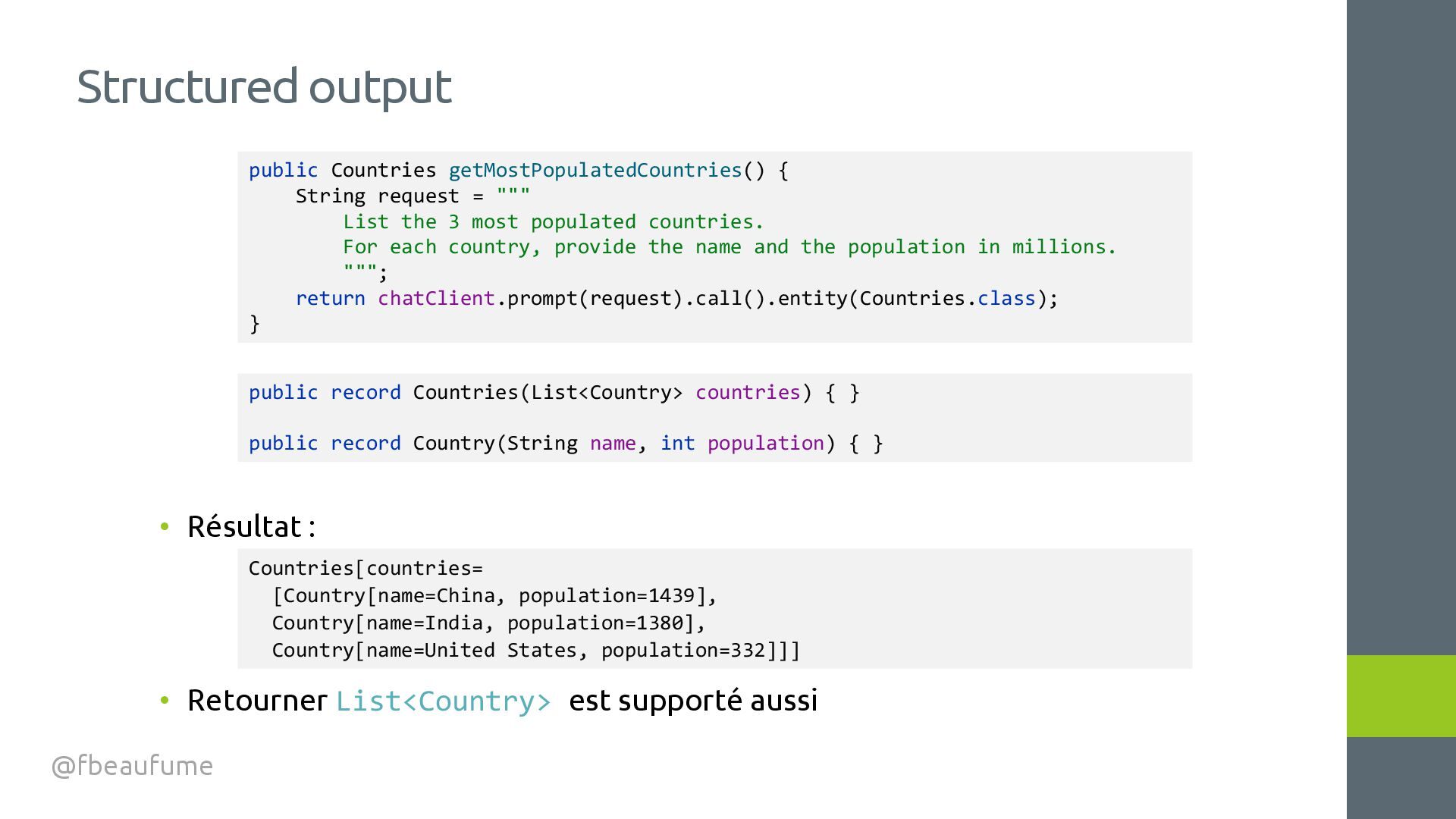
output @fbeaufume public record Countries(List<Country> countries) { } public record Country(String name, int population) { } public Countries getMostPopulatedCountries() { String request = """ List the 3 most populated countries. For each country, provide the name and the population in millions. """; return chatClient.prompt(request).call().entity(Countries.class); } Countries[countries= [Country[name=China, population=1439], Country[name=India, population=1380], Country[name=United States, population=332]]]
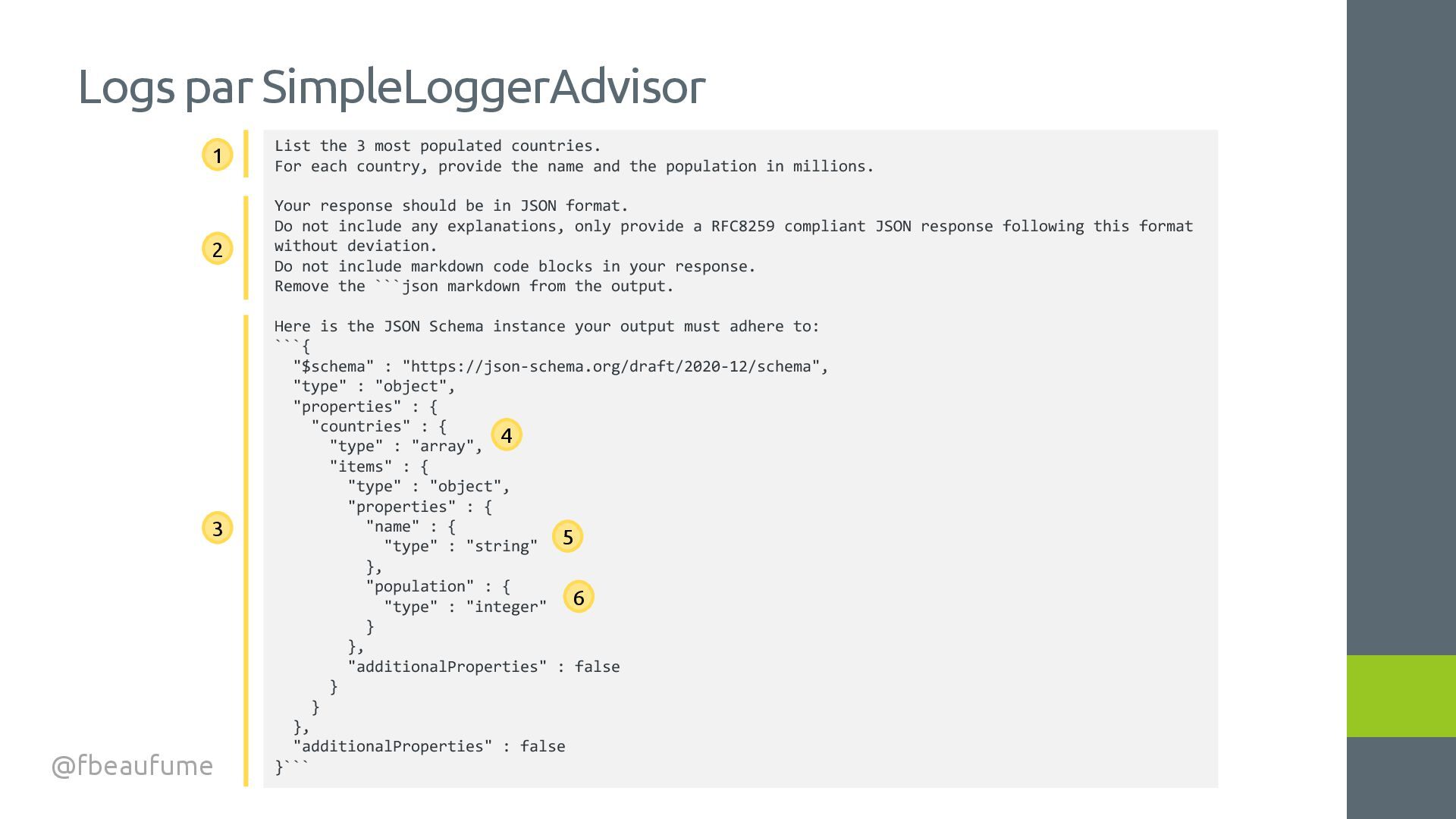
For each country, provide the name and the population in millions. Your response should be in JSON format. Do not include any explanations, only provide a RFC8259 compliant JSON response following this format without deviation. Do not include markdown code blocks in your response. Remove the ```json markdown from the output. Here is the JSON Schema instance your output must adhere to: ```{ "$schema" : "https://json-schema.org/draft/2020-12/schema", "type" : "object", "properties" : { "countries" : { "type" : "array", "items" : { "type" : "object", "properties" : { "name" : { "type" : "string" }, "population" : { "type" : "integer" } }, "additionalProperties" : false } } }, "additionalProperties" : false }``` 1 2 3 5 6 4
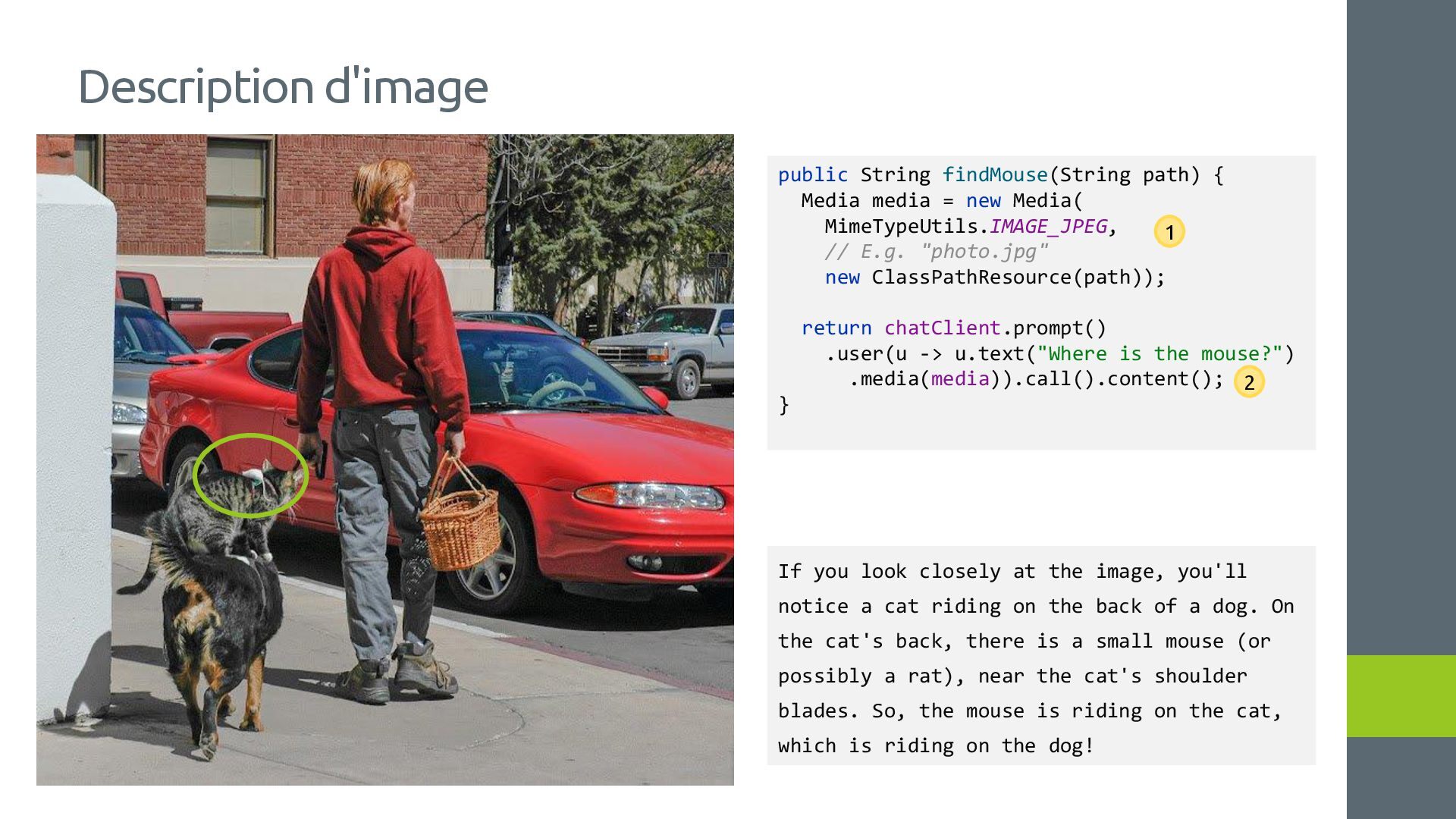
new Media( MimeTypeUtils.IMAGE_JPEG, // E.g. "photo.jpg" new ClassPathResource(path)); return chatClient.prompt() .user(u -> u.text("Where is the mouse?") .media(media)).call().content(); } If you look closely at the image, you'll notice a cat riding on the back of a dog. On the cat's back, there is a small mouse (or possibly a rat), near the cat's shoulder blades. So, the mouse is riding on the cat, which is riding on the dog! 1 2
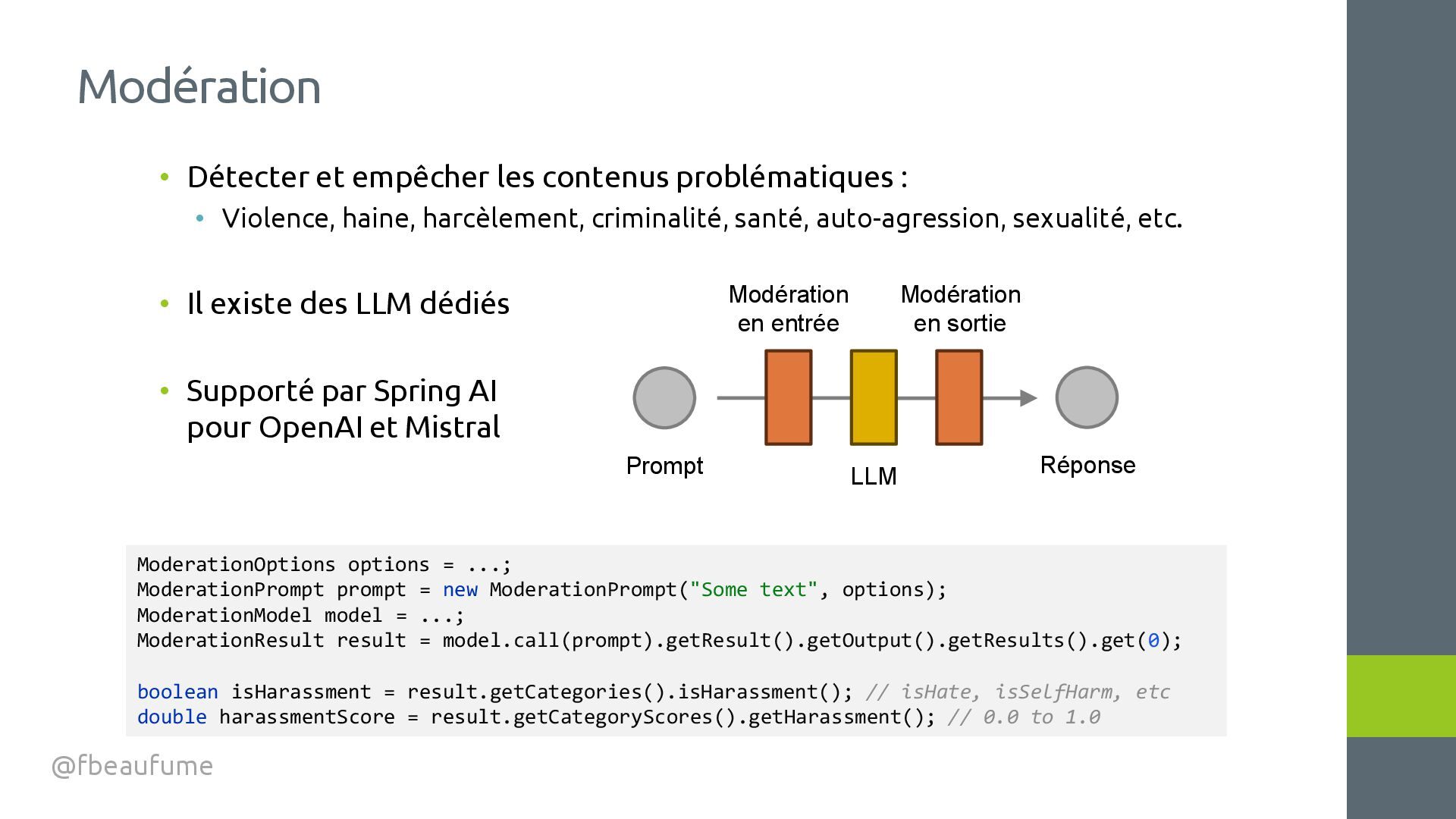
haine, harcèlement, criminalité, santé, auto-agression, sexualité, etc. • Il existe des LLM dédiés • Supporté par Spring AI pour OpenAI et Mistral Modération @fbeaufume Prompt Réponse ModerationOptions options = ...; ModerationPrompt prompt = new ModerationPrompt("Some text", options); ModerationModel model = ...; ModerationResult result = model.call(prompt).getResult().getOutput().getResults().get(0); boolean isHarassment = result.getCategories().isHarassment(); // isHate, isSelfHarm, etc double harassmentScore = result.getCategoryScores().getHarassment(); // 0.0 to 1.0 LLM Modération en entrée Modération en sortie
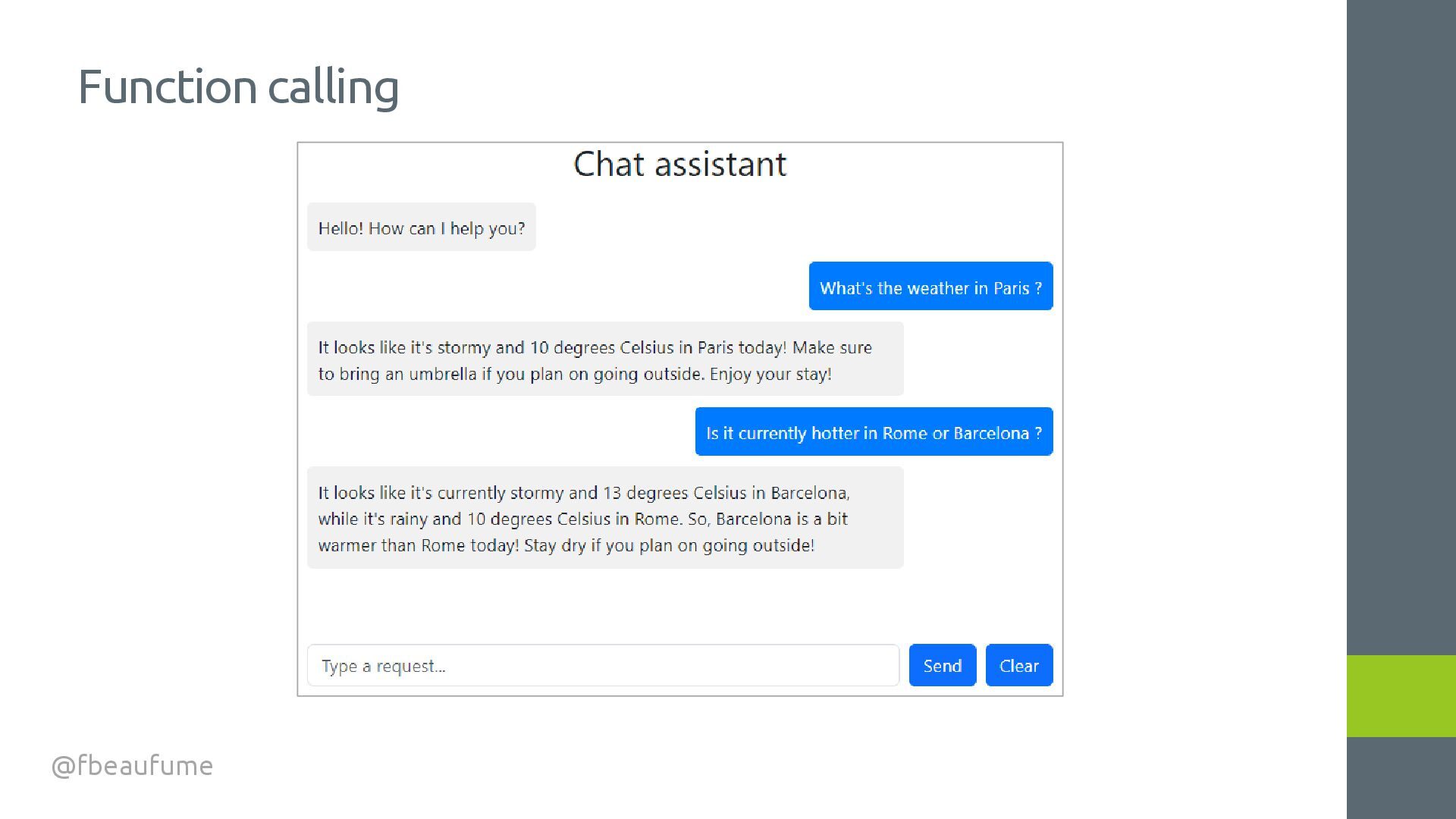
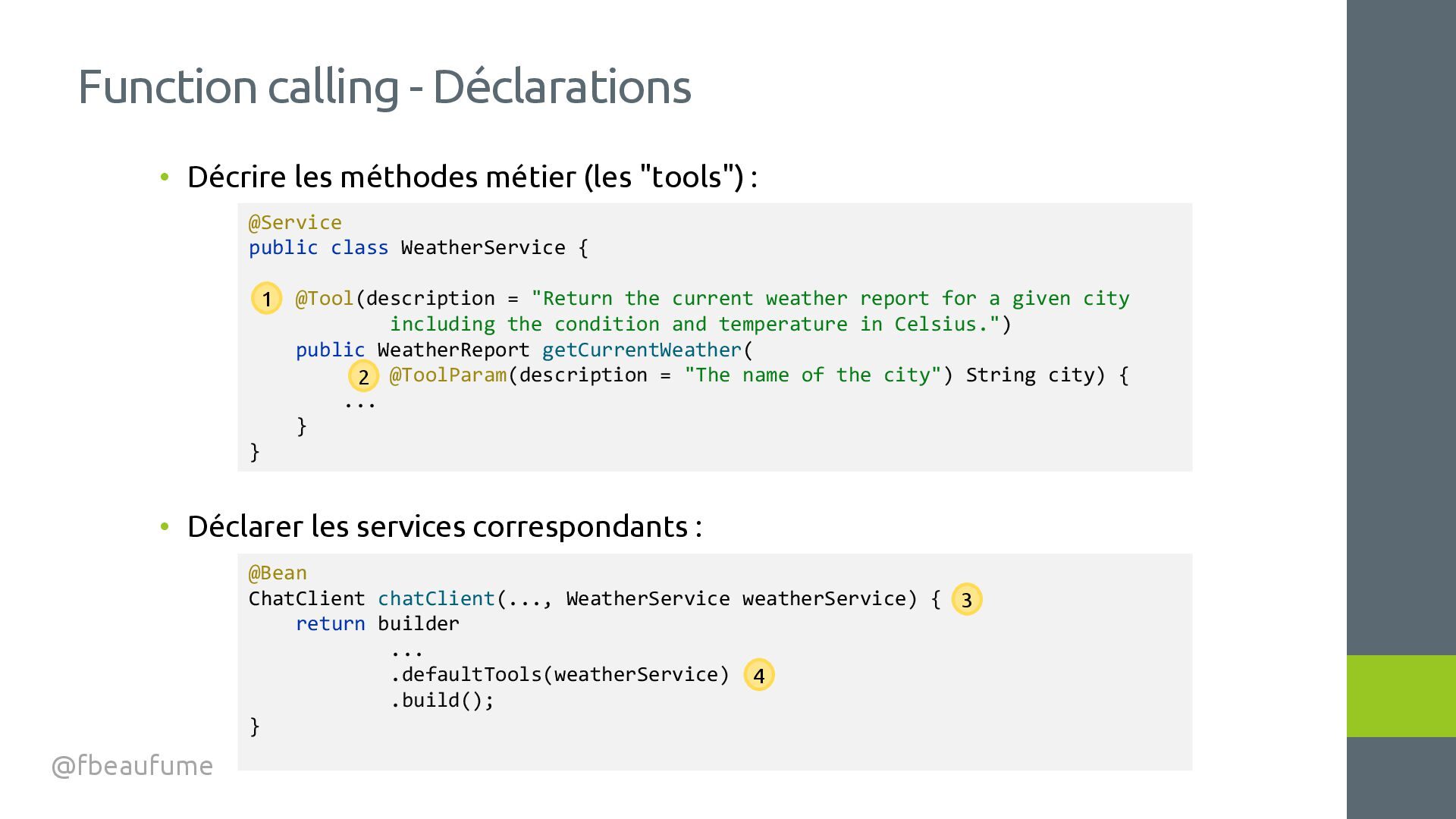
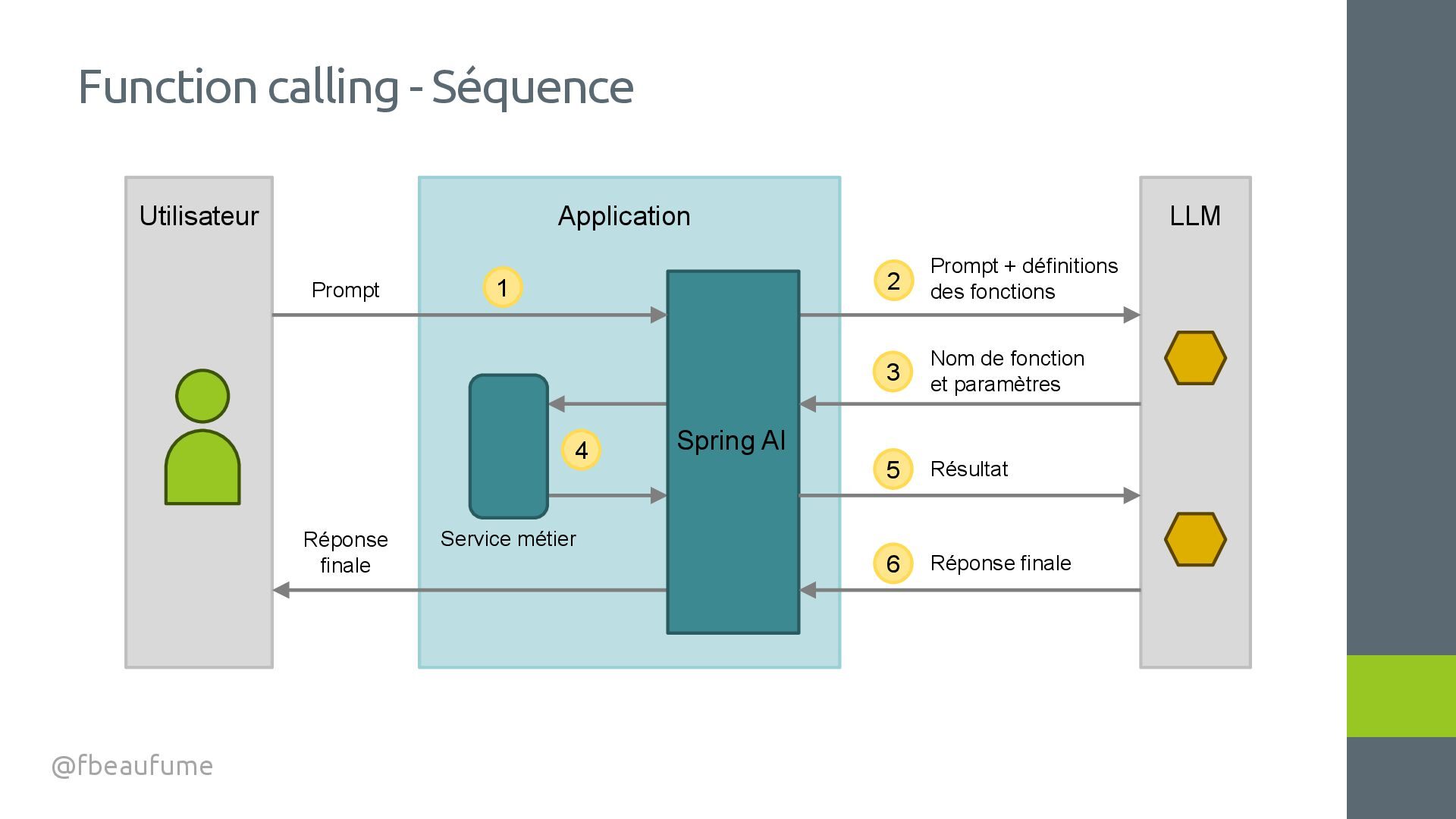
les services correspondants : Function calling - Déclarations @fbeaufume @Service public class WeatherService { @Tool(description = "Return the current weather report for a given city including the condition and temperature in Celsius.") public WeatherReport getCurrentWeather( @ToolParam(description = "The name of the city") String city) { ... } } @Bean ChatClient chatClient(..., WeatherService weatherService) { return builder ... .defaultTools(weatherService) .build(); } 1 2 3 4
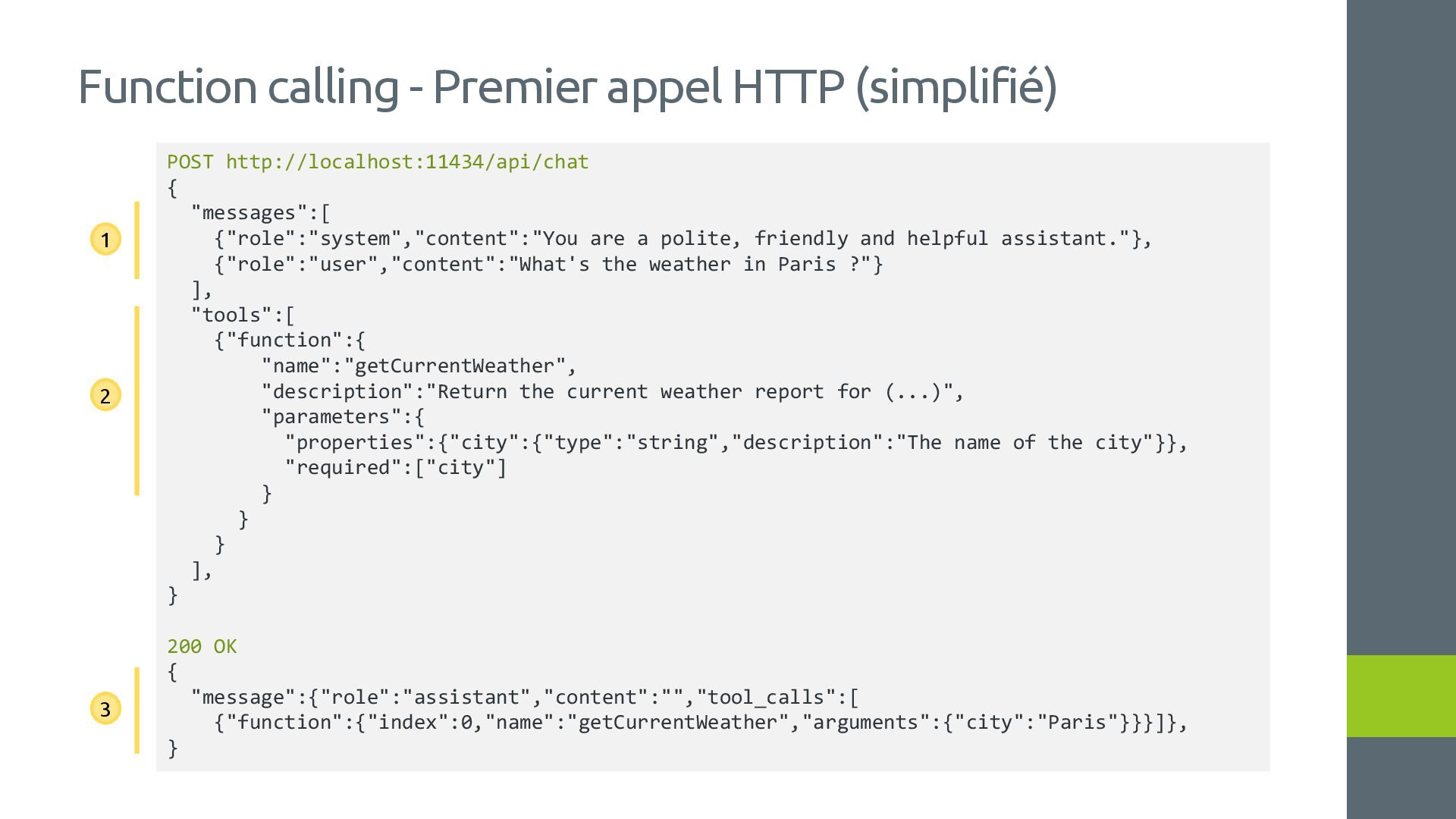
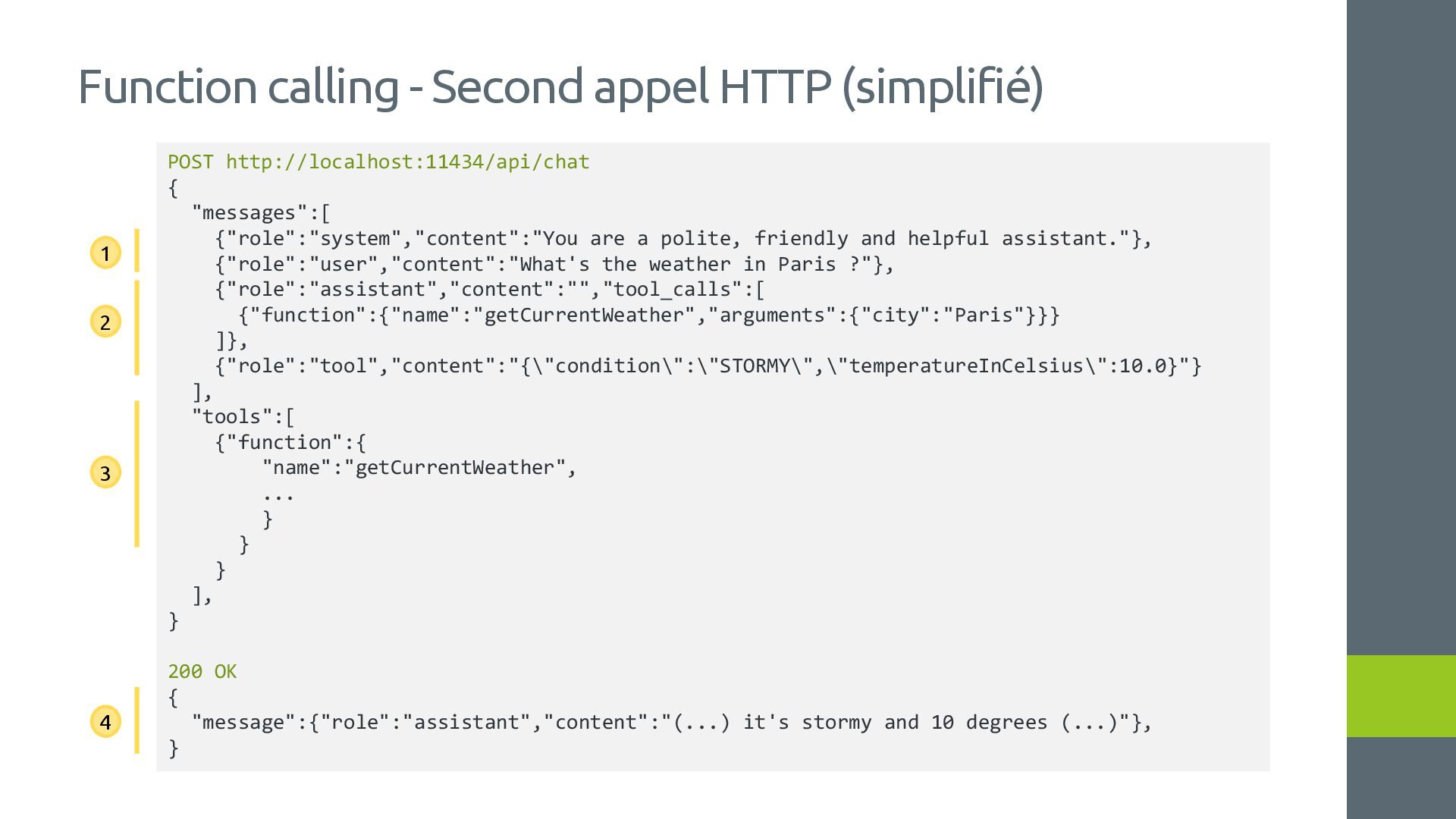
"messages":[ {"role":"system","content":"You are a polite, friendly and helpful assistant."}, {"role":"user","content":"What's the weather in Paris ?"} ], "tools":[ {"function":{ "name":"getCurrentWeather", "description":"Return the current weather report for (...)", "parameters":{ "properties":{"city":{"type":"string","description":"The name of the city"}}, "required":["city"] } } } ], } 200 OK { "message":{"role":"assistant","content":"","tool_calls":[ {"function":{"index":0,"name":"getCurrentWeather","arguments":{"city":"Paris"}}}]}, } 1 2 3
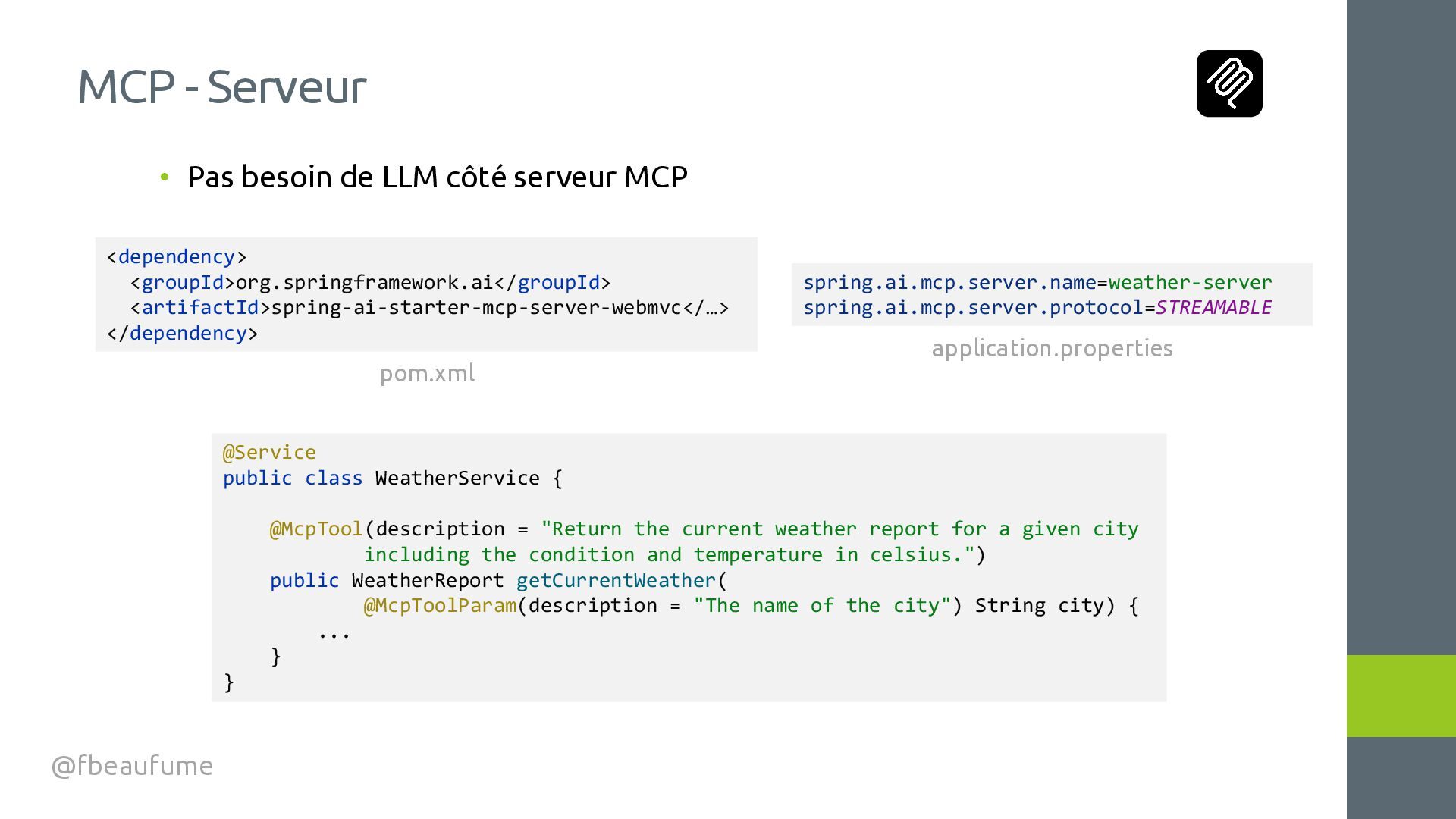
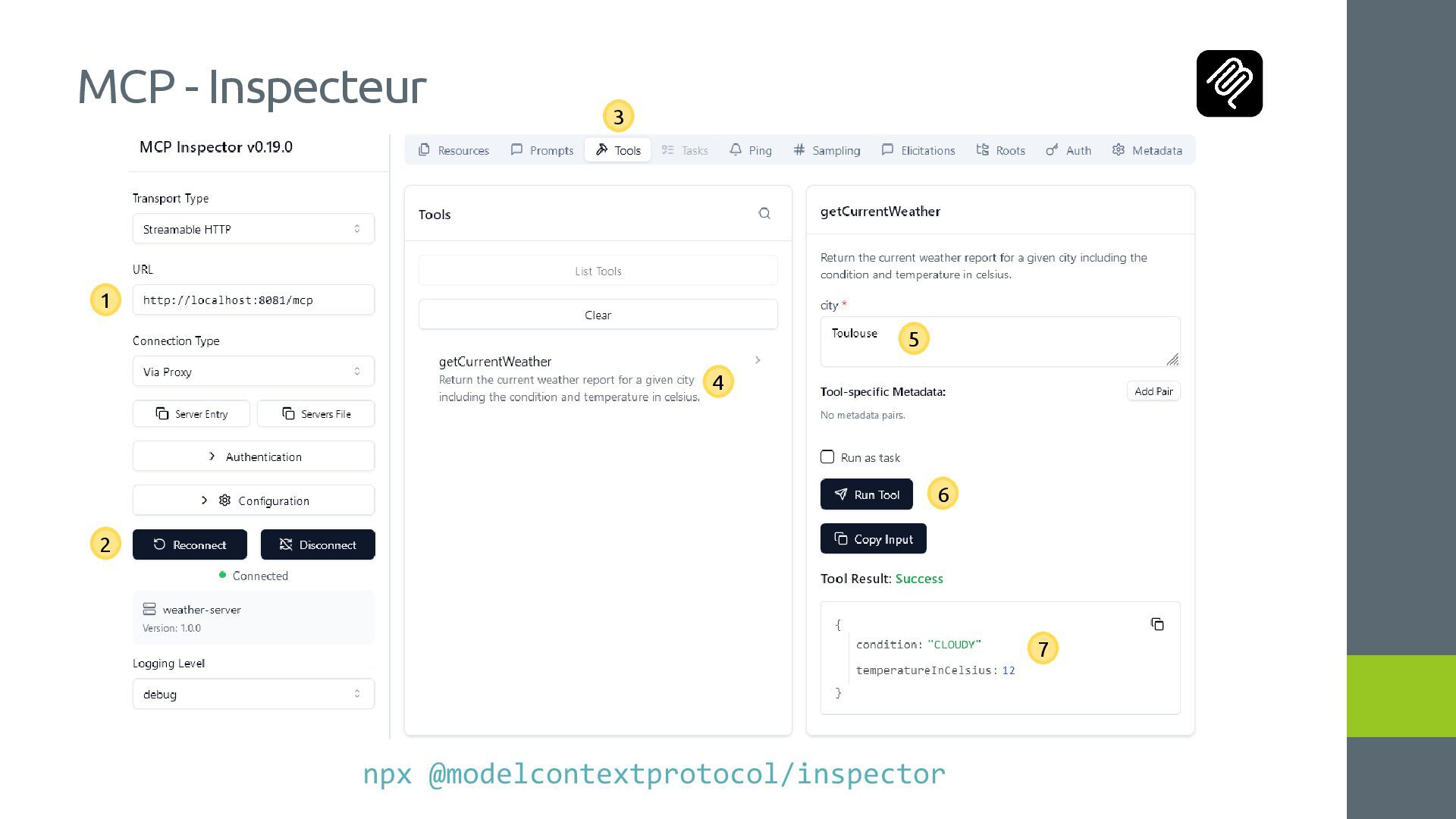
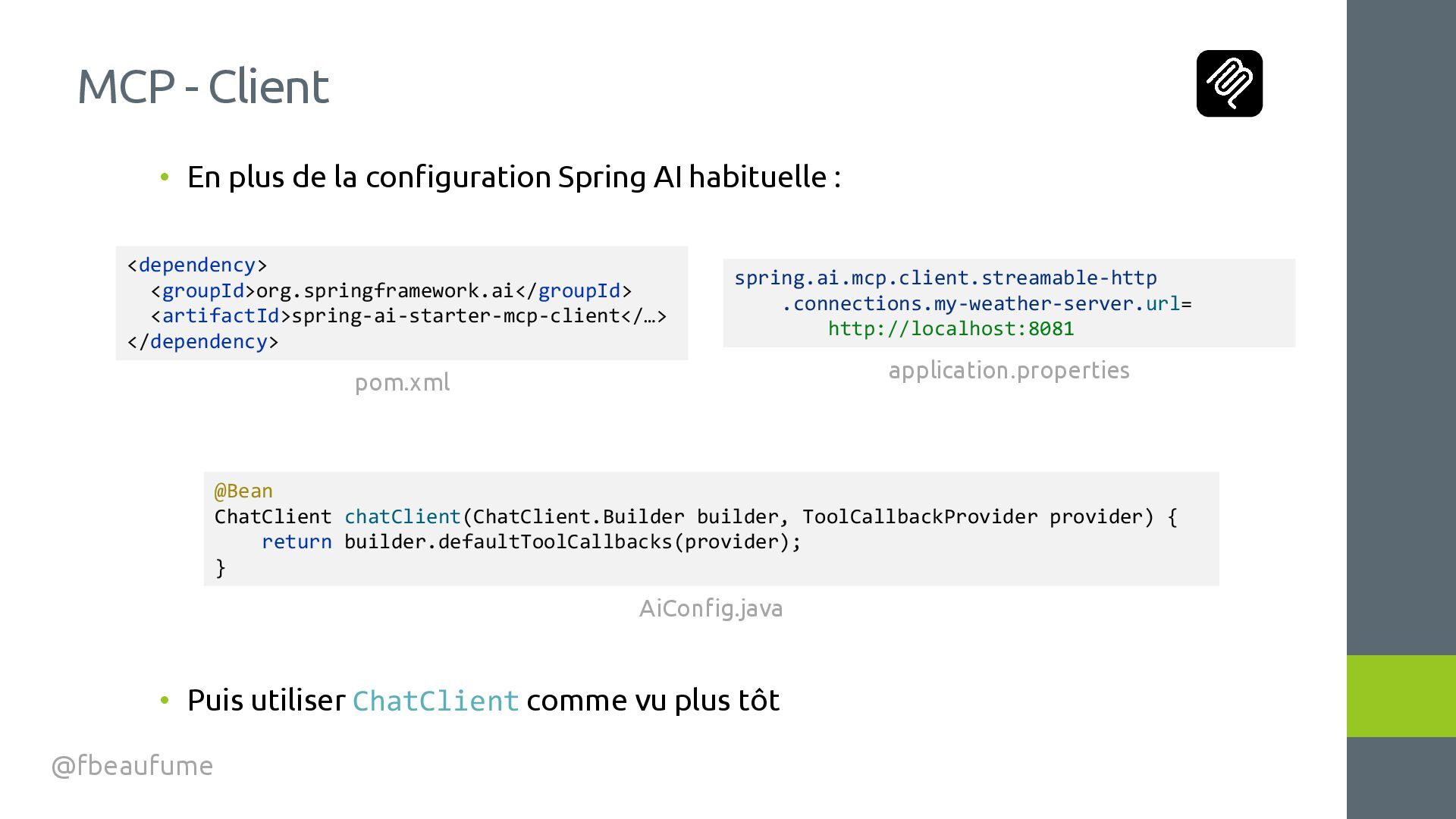
Serveur @fbeaufume <dependency> <groupId>org.springframework.ai</groupId> <artifactId>spring-ai-starter-mcp-server-webmvc</…> </dependency> spring.ai.mcp.server.name=weather-server spring.ai.mcp.server.protocol=STREAMABLE @Service public class WeatherService { @McpTool(description = "Return the current weather report for a given city including the condition and temperature in celsius.") public WeatherReport getCurrentWeather( @McpToolParam(description = "The name of the city") String city) { ... } } pom.xml application.properties


 fbeaufume
 hollycummins
 akit37
 prota
prota
 rollbear
 econanringo
 teyamagu
 tanahiro2010
 yutobara
 sts11142
 gam0022
 ryu1013
 mpyw
mpyw
 thoeni
 addyosmani
 csswizardry
 kevinliebholz
 marktimemedia
 minecr
 eileencodes
 konakalab
 rasagy
 samtorres
 ammeep
 malarkey