Share
Embed
Transcript
15 slides
-
MVVM on Android – Architectural Standpoint Senior Android Tech Lead
@ Bell Canada + Sami LASSED, twitter: @SamiLassed -
I am going to talk about: • What is MVVM?
• MVVM Architecture in General • MVVM Architecture on Android • Benefits of using MVVM on Android -
What is MVVM? • It stands for Model View ViewModel
• Also referred as Model-View-Binder • Introduced on 2005 by Ken Cooper, Ted Peters, and John Gossman • Architectural Pattern -
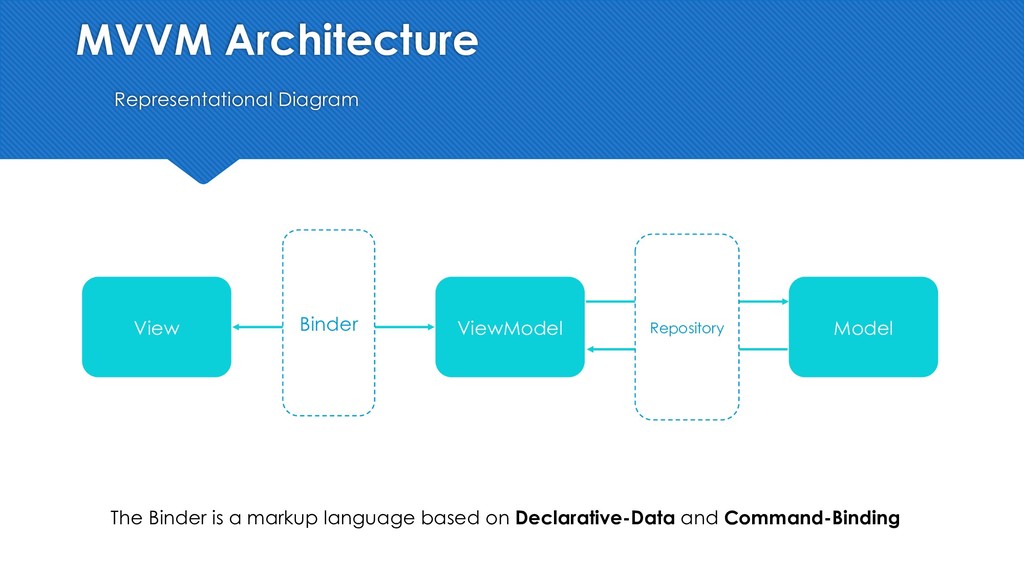
MVVM Architecture Representational Diagram View ViewModel Model Binder Repository The
Binder is a markup language based on Declarative-Data and Command-Binding -
MVVM Architecture The Binder = Data Binding Library <?xml version="1.0"
encoding="utf-8"?> <android.support.constraint.ConstraintLayout xmlns:android="http://schemas.android.com/apk/res/android" …..> <TextView android:id="@+id/featureSettingTitle" ……… android:text="@{viewmodel.title}" app:layout_constraintLeft_toLeftOf="@id/leftSafeAreaGuideline" app:layout_constraintTop_toTopOf="parent" /> -
MVVM Architecture on Android Representational Diagram Activity/Fragment (View) ViewModel Model
ViewModel Android Architectural Component Coroutines Android Architectural Component -
Detailed MVVM Architecture on Android MVVM + Clean Architecture Pattern
View ViewModel Service Layer ViewModel Android Architectural Component Coroutines Android Architectural Component ViewModel Helper (Activity, Fragment) Service 1 Service 2 Service 3 Service N Repository Data Model Dummy activity/fragment A loosely coupled view Lightweight, clean code and easy to manage ViewModels SRP 1) Fetch, Store then Update. 2) Update from cache, Ftech, Store then Update. Caching Manager -
Detailed MVVM Architecture on Android View Layer • Less boiler
plate code on view layer by using Data Binding Lib. • Easy to test UI (higher testing coverage) • Activity is not needed to test UI <TextView android:id="@+id/featureSettingTitle" ……… android:text="@{viewmodel.title}" ………… app:layout_constraintTop_toTopOf="parent" /> class ServiceView(override rootView: ViewGroup) : BaseView(rootView), OverviewAdapter.OverviewListener, ServiceContract.View { ………. /** * Hiding Shimmer View */ override fun hideShimmer() { super.hideShimmer() rootView.shimmerView.visibility = View.GONE -
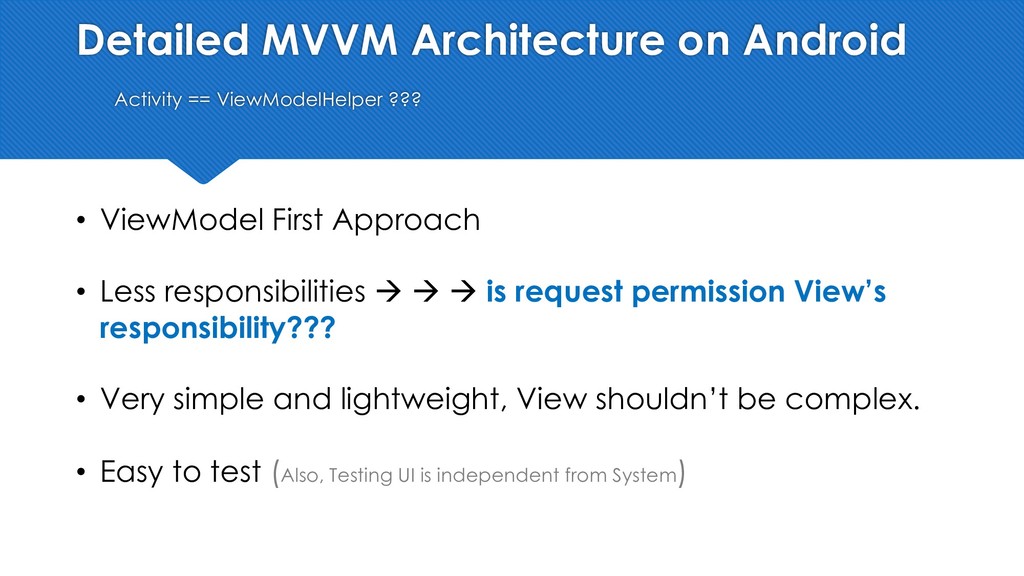
Detailed MVVM Architecture on Android Activity == ViewModelHelper ??? •
ViewModel First Approach • Less responsibilities à à à is request permission View’s responsibility??? • Very simple and lightweight, View shouldn’t be complex. • Easy to test (Also, Testing UI is independent from System) -
Detailed MVVM Architecture on Android Service Layer • Applying SRP
(Single Responsibility Principle) to main components. • Loosely coupled components/logic • Again, Easy to test logic à Higher testing coverage à better quality. • Easy to maintain and support. -
Detailed MVVM Architecture on Android ViewModel • Less complicated ViewModel
• Extensible ViewModels: PlugAndPlay approach, by plugging or removing any service(s) at any time, without major changes. -
Detailed MVVM Architecture on Android Service Layer, Example class CreditCardInfoService(private
val baseViewModel: BaseViewModel, private val paymentAPI: IPaymentApi): IPaymentInfoService { //OR inject the ones above using DI ………….. override fun validateCreditCardInfo(transaction: Transaction,…..) { ………. paymentAPI.validateCreditCard ( headers, payload,…..) { override fun onApiSuccess(response: Response) { …… } }) } } -
Benefits of using MVVM on Android • Less boilerplate code/Clean
Code, especially on View Layer. • DECOUPLING • Highly maintainable code (Support teams) • Easy supporting • Easy testing -
MVVM on Android – Architectural Standpoint Senior Android Tech Lead
@ Bell Canada + Sami LASSED, twitter: @SamiLassed