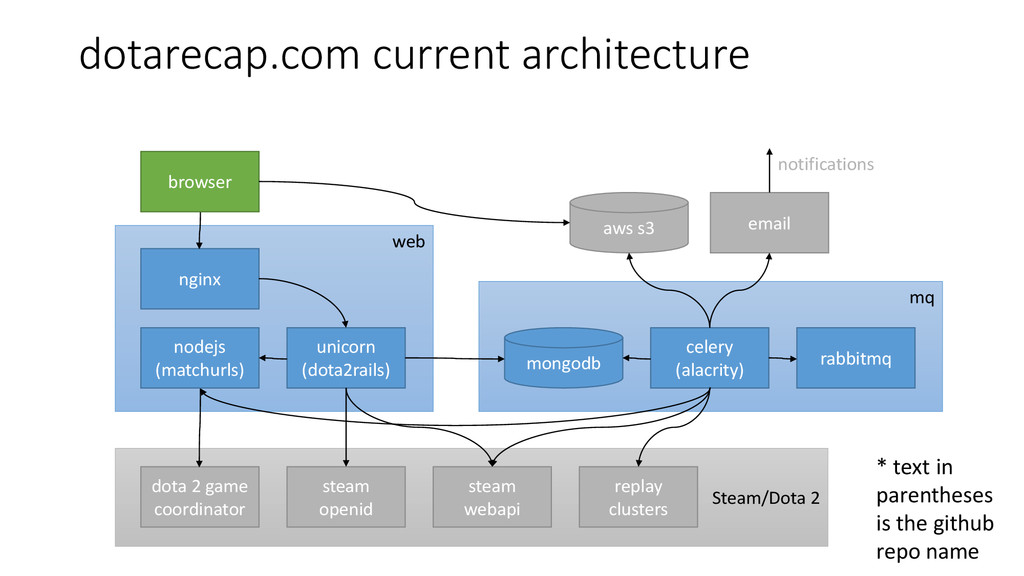
unicorn (dota2rails) nodejs (matchurls) celery (alacrity) rabbitmq dota 2 game coordinator steam openid steam webapi replay clusters email aws s3 notifications * text in parentheses is the github repo name
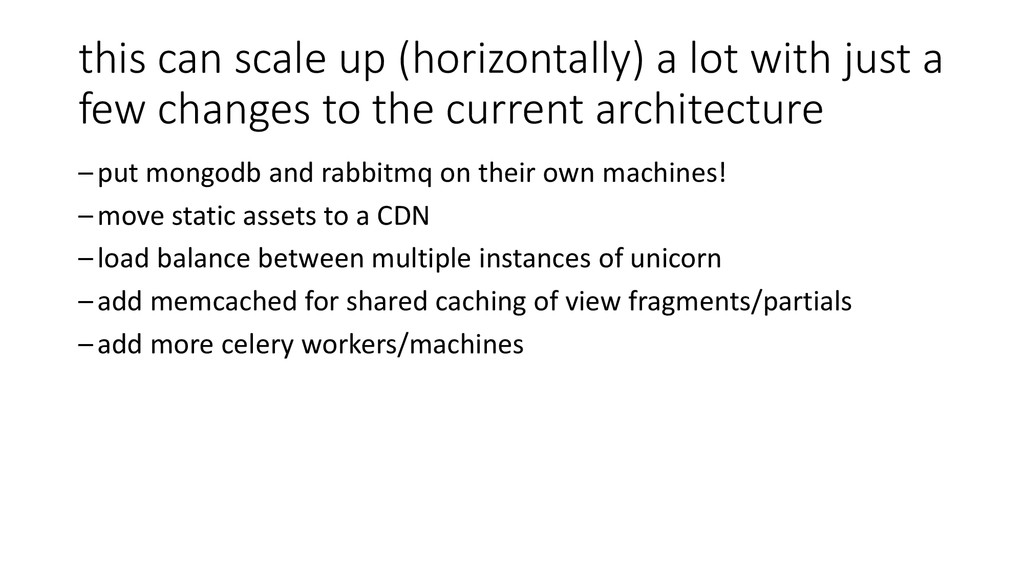
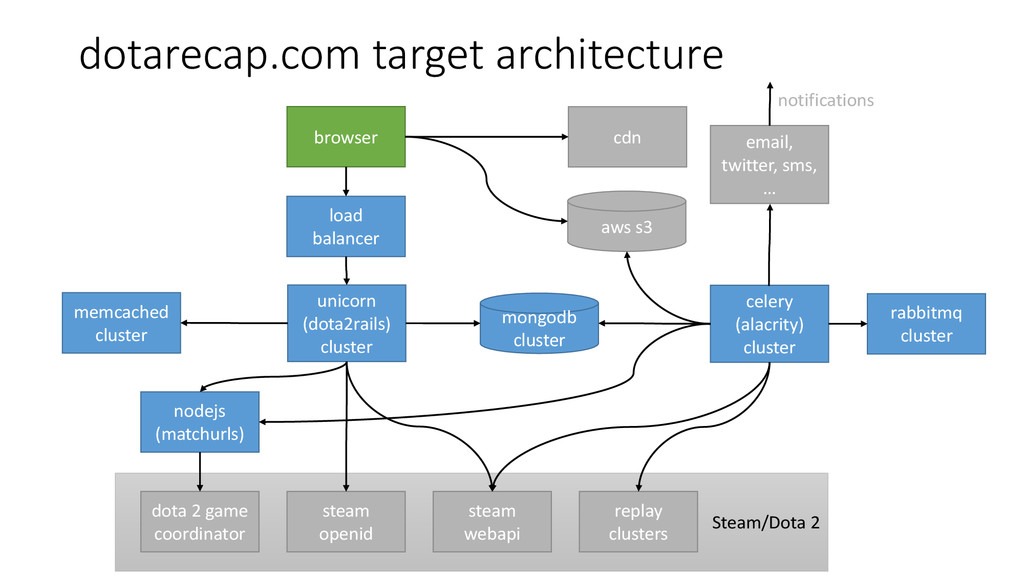
few changes to the current architecture –put mongodb and rabbitmq on their own machines! –move static assets to a CDN –load balance between multiple instances of unicorn –add memcached for shared caching of view fragments/partials –add more celery workers/machines
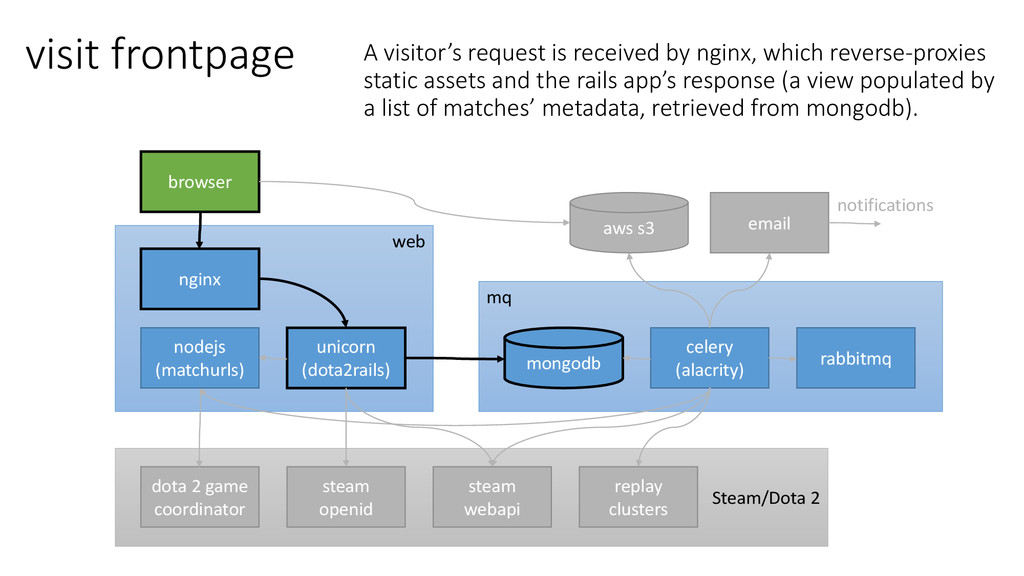
(matchurls) celery (alacrity) rabbitmq dota 2 game coordinator steam openid steam webapi replay clusters email aws s3 notifications visit frontpage A visitor’s request is received by nginx, which reverse-proxies static assets and the rails app’s response (a view populated by a list of matches’ metadata, retrieved from mongodb).
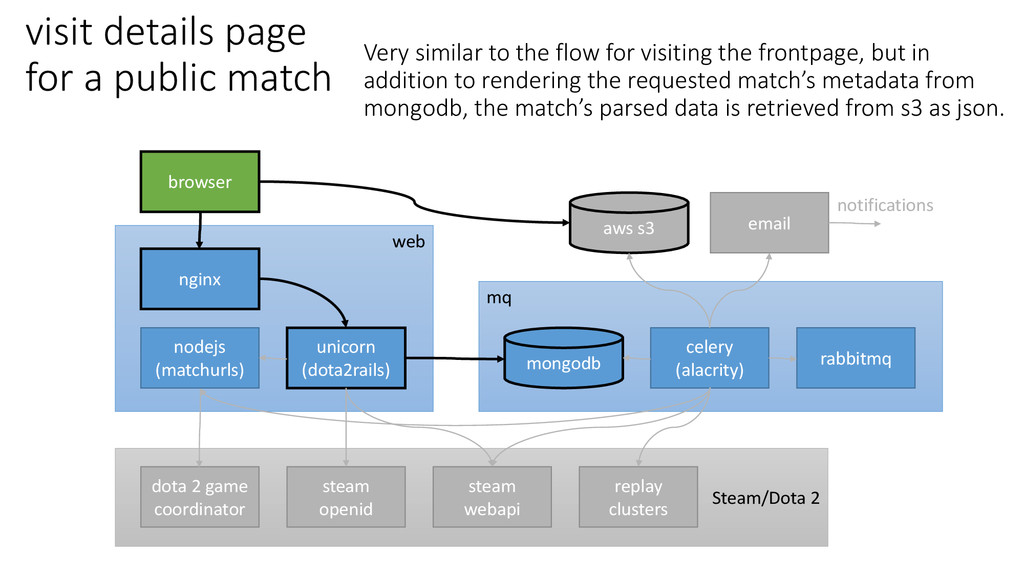
(matchurls) celery (alacrity) rabbitmq dota 2 game coordinator steam openid steam webapi replay clusters email aws s3 notifications visit details page for a public match Very similar to the flow for visiting the frontpage, but in addition to rendering the requested match’s metadata from mongodb, the match’s parsed data is retrieved from s3 as json.
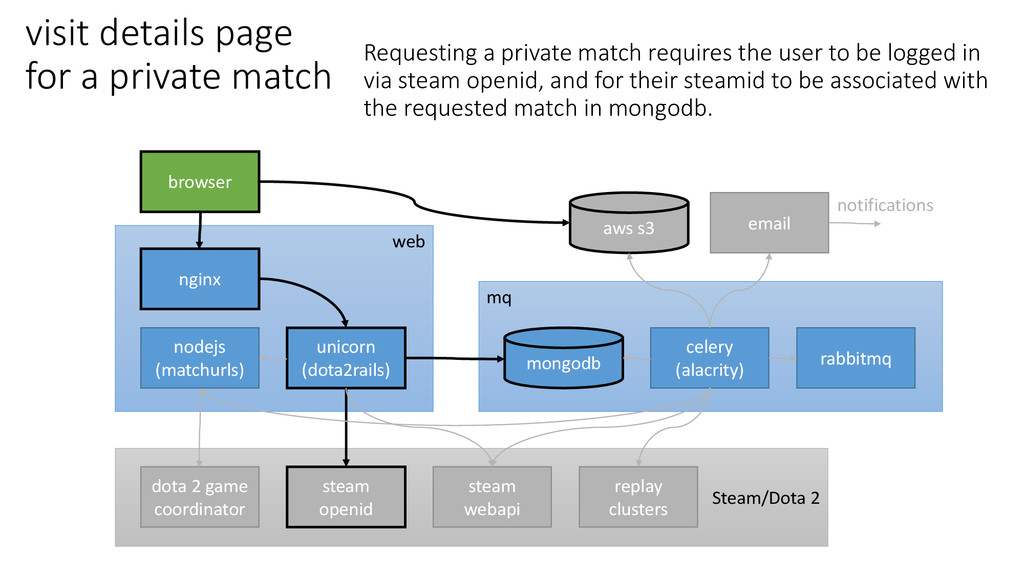
(matchurls) celery (alacrity) rabbitmq dota 2 game coordinator steam openid steam webapi replay clusters email aws s3 notifications visit details page for a private match Requesting a private match requires the user to be logged in via steam openid, and for their steamid to be associated with the requested match in mongodb.
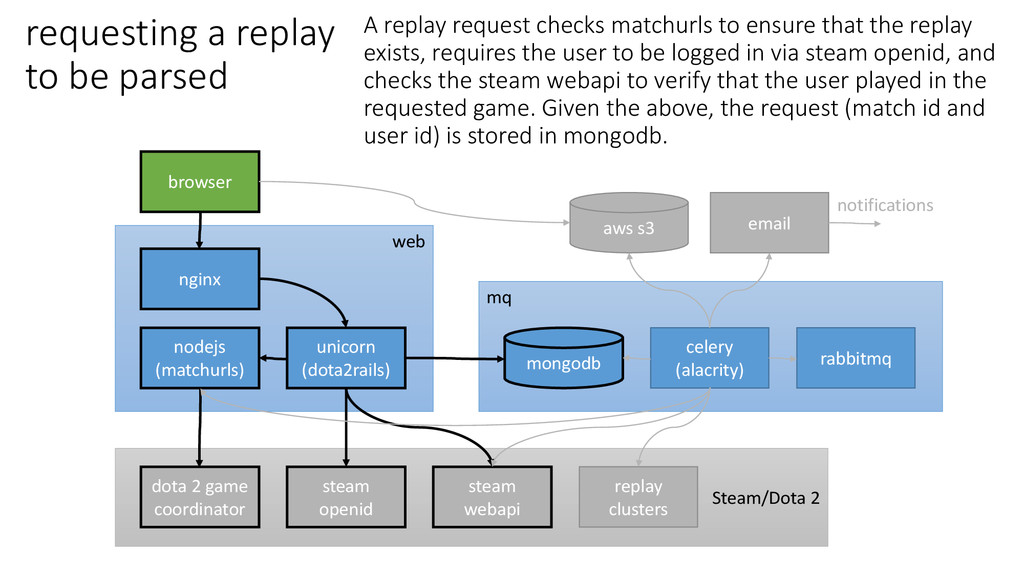
(matchurls) celery (alacrity) rabbitmq dota 2 game coordinator steam openid steam webapi replay clusters email aws s3 notifications requesting a replay to be parsed A replay request checks matchurls to ensure that the replay exists, requires the user to be logged in via steam openid, and checks the steam webapi to verify that the user played in the requested game. Given the above, the request (match id and user id) is stored in mongodb.
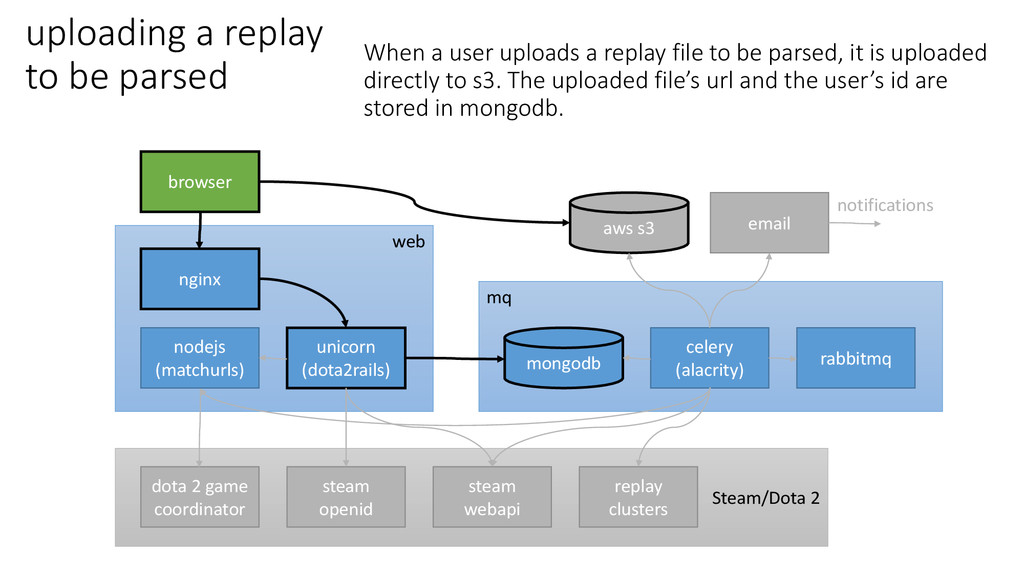
(matchurls) celery (alacrity) rabbitmq dota 2 game coordinator steam openid steam webapi replay clusters email aws s3 notifications uploading a replay to be parsed When a user uploads a replay file to be parsed, it is uploaded directly to s3. The uploaded file’s url and the user’s id are stored in mongodb.
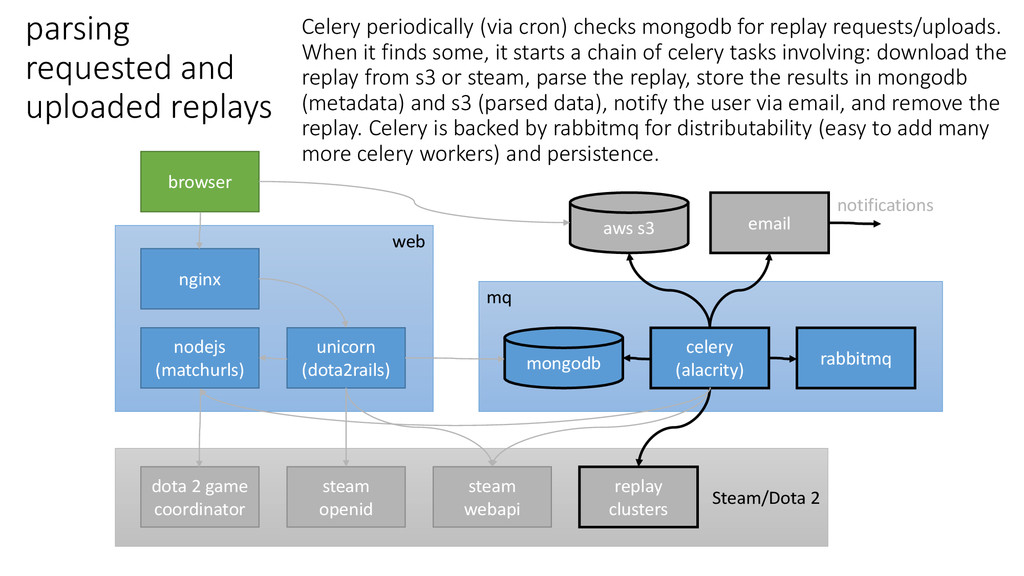
(matchurls) celery (alacrity) rabbitmq dota 2 game coordinator steam openid steam webapi replay clusters email aws s3 notifications parsing requested and uploaded replays Celery periodically (via cron) checks mongodb for replay requests/uploads. When it finds some, it starts a chain of celery tasks involving: download the replay from s3 or steam, parse the replay, store the results in mongodb (metadata) and s3 (parsed data), notify the user via email, and remove the replay. Celery is backed by rabbitmq for distributability (easy to add many more celery workers) and persistence.
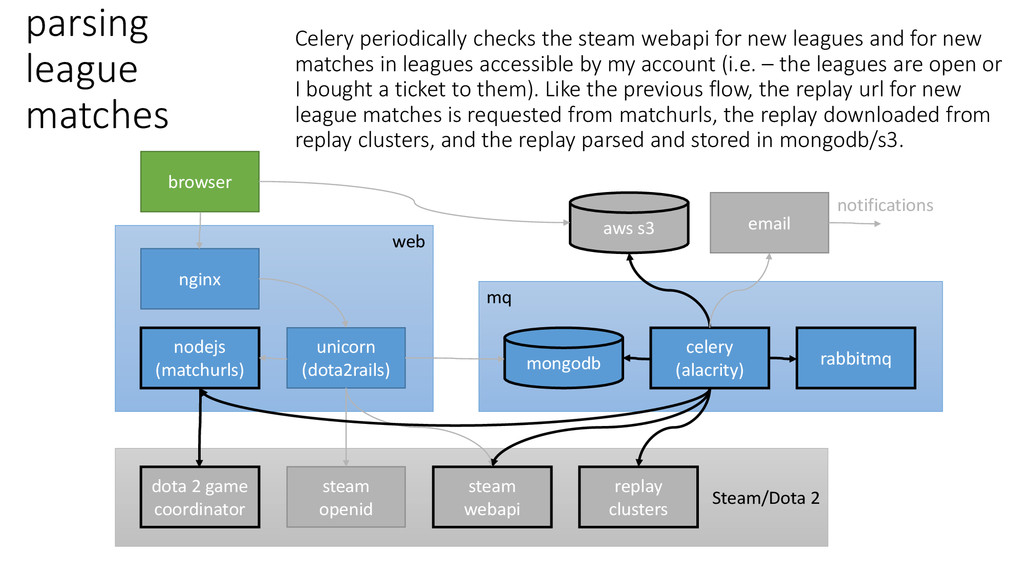
(matchurls) celery (alacrity) rabbitmq dota 2 game coordinator steam openid steam webapi replay clusters email aws s3 notifications parsing league matches Celery periodically checks the steam webapi for new leagues and for new matches in leagues accessible by my account (i.e. – the leagues are open or I bought a ticket to them). Like the previous flow, the replay url for new league matches is requested from matchurls, the replay downloaded from replay clusters, and the replay parsed and stored in mongodb/s3.


 utakaha
 colorful12
 takai
takai
 ryu1013
 iwiwi
iwiwi
 morizo_1984
 prota
prota
 deka_morita
 yuta_onishi_97
 oniak3ibm
 y0hgi
y0hgi
 sylph01
 yeseniaperezcruz
 pedronauck
 reverentgeek
 danielanewman
 marktimemedia
 soysaucechin
 katarinadahlin
 palkan
 szymonslowik
 bryan
bryan
 jonrohan
 jonoalderson