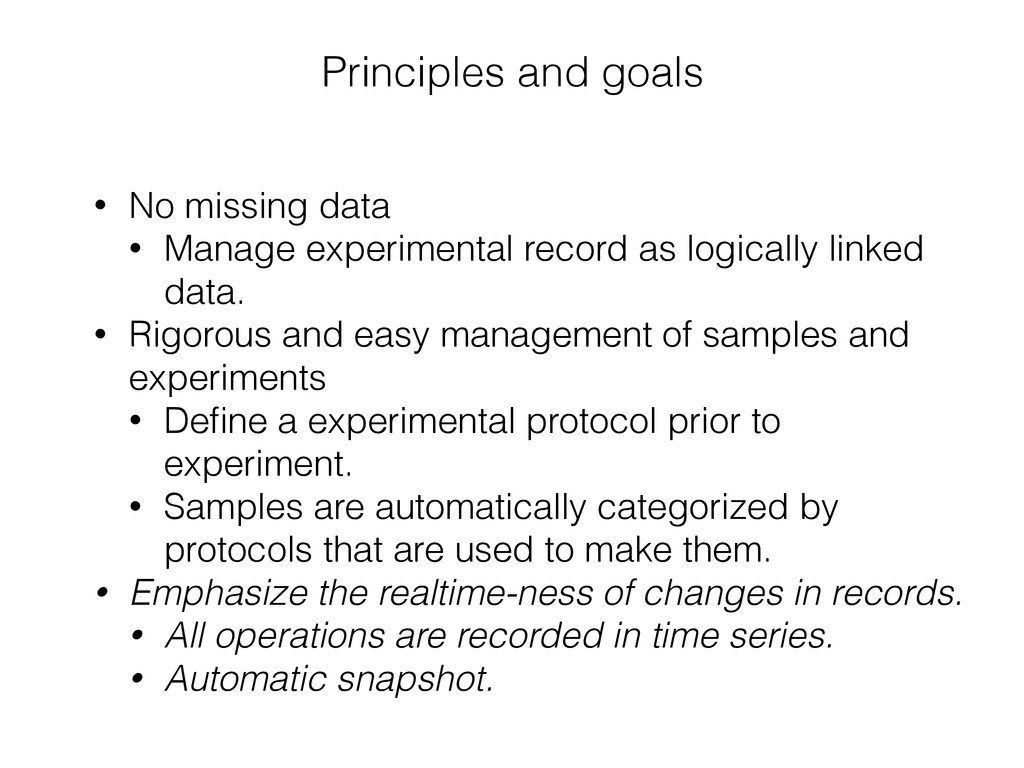
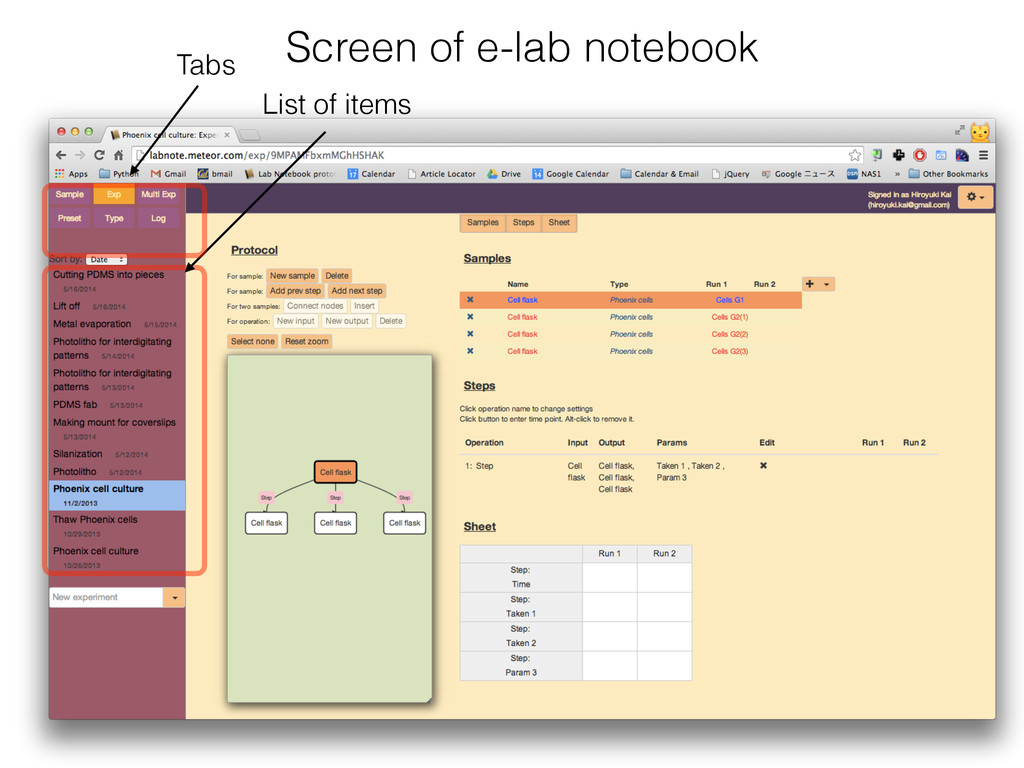
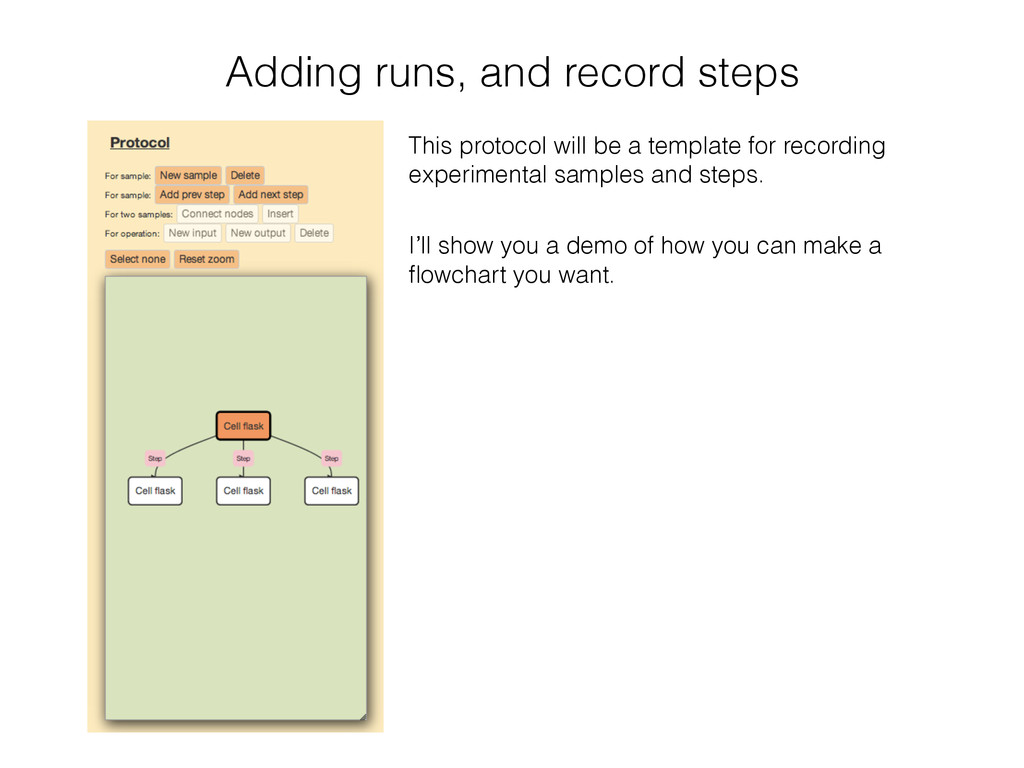
record as logically linked data. • Rigorous and easy management of samples and experiments • Define a experimental protocol prior to experiment. • Samples are automatically categorized by protocols that are used to make them. • Emphasize the realtime-ness of changes in records. • All operations are recorded in time series. • Automatic snapshot.
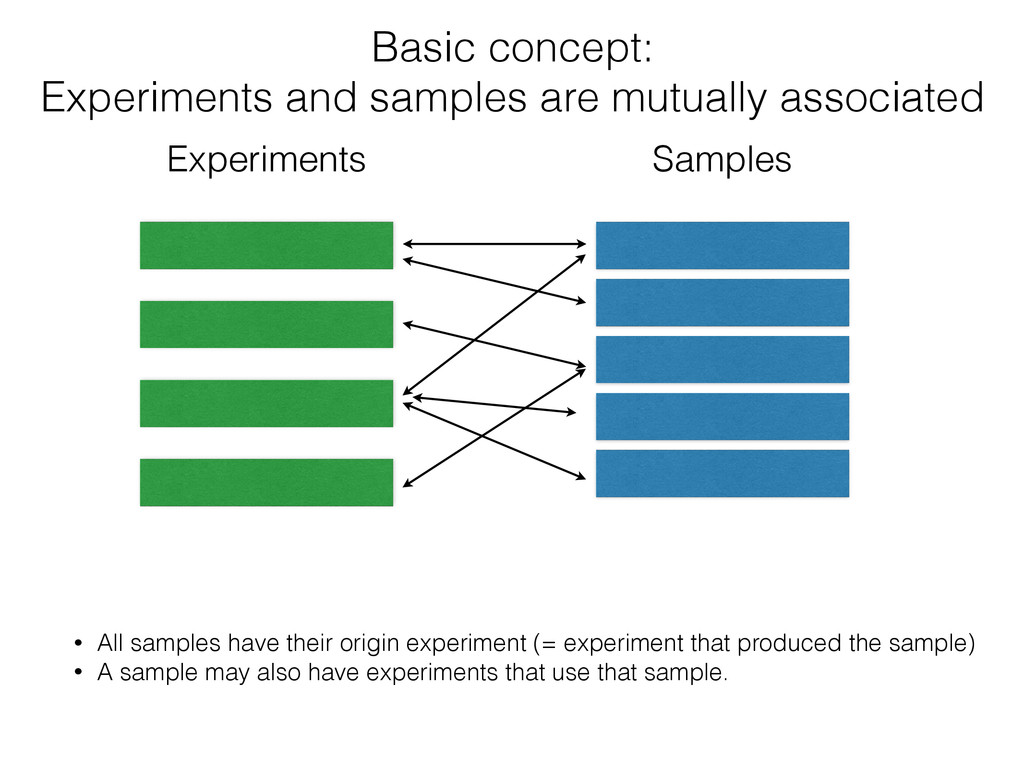
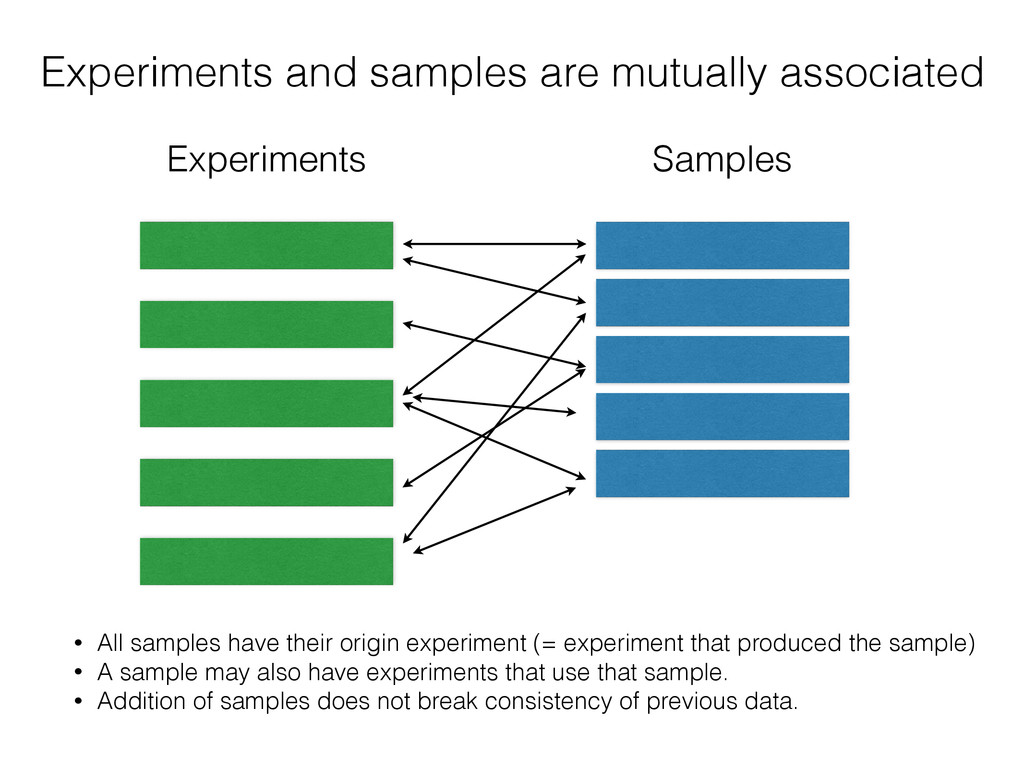
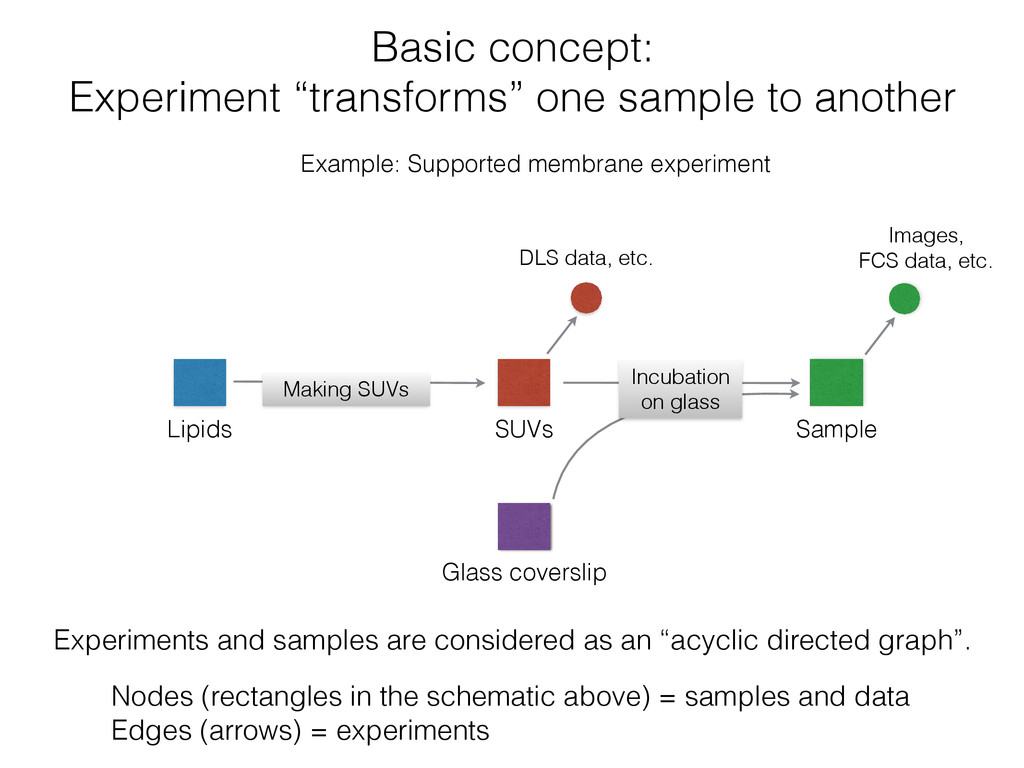
samples have their origin experiment (= experiment that produced the sample) • A sample may also have experiments that use that sample. • Addition of samples does not break consistency of previous data.
membrane experiment Lipids SUVs Sample Glass coverslip Experiments and samples are considered as an “acyclic directed graph”. Nodes (rectangles in the schematic above) = samples and data Edges (arrows) = experiments Images, FCS data, etc. DLS data, etc. Incubation on glass Making SUVs
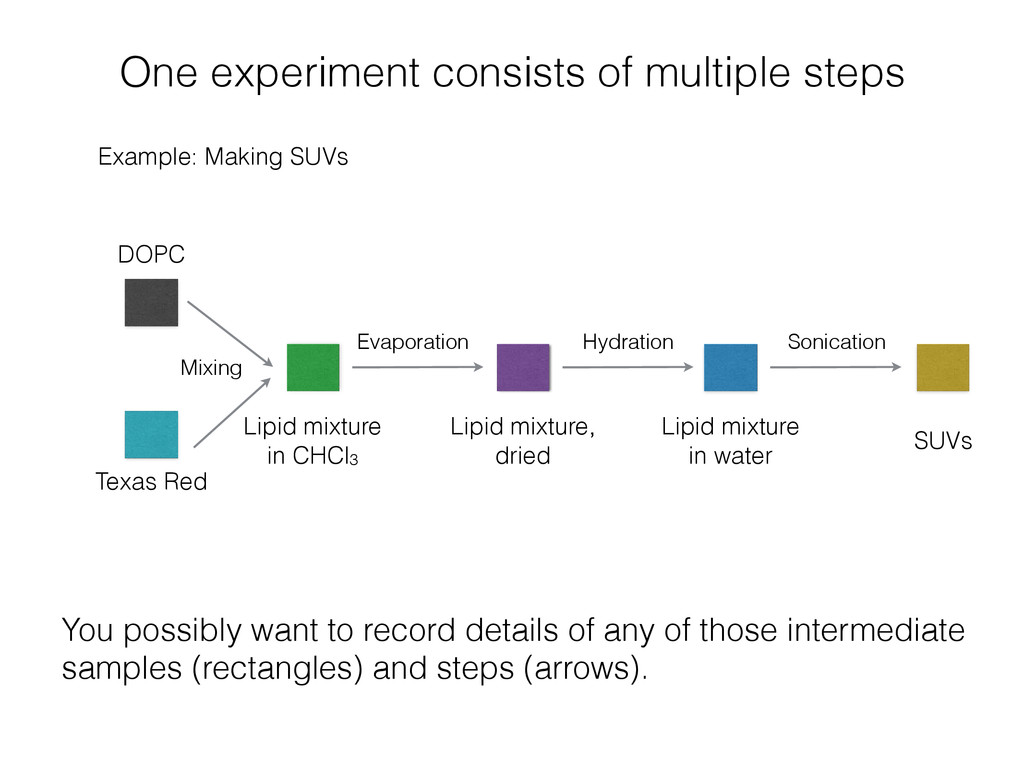
Mixing Texas Red Lipid mixture in CHCl3 Evaporation Hydration Sonication Lipid mixture, dried Lipid mixture in water SUVs You possibly want to record details of any of those intermediate samples (rectangles) and steps (arrows).
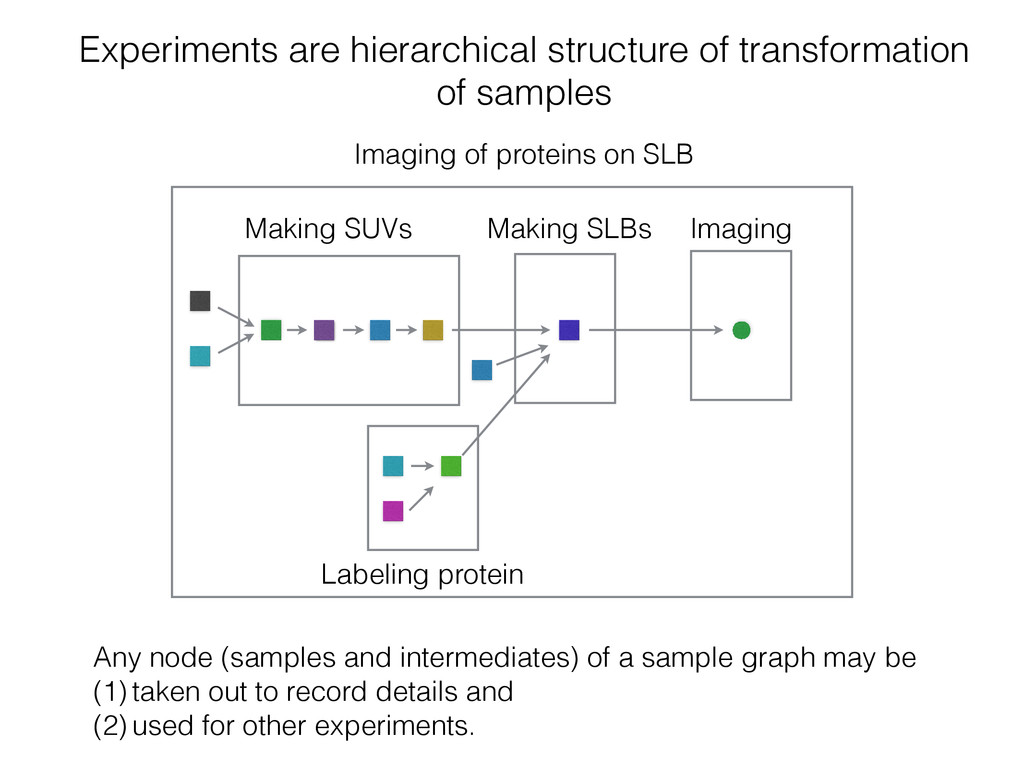
(samples and intermediates) of a sample graph may be (1) taken out to record details and (2) used for other experiments. Making SUVs Imaging Making SLBs Imaging of proteins on SLB Labeling protein
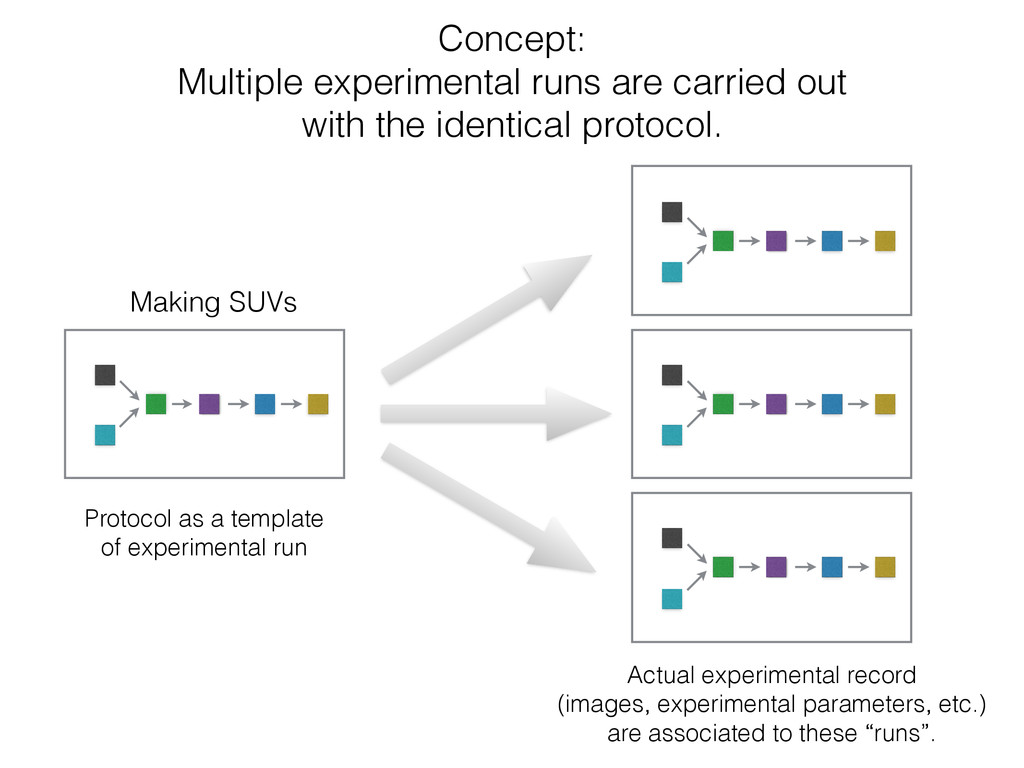
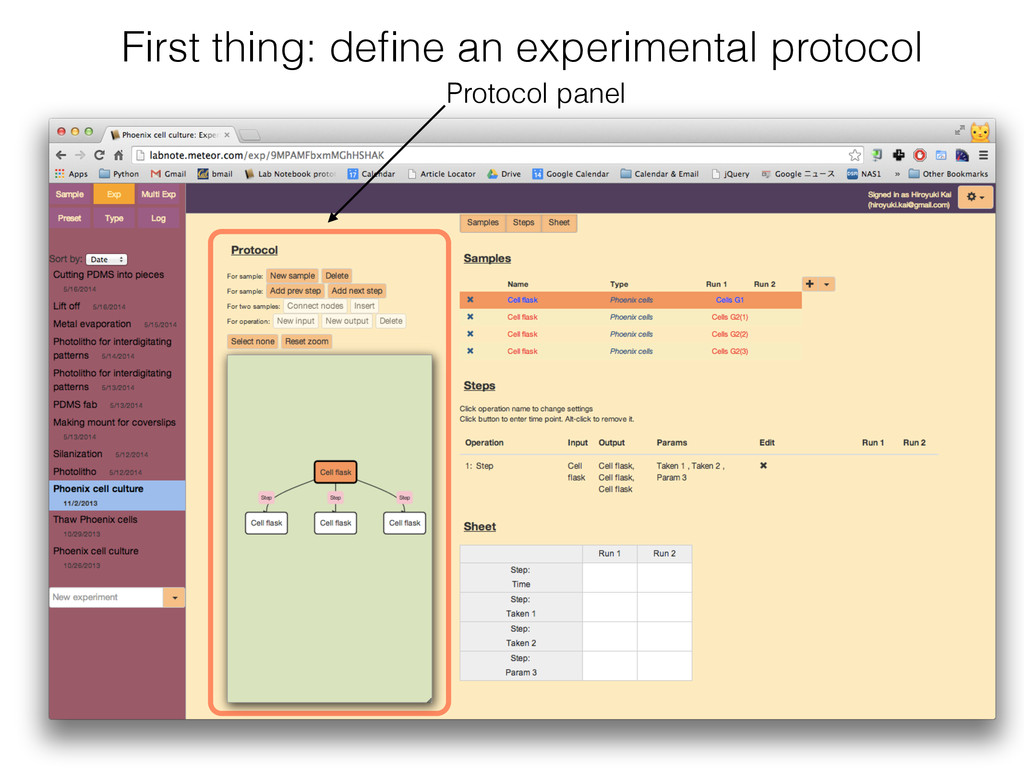
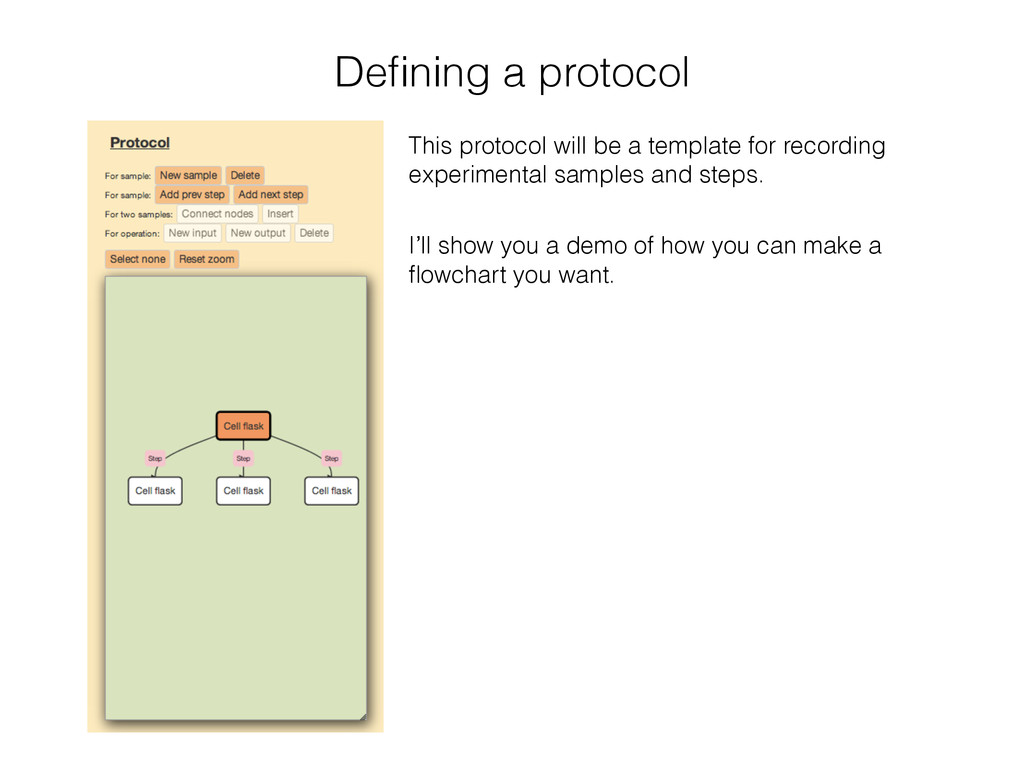
protocol. Protocol as a template of experimental run Making SUVs Actual experimental record (images, experimental parameters, etc.) are associated to these “runs”.
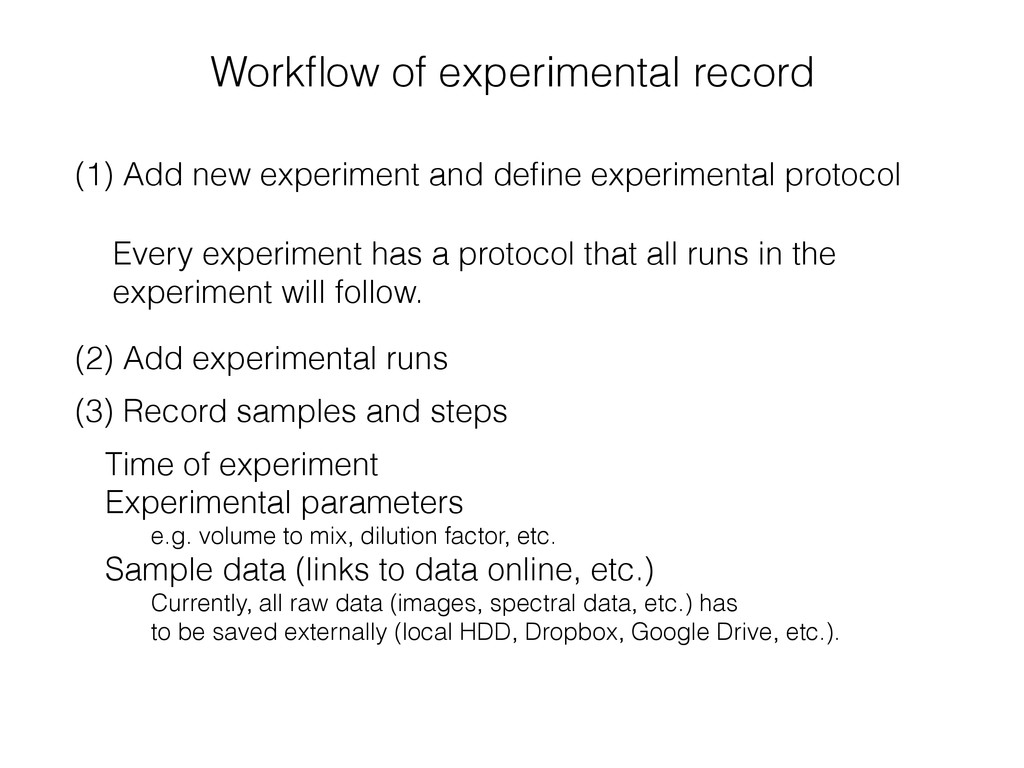
experimental record (3) Record samples and steps Time of experiment Experimental parameters e.g. volume to mix, dilution factor, etc. Sample data (links to data online, etc.) Currently, all raw data (images, spectral data, etc.) has to be saved externally (local HDD, Dropbox, Google Drive, etc.). Every experiment has a protocol that all runs in the experiment will follow. (2) Add experimental runs
an experimental run: (1) Making a new sample For output samples. (2) Assigning a sample that is made in another exp. For input samples. This will connect nodes (=samples) in the sample graph. New sample is assignable Previous sample is assignable Used for future experiment Input samples Yes Yes No Output samples Yes No Should be Intermediate samples Yes No Possibly
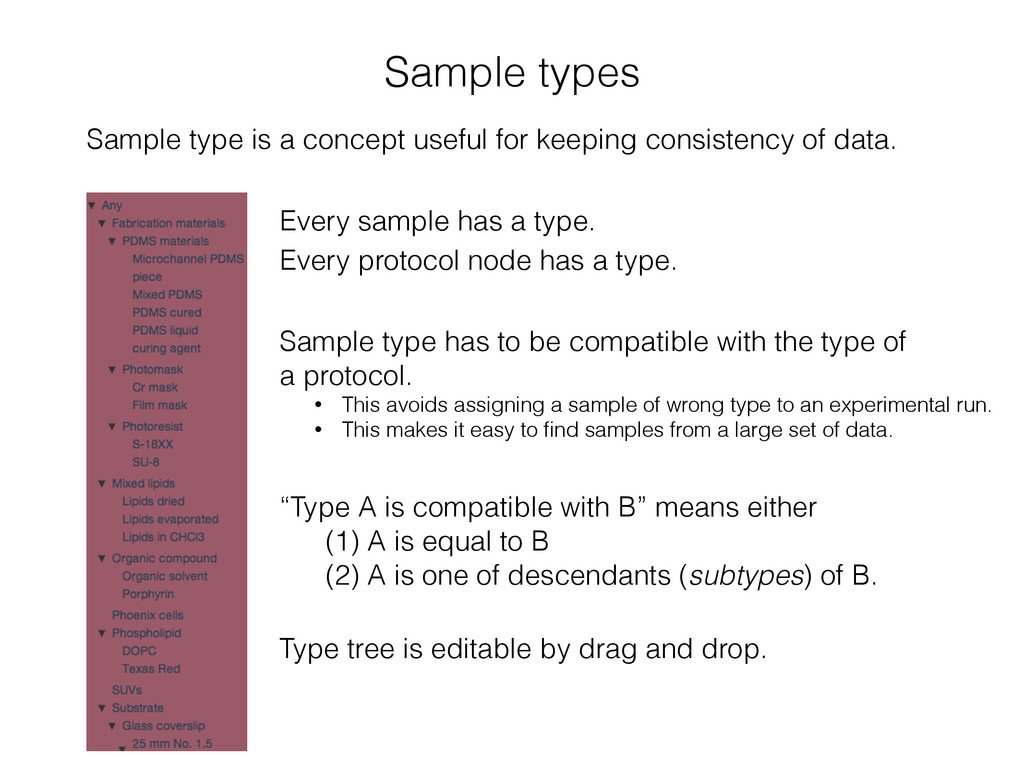
consistency of data. Type tree is editable by drag and drop. “Type A is compatible with B” means either (1) A is equal to B (2) A is one of descendants (subtypes) of B. Every sample has a type. Every protocol node has a type. Sample type has to be compatible with the type of a protocol. • This avoids assigning a sample of wrong type to an experimental run. • This makes it easy to find samples from a large set of data.
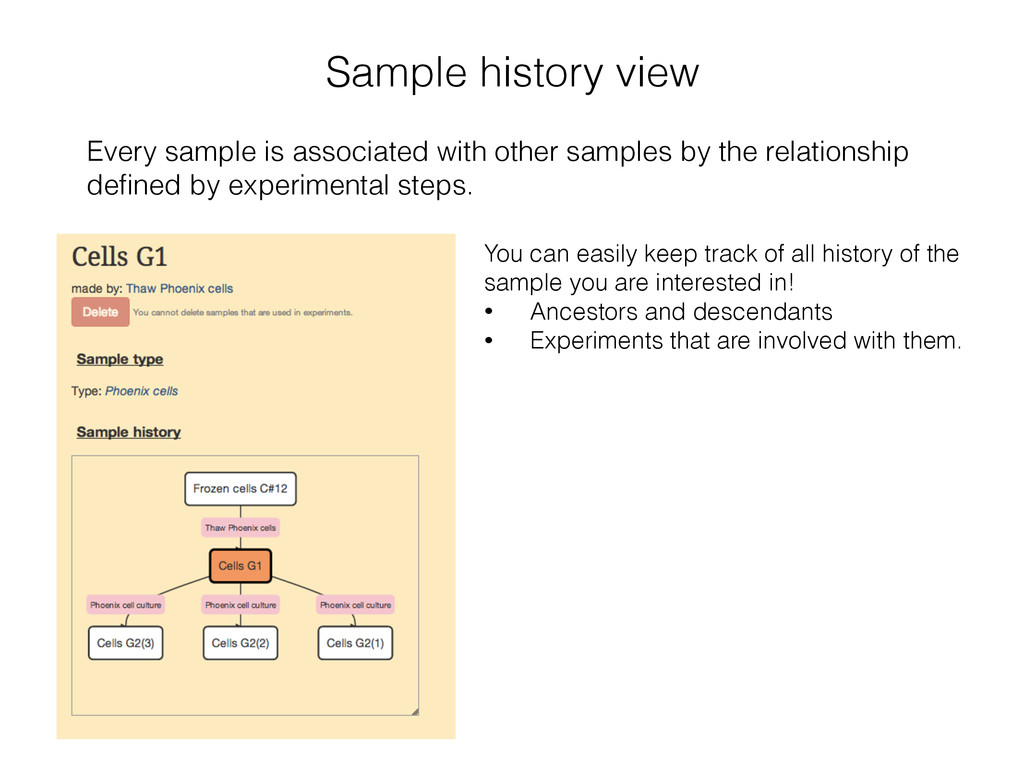
by the relationship defined by experimental steps. You can easily keep track of all history of the sample you are interested in! • Ancestors and descendants • Experiments that are involved with them.
organized sample management will give more efficient and consistent management of experimental samples and protocols. Snapshot and complete logging are desirable features to guarantee reliability of the e-lab notebook. Reporting by PDF, attachment of data, cooperation with Google Drive and Dropbox for raw data storage, etc.


 hirokai
 iktakahiro
 ueponx
 codmoninc
 yamanoku
 y0hgi
y0hgi
 techtekt
 endonanana
 greenmidori
 yu23ki14
 keeg
keeg
 puhitaku
 rakko
rakko
 coloredviolet
 notwaldorf
 nonsquared
 konakalab
 malarkey
 mfonobong
 keithpitt
 aleyda
 brad_frost
 lara
lara
 garrettdimon