OpenStack App Management Tool • The Application catalog - a single-point to publish different ready-to-use applications • The Murano Project introduces an application catalog to OpenStack, enabling application developers and cloud administrators to publish various cloud- ready applications in a browsable categorized catalog. • Murano ready-to-use applications are being published on Community App Catalog - http://apps.openstack.org, source code is being published on GitHub - https://github.com/openstack/murano. • Murano provides possibility to to be abstract from underlying IaaS resources • Murano supports multiple OS options (Linux & Windows)
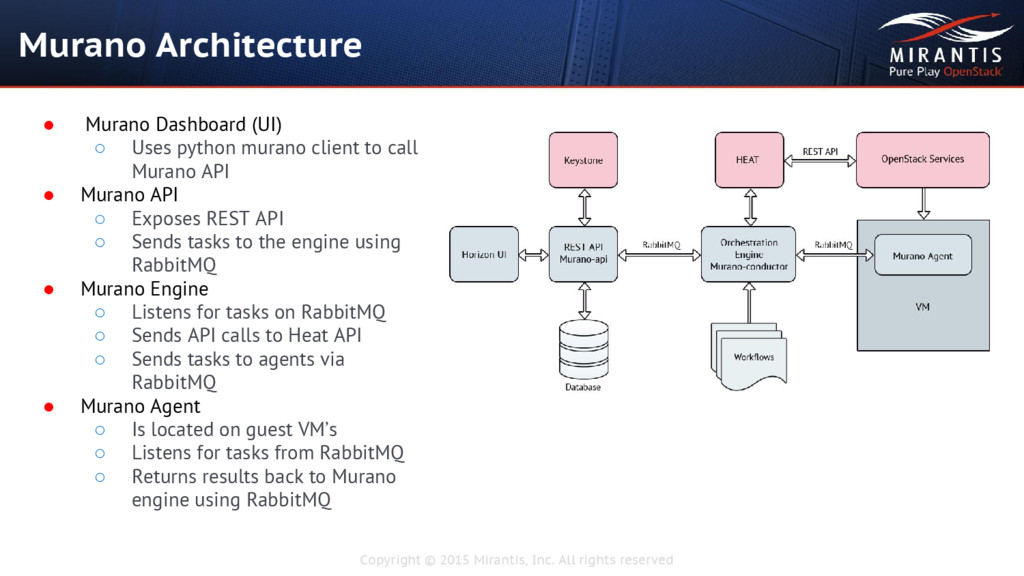
• Murano Dashboard (UI) ◦ Uses python murano client to call Murano API • Murano API ◦ Exposes REST API ◦ Sends tasks to the engine using RabbitMQ • Murano Engine ◦ Listens for tasks on RabbitMQ ◦ Sends API calls to Heat API ◦ Sends tasks to agents via RabbitMQ • Murano Agent ◦ Is located on guest VM’s ◦ Listens for tasks from RabbitMQ ◦ Returns results back to Murano engine using RabbitMQ
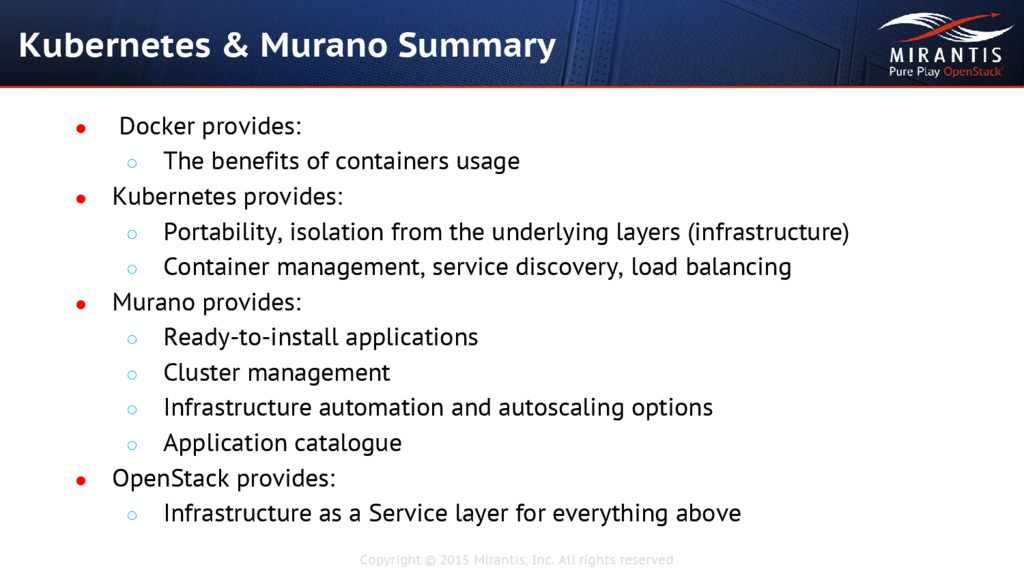
of usage • Container - is a lightweight isolation technology that allows users to launch applications in an isolated environment on Linux • Containers usage is a totally different way of application management • Containers have the huge benefits, that should be the perfect reasons to prefer them over the alternative technologies: ◦ Performance ◦ Repeatability ◦ Isolation ◦ Portability
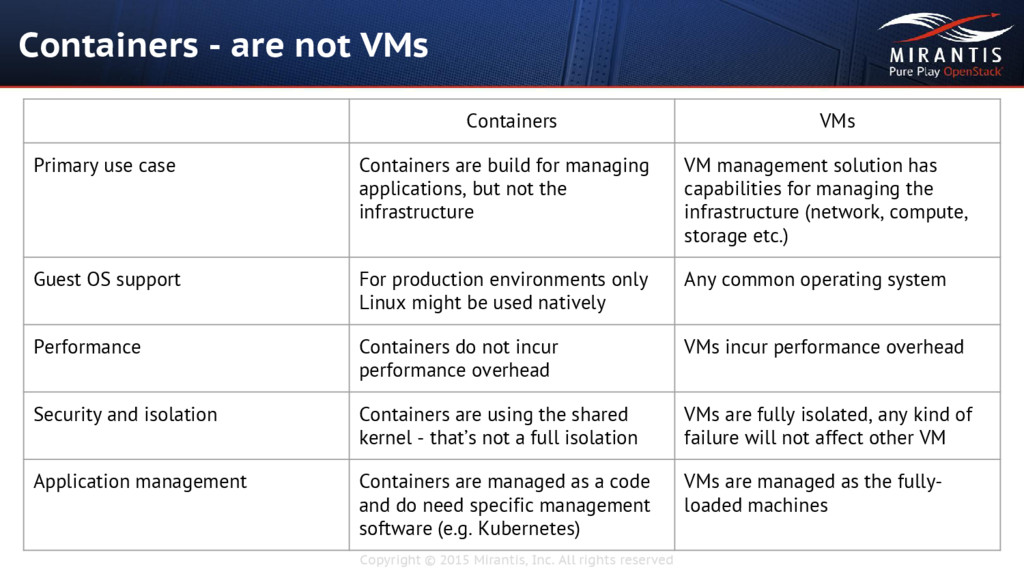
are not VMs Containers VMs Primary use case Containers are build for managing applications, but not the infrastructure VM management solution has capabilities for managing the infrastructure (network, compute, storage etc.) Guest OS support For production environments only Linux might be used natively Any common operating system Performance Containers do not incur performance overhead VMs incur performance overhead Security and isolation Containers are using the shared kernel - that’s not a full isolation VMs are fully isolated, any kind of failure will not affect other VM Application management Containers are managed as a code and do need specific management software (e.g. Kubernetes) VMs are managed as the fully- loaded machines
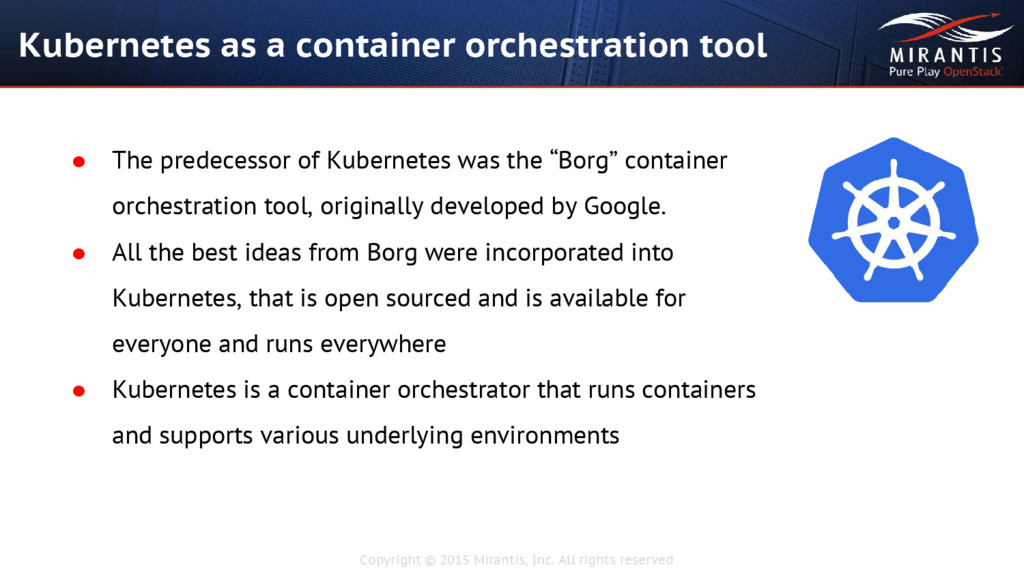
a container orchestration tool • The predecessor of Kubernetes was the “Borg” container orchestration tool, originally developed by Google. • All the best ideas from Borg were incorporated into Kubernetes, that is open sourced and is available for everyone and runs everywhere • Kubernetes is a container orchestrator that runs containers and supports various underlying environments
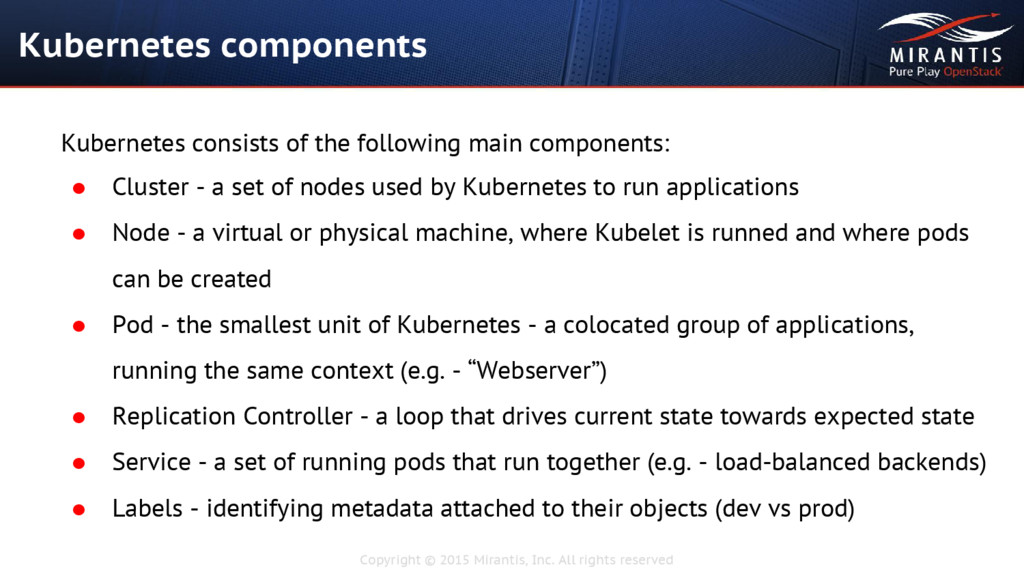
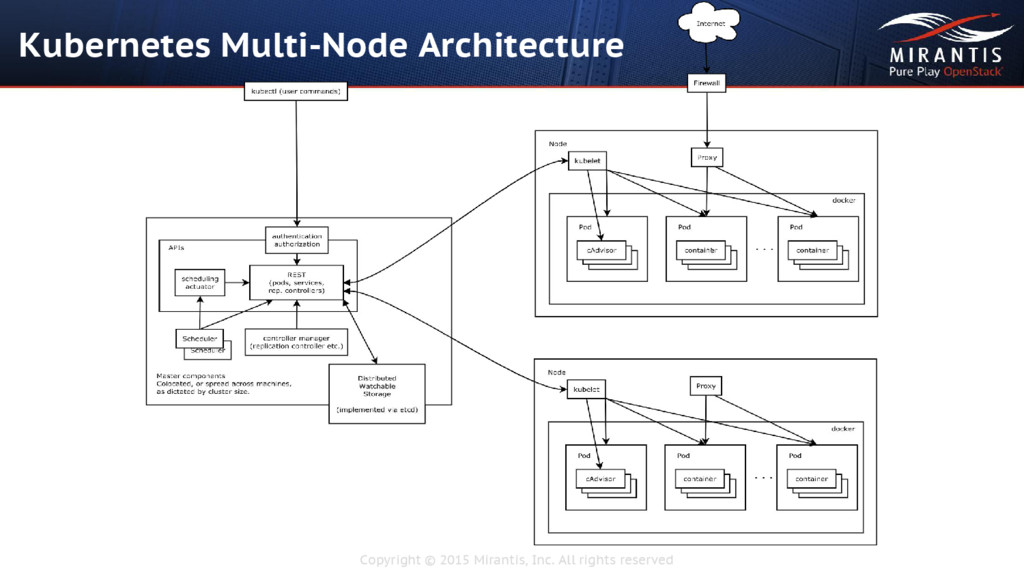
Kubernetes consists of the following main components: • Cluster - a set of nodes used by Kubernetes to run applications • Node - a virtual or physical machine, where Kubelet is runned and where pods can be created • Pod - the smallest unit of Kubernetes - a colocated group of applications, running the same context (e.g. - “Webserver”) • Replication Controller - a loop that drives current state towards expected state • Service - a set of running pods that run together (e.g. - load-balanced backends) • Labels - identifying metadata attached to their objects (dev vs prod)


 masakiokuda
 kentapapa
 raspython3
 yut0naga1_fa
 codmoninc
 bitkey
 akitoshiga
 carta_engineering
 koukihosaka
 pfn
pfn
 gogutan
 ymotongpoo
 smashingmag
 kristinabergwall1
 lauravandoore
 palkan
 thirion
 ivargrimstad
 aleyda
 notwaldorf
 hatefulcrawdad
 bkeepers
 tamaranovitovic
 szymonslowik