Upgrade to Pro
— share decks privately, control downloads, hide ads and more …
Speaker Deck
Sign up for free
Menu
Search
Features
All features
Private URLs
Password Protection
Custom URLS
Scheduled publishing
Remove Branding
Restrict embedding
Deck Collections
Notes
Features
All features
Private URLs
Password Protection
Custom URLS
Scheduled publishing
Remove Branding
Restrict embedding
Deck Collections
Notes
Explore
Featured decks
Featured speakers
Programming
Technology
Storyboards
Explore
Featured decks
Featured speakers
Programming
Technology
Storyboards
Pricing
Search
Sign in
Sign up for free
So, what can we do about it?
Search
Sponsored
·
Your Podcast. Everywhere. Effortlessly.
Share. Educate. Inspire. Entertain. You do you. We'll handle the rest.
→
Jack Scott
August 31, 2013
Technology
140
0
Share
Embed
Copy iframe code
Copy JS code
Copy link
Start on current slide
So, what can we do about it?
Jack Scott
August 31, 2013
More Decks by Jack Scott
See All by Jack Scott
Building a RESTish API in C# and ASP.NET
jackscottau
0
240
Home Network Overkill
jackscottau
0
82
Other Decks in Technology
See All in Technology
hackers_champloo_2026_tidb
makocchi
0
160
ソフトウェア ファクトリー - 再現性のあるソフトウェアの工場づくり / Software factory
iktakahiro
6
4.9k
PagerDuty Tech Hub-鳴らすけれど、人は動かない
ezaki
0
170
Conditional PED-ANOVA: Hyperparameter Importance in Hierarchical & Dynamic Search Spaces
pfn
PRO
0
130
Code for Security プロジェクト紹介 2026年10月
yu23ki14
0
110
1つのリクエストを追って理解する - llm-dのP/D分離
akhino
1
160
Optunaの最新リリースv5.0について
pfn
PRO
0
120
触りたくないデータに、どう触るか AI時代のRBACアクセスガバナンス
ivry_presentationmaterials
0
260
初海外で注意すべきこと12選!!!安全快適なre:invent生活にするために
yuuuuuuu168
1
160
事業成長とデータ活用を止めないためのマネジメントへ挑戦
hiracky16
0
390
OptunaHub: ブラックボックス最適化のためのプラットフォーム
pfn
PRO
0
140
go-sqletch
moznion
0
140
Featured
See All Featured
How to Build an AI Search Optimization Roadmap - Criteria and Steps to Take #SEOIRL
aleyda
1
2.2k
Helping Users Find Their Own Way: Creating Modern Search Experiences
danielanewman
31
3.4k
Lessons Learnt from Crawling 1000+ Websites
charlesmeaden
PRO
1
1.6k
Why Our Code Smells
bkeepers
PRO
340
58k
ReactJS: Keep Simple. Everything can be a component!
pedronauck
666
130k
Automating Front-end Workflow
addyosmani
1369
210k
10 Git Anti Patterns You Should be Aware of
lemiorhan
PRO
659
62k
The Director’s Chair: Orchestrating AI for Truly Effective Learning
tmiket
1
330
Avoiding the “Bad Training, Faster” Trap in the Age of AI
tmiket
0
270
The AI Search Optimization Roadmap by Aleyda Solis
aleyda
2
6.3k
VelocityConf: Rendering Performance Case Studies
addyosmani
331
25k
It's Worth the Effort
3n
188
29k
Transcript
So, what can we do about it? Jack Scott (
[email protected]
)
@JackScottAU For Privacy Tasmania 2013 – “Nothing to hide but plenty to fear…”
We don’t want to be all doom and gloom
The Easy Stuff Stuff that requires a minute’s work once,
and protects you forever.
Who’s got a mobile phone?
None
None
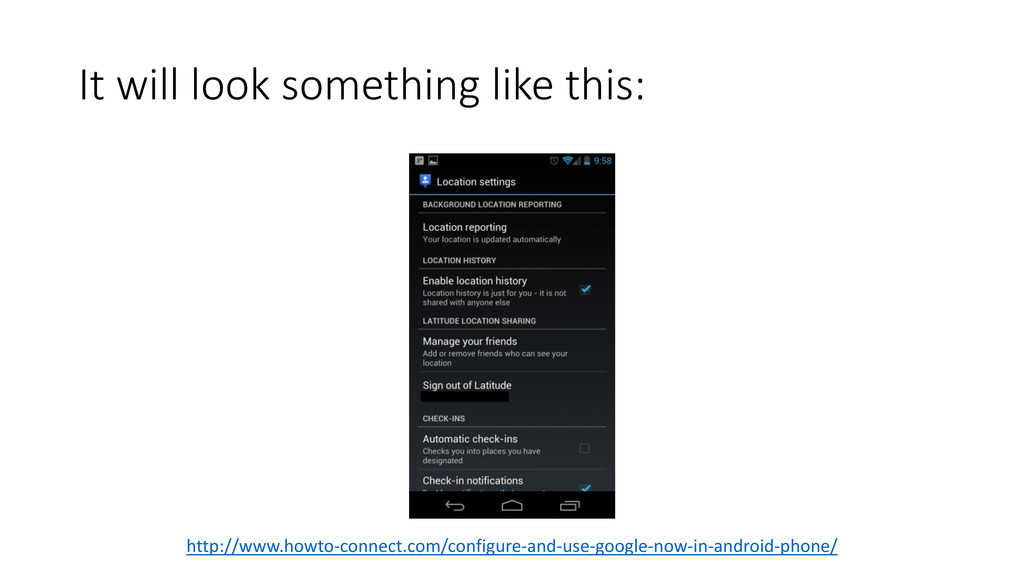
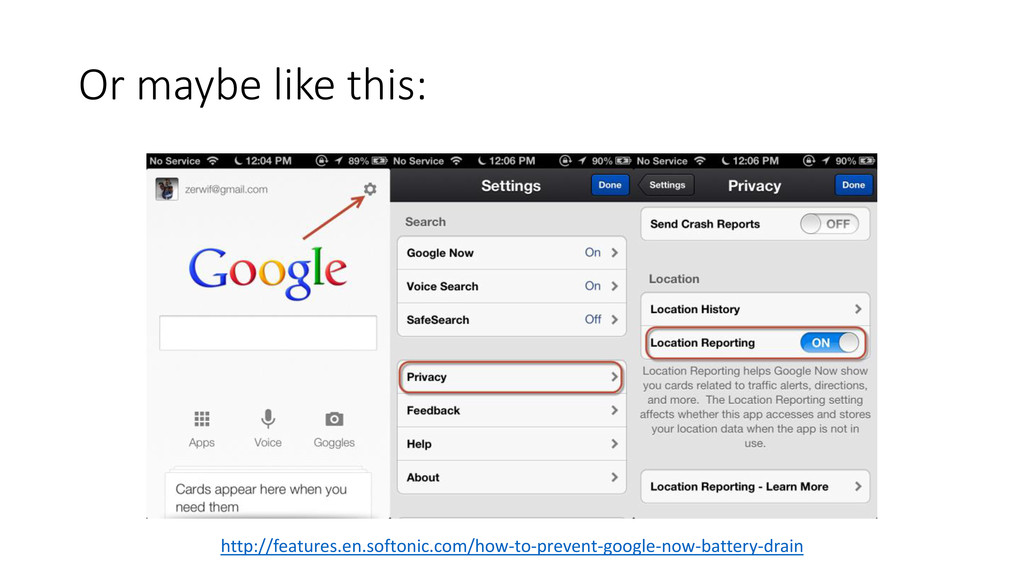
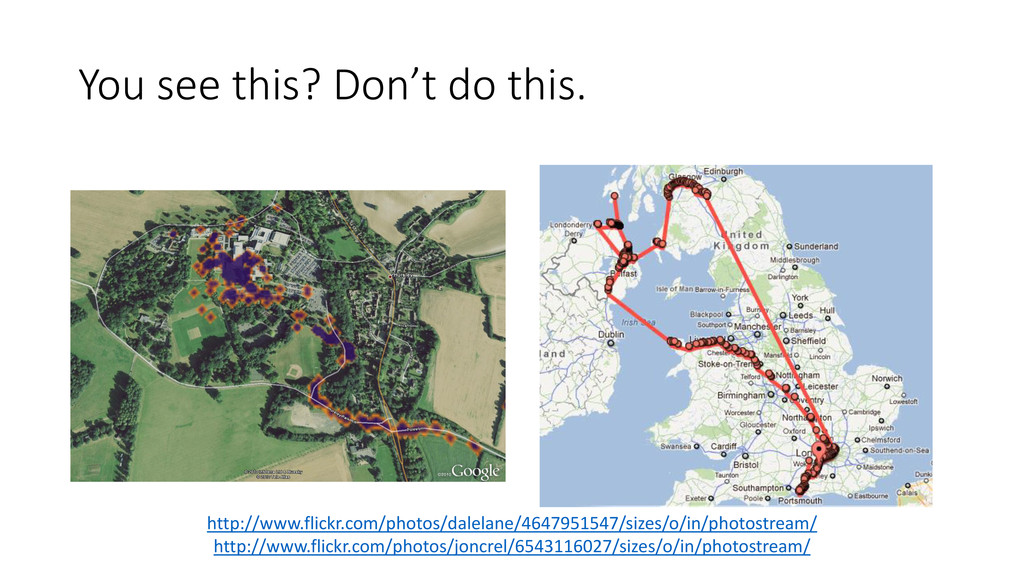
Turn off location tracking services on your phone (if you
can) Google Maps, Google Latitude, Google Now
It will look something like this: http://www.howto-connect.com/configure-and-use-google-now-in-android-phone/
Or maybe like this: http://features.en.softonic.com/how-to-prevent-google-now-battery-drain
You see this? Don’t do this. http://www.flickr.com/photos/dalelane/4647951547/sizes/o/in/photostream/ http://www.flickr.com/photos/joncrel/6543116027/sizes/o/in/photostream/
Who uses a search engine?
Change your default search engine DuckDuckGo is a good choice
So is StartPage
If you’re going to use Google or Bing… At least
turn off search history tracking.
Who uses a social network? Facebook, Google Plus, Twitter, LinkedIn
Tweak your privacy settings. It’s a lot easier than you
think.
Who uses a web browser?
Think about installing an ad- blocking plugin It really is
a case of killing two birds with one stone! - but only if you like killing birds.
Turn on Do-Not-Track in your browser Not yet widely used
by websites, but it’s another layer of defence.
A Bit More Effort… Stuff that is still “easy” technically
but requires a bit more willpower.
Use a different password for every site Most repeated advice
out there – ever! But it’s good advice.
Change your habits around social networks
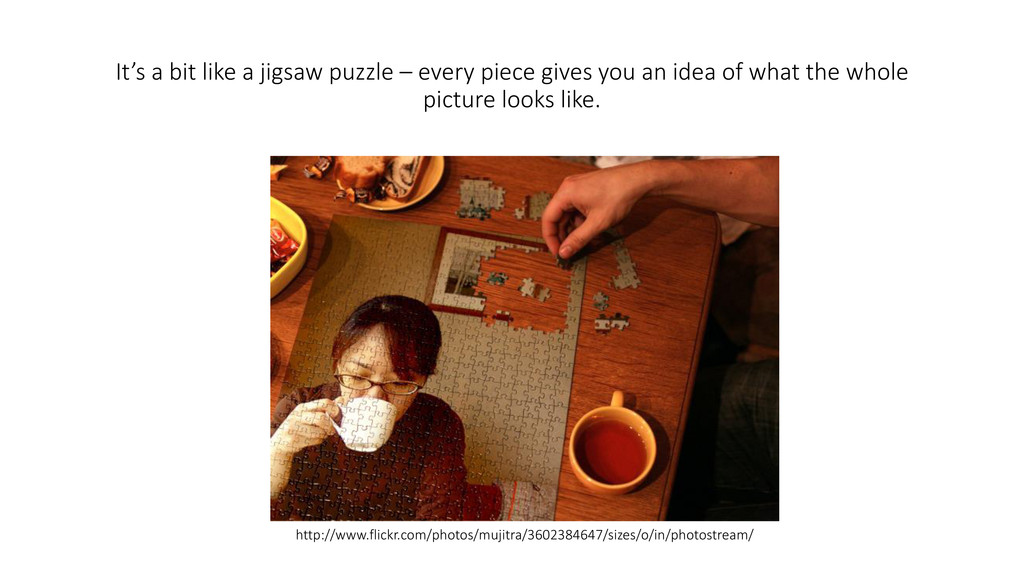
It’s a bit like a jigsaw puzzle – every piece
gives you an idea of what the whole picture looks like. http://www.flickr.com/photos/mujitra/3602384647/sizes/o/in/photostream/
Install and use Tor Tor is a browser designed to
make you as secure as possible while on the Internet.
The Hard Stuff
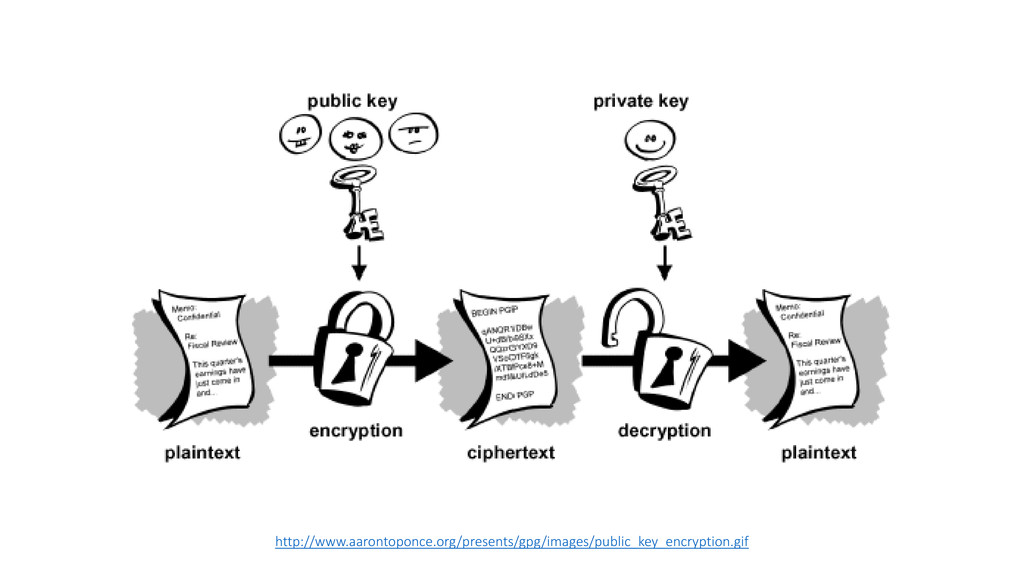
Encrypt your email The best way is with a technology
called PGP.
PGP is: • “Pretty Good Privacy” • A way of
encrypting the contents of your email so only the recipient can decrypt it – nobody else. • No need to share passwords – everybody has their own password. • Doesn’t encrypt the metadata, so the government can still see who you are talking to.
http://www.aarontoponce.org/presents/gpg/images/public_key_encryption.gif
Thankyou! https://speakerdeck.com/jackscottau/so-what-can-we-do-about-it http://www.privacytas.org


 jackscottau
 makocchi
 iktakahiro
 ezaki
ezaki
 pfn
pfn
 yu23ki14
 akhino
 ivry_presentationmaterials
 yuuuuuuu168
 hiracky16
 moznion
 aleyda
 danielanewman
 charlesmeaden
 bkeepers
 pedronauck
 addyosmani
 lemiorhan
 tmiket
 3n
3n
![So, what can we do about it? Jack Scott ([email protected])](https://files.speakerdeck.com/presentations/7f771fc0f3350130889c76c9e5da0b81/slide_0.jpg)