$30 off During Our Annual Pro Sale. View Details »

Dagger 2 : Android and Java

Avatar for Jaime Toca Jaime Toca
September 15, 2016

Dagger 2 : Android and Java

Avatar for Jaime Toca

Jaime Toca

September 15, 2016
Tweet

More Decks by Jaime Toca

Other Decks in Programming

Transcript

  1. Dagger 2.0 • Developed by Google • Forked from Dagger

    1.0 (based on guice) which was developed by square • It is considered to be one of the most efficient DI frameworks build to date • Solve problems that spring, guice, dagger 1 still have • History of DI frameworks and dagger 2.0. “Dagger 2 : a new type of DI” by Gregory Kick https://www.youtube.com/watch?v=oK_XtfXPkqw
  2. DI frameworks cons (before dagger 2.0) • Performance issues due

    to reflection usage • Runtime graph validation • Black magic with instantiation (no source code) • Problems with Proguard for android • Dagger 1 offers an easier debugging and some compile time validations of the graph. BUT STILL has problems: ugly generated code, inefficient graph creation, partially traceable, runtime graph composition and proguard problems.
  3. Dagger 2.0: Why to use it? • Zero problems with

    proguard • Focus on the developer experience • Fully traceable code (generated using java annotations at compile time) • Super easy to read generated code (dagger 2 mimics code that a developer can write by hand) • Better performance (13% faster than dagger 1) • No reflection
  4. public class LoginActivity extends BaseActivity { @Inject LoginPresenter mPresenter; @Override

    protected void onCreate(Bundle bundle) { super.onCreate(bundle); getAppComponent().inject(this); // injection process has to be called “by hand” } } @Inject : Fields Injection
  5. public class LoginPresenter { private LoginActivity mLoginActivity; private UserNetController mUserNetController;

    @Inject public LoginPresenter(LoginActivity loginActivity, UserNetController userNetController) { mLoginActivity = loginActivity; mUserNetController = userManager; } } public class LoginActivity extends BaseActivity { @Inject LoginPresenter mPresenter; //... } @Inject : Constructor injection
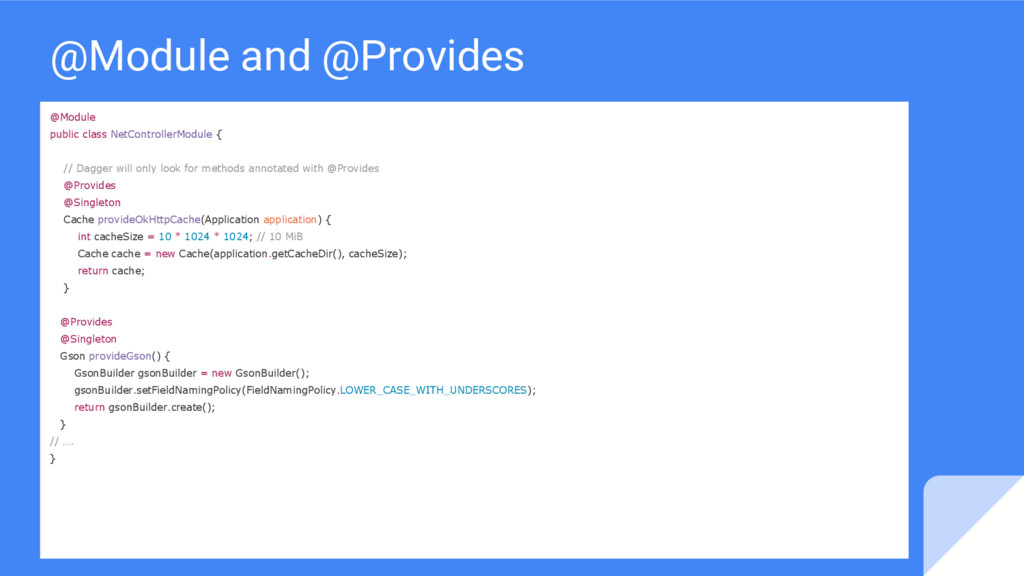
  6. @Module public class NetControllerModule { // Dagger will only look

    for methods annotated with @Provides @Provides @Singleton Cache provideOkHttpCache(Application application) { int cacheSize = 10 * 1024 * 1024; // 10 MiB Cache cache = new Cache(application.getCacheDir(), cacheSize); return cache; } @Provides @Singleton Gson provideGson() { GsonBuilder gsonBuilder = new GsonBuilder(); gsonBuilder.setFieldNamingPolicy(FieldNamingPolicy.LOWER_CASE_WITH_UNDERSCORES); return gsonBuilder.create(); } // …. } @Module and @Provides
  7. @Component @Component(modules = {LoginPresenterModule.class, LoginNetControllerModule.class}) Public Interface LoginComponent { Void

    inject (LoginActivity loginActivity); } • It is like bridge between @module and @inject. It wires everything together • In @component we define from which modules dependencies are taken • We also indicates where the component can be injected
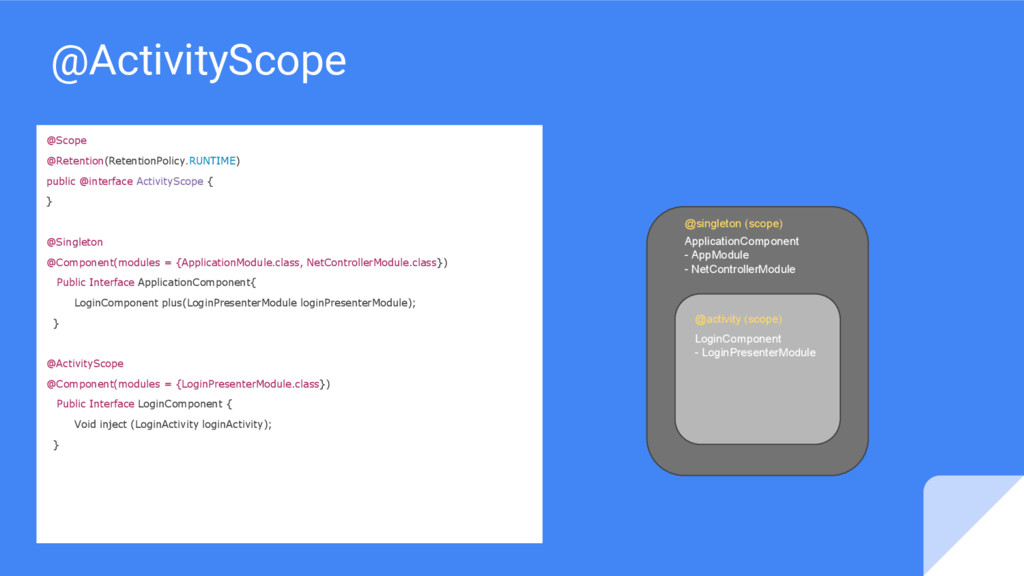
  8. @Scope [...] If a scope annotation is present, the injector

    may retain the instance for possible reuse in a later injection [...] - Dagger documentation • By default only @singleton is available • You can define your own custom scopes. Ex: @ActivityScope, @FragmentScope, @UserSessionScope, @WhateverScope etc... • Scopes have to be associated with a component or subcomponent • There are two different ways to implement custom scopes: @subcomponent and creating dependencies between components. In this talk we will just work with @subcomponents • Subcomponents have access to entire object graph from their parents.
  9. @ActivityScope @Scope @Retention(RetentionPolicy.RUNTIME) public @interface ActivityScope { } @Singleton @Component(modules

    = {ApplicationModule.class, NetControllerModule.class}) Public Interface ApplicationComponent{ LoginComponent plus(LoginPresenterModule loginPresenterModule); } @ActivityScope @Component(modules = {LoginPresenterModule.class}) Public Interface LoginComponent { Void inject (LoginActivity loginActivity); } ApplicationComponent - AppModule - NetControllerModule LoginComponent - LoginPresenterModule @singleton (scope) @activity (scope)
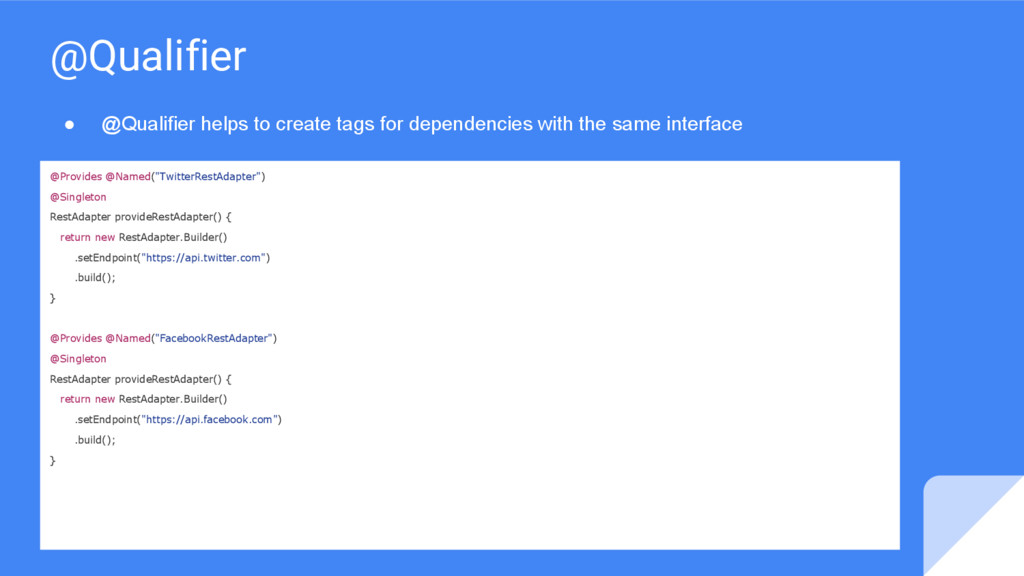
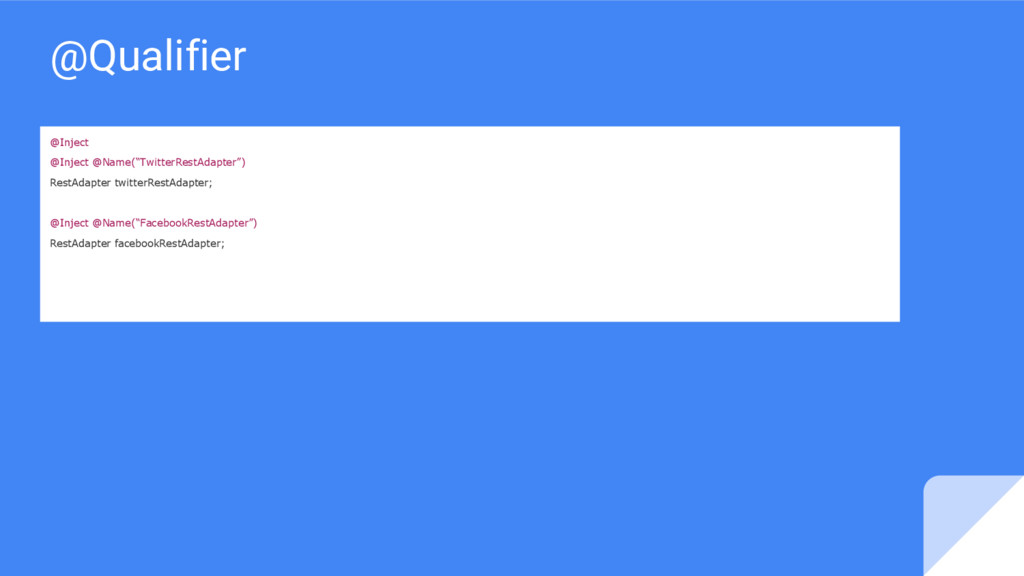
  10. @Provides @Named("TwitterRestAdapter") @Singleton RestAdapter provideRestAdapter() { return new RestAdapter.Builder() .setEndpoint("https://api.twitter.com")

    .build(); } @Provides @Named("FacebookRestAdapter") @Singleton RestAdapter provideRestAdapter() { return new RestAdapter.Builder() .setEndpoint("https://api.facebook.com") .build(); } @Qualifier • @Qualifier helps to create tags for dependencies with the same interface
  11. References Dagger 2 : The API and custom scopes http://frogermcs.github.io/dependency-injection-with-dagger-2-custom-scopes/

    http://frogermcs.github.io/dependency-injection-with-dagger-2-the-api/ Dagger official documentation http://google.github.io/dagger/users-guide.html The future of DI with Dagger 2 (Jake Wharton) https://www.youtube.com/watch?v=plK0zyRLIP8 Dagger 2 : A new type of DI https://www.youtube.com/watch?v=oK_XtfXPkqw Tasting Dagger 2 on Android (Fernando Cejas) http://fernandocejas.com/2015/04/11/tasting-dagger-2-on-android/