Upgrade to Pro — share decks privately, control downloads, hide ads and more …

Your Design System Has Two Codebases. Let's Fix...

Sponsored · SiteGround - Reliable hosting with speed, security, and support you can count on. →

Your Design System Has Two Codebases. Let's Fix That.

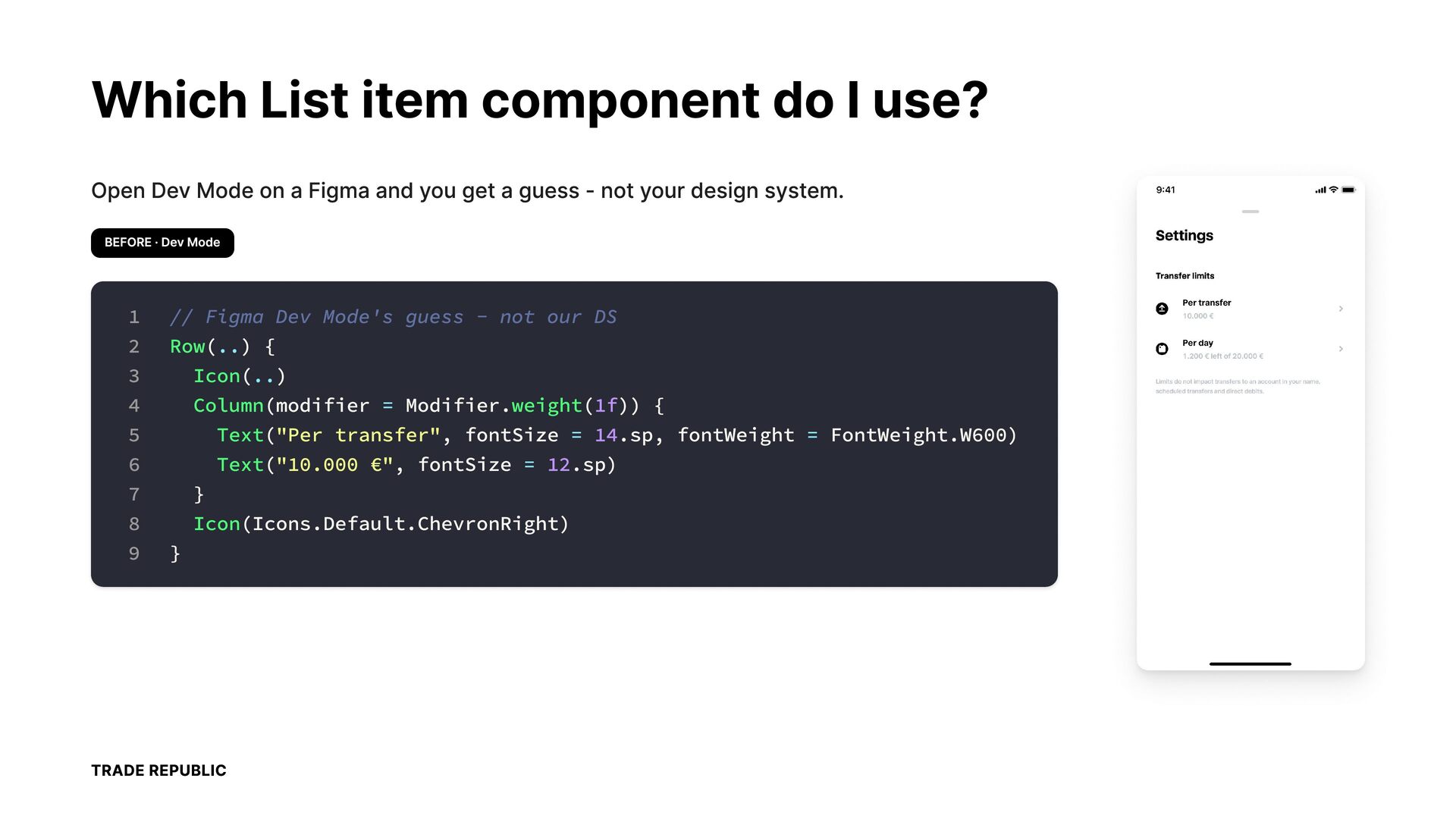
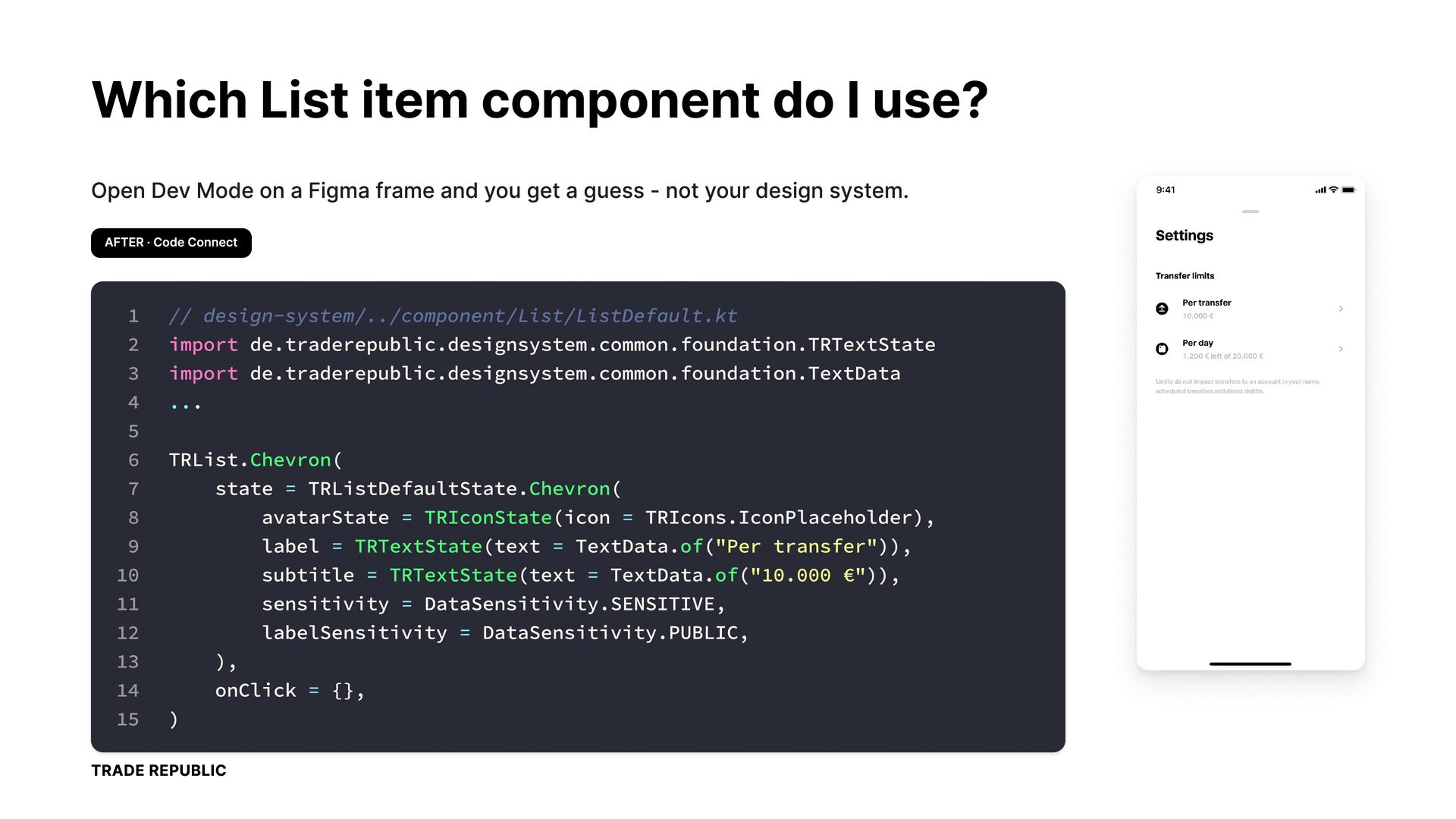
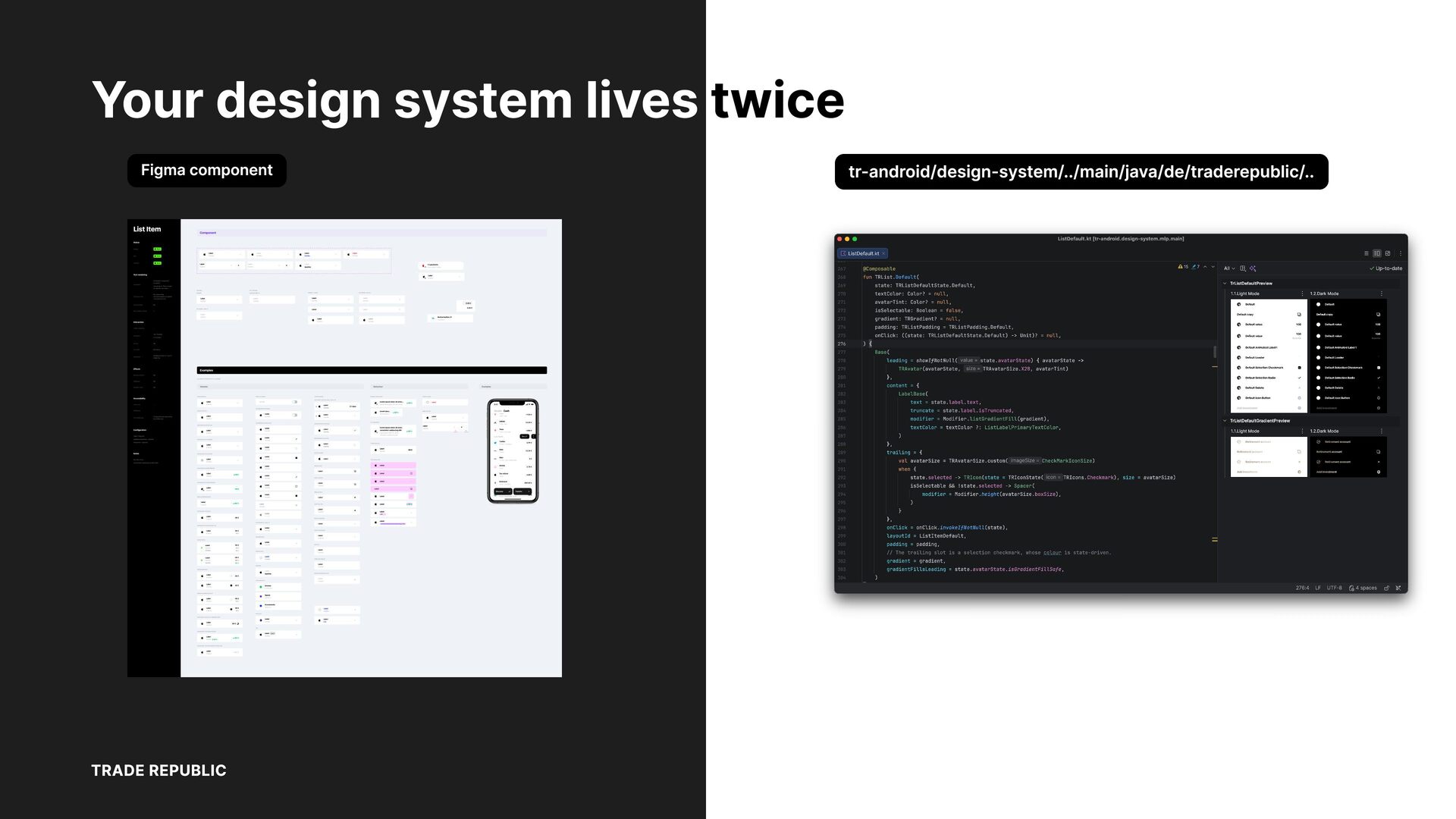
Figma is where your Design System lives. Jetpack Compose is how it's built. But when developers open Figma Dev mode, they see generic Jetpack Compose scaffolding - not your actual components. So they search, guess, or roll their own. Design drift happens silently.

In this talk, I'll show how Figma Code Connect bridges that gap: developers see real Design System snippets directly in Figma, with the right Composable and the right parameters. We'll also cover pairing Code Connect with Figma MCP, so your AI coding assistant speaks your Design System's language instead of vanilla Compose.

Plus: how we scaled Code Connect across a large component library using Claude Code - the prompts that worked and the mistakes we made.

Avatar for Zhanibek Marshal

Zhanibek Marshal

October 07, 2026

More Decks by Zhanibek Marshal

Other Decks in Programming

Transcript

  1. Your Design System Has Two Codebases. Let's Fix That. next.app

    droidCon Berlin - 2026 Zhanibek Marshal Senior Engineer TRADE REPUBLIC
  2. Which List item component do I use? Open Dev Mode

    on a Figma and you get a guess - not your design system. BEFORE · Dev Mode 1 2 3 4 5 6 7 8 9 // Figma Dev Mode's guess - not our DS Row(..) { Icon(..)
 Column(modifier = Modifier.weight(1f)) {
 Text("Per transfer", fontSize = 14.sp, fontWeight = FontWeight.W600)
 Text("10.000 €", fontSize = 12.sp) } Icon(Icons.Default.ChevronRight) } TRADE REPUBLIC
  3. Which List item component do I use? Open Dev Mode

    on a Figma frame and you get a guess - not your design system. AFTER · Code Connect 1 2 3 4 5 6 7 8 9 10 11 12 13 14 15 // design-system/../component/List/ListDefault.kt import de.traderepublic.designsystem.common.foundation.TRTextState import de.traderepublic.designsystem.common.foundation.TextData ... TRList.Chevron( state = TRListDefaultState.Chevron( avatarState = TRIconState(icon = TRIcons.IconPlaceholder), label = TRTextState(text = TextData.of("Per transfer")), subtitle = TRTextState(text = TextData.of("10.000 €")), sensitivity = DataSensitivity.SENSITIVE, labelSensitivity = DataSensitivity.PUBLIC, ), onClick = {}, ) TRADE REPUBLIC
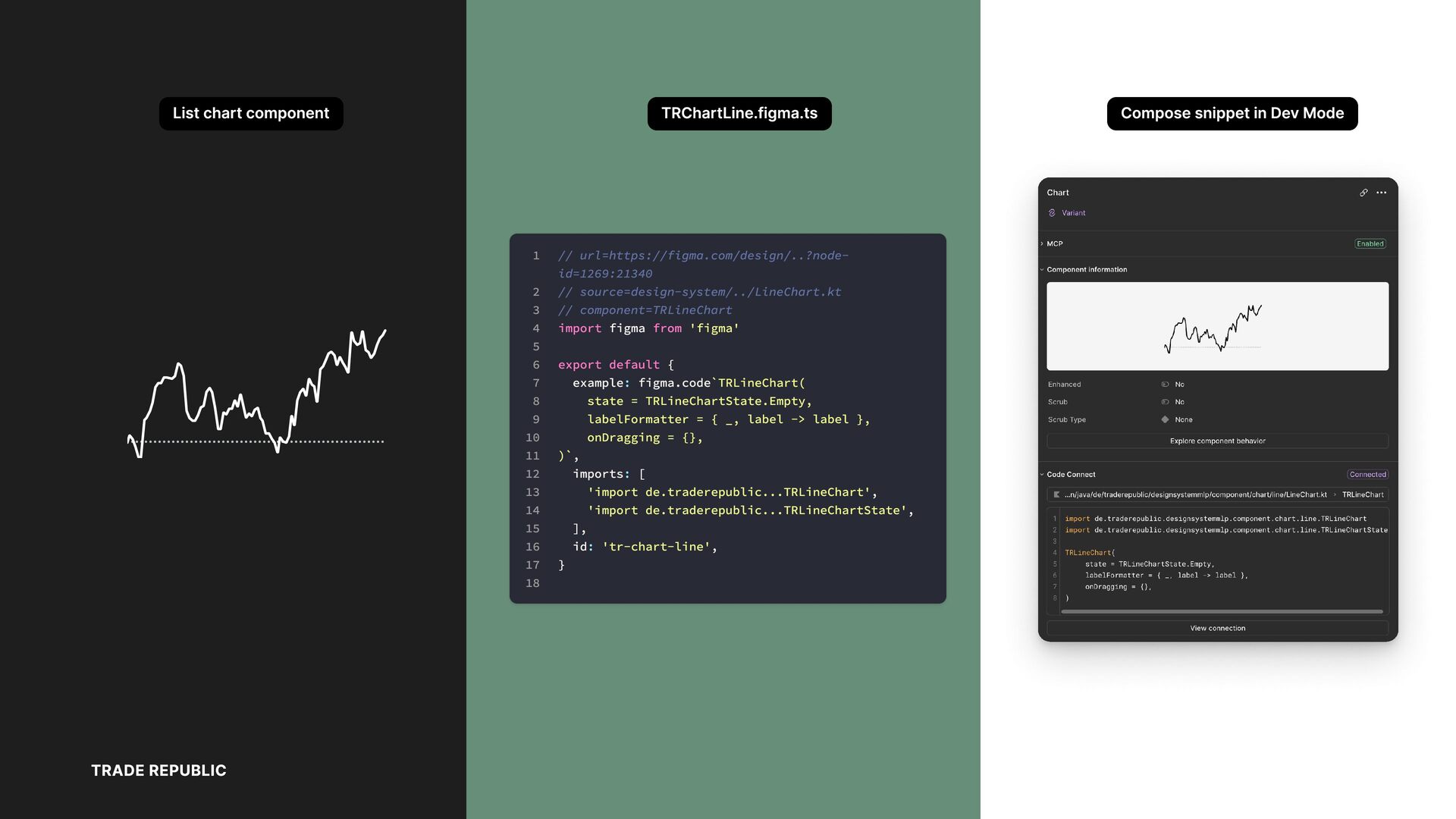
  4. List chart component TRChartLine.figma.ts 1 2 3 4 5 6

    7 8 9 10 11 12 13 14 15 16 17 18 TRADE REPUBLIC // url=https://figma.com/design/..?nodeid=1269:21340 // source=design-system/../LineChart.kt // component=TRLineChart import figma from 'figma' export default { example: figma.code`TRLineChart( state = TRLineChartState.Empty, labelFormatter = { _, label -> label }, onDragging = {}, )`, imports: [ 'import de.traderepublic...TRLineChart', 'import de.traderepublic...TRLineChartState', ], id: 'tr-chart-line', } Compose snippet in Dev Mode
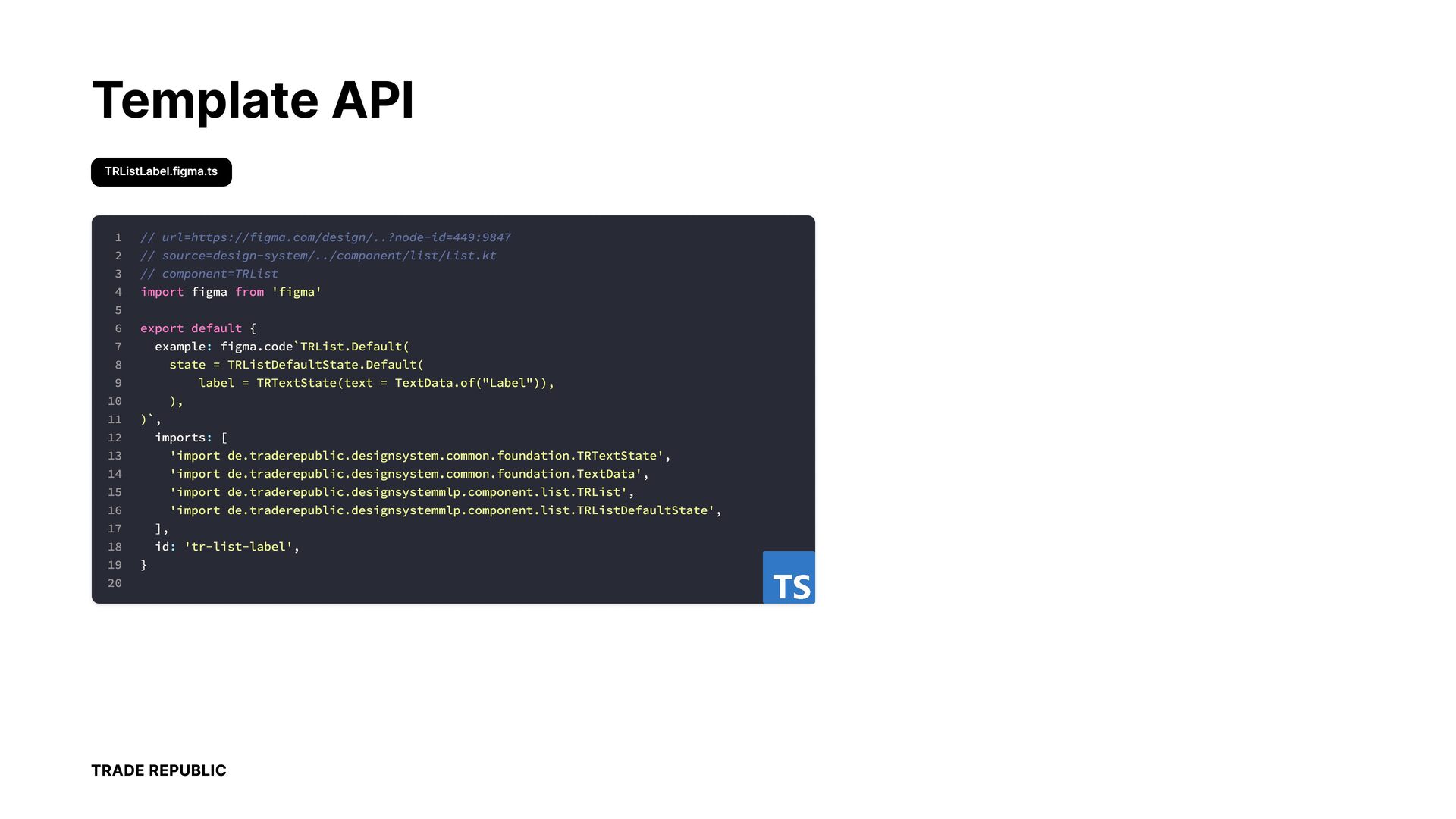
  5. Template API TRListLabel.figma.ts 1 // url=https://figma.com/design/..?node-id=449:9847 2 // source=design-system/../component/list/List.kt 3

    // component=TRList 4 import figma export default from 'figma' 5 6 7 example: 8 state 9 11 figma.code`TRList.Default( = TRListDefaultState.Default( label 10 { = TRTextState(text = TextData.of("Label")), ), )`, 12 imports: [ 13 'import de.traderepublic.designsystem.common.foundation.TRTextState', 14 'import de.traderepublic.designsystem.common.foundation.TextData', 15 'import de.traderepublic.designsystemmlp.component.list.TRList', 16 'import de.traderepublic.designsystemmlp.component.list.TRListDefaultState', 17 ], 18 id: 19 'tr-list-label', } 20 TRADE REPUBLIC
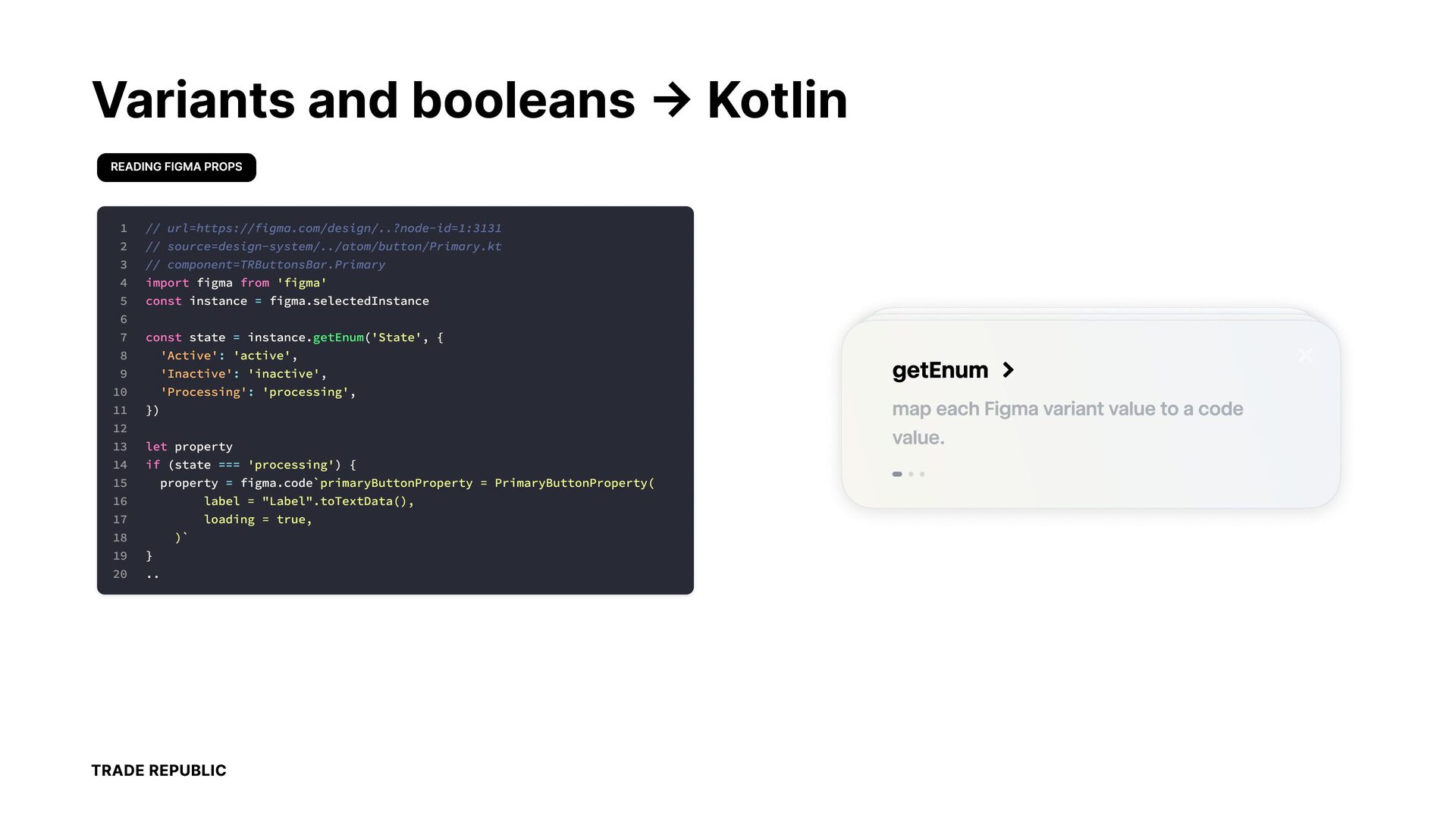
  6. Variants and booleans → Kotlin READING FIGMA PROPS 1 2

    3 4 5 6 7 8 9 10 11 12 13 14 15 16 17 18 19 20 // url=https://figma.com/design/..?node-id=1:3131 // source=design-system/../atom/button/Primary.kt // component=TRButtonsBar.Primary import figma from 'figma' const instance = figma.selectedInstance const state = instance.getEnum('State', { 'Active': 'active', 'Inactive': 'inactive', 'Processing': 'processing', }) let property if (state === 'processing') { property = figma.code`primaryButtonProperty = PrimaryButtonProperty( label = "Label".toTextData(), loading = true, )` } .. TRADE REPUBLIC Label getEnum Label
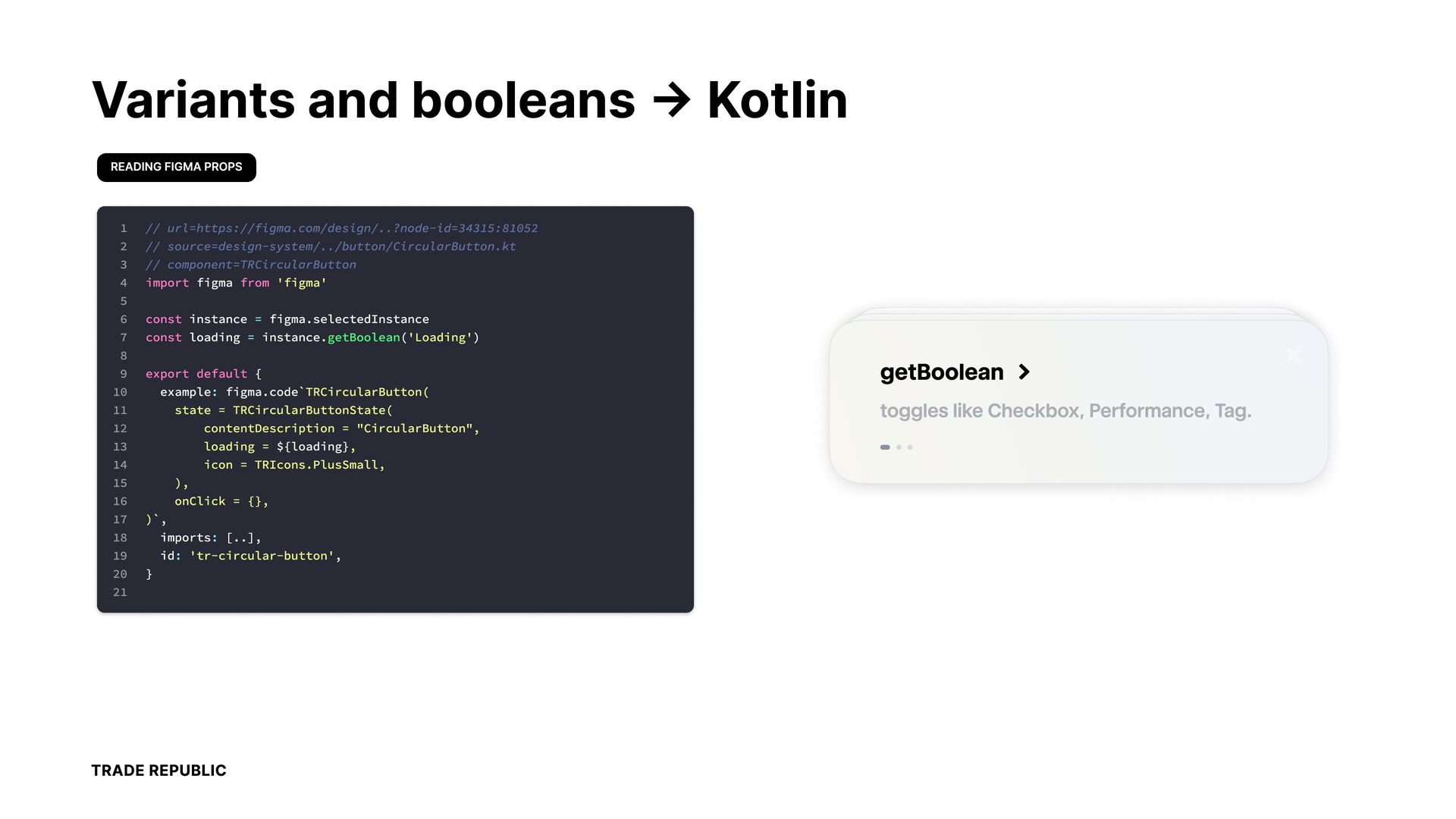
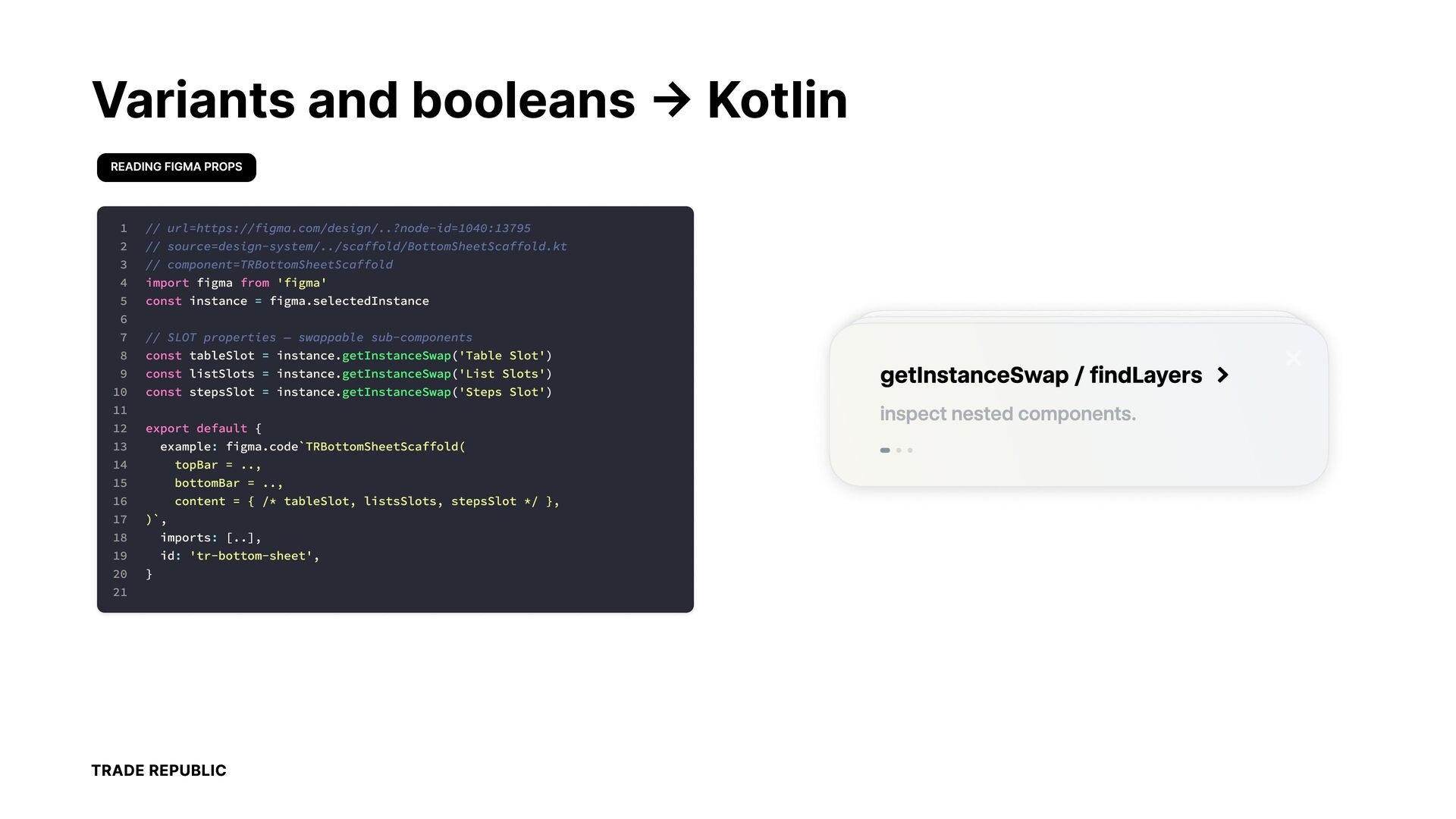
  7. Variants and booleans → Kotlin READING FIGMA PROPS 1 //

    url=https://figma.com/design/..?node-id=1040:13795 url=https://figma.com/design/..?node-id=34315:81052 2 // source=design-system/../scaffold/BottomSheetScaffold.kt source=design-system/../button/CircularButton.kt 3 // component=TRBottomSheetScaffold component=TRCircularButton 4 import figma 5 const instance = figma.selectedInstance 6 const instance = figma.selectedInstance 7 // SLOT const loading properties = instance.get — swappable 8 const 9 const listSlots export default { = 10 11 12 from Boolsub-components ean('Loading') tableSlot instance.getInstanceSwap('Table Slot') instance.getInstanceSwap('List C u u state = TRCircularButtonState( export default contentD { escription = "CircularButton", Slots') Slot') example: loading figma.code`TRBottomSheetScaffold( = ${loading}, 14 topBar icon = 15 bottomBar ), 16 content on lic C Icons.PlusSmall, .., = TR = .., k = {}, { /* tableSlot, listsSlots, stepsSlot */ }, )`, 18 imports: 19 id: 20 = const example: stepsSlot figma.code`TR = instance.getInstanceSwap('Steps irc larB tton( 13 17 ' 'figma' 'figma [..], u u 'tr-bottom-sheet', 'tr-circ lar-b tton', } 21 TRADE REPUBLIC Label getBoolean Label
  8. Variants and booleans → Kotlin READING FIGMA PROPS 1 2

    3 4 5 6 7 8 9 10 11 12 13 14 15 16 17 18 19 20 21 // url=https://figma.com/design/..?node-id=1040:13795 // source=design-system/../scaffold/BottomSheetScaffold.kt // component=TRBottomSheetScaffold import figma from 'figma' const instance = figma.selectedInstance // SLOT properties — swappable sub-components const tableSlot = instance.getInstanceSwap('Table Slot') const listSlots = instance.getInstanceSwap('List Slots') const stepsSlot = instance.getInstanceSwap('Steps Slot') export default { example: figma.code`TRBottomSheetScaffold( topBar = .., bottomBar = .., content = { /* tableSlot, listsSlots, stepsSlot */ }, )`, imports: [..], id: 'tr-bottom-sheet', } TRADE REPUBLIC Label getInstanceSwap / findLayers Label
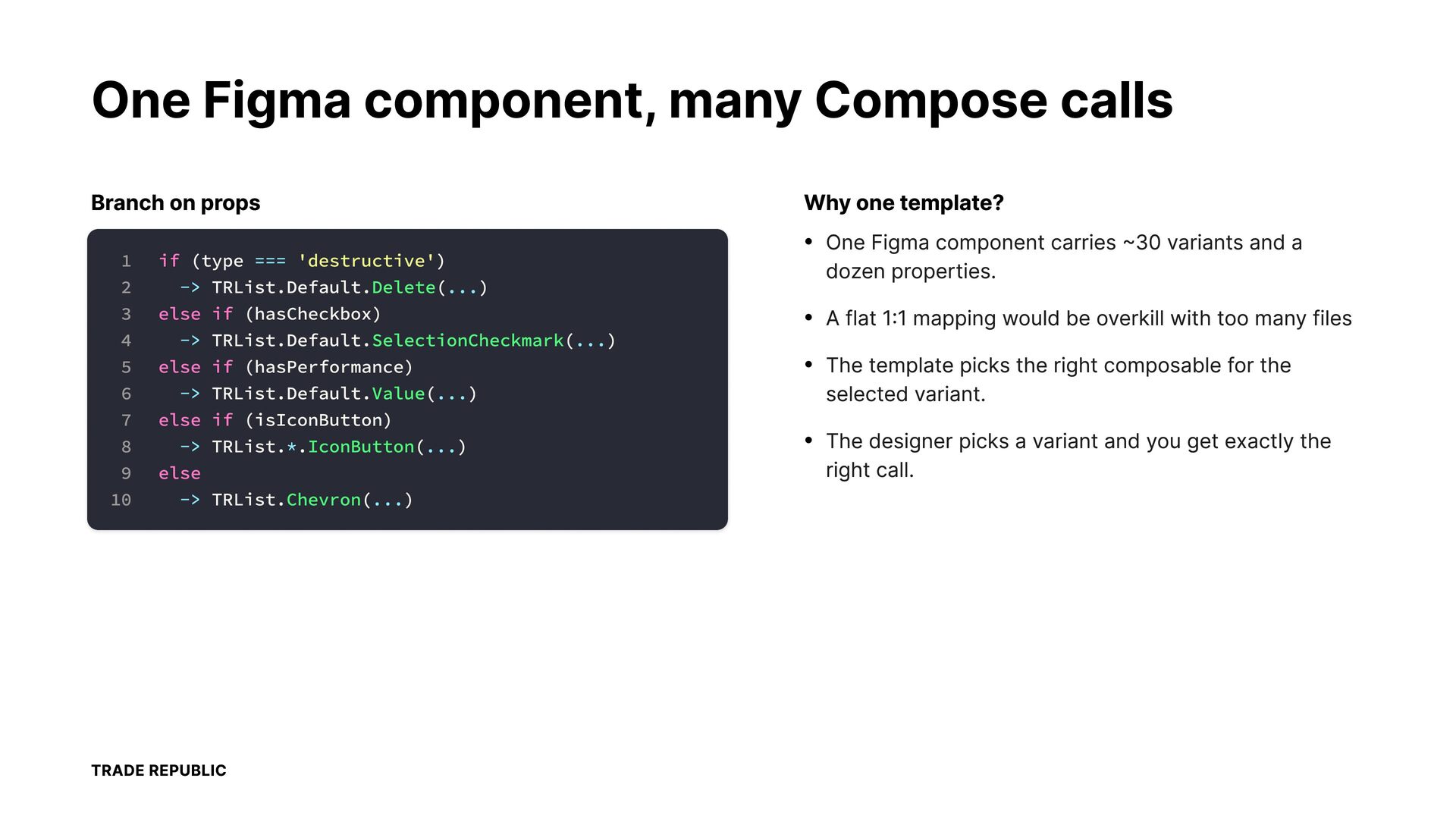
  9. One Figma component, many Compose calls Branch on props Why

    one template? • 1 if (type 2 -> 3 else 4 -> 5 else 6 -> 7 else 8 -> 9 else 10 -> === 'destructive') One Figma component carries ~30 variants and a dozen properties. TRList.Default.Delete(...) if (hasCheckbox) • A flat 1:1 mapping would be overkill with too many files • The template picks the right composable for the TRList.Default.SelectionCheckmark(...) if (hasPerformance) TRList.Default.Value(...) if selected variant. (isIconButton) TRList.*.IconButton(...) • The designer picks a variant and you get exactly the right call. TRList.Chevron(...) TRADE REPUBLIC
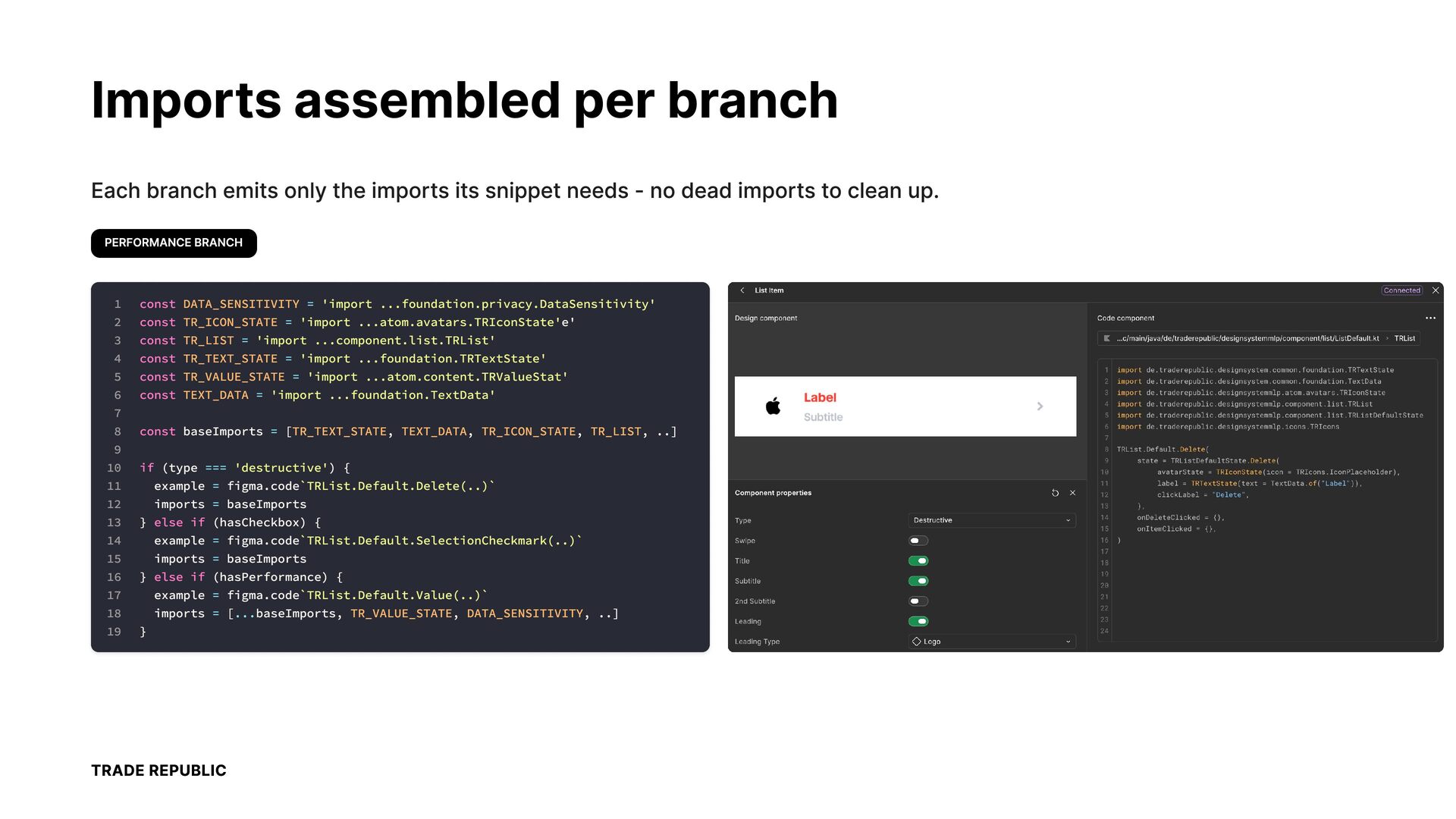
  10. Imports assembled per branch Each branch emits only the imports

    its snippet needs - no dead imports to clean up. PERFORMANCE BRANCH 1 2 3 4 5 6 7 8 9 10 11 12 13 14 15 16 17 18 19 const DATA_SENSITIVITY = 'import ...foundation.privacy.DataSensitivity' const TR_ICON_STATE = 'import ...atom.avatars.TRIconState'e' const TR_LIST = 'import ...component.list.TRList' const TR_TEXT_STATE = 'import ...foundation.TRTextState' const TR_VALUE_STATE = 'import ...atom.content.TRValueStat' const TEXT_DATA = 'import ...foundation.TextData' const baseImports = [TR_TEXT_STATE, TEXT_DATA, TR_ICON_STATE, TR_LIST, ..] if (type === 'destructive') { example = figma.code`TRList.Default.Delete(..)` imports = baseImports } else if (hasCheckbox) { example = figma.code`TRList.Default.SelectionCheckmark(..)` imports = baseImports } else if (hasPerformance) { example = figma.code`TRList.Default.Value(..)` imports = [...baseImports, TR_VALUE_STATE, DATA_SENSITIVITY, ..] } TRADE REPUBLIC
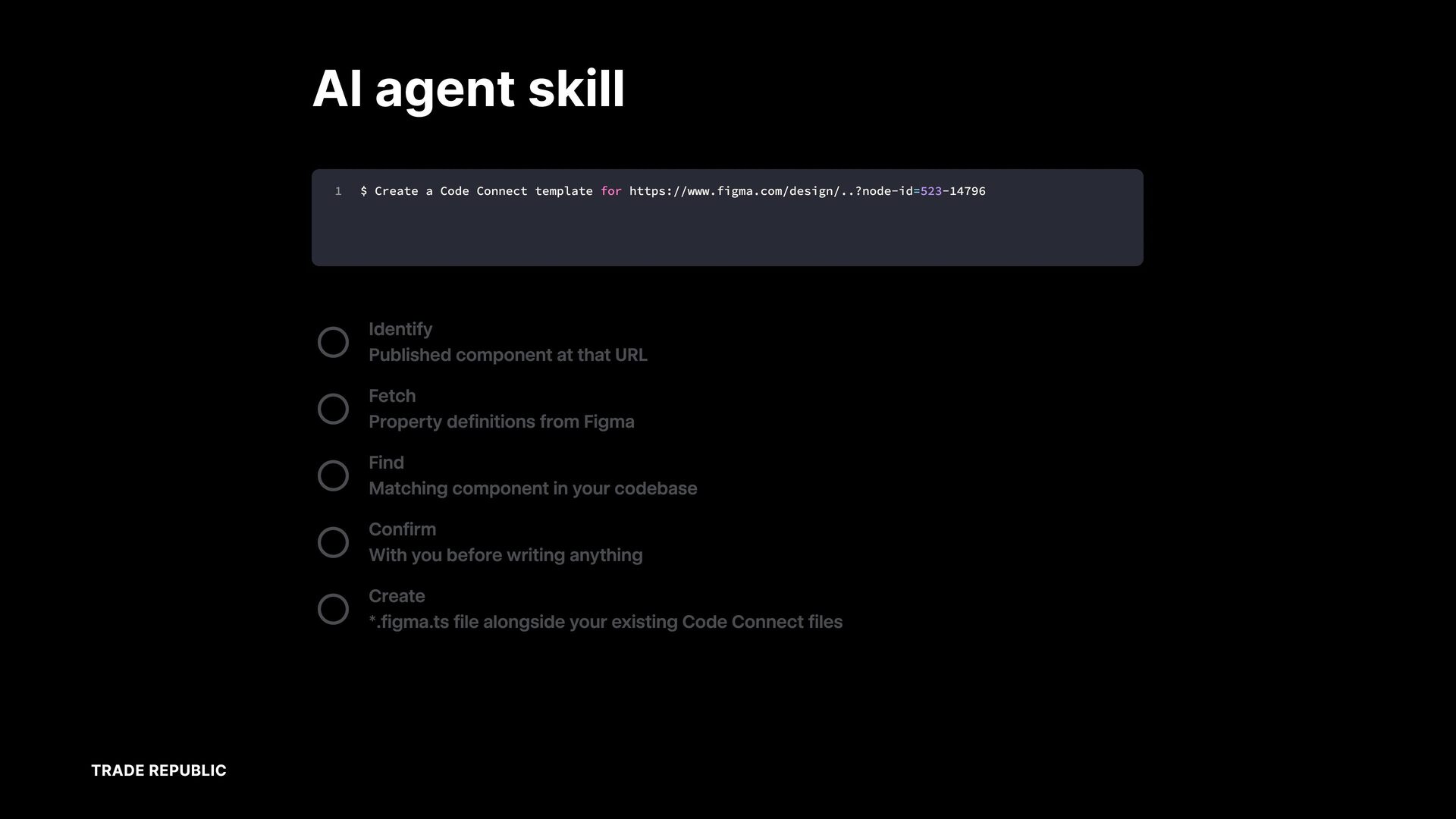
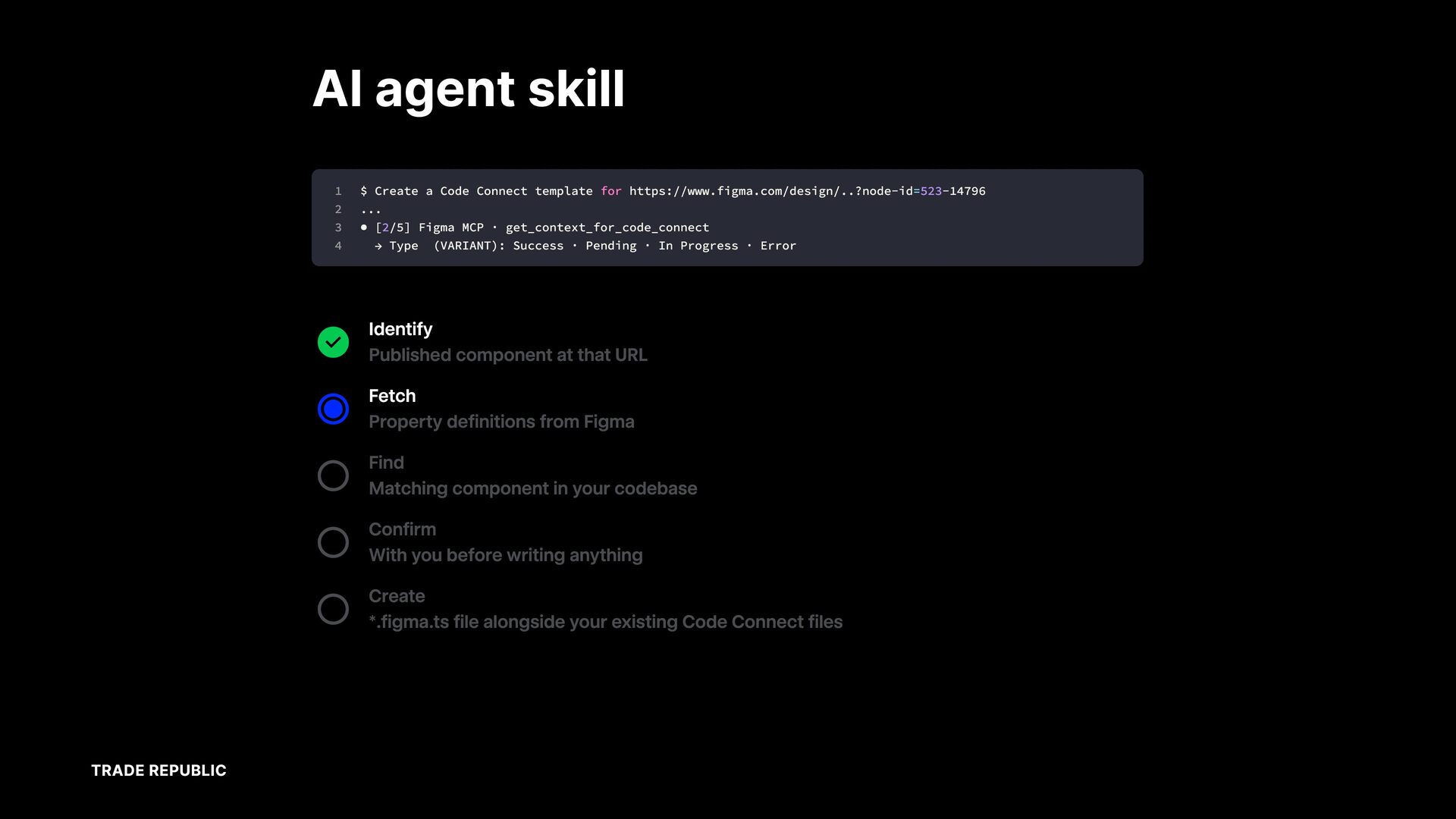
  11. AI agent skill 1 $ Create a Code Connect template

    for https://www.figma.com/design/..?node-id=523-14796 Identify Published component at that URL Fetch Property definitions from Figma Find Matching component in your codebase Confirm With you before writing anything Create *.figma.ts file alongside your existing Code Connect files TRADE REPUBLIC
  12. AI agent skill 1 $ Create 2 • [1/5] 3

    4 5 a Parsing fileKey • Figma → Code = Connect node template for URL lAMiicrfzYTzfG7xrDANN8 MCP resolved · https://www.figma.com/design/..?node-id=523-14796 node-id 523-14796 → 523:14796 get_code_connect_suggestions component-set "Status" (main 523:14796) Identify Published component at that URL Fetch Property definitions from Figma Find Matching component in your codebase Confirm With you before writing anything Create *.figma.ts file alongside your existing Code Connect files TRADE REPUBLIC
  13. AI agent skill 1 $ 2 ... 3 • 4

    Create Code Connect template for https://www.figma.com/design/..?node-id=523-14796 [2/5] → a Figma Type MCP · (VARIANT): get_context_for_code_connect Success · Pending · In Progress · Error Identify Published component at that URL Fetch Property definitions from Figma Find Matching component in your codebase Confirm With you before writing anything Create *.figma.ts file alongside your existing Code Connect files TRADE REPUBLIC
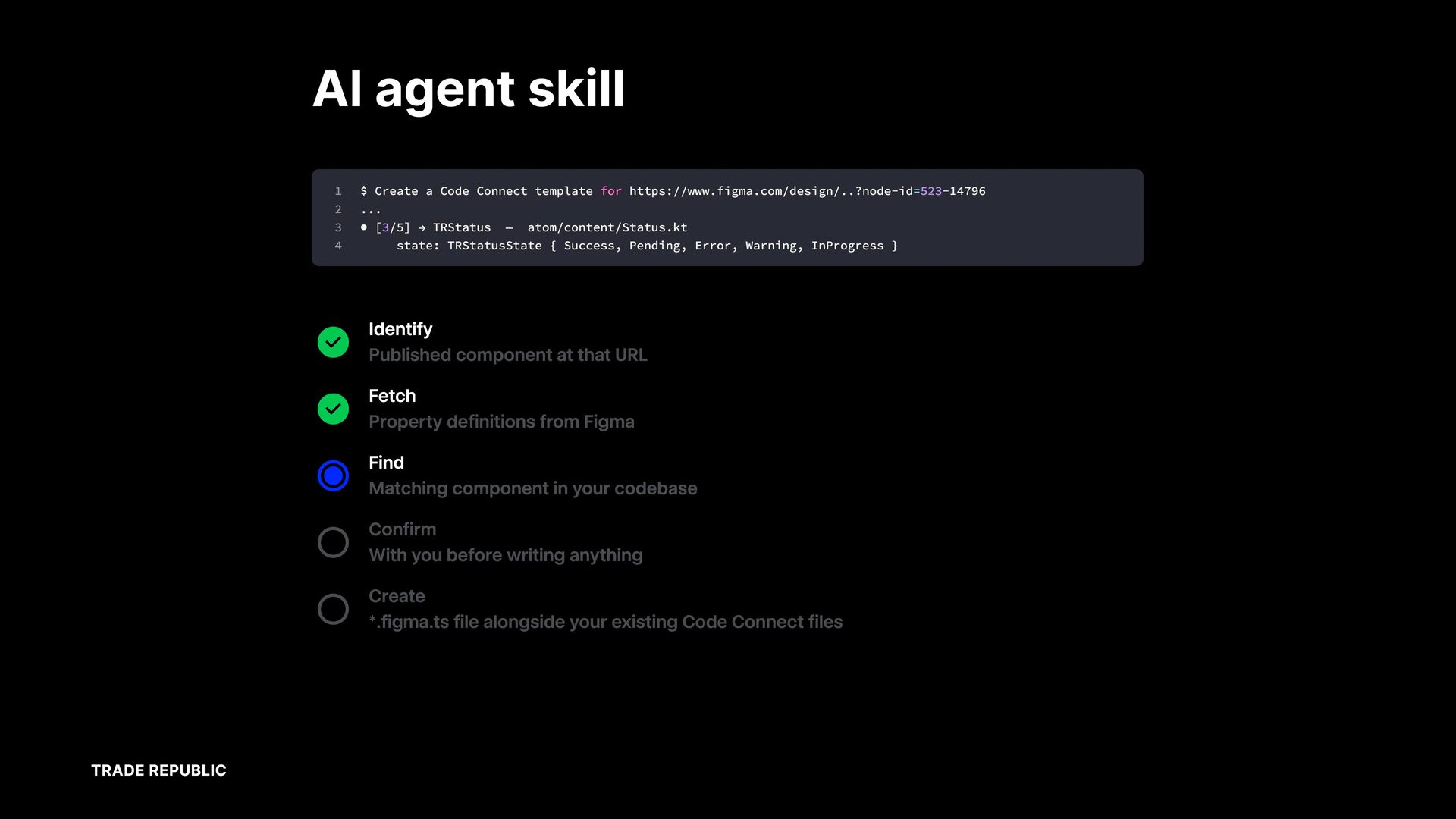
  14. AI agent skill 1 $ 2 ... 3 • 4

    Create [3/5] a → Code Connect TRStatus state: — template for https://www.figma.com/design/..?node-id=523-14796 atom/content/Status.kt TRStatusState { Success, Pending, Error, Warning, InProgress Identify Published component at that URL Fetch Property definitions from Figma Find Matching component in your codebase Confirm With you before writing anything Create *.figma.ts file alongside your existing Code Connect files TRADE REPUBLIC }
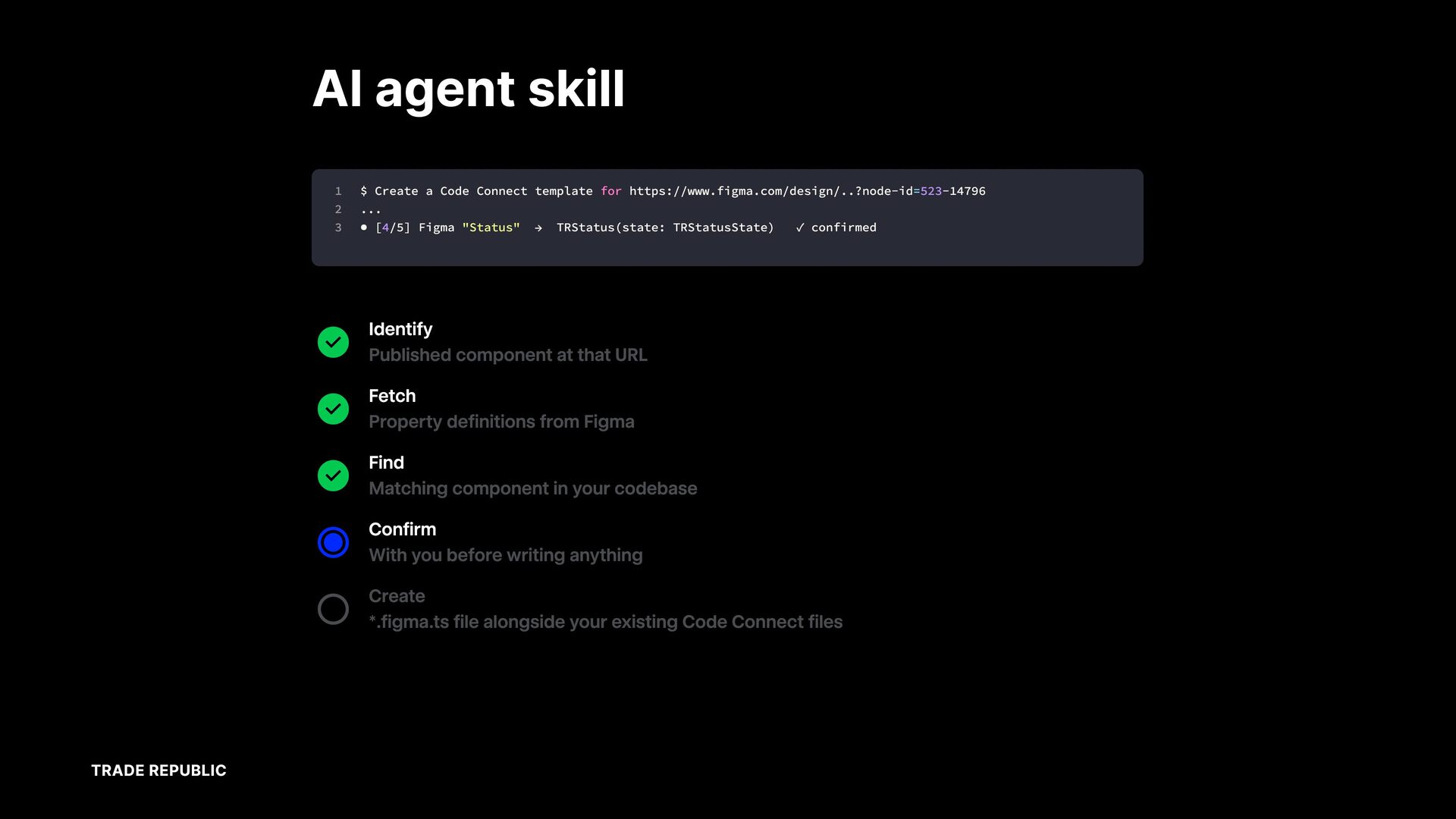
  15. AI agent skill 1 $ Create 2 ... 3 •

    [4/5] a Code Figma Connect "Status" template → for https://www.figma.com/design/..?node-id=523-14796 TRStatus(state: TRStatusState) ✓ confirmed Identify Published component at that URL Fetch Property definitions from Figma Find Matching component in your codebase Confirm With you before writing anything Create *.figma.ts file alongside your existing Code Connect files TRADE REPUBLIC
  16. AI agent skill 1 $ Create • [5/5] a Code

    Connect template for https://www.figma.com/design/..?node-id=523-14796 2 3 4 → Wrote the template design-system/code-connect/atom/content/TRStatus.figma.ts Identify Published component at that URL Fetch Property definitions from Figma Find Matching component in your codebase Confirm With you before writing anything Create *.figma.ts file alongside your existing Code Connect files TRADE REPUBLIC
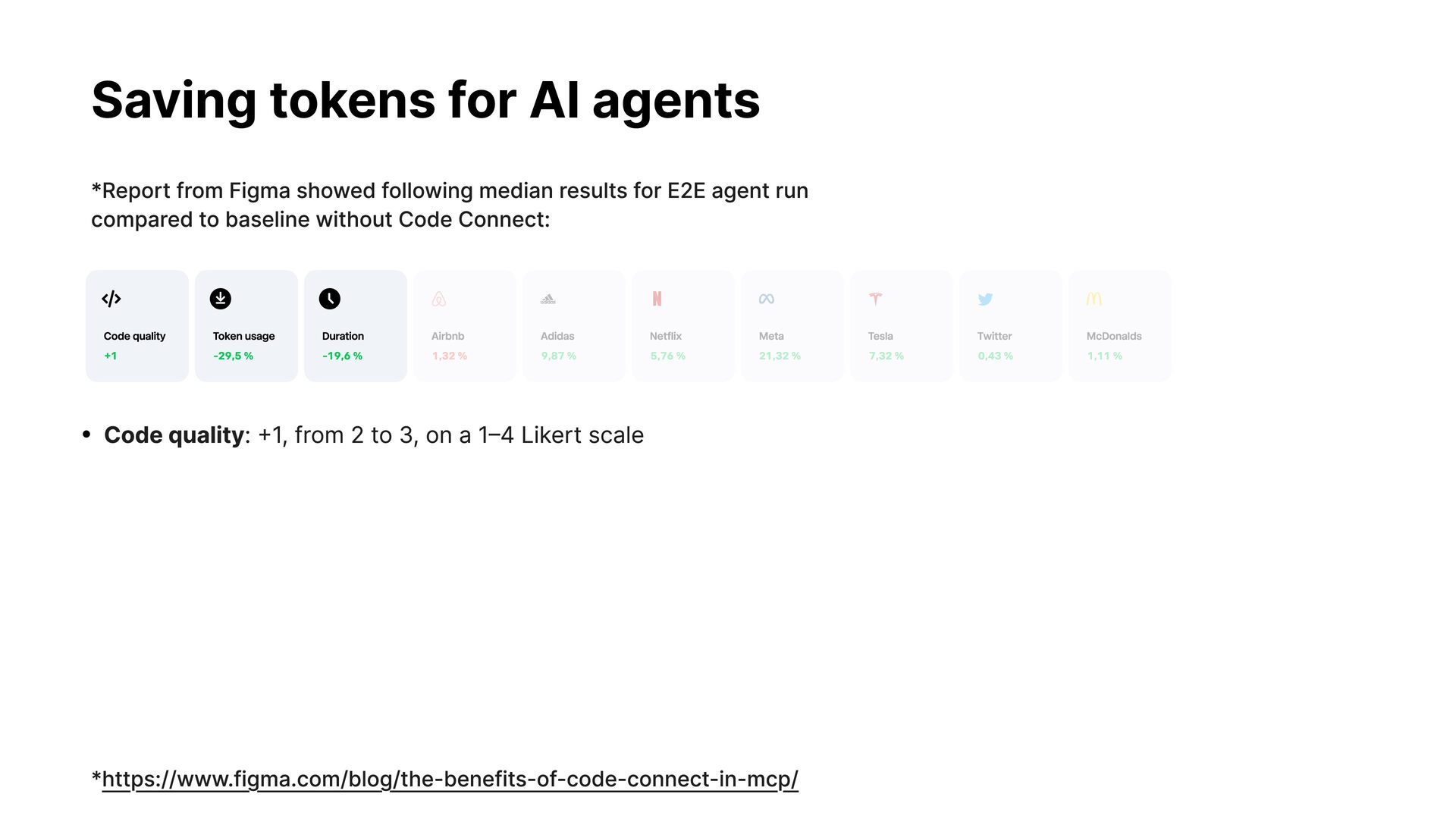
  17. Saving tokens for AI agents *Report from Figma showed following

    median results for E2E agent run compared to baseline without Code Connect: Code quality Token usage Duration Airbnb Adidas Netflix Meta Tesla Twitter McDonalds +1 -29,5 % -19,6 % 1,32 % 9,87 % 5,76 % 21,32 % 7,32 % 0,43 % 1,11 % • Code quality: +1, from 2 to 3, on a 1–4 Likert scale *https://www.figma.com/blog/the-benefits-of-code-connect-in-mcp/
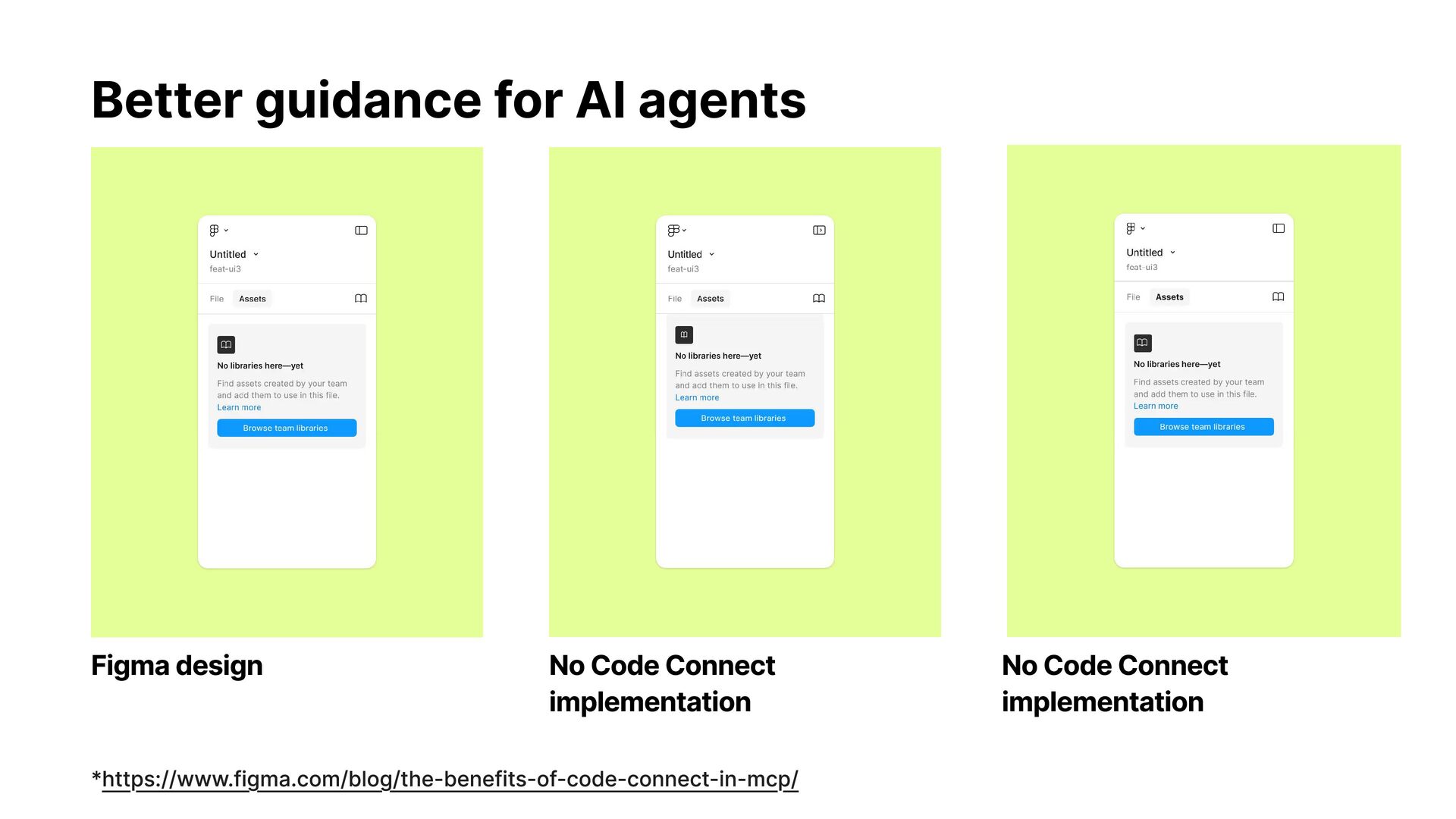
  18. Better guidance for AI agents Figma design No Code Connect

    implementation *https://www.figma.com/blog/the-benefits-of-code-connect-in-mcp/ No Code Connect implementation
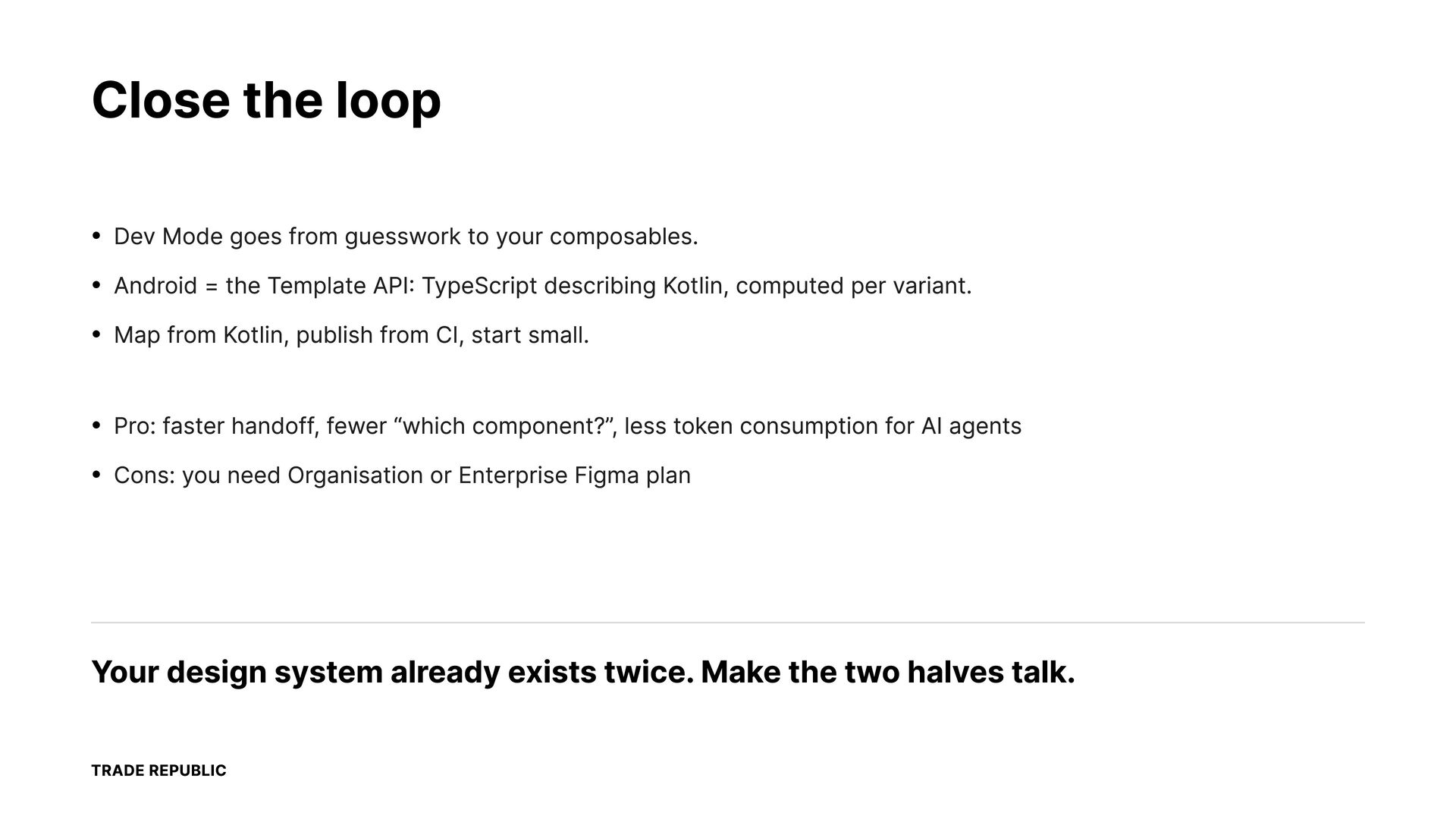
  19. Close the loop • Dev Mode goes from guesswork to

    your composables. • Android = the Template API: TypeScript describing Kotlin, computed per variant. • Map from Kotlin, publish from CI, start small. • Pro: faster handoff, fewer “which component?”, less token consumption for AI agents • Cons: you need Organisation or Enterprise Figma plan Your design system already exists twice. Make the two halves talk. TRADE REPUBLIC
  20. Questions Templates Netflix 100 11,18 % Icons 682 Connected 44,00

    % Tesla 0.44 % Amazon 1.32 % Paypal Meta 0,29 % 2.01 % Spotify Google 1,82 % 2.01 % • https://developers.figma.com/docs/code-connect/ • https://www.figma.com/blog/the-benefits-of-code-connect-in-mcp/ • https://github.com/figma/code-connect TRADE REPUBLIC