Share
Embed

Transcript
135 slides
-
YUI IS SEXY 使用 YUI Library 作為開發基礎 講者 - josephj
http://www.slideshare.net/josephj/yui-is-sexy-yui -
·•將近 7 年的前端工程師經驗 ·•曾開發知識+、無名小站,擔 任 YDN 傳教士與校園徵才。 ·•目前任職於 miiiCasa.com ·•專注
YUI 開發、喜好架構建 設 ·•Github: josephj ·•Blog: josephj.com Who am I? -
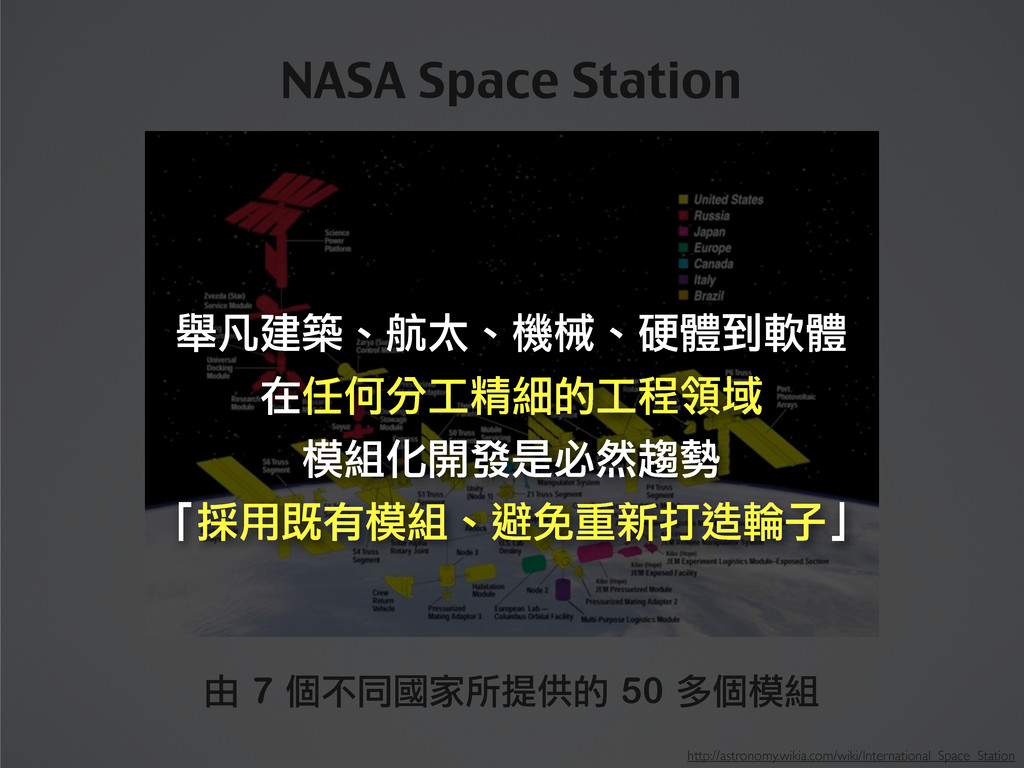
由 7 個不同國家所提供的 50 多個模組 http://astronomy.wikia.com/wiki/International_Space_Station NASA Space Station 舉凡建築、航太、機械、硬體到軟體
在任何分工精細的工程領域 模組化開發是必然趨勢 「採用既有模組、避免重新打造輪子」 -
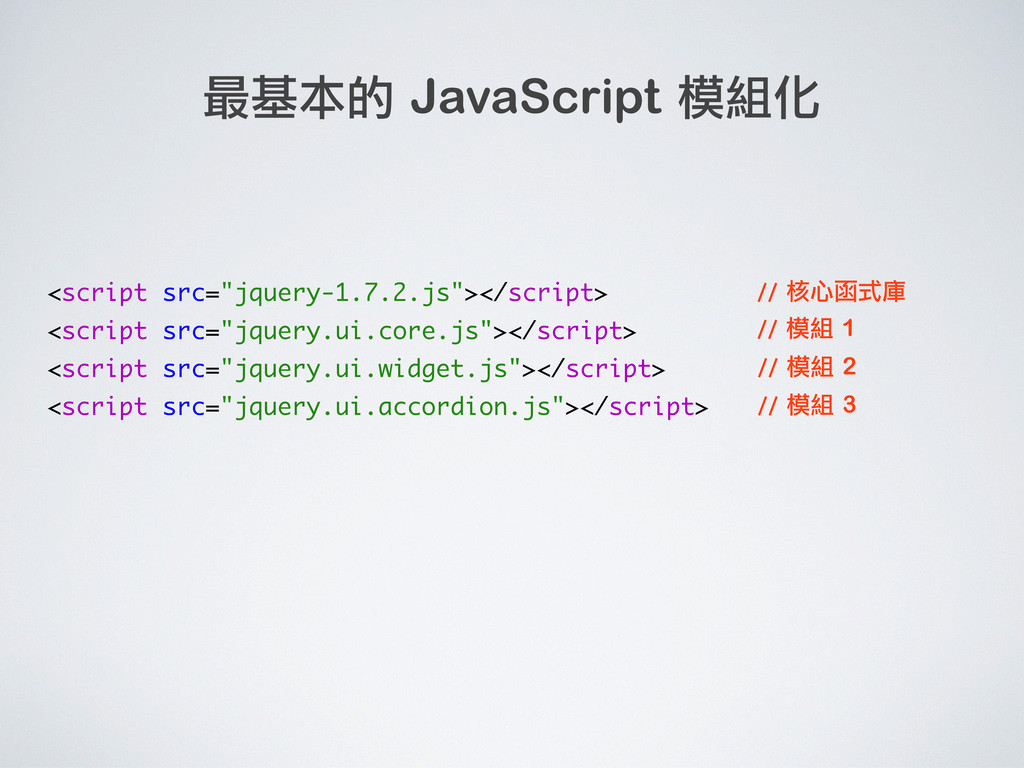
<script src="jquery-1.7.2.js"></script> <script src="jquery.ui.core.js"></script> <script src="jquery.ui.widget.js"></script> <script src="jquery.ui.accordion.js"></script> 最基本的 JavaScript
模組化 // 核心函式庫 // 模組 1 // 模組 2 // 模組 3 網站發展到一定規模時、這樣做包準讓你焦頭爛額 全域變數、維護性、前後順序、模組效率問題 這些都是在 YUI 2 與其他主流函式庫的瓶頸 -
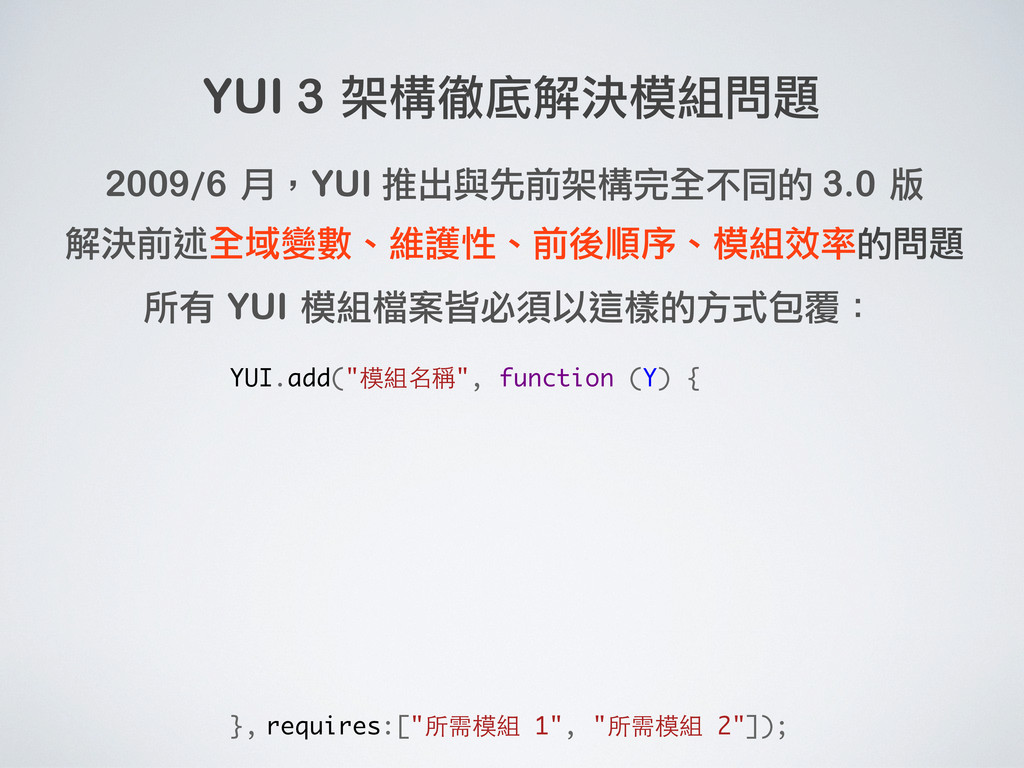
YUI 3 架構徹底解決模組問題 2009/6 月,YUI 推出與先前架構完全不同的 3.0 版 解決前述全域變數、維護性、前後順序、模組效率的問題 所有
YUI 模組檔案皆必須以這樣的方式包覆: -
YUI 3 架構徹底解決模組問題 2009/6 月,YUI 推出與先前架構完全不同的 3.0 版 解決前述全域變數、維護性、前後順序、模組效率的問題 所有
YUI 模組檔案皆必須以這樣的方式包覆: YUI.add("模組名稱", function (Y) { }, requires:["所需模組 1", "所需模組 2"]); -
YUI 3 架構徹底解決模組問題 2009/6 月,YUI 推出與先前架構完全不同的 3.0 版 解決前述全域變數、維護性、前後順序、模組效率的問題 所有
YUI 模組檔案皆必須以這樣的方式包覆: YUI.add("模組名稱", function (Y) { }, requires:["所需模組 1", "所需模組 2"]); Why callback? 放到頁面上時不會立即執行、 等到要用時再執行即可。好處 是做程式碼的隔離、不再需要 處理每個模組間的先後順序。 -
YUI 3 架構徹底解決模組問題 2009/6 月,YUI 推出與先前架構完全不同的 3.0 版 解決前述全域變數、維護性、前後順序、模組效率的問題 所有
YUI 模組檔案皆必須以這樣的方式包覆: YUI.add("模組名稱", function (Y) { }, requires:["所需模組 1", "所需模組 2"]); editor editor.js -
YUI 3 架構徹底解決模組問題 2009/6 月,YUI 推出與先前架構完全不同的 3.0 版 解決前述全域變數、維護性、前後順序、模組效率的問題 所有
YUI 模組檔案皆必須以這樣的方式包覆: YUI.add("模組名稱", function (Y) { }, requires:["所需模組 1", "所需模組 2"]); // 上方的參數 Y 代表了 YUI 的 Instance function Editor() { // 這是物件的建構式 } editor editor.js -
YUI 3 架構徹底解決模組問題 2009/6 月,YUI 推出與先前架構完全不同的 3.0 版 解決前述全域變數、維護性、前後順序、模組效率的問題 所有
YUI 模組檔案皆必須以這樣的方式包覆: YUI.add("模組名稱", function (Y) { }, requires:["所需模組 1", "所需模組 2"]); // 上方的參數 Y 代表了 YUI 的 Instance function Editor() { // 這是物件的建構式 } // 將建構式提昇到 Global Y.Editor = Editor; editor editor.js -
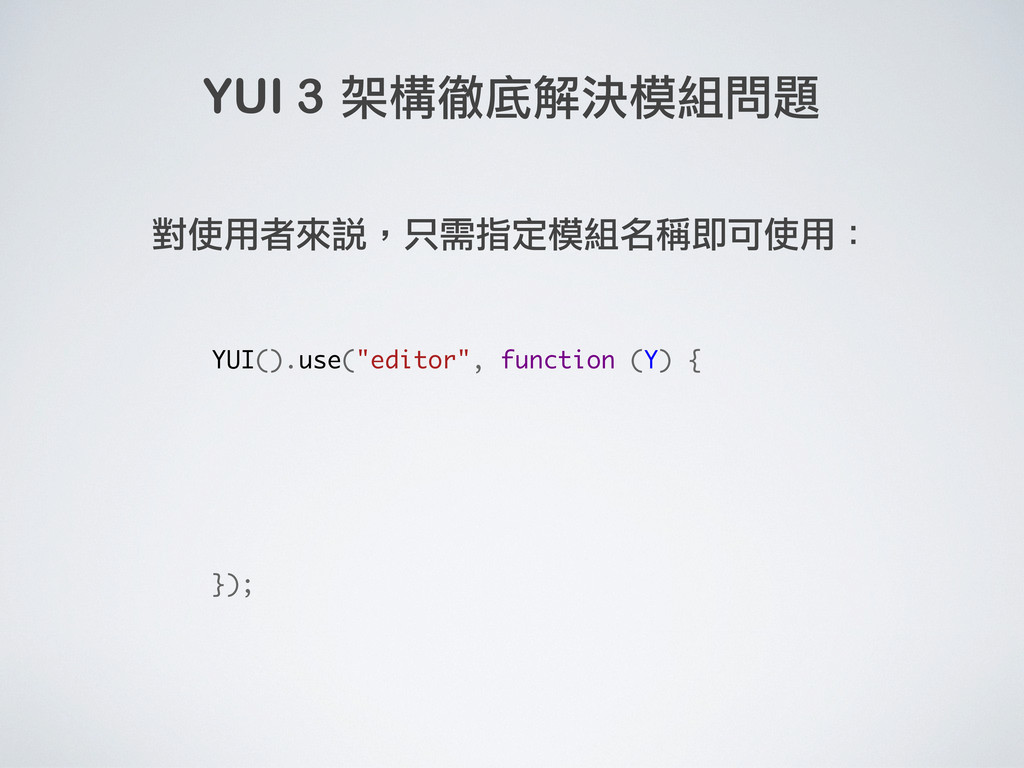
YUI 3 架構徹底解決模組問題 對使用者來說,只需指定模組名稱即可使用: YUI().use("editor", function (Y) { }); //
此 Callback 代表所需模組皆已載入完成 // 你就可以直接建立 Y.Editor 的例項 -
YUI 3 架構徹底解決模組問題 對使用者來說,只需指定模組名稱即可使用: YUI().use("editor", function (Y) { }); var
editor = new Y.Editor(); // 此 Callback 代表所需模組皆已載入完成 // 你就可以直接建立 Y.Editor 的例項 -
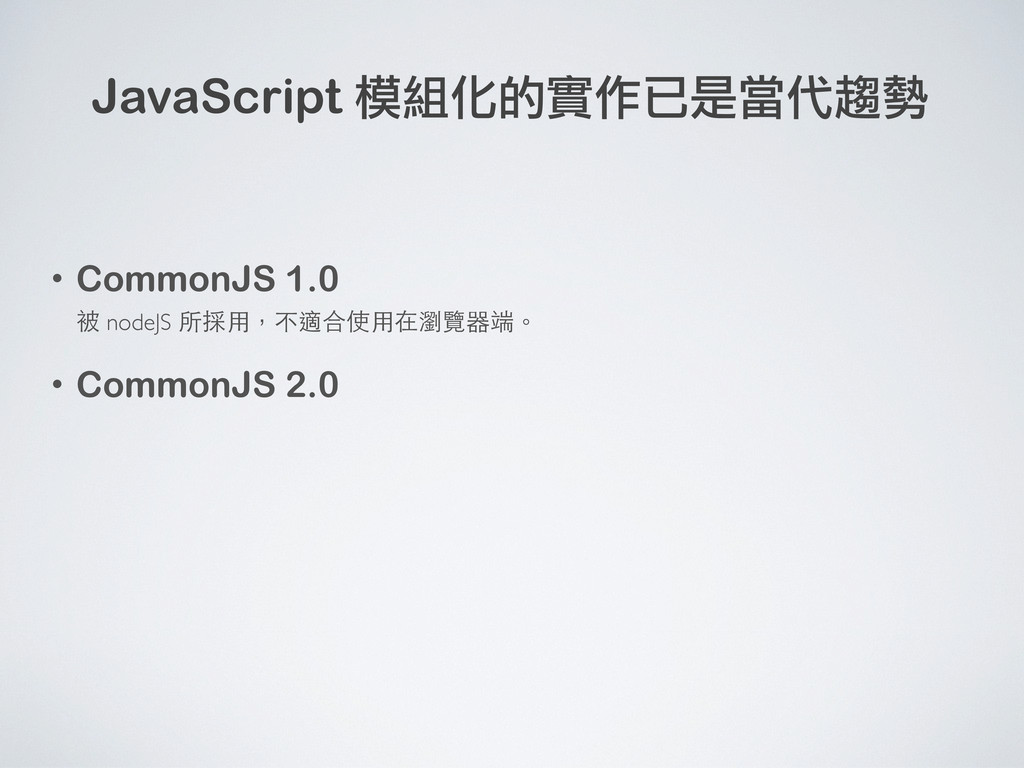
JavaScript 模組化的實作已是當代趨勢 • CommonJS 1.0 被 nodeJS 所採用,不適合使用在瀏覽器端。 • CommonJS
2.0 • ECMAScript Module 最期盼的!不需要 Library 即可擁有模組架構。 -
JavaScript 模組化的實作已是當代趨勢 • CommonJS 1.0 被 nodeJS 所採用,不適合使用在瀏覽器端。 • CommonJS
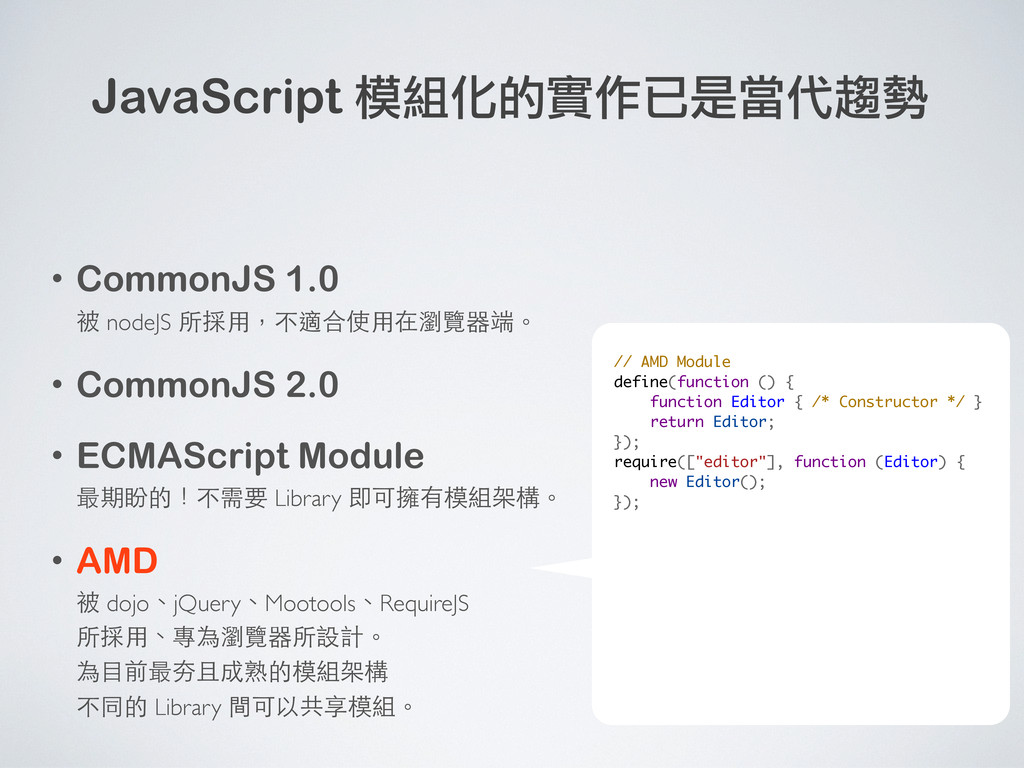
2.0 • ECMAScript Module 最期盼的!不需要 Library 即可擁有模組架構。 • AMD 被 dojo、jQuery、Mootools、RequireJS 所採用、專為瀏覽器所設計。 為目前最夯且成熟的模組架構 不同的 Library 間可以共享模組。 -
JavaScript 模組化的實作已是當代趨勢 • CommonJS 1.0 被 nodeJS 所採用,不適合使用在瀏覽器端。 • CommonJS
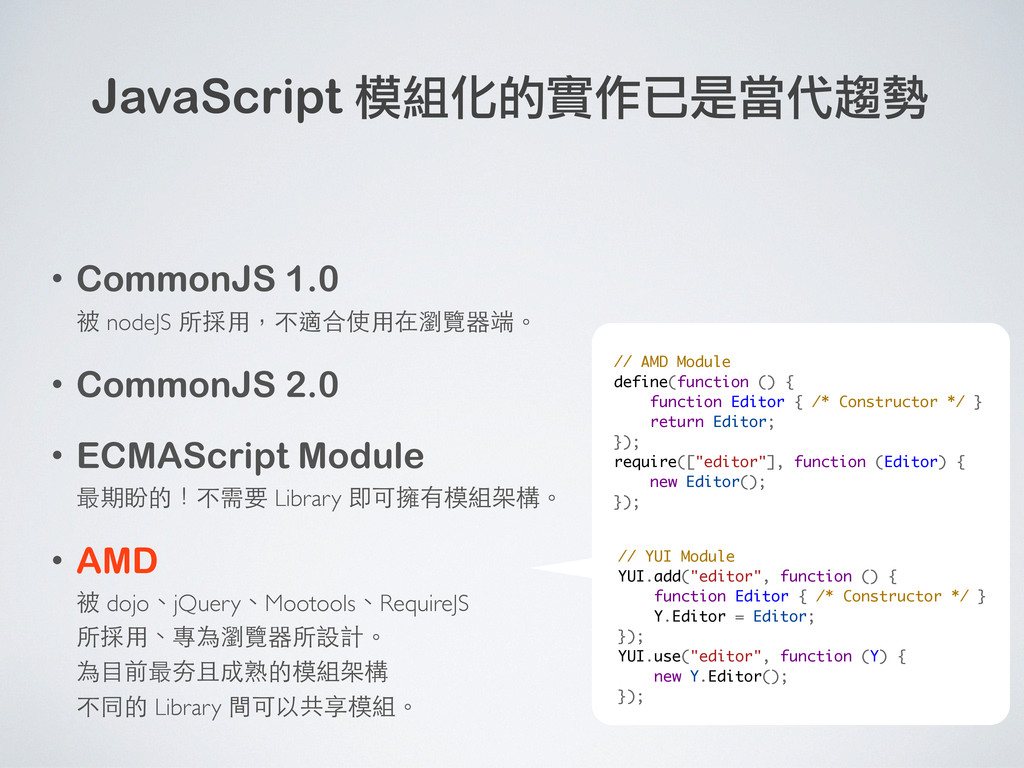
2.0 • ECMAScript Module 最期盼的!不需要 Library 即可擁有模組架構。 • AMD 被 dojo、jQuery、Mootools、RequireJS 所採用、專為瀏覽器所設計。 為目前最夯且成熟的模組架構 不同的 Library 間可以共享模組。 // AMD Module define(function () { function Editor { /* Constructor */ } return Editor; }); require(["editor"], function (Editor) { new Editor(); }); -
JavaScript 模組化的實作已是當代趨勢 • CommonJS 1.0 被 nodeJS 所採用,不適合使用在瀏覽器端。 • CommonJS
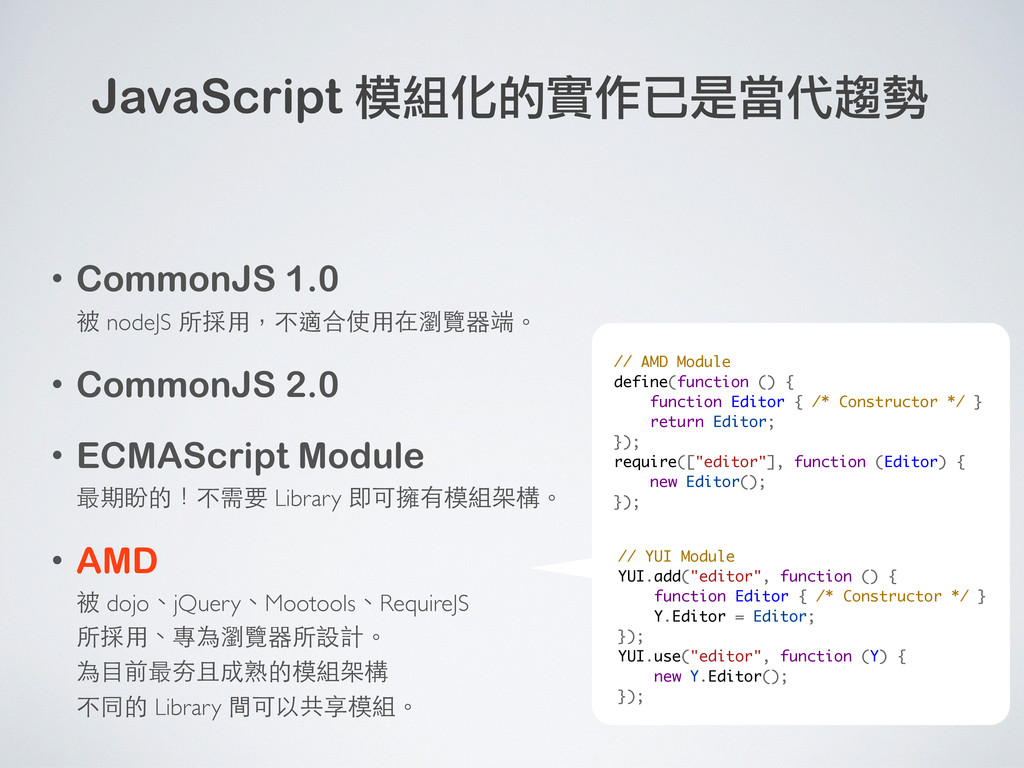
2.0 • ECMAScript Module 最期盼的!不需要 Library 即可擁有模組架構。 • AMD 被 dojo、jQuery、Mootools、RequireJS 所採用、專為瀏覽器所設計。 為目前最夯且成熟的模組架構 不同的 Library 間可以共享模組。 // AMD Module define(function () { function Editor { /* Constructor */ } return Editor; }); require(["editor"], function (Editor) { new Editor(); }); // YUI Module YUI.add("editor", function () { function Editor { /* Constructor */ } Y.Editor = Editor; }); YUI.use("editor", function (Y) { new Y.Editor(); }); -
JavaScript 模組化的實作已是當代趨勢 • CommonJS 1.0 被 nodeJS 所採用,不適合使用在瀏覽器端。 • CommonJS
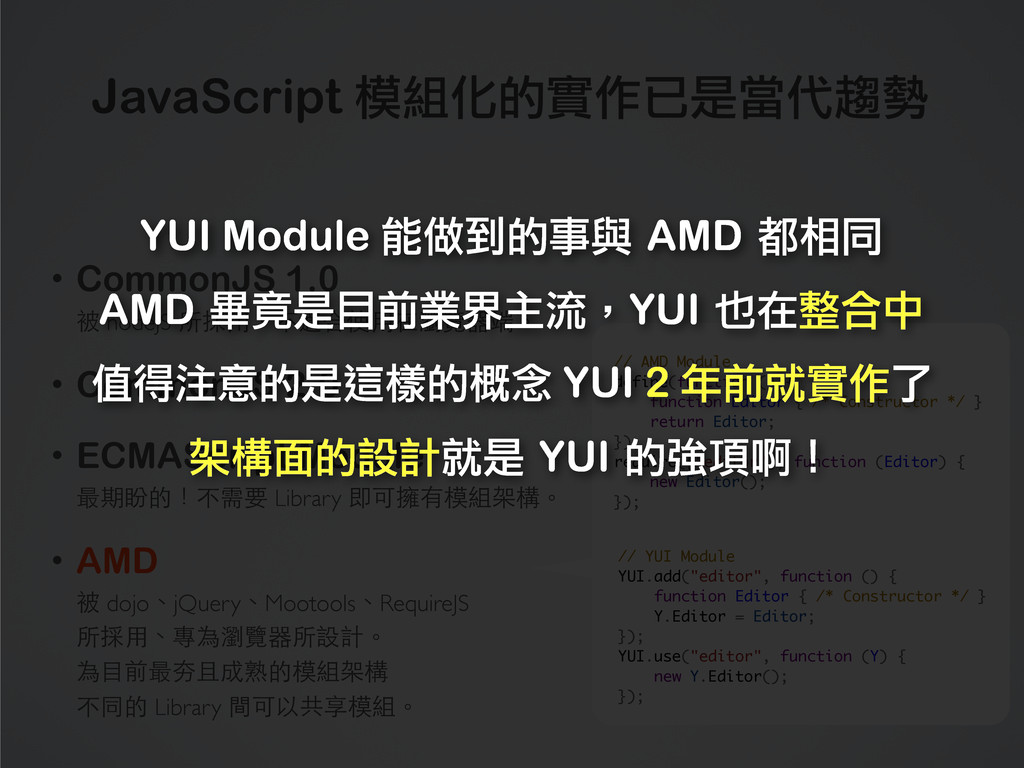
2.0 • ECMAScript Module 最期盼的!不需要 Library 即可擁有模組架構。 • AMD 被 dojo、jQuery、Mootools、RequireJS 所採用、專為瀏覽器所設計。 為目前最夯且成熟的模組架構 不同的 Library 間可以共享模組。 // AMD Module define(function () { function Editor { /* Constructor */ } return Editor; }); require(["editor"], function (Editor) { new Editor(); }); // YUI Module YUI.add("editor", function () { function Editor { /* Constructor */ } Y.Editor = Editor; }); YUI.use("editor", function (Y) { new Y.Editor(); }); YUI Module 能做到的事與 AMD 都相同 AMD 畢竟是目前業界主流,YUI 也在整合中 值得注意的是這樣的概念 YUI 2 年前就實作了 架構面的設計就是 YUI 的強項啊! -
JavaScript 模組化的實作已是當代趨勢 • CommonJS 1.0 被 nodeJS 所採用,不適合使用在瀏覽器端。 • CommonJS
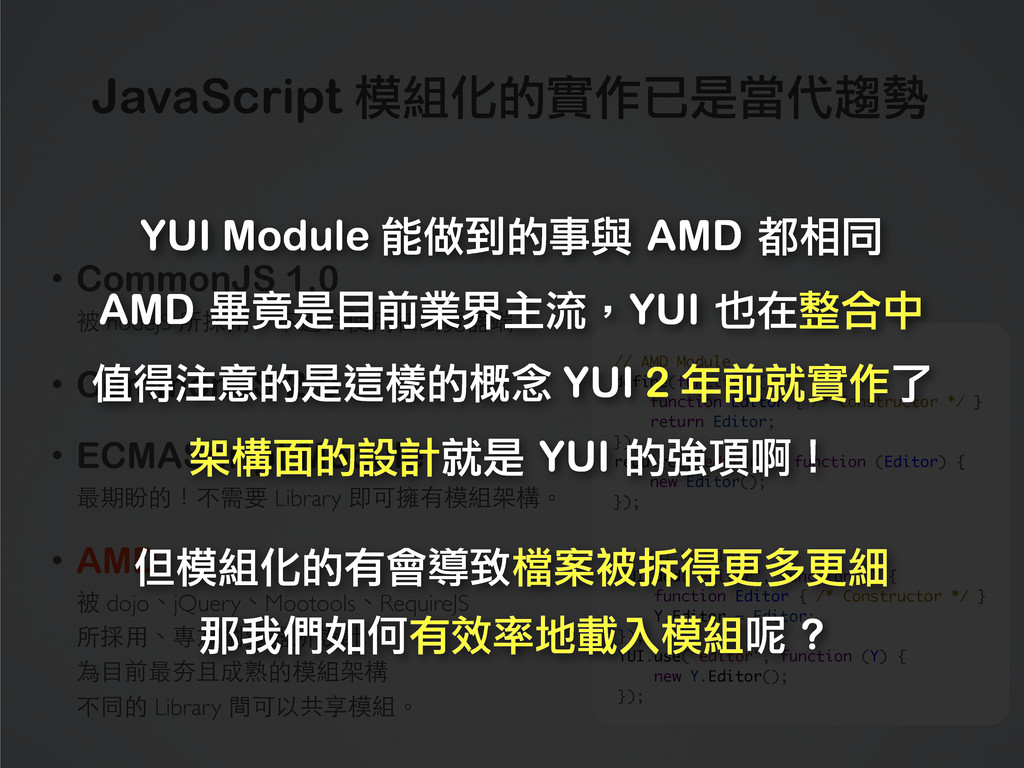
2.0 • ECMAScript Module 最期盼的!不需要 Library 即可擁有模組架構。 • AMD 被 dojo、jQuery、Mootools、RequireJS 所採用、專為瀏覽器所設計。 為目前最夯且成熟的模組架構 不同的 Library 間可以共享模組。 // AMD Module define(function () { function Editor { /* Constructor */ } return Editor; }); require(["editor"], function (Editor) { new Editor(); }); // YUI Module YUI.add("editor", function () { function Editor { /* Constructor */ } Y.Editor = Editor; }); YUI.use("editor", function (Y) { new Y.Editor(); }); YUI Module 能做到的事與 AMD 都相同 AMD 畢竟是目前業界主流,YUI 也在整合中 值得注意的是這樣的概念 YUI 2 年前就實作了 架構面的設計就是 YUI 的強項啊! 但模組化的有會導致檔案被拆得更多更細 那我們如何有效率地載入模組呢 ? -
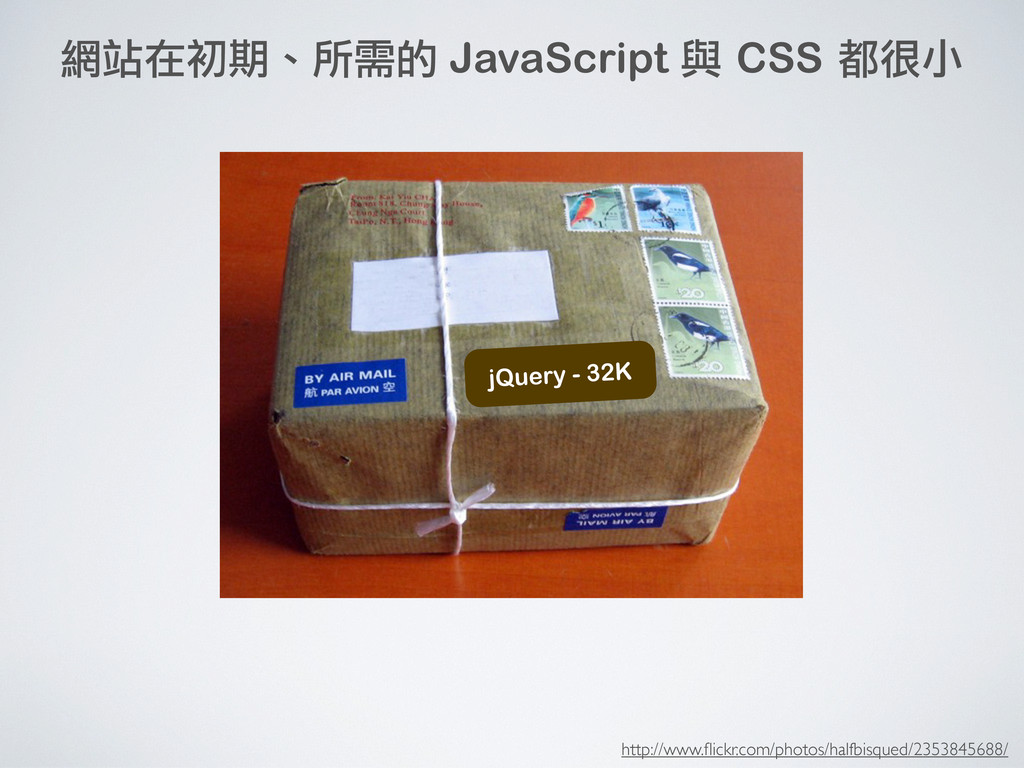
http://www.nipic.com/show/2/55/d96dde66860c5190.html 天哪!我該如何處理 這麼多的 CSS / JS 檔案? 發展到一定規模,該如何選擇每頁所需的檔案呢? 較不專業的網站在面對這樣的問題 都是純手工一頁一頁寫、或者是打成一大包
得考慮先後順序、維護性低、也無法最佳化 模組化會切分出很多檔案,如何黏在⼀一起是⼀一門學問 -
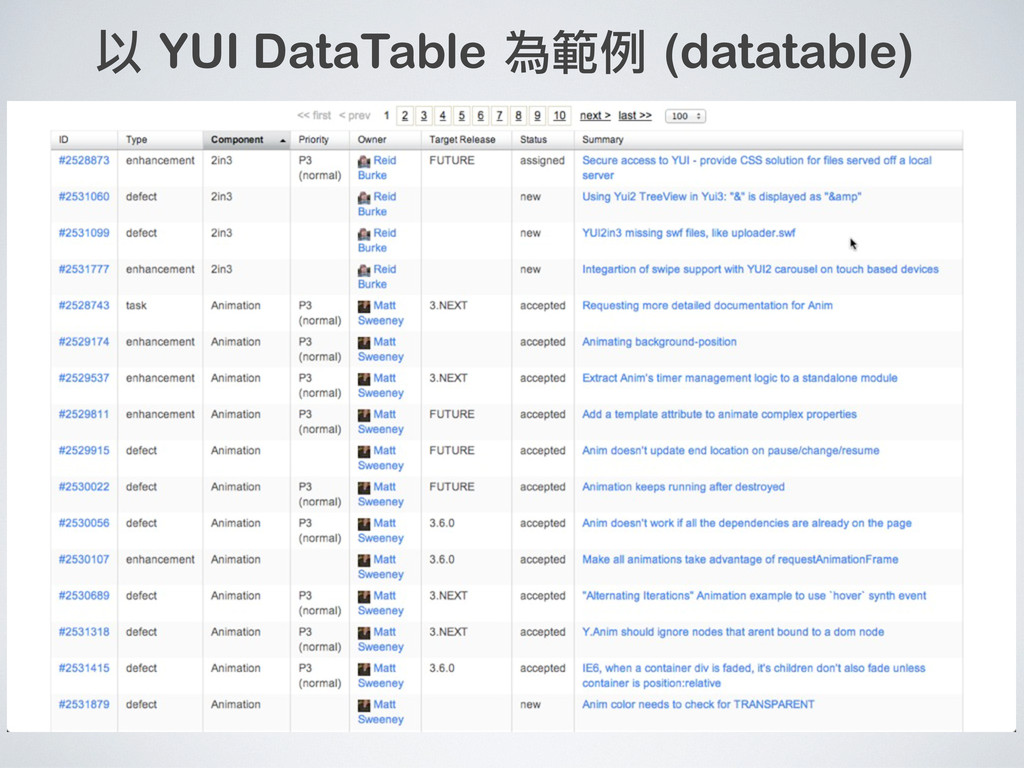
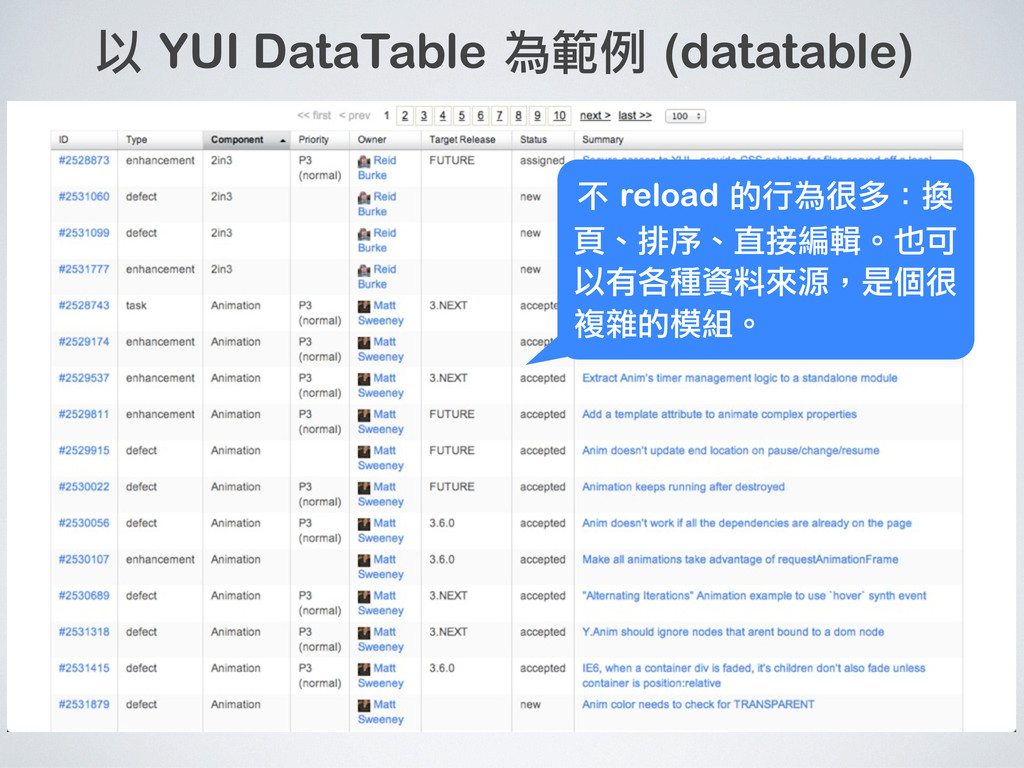
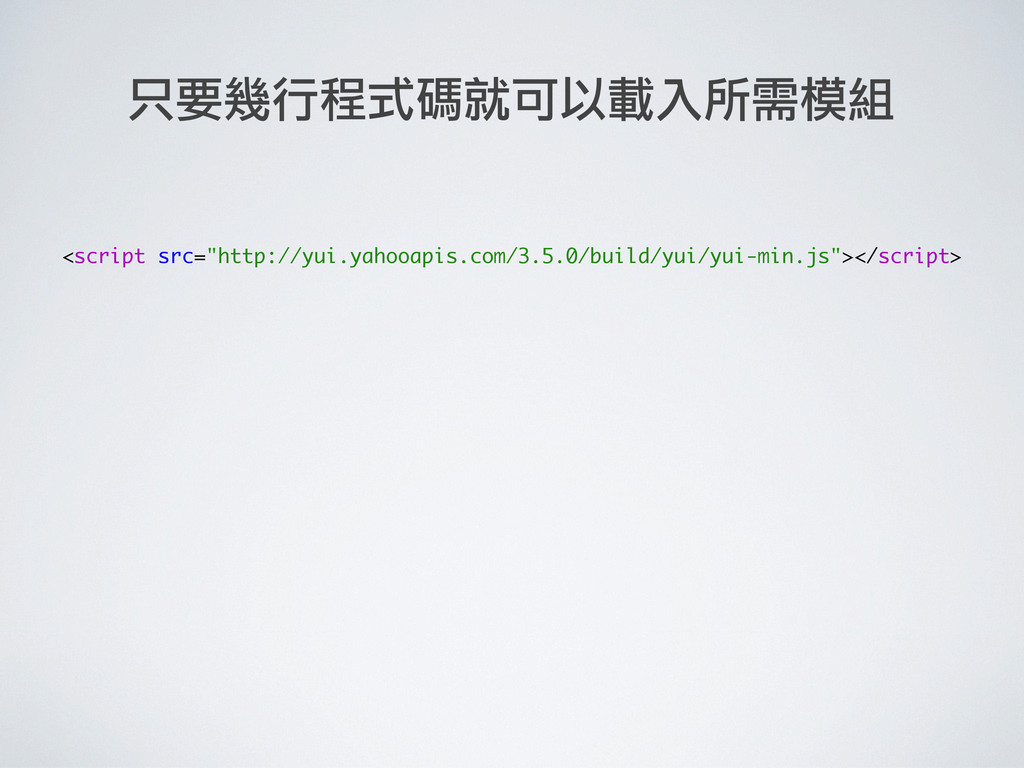
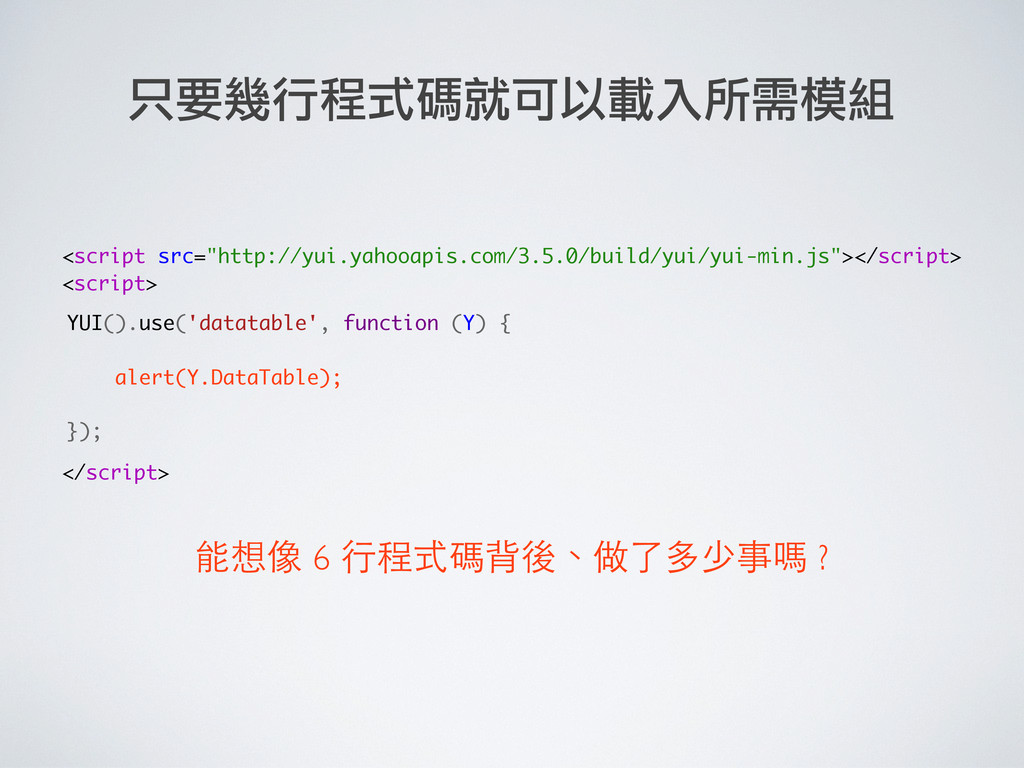
只要幾行程式碼就可以載入所需模組 <script src="http://yui.yahooapis.com/3.5.0/build/yui/yui-min.js"></script> <script> </script> YUI().use('datatable', function (Y) { });
能想像 6 行程式碼背後、做了多少事嗎 ? alert(Y.DataTable); -
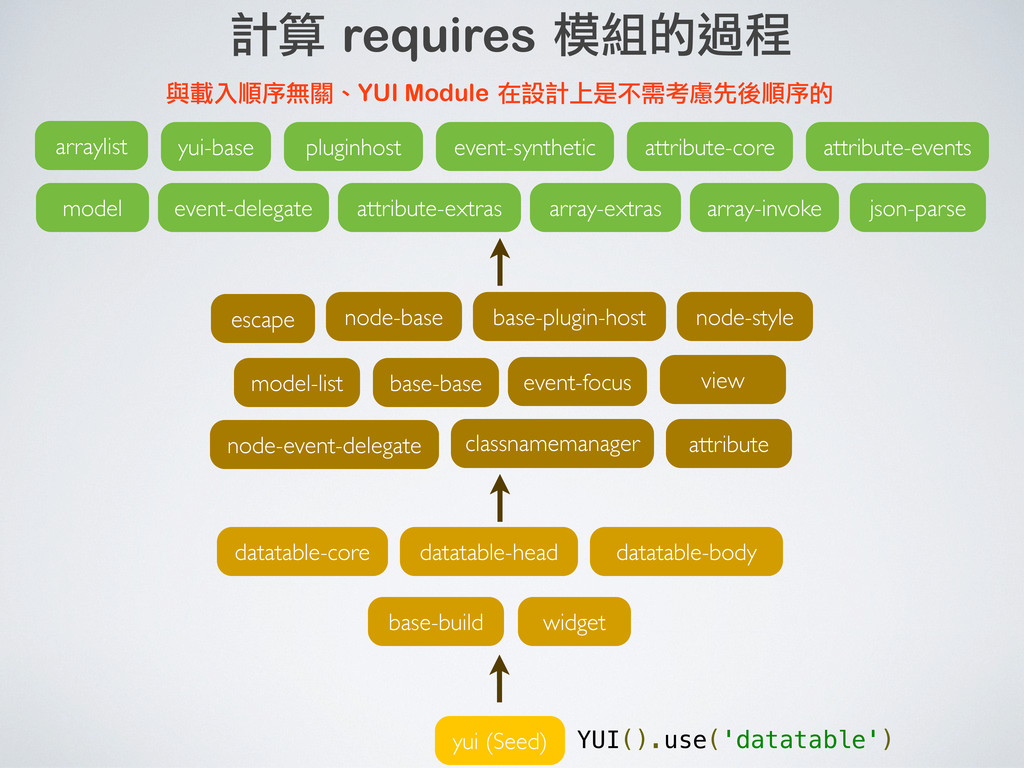
yui (Seed) widget datatable-core base-build datatable-head datatable-body 計算 requires 模組的過程
YUI().use('datatable') -
escape yui (Seed) widget datatable-core base-build datatable-head datatable-body model-list node-event-delegate
base-base attribute event-focus base-plugin-host node-base node-style classnamemanager view 計算 requires 模組的過程 YUI().use('datatable') -
escape yui (Seed) widget datatable-core base-build datatable-head datatable-body model-list node-event-delegate
base-base attribute event-focus base-plugin-host node-base node-style classnamemanager view yui-base event-delegate pluginhost event-synthetic attribute-core attribute-events attribute-extras array-extras array-invoke arraylist json-parse model 計算 requires 模組的過程 YUI().use('datatable') -
escape yui (Seed) widget datatable-core base-build datatable-head datatable-body model-list node-event-delegate
base-base attribute event-focus base-plugin-host node-base node-style classnamemanager view yui-base event-delegate pluginhost event-synthetic attribute-core attribute-events attribute-extras array-extras array-invoke arraylist json-parse model 計算 requires 模組的過程 與載入順序無關、YUI Module 在設計上是不需考慮先後順序的 YUI().use('datatable') -
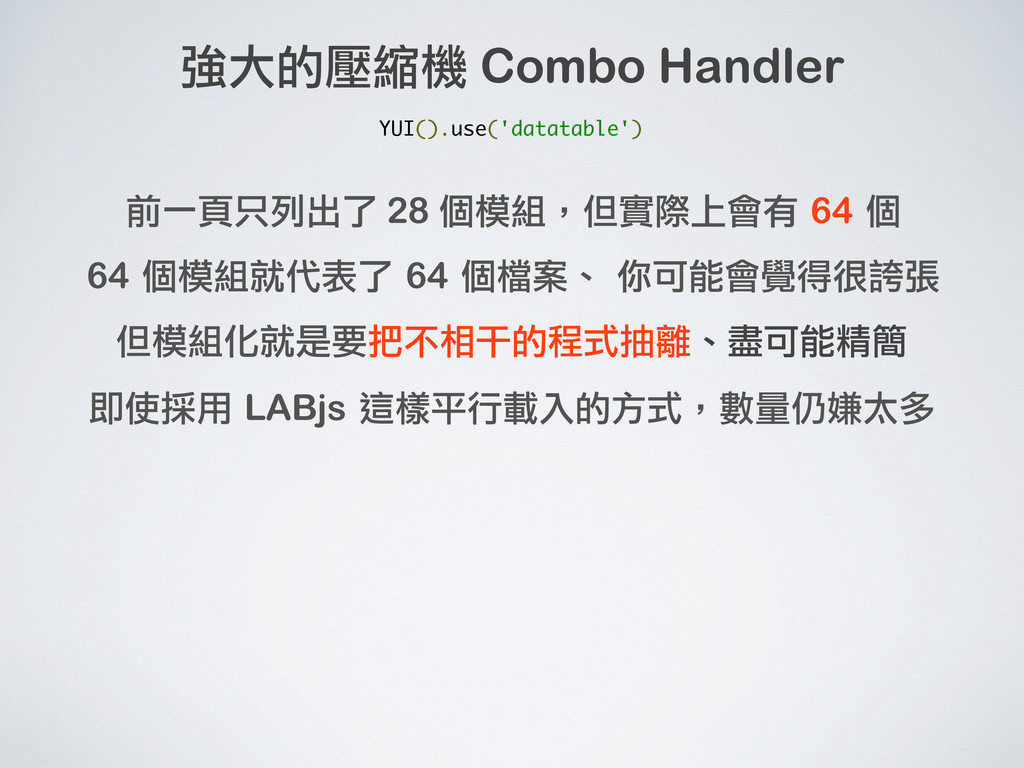
強大的壓縮機 Combo Handler 前一頁只列出了 28 個模組,但實際上會有 64 個 64 個模組就代表了
64 個檔案、 你可能會覺得很誇張 YUI().use('datatable') -
強大的壓縮機 Combo Handler 前一頁只列出了 28 個模組,但實際上會有 64 個 64 個模組就代表了
64 個檔案、 你可能會覺得很誇張 但模組化就是要把不相干的程式抽離、盡可能精簡 YUI().use('datatable') -
強大的壓縮機 Combo Handler 前一頁只列出了 28 個模組,但實際上會有 64 個 64 個模組就代表了
64 個檔案、 你可能會覺得很誇張 但模組化就是要把不相干的程式抽離、盡可能精簡 YUI().use('datatable') 即使採用 LABjs 這樣平行載入的方式,數量仍嫌太多 -
強大的壓縮機 Combo Handler 前一頁只列出了 28 個模組,但實際上會有 64 個 64 個模組就代表了
64 個檔案、 你可能會覺得很誇張 但模組化就是要把不相干的程式抽離、盡可能精簡 YUI 的 Combo Handler 可把數量的問題徹底解決 YUI().use('datatable') 即使採用 LABjs 這樣平行載入的方式,數量仍嫌太多 -
強大的壓縮機 Combo Handler 前一頁只列出了 28 個模組,但實際上會有 64 個 64 個模組就代表了
64 個檔案、 你可能會覺得很誇張 但模組化就是要把不相干的程式抽離、盡可能精簡 YUI 的 Combo Handler 可把數量的問題徹底解決 http://yui.yahooapis.com/combo? <模組1的檔案路徑>& <模組2的檔案路徑>& <模組3的檔案路徑>& <模組4的檔案路徑>& ... YUI().use('datatable') 即使採用 LABjs 這樣平行載入的方式,數量仍嫌太多 -
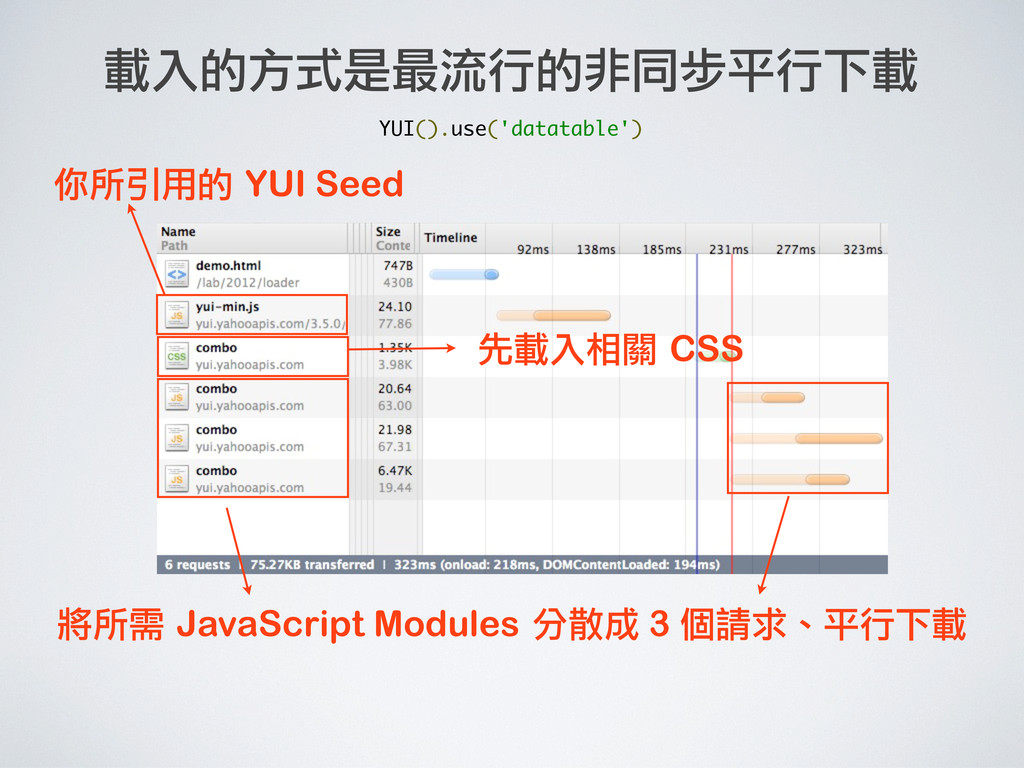
將所需 JavaScript Modules 分散成 3 個請求、平行下載 你所引用的 YUI Seed 先載入相關
CSS 載入的方式是最流行的非同步平行下載 YUI().use('datatable') -
將所需 JavaScript Modules 分散成 3 個請求、平行下載 你所引用的 YUI Seed 先載入相關
CSS 載入的方式是最流行的非同步平行下載 分散的邏輯:「檔案總數量」、「瀏覽器同時請求數量」、「瀏覽器 GET 長度的限制」 自己用 Loader (LABjs、Headjs) 刻這樣的機制會很辛苦 YUI().use('datatable') -
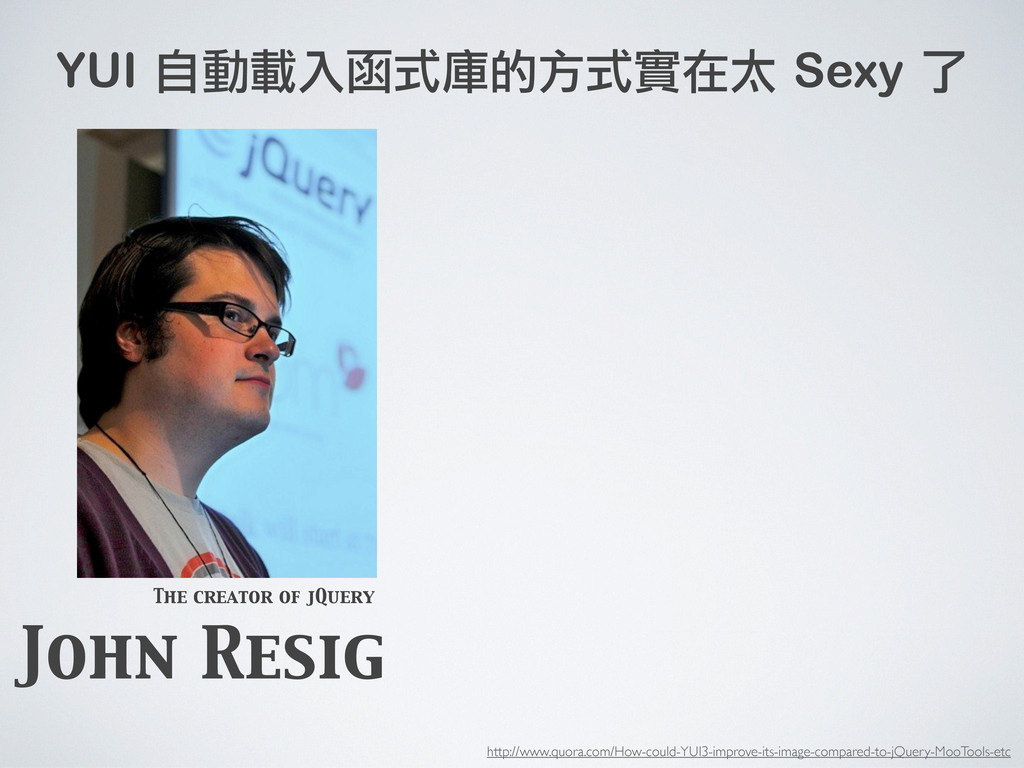
John Resig The creator of jQuery YUI().use() + pulling code
off of Yahoo's CDN is damn sexy and should be promoted *VERY* heavily. http://www.quora.com/How-could-YUI3-improve-its-image-compared-to-jQuery-MooTools-etc YUI 自動載入函式庫的方式實在太 Sexy 了 -
Loader 改版 _nav _header _content _footer 頁面 index.php 模組 模組
模組 模組 1.在頁面上呼叫: YUI().use(“_header”,“_nav”,“_content” ,“_footer”); -
Loader 改版 _nav _header _content _footer 頁面 index.php 模組 模組
模組 模組 1.在頁面上呼叫: YUI().use(“_header”,“_nav”,“_content” ,“_footer”); 2.每個模組都已經各自設定所需 require 的模組。 requires:[a,b,c] requires:[d, e, f] requires:[b] requires:[a,c,e] -
Loader 改版 _nav _header _content _footer 頁面 index.php 模組 模組
模組 模組 1.在頁面上呼叫: YUI().use(“_header”,“_nav”,“_content” ,“_footer”); 2.每個模組都已經各自設定所需 require 的模組。 3.YUI 的 Loader 會自動計算實際 要載入的模組有哪些。 requires:[a,b,c] requires:[d, e, f] requires:[b] requires:[a,c,e] 共有這些模組要載入: g, h, j, l, m, u, y, a, b, c, d, e, f, _header, _nav, _content, _footer Loader -
Loader 改版 _nav _header _content _footer 頁面 index.php 模組 模組
模組 模組 1.在頁面上呼叫: YUI().use(“_header”,“_nav”,“_content” ,“_footer”); 2.每個模組都已經各自設定所需 require 的模組。 3.YUI 的 Loader 會自動計算實際 要載入的模組有哪些。 4.最後利用 Combo 以非同步的方 式把檔案下載回來。 requires:[a,b,c] requires:[d, e, f] requires:[b] requires:[a,c,e] 共有這些模組要載入: g, h, j, l, m, u, y, a, b, c, d, e, f, _header, _nav, _content, _footer combo request 1 combo request 2 combo request 3 Loader Server -
啟發: Loader 改版 _nav _header _content _footer 頁面 index.php 模組
模組 模組 模組 1.在頁面上呼叫: YUI().use(“_header”,“_nav”,“_content” ,“_footer”); 2.每個模組都已經各自設定所需 require 的模組。 3.YUI 的 Loader 會自動計算實際 要載入的模組有哪些。 4.最後利用 Combo 以非同步的方 式把檔案下載回來。 requires:[a,b,c] requires:[d, e, f] requires:[b] requires:[a,c,e] 共有這些模組要載入: g, h, j, l, m, u, y, a, b, c, d, e, f, _header, _nav, _content, _footer combo request 1 combo request 2 combo request 3 Loader Server Page-Level 的設定是中央集權、最後會搞不清楚 由 Module-Level 設定是地方自治、很好管理 透過相依性計算、自動合併、非同步下載等機制達成 讓模組真正做到可以隨插即用 http://josephj.com/lab/2012/loader-strategy/demo.php https://github.com/josephj/loader-strategy 實作範例: 原始碼: -
YUI Architecture Rocks! http://www.flickr.com/photos/kelvin255/5576672521/ Module Loader Combo CDN 不需辛苦實作、幾行就可以寫出業界的 Best
Practice 領先業界的思維 領先業界的思維 軟體自動化的極致 善用大公司的資源吧 YUI 還有什麼值得我們參考的 ? ⼀一定會越拆越細 Combo 的機制比 Build 好 可用 Minify 或 combohandler 代替 有錢才會有 -
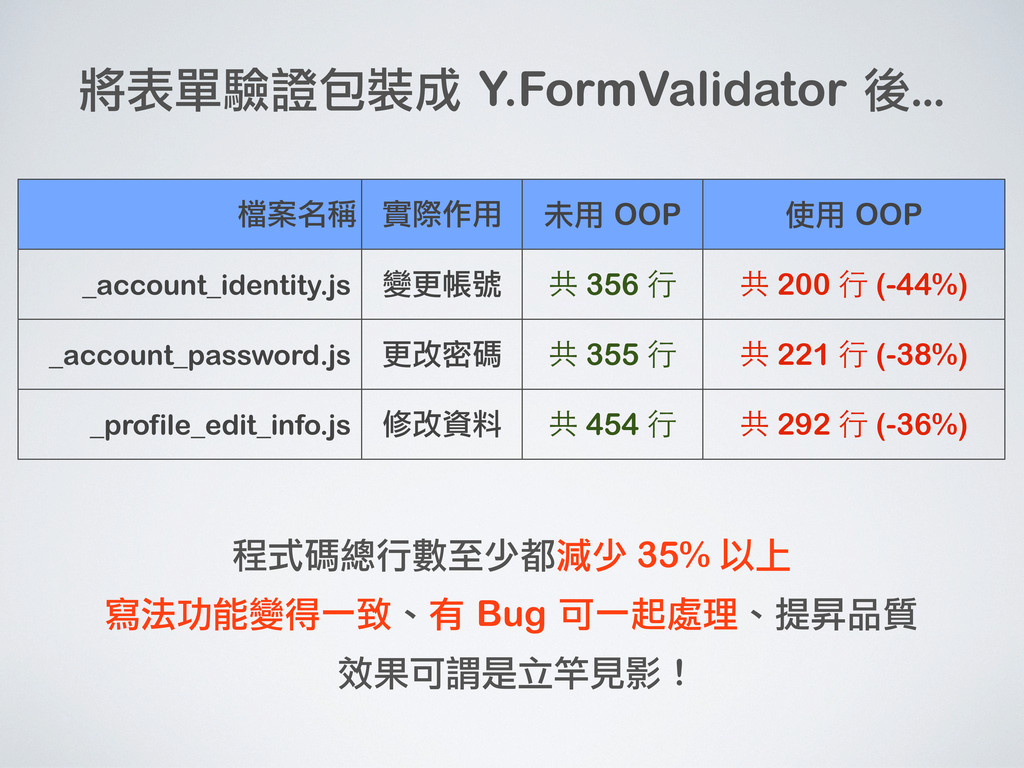
檔案名稱 實際作用 未用 OOP 使用 OOP _account_identity.js 變更帳號 共 356
行 共 200 行 (-44%) _account_password.js 更改密碼 共 355 行 共 221 行 (-38%) _profile_edit_info.js 修改資料 共 454 行 共 292 行 (-36%) 將表單驗證包裝成 Y.FormValidator 後... -
檔案名稱 實際作用 未用 OOP 使用 OOP _account_identity.js 變更帳號 共 356
行 共 200 行 (-44%) _account_password.js 更改密碼 共 355 行 共 221 行 (-38%) _profile_edit_info.js 修改資料 共 454 行 共 292 行 (-36%) 程式碼總行數至少都減少 35% 以上 寫法功能變得一致、有 Bug 可一起處理、提昇品質 效果可謂是立竿見影 ! 將表單驗證包裝成 Y.FormValidator 後... -
檔案名稱 實際作用 未用 OOP 使用 OOP _account_identity.js 變更帳號 共 356
行 共 200 行 (-44%) _account_password.js 更改密碼 共 355 行 共 221 行 (-38%) _profile_edit_info.js 修改資料 共 454 行 共 292 行 (-36%) 程式碼總行數至少都減少 35% 以上 寫法功能變得一致、有 Bug 可一起處理、提昇品質 效果可謂是立竿見影 ! 將表單驗證包裝成 Y.FormValidator 後... -
檔案名稱 實際作用 未用 OOP 使用 OOP _account_identity.js 變更帳號 共 356
行 共 200 行 (-44%) _account_password.js 更改密碼 共 355 行 共 221 行 (-38%) _profile_edit_info.js 修改資料 共 454 行 共 292 行 (-36%) 程式碼總行數至少都減少 35% 以上 寫法功能變得一致、有 Bug 可一起處理、提昇品質 效果可謂是立竿見影 ! 將表單驗證包裝成 Y.FormValidator 後... 物件導向的好處: ·•避免撰寫相同的代碼 ·•縮短開發時間 ·•減少團隊開發的不一致 應被大量地運用在開發中 -
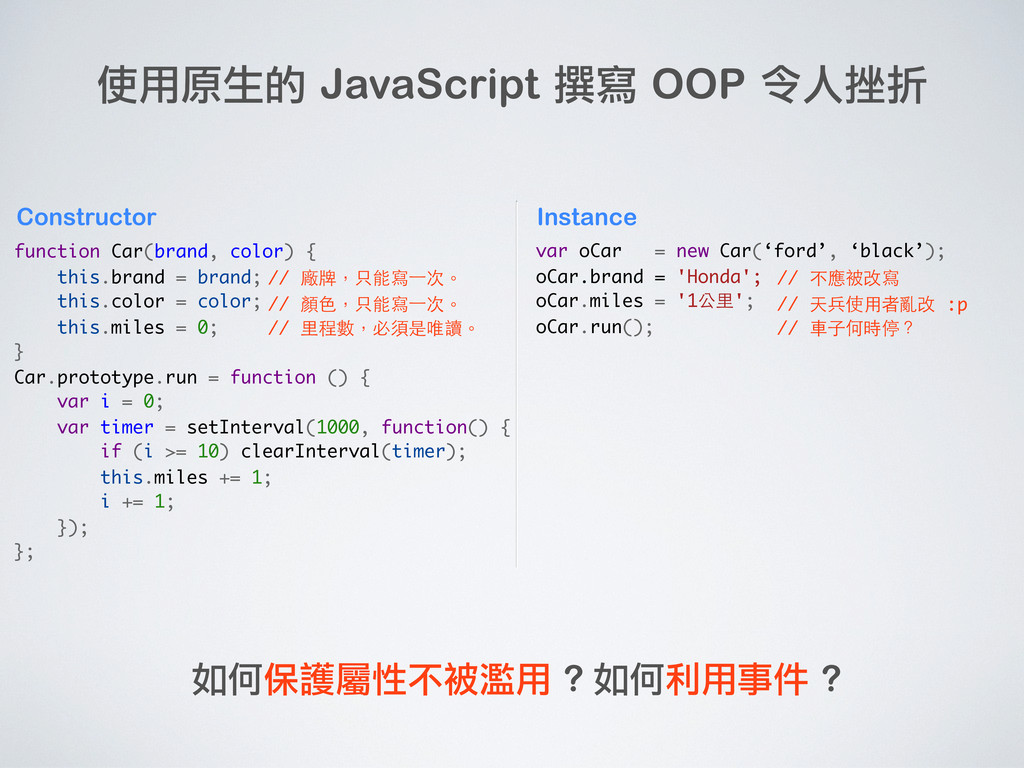
使用原生的 JavaScript 撰寫 OOP 令人挫折 function Car(brand, color) { this.brand
= brand; this.color = color; this.miles = 0; } Car.prototype.run = function () { var i = 0; var timer = setInterval(1000, function() { if (i >= 10) clearInterval(timer); this.miles += 1; i += 1; }); }; Constructor -
使用原生的 JavaScript 撰寫 OOP 令人挫折 function Car(brand, color) { this.brand
= brand; this.color = color; this.miles = 0; } Car.prototype.run = function () { var i = 0; var timer = setInterval(1000, function() { if (i >= 10) clearInterval(timer); this.miles += 1; i += 1; }); }; Constructor // 廠牌,只能寫⼀一次。 // 顏色,只能寫⼀一次。 // 里程數,必須是唯讀。 -
使用原生的 JavaScript 撰寫 OOP 令人挫折 function Car(brand, color) { this.brand
= brand; this.color = color; this.miles = 0; } Car.prototype.run = function () { var i = 0; var timer = setInterval(1000, function() { if (i >= 10) clearInterval(timer); this.miles += 1; i += 1; }); }; var oCar = new Car(‘ford’, ‘black’); oCar.brand = 'Honda'; oCar.miles = '1公里'; oCar.run(); Constructor Instance // 廠牌,只能寫⼀一次。 // 顏色,只能寫⼀一次。 // 里程數,必須是唯讀。 -
使用原生的 JavaScript 撰寫 OOP 令人挫折 function Car(brand, color) { this.brand
= brand; this.color = color; this.miles = 0; } Car.prototype.run = function () { var i = 0; var timer = setInterval(1000, function() { if (i >= 10) clearInterval(timer); this.miles += 1; i += 1; }); }; var oCar = new Car(‘ford’, ‘black’); oCar.brand = 'Honda'; oCar.miles = '1公里'; oCar.run(); Constructor Instance 如何保護屬性不被濫用 ? 如何利用事件 ? // 廠牌,只能寫⼀一次。 // 顏色,只能寫⼀一次。 // 里程數,必須是唯讀。 // 不應被改寫 // 天兵使用者亂改 :p // 車子何時停? -
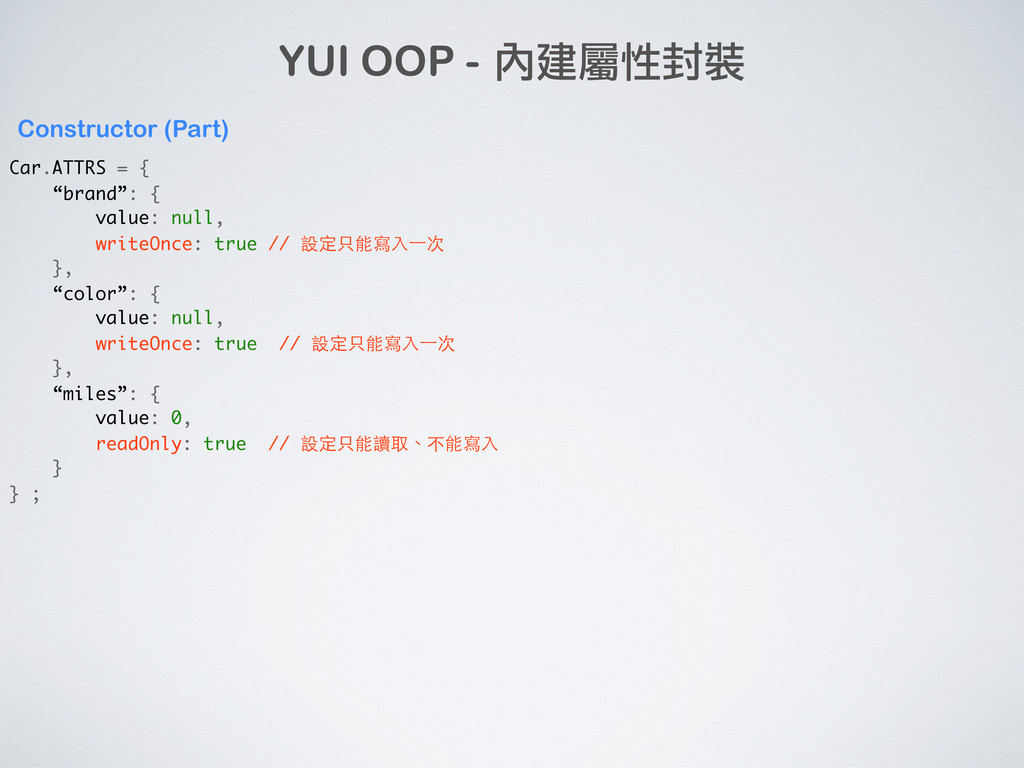
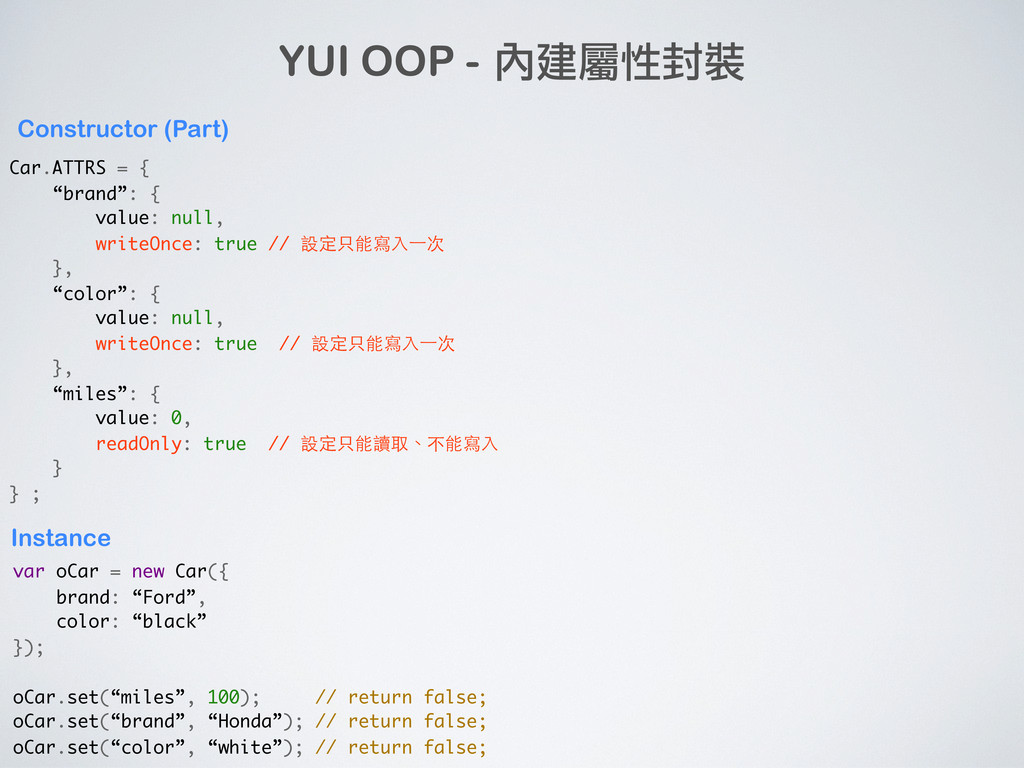
YUI OOP - 內建屬性封裝 Car.ATTRS = { “brand”: { value:
null, writeOnce: true // 設定只能寫入⼀一次 }, “color”: { value: null, writeOnce: true // 設定只能寫入⼀一次 }, “miles”: { value: 0, readOnly: true // 設定只能讀取、不能寫入 } } ; Constructor (Part) -
YUI OOP - 內建屬性封裝 Car.ATTRS = { “brand”: { value:
null, writeOnce: true // 設定只能寫入⼀一次 }, “color”: { value: null, writeOnce: true // 設定只能寫入⼀一次 }, “miles”: { value: 0, readOnly: true // 設定只能讀取、不能寫入 } } ; var oCar = new Car({ brand: “Ford”, color: “black” }); oCar.set(“miles”, 100); // return false; oCar.set(“brand”, “Honda”); // return false; oCar.set(“color”, “white”); // return false; Instance Constructor (Part) -
YUI OOP - 內建屬性封裝 Car.ATTRS = { “brand”: { value:
null, writeOnce: true // 設定只能寫入⼀一次 }, “color”: { value: null, writeOnce: true // 設定只能寫入⼀一次 }, “miles”: { value: 0, readOnly: true // 設定只能讀取、不能寫入 } } ; var oCar = new Car({ brand: “Ford”, color: “black” }); oCar.set(“miles”, 100); // return false; oCar.set(“brand”, “Honda”); // return false; oCar.set(“color”, “white”); // return false; Instance Constructor (Part) 可有效防止使用者不當操作 -
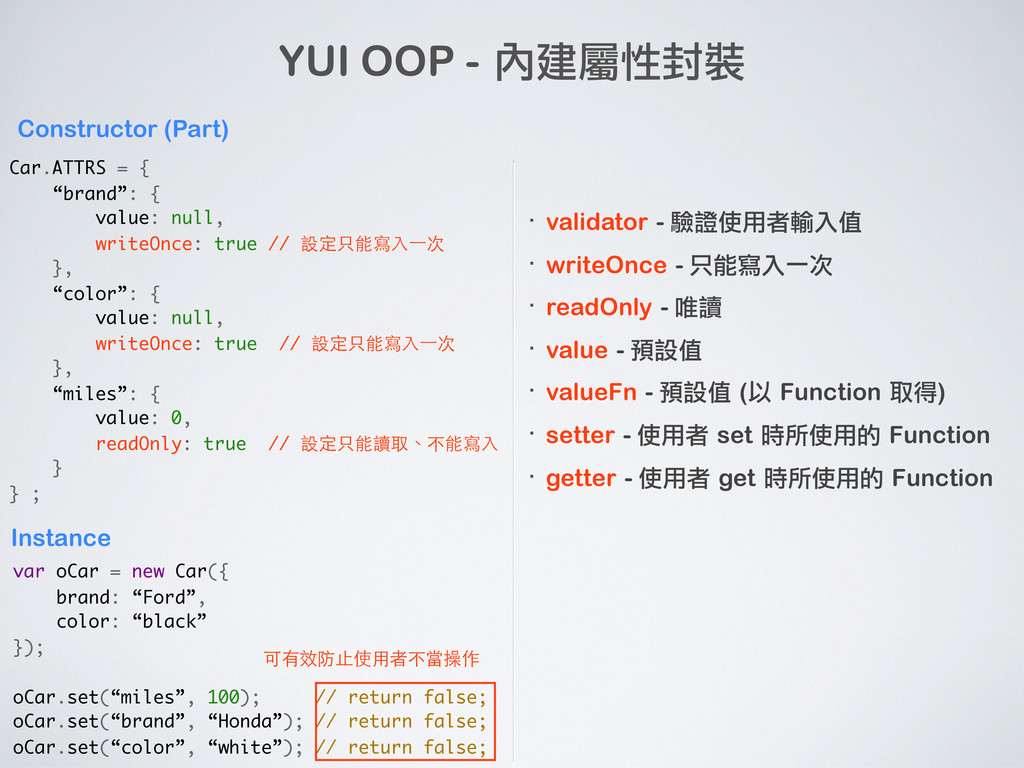
YUI OOP - 內建屬性封裝 Car.ATTRS = { “brand”: { value:
null, writeOnce: true // 設定只能寫入⼀一次 }, “color”: { value: null, writeOnce: true // 設定只能寫入⼀一次 }, “miles”: { value: 0, readOnly: true // 設定只能讀取、不能寫入 } } ; var oCar = new Car({ brand: “Ford”, color: “black” }); oCar.set(“miles”, 100); // return false; oCar.set(“brand”, “Honda”); // return false; oCar.set(“color”, “white”); // return false; Instance Constructor (Part) 可有效防止使用者不當操作 ·• validator - 驗證使用者輸入值 ·• writeOnce - 只能寫入一次 ·• readOnly - 唯讀 ·• value - 預設值 ·• valueFn - 預設值 (以 Function 取得) ·• setter - 使用者 set 時所使用的 Function ·• getter - 使用者 get 時所使用的 Function -
YUI OOP - 內建屬性封裝 Car.ATTRS = { “brand”: { value:
null, writeOnce: true // 設定只能寫入⼀一次 }, “color”: { value: null, writeOnce: true // 設定只能寫入⼀一次 }, “miles”: { value: 0, readOnly: true // 設定只能讀取、不能寫入 } } ; var oCar = new Car({ brand: “Ford”, color: “black” }); oCar.set(“miles”, 100); // return false; oCar.set(“brand”, “Honda”); // return false; oCar.set(“color”, “white”); // return false; Instance Constructor (Part) 可有效防止使用者不當操作 ·• validator - 驗證使用者輸入值 ·• writeOnce - 只能寫入一次 ·• readOnly - 唯讀 ·• value - 預設值 ·• valueFn - 預設值 (以 Function 取得) ·• setter - 使用者 set 時所使用的 Function ·• getter - 使用者 get 時所使用的 Function 屬性管理是 JavaScript OOP 最基本的項目 -
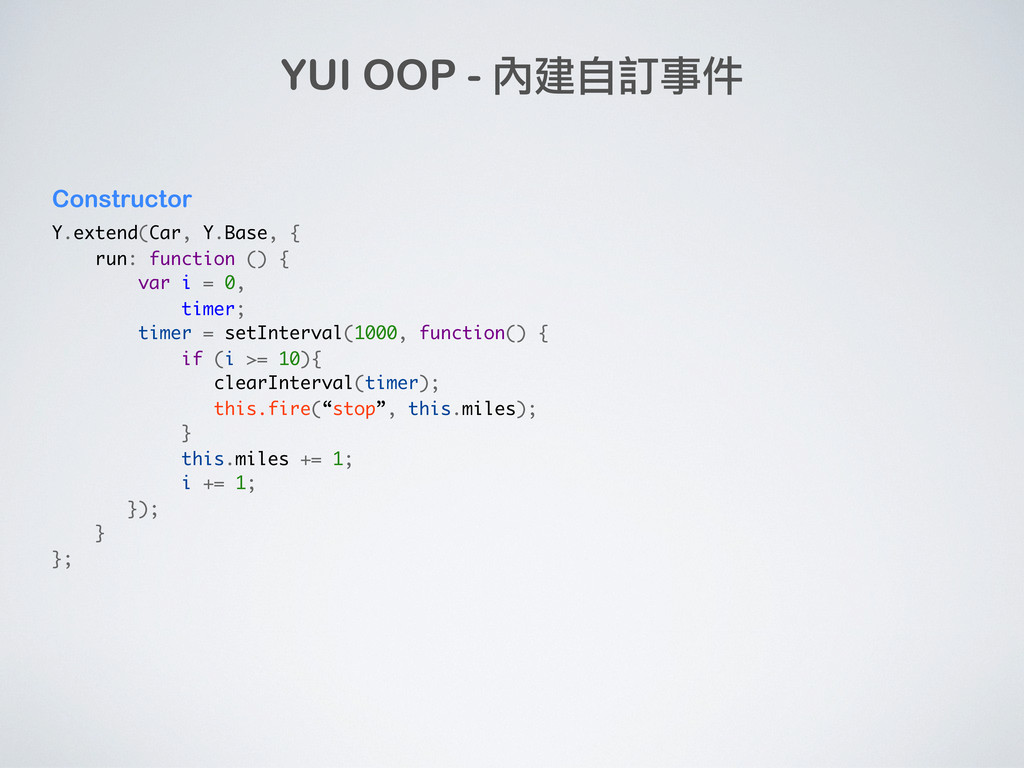
Y.extend(Car, Y.Base, { run: function () { var i =
0, timer; timer = setInterval(1000, function() { if (i >= 10){ clearInterval(timer); this.fire(“stop”, this.miles); } this.miles += 1; i += 1; }); } }; YUI OOP - 內建自訂事件 Constructor -
Y.extend(Car, Y.Base, { run: function () { var i =
0, timer; timer = setInterval(1000, function() { if (i >= 10){ clearInterval(timer); this.fire(“stop”, this.miles); } this.miles += 1; i += 1; }); } }; oCar = new Car(); oCar.on(“stop”, function (e) { alert(e.detail.miles); }); oCar.run(); YUI OOP - 內建自訂事件 Constructor Instance -
Y.extend(Car, Y.Base, { run: function () { var i =
0, timer; timer = setInterval(1000, function() { if (i >= 10){ clearInterval(timer); this.fire(“stop”, this.miles); } this.miles += 1; i += 1; }); } }; oCar = new Car(); oCar.on(“stop”, function (e) { alert(e.detail.miles); }); oCar.run(); YUI OOP - 內建自訂事件 Constructor Instance 任何地方都可以用 fire 觸發事件、用 on 監聽事件 JavaScript 最讚的地方就是事件驅動!別再用 callback 啦! -
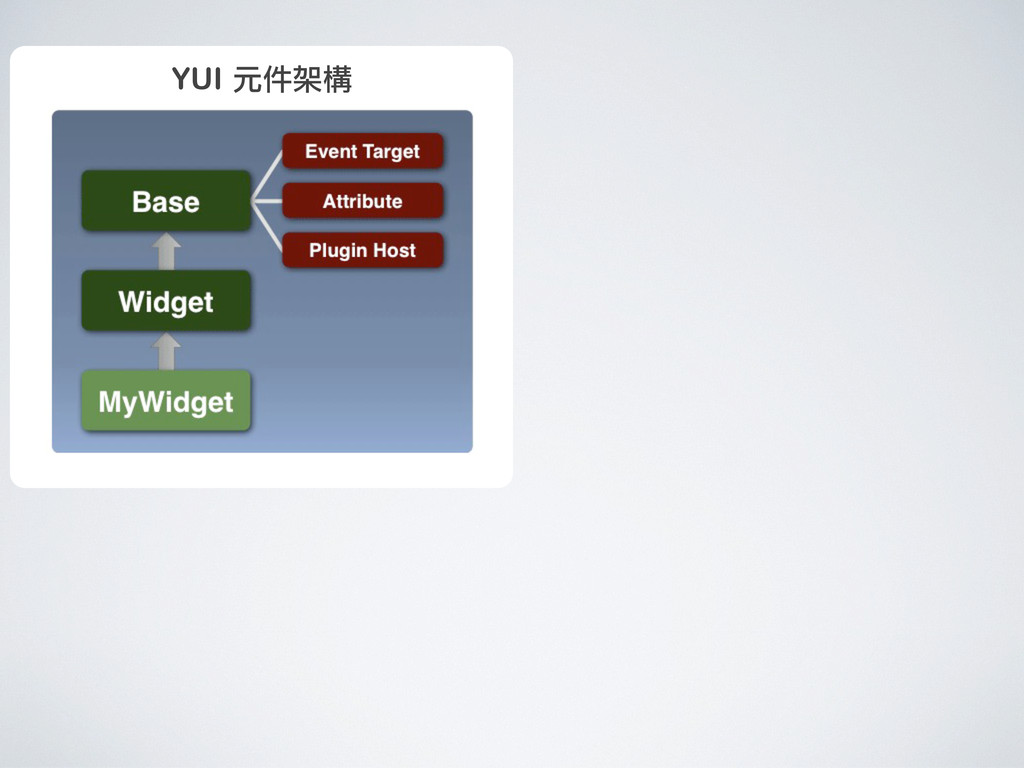
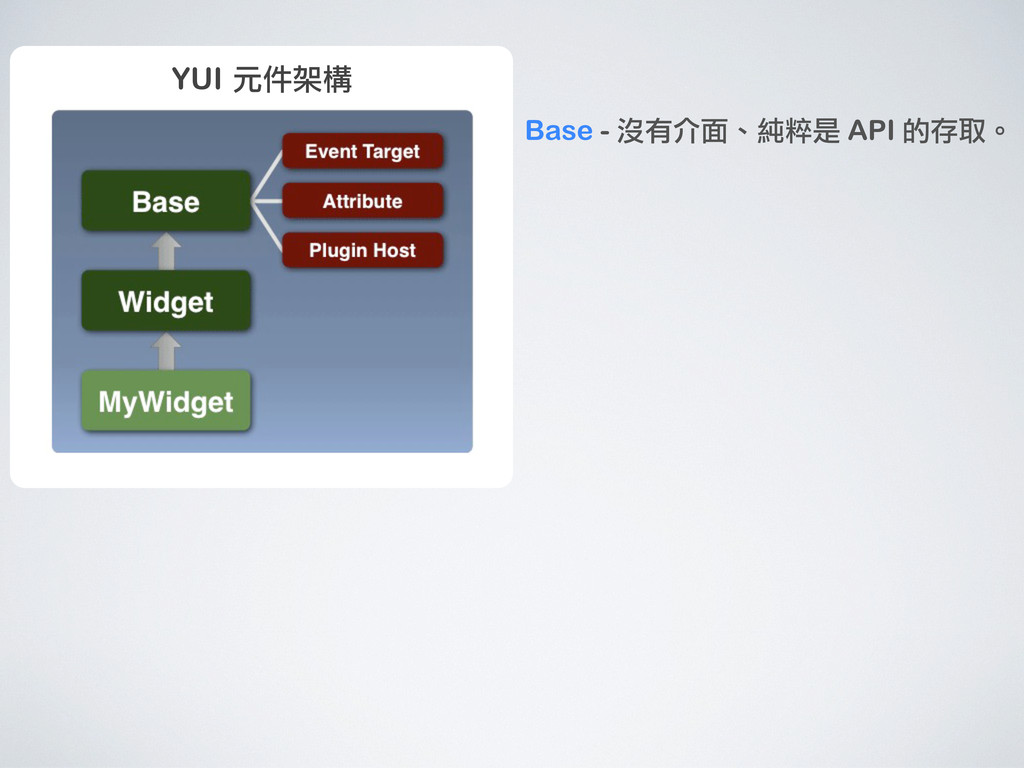
YUI 元件架構 Base - 沒有介面、純粹是 API 的存取。 Widget - 有介面、新的使用者控制項。
Plugin - 針對 Instance 擴充。 -
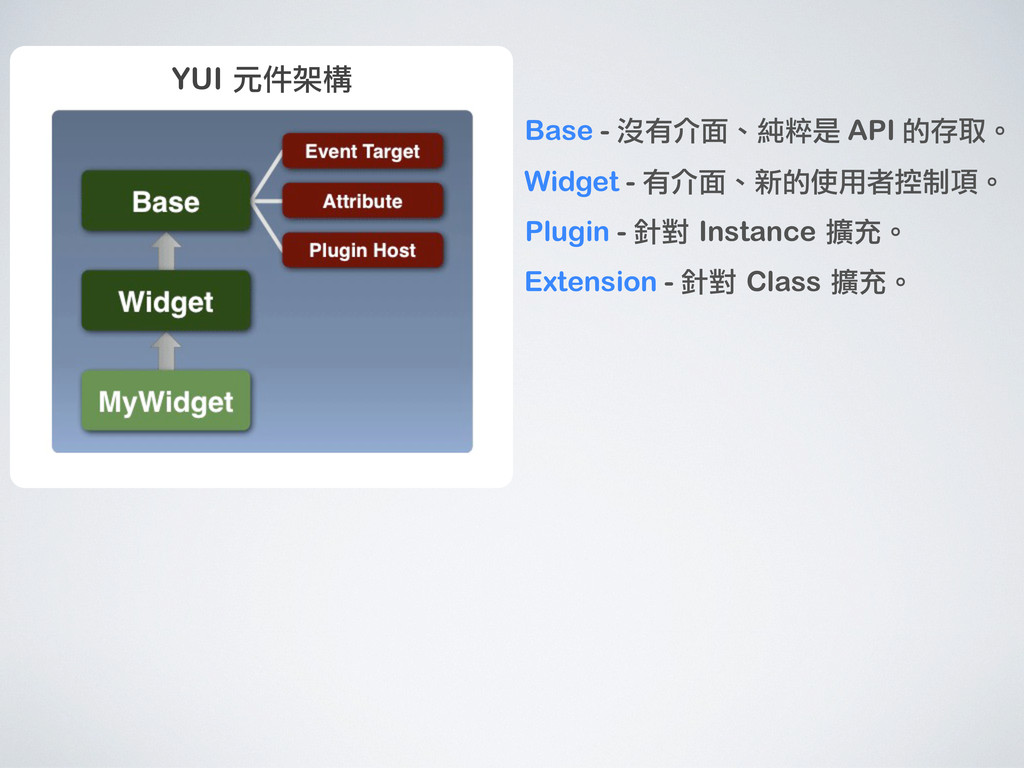
YUI 元件架構 Base - 沒有介面、純粹是 API 的存取。 Widget - 有介面、新的使用者控制項。
Plugin - 針對 Instance 擴充。 Extension - 針對 Class 擴充。 -
YUI 元件架構 YUI 的元件架構是個開發物件導向的框架 考慮了事件、屬性、擴充性、漸進式支援 一旦上手可以很快產出好用的元件 Base - 沒有介面、純粹是 API
的存取。 Widget - 有介面、新的使用者控制項。 Plugin - 針對 Instance 擴充。 Extension - 針對 Class 擴充。 -
YUI 元件架構 YUI 的元件架構是個開發物件導向的框架 考慮了事件、屬性、擴充性、漸進式支援 一旦上手可以很快產出好用的元件 Base - 沒有介面、純粹是 API
的存取。 Widget - 有介面、新的使用者控制項。 Plugin - 針對 Instance 擴充。 Extension - 針對 Class 擴充。 YUI 提供了很多擴充性的選項、 避免開發者因為功能不足去改既 有的程式,extend、plugin、 extension 都是好方法! -
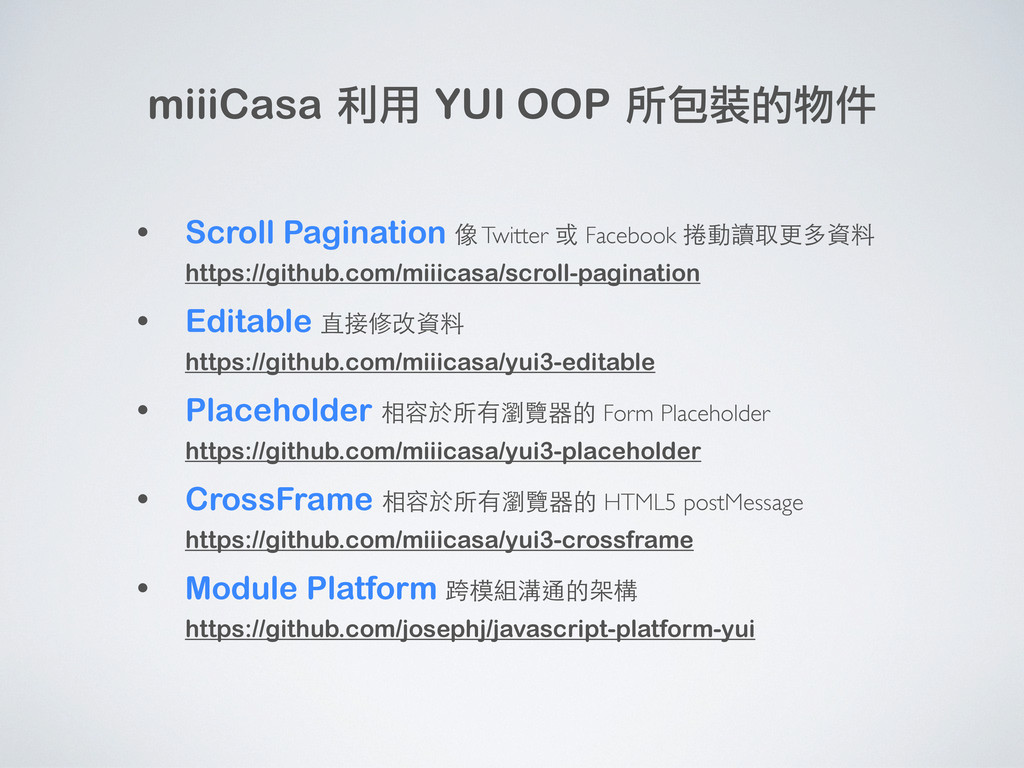
miiiCasa 利用 YUI OOP 所包裝的物件 • Scroll Pagination 像 Twitter
或 Facebook 捲動讀取更多資料 https://github.com/miiicasa/scroll-pagination • Editable 直接修改資料 https://github.com/miiicasa/yui3-editable • Placeholder 相容於所有瀏覽器的 Form Placeholder https://github.com/miiicasa/yui3-placeholder • CrossFrame 相容於所有瀏覽器的 HTML5 postMessage https://github.com/miiicasa/yui3-crossframe • Module Platform 跨模組溝通的架構 https://github.com/josephj/javascript-platform-yui -
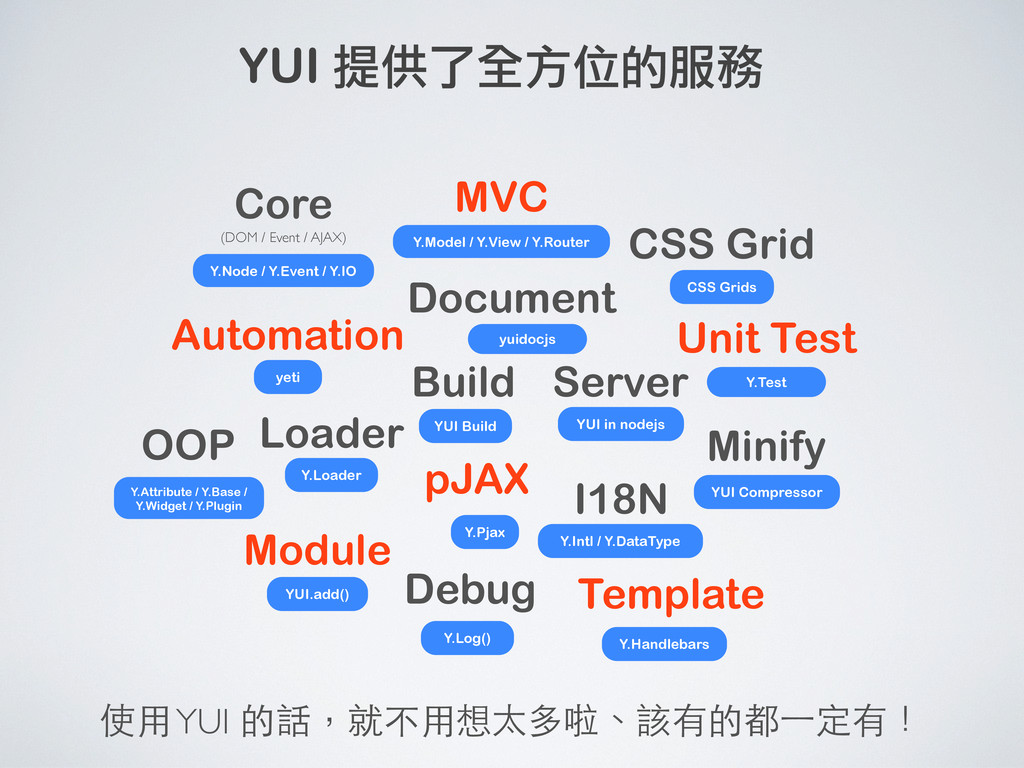
Unit Test Document MVC Minify Core Server I18N Module OOP
Loader Build Template Automation Debug CSS Grid pJAX (DOM / Event / AJAX) 前端工程師要整合的東西實在太多 -
Unit Test Document MVC Minify Core Server I18N Module OOP
Loader Build Template Automation Debug CSS Grid jQuery Backbone.js Nature Docs LABjs RequireJS handlebars 960gs pJAX jquery-pjax Optimizer TestSwarm (DOM / Event / AJAX) console Key / Value :p Google Closure nodeJS 前端工程師要整合的東西實在太多 -
Unit Test Document MVC Minify Core Server I18N Module OOP
Loader Build Template Automation Debug CSS Grid jQuery Backbone.js Nature Docs LABjs RequireJS handlebars 960gs pJAX jquery-pjax Optimizer TestSwarm (DOM / Event / AJAX) console Key / Value :p Google Closure nodeJS 前端工程師要整合的東西實在太多 得花很多時間比較、研究不同選擇的差異性 -
Unit Test Document MVC Minify Core Server I18N Module OOP
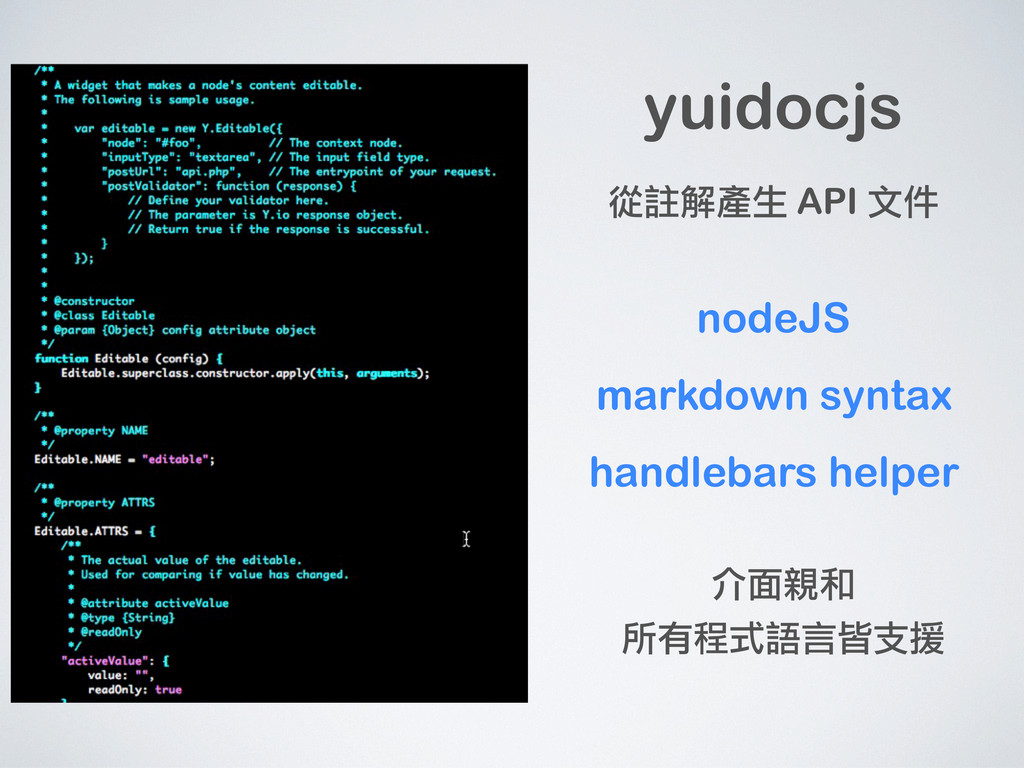
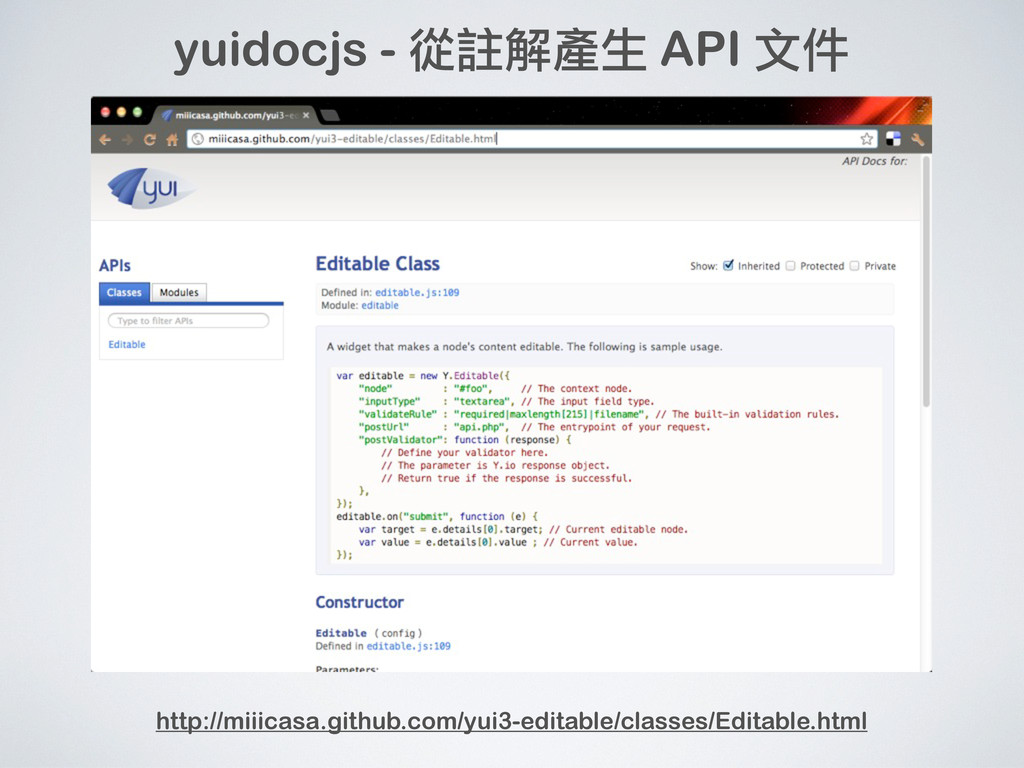
Loader Build Template Automation Debug CSS Grid pJAX (DOM / Event / AJAX) Y.Node / Y.Event / Y.IO Y.Model / Y.View / Y.Router yuidocjs Y.Loader YUI.add() Y.Handlebars CSS Grids Y.Pjax YUI Build yeti Y.Log() Y.Intl / Y.DataType YUI Compressor YUI in nodejs Y.Attribute / Y.Base / Y.Widget / Y.Plugin Y.Test YUI 提供了全方位的服務 使用 YUI 的話,就不用想太多啦、該有的都⼀一定有! -
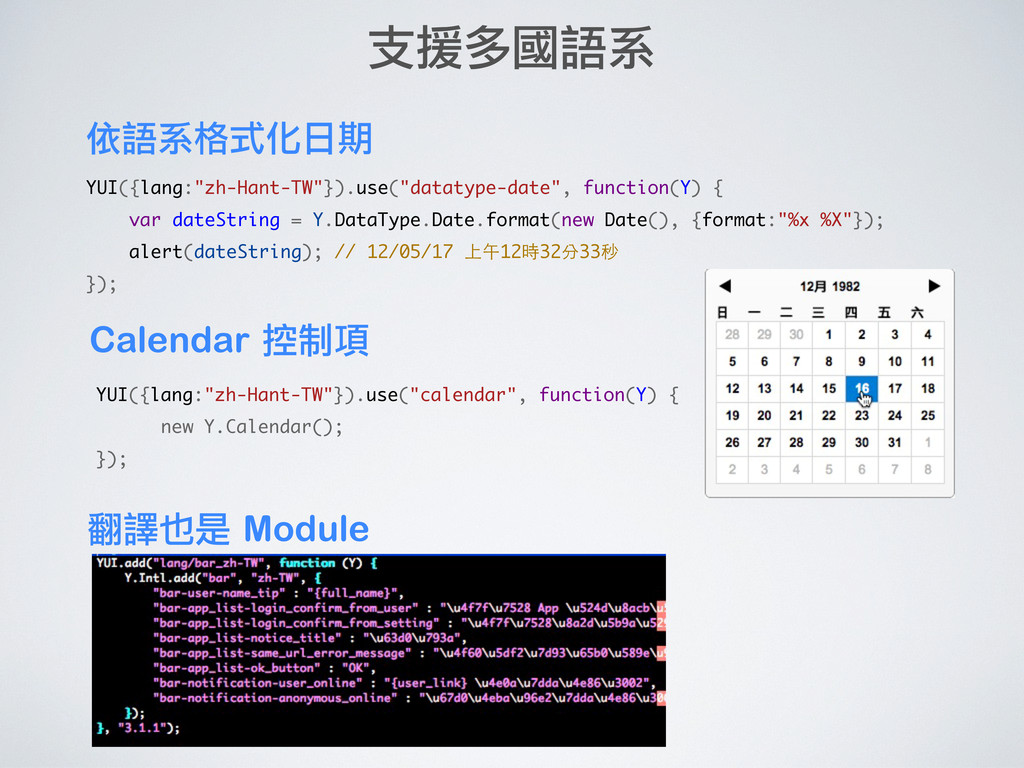
YUI({lang:"zh-Hant-TW"}).use("datatype-date", function(Y) { var dateString = Y.DataType.Date.format(new Date(), {format:"%x %X"});
alert(dateString); // 12/05/17 上午12時32分33秒 }); 支援多國語系 依語系格式化日期 Calendar 控制項 YUI({lang:"zh-Hant-TW"}).use("calendar", function(Y) { new Y.Calendar(); }); 翻譯也是 Module -
Unit Test Automation YUI in Node MVC 對軟體開發很有價值的工具 可以在 nodeJS
中使用 YUI、即使把瀏覽器的 JS 關掉也能用 Yeti - 以 nodeJS 所建立的自動化測試流程 撰寫 JavaScript 的 Test Case JavaScript 的 MVC 架構、沿襲自 Backbone.js Y.log() 很基本的功能、但訊息⼀一多要關閉某些來源很方便 AsyncQueue 非同步處理的管理機制 -
Nicholas Zakas Former Principal Front End Engineer, Yahoo! For scalable
web applications, YUI really excels. http://www.nczonline.net/blog/2010/11/03/response-to-john-resigs-comments-about-yui/ 對大型網站應用程式,YUI 完全勝出 -
http://www.yuiblog.com/blog/2012/01/17/video-yuiconf2011-rcannon/ NFL.com 從 Prototype 換到 YUI Derek Gathright - Why
YUI? 從 jQuery 改用 YUI http://www.yuiblog.com/blog/2012/01/30/video-yuiconf2011-dgathright/ jQuery vs. YUI 引发的思考 http://hikejun.com/blog/2010/11/07/jquery-vs-yui引发的思考/ 參考連結 對 2 個 Library 中肯的評論 From jQuery to YUI 比較兩者的語法 http://clayliao.blogspot.com/2012/04/yui-3-tutorial-from-yui-to-jquery.html http://dsheiko.com/weblog/yui3-vs-jquery
 josephj
 minorun365
 oracle4engineer
 gokken
 sat
 jacopen
 inesmontani
 _awache
 kasada
 amixedcolor
 tammyeverts
 wind111
 mikanichinose
 afnizarnur
 addyosmani
 ianozsvald
 baasie
 colly
 techseoconnect
 eileencodes
 hatefulcrawdad
 aleyda
 codingconduct
 tanoku
 helenjbeal