Upgrade to Pro
— share decks privately, control downloads, hide ads and more …
Speaker Deck
Sign up for free
Menu
Search
Features
All features
Private URLs
Password Protection
Custom URLS
Scheduled publishing
Remove Branding
Restrict embedding
Deck Collections
Notes
Features
All features
Private URLs
Password Protection
Custom URLS
Scheduled publishing
Remove Branding
Restrict embedding
Deck Collections
Notes
Explore
Featured decks
Featured speakers
Programming
Technology
Storyboards
Explore
Featured decks
Featured speakers
Programming
Technology
Storyboards
Pricing
Search
Sign in
Sign up for free
空間情報【課題a】
Search
Karin
July 20, 2016
30
0
Share
Embed
Copy iframe code
Copy JS code
Copy link
Start on current slide
空間情報【課題a】
課題aの操作手順マニュアル
Karin
July 20, 2016
More Decks by Karin
See All by Karin
空間情報システム入門 #02
kari0405
0
95
Featured
See All Featured
jQuery: Nuts, Bolts and Bling
dougneiner
66
8.6k
30 Presentation Tips
portentint
PRO
1
430
The Hidden Cost of Media on the Web [PixelPalooza 2025]
tammyeverts
2
530
Marketing Yourself as an Engineer | Alaka | Gurzu
gurzu
0
330
The Anti-SEO Checklist Checklist. Pubcon Cyber Week
ryanjones
0
270
Building Adaptive Systems
keathley
44
3.3k
A better future with KSS
kneath
240
18k
Principles of Awesome APIs and How to Build Them.
keavy
128
18k
実際に使うSQLの書き方 徹底解説 / pgcon21j-tutorial
soudai
PRO
203
77k
Making Projects Easy
brettharned
120
6.8k
Digital Projects Gone Horribly Wrong (And the UX Pros Who Still Save the Day) - Dean Schuster
uxyall
1
3.4k
Jess Joyce - The Pitfalls of Following Frameworks
techseoconnect
PRO
1
450
Transcript
マニュアル 課題aの操作手順
課題aの内容 ①Overpass-turboでPokemonGoのPokestopに 採用されそうな対象を選ぶ ②GitHubのGist上に展開してそのURLを Facebookに投稿する
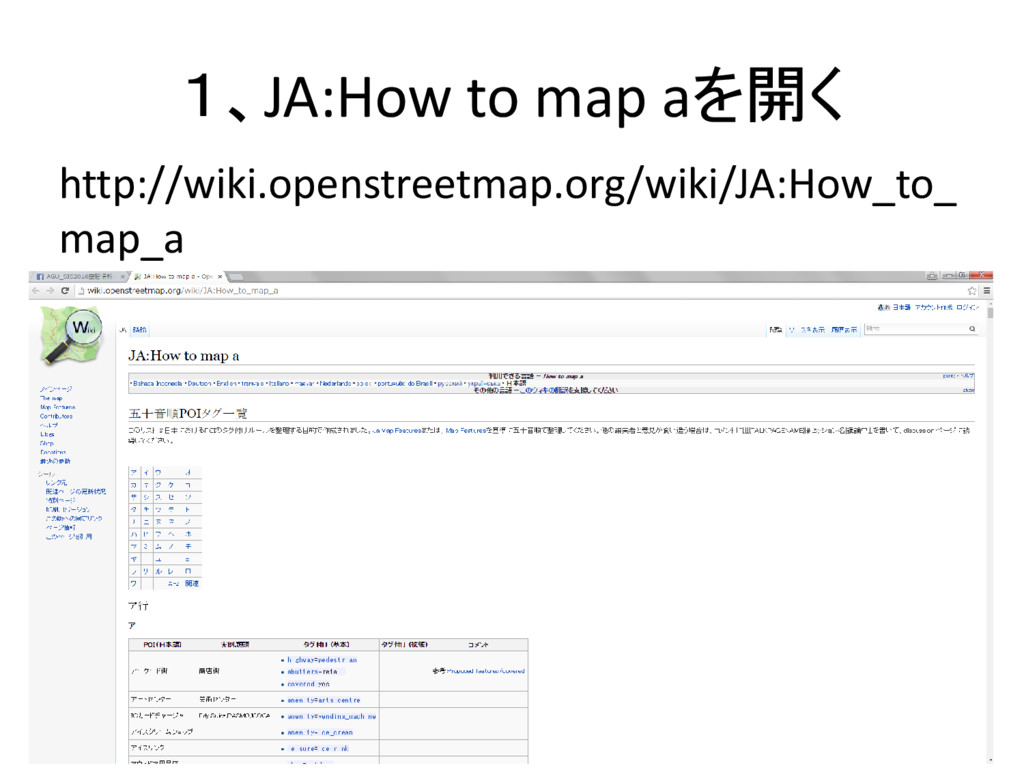
1、JA:How to map aを開く http://wiki.openstreetmap.org/wiki/JA:How_to_ map_a
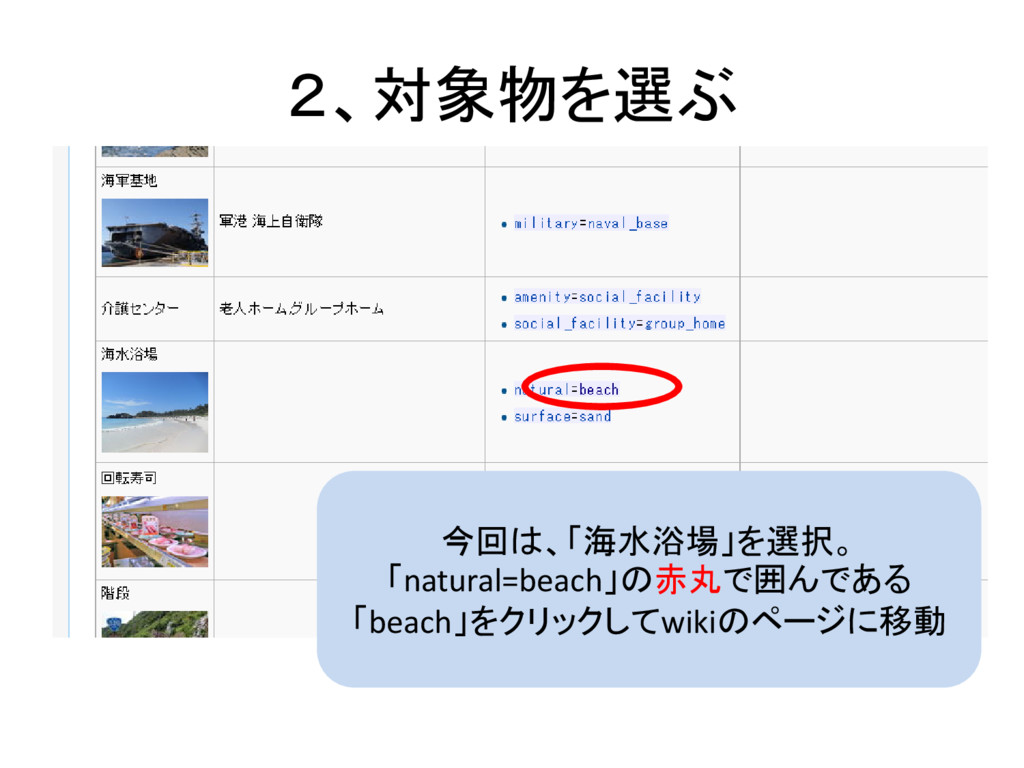
2、対象物を選ぶ 今回は、「海水浴場」を選択。 「natural=beach」の赤丸で囲んである 「beach」をクリックしてwikiのページに移動
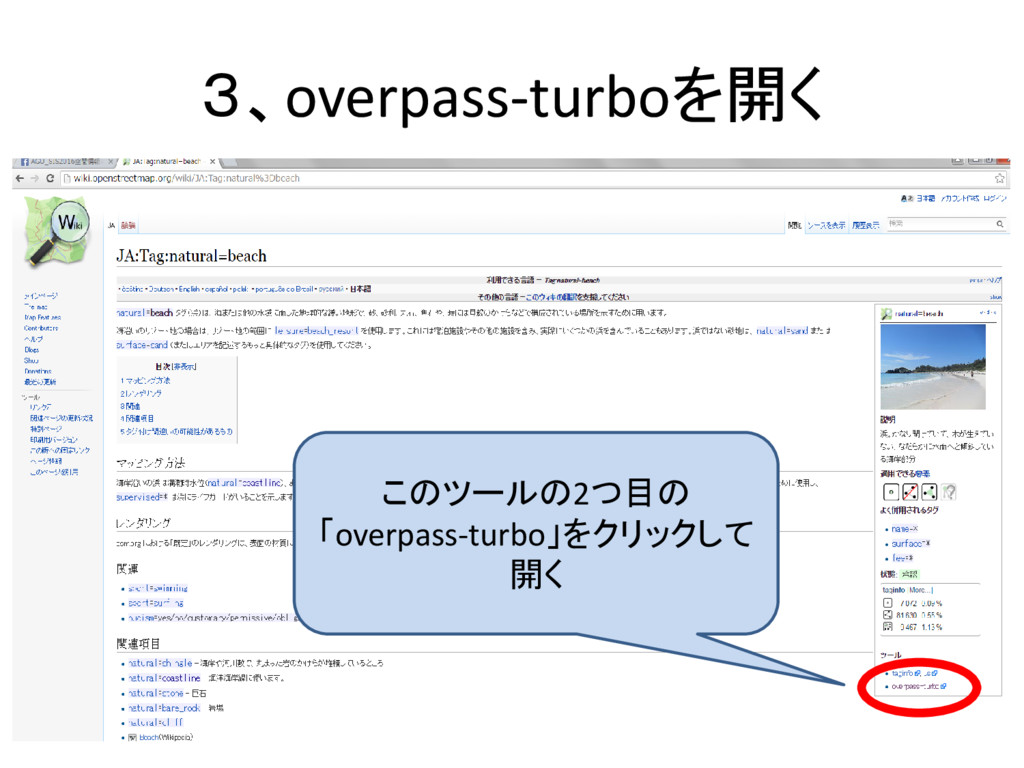
3、overpass-turboを開く このツールの2つ目の 「overpass-turbo」をクリックして 開く
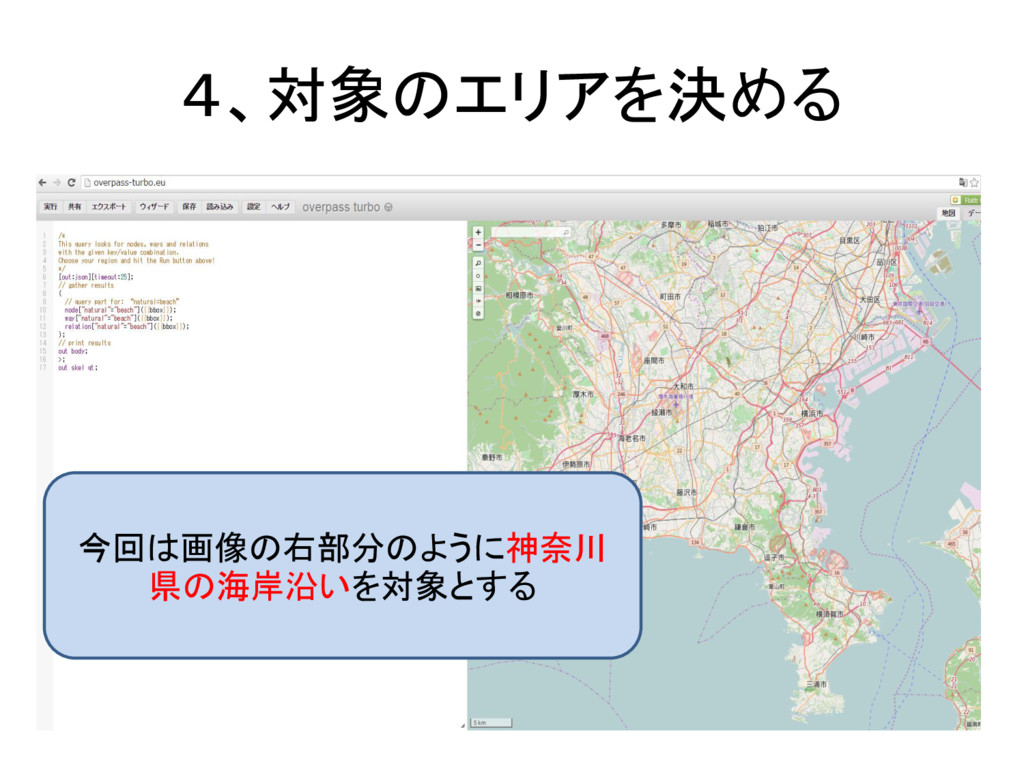
4、対象のエリアを決める 今回は画像の右部分のように神奈川 県の海岸沿いを対象とする
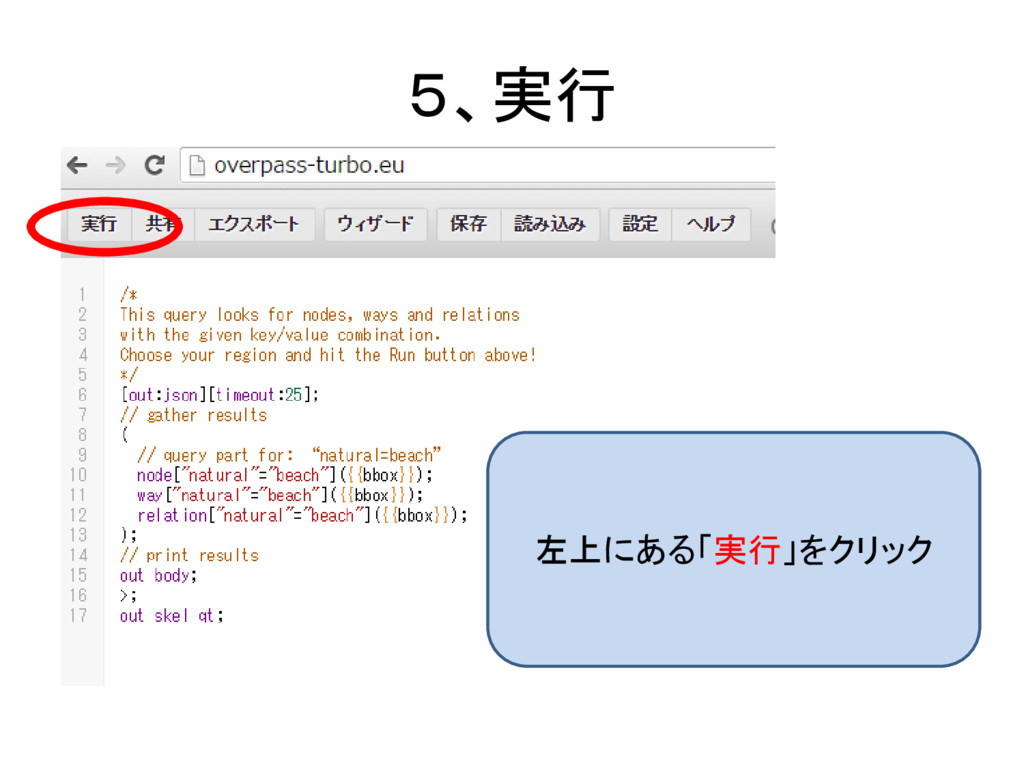
5、実行 左上にある「実行」をクリック
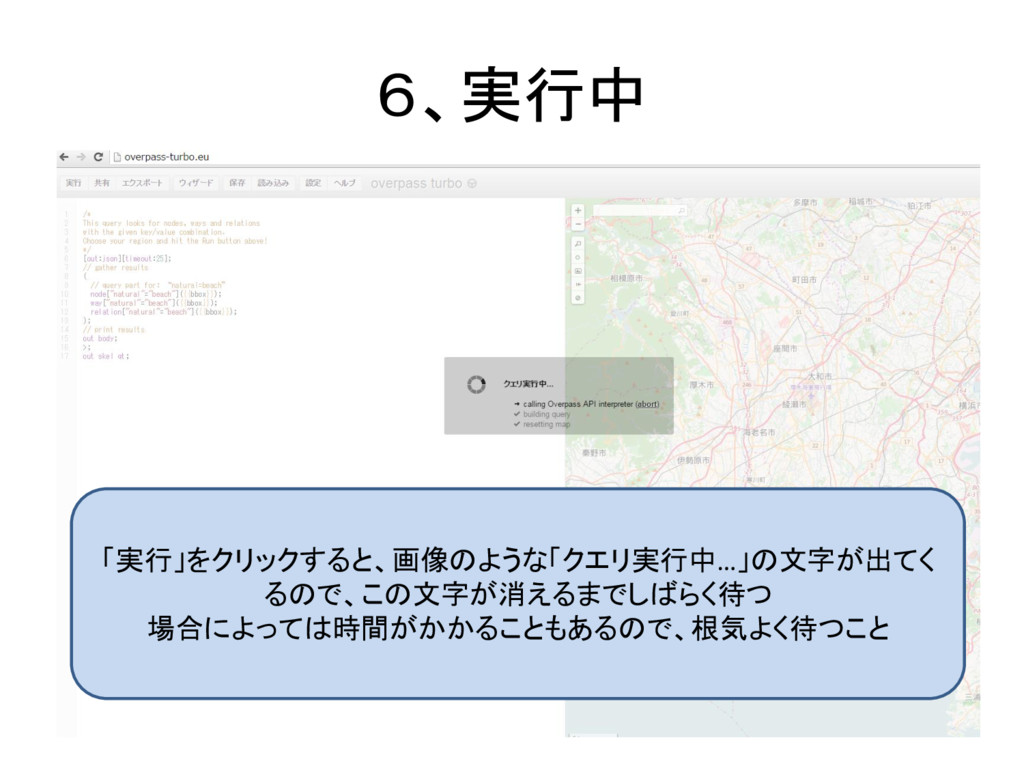
6、実行中 「実行」をクリックすると、画像のような「クエリ実行中…」の文字が出てく るので、この文字が消えるまでしばらく待つ 場合によっては時間がかかることもあるので、根気よく待つこと
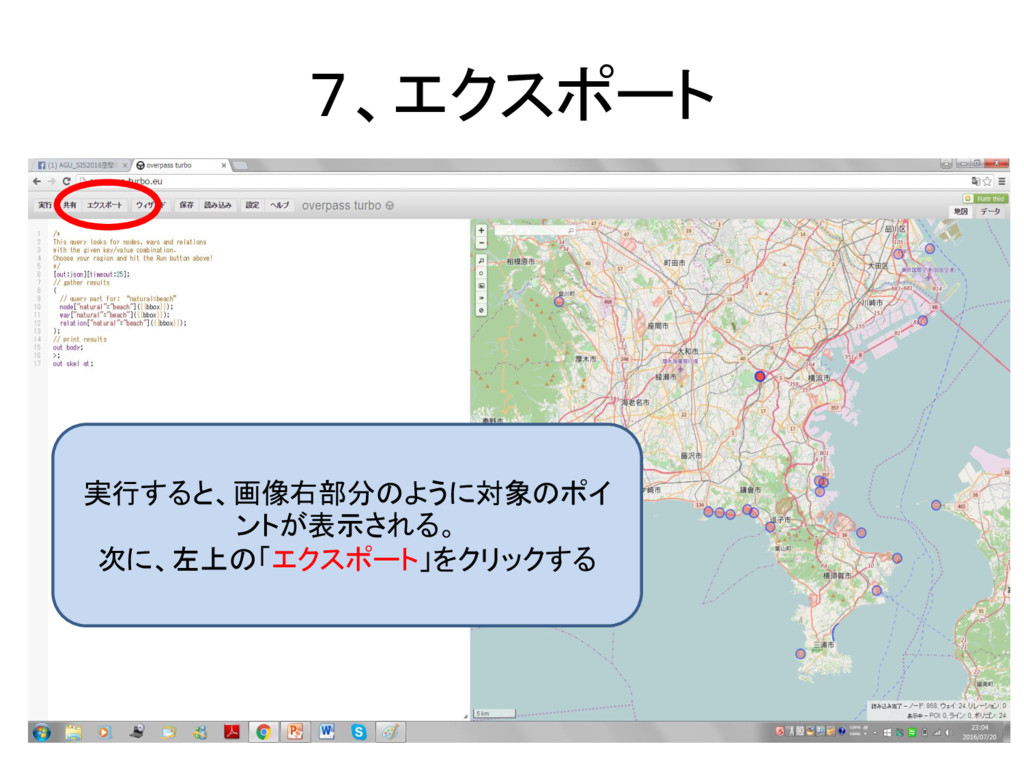
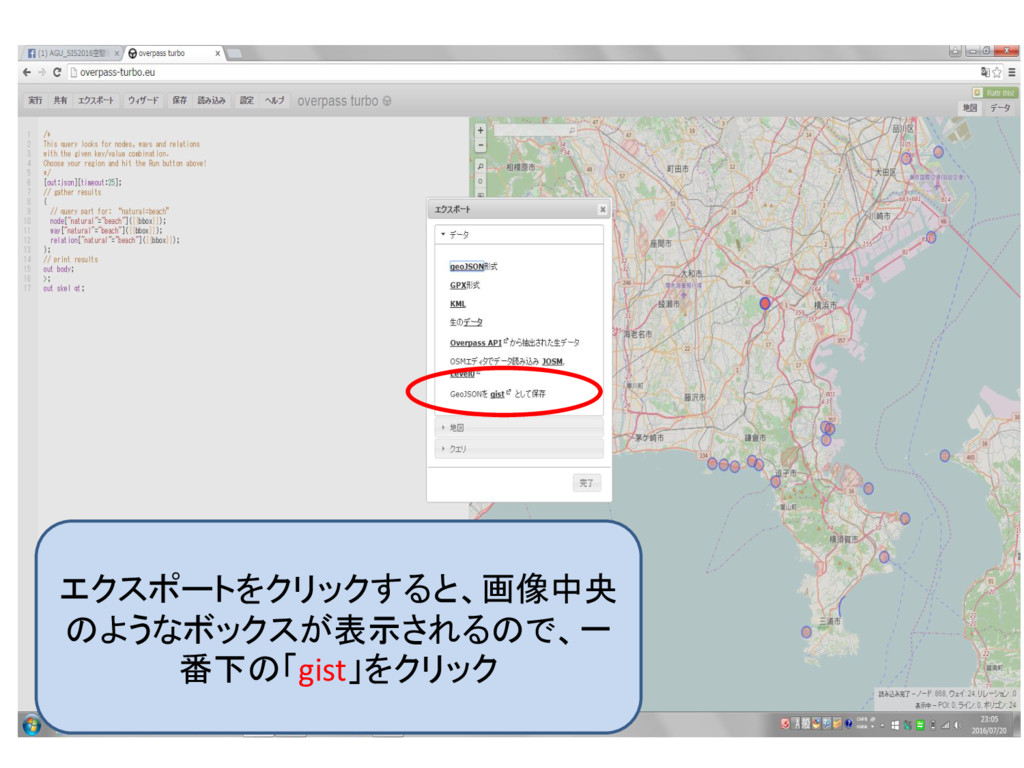
7、エクスポート 実行すると、画像右部分のように対象のポイ ントが表示される。 次に、左上の「エクスポート」をクリックする
エクスポートをクリックすると、画像中央 のようなボックスが表示されるので、一 番下の「gist」をクリック
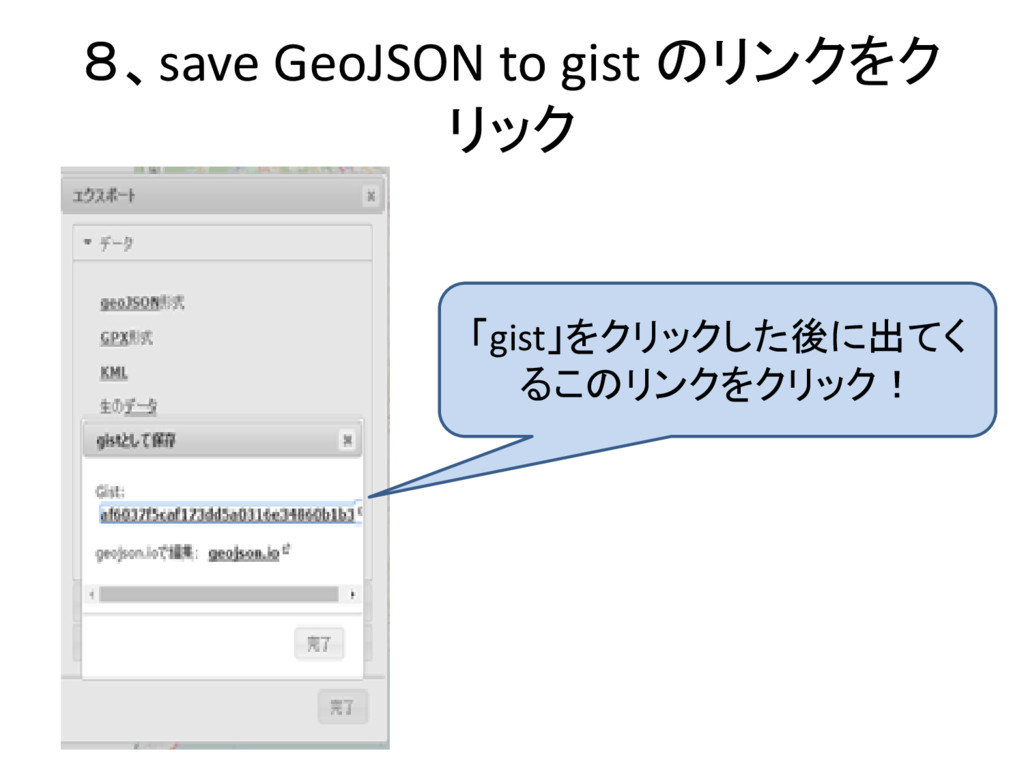
8、save GeoJSON to gist のリンクをク リック 「gist」をクリックした後に出てく るこのリンクをクリック!
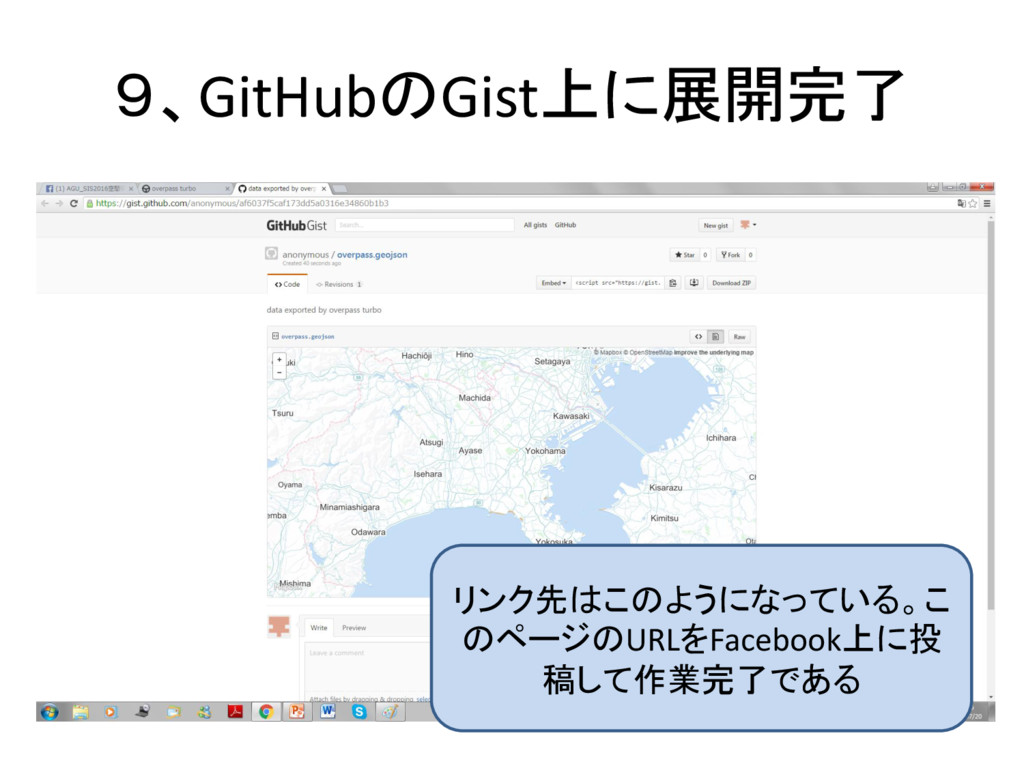
9、GitHubのGist上に展開完了 リンク先はこのようになっている。こ のページのURLをFacebook上に投 稿して作業完了である


 kari0405
 dougneiner
 portentint
 tammyeverts
 gurzu
gurzu
 ryanjones
 keathley
 kneath
 keavy
keavy
 soudai
 brettharned
 uxyall
 techseoconnect