Upgrade to Pro
— share decks privately, control downloads, hide ads and more …
Speaker Deck
Sign up for free
Menu
Search
Features
All features
Private URLs
Password Protection
Custom URLS
Scheduled publishing
Remove Branding
Restrict embedding
Deck Collections
Notes
Features
All features
Private URLs
Password Protection
Custom URLS
Scheduled publishing
Remove Branding
Restrict embedding
Deck Collections
Notes
Explore
Featured decks
Featured speakers
Programming
Technology
Storyboards
Explore
Featured decks
Featured speakers
Programming
Technology
Storyboards
Pricing
Search
Sign in
Sign up for free
ゼロから始める環境構築~Kaggle編~
Search
Sponsored
·
Your Podcast. Everywhere. Effortlessly.
Share. Educate. Inspire. Entertain. You do you. We'll handle the rest.
→
Kazuki Yokoi
December 18, 2019
Programming
680
0
Share
Embed
Copy iframe code
Copy JS code
Copy link
Start on current slide
ゼロから始める環境構築~Kaggle編~
Kazuki Yokoi
December 18, 2019
Transcript
27 slides
ゼロ set up environment for Kaggle from zero から始める環境構築 ~Kaggle
編~ 2019/12/18 横井一輝
自己紹介 名前:横井 一輝 Kaggle歴:3ヶ月(初心者です!) 好きなAI技術:LightGBM 発表内容のスキルレベル:AI初心者向け 2
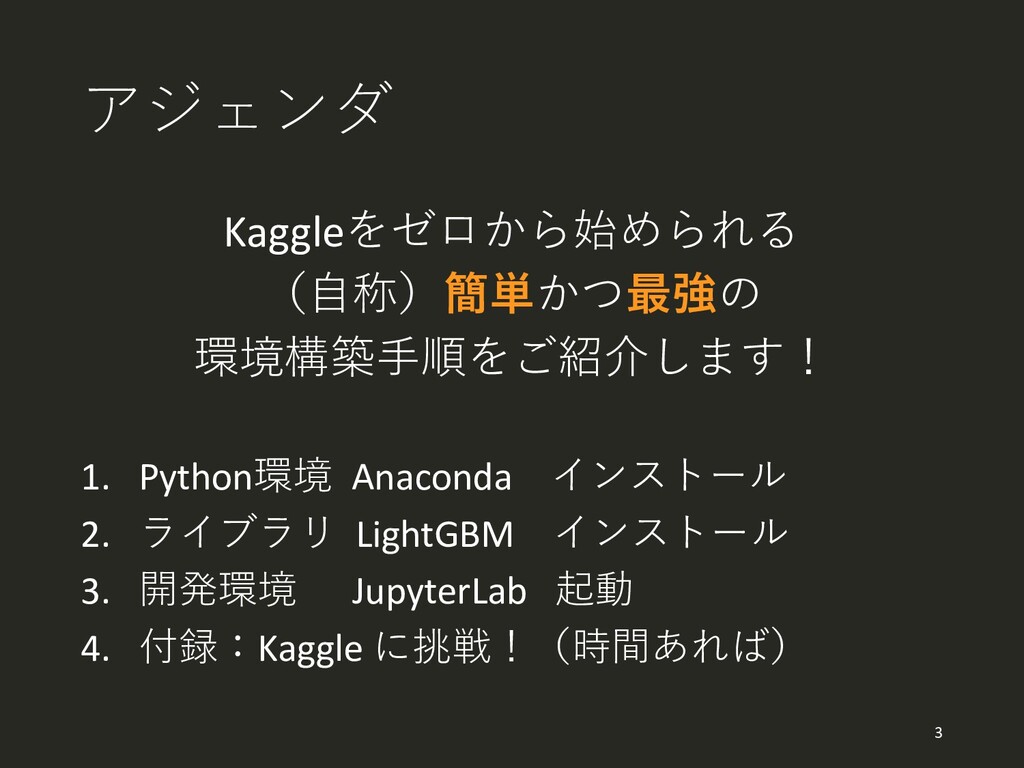
アジェンダ Kaggleをゼロから始められる (自称)簡単かつ最強の 環境構築手順をご紹介します! 1. Python環境 Anaconda インストール 2. ライブラリ
LightGBM インストール 3. 開発環境 JupyterLab 起動 4. 付録:Kaggle に挑戦!(時間あれば) 3
科学計算用Python プラットフォーム Anaconda 4
Anacondaとは 一発でPython環境や,機械学習などの 科学計算関連のライブラリを用意してくれる マジ便利ツール 5
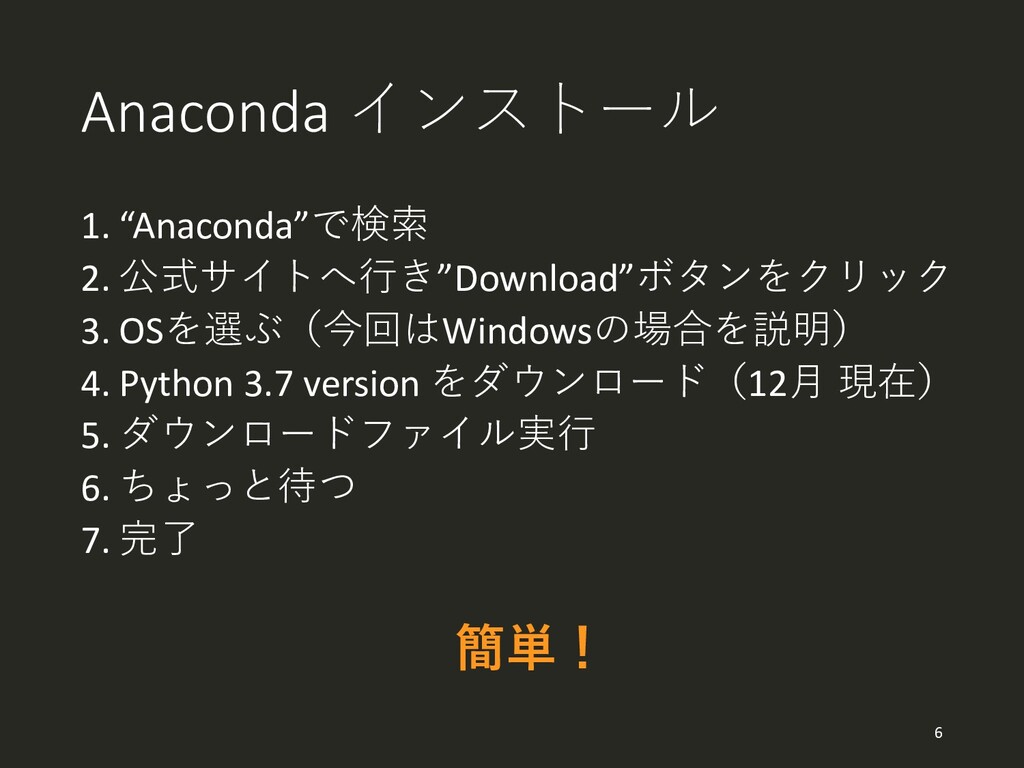
Anaconda インストール 1. “Anaconda”で検索 2. 公式サイトへ行き”Download”ボタンをクリック 3. OSを選ぶ(今回はWindowsの場合を説明) 4. Python
3.7 version をダウンロード(12月 現在) 5. ダウンロードファイル実行 6. ちょっと待つ 7. 完了 簡単! 6
機械学習ライブラリ LightGBM 7
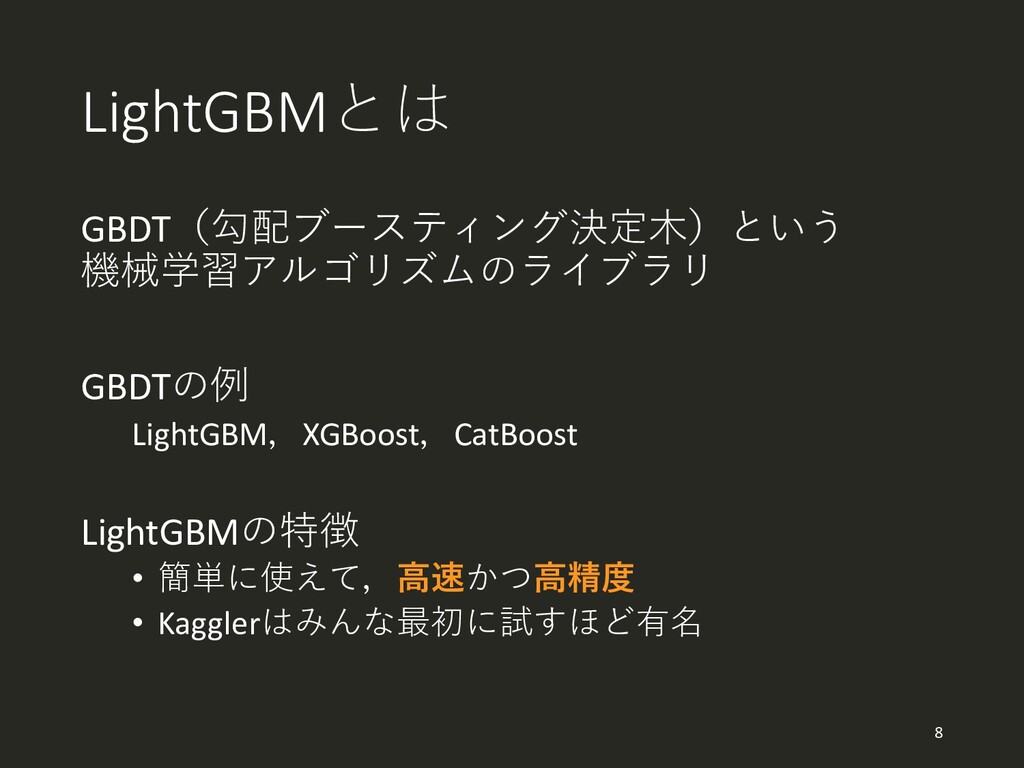
LightGBMとは GBDT(勾配ブースティング決定木)という 機械学習アルゴリズムのライブラリ GBDTの例 LightGBM,XGBoost,CatBoost LightGBMの特徴 • 簡単に使えて,高速かつ高精度 • Kagglerはみんな最初に試すほど有名
8
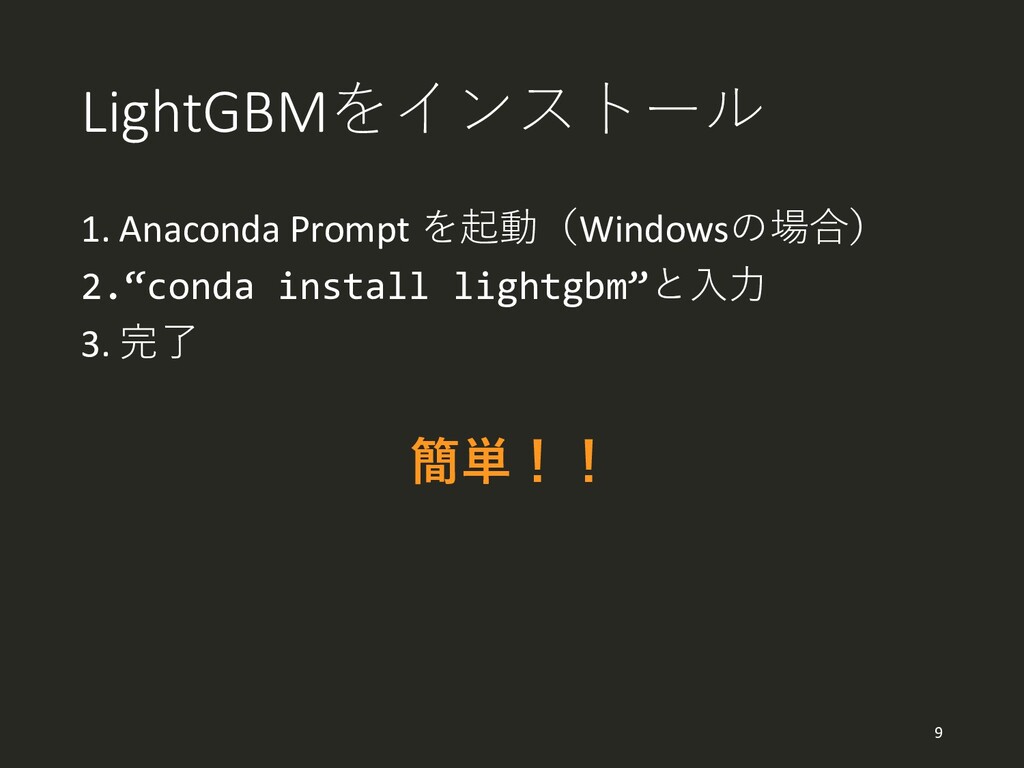
LightGBMをインストール 1. Anaconda Prompt を起動(Windowsの場合) 2.“conda install lightgbm”と入力 3. 完了
簡単!! 9
Webベース開発環境 JupyterLab 10
JupyterLabとは WEBブラウザでインタラクティブに Python開発ができるIDEのような開発環境 その他,便利な開発環境 • Kaggle Notebook(旧名Kernel) • Google Colaboratory
11
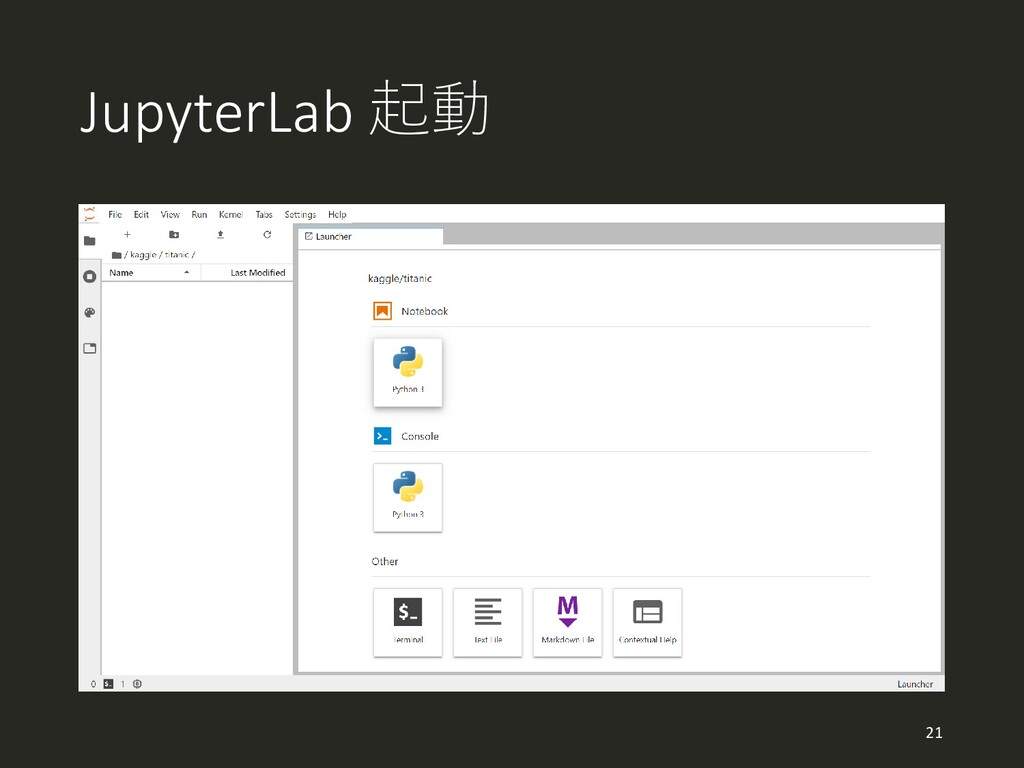
JupyterLab 起動 1. Anaconda Prompt を起動(Windowsの場合) 2.“jupyter lab” と入力 3.
ブラウザ上にJupyterLabが起動 ※ 4. 完了 簡単!!! ※ バージョンによってJupyterLabが標準で入ってません 起動しない場合はJupyterLabをインストールして下さい “conda install jupyter lab” 12
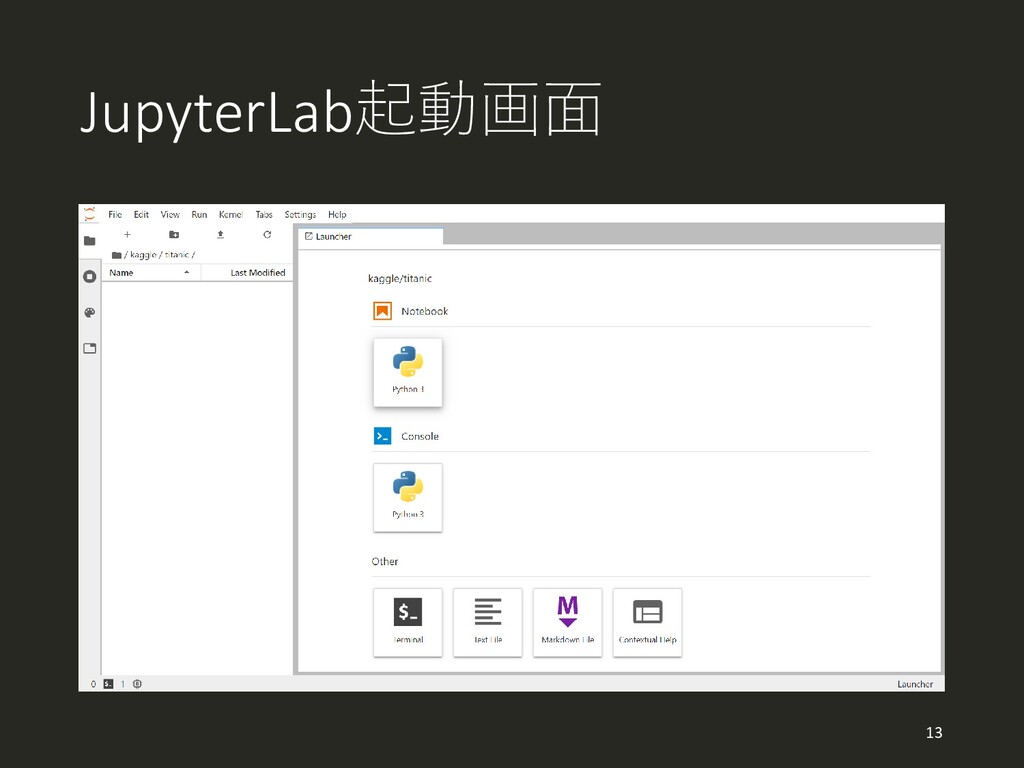
JupyterLab起動画面 13
ところで…… 14
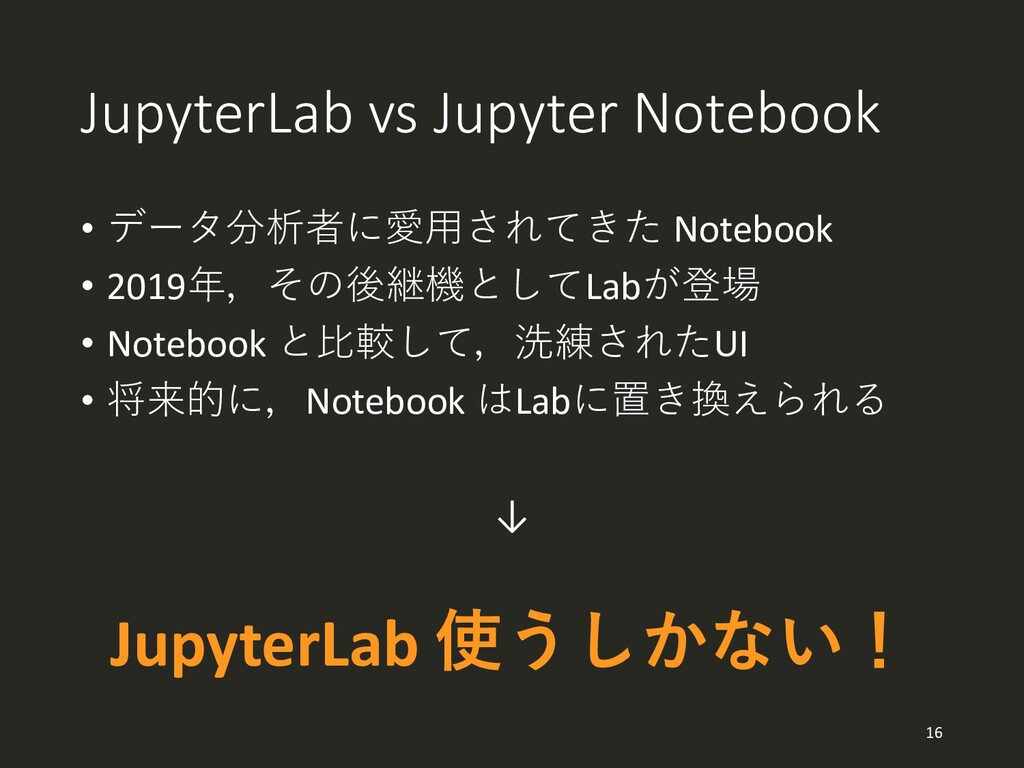
まだ Jupyter Notebook で 書いてるの? 開発環境を変えるだけで Kaggle人生はうまくいく ヨコイカズキ 15
JupyterLab vs Jupyter Notebook • データ分析者に愛用されてきた Notebook • 2019年,その後継機としてLabが登場 •
Notebook と比較して,洗練されたUI • 将来的に,Notebook はLabに置き換えられる ↓ JupyterLab 使うしかない! 16
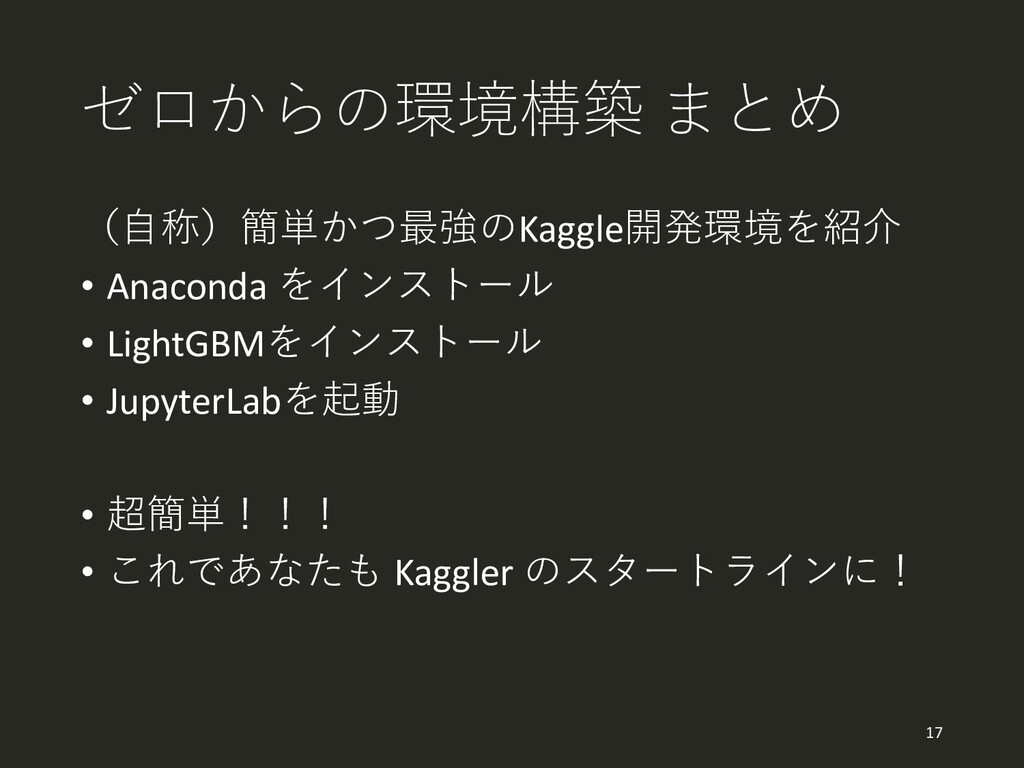
ゼロからの環境構築 まとめ (自称)簡単かつ最強のKaggle開発環境を紹介 • Anaconda をインストール • LightGBMをインストール • JupyterLabを起動
• 超簡単!!! • これであなたも Kaggler のスタートラインに! 17
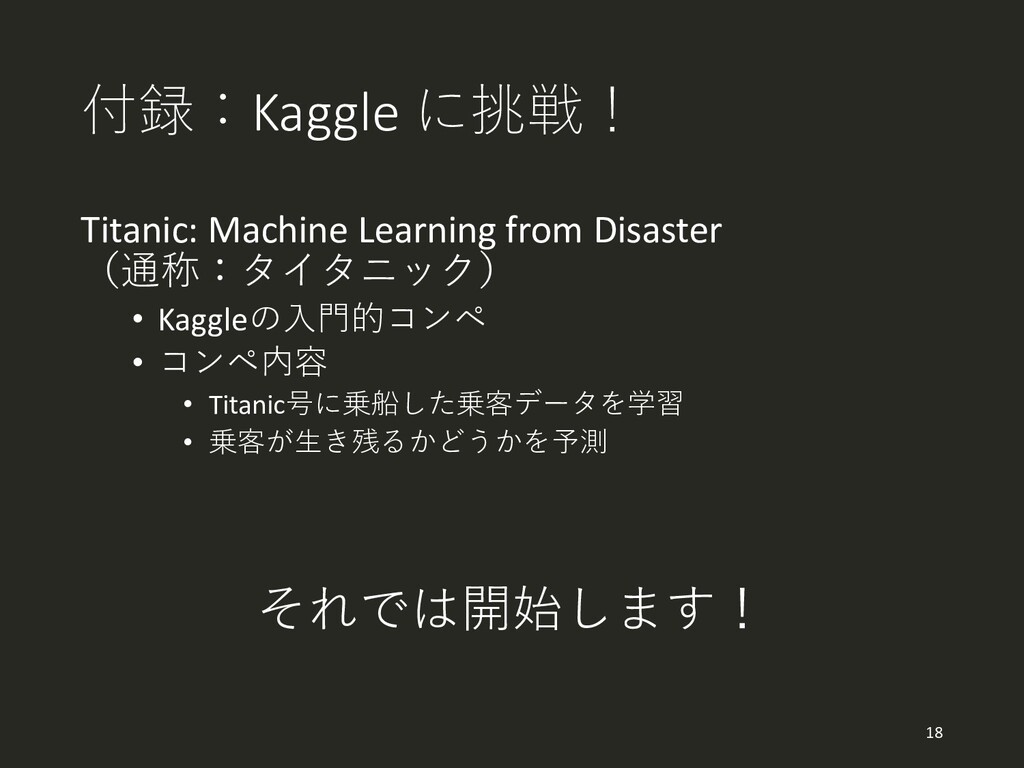
付録:Kaggle に挑戦! Titanic: Machine Learning from Disaster (通称:タイタニック) • Kaggleの入門的コンペ
• コンペ内容 • Titanic号に乗船した乗客データを学習 • 乗客が生き残るかどうかを予測 それでは開始します! 18
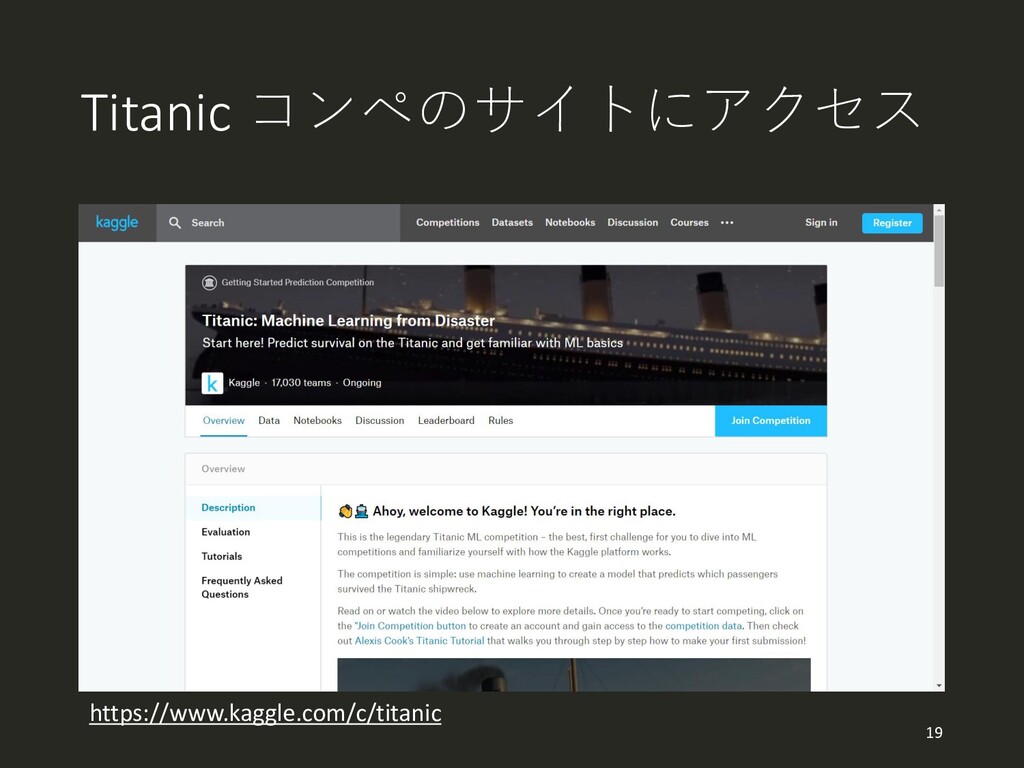
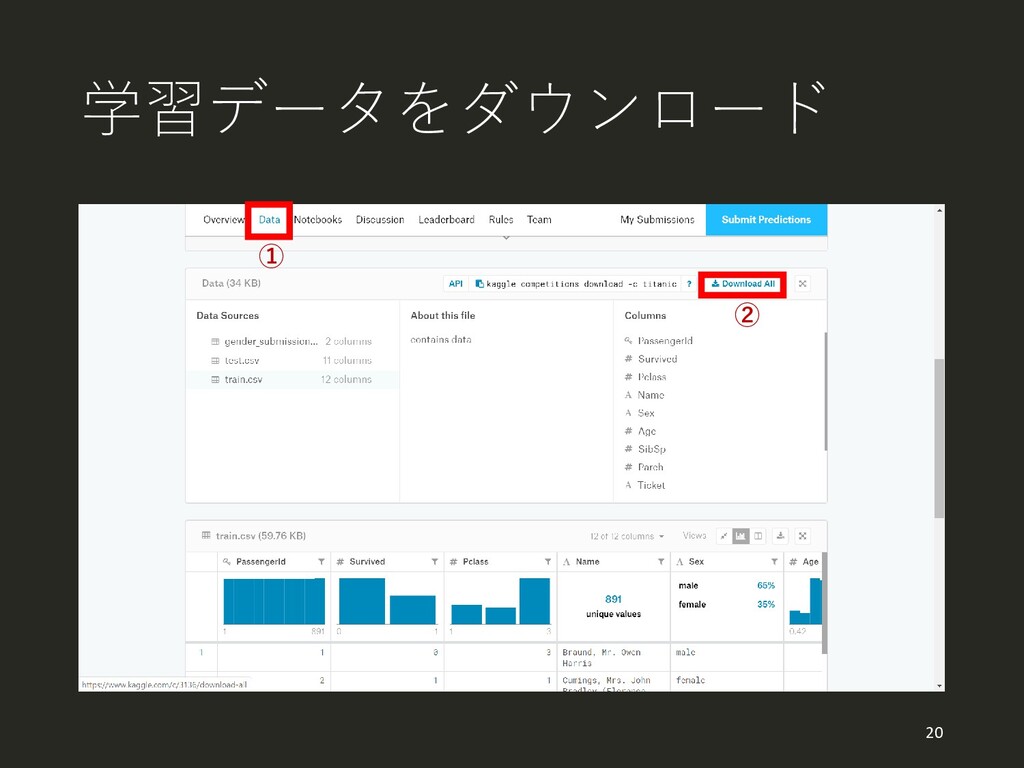
Titanic コンペのサイトにアクセス https://www.kaggle.com/c/titanic 19
学習データをダウンロード ① ② 20
JupyterLab 起動 21
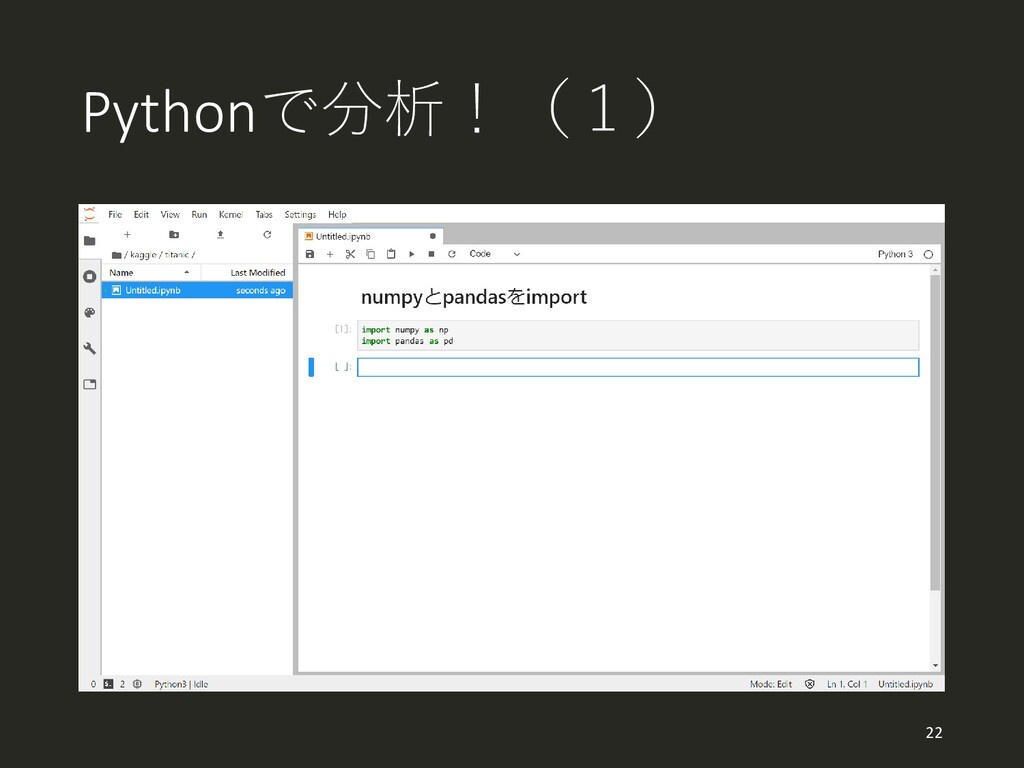
Pythonで分析!(1) 22
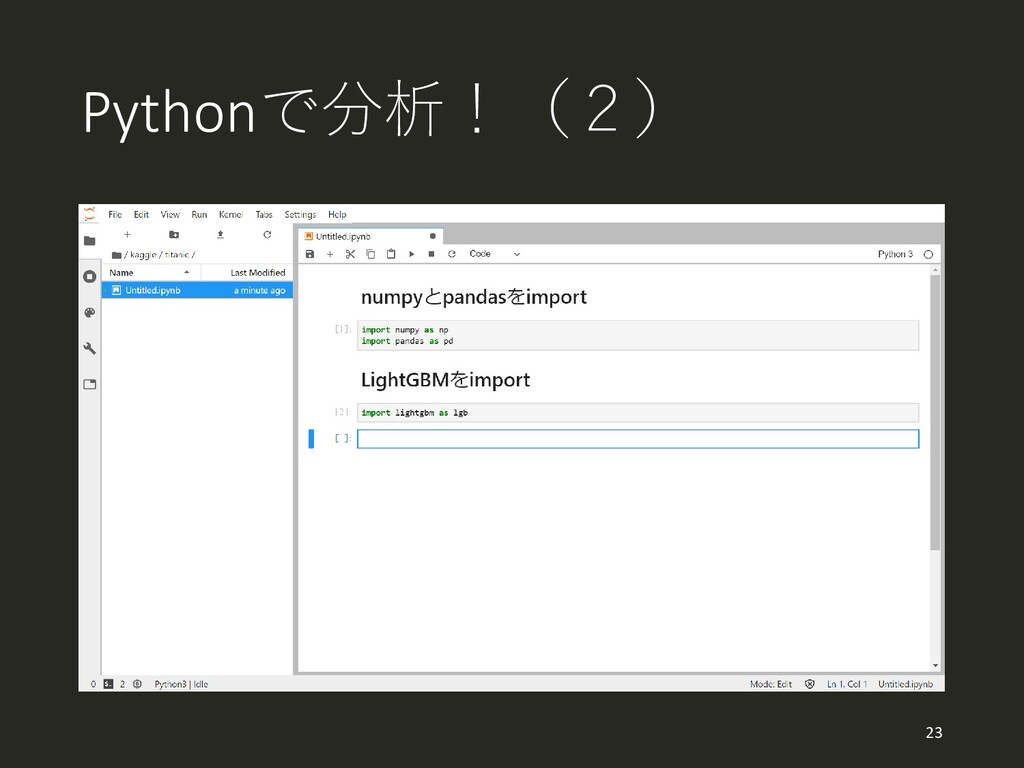
Pythonで分析!(2) 23
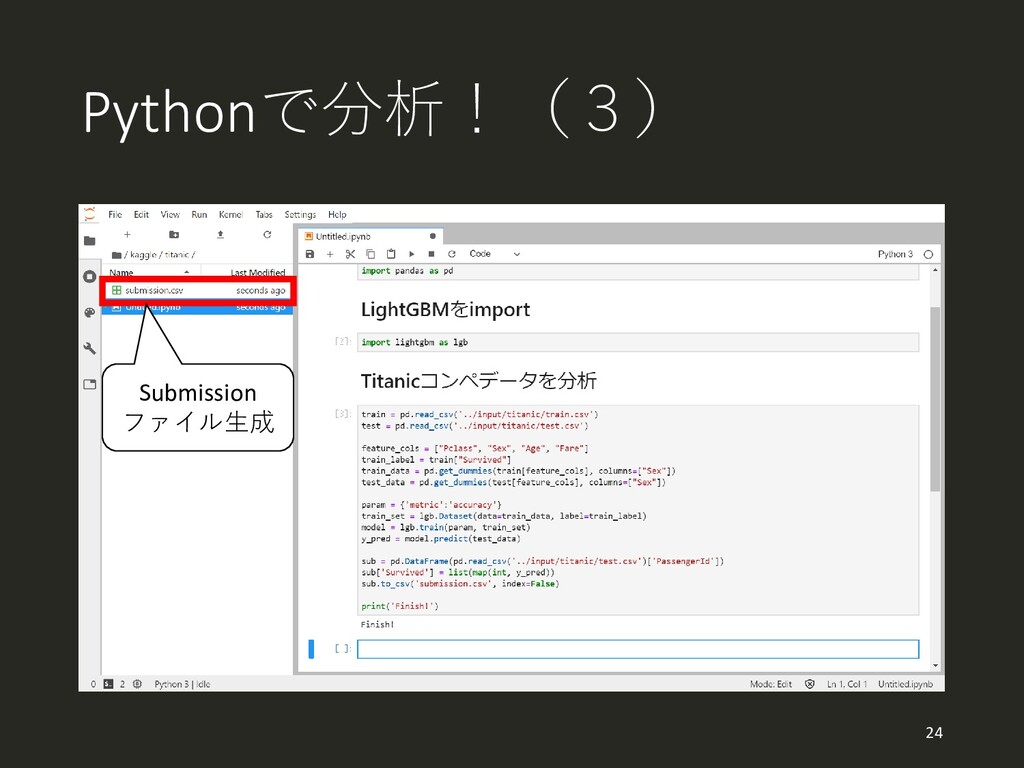
Pythonで分析!(3) Submission ファイル生成 24
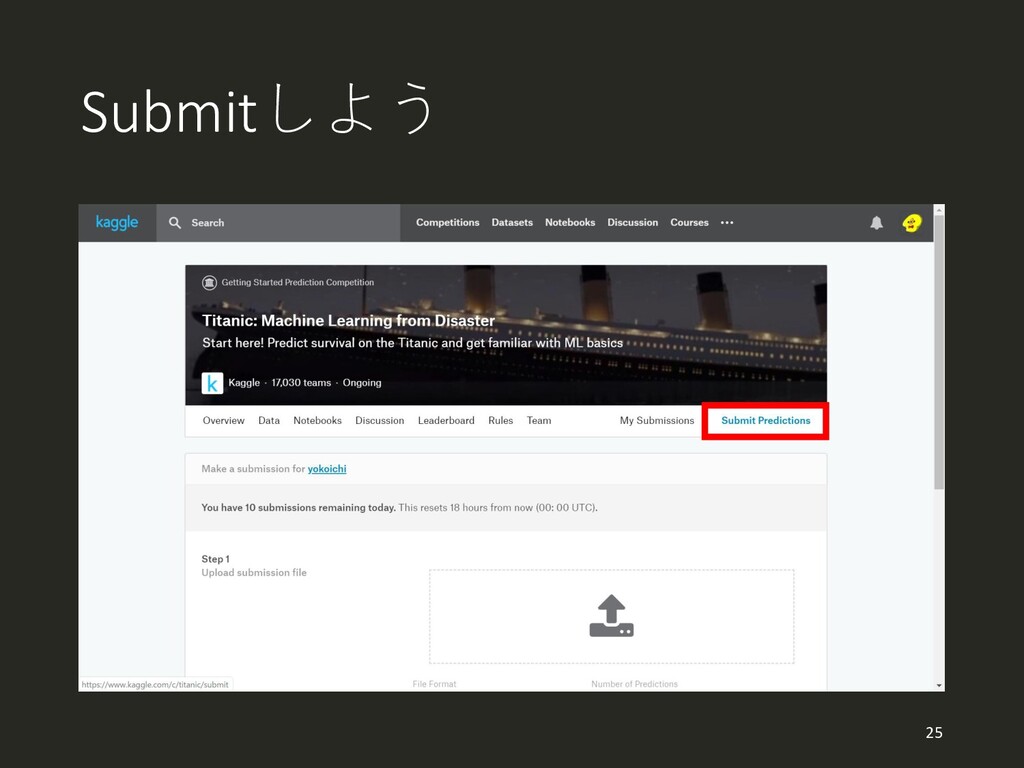
Submitしよう 25
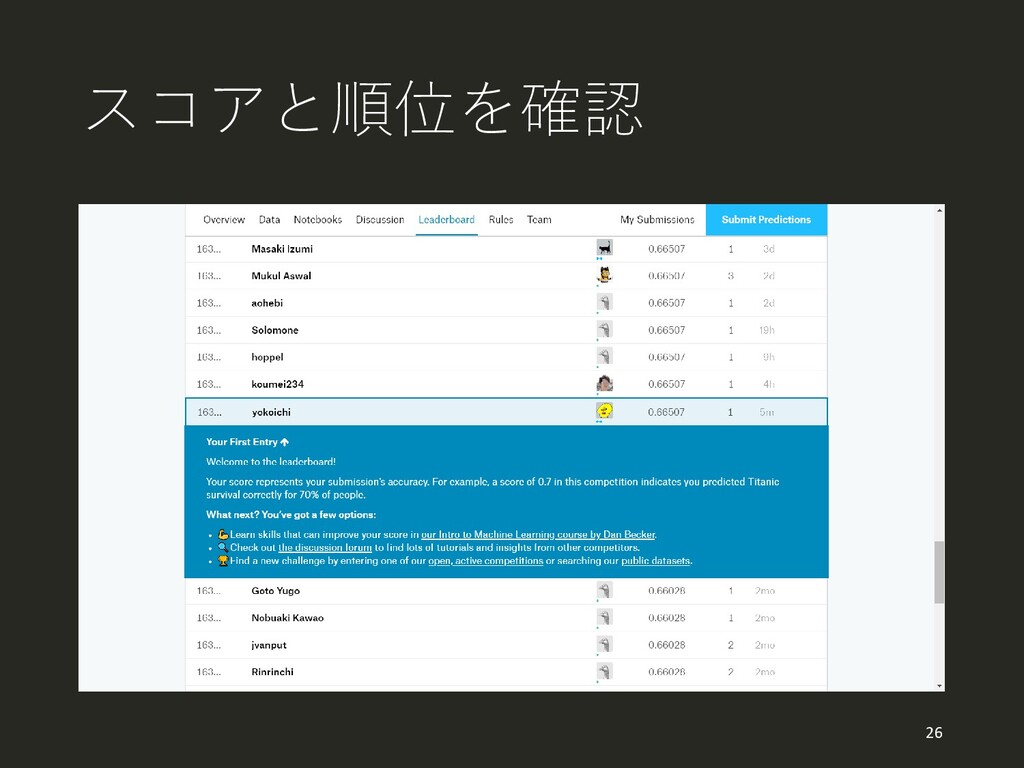
スコアと順位を確認 26
これであなたも 立派な Kaggler! 27
More Decks by Kazuki Yokoi
See All by Kazuki Yokoi
ディスカッションメダル荒稼ぎ!君もDiscussionMasterになろう!
kyokoi
0
280
Kaggleで勝つ データ分析の技術 輪読&勉強会 #3 〜第4章 モデル作成〜
kyokoi
0
540
Other Decks in Programming
See All in Programming
特急いなほ as a Workflow / 20261107jaws-festa-2026-akita-lt
kasacchiful
PRO
0
110
そのデザイントークン、Flutterでも同じ見た目になりますか?
nakamizu
0
510
[DroidKnights 2026] Workflow AX 적용기 — 자동 정책 정리부터 E2E까지
dayeon
0
130
例外からRich Errorsまで Kotlinエラーハンドリングの進化を読み解く
shiita0903
0
260
Agentic AI with the Power of Jakarta EE
ivargrimstad
0
250
How SRE Grew Out of Server-Side Work and Became the Team's Own / サーバサイドから始まったSREを チームに渡すまで
maaaato
1
390
止まらない比較を止める — 余帰納法で無限ストリームを比べる
tarao
0
220
自宅サーバはどこまで再現できるのか - Proxmox VE上のVM環境をIaCとバックアップで戻してみた
youto
0
450
Proxmox x Talos Linux x Terraform で実現するなんかいい感じの Kubernetes クラスタ / A Sleek Kubernetes Cluster Powered by Proxmox, Talos Linux, and Terraform
nnaka2992
0
320
観測者から当事者へ、AI 時代にドメインへ深入りする知識と技術 / From Observer to Practitioner: Going Deep into Domains in the Age of AI
nrslib
1
110
SODA - FACT BOOK(EN)
sodainc
1
310
The Cost of the DOM
ypresto
7
3.9k
Featured
See All Featured
Designing for Timeless Needs
cassininazir
1
570
Lightning Talk: Beautiful Slides for Beginners
inesmontani
PRO
2
870
Six Lessons from altMBA
skipperchong
29
4.6k
Connecting the Dots Between Site Speed, User Experience & Your Business [WebExpo 2025]
tammyeverts
11
1.1k
[RailsConf 2023 Opening Keynote] The Magic of Rails
eileencodes
31
10k
GitHub's CSS Performance
jonrohan
1033
470k
JAMstack: Web Apps at Ludicrous Speed - All Things Open 2022
reverentgeek
1
690
Taking LLMs out of the black box: A practical guide to human-in-the-loop distillation
inesmontani
PRO
3
2.6k
Game over? The fight for quality and originality in the time of robots
wayneb77
1
340
The SEO identity crisis: Don't let AI make you average
varn
0
630
Web Performance Is a Journey [PerfNow 2026]
tammyeverts
3
190
RailsConf & Balkan Ruby 2019: The Past, Present, and Future of Rails at GitHub
eileencodes
141
35k


 kyokoi
 kasacchiful
 nakamizu
 dayeon
 shiita0903
 ivargrimstad
 maaaato
 tarao
 youto
 nnaka2992
 nrslib
 sodainc
 ypresto
 cassininazir
 inesmontani
 skipperchong
 tammyeverts
 eileencodes
 jonrohan
 reverentgeek
 wayneb77
 varn