Upgrade to Pro — share decks privately, control downloads, hide ads and more …

Conducting the Symphony: Using MIDI to Supervis...

Sponsored · SiteGround - Reliable hosting with speed, security, and support you can count on. →

Conducting the Symphony: Using MIDI to Supervise AI and DevOps Workflows #JavaCro

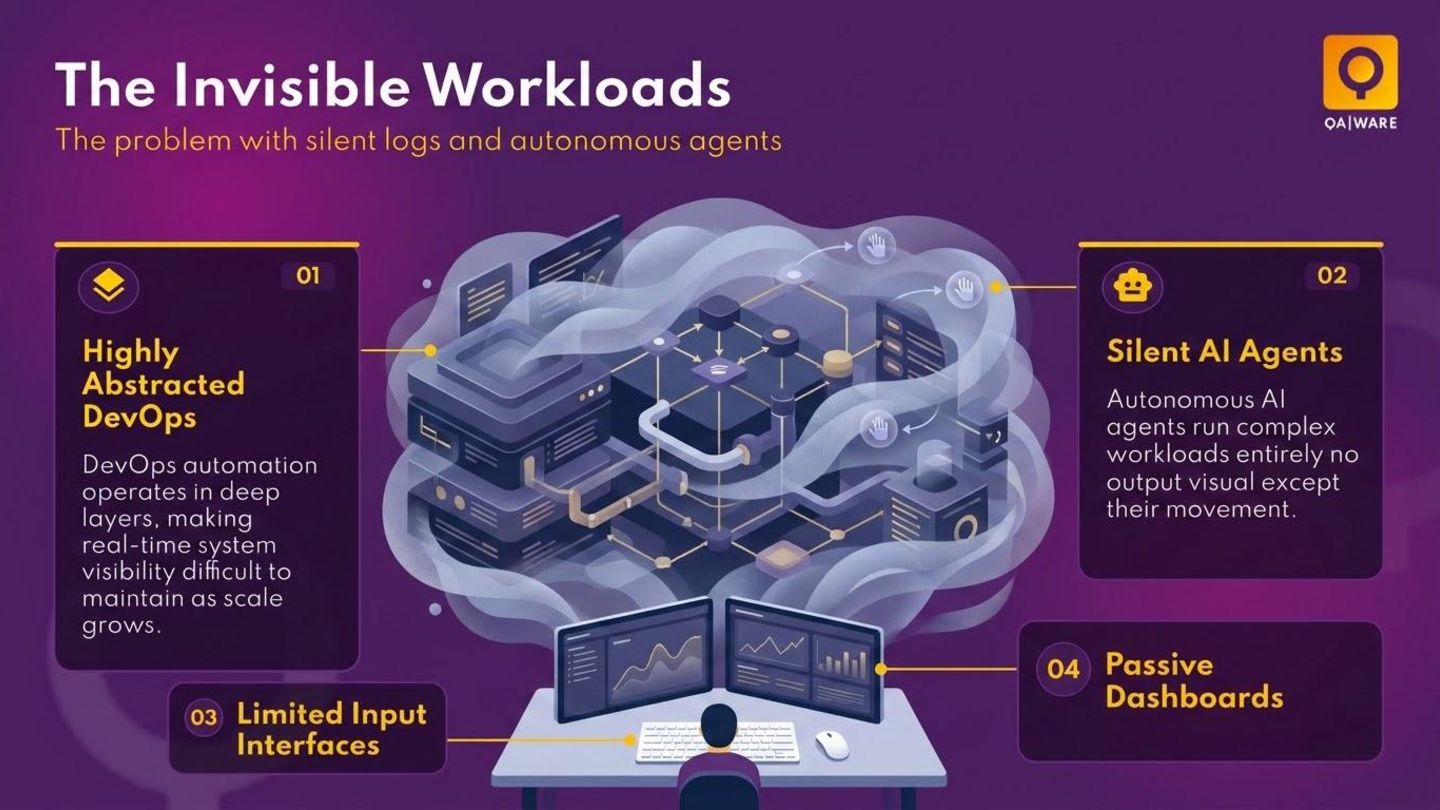
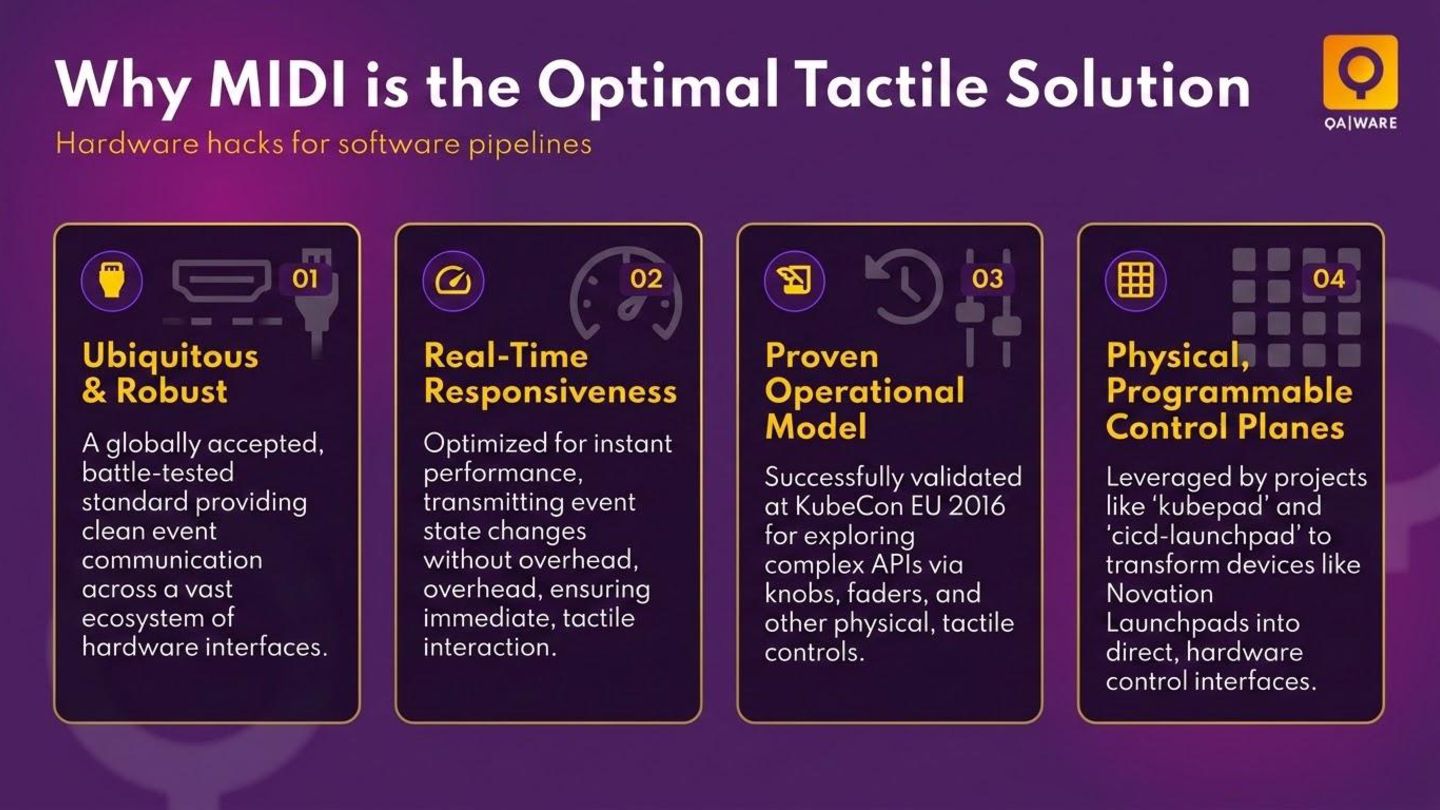
DevOps automation and agentic AI workloads frequently operate behind the scenes of backend processes, terminal windows, and silent logs. As our systems become more autonomous, the need for real-time supervision and intuitive intervention is greater than ever. So why rely on traditional UIs with a mouse and keyboard when you can 'conduct' your infrastructure and workloads with a physical, tactile interface?

In this session, we will explore how to use the Java Sound API to transform a MIDI controller into a high-performance DevOps dashboard. This involves capturing low-latency MIDI events and mapping them to complex digital workflows. Join us to learn how to build your own physical control plane and find out why the future of developer experience could be as simple as the push of a button.

Avatar for M.-Leander Reimer

M.-Leander Reimer PRO

October 20, 2026

More Decks by M.-Leander Reimer

Other Decks in Programming

Transcript

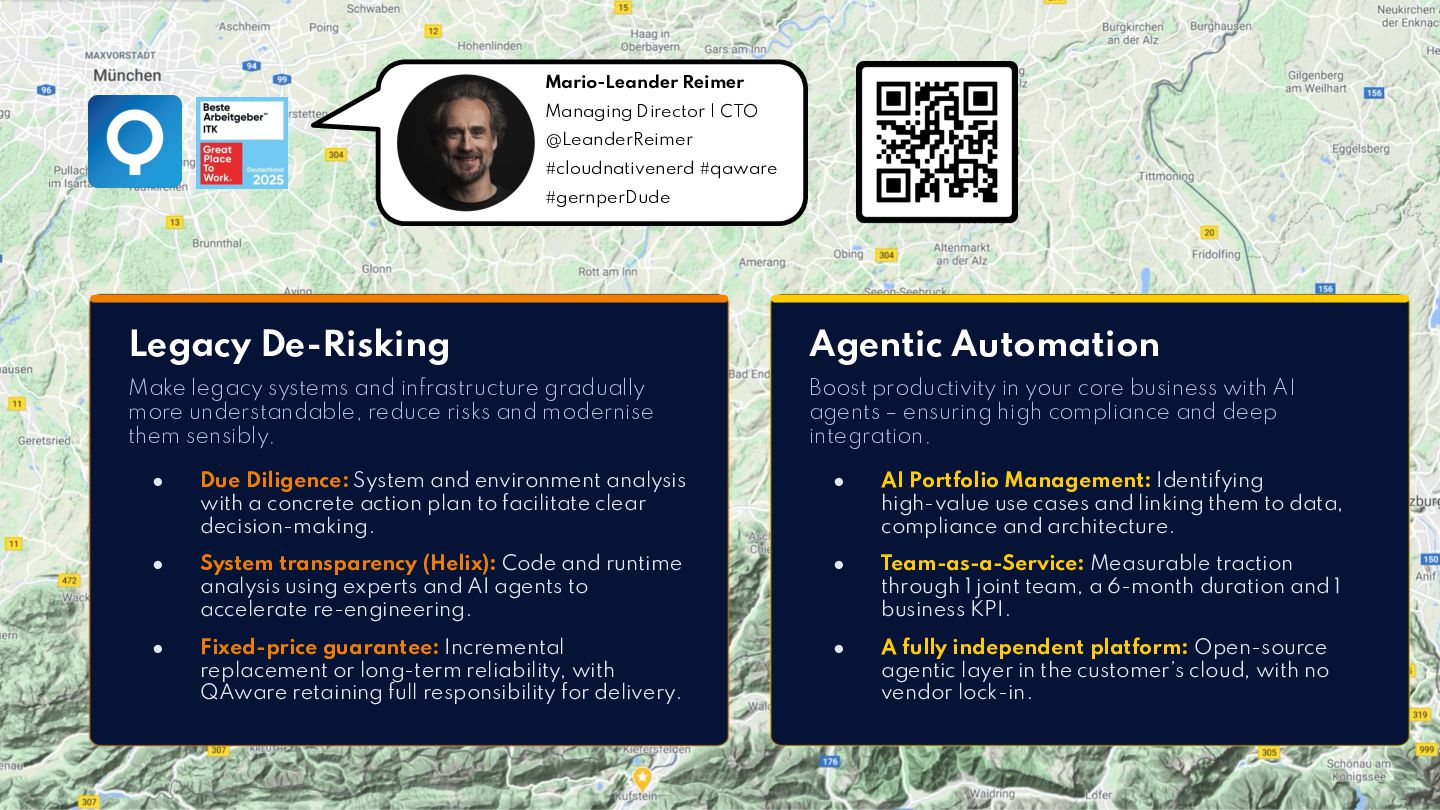
  1. Mario-Leander Reimer Managing Director | CTO @LeanderReimer #cloudnativenerd #qaware #gernperDude

    Legacy De-Risking Agentic Automation Make legacy systems and infrastructure gradually more understandable, reduce risks and modernise them sensibly. Boost productivity in your core business with AI agents – ensuring high compliance and deep integration. • Due Diligence: System and environment analysis with a concrete action plan to facilitate clear decision-making. • AI Portfolio Management: Identifying high-value use cases and linking them to data, compliance and architecture. • System transparency (Helix): Code and runtime analysis using experts and AI agents to accelerate re-engineering. • Team-as-a-Service: Measurable traction through 1 joint team, a 6-month duration and 1 business KPI. • Fixed-price guarantee: Incremental replacement or long-term reliability, with QAware retaining full responsibility for delivery. • A fully independent platform: Open-source agentic layer in the customer’s cloud, with no vendor lock-in. 2
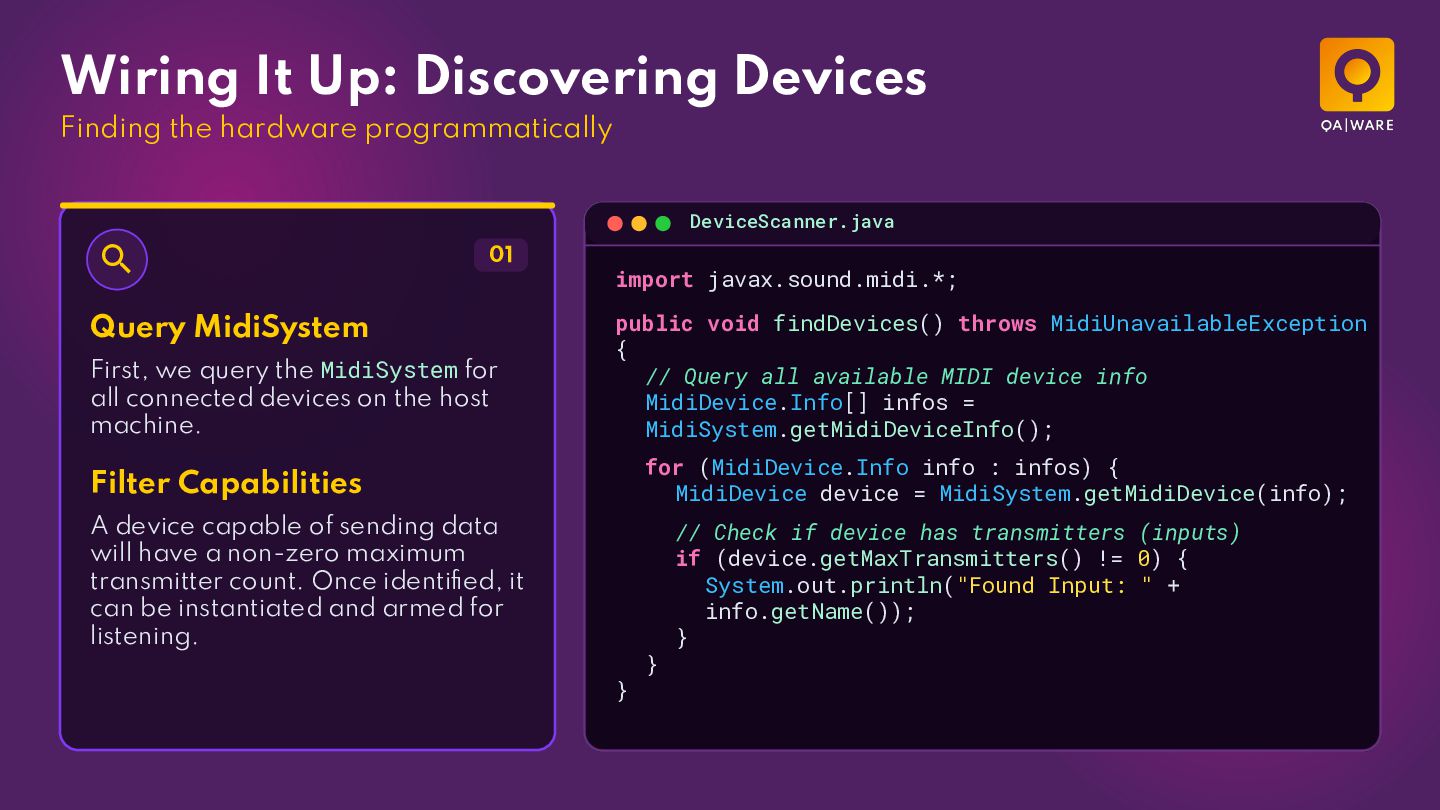
  2. Wiring It Up: Discovering Devices Finding the hardware programmatically DeviceScanner.java

     01 Query MidiSystem First, we query the MidiSystem for all connected devices on the host machine. import javax.sound.midi.*; public void findDevices() throws MidiUnavailableException { // Query all available MIDI device info MidiDevice.Info[] infos = MidiSystem.getMidiDeviceInfo(); for (MidiDevice.Info info : infos) { MidiDevice device = MidiSystem.getMidiDevice(info); Filter Capabilities A device capable of sending data will have a non-zero maximum transmitter count. Once identified, it can be instantiated and armed for listening. } } // Check if device has transmitters (inputs) if (device.getMaxTransmitters() != 0) { System.out.println("Found Input: " + info.getName()); }
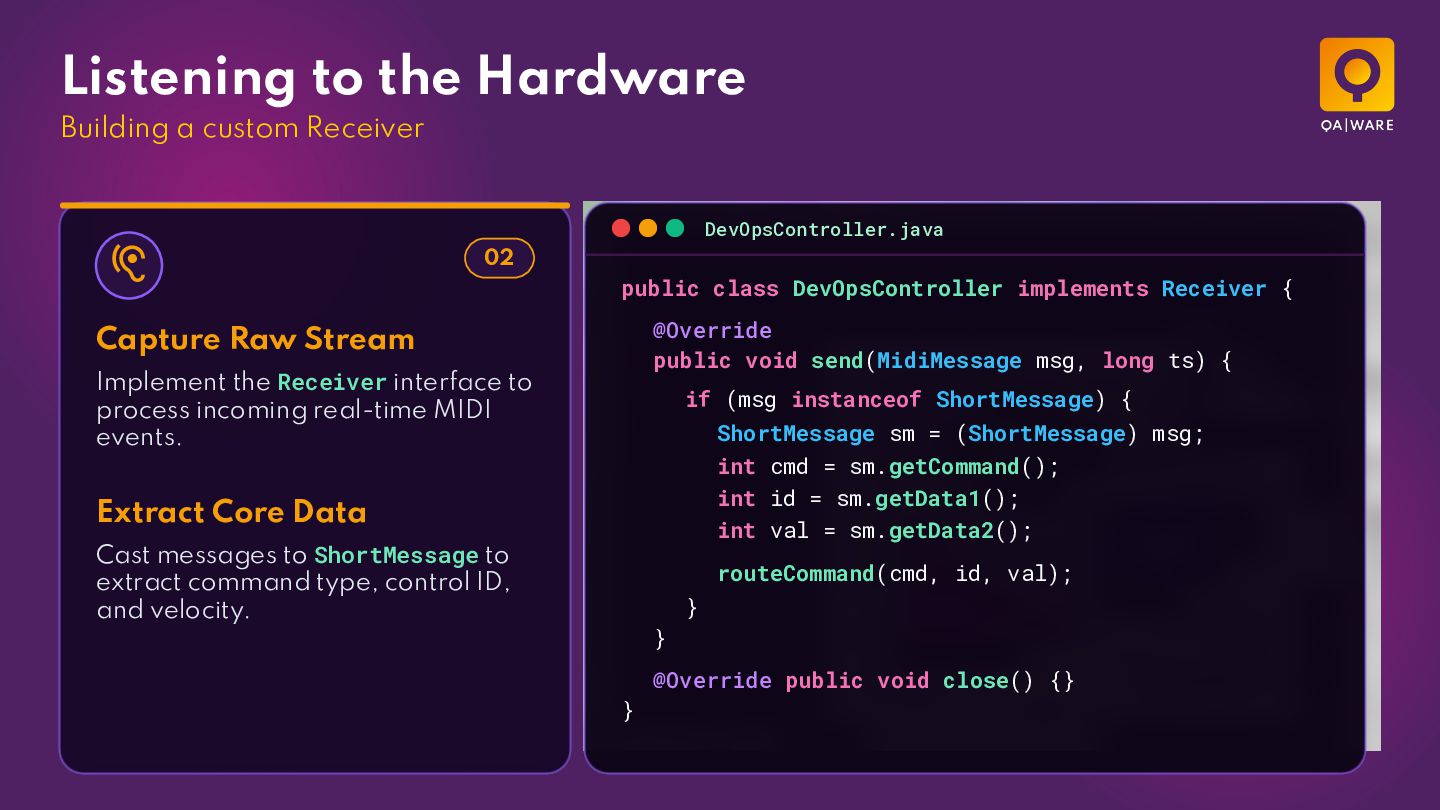
  3. Listening to the Hardware Building a custom Receiver DevOpsController.java 

    02 public class DevOpsController implements Receiver { @Override public void send(MidiMessage msg, long ts) { Capture Raw Stream Implement the Receiver interface to process incoming real-time MIDI events. if (msg instanceof ShortMessage) { ShortMessage sm = (ShortMessage) msg; int cmd = sm.getCommand(); int id = sm.getData1(); int val = sm.getData2(); Extract Core Data Cast messages to ShortMessage to extract command type, control ID, and velocity. routeCommand(cmd, id, val); } } @Override public void close() {} }
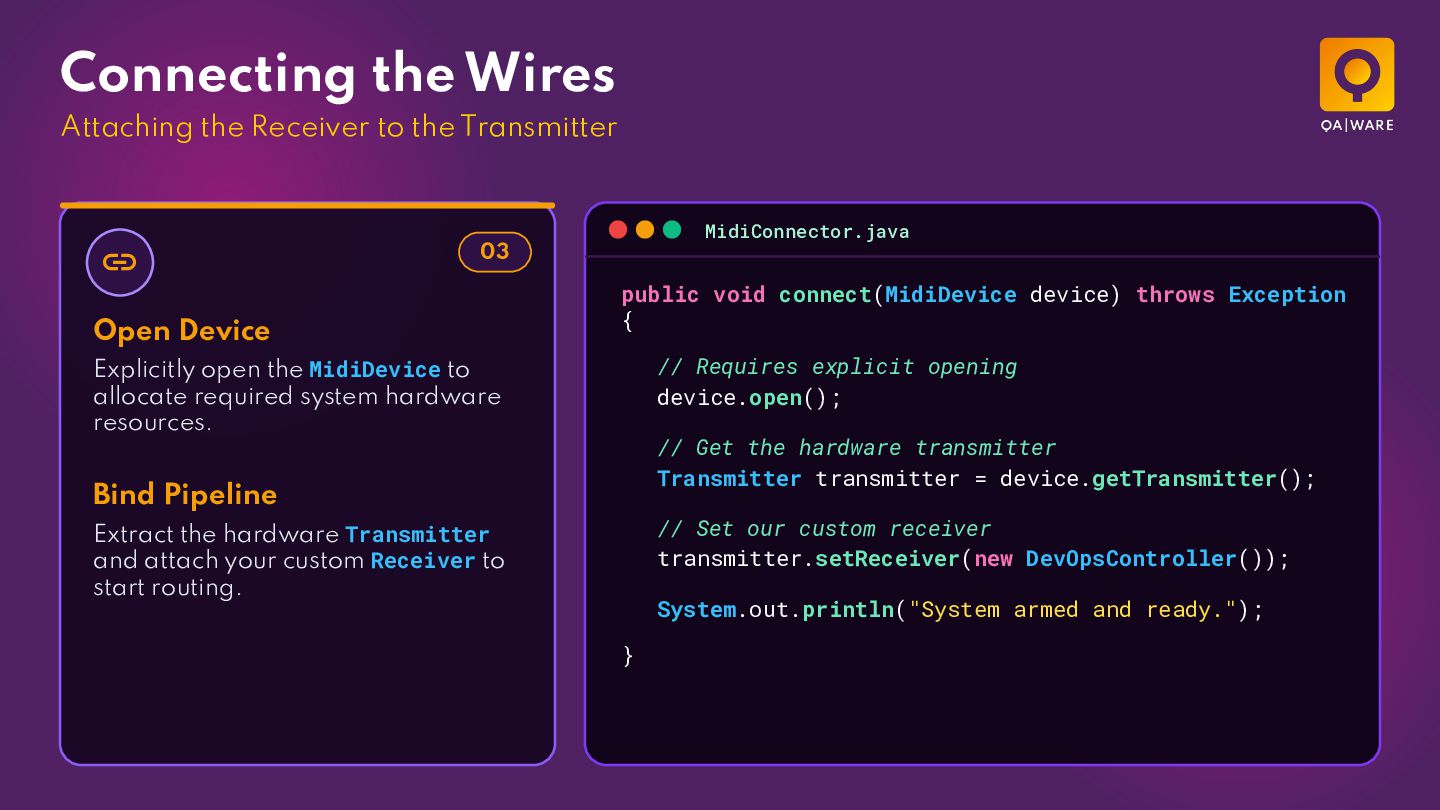
  4. Connecting the Wires Attaching the Receiver to the Transmitter 

    MidiConnector.java 03 Open Device public void connect(MidiDevice device) throws Exception { // Requires explicit opening device.open(); Explicitly open the MidiDevice to allocate required system hardware resources. // Get the hardware transmitter Transmitter transmitter = device.getTransmitter(); Bind Pipeline // Set our custom receiver transmitter.setReceiver(new DevOpsController()); Extract the hardware Transmitter and attach your custom Receiver to start routing. System.out.println("System armed and ready."); }
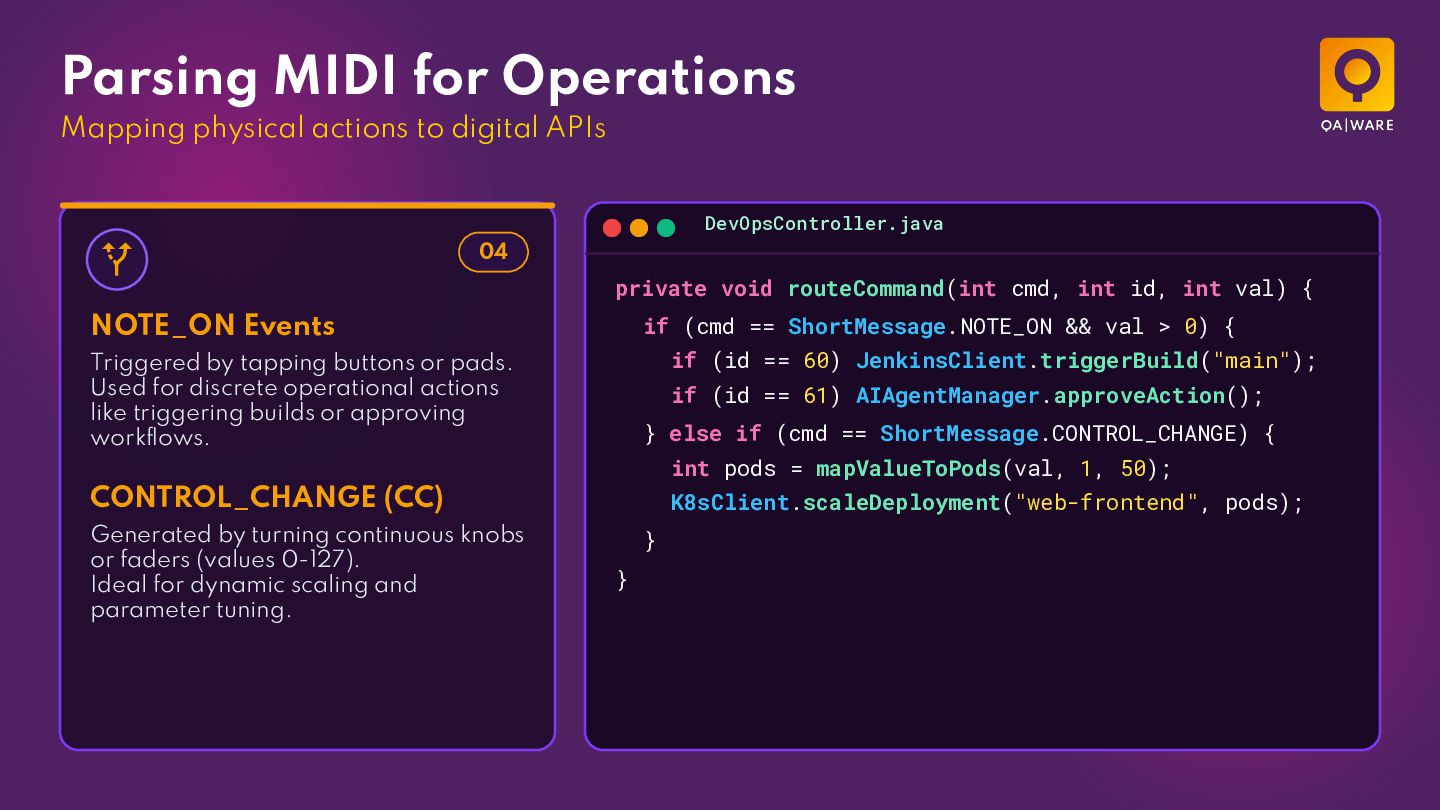
  5. Parsing MIDI for Operations Mapping physical actions to digital APIs

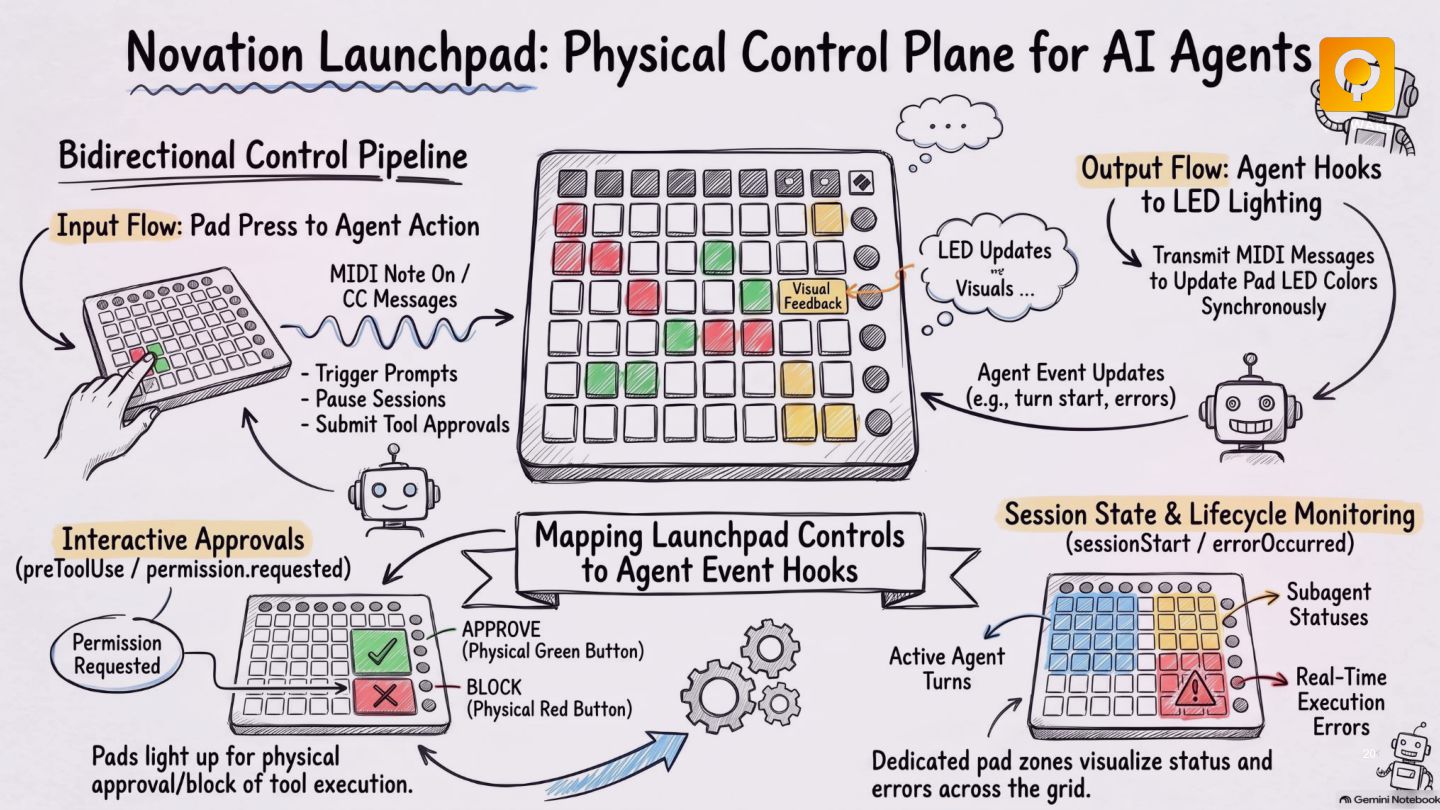
    DevOpsController.java  04 private void routeCommand(int cmd, int id, int val) { if (cmd == ShortMessage.NOTE_ON && val > 0) { NOTE_ON Events if (id == 60) JenkinsClient.triggerBuild("main"); Triggered by tapping buttons or pads. Used for discrete operational actions like triggering builds or approving workflows. if (id == 61) AIAgentManager.approveAction(); } else if (cmd == ShortMessage.CONTROL_CHANGE) { int pods = mapValueToPods(val, 1, 50); CONTROL_CHANGE (CC) Generated by turning continuous knobs or faders (values 0-127). Ideal for dynamic scaling and parameter tuning. K8sClient.scaleDeployment("web-frontend", pods); } }
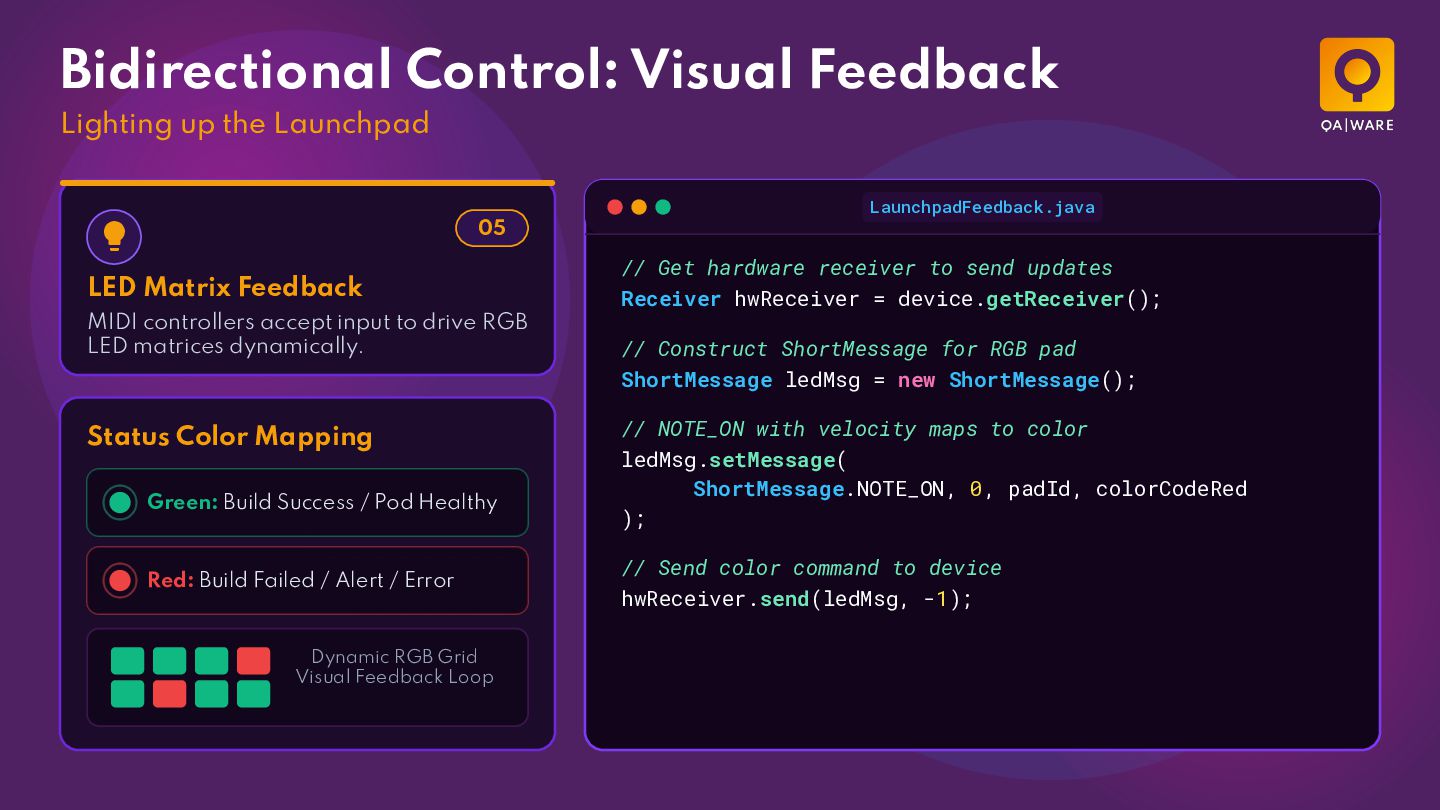
  6. Bidirectional Control: Visual Feedback Lighting up the Launchpad LaunchpadFeedback.java 

    05 LED Matrix Feedback MIDI controllers accept input to drive RGB LED matrices dynamically. Status Color Mapping Green: Build Success / Pod Healthy Red: Build Failed / Alert / Error Dynamic RGB Grid Visual Feedback Loop // Get hardware receiver to send updates Receiver hwReceiver = device.getReceiver(); // Construct ShortMessage for RGB pad ShortMessage ledMsg = new ShortMessage(); // NOTE_ON with velocity maps to color ledMsg.setMessage( ShortMessage.NOTE_ON, 0, padId, colorCodeRed ); // Send color command to device hwReceiver.send(ledMsg, -1);
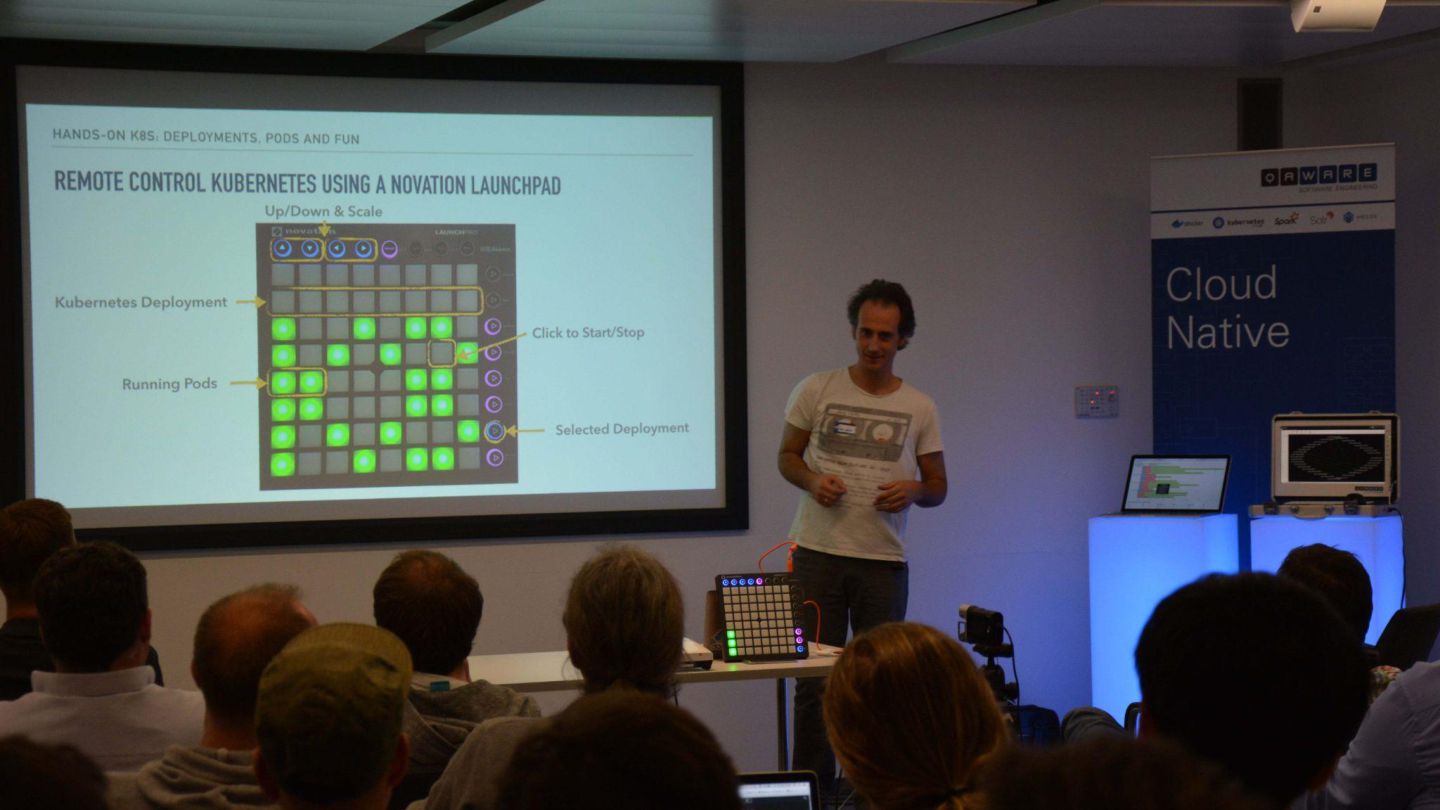
  7. 15

  8. 16

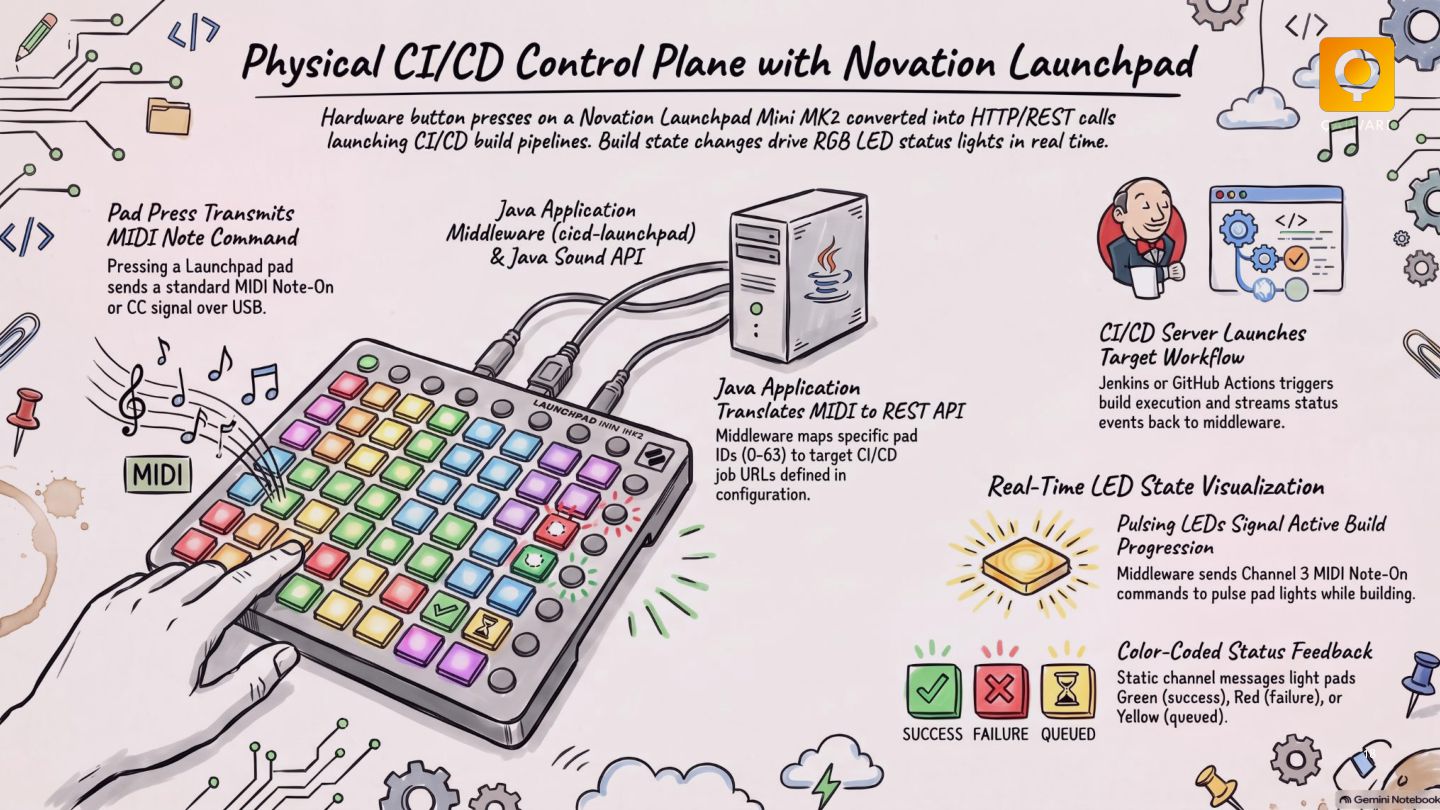
  9. 18

  10. 20

  11. Let´s connect! Mario-Leander Reimer Managing Director, CTO [email protected] QAware GmbH

    | Aschauer Straße 30 | 81549 München | GF: Dr. Josef Adersberger, Michael Stehnken, Michael Rohleder, Mario-Leander Reimer| Niederlassungen in München, Mainz, Rosenheim, Darmstadt | +49 89 232315-0 | [email protected] | www.qaware.de