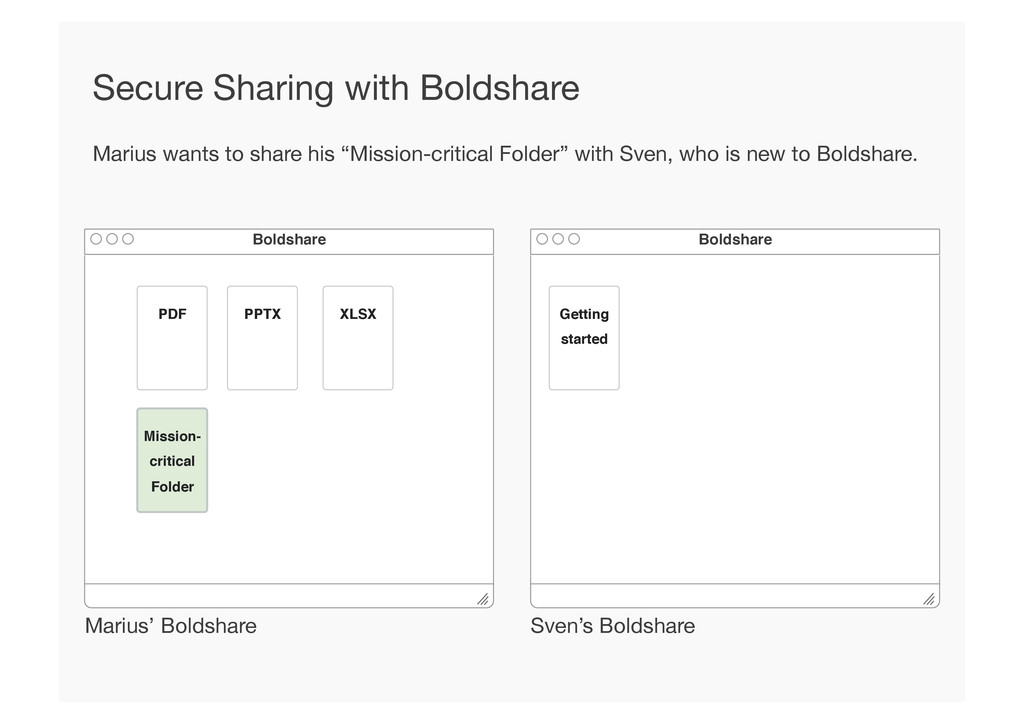
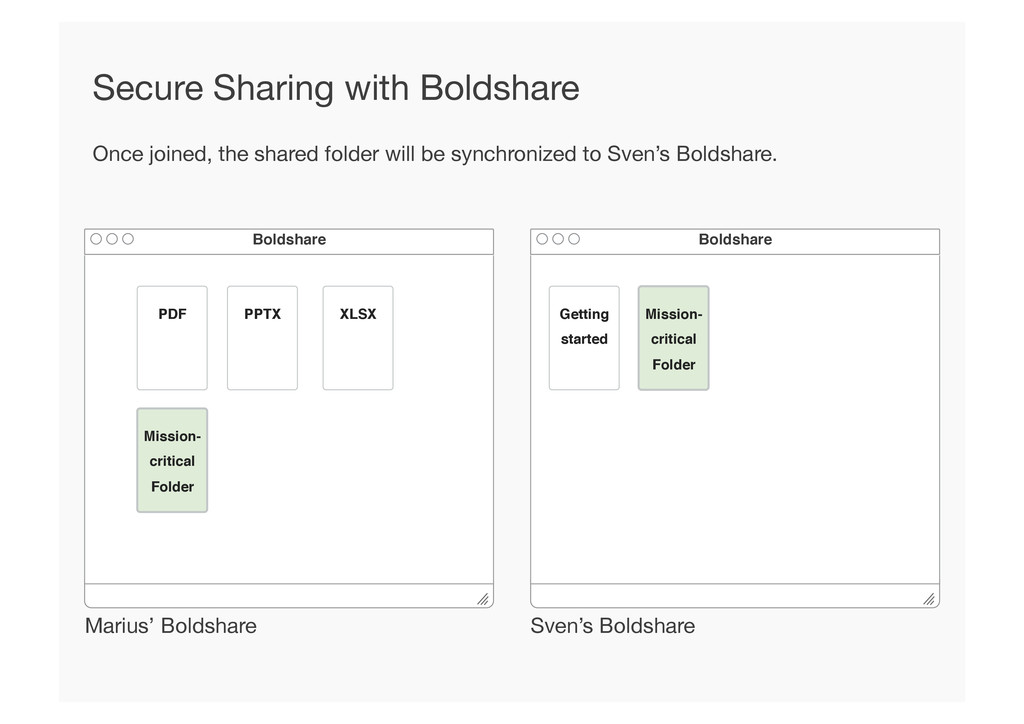
Folder! Boldshare! Marius wants to share his “Mission-critical Folder” with Sven, who is new to Boldshare. Secure Sharing with Boldshare Getting started!
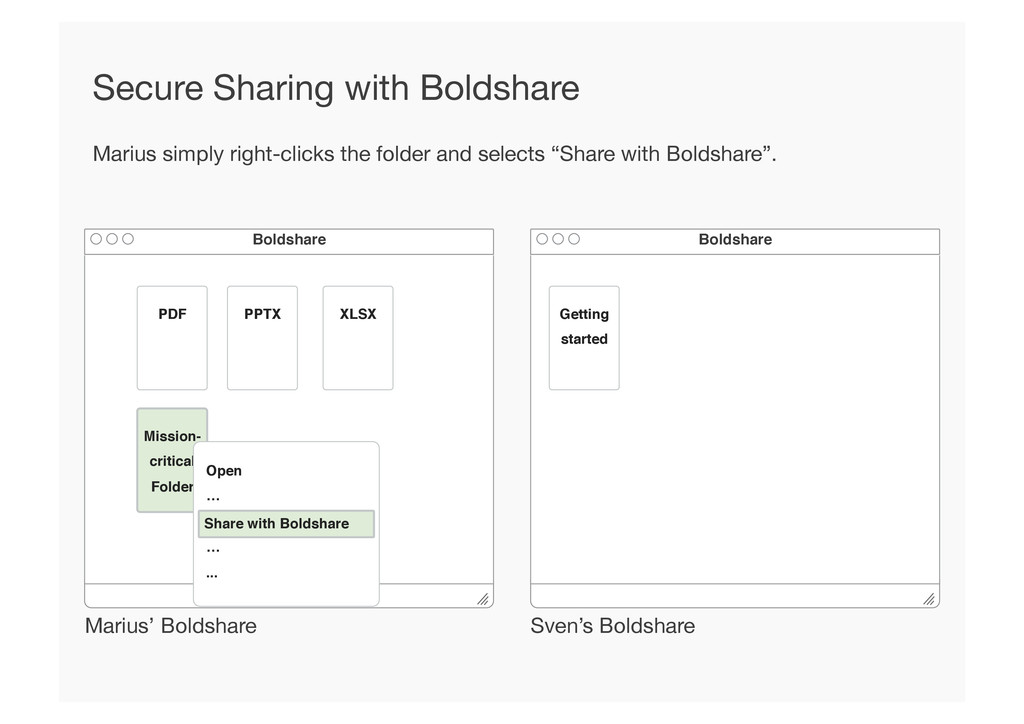
Folder! Boldshare! Marius simply right-clicks the folder and selects “Share with Boldshare”. Secure Sharing with Boldshare Getting started! Open! …! ! …! ...! Share with Boldshare!
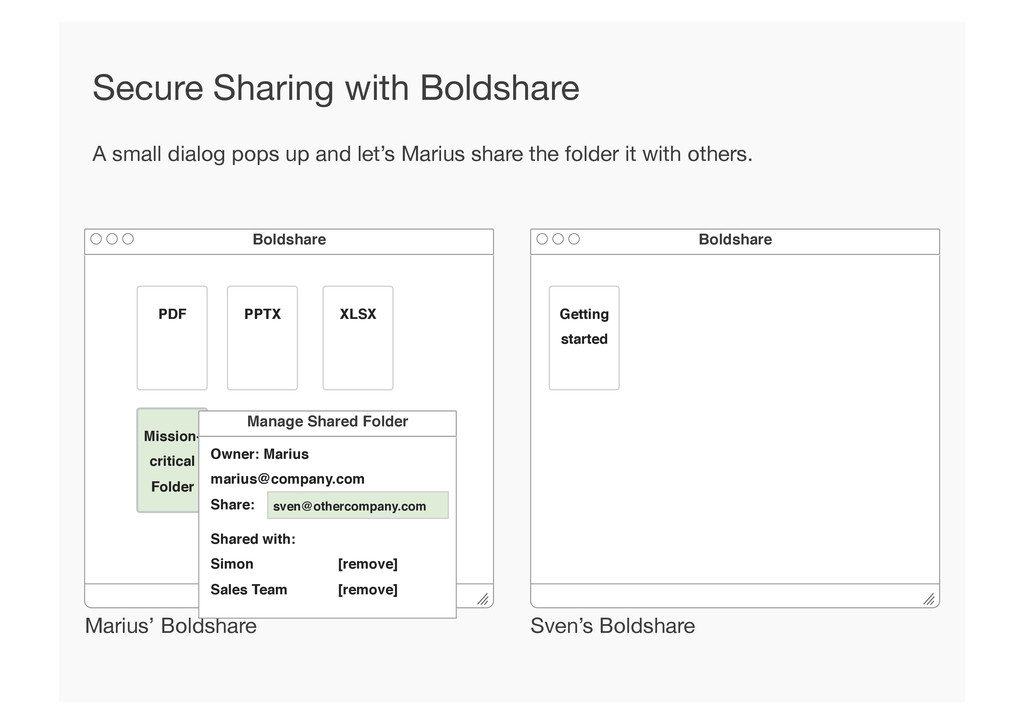
Folder! Boldshare! A small dialog pops up and let’s Marius share the folder it with others. Secure Sharing with Boldshare Getting started! Manage Shared Folder! Owner: Marius! [email protected]! Share: ! [email protected]! Shared with:! Simon ! ![remove]! Sales Team ![remove]!
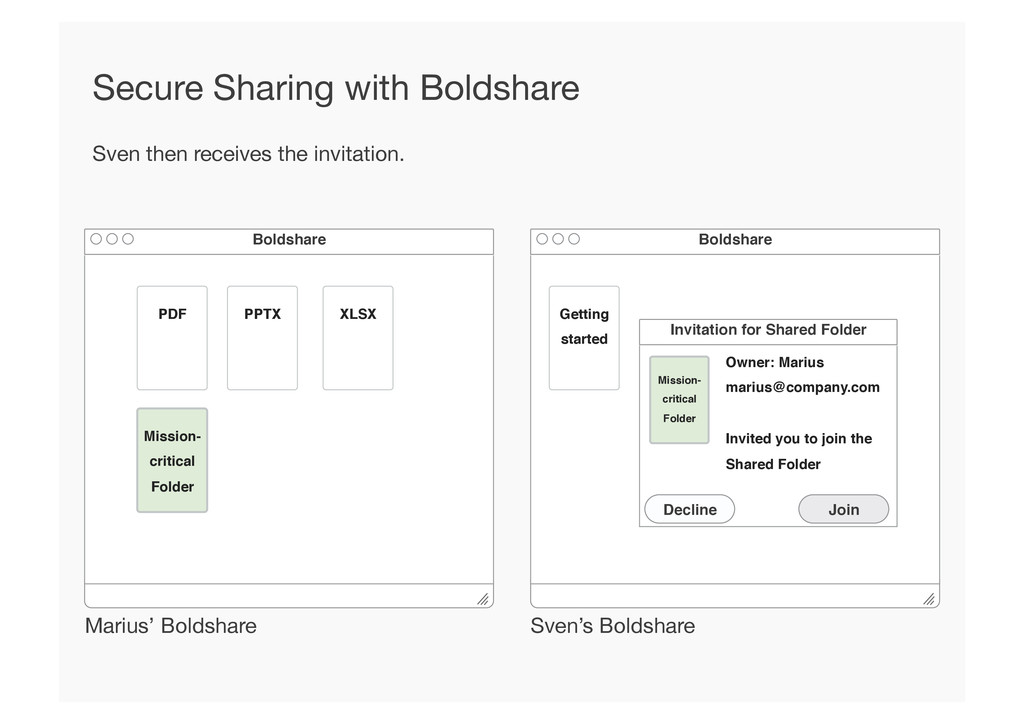
Folder! Boldshare! Sven then receives the invitation. Secure Sharing with Boldshare Getting started! Invitation for Shared Folder! Owner: Marius! [email protected]! ! Invited you to join the Shared Folder! Mission- critical! Folder! Decline! Join!
Folder! Boldshare! Once joined, the shared folder will be synchronized to Sven’s Boldshare. Secure Sharing with Boldshare Getting started! Mission- critical! Folder!


 pfn
pfn
 sansantech
 occhi
occhi
 persolserverworks
 bgpat
bgpat
 teamlab
 takahashim
 bitkey
 jtakeda
 takuroabe
 takanorip
 codmoninc
 sarafernandez
 addyosmani
 morganepeng
 lynnandtonic
 tonyrice
 cromwellryan
 mfonobong
 thekraken
 jdejongh
.png) helenjbeal
helenjbeal
 danielanewman
 paigeccino