Upgrade to Pro
— share decks privately, control downloads, hide ads and more …
Speaker Deck
Sign up for free
Menu
Search
Features
All features
Private URLs
Password Protection
Custom URLS
Scheduled publishing
Remove Branding
Restrict embedding
Deck Collections
Notes
Features
All features
Private URLs
Password Protection
Custom URLS
Scheduled publishing
Remove Branding
Restrict embedding
Deck Collections
Notes
Explore
Featured decks
Featured speakers
Programming
Technology
Storyboards
Explore
Featured decks
Featured speakers
Programming
Technology
Storyboards
Pricing
Search
Sign in
Sign up for free
Beginner Of Jetpack Compose Animation
Search
h5masa
August 12, 2021
Programming
89
0
Share
Embed
Copy iframe code
Copy JS code
Copy link
Start on current slide
Beginner Of Jetpack Compose Animation
potatotips 75 発表資料
h5masa
August 12, 2021
More Decks by h5masa
See All by h5masa
DroidKaigi2022_LT.pdf
masatoshitakada
0
100
Other Decks in Programming
See All in Programming
AWS CDKのカスタムリソースでContinuum(旧Security Agent)を実装した話 | Implementing Continuum (formerly Security Agent) via AWS CDK Custom Resource
akihisaikeda
2
150
KiroのSpecで「五目並べ」を作ってみる
satoshi256kbyte
1
380
全ての永続トークンを、生まれる前に消し去りたい!
sylph01
2
890
ChromeでローカルLLM
ryu1013
0
140
パズルゲームの作り方 / how to make puzzle games
kaityo256
PRO
2
290
HTML-in-Canvasで作る未来のWeb UI表現
clockmaker
5
5.1k
作って学ぶSpring BootのAuto Configuration / JJUG Night Seminar 2026-10-19
rshindo
0
150
Railsバージョンを4倍にした話
optim
0
360
dotNET_vulnclicker_intro.pdf
deka_morita
0
140
Vue Fes Japan の “作る側”に関わってみて
naokihaba
0
160
Simple Storage Service(S3) is not simple
iwatsukayura
0
290
ActionController meets Protocol Buffers
sorah
0
520
Featured
See All Featured
The Impact of AI in SEO - AI Overviews June 2024 Edition
aleyda
6
1.2k
Redefining SEO in the New Era of Traffic Generation
szymonslowik
1
480
職位にかかわらず全員がリーダーシップを発揮するチーム作り / Building a team where everyone can demonstrate leadership regardless of position
madoxten
69
67k
More Than Pixels: Becoming A User Experience Designer
marktimemedia
3
560
技術選定の審美眼(2025年版) / Understanding the Spiral of Technologies 2025 edition
twada
PRO
120
120k
[RailsConf 2023 Opening Keynote] The Magic of Rails
eileencodes
31
10k
Let's Do A Bunch of Simple Stuff to Make Websites Faster
chriscoyier
508
140k
Jess Joyce - The Pitfalls of Following Frameworks
techseoconnect
PRO
1
450
Exploring the relationship between traditional SERPs and Gen AI search
raygrieselhuber
PRO
4
4.4k
Bridging the Design Gap: How Collaborative Modelling removes blockers to flow between stakeholders and teams @FastFlow conf
baasie
0
730
Site-Speed That Sticks
csswizardry
13
1.6k
WCS-LA-2024
lcolladotor
0
890
Transcript
Jetpack Composeで 始めるAnimation @h5mtakada
自己紹介 高田 真壽(マサ) (株)ZOZOテクノロジーズ所属 野球と旅行が趣味です
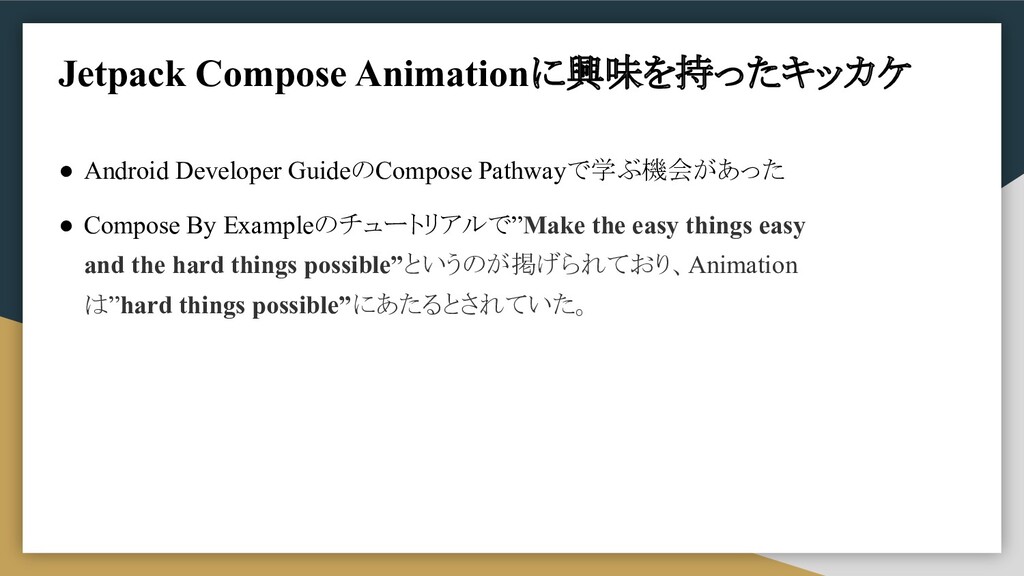
• Android Developer GuideのCompose Pathwayで学ぶ機会があった • Compose By Exampleのチュートリアルで”Make the
easy things easy and the hard things possible”というのが掲げられており、Animation は”hard things possible”にあたるとされていた。 Jetpack Compose Animationに興味を持ったキッカケ
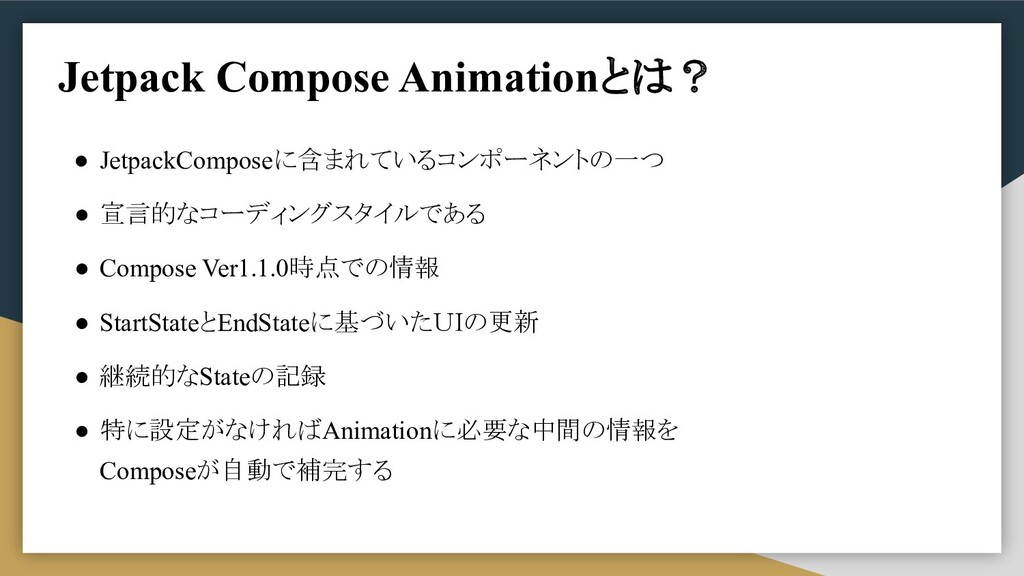
Jetpack Compose Animationとは? • JetpackComposeに含まれているコンポーネントの一つ • 宣言的なコーディングスタイルである • Compose Ver1.1.0時点での情報
• StartStateとEndStateに基づいたUIの更新 • 継続的なStateの記録 • 特に設定がなければAnimationに必要な中間の情報を Composeが自動で補完する
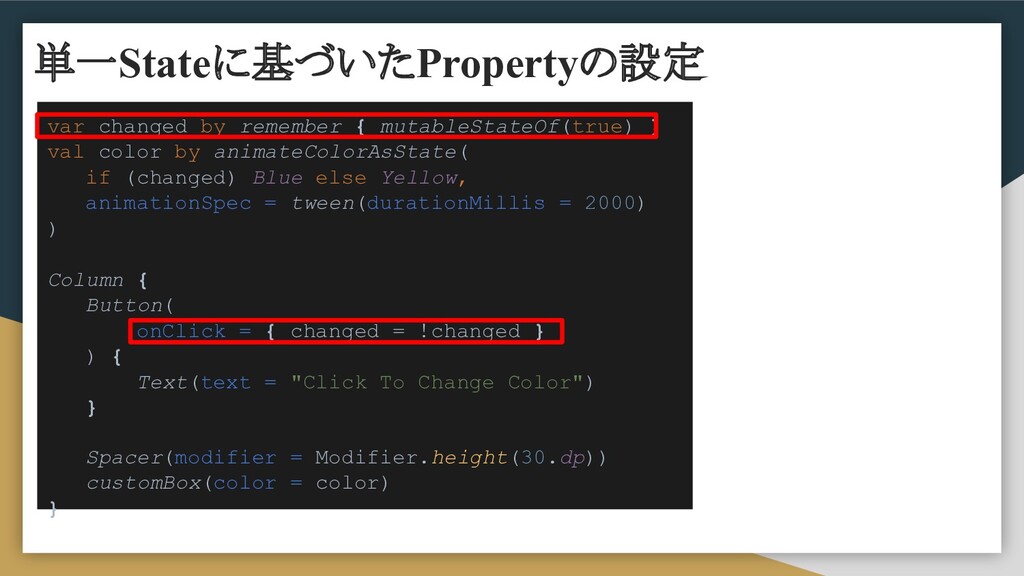
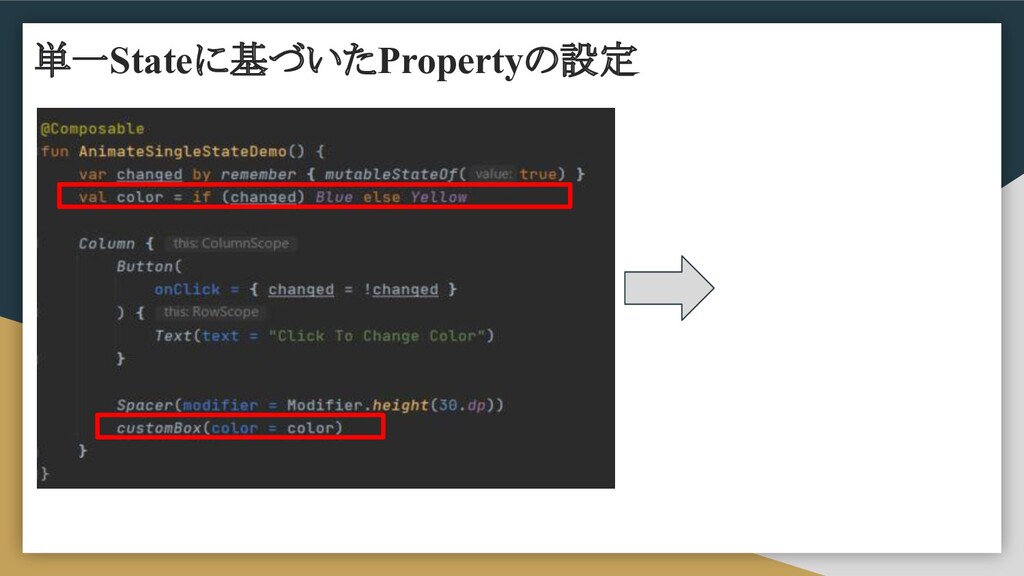
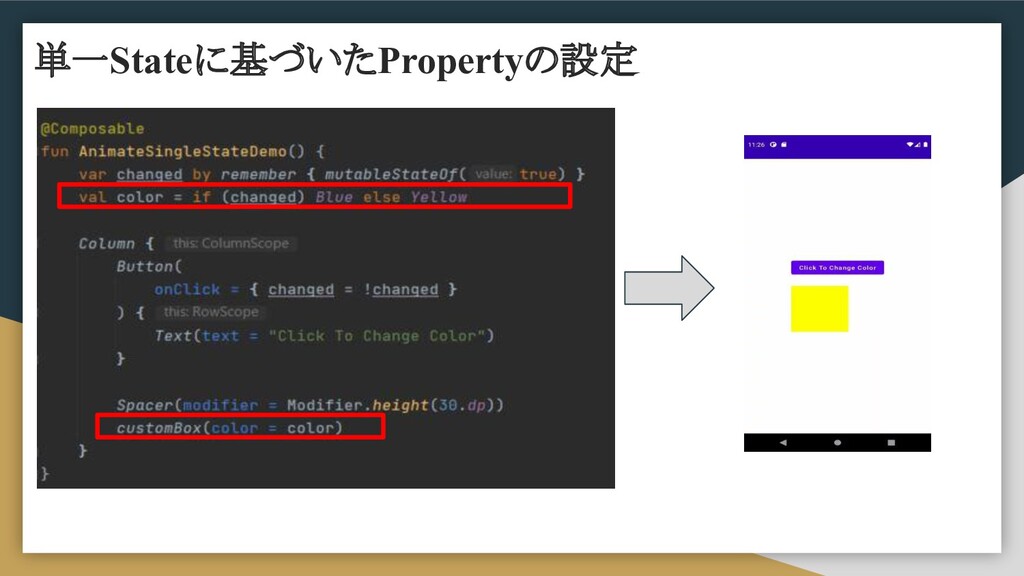
単一Stateに基づいたPropertyの設定 var changed by remember { mutableStateOf(true) } val color
by animateColorAsState( if (changed) Blue else Yellow, animationSpec = tween(durationMillis = 2000) ) Column { Button( onClick = { changed = !changed } ) { Text(text = "Click To Change Color") } Spacer(modifier = Modifier.height(30.dp)) customBox(color = color) }
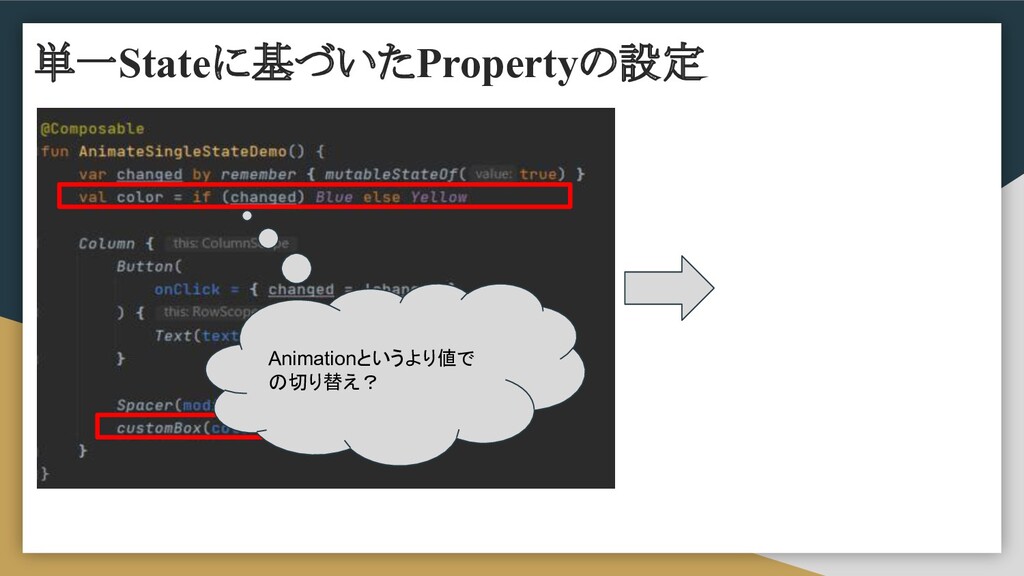
Animationというより値で の切り替え? 単一Stateに基づいたPropertyの設定
単一Stateに基づいたPropertyの設定
単一Stateに基づいたPropertyの設定
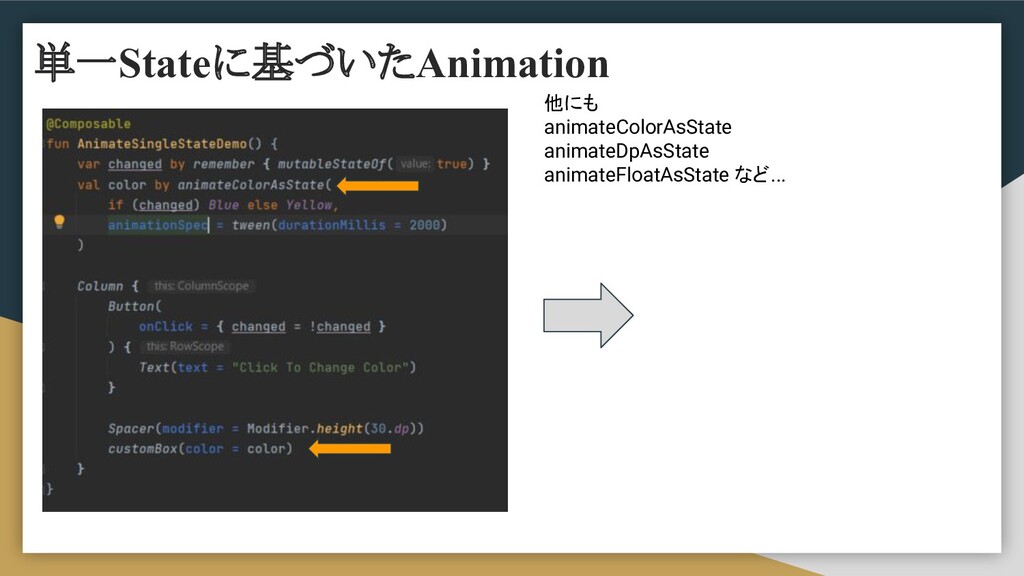
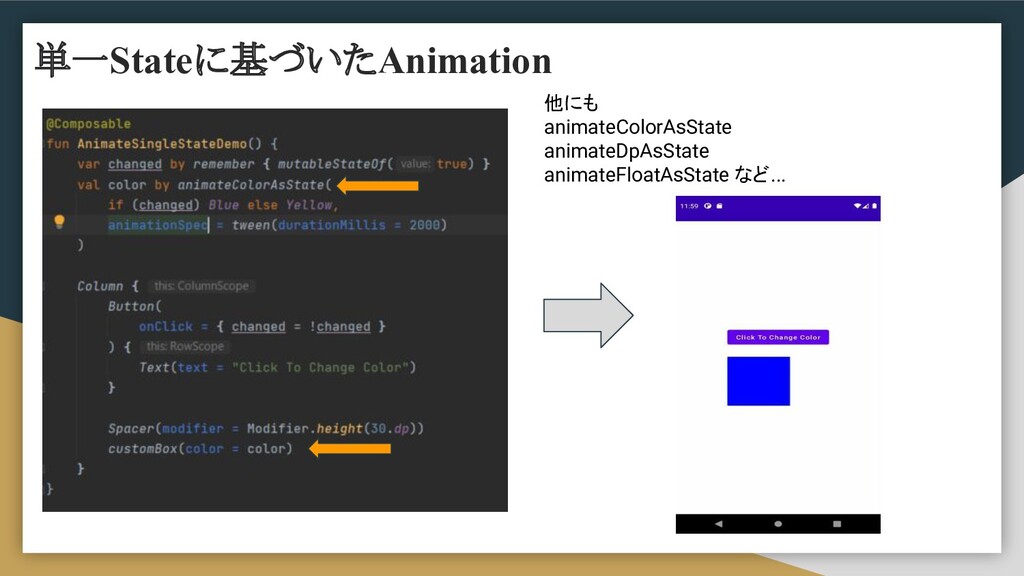
他にも animateColorAsState animateDpAsState animateFloatAsState など... 単一Stateに基づいたAnimation
他にも animateColorAsState animateDpAsState animateFloatAsState など... 単一Stateに基づいたAnimation
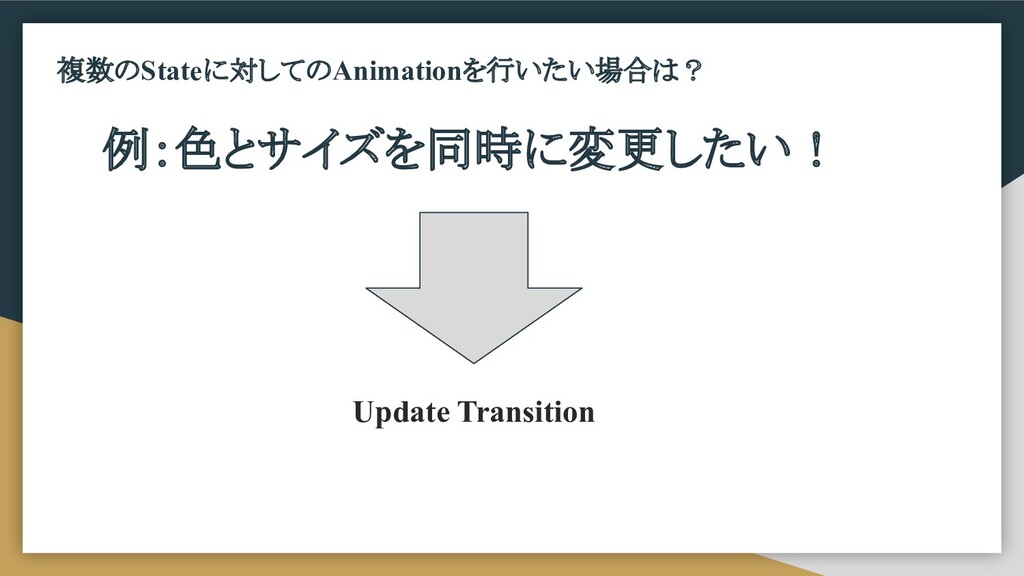
複数のStateに対してのAnimationを行いたい場合は? 例:色とサイズを同時に変更したい! Update Transition
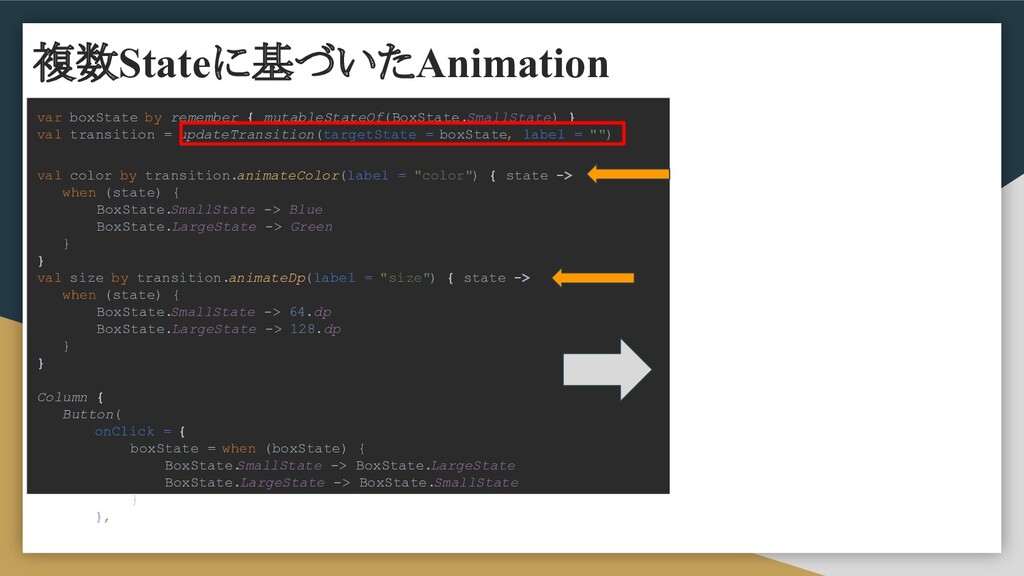
var boxState by remember { mutableStateOf(BoxState.SmallState) } val transition =
updateTransition(targetState = boxState, label = "") val color by transition.animateColor(label = "color") { state -> when (state) { BoxState. SmallState -> Blue BoxState.LargeState -> Green } } val size by transition.animateDp(label = "size") { state -> when (state) { BoxState. SmallState -> 64.dp BoxState.LargeState -> 128.dp } } Column { Button( onClick = { boxState = when (boxState) { BoxState. SmallState -> BoxState.LargeState BoxState.LargeState -> BoxState.SmallState } }, 複数Stateに基づいたAnimation
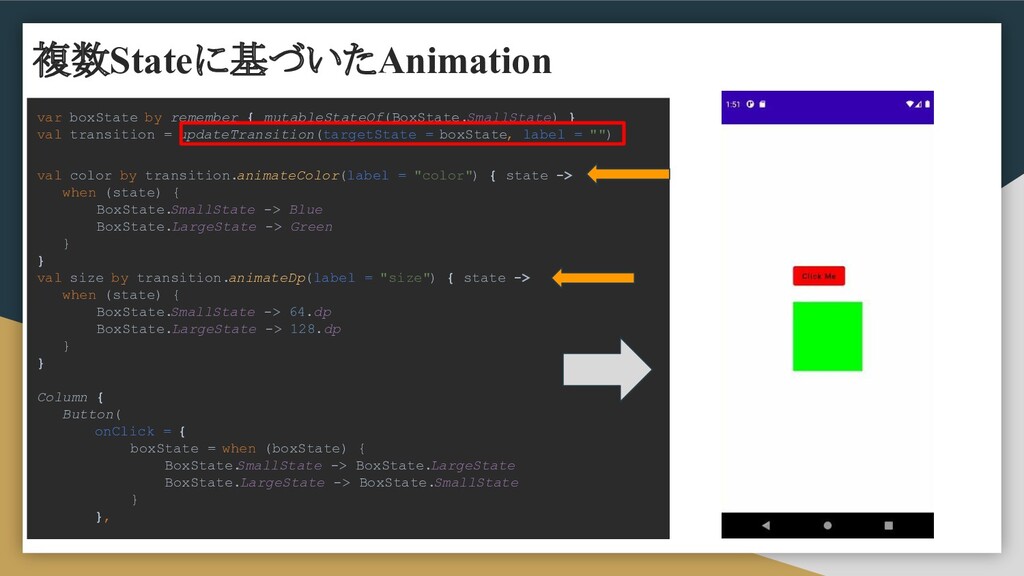
var boxState by remember { mutableStateOf(BoxState.SmallState) } val transition =
updateTransition(targetState = boxState, label = "") val color by transition.animateColor(label = "color") { state -> when (state) { BoxState. SmallState -> Blue BoxState.LargeState -> Green } } val size by transition.animateDp(label = "size") { state -> when (state) { BoxState. SmallState -> 64.dp BoxState.LargeState -> 128.dp } } Column { Button( onClick = { boxState = when (boxState) { BoxState. SmallState -> BoxState.LargeState BoxState.LargeState -> BoxState.SmallState } }, 複数Stateに基づいたAnimation
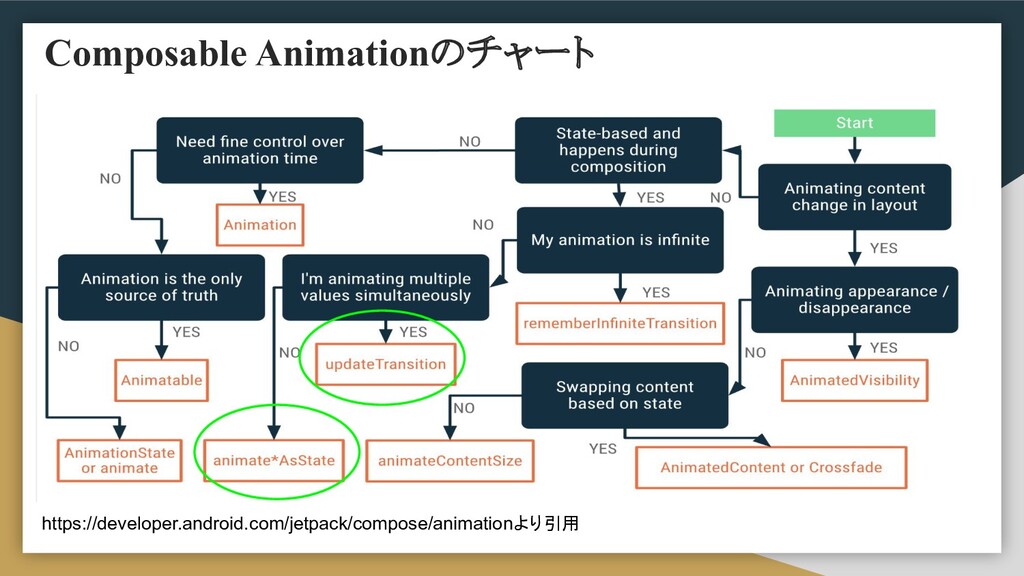
Composable Animationのチャート https://developer.android.com/jetpack/compose/animationより引用
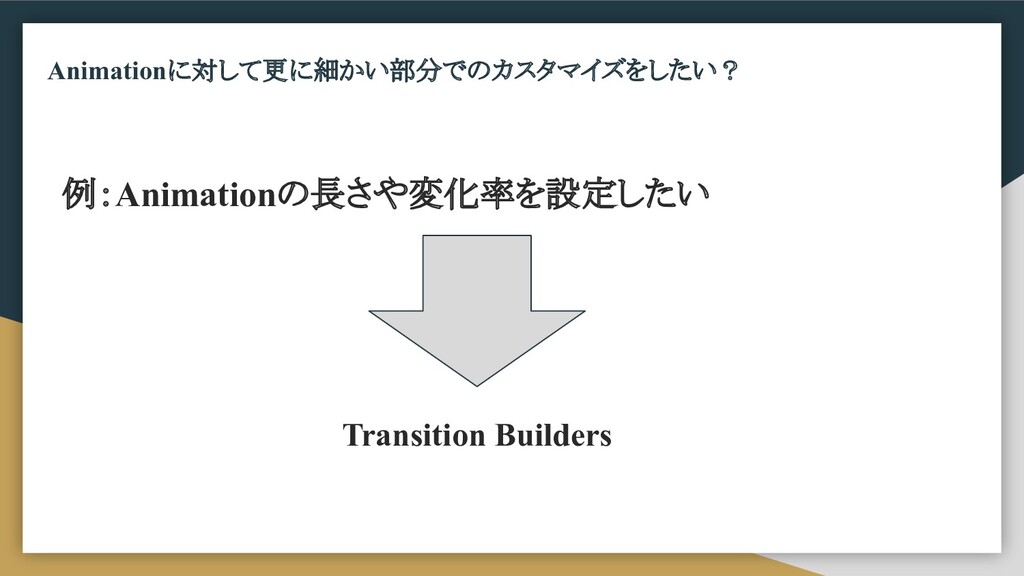
Animationに対して更に細かい部分でのカスタマイズをしたい? 例:Animationの長さや変化率を設定したい Transition Builders
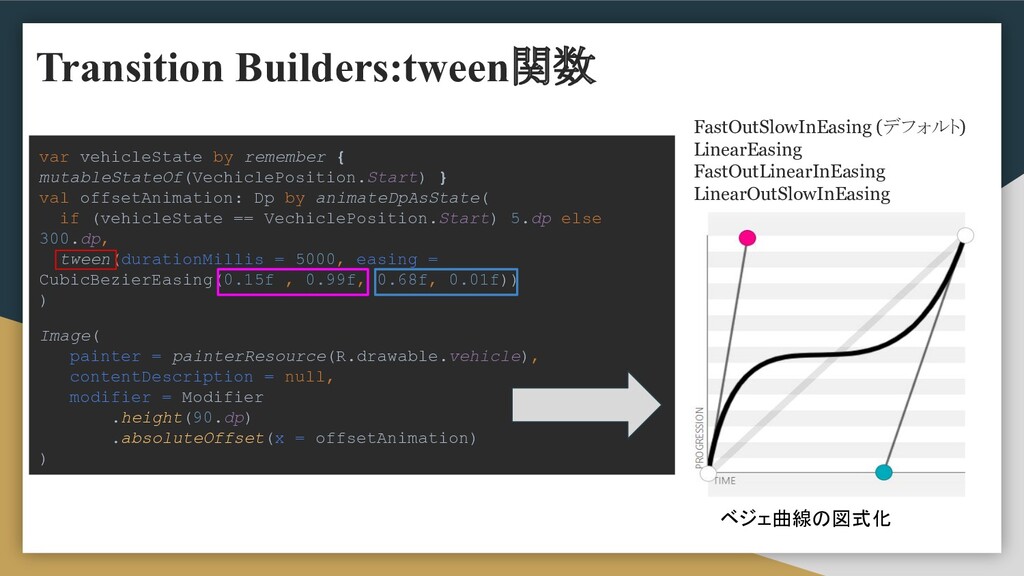
var vehicleState by remember { mutableStateOf(VechiclePosition.Start) } val offsetAnimation: Dp
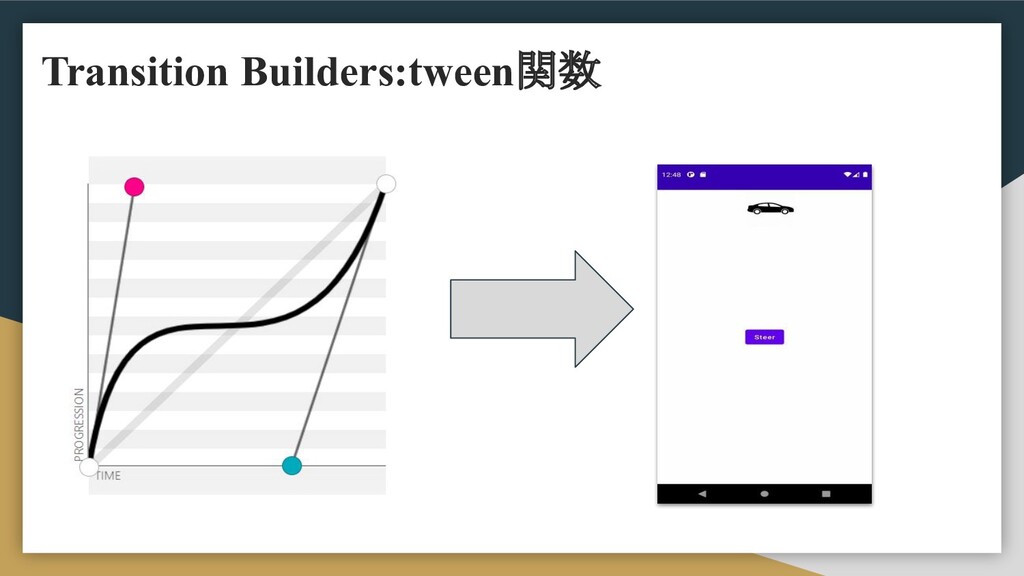
by animateDpAsState( if (vehicleState == VechiclePosition.Start) 5.dp else 300.dp, tween(durationMillis = 5000, easing = CubicBezierEasing(0.15f , 0.99f, 0.68f, 0.01f)) ) Image( painter = painterResource(R.drawable.vehicle), contentDescription = null, modifier = Modifier .height(90.dp) .absoluteOffset(x = offsetAnimation) ) FastOutSlowInEasing (デフォルト) LinearEasing FastOutLinearInEasing LinearOutSlowInEasing ベジェ曲線の図式化 Transition Builders:tween関数
Transition Builders:tween関数
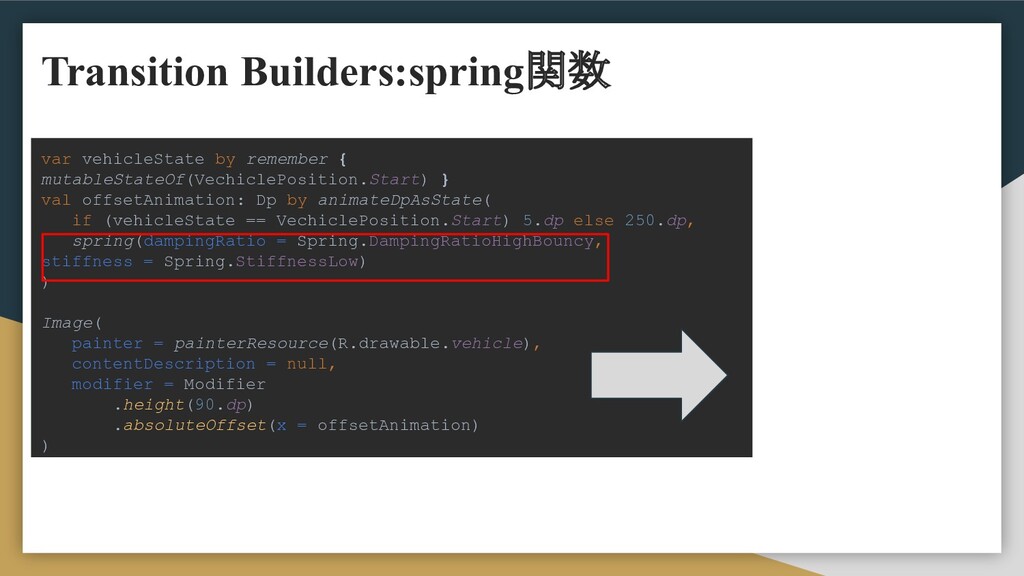
var vehicleState by remember { mutableStateOf(VechiclePosition.Start) } val offsetAnimation: Dp
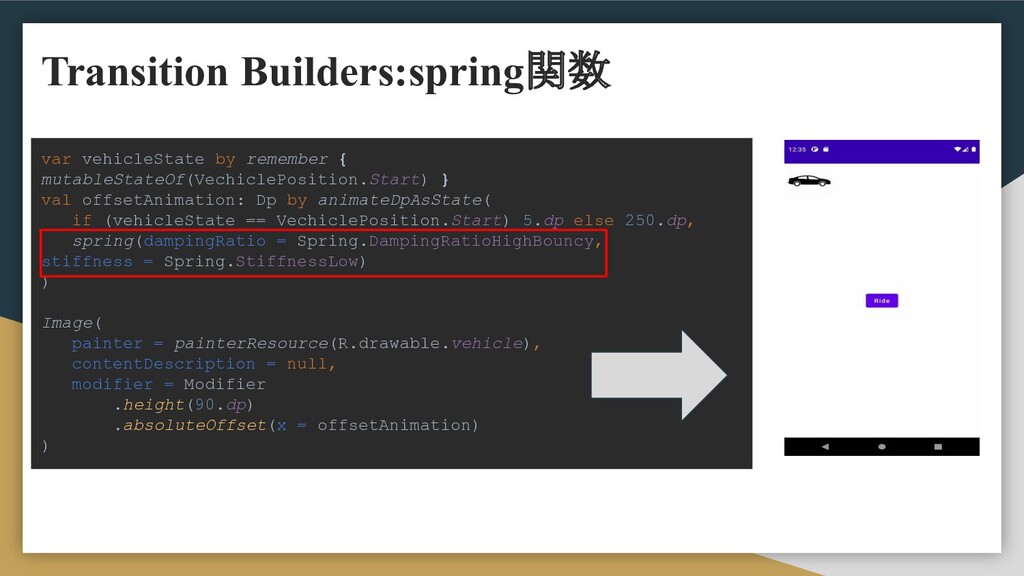
by animateDpAsState( if (vehicleState == VechiclePosition.Start) 5.dp else 250.dp, spring(dampingRatio = Spring.DampingRatioHighBouncy, stiffness = Spring.StiffnessLow) ) Image( painter = painterResource(R.drawable.vehicle), contentDescription = null, modifier = Modifier .height(90.dp) .absoluteOffset(x = offsetAnimation) ) Transition Builders:spring関数
var vehicleState by remember { mutableStateOf(VechiclePosition.Start) } val offsetAnimation: Dp
by animateDpAsState( if (vehicleState == VechiclePosition.Start) 5.dp else 250.dp, spring(dampingRatio = Spring.DampingRatioHighBouncy, stiffness = Spring.StiffnessLow) ) Image( painter = painterResource(R.drawable.vehicle), contentDescription = null, modifier = Modifier .height(90.dp) .absoluteOffset(x = offsetAnimation) ) Transition Builders:spring関数
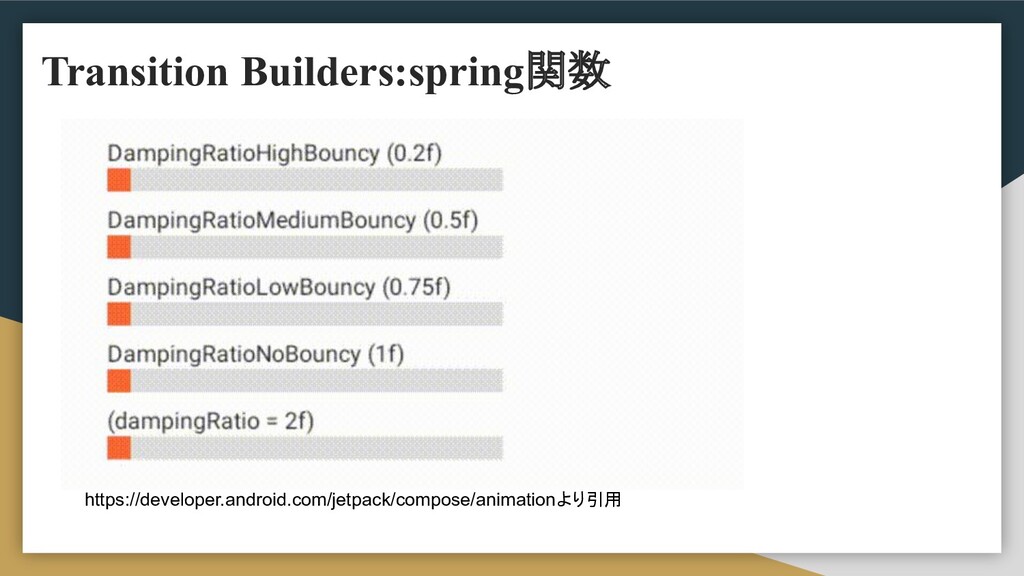
Transition Builders:spring関数 https://developer.android.com/jetpack/compose/animationより引用
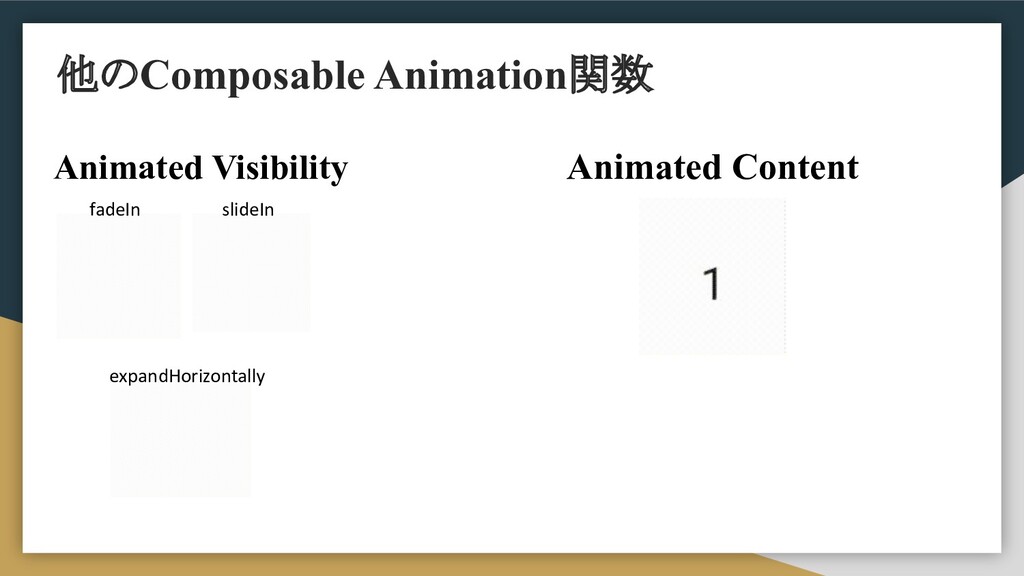
他のComposable Animation関数 Animated Visibility fadeIn slideIn expandHorizontally Animated Content
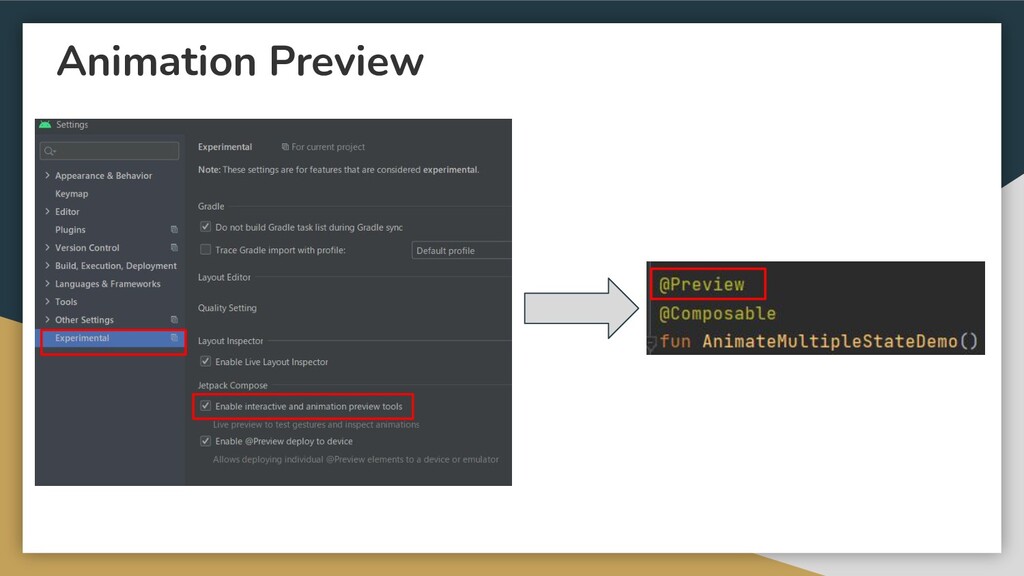
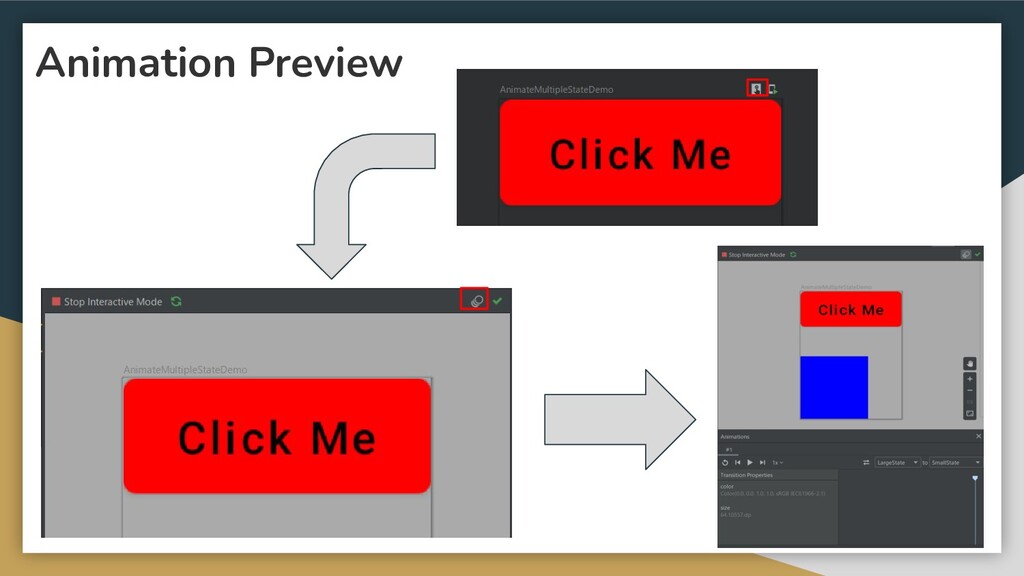
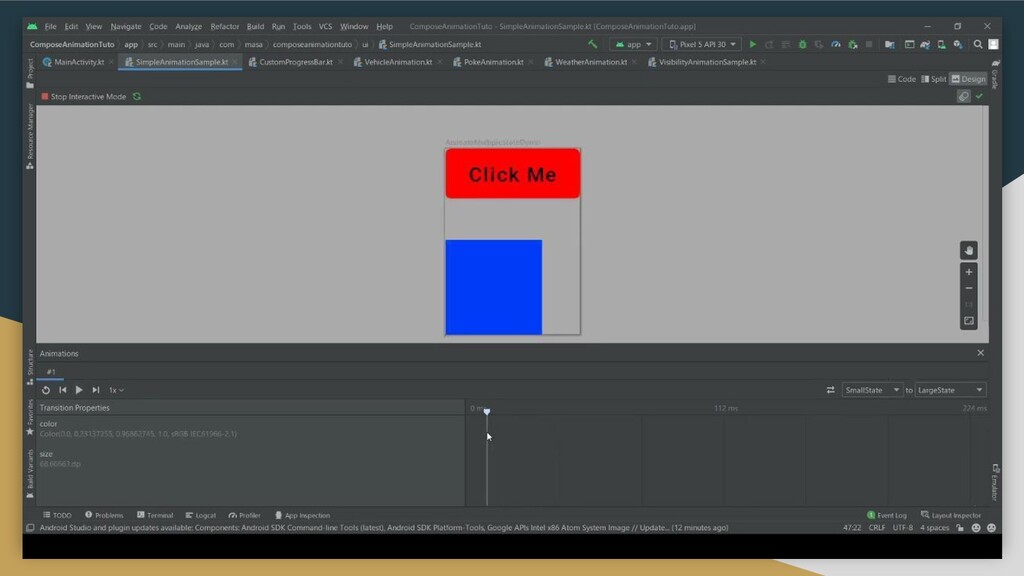
Animation Preview Animationの途中経過の変化を詳しく見たい
Animation Preview
Animation Preview
None
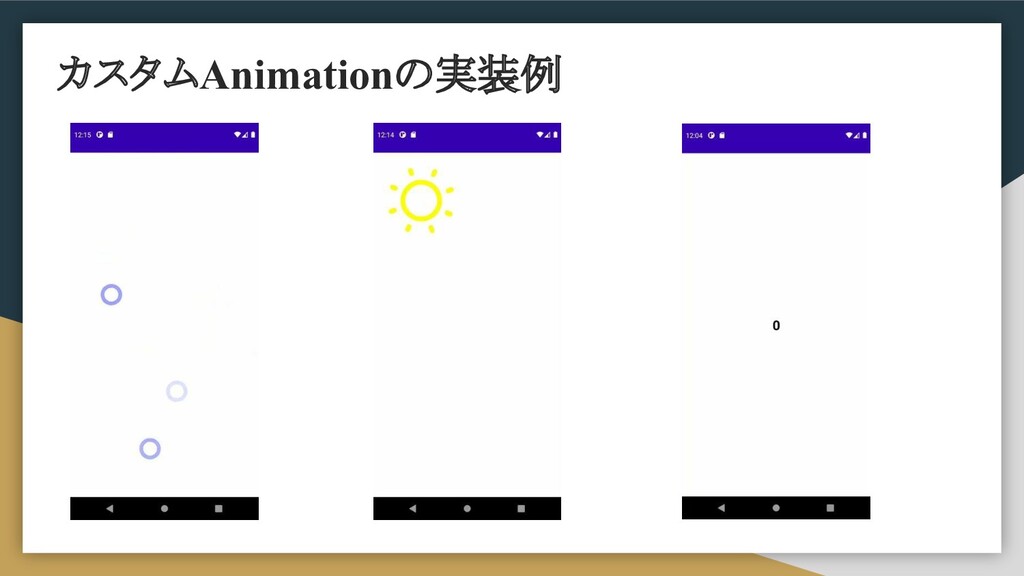
カスタムAnimationの実装例
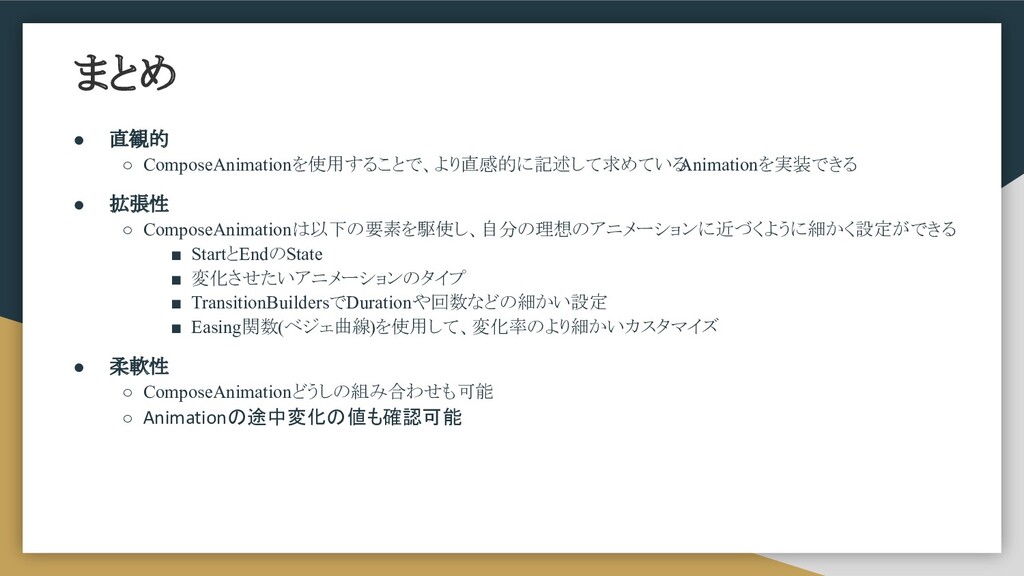
まとめ • 直観的 ◦ ComposeAnimationを使用することで、より直感的に記述して求めている Animationを実装できる • 拡張性 ◦ ComposeAnimationは以下の要素を駆使し、自分の理想のアニメーションに近づくように細かく設定ができる
▪ StartとEndのState ▪ 変化させたいアニメーションのタイプ ▪ TransitionBuildersでDurationや回数などの細かい設定 ▪ Easing関数(ベジェ曲線)を使用して、変化率のより細かいカスタマイズ • 柔軟性 ◦ ComposeAnimationどうしの組み合わせも可能 ◦ Animationの途中変化の値も確認可能
Thank You For Listening


 masatoshitakada
 akihisaikeda
 satoshi256kbyte
 sylph01
 ryu1013
 kaityo256
 clockmaker
 rshindo
 optim
optim
 deka_morita
 naokihaba
 iwatsukayura
 sorah
sorah
 aleyda
 szymonslowik
 madoxten
 marktimemedia
 twada
twada
 eileencodes
 chriscoyier
 techseoconnect
 raygrieselhuber
 baasie
 csswizardry
 lcolladotor