Share
Embed
Creating a web map of Russian natural reserves
English version of the workshop given at GISconf 2012 in Moscow, Russia on 18.11.2012
Nick Lebedev
November 18, 2012
Transcript
49 slides
-
Creating a WEB map of russian natural reserves from open
sources NICK LEBEDEV GISCONF 2012 -
MAP THEME TASK: Create an interactive web map of Russian
Federation natural reserves ACTIONS: • Set map projection • Identify sources of necessary data • Obtain data from open sources • Style the data • Publish web service • Create html page with a map on it -
MAP PROJECTION PECULIARITIES OF RUSSIAN FEDERATION TERRITORY: • Crosses 180
meridian (dateline) • Lies completely in northern hemisphere • Very wide by longitude spatialreference.org– catalog of map projection parameters -
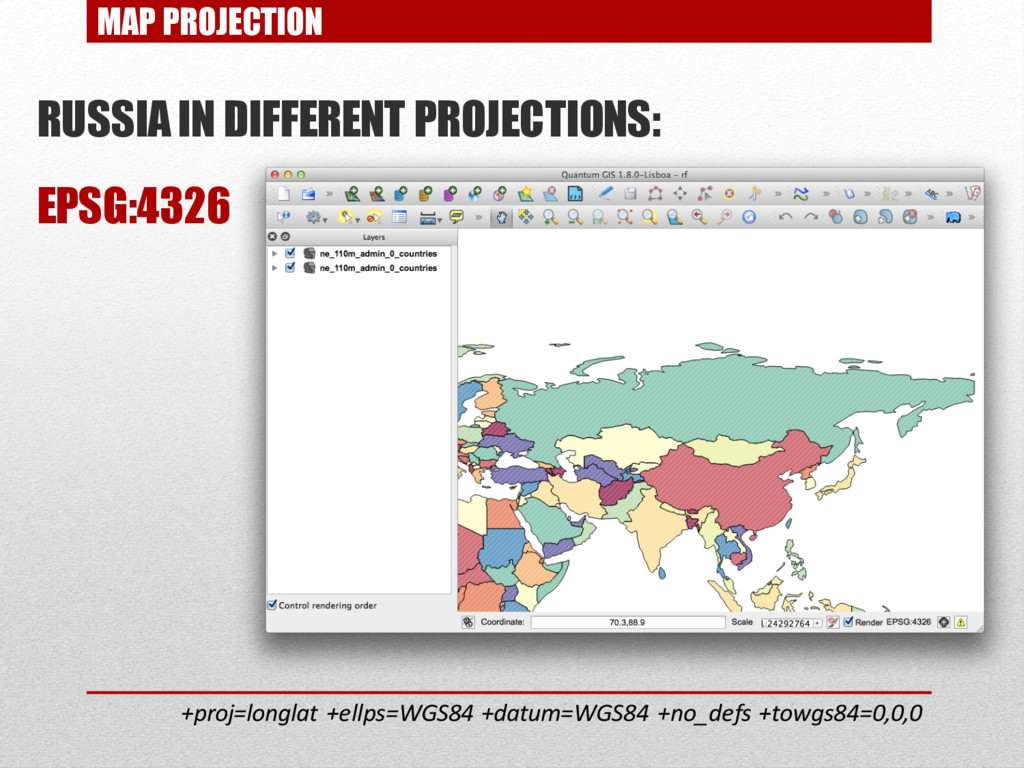
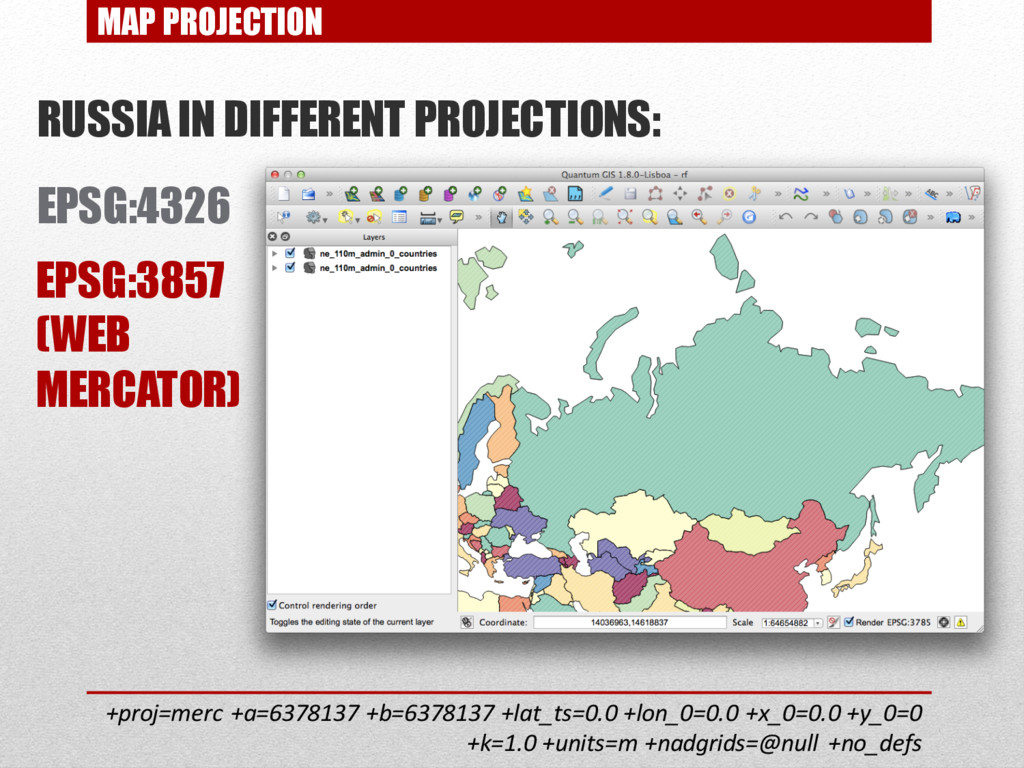
MAP PROJECTION RUSSIA IN DIFFERENT PROJECTIONS: EPSG:4326 EPSG:3857 (WEB MERCATOR)
+proj=merc +a=6378137 +b=6378137 +lat_ts=0.0 +lon_0=0.0 +x_0=0.0 +y_0=0 +k=1.0 +units=m +nadgrids=@null +no_defs -
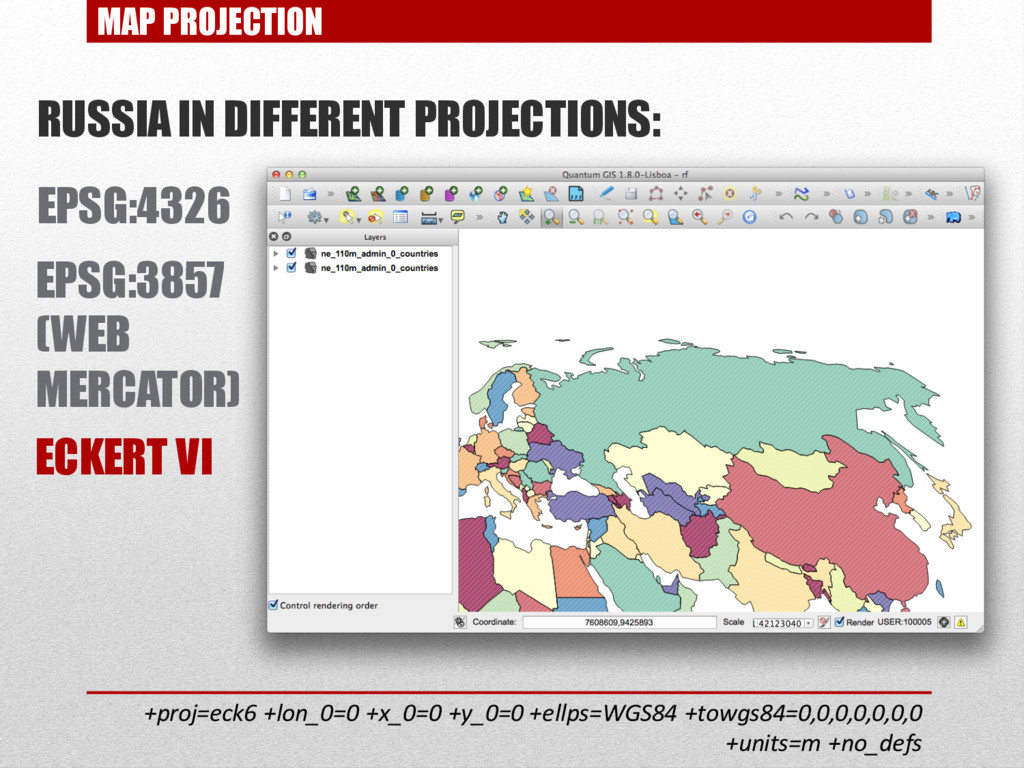
MAP PROJECTION RUSSIA IN DIFFERENT PROJECTIONS: EPSG:4326 EPSG:3857 (WEB MERCATOR)
ECKERT VI +proj=eck6 +lon_0=0 +x_0=0 +y_0=0 +ellps=WGS84 +towgs84=0,0,0,0,0,0,0 +units=m +no_defs -
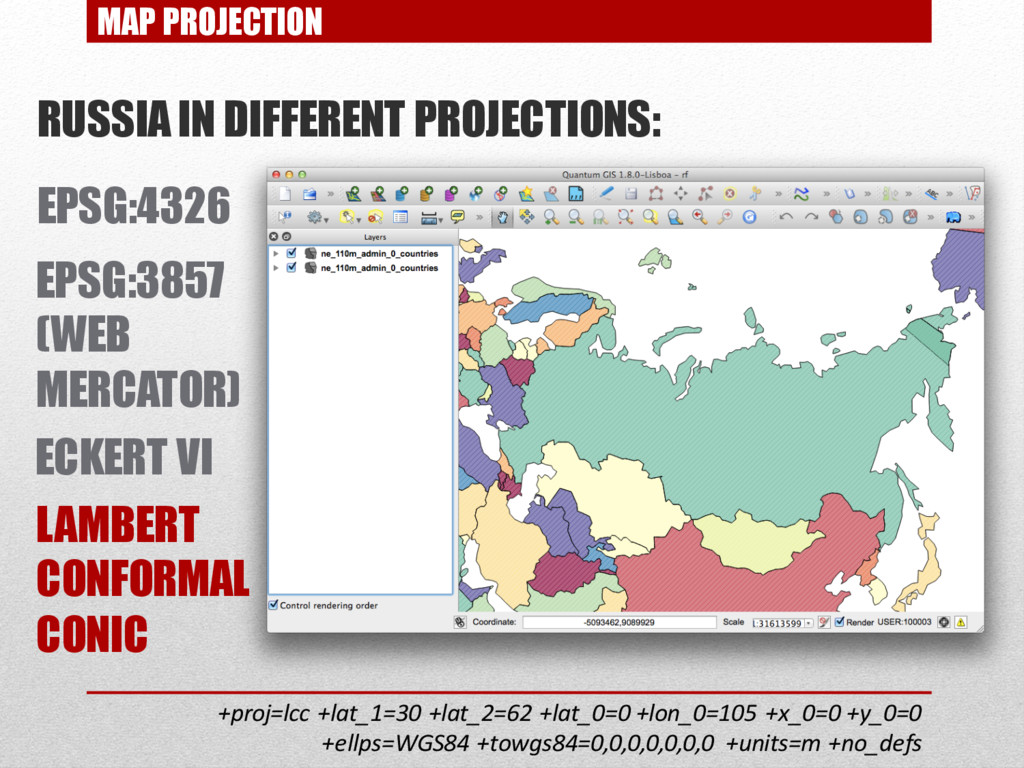
MAP PROJECTION RUSSIA IN DIFFERENT PROJECTIONS: EPSG:4326 EPSG:3857 (WEB MERCATOR)
ECKERT VI LAMBERT CONFORMAL CONIC +proj=lcc +lat_1=30 +lat_2=62 +lat_0=0 +lon_0=105 +x_0=0 +y_0=0 +ellps=WGS84 +towgs84=0,0,0,0,0,0,0 +units=m +no_defs -
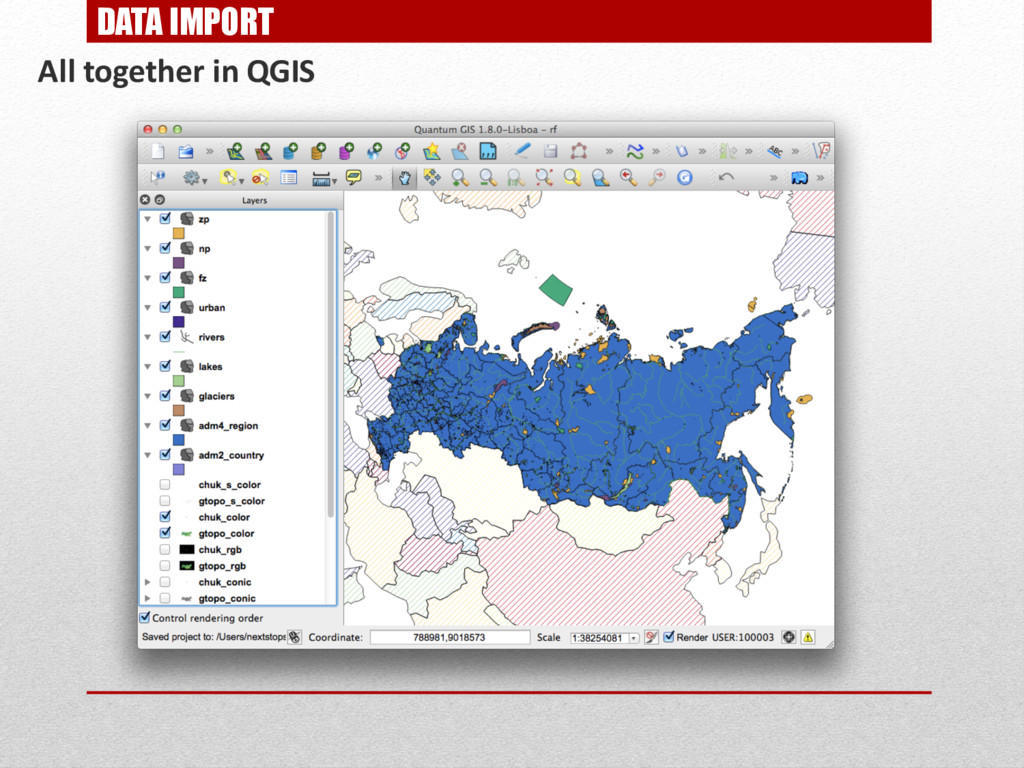
INITIAL DATA INITIAL DATA FOR A BASE MAP: • Digital
Elevation Model – GTOPO30 • Generalized vector data (hydrography, urban areas) - Natural Earth • Vector data (administrative boundaries, populated places, motorways) - OpenStreetMap INITIAL NATURAL RESERVES DATA: • GIS-LAB – a layers of natural reserves boundaries -
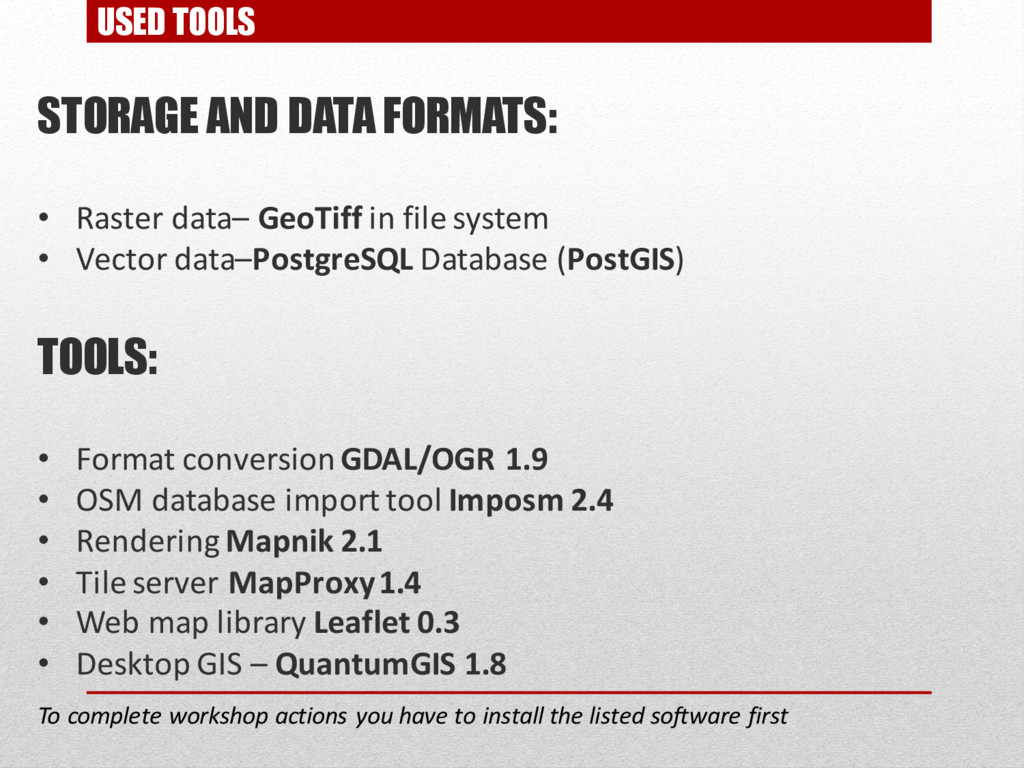
USED TOOLS STORAGE AND DATA FORMATS: • Raster data– GeoTiff
in file system • Vector data–PostgreSQL Database (PostGIS) TOOLS: • Format conversionGDAL/OGR 1.9 • OSM database import tool Imposm 2.4 • Rendering Mapnik 2.1 • Tile server MapProxy1.4 • Web map library Leaflet 0.3 • Desktop GIS – QuantumGIS 1.8 To complete workshop actions you have to install the listed software first -
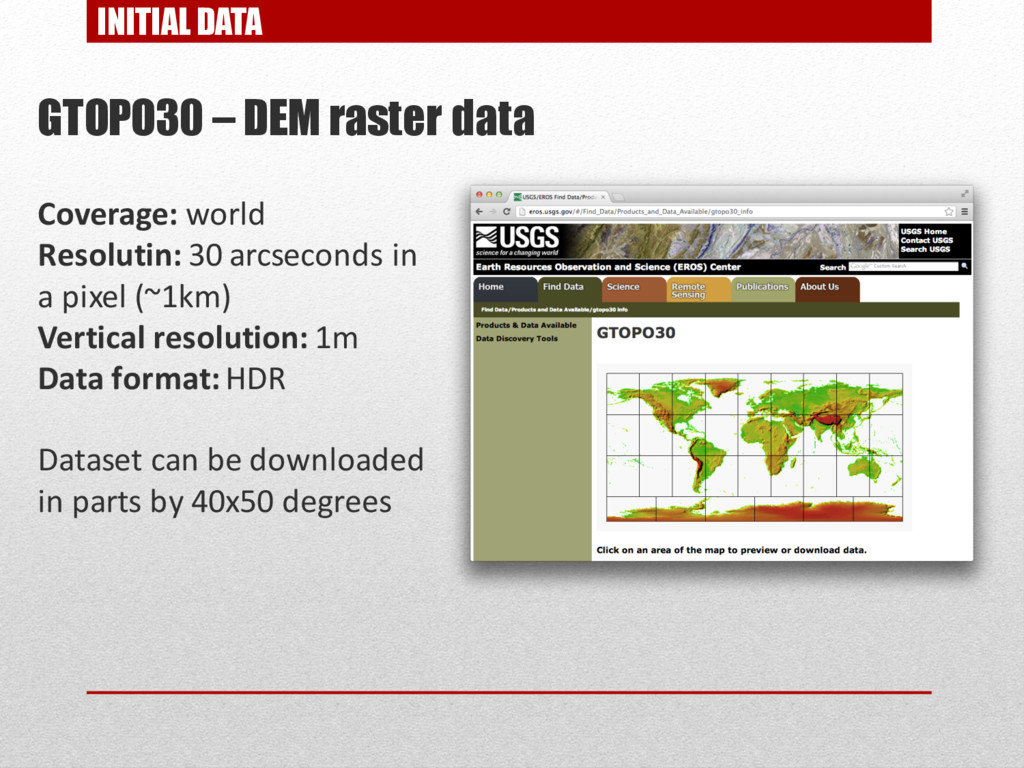
INITIAL DATA GTOPO30 – DEM raster data Coverage: world Resolutin:
30 arcseconds in a pixel (~1km) Vertical resolution: 1m Data format: HDR Dataset can be downloaded in parts by 40x50 degrees -
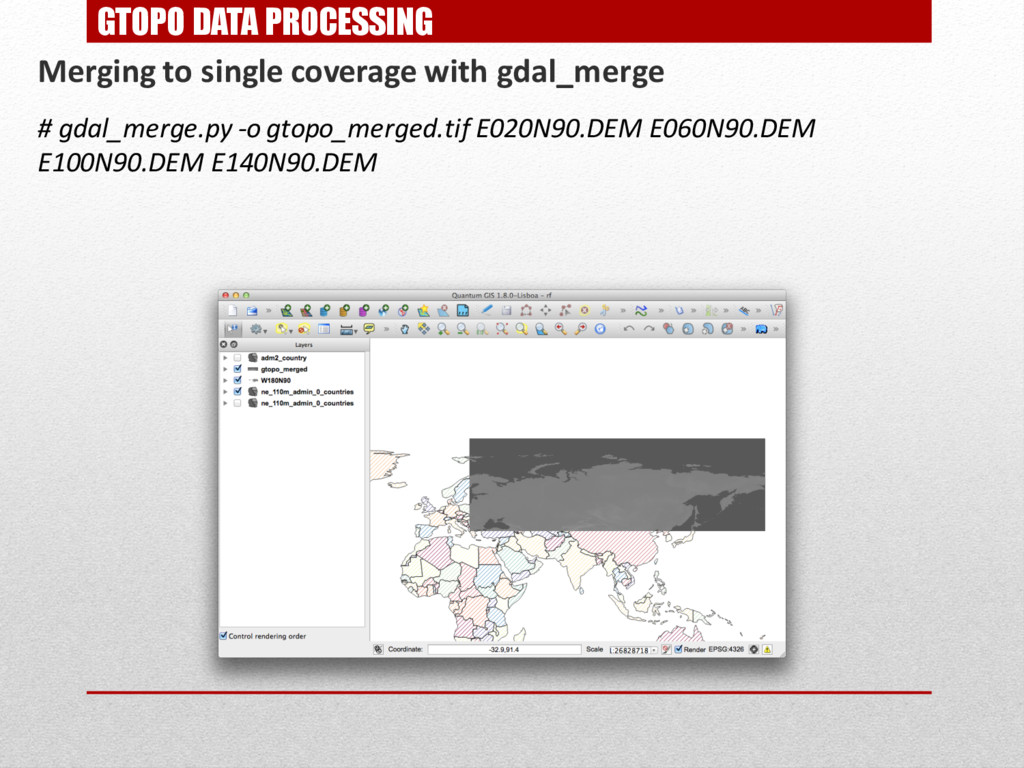
GTOPO DATA PROCESSING Merging to single coverage with gdal_merge #
gdal_merge.py -o gtopo_merged.tif E020N90.DEM E060N90.DEM E100N90.DEM E140N90.DEM -
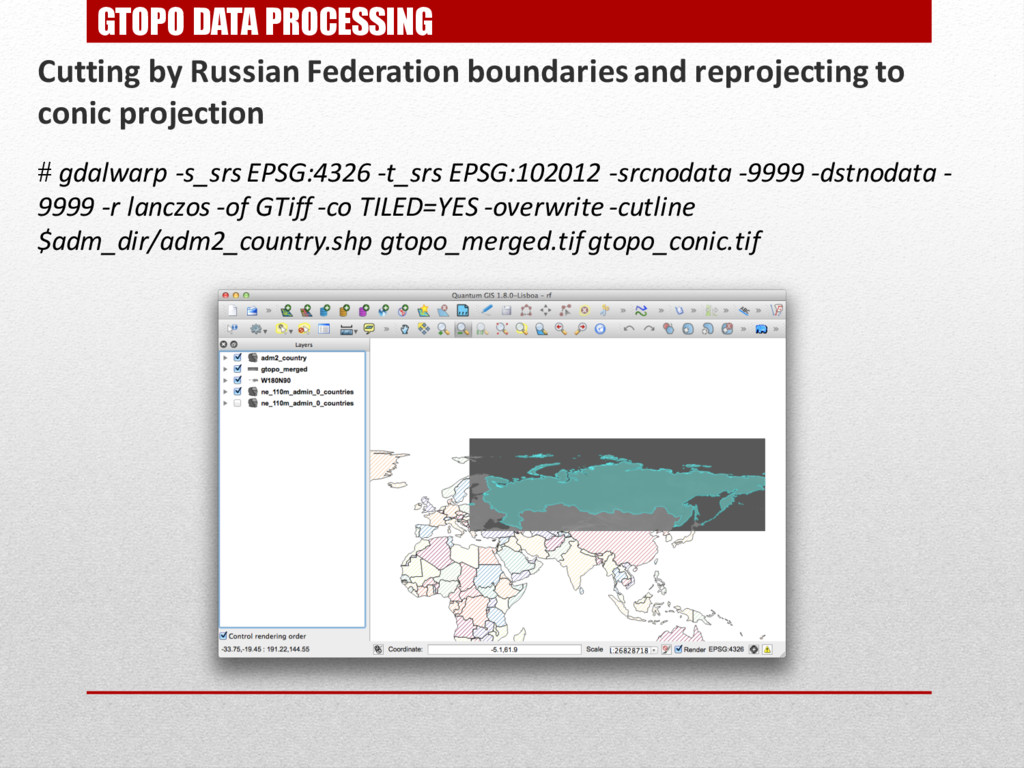
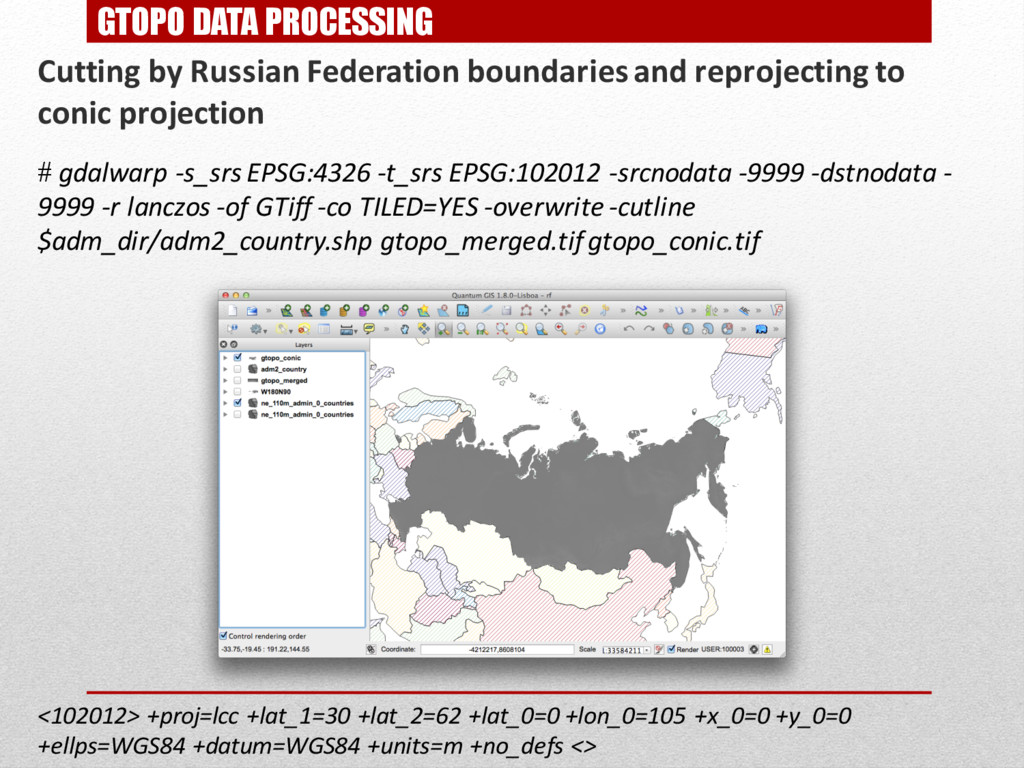
GTOPO DATA PROCESSING Cutting by Russian Federation boundaries and reprojecting
to conic projection # gdalwarp -s_srs EPSG:4326 -t_srs EPSG:102012 -srcnodata -9999 -dstnodata - 9999 -r lanczos -of GTiff -co TILED=YES -overwrite -cutline $adm_dir/adm2_country.shp gtopo_merged.tifgtopo_conic.tif -
GTOPO DATA PROCESSING Cutting by Russian Federation boundaries and reprojecting
to conic projection # gdalwarp -s_srs EPSG:4326 -t_srs EPSG:102012 -srcnodata -9999 -dstnodata - 9999 -r lanczos -of GTiff -co TILED=YES -overwrite -cutline $adm_dir/adm2_country.shp gtopo_merged.tifgtopo_conic.tif <102012> +proj=lcc +lat_1=30 +lat_2=62 +lat_0=0 +lon_0=105 +x_0=0 +y_0=0 +ellps=WGS84 +datum=WGS84 +units=m +no_defs <> -
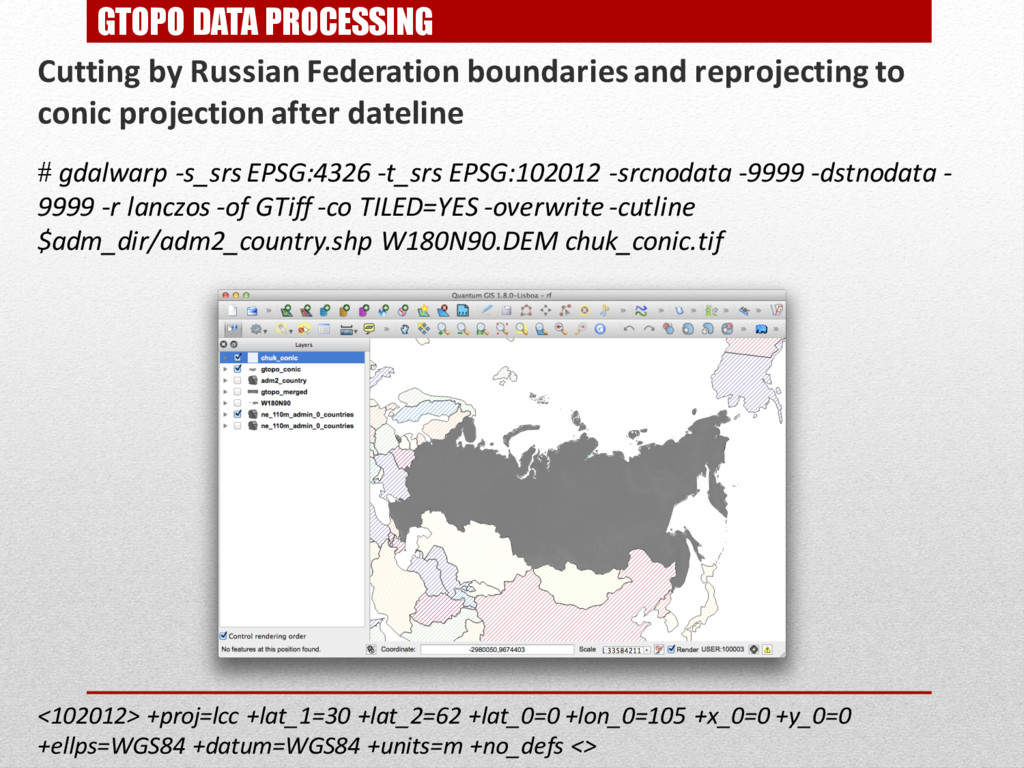
GTOPO DATA PROCESSING Cutting by Russian Federation boundaries and reprojecting
to conic projection after dateline # gdalwarp -s_srs EPSG:4326 -t_srs EPSG:102012 -srcnodata -9999 -dstnodata - 9999 -r lanczos -of GTiff -co TILED=YES -overwrite -cutline $adm_dir/adm2_country.shp W180N90.DEM chuk_conic.tif <102012> +proj=lcc +lat_1=30 +lat_2=62 +lat_0=0 +lon_0=105 +x_0=0 +y_0=0 +ellps=WGS84 +datum=WGS84 +units=m +no_defs <> -
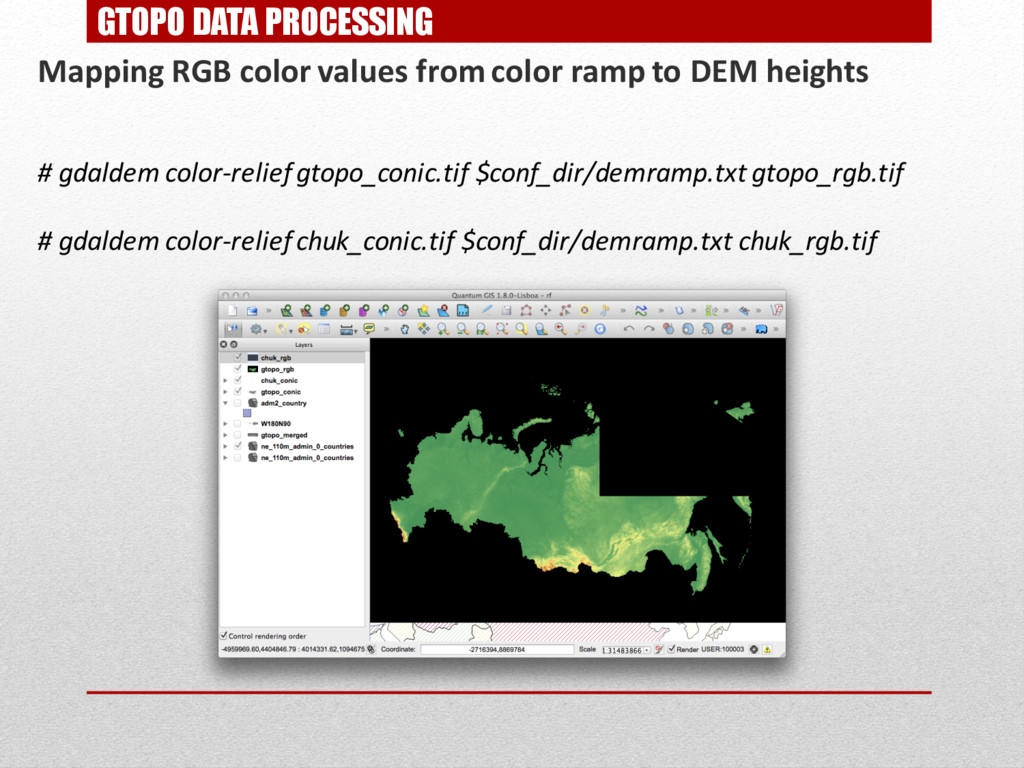
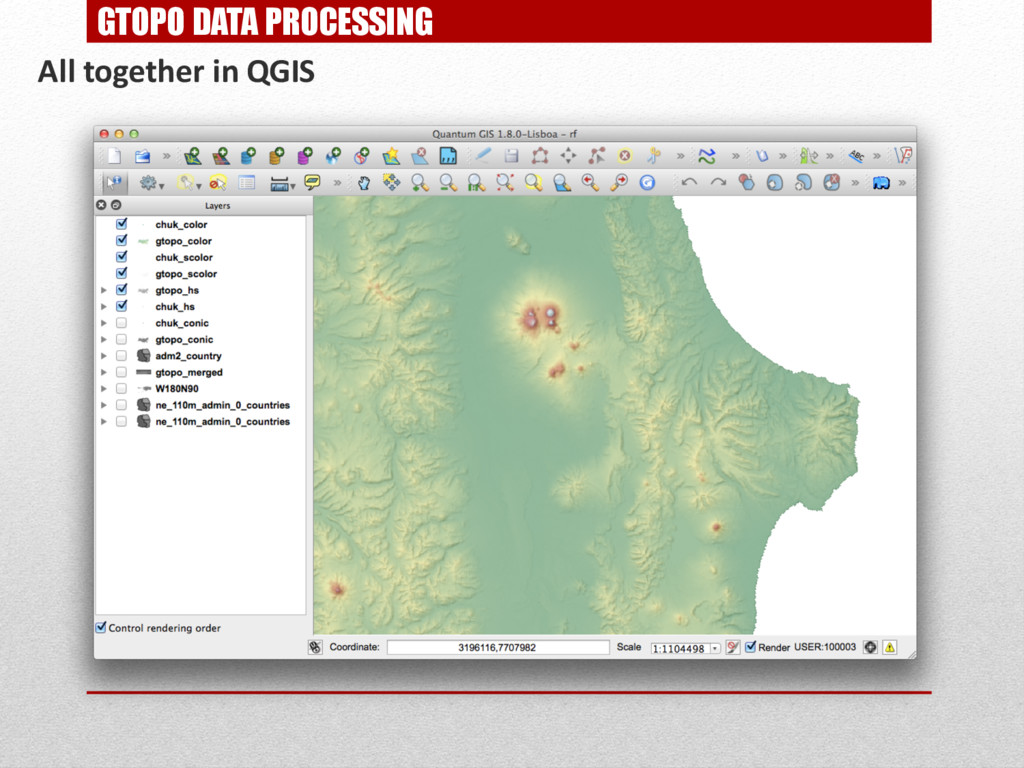
GTOPO DATA PROCESSING Mapping RGB color values from color ramp
to DEM heights # gdaldem color-relief gtopo_conic.tif $conf_dir/demramp.txt gtopo_rgb.tif # gdaldem color-relief chuk_conic.tif $conf_dir/demramp.txt chuk_rgb.tif -
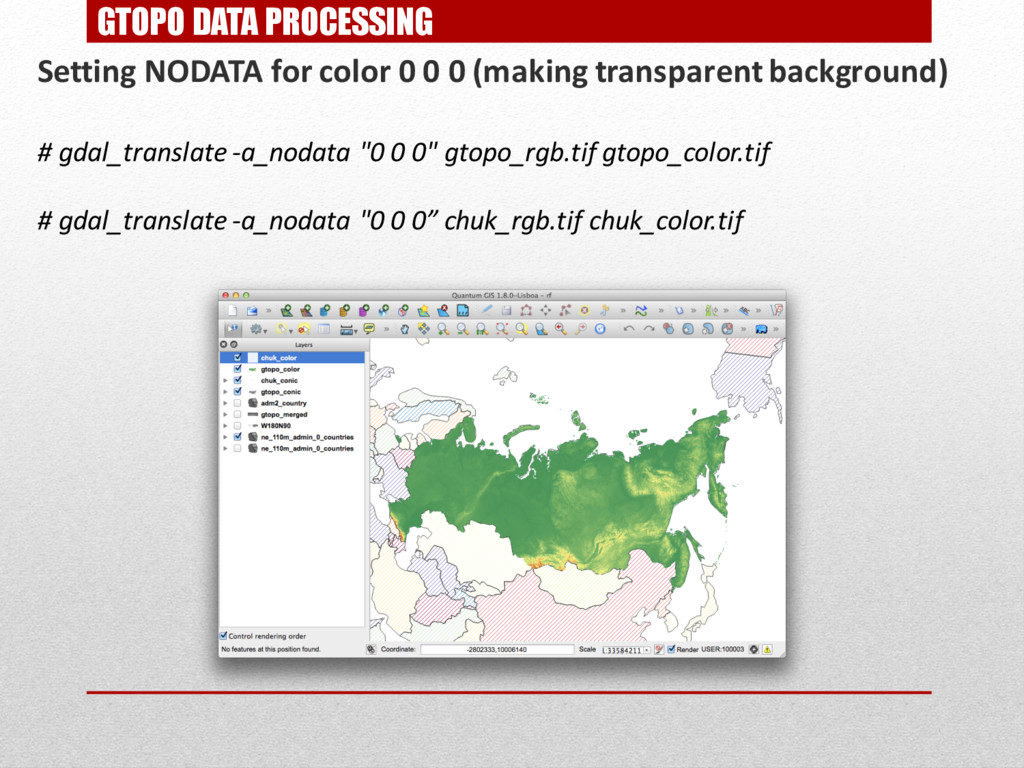
GTOPO DATA PROCESSING Setting NODATA for color 0 0 0
(making transparent background) # gdal_translate -a_nodata "0 0 0" gtopo_rgb.tif gtopo_color.tif # gdal_translate -a_nodata "0 0 0” chuk_rgb.tif chuk_color.tif -
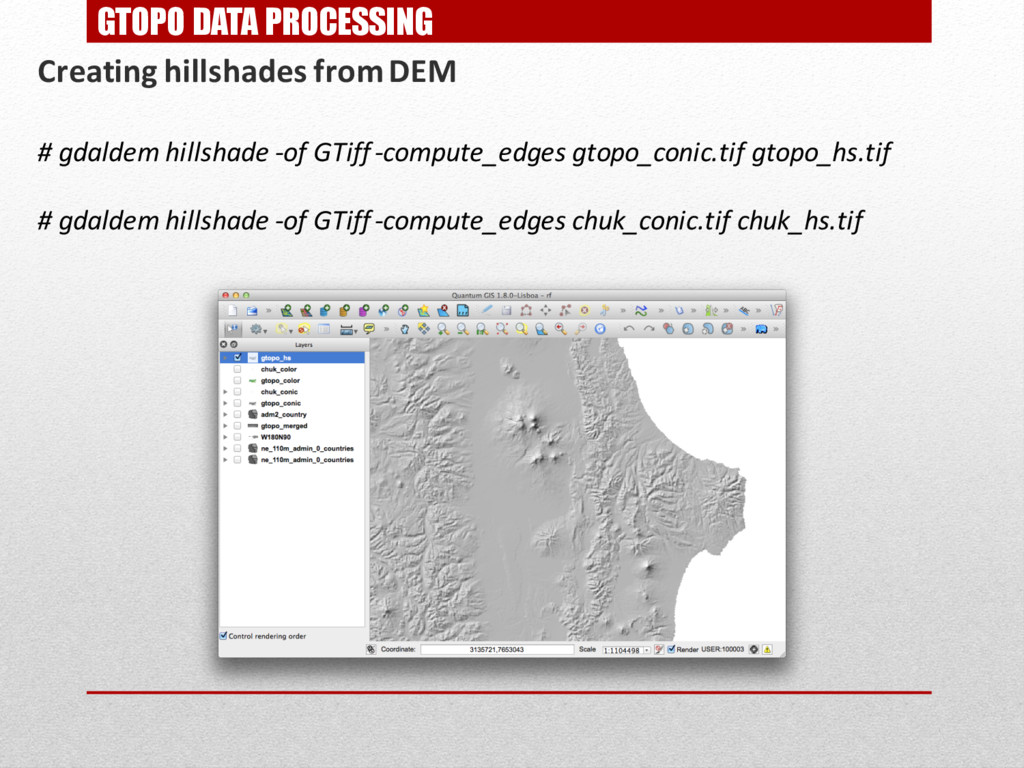
GTOPO DATA PROCESSING Creating hillshades from DEM # gdaldem hillshade
-of GTiff-compute_edges gtopo_conic.tif gtopo_hs.tif # gdaldem hillshade -of GTiff-compute_edges chuk_conic.tif chuk_hs.tif -
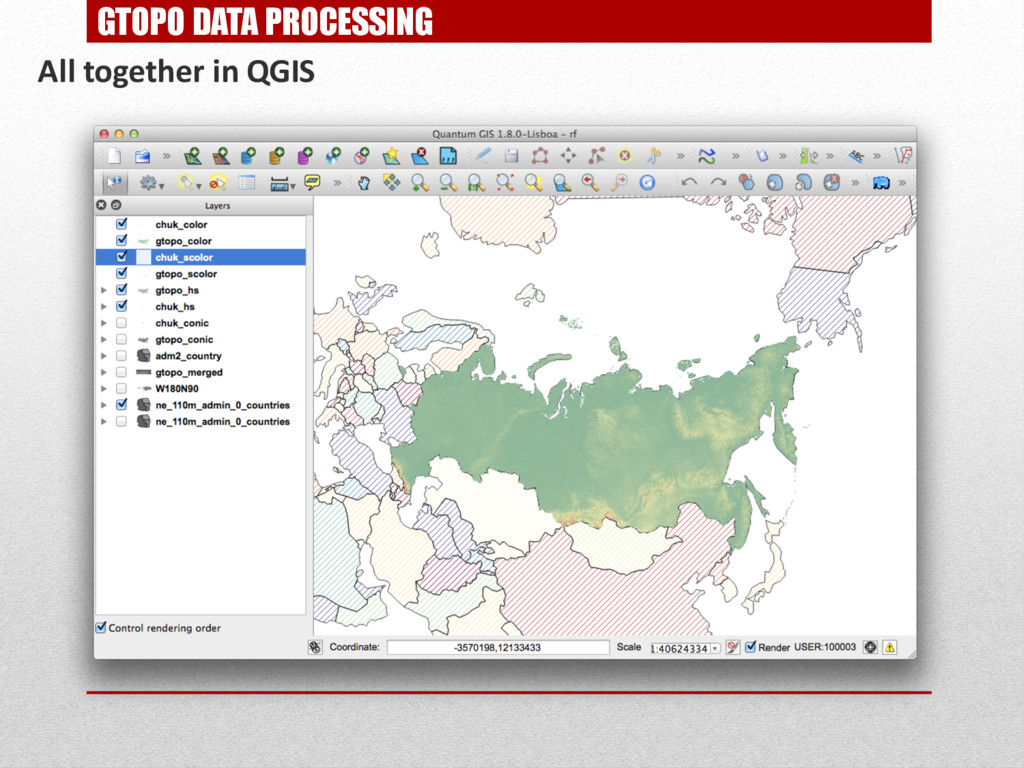
GTOPO DATA PROCESSING Creating and colouring slopeshade from DEM #
gdaldem slope chuk_conic.tif chuk_slope.tif # gdaldem slope gtopo_conic.tif gtopo_slope.tif # gdaldem color-relief gtopo_slope.tif$conf_dir/sloperamp.txt gtopo_scolor.tif # gdaldem color-relief chuk_slope.tif $conf_dir/sloperamp.txt chuk_scolor.tif -
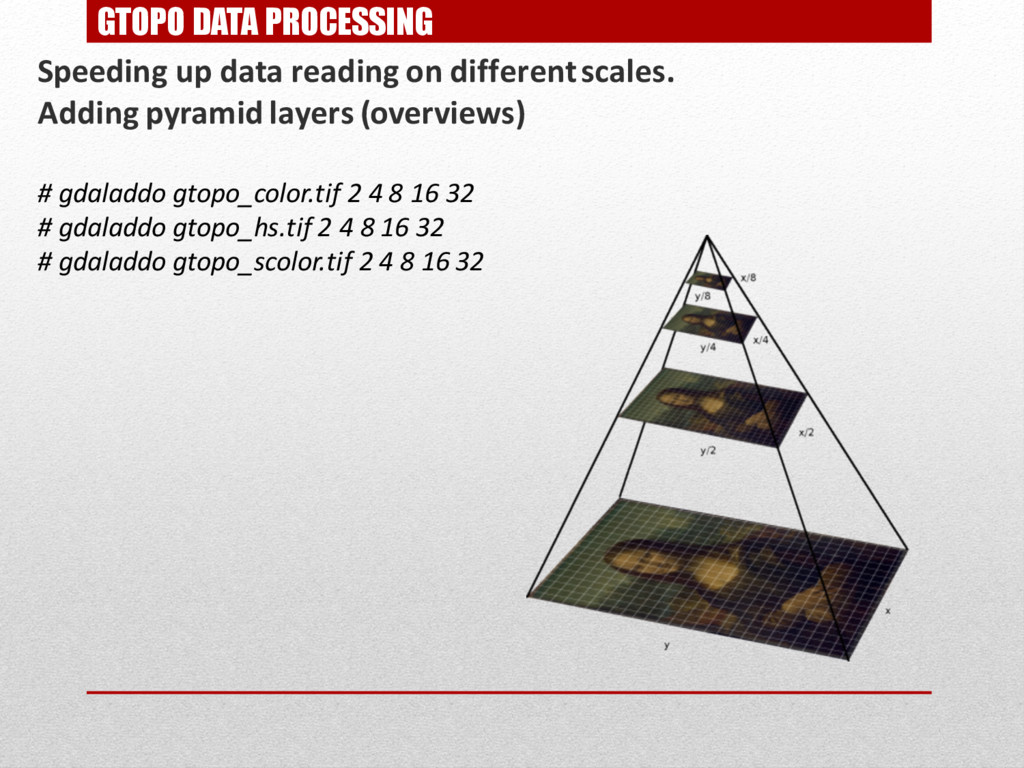
GTOPO DATA PROCESSING Speeding up data reading on different scales.
Adding pyramid layers (overviews) # gdaladdo gtopo_color.tif 2 4 8 16 32 # gdaladdo gtopo_hs.tif 2 4 8 16 32 # gdaladdo gtopo_scolor.tif 2 4 8 16 32 -
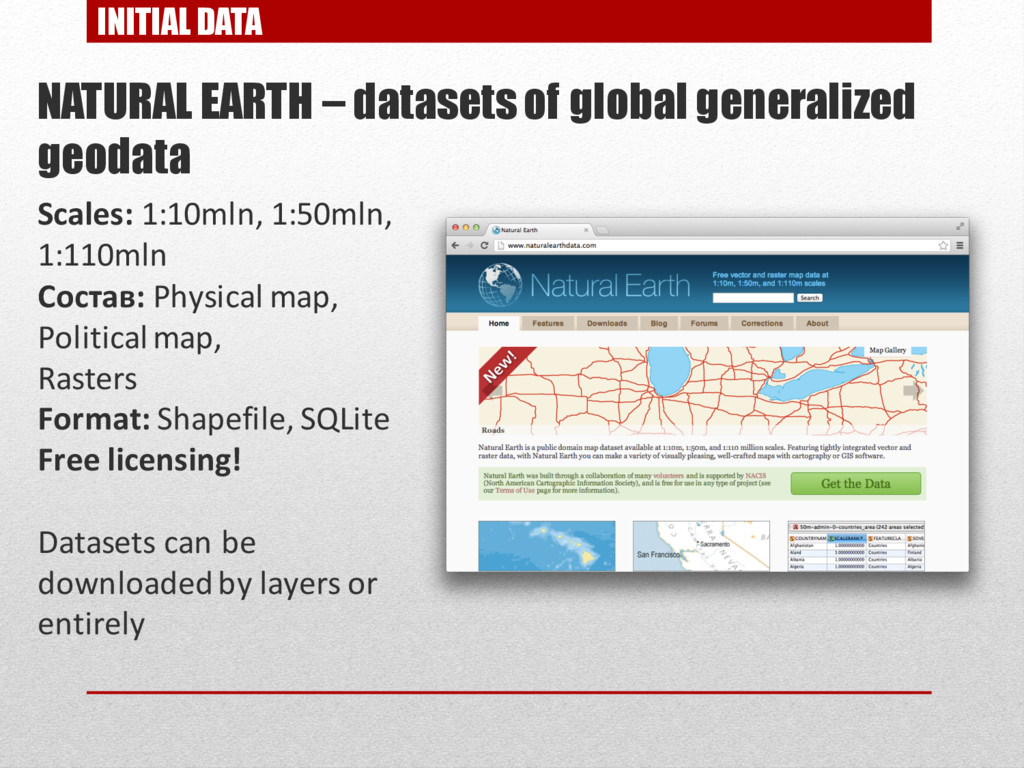
INITIAL DATA NATURAL EARTH – datasets of global generalized geodata
Scales: 1:10mln, 1:50mln, 1:110mln Состав: Physical map, Political map, Rasters Format: Shapefile, SQLite Free licensing! Datasets can be downloaded by layers or entirely -
NATURAL EARTH DATA IMPORT Importing Natural Earth data to PostGIS
database Cutting imported data with Russian Federation borders #Importing urban areas ogr2ogr -a_srs EPSG:4326 -wrapdateline -clipsrc $adm_dir/adm2_country.shp -f "PostgreSQL" "$dbsettings" ne_10m_urban_areas.shp -nln "ne.urban" -nlt MULTIPOLYGON -overwrite -lco ENCODING=UTF-8 #Importing rivers cd $ne_dir/10m_physical ogr2ogr -a_srs EPSG:4326 -wrapdateline -clipsrc $adm_dir/adm2_country.shp -f "PostgreSQL" "$dbsettings" ne_10m_rivers_lake_centerlines_scale_rank.shp -nln "ne.rivers" -nlt MULTILINESTRING -overwrite -lco ENCODING=UTF-8 #Importing glaciers ogr2ogr -a_srs EPSG:4326 -wrapdateline -clipsrc $adm_dir/adm2_country.shp -f "PostgreSQL" "$dbsettings" ne_10m_glaciated_areas.shp -nln "ne.glaciers" -nlt MULTIPOLYGON -overwrite -lco ENCODING=UTF-8 #Importing lakes ogr2ogr -a_srs EPSG:4326 -wrapdateline -clipsrc $adm_dir/adm2_country.shp -f "PostgreSQL" "$dbsettings" ne_10m_lakes.shp -nln "ne.lakes" -nlt MULTIPOLYGON -overwrite -lco ENCODING=UTF-8 PostgreSQL and PostGIS libraries should be installed to perform this tasks! -
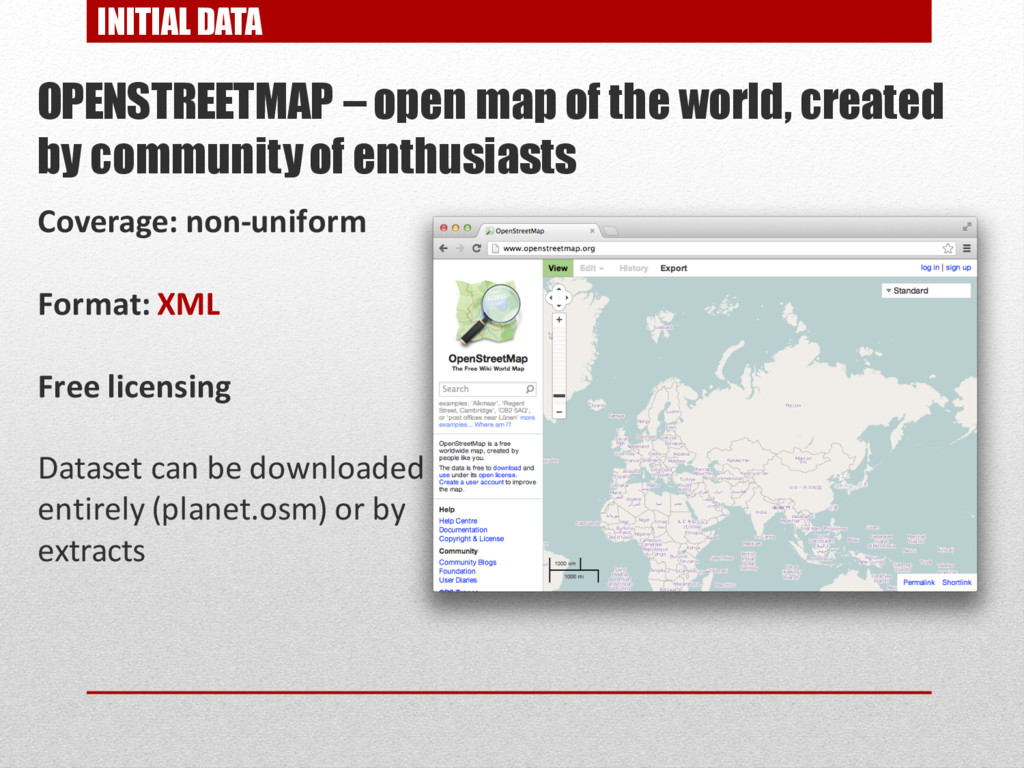
INITIAL DATA OPENSTREETMAP – open map of the world, created
by community of enthusiasts Coverage: non-uniform Format: XML Free licensing Dataset can be downloaded entirely (planet.osm) or by extracts -
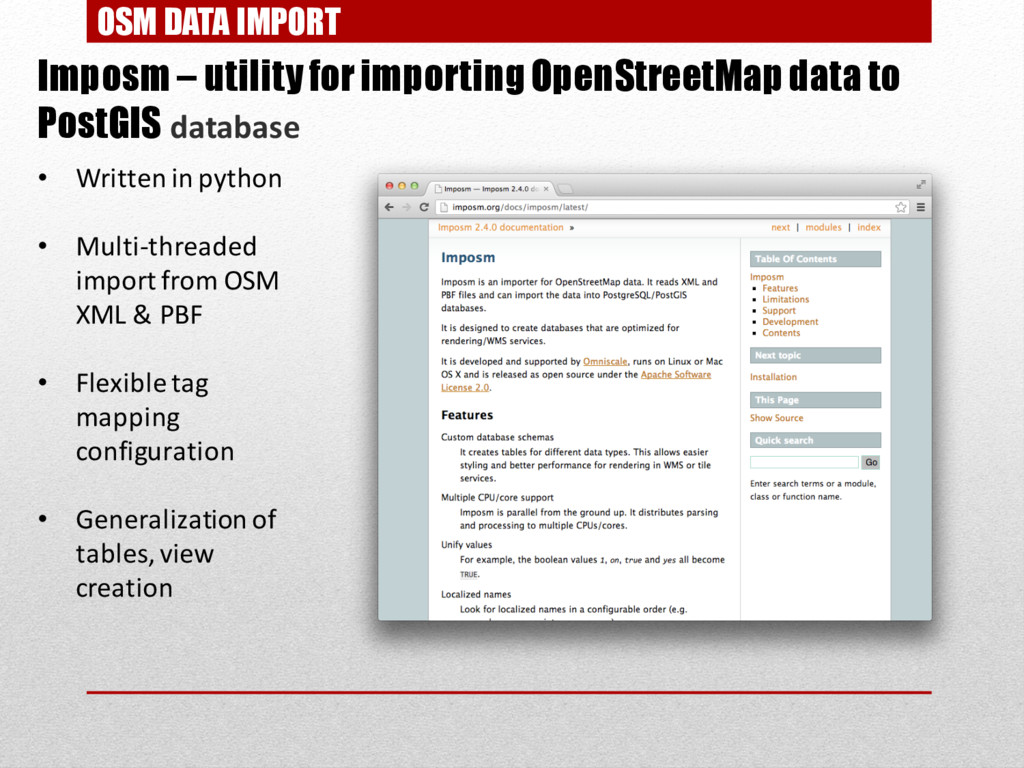
OSM DATA IMPORT Imposm – utility for importingOpenStreetMapdata to PostGIS
database • Written in python • Multi-threaded import from OSM XML & PBF • Flexible tag mapping configuration • Generalization of tables, view creation -
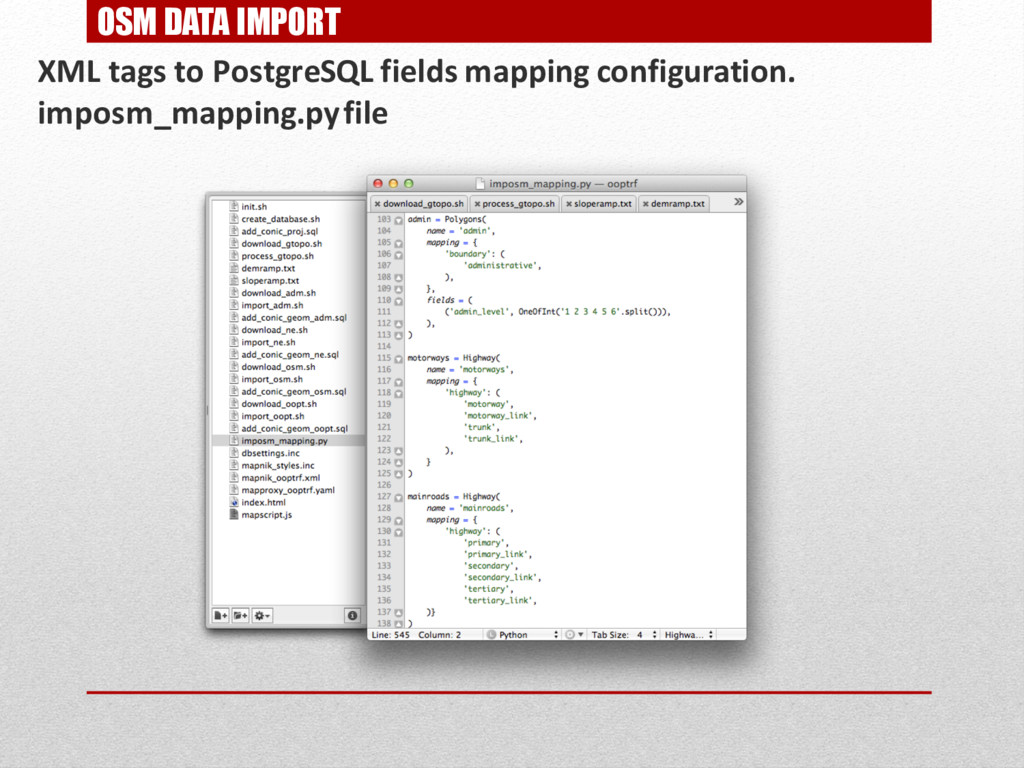
OSM DATA IMPORT XML tags to PostgreSQL fields mapping configuration.
imposm_mapping.pyfile -
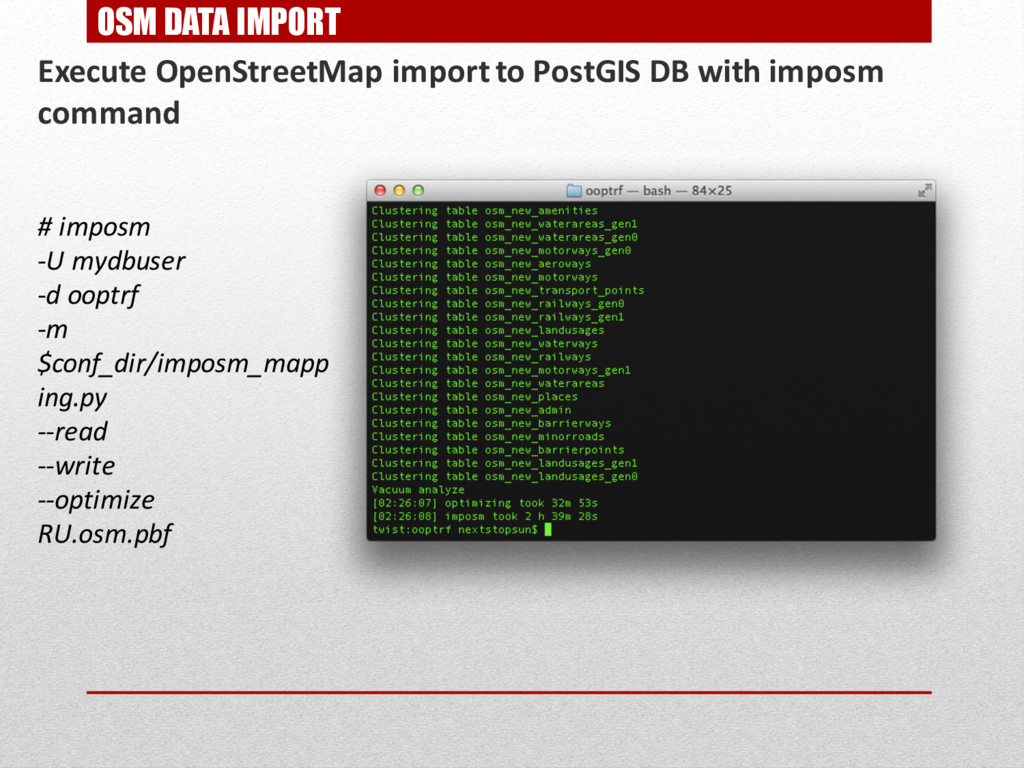
OSM DATA IMPORT Execute OpenStreetMap import to PostGIS DB with
imposm command # imposm -U mydbuser -d ooptrf -m $conf_dir/imposm_mapp ing.py --read --write --optimize RU.osm.pbf -
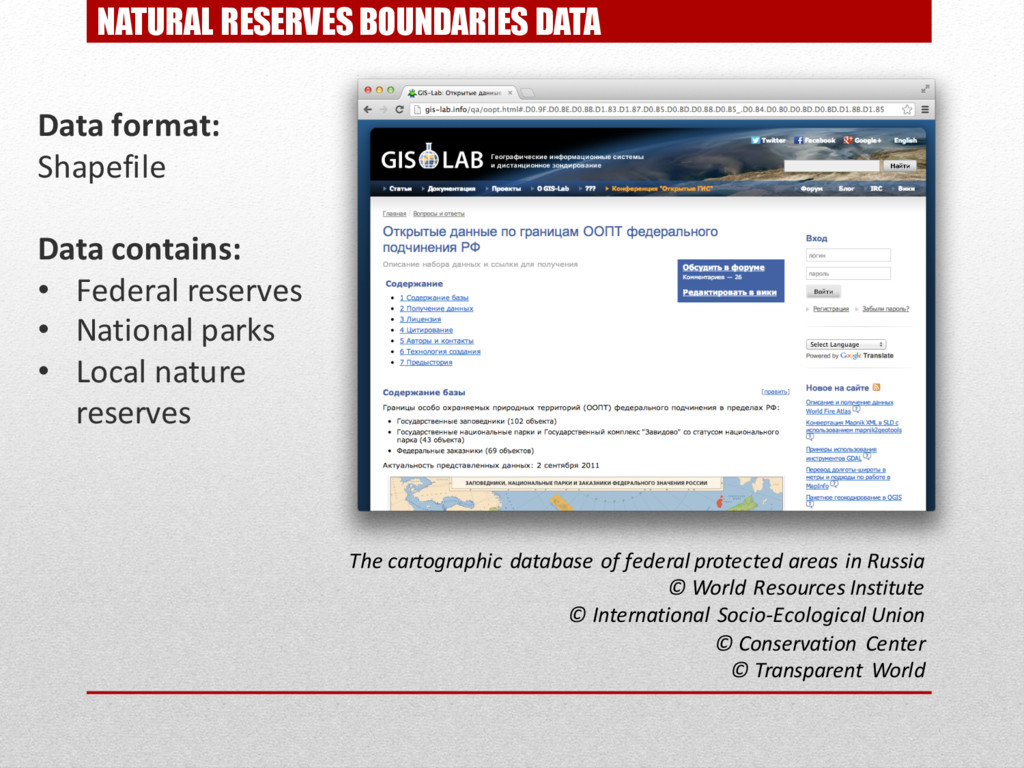
NATURAL RESERVES BOUNDARIES DATA Data format: Shapefile Data contains: •
Federal reserves • National parks • Local nature reserves The cartographic database of federal protected areas in Russia © World Resources Institute © International Socio-Ecological Union © Conservation Center © Transparent World -
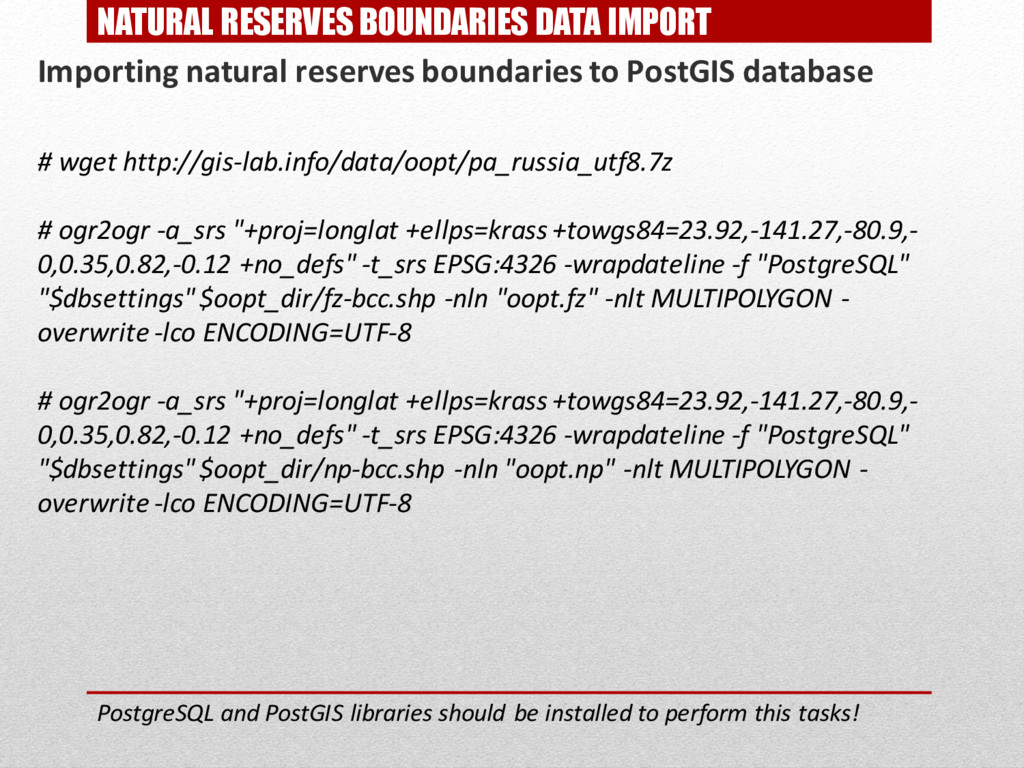
NATURAL RESERVES BOUNDARIES DATA IMPORT Importing natural reserves boundaries to
PostGIS database # wget http://gis-lab.info/data/oopt/pa_russia_utf8.7z # ogr2ogr -a_srs "+proj=longlat +ellps=krass +towgs84=23.92,-141.27,-80.9,- 0,0.35,0.82,-0.12 +no_defs" -t_srs EPSG:4326 -wrapdateline -f "PostgreSQL" "$dbsettings" $oopt_dir/fz-bcc.shp -nln "oopt.fz" -nlt MULTIPOLYGON - overwrite -lco ENCODING=UTF-8 # ogr2ogr -a_srs "+proj=longlat +ellps=krass +towgs84=23.92,-141.27,-80.9,- 0,0.35,0.82,-0.12 +no_defs" -t_srs EPSG:4326 -wrapdateline -f "PostgreSQL" "$dbsettings" $oopt_dir/np-bcc.shp -nln "oopt.np" -nlt MULTIPOLYGON - overwrite -lco ENCODING=UTF-8 PostgreSQL and PostGIS libraries should be installed to perform this tasks! -
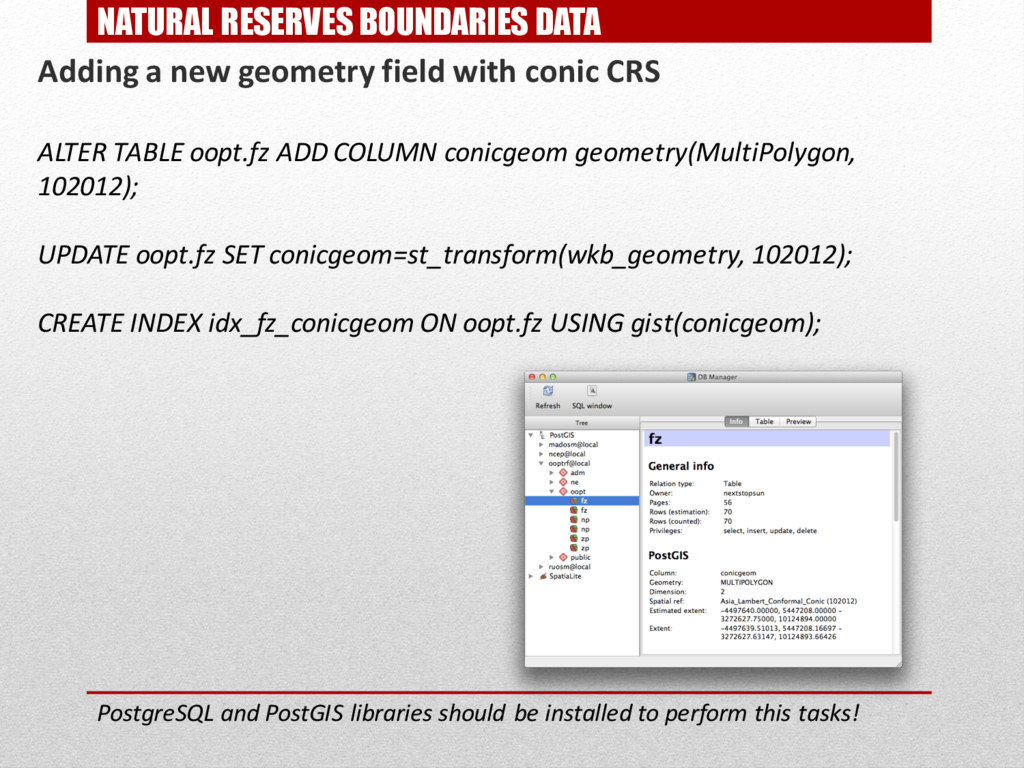
NATURAL RESERVES BOUNDARIES DATA Adding a new geometry field with
conic CRS ALTER TABLE oopt.fz ADD COLUMN conicgeom geometry(MultiPolygon, 102012); UPDATE oopt.fz SET conicgeom=st_transform(wkb_geometry, 102012); CREATE INDEX idx_fz_conicgeom ON oopt.fz USING gist(conicgeom); PostgreSQL and PostGIS libraries should be installed to perform this tasks! -
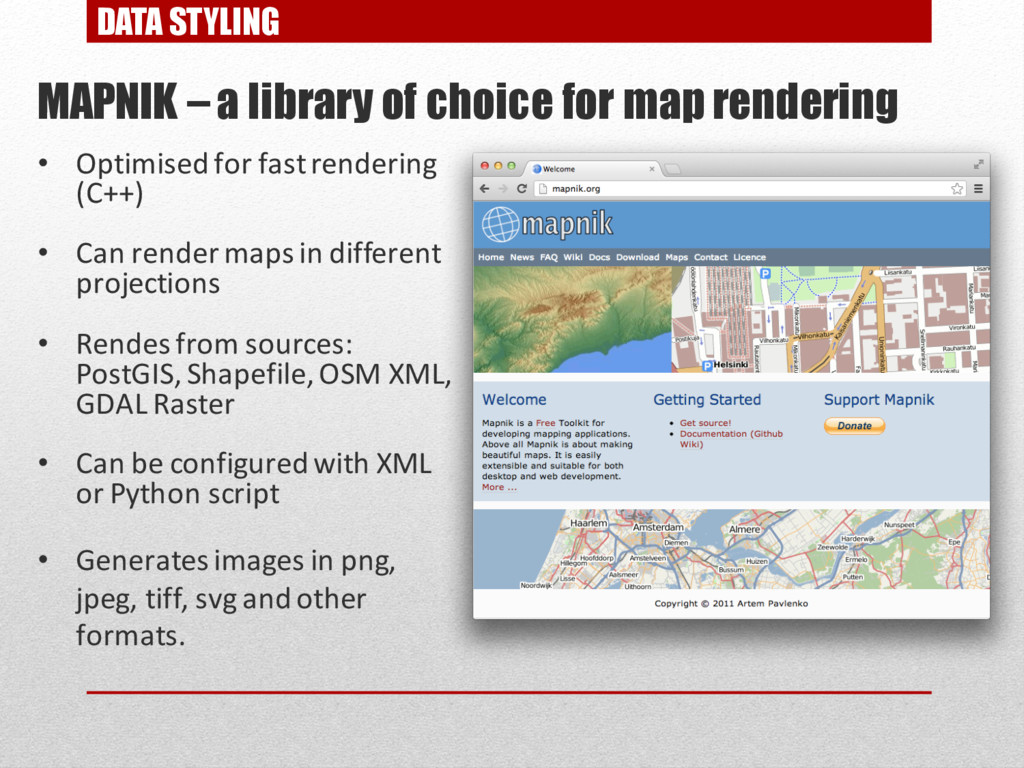
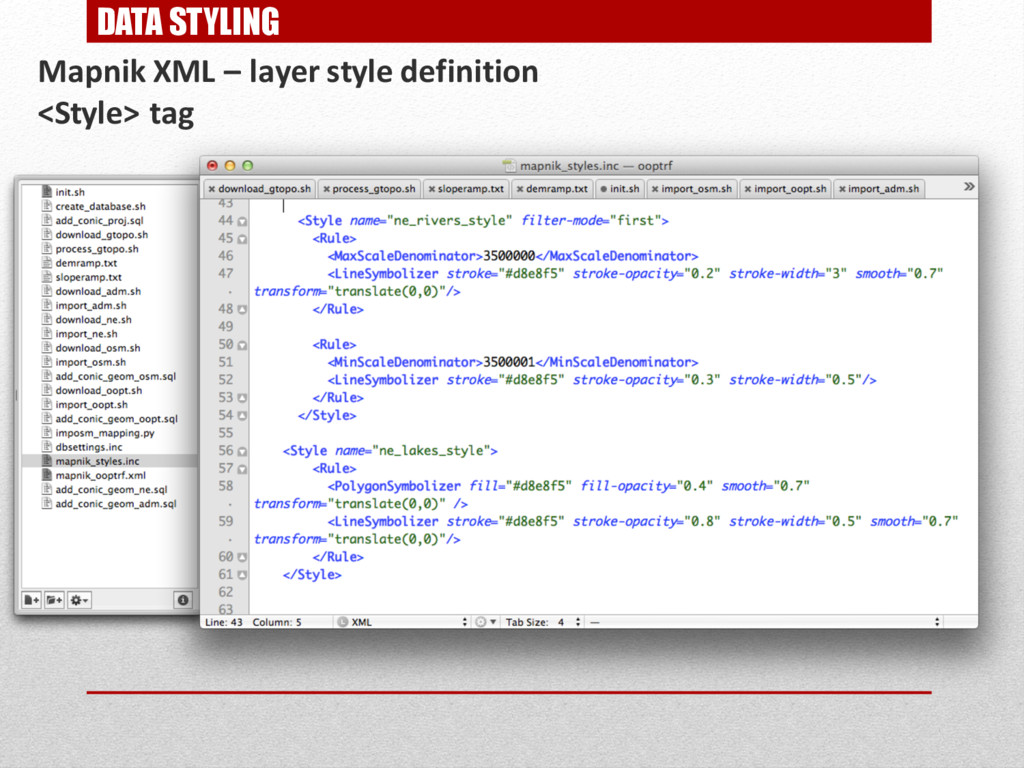
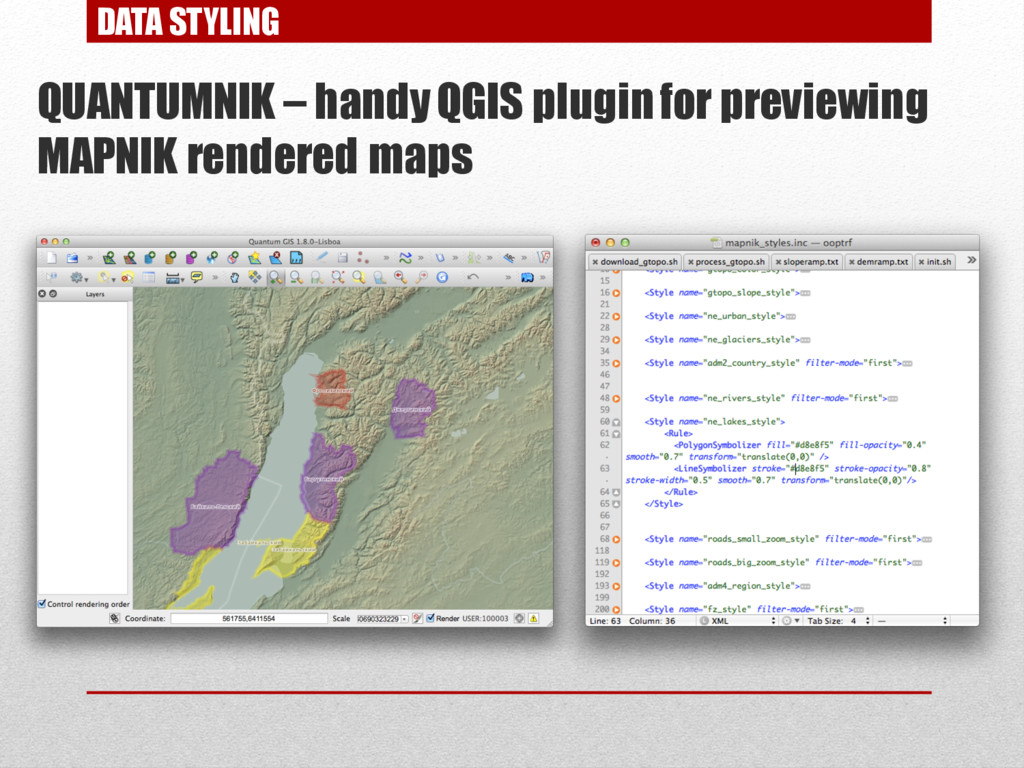
DATA STYLING MAPNIK – a library of choice for map
rendering • Optimised for fast rendering (С++) • Can render maps in different projections • Rendes from sources: PostGIS, Shapefile, OSM XML, GDAL Raster • Can be configured with XML or Python script • Generates images in png, jpeg, tiff, svg and other formats. -
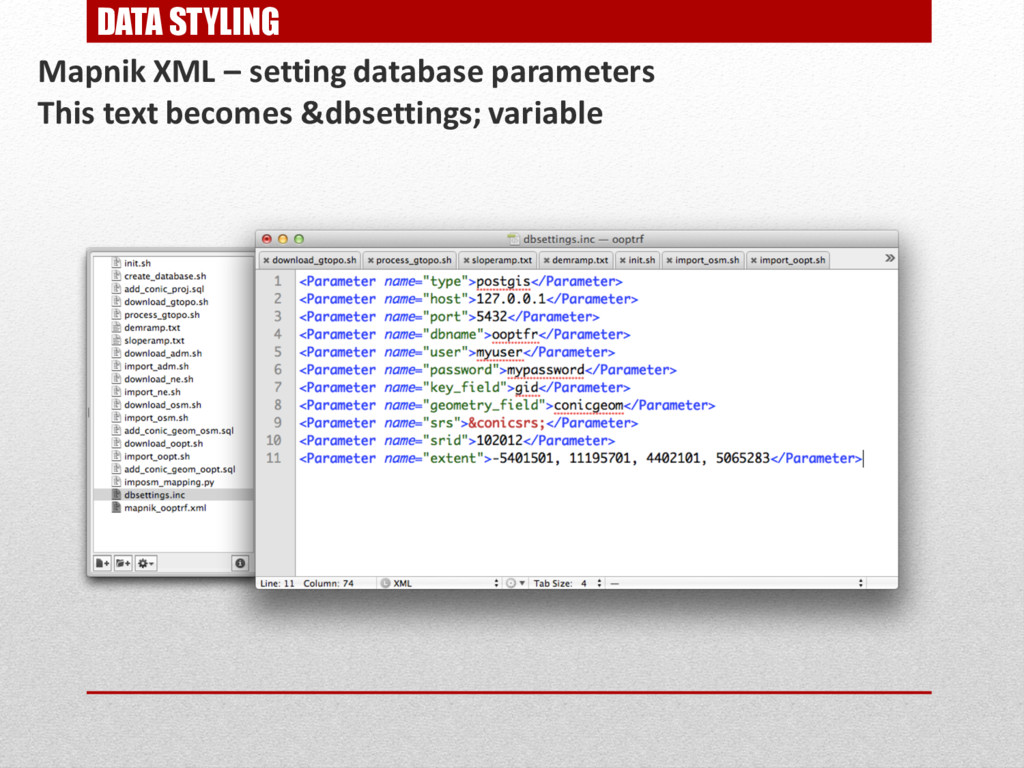
DATA STYLING Mapnik XML – setting database parameters This text
becomes &dbsettings; variable -
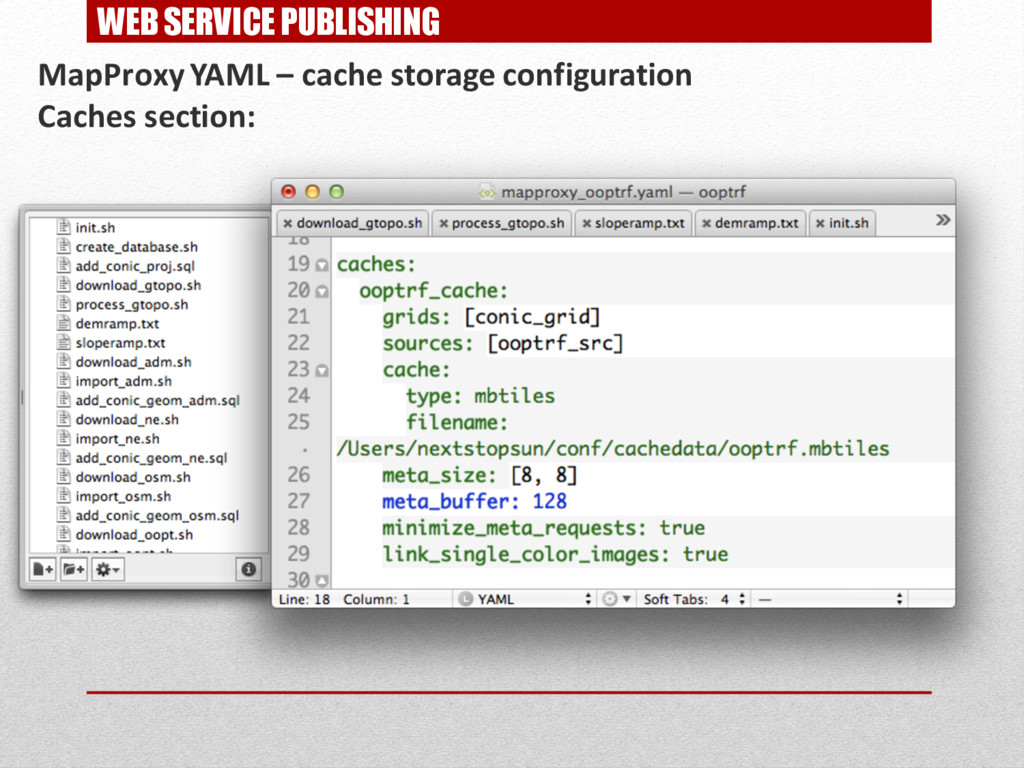
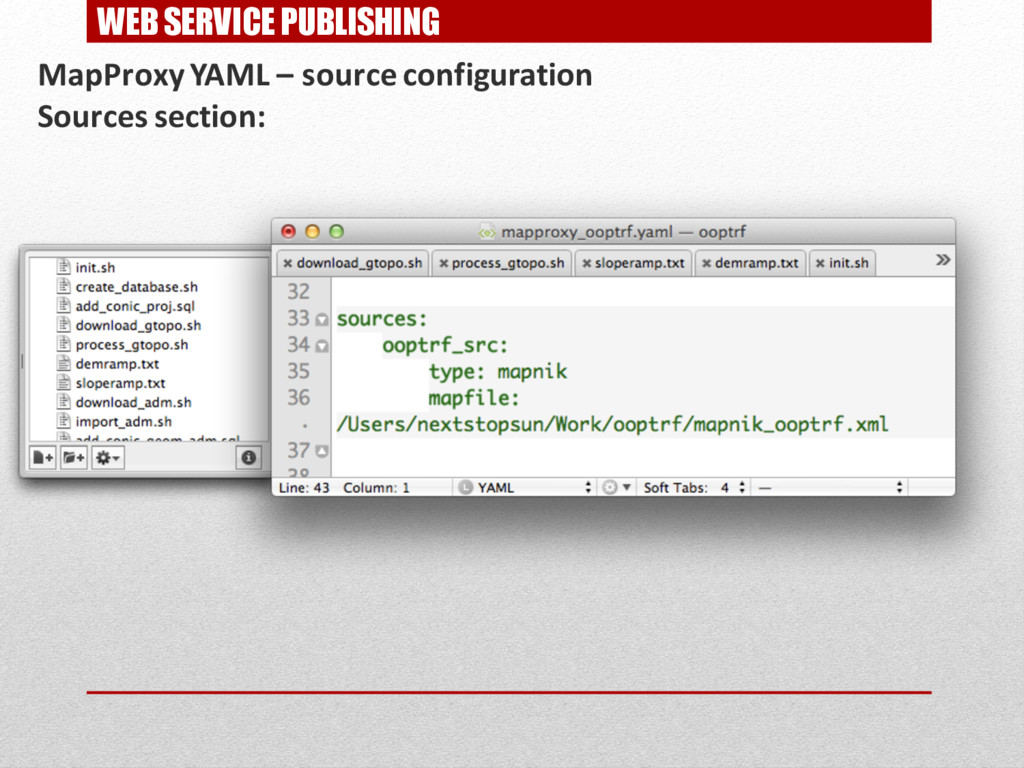
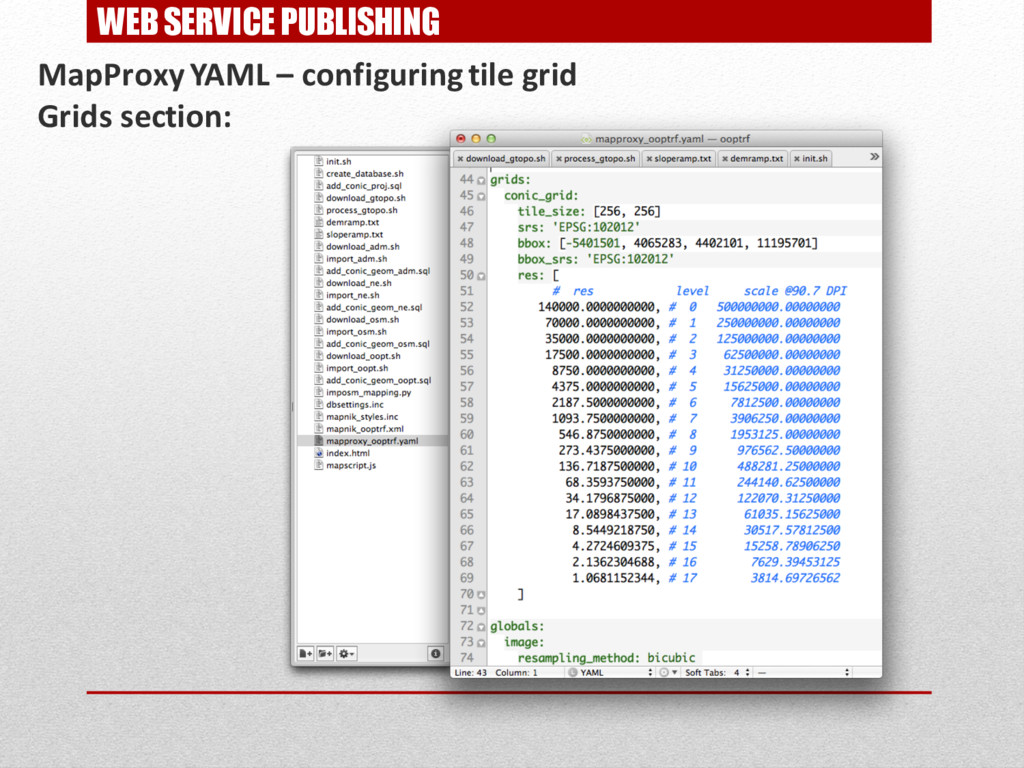
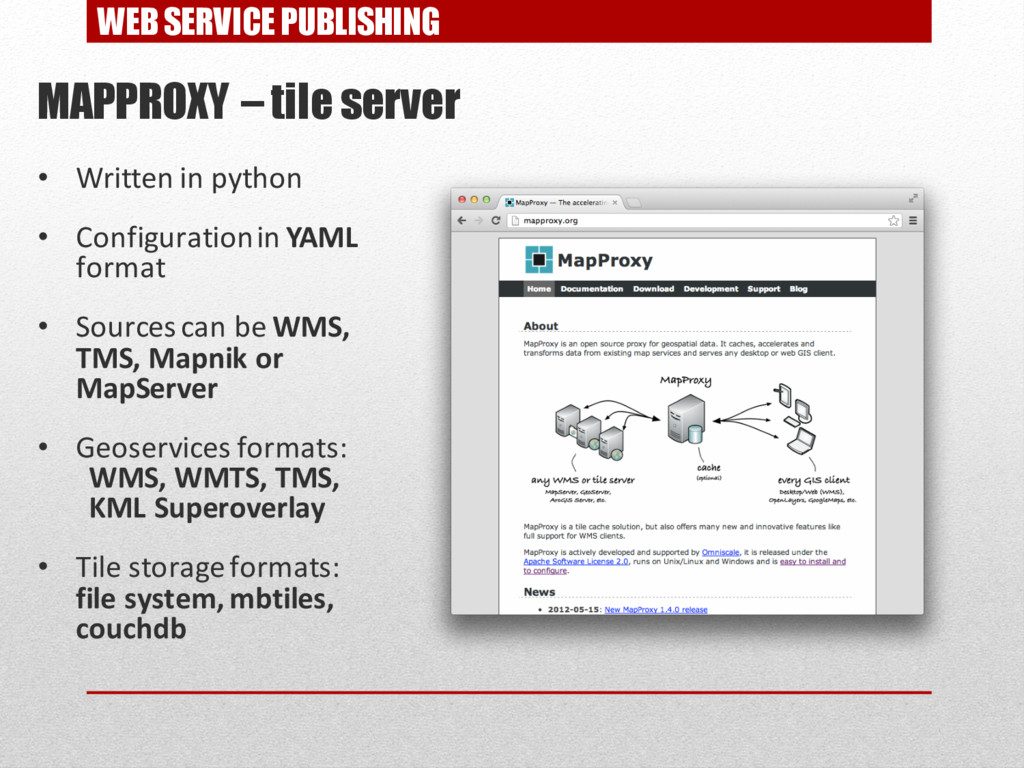
WEB SERVICE PUBLISHING MAPPROXY – tile server • Written in
python • Configuration in YAML format • Sources can be WMS, TMS, Mapnik or MapServer • Geoservices formats: WMS, WMTS, TMS, KML Superoverlay • Tile storage formats: file system, mbtiles, couchdb -
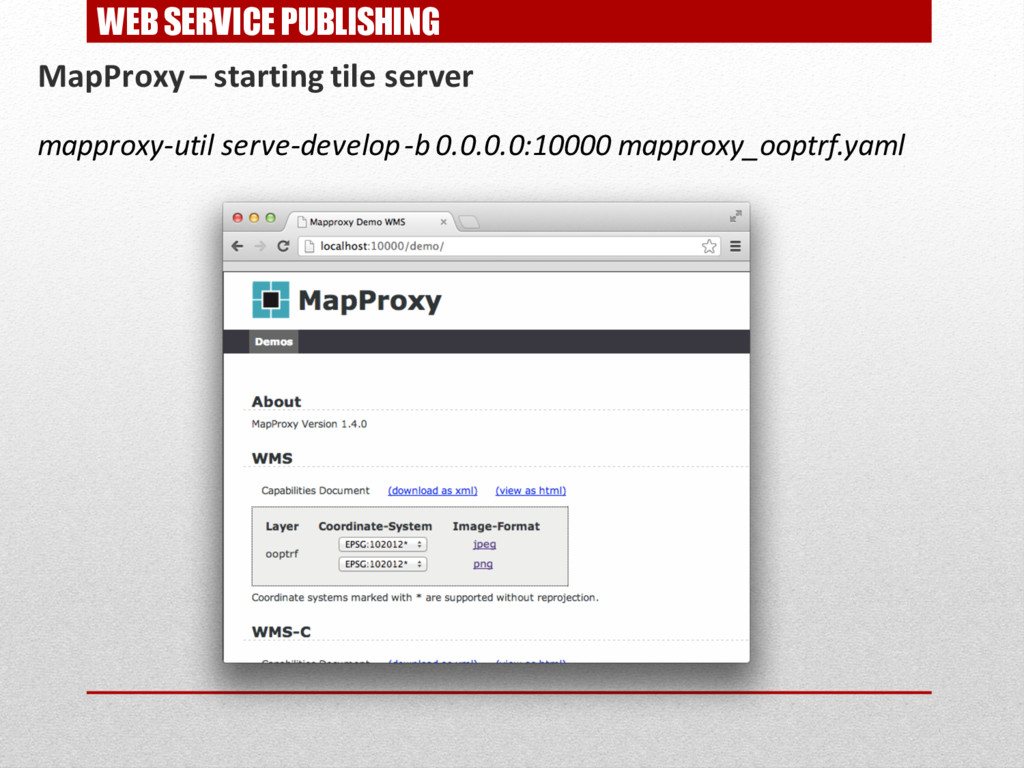
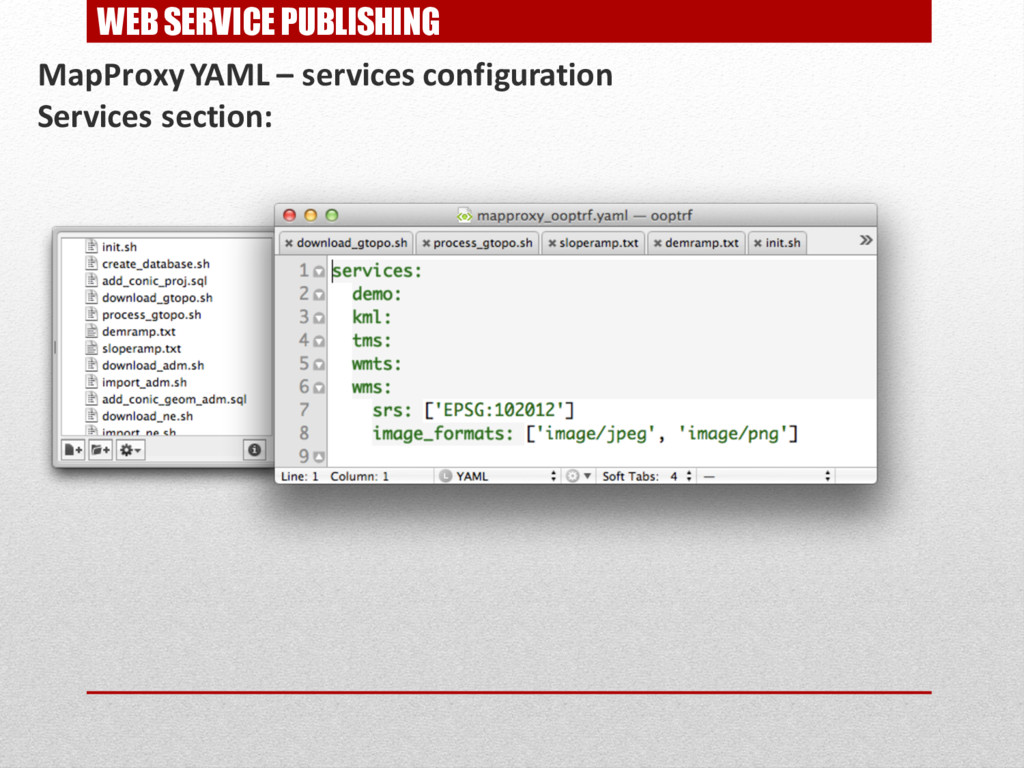
WEB SERVICE PUBLISHING MapProxy – starting tile server mapproxy-util serve-develop
-b 0.0.0.0:10000 mapproxy_ooptrf.yaml -
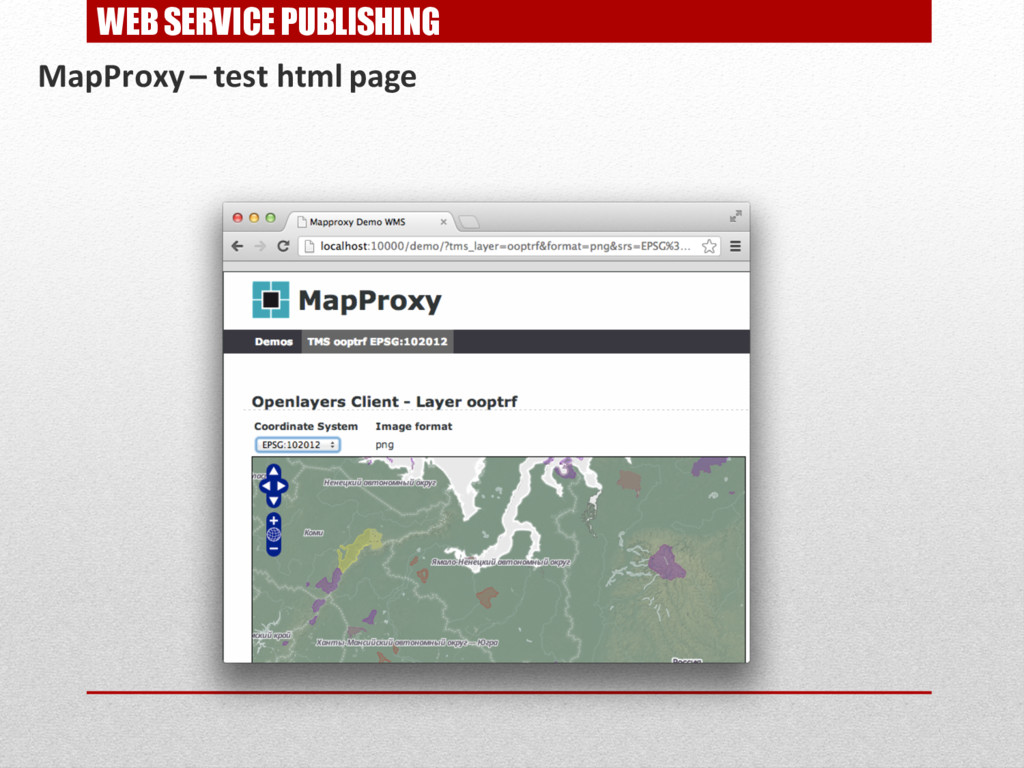
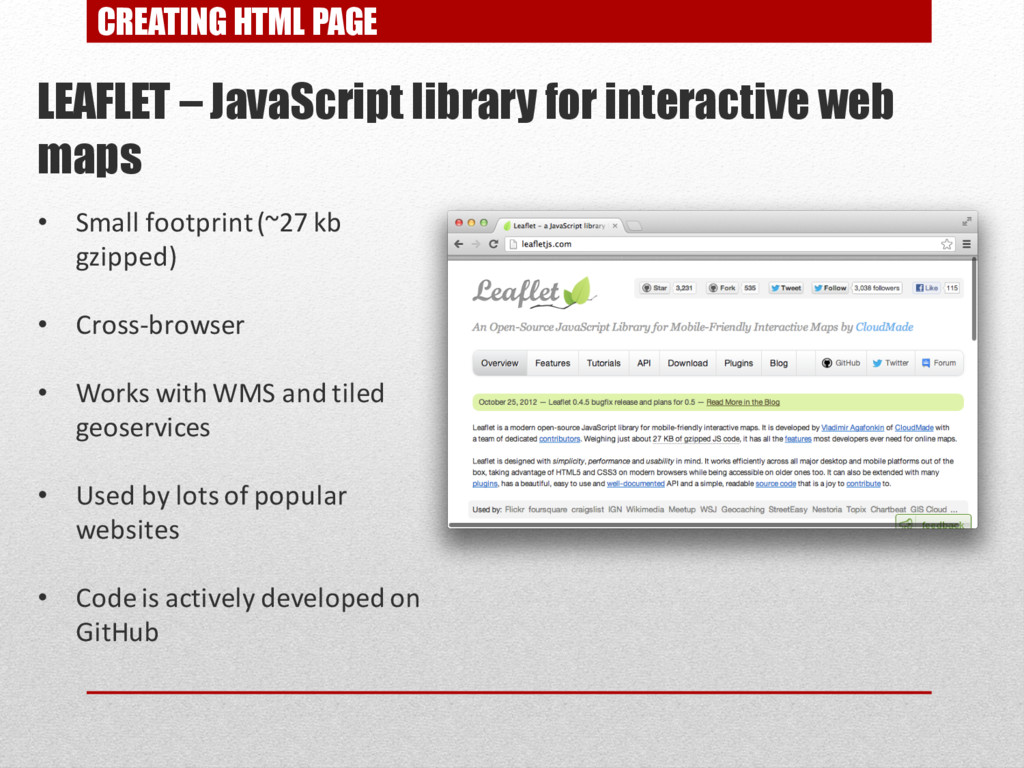
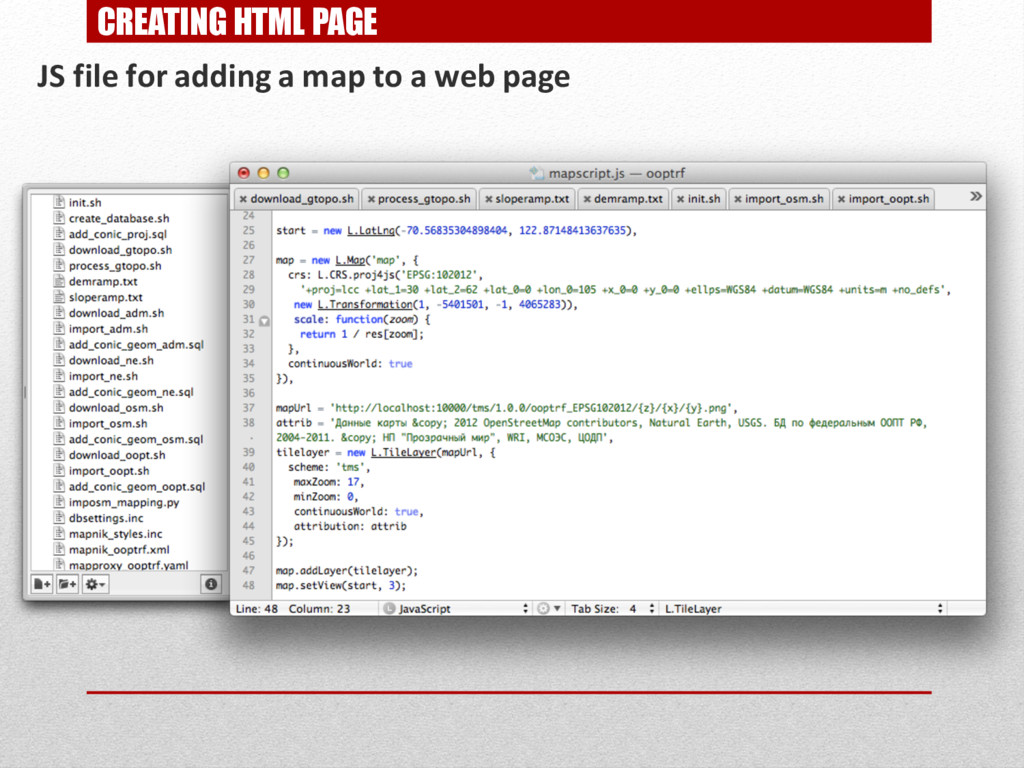
CREATING HTML PAGE LEAFLET – JavaScript library for interactive web
maps • Small footprint(~27 kb gzipped) • Cross-browser • Works with WMS and tiled geoservices • Used by lots of popular websites • Code is actively developed on GitHub -
CREATING HTML PAGE RESULT: NOW CHECK IT OUT LIVE ON
YOUR COMPUTER!