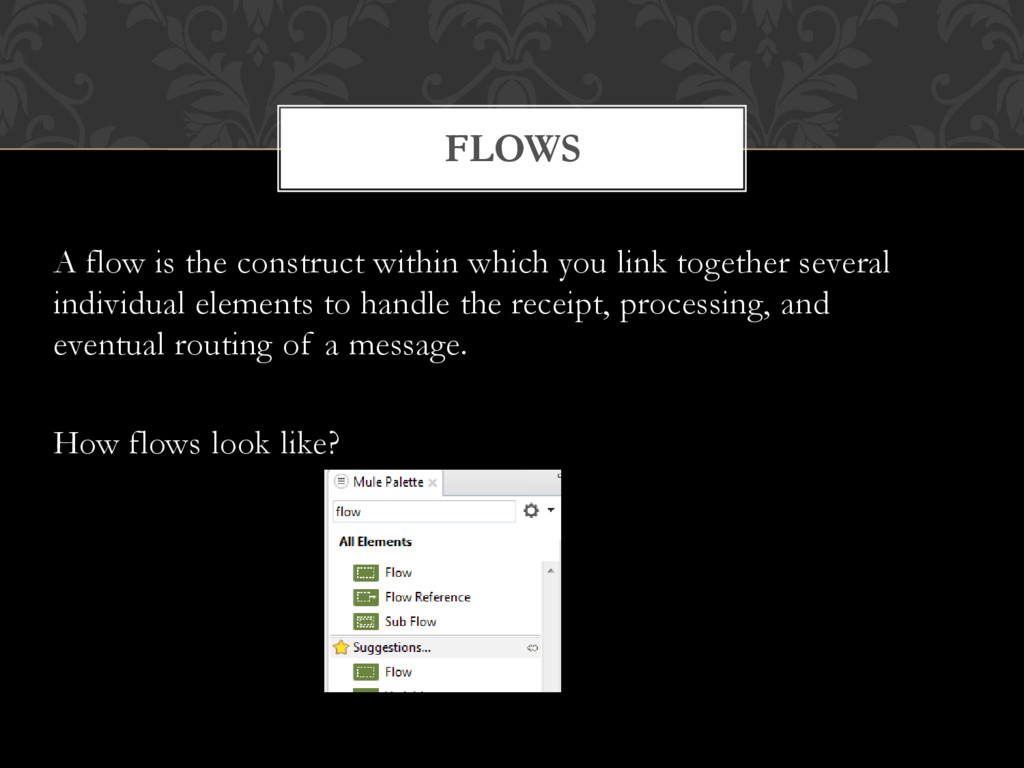
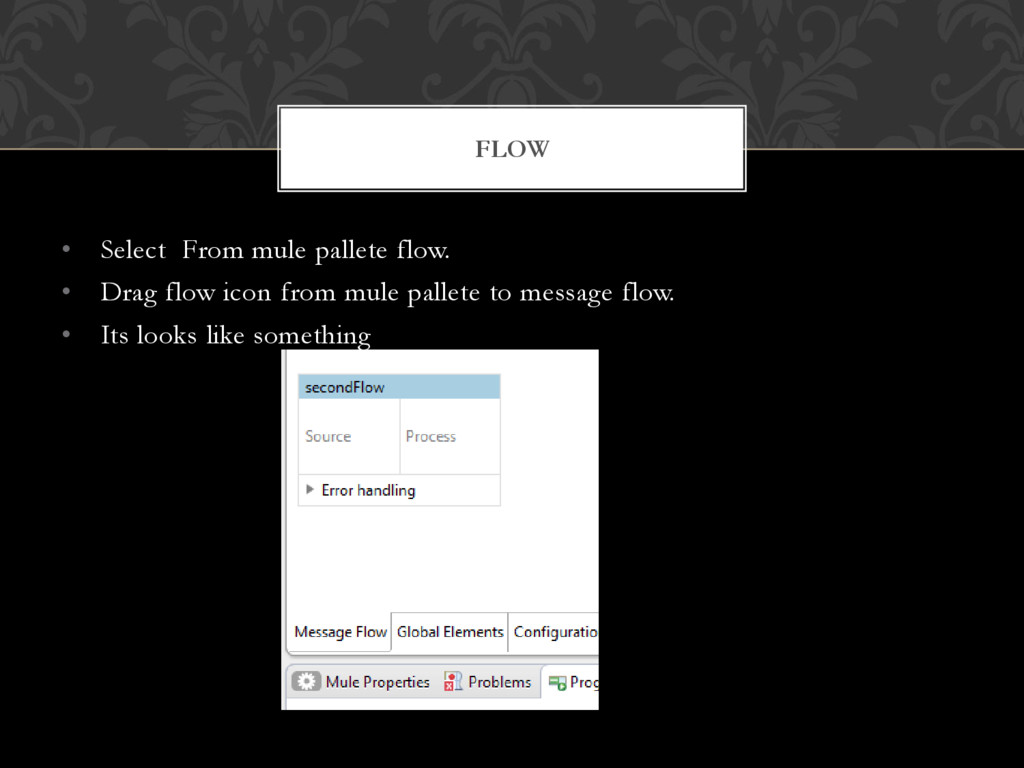
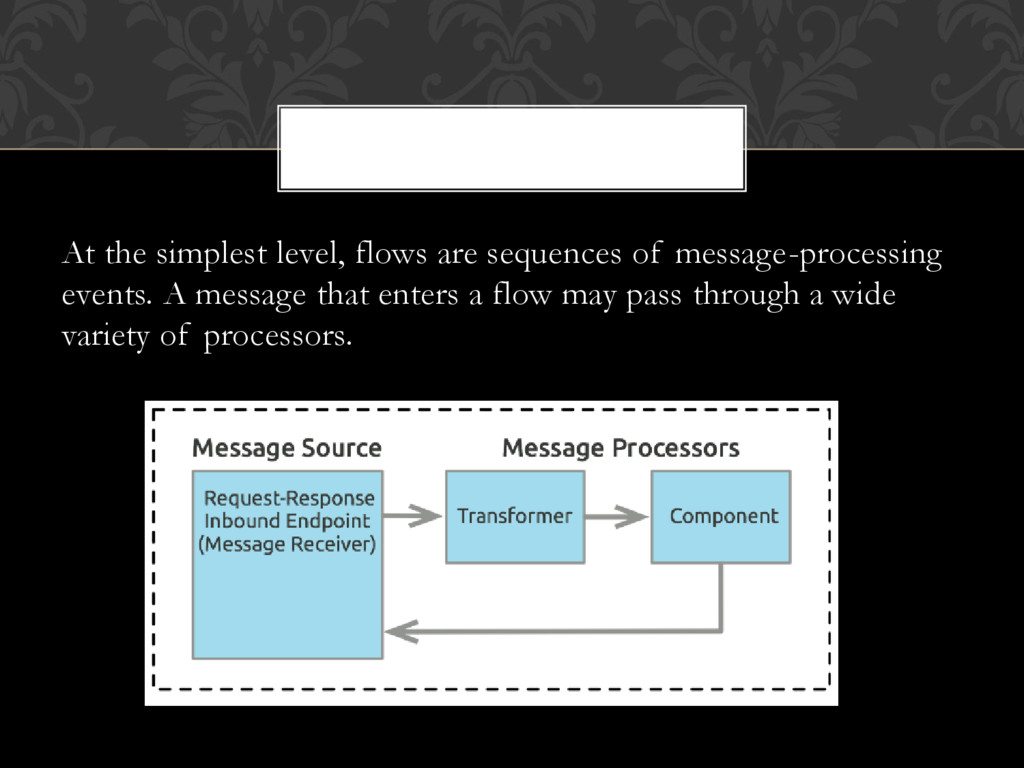
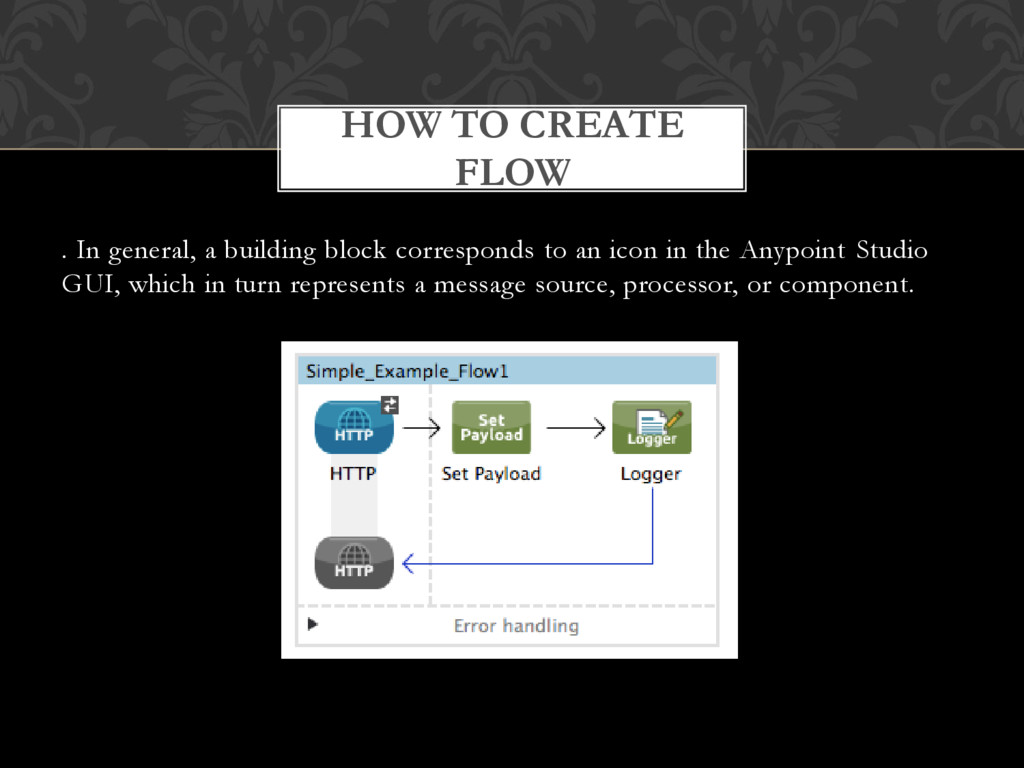
lightweight Java-based enterprise service bus (ESB) and integration platform that allows developers to connect applications together quickly and easily, enabling them to exchange data. • Mule applications accept and process events as messages through several message processors plugged together in a flow. WHY MULE ?
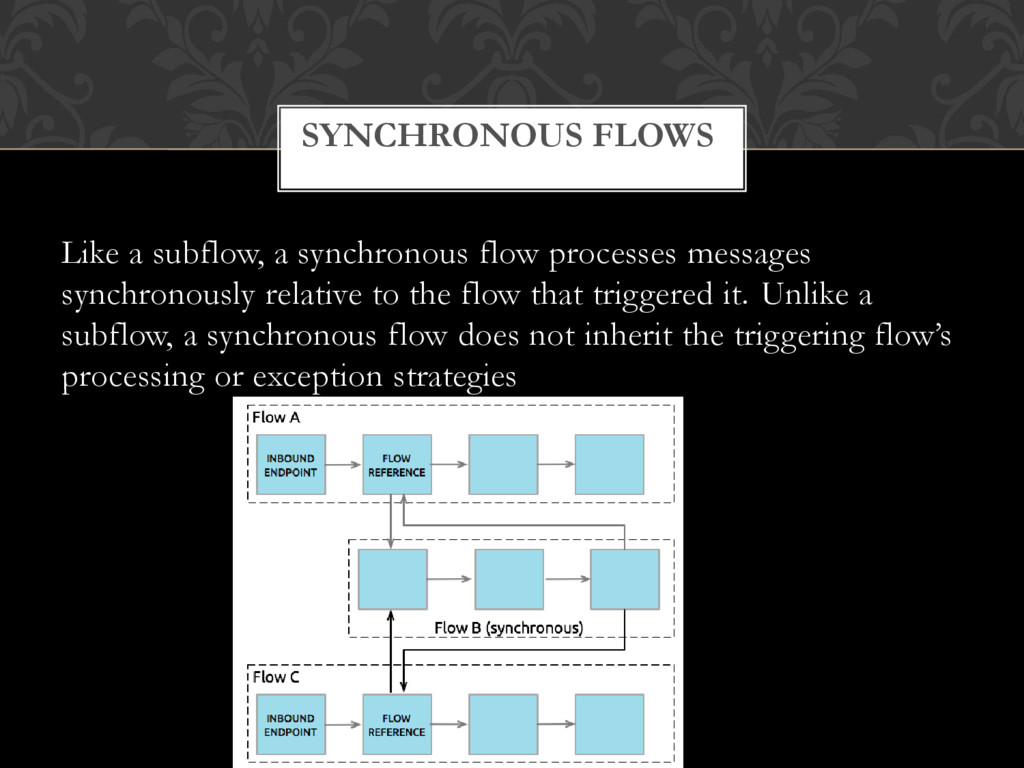
to the flow that triggered it. Unlike a subflow, a synchronous flow does not inherit the triggering flow’s processing or exception strategies SYNCHRONOUS FLOWS
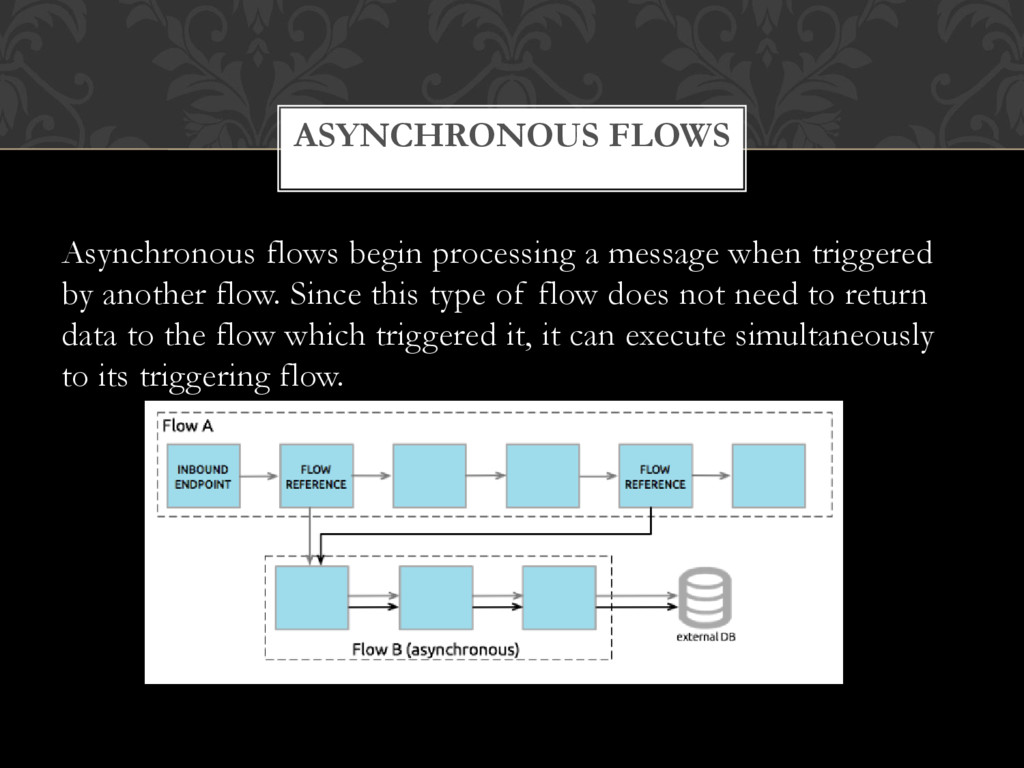
flow. Since this type of flow does not need to return data to the flow which triggered it, it can execute simultaneously to its triggering flow. ASYNCHRONOUS FLOWS
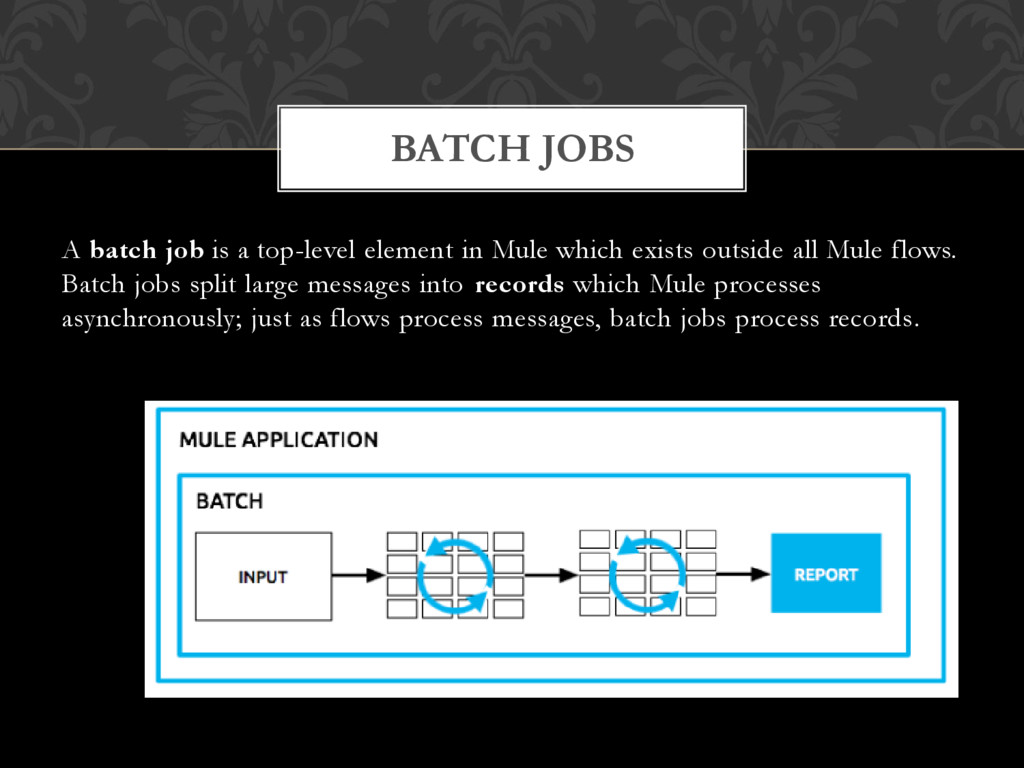
exists outside all Mule flows. Batch jobs split large messages into records which Mule processes asynchronously; just as flows process messages, batch jobs process records. BATCH JOBS
Mule ESB provides many standard transformers, which you configure using predefined elements and attributes in your Mule XML configuration file The most powerful tool for transforming a message is the DataWeave Transformer, which can not only change the format of the message, but also rename, aggregate, split or rearrange the fields in it in any way you desire. TRANSFORMERS
configure a local transformer right on the endpoint or in a flow or where you want to apply it, whereas you configure a global transformer before any <model> or <flow> elements in your Mule configuration file and then reference it. Chaining Transformers-:You can chain transformers together so that the output from one transformer becomes the input for the next. To chain transformers, you create a space-separated list of transformers in thetransformer-refs or responseTransformer-refs attributes or by creating multiple <transformer>elements as shown above. TRANSFORMERS
human-readable output for various kinds of objects. Useful for debugging. StringAppendTransformer-: Appends a string to an existing string. StringToObjectArray-: Converts a string to an object array. Use the configuration element <string-to-byte-array-transformer> TRASFORMATION EXAMPLE
third-party APIs and standard integration protocols. Use connectors within your application’s flows to send and receive data using a protocol or specific API. CONNECTORS
messages between flows or between a flow and some other data source outside of Mule. Some connectors are endpoint-based, meaning that you configure them either as inbound or outbound endpoints in your flow, then specify other operation logic within the configuration of that endpoint. Some connectors are operation-based, meaning that they allow you to invoke specific actions against an API, Web service, or database. TYPES OF CONNECTOR
a message can proceed through an application flow. The simplest filters implement basic logic operators (such as and, or, and not), but these simple elements can be combined in various ways to specify complex logical conditions. FILTERS


 terapyon
 shogo4131
 hiracky16
 satomasahiro2005
 akitoshiga
 pfn
pfn
 yahonda
 jozono
 ivry_presentationmaterials
 moznion
 persolserverworks
 tomokusaba
 inesmontani
 addyosmani
 asonas
 soudai
 irinanazarova
 uxyall
 kimpetersen
 axbom
axbom
 techseoconnect
 pwiseman
 skipperchong
 morganepeng