Upgrade to Pro — share decks privately, control downloads, hide ads and more …

Secure Coding 101: Practical Security Habits fo...

Secure Coding 101: Practical Security Habits for Developers Everyone

This slide deck introduces Secure Coding 101 through practical examples, role-based activities, and real-world security mistakes. It is designed for interns from BA, QA, Project Coordination, and Software Engineering backgrounds to understand how secure software is built from requirements to release.

Avatar for Nishan Chathuranga

Nishan Chathuranga

August 09, 2026

More Decks by Nishan Chathuranga

Other Decks in Programming

Transcript

  1. About me NISHAN WICKRAMARATHNA ASSOCIATE TECH LEAD @ Xeynergy B.Sc

    (Hons) in Information Technology - University of Moratuwa
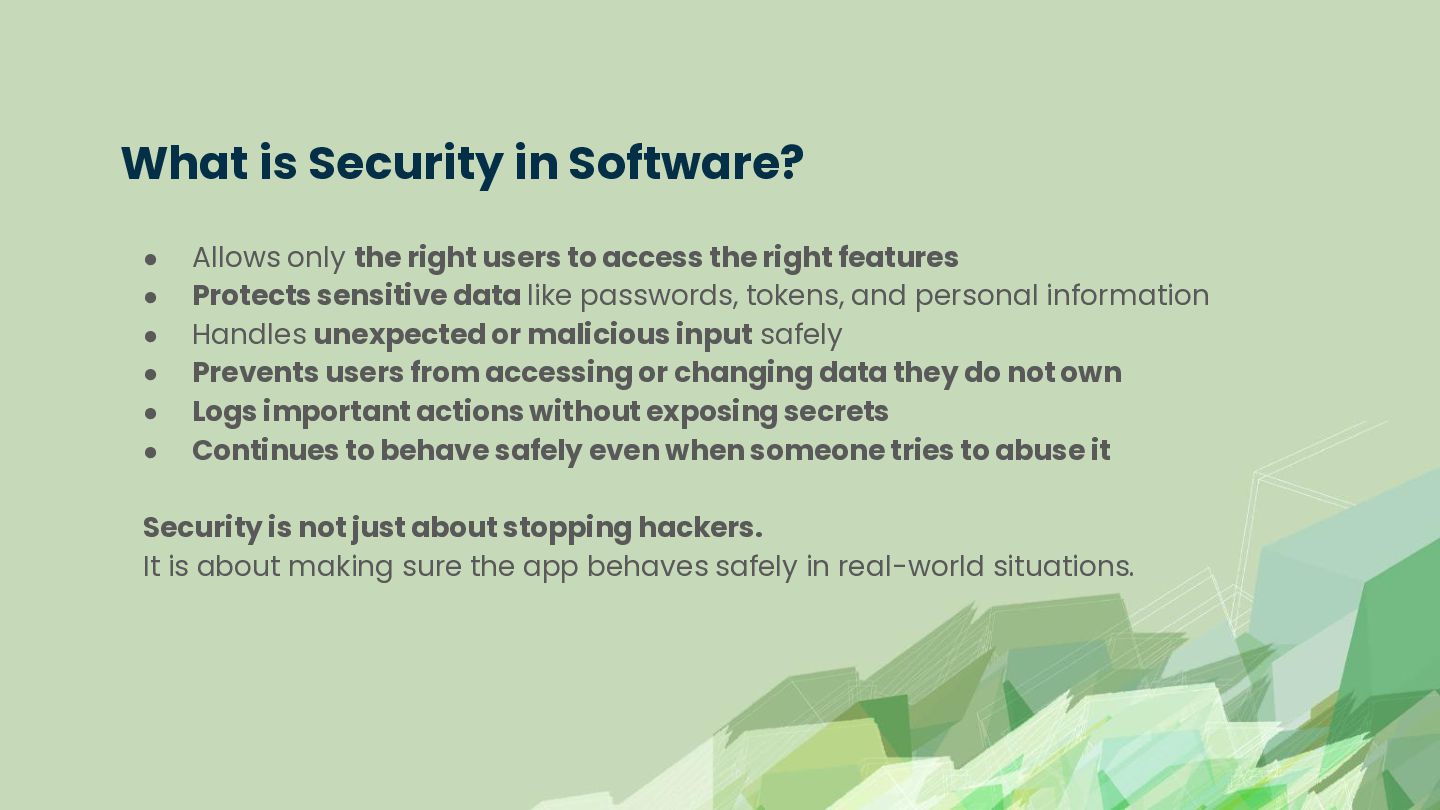
  2. What is Security in Software? • • • • •

    • Allows only the right users to access the right features Protects sensitive data like passwords, tokens, and personal information Handles unexpected or malicious input safely Prevents users from accessing or changing data they do not own Logs important actions without exposing secrets Continues to behave safely even when someone tries to abuse it Security is not just about stopping hackers. It is about making sure the app behaves safely in real-world situations.
  3. Why Security Issues Happen • • • • • •

    Login works, but weak passwords are allowed File upload works, but dangerous files are accepted Search works, but input is sent directly to SQL Profile update works, but users can update hidden fields Admin button is hidden, but the API is still accessible Error handling works, but reveals technical details Most security issues do not happen because developers write “bad code.” They happen because normal features are built without thinking about misuse.
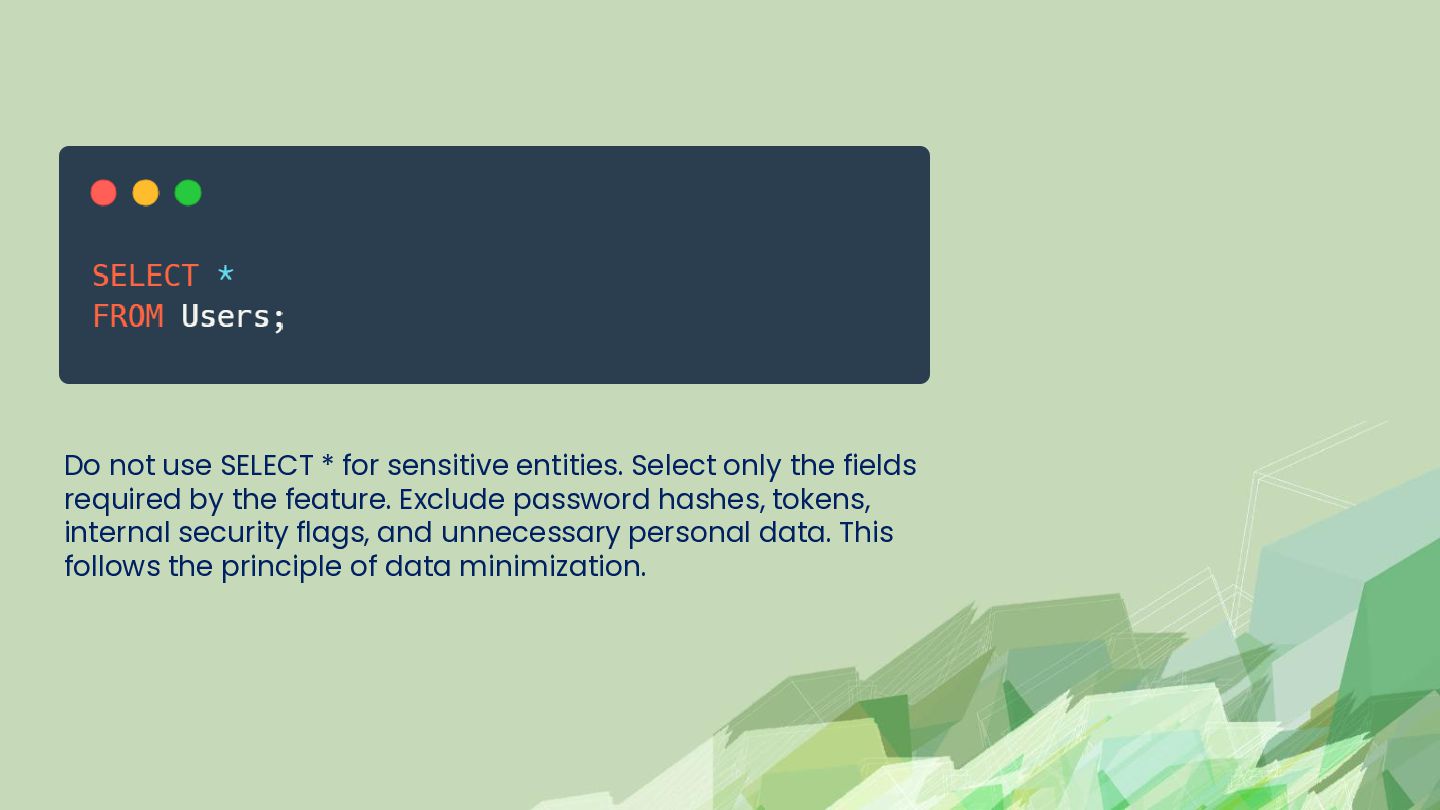
  4. Do not use SELECT * for sensitive entities. Select only

    the fields required by the feature. Exclude password hashes, tokens, internal security flags, and unnecessary personal data. This follows the principle of data minimization.
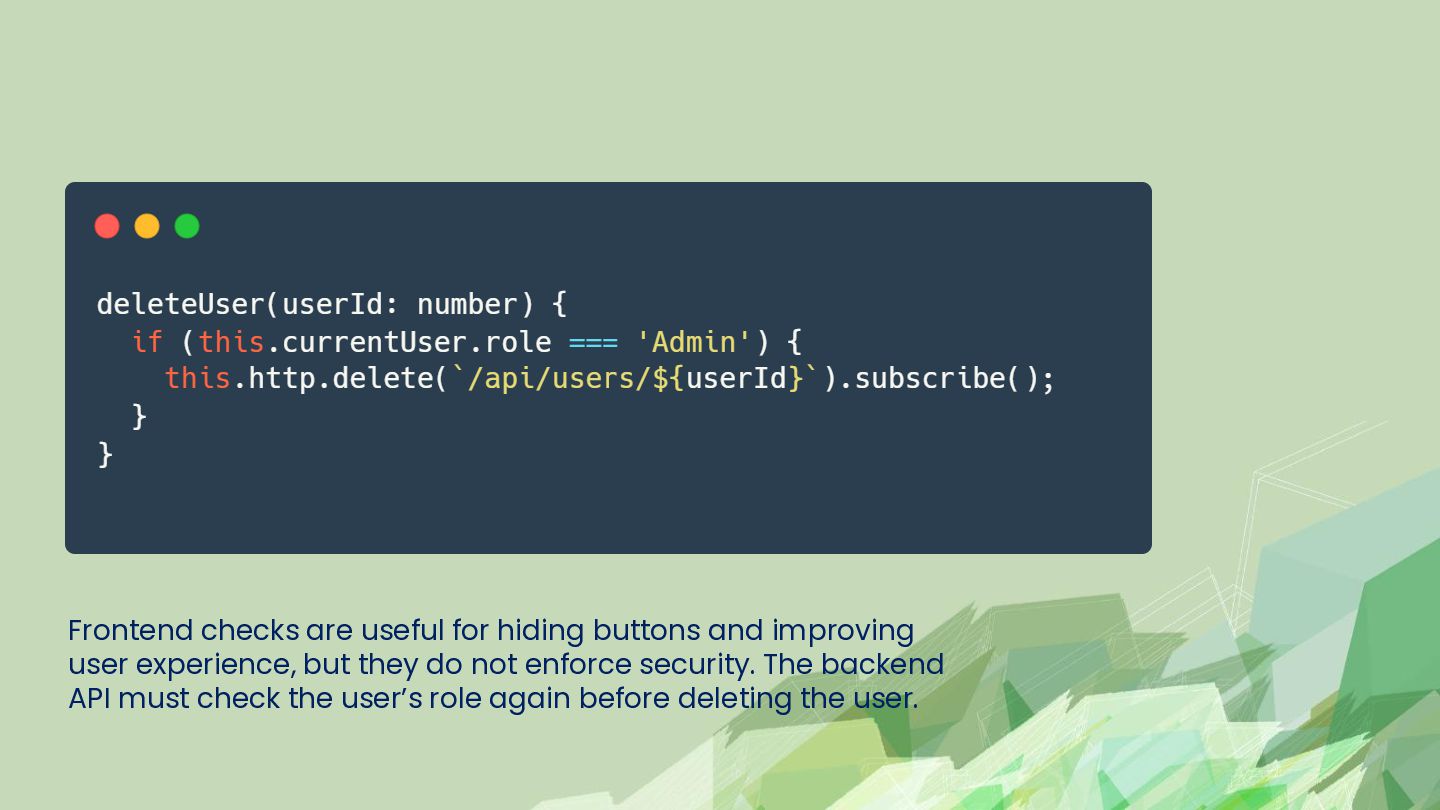
  5. Frontend checks are useful for hiding buttons and improving user

    experience, but they do not enforce security. The backend API must check the user’s role again before deleting the user.
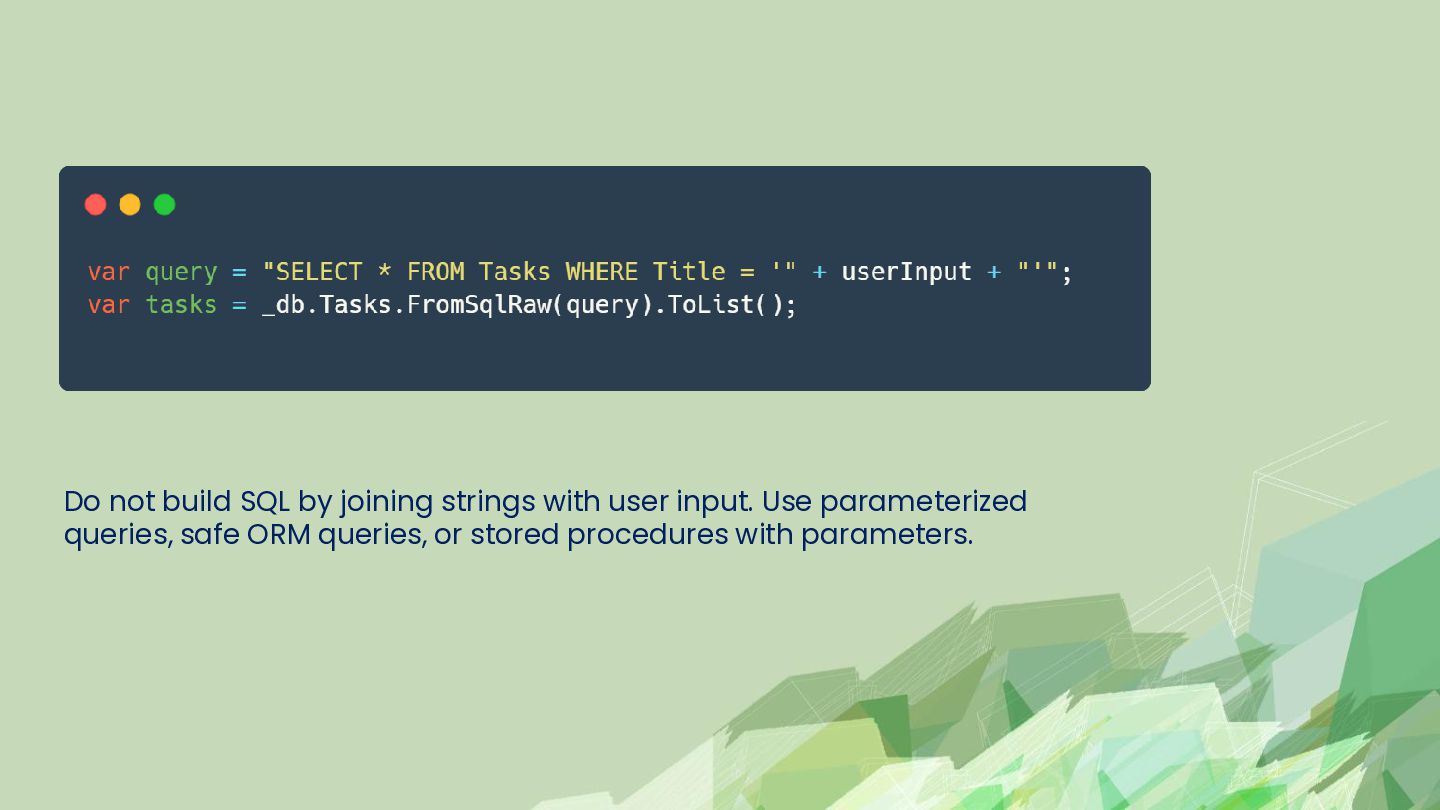
  6. Do not build SQL by joining strings with user input.

    Use parameterized queries, safe ORM queries, or stored procedures with parameters.
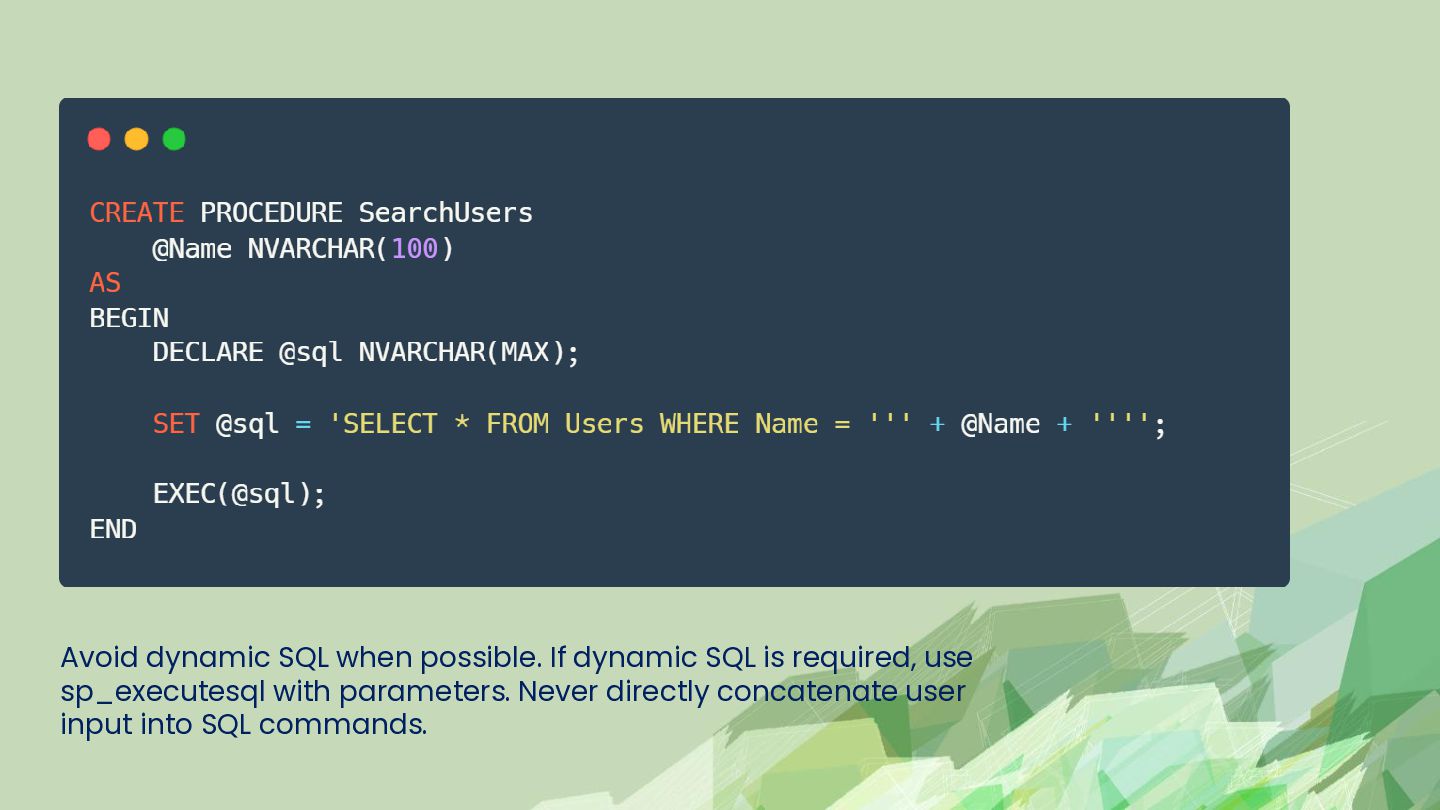
  7. Avoid dynamic SQL when possible. If dynamic SQL is required,

    use sp_executesql with parameters. Never directly concatenate user input into SQL commands.
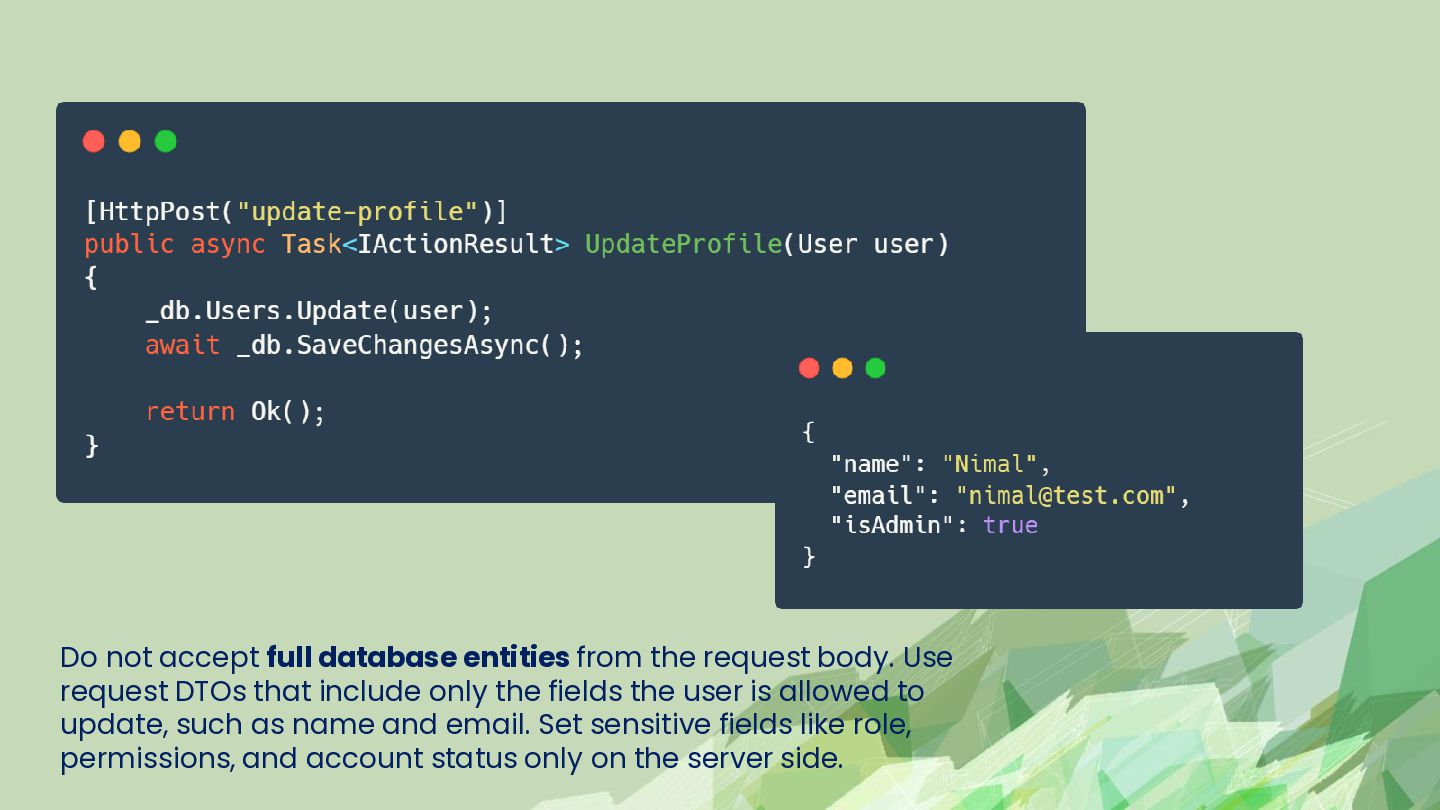
  8. Do not accept full database entities from the request body.

    Use request DTOs that include only the fields the user is allowed to update, such as name and email. Set sensitive fields like role, permissions, and account status only on the server side.
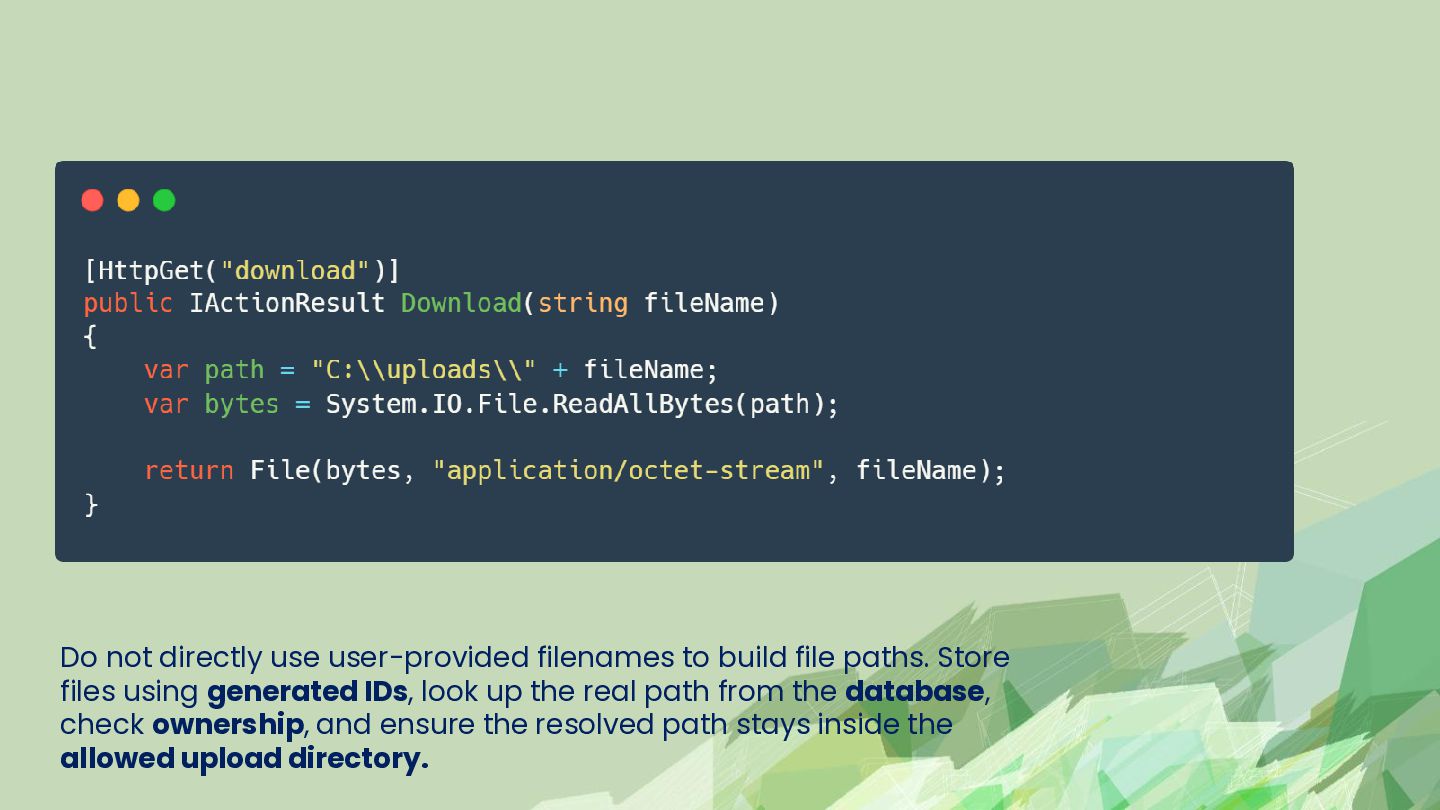
  9. Do not directly use user-provided filenames to build file paths.

    Store files using generated IDs, look up the real path from the database, check ownership, and ensure the resolved path stays inside the allowed upload directory.
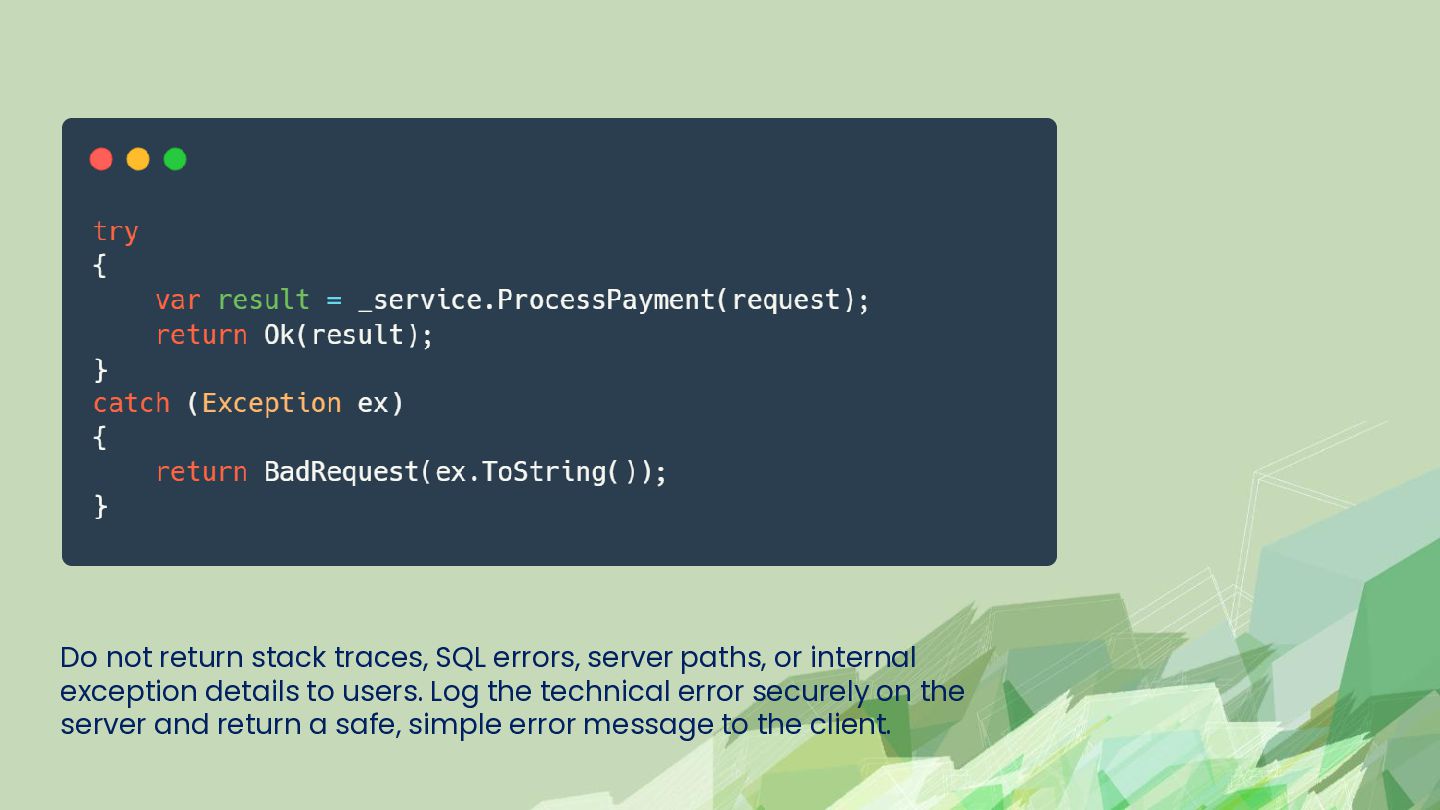
  10. Do not return stack traces, SQL errors, server paths, or

    internal exception details to users. Log the technical error securely on the server and return a safe, simple error message to the client.
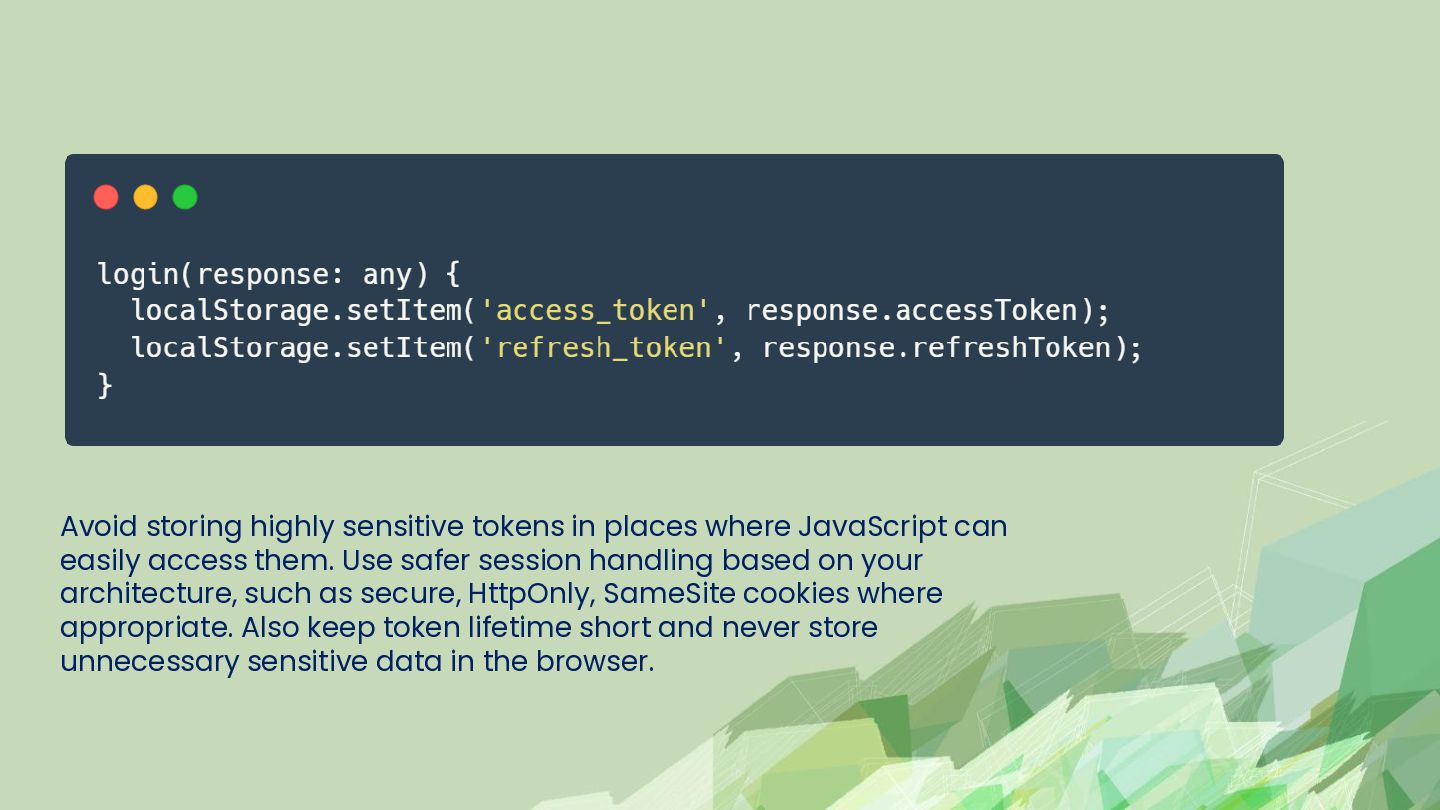
  11. Avoid storing highly sensitive tokens in places where JavaScript can

    easily access them. Use safer session handling based on your architecture, such as secure, HttpOnly, SameSite cookies where appropriate. Also keep token lifetime short and never store unnecessary sensitive data in the browser.
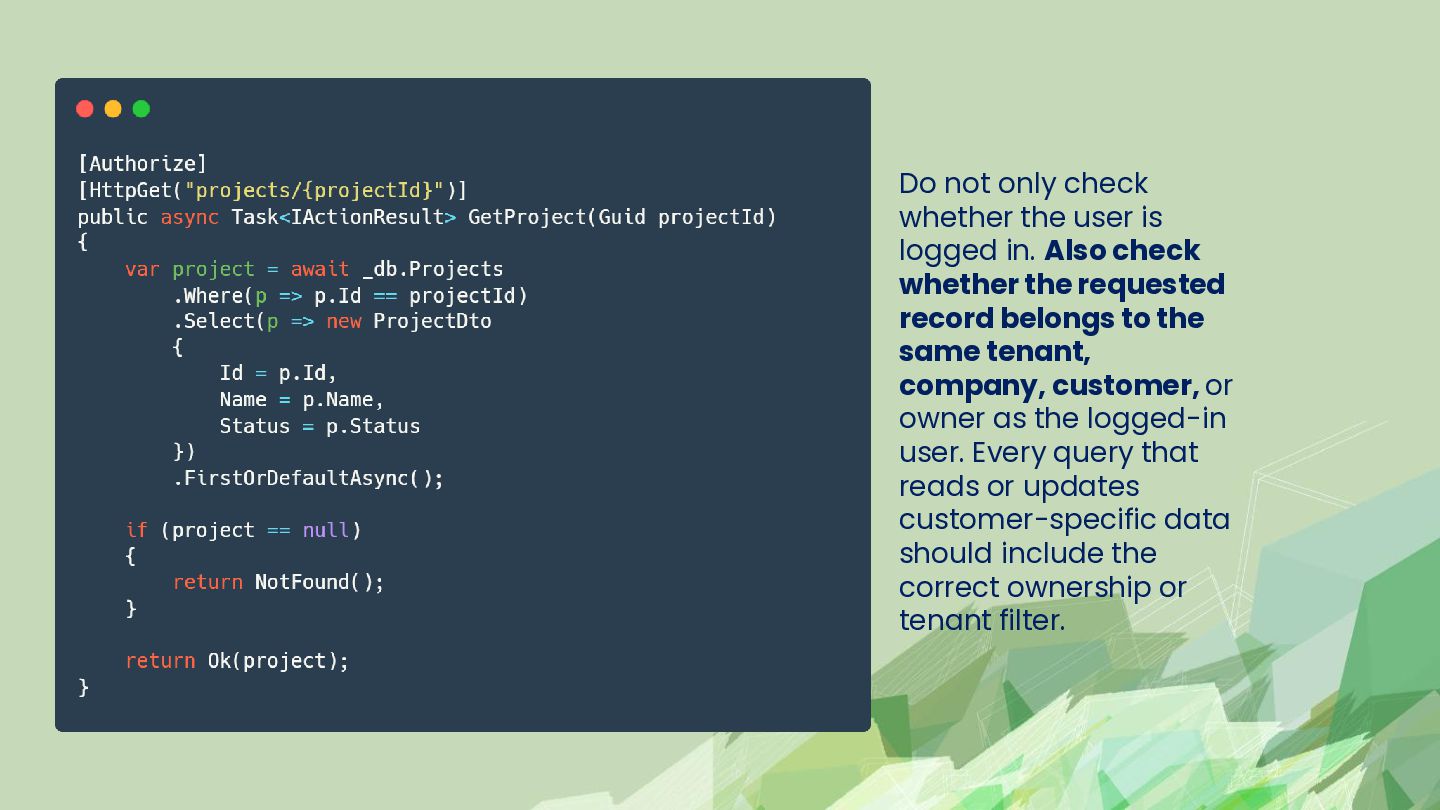
  12. Do not only check whether the user is logged in.

    Also check whether the requested record belongs to the same tenant, company, customer, or owner as the logged-in user. Every query that reads or updates customer-specific data should include the correct ownership or tenant filter.
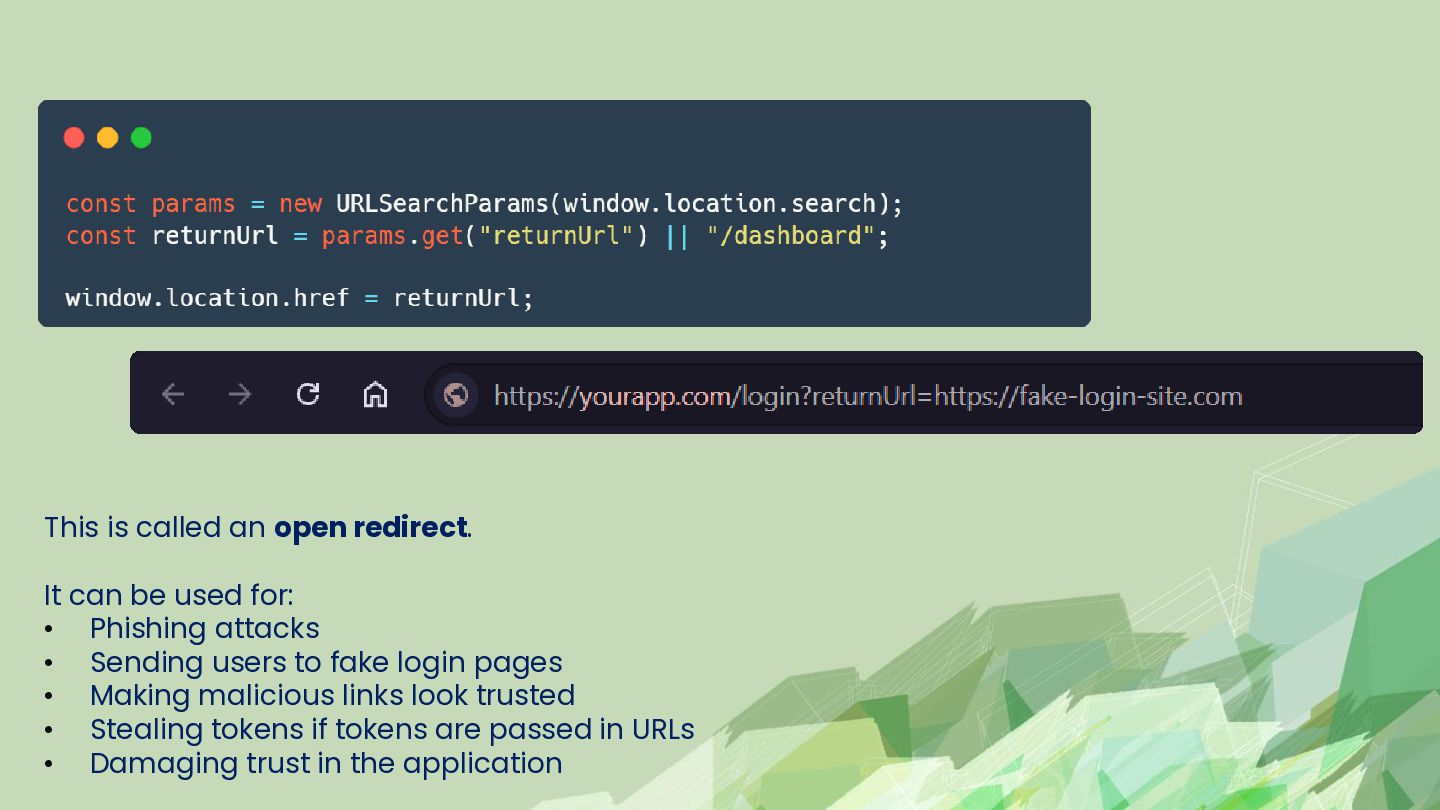
  13. This is called an open redirect. It can be used

    for: • Phishing attacks • Sending users to fake login pages • Making malicious links look trusted • Stealing tokens if tokens are passed in URLs • Damaging trust in the application
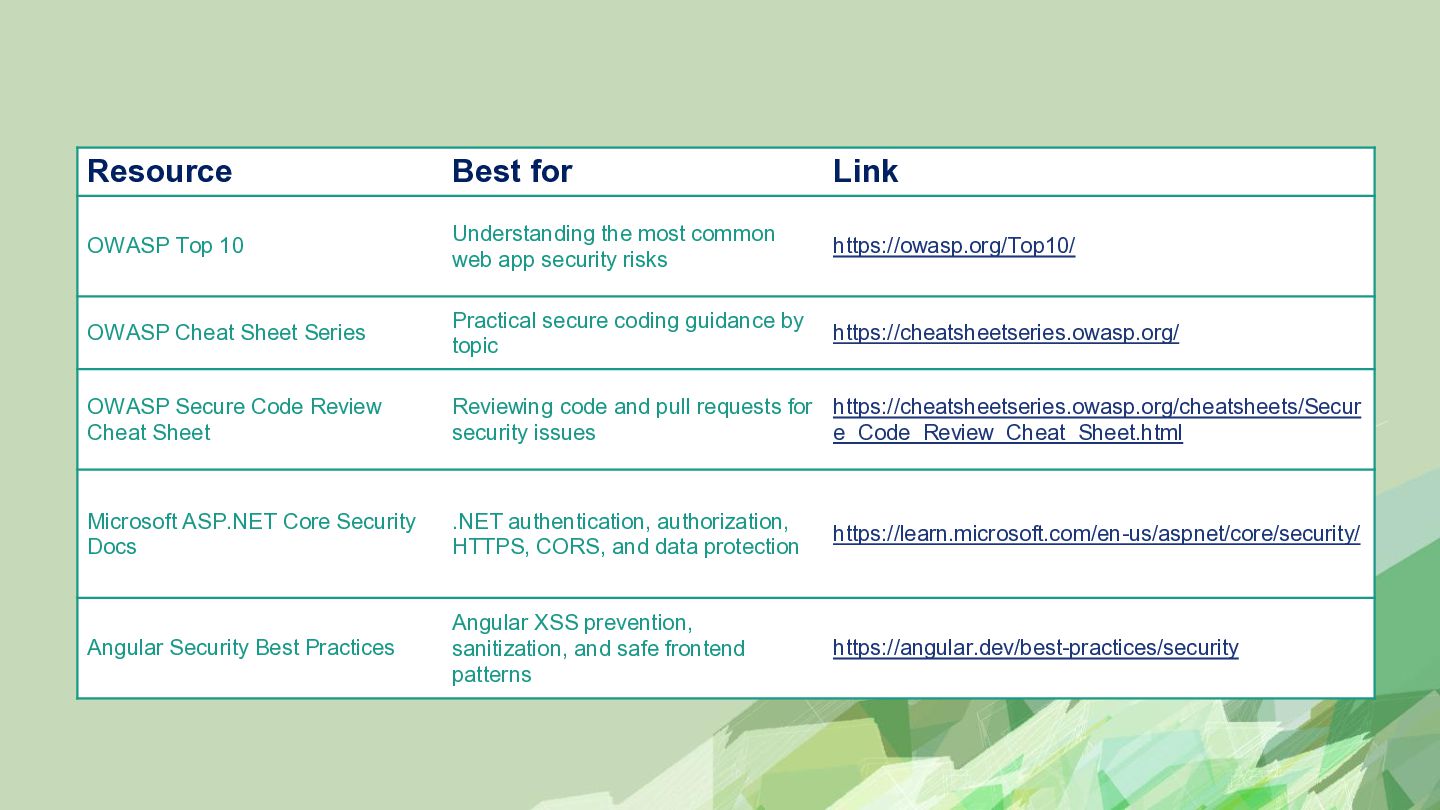
  14. Resource Best for Link OWASP Top 10 Understanding the most

    common web app security risks https://owasp.org/Top10/ OWASP Cheat Sheet Series Practical secure coding guidance by topic https://cheatsheetseries.owasp.org/ OWASP Secure Code Review Cheat Sheet Reviewing code and pull requests for https://cheatsheetseries.owasp.org/cheatsheets/Secur security issues e_Code_Review_Cheat_Sheet.html Microsoft ASP.NET Core Security Docs .NET authentication, authorization, HTTPS, CORS, and data protection https://learn.microsoft.com/en-us/aspnet/core/security/ Angular Security Best Practices Angular XSS prevention, sanitization, and safe frontend patterns https://angular.dev/best-practices/security
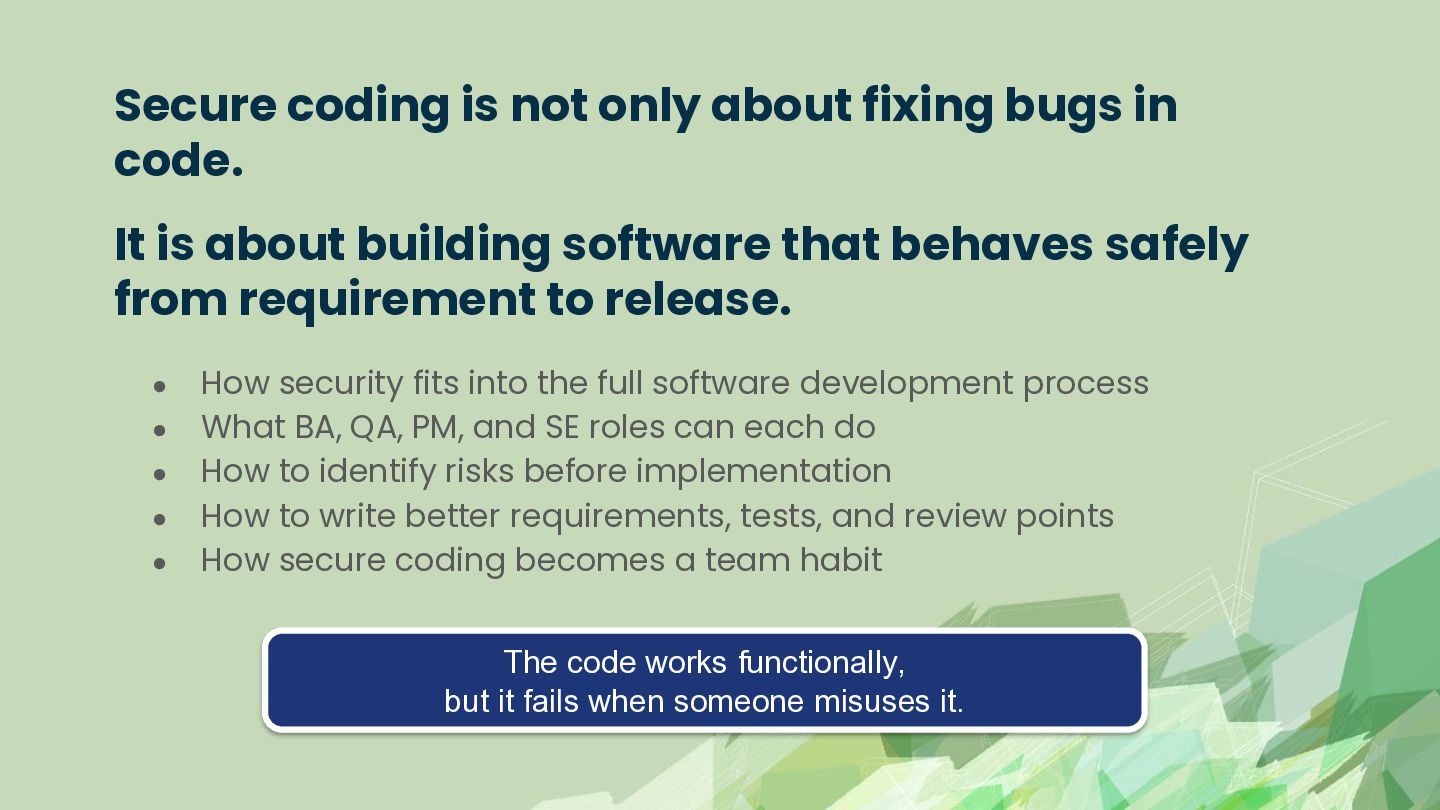
  15. Secure coding is not only about fixing bugs in code.

    It is about building software that behaves safely from requirement to release. • • • • • How security fits into the full software development process What BA, QA, PM, and SE roles can each do How to identify risks before implementation How to write better requirements, tests, and review points How secure coding becomes a team habit The code works functionally, but it fails when someone misuses it.
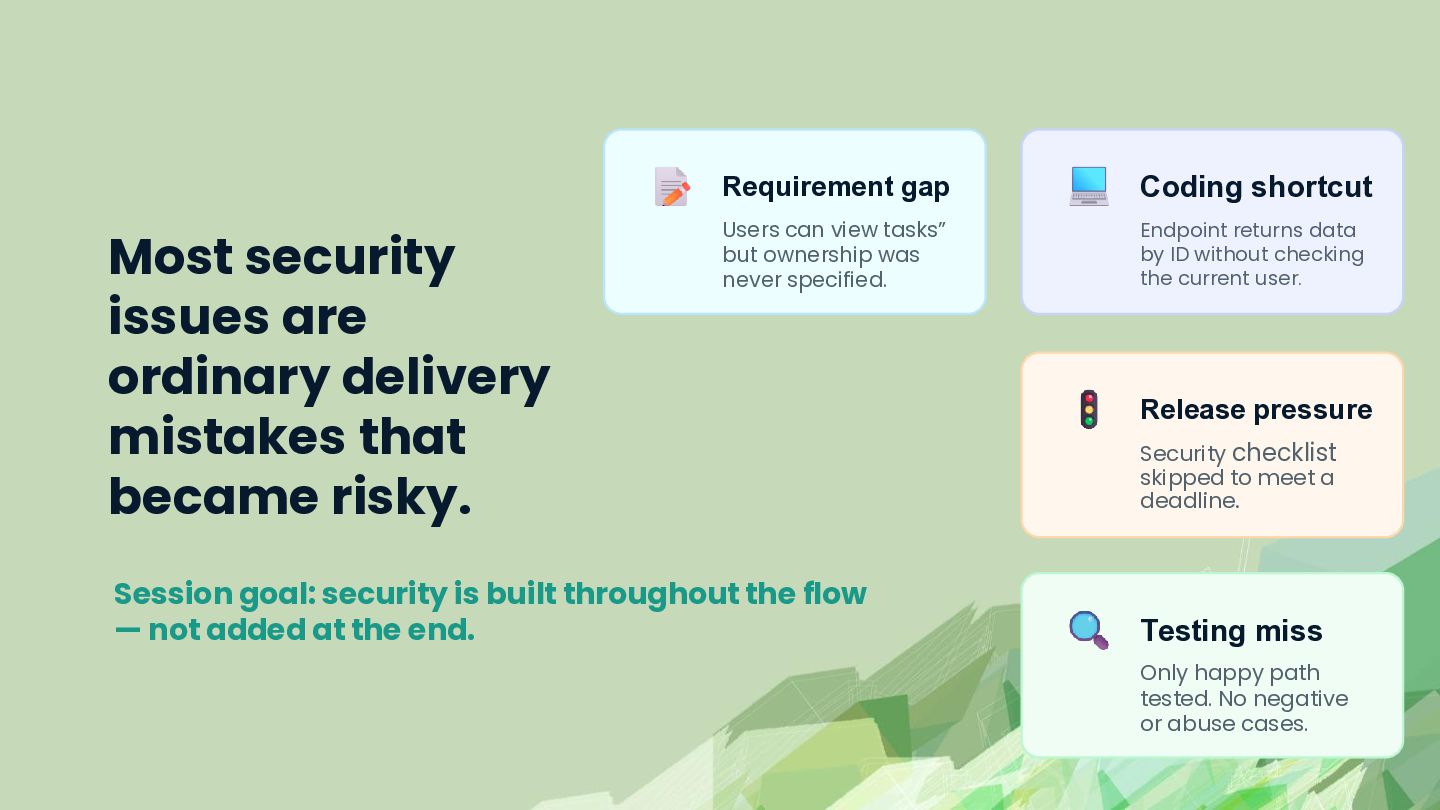
  16. Most security issues are ordinary delivery mistakes that became risky.

    Requirement gap Coding shortcut Users can view tasks” but ownership was never specified. Endpoint returns data by ID without checking the current user. Session goal: security is built throughout the flow — not added at the end. Release pressure Security checklist skipped to meet a deadline. Testing miss Only happy path tested. No negative or abuse cases.
  17. Use case: Intern Task Management System Login Users sign in

    and get their own workspace View tasks Users see assigned tasks only Upload docs Users upload profile documents Search Users search their own tasks Admin page Admins manage users and settings
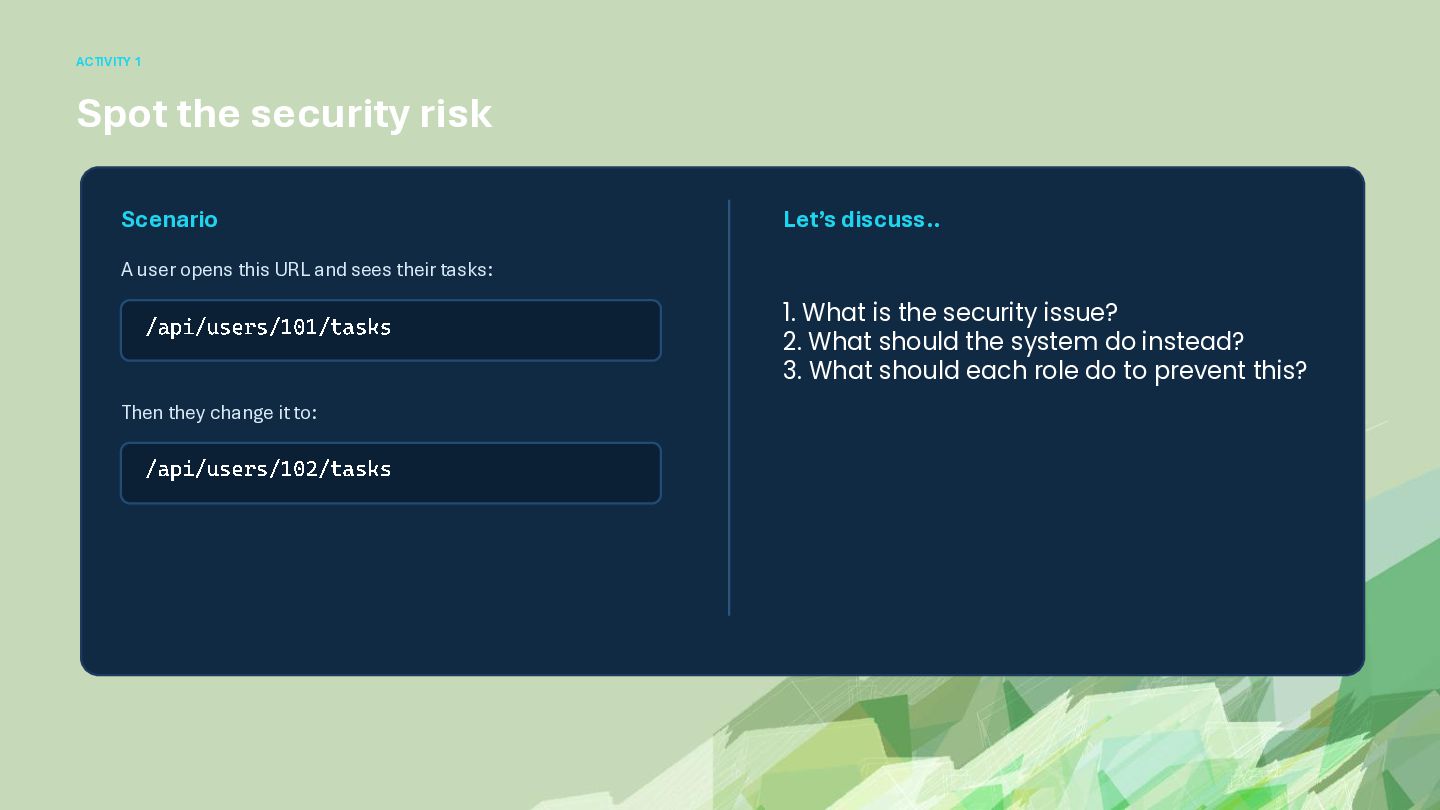
  18. ACTIVITY 1 Spot the security risk Scenario Let’s discuss.. A

    user opens this URL and sees their tasks: /api/users/101/tasks Then they change it to: /api/users/102/tasks 1. What is the security issue? 2. What should the system do instead? 3. What should each role do to prevent this?
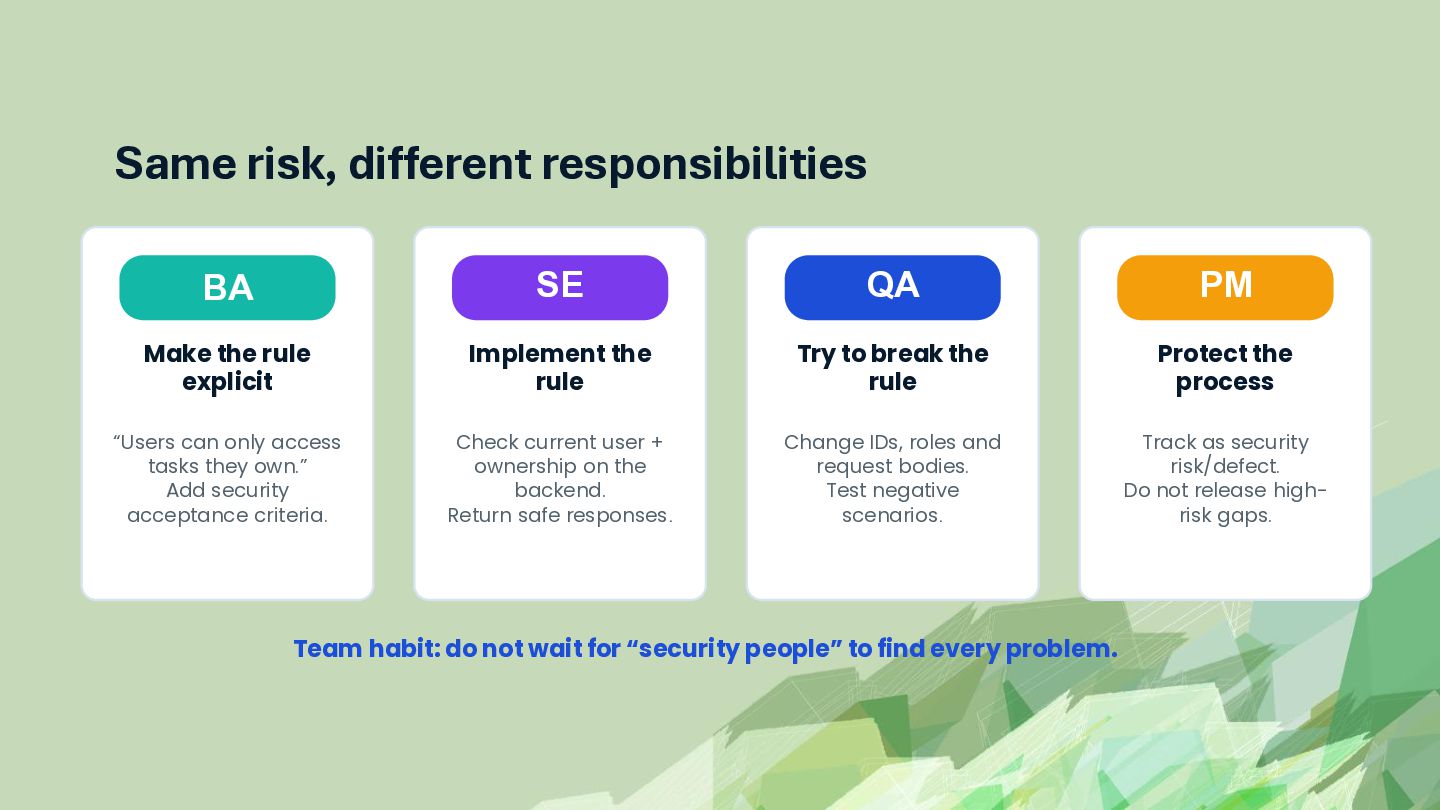
  19. Same risk, different responsibilities BA SE QA PM Make the

    rule explicit Implement the rule Try to break the rule Protect the process “Users can only access tasks they own.” Add security acceptance criteria. Check current user + ownership on the backend. Return safe responses. Change IDs, roles and request bodies. Test negative scenarios. Track as security risk/defect. Do not release highrisk gaps. Team habit: do not wait for “security people” to find every problem.
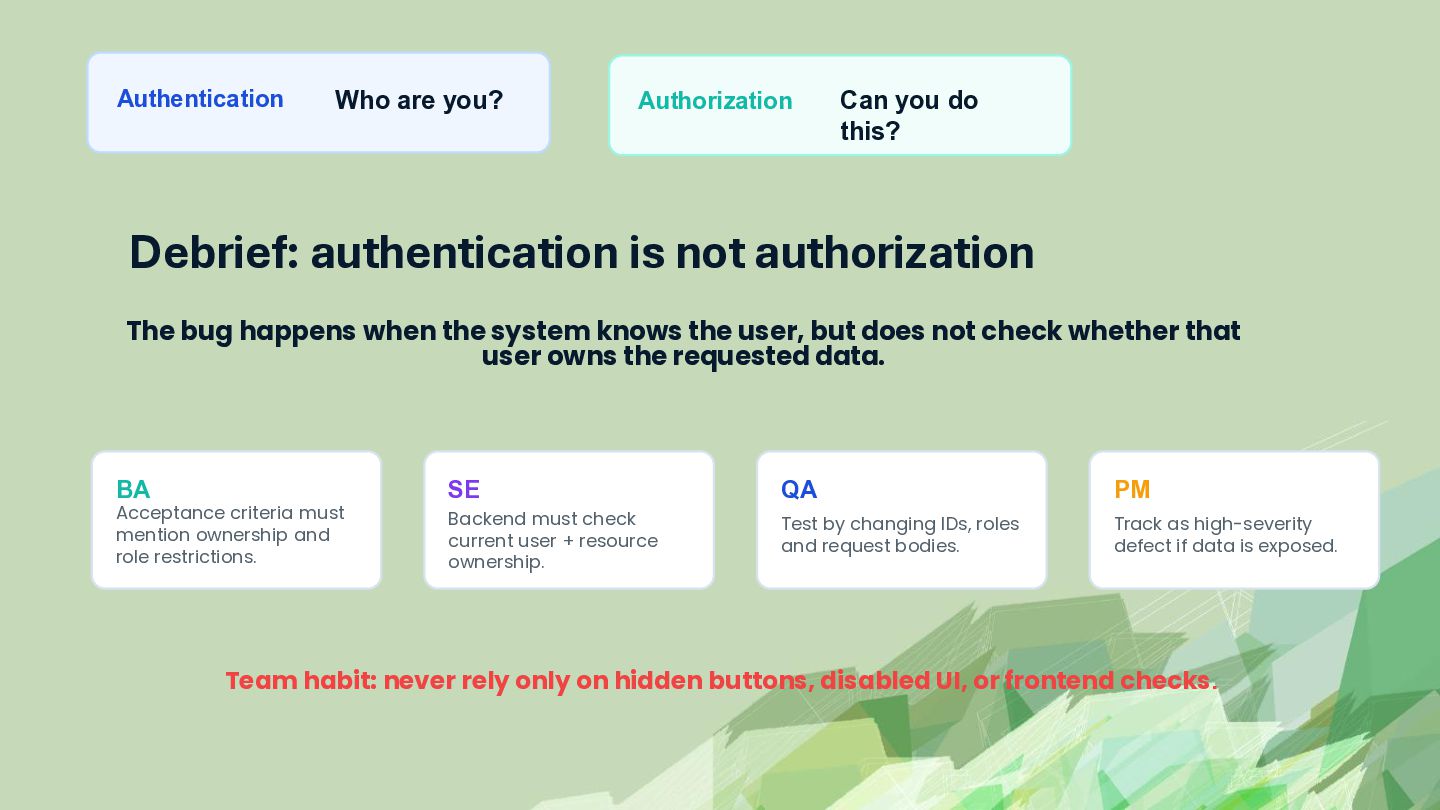
  20. Authentication Who are you? Authorization Can you do this? Debrief:

    authentication is not authorization The bug happens when the system knows the user, but does not check whether that user owns the requested data. BA Acceptance criteria must mention ownership and role restrictions. SE QA PM Backend must check current user + resource ownership. Test by changing IDs, roles and request bodies. Track as high-severity defect if data is exposed. Team habit: never rely only on hidden buttons, disabled UI, or frontend checks.
  21. Security is not only a developer task. The same issue

    can be prevented at requirement, development, testing, and release stages.
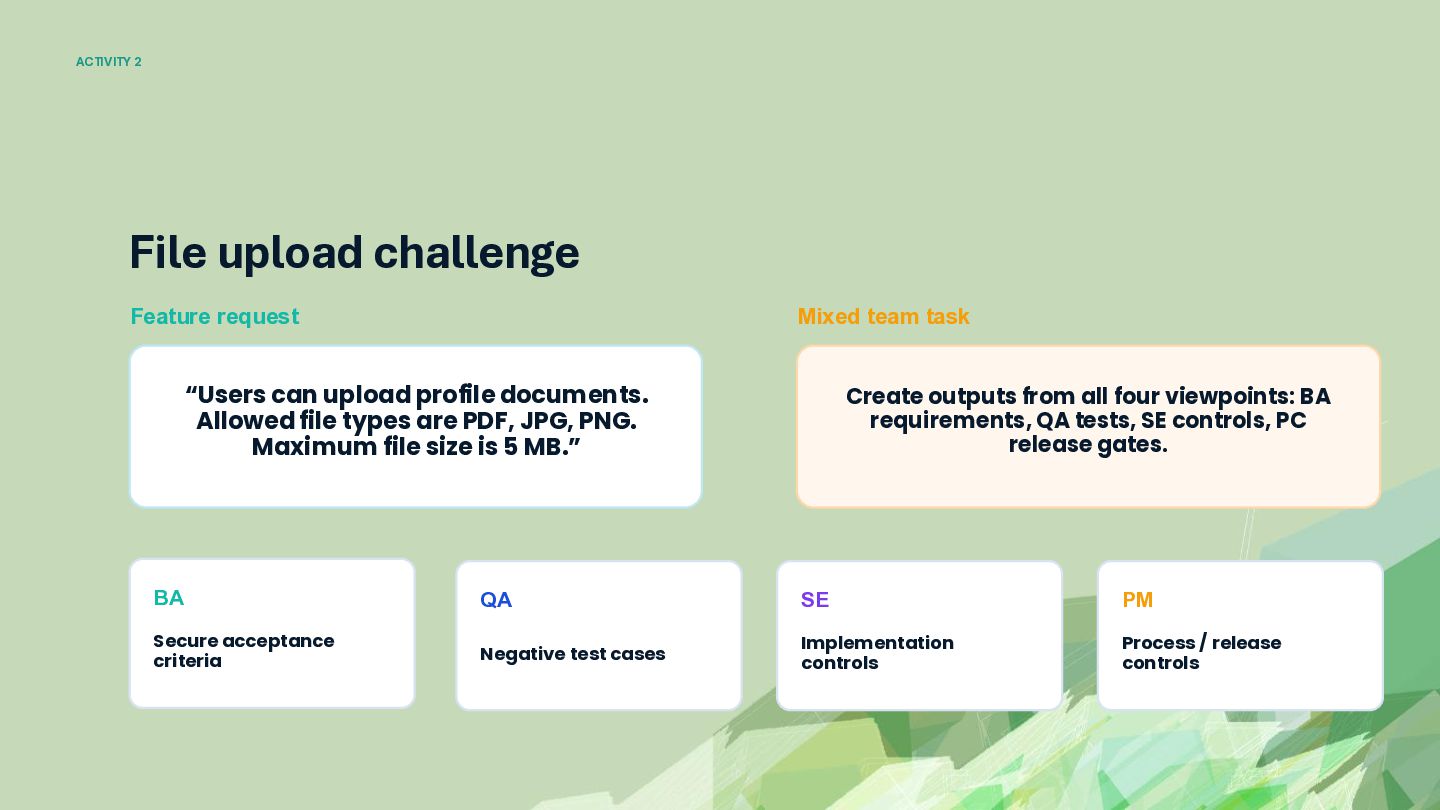
  22. ACTIVITY 2 File upload challenge Feature request Mixed team task

    “Users can upload profile documents. Allowed file types are PDF, JPG, PNG. Maximum file size is 5 MB.” Create outputs from all four viewpoints: BA requirements, QA tests, SE controls, PC release gates. BA QA SE PM Secure acceptance criteria Negative test cases Implementation controls Process / release controls
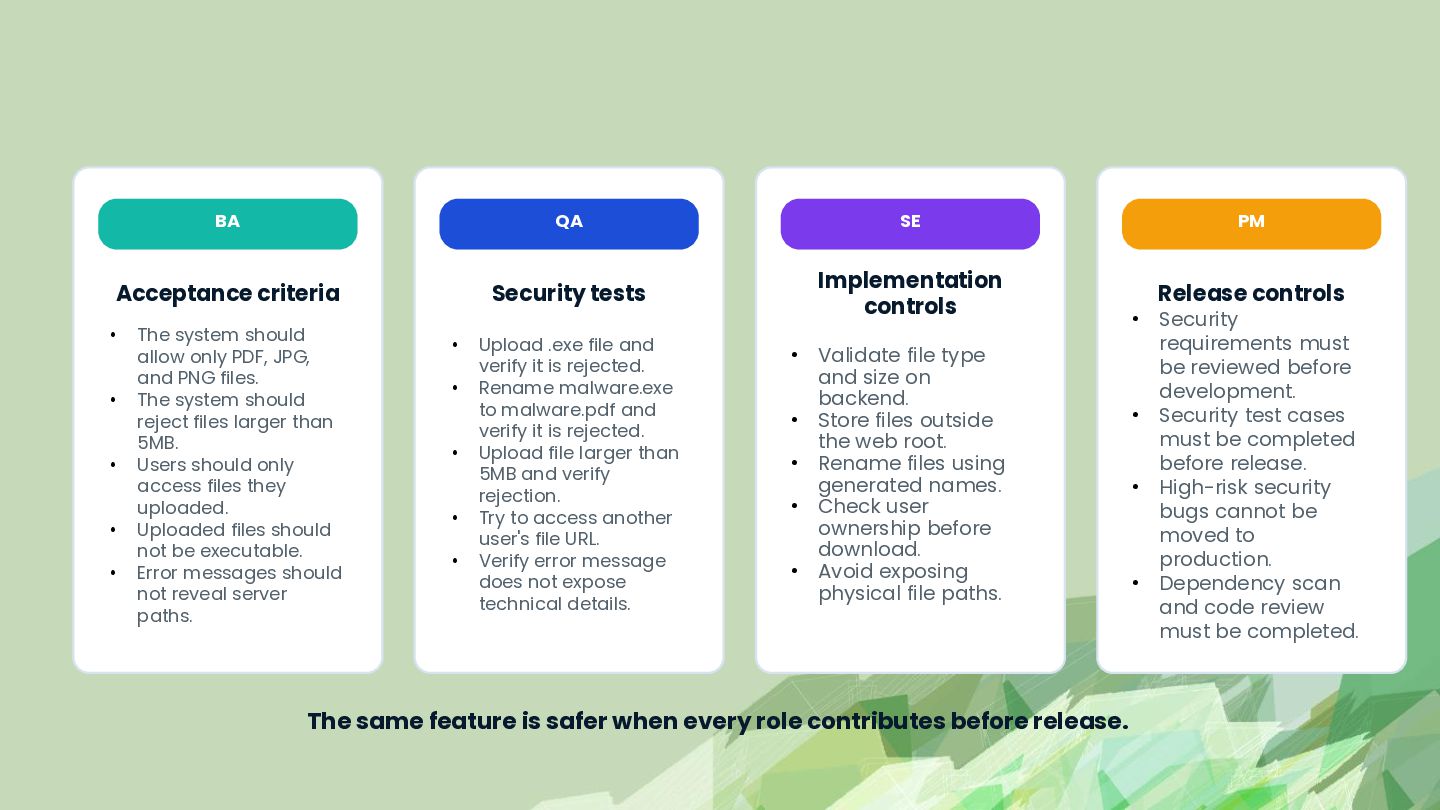
  23. BA QA SE Acceptance criteria Security tests Implementation controls •

    • • • • The system should allow only PDF, JPG, and PNG files. The system should reject files larger than 5MB. Users should only access files they uploaded. Uploaded files should not be executable. Error messages should not reveal server paths. • • • • • Upload .exe file and verify it is rejected. Rename malware.exe to malware.pdf and verify it is rejected. Upload file larger than 5MB and verify rejection. Try to access another user's file URL. Verify error message does not expose technical details. • • • • • Validate file type and size on backend. Store files outside the web root. Rename files using generated names. Check user ownership before download. Avoid exposing physical file paths. The same feature is safer when every role contributes before release. PM • • • • Release controls Security requirements must be reviewed before development. Security test cases must be completed before release. High-risk security bugs cannot be moved to production. Dependency scan and code review must be completed.
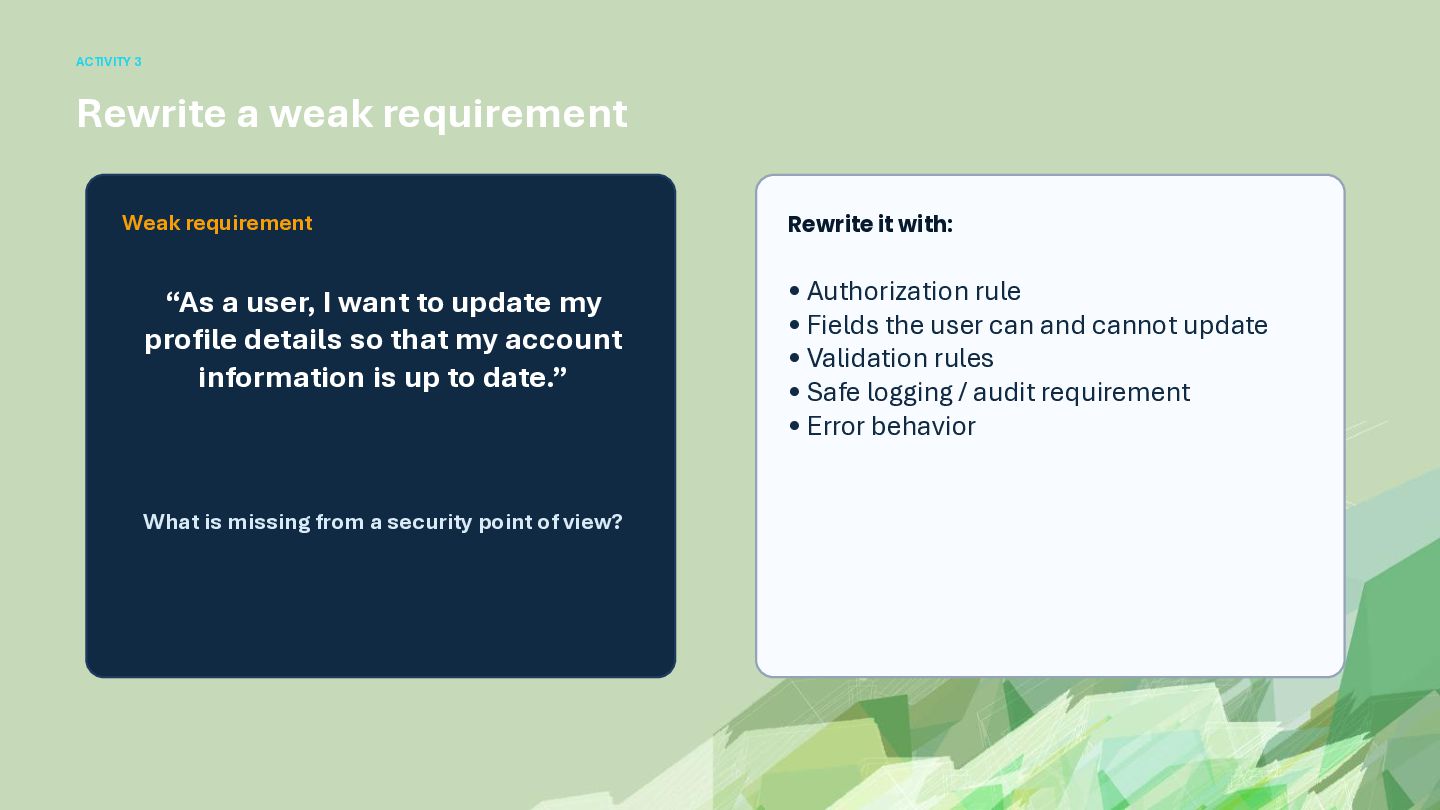
  24. ACTIVITY 3 Rewrite a weak requirement Weak requirement “As a

    user, I want to update my profile details so that my account information is up to date.” What is missing from a security point of view? Rewrite it with: • Authorization rule • Fields the user can and cannot update • Validation rules • Safe logging / audit requirement • Error behavior
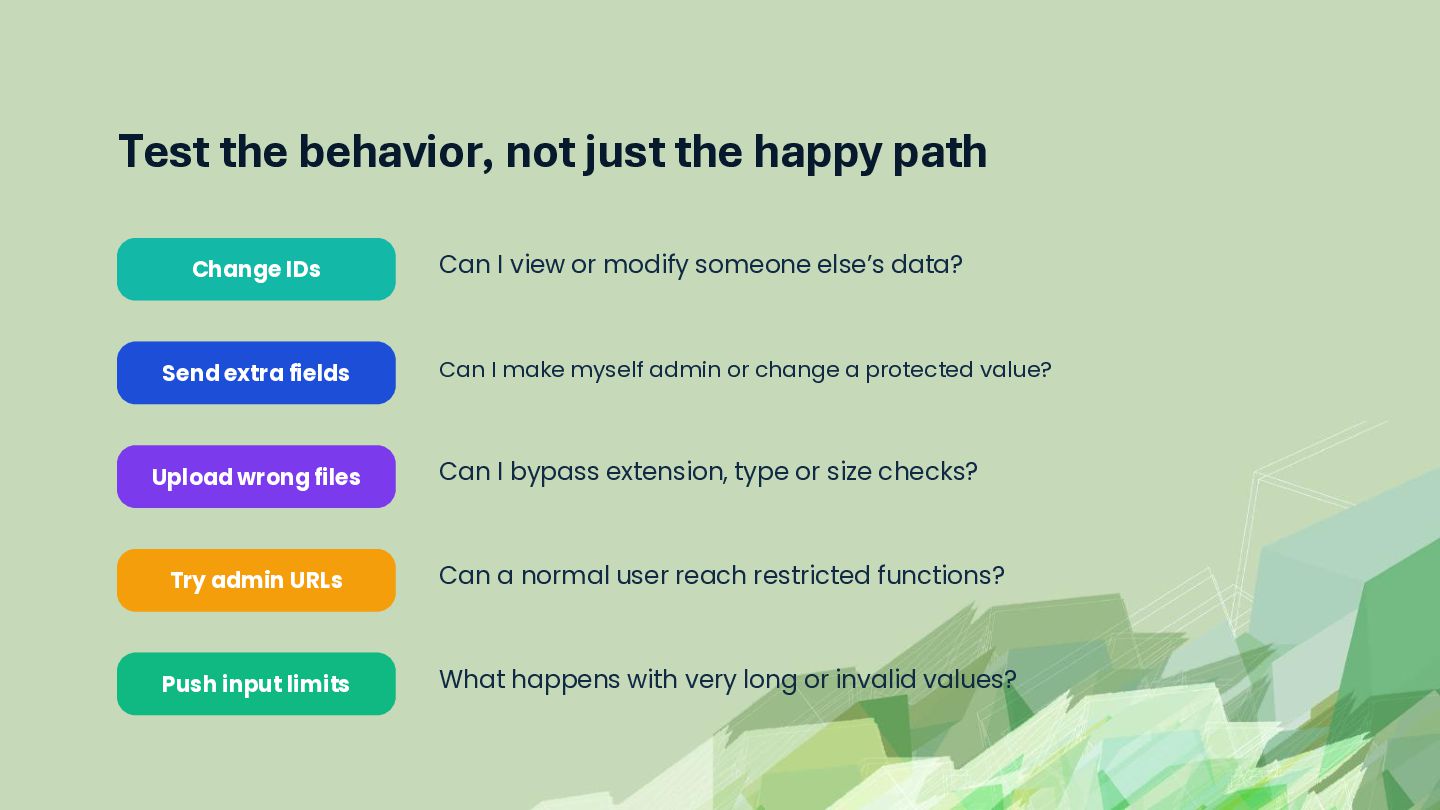
  25. Test the behavior, not just the happy path Change IDs

    Can I view or modify someone else’s data? Send extra fields Can I make myself admin or change a protected value? Upload wrong files Can I bypass extension, type or size checks? Try admin URLs Can a normal user reach restricted functions? Push input limits What happens with very long or invalid values?
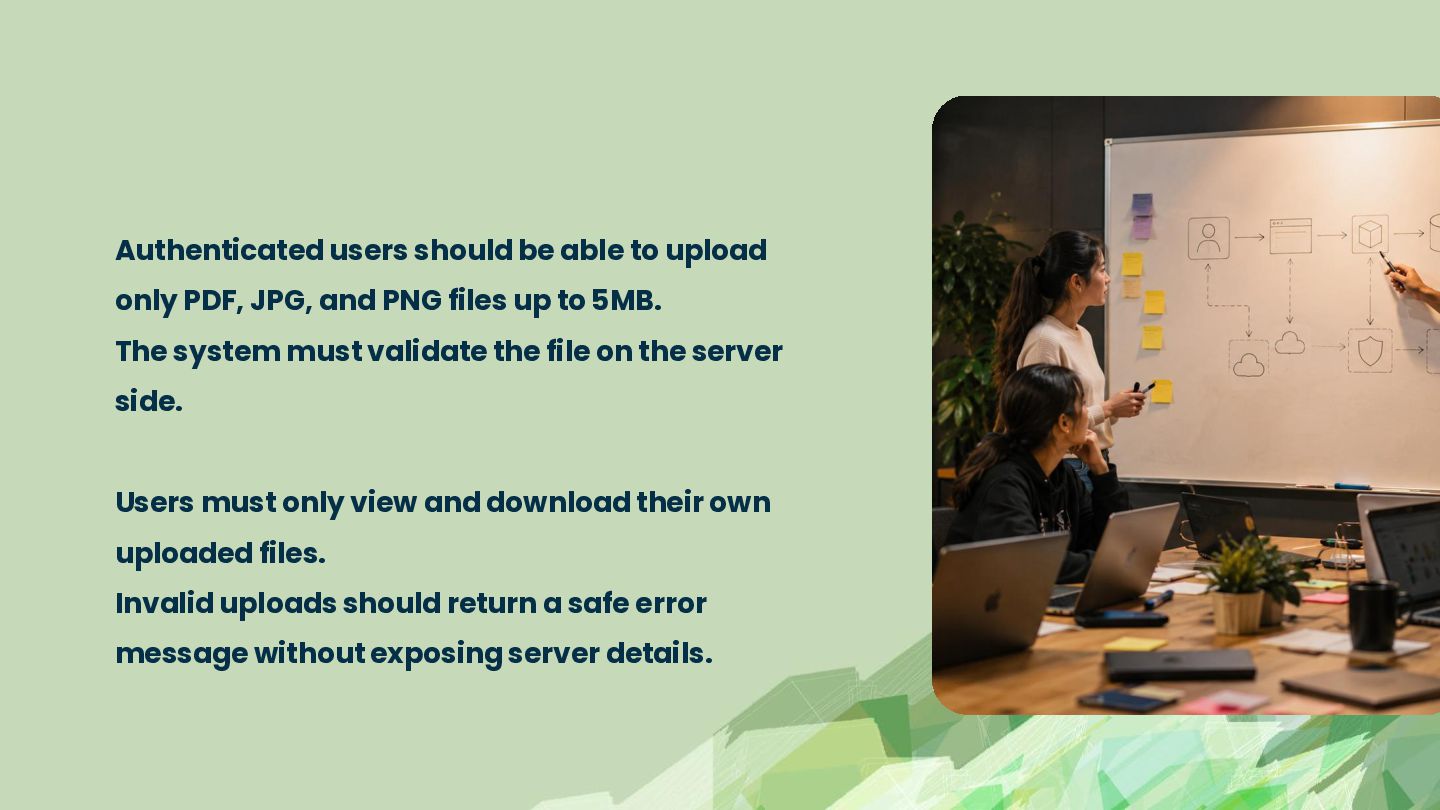
  26. Authenticated users should be able to upload only PDF, JPG,

    and PNG files up to 5MB. The system must validate the file on the server side. Users must only view and download their own uploaded files. Invalid uploads should return a safe error message without exposing server details.
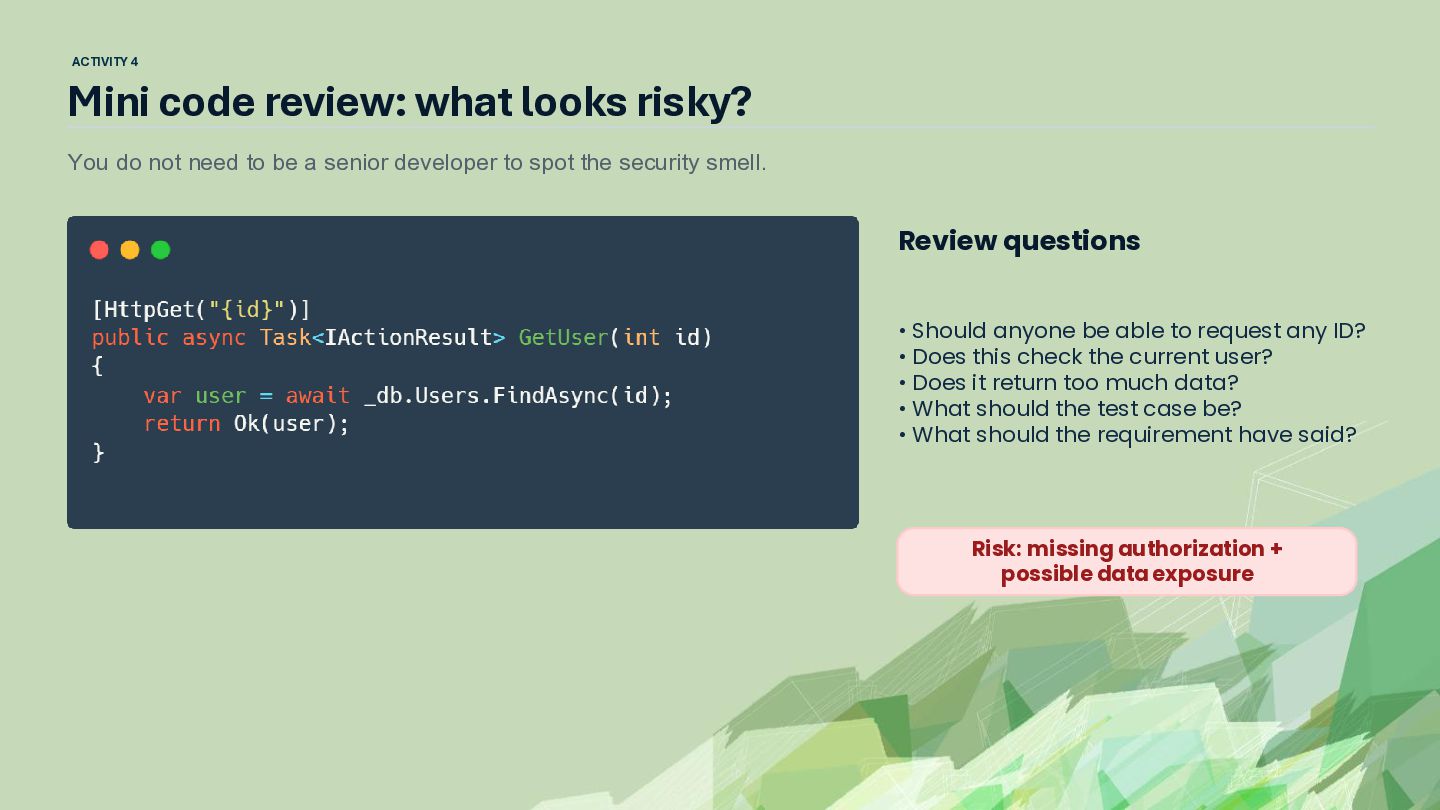
  27. ACTIVITY 4 Mini code review: what looks risky? You do

    not need to be a senior developer to spot the security smell. Review questions [HttpGet("{id}")] public async Task<IActionResult> GetUser(int id) { var user = await _db.Users.FindAsync(id); return Ok(user); } • Should anyone be able to request any ID? • Does this check the current user? • Does it return too much data? • What should the test case be? • What should the requirement have said? Risk: missing authorization + possible data exposure
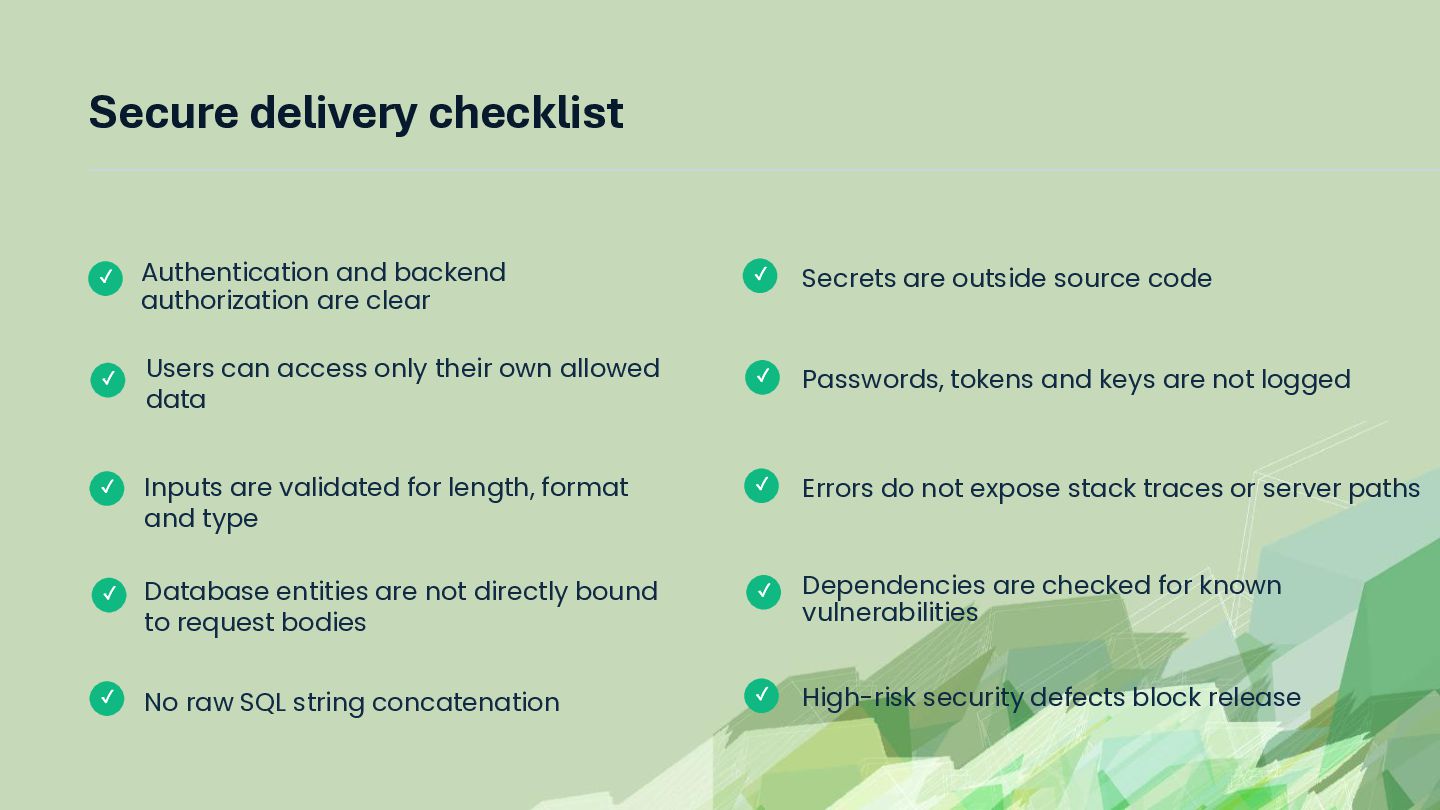
  28. Secure delivery checklist ✓ ✓ Authentication and backend authorization are

    clear Users can access only their own allowed data ✓ Secrets are outside source code ✓ Passwords, tokens and keys are not logged Errors do not expose stack traces or server paths ✓ Inputs are validated for length, format and type ✓ ✓ Database entities are not directly bound to request bodies ✓ ✓ No raw SQL string concatenation ✓ Dependencies are checked for known vulnerabilities High-risk security defects block release
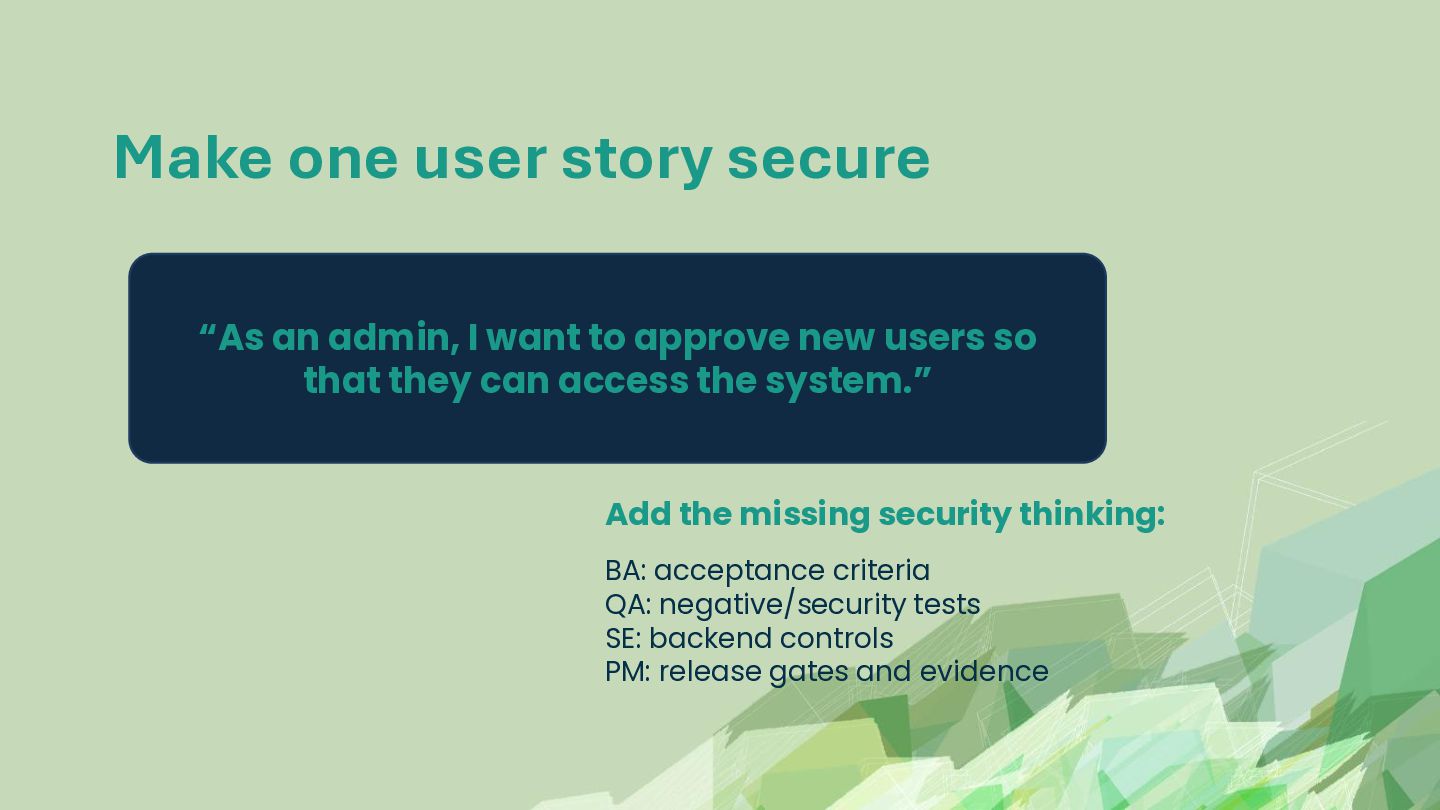
  29. Make one user story secure “As an admin, I want

    to approve new users so that they can access the system.” Add the missing security thinking: BA: acceptance criteria QA: negative/security tests SE: backend controls PM: release gates and evidence
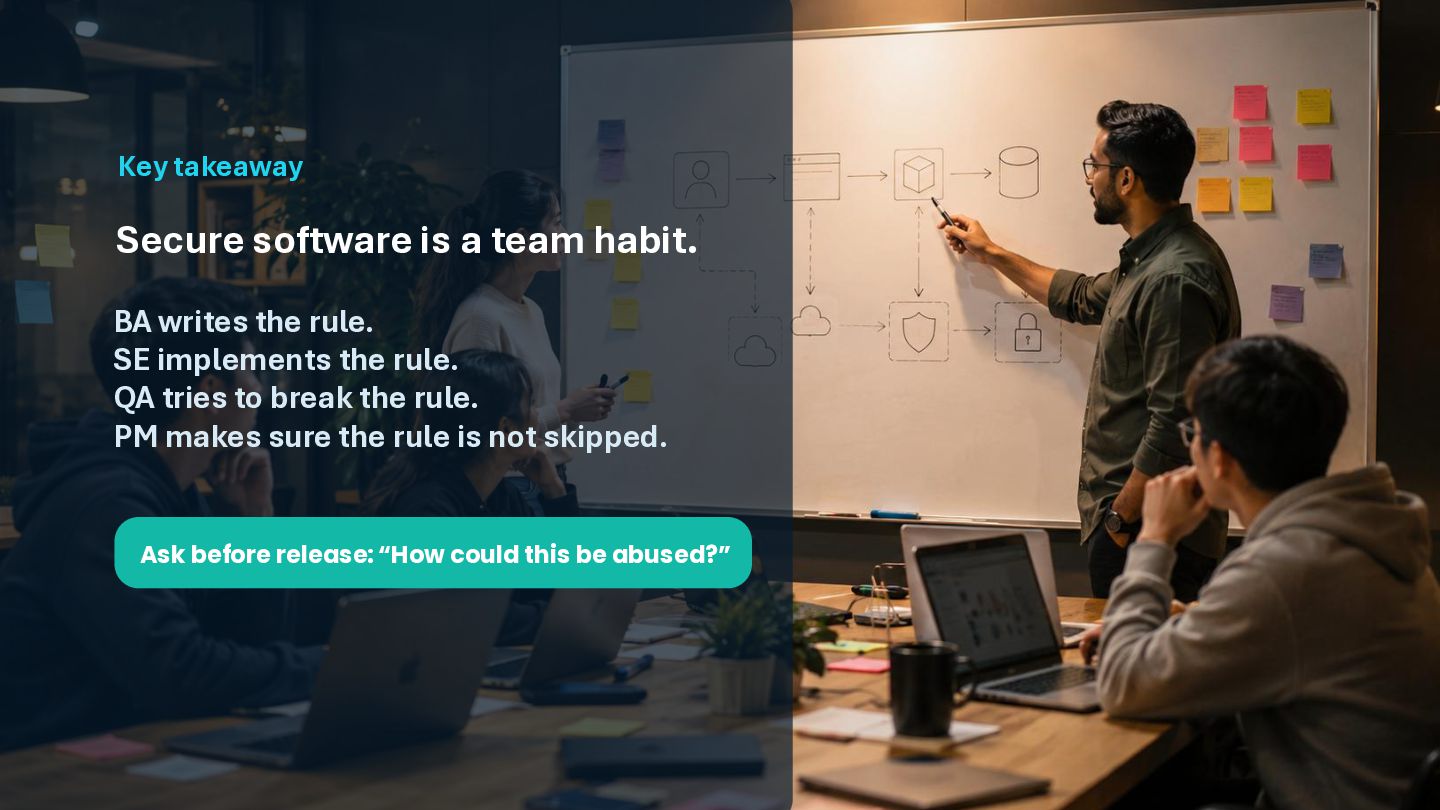
  30. Key takeaway Secure software is a team habit. BA writes

    the rule. SE implements the rule. QA tries to break the rule. PM makes sure the rule is not skipped. Ask before release: “How could this be abused?”