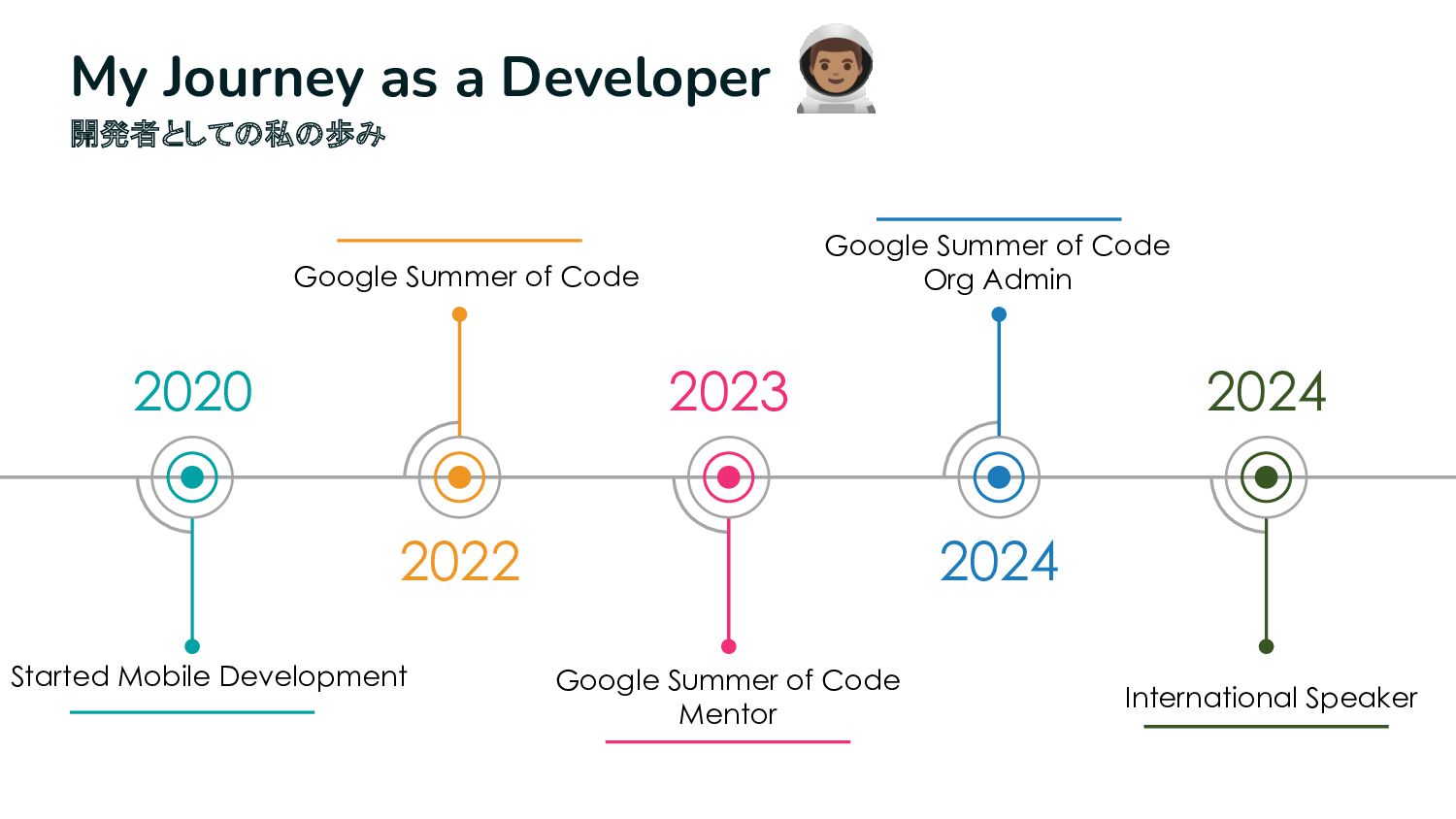
blends Flutter with native code to craft magical apps. • An open source contributor, I love sharing my knowledge and improving the tech community. • Org Admin at The Palisadoes Foundation. 🔍 My Mission • To unravel the mysteries of Method Channels and make cross-platform development smoother. 🎮 Fun Fact: • When I’m not coding, you’ll find me gaming or cheering for my favorite cricket team!
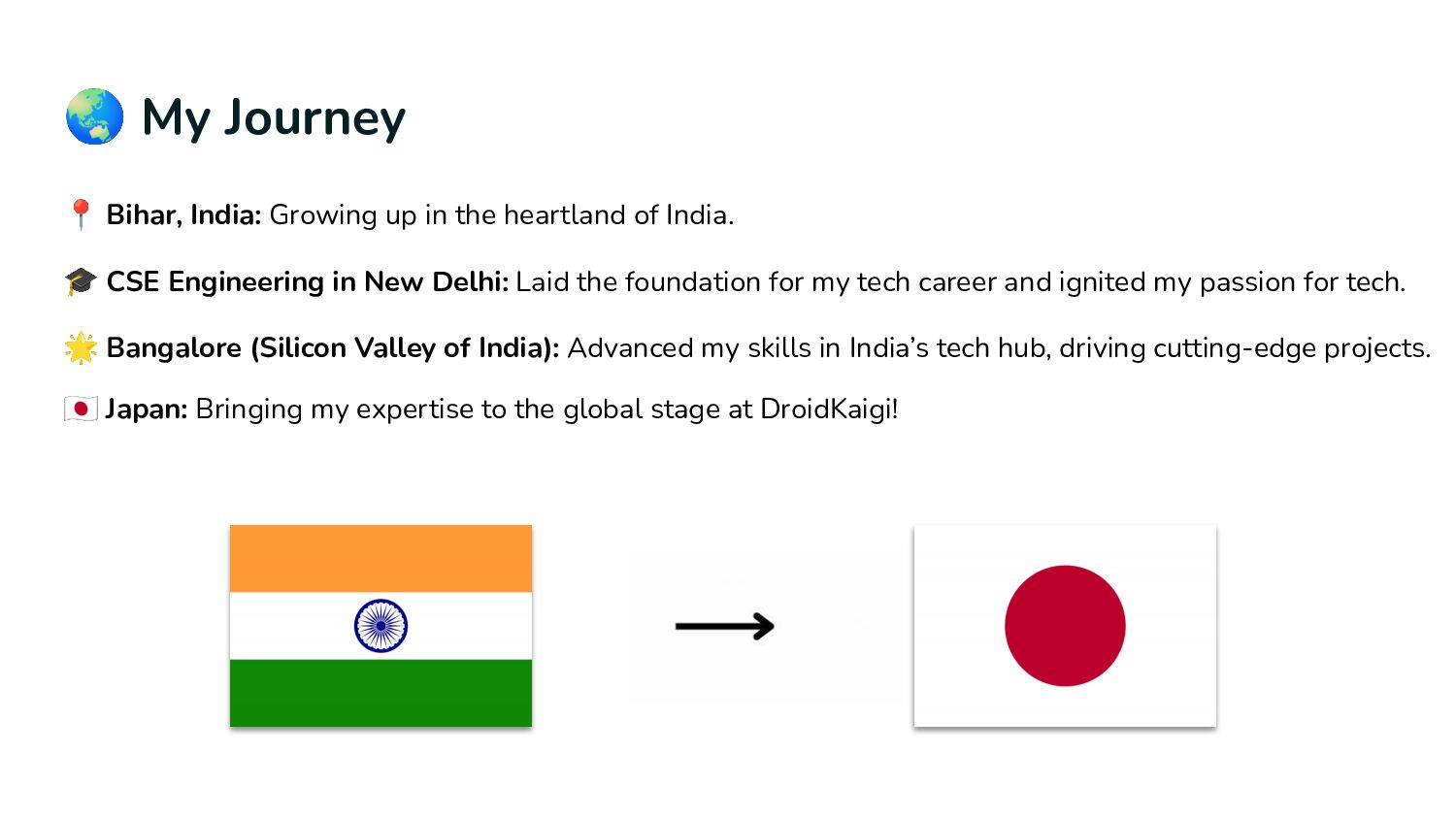
heartland of India. 🎓 CSE Engineering in New Delhi: Laid the foundation for my tech career and ignited my passion for tech. 🌟 Bangalore (Silicon Valley of India): Advanced my skills in India’s tech hub, driving cutting-edge projects. Japan: Bringing my expertise to the global stage at DroidKaigi!
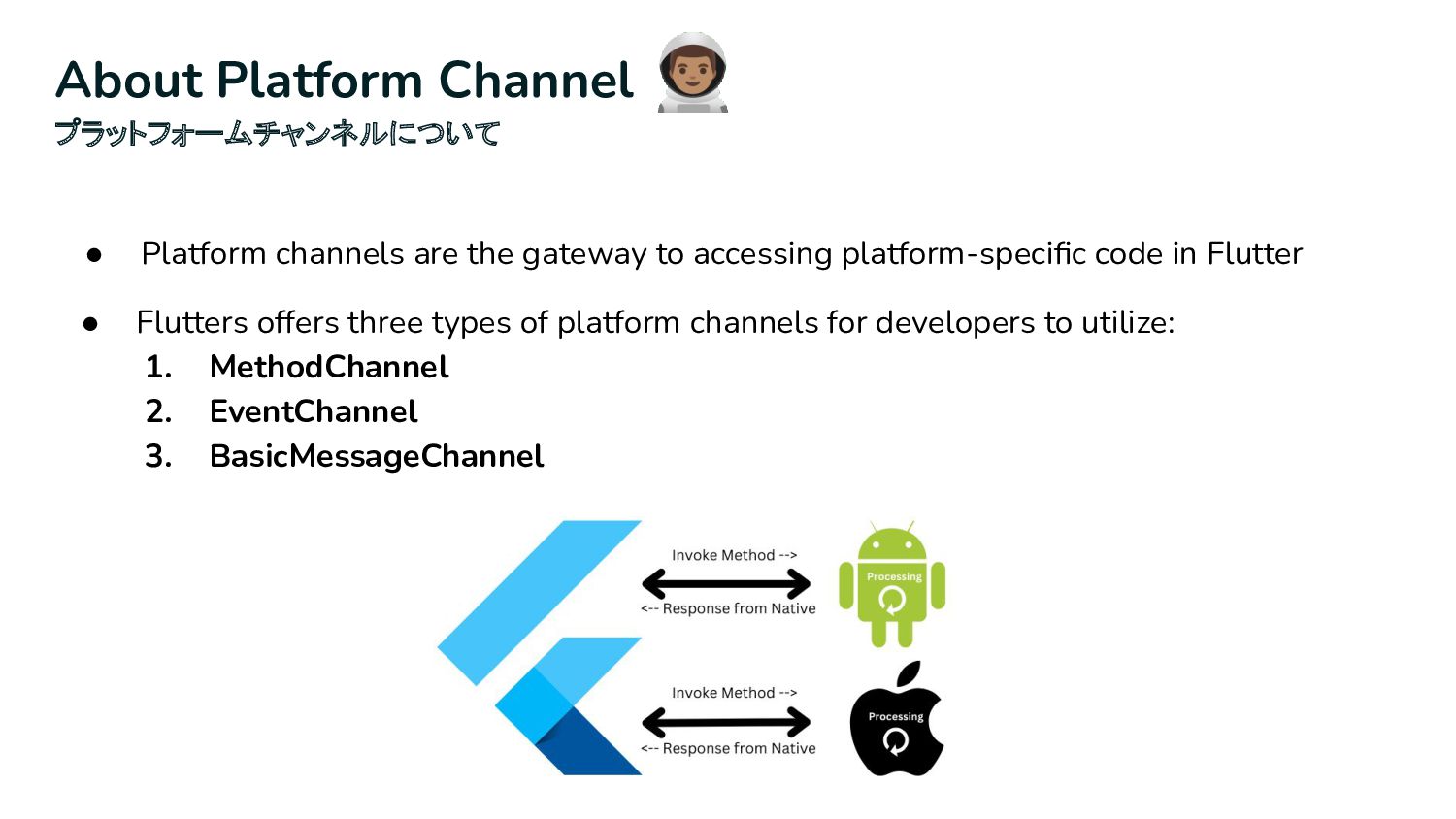
in Flutter About Platform Channel プラットフォームチャンネルについて • Flutters offers three types of platform channels for developers to utilize: 1. MethodChannel 2. EventChannel 3. BasicMessageChannel
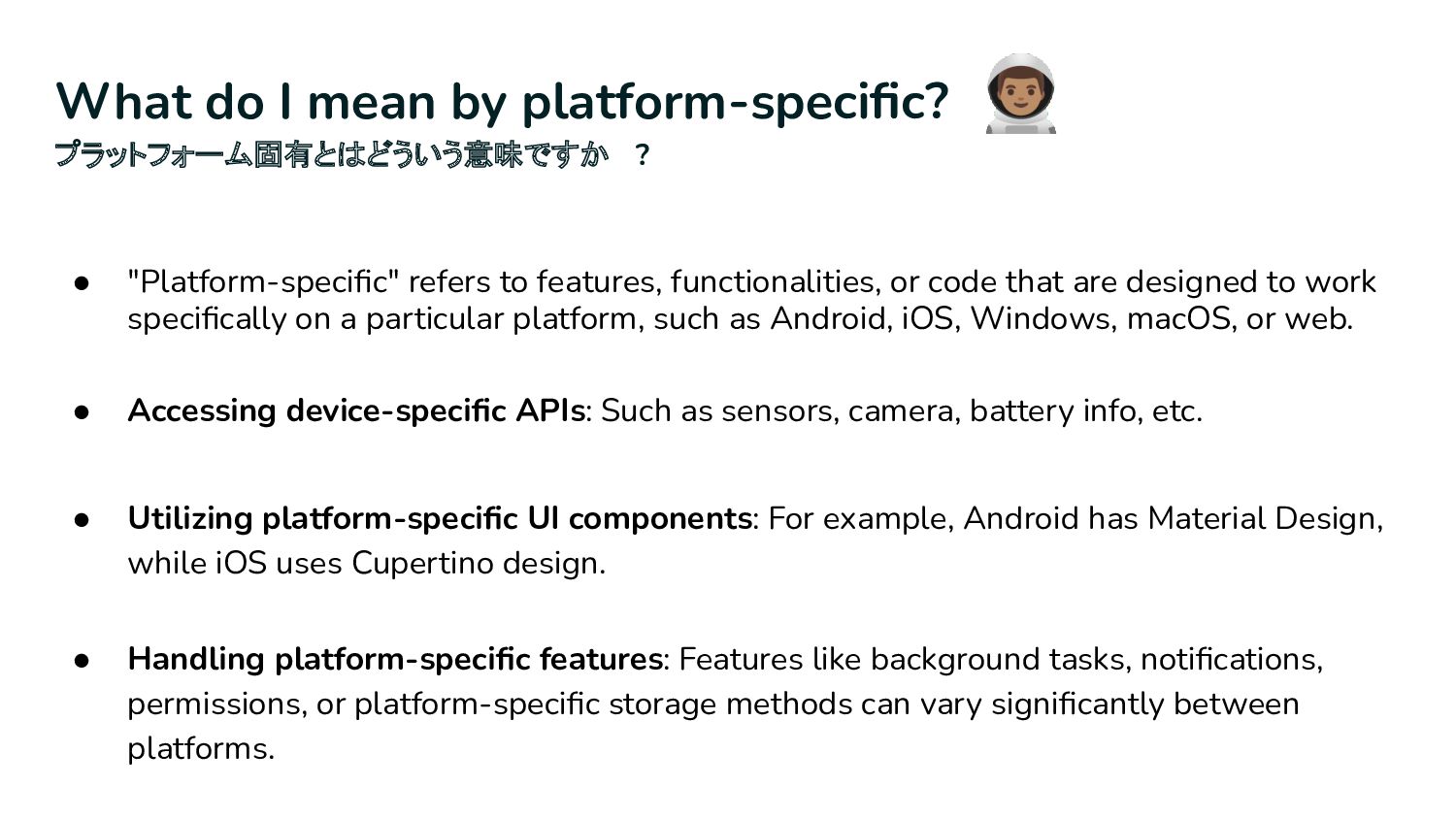
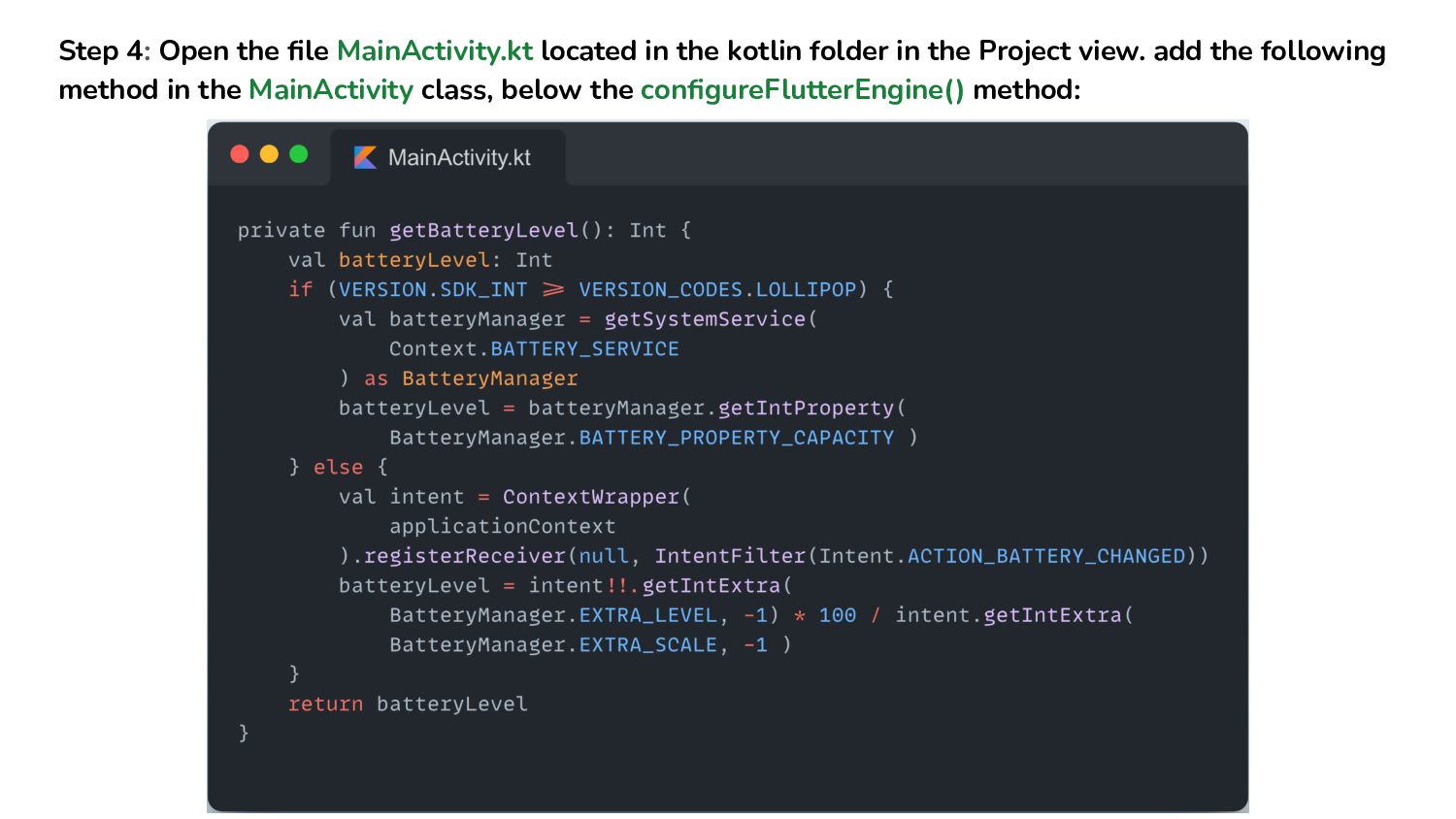
designed to work specifically on a particular platform, such as Android, iOS, Windows, macOS, or web. What do I mean by platform-specific? プラットフォーム固有とはどういう意味ですか ? • Accessing device-specific APIs: Such as sensors, camera, battery info, etc. • Utilizing platform-specific UI components: For example, Android has Material Design, while iOS uses Cupertino design. • Handling platform-specific features: Features like background tasks, notifications, permissions, or platform-specific storage methods can vary significantly between platforms.
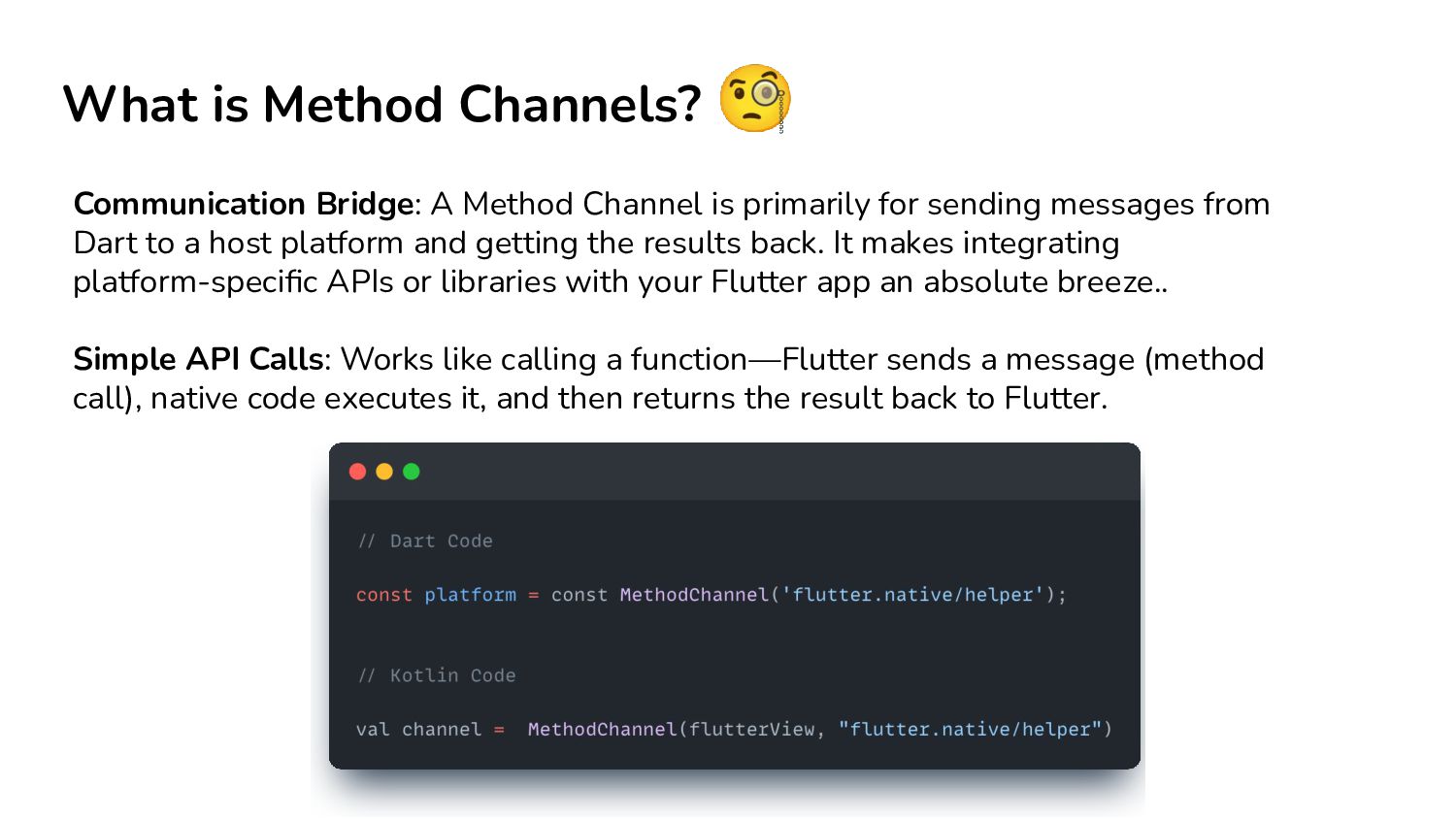
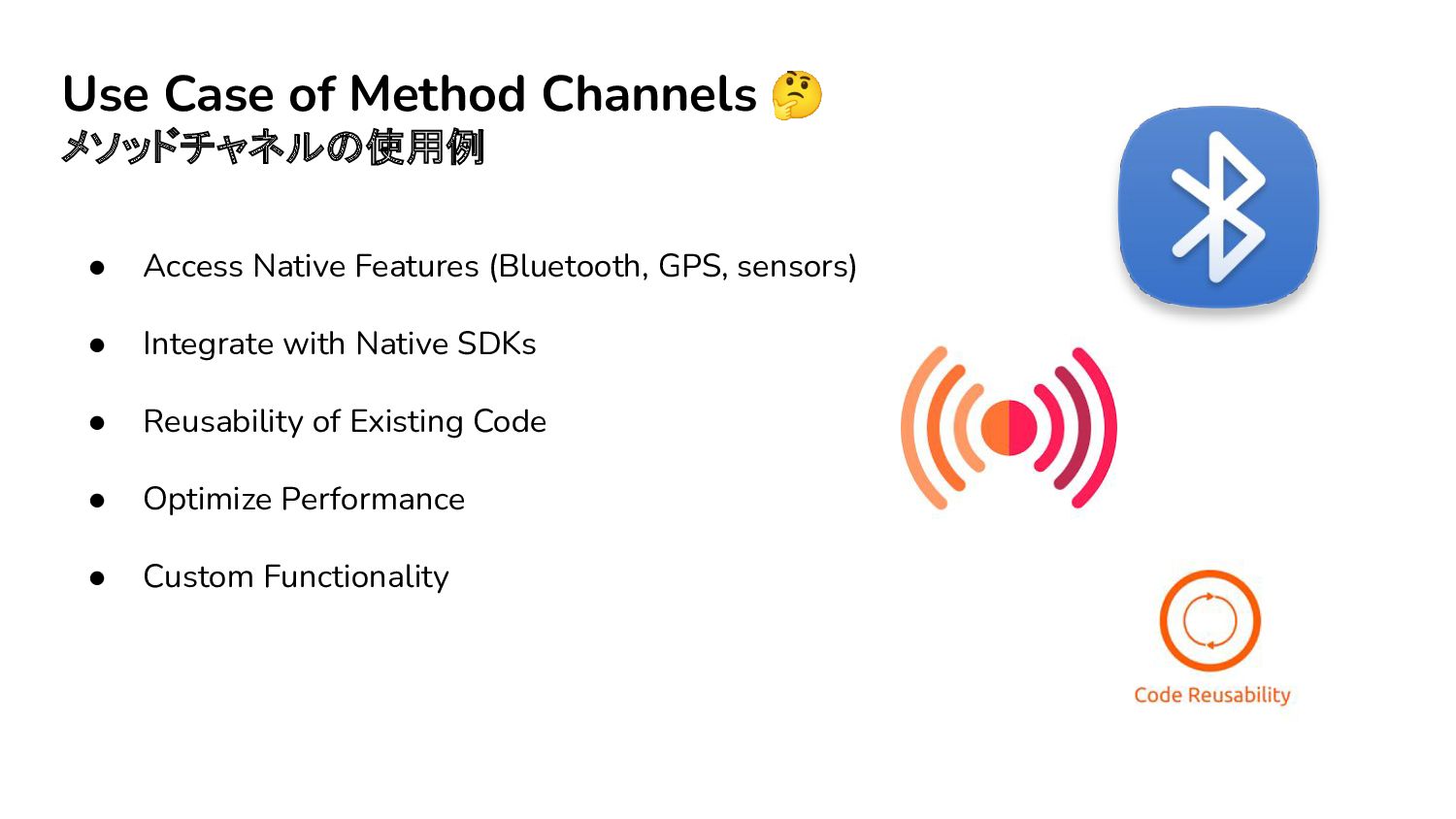
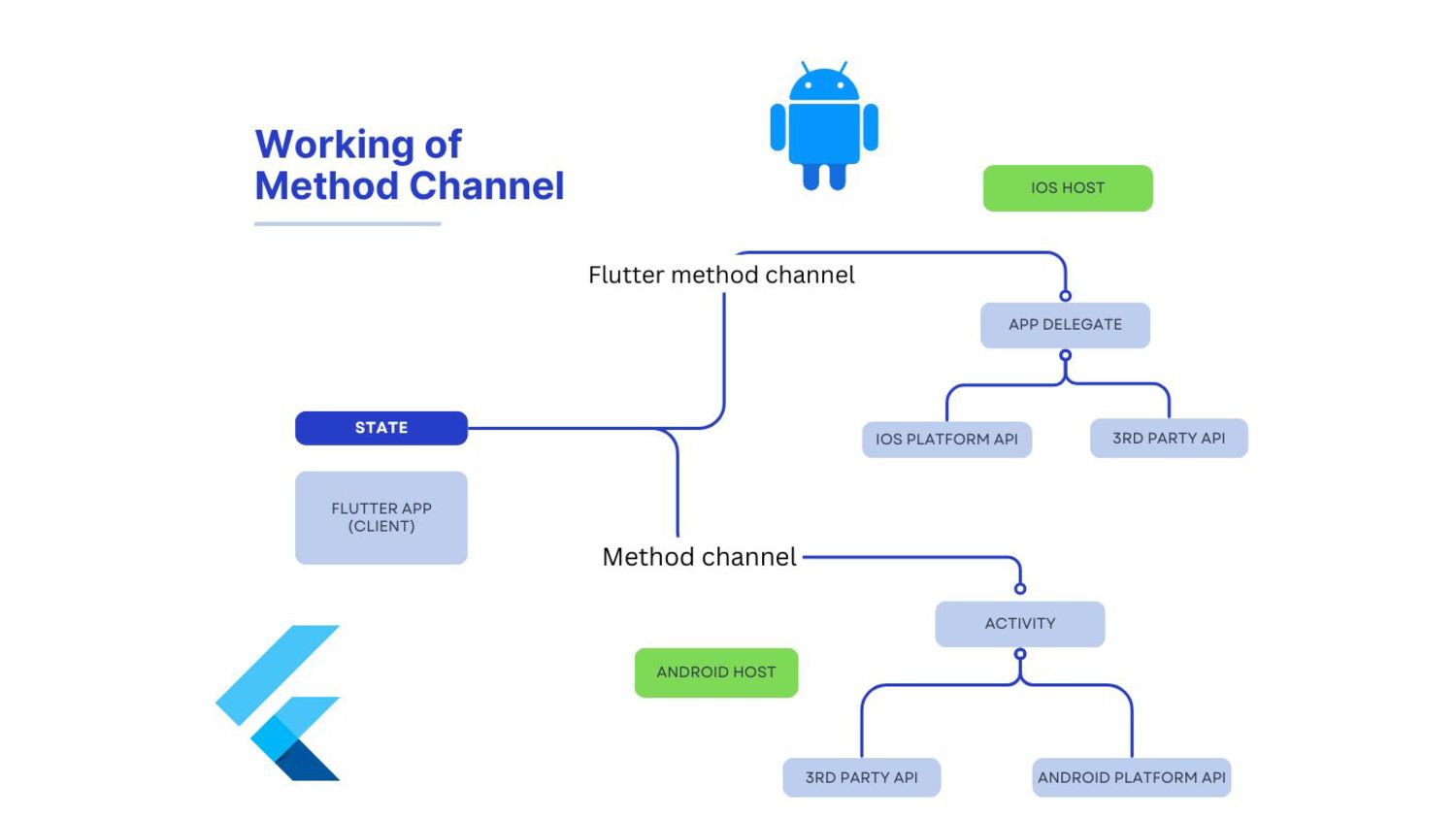
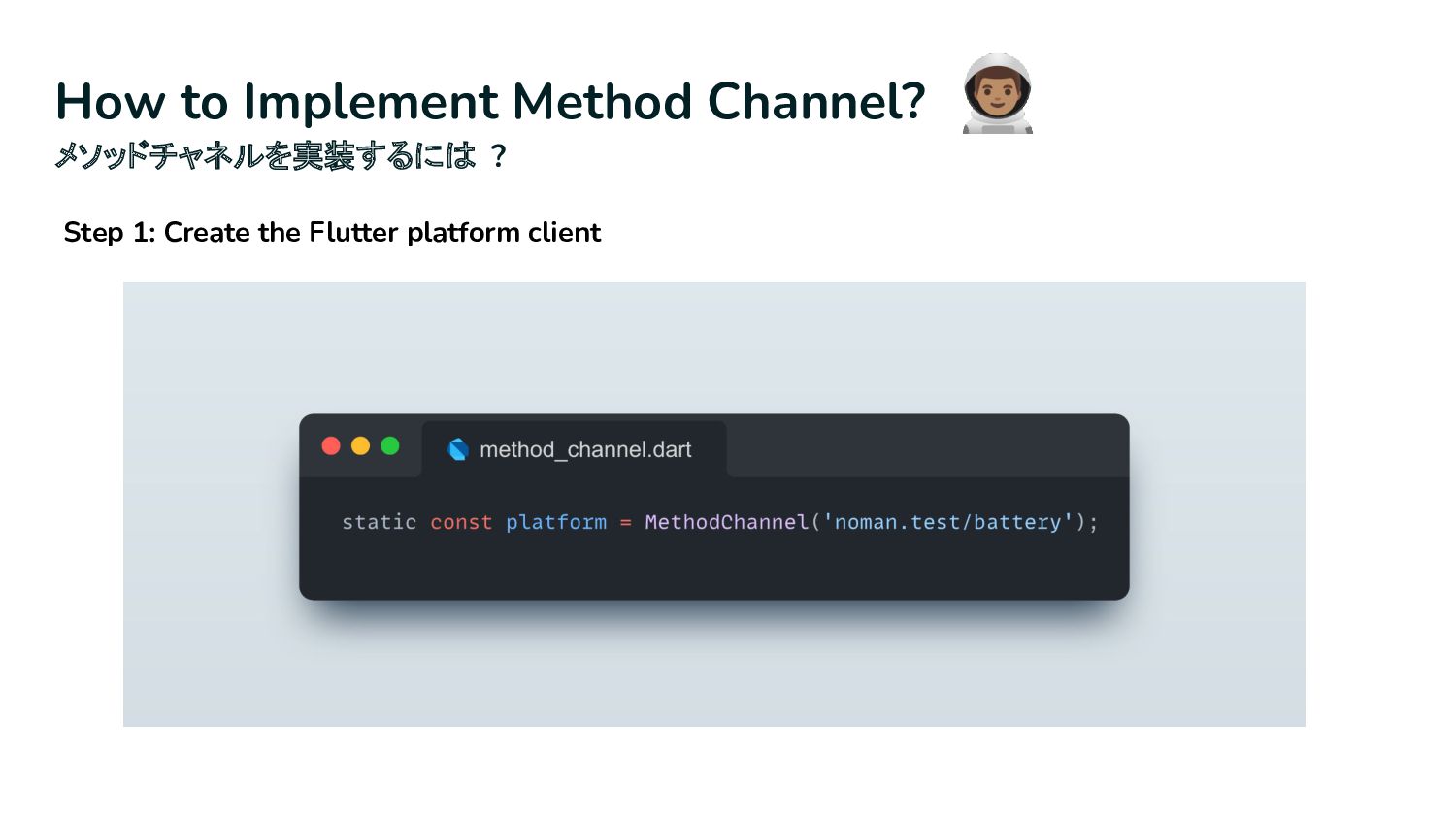
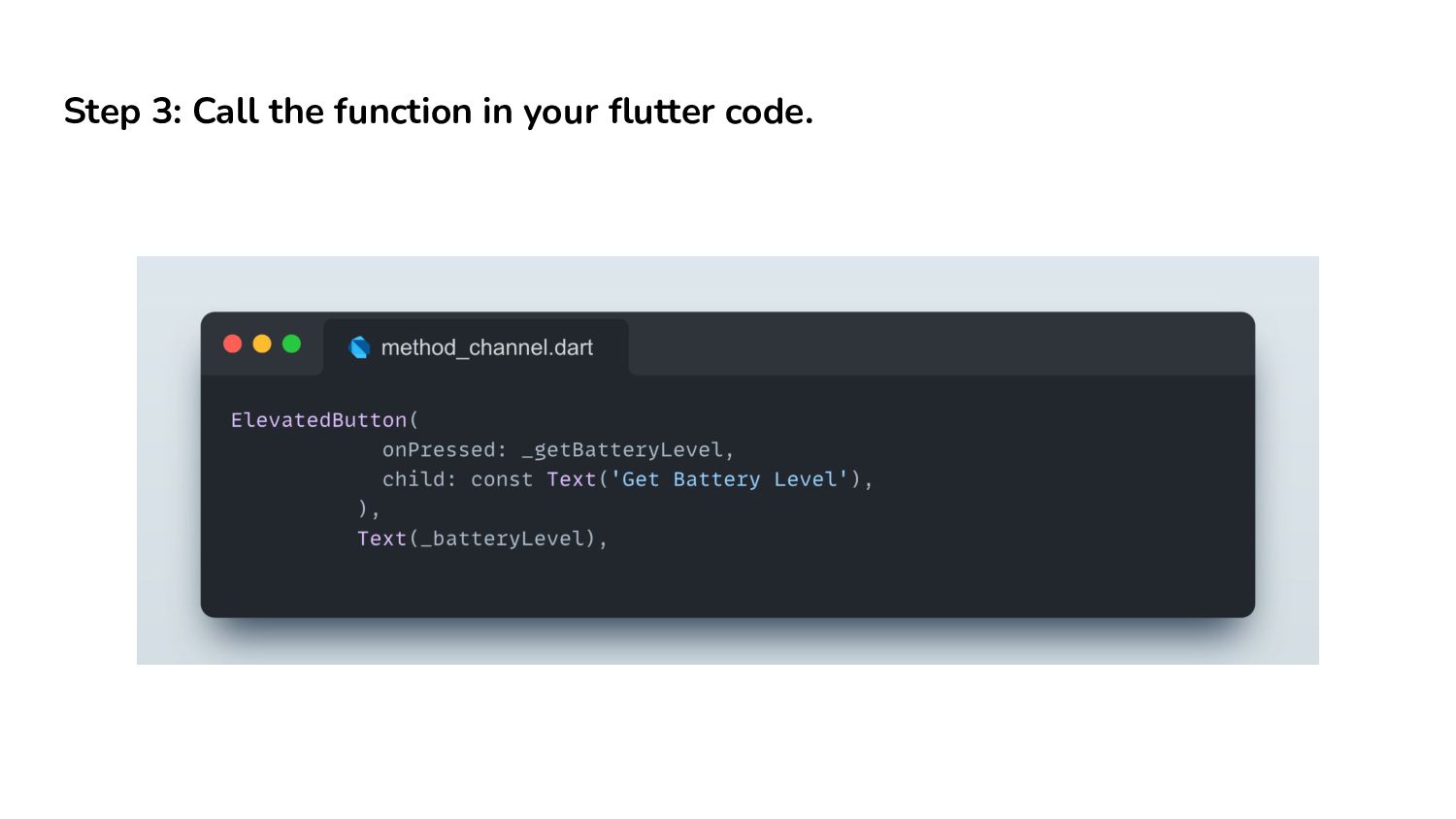
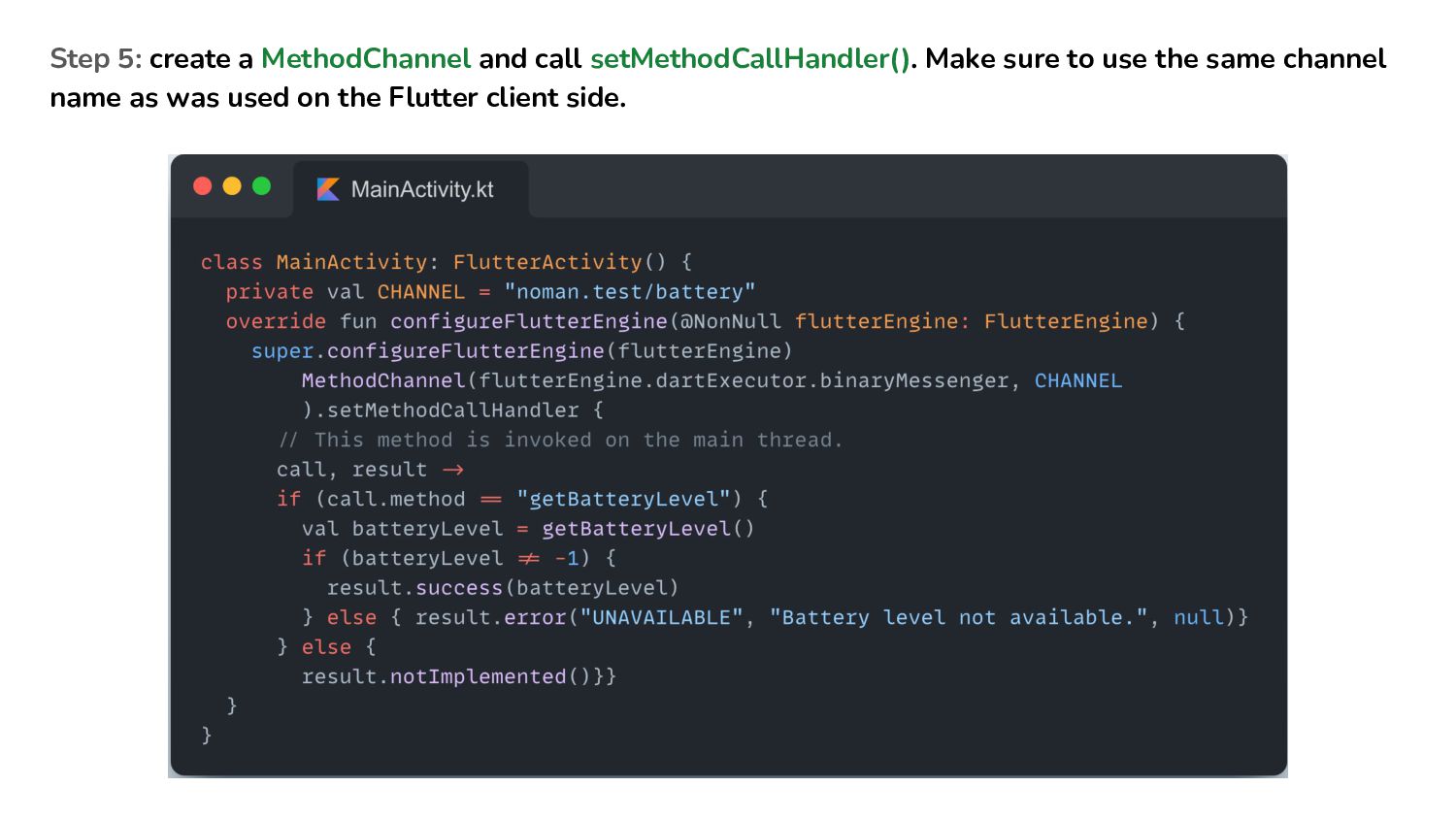
is primarily for sending messages from Dart to a host platform and getting the results back. It makes integrating platform-specific APIs or libraries with your Flutter app an absolute breeze.. Simple API Calls: Works like calling a function—Flutter sends a message (method call), native code executes it, and then returns the result back to Flutter.
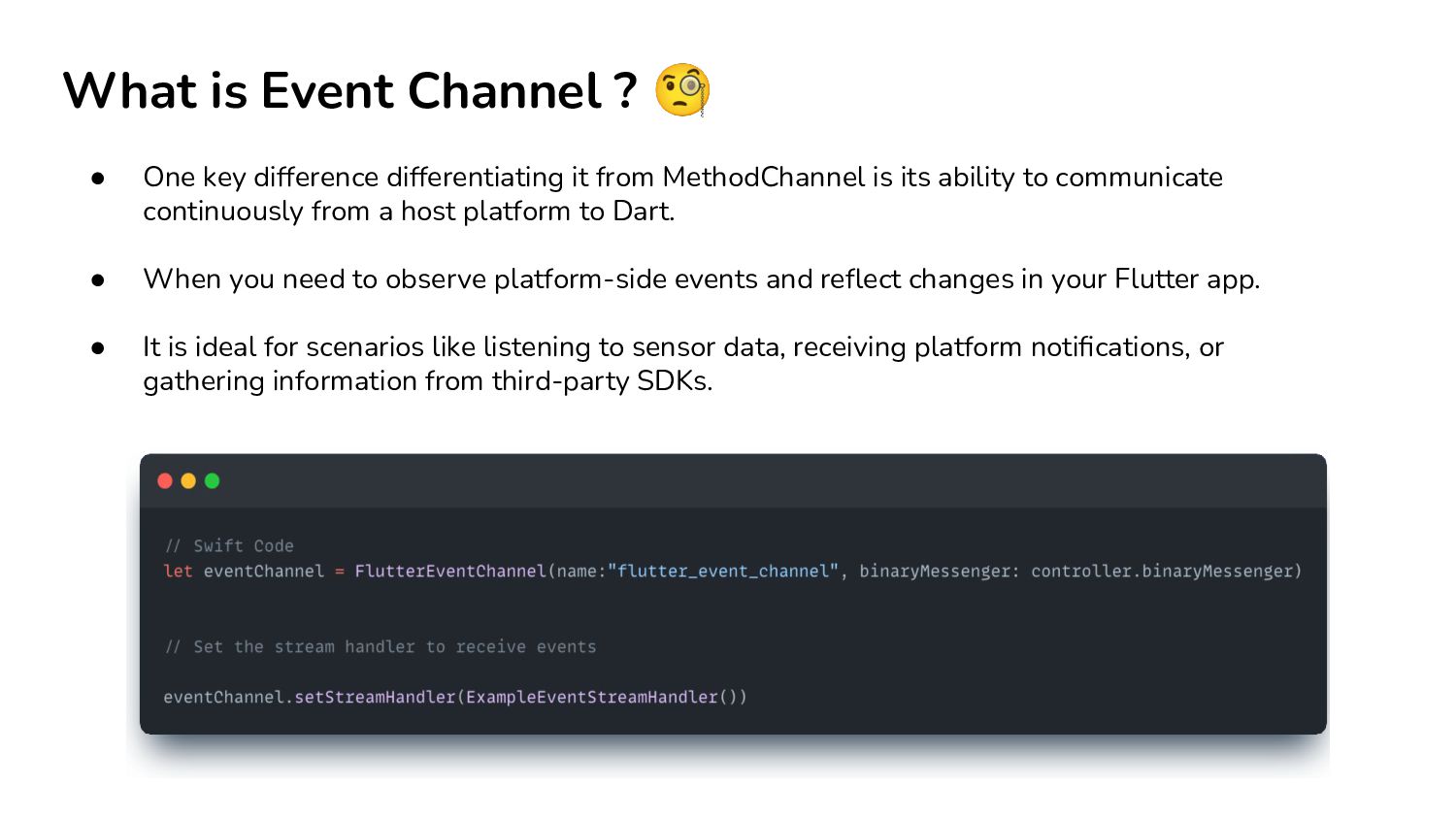
differentiating it from MethodChannel is its ability to communicate continuously from a host platform to Dart. • When you need to observe platform-side events and reflect changes in your Flutter app. • It is ideal for scenarios like listening to sensor data, receiving platform notifications, or gathering information from third-party SDKs.
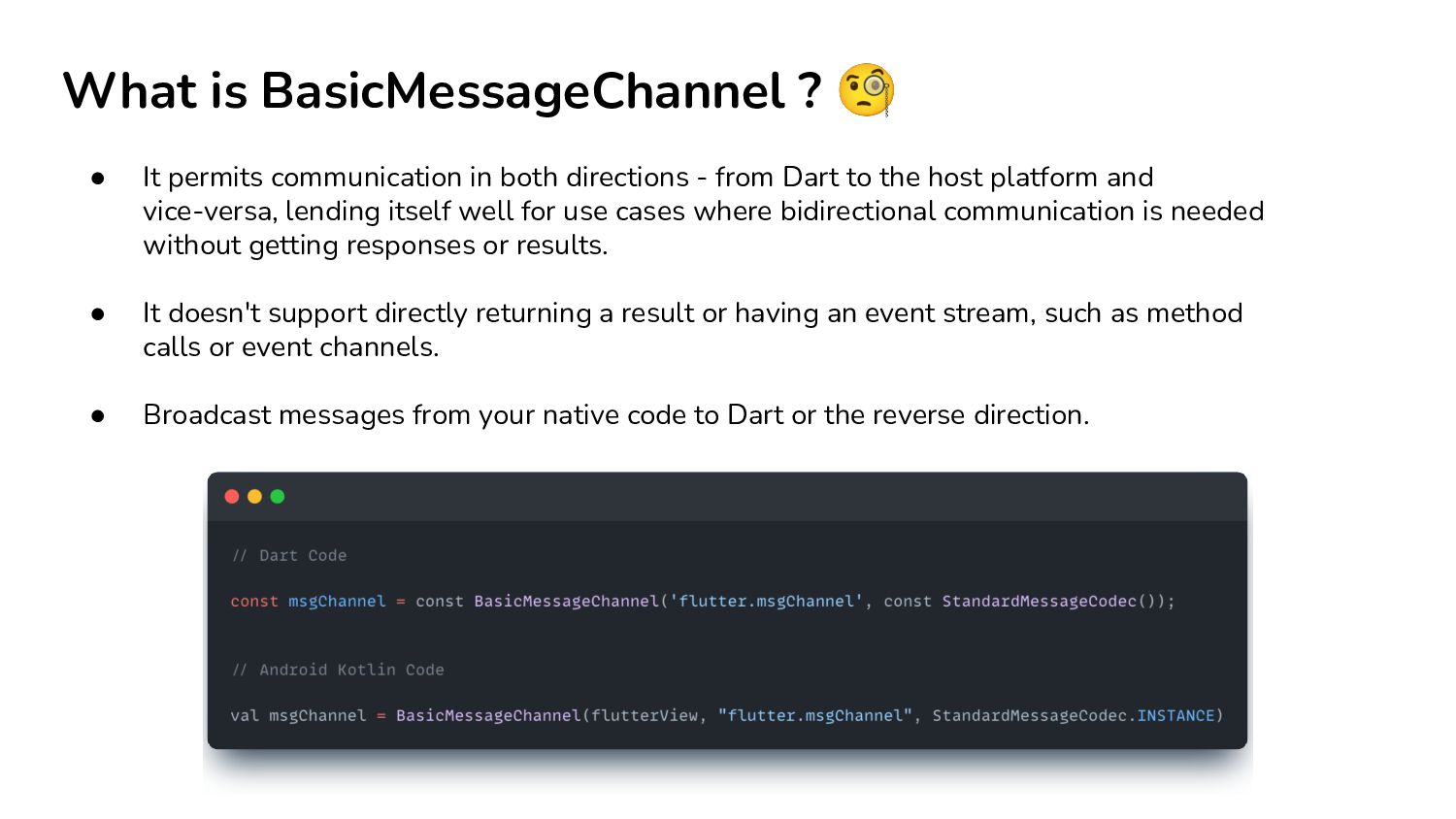
both directions - from Dart to the host platform and vice-versa, lending itself well for use cases where bidirectional communication is needed without getting responses or results. • It doesn't support directly returning a result or having an event stream, such as method calls or event channels. • Broadcast messages from your native code to Dart or the reverse direction.
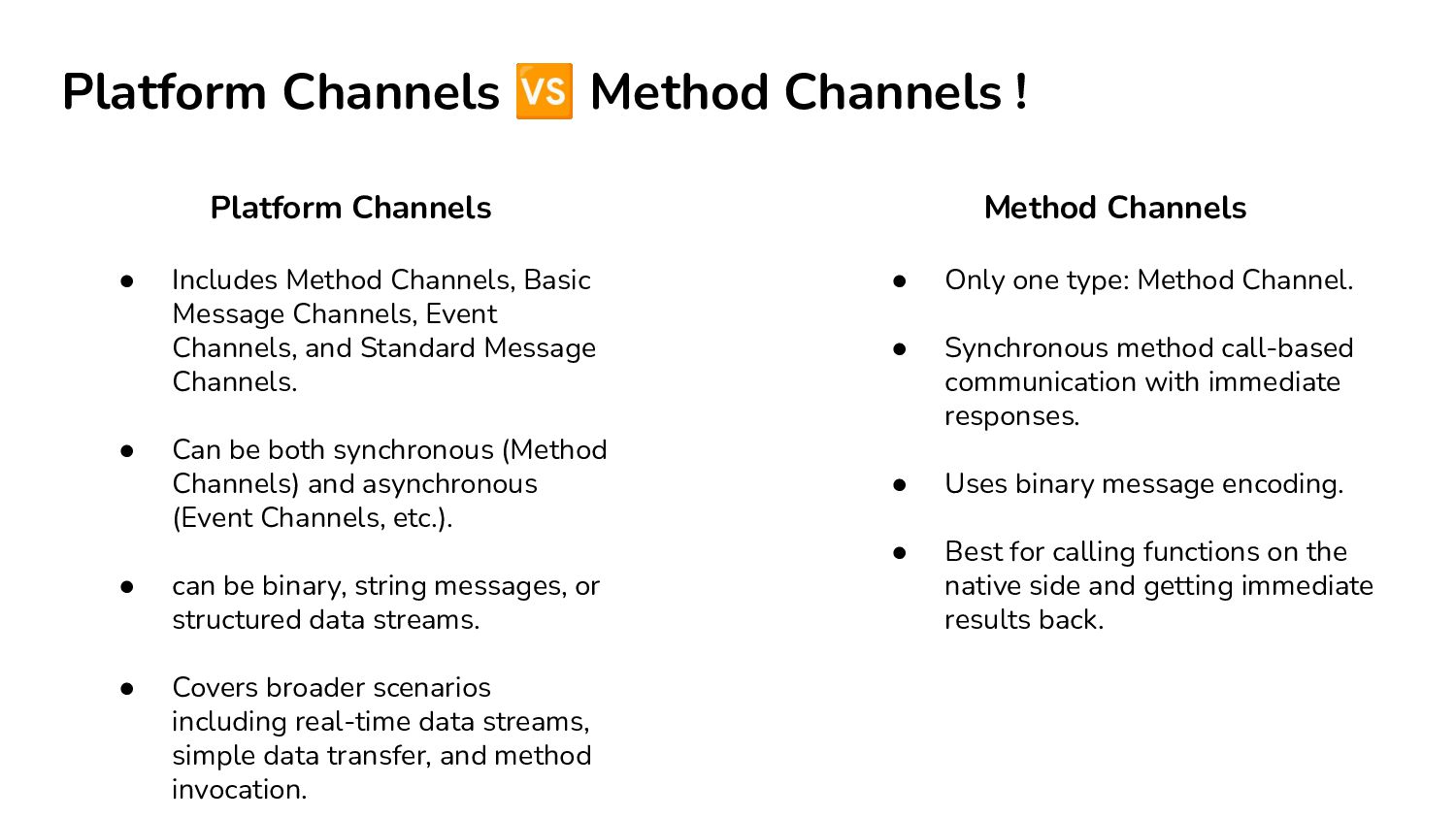
Method Channel. • Synchronous method call-based communication with immediate responses. • Uses binary message encoding. • Best for calling functions on the native side and getting immediate results back. • Includes Method Channels, Basic Message Channels, Event Channels, and Standard Message Channels. • Can be both synchronous (Method Channels) and asynchronous (Event Channels, etc.). • can be binary, string messages, or structured data streams. • Covers broader scenarios including real-time data streams, simple data transfer, and method invocation. Platform Channels Method Channels
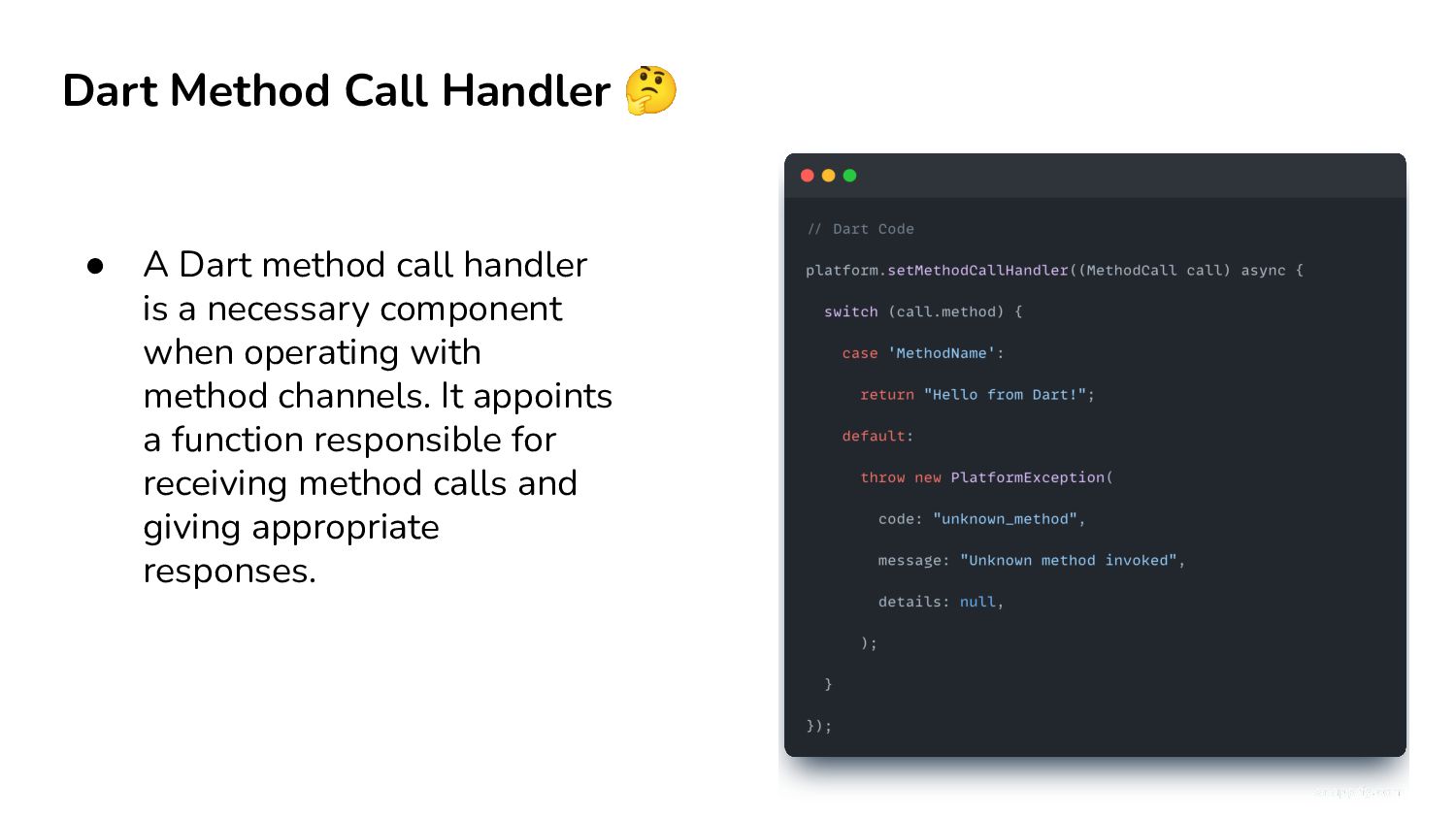
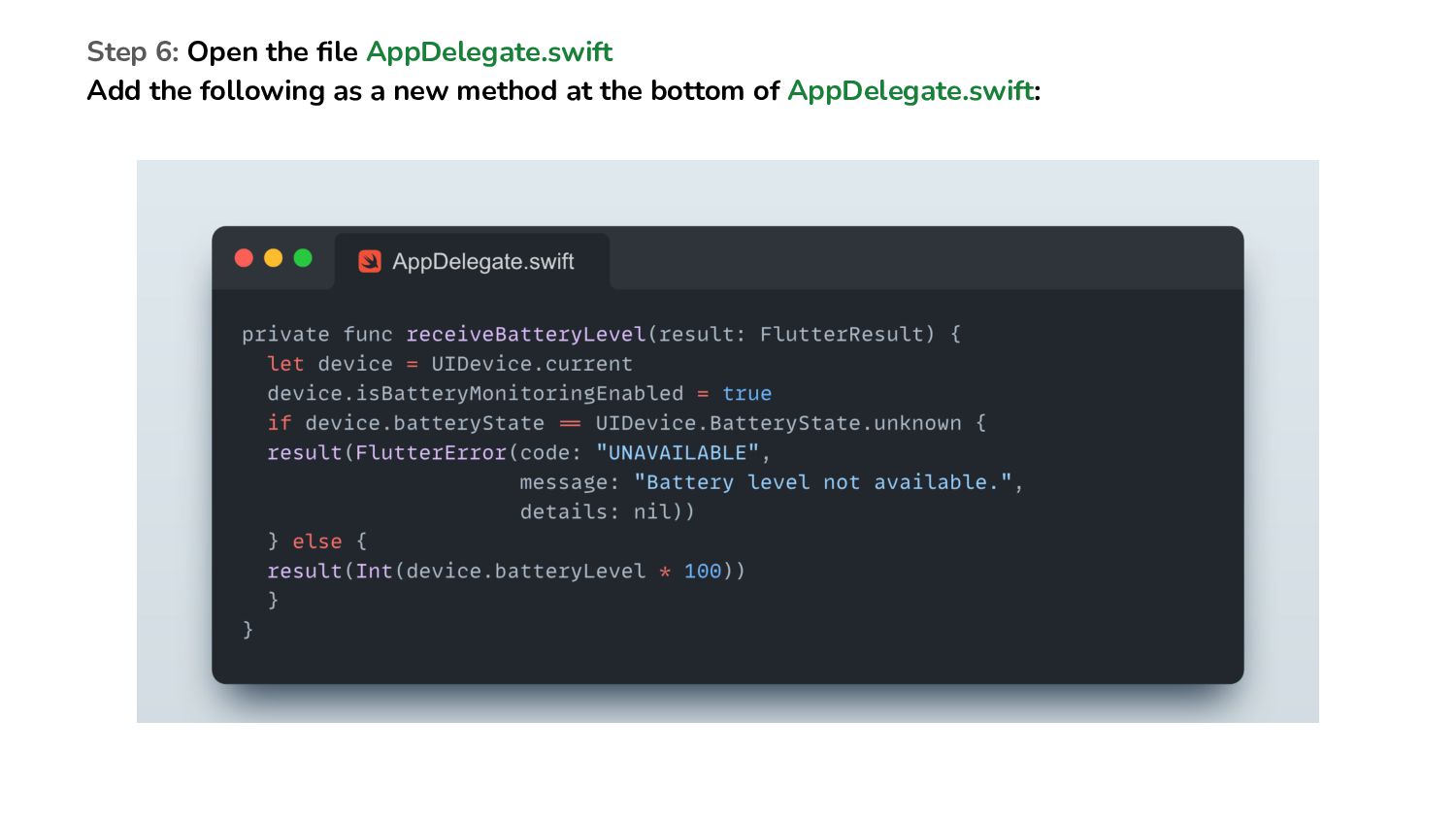
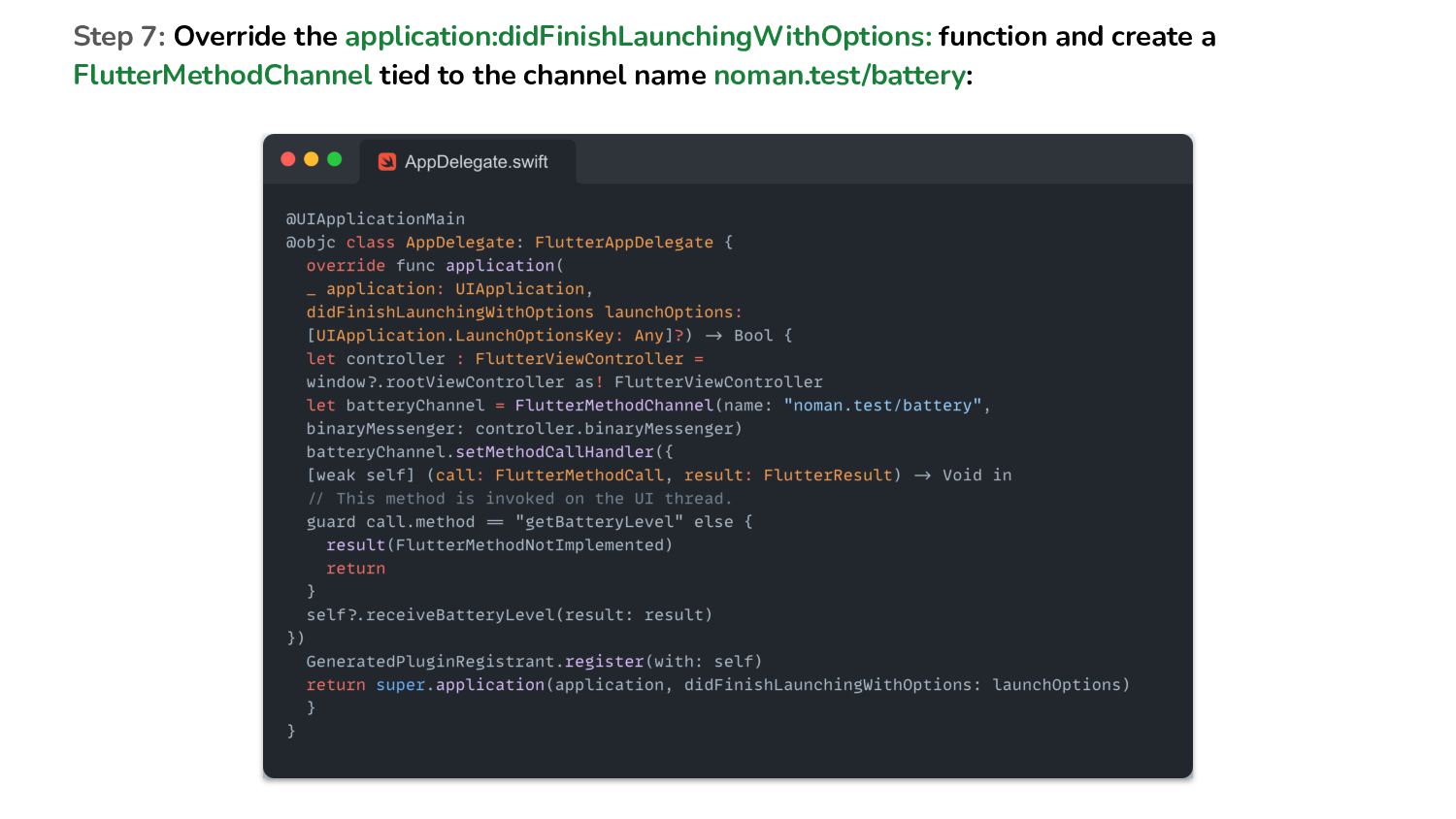
handler is a necessary component when operating with method channels. It appoints a function responsible for receiving method calls and giving appropriate responses.
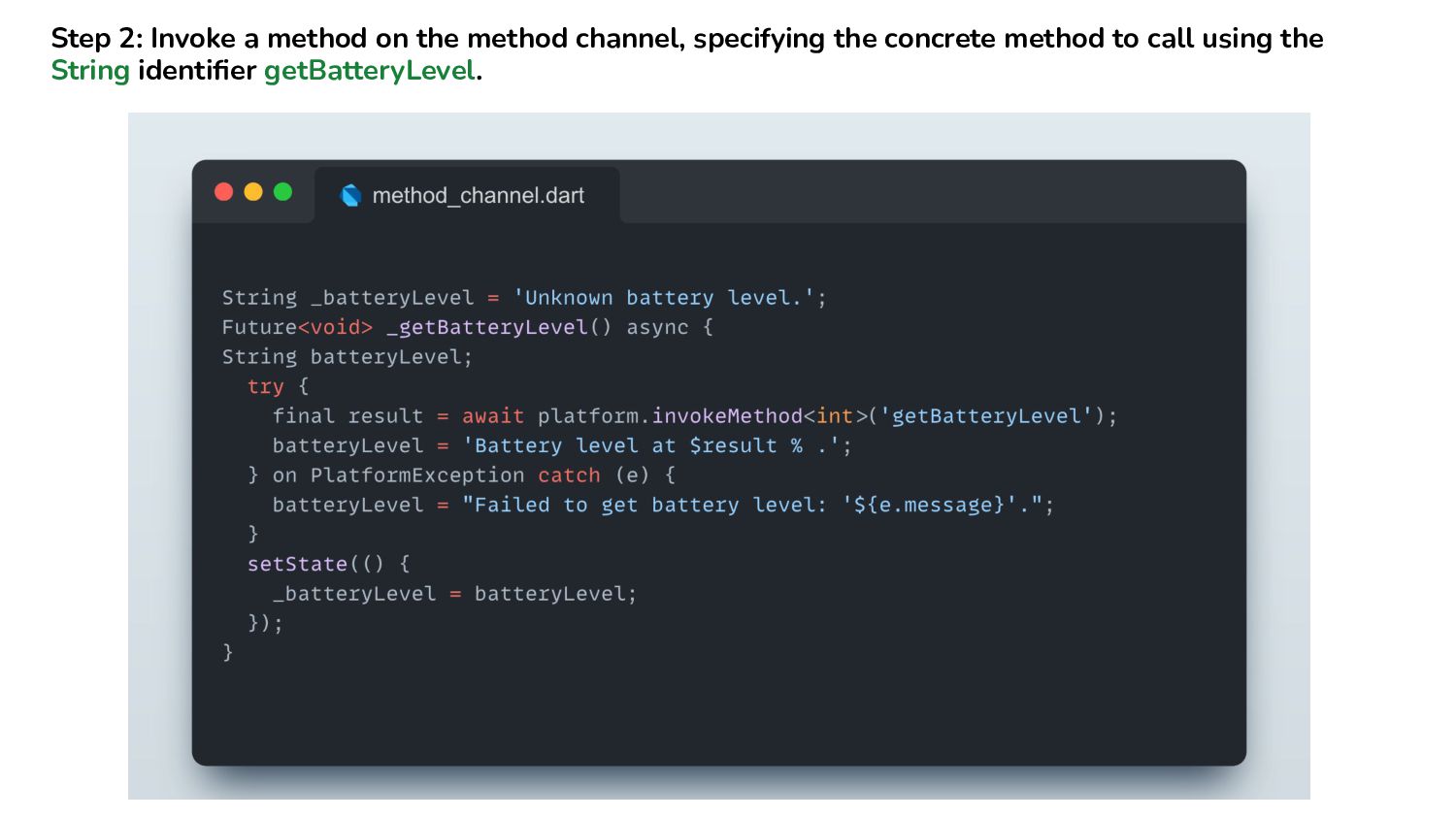
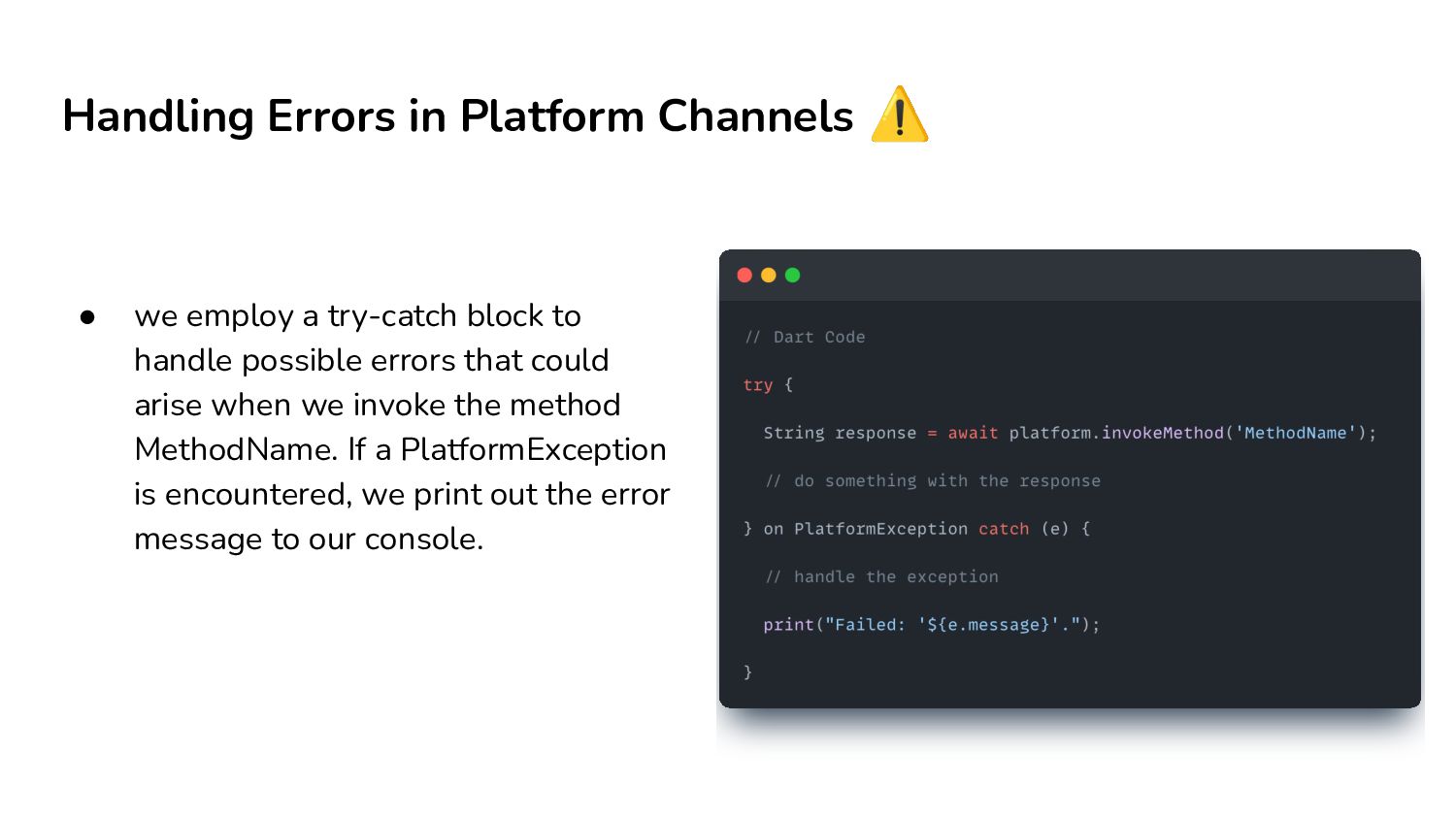
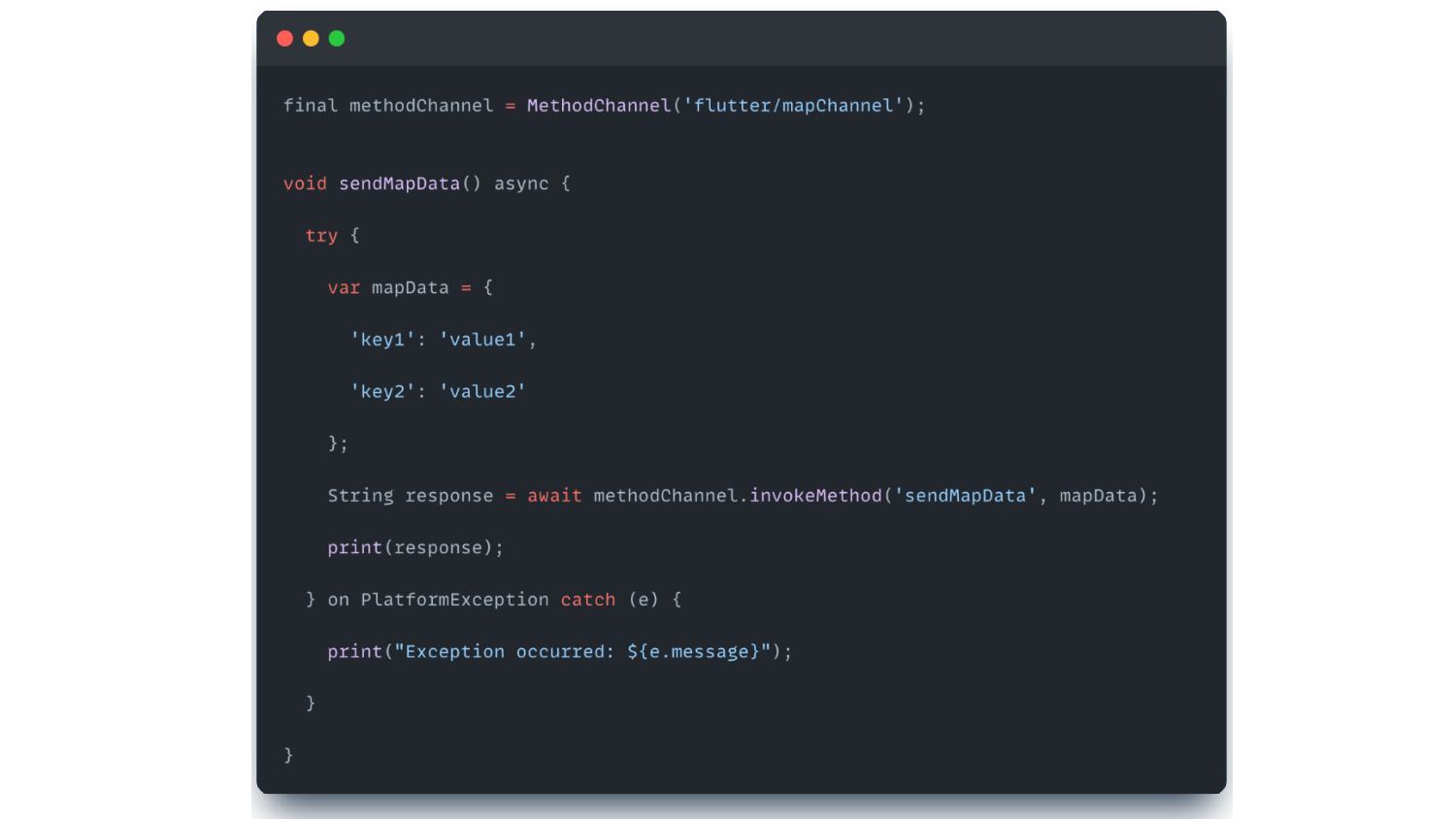
try-catch block to handle possible errors that could arise when we invoke the method MethodName. If a PlatformException is encountered, we print out the error message to our console.
native code in your Dart files, often using inline strings, and then having Dart interface with this code. This approach could be facilitated using a package like 'ffi'.
codec in the Flutter platform channel supports efficient binary serialization of simple JSON-like values, which include not just strings but booleans, lists, maps, and even byte buffers. • It gets serialized to a binary form, transmitted, and then deserialized at the receiver's end.
code, aiding in using specific APIs and delivering a more native-like feel to the apps. Developers can invoke native methods from Dart, harnessing the power of the underlying platform. • Further, the platform channels bestow greater control over the UI components, leading to user interface enhancements and making your Flutter app more responsive.


 pfn
pfn
 ueponx
 takuroabe
 mhrtech
 greenmidori
 gionn
gionn
 carta_engineering
 onk
onk
 shuta13
 daidaidai
 kworkdev
 maimyyym
 aleyda
 jacobtomlinson
 codingconduct
 garrettdimon
 jonoalderson
 portentint
 jonyablonski
 philnash
 mraible
 mojombo
 sstephenson
 kimpetersen