Upgrade to Pro
— share decks privately, control downloads, hide ads and more …
Speaker Deck
Sign up for free
Menu
Search
Features
All features
Private URLs
Password Protection
Custom URLS
Scheduled publishing
Remove Branding
Restrict embedding
Deck Collections
Notes
Features
All features
Private URLs
Password Protection
Custom URLS
Scheduled publishing
Remove Branding
Restrict embedding
Deck Collections
Notes
Explore
Featured decks
Featured speakers
Programming
Technology
Storyboards
Explore
Featured decks
Featured speakers
Programming
Technology
Storyboards
Pricing
Search
Sign in
Sign up for free
簡単!Slack BOT
Search
okakam
November 28, 2016
Programming
260
1
Share
Embed
Copy iframe code
Copy JS code
Copy link
Start on current slide
簡単!Slack BOT
okakam
November 28, 2016
Other Decks in Programming
See All in Programming
Augmenting AI with the Power of Jakarta EE
ivargrimstad
0
190
Simple Storage Service(S3) is not simple
iwatsukayura
0
290
最近”作らせてる” ローカルAIアプリの話
akit37
0
470
The Rails Doctrine Decade
koic
2
590
【加筆修正版】Laravel のアプリケーションをどこにデプロイするか #phpcon_ehime
akase244
0
150
Herb in Rails 8.2: Your ERB views, now HTML-aware @ Kaigi on Rails 2026, Tokyo, Japan
marcoroth
2
220
When benchmarks go bad - what I learned from measuring performance wrong
hollycummins
0
220
Vue Fes Japan の “作る側”に関わってみて
naokihaba
0
160
[Rails World 2026] Durable orchestration on Rails: from continuation to workflow
palkan
1
750
contenteditable と日本語入力に向き合う
colorful12
0
200
ActionController meets Protocol Buffers
sorah
0
530
パズルゲームの作り方 / how to make puzzle games
kaityo256
PRO
2
290
Featured
See All Featured
What's in a price? How to price your products and services
michaelherold
247
13k
Exploring the relationship between traditional SERPs and Gen AI search
raygrieselhuber
PRO
4
4.4k
A Modern Web Designer's Workflow
chriscoyier
699
190k
XXLCSS - How to scale CSS and keep your sanity
sugarenia
250
1.3M
Agile Actions for Facilitating Distributed Teams - ADO2019
mkilby
0
310
What’s in a name? Adding method to the madness
productmarketing
PRO
24
4.2k
Ethics towards AI in product and experience design
skipperchong
2
430
The agentic SEO stack - context over prompts
schlessera
0
970
A Tale of Four Properties
chriscoyier
163
24k
Color Theory Basics | Prateek | Gurzu
gurzu
1
490
Technical Leadership for Architectural Decision Making
baasie
3
600
Lightning talk: Run Django tests with GitHub Actions
sabderemane
0
300
Transcript
簡単! Slack BOT! 2016/11/30 PHP勉強会
自己紹介 岡崎 雅則 GMOリサーチでエンジニア 趣味は「車」と「ゲーム」 F-1をはじめとするモータースポーツの観戦 (主にTV) Facebook: https://www.facebook.com/okakam
背景 Node.jsで、Facebook Messenger とか、 Slack のBOTを作ったことは合ったけど、 そういえばPHPで作ったことなかったなー
背景 Node.jsで、Facebook Messenger とか、 Slack のBOTを作ったことはあったけど、 そういえばPHPで作ったことなかったなー じゃーやってみよう! (PHP勉強会で発表出来そうだし)
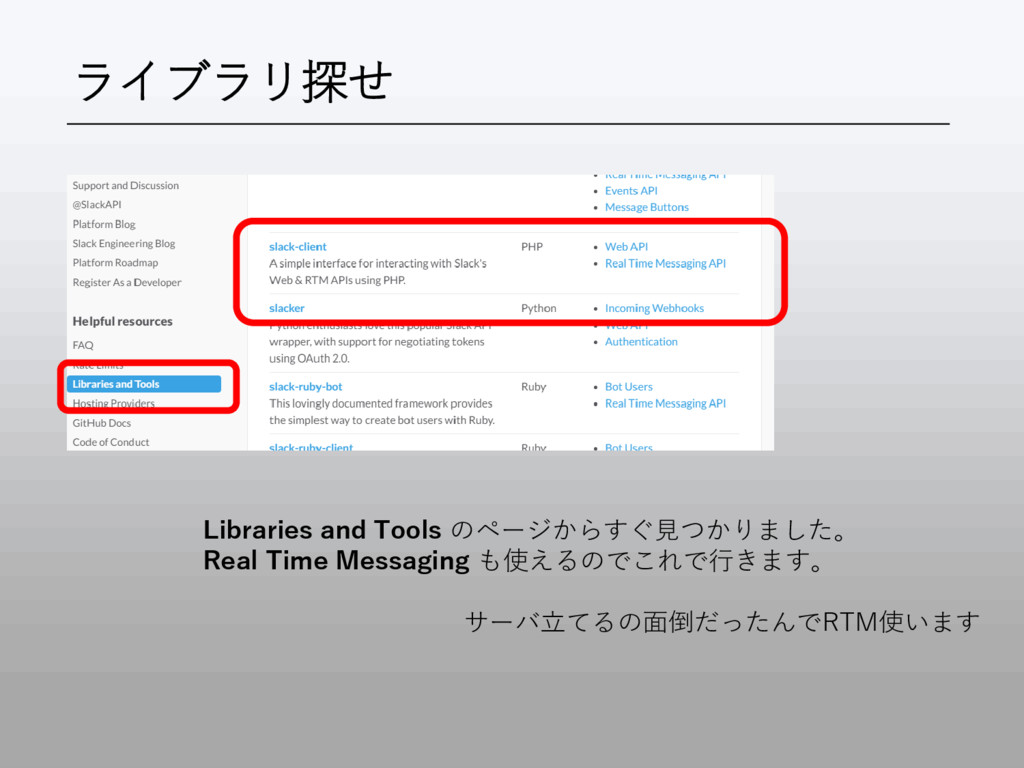
ライブラリ探せ Libraries and Tools のページからすぐ見つかりました。 Real Time Messaging も使えるのでこれで行きます。 サーバ立てるの面倒だったんでRTM使います
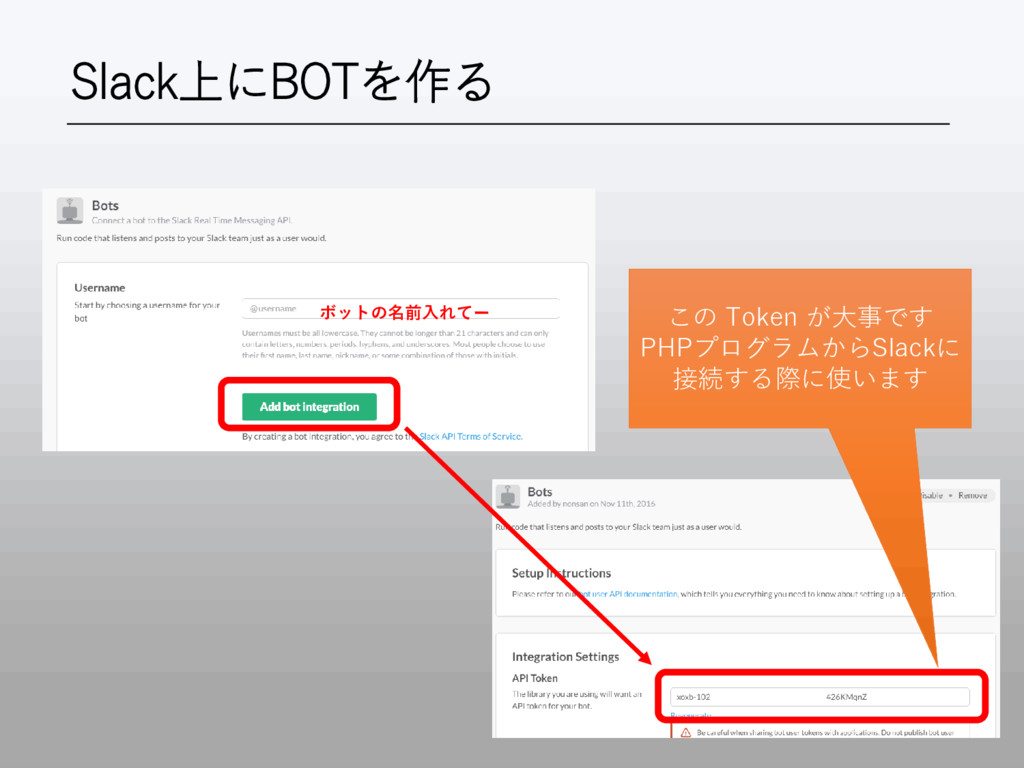
Slack上にBOTを作る とりあえず、クリック、クリック
Slack上にBOTを作る ボットの名前入れてー この Token が大事です PHPプログラムからSlackに 接続する際に使います
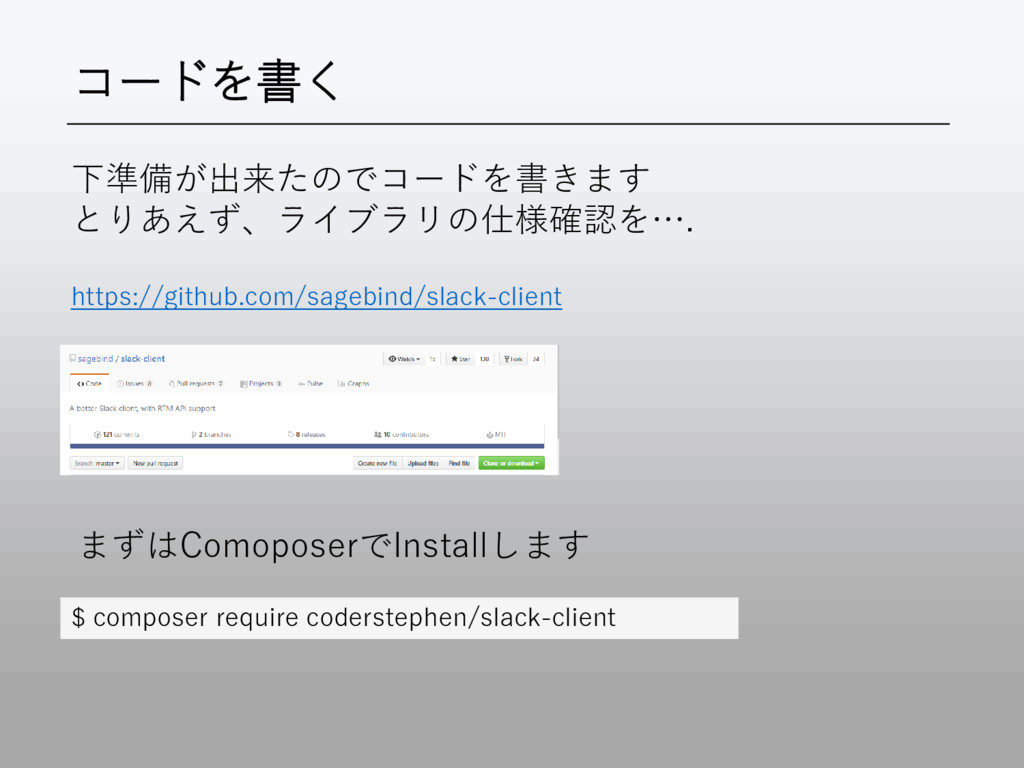
コードを書く 下準備が出来たのでコードを書きます とりあえず、ライブラリの仕様確認を…. https://github.com/sagebind/slack-client まずはComoposerでInstallします $ composer require coderstephen/slack-client
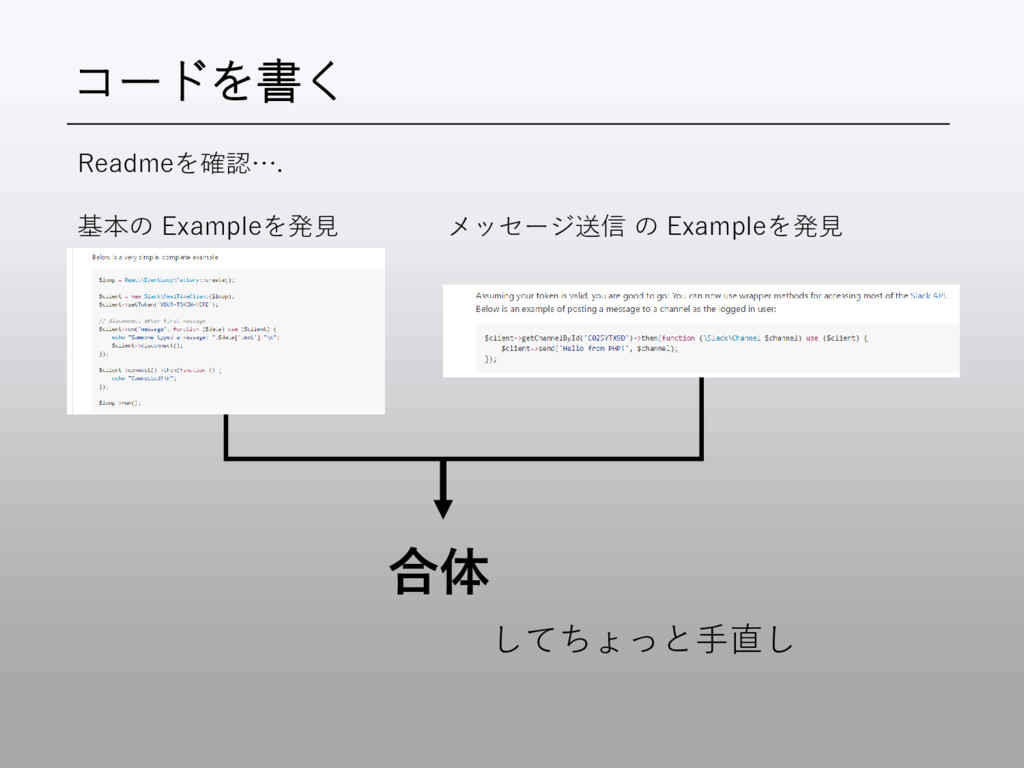
コードを書く 基本の Exampleを発見 メッセージ送信 の Exampleを発見 合体 してちょっと手直し Readmeを確認….
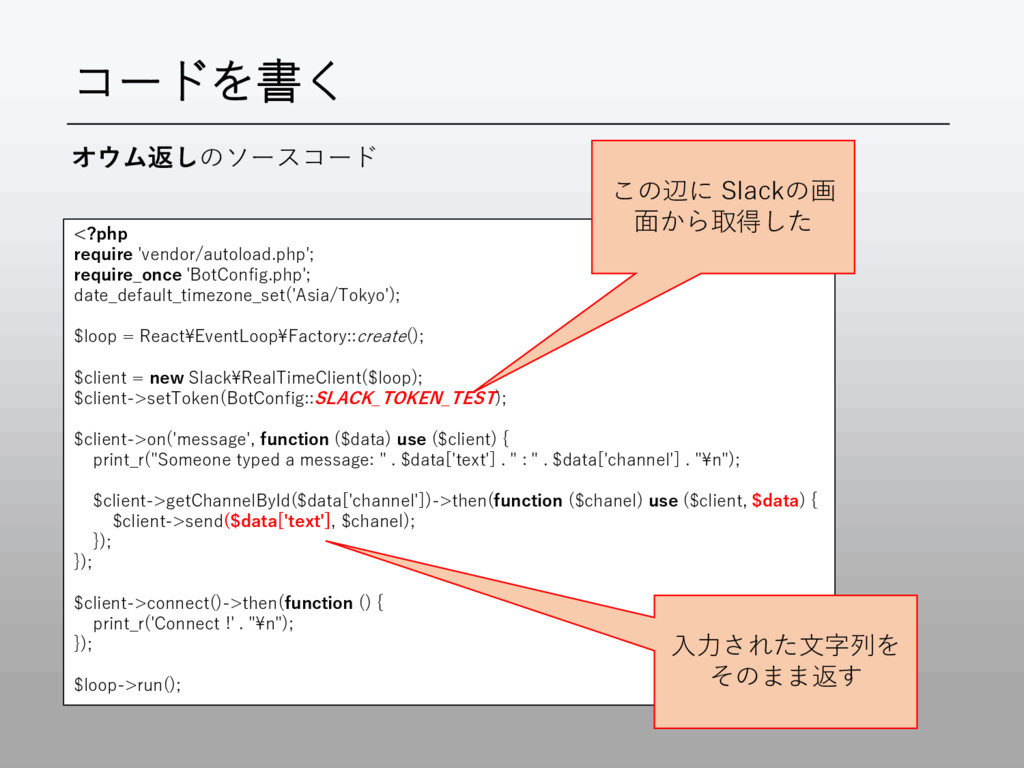
コードを書く <?php require 'vendor/autoload.php'; require_once 'BotConfig.php'; date_default_timezone_set('Asia/Tokyo'); $loop = React¥EventLoop¥Factory::create();
$client = new Slack¥RealTimeClient($loop); $client->setToken(BotConfig::SLACK_TOKEN_TEST); $client->on('message', function ($data) use ($client) { print_r("Someone typed a message: " . $data['text'] . " : " . $data['channel'] . "¥n"); $client->getChannelById($data['channel'])->then(function ($chanel) use ($client, $data) { $client->send($data['text'], $chanel); }); }); $client->connect()->then(function () { print_r('Connect !' . "¥n"); }); $loop->run(); この辺に Slackの画 面から取得した オウム返しのソースコード 入力された文字列を そのまま返す
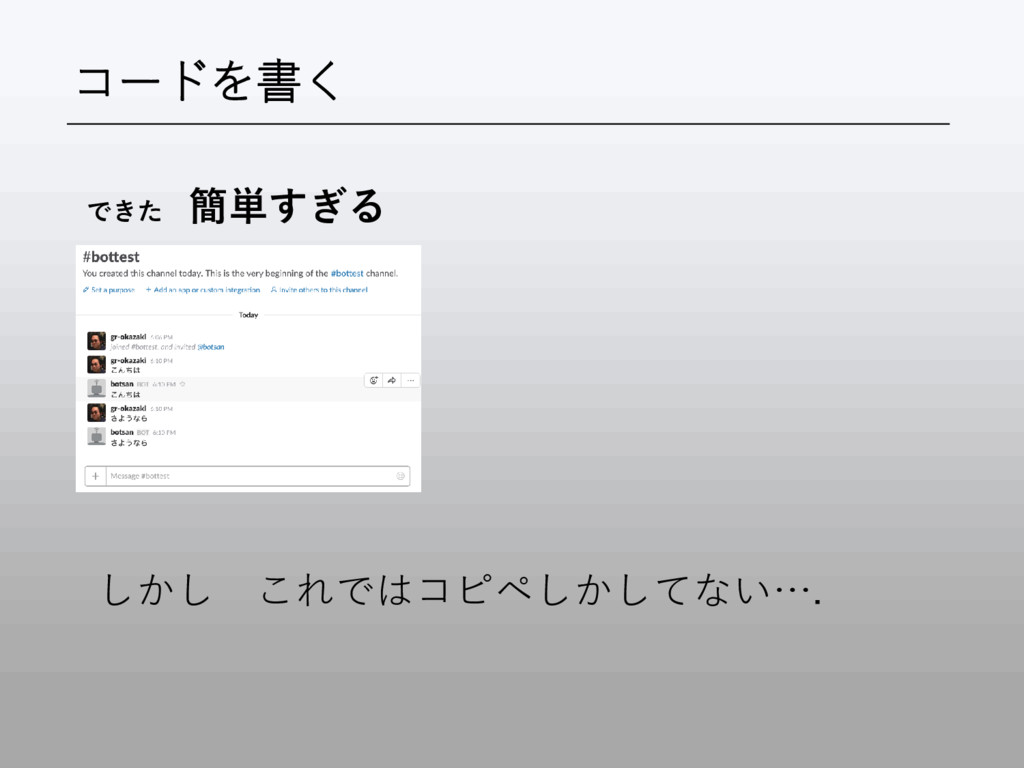
コードを書く できた 簡単すぎる しかし これではコピペしかしてない….
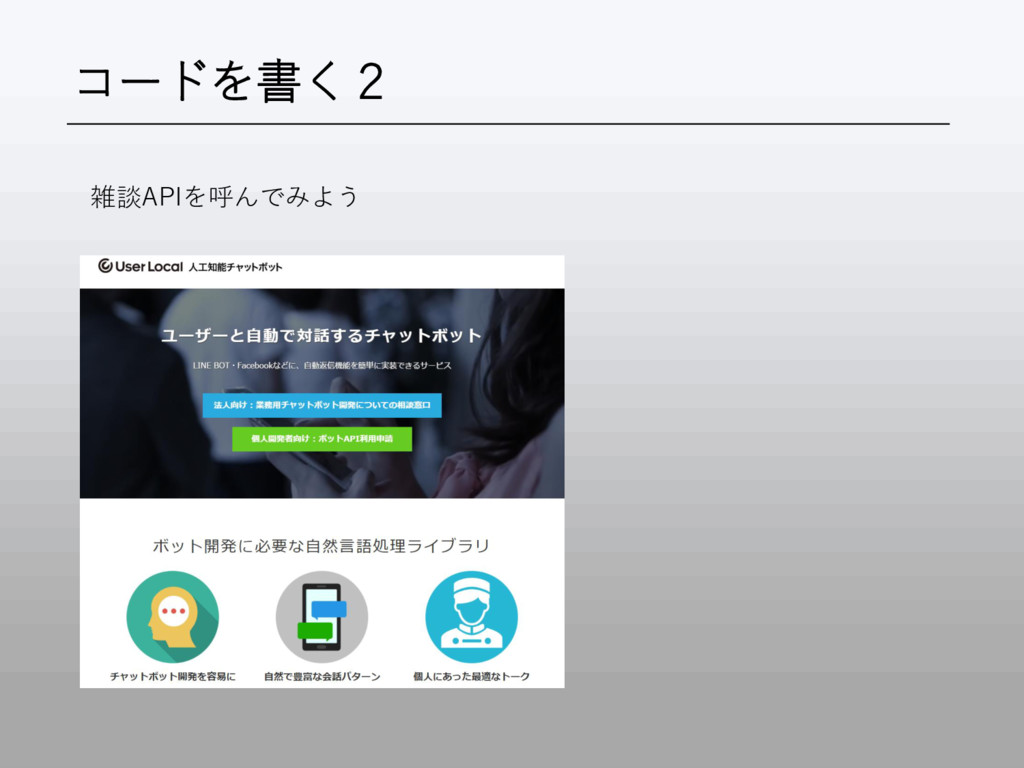
コードを書く2 雑談APIを呼んでみよう
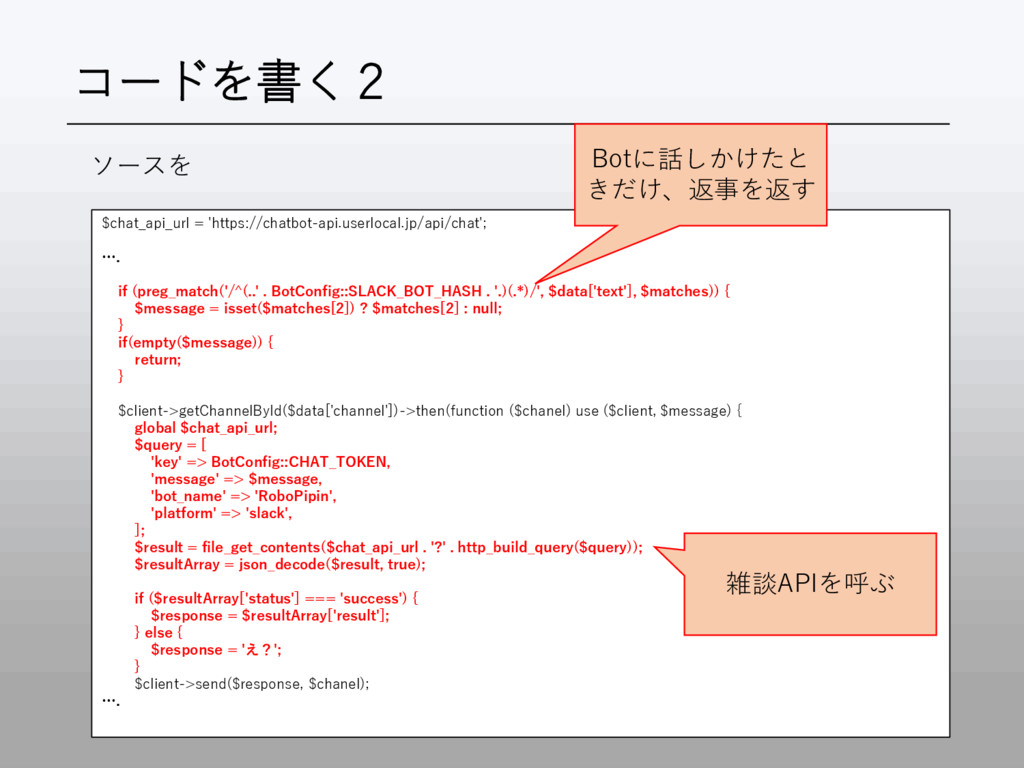
コードを書く2 ソースを $chat_api_url = 'https://chatbot-api.userlocal.jp/api/chat'; …. if (preg_match('/^(..' . BotConfig::SLACK_BOT_HASH
. '.)(.*)/', $data['text'], $matches)) { $message = isset($matches[2]) ? $matches[2] : null; } if(empty($message)) { return; } $client->getChannelById($data['channel'])->then(function ($chanel) use ($client, $message) { global $chat_api_url; $query = [ 'key' => BotConfig::CHAT_TOKEN, 'message' => $message, 'bot_name' => 'RoboPipin', 'platform' => 'slack', ]; $result = file_get_contents($chat_api_url . '?' . http_build_query($query)); $resultArray = json_decode($result, true); if ($resultArray['status'] === 'success') { $response = $resultArray['result']; } else { $response = 'え?'; } $client->send($response, $chanel); …. Botに話しかけたと きだけ、返事を返す 雑談APIを呼ぶ
コードを書く2 ソースはこの辺においてあるので、ご参考まで https://github.com/okakam/slack-bot-php ありがとうございました


 ivargrimstad
 iwatsukayura
 akit37
 koic
koic
 akase244
 marcoroth
 hollycummins
 naokihaba
 palkan
 colorful12
 sorah
sorah
 kaityo256
 michaelherold
 raygrieselhuber
 chriscoyier
 sugarenia
 mkilby
 productmarketing
 skipperchong
 schlessera
 gurzu
gurzu
 baasie
 sabderemane