Share
Embed
CyberPanel SSL Automation with Cloudflare DNS & Wildcard Certificates
Learn how to automate SSL certificates on CyberPanel using Let's Encrypt and Cloudflare DNS API. This presentation covers wildcard SSL setup, DNS-01 validation, automatic certificate renewal, and troubleshooting common SSL issues on VPS servers with OnliveServer.
Onlive Server
November 02, 2026
Transcript
9 slides
-
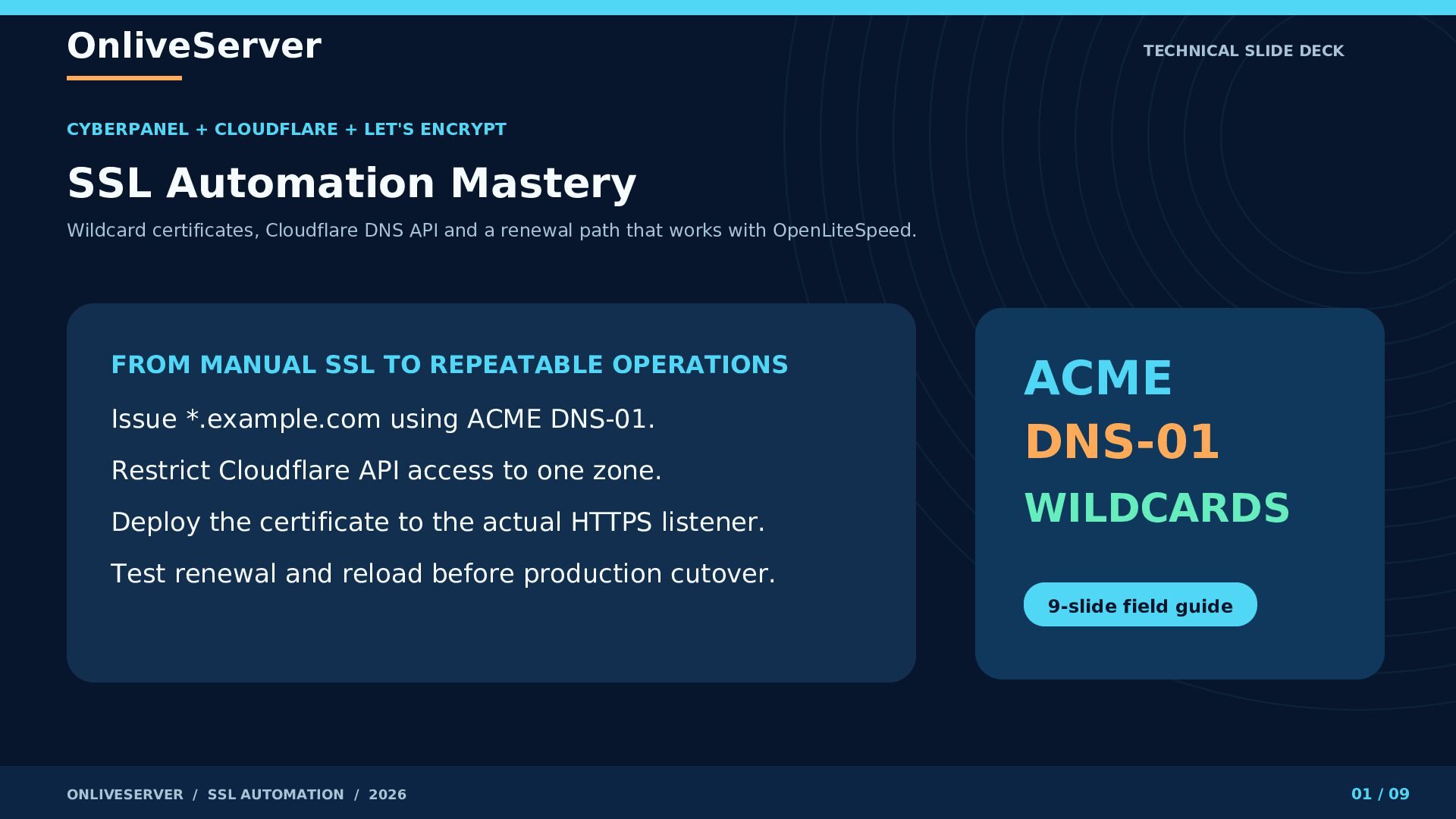
OnliveServer TECHNICAL SLIDE DECK CYBERPANEL + CLOUDFLARE + LET'S ENCRYPT
SSL Automation Mastery Wildcard certificates, Cloudflare DNS API and a renewal path that works with OpenLiteSpeed. FROM MANUAL SSL TO REPEATABLE OPERATIONS Issue *.example.com using ACME DNS-01. Restrict Cloudflare API access to one zone. Deploy the certificate to the actual HTTPS listener. ACME DNS-01 WILDCARDS Test renewal and reload before production cutover. 9-slide field guide ONLIVESERVER / SSL AUTOMATION / 2026 01 / 09 -
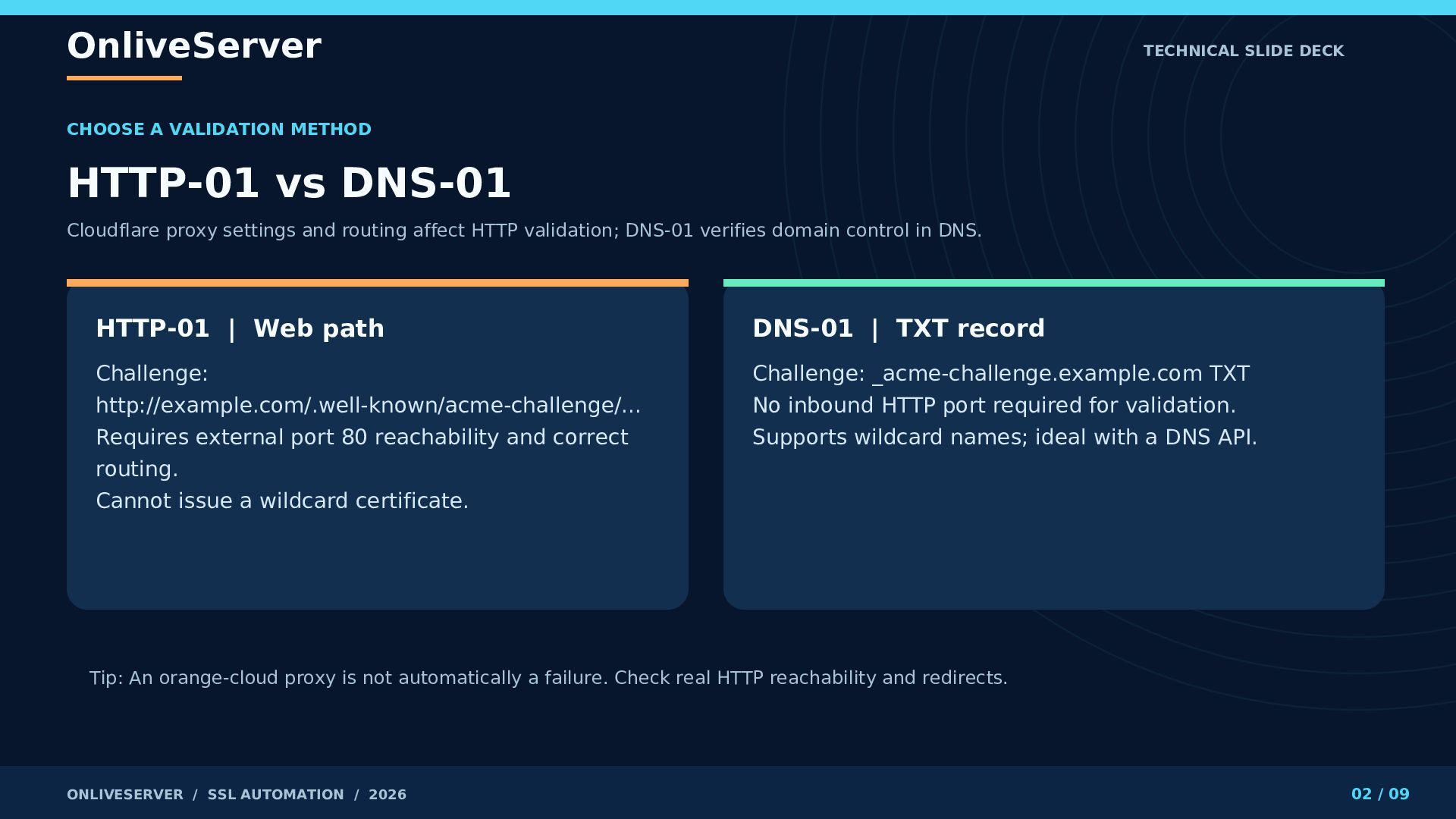
OnliveServer TECHNICAL SLIDE DECK CHOOSE A VALIDATION METHOD HTTP-01 vs
DNS-01 Cloudflare proxy settings and routing affect HTTP validation; DNS-01 verifies domain control in DNS. HTTP-01 | Web path DNS-01 | TXT record Challenge: http://example.com/.well-known/acme-challenge/... Requires external port 80 reachability and correct routing. Cannot issue a wildcard certificate. Challenge: _acme-challenge.example.com TXT No inbound HTTP port required for validation. Supports wildcard names; ideal with a DNS API. Tip: An orange-cloud proxy is not automatically a failure. Check real HTTP reachability and redirects. ONLIVESERVER / SSL AUTOMATION / 2026 02 / 09 -
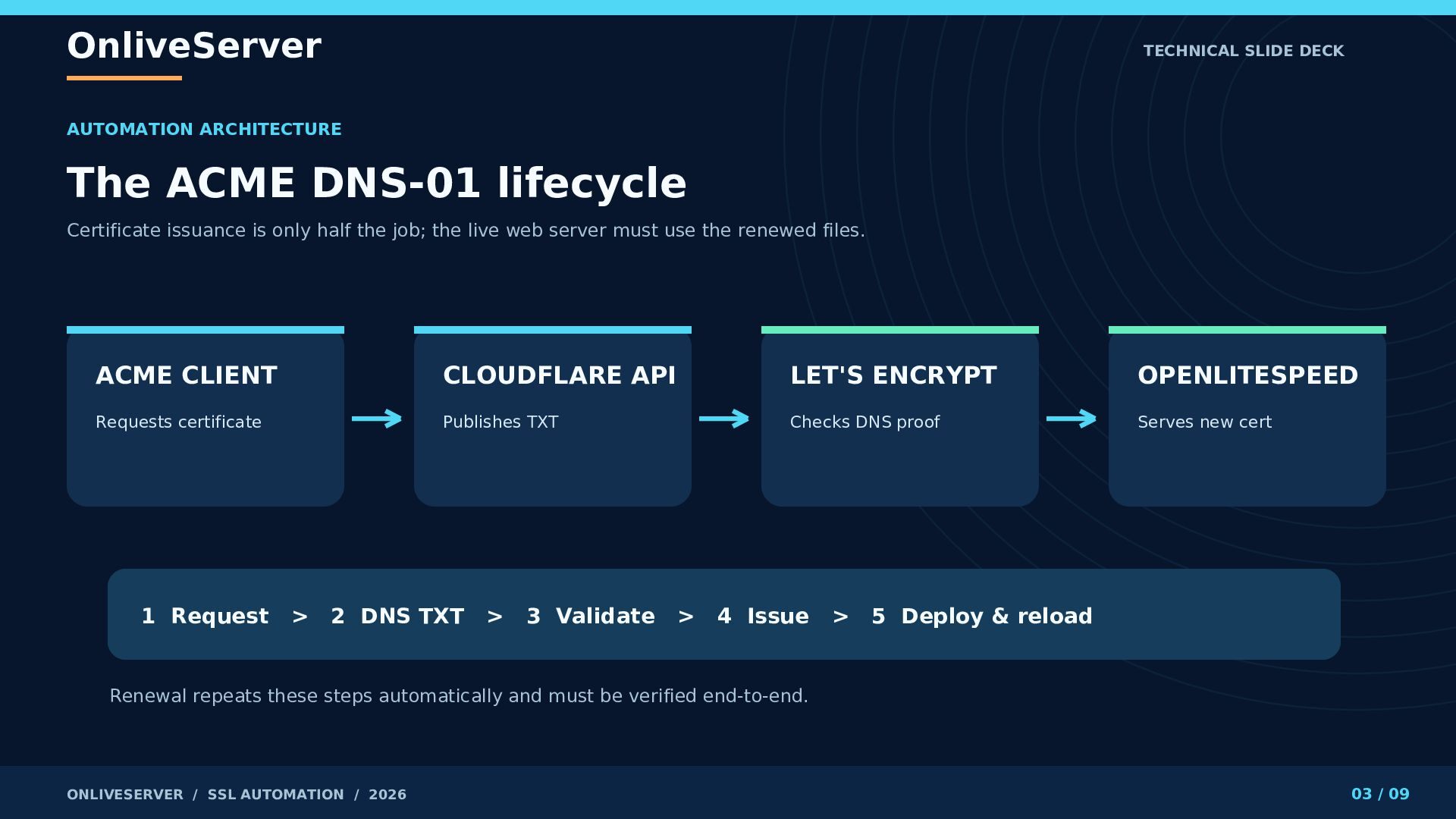
OnliveServer TECHNICAL SLIDE DECK AUTOMATION ARCHITECTURE The ACME DNS-01 lifecycle
Certificate issuance is only half the job; the live web server must use the renewed files. ACME CLIENT CLOUDFLARE API LET'S ENCRYPT OPENLITESPEED Requests certificate Publishes TXT Checks DNS proof Serves new cert 1 Request > 2 DNS TXT > 3 Validate > 4 Issue > 5 Deploy & reload Renewal repeats these steps automatically and must be verified end-to-end. ONLIVESERVER / SSL AUTOMATION / 2026 03 / 09 -
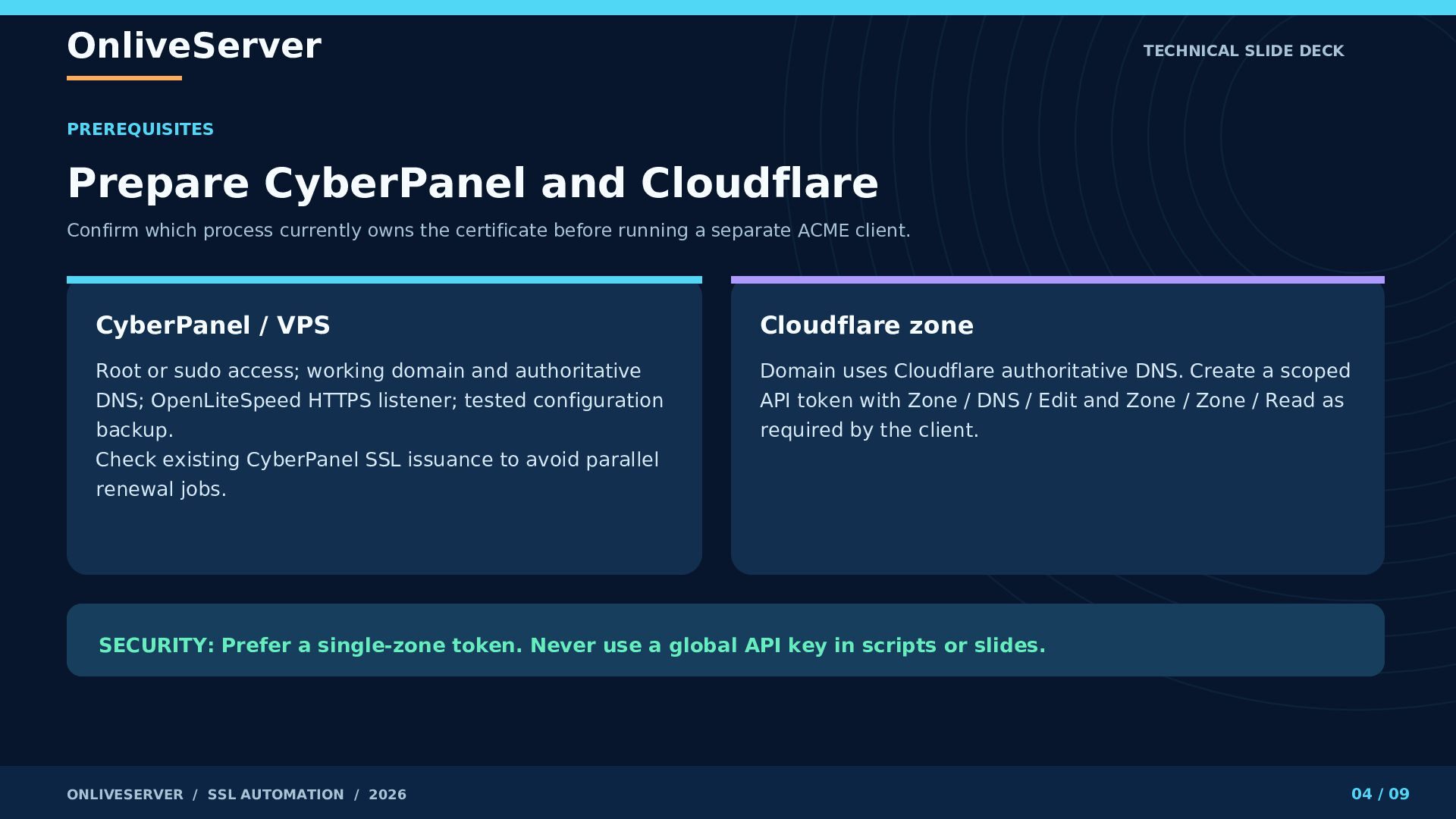
OnliveServer TECHNICAL SLIDE DECK PREREQUISITES Prepare CyberPanel and Cloudflare Confirm
which process currently owns the certificate before running a separate ACME client. CyberPanel / VPS Cloudflare zone Root or sudo access; working domain and authoritative DNS; OpenLiteSpeed HTTPS listener; tested configuration backup. Check existing CyberPanel SSL issuance to avoid parallel renewal jobs. Domain uses Cloudflare authoritative DNS. Create a scoped API token with Zone / DNS / Edit and Zone / Zone / Read as required by the client. SECURITY: Prefer a single-zone token. Never use a global API key in scripts or slides. ONLIVESERVER / SSL AUTOMATION / 2026 04 / 09 -
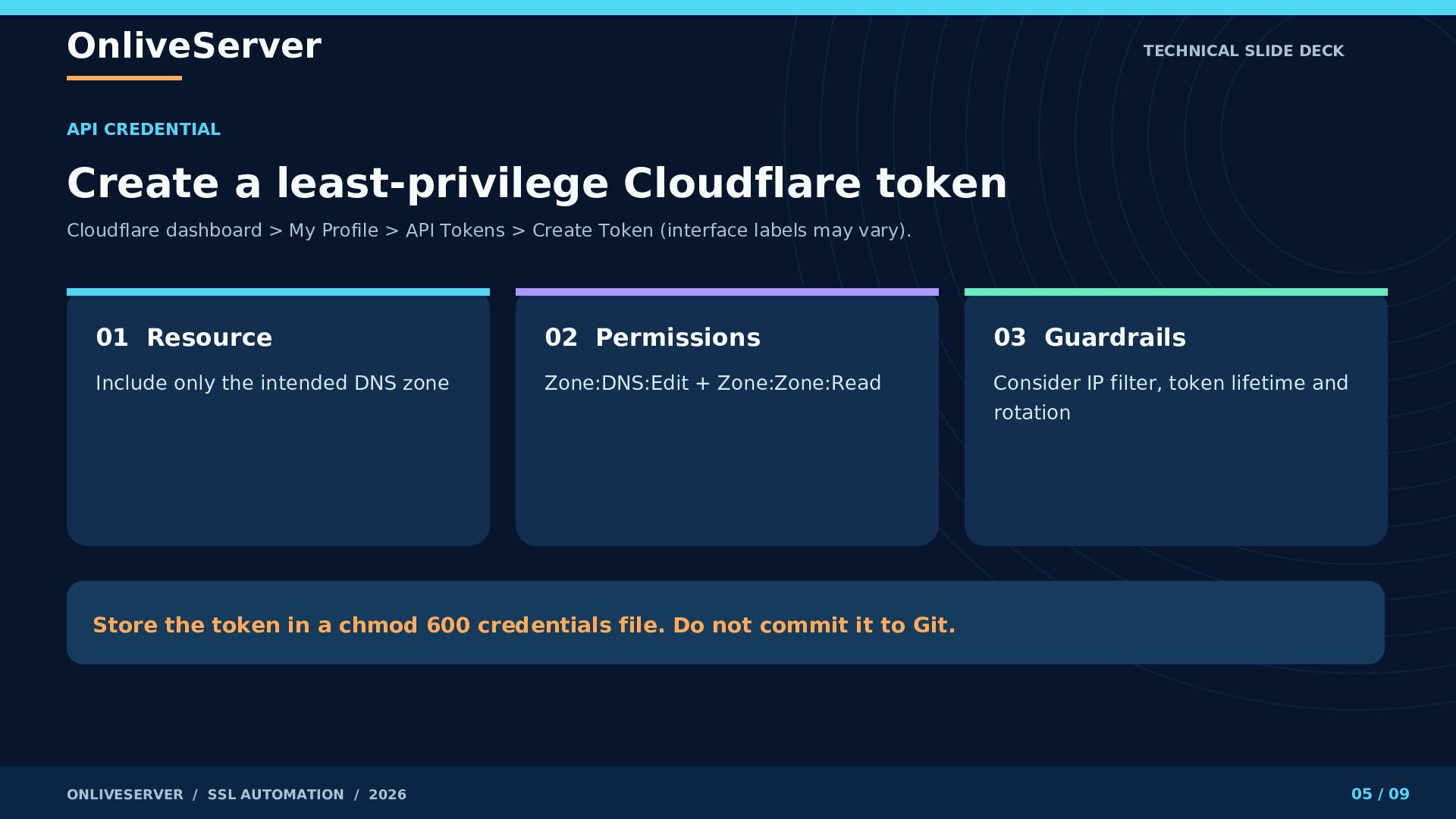
OnliveServer TECHNICAL SLIDE DECK API CREDENTIAL Create a least-privilege Cloudflare
token Cloudflare dashboard > My Profile > API Tokens > Create Token (interface labels may vary). 01 Resource 02 Permissions 03 Guardrails Include only the intended DNS zone Zone:DNS:Edit + Zone:Zone:Read Consider IP filter, token lifetime and rotation Store the token in a chmod 600 credentials file. Do not commit it to Git. ONLIVESERVER / SSL AUTOMATION / 2026 05 / 09 -
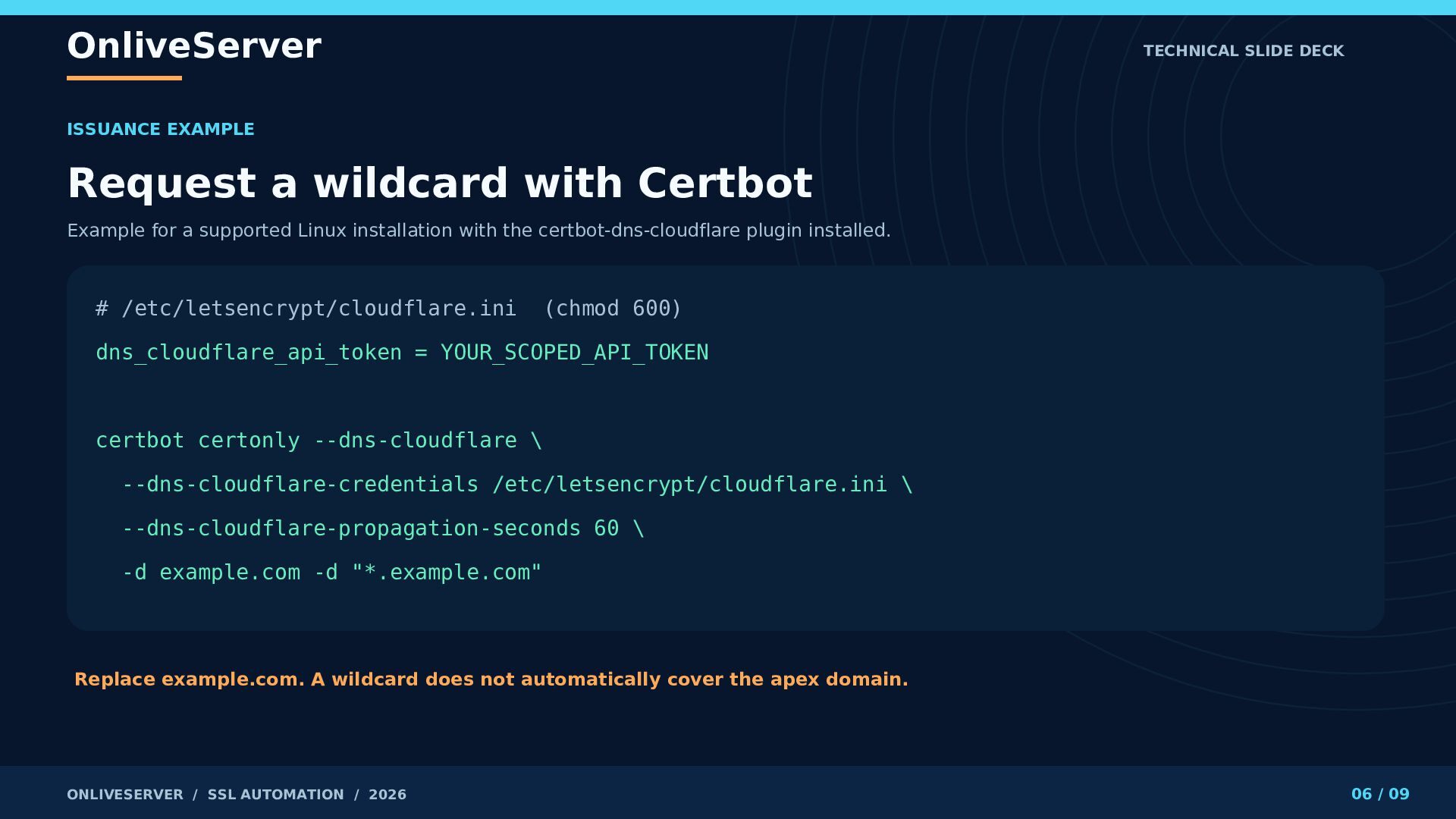
OnliveServer TECHNICAL SLIDE DECK ISSUANCE EXAMPLE Request a wildcard with
Certbot Example for a supported Linux installation with the certbot-dns-cloudflare plugin installed. # /etc/letsencrypt/cloudflare.ini (chmod 600) dns_cloudflare_api_token = YOUR_SCOPED_API_TOKEN certbot certonly --dns-cloudflare \ --dns-cloudflare-credentials /etc/letsencrypt/cloudflare.ini \ --dns-cloudflare-propagation-seconds 60 \ -d example.com -d "*.example.com" Replace example.com. A wildcard does not automatically cover the apex domain. ONLIVESERVER / SSL AUTOMATION / 2026 06 / 09 -
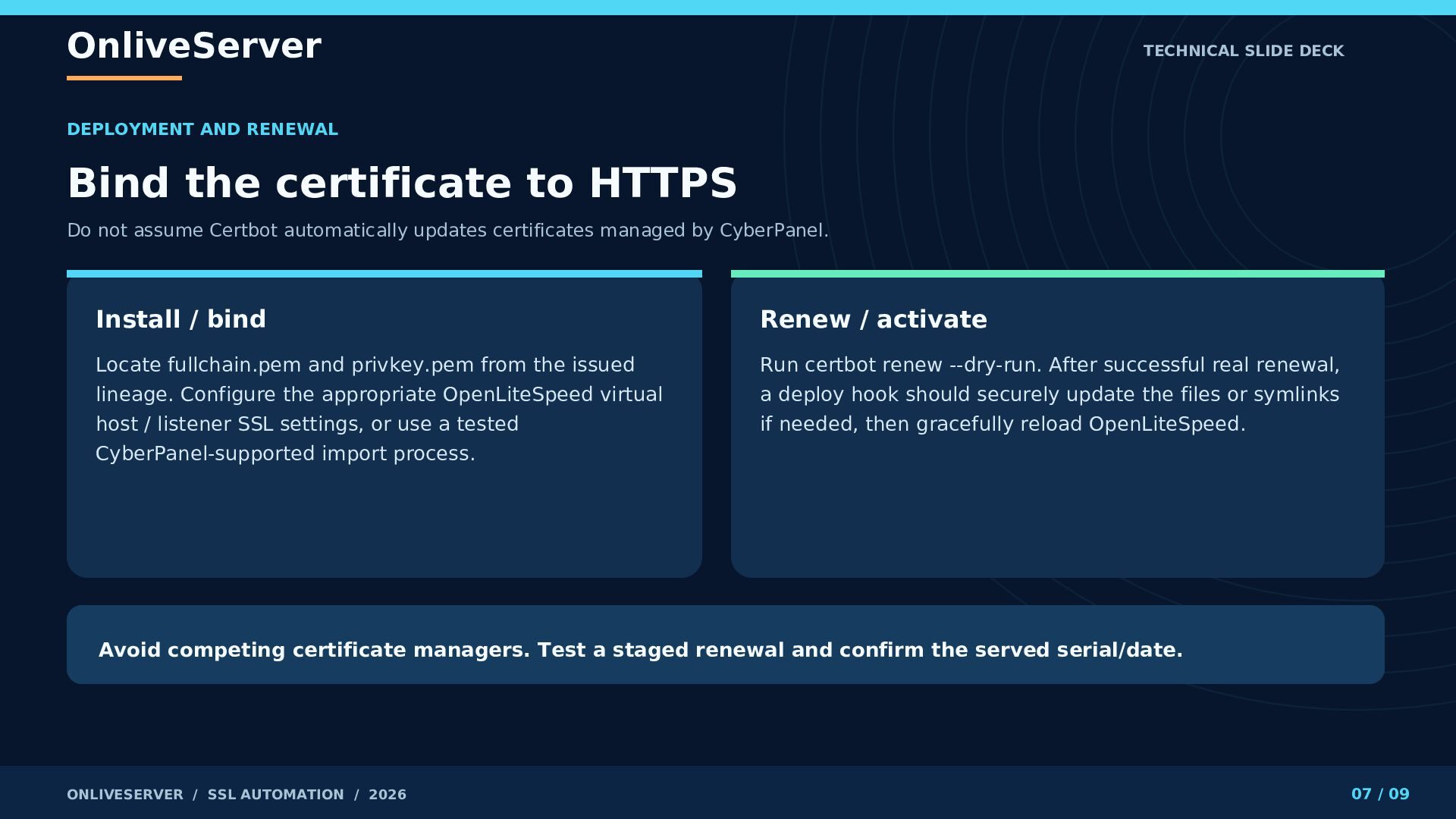
OnliveServer TECHNICAL SLIDE DECK DEPLOYMENT AND RENEWAL Bind the certificate
to HTTPS Do not assume Certbot automatically updates certificates managed by CyberPanel. Install / bind Renew / activate Locate fullchain.pem and privkey.pem from the issued lineage. Configure the appropriate OpenLiteSpeed virtual host / listener SSL settings, or use a tested CyberPanel-supported import process. Run certbot renew --dry-run. After successful real renewal, a deploy hook should securely update the files or symlinks if needed, then gracefully reload OpenLiteSpeed. Avoid competing certificate managers. Test a staged renewal and confirm the served serial/date. ONLIVESERVER / SSL AUTOMATION / 2026 07 / 09 -
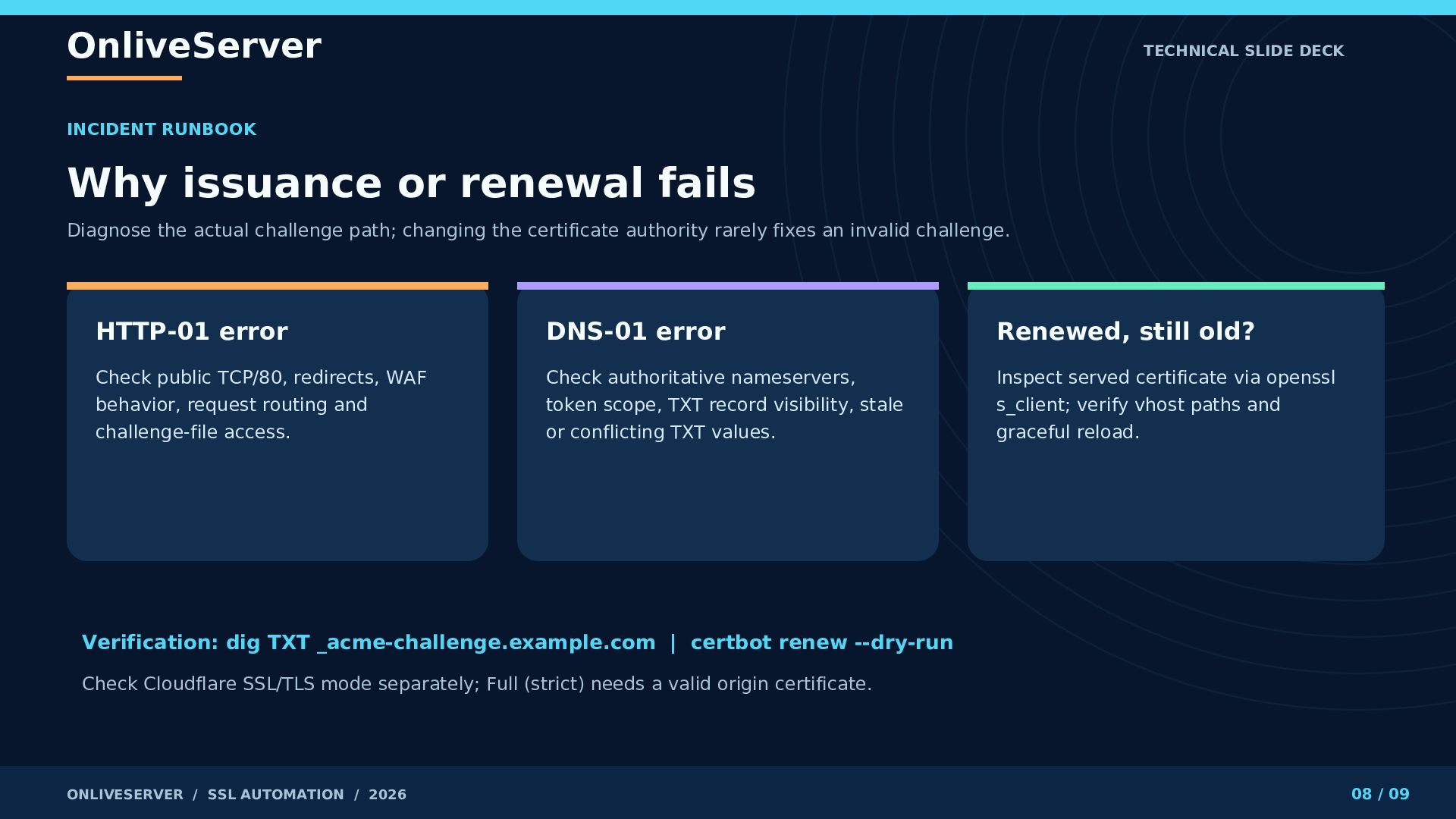
OnliveServer TECHNICAL SLIDE DECK INCIDENT RUNBOOK Why issuance or renewal
fails Diagnose the actual challenge path; changing the certificate authority rarely fixes an invalid challenge. HTTP-01 error DNS-01 error Renewed, still old? Check public TCP/80, redirects, WAF behavior, request routing and challenge-file access. Check authoritative nameservers, token scope, TXT record visibility, stale or conflicting TXT values. Inspect served certificate via openssl s_client; verify vhost paths and graceful reload. Verification: dig TXT _acme-challenge.example.com | certbot renew --dry-run Check Cloudflare SSL/TLS mode separately; Full (strict) needs a valid origin certificate. ONLIVESERVER / SSL AUTOMATION / 2026 08 / 09 -
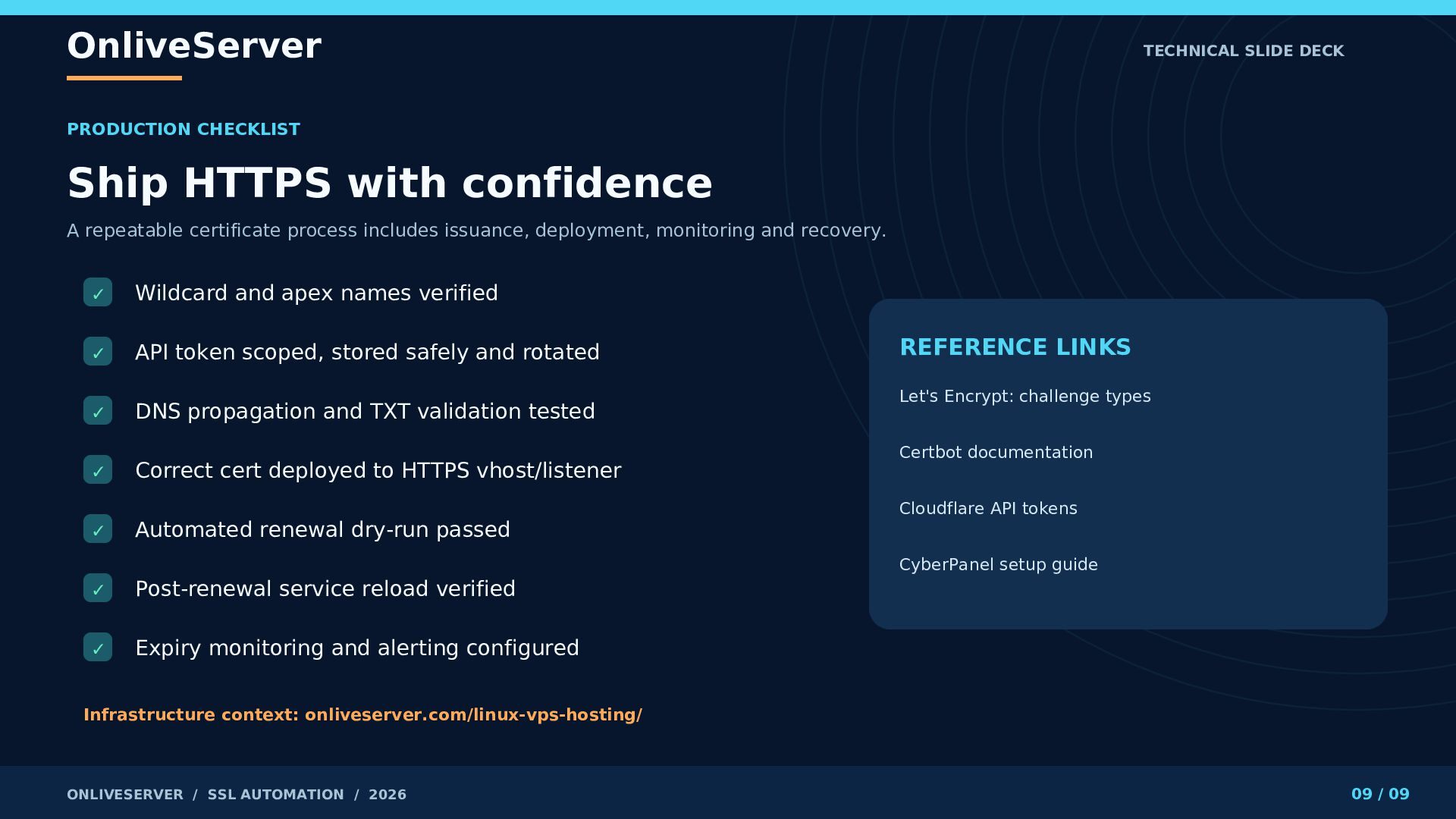
OnliveServer TECHNICAL SLIDE DECK PRODUCTION CHECKLIST Ship HTTPS with confidence
A repeatable certificate process includes issuance, deployment, monitoring and recovery. ✓ Wildcard and apex names verified ✓ API token scoped, stored safely and rotated ✓ DNS propagation and TXT validation tested ✓ Correct cert deployed to HTTPS vhost/listener REFERENCE LINKS Let's Encrypt: challenge types Certbot documentation Cloudflare API tokens ✓ Automated renewal dry-run passed CyberPanel setup guide ✓ Post-renewal service reload verified ✓ Expiry monitoring and alerting configured Infrastructure context: onliveserver.com/linux-vps-hosting/ ONLIVESERVER / SSL AUTOMATION / 2026 09 / 09