Share
Embed
Preventing VPS Crashes: Monitoring & Automated Recovery
Learn how to prevent Linux VPS crashes using real-time resource monitoring, CPU and RAM alert thresholds, telemetry tools, and automated self-healing. This OnliveServer presentation covers practical DevOps strategies to detect server overload, improve stability, and reduce unexpected downtime.
Onlive Server
November 13, 2026
Transcript
9 slides
-
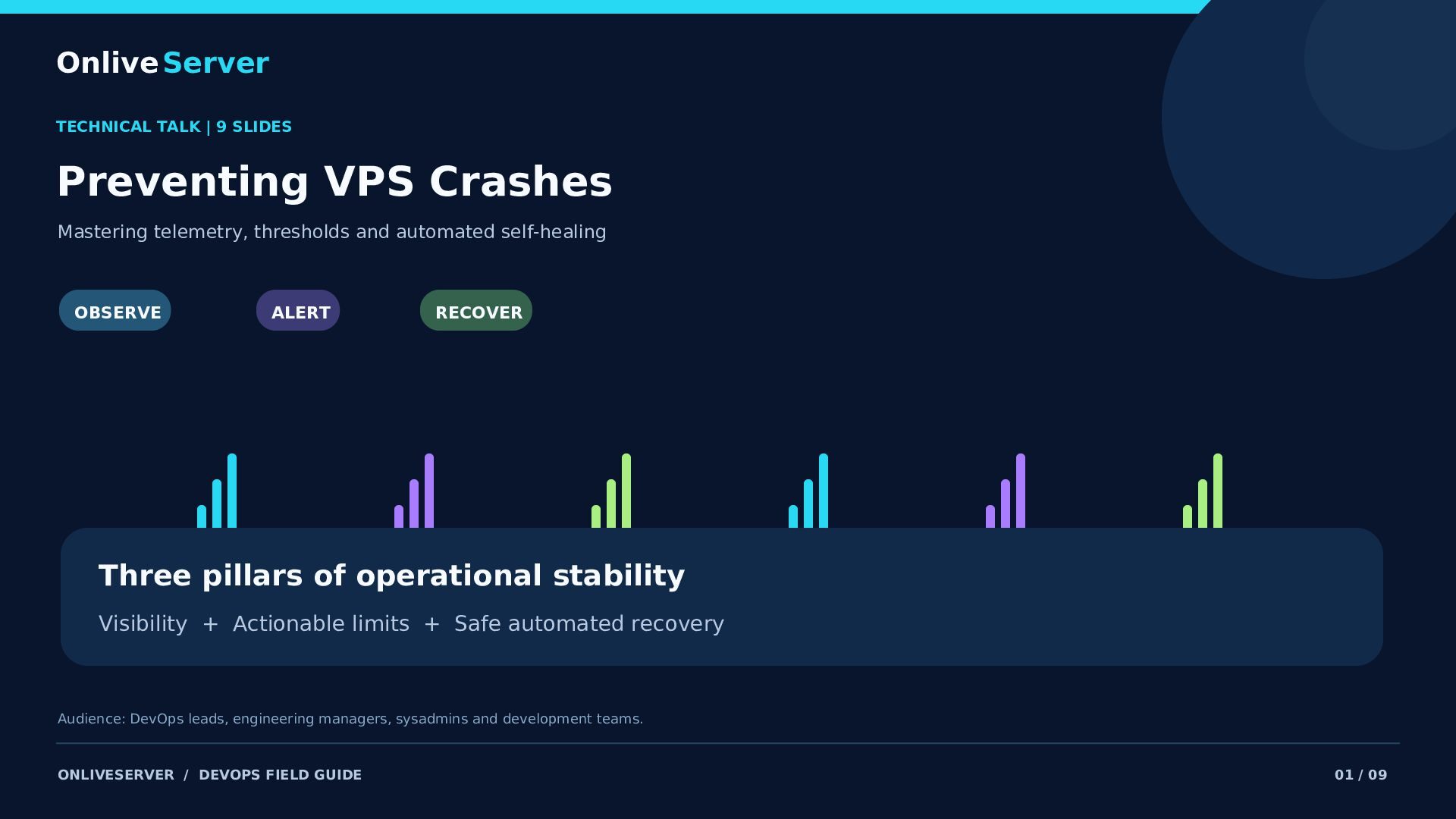
Onlive Server TECHNICAL TALK | 9 SLIDES Preventing VPS Crashes
Mastering telemetry, thresholds and automated self-healing OBSERVE ALERT RECOVER Three pillars of operational stability Visibility + Actionable limits + Safe automated recovery Audience: DevOps leads, engineering managers, sysadmins and development teams. ONLIVESERVER / DEVOPS FIELD GUIDE 01 / 09 -
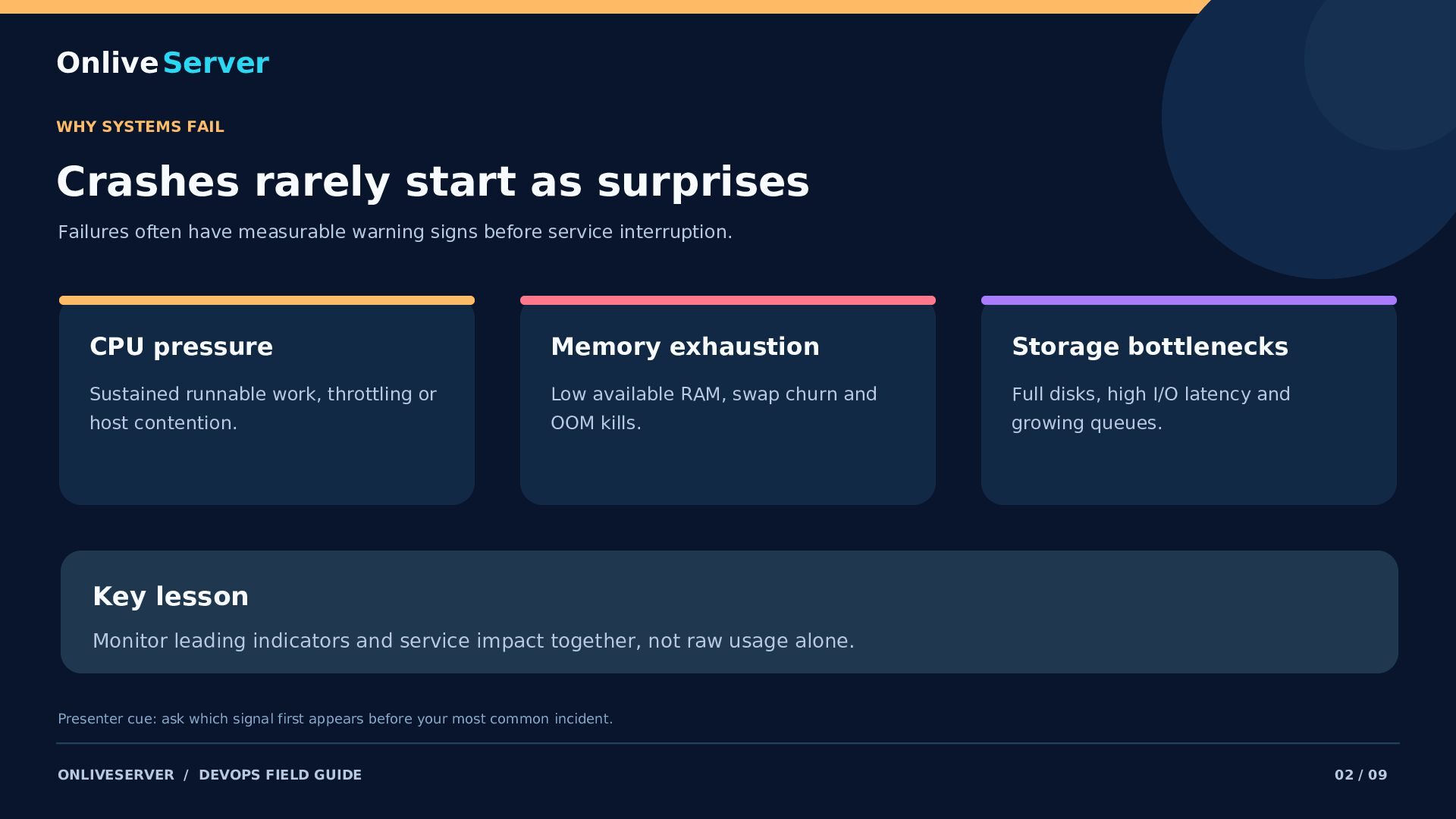
Onlive Server WHY SYSTEMS FAIL Crashes rarely start as surprises
Failures often have measurable warning signs before service interruption. CPU pressure Memory exhaustion Storage bottlenecks Sustained runnable work, throttling or Low available RAM, swap churn and Full disks, high I/O latency and host contention. OOM kills. growing queues. Key lesson Monitor leading indicators and service impact together, not raw usage alone. Presenter cue: ask which signal first appears before your most common incident. ONLIVESERVER / DEVOPS FIELD GUIDE 02 / 09 -
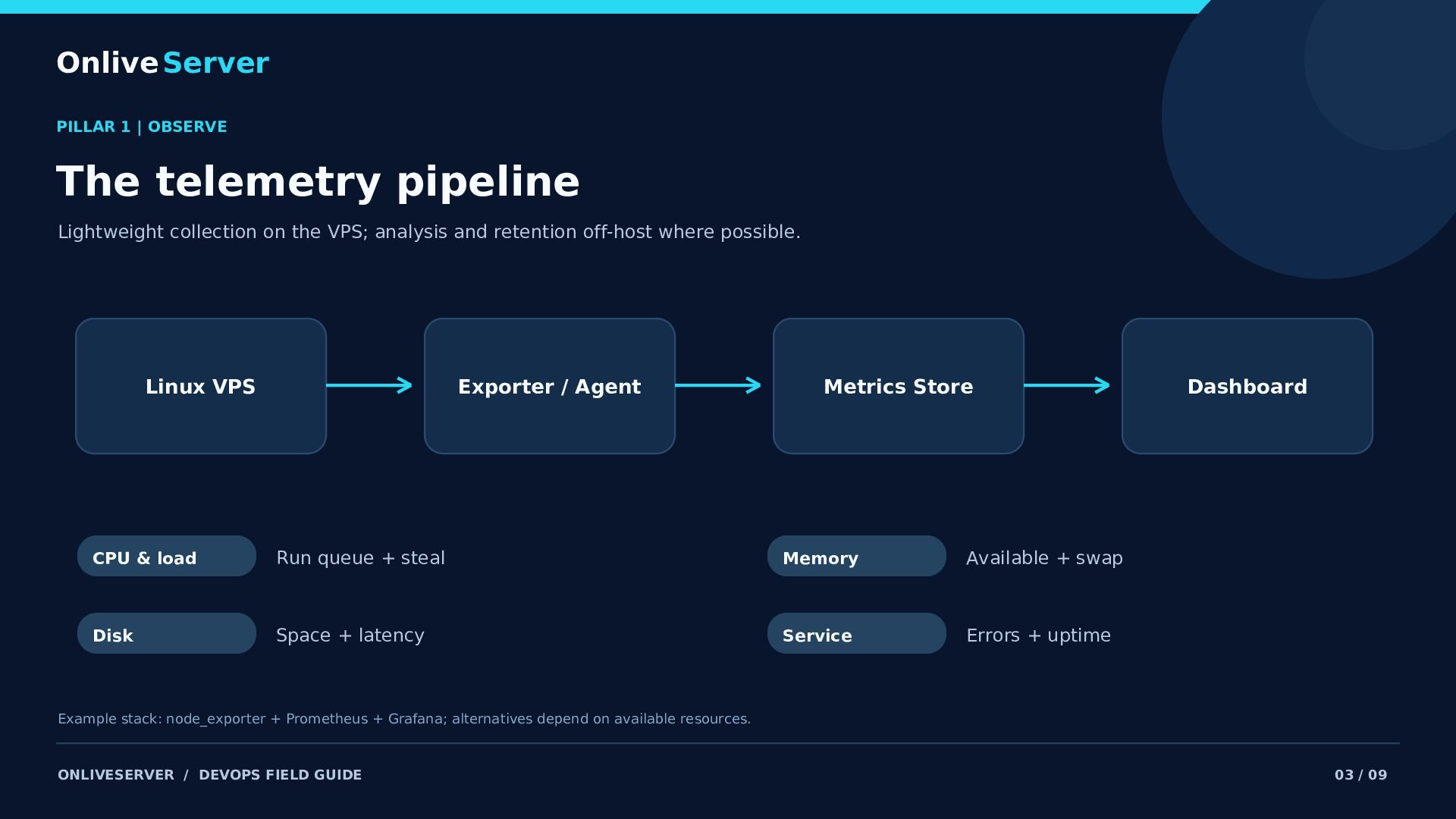
Onlive Server PILLAR 1 | OBSERVE The telemetry pipeline Lightweight
collection on the VPS; analysis and retention off-host where possible. Linux VPS Exporter / Agent Metrics Store CPU & load Run queue + steal Memory Available + swap Disk Space + latency Service Errors + uptime Dashboard Example stack: node_exporter + Prometheus + Grafana; alternatives depend on available resources. ONLIVESERVER / DEVOPS FIELD GUIDE 03 / 09 -
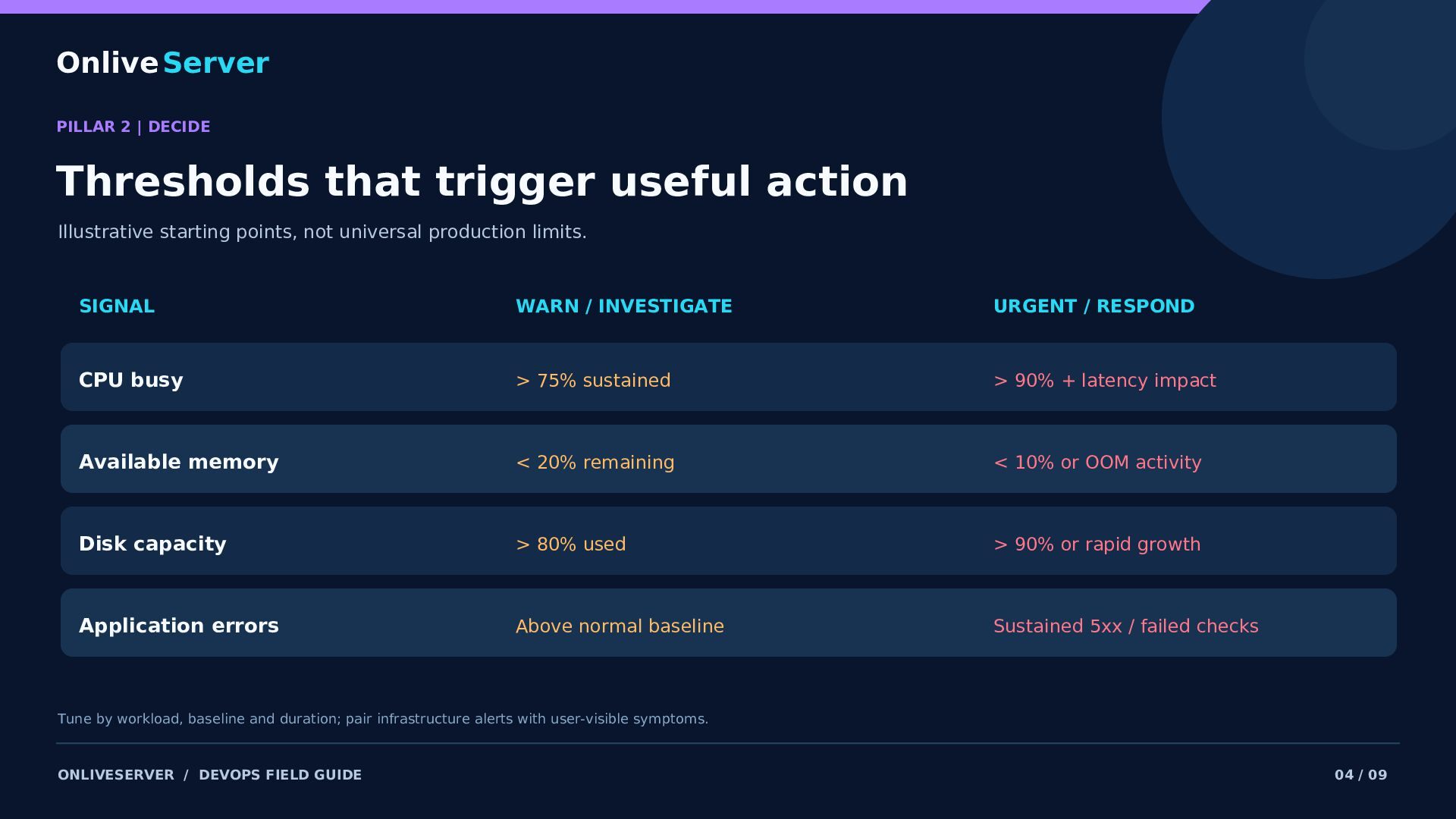
Onlive Server PILLAR 2 | DECIDE Thresholds that trigger useful
action Illustrative starting points, not universal production limits. SIGNAL WARN / INVESTIGATE URGENT / RESPOND CPU busy > 75% sustained > 90% + latency impact Available memory < 20% remaining < 10% or OOM activity Disk capacity > 80% used > 90% or rapid growth Application errors Above normal baseline Sustained 5xx / failed checks Tune by workload, baseline and duration; pair infrastructure alerts with user-visible symptoms. ONLIVESERVER / DEVOPS FIELD GUIDE 04 / 09 -
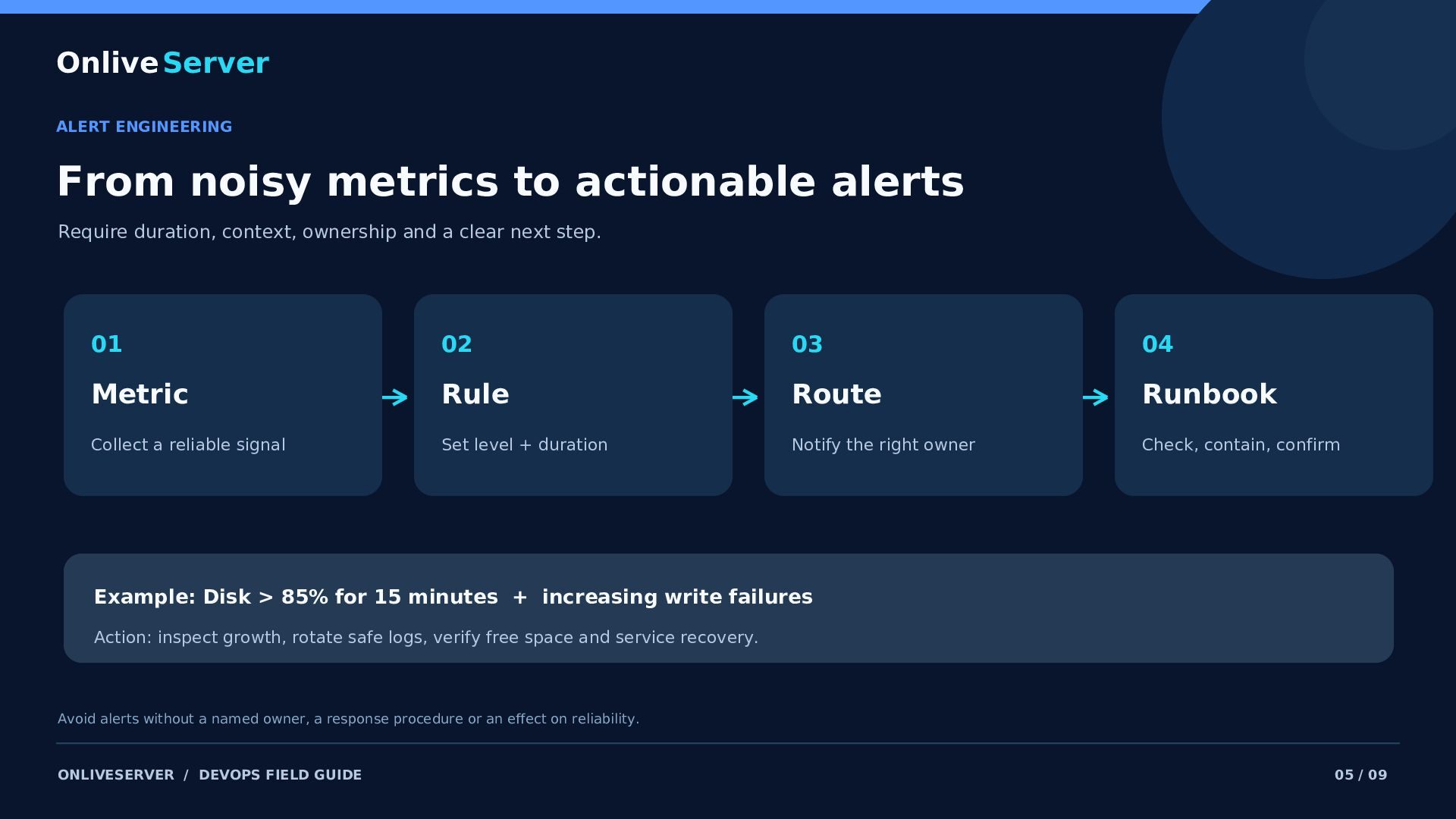
Onlive Server ALERT ENGINEERING From noisy metrics to actionable alerts
Require duration, context, ownership and a clear next step. 01 02 03 04 Metric Rule Route Runbook Collect a reliable signal Set level + duration Notify the right owner Check, contain, confirm Example: Disk > 85% for 15 minutes + increasing write failures Action: inspect growth, rotate safe logs, verify free space and service recovery. Avoid alerts without a named owner, a response procedure or an effect on reliability. ONLIVESERVER / DEVOPS FIELD GUIDE 05 / 09 -
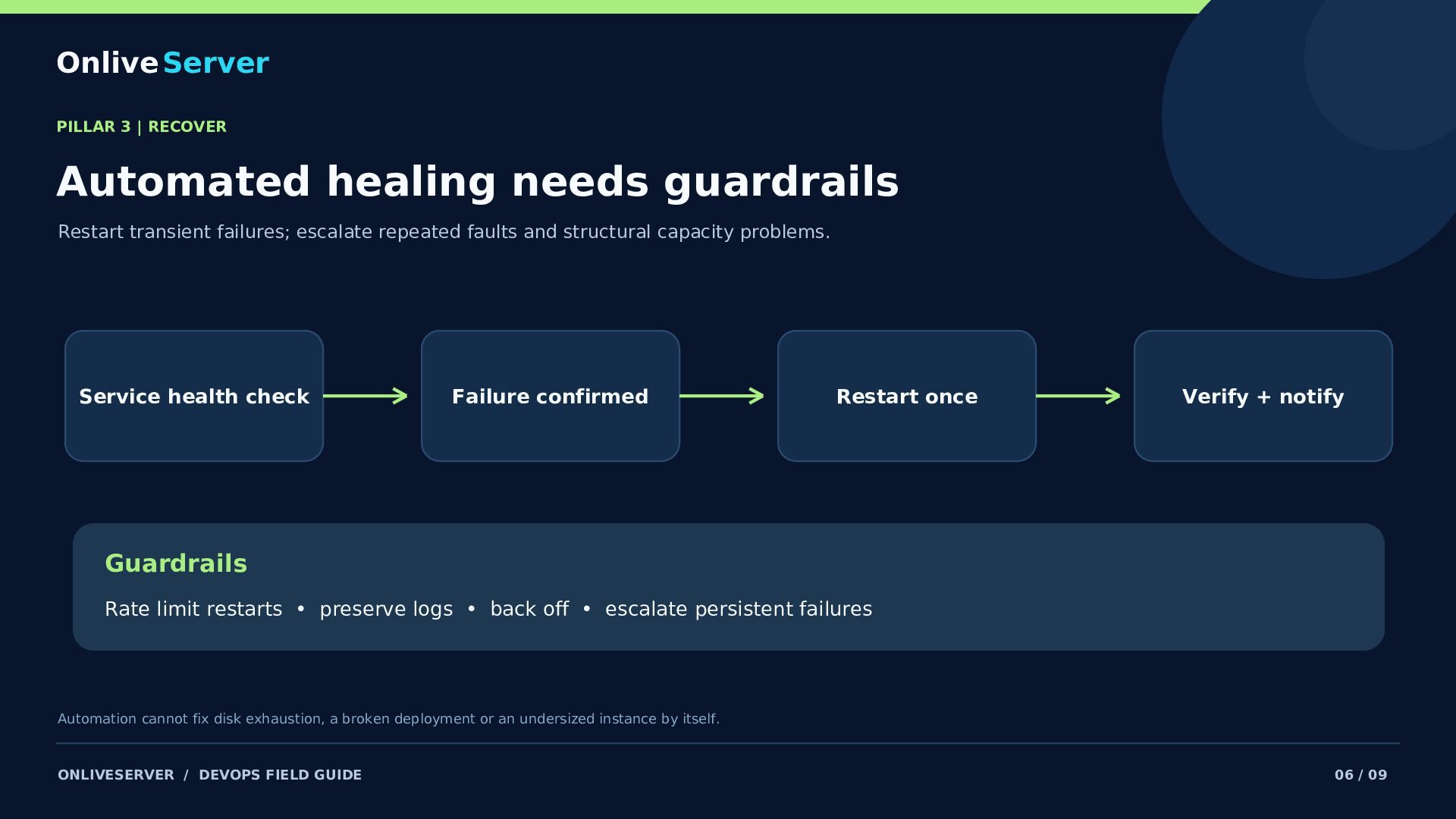
Onlive Server PILLAR 3 | RECOVER Automated healing needs guardrails
Restart transient failures; escalate repeated faults and structural capacity problems. Service health check Failure confirmed Restart once Verify + notify Guardrails Rate limit restarts • preserve logs • back off • escalate persistent failures Automation cannot fix disk exhaustion, a broken deployment or an undersized instance by itself. ONLIVESERVER / DEVOPS FIELD GUIDE 06 / 09 -
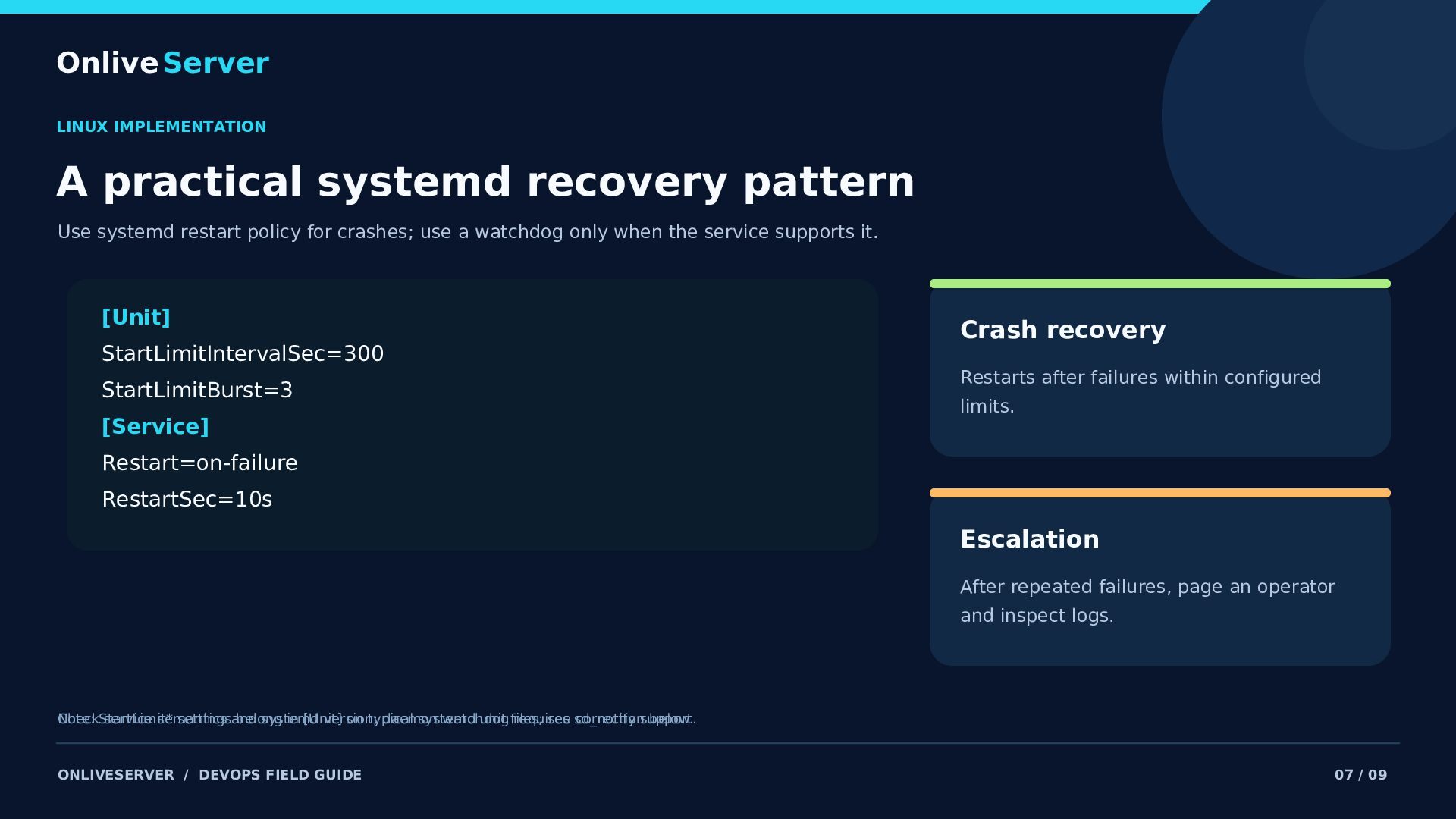
Onlive Server LINUX IMPLEMENTATION A practical systemd recovery pattern Use
systemd restart policy for crashes; use a watchdog only when the service supports it. [Unit] [Service] Crash recovery StartLimitIntervalSec=300 Restart=on-failure StartLimitBurst=3 RestartSec=10s [Service] Restarts after failures within configured limits. StartLimitIntervalSec=300 Restart=on-failure RestartSec=10s StartLimitBurst=3 Escalation After repeated failures, page an operator and inspect logs. Note: StartLimit* Check service semantics settingsand belong systemd in [Unit] version; on typical daemon systemd watchdog unit files; requires see sd_notify correctionsupport. below. ONLIVESERVER / DEVOPS FIELD GUIDE 07 / 09 -
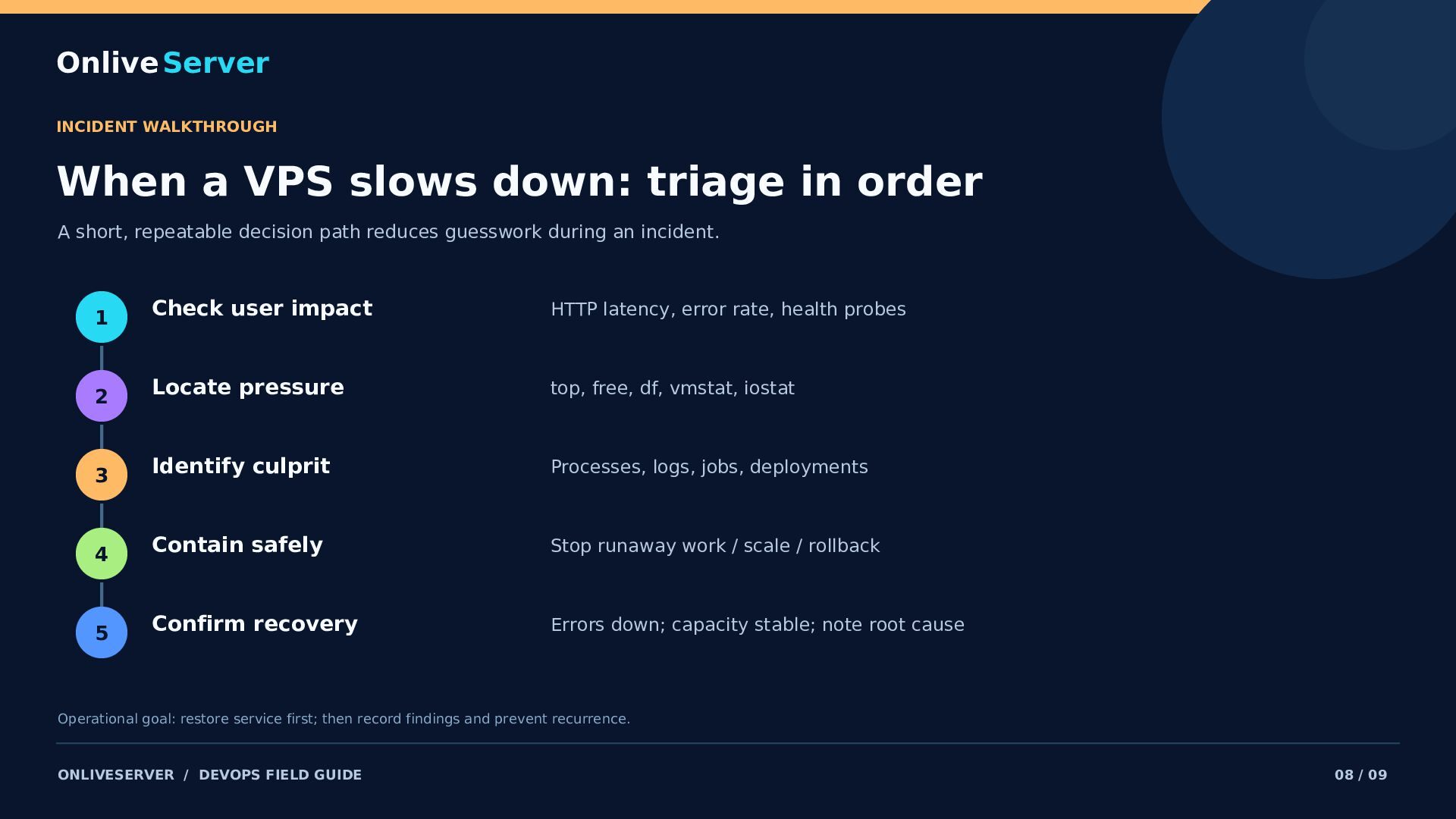
Onlive Server INCIDENT WALKTHROUGH When a VPS slows down: triage
in order A short, repeatable decision path reduces guesswork during an incident. 1 Check user impact HTTP latency, error rate, health probes 2 Locate pressure top, free, df, vmstat, iostat 3 Identify culprit Processes, logs, jobs, deployments 4 Contain safely Stop runaway work / scale / rollback 5 Confirm recovery Errors down; capacity stable; note root cause Operational goal: restore service first; then record findings and prevent recurrence. ONLIVESERVER / DEVOPS FIELD GUIDE 08 / 09 -
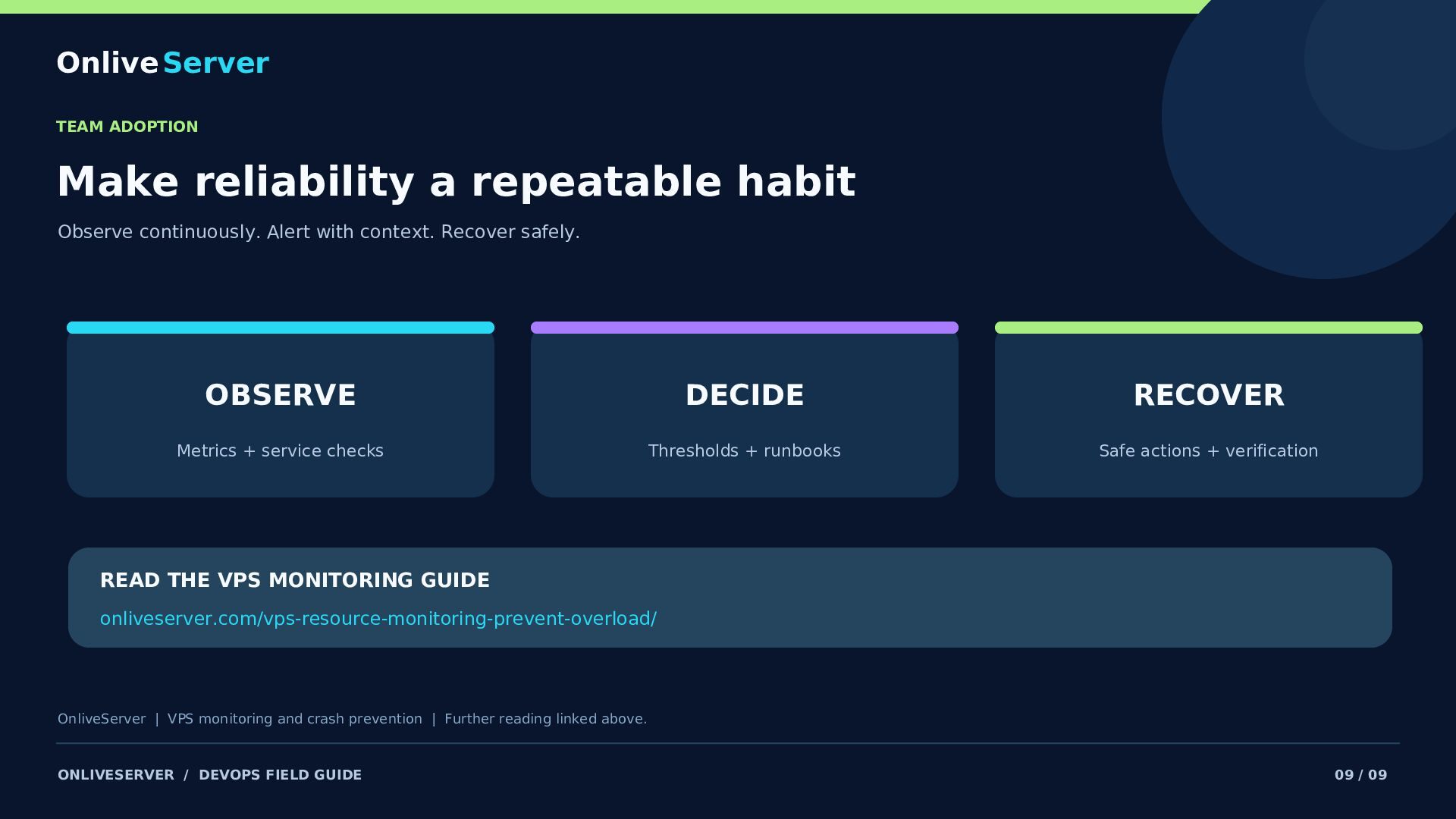
Onlive Server TEAM ADOPTION Make reliability a repeatable habit Observe
continuously. Alert with context. Recover safely. OBSERVE DECIDE RECOVER Metrics + service checks Thresholds + runbooks Safe actions + verification READ THE VPS MONITORING GUIDE onliveserver.com/vps-resource-monitoring-prevent-overload/ OnliveServer | VPS monitoring and crash prevention | Further reading linked above. ONLIVESERVER / DEVOPS FIELD GUIDE 09 / 09