to use ssh protocol to connect and interact with ubuntu system. How to update and install important packages for ubuntu server. How to deploy web application to server use capistrano.
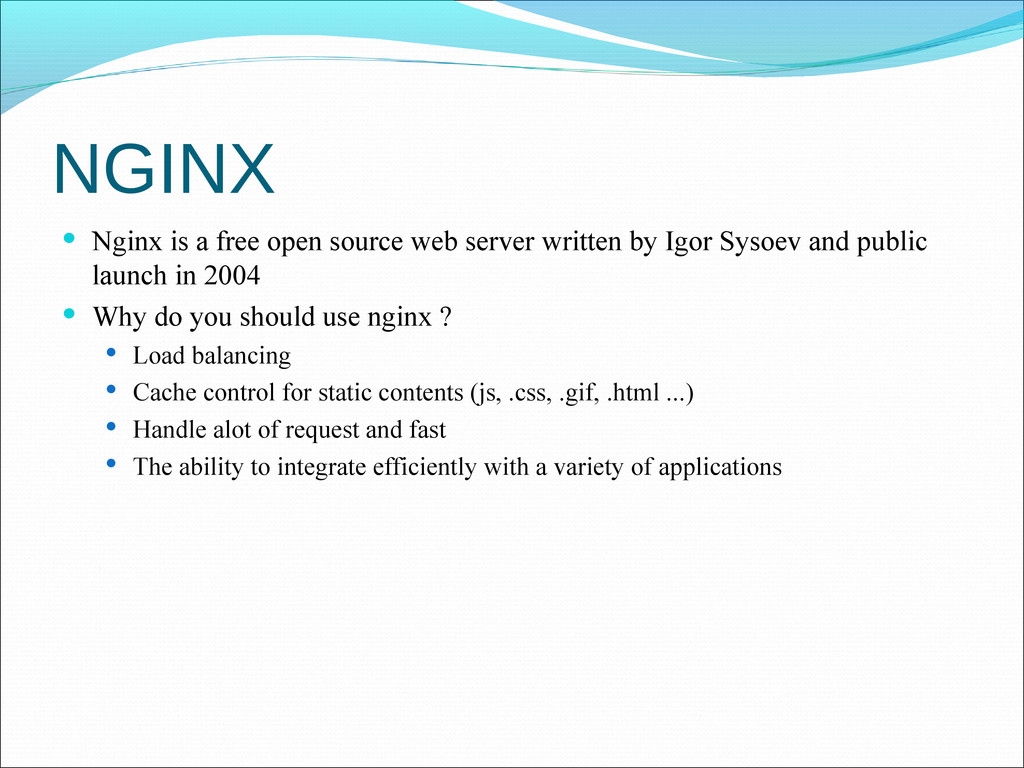
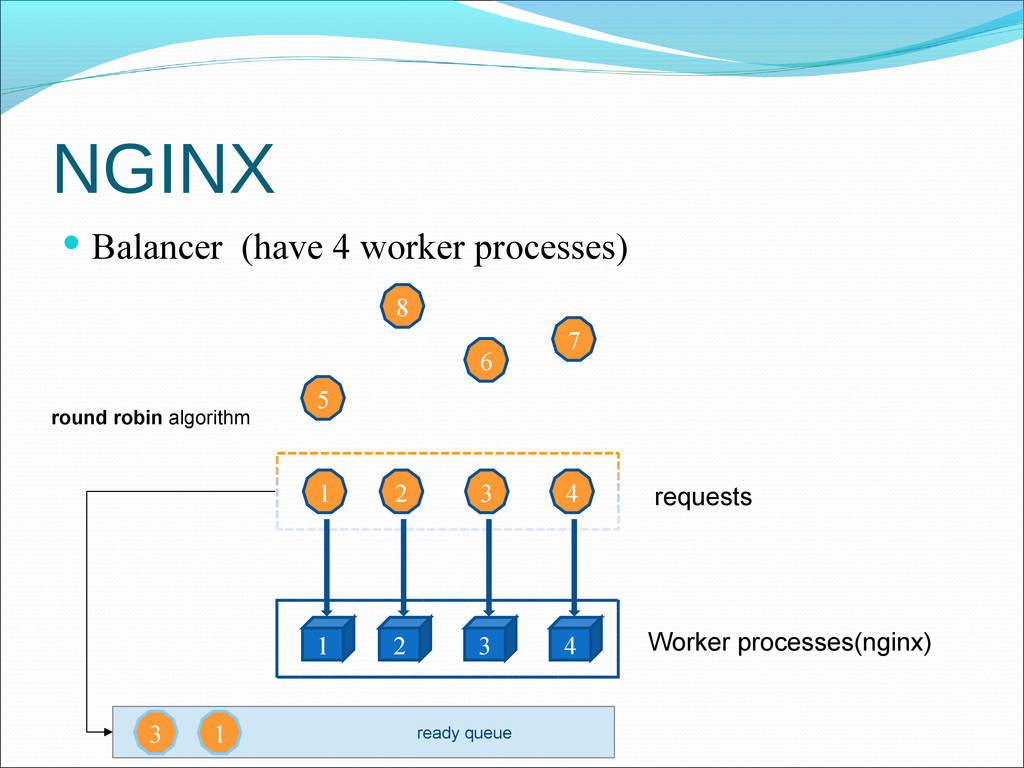
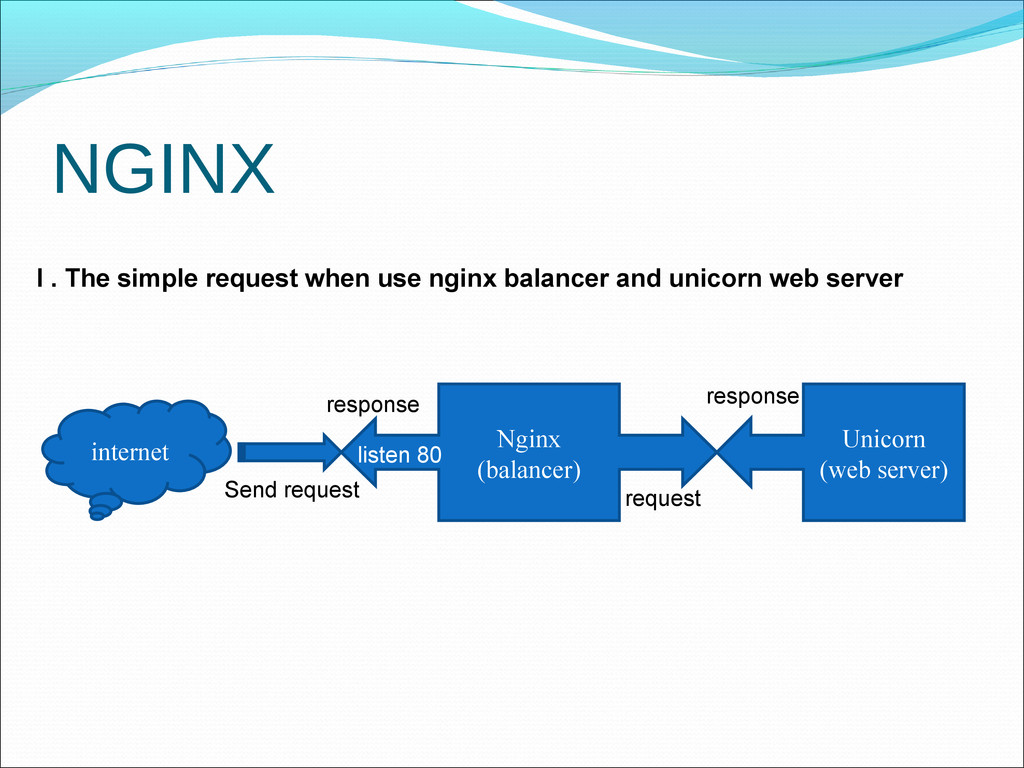
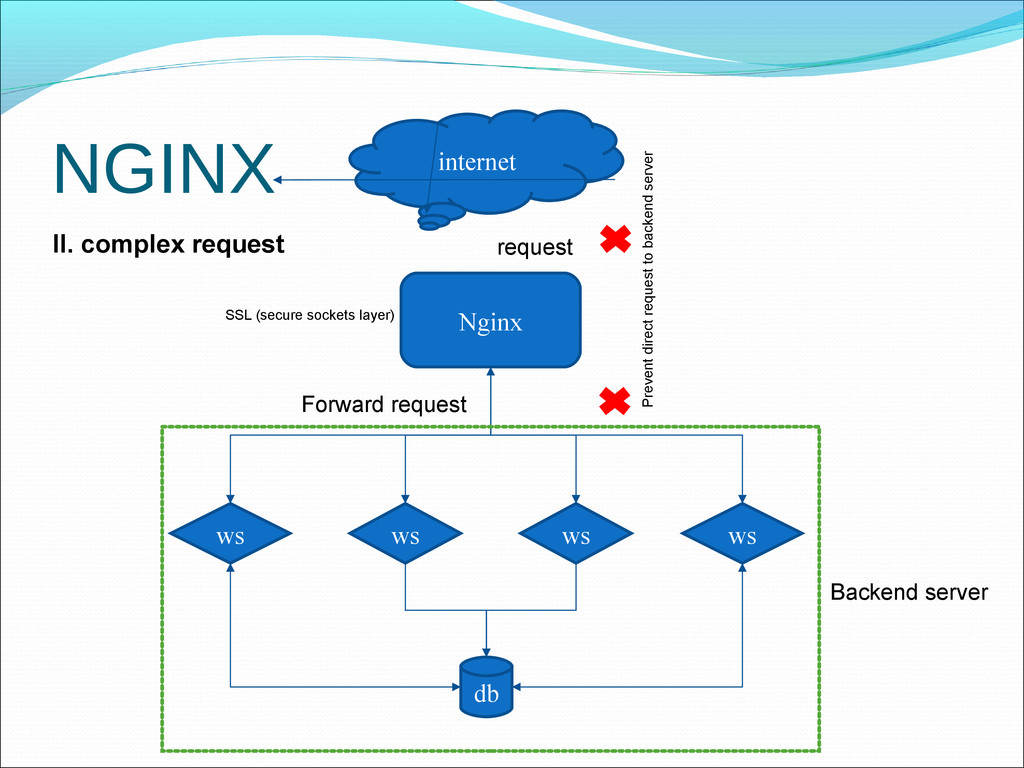
written by Igor Sysoev and public launch in 2004 Why do you should use nginx ? Load balancing Cache control for static contents (js, .css, .gif, .html ...) Handle alot of request and fast The ability to integrate efficiently with a variety of applications


 seike460
 kenjiyoneyama
 kishida
 florets1
 n_takehata
 syumai
 hschwentner
 akit37
 yuta_onishi_97
 tosite
 lynnswap
 jonoalderson
 mfonobong
 carmenintech
 retrage
 palkan
 mayunak
 bluesmoon
 csswizardry
 tammyeverts
 kimpetersen
 baasie
 lara
lara