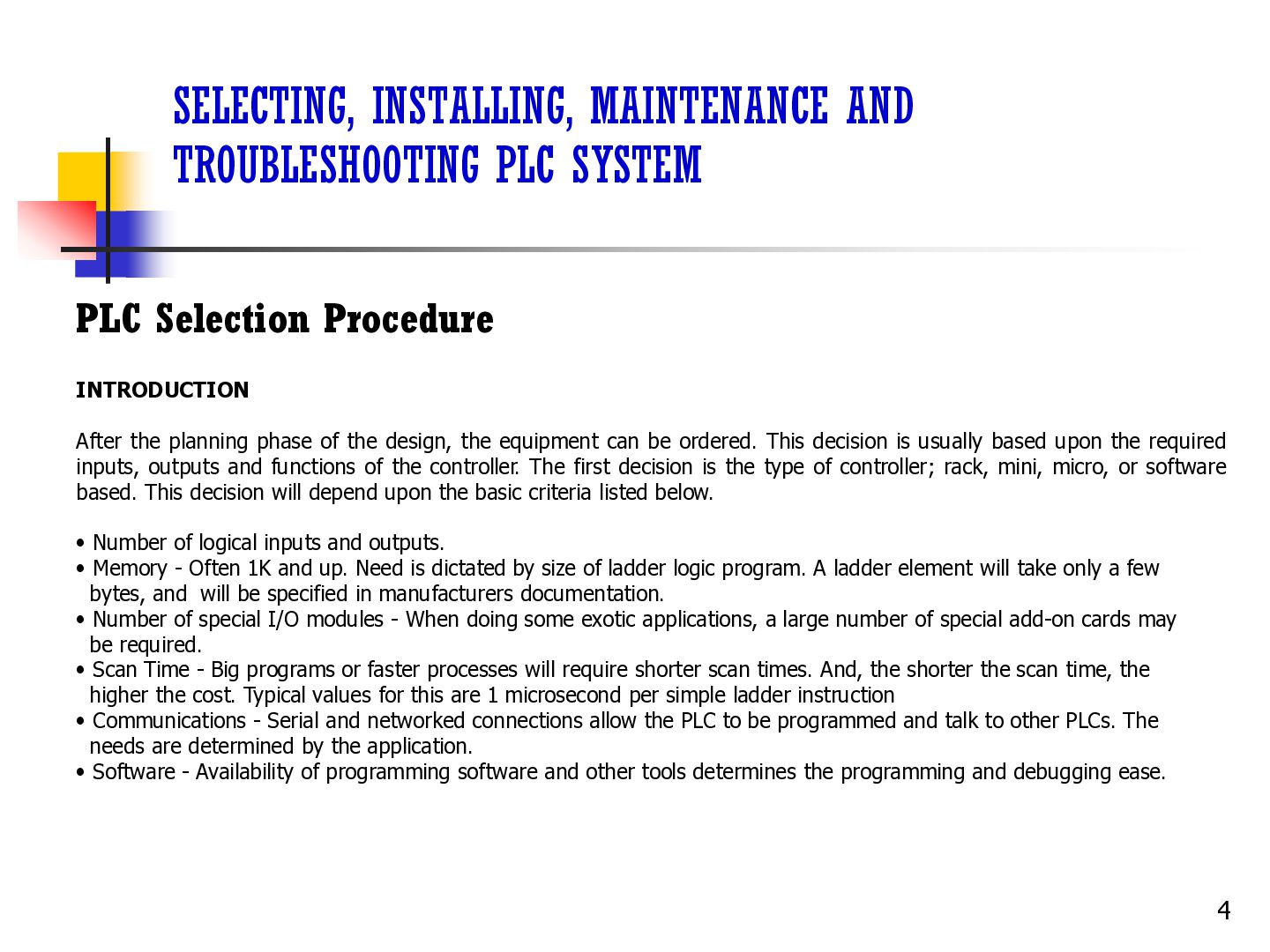
INTRODUCTION After the planning phase of the design, the equipment can be ordered. This decision is usually based upon the required inputs, outputs and functions of the controller. The first decision is the type of controller; rack, mini, micro, or software based. This decision will depend upon the basic criteria listed below. • Number of logical inputs and outputs. • Memory - Often 1K and up. Need is dictated by size of ladder logic program. A ladder element will take only a few bytes, and will be specified in manufacturers documentation. • Number of special I/O modules - When doing some exotic applications, a large number of special add-on cards may be required. • Scan Time - Big programs or faster processes will require shorter scan times. And, the shorter the scan time, the higher the cost. Typical values for this are 1 microsecond per simple ladder instruction • Communications - Serial and networked connections allow the PLC to be programmed and talk to other PLCs. The needs are determined by the application. • Software - Availability of programming software and other tools determines the programming and debugging ease. 4
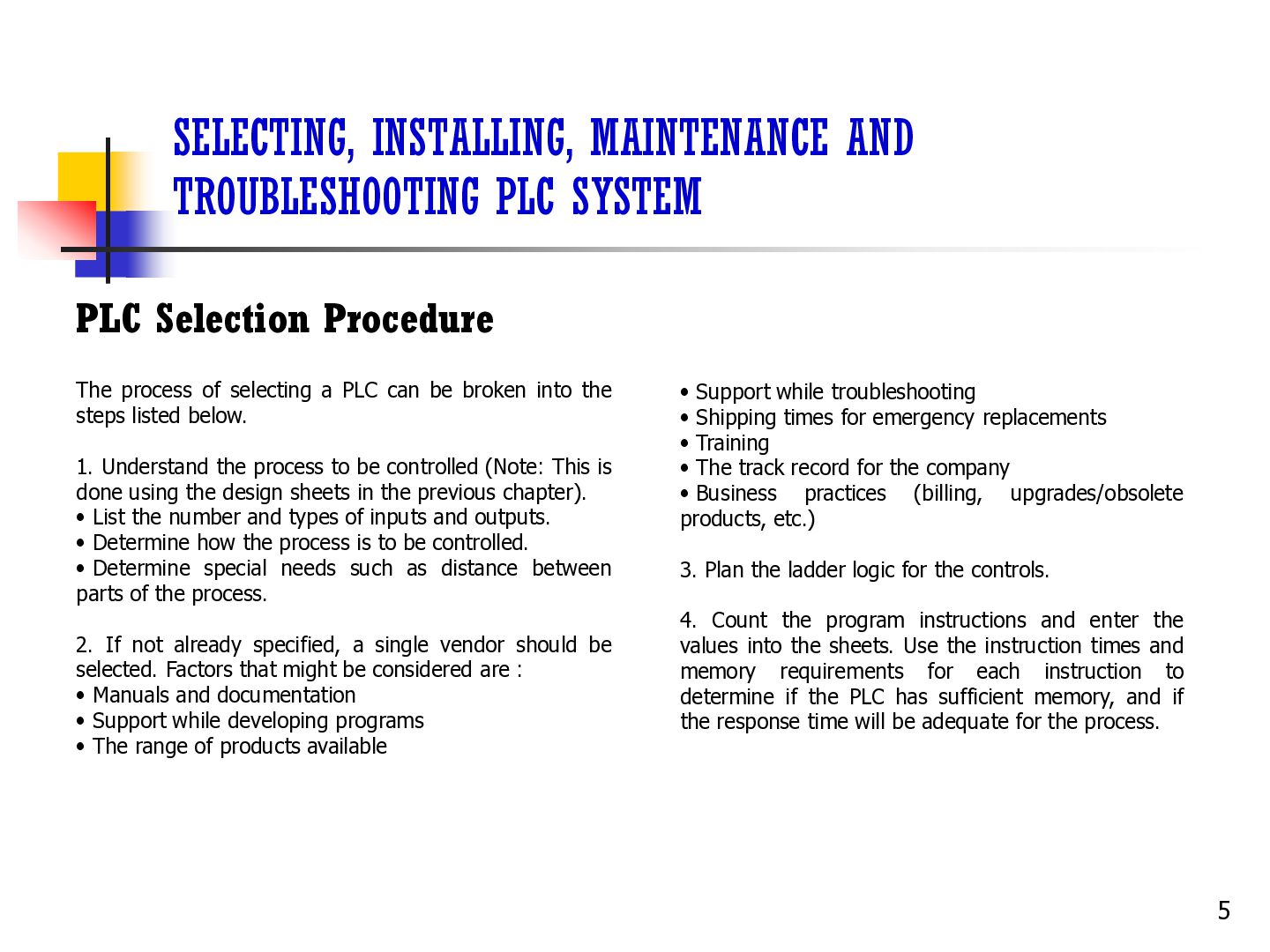
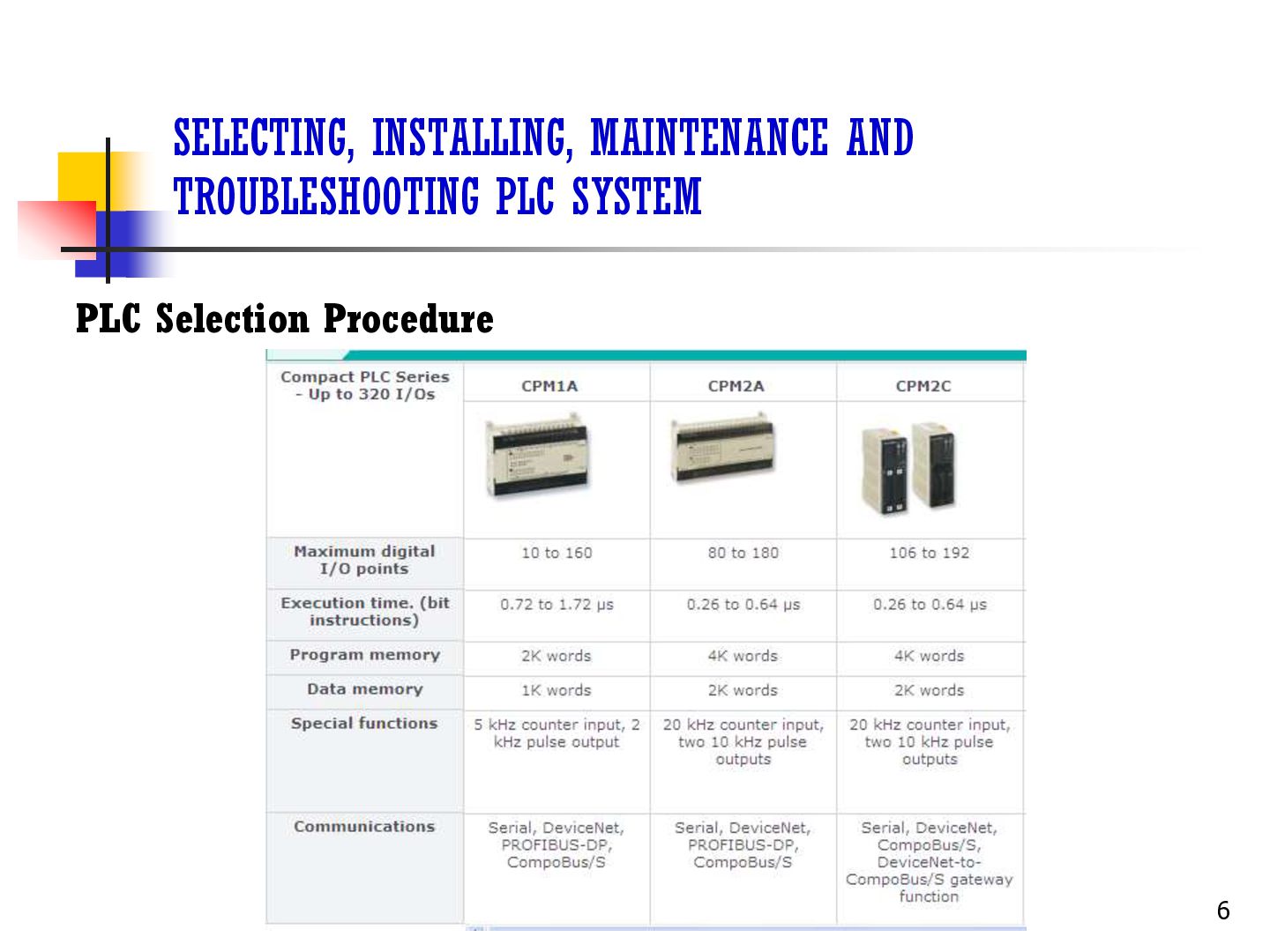
The process of selecting a PLC can be broken into the steps listed below. 1. Understand the process to be controlled (Note: This is done using the design sheets in the previous chapter). • List the number and types of inputs and outputs. • Determine how the process is to be controlled. • Determine special needs such as distance between parts of the process. 2. If not already specified, a single vendor should be selected. Factors that might be considered are : • Manuals and documentation • Support while developing programs • The range of products available • Support while troubleshooting • Shipping times for emergency replacements • Training • The track record for the company • Business practices (billing, upgrades/obsolete products, etc.) 3. Plan the ladder logic for the controls. 4. Count the program instructions and enter the values into the sheets. Use the instruction times and memory requirements for each instruction to determine if the PLC has sufficient memory, and if the response time will be adequate for the process. 5
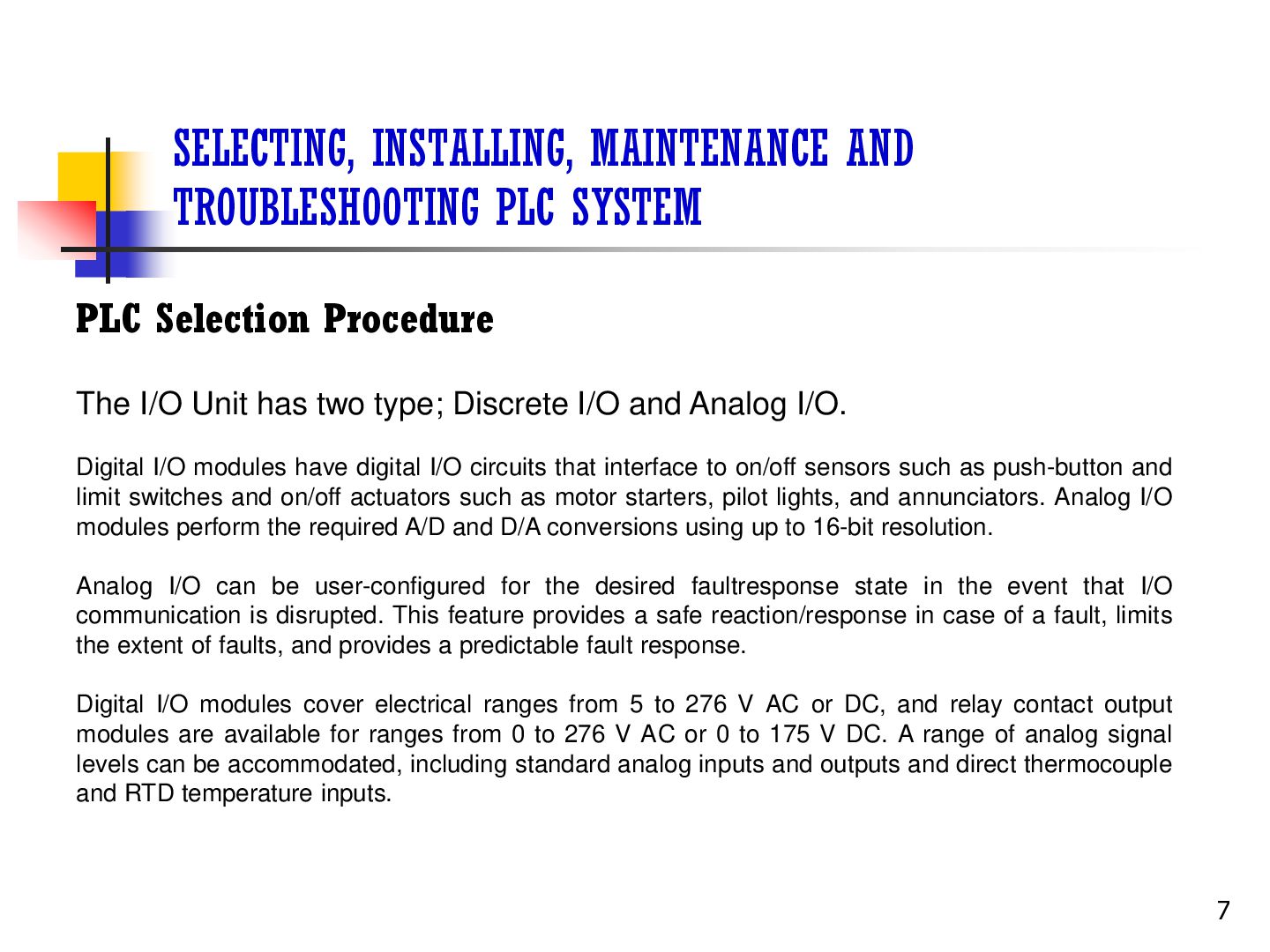
The I/O Unit has two type; Discrete I/O and Analog I/O. Digital I/O modules have digital I/O circuits that interface to on/off sensors such as push-button and limit switches and on/off actuators such as motor starters, pilot lights, and annunciators. Analog I/O modules perform the required A/D and D/A conversions using up to 16-bit resolution. Analog I/O can be user-configured for the desired faultresponse state in the event that I/O communication is disrupted. This feature provides a safe reaction/response in case of a fault, limits the extent of faults, and provides a predictable fault response. Digital I/O modules cover electrical ranges from 5 to 276 V AC or DC, and relay contact output modules are available for ranges from 0 to 276 V AC or 0 to 175 V DC. A range of analog signal levels can be accommodated, including standard analog inputs and outputs and direct thermocouple and RTD temperature inputs. 7
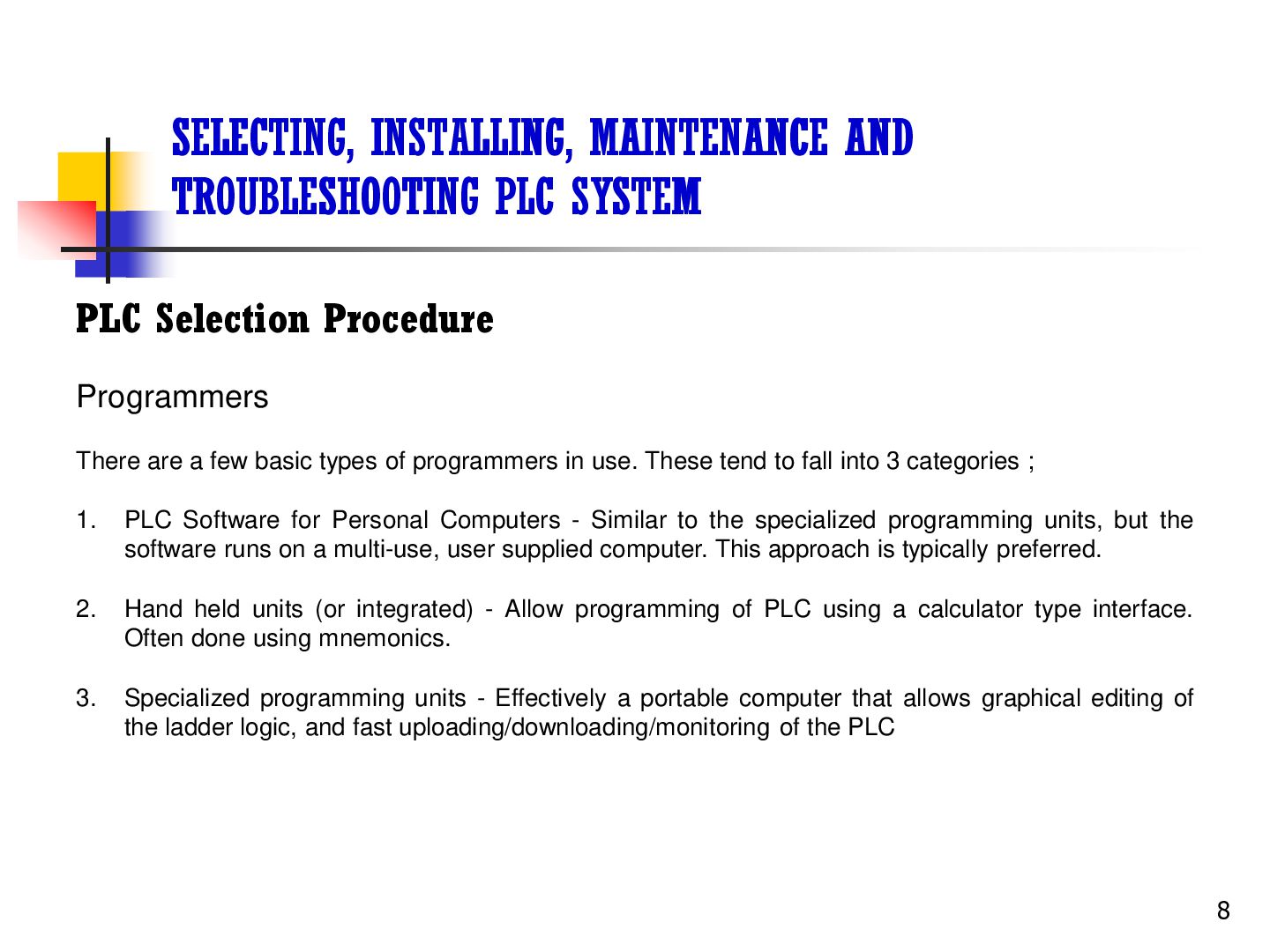
Programmers There are a few basic types of programmers in use. These tend to fall into 3 categories ; 1. PLC Software for Personal Computers - Similar to the specialized programming units, but the software runs on a multi-use, user supplied computer. This approach is typically preferred. 2. Hand held units (or integrated) - Allow programming of PLC using a calculator type interface. Often done using mnemonics. 3. Specialized programming units - Effectively a portable computer that allows graphical editing of the ladder logic, and fast uploading/downloading/monitoring of the PLC 8
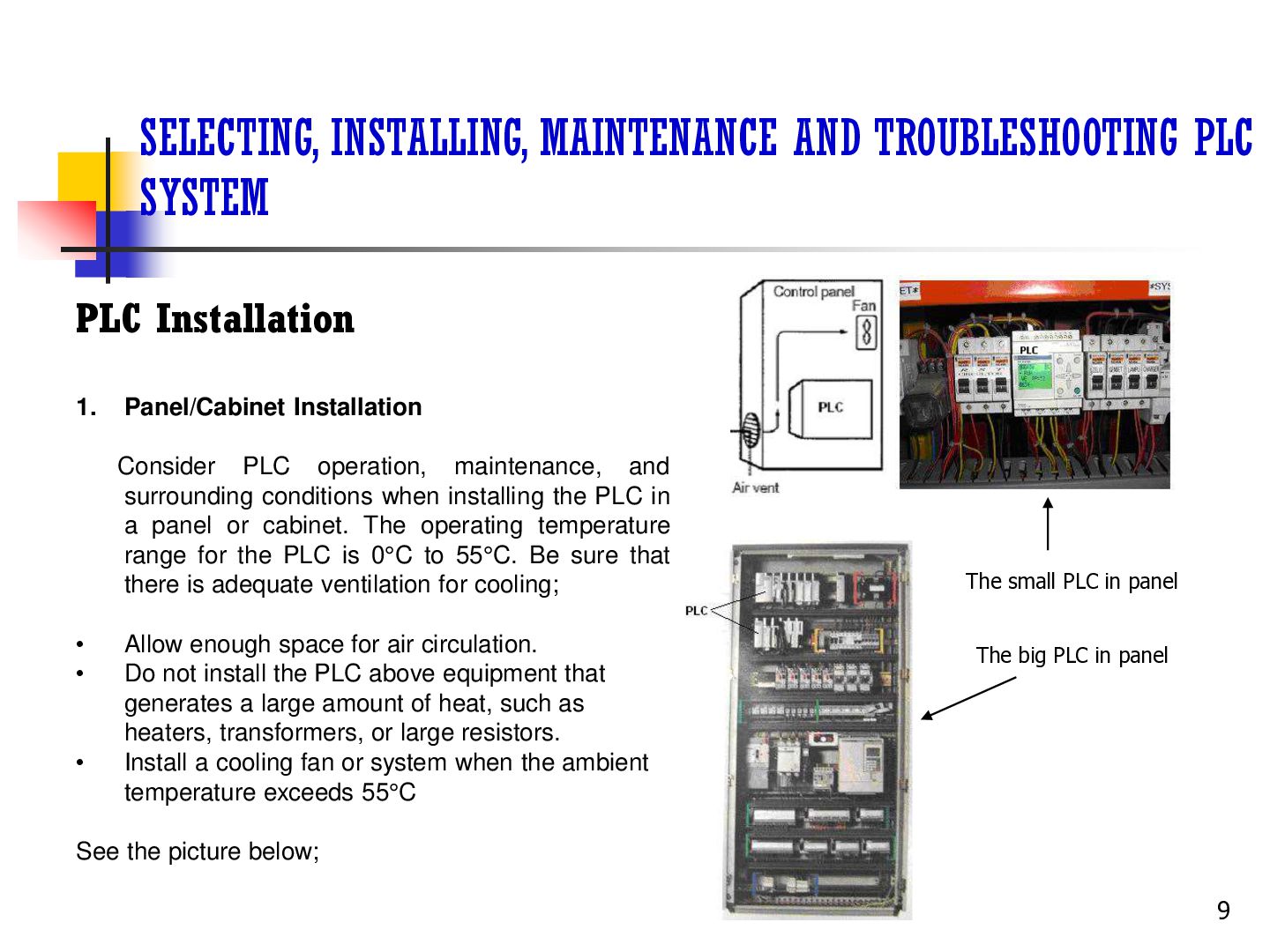
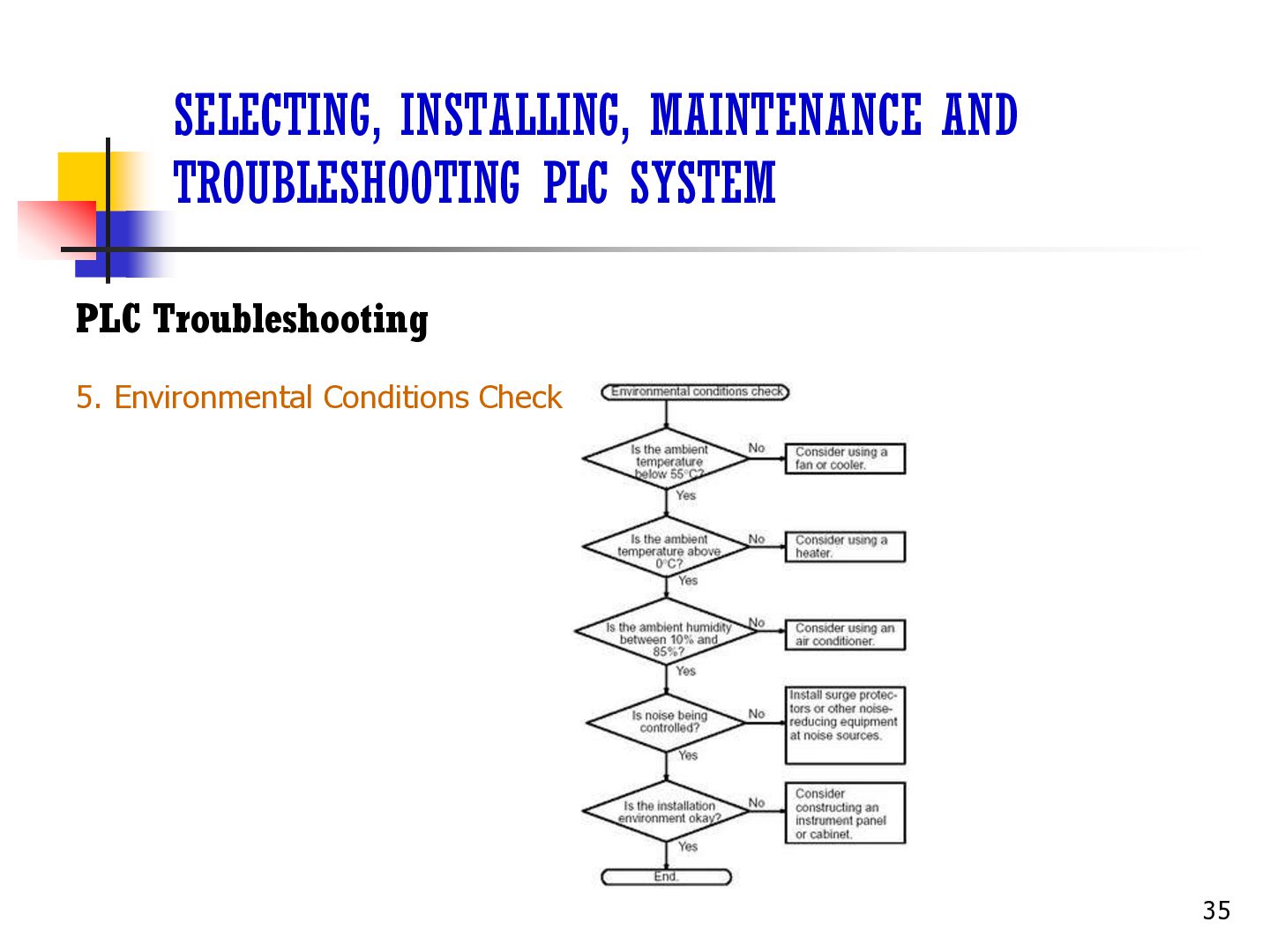
Panel/Cabinet Installation Consider PLC operation, maintenance, and surrounding conditions when installing the PLC in a panel or cabinet. The operating temperature range for the PLC is 0°C to 55°C. Be sure that there is adequate ventilation for cooling; • • • Allow enough space for air circulation. Do not install the PLC above equipment that generates a large amount of heat, such as heaters, transformers, or large resistors. Install a cooling fan or system when the ambient temperature exceeds 55°C The small PLC in panel The big PLC in panel See the picture below; 9
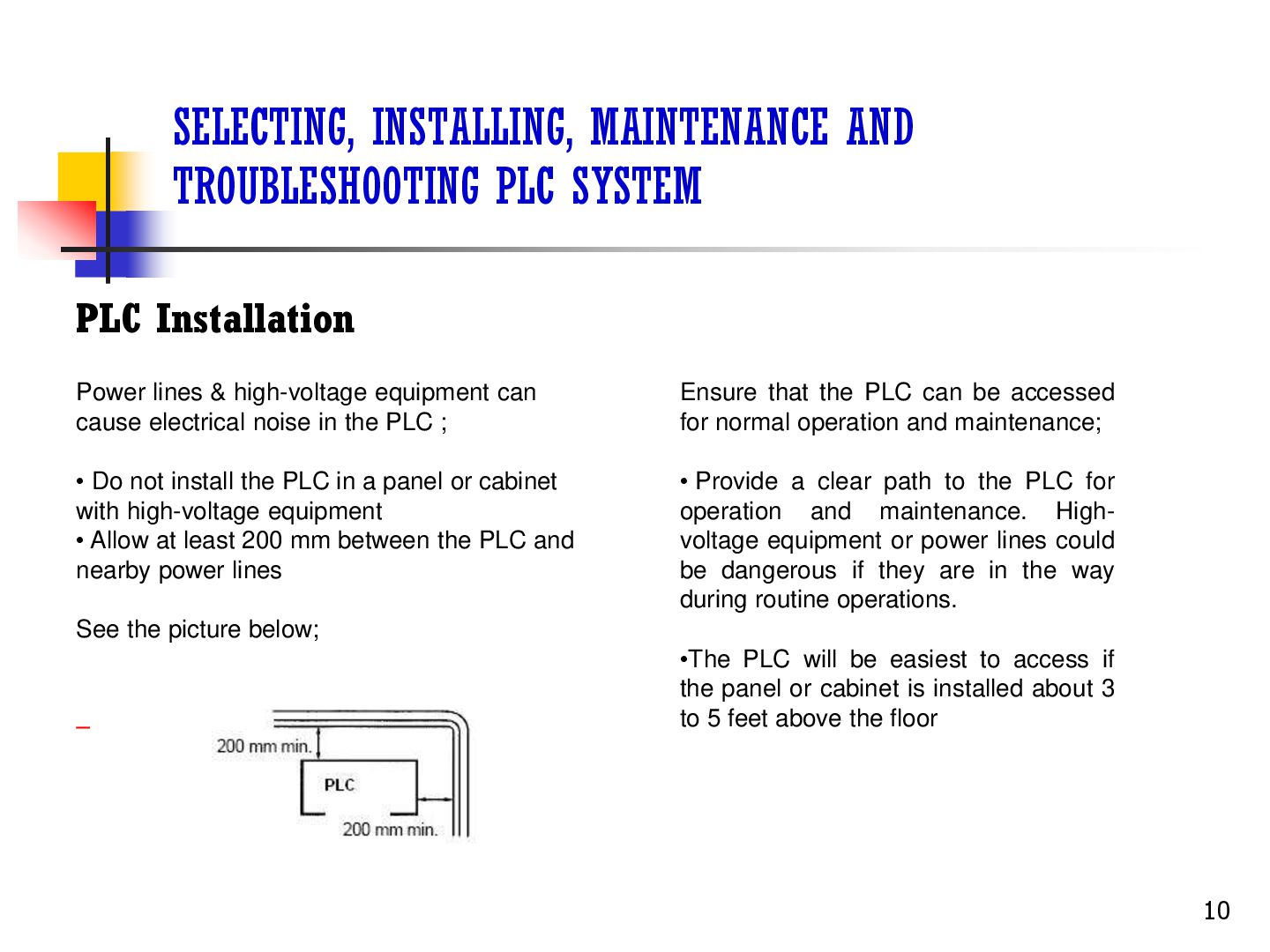
lines & high-voltage equipment can cause electrical noise in the PLC ; Ensure that the PLC can be accessed for normal operation and maintenance; • Do not install the PLC in a panel or cabinet with high-voltage equipment • Allow at least 200 mm between the PLC and nearby power lines • Provide a clear path to the PLC for operation and maintenance. Highvoltage equipment or power lines could be dangerous if they are in the way during routine operations. See the picture below; •The PLC will be easiest to access if the panel or cabinet is installed about 3 to 5 feet above the floor 10
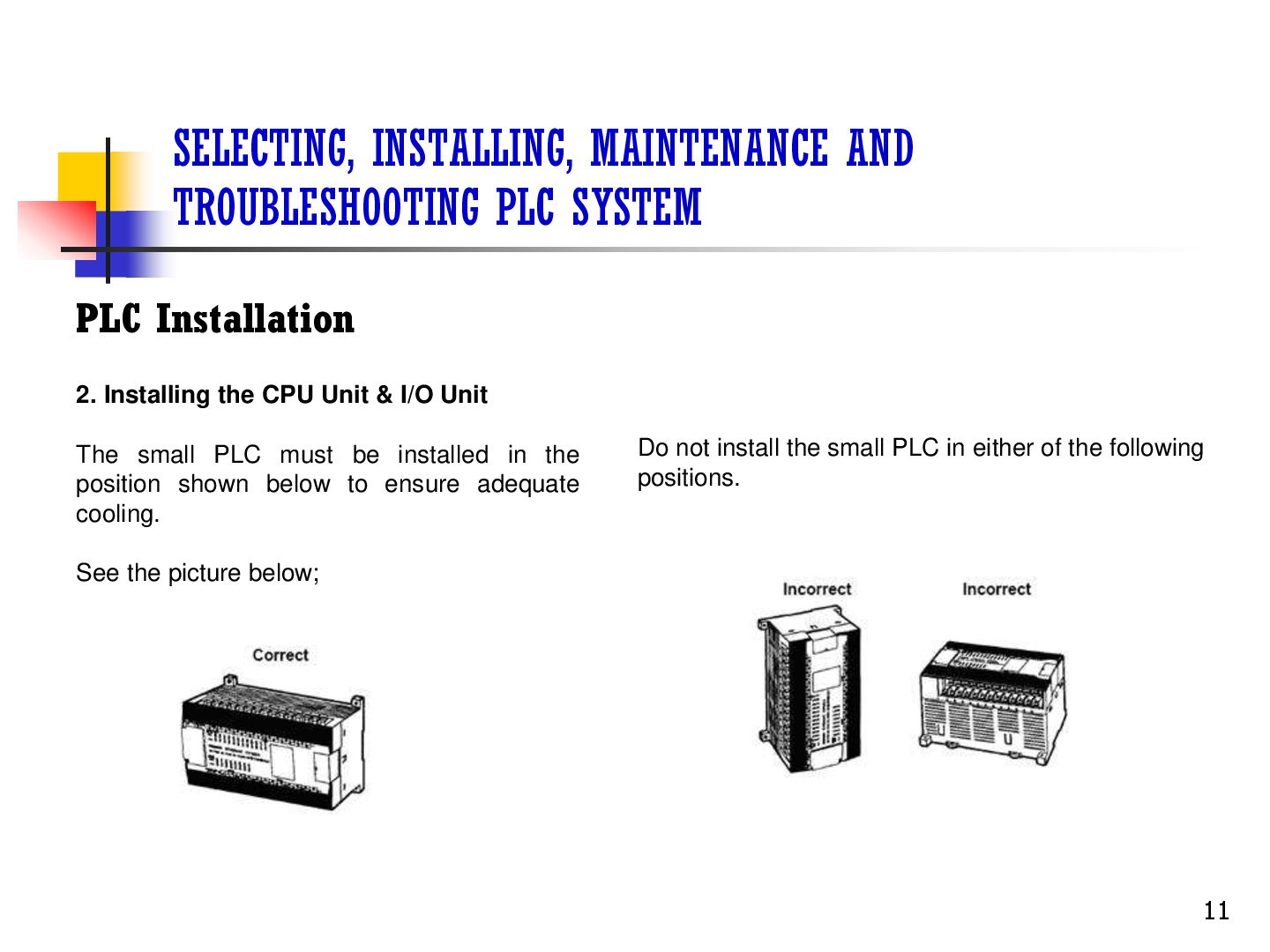
Installing the CPU Unit & I/O Unit The small PLC must be installed in the position shown below to ensure adequate cooling. Do not install the small PLC in either of the following positions. See the picture below; 11
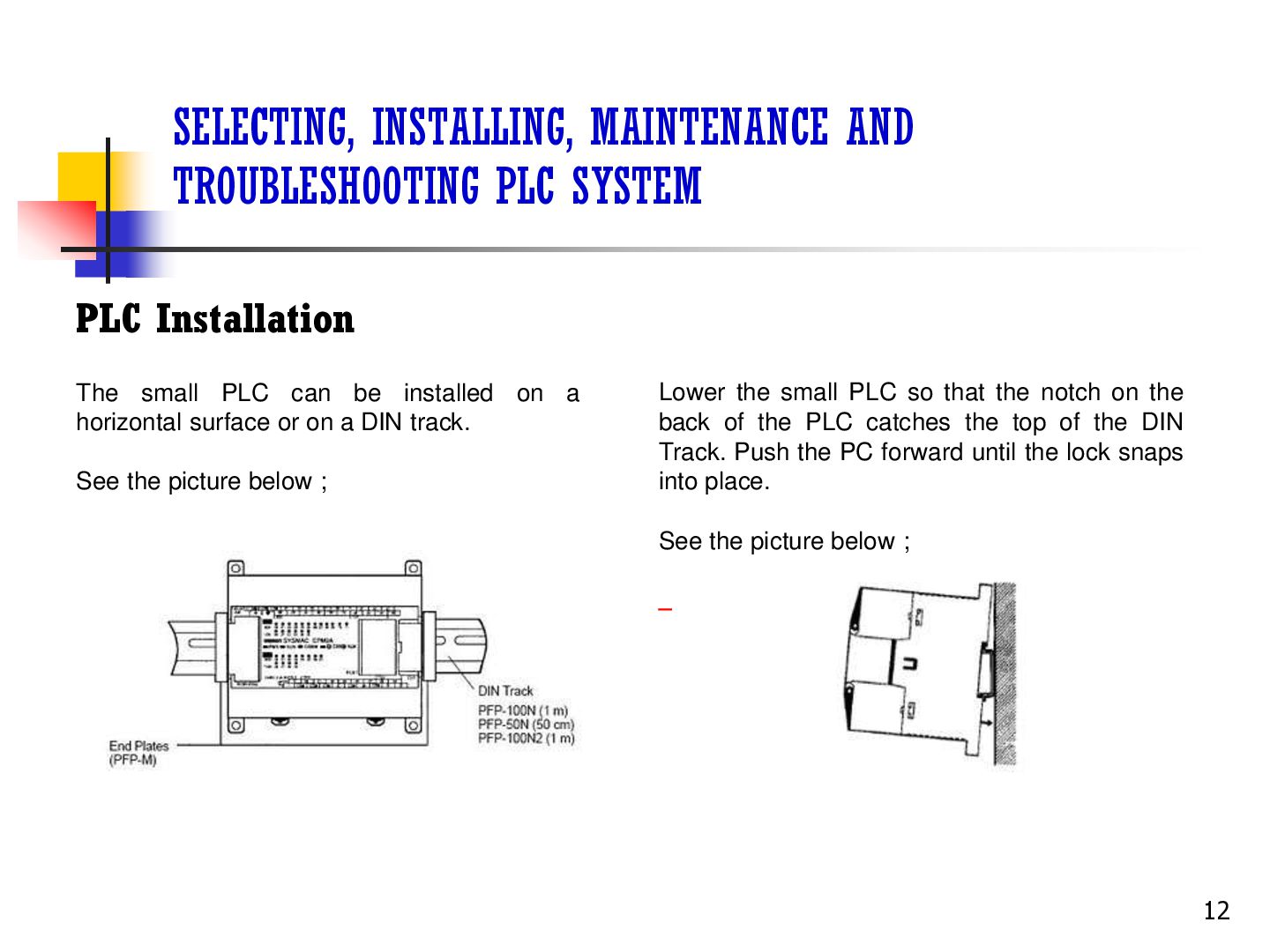
small PLC can be installed on a horizontal surface or on a DIN track. See the picture below ; Lower the small PLC so that the notch on the back of the PLC catches the top of the DIN Track. Push the PC forward until the lock snaps into place. See the picture below ; 12
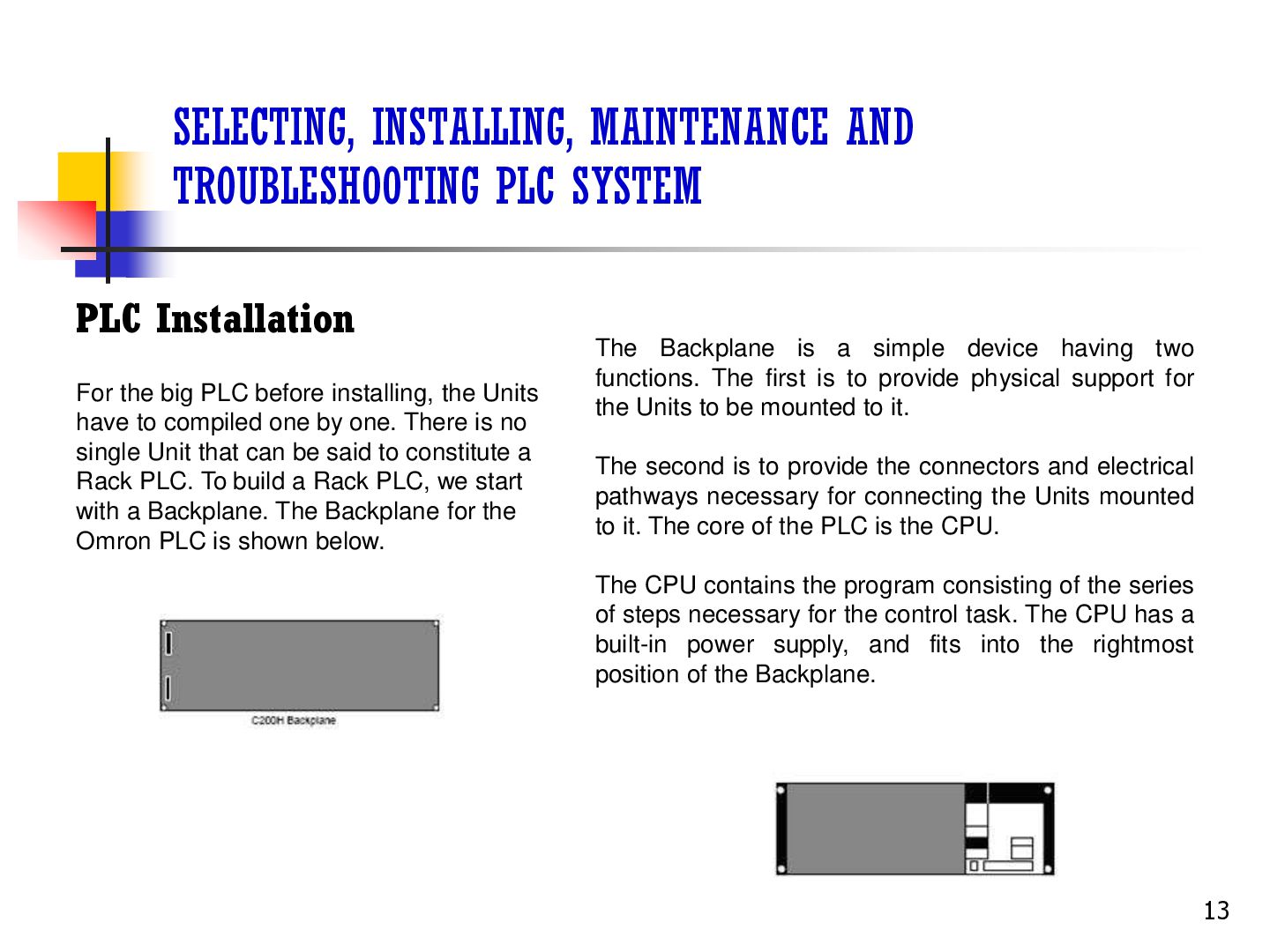
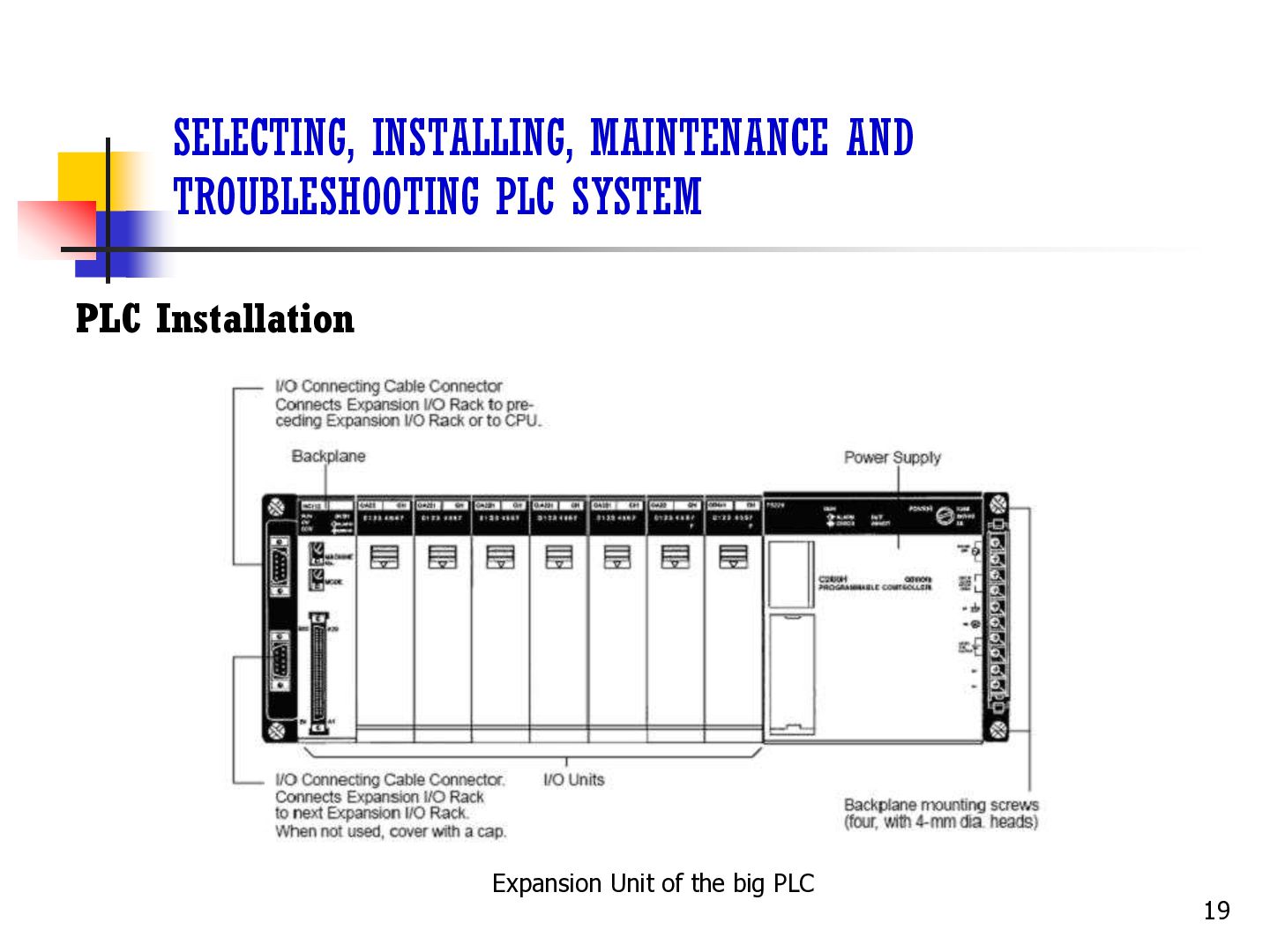
the big PLC before installing, the Units have to compiled one by one. There is no single Unit that can be said to constitute a Rack PLC. To build a Rack PLC, we start with a Backplane. The Backplane for the Omron PLC is shown below. The Backplane is a simple device having two functions. The first is to provide physical support for the Units to be mounted to it. The second is to provide the connectors and electrical pathways necessary for connecting the Units mounted to it. The core of the PLC is the CPU. The CPU contains the program consisting of the series of steps necessary for the control task. The CPU has a built-in power supply, and fits into the rightmost position of the Backplane. 13
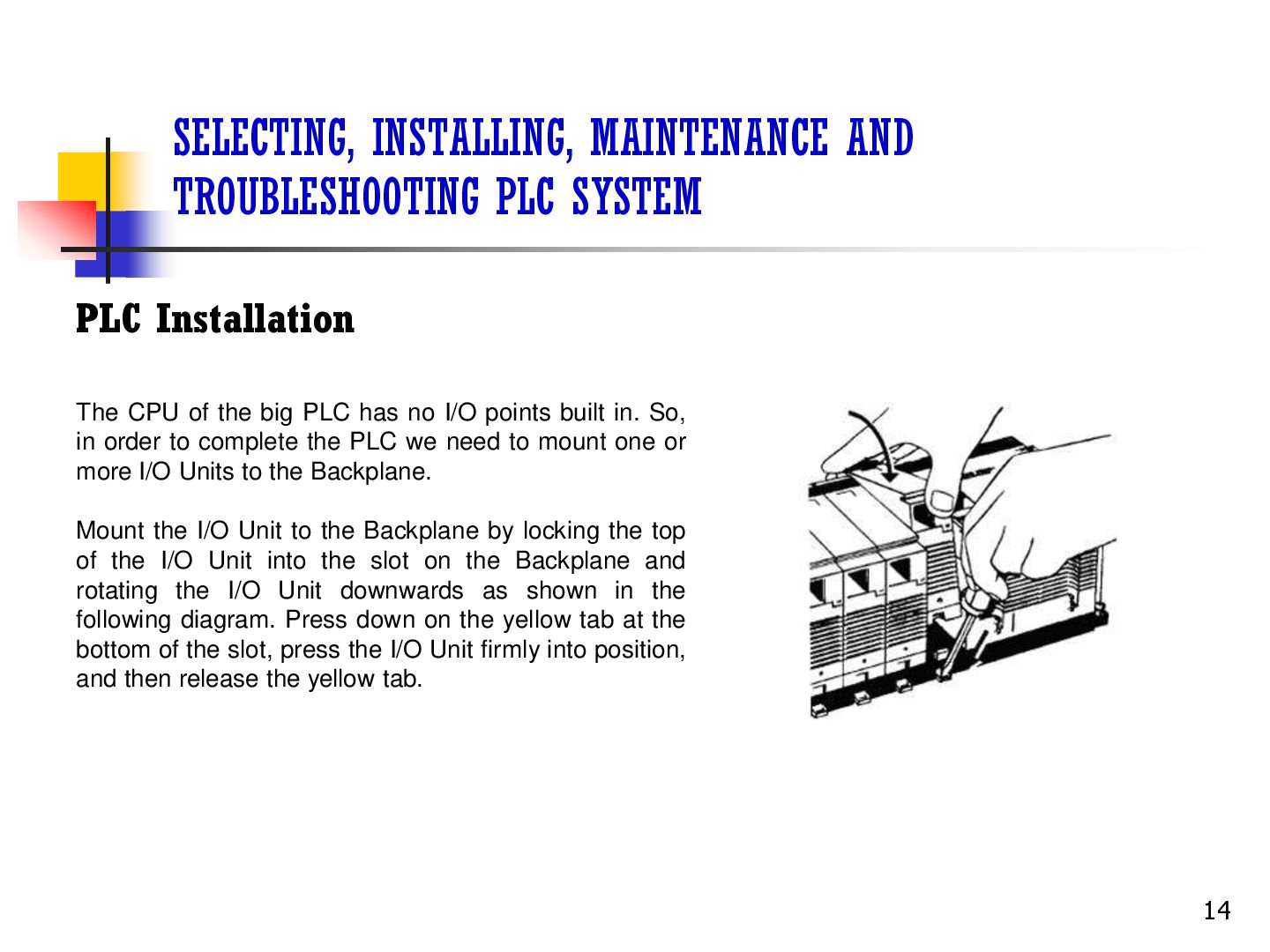
CPU of the big PLC has no I/O points built in. So, in order to complete the PLC we need to mount one or more I/O Units to the Backplane. Mount the I/O Unit to the Backplane by locking the top of the I/O Unit into the slot on the Backplane and rotating the I/O Unit downwards as shown in the following diagram. Press down on the yellow tab at the bottom of the slot, press the I/O Unit firmly into position, and then release the yellow tab. 14
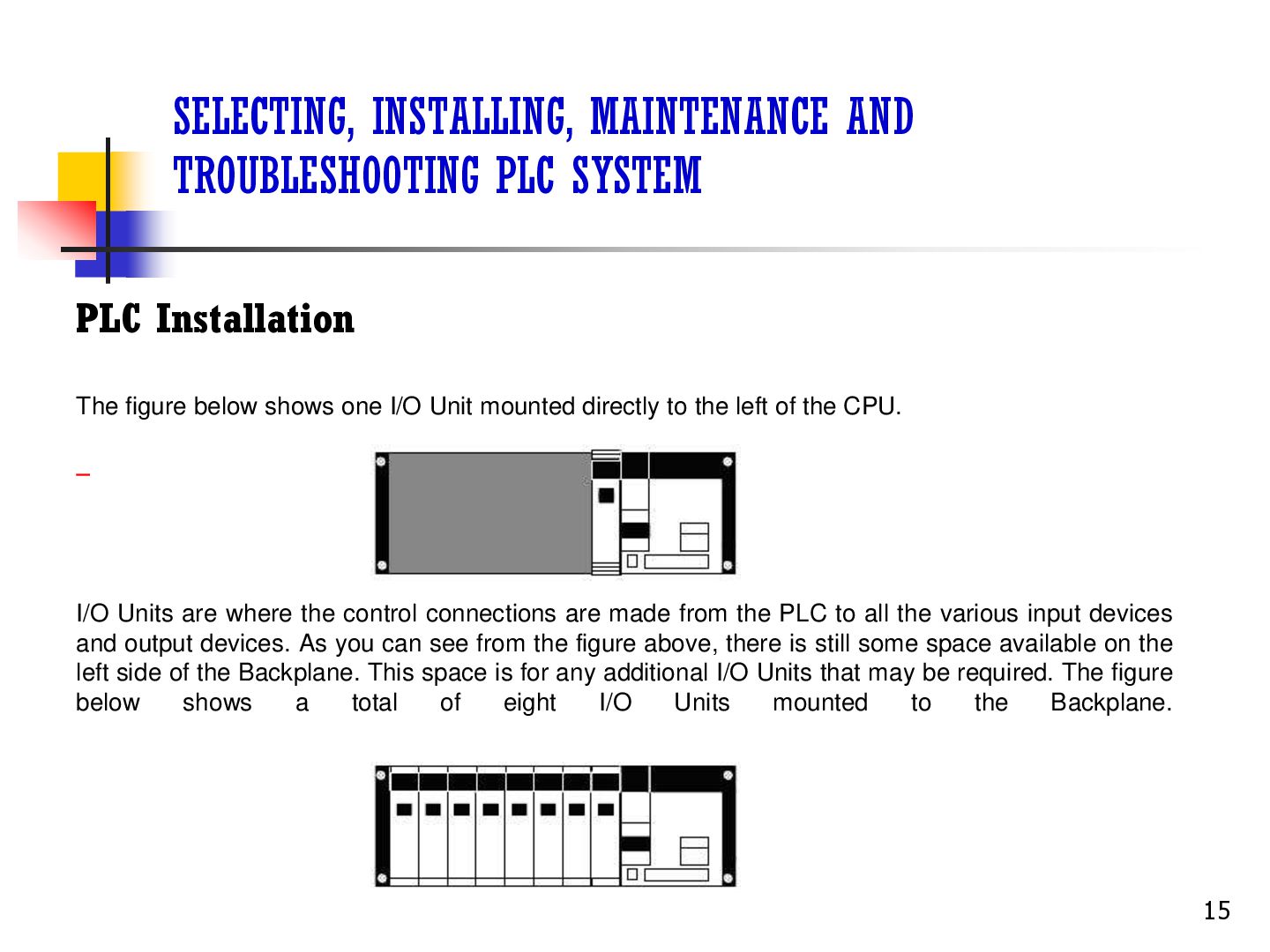
figure below shows one I/O Unit mounted directly to the left of the CPU. I/O Units are where the control connections are made from the PLC to all the various input devices and output devices. As you can see from the figure above, there is still some space available on the left side of the Backplane. This space is for any additional I/O Units that may be required. The figure below shows a total of eight I/O Units mounted to the Backplane. 15
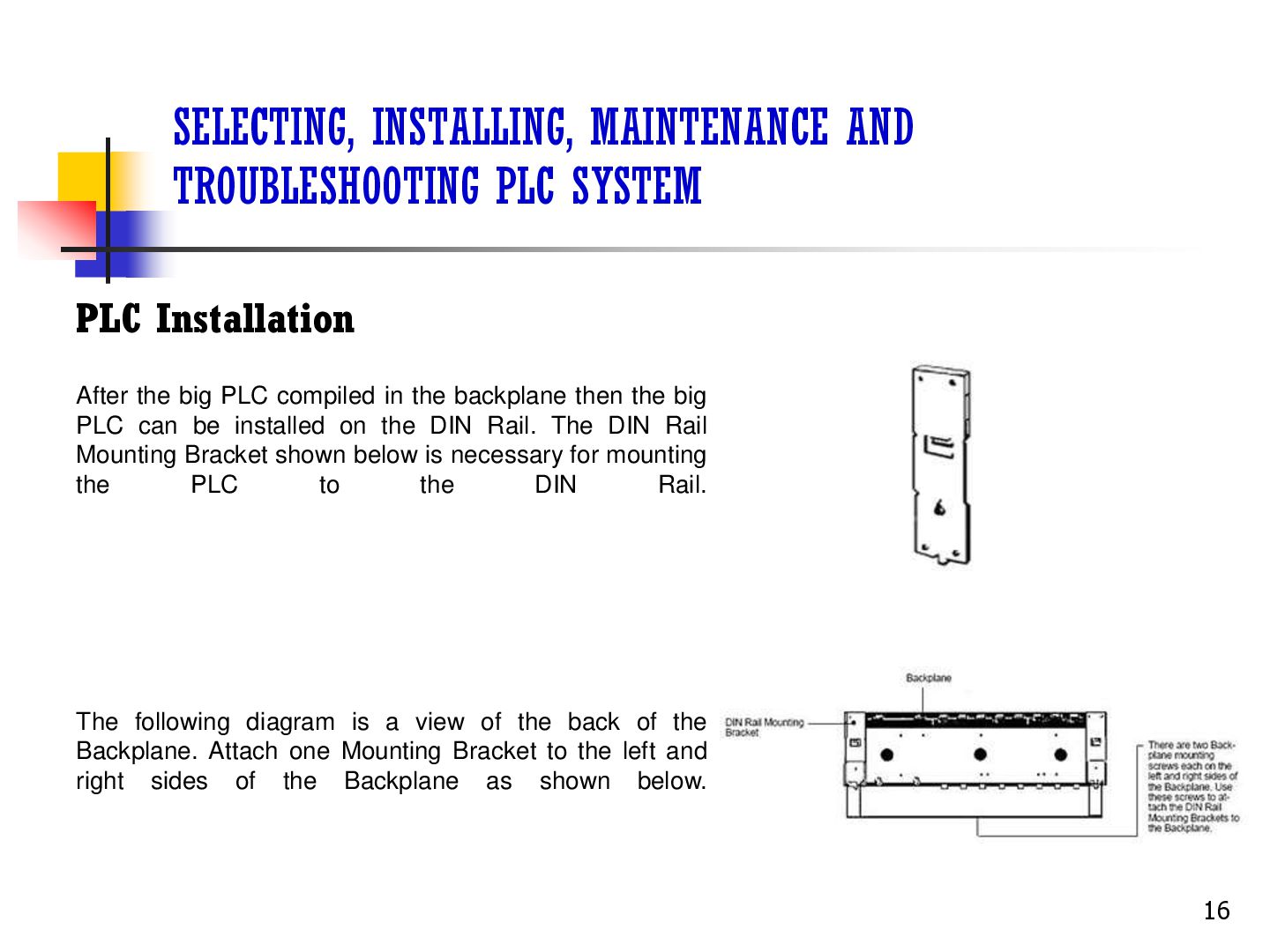
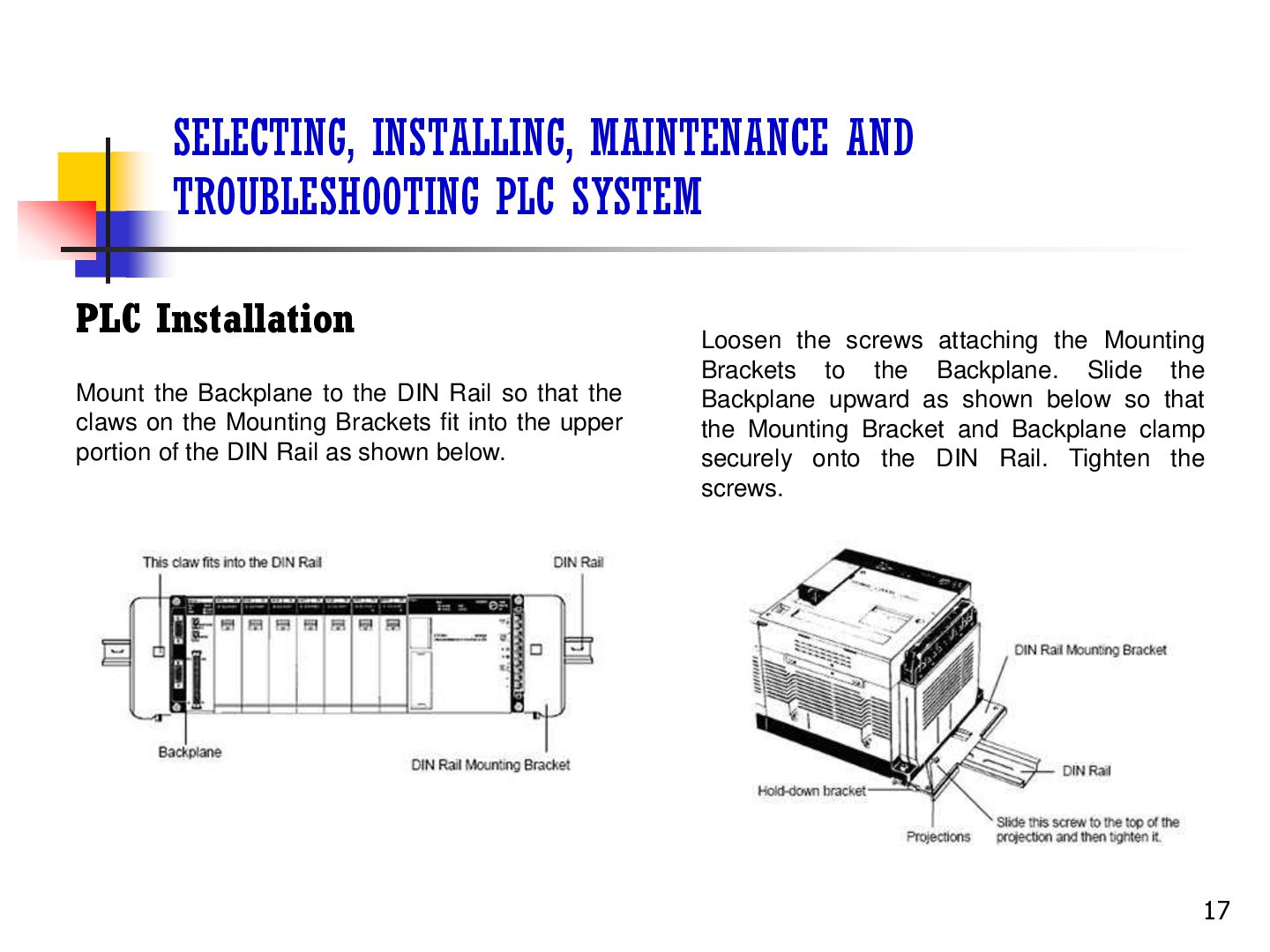
the big PLC compiled in the backplane then the big PLC can be installed on the DIN Rail. The DIN Rail Mounting Bracket shown below is necessary for mounting the PLC to the DIN Rail. The following diagram is a view of the back of the Backplane. Attach one Mounting Bracket to the left and right sides of the Backplane as shown below. 16
the Backplane to the DIN Rail so that the claws on the Mounting Brackets fit into the upper portion of the DIN Rail as shown below. Loosen the screws attaching the Mounting Brackets to the Backplane. Slide the Backplane upward as shown below so that the Mounting Bracket and Backplane clamp securely onto the DIN Rail. Tighten the screws. 17
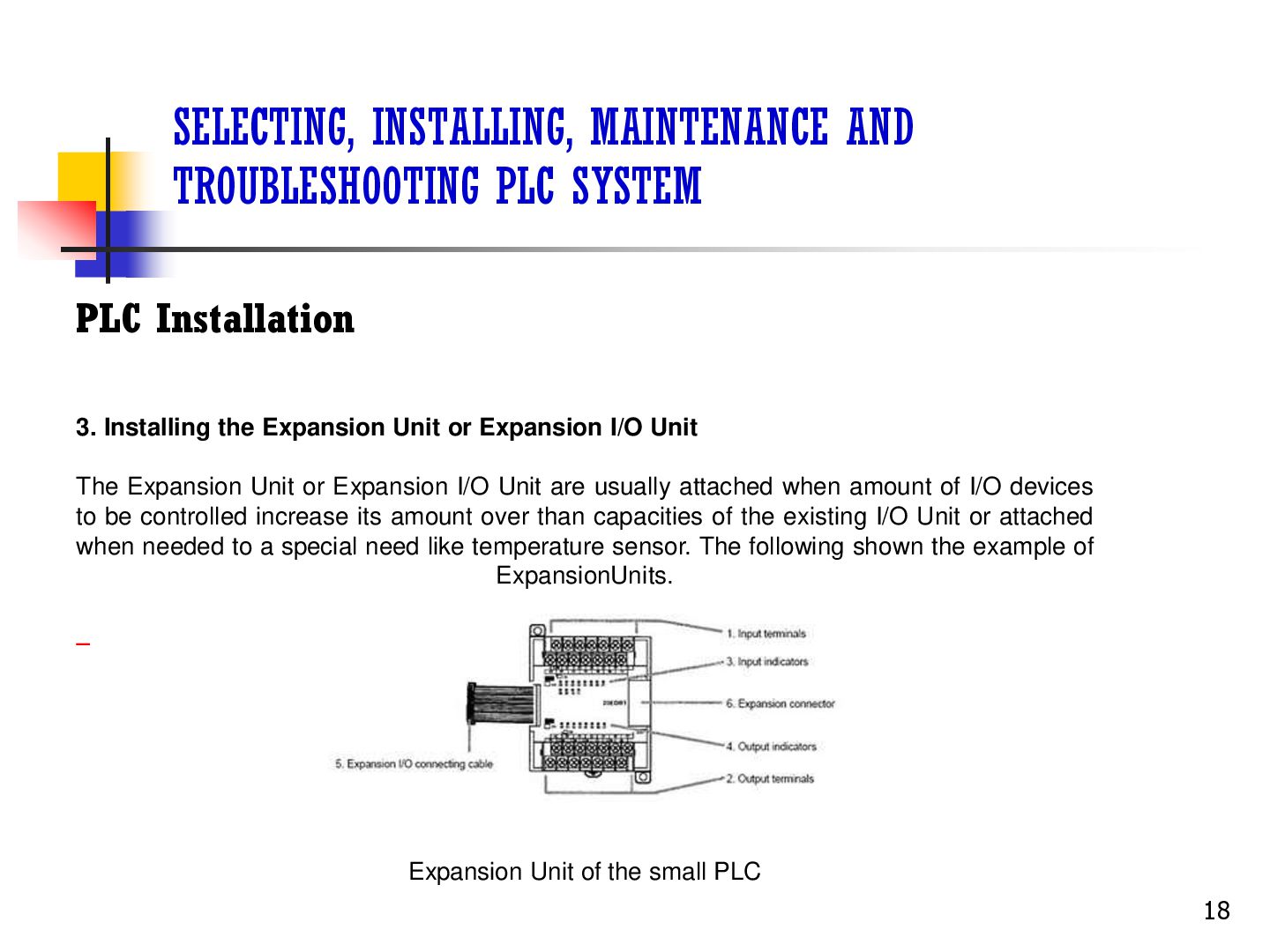
Installing the Expansion Unit or Expansion I/O Unit The Expansion Unit or Expansion I/O Unit are usually attached when amount of I/O devices to be controlled increase its amount over than capacities of the existing I/O Unit or attached when needed to a special need like temperature sensor. The following shown the example of ExpansionUnits. Expansion Unit of the small PLC 18
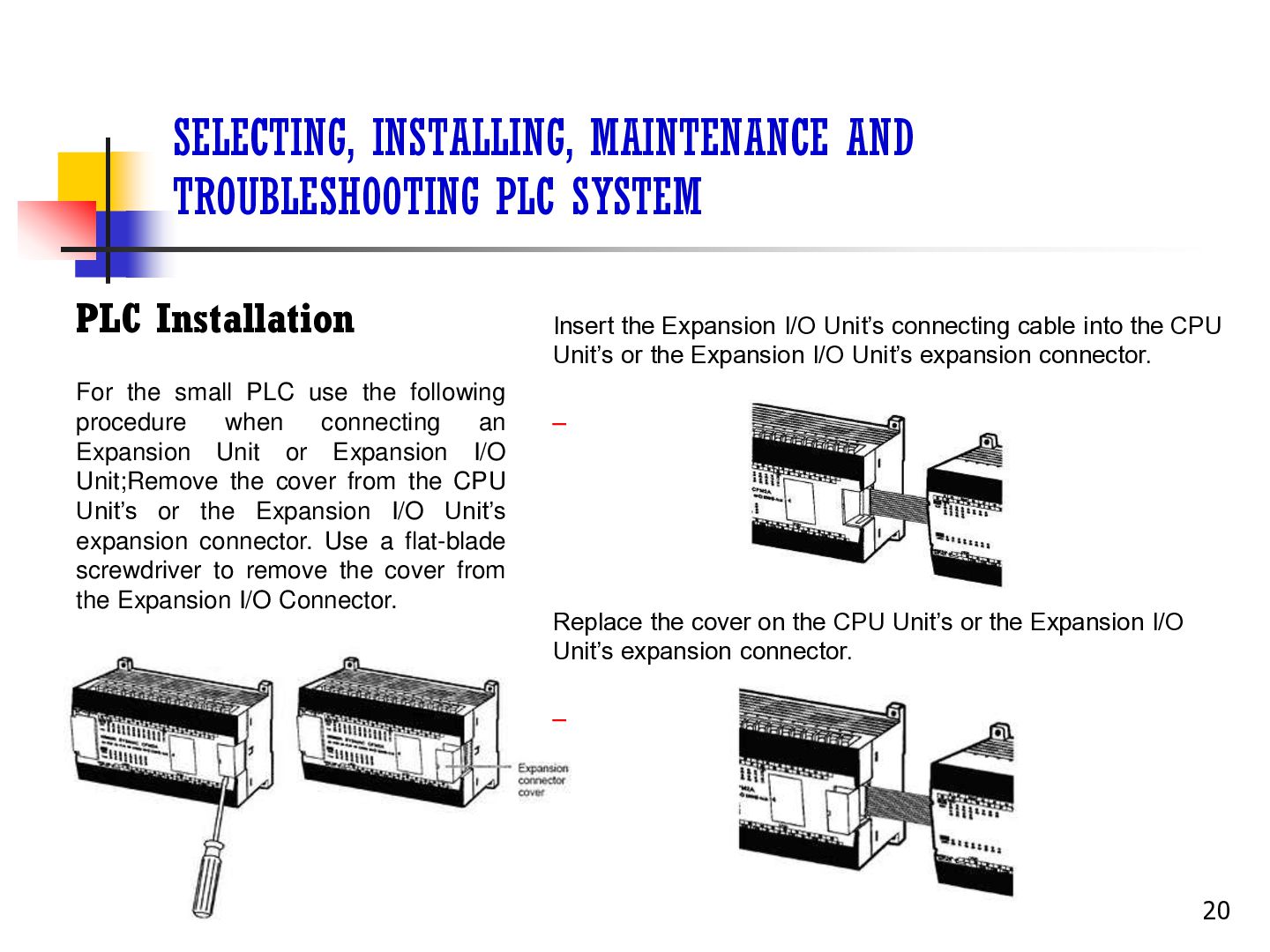
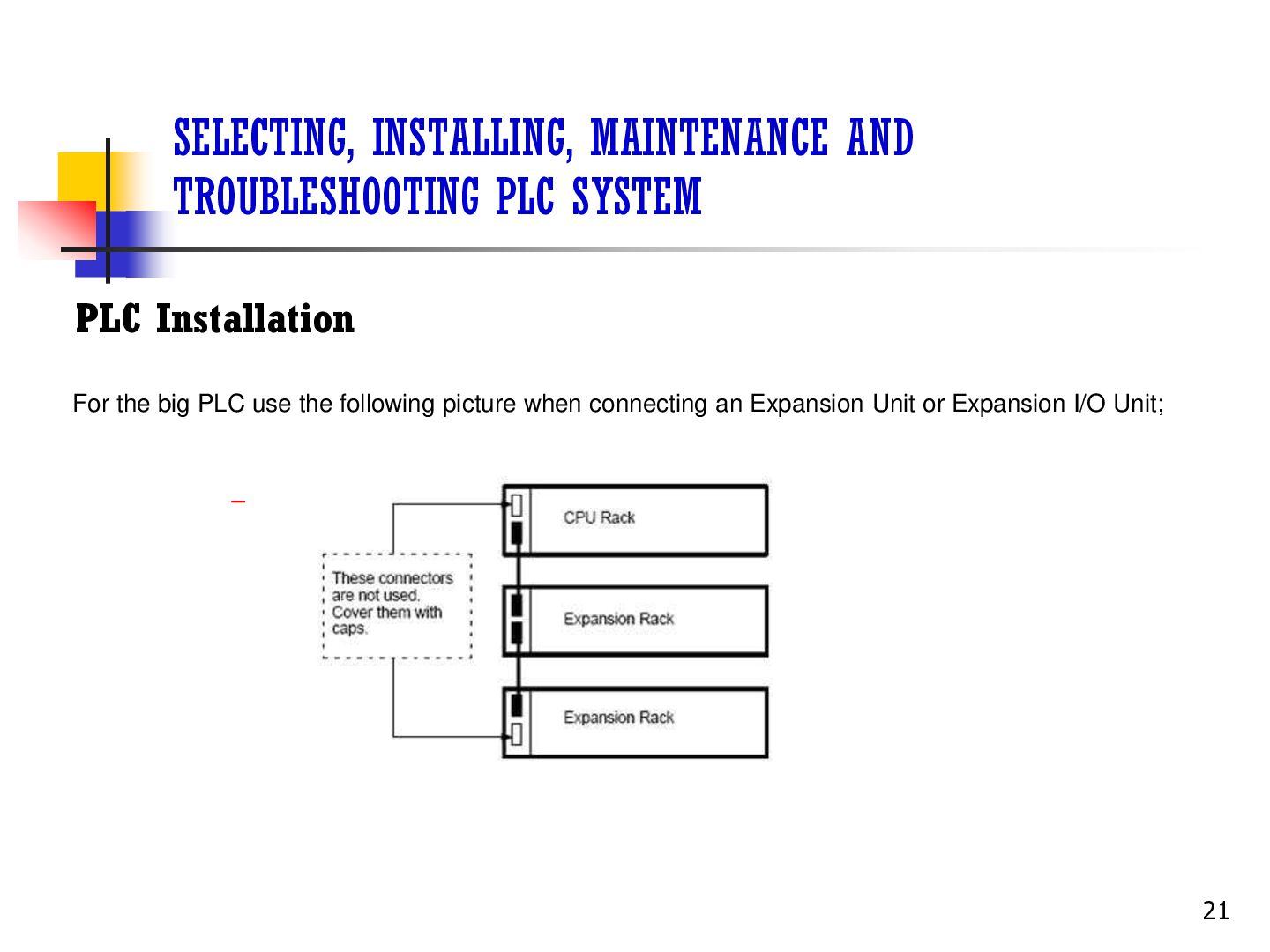
the small PLC use the following procedure when connecting an Expansion Unit or Expansion I/O Unit;Remove the cover from the CPU Unit’s or the Expansion I/O Unit’s expansion connector. Use a flat-blade screwdriver to remove the cover from the Expansion I/O Connector. Insert the Expansion I/O Unit’s connecting cable into the CPU Unit’s or the Expansion I/O Unit’s expansion connector. Replace the cover on the CPU Unit’s or the Expansion I/O Unit’s expansion connector. 20
I/O devices I/O devices are attached at the place have been determined in the work plan and wiring diagram. For switches are usually attached at the panel while the sensor, selenoid and motor is usually placed at the machine to be controlled. 22
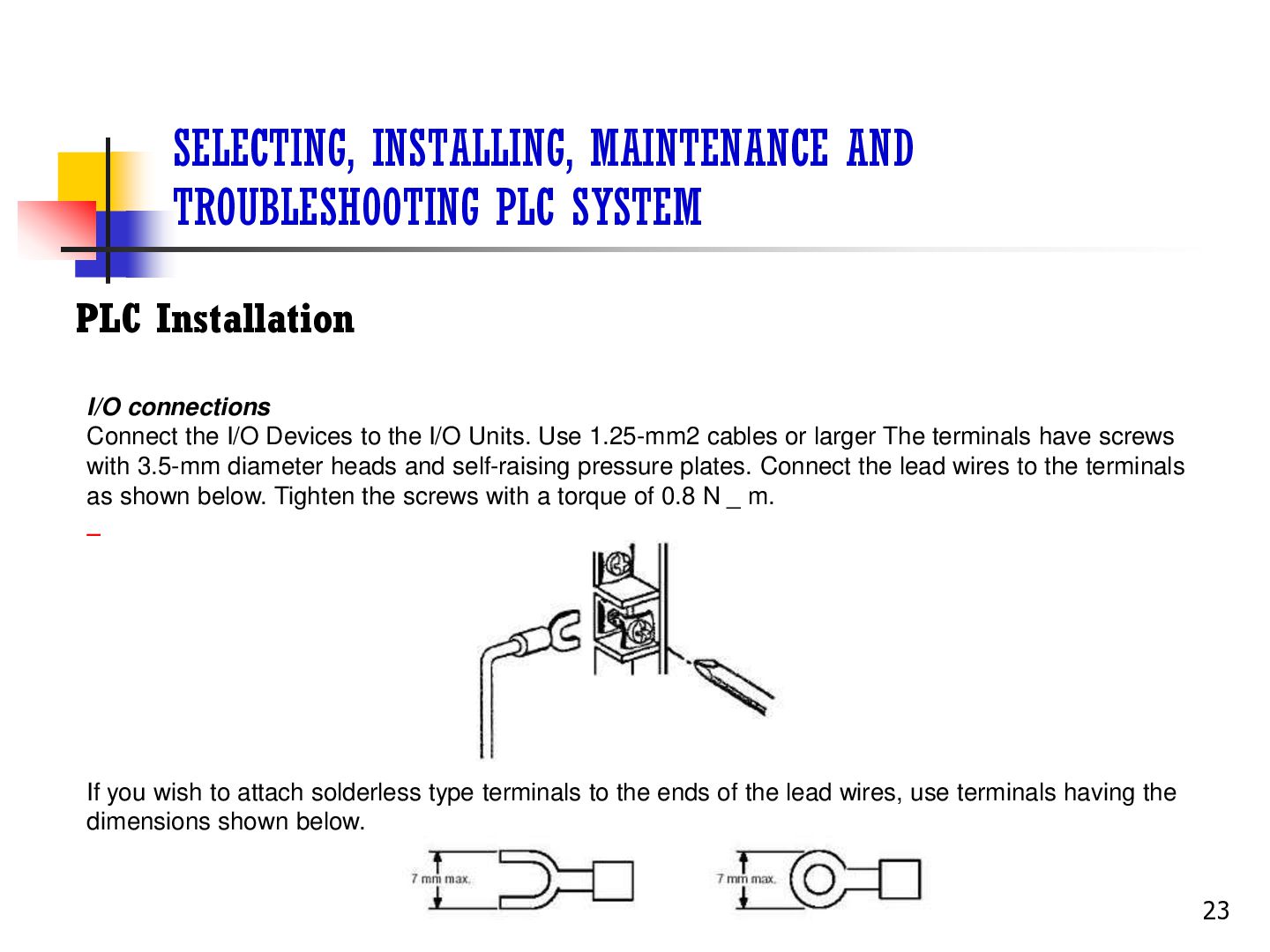
connections Connect the I/O Devices to the I/O Units. Use 1.25-mm2 cables or larger The terminals have screws with 3.5-mm diameter heads and self-raising pressure plates. Connect the lead wires to the terminals as shown below. Tighten the screws with a torque of 0.8 N _ m. If you wish to attach solderless type terminals to the ends of the lead wires, use terminals having the dimensions shown below. 23
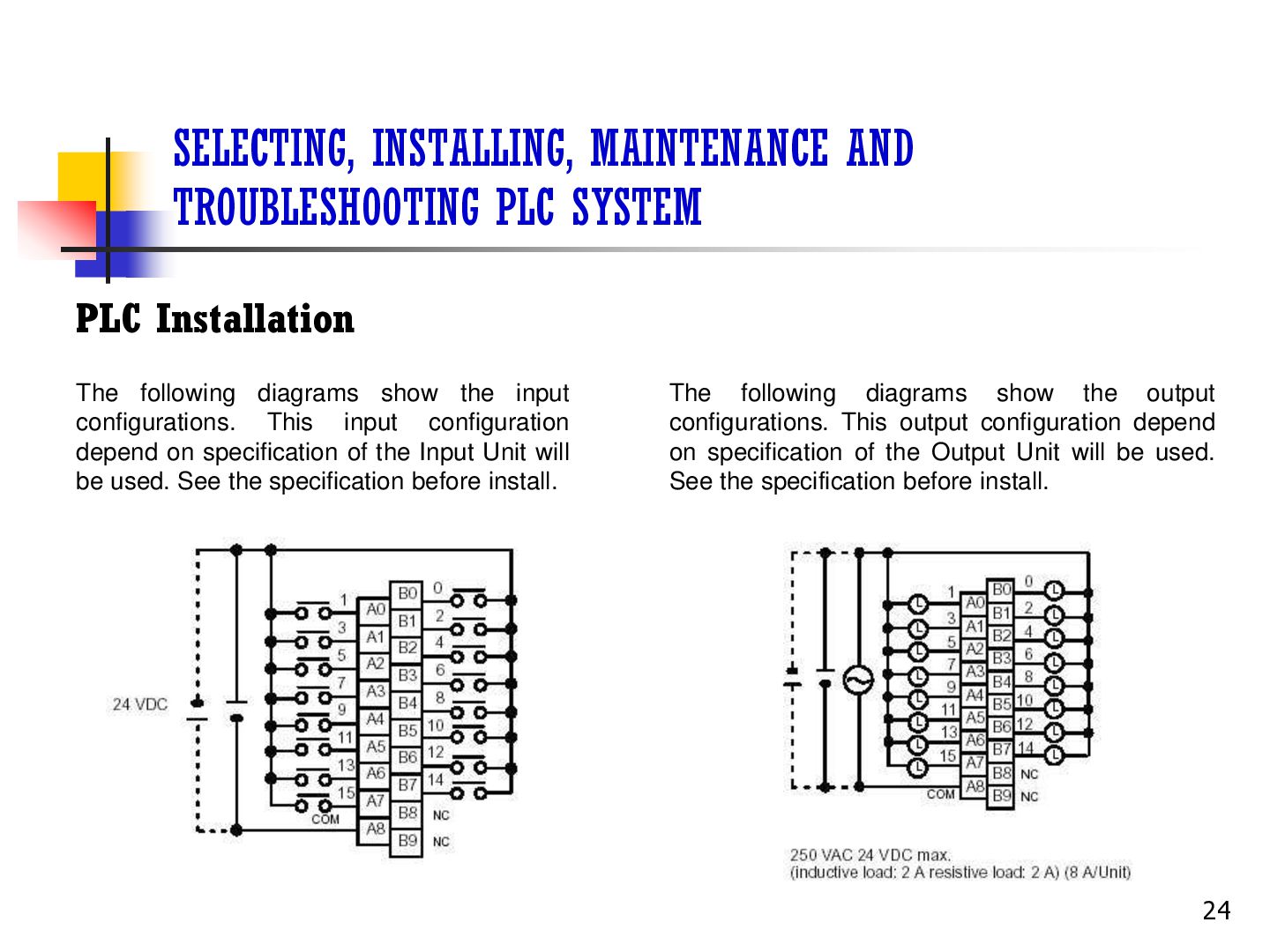
following diagrams show the input configurations. This input configuration depend on specification of the Input Unit will be used. See the specification before install. The following diagrams show the output configurations. This output configuration depend on specification of the Output Unit will be used. See the specification before install. 24
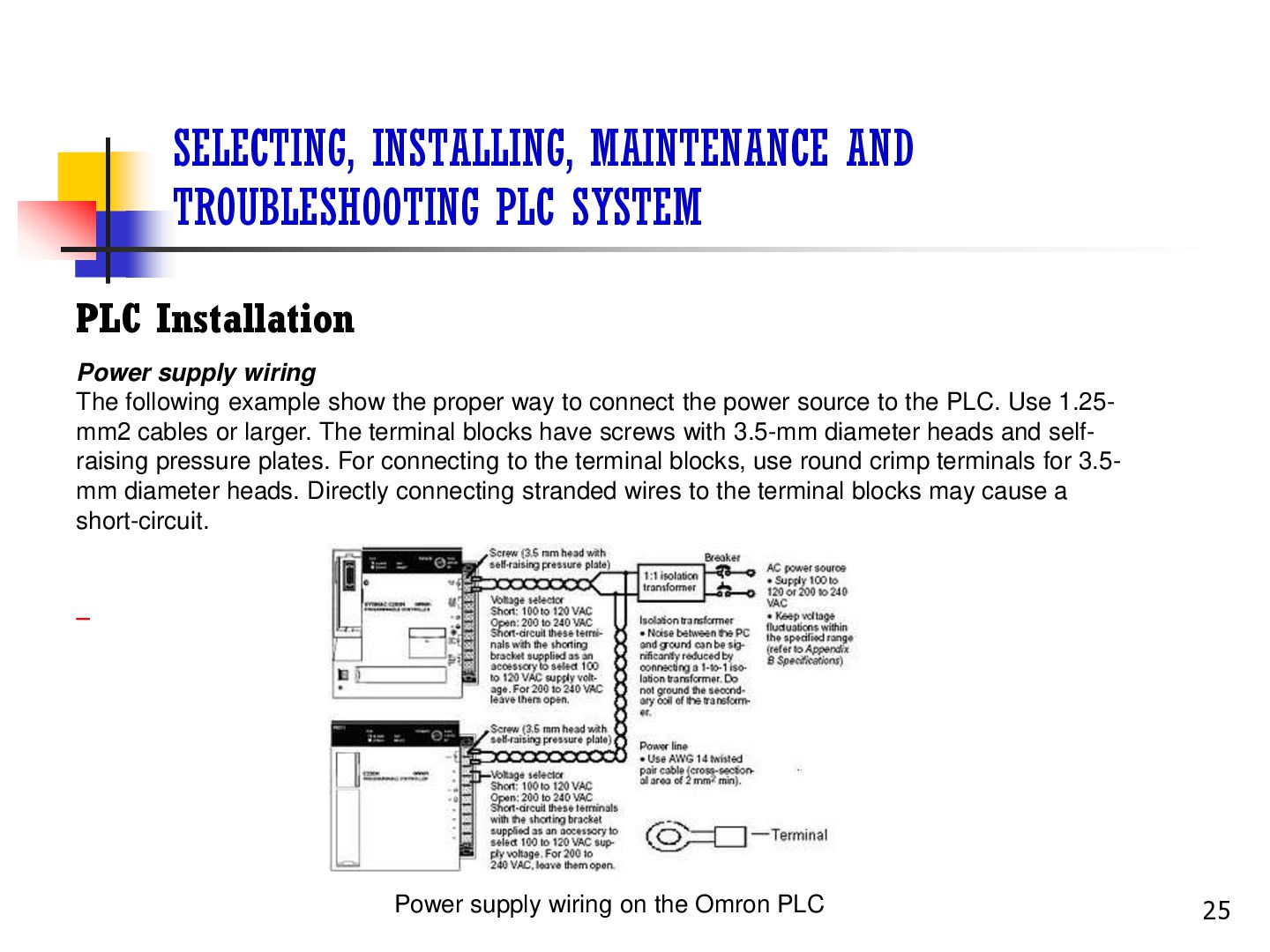
supply wiring The following example show the proper way to connect the power source to the PLC. Use 1.25mm2 cables or larger. The terminal blocks have screws with 3.5-mm diameter heads and selfraising pressure plates. For connecting to the terminal blocks, use round crimp terminals for 3.5mm diameter heads. Directly connecting stranded wires to the terminal blocks may cause a short-circuit. Power supply wiring on the Omron PLC 25
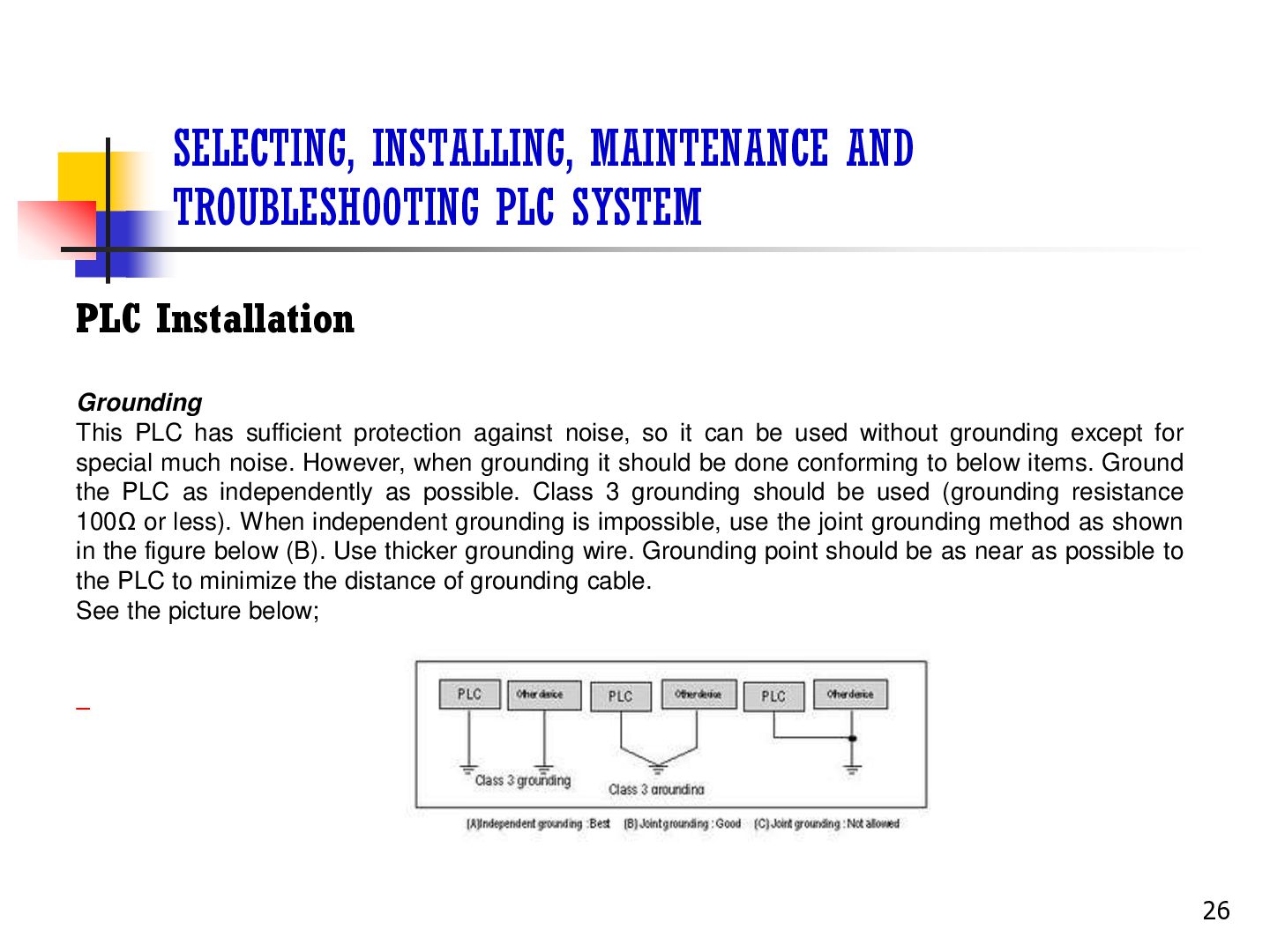
This PLC has sufficient protection against noise, so it can be used without grounding except for special much noise. However, when grounding it should be done conforming to below items. Ground the PLC as independently as possible. Class 3 grounding should be used (grounding resistance 100Ω or less). When independent grounding is impossible, use the joint grounding method as shown in the figure below (B). Use thicker grounding wire. Grounding point should be as near as possible to the PLC to minimize the distance of grounding cable. See the picture below; 26
Applying the safety procedure During execution of the work, the safety procedure must be executed truly so that the risk of the work accident can be avoided. Example of applying the safety procedure; • Use the safety equipment • Follow the instruction of safety procedure • Comprehending fringe of writing on the wall or emergency 27
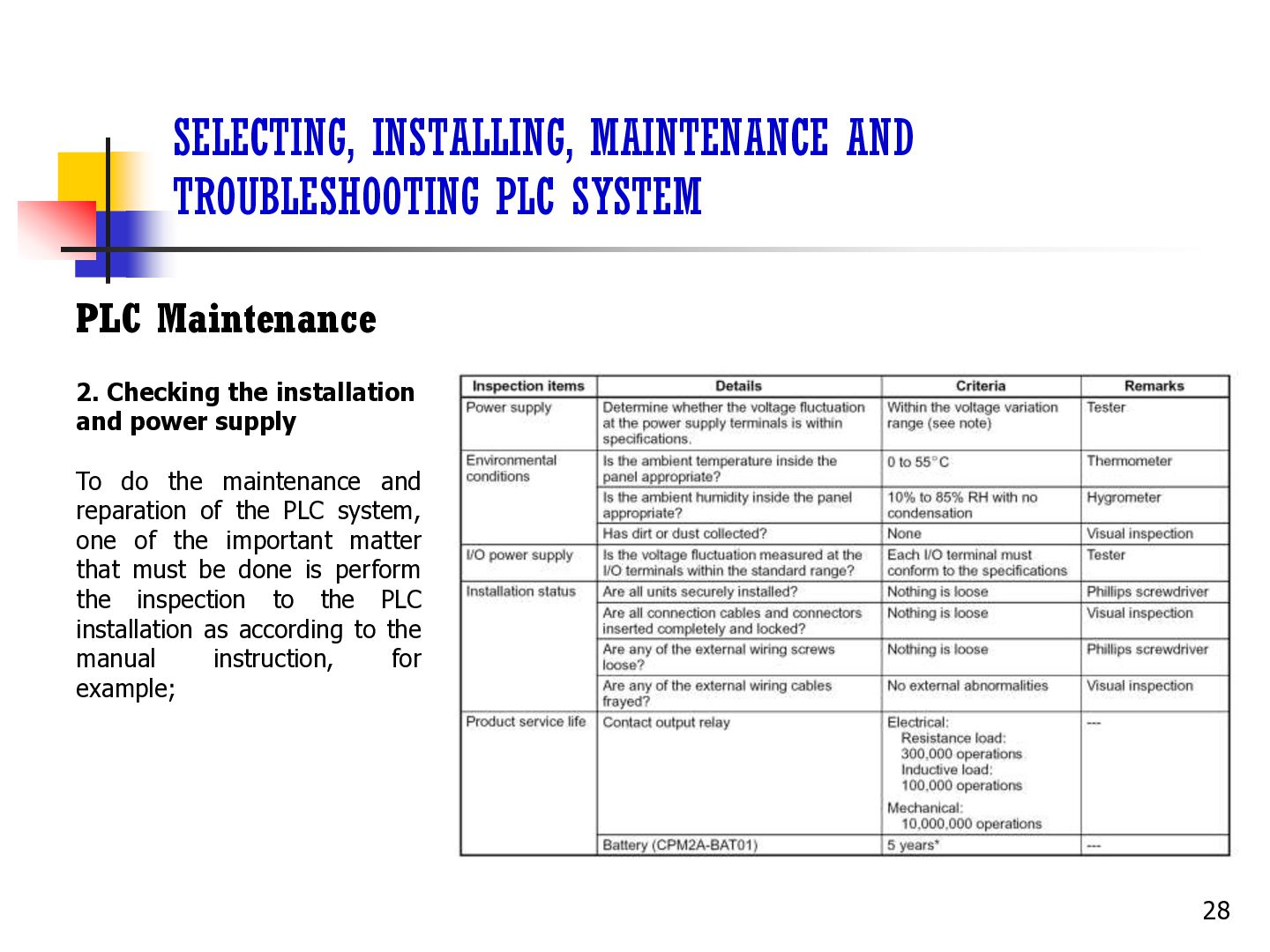
Checking the installation and power supply To do the maintenance and reparation of the PLC system, one of the important matter that must be done is perform the inspection to the PLC installation as according to the manual instruction, for example; 28
Maintain and repair the PLC The maintenance and reparation of the PLC is all activity which intentionally be done to the PLC by following a systematic procedure with target so that the PLC which we own always can be used in the best condition, fluent, peaceful and technically has along live. 29
maintenance The main system components of a PLC system are semiconductors, and it contains few components with limited lifetimes. Poor environmental conditions, however, can lead to deterioration of the electrical components, making regular maintenance necessary. The standard period for maintenance checks is 6 months to 1 year, but more frequent checks are required if the PLC is operated in more demanding conditions. When inspecting one or two times per six months, check the following items. 30
maintenance consisted of several activity below; Pre maintenance Pre maintenance is a preparation activity, matters which require to be prepared for example; • Prepare the maintenance equipment • Prepare the maintenance material especially weared routinely, for example; cleanser material, Iubricant material, corrosion preventative material, etc. • Prepare the maintenance documentation • Prepare the power supply and air compressor 31
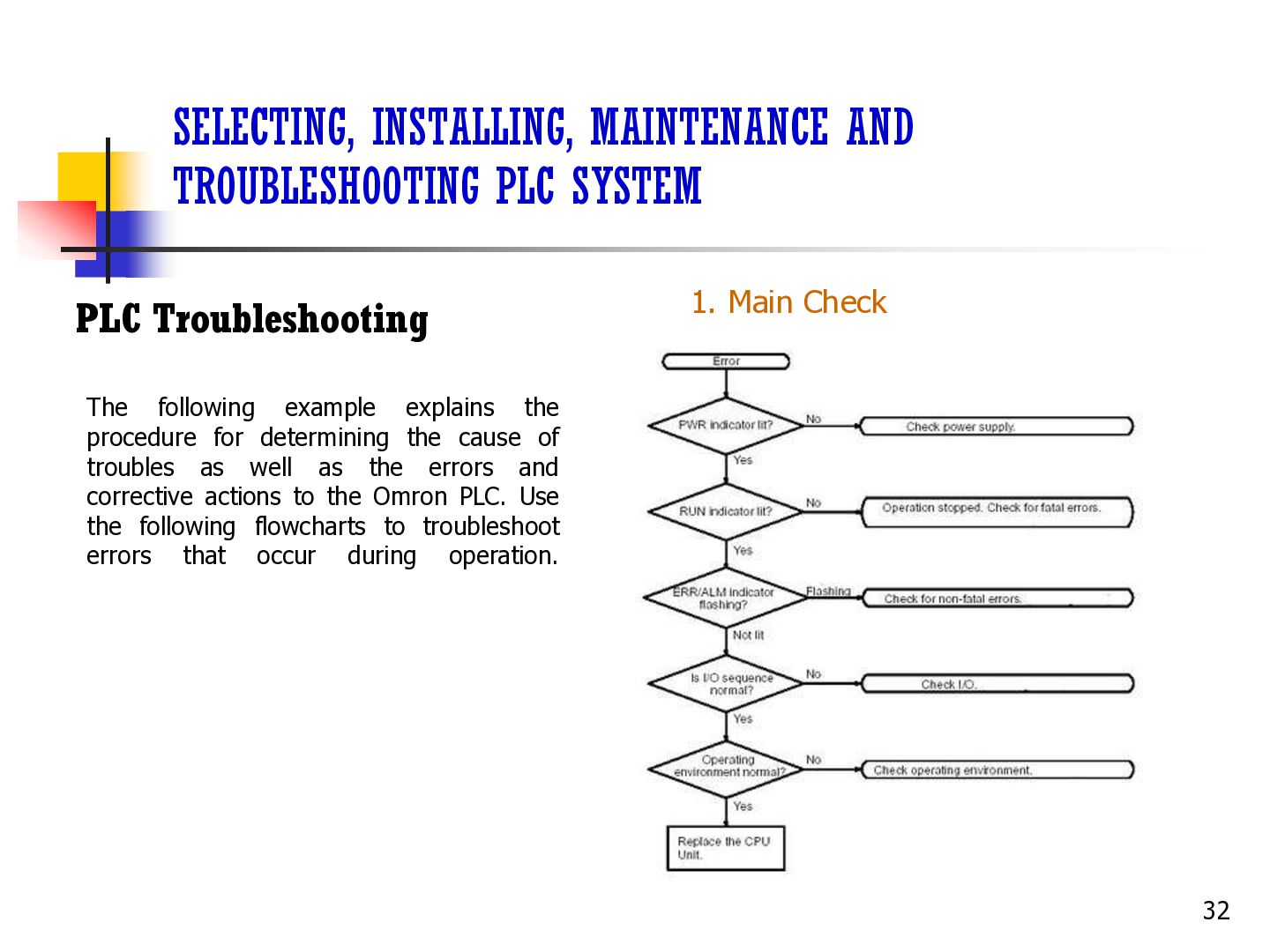
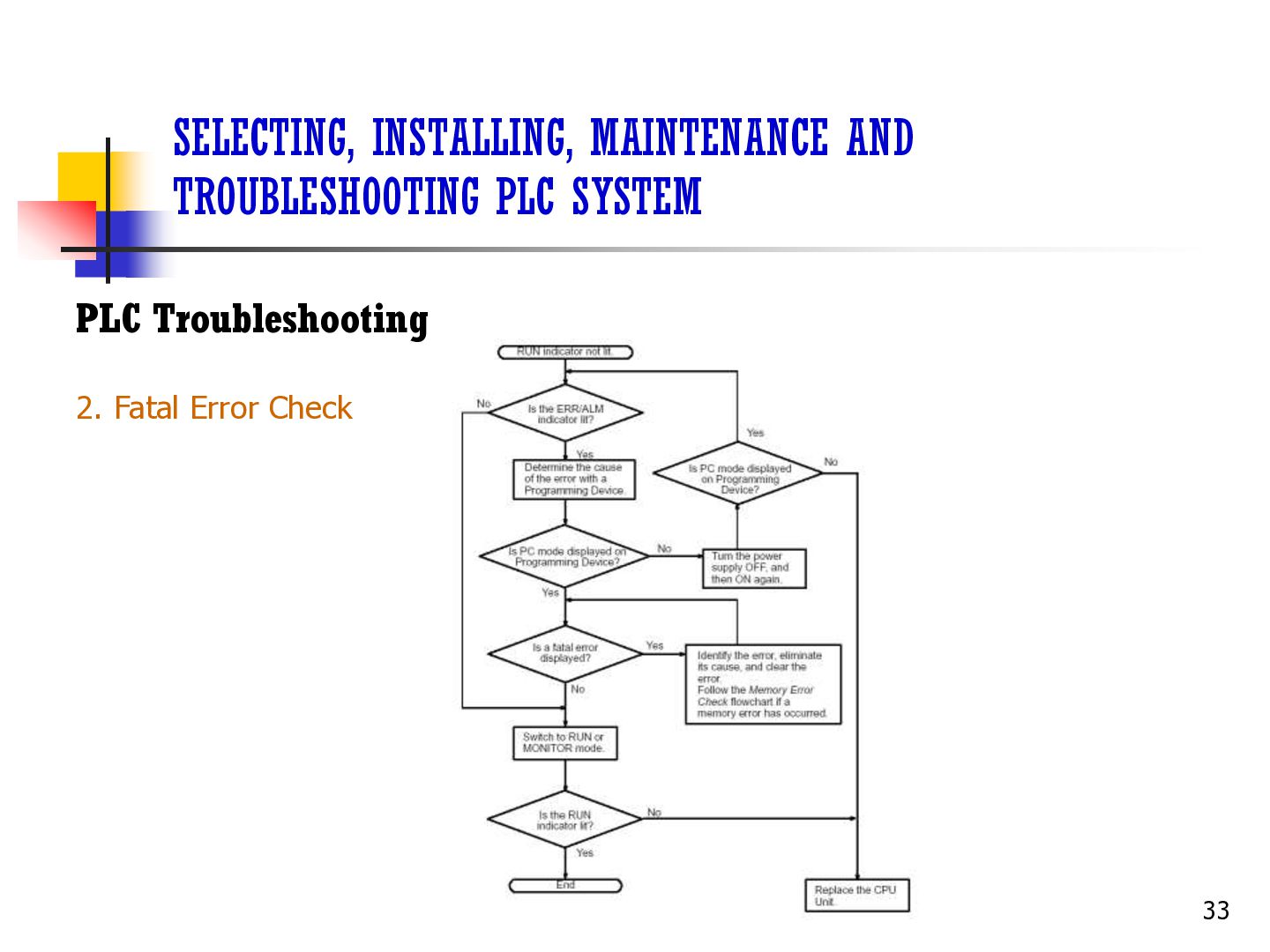
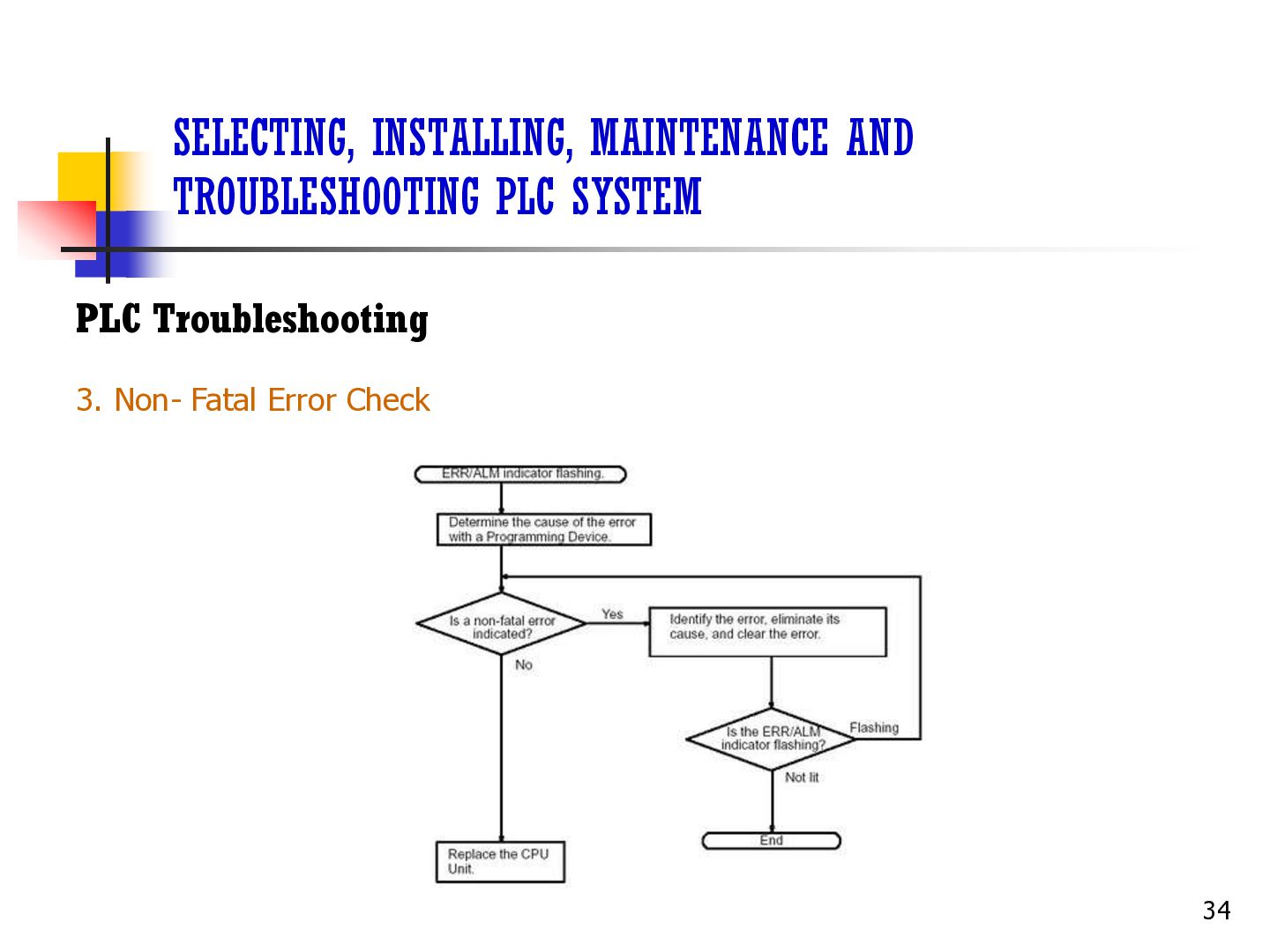
Main Check The following example explains the procedure for determining the cause of troubles as well as the errors and corrective actions to the Omron PLC. Use the following flowcharts to troubleshoot errors that occur during operation. 32
(Programmable Logic Controller) is the process of connecting the PLC and its components to a single ground point to prevent electrical hazards. This is done by using a dedicated ground wire that is short, thick, and has a low resistance and large cross-sectional area. The PLC and its components that should be connected to the ground point include: power supply, input and output devices, and communication cables. Grounding provides a safe path for excess electricity to escape, which reduces the risk of electrical shock and fires. It also allows circuit breakers to interrupt the power supply in the event of a fault. For example, if there is a short circuit, the ground wire will trip the circuit breaker or blow a fuse instead of causing a dangerous shock. To maintain the reliability and stability of your PLC system's input and output signals, signal grounding is crucial. It helps suppress electromagnetic interference and noise, thereby improving signal integrity. You can achieve signal grounding by using shared grounding wires or dedicated signal grounding modules 36
supply Make sure the power cords are plugged in securely, the fuses are not blown, and the voltage levels are correct. 2. Review the hardware and program Check for error messages or fault indicators, and inspect the program for logic errors or misconfigurations. You can also verify that sensors and actuators are functioning correctly. 3. Examine inputs, outputs, and wiring connections Trace the problem to its source by systematically checking each component. You can use a multimeter to test wires, or a loop calibrator device to apply values and check them in control equipment. 4. Use diagnostic tools Use diagnostic tools like multimeters and programming software to identify specific issues. 37
missed data, incorrect measurements, and issues with machinery. You can try checking and reconfiguring communication settings, replacing the communication module, or re-installing the communication software. 6. Check for corrupted memory Frequency interference, power, and grounding can disrupt and corrupt the PLC's memory. You can verify the program is still correct by comparing it with a backup copy on tape, disk, or in the cloud. 7. Gather information You can speak with operators and engineers, review data trends, and go out to witness the issue. 8. Seek professional assistance For complex issues, you may need to seek professional assistance. 38


 poojamagdum6288
 yatabe
 terasawat
 hiragahh
 naochim2026
 signer
 ainischool
 ishii_mit
 aokiplayer
 uchi8977
 pawan_pharm
 juanmartin2026
 addyosmani
 geoffreycrofte
 cromwellryan
 marktimemedia
 aleyda
 inesmontani
 mayunak
 kimpetersen
 coloredviolet
 chrisshort