Upgrade to Pro — share decks privately, control downloads, hide ads and more …

VCL OpenGL backend performance improvements

VCL OpenGL backend performance improvements

Avatar for Tomaž Vajngerl

Tomaž Vajngerl

September 07, 2016

More Decks by Tomaž Vajngerl

Other Decks in Programming

Transcript

  1. First make it work, then make it fast Usual misconception:

    “It is hardware accelerated so it is fast.”
  2. First make it work, then make it fast However rendering

    on GPU is different than how 2D rendering is done with typical “canvas” style API.
  3. Rendering with GPU • Everything is composed of triangles •

    No immediate drawing (performance hit) • Upload objects (vertices, textures) to the GPU memory and reuse • Programmable rasterization (With fragment shaders)
  4. Native control cache • Native controls are rendered to a

    buffer, then uploaded as a texture • Expensive on each draw • Some controls never change, some change when resizing • We can cache them as textures
  5. Texture atlas to increase texute drawing performance • Use one

    texture for more images • Packing • Use a simple algorithm – divide texture to equally sized regions • Highly dynamic but wastes space in texture • Useful for icons
  6. Text rendering • No support to draw text on GPU

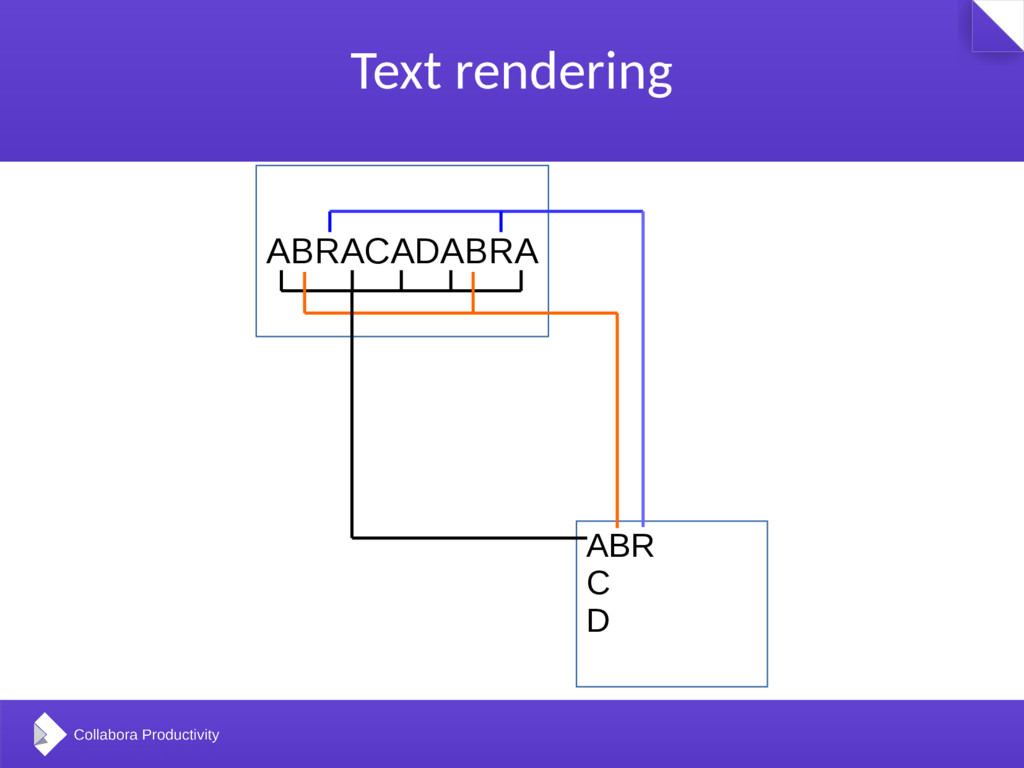
    so we must render text to texture and upload – slow • Instead render individual glyphs to texture atlas and reuse when drawing • Draw more glyphs of them with one draw call
  7. Decreasing state changes • Track bound textures – don’t unbind

    if not necessary • Track state of GL_SCISSOR_TEST, GL_STENCIL_TEST, GL_BLEND_TEST and don’t enable/disable if already enabled/disabled • Don’t change glViewport and glScissor if it already is set correctly
  8. Combine shaders • Shader program switching is changing state •

    Combine shaders into bigger shaders • Non-texture drawing • Texture drawing • Shaders for scaling, gradient drawing, etc. • Switch between modes with a shader parameter (and switch or if inside shader)
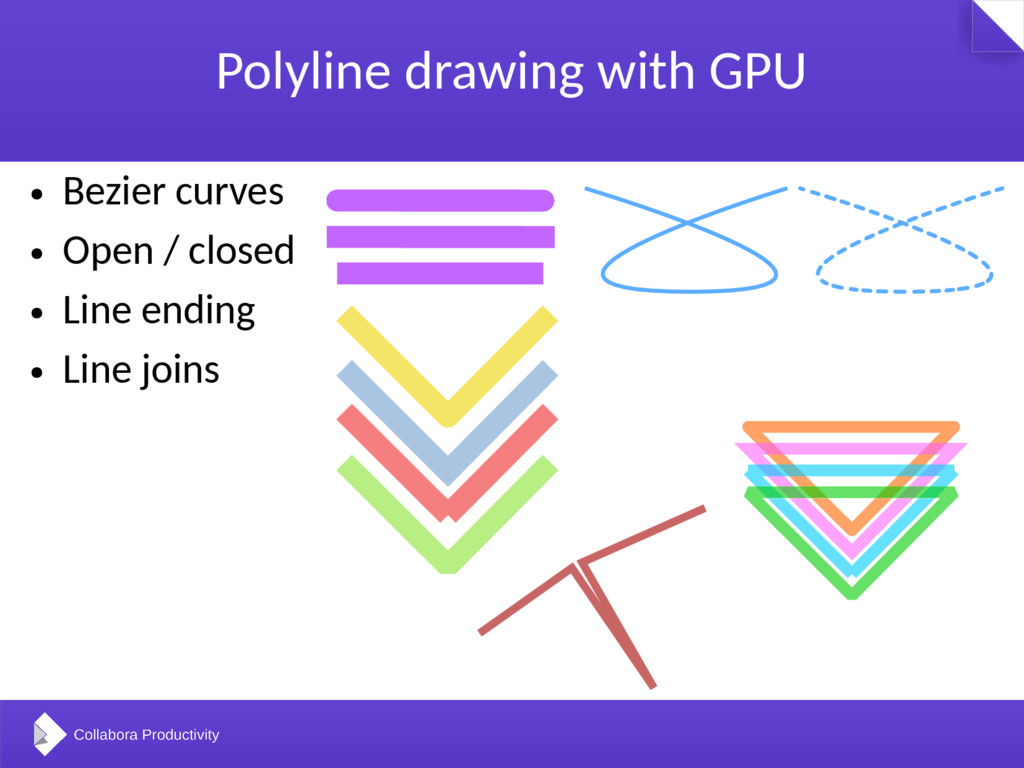
  9. Polyline drawing with GPU • Bezier curves • Open /

    closed • Line ending • Line joins
  10. Polyline drawing with GPU • Trapezoid decomposition for a polyline

    on the CPU is expensive – we can draw lines on GPU • Anti-aliasing using shaders • Also used for line drawing, polypolygon and polygon outline and anti-aliasing
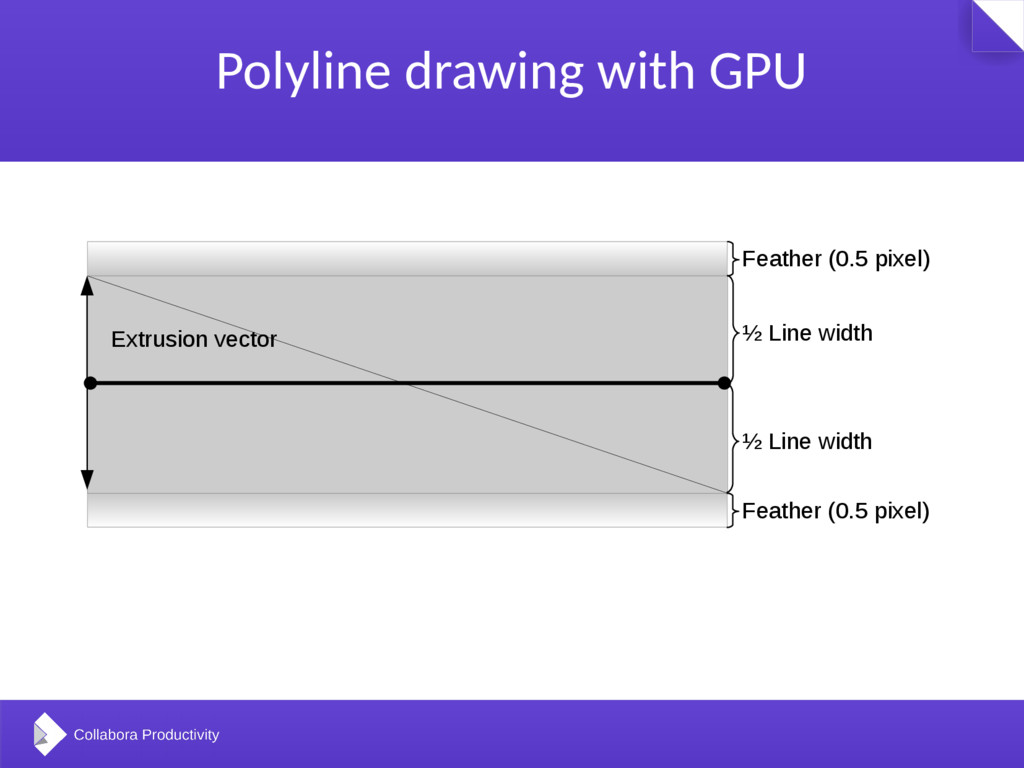
  11. Polyline drawing with GPU Feather (0.5 pixel) ½ Line width

    Feather (0.5 pixel) ½ Line width Extrusion vector
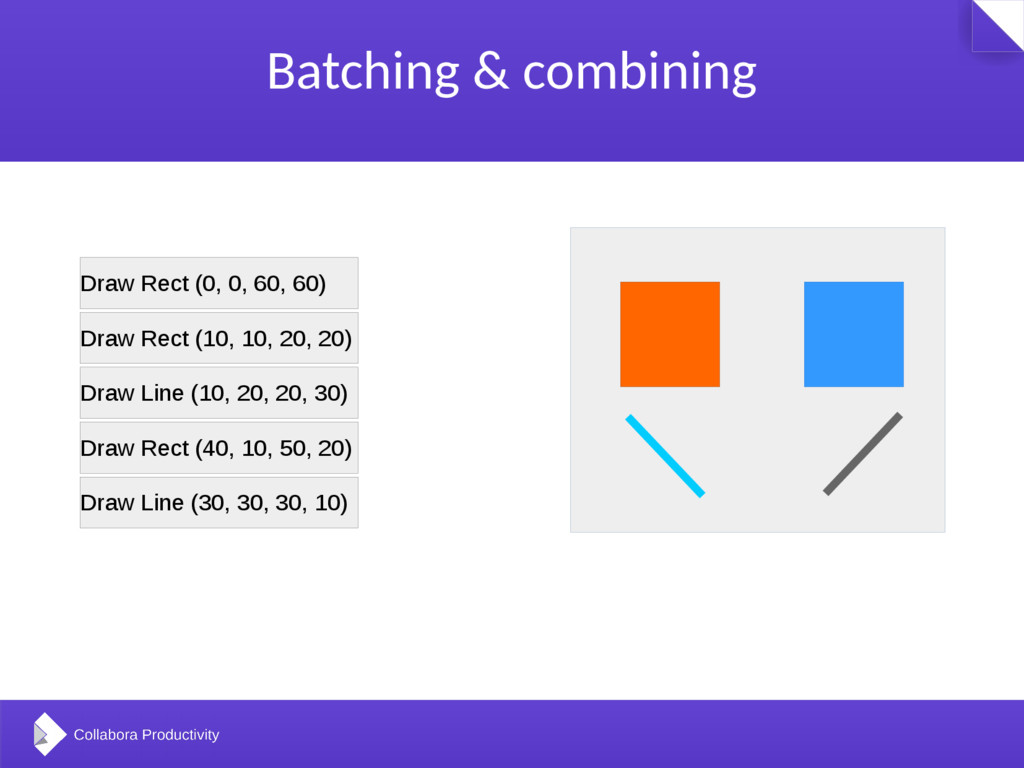
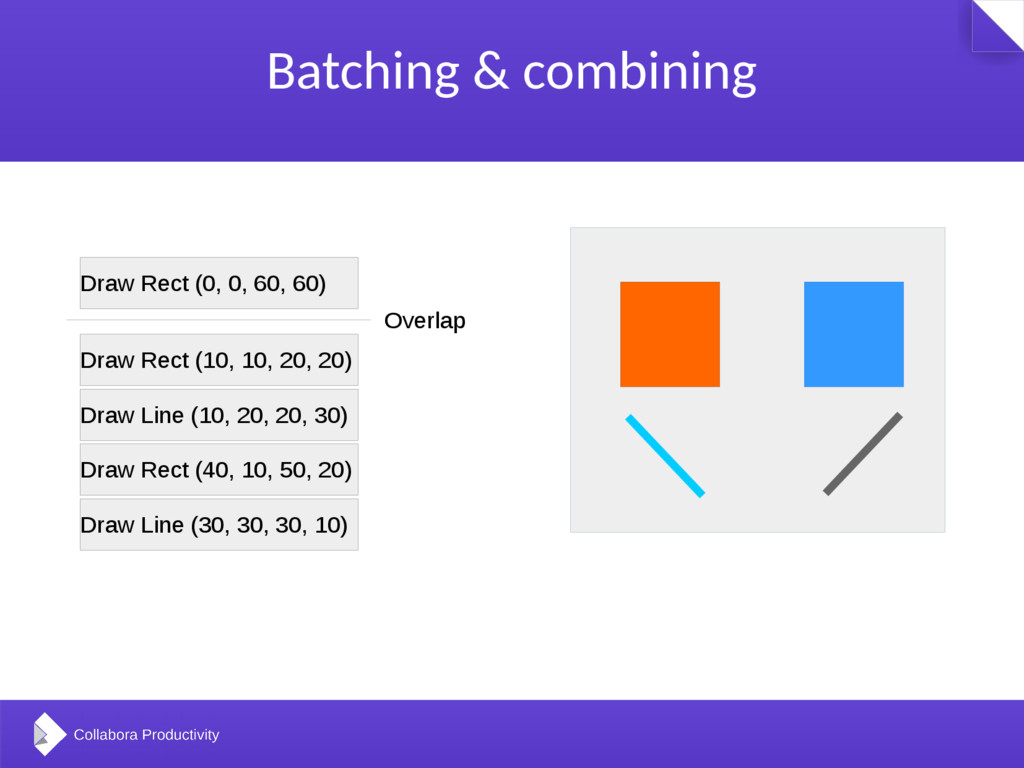
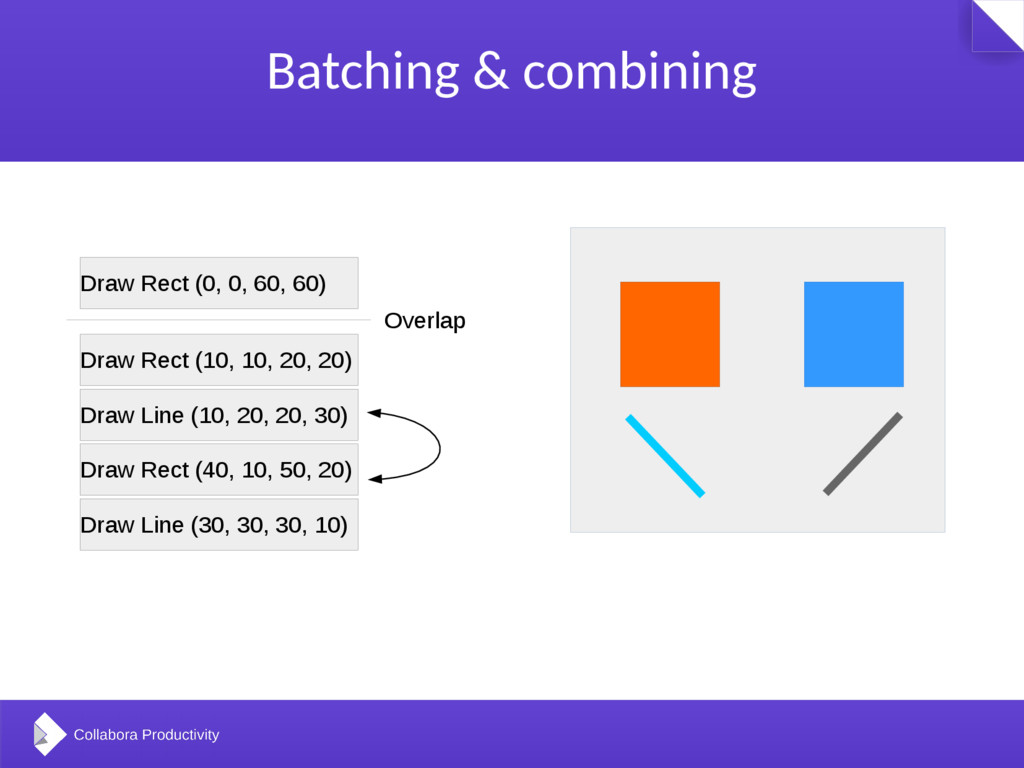
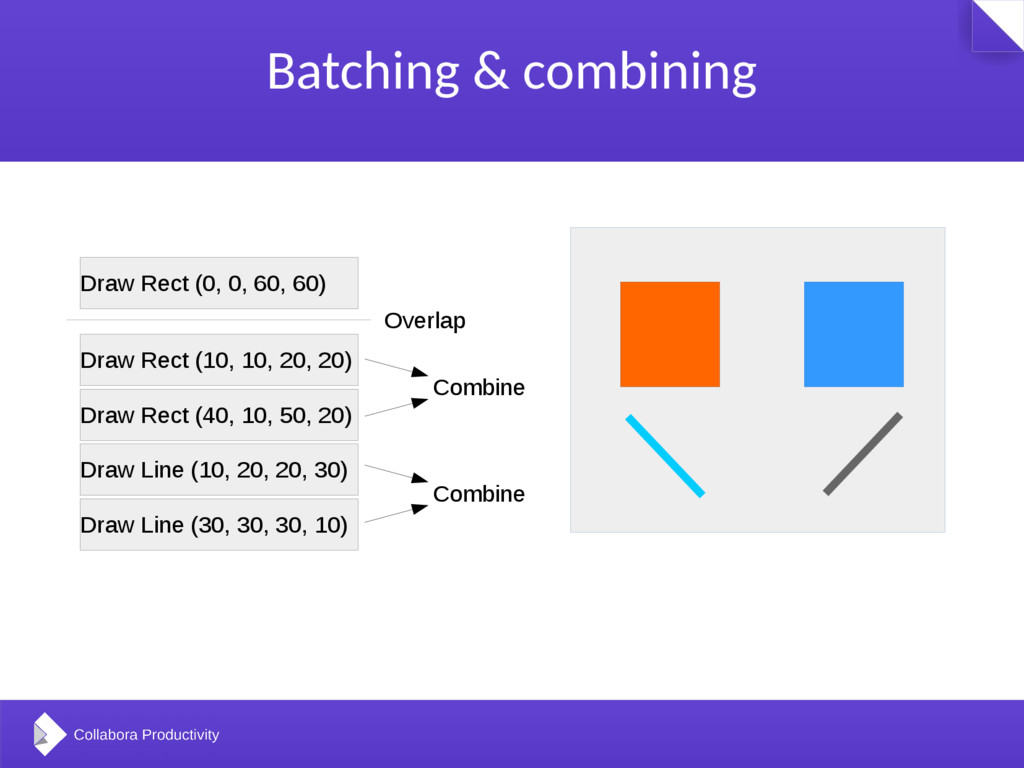
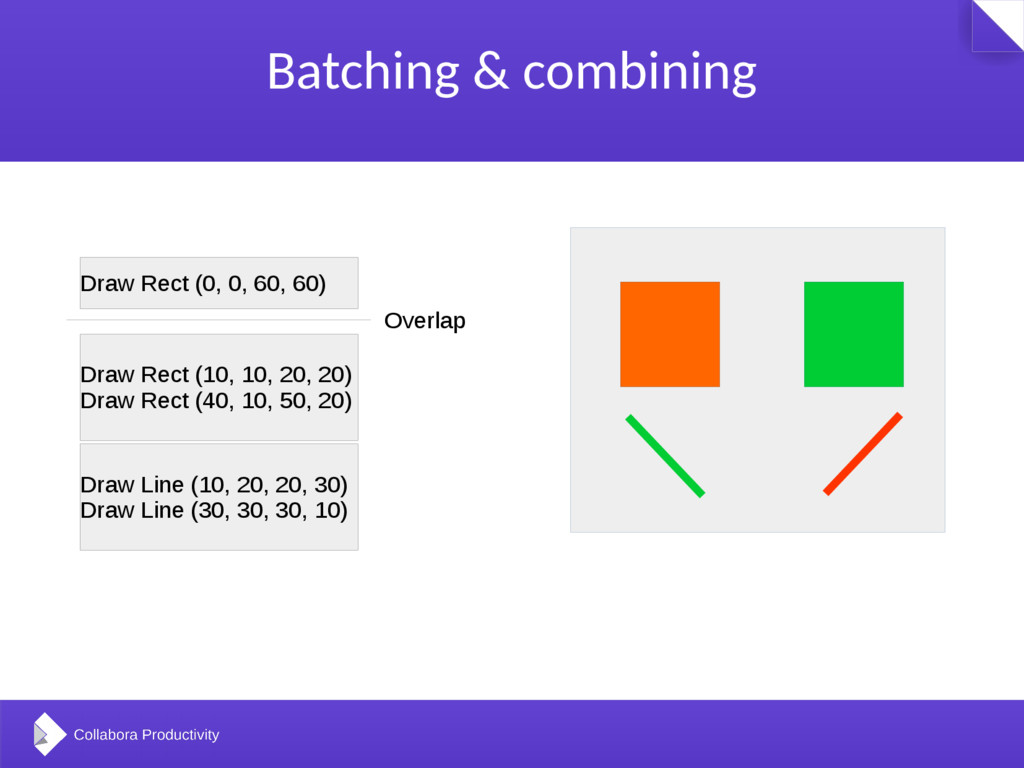
  12. Batching & combining • Decrease GPU overhead – reduce draw

    calls • Batch drawing to be able to reorder and combine same draw actions • Current state: • (Poly)Polygon, Rectangle, (Poly)line and text rendering is batched. • Gradient, most texture rendering is not (yet).
  13. Batching & combining Draw Line (10, 20, 20, 30) Draw

    Rect (40, 10, 50, 20) Draw Rect (10, 10, 20, 20) Draw Line (30, 30, 30, 10) Draw Rect (0, 0, 60, 60)
  14. Batching & combining Draw Line (10, 20, 20, 30) Draw

    Rect (40, 10, 50, 20) Draw Rect (10, 10, 20, 20) Draw Line (30, 30, 30, 10) Draw Rect (0, 0, 60, 60) Overlap
  15. Batching & combining Draw Line (10, 20, 20, 30) Draw

    Rect (40, 10, 50, 20) Draw Rect (10, 10, 20, 20) Draw Line (30, 30, 30, 10) Draw Rect (0, 0, 60, 60) Overlap
  16. Batching & combining Draw Line (10, 20, 20, 30) Draw

    Rect (40, 10, 50, 20) Draw Rect (10, 10, 20, 20) Draw Line (30, 30, 30, 10) Draw Rect (0, 0, 60, 60) Overlap Combine Combine
  17. Batching & combining Draw Line (10, 20, 20, 30) Draw

    Line (30, 30, 30, 10) Draw Rect (10, 10, 20, 20) Draw Rect (40, 10, 50, 20) Draw Rect (0, 0, 60, 60) Overlap
  18. Visual backend test • Draw primitives to a virtual device

    • Check pixels if they match • Pass, Fail, Pass with quirks
  19. Visual backend test • For finding rendering bugs in existing

    backends • Helpful to code new backends • First run test for OpenGL driver (when using OpenGL test)
  20. (Filled) Polygon drawing with GPU • Draw with help of

    stencil buffer which covers • But this is mostly expensive • Not implemented – generally better to do it on the CPU
  21. Bézier curves • Curve Rendering using GPU - Loop Blinn

    algorithm • Alternative: do decomposition with geometry shader
  22. Make API more GPU frendly • Scenegraph API for VCL

    • Tree of objects, we can optimize for a rendering target • Matrix transform instead of modifying coordinates • Rendering thread