Share
Embed
Transcript
30 slides
-
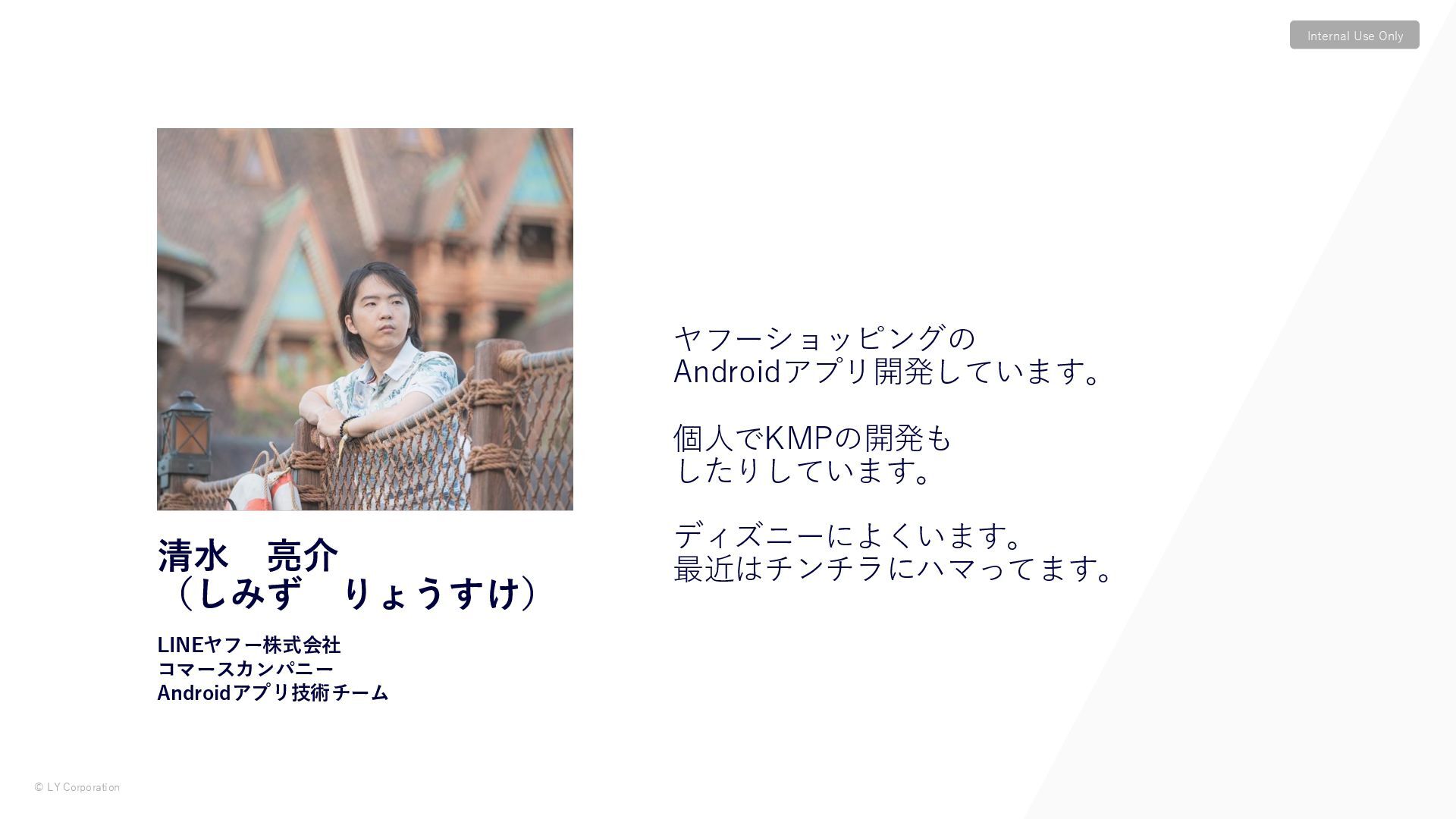
© LY Corporation Internal Use Only 清水 亮介 (しみず りょうすけ)
LINEヤフー株式会社 コマースカンパニー Androidアプリ技術チーム ヤフーショッピングの Androidアプリ開発しています。 個人でKMPの開発も したりしています。 ディズニーによくいます。 最近はチンチラにハマってます。 -
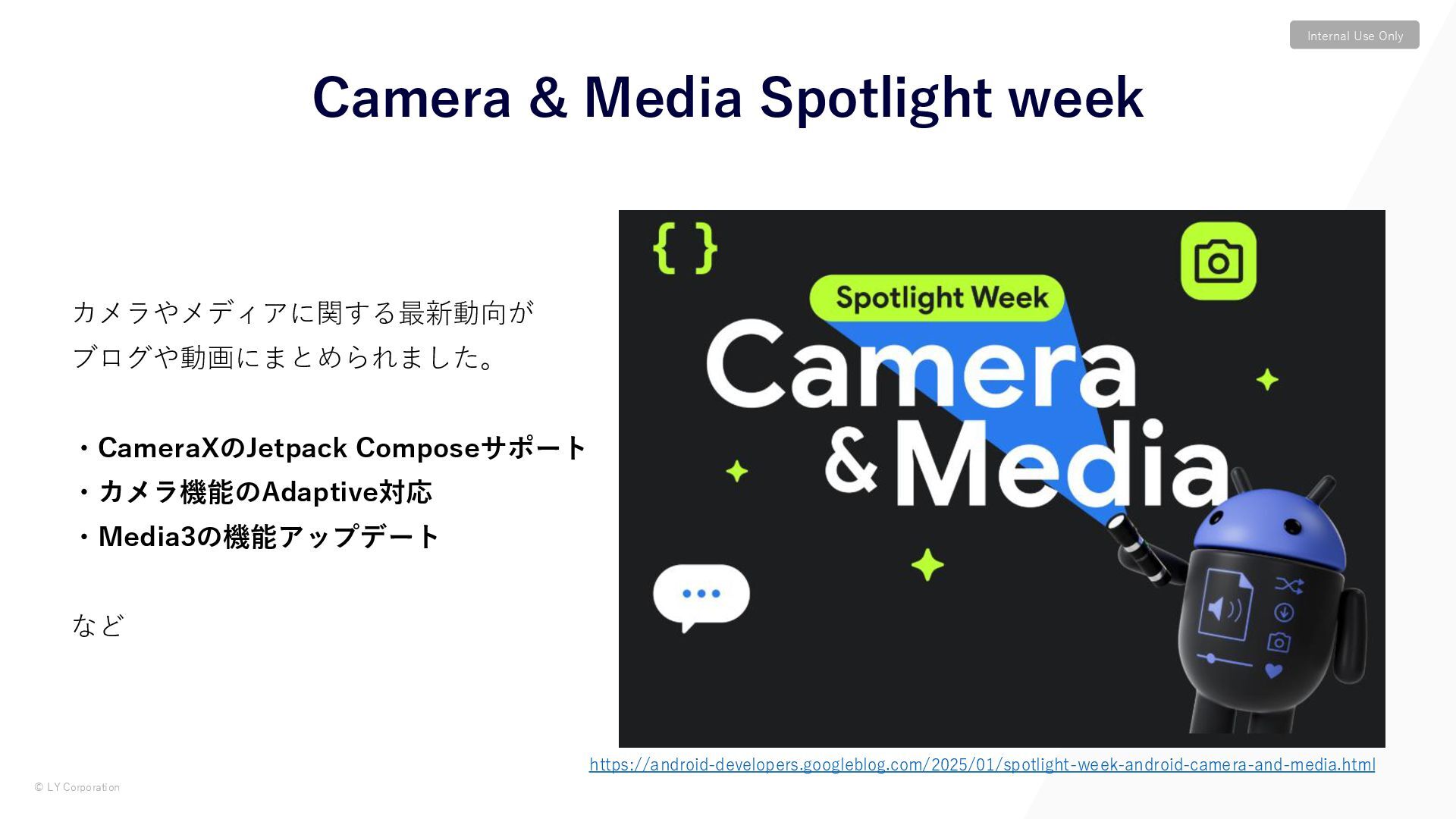
© LY Corporation Internal Use Only カメラやメディアに関する最新動向が ブログや動画にまとめられました。 ・CameraXのJetpack Composeサポート
・カメラ機能のAdaptive対応 ・Media3の機能アップデート など Camera & Media Spotlight week https://android-developers.googleblog.com/2025/01/spotlight-week-android-camera-and-media.html -
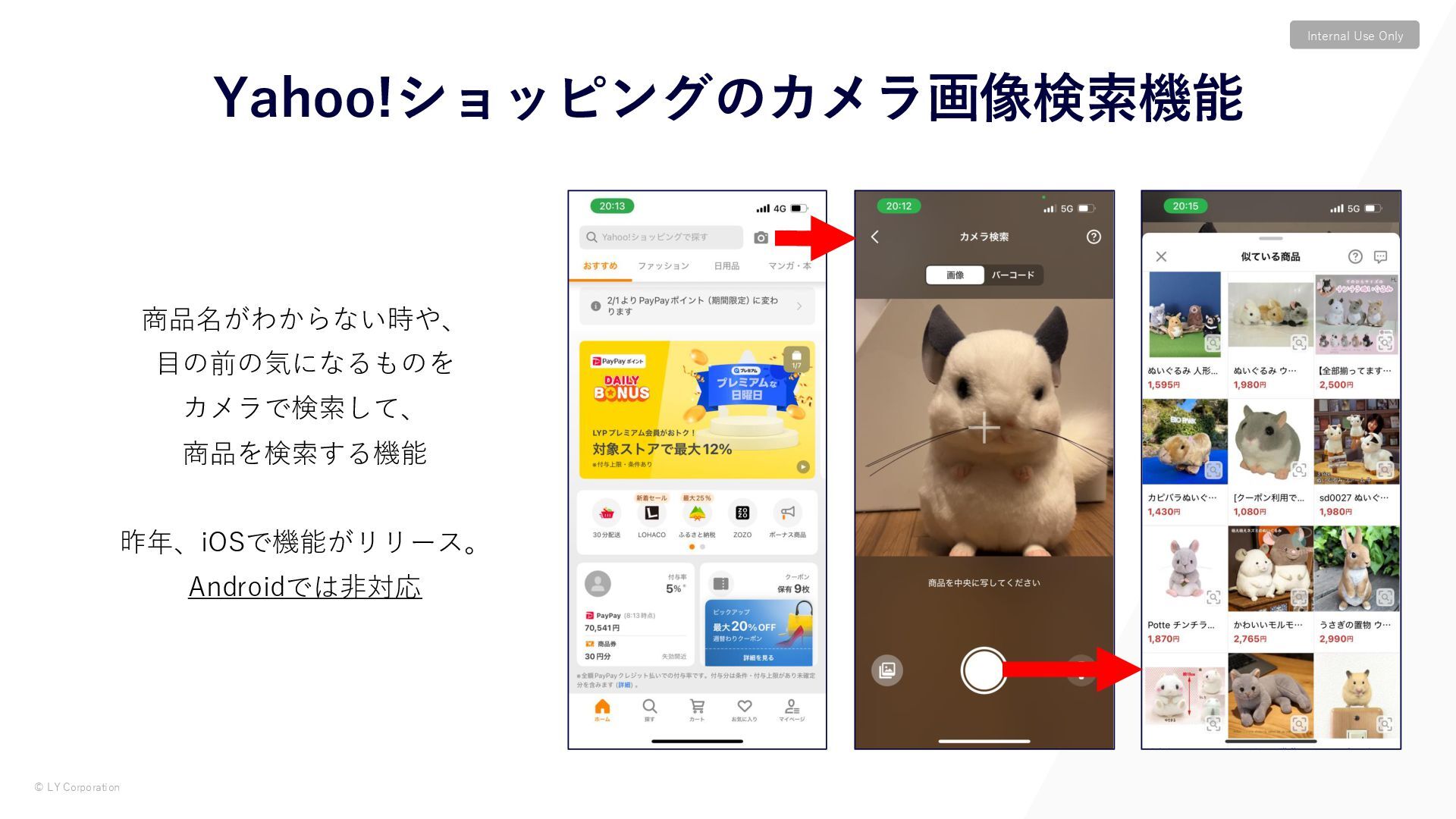
© LY Corporation Internal Use Only Yahoo!ショッピングのカメラ画像検索機能 商品名がわからない時や、 目の前の気になるものを カメラで検索して、
商品を検索する機能 昨年、iOSで機能がリリース。 Androidでは非対応 -
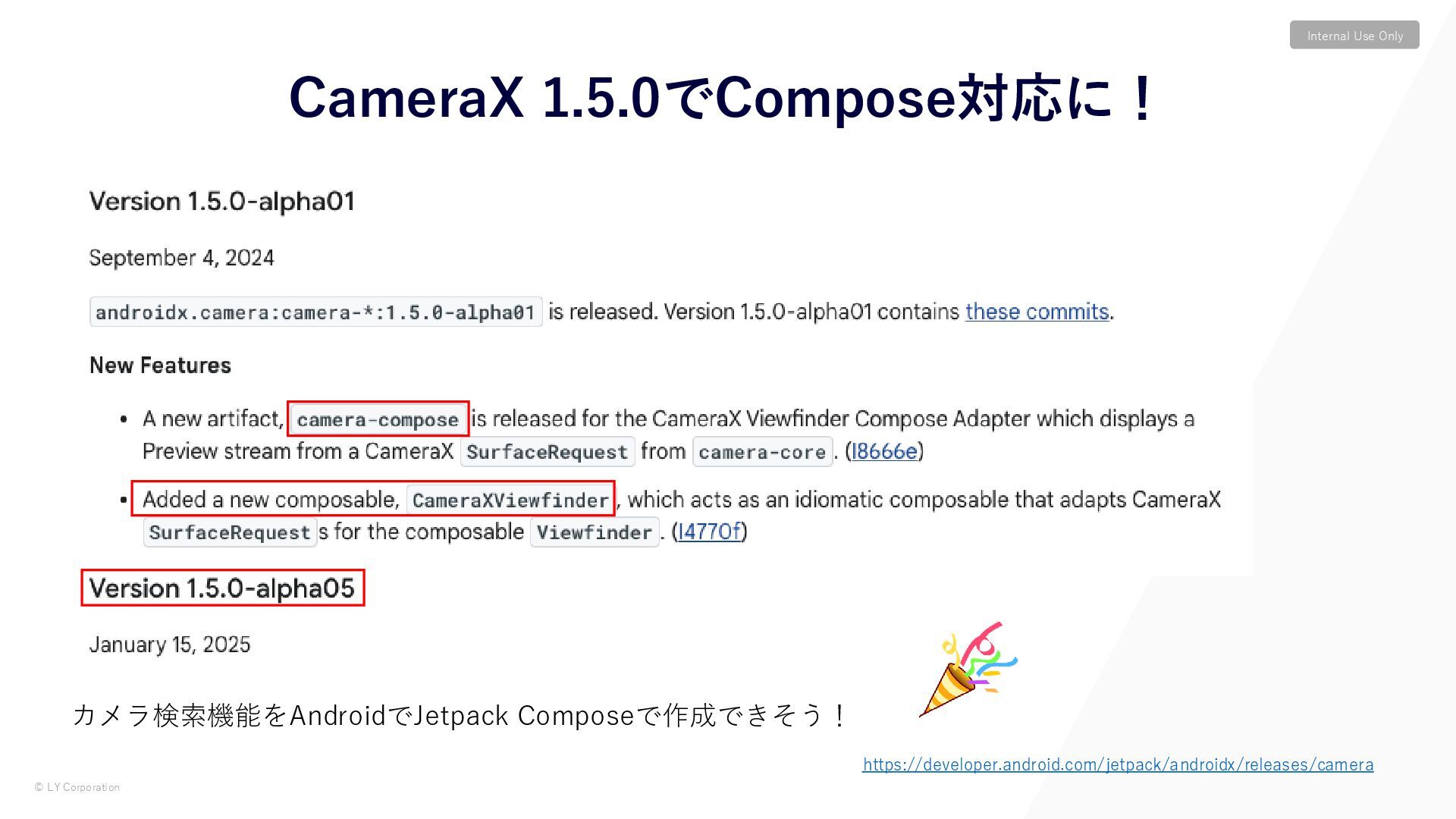
© LY Corporation Internal Use Only カメラ検索機能をAndroidでJetpack Composeで作成できそう! CameraX 1.5.0でCompose対応に!
https://developer.android.com/jetpack/androidx/releases/camera -
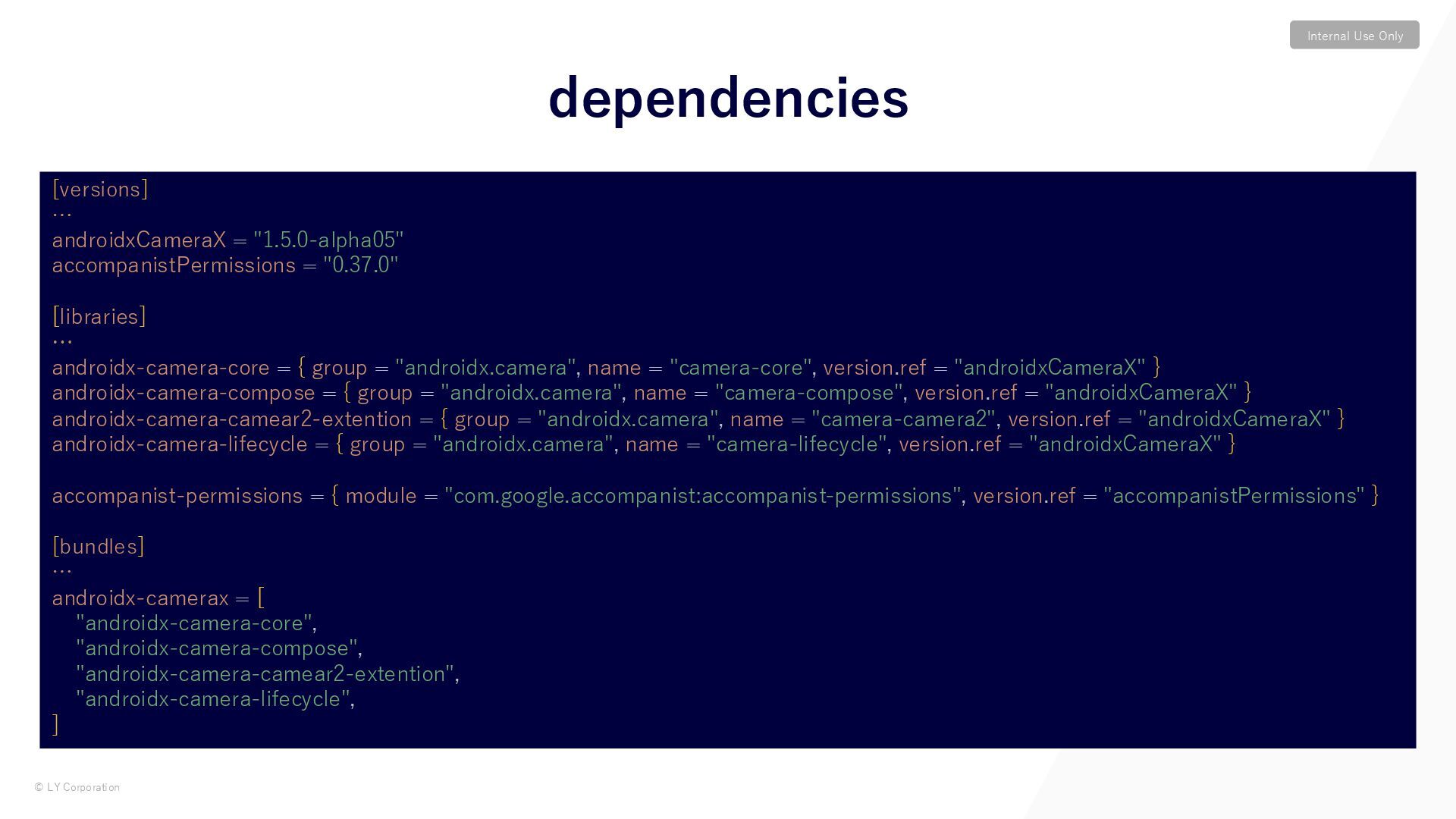
© LY Corporation Internal Use Only dependencies [versions] … androidxCameraX
= "1.5.0-alpha05" accompanistPermissions = "0.37.0" [libraries] … androidx-camera-core = { group = "androidx.camera", name = "camera-core", version.ref = "androidxCameraX" } androidx-camera-compose = { group = "androidx.camera", name = "camera-compose", version.ref = "androidxCameraX" } androidx-camera-camear2-extention = { group = "androidx.camera", name = "camera-camera2", version.ref = "androidxCameraX" } androidx-camera-lifecycle = { group = "androidx.camera", name = "camera-lifecycle", version.ref = "androidxCameraX" } accompanist-permissions = { module = "com.google.accompanist:accompanist-permissions", version.ref = "accompanistPermissions" } [bundles] … androidx-camerax = [ "androidx-camera-core", "androidx-camera-compose", "androidx-camera-camear2-extention", "androidx-camera-lifecycle", ] -
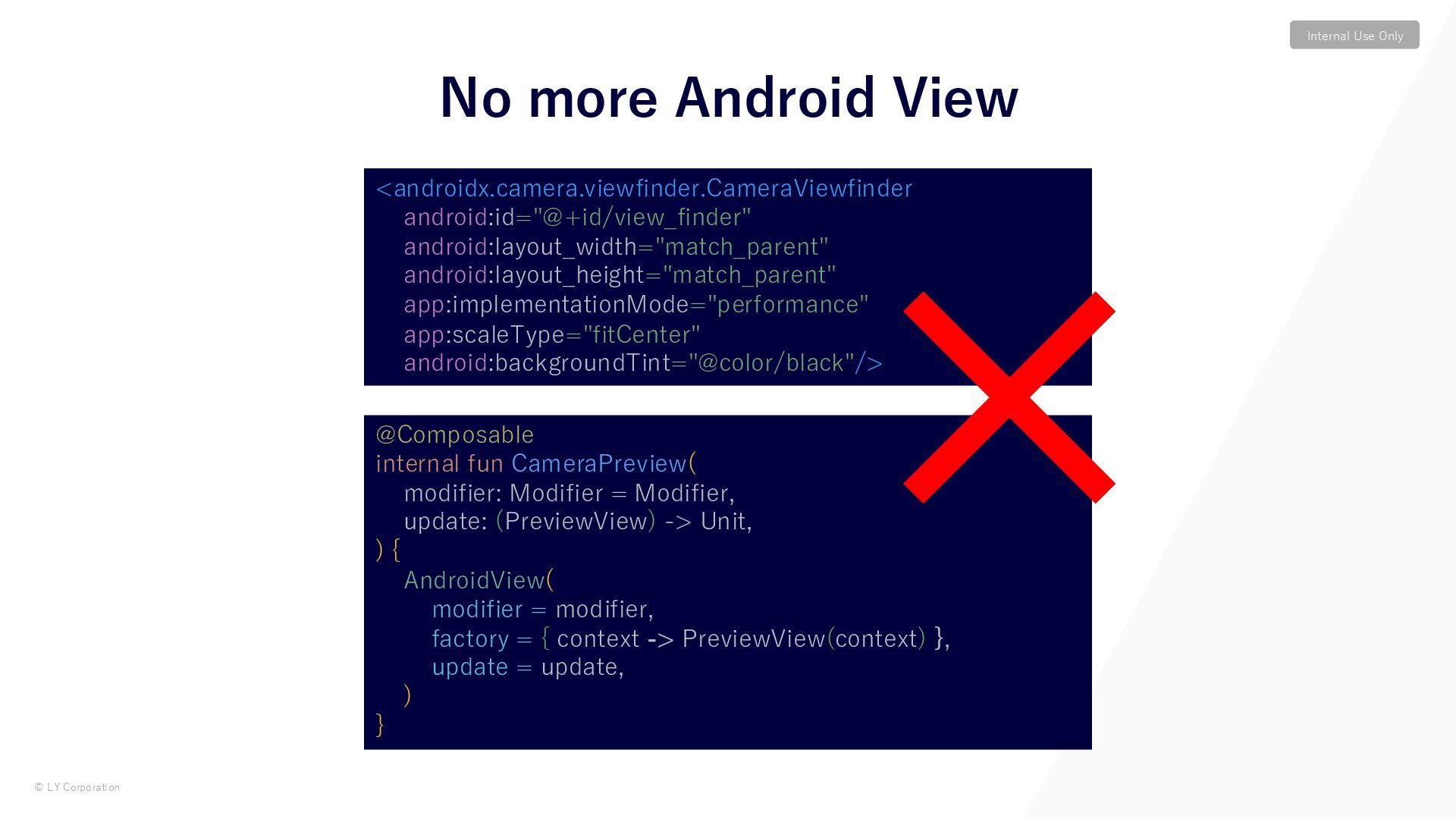
© LY Corporation Internal Use Only No more Android View
<androidx.camera.viewfinder.CameraViewfinder android:id="@+id/view_finder" android:layout_width="match_parent" android:layout_height="match_parent" app:implementationMode="performance" app:scaleType="fitCenter" android:backgroundTint="@color/black"/> @Composable internal fun CameraPreview( modifier: Modifier = Modifier, update: (PreviewView) -> Unit, ) { AndroidView( modifier = modifier, factory = { context -> PreviewView(context) }, update = update, ) } -
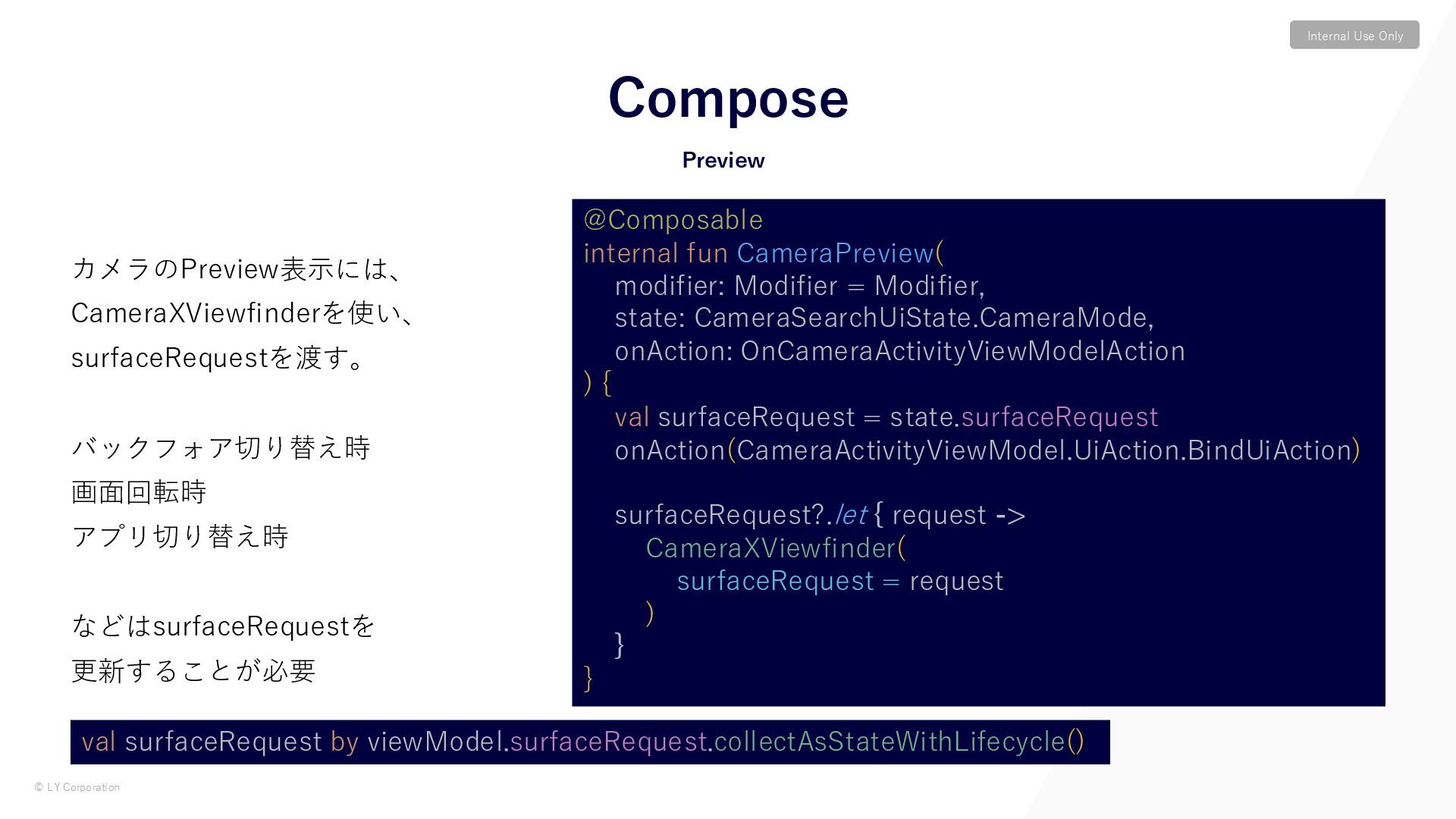
© LY Corporation Internal Use Only カメラのPreview表示には、 CameraXViewfinderを使い、 surfaceRequestを渡す。 バックフォア切り替え時
画面回転時 アプリ切り替え時 などはsurfaceRequestを 更新することが必要 Preview Compose @Composable internal fun CameraPreview( modifier: Modifier = Modifier, state: CameraSearchUiState.CameraMode, onAction: OnCameraActivityViewModelAction ) { val surfaceRequest = state.surfaceRequest onAction(CameraActivityViewModel.UiAction.BindUiAction) surfaceRequest?.let { request -> CameraXViewfinder( surfaceRequest = request ) } } val surfaceRequest by viewModel.surfaceRequest.collectAsStateWithLifecycle() -
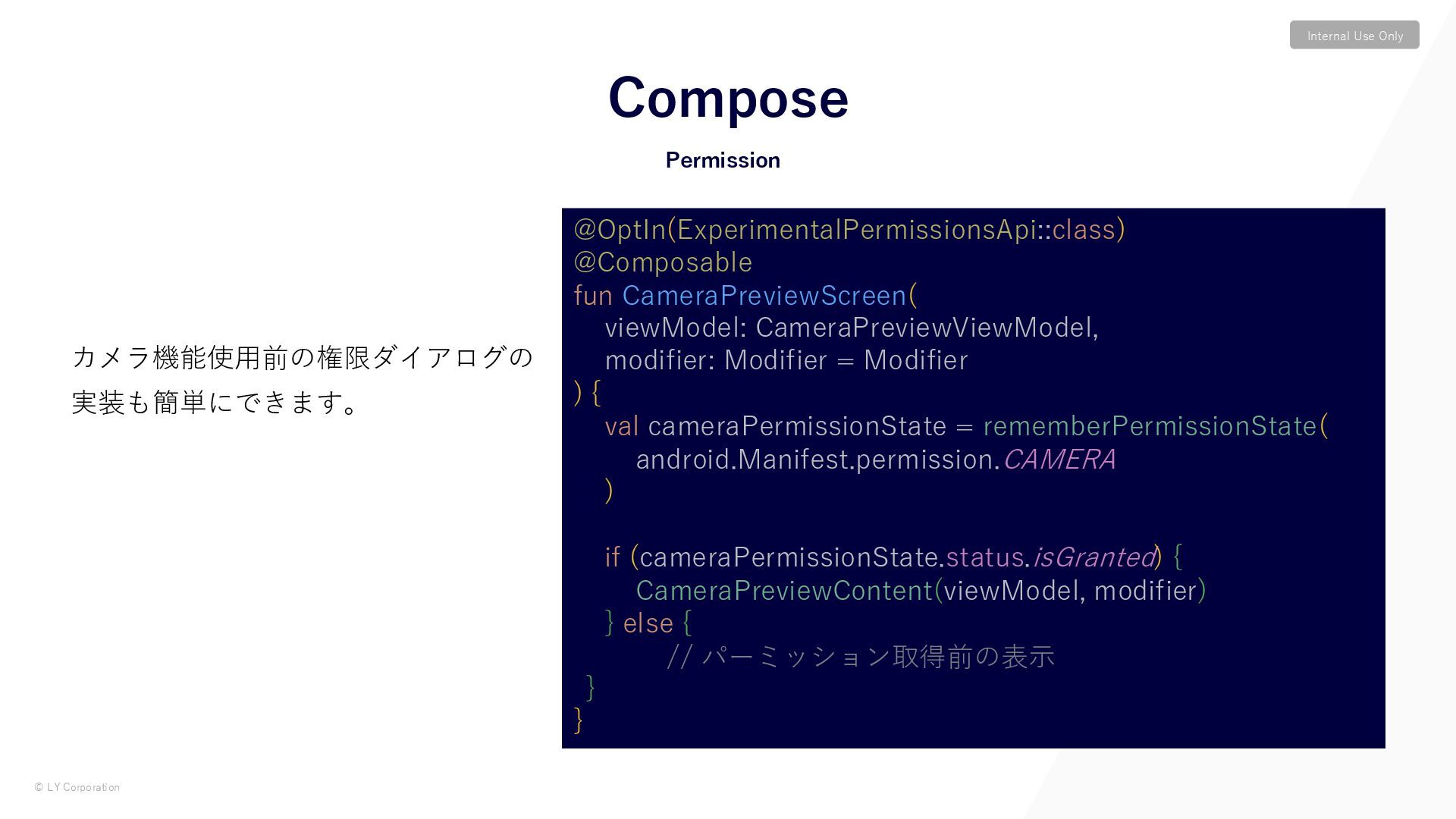
© LY Corporation Internal Use Only カメラ機能使用前の権限ダイアログの 実装も簡単にできます。 Permission Compose
@OptIn(ExperimentalPermissionsApi::class) @Composable fun CameraPreviewScreen( viewModel: CameraPreviewViewModel, modifier: Modifier = Modifier ) { val cameraPermissionState = rememberPermissionState( android.Manifest.permission.CAMERA ) if (cameraPermissionState.status.isGranted) { CameraPreviewContent(viewModel, modifier) } else { // パーミッション取得前の表示 } } -
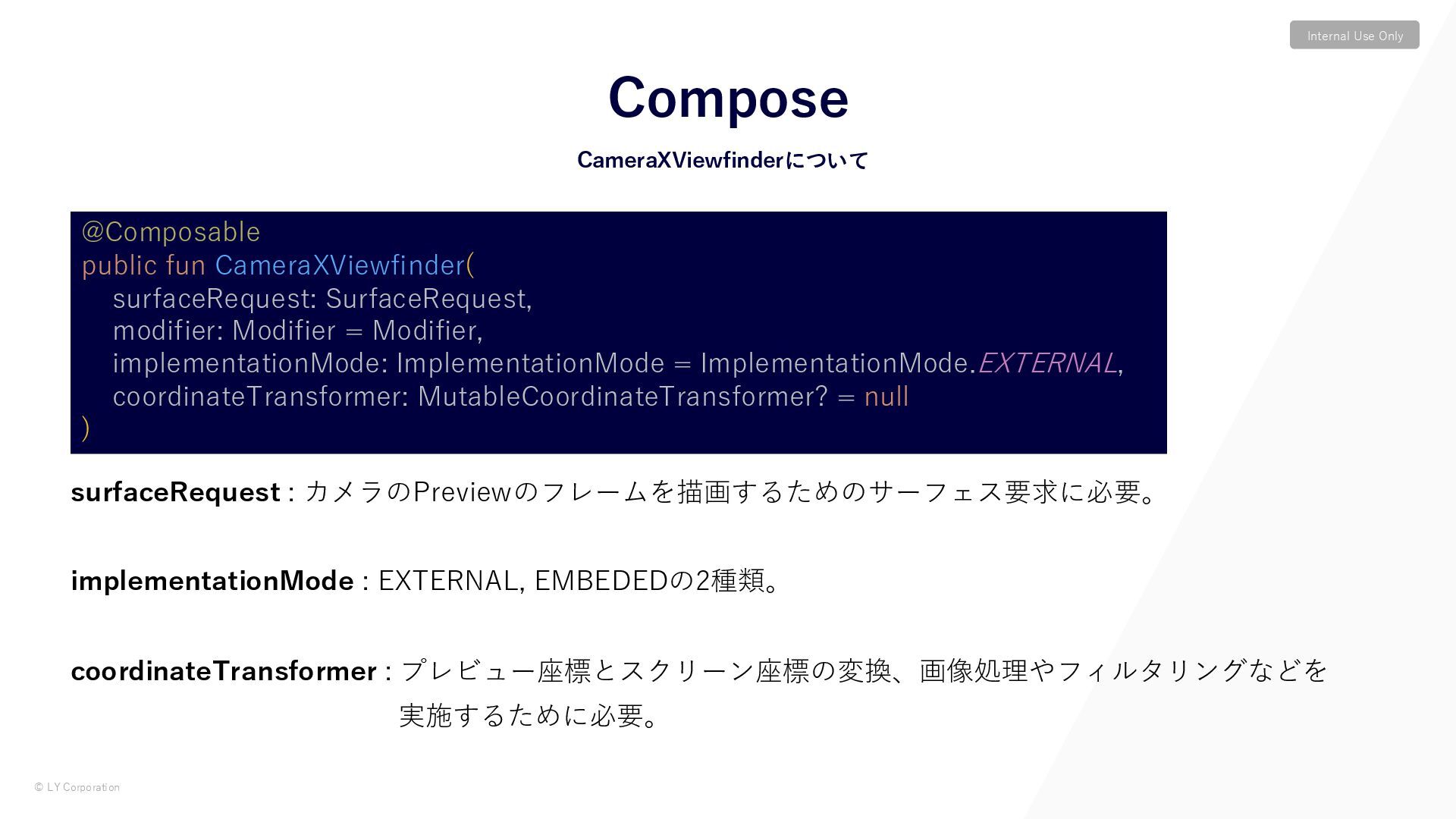
© LY Corporation Internal Use Only surfaceRequest : カメラのPreviewのフレームを描画するためのサーフェス要求に必要。 implementationMode
: EXTERNAL, EMBEDEDの2種類。 coordinateTransformer : プレビュー座標とスクリーン座標の変換、画像処理やフィルタリングなどを 実施するために必要。 CameraXViewfinderについて Compose @Composable public fun CameraXViewfinder( surfaceRequest: SurfaceRequest, modifier: Modifier = Modifier, implementationMode: ImplementationMode = ImplementationMode.EXTERNAL, coordinateTransformer: MutableCoordinateTransformer? = null ) -
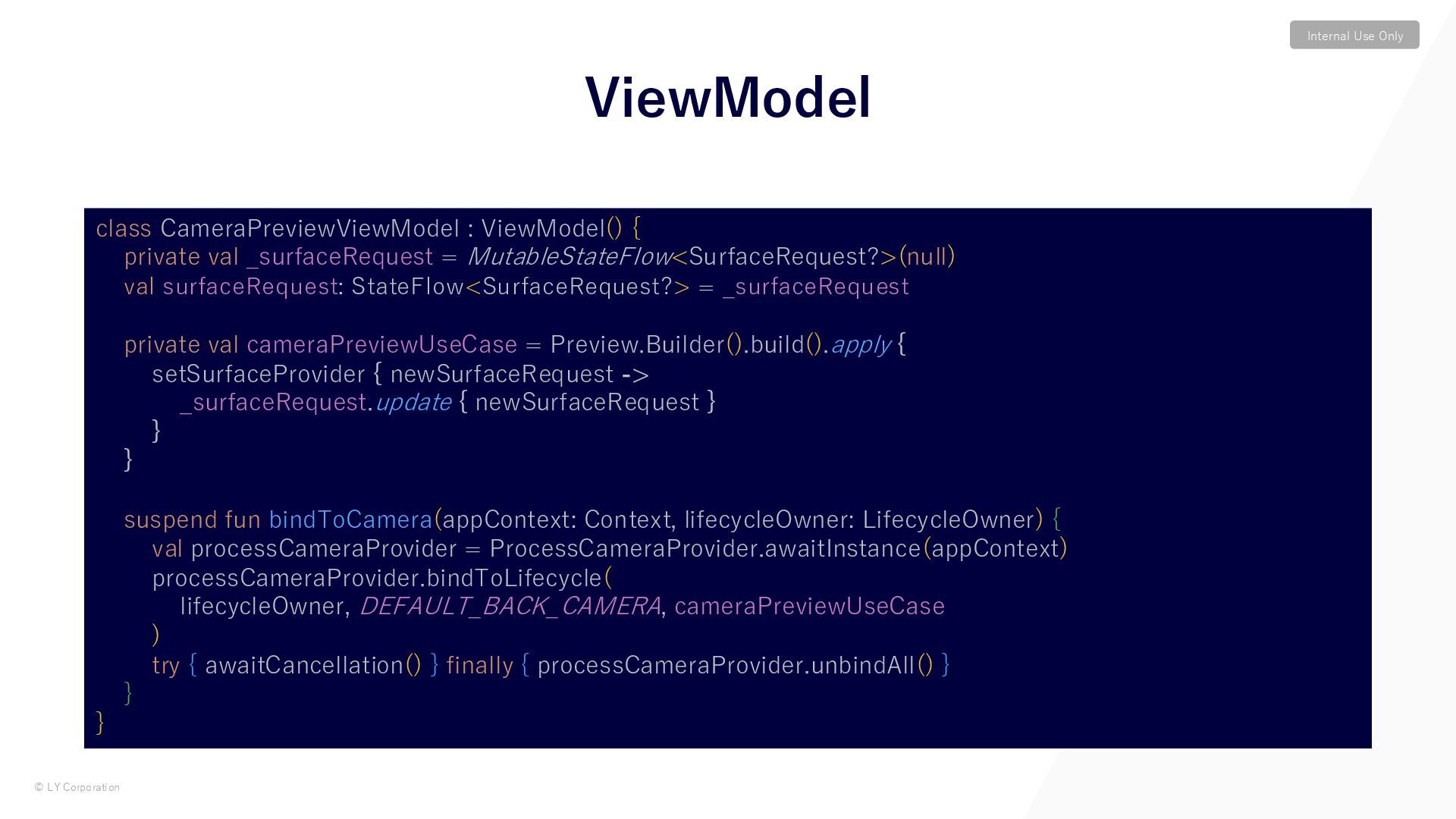
© LY Corporation Internal Use Only ViewModel class CameraPreviewViewModel :
ViewModel() { private val _surfaceRequest = MutableStateFlow<SurfaceRequest?>(null) val surfaceRequest: StateFlow<SurfaceRequest?> = _surfaceRequest private val cameraPreviewUseCase = Preview.Builder().build().apply { setSurfaceProvider { newSurfaceRequest -> _surfaceRequest.update { newSurfaceRequest } } } suspend fun bindToCamera(appContext: Context, lifecycleOwner: LifecycleOwner) { val processCameraProvider = ProcessCameraProvider.awaitInstance(appContext) processCameraProvider.bindToLifecycle( lifecycleOwner, DEFAULT_BACK_CAMERA, cameraPreviewUseCase ) try { awaitCancellation() } finally { processCameraProvider.unbindAll() } } } -
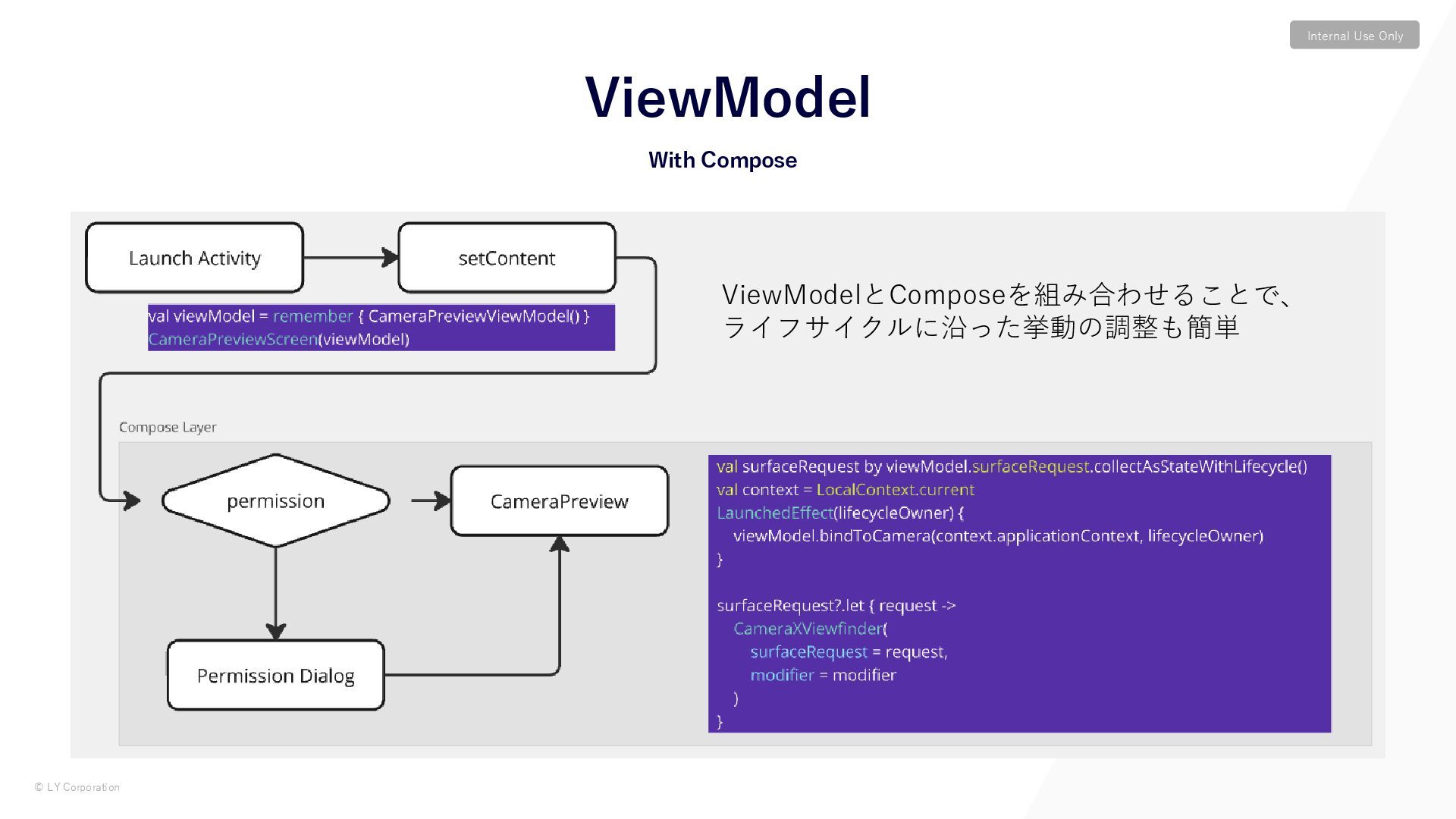
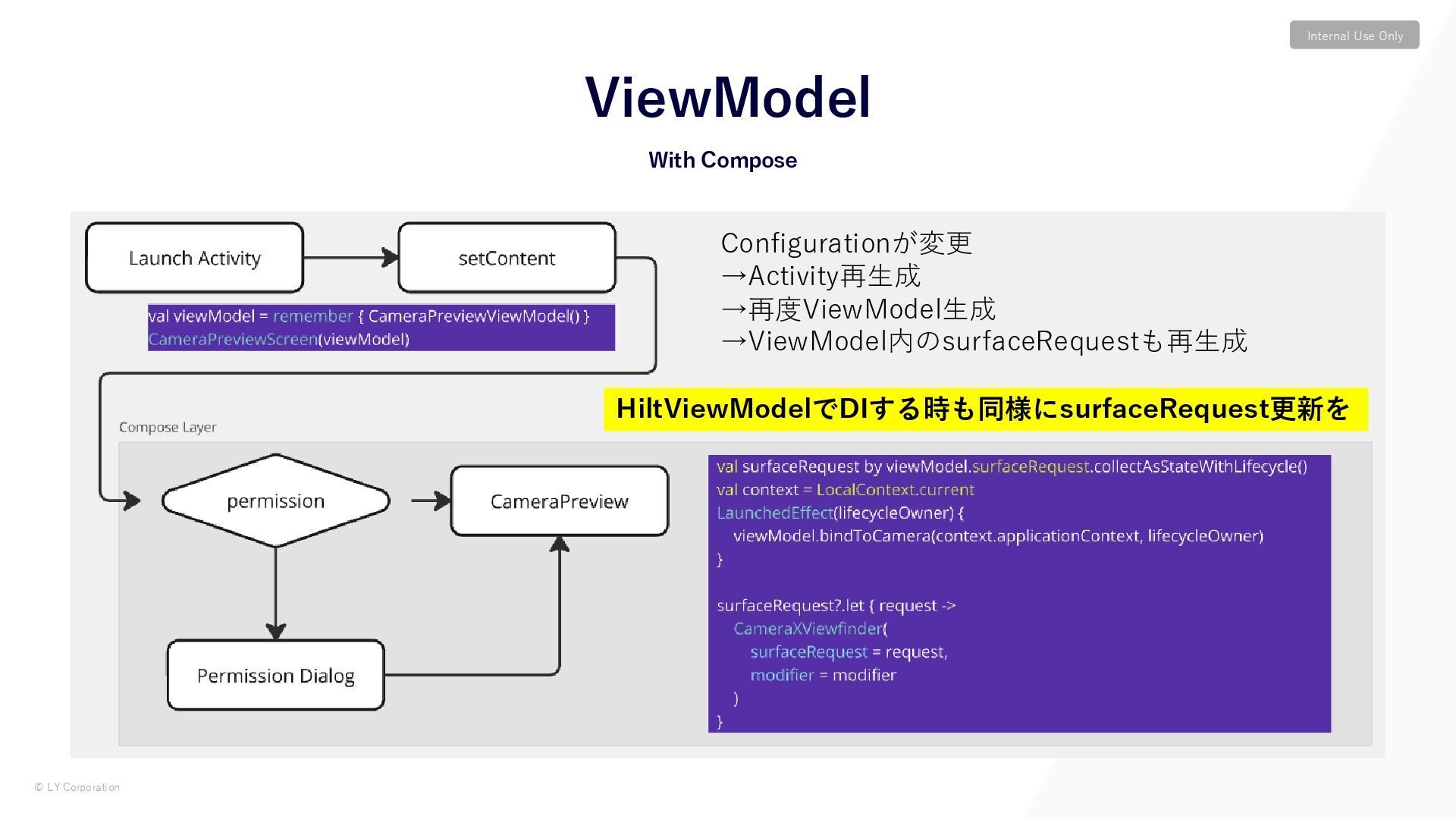
© LY Corporation Internal Use Only With Compose ViewModel Configurationが変更
→Activity再生成 →再度ViewModel生成 →ViewModel内のsurfaceRequestも再生成 HiltViewModelでDIする時も同様にsurfaceRequest更新を -
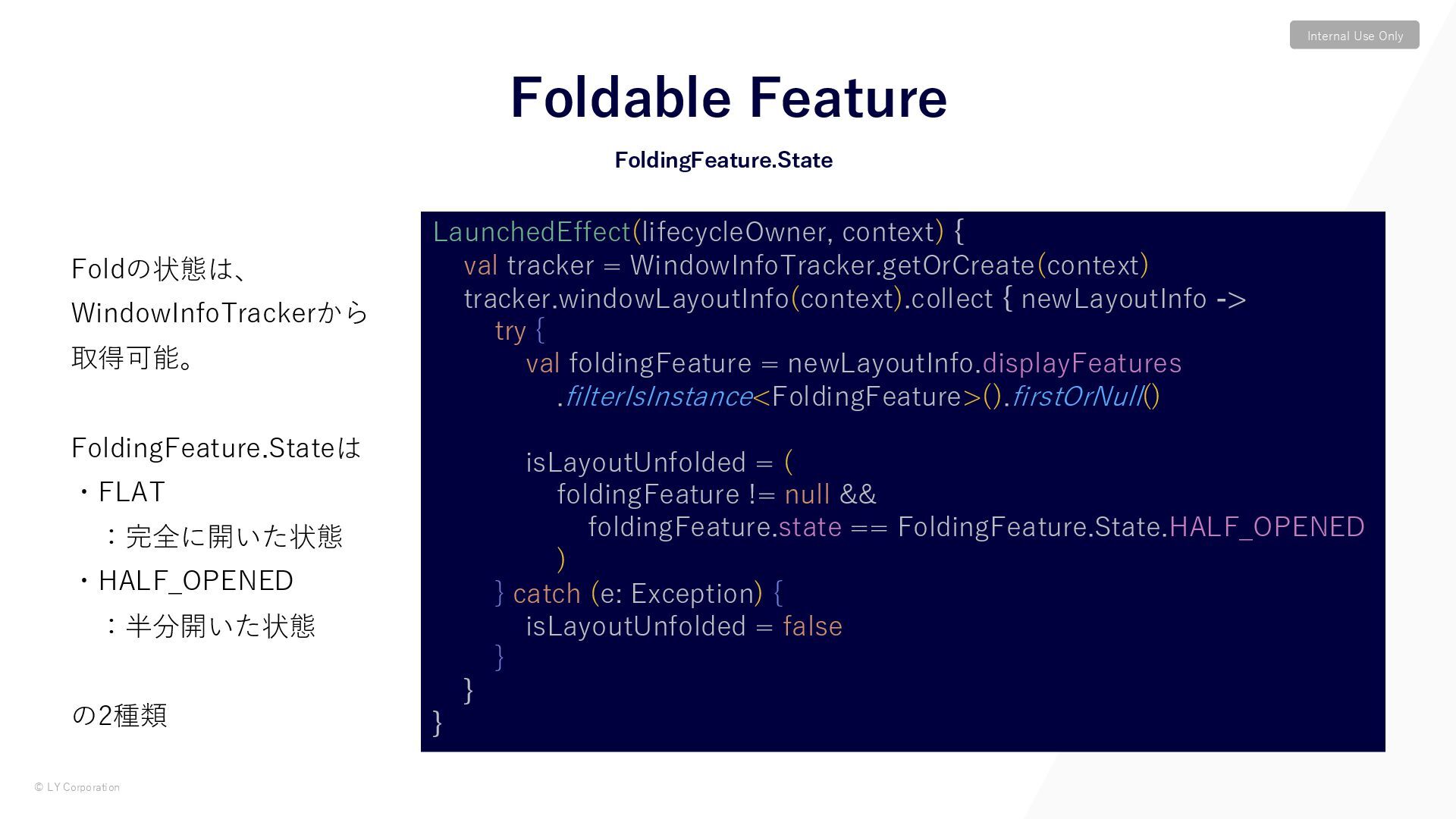
© LY Corporation Internal Use Only Foldの状態は、 WindowInfoTrackerから 取得可能。 FoldingFeature.Stateは
・FLAT :完全に開いた状態 ・HALF_OPENED :半分開いた状態 の2種類 Foldable Feature LaunchedEffect(lifecycleOwner, context) { val tracker = WindowInfoTracker.getOrCreate(context) tracker.windowLayoutInfo(context).collect { newLayoutInfo -> try { val foldingFeature = newLayoutInfo.displayFeatures .filterIsInstance<FoldingFeature>().firstOrNull() isLayoutUnfolded = ( foldingFeature != null && foldingFeature.state == FoldingFeature.State.HALF_OPENED ) } catch (e: Exception) { isLayoutUnfolded = false } } } FoldingFeature.State -
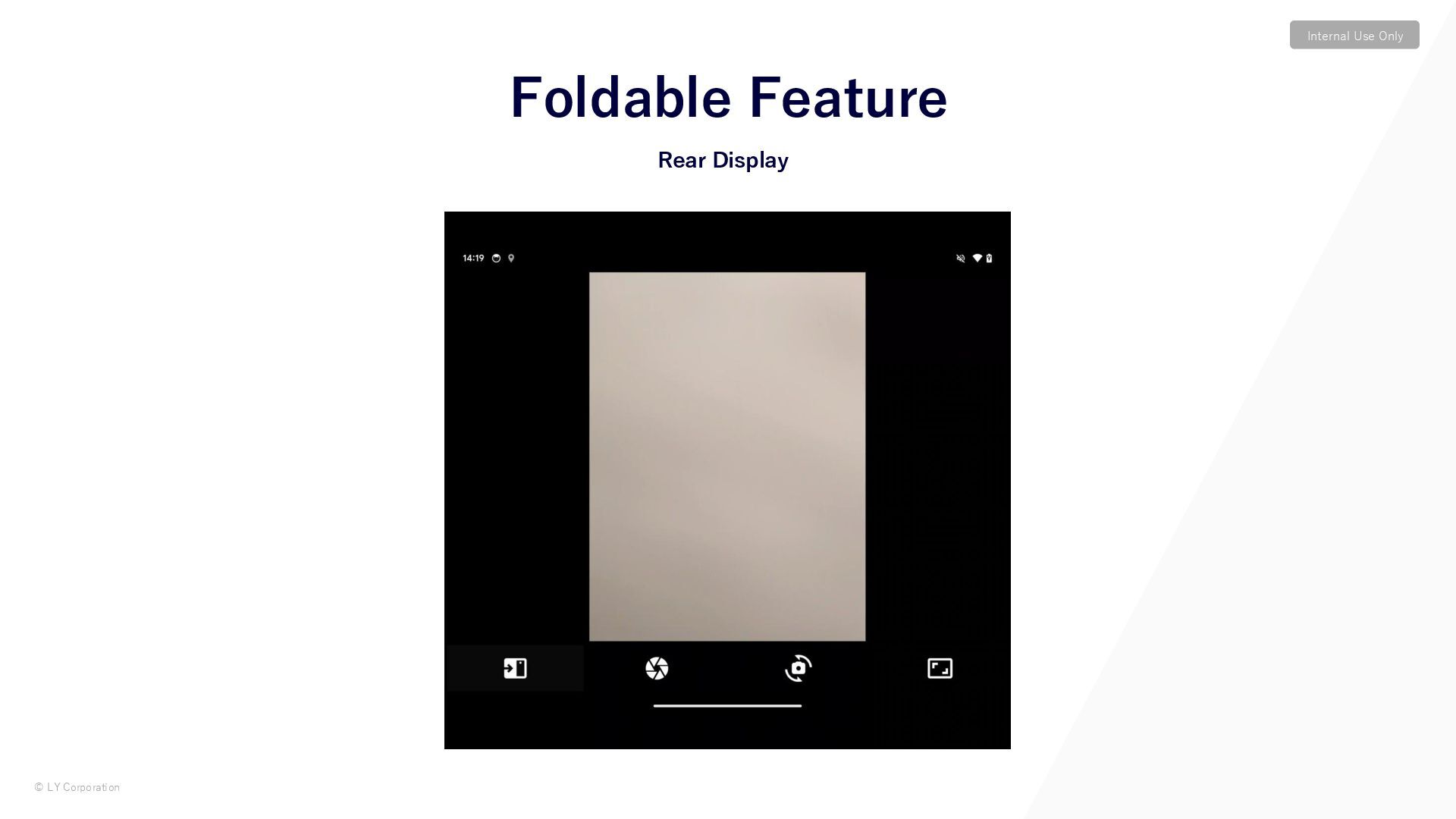
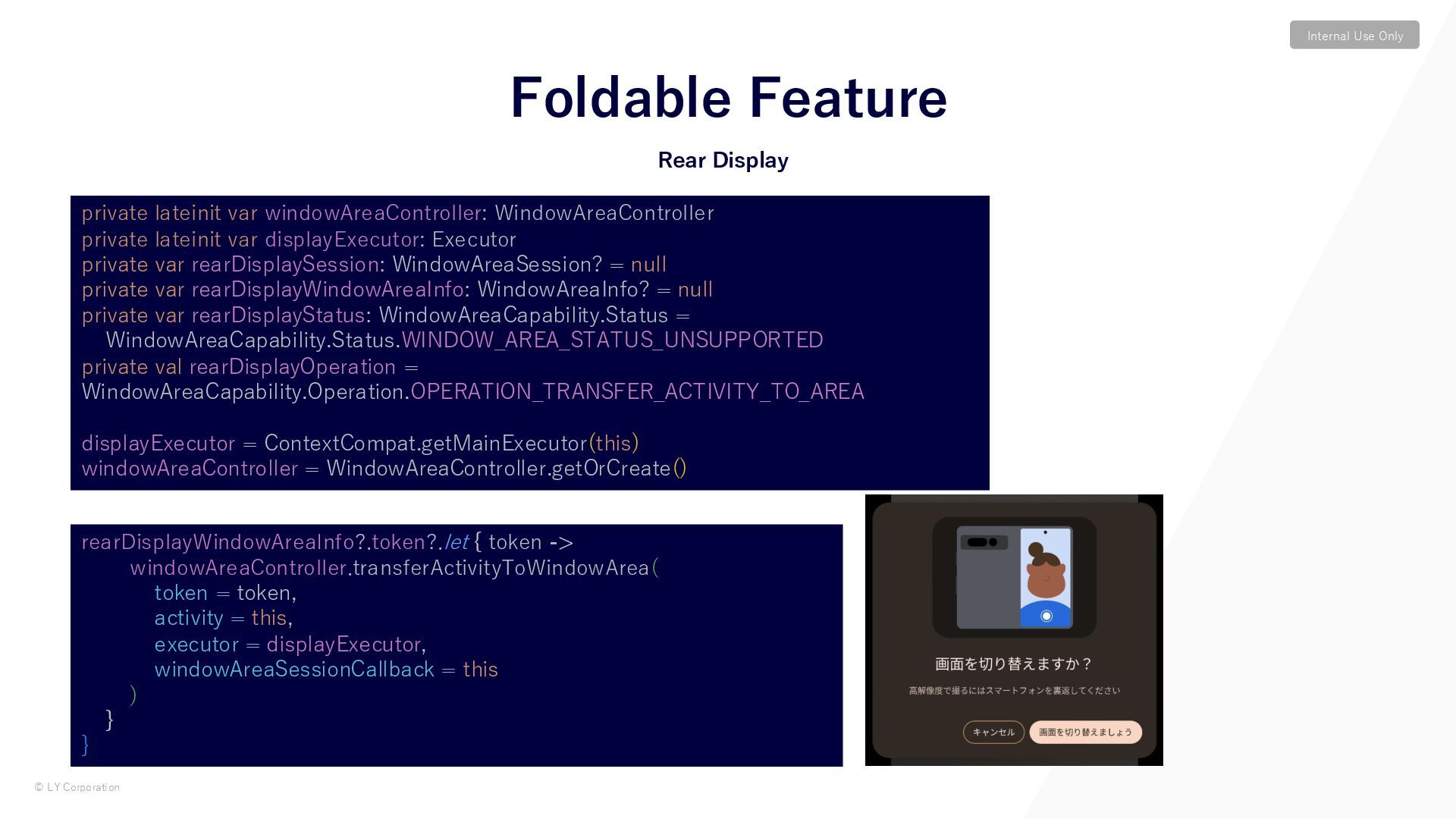
© LY Corporation Internal Use Only Rear Display Foldable Feature
rearDisplayWindowAreaInfo?.token?.let { token -> windowAreaController.transferActivityToWindowArea( token = token, activity = this, executor = displayExecutor, windowAreaSessionCallback = this ) } } private lateinit var windowAreaController: WindowAreaController private lateinit var displayExecutor: Executor private var rearDisplaySession: WindowAreaSession? = null private var rearDisplayWindowAreaInfo: WindowAreaInfo? = null private var rearDisplayStatus: WindowAreaCapability.Status = WindowAreaCapability.Status.WINDOW_AREA_STATUS_UNSUPPORTED private val rearDisplayOperation = WindowAreaCapability.Operation.OPERATION_TRANSFER_ACTIVITY_TO_AREA displayExecutor = ContextCompat.getMainExecutor(this) windowAreaController = WindowAreaController.getOrCreate() -
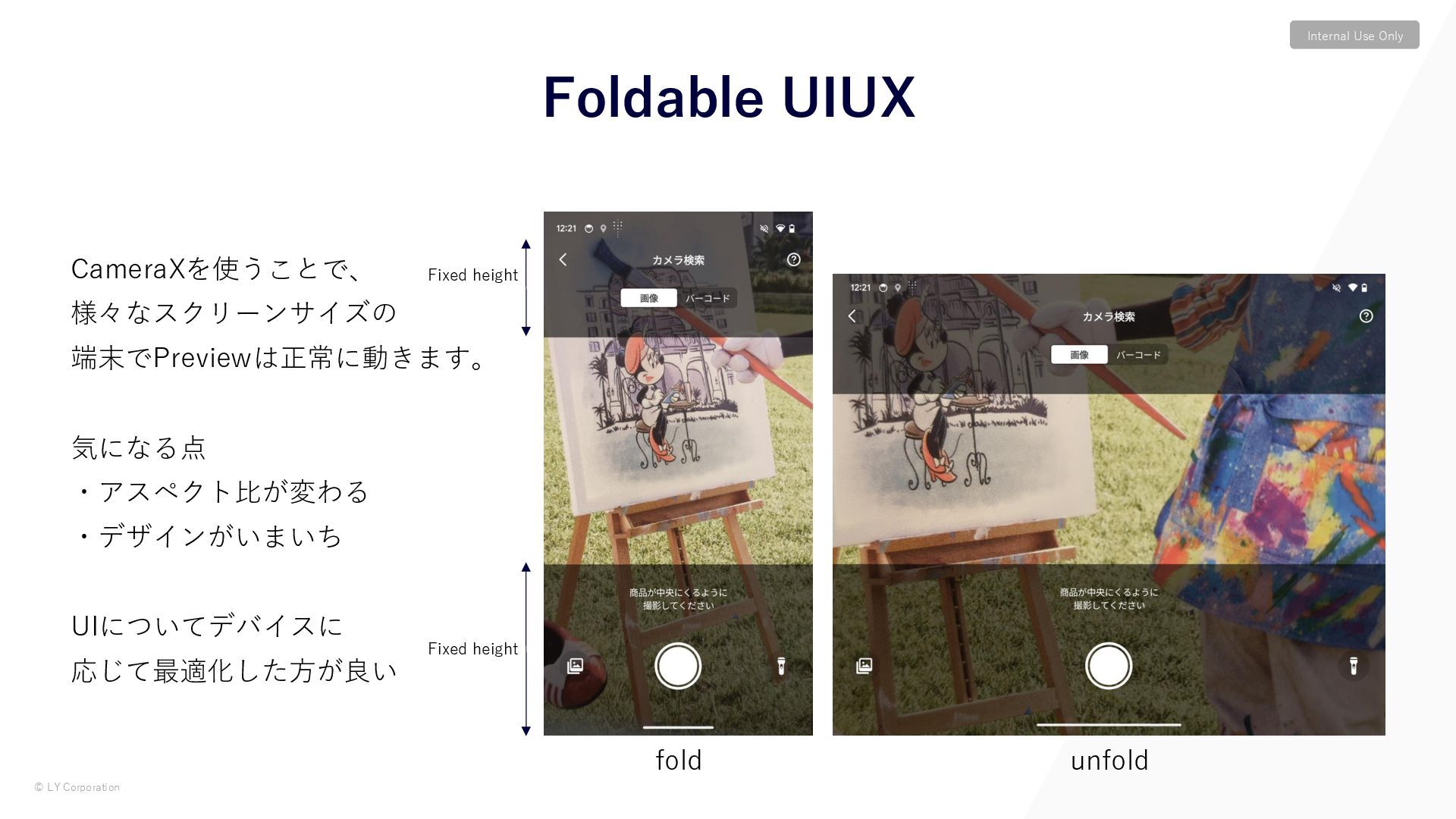
© LY Corporation Internal Use Only CameraXを使うことで、 様々なスクリーンサイズの 端末でPreviewは正常に動きます。 気になる点
・アスペクト比が変わる ・デザインがいまいち UIについてデバイスに 応じて最適化した方が良い Foldable UIUX fold unfold Fixed height Fixed height -
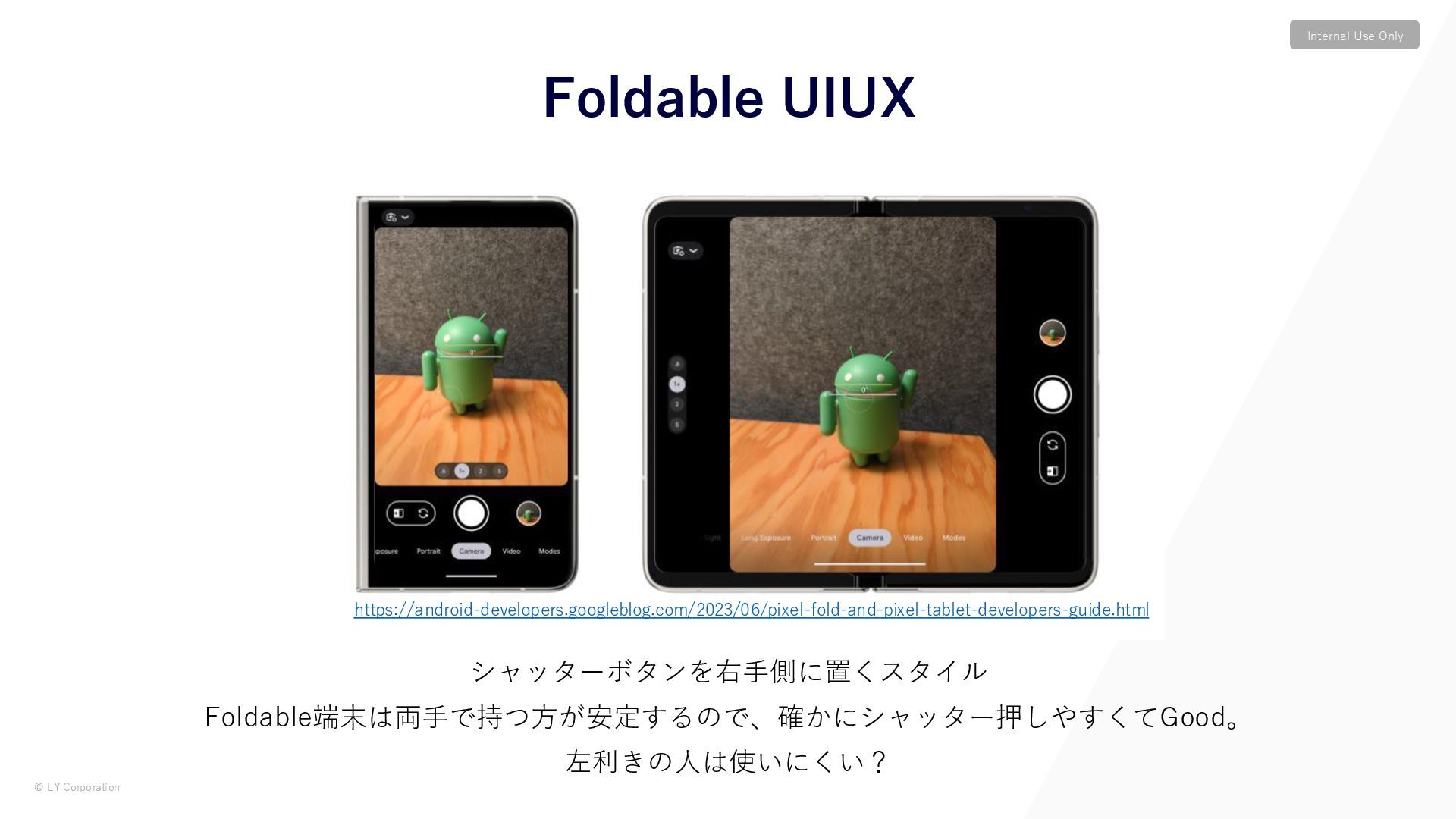
© LY Corporation Internal Use Only Foldable UIUX Gallery シャッターボタンを右手側に置くスタイル
Foldable端末は両手で持つ方が安定するので、確かにシャッター押しやすくてGood。 左利きの人は使いにくい? https://android-developers.googleblog.com/2023/06/pixel-fold-and-pixel-tablet-developers-guide.html -
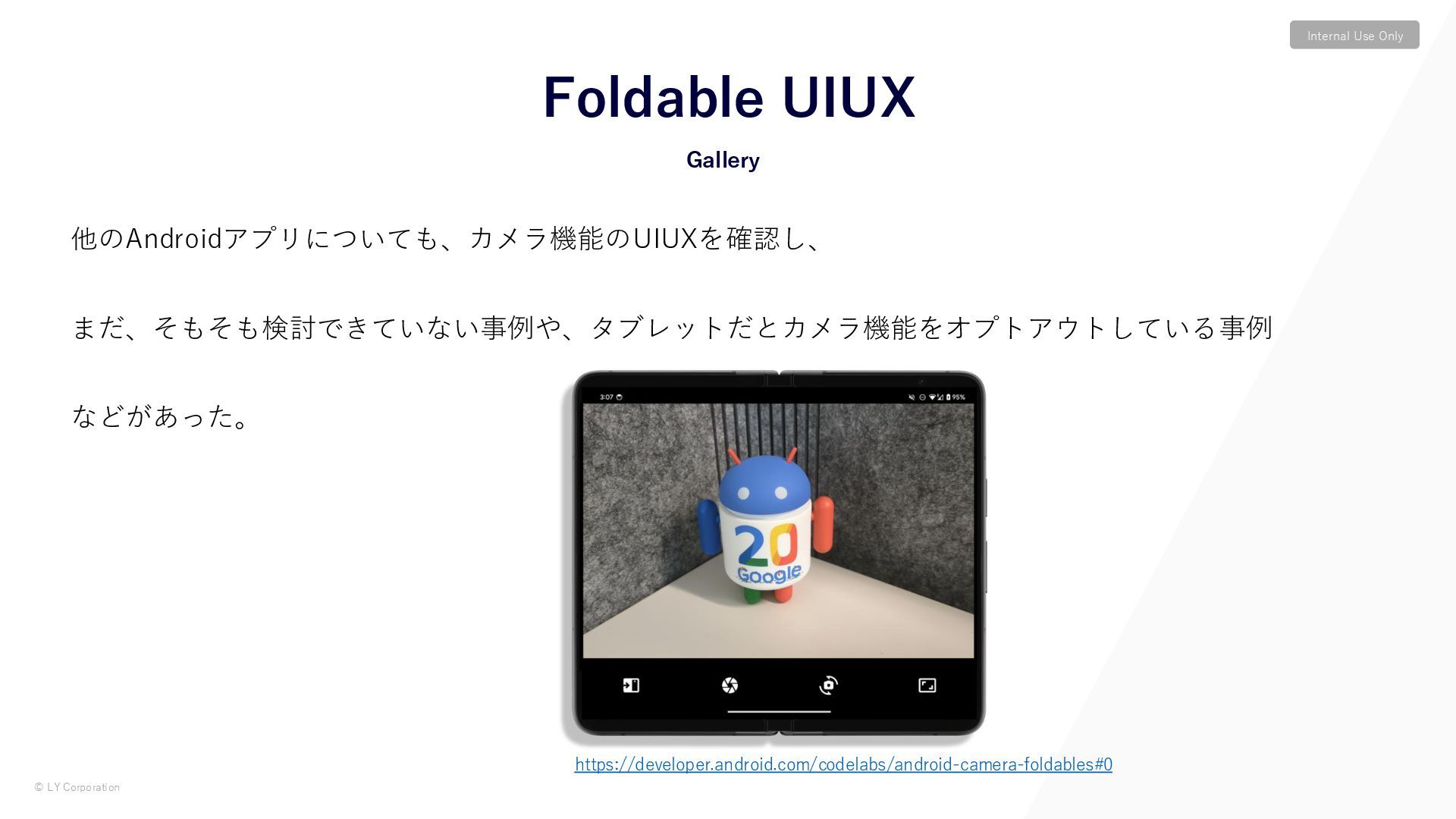
© LY Corporation Internal Use Only 他のAndroidアプリについても、カメラ機能のUIUXを確認し、 まだ、そもそも検討できていない事例や、タブレットだとカメラ機能をオプトアウトしている事例 などがあった。 Foldable
UIUX Gallery https://developer.android.com/codelabs/android-camera-foldables#0 -
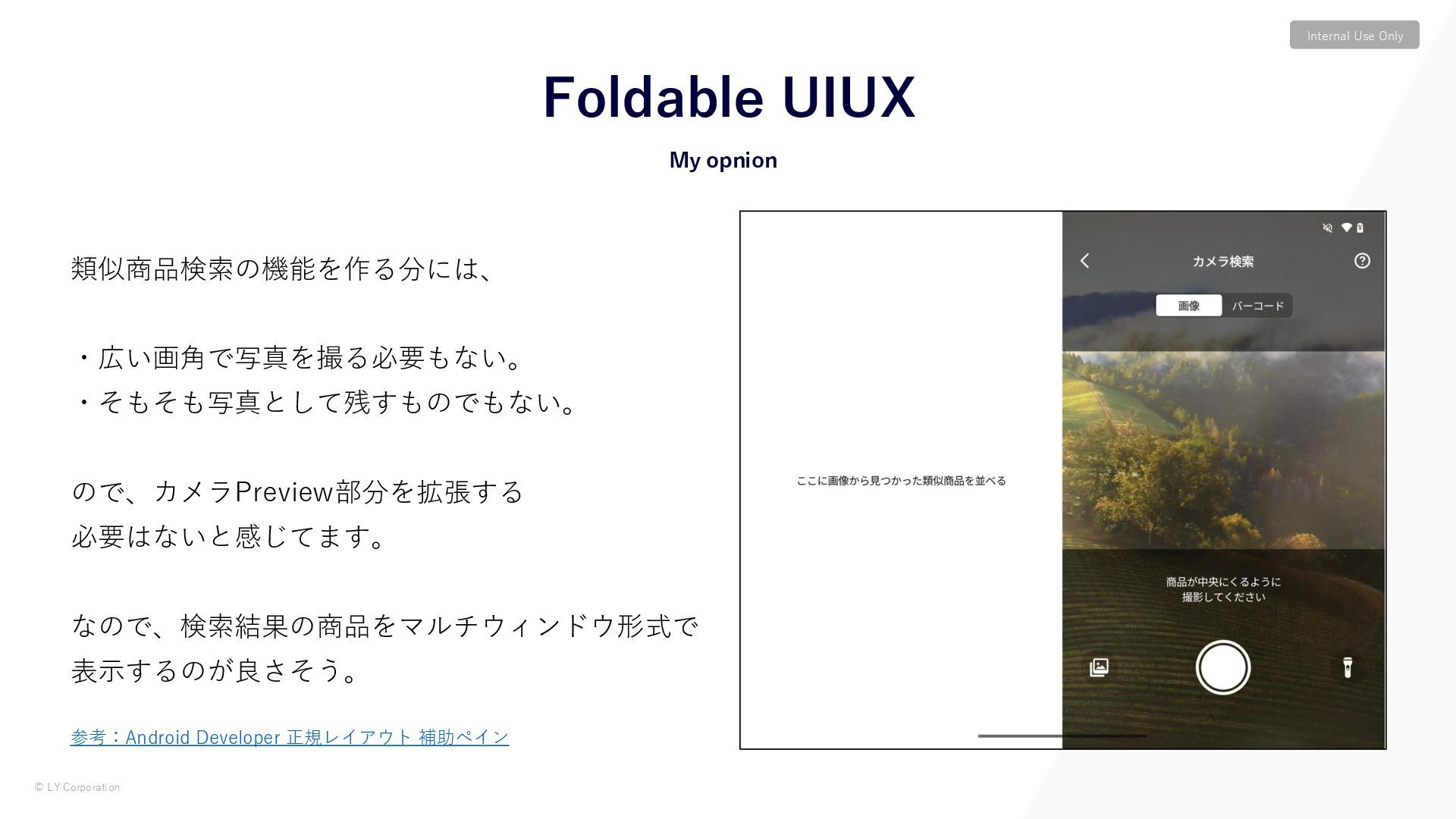
© LY Corporation Internal Use Only 類似商品検索の機能を作る分には、 ・広い画角で写真を撮る必要もない。 ・そもそも写真として残すものでもない。 ので、カメラPreview部分を拡張する
必要はないと感じてます。 なので、検索結果の商品をマルチウィンドウ形式で 表示するのが良さそう。 参考:Android Developer 正規レイアウト 補助ペイン My opnion Foldable UIUX -
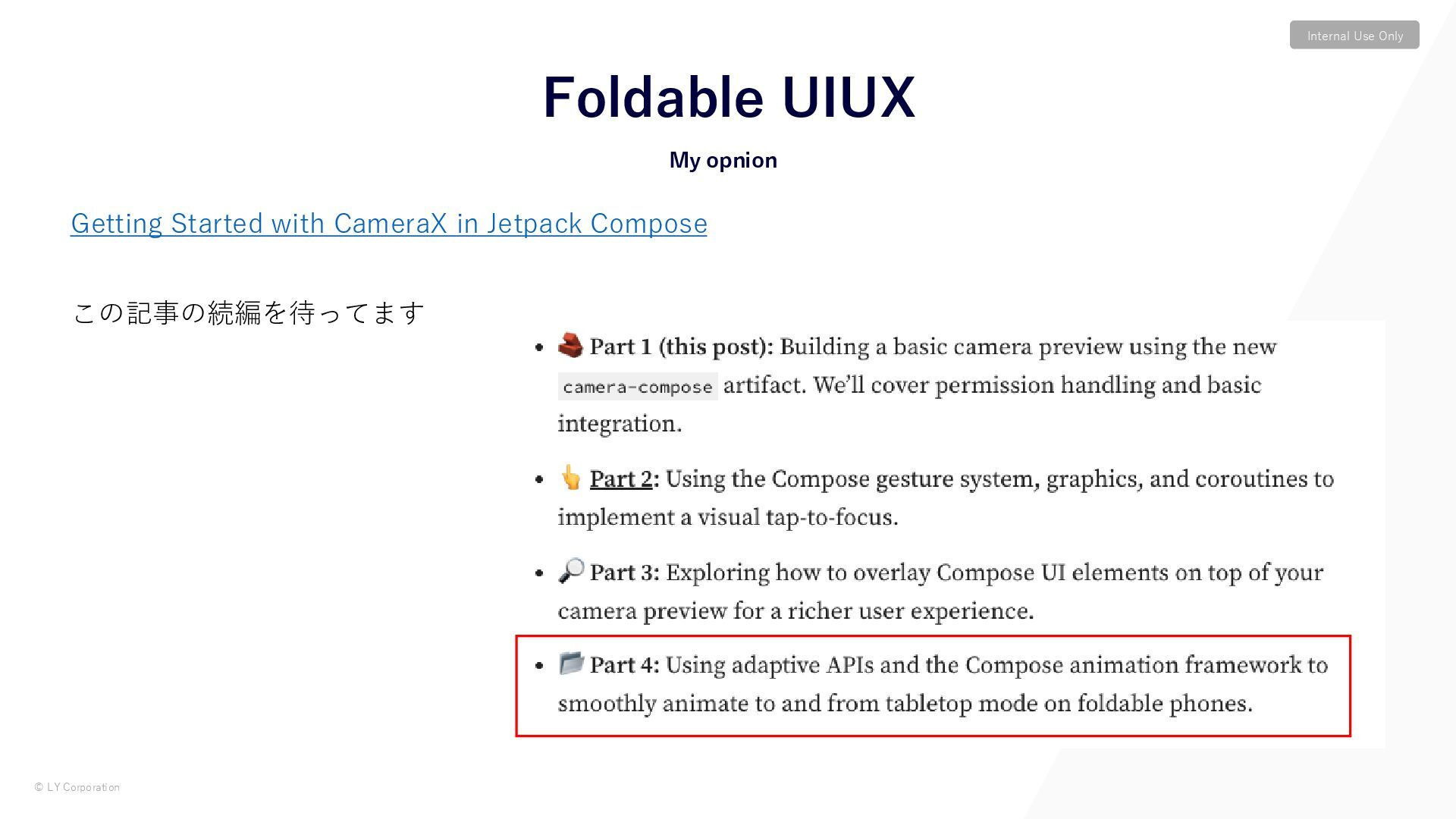
© LY Corporation Internal Use Only Getting Started with CameraX
in Jetpack Compose この記事の続編を待ってます My opnion Foldable UIUX -
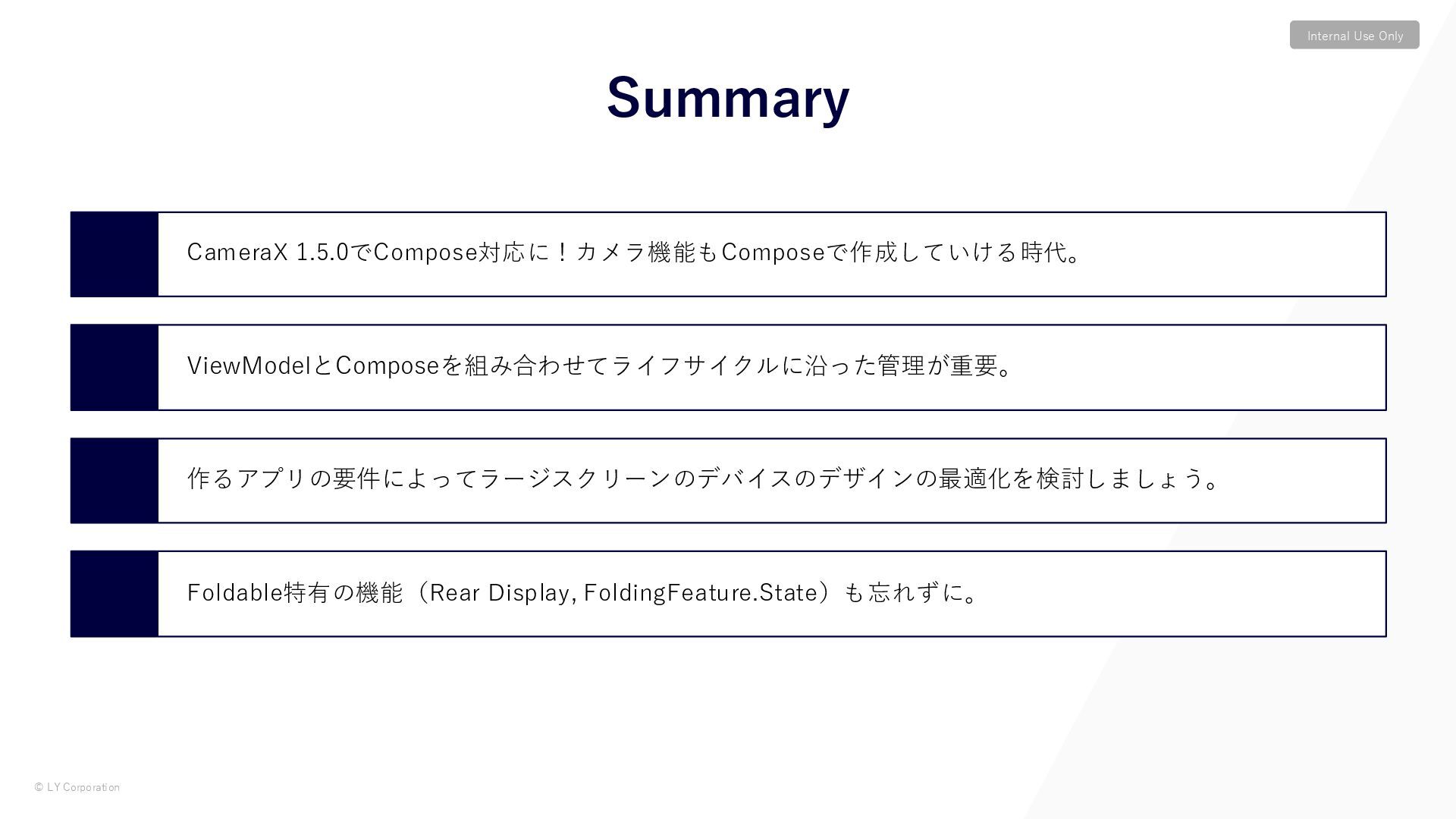
© LY Corporation Internal Use Only CameraX 1.5.0でCompose対応に!カメラ機能もComposeで作成していける時代。 ViewModelとComposeを組み合わせてライフサイクルに沿った管理が重要。 作るアプリの要件によってラージスクリーンのデバイスのデザインの最適化を検討しましょう。
Foldable特有の機能(Rear Display, FoldingFeature.State)も忘れずに。 Summary -
© LY Corporation Internal Use Only Spotlight Week: Android Camera
and Media ‒ https://android-developers.googleblog.com/2025/01/spotlight-week-android-camera-and-media.html Android Developer: CameraX ‒ https://developer.android.com/jetpack/androidx/releases/camera Getting Started with CameraX in Jetpack Compose ‒ https://medium.com/androiddevelopers/getting-started-with-camerax-in-jetpack-compose-781c722ca0c4 Optimize your camera app on foldable devices with Jetpack WindowManager ‒ https://developer.android.com/codelabs/android-camera-foldables#0