Share
Embed
Jump into cross-platform development with Firebase - GDG Kharkiv-Center
Brief intro to Firebase, with examples of Dynamic database and Authentication, made on the GDG Kharkiv-Center meetup
Royce Mars
February 27, 2017
Transcript
58 slides
-
Jump into cross-platform development with Firebase Dynamic Database, Authentication and
much more... Constantine Mars Team Lead, Senior Developer @ DataArt Organizer @ GDG Dnipro-Art -
#gdg_kharkiv_center What is a GDG? Google Developer Groups (GDGs) are
for developers who are interested in Google's developer technology; everything from the Android, App Engine, and Google Chrome platforms, to product APIs like the Maps API, YouTube API and Google Calendar API. A GDG can take many forms -- from just a few people getting together to watch our latest video, to large gatherings with demos and tech talks, to events like code sprints and hackathons. However, at the core, GDGs are focused on developers and technical content, and the core audience should be developers. -
#gdg_kharkiv_center A GDG is • Run by passionate individuals in
the developer community • A place to learn about Google Technologies and Tools for developers. • A place to see what local companies and developers are doing with these technologies • Focused on developers and educational technical content • Open to the public with a public membership • A place to meet cool and smart people in tech :) -
#gdg_kharkiv_center A GDG is NOT • Run by a corporation
• A place to hear a very salesy pitch at any time • Focused on end users or consumer content • A closed group -
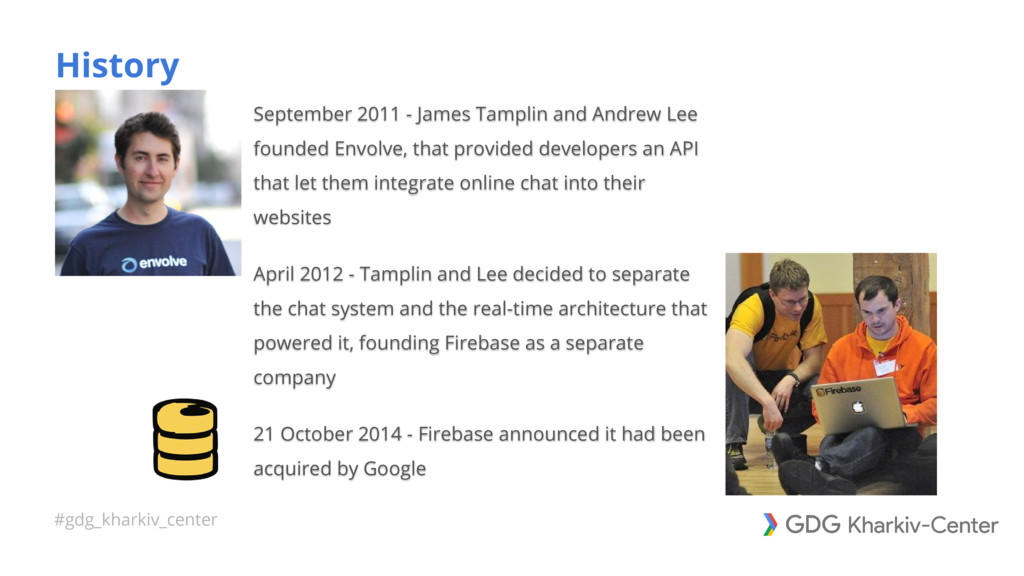
#gdg_kharkiv_center History September 2011 - James Tamplin and Andrew Lee
founded Envolve, that provided developers an API that let them integrate online chat into their websites April 2012 - Tamplin and Lee decided to separate the chat system and the real-time architecture that powered it, founding Firebase as a separate company 21 October 2014 - Firebase announced it had been acquired by Google -
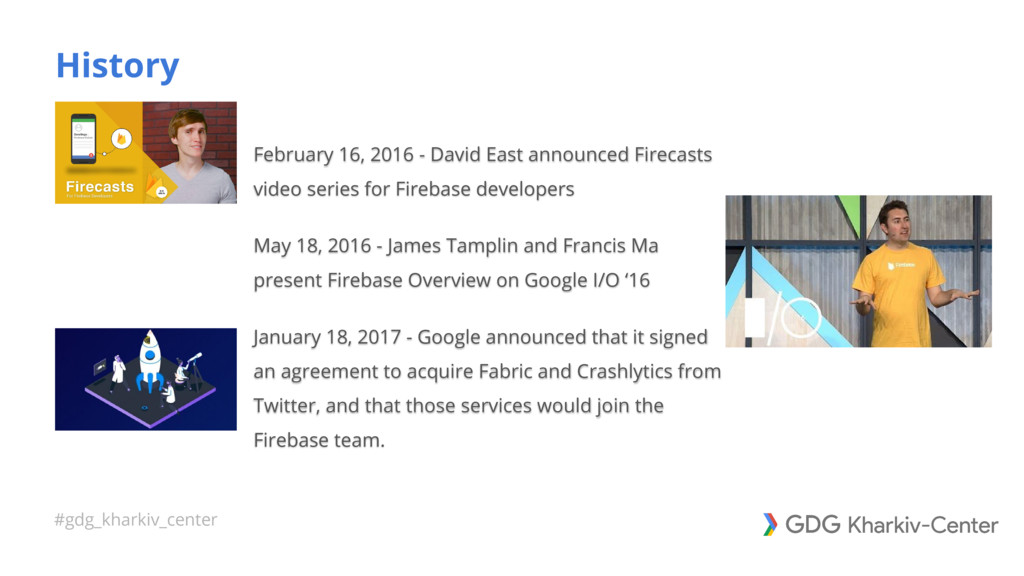
#gdg_kharkiv_center History February 16, 2016 - David East announced Firecasts
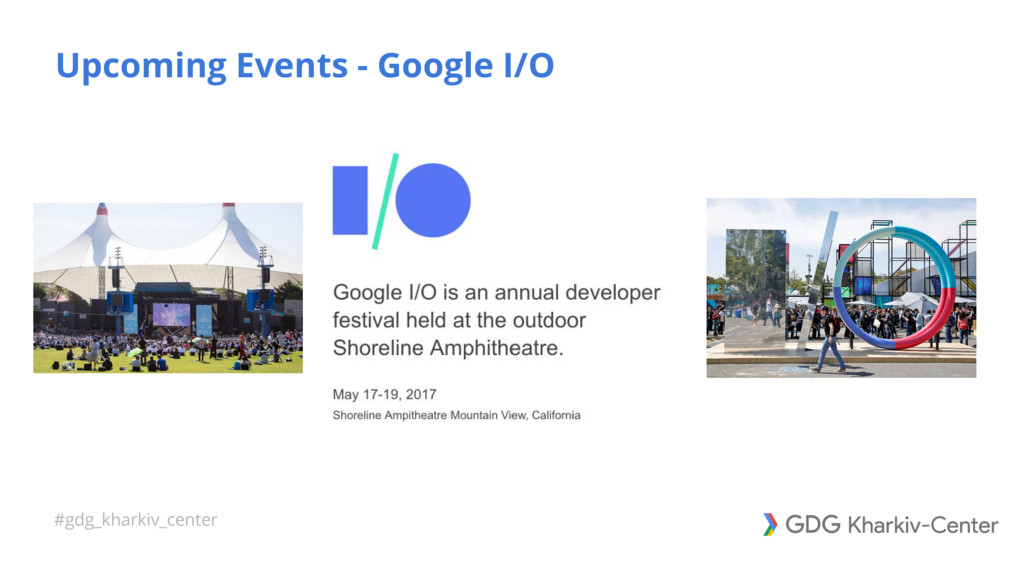
video series for Firebase developers May 18, 2016 - James Tamplin and Francis Ma present Firebase Overview on Google I/O ‘16 January 18, 2017 - Google announced that it signed an agreement to acquire Fabric and Crashlytics from Twitter, and that those services would join the Firebase team. -
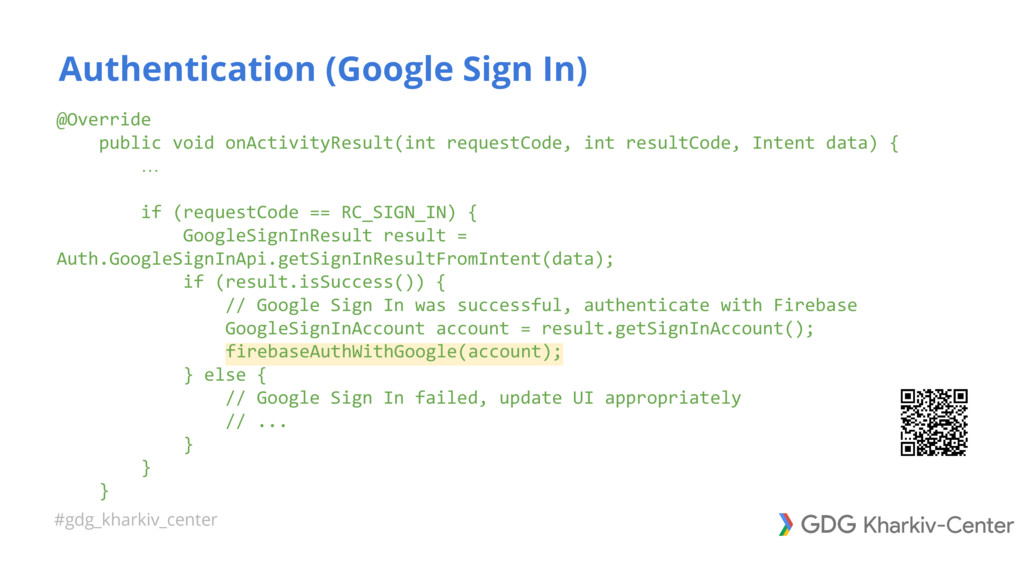
#gdg_kharkiv_center @Override public void onActivityResult(int requestCode, int resultCode, Intent data)
{ … if (requestCode == RC_SIGN_IN) { GoogleSignInResult result = Auth.GoogleSignInApi.getSignInResultFromIntent(data); if (result.isSuccess()) { // Google Sign In was successful, authenticate with Firebase GoogleSignInAccount account = result.getSignInAccount(); firebaseAuthWithGoogle(account); } else { // Google Sign In failed, update UI appropriately // ... } } } Authentication (Google Sign In) -
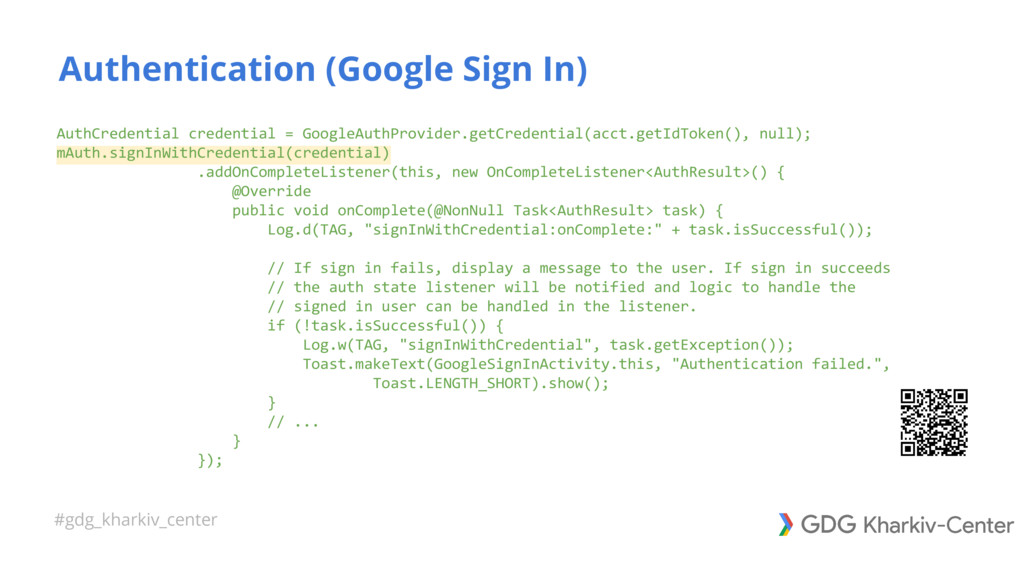
#gdg_kharkiv_center AuthCredential credential = GoogleAuthProvider.getCredential(acct.getIdToken(), null); mAuth.signInWithCredential(credential) .addOnCompleteListener(this, new OnCompleteListener<AuthResult>()
{ @Override public void onComplete(@NonNull Task<AuthResult> task) { Log.d(TAG, "signInWithCredential:onComplete:" + task.isSuccessful()); // If sign in fails, display a message to the user. If sign in succeeds // the auth state listener will be notified and logic to handle the // signed in user can be handled in the listener. if (!task.isSuccessful()) { Log.w(TAG, "signInWithCredential", task.getException()); Toast.makeText(GoogleSignInActivity.this, "Authentication failed.", Toast.LENGTH_SHORT).show(); } // ... } }); Authentication (Google Sign In) -
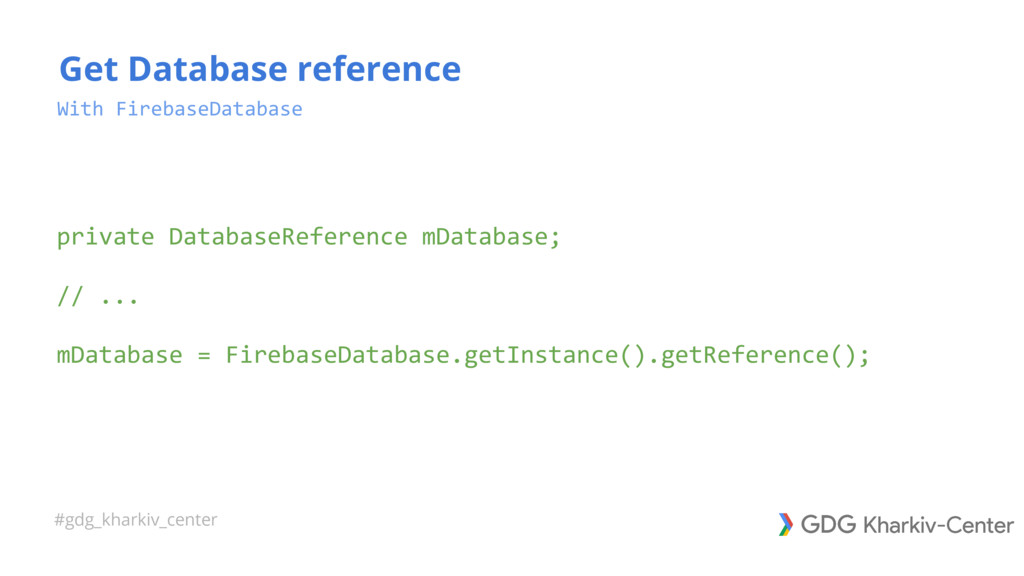
#gdg_kharkiv_center With FirebaseDatabase private DatabaseReference mDatabase; // ... mDatabase =
FirebaseDatabase.getInstance().getReference(); Get Database reference -
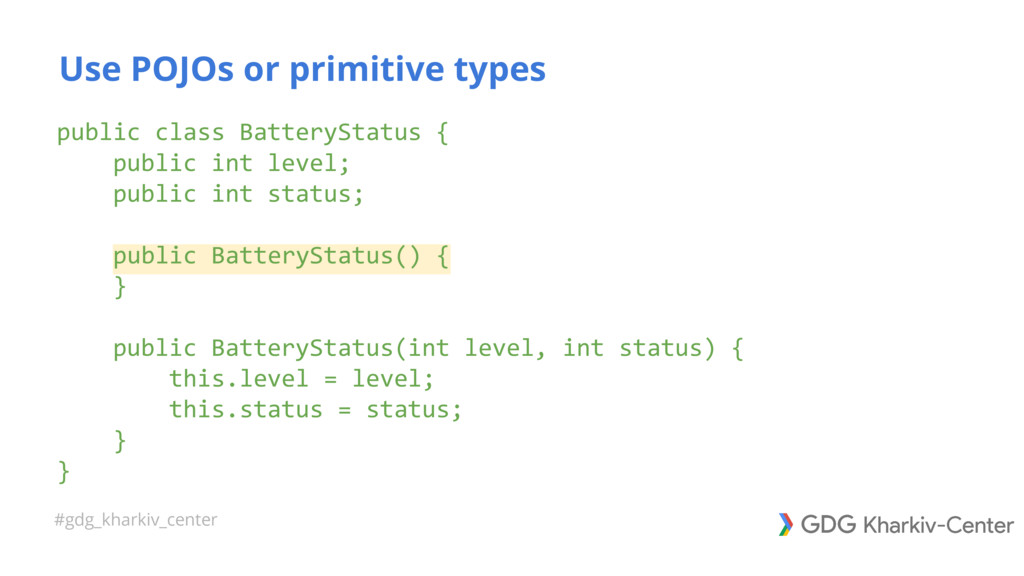
#gdg_kharkiv_center public class BatteryStatus { public int level; public int
status; public BatteryStatus() { } public BatteryStatus(int level, int status) { this.level = level; this.status = status; } } Use POJOs or primitive types -
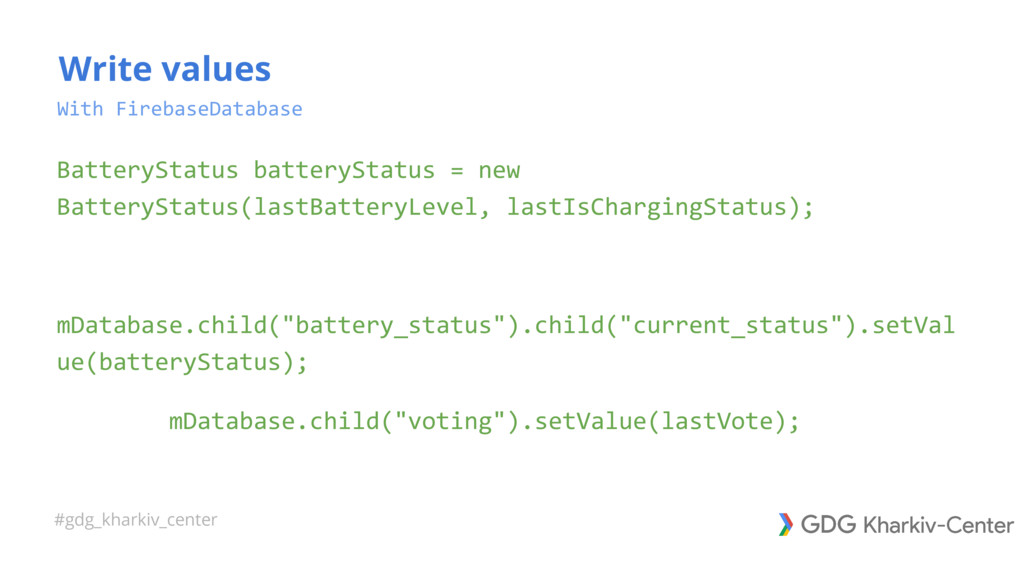
#gdg_kharkiv_center With FirebaseDatabase BatteryStatus batteryStatus = new BatteryStatus(lastBatteryLevel, lastIsChargingStatus); mDatabase.child("battery_status").child("current_status").setVal
ue(batteryStatus); mDatabase.child("voting").setValue(lastVote); Write values -
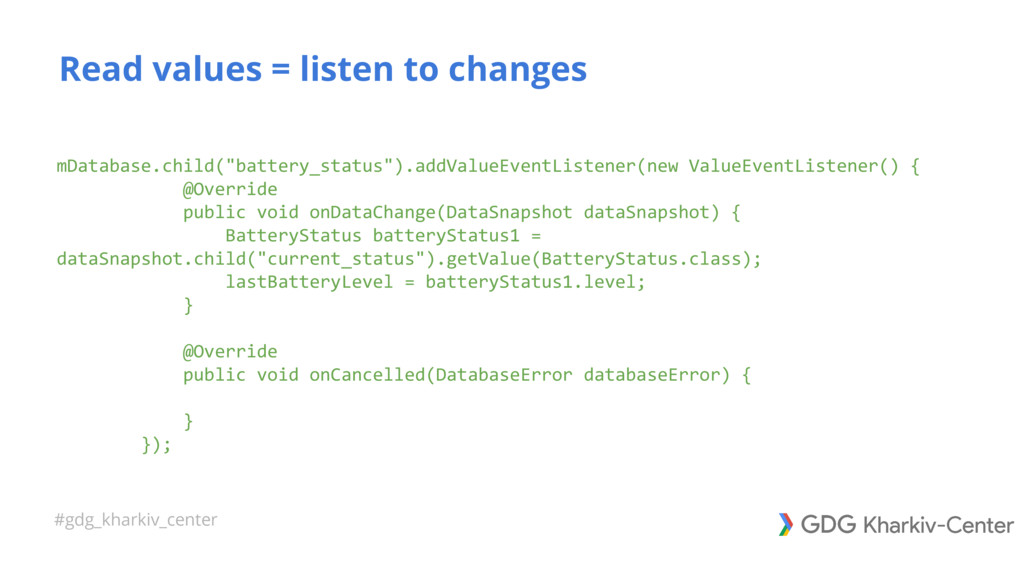
#gdg_kharkiv_center mDatabase.child("battery_status").addValueEventListener(new ValueEventListener() { @Override public void onDataChange(DataSnapshot dataSnapshot) {
BatteryStatus batteryStatus1 = dataSnapshot.child("current_status").getValue(BatteryStatus.class); lastBatteryLevel = batteryStatus1.level; } @Override public void onCancelled(DatabaseError databaseError) { } }); Read values = listen to changes -
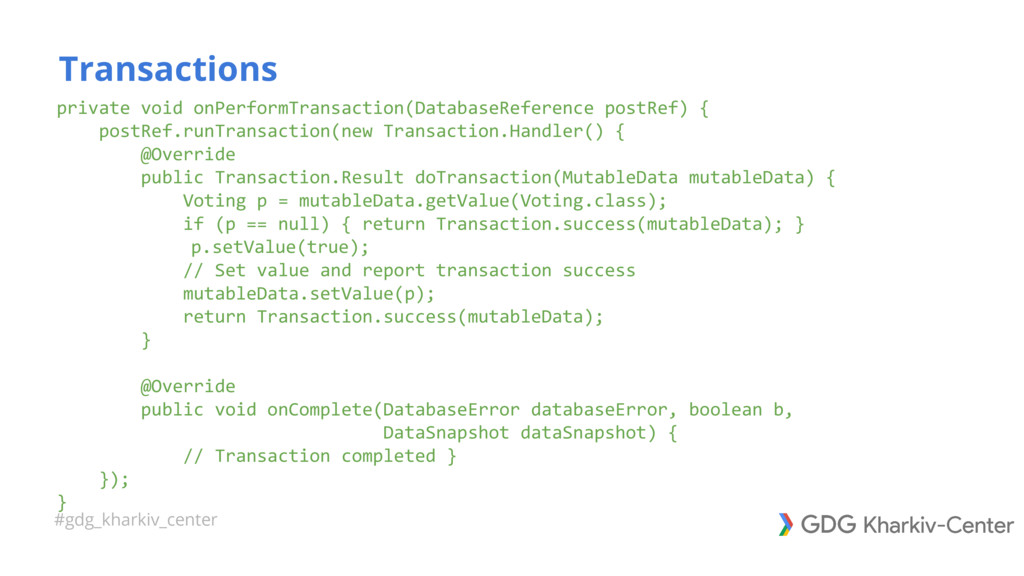
#gdg_kharkiv_center private void onPerformTransaction(DatabaseReference postRef) { postRef.runTransaction(new Transaction.Handler() { @Override
public Transaction.Result doTransaction(MutableData mutableData) { Voting p = mutableData.getValue(Voting.class); if (p == null) { return Transaction.success(mutableData); } p.setValue(true); // Set value and report transaction success mutableData.setValue(p); return Transaction.success(mutableData); } @Override public void onComplete(DatabaseError databaseError, boolean b, DataSnapshot dataSnapshot) { // Transaction completed } }); } Transactions -
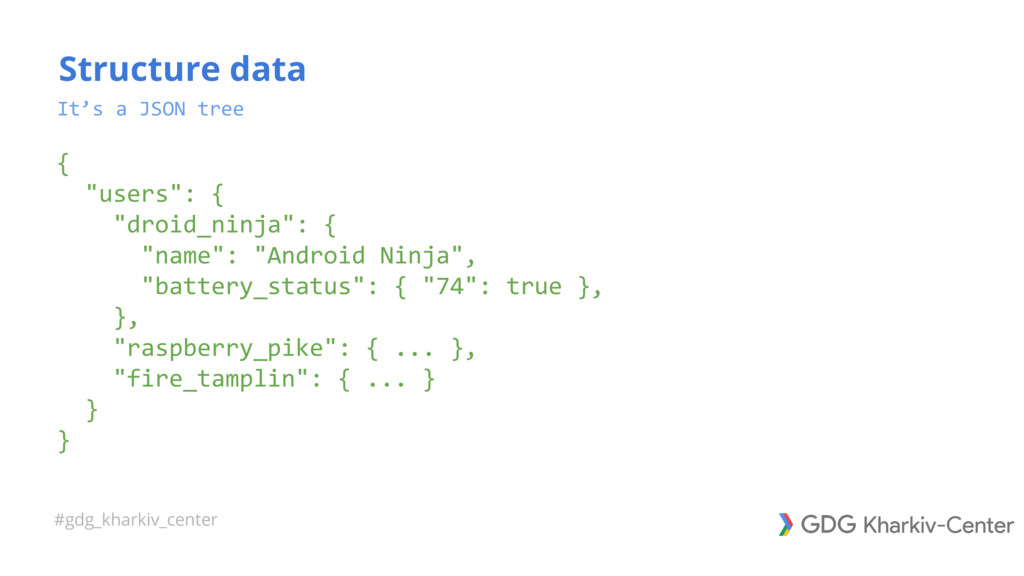
#gdg_kharkiv_center It’s a JSON tree { "users": { "droid_ninja": {
"name": "Android Ninja", "battery_status": { "74": true }, }, "raspberry_pike": { ... }, "fire_tamplin": { ... } } } Structure data -
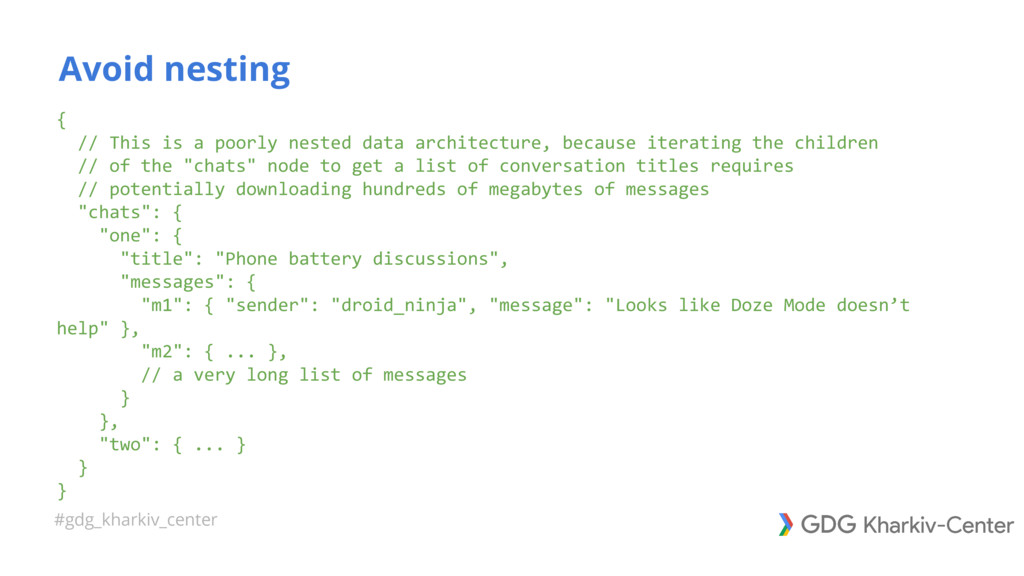
#gdg_kharkiv_center { // This is a poorly nested data architecture,
because iterating the children // of the "chats" node to get a list of conversation titles requires // potentially downloading hundreds of megabytes of messages "chats": { "one": { "title": "Phone battery discussions", "messages": { "m1": { "sender": "droid_ninja", "message": "Looks like Doze Mode doesn’t help" }, "m2": { ... }, // a very long list of messages } }, "two": { ... } } } Avoid nesting -
#gdg_kharkiv_center // Conversation members are easily accessible // and stored
by chat conversation ID "members": { // we'll talk about indices like this below "one": { "droid_ninja": true, "fire_tamplin": true, "raspbery_pike": true }, "two": { ... }, "three": { ... } }, Flatten data structures -
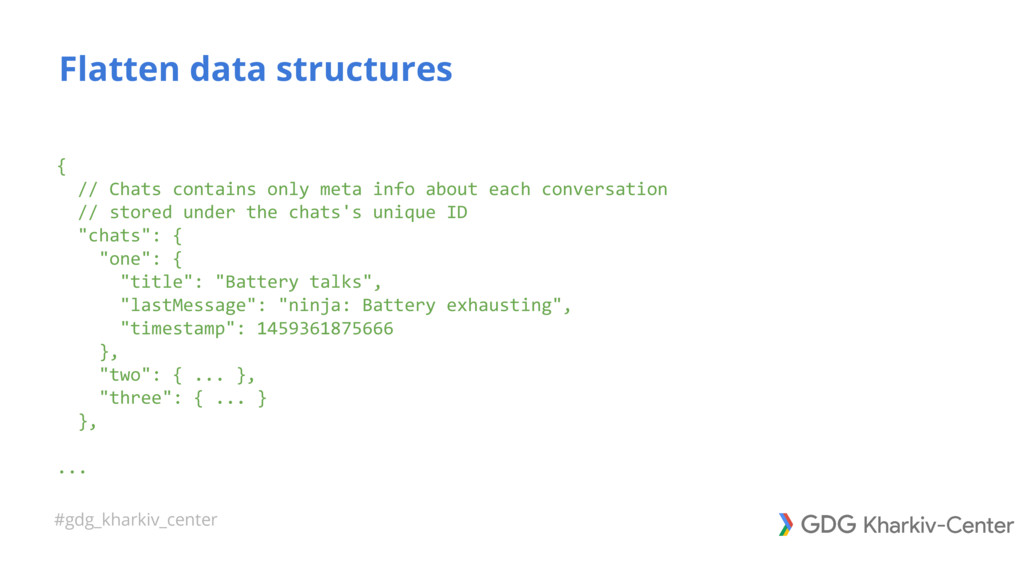
#gdg_kharkiv_center { // Chats contains only meta info about each
conversation // stored under the chats's unique ID "chats": { "one": { "title": "Battery talks", "lastMessage": "ninja: Battery exhausting", "timestamp": 1459361875666 }, "two": { ... }, "three": { ... } }, ... Flatten data structures -
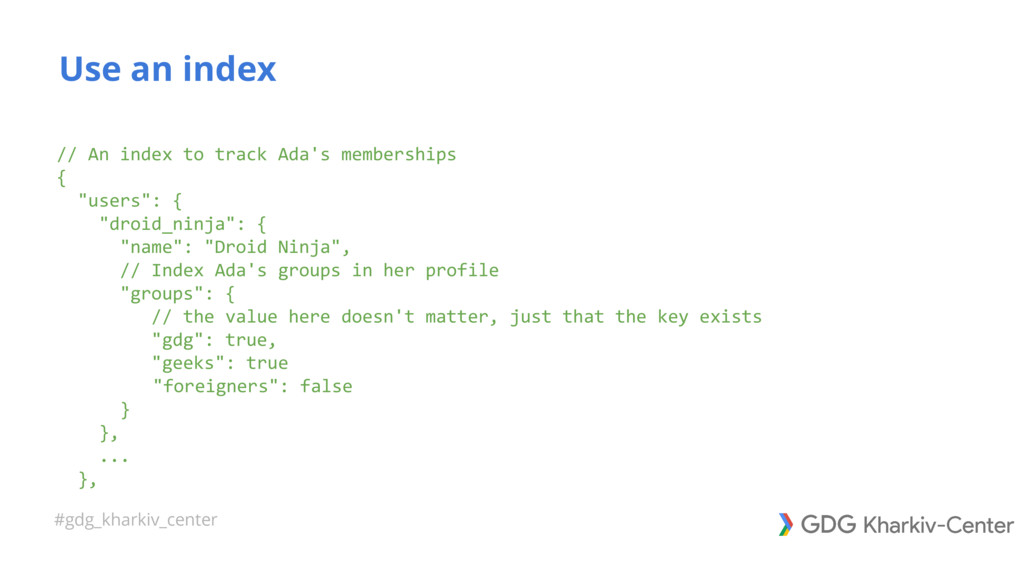
#gdg_kharkiv_center // An index to track Ada's memberships { "users":
{ "droid_ninja": { "name": "Droid Ninja", // Index Ada's groups in her profile "groups": { // the value here doesn't matter, just that the key exists "gdg": true, "geeks": true "foreigners": false } }, ... }, Use an index -
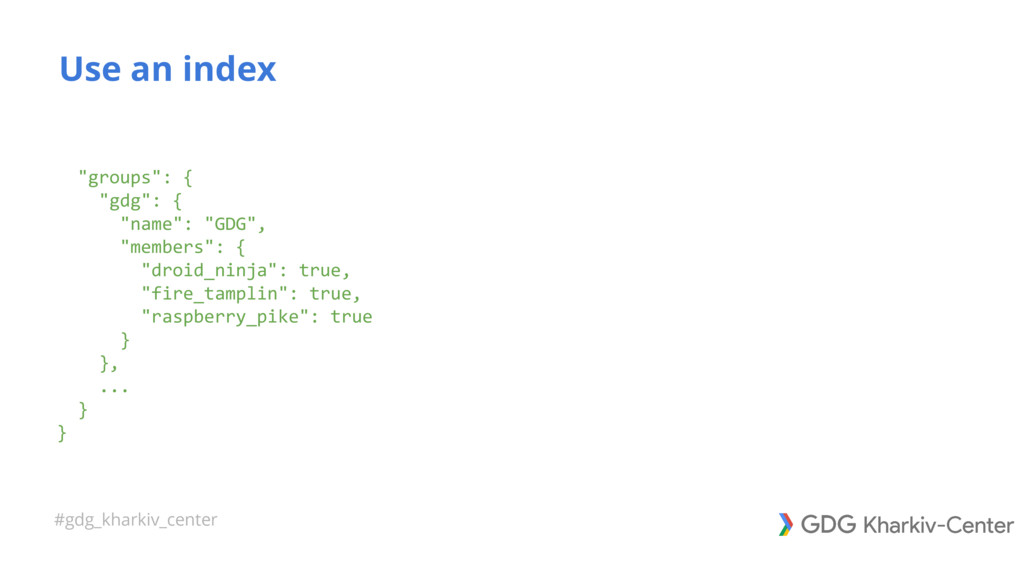
#gdg_kharkiv_center "groups": { "gdg": { "name": "GDG", "members": { "droid_ninja":
true, "fire_tamplin": true, "raspberry_pike": true } }, ... } } Use an index -
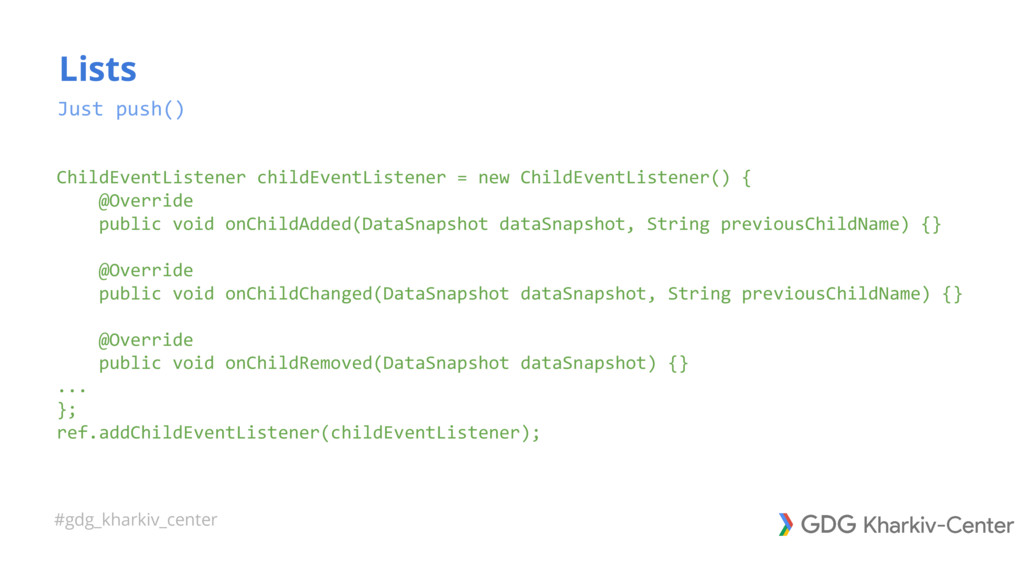
#gdg_kharkiv_center ChildEventListener childEventListener = new ChildEventListener() { @Override public void
onChildAdded(DataSnapshot dataSnapshot, String previousChildName) {} @Override public void onChildChanged(DataSnapshot dataSnapshot, String previousChildName) {} @Override public void onChildRemoved(DataSnapshot dataSnapshot) {} ... }; ref.addChildEventListener(childEventListener); Lists Just push() -
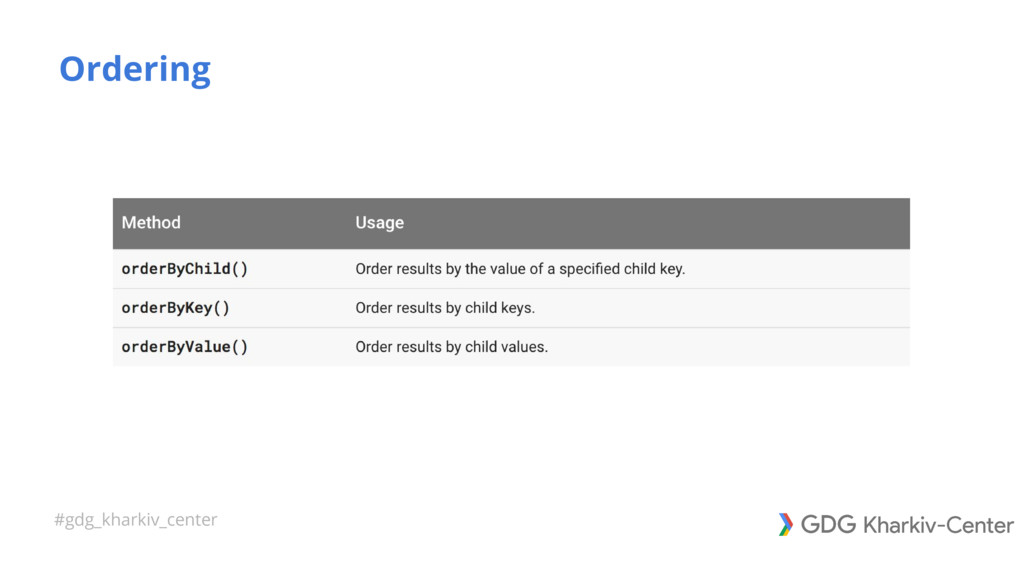
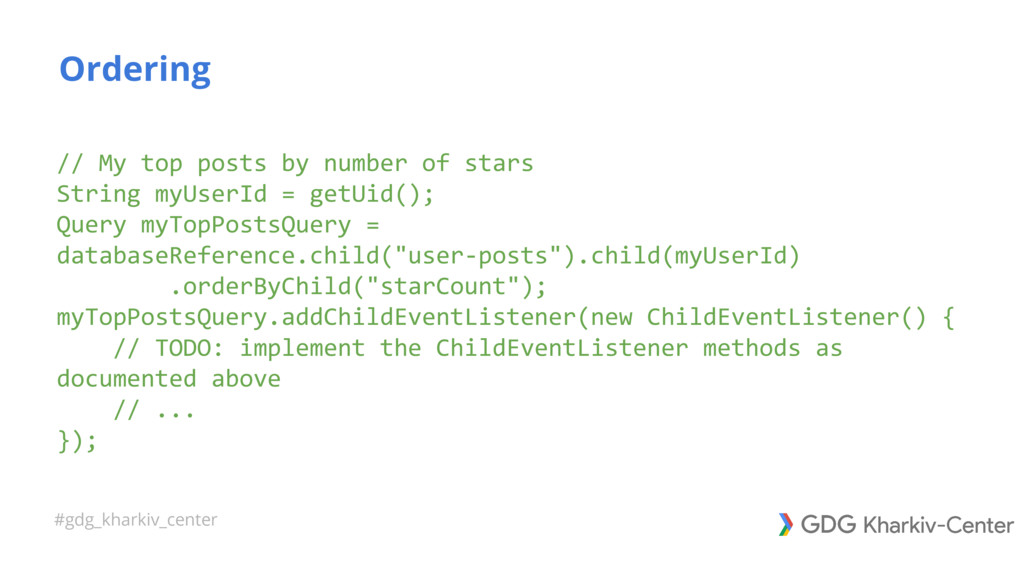
#gdg_kharkiv_center // My top posts by number of stars String
myUserId = getUid(); Query myTopPostsQuery = databaseReference.child("user-posts").child(myUserId) .orderByChild("starCount"); myTopPostsQuery.addChildEventListener(new ChildEventListener() { // TODO: implement the ChildEventListener methods as documented above // ... }); Ordering -
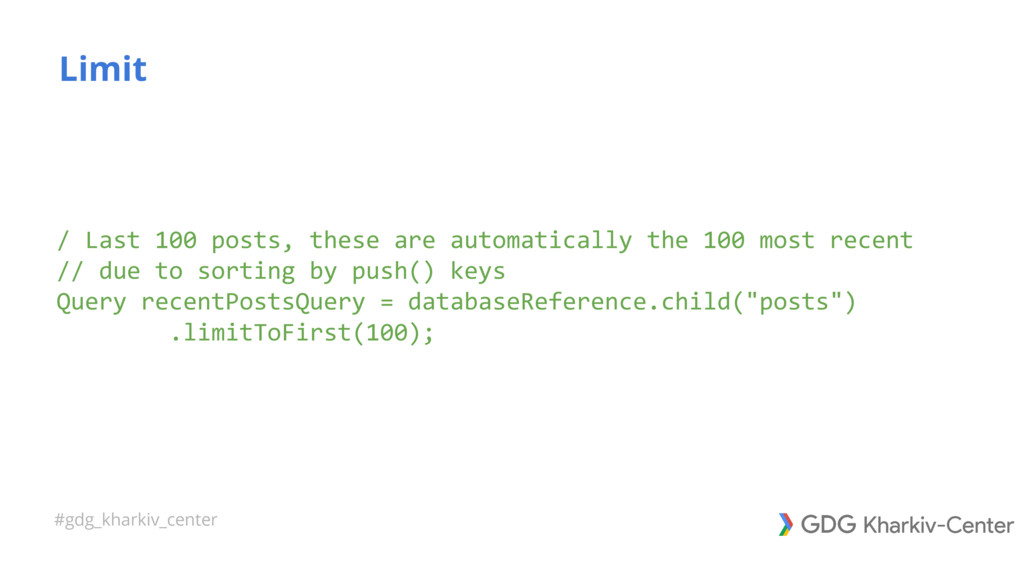
#gdg_kharkiv_center / Last 100 posts, these are automatically the 100
most recent // due to sorting by push() keys Query recentPostsQuery = databaseReference.child("posts") .limitToFirst(100); Limit -
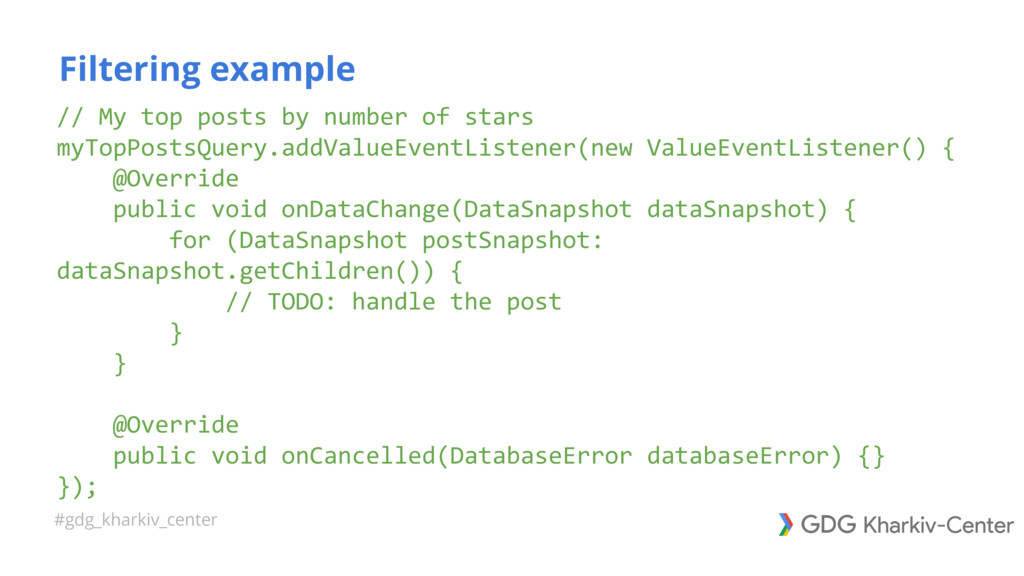
#gdg_kharkiv_center // My top posts by number of stars myTopPostsQuery.addValueEventListener(new
ValueEventListener() { @Override public void onDataChange(DataSnapshot dataSnapshot) { for (DataSnapshot postSnapshot: dataSnapshot.getChildren()) { // TODO: handle the post } } @Override public void onCancelled(DatabaseError databaseError) {} }); Filtering example -
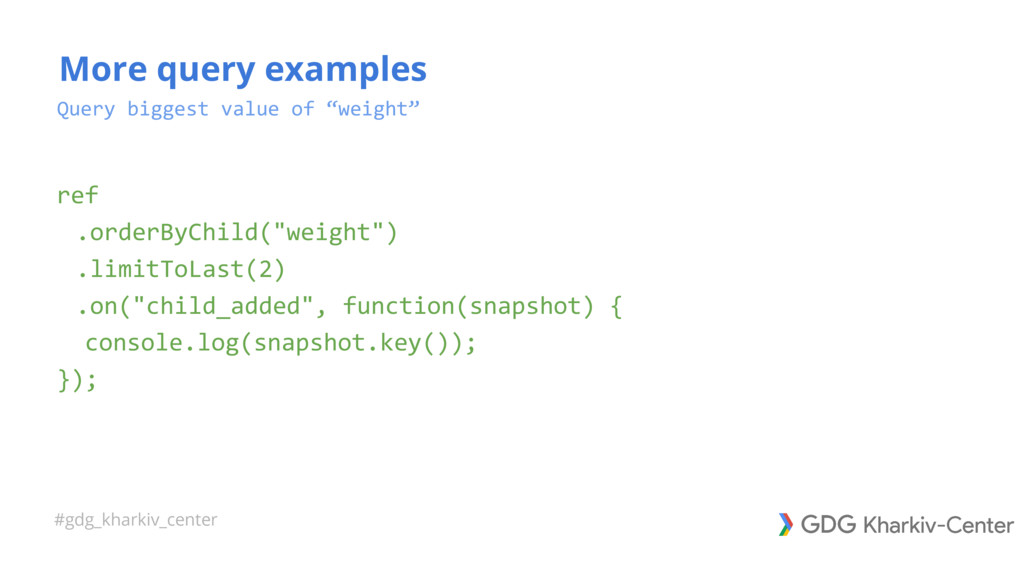
#gdg_kharkiv_center Query biggest value of “weight” ref .orderByChild("weight") .limitToLast(2) .on("child_added",
function(snapshot) { console.log(snapshot.key()); }); More query examples -
#gdg_kharkiv_center Links • Firebase home: https://firebase.google.com/ • Firebase docs: https://firebase.google.com/docs/
• Firebase blog: https://firebase.googleblog.com/ • Firecasts Youtube Channel: https://goo.gl/9giPHG • Firecasts for iOS: https://goo.gl/eNioSp • Firecasts for Android: https://goo.gl/M7UPTv • Firebase for SQL Developers on Youtube: https://youtu.be/WacqhiI-g_o?list=PLl-K7zZEsYLlP-k-RKFa7RyNPa9_wCH2s