Upgrade to Pro
— share decks privately, control downloads, hide ads and more …
Speaker Deck
Features
Speaker Deck
PRO
Sign in
Sign up for free
Search
Search
Infrastructure as Code
Search
Recruit Technologies
June 02, 2017
Technology
41k
6
Share
Embed
Copy iframe code
Copy JS code
Copy link
Start on current slide
Infrastructure as Code
2017年4~5月開催「ブートキャンプ特別講座」の資料になります。
Recruit Technologies
June 02, 2017
More Decks by Recruit Technologies
See All by Recruit Technologies
障害はチャンスだ! 障害を前向きに捉える
rtechkouhou
1
800
Flutter移行の苦労と、乗り越えた先に得られたもの
rtechkouhou
3
12k
ここ数年間のタウンワークiOSアプリのエンジニアのチャレンジ
rtechkouhou
1
1.6k
大規模環境をAWS Transit Gatewayで設計/移行する前に考える3つのポイントと移行への挑戦
rtechkouhou
1
2k
【61期 新人BootCamp】TOC入門
rtechkouhou
3
43k
【RTC新人研修 】 TPS
rtechkouhou
1
42k
Android Boot Camp 2020
rtechkouhou
0
42k
HTML/CSS
rtechkouhou
10
52k
TypeScript Bootcamp 2020
rtechkouhou
9
46k
Other Decks in Technology
See All in Technology
Bet AI Day 2026丨Production-Ready AI Agents — エンタープライズの実務を任せるための設計と運用
layerx
PRO
2
1.7k
Introduction to Bill One Development Engineer
sansan33
PRO
0
490
少人数データチームのDevin活用実践事例
runandy16
2
300
最新技術に積極チャレンジ!EKS共通基盤のこれまでとこれから
daitak
0
290
KPIだけでは評価できないプロダクトが考えるべき Evalsという第二の評価系 / Beyond KPIs: Evals as a Second Evaluation Framework for Products #PdEConf
aki_iinuma
0
910
Jetpack Compose で挑む新聞紙面UI ─ 複合ジェスチャー・ポリゴン記事領域・適応的ページ構成という3つの壁/droidkaigi2026
nikkei_engineer_recruiting
0
140
AI時代に、プロダクトの数だけ積み上がる所有コストをどうエンジニアリングするか / Engineering the Cost of Ownership
kzkmaeda
0
230
20260903 Tokyo Jazug Night #62 | Azure エンジニアよ、 その環境は本当にセキュアか?
olivia_0707
1
460
DINO-EdgeQuery:Edge-First Polygon Decoding for Building Footprint Extraction from Satellite Imagery
lehupa
0
120
AI時代におけるプロダクト横断勉強会の設計
zozotech
PRO
0
120
AIエージェントを雇う前に決める5つのこと
knishioka
1
140
Introduction to Sansan, inc / Sansan Global Development Center, Inc.
sansan33
PRO
0
3.2k
Featured
See All Featured
Visualizing Your Data: Incorporating Mongo into Loggly Infrastructure
mongodb
49
10k
Breaking role norms: Why Content Design is so much more than writing copy - Taylor Woolridge
uxyall
1
390
Optimising Largest Contentful Paint
csswizardry
37
3.9k
10 Git Anti Patterns You Should be Aware of
lemiorhan
PRO
659
62k
Introduction to Domain-Driven Design and Collaborative software design
baasie
1
960
Gemini Prompt Engineering: Practical Techniques for Tangible AI Outcomes
mfonobong
2
510
Build your cross-platform service in a week with App Engine
jlugia
234
19k
The #1 spot is gone: here's how to win anyway
tamaranovitovic
3
1.1k
StorybookのUI Testing Handbookを読んだ
zakiyama
31
6.9k
Imperfection Machines: The Place of Print at Facebook
scottboms
270
14k
Leveraging Curiosity to Care for An Aging Population
cassininazir
1
480
Fashionably flexible responsive web design (full day workshop)
malarkey
408
67k
Transcript
None
None
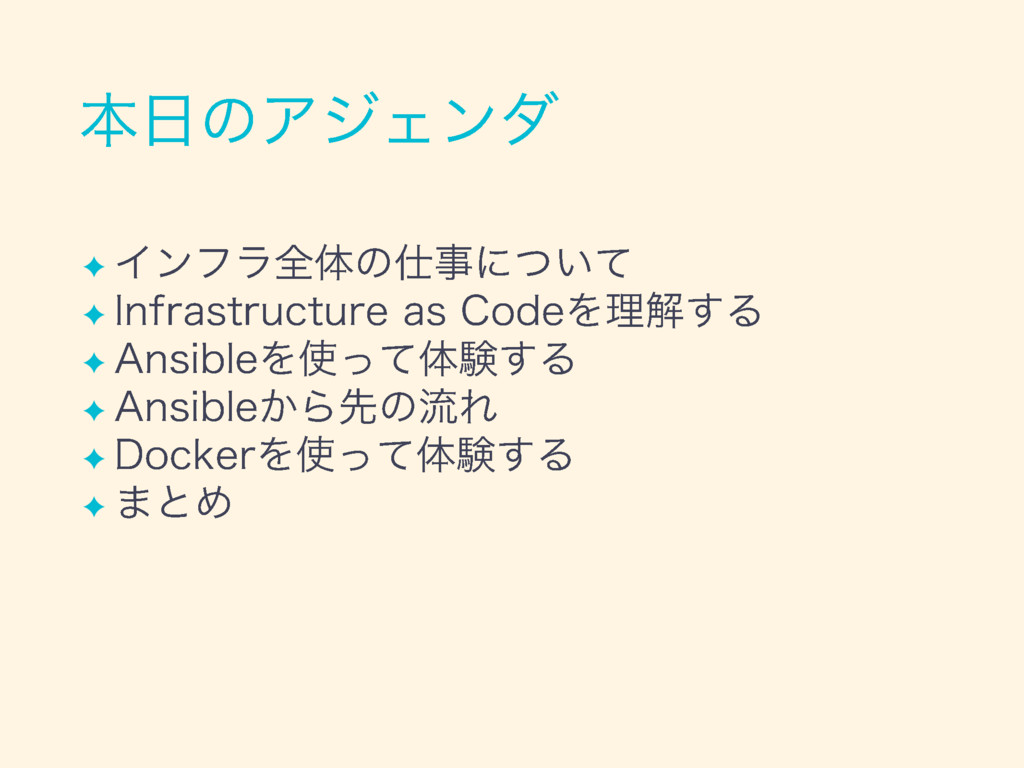
✦ ✦ ✦
None
None
✦ ✦ ✦ ✦
✦ ✦ ✦
✦ ✦ ✦ ✦ ✦ ✦
None
None
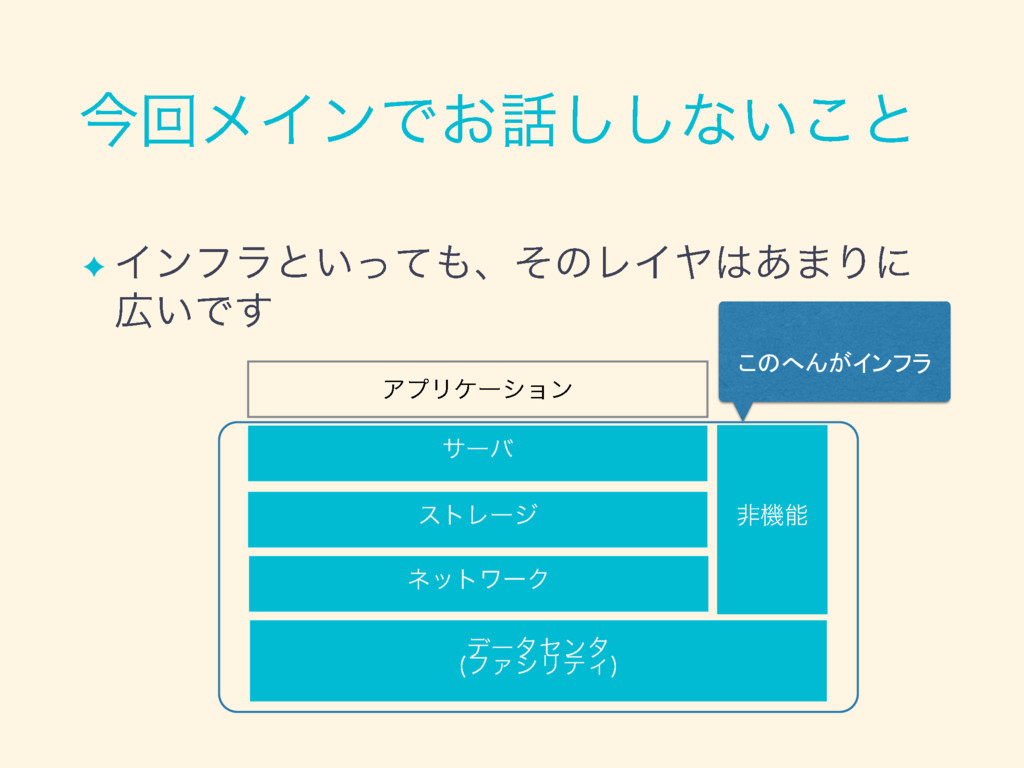
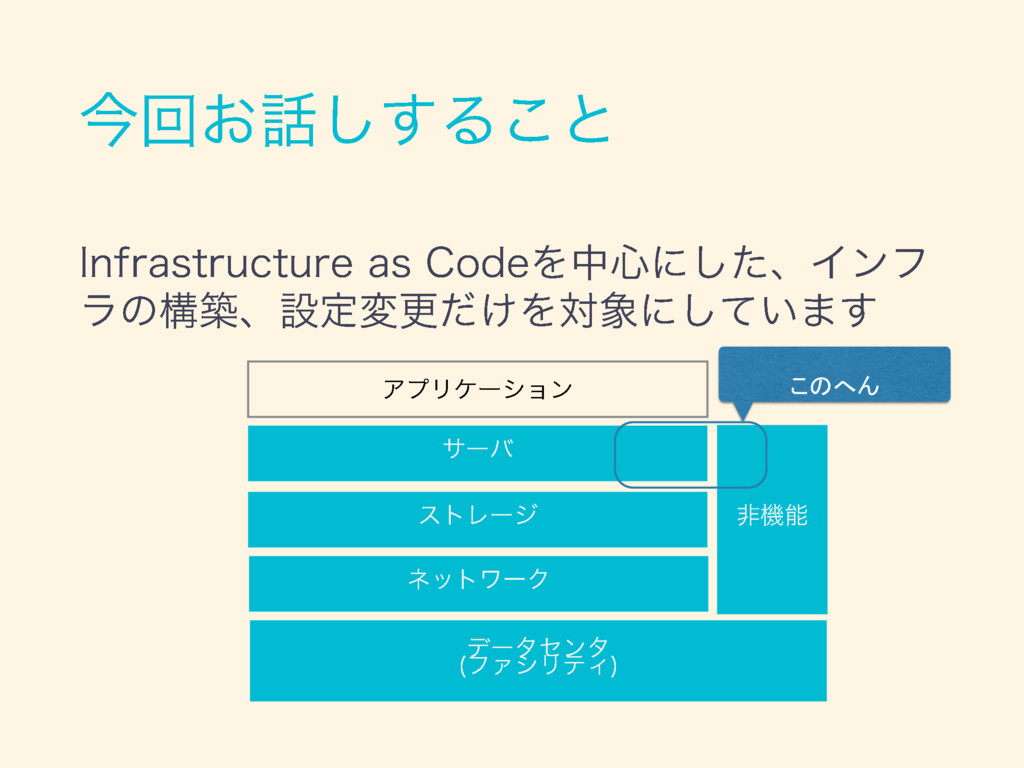
✦ このへんがインフラ
✦
✦ ✦ ✦ ✦ ✦ ✦ ✦
✦ ✦ ✦ ✦ ✦ ✦
✦ ✦ ✦ ✦ ✦
✦
✦ ✦ ✦ ✦ ✦
✦ ✦ ✦ ✦ ✦ ✦ ✦ ✦
None
このへん
✦ ✦ ✦ ✦ ✦
✦ ✦ ✦
None
None
None
✦ ✦ ✦ ✦
✦ ✦
✦ ✦
✦ ✦
✦ ✦
✦ ✦
✦ ✦
✦ ✦
✦ ✦
None
✦ ✦ ✦ ✦
✦ ✦ ✦
✦ ✦ ✦ ✦
✦ ✦
None
✦ ✦ ✦
✦ ✦ ✦
✦ ✦ ✦ ✦ ✦ ✦ ✦ ✦ ✦ ✦
✦ ✦ ✦ ✦ ✦
✦
None
✦ ✦
✦ ✦
✦ ✦ ✦ ✦ ✦
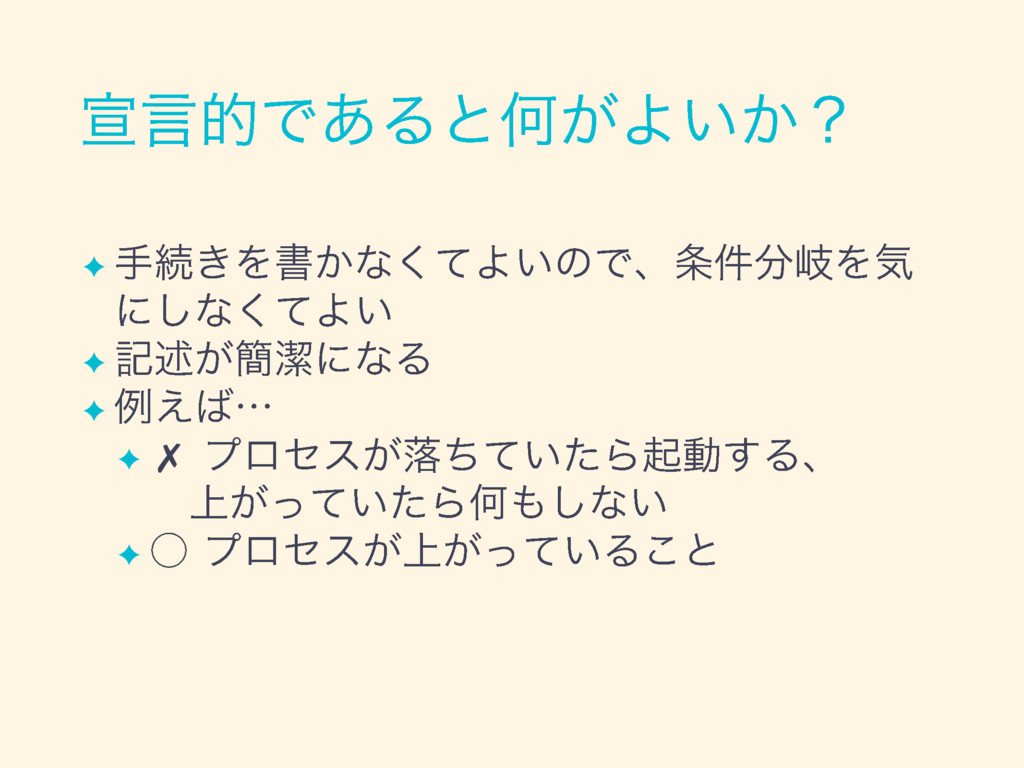
✦ ✦ startではない
✦ ✦ ✦ ✦ ✗ ✦
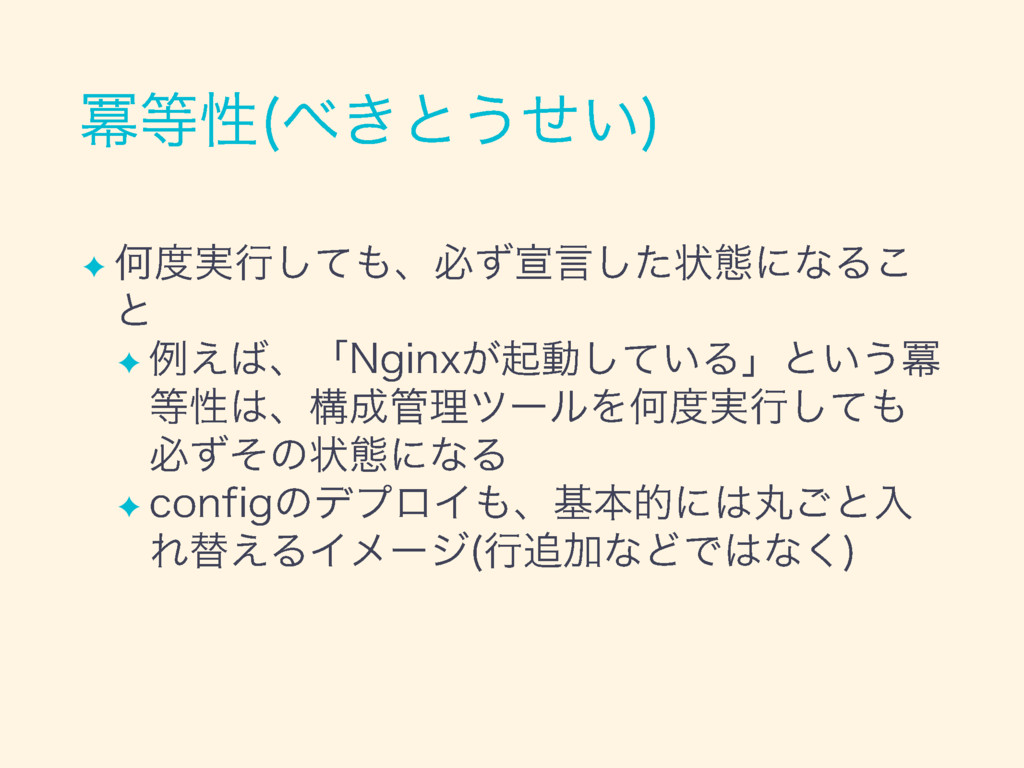
✦ ✦ RHELでもUbuntuでもCentOSでも一緒
✦ ✦ ✦ ✦
✦ ✦ ✦
✦ ✦ ✦ ✦ ✦
✦ ✦ ✦
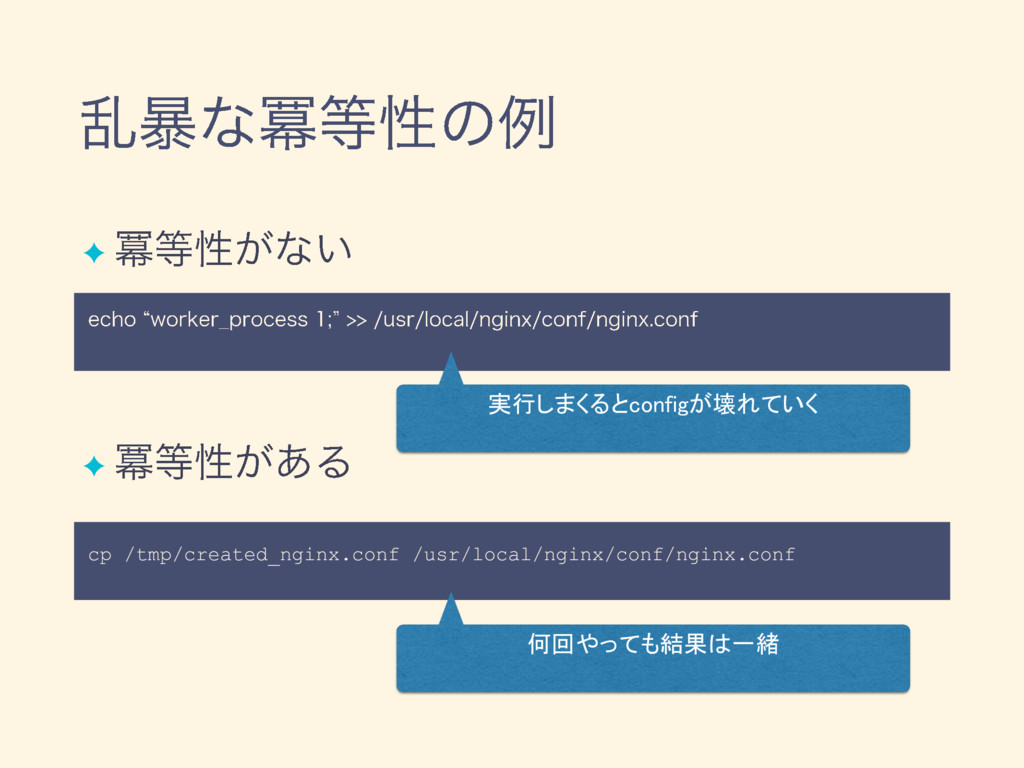
cp /tmp/created_nginx.conf /usr/local/nginx/conf/nginx.conf 実行しまくるとconfigが壊れていく ✦ ✦ 何回やっても結果は一緒
✦ ✦ ✦ ✦
✦ ✦ ✦
None
✦ ✦
✦ ✦ ✦ ✦ ✦ ✦
✦ ✦
None
✦ ✦ ✦ ✦ ✦ ✦
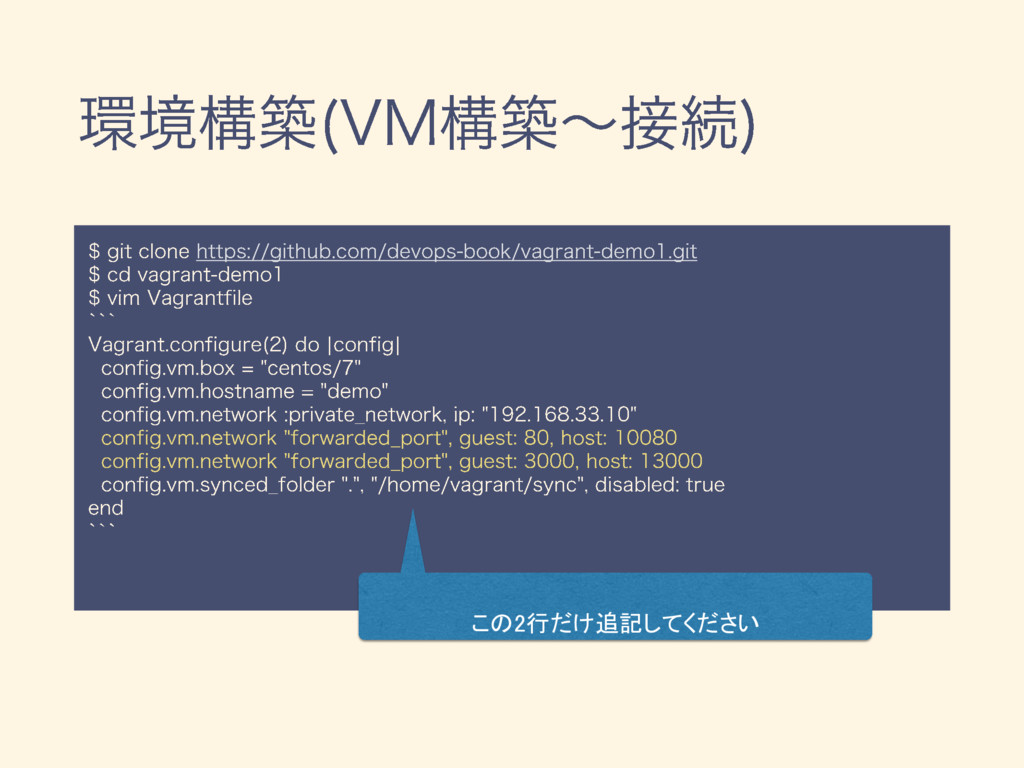
この2行だけ追記してください
None
None
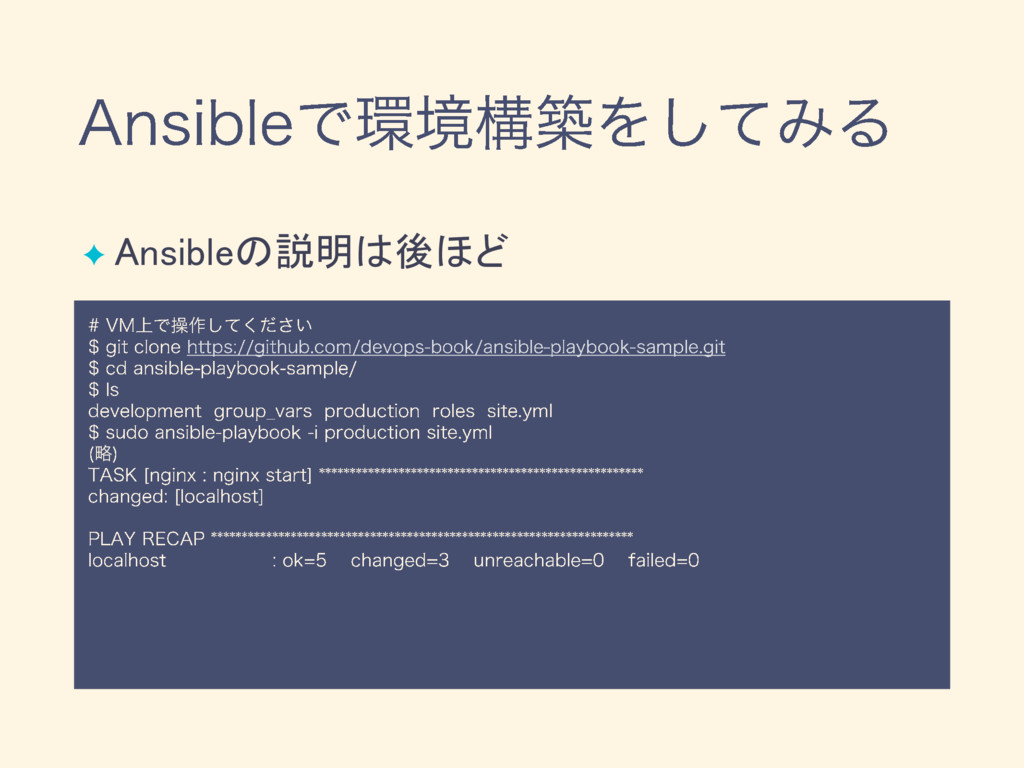
✦ Ansibleの説明は後ほど
None
✦ ✦
✦ $ sudo systemctl stop nginx.service # nginxを止めてみる $ sudo
vi /etc/nginx/nginx.conf # configを書き換えてみる $ sudo chmod 600 /var/log/nginx/access.log # permissionを変えてみる $ sudo vi /usr/share/nginx/html/index.html # DocumentRootを変えてみる
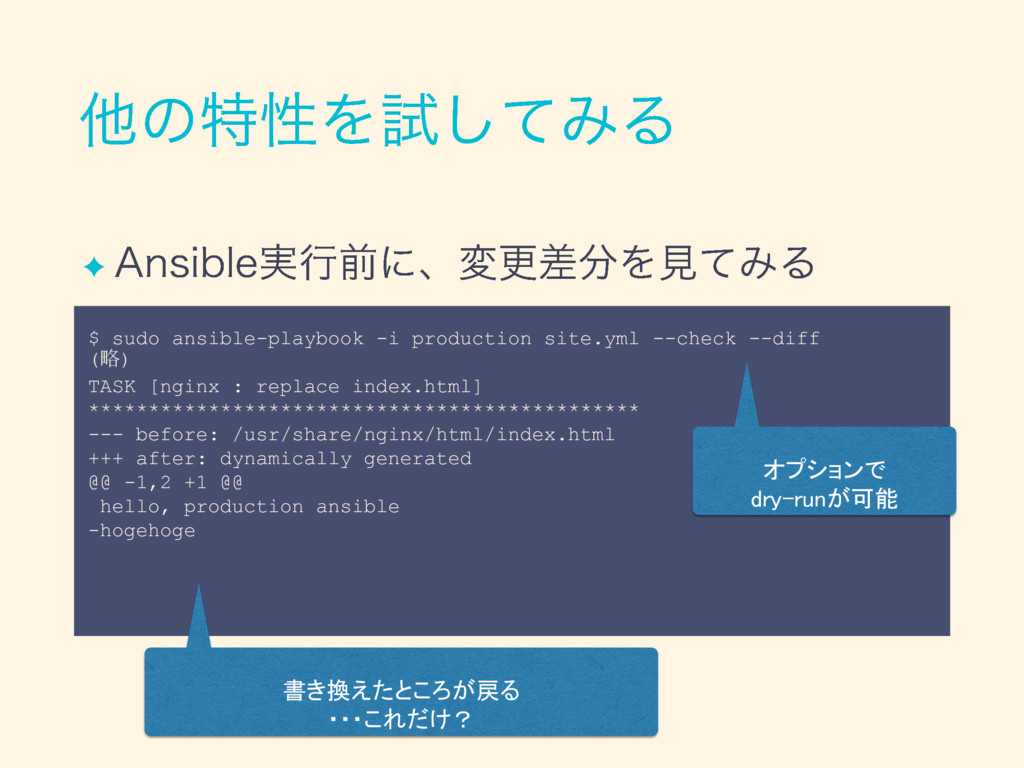
✦ $ sudo ansible-playbook -i production site.yml --check --diff (略)
TASK [nginx : replace index.html] ********************************************** --- before: /usr/share/nginx/html/index.html +++ after: dynamically generated @@ -1,2 +1 @@ hello, production ansible -hogehoge 書き換えたところが戻る ・・・これだけ? オプションで dry-runが可能
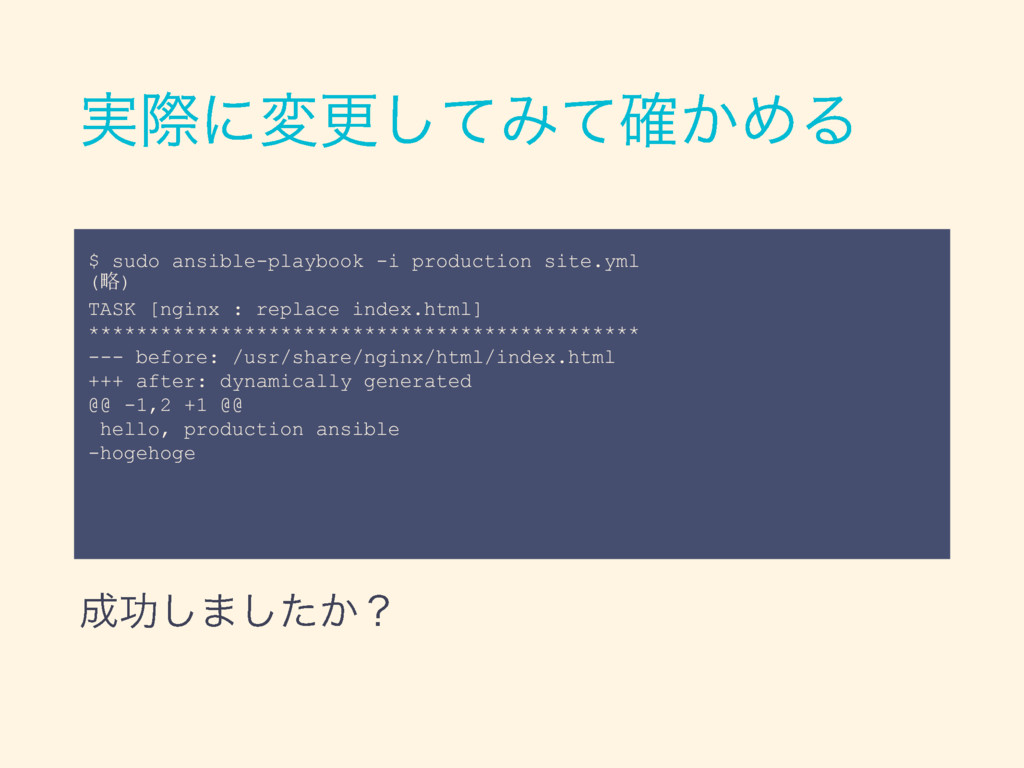
$ sudo ansible-playbook -i production site.yml (略) TASK [nginx :
replace index.html] ********************************************** --- before: /usr/share/nginx/html/index.html +++ after: dynamically generated @@ -1,2 +1 @@ hello, production ansible -hogehoge
None
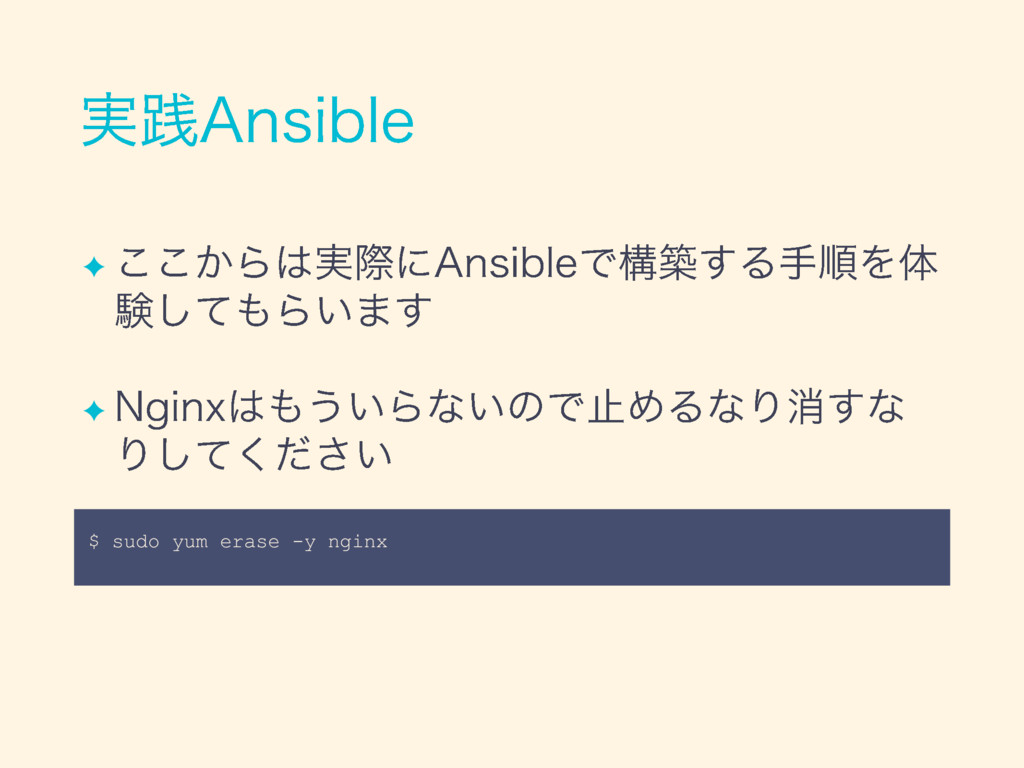
✦ ✦ $ sudo yum erase -y nginx
None
✦ ✦ ✦
✦ ✦ ✦ ✦ ✦
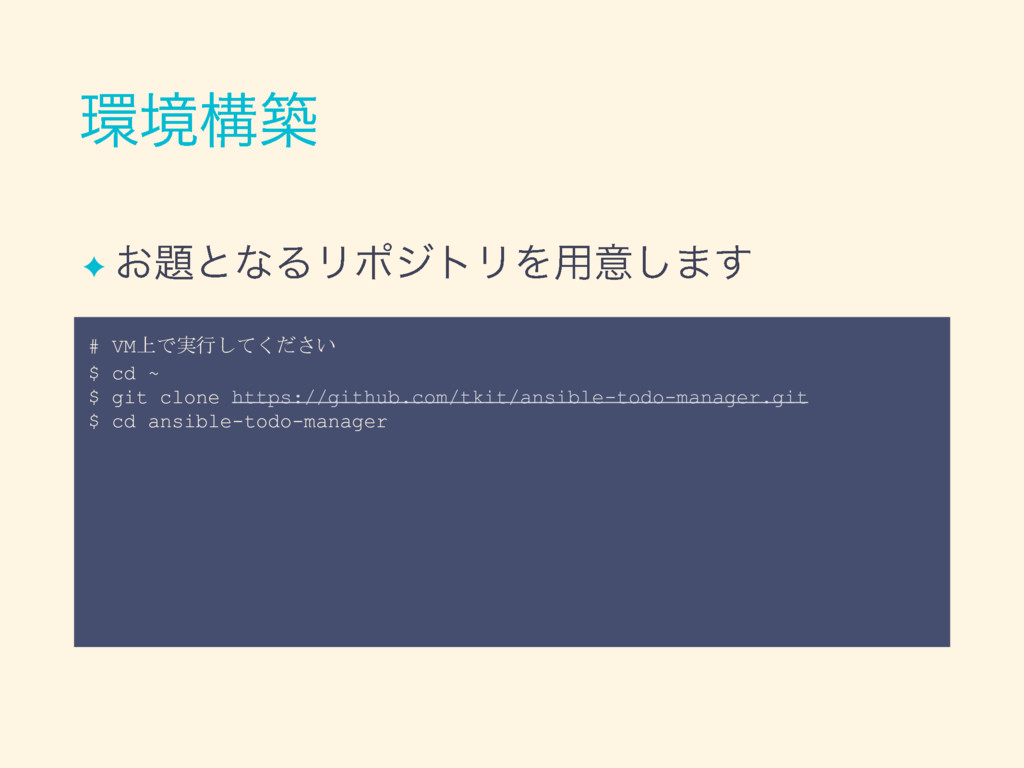
✦ # VM上で実行してください $ cd ~ $ git clone https://github.com/tkit/ansible-todo-manager.git
$ cd ansible-todo-manager
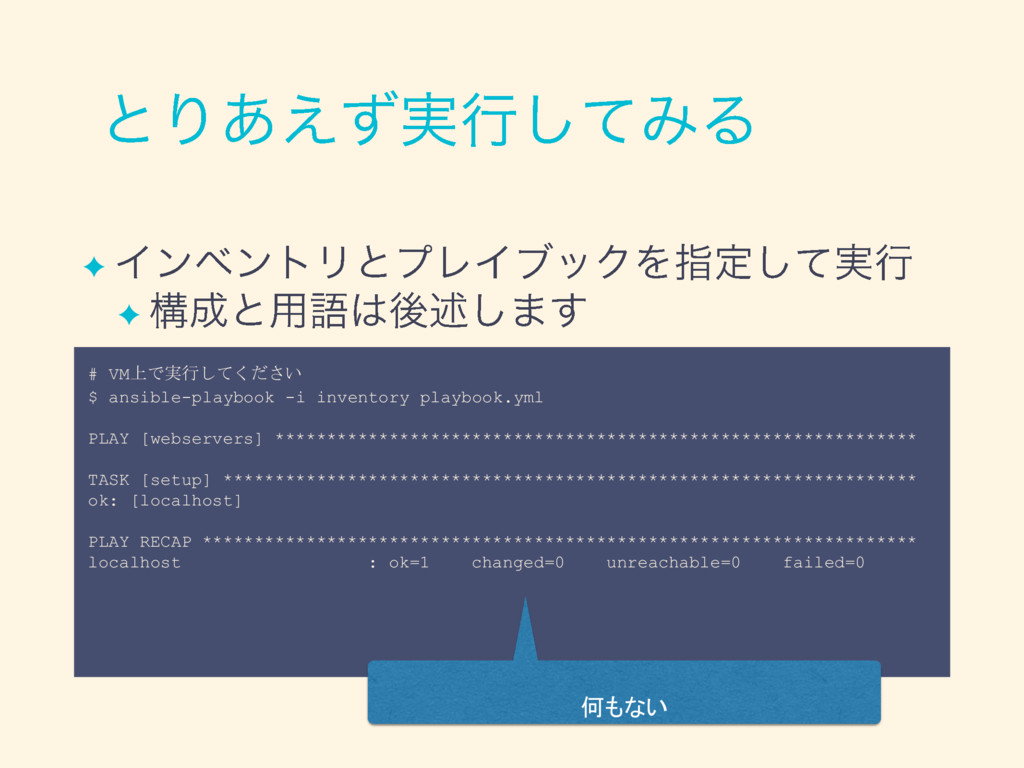
✦ ✦ # VM上で実行してください $ ansible-playbook -i inventory playbook.yml PLAY
[webservers] ************************************************************** TASK [setup] ******************************************************************* ok: [localhost] PLAY RECAP ********************************************************************* localhost : ok=1 changed=0 unreachable=0 failed=0 何もない
✦ ✦ ✦ . ├── inventory ├── playbook.yml └── roles
└── nodejs ├── meta │ └── main.yml └── tasks └── main.yml インベントリ : 操作対象ホストの全部の一覧 プレイブック : 全体の設計(どのホストに、どんな処理をするか) タスク : 具体的な処理の詳細
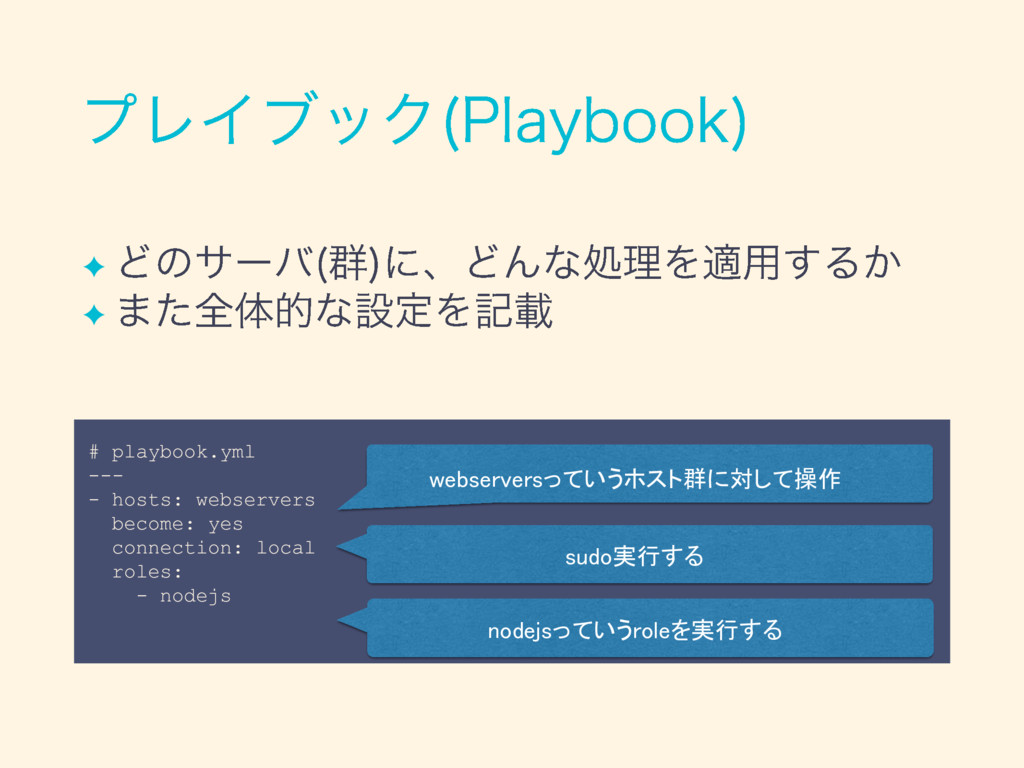
✦ ✦ # playbook.yml --- - hosts: webservers become: yes
connection: local roles: - nodejs webserversっていうホスト群に対して操作 sudo実行する nodejsっていうroleを実行する
✦ ✦ # inventory [webservers] localhost webserversというグループには localhostが存在(複数行書くこともできる)
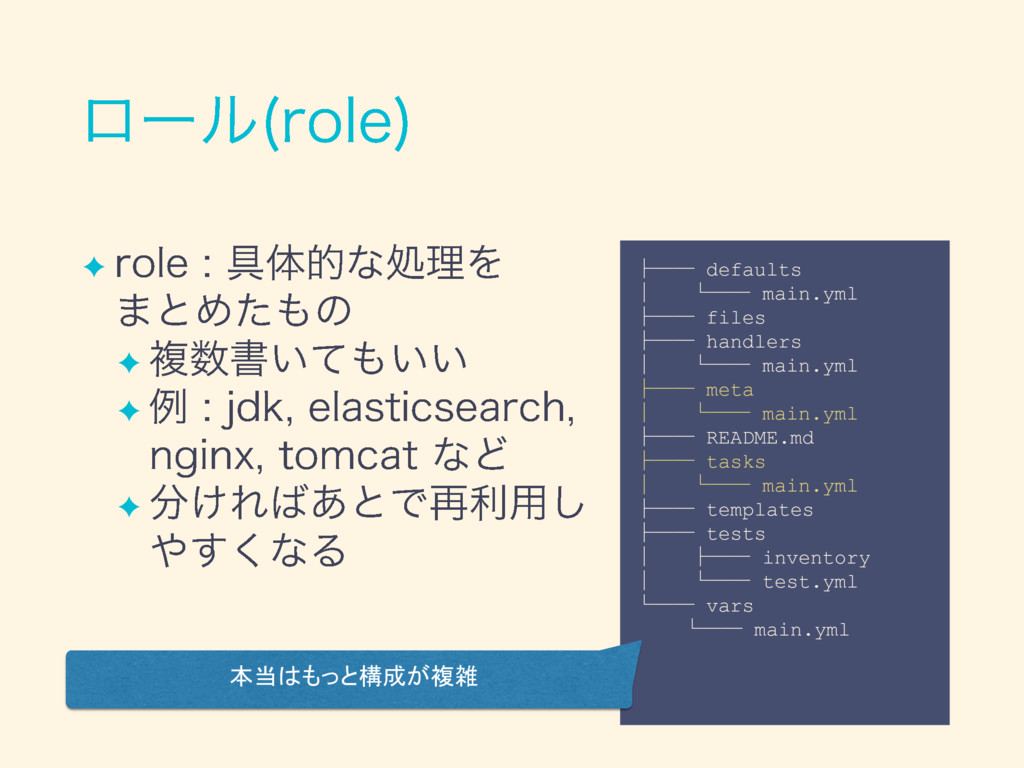
✦ ✦ ✦ ✦ ├── defaults │ └── main.yml ├──
files ├── handlers │ └── main.yml ├── meta │ └── main.yml ├── README.md ├── tasks │ └── main.yml ├── templates ├── tests │ ├── inventory │ └── test.yml └── vars └── main.yml 本当はもっと構成が複雑
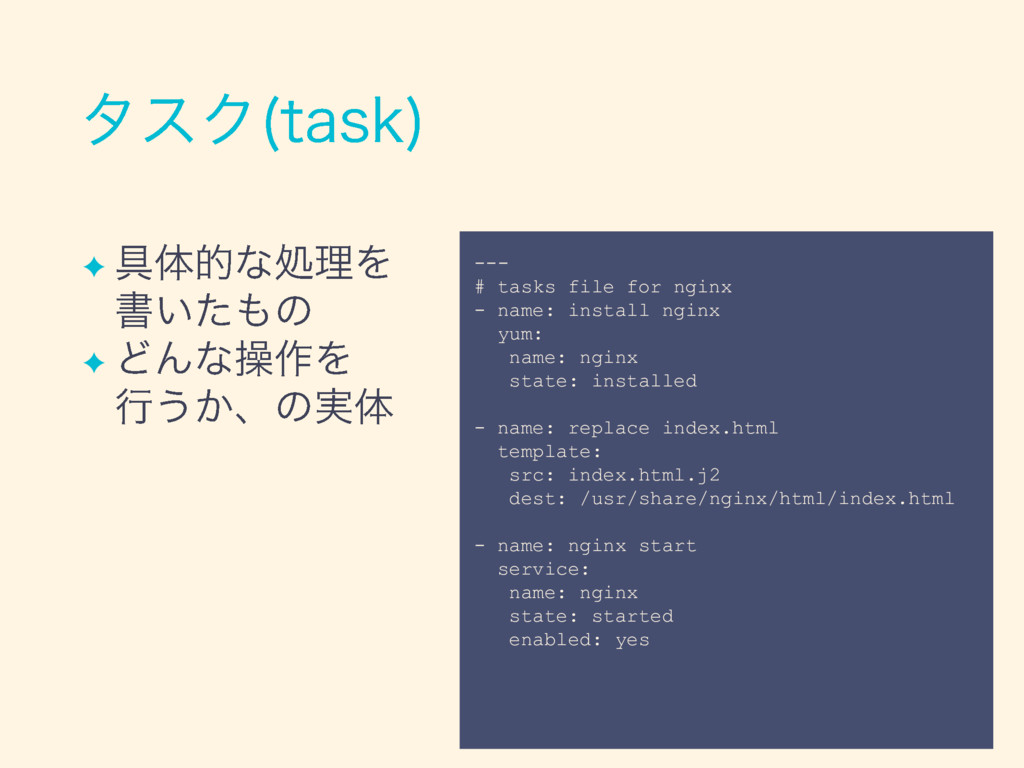
✦ ✦ --- # tasks file for nginx - name:
install nginx yum: name: nginx state: installed - name: replace index.html template: src: index.html.j2 dest: /usr/share/nginx/html/index.html - name: nginx start service: name: nginx state: started enabled: yes
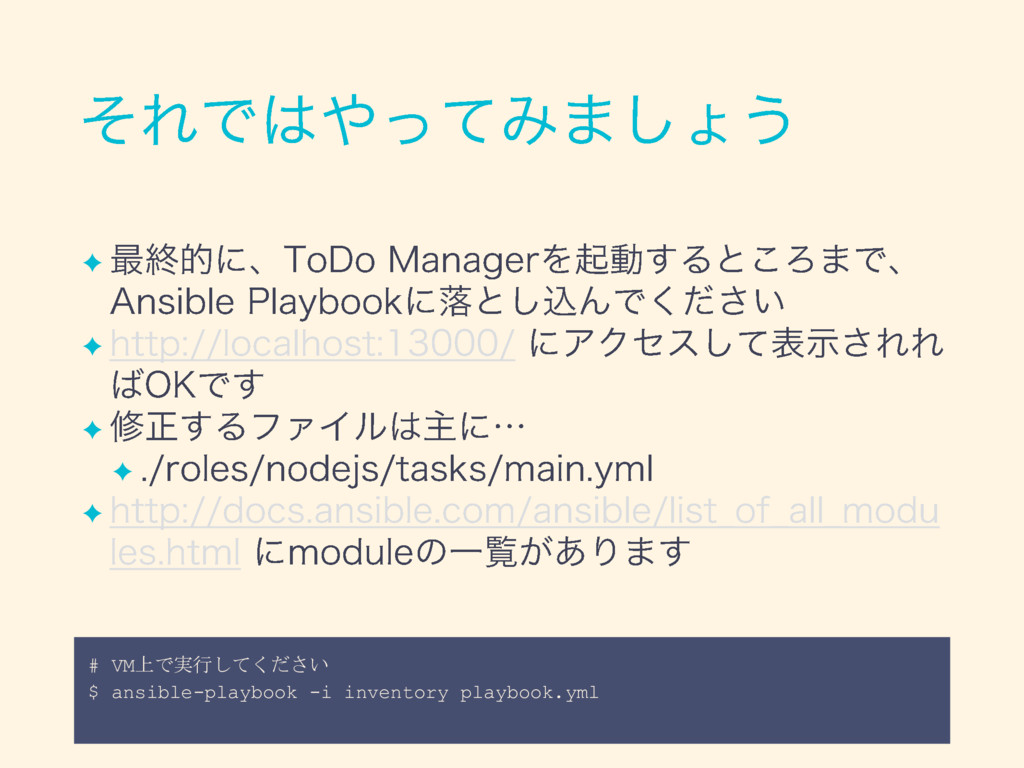
✦ ✦ ✦ ✦ ✦ # VM上で実行してください $ ansible-playbook -i
inventory playbook.yml
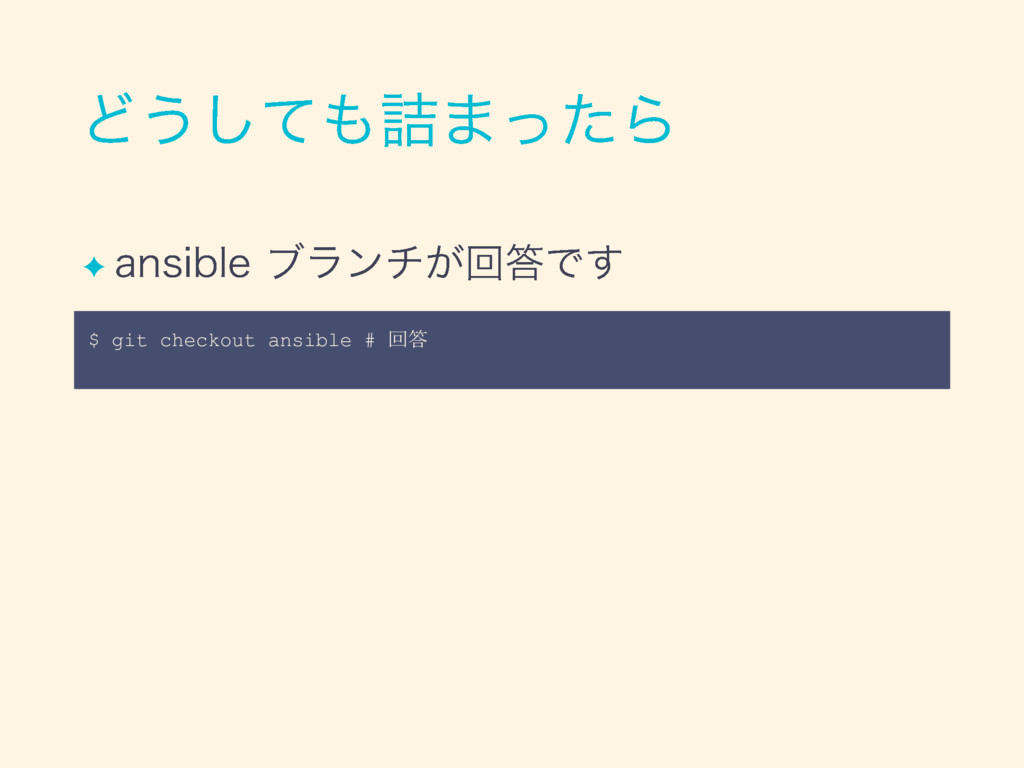
✦ $ git checkout ansible # 回答
✦ ✦ ✦ ✦
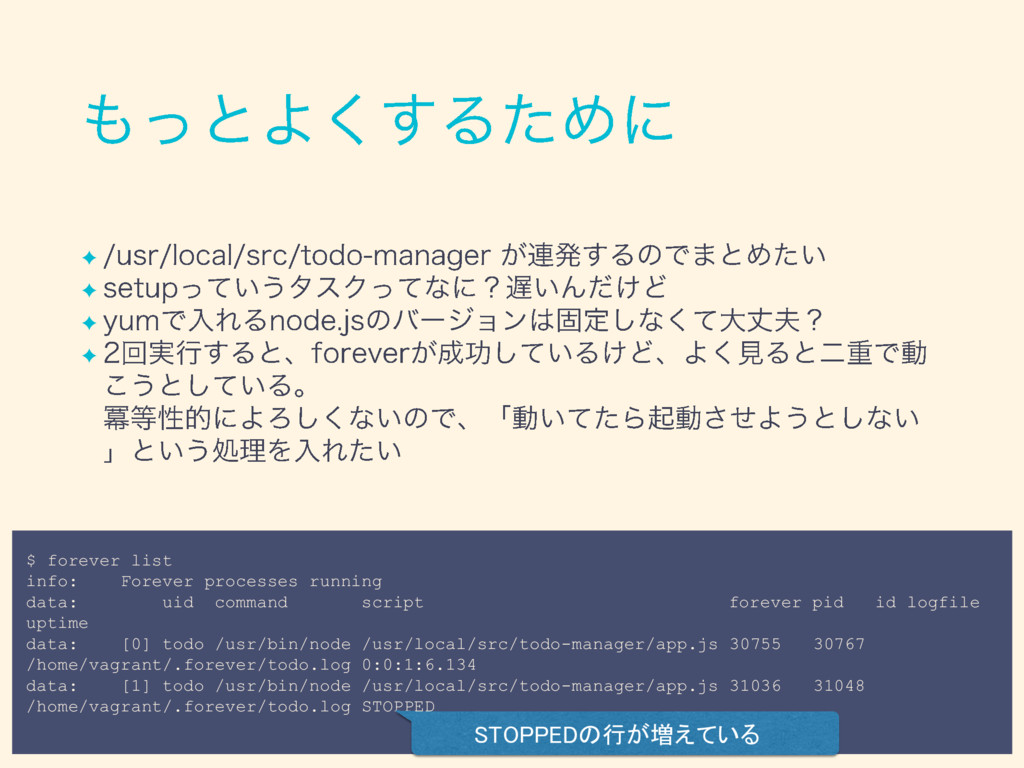
✦ ✦ ✦ ✦ $ forever list info: Forever processes
running data: uid command script forever pid id logfile uptime data: [0] todo /usr/bin/node /usr/local/src/todo-manager/app.js 30755 30767 /home/vagrant/.forever/todo.log 0:0:1:6.134 data: [1] todo /usr/bin/node /usr/local/src/todo-manager/app.js 31036 31048 /home/vagrant/.forever/todo.log STOPPED STOPPEDの行が増えている
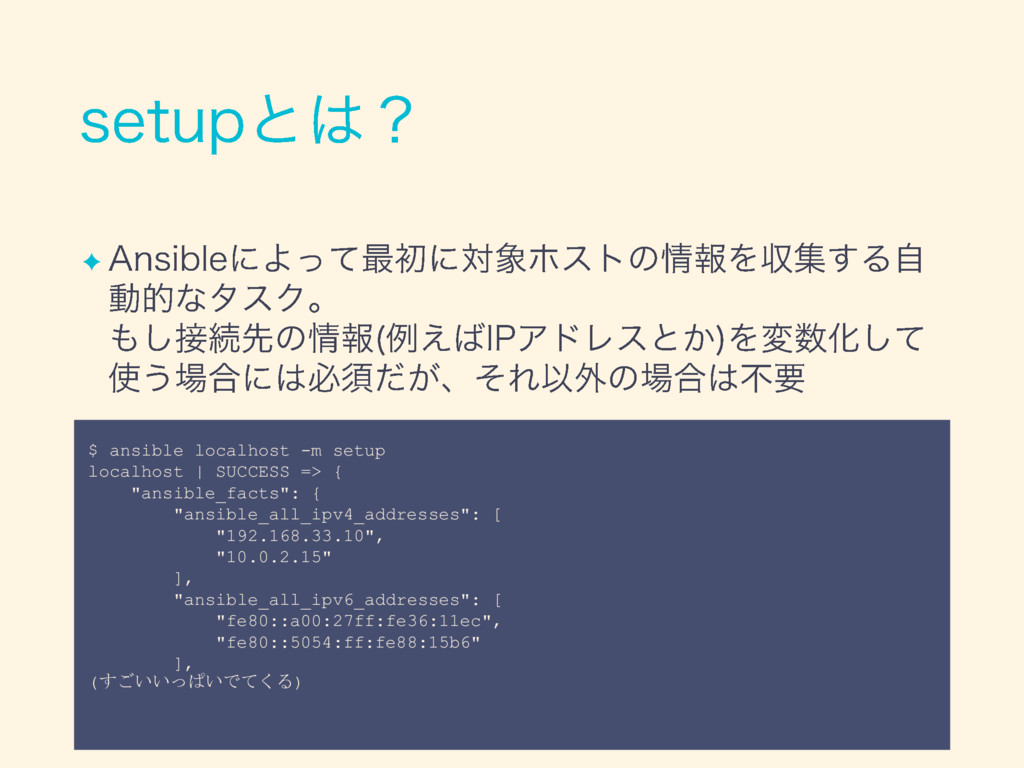
✦ $ ansible localhost -m setup localhost | SUCCESS =>
{ "ansible_facts": { "ansible_all_ipv4_addresses": [ "192.168.33.10", "10.0.2.15" ], "ansible_all_ipv6_addresses": [ "fe80::a00:27ff:fe36:11ec", "fe80::5054:ff:fe88:15b6" ], (すごいいっぱいでてくる)
✦ ✦ ✦ ✦ ✦ ✦
✦ ✦ ✦ ✦ ✦ ✦ ✦ ✦ ✦
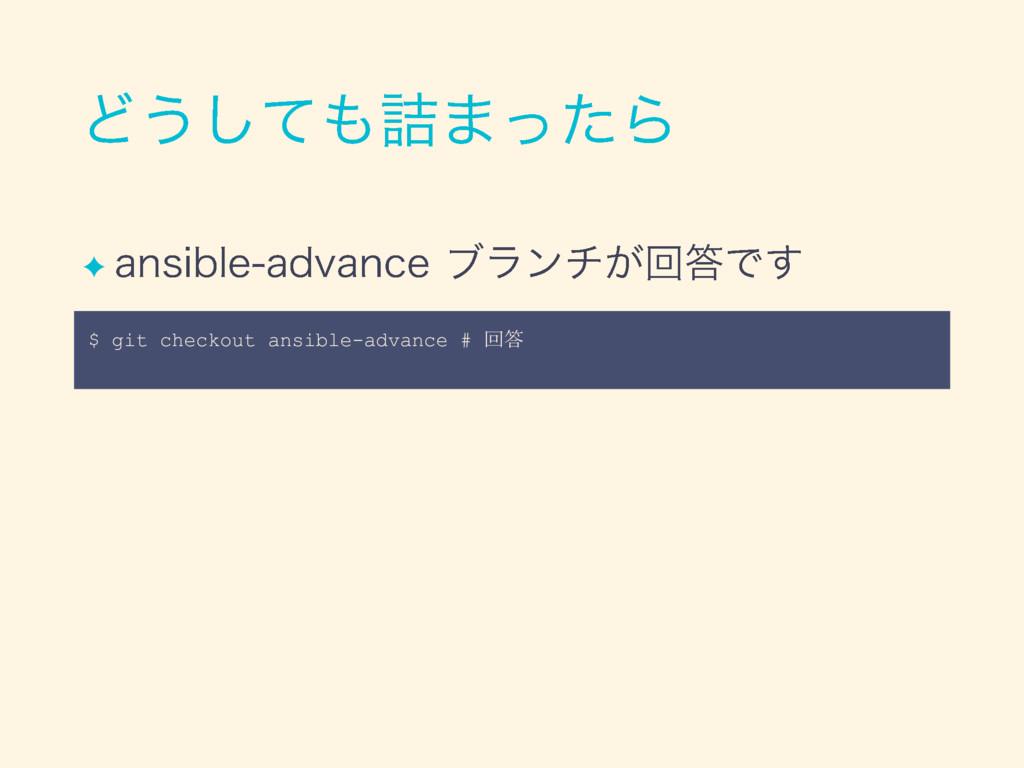
✦ $ git checkout ansible-advance # 回答
None
None
✦ ✦
None
✦ ✦
✦
✦ ✦ ✦ ✦ ✦ ✦
None
✦ ✦
None
✦ ✦ ✦ ✦ ✦
✦ ✦ ✦
✦
None
✦ ✦ ✦
None
None
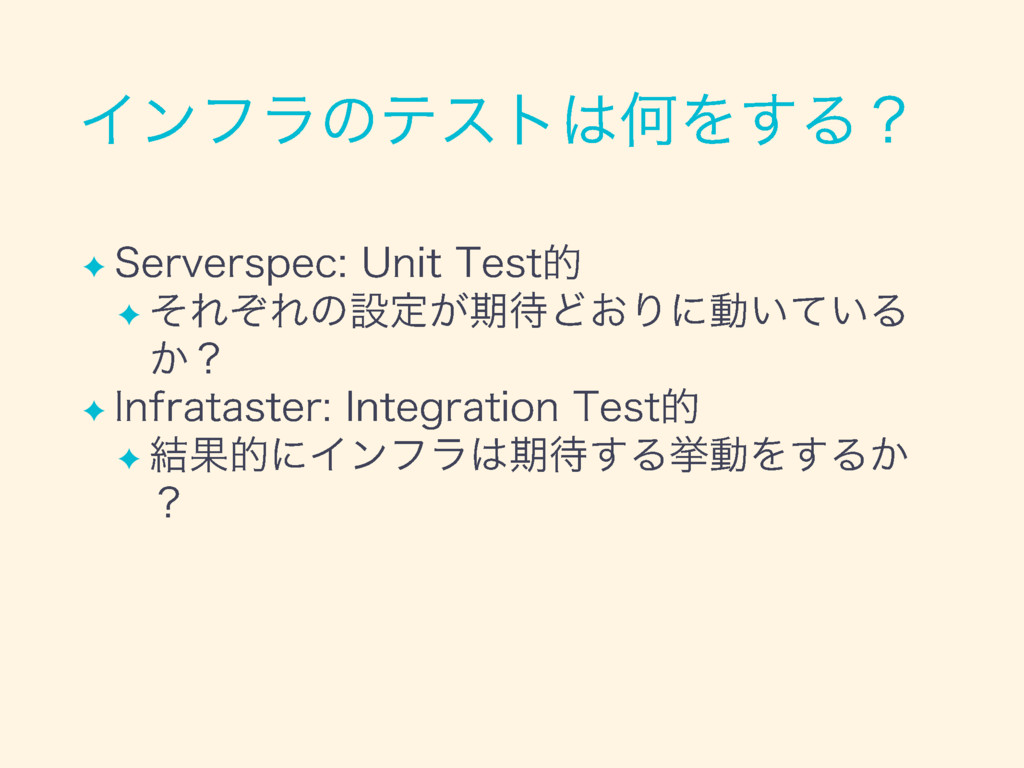
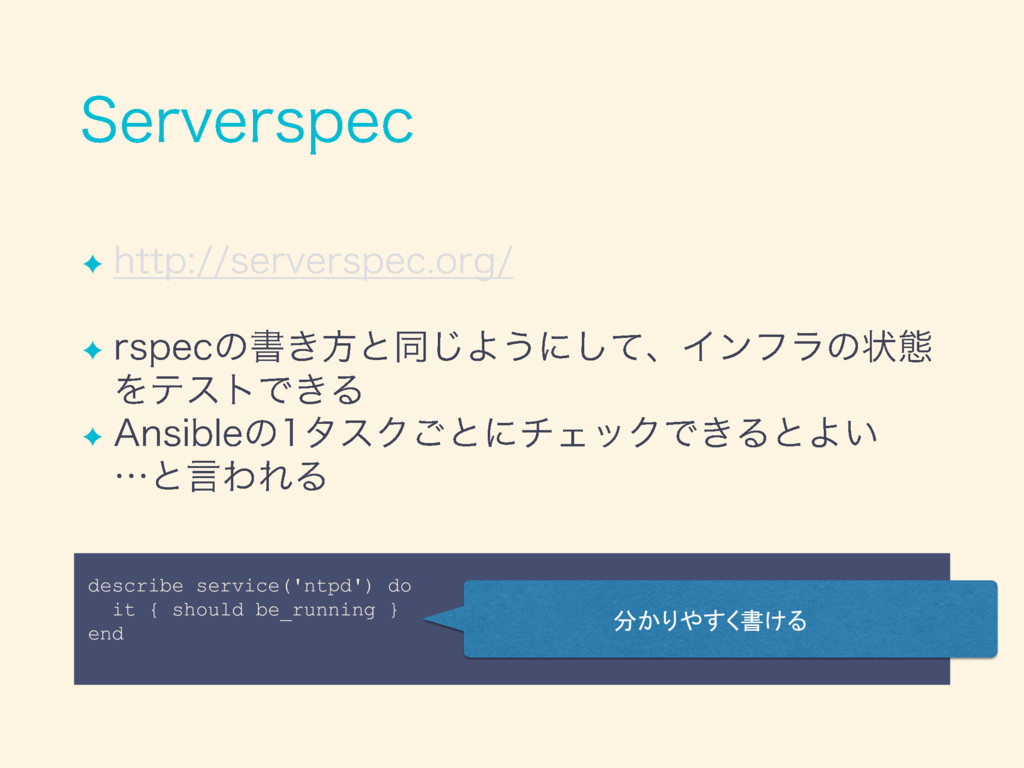
✦
✦ ✦ ✦ ✦
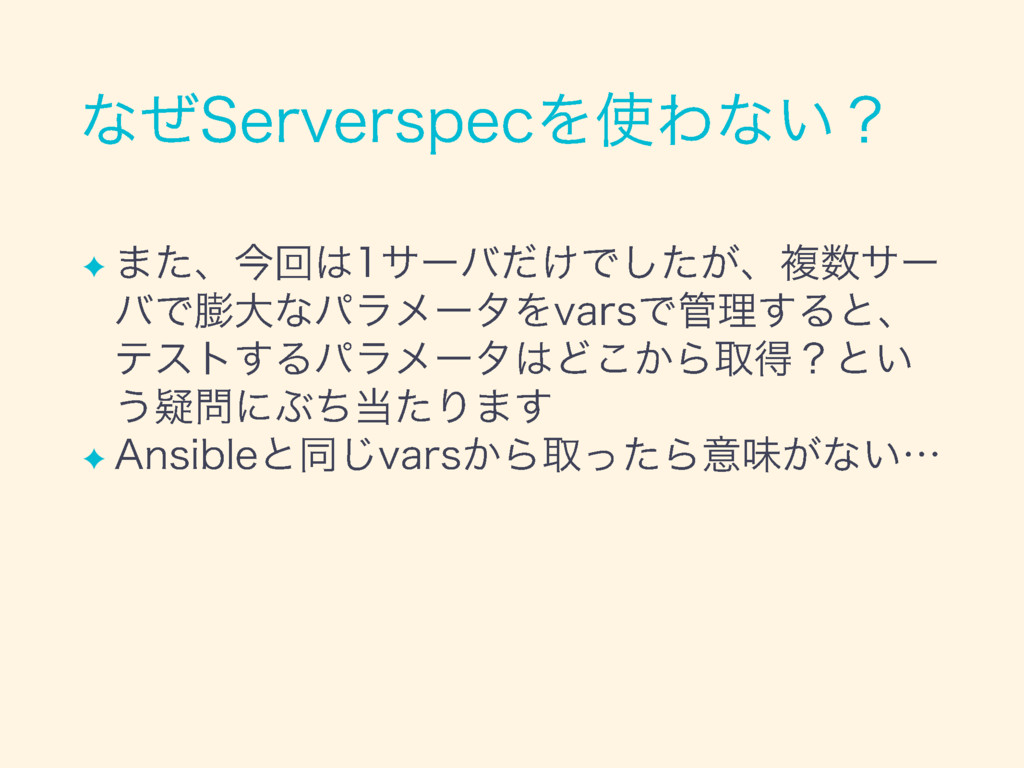
✦ ✦ ✦ describe service('ntpd') do it { should be_running
} end 分かりやすく書ける
None
✦ ✦
✦ ✦
✦ ✦ ✦
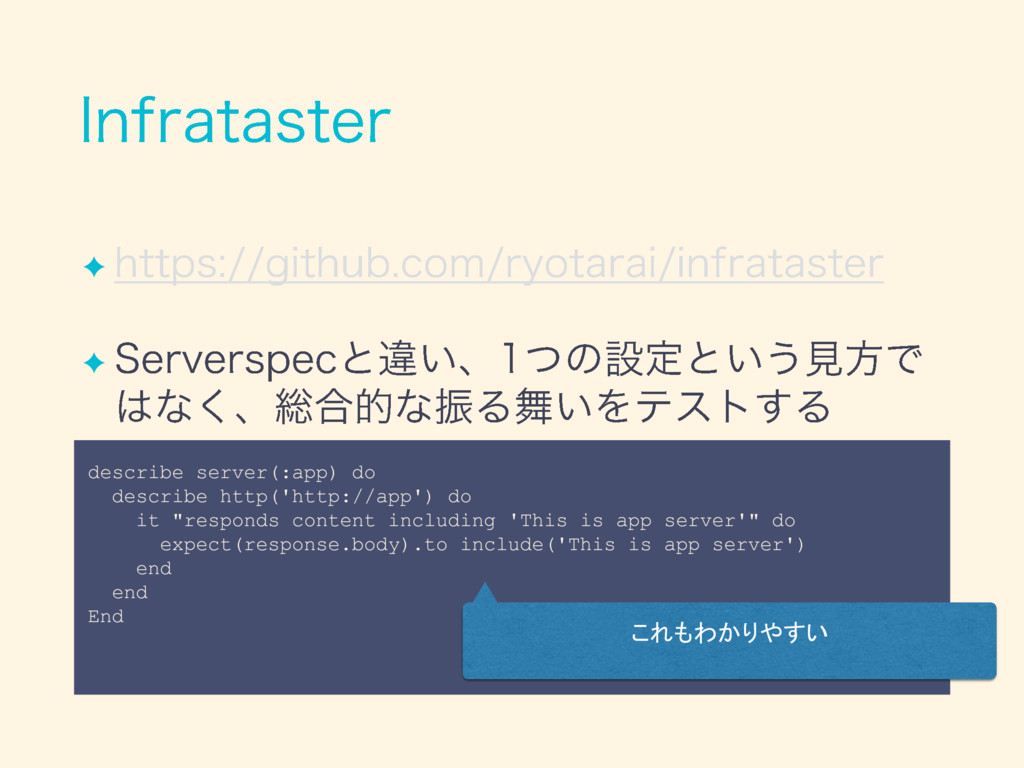
✦ ✦ describe server(:app) do describe http('http://app') do it "responds
content including 'This is app server'" do expect(response.body).to include('This is app server') end end End これもわかりやすい
✦ ✦ ✦
None
✦
✦ ✦ ✦
None
None
✦ ✦ ✦ ✦ ✦ ✦
None
None
None
None
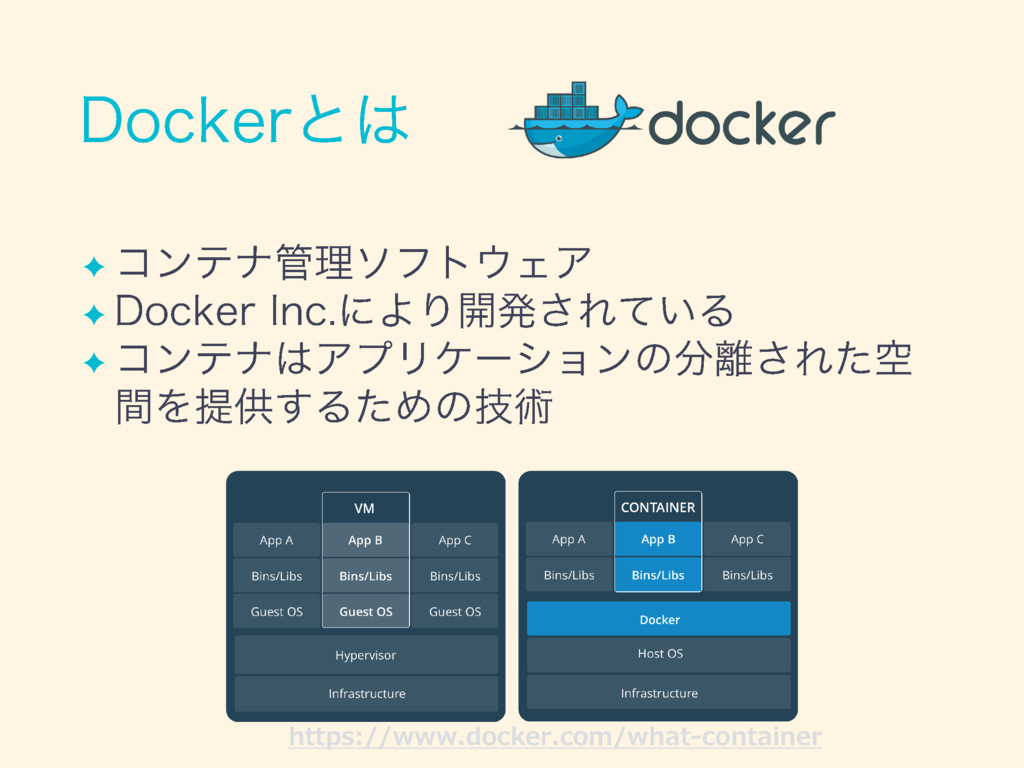
✦ ✦ ✦ https://www.docker.com/what-container
✦ ✦
✦ ✦ ✦
✦ ✦ ✦ ✦
✦
✦ ✦ ✦ ✦ ✦ ✦
✦ ✦ ✦
✦
✦ ✦ [vagrant@demo ~]$ exit # VMから抜ける $ vagrant halt
# VMを止める場合 $ vagrant destroy # VMを消す場合
None
✦ ✦ ✦ ✦ ✦
✦ ✦
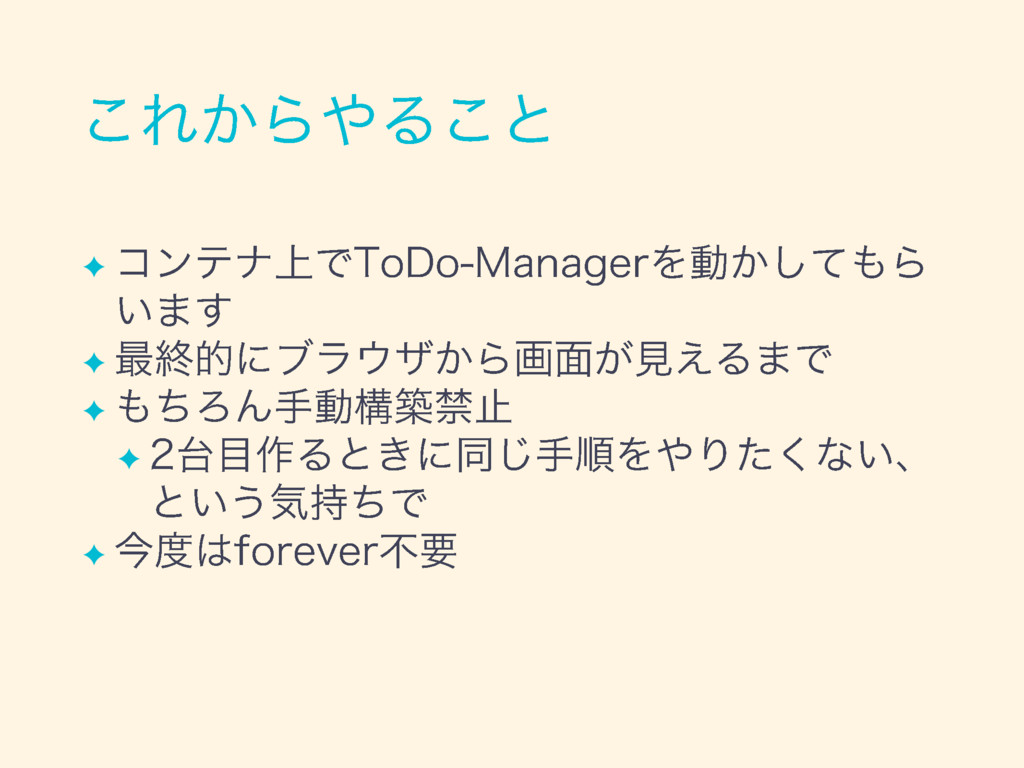
✦ ✦ ✦ ✦ ✦ ✦ ✦
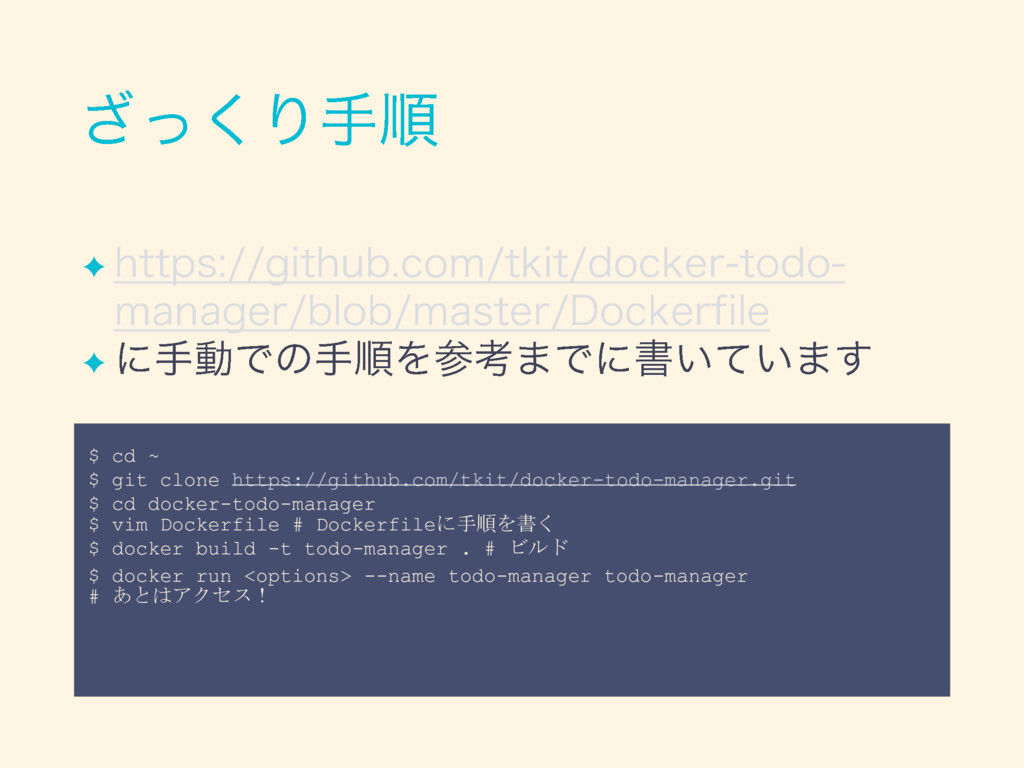
$ cd ~ $ git clone https://github.com/tkit/docker-todo-manager.git $ cd docker-todo-manager
$ vim Dockerfile # Dockerfileに手順を書く $ docker build -t todo-manager . # ビルド $ docker run <options> --name todo-manager todo-manager # あとはアクセス! ✦ ✦
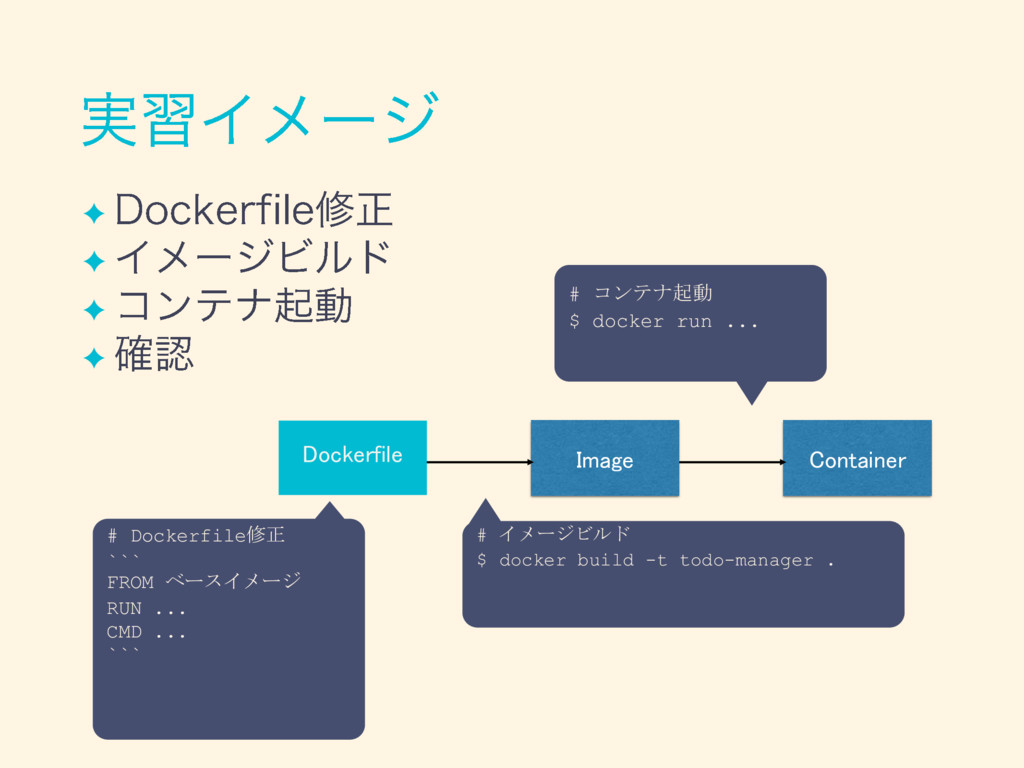
Image Container Dockerfile # イメージビルド $ docker build -t todo-manager
. # Dockerfile修正 ``` FROM ベースイメージ RUN ... CMD ... ``` # コンテナ起動 $ docker run ... ✦ ✦ ✦ ✦
None
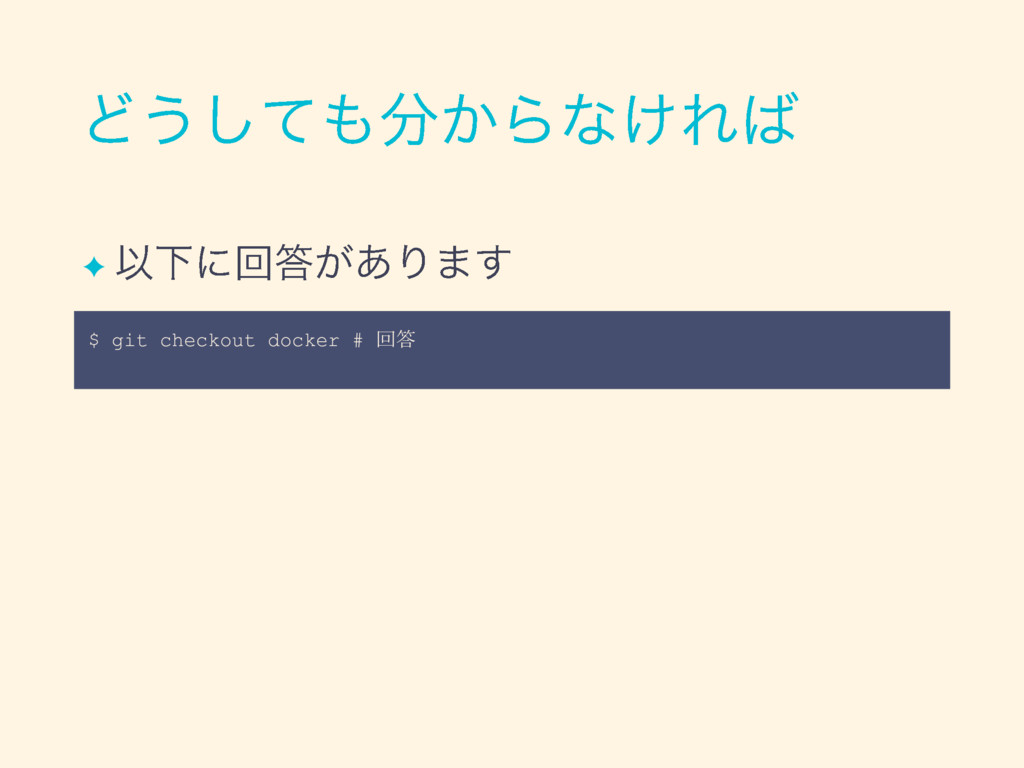
✦ $ git checkout docker # 回答
✦ ✦
None
✦ # コンテナを消す $ docker container ls # コンテナの一覧を調べる $
docker stop <container名> $ docker container rm -f <container名> # 特定のコンテナを消す # イメージを消す $ docker image ls # イメージの一覧を調べる $ docker image rm <image名> # 特定のイメージを消す # 全体的に使っていないものをきれいにする $ docker container prune $ docker image prune
None
✦ ✦
✦ ✦ ✦
None
✦ ✦ ✦ ✦
✦ ✦ ✦ ✦ ✦ ✦ ✦
None
None
None
None
None
None
None
None
Microservice Container Monolithic Physical Machines 今回学んだこと Immutable Virtual Machines
None


 rtechkouhou
 layerx
 sansan33
 runandy16
 daitak
 aki_iinuma
 nikkei_engineer_recruiting
 kzkmaeda
 olivia_0707
 lehupa
 zozotech
 knishioka
 mongodb
 uxyall
 csswizardry
 lemiorhan
 baasie
 mfonobong
 jlugia
 tamaranovitovic
 zakiyama
 scottboms
 cassininazir
 malarkey

















![✦ ✦ # inventory [webservers] localhost webserversというグループには localhostが存在(複数行書くこともできる)](https://files.speakerdeck.com/presentations/2f451542fd2b42b897d780a80d866daa/slide_83.jpg)











![✦ ✦ [vagrant@demo ~]$ exit # VMから抜ける $ vagrant halt](https://files.speakerdeck.com/presentations/2f451542fd2b42b897d780a80d866daa/slide_138.jpg)