Upgrade to Pro
— share decks privately, control downloads, hide ads and more …
Speaker Deck
Sign up for free
Menu
Search
Features
All features
Private URLs
Password Protection
Custom URLS
Scheduled publishing
Remove Branding
Restrict embedding
Deck Collections
Notes
Features
All features
Private URLs
Password Protection
Custom URLS
Scheduled publishing
Remove Branding
Restrict embedding
Deck Collections
Notes
Explore
Featured decks
Featured speakers
Programming
Technology
Storyboards
Explore
Featured decks
Featured speakers
Programming
Technology
Storyboards
Pricing
Search
Sign in
Sign up for free
非エンジニアにも分かる UniRx(ゆにあーるえっくす)/ UniRx for non-eng...
Search
Ryuichi Jinushi
March 31, 2021
Programming
72
1
Share
Embed
Copy iframe code
Copy JS code
Copy link
Start on current slide
非エンジニアにも分かる UniRx(ゆにあーるえっくす)/ UniRx for non-engineers
UniRx(と言うか Rx)を非エンジニアの方にも伝わるように整理してみました。社内 LT 回で発表。
Ryuichi Jinushi
March 31, 2021
More Decks by Ryuichi Jinushi
See All by Ryuichi Jinushi
マップゲーム SDK 競合の話 / arow and other map game sdk
ryuj
0
1.1k
マップゲーム SDK AROW とその運用を支える AWS の構成 / AROW with AWS
ryuj
0
110
少人数の SDK 開発を支えるテストの話 / tests for small group development
ryuj
0
620
位置情報を用いたモバイルゲームが 気軽に作れる 3D リアルマップサービス 「AROW」について (実践編) / how to AROW practice at Gotanda.unity #11
ryuj
0
83
技術書のすゝめ / suggestion of technical book
ryuj
0
93
Other Decks in Programming
See All in Programming
機械に任せるテスト、人が見るテスト ⽣成AIで引き直した、運⽤保守フェーズの線引き
dske104
0
160
[Rails World 2026] Durable orchestration on Rails: from continuation to workflow
palkan
1
470
AWSに止められる覚悟してますか?
morizo_1984
2
510
GitHubハンズオン講座 — 実務レベルのチーム開発のフローを身につけよう
junhat6
0
120
SREの越境 / SRE Collaboration
y0hgi
2
300
ゲームコントローラやキーボードのファームウェアをSwiftで書く
kishikawakatsumi
1
280
Embedded Swiftで作る自作USBデバイス によるiOSデバイスの自動テスト / iOSDC Japan 2026 glassfiber
glassfiber
0
290
AI時代のコードレビューは人に向けるな、仕組みに向けろ
texmeijin
5
3.5k
Domain-Driven Transformation
hschwentner
2
2.3k
なぜCTOを降りてFDEを選んだのか?〜なぜプロダクト企業がFDEで顧客の現場に踏み込むのか〜
gonta
1
150
APNsからLive Activityを開始する話
yumnumm
0
150
UnityでSystem.Net.WebSocketsなWebSocketサーバが動かないのでUnity Monoのコードを覗いてみた / about implementing websocket server with unity mono
drumath2237
1
550
Featured
See All Featured
Building Better People: How to give real-time feedback that sticks.
wjessup
370
20k
Designing for Timeless Needs
cassininazir
1
520
SEO for Brand Visibility & Recognition
aleyda
0
4.8k
Why Mistakes Are the Best Teachers: Turning Failure into a Pathway for Growth
auna
0
320
Java REST API Framework Comparison - PWX 2021
mraible
34
9.7k
Art, The Web, and Tiny UX
lynnandtonic
304
22k
Navigating Algorithm Shifts & AI Overviews - #SMXNext
aleyda
1
1.6k
The Limits of Empathy - UXLibs8
cassininazir
1
700
A Guide to Academic Writing Using Generative AI - A Workshop
ks91
PRO
1
500
The MySQL Ecosystem @ GitHub 2015
samlambert
251
13k
Making the Leap to Tech Lead
cromwellryan
135
10k
The Curious Case for Waylosing
cassininazir
1
550
Transcript
非エンジニアにも分かる UniRx (ゆにあーるえっくす) じぬ
自己紹介
じぬしです
アジェンダ • とりあえず実例 • (Uni)Rx の概念 • ちゃんとした実用例
UniRx とは
Unity 向け Rx (リアクティブエクステンション) ライブラリ
Rx (リアクティブエクステンション) → タイミング制御などの難しい機能を 宣言的に実現できる表現方法 (非同期処理、イベント処理、時間処理)
Rx (リアクティブエクステンション) → タイミング制御などの難しい機能を 宣言的に実現できる表現方法 (非同期処理、イベント処理、時間処理) あんまり深く考えないでいいです
とりあえず実例
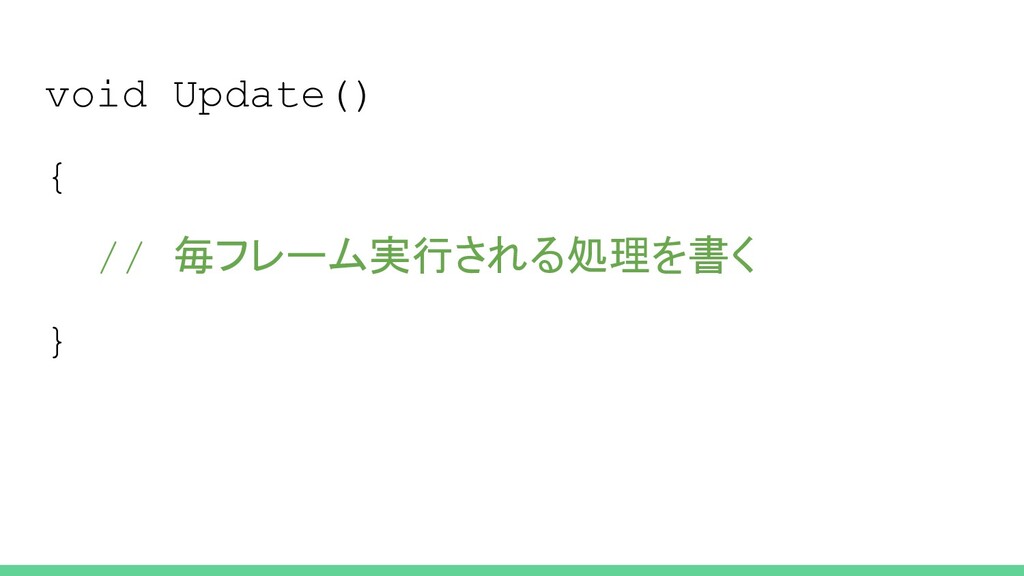
void Update() { // 毎フレーム実行される処理を書く }
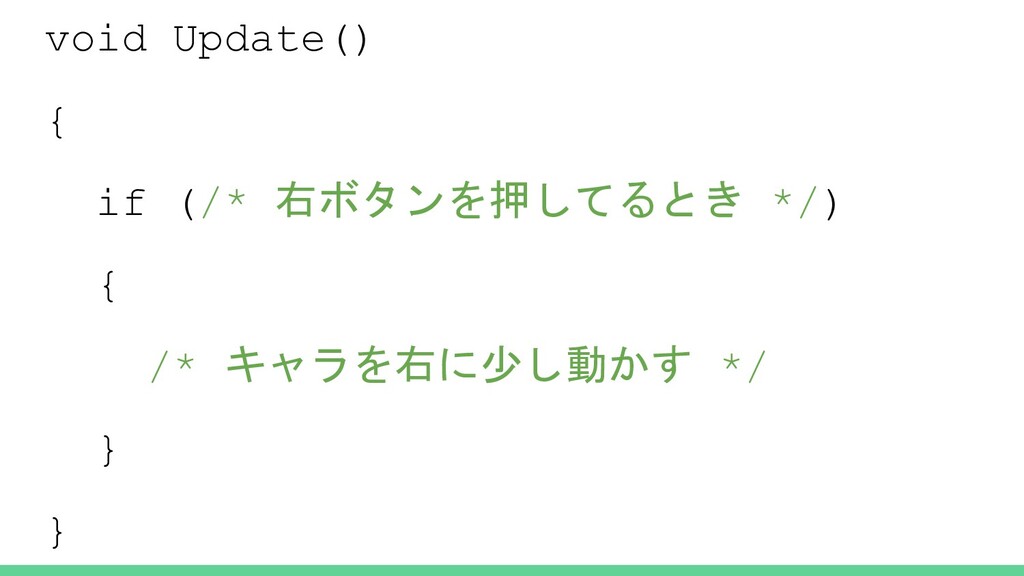
void Update() { if (/* 右ボタンを押してるとき */) { /* キャラを右に少し動かす
*/ } }
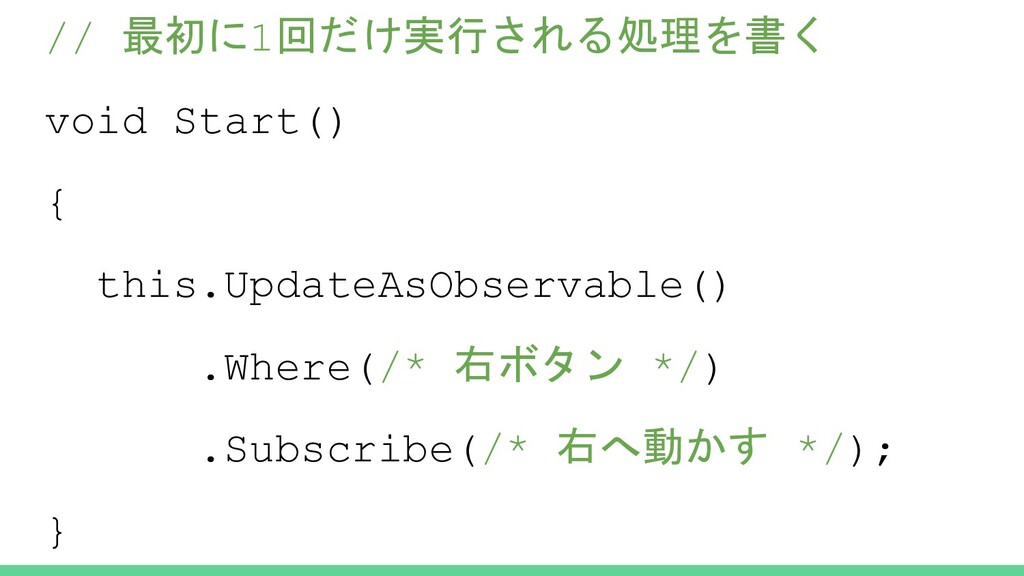
// 最初に1回だけ実行される処理を書く void Start() { this.UpdateAsObservable() .Where(/* 右ボタン */) .Subscribe(/*
右へ動かす */); }
もうちょっと深掘りした実例
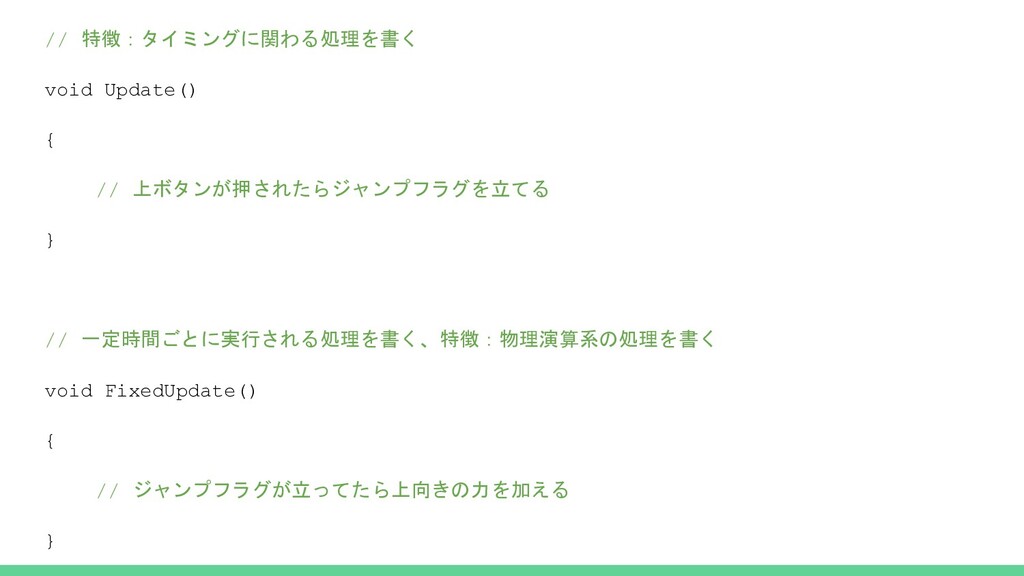
// 特徴:タイミングに関わる処理を書く void Update() { // 上ボタンが押されたらジャンプフラグを立てる } // 一定時間ごとに実行される処理を書く、特徴:物理演算系の処理を書く
void FixedUpdate() { // ジャンプフラグが立ってたら上向きの力を加える }
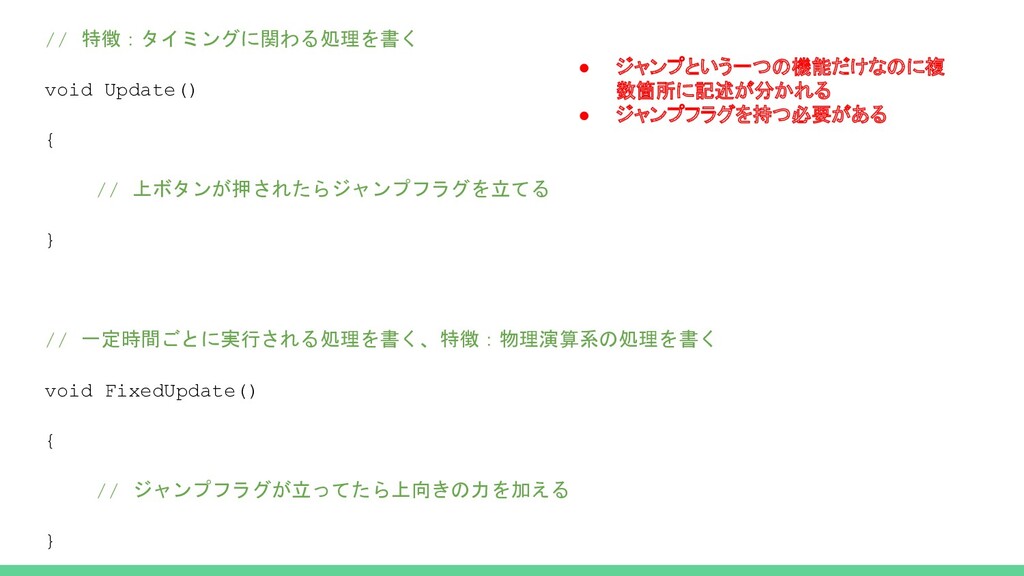
// 特徴:タイミングに関わる処理を書く void Update() { // 上ボタンが押されたらジャンプフラグを立てる } // 一定時間ごとに実行される処理を書く、特徴:物理演算系の処理を書く
void FixedUpdate() { // ジャンプフラグが立ってたら上向きの力を加える } • ジャンプという一つの機能だけなのに複 数箇所に記述が分かれる • ジャンプフラグを持つ必要がある
UniRx で置き換えると
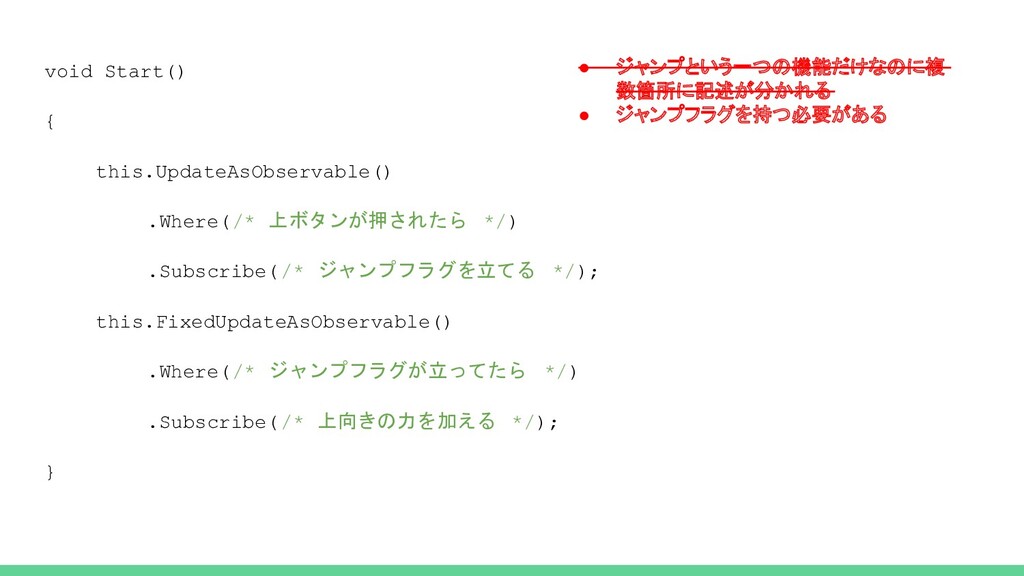
void Start() { this.UpdateAsObservable() .Where(/* 上ボタンが押されたら */) .Subscribe(/* ジャンプフラグを立てる */);
this.FixedUpdateAsObservable() .Where(/* ジャンプフラグが立ってたら */) .Subscribe(/* 上向きの力を加える */); } • ジャンプという一つの機能だけなのに複 数箇所に記述が分かれる • ジャンプフラグを持つ必要がある
(Uni)Rx の概念
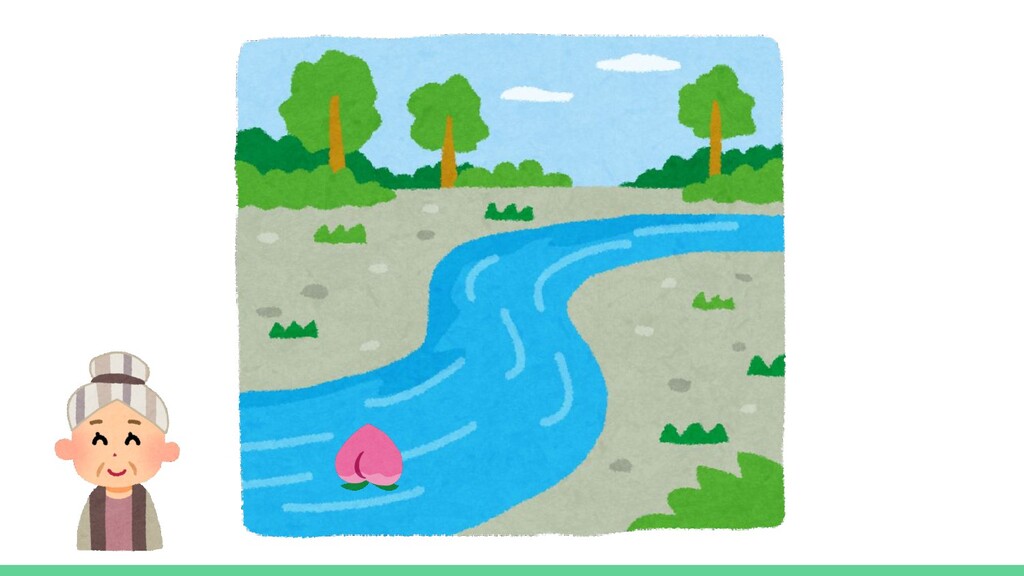
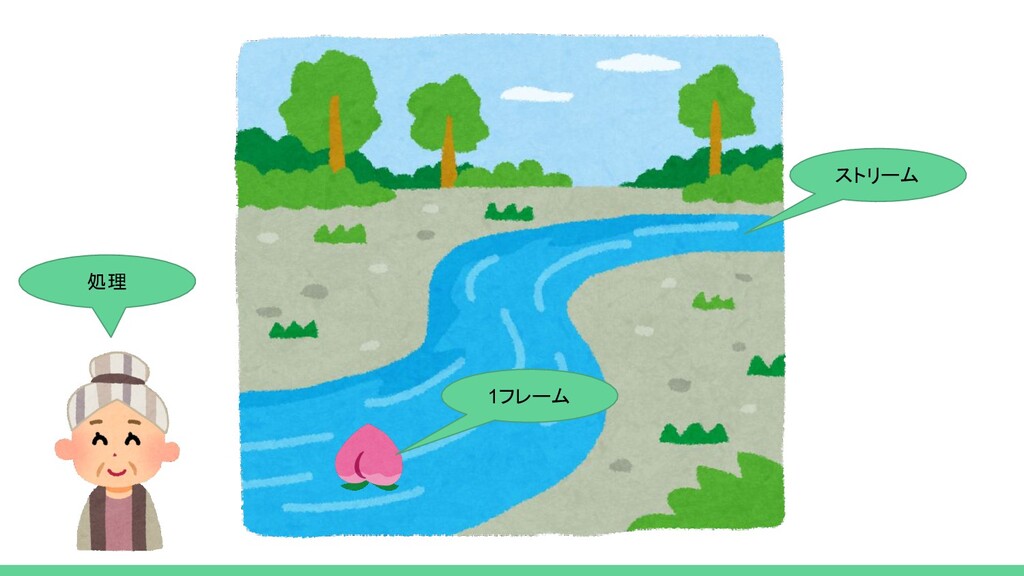
ストリーム
None
ストリーム 処理 1フレーム
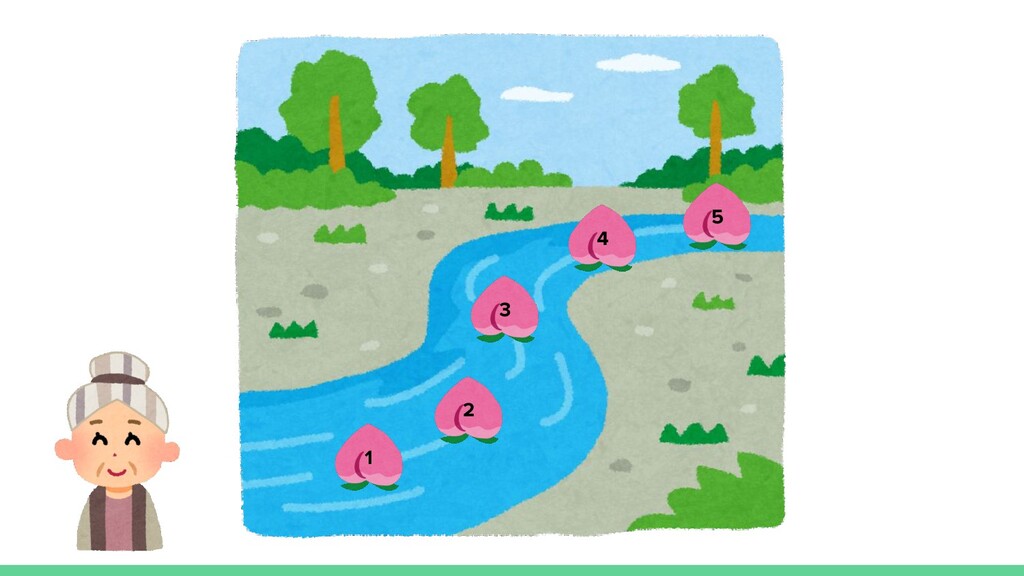
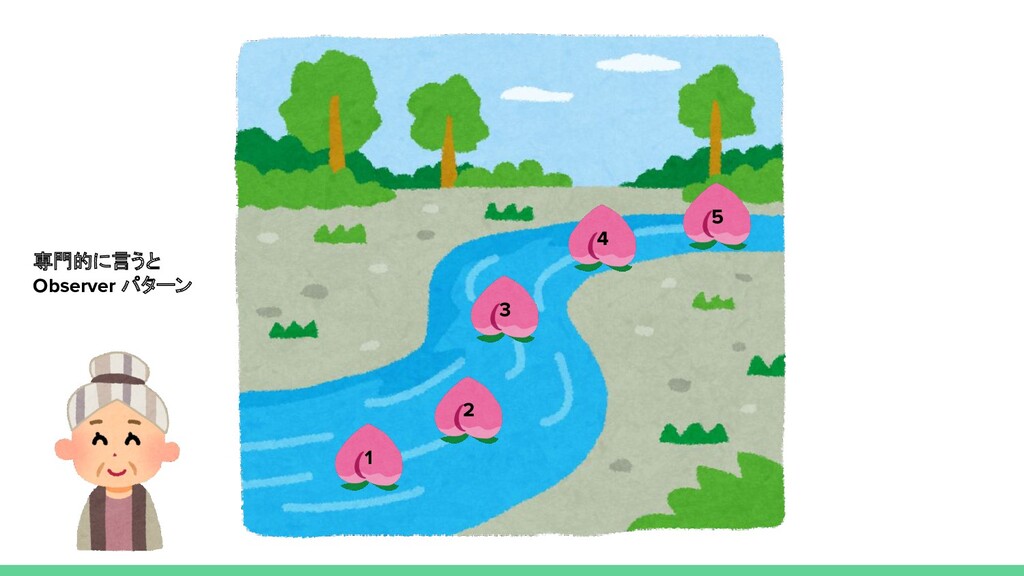
1 2 3 4 5
1 2 3 4 5 専門的に言うと Observer パターン
Where ってなんだったの?
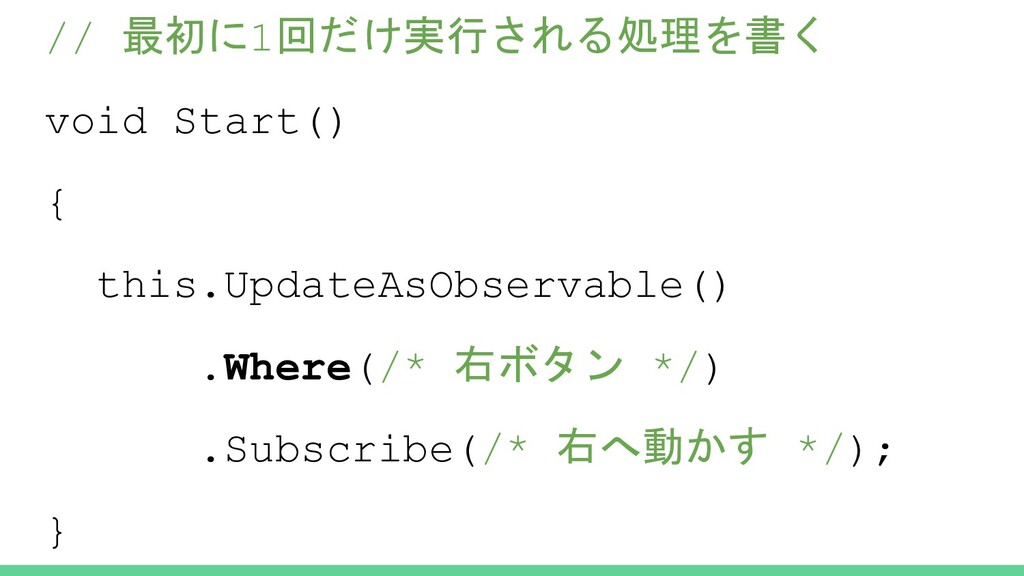
// 最初に1回だけ実行される処理を書く void Start() { this.UpdateAsObservable() .Where(/* 右ボタン */) .Subscribe(/*
右へ動かす */); }
Where ってなんだったの? ⇒ フィルタ
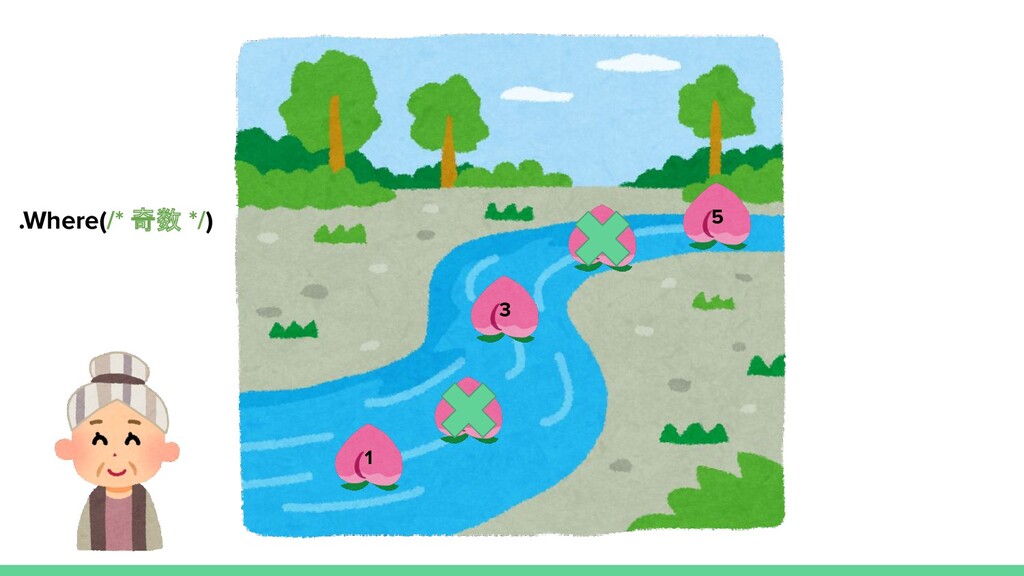
1 2 3 4 5 .Where(/* 奇数 */)
ちゃんとした実用例
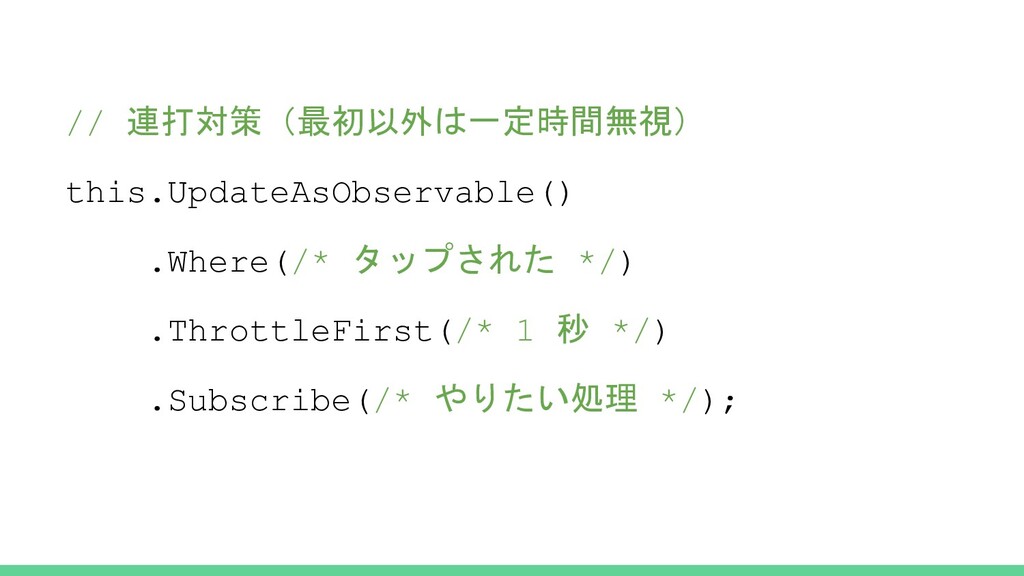
// 連打対策(最初以外は一定時間無視) this.UpdateAsObservable() .Where(/* タップされた */) .ThrottleFirst(/* 1 秒 */)
.Subscribe(/* やりたい処理 */);
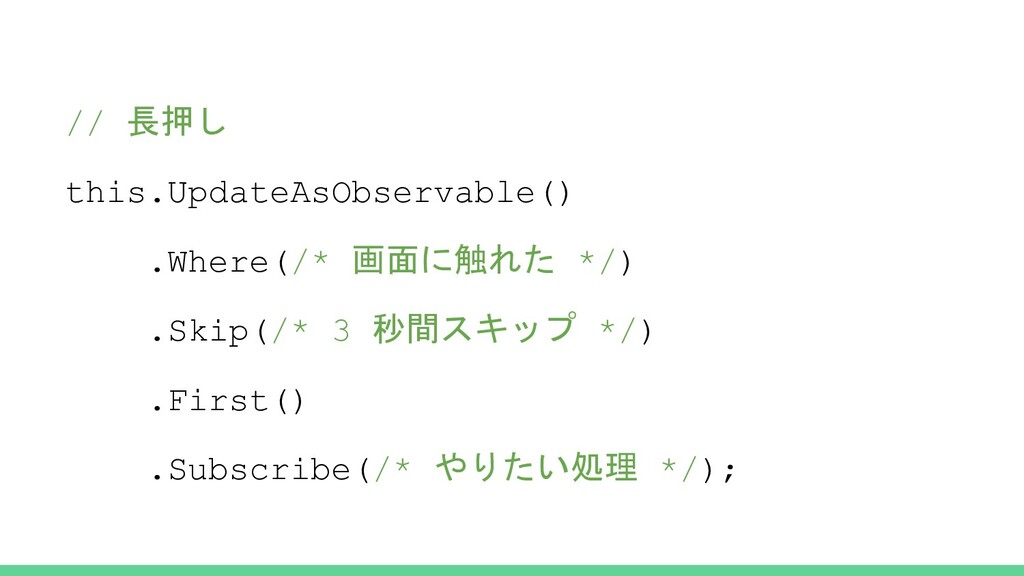
// 長押し this.UpdateAsObservable() .Where(/* 画面に触れた */) .Skip(/* 3 秒間スキップ */)
.First() .Subscribe(/* やりたい処理 */);
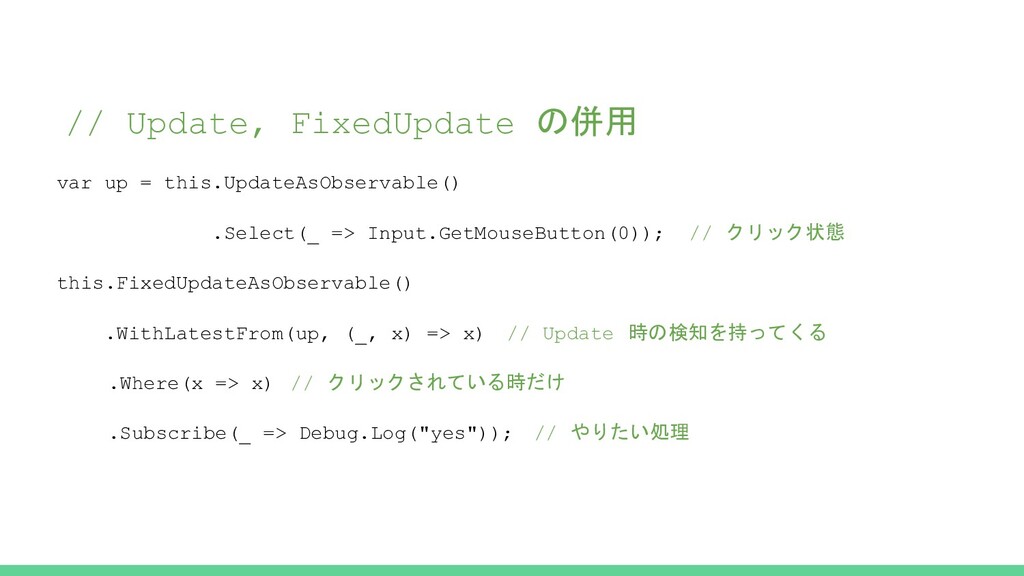
// Update, FixedUpdate の併用 var up = this.UpdateAsObservable() .Select(_ =>
Input.GetMouseButton(0)); // クリック状態 this.FixedUpdateAsObservable() .WithLatestFrom(up, (_, x) => x) // Update 時の検知を持ってくる .Where(x => x) // クリックされている時だけ .Subscribe(_ => Debug.Log("yes")); // やりたい処理
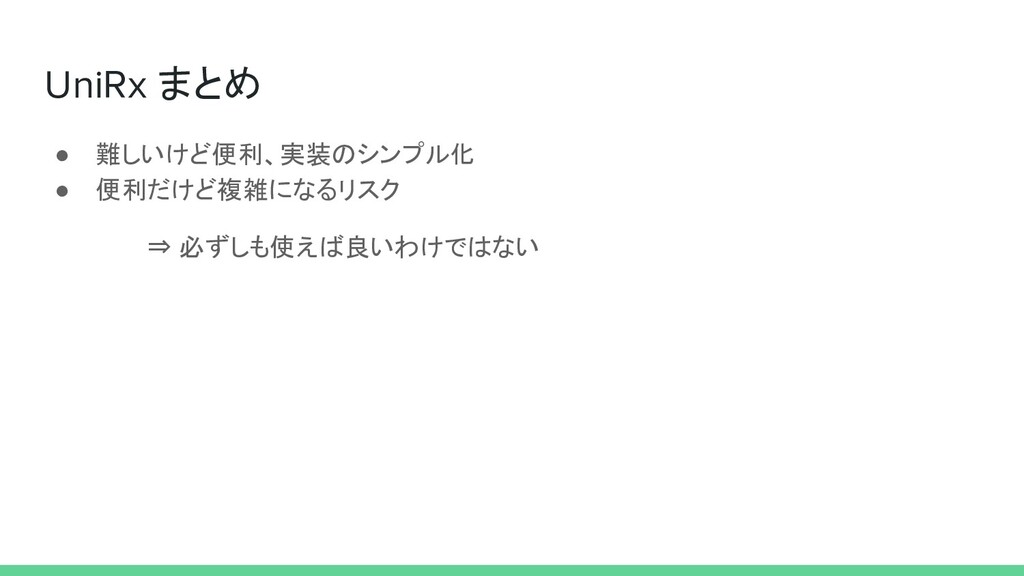
UniRx まとめ • 難しいけど便利、実装のシンプル化 • 便利だけど複雑になるリスク ⇒ 必ずしも使えば良いわけではない


 ryuj
ryuj
 dske104
 palkan
 morizo_1984
 junhat6
 y0hgi
y0hgi
 kishikawakatsumi
 glassfiber
 texmeijin
 hschwentner
 gonta
gonta
.jpg) yumnumm
yumnumm
 drumath2237
 wjessup
 cassininazir
 aleyda
 auna
auna
 mraible
 lynnandtonic
 ks91
ks91
 samlambert
 cromwellryan