Upgrade to Pro
— share decks privately, control downloads, hide ads and more …
Speaker Deck
Sign up for free
Menu
Search
Features
All features
Private URLs
Password Protection
Custom URLS
Scheduled publishing
Remove Branding
Restrict embedding
Deck Collections
Notes
Features
All features
Private URLs
Password Protection
Custom URLS
Scheduled publishing
Remove Branding
Restrict embedding
Deck Collections
Notes
Explore
Featured decks
Featured speakers
Programming
Technology
Storyboards
Explore
Featured decks
Featured speakers
Programming
Technology
Storyboards
Pricing
Search
Sign in
Sign up for free
Tasking Manager 使い方
Search
Sponsored
·
Your Podcast. Everywhere. Effortlessly.
Share. Educate. Inspire. Entertain. You do you. We'll handle the rest.
→
sharukohime
June 08, 2018
How-to & DIY
80
0
Share
Embed
Copy iframe code
Copy JS code
Copy link
Start on current slide
Tasking Manager 使い方
課題2
sharukohime
June 08, 2018
More Decks by sharukohime
See All by sharukohime
Tasking Manager Validation やり方
sharukohime
0
32
Other Decks in How-to & DIY
See All in How-to & DIY
社会人9年目の僕が贈る処世術
coco_se
1
390
大量のiOSシミュレータにアプリをインストールする
gurrium
0
190
JAWS-UG/AWS Community Update 2026/05/25 JAWS-UG札幌 & 秋田コラボ会
awsjcpm
0
180
JAWS-UG/AWSコミュニティ アップデート (JAWS-UG函館支部)
awsjcpm
3
200
EXPO 2025 大屋根リングをぐるっと周回! 【GPSマルチユニット×ソラカメ実験】
scbc1167
0
160
地域コミュニティって いいよね/Local Communities Are Pretty Great
aokiplayer
1
150
多摩ニュータウンを、 味わう
aokiplayer
2
1k
LLMを「機能」として組み込む技術:「Figma to はてなCMS」におけるプロンプトエンジニアリングからAIエージェント構築にわたる精度向上の軌跡
nanimonodemonai
0
620
NJ-WS10Aを使ったおいしい使い方
masafumi_ohta
0
110
スイングやカードをいい感じに立てるスタンドの話
niccolli
1
530
家庭植物工場×Node-REDの話
maepu
0
130
[JAWS DAYS 2026 | Track B] Local Roots, Global Reach
awsjcpm
0
150
Featured
See All Featured
Building Better People: How to give real-time feedback that sticks.
wjessup
370
20k
Introduction to Domain-Driven Design and Collaborative software design
baasie
1
1k
Navigating Algorithm Shifts & AI Overviews - #SMXNext
aleyda
1
1.7k
Navigating Weather and Climate Data
rabernat
0
560
Design of three-dimensional binary manipulators for pick-and-place task avoiding obstacles (IECON2024)
konakalab
0
620
B2B Lead Gen: Tactics, Traps & Triumph
marketingsoph
1
280
Reflections from 52 weeks, 52 projects
jeffersonlam
356
22k
A Soul's Torment
seathinner
8
3.8k
GraphQLとの向き合い方2022年版
quramy
50
15k
Hiding What from Whom? A Critical Review of the History of Programming languages for Music
tomoyanonymous
3
1.3k
Making Projects Easy
brettharned
120
6.8k
Building Applications with DynamoDB
mza
96
7.2k
Transcript
Tasking Manager 使い方 1A118135 藤岡知菜
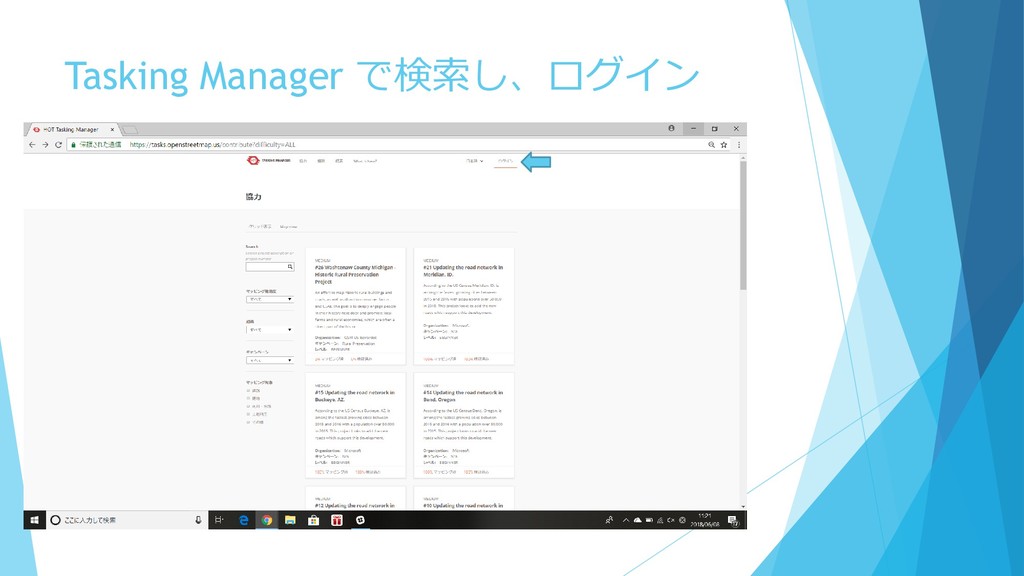
Tasking Manager で検索し、ログイン
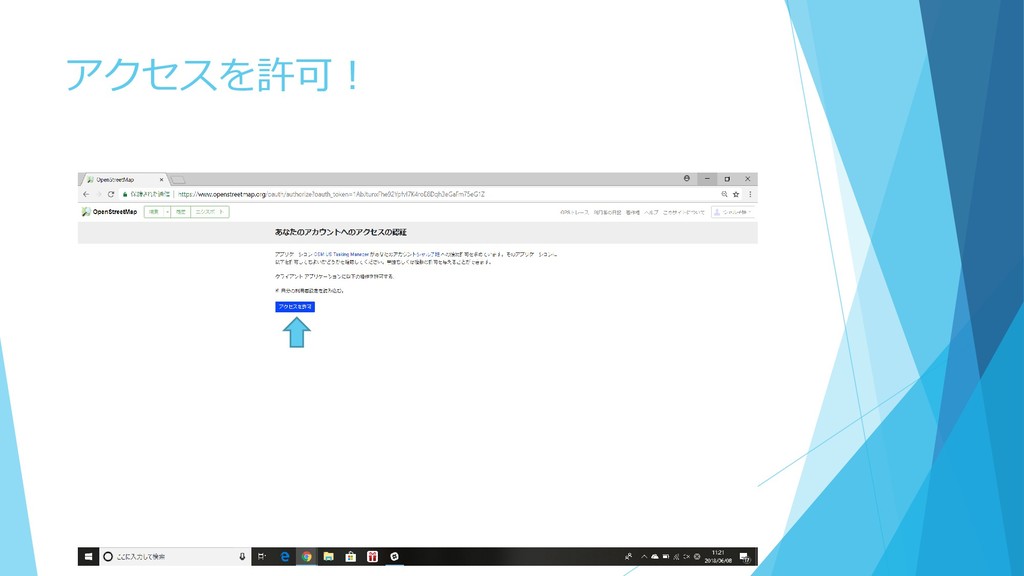
アクセスを許可!
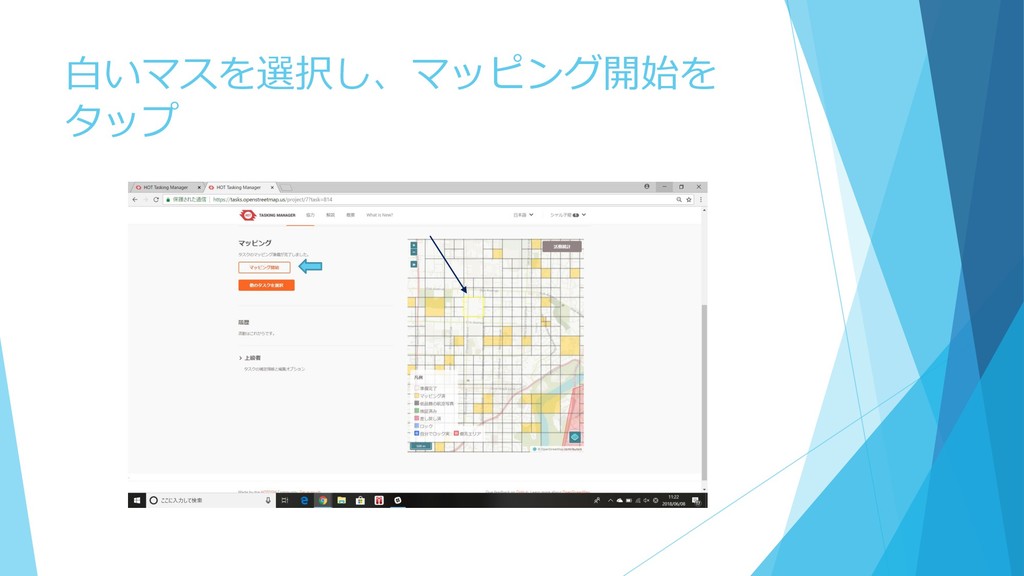
白いマスを選択し、マッピング開始を タップ
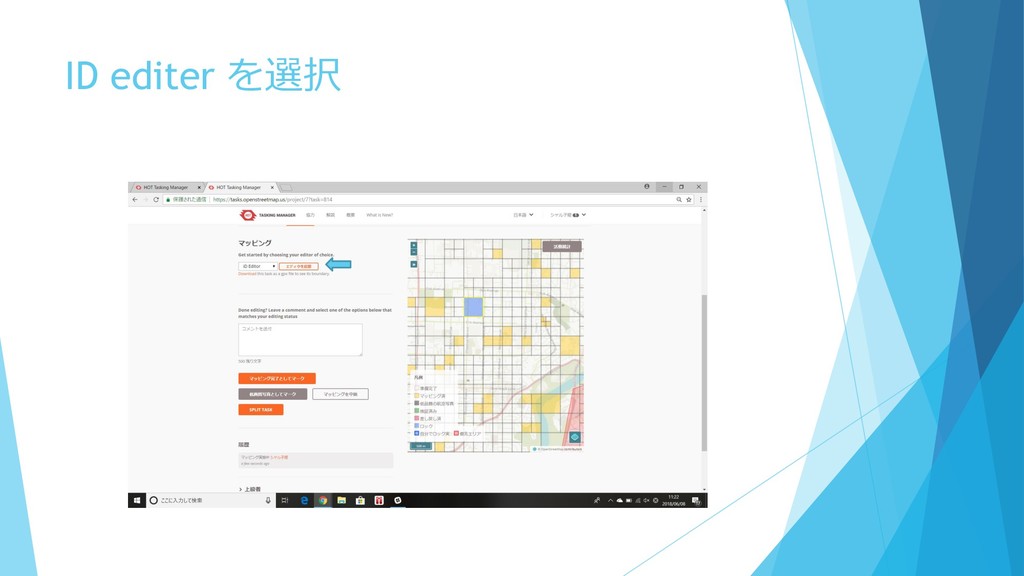
ID editer を選択
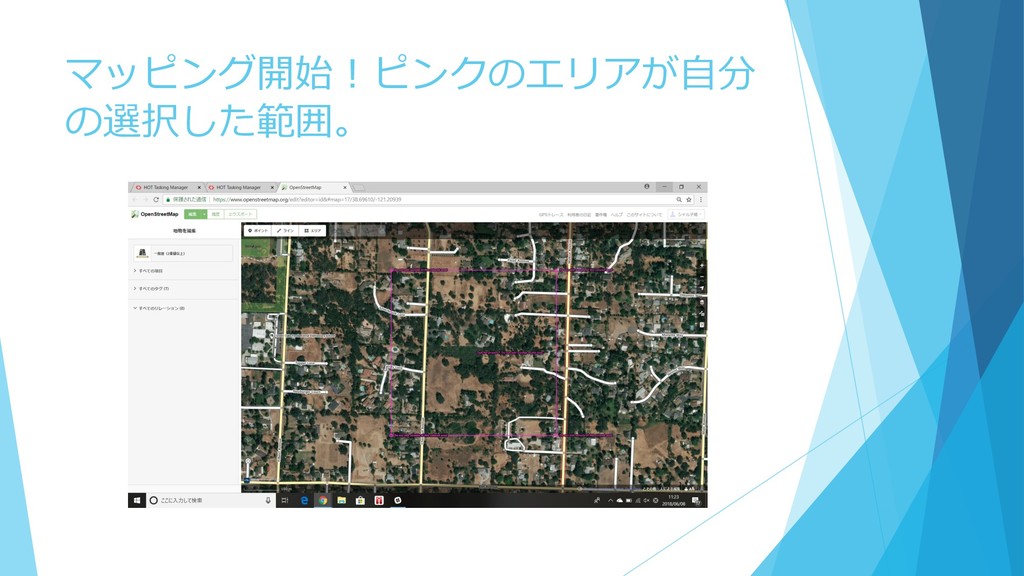
マッピング開始!ピンクのエリアが自分 の選択した範囲。
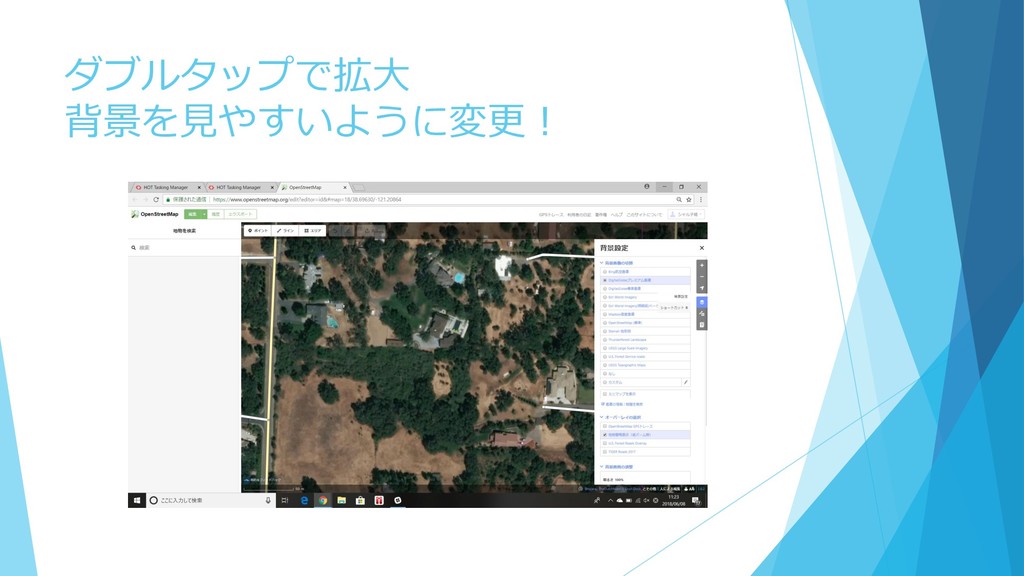
ダブルタップで拡大 背景を見やすいように変更!
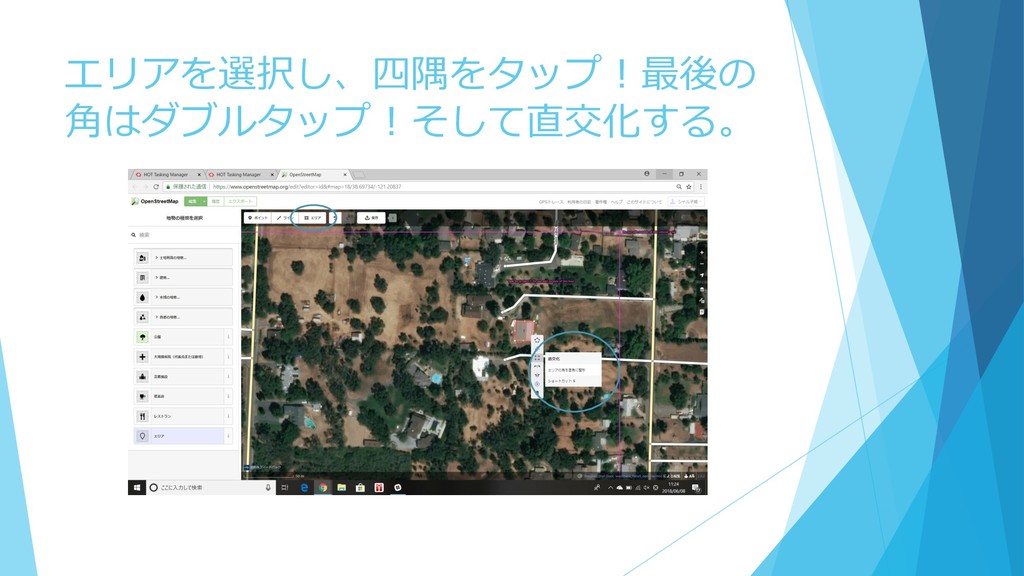
エリアを選択し、四隅をタップ!最後の 角はダブルタップ!そして直交化する。
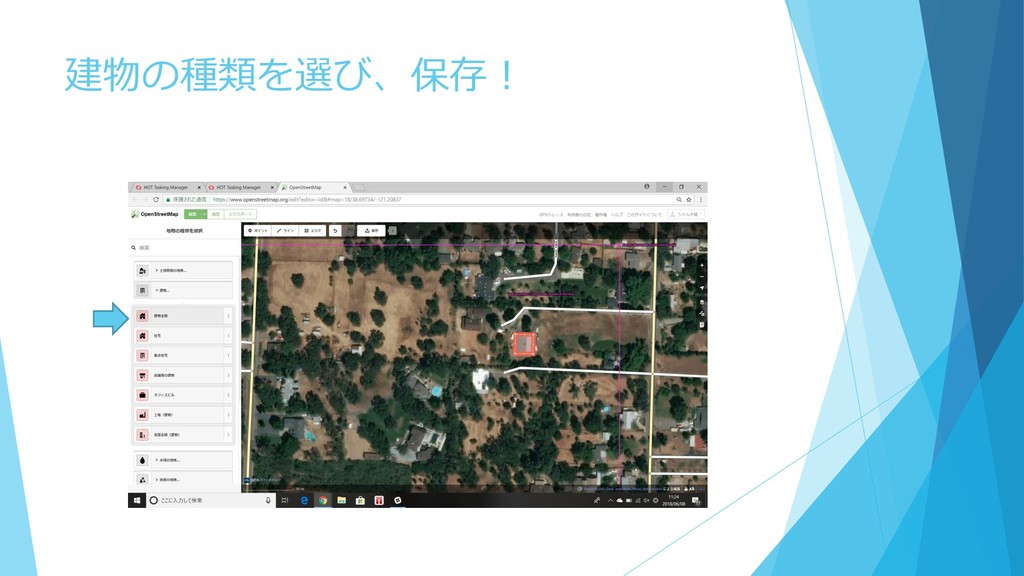
建物の種類を選び、保存!
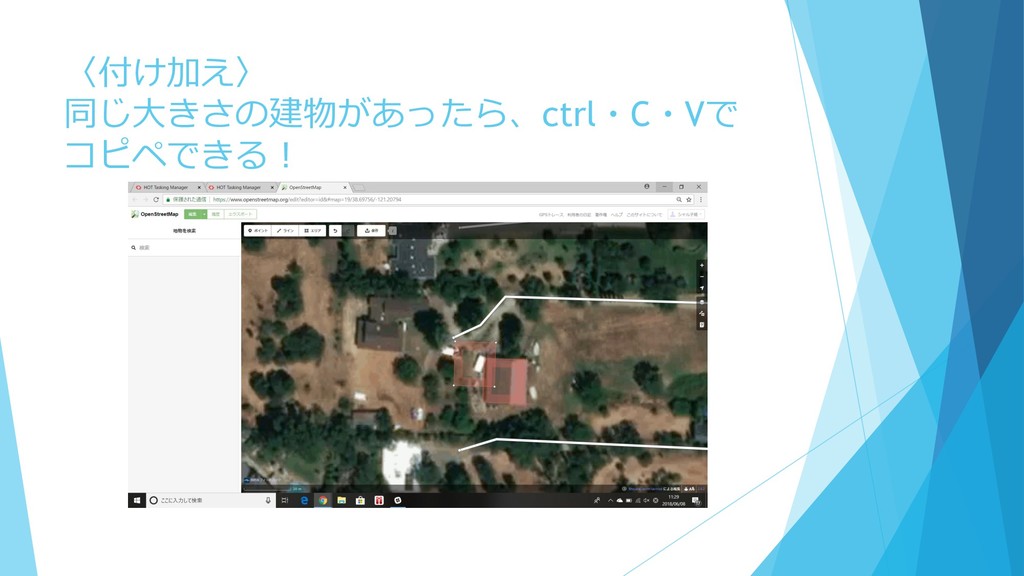
〈付け加え〉 同じ大きさの建物があったら、ctrl・C・Vで コピペできる!
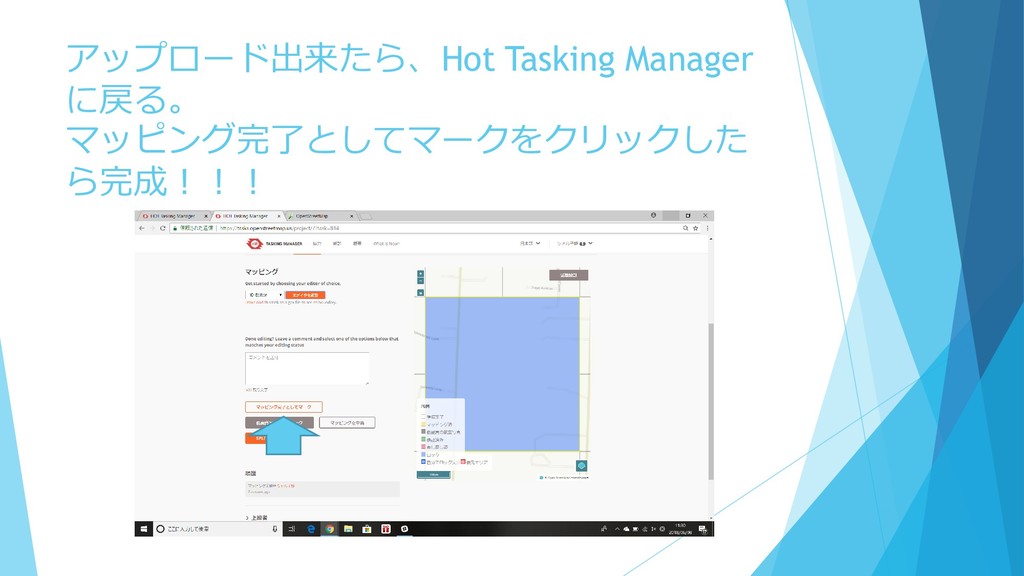
アップロード出来たら、Hot Tasking Manager に戻る。 マッピング完了としてマークをクリックした ら完成!!!
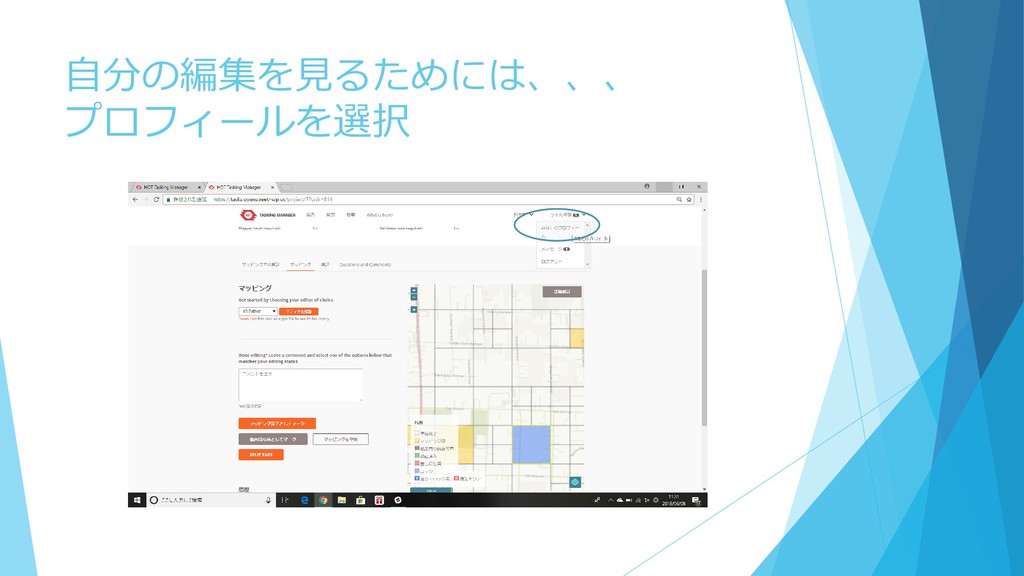
自分の編集を見るためには、、、 プロフィールを選択
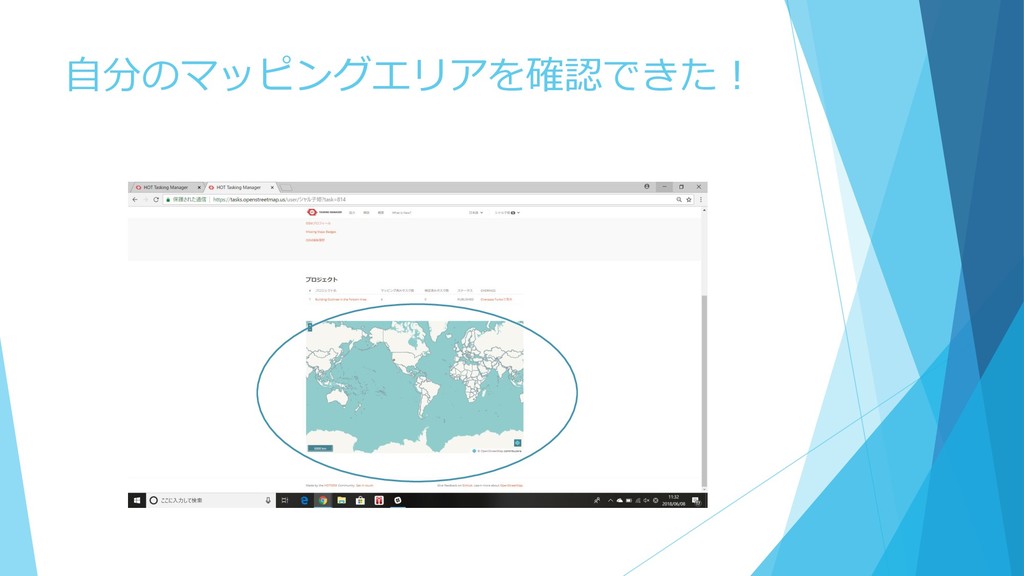
自分のマッピングエリアを確認できた!


 sharukohime
 coco_se
 gurrium
 awsjcpm
 scbc1167
 aokiplayer
 nanimonodemonai
 masafumi_ohta
 niccolli
 maepu
maepu
 wjessup
 baasie
 aleyda
 rabernat
 konakalab
 marketingsoph
 jeffersonlam
 seathinner
 quramy
 tomoyanonymous
 brettharned
 mza
mza