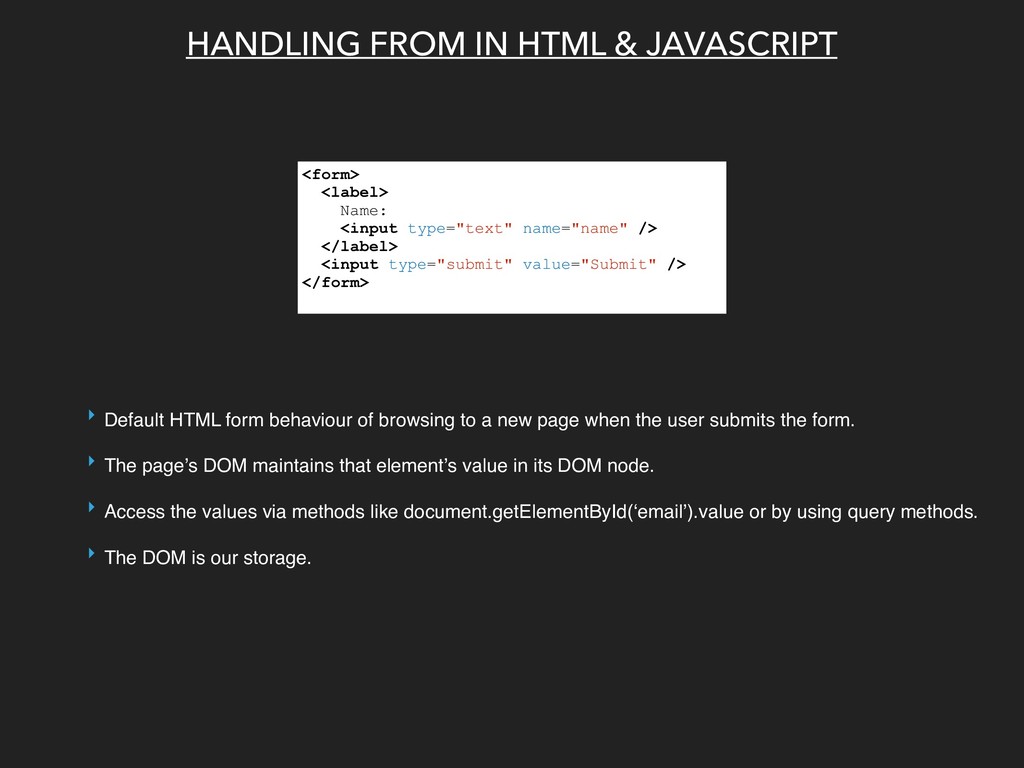
type="text" name="name" /> </label> <input type="submit" value="Submit" /> </form> ‣ Default HTML form behaviour of browsing to a new page when the user submits the form. ‣ The page’s DOM maintains that element’s value in its DOM node. ‣ Access the values via methods like document.getElementById(‘email’).value or by using query methods. ‣ The DOM is our storage.
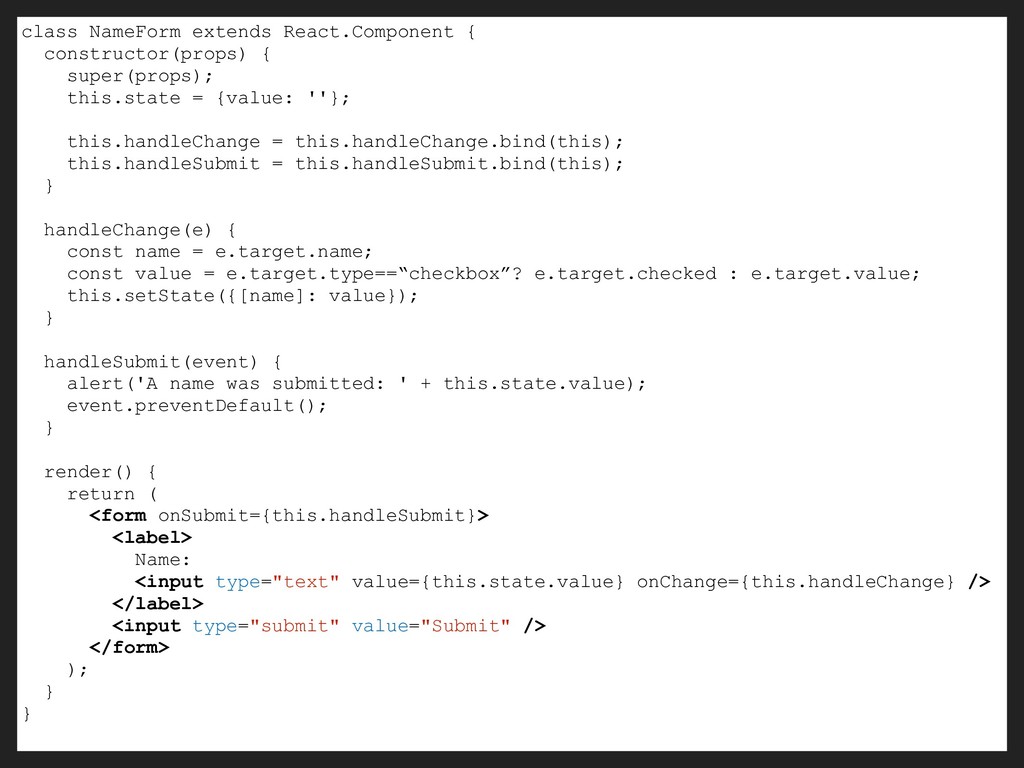
state property of components. ‣ Every state mutation will have an associated handler function. ‣ State can only be updated with setState() method. ‣ React components must represent the state of the view at any point in time and not only at initialisation time.
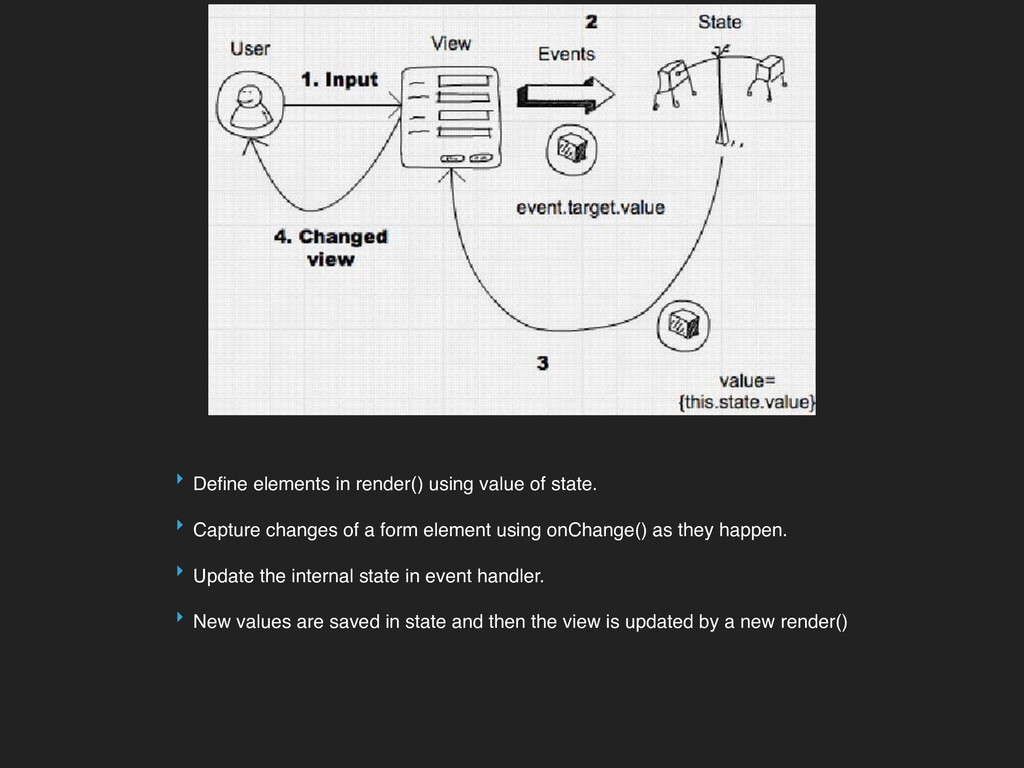
Capture changes of a form element using onChange() as they happen. ‣ Update the internal state in event handler. ‣ New values are saved in state and then the view is updated by a new render()
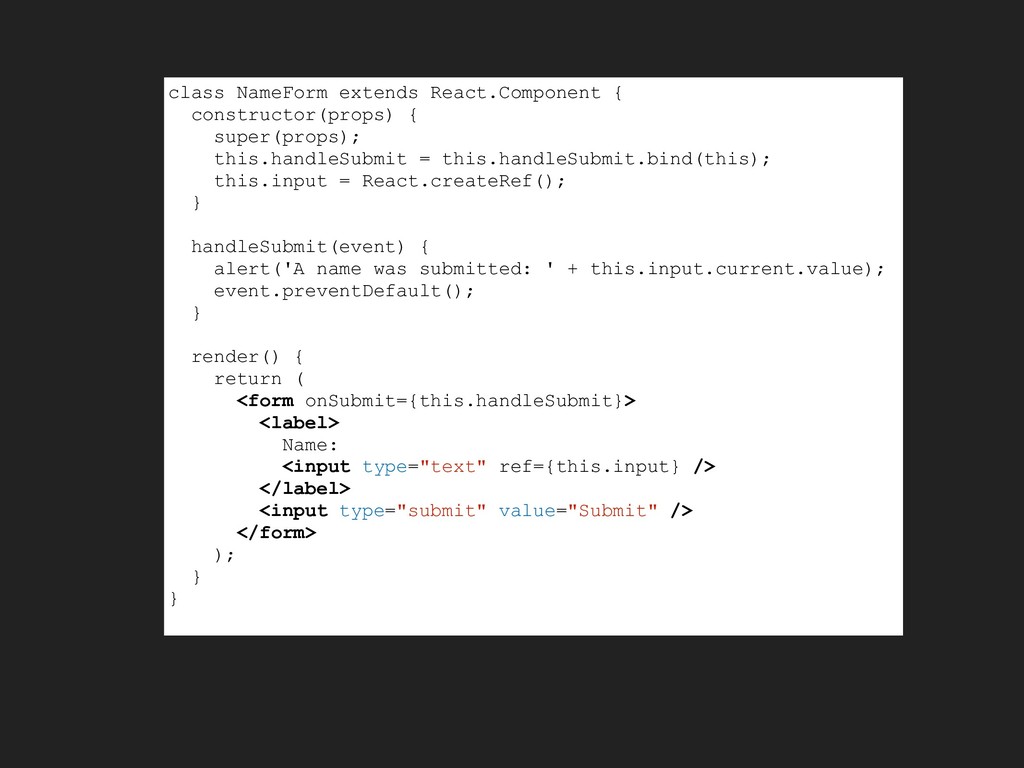
or change of any state. ‣ Special attribute called ref is being used to get value from DOM. ‣ When the ref attribute is used on an HTML element, the ref created in the constructor with React.createRef() receives the underlying DOM element as its current property.
are useful when the form is very basic with minimalistic features. They are also good options when dealing with libraries or other languages that don’t interact well with or don’t use React. The downside of using uncontrolled values is the fact that there is not much you can do with it — making it quite limited in functionality. Controlled values are useful for things such as validation or instant user feedback. You can imagine writing an error code that alerts the user that the input from the user is invalid or doesn’t meet certain criteria (passwords for instance) which disappears once it is valid. The downside to using controlled values is that it requires much more code and there is a need to take care of the changes using callbacks. On top of that, every callback that you pass it through, needs to be a React component to process the changes. It’s possible to see how changing your pre-existing code framework to React would make this a tedious task.


 akit37
 palkan
 gonta
gonta
 naokihaba
 teyamagu
 eed3si9n
 timakin
 y0hgi
y0hgi
 iwatsukayura
 kinopeee
 akase244
 kishida
 cassininazir
 popppiees
 axbom
axbom
 eileencodes
 geoffreycrofte
 addyosmani
 wayneb77
 aleyda
 sergeychernyshev
 samtorres