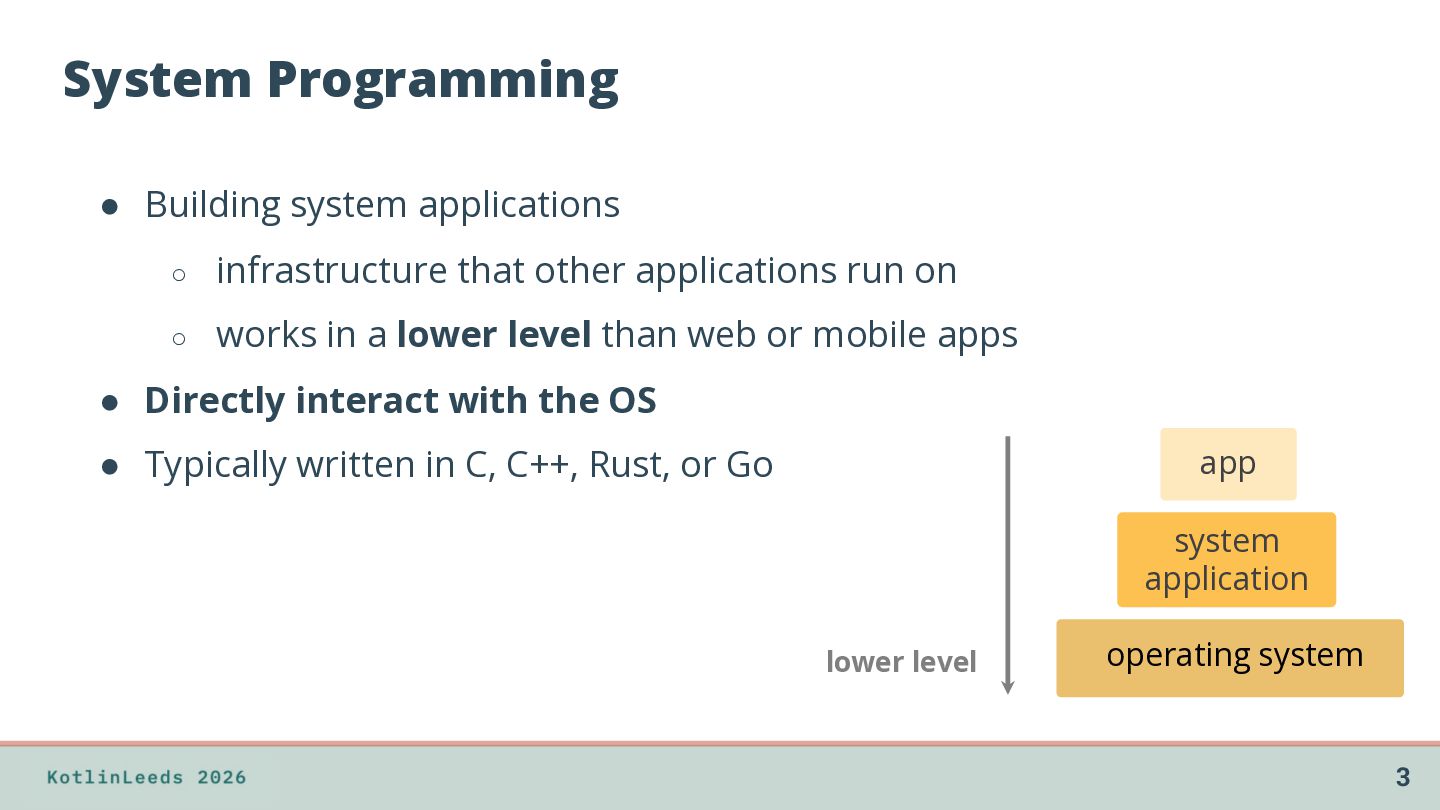
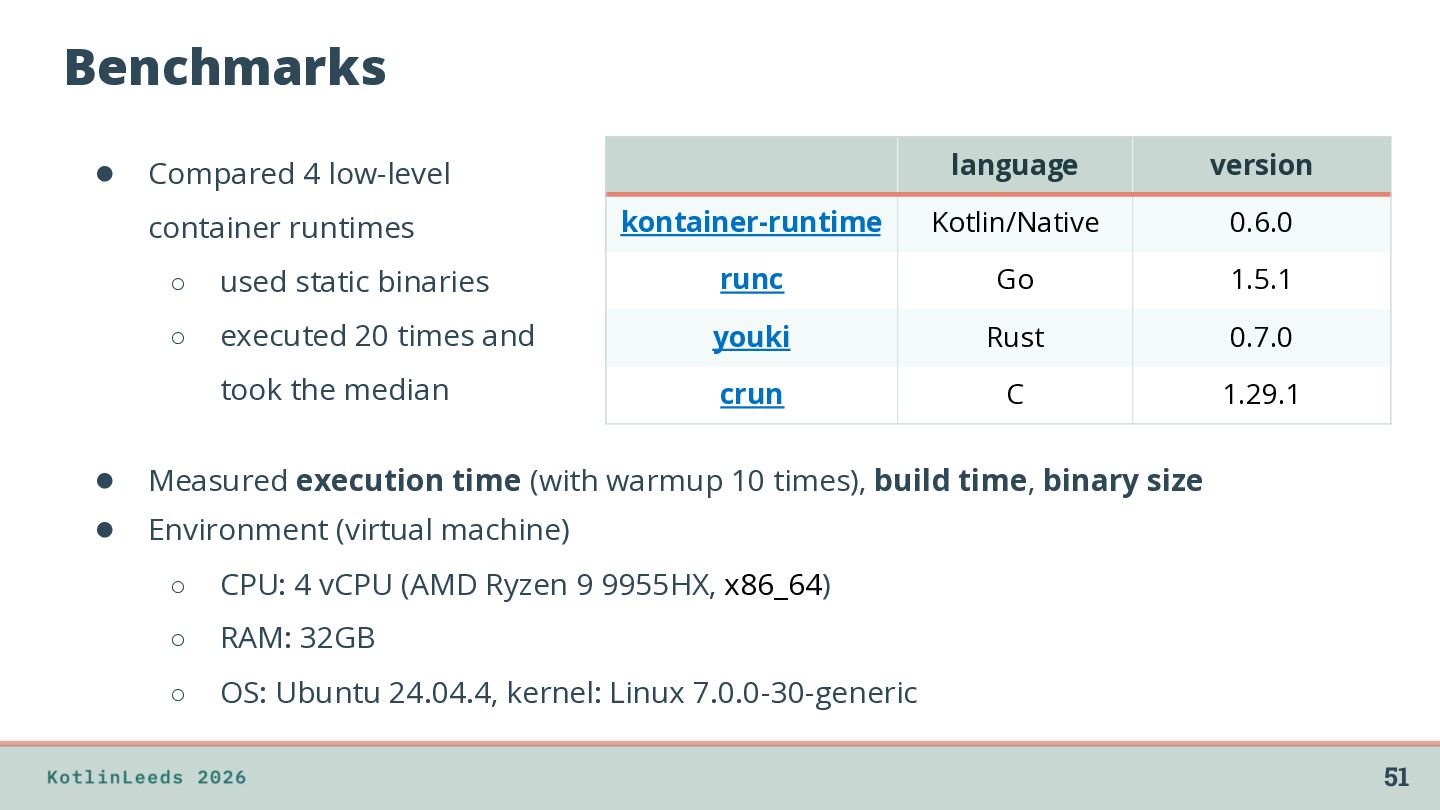
applications run on ◦ works in a lower level than web or mobile apps • Directly interact with the OS • Typically written in C, C++, Rust, or Go app system application lower level operating system 3
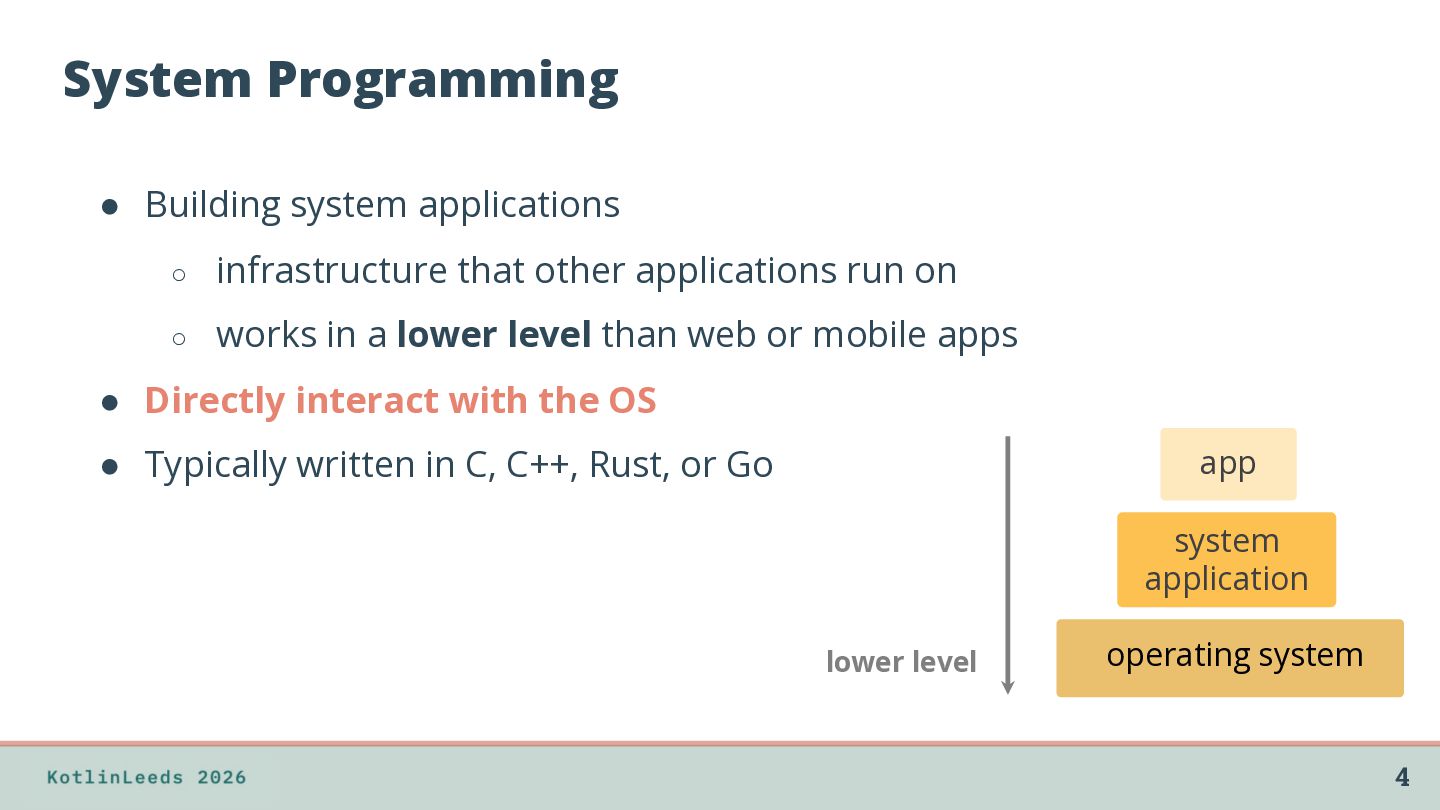
applications run on ◦ works in a lower level than web or mobile apps • Directly interact with the OS • Typically written in C, C++, Rust, or Go app system application lower level operating system 4
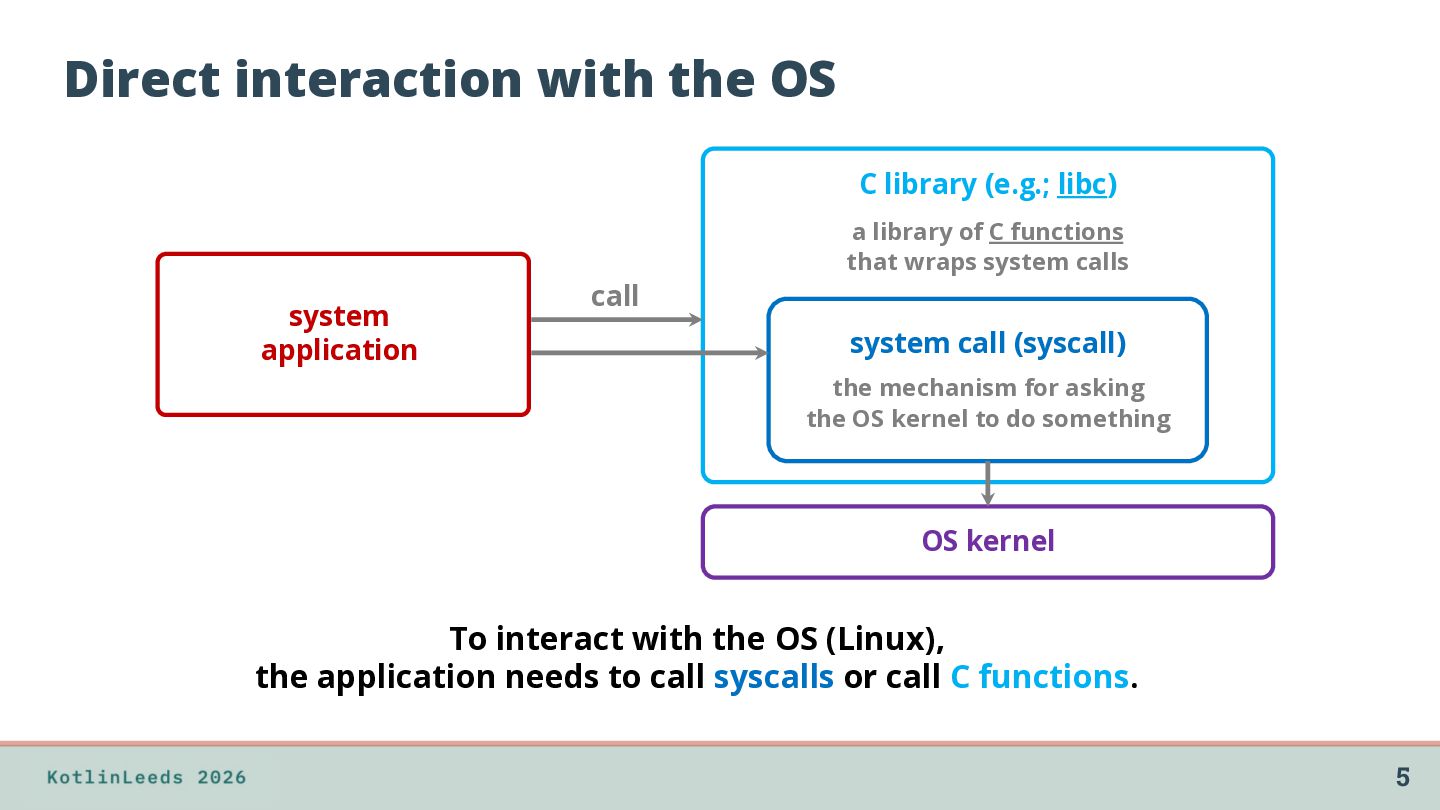
application call a library of C functions that wraps system calls system call (syscall) the mechanism for asking the OS kernel to do something OS kernel To interact with the OS (Linux), the application needs to call syscalls or call C functions. 5
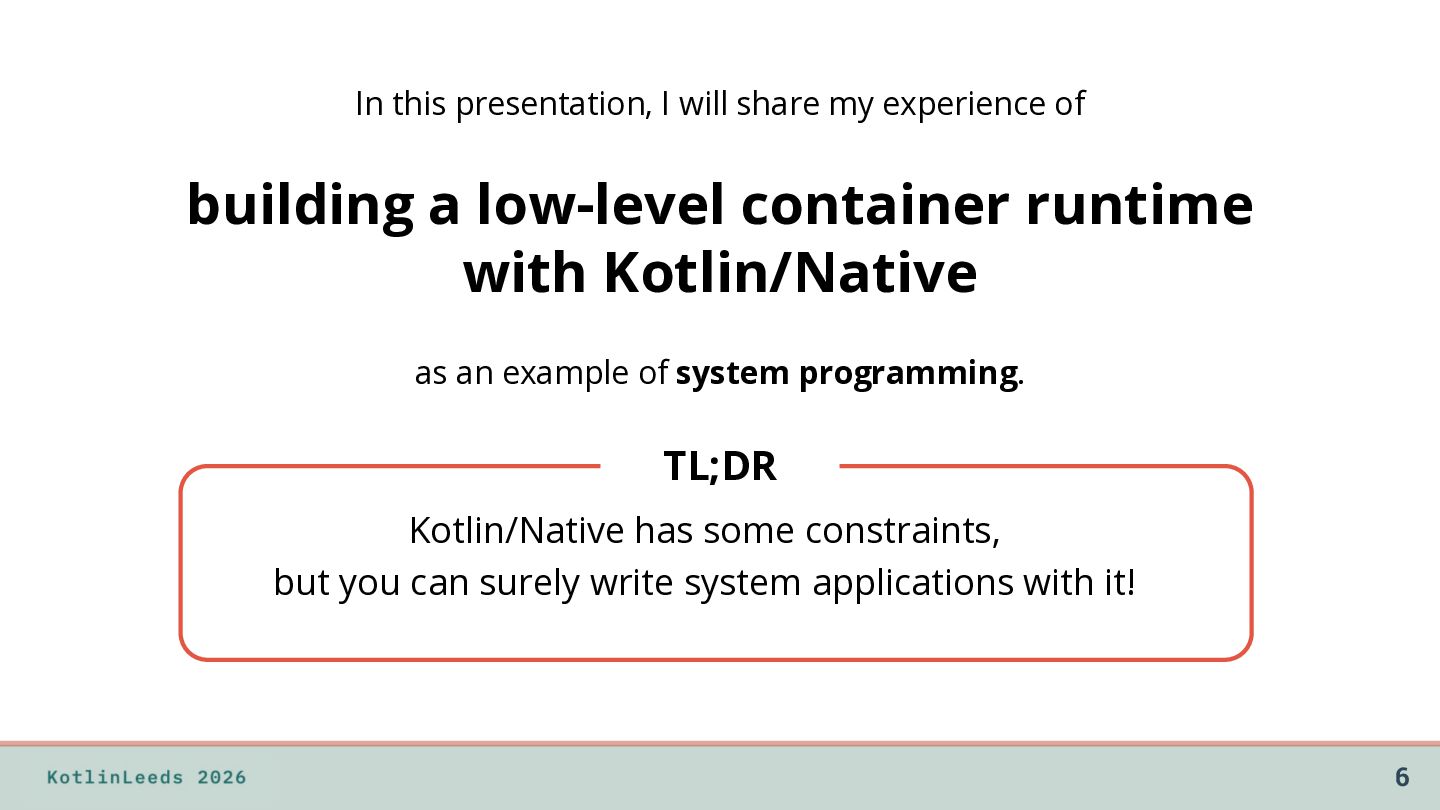
a low-level container runtime with Kotlin/Native as an example of system programming. TL;DR Kotlin/Native has some constraints, but you can surely write system applications with it! 6
in Japan ◦ Web backend engineering ◦ System programming (as a hobby) • Love Kotlin ◦ Server-side Kotlin ◦ Favorite keywords: reified, tailrec ◦ Google Summer of Code Contributor 2026: Tail call support in the Kotlin/Wasm backend @ternbusty GitHub LinkedIn X 7
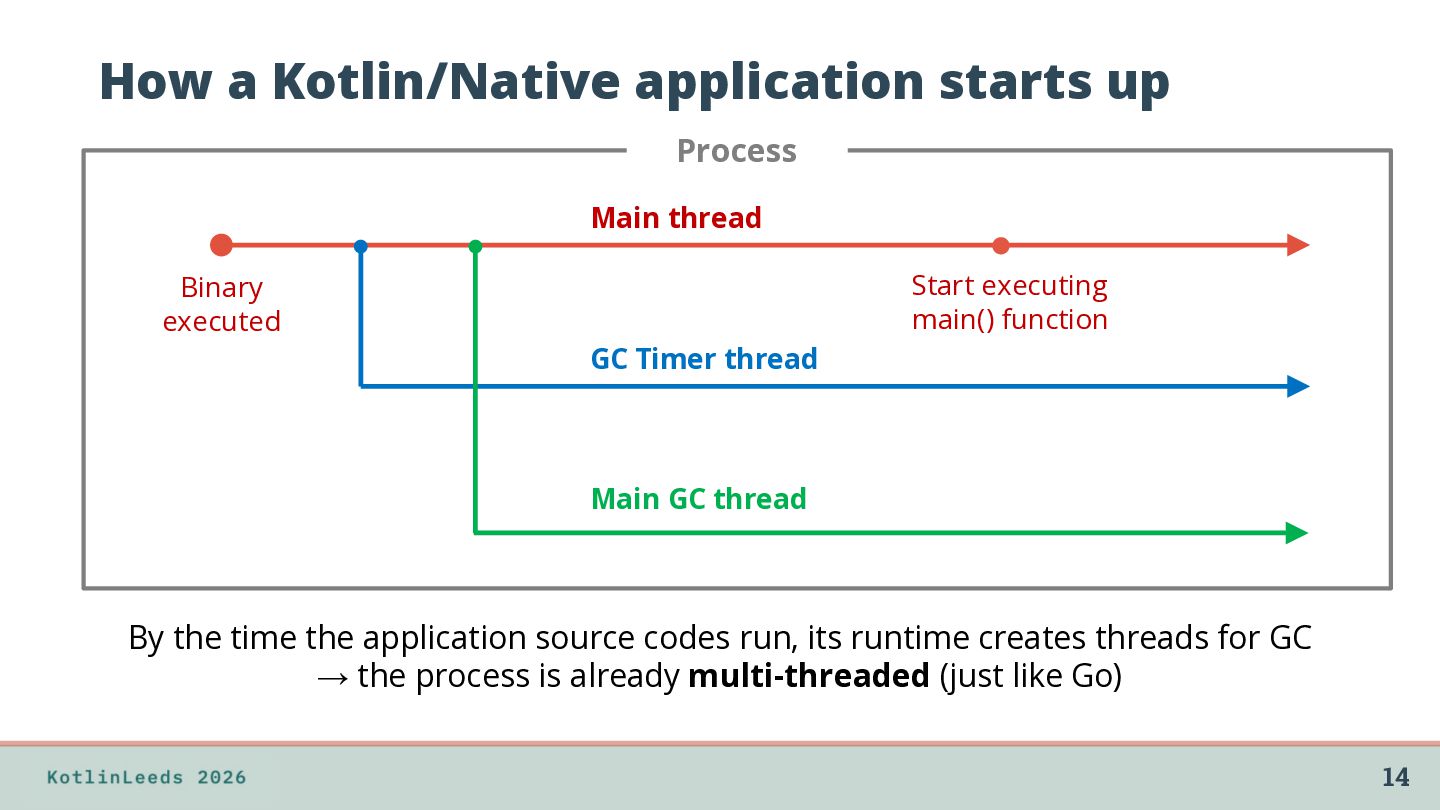
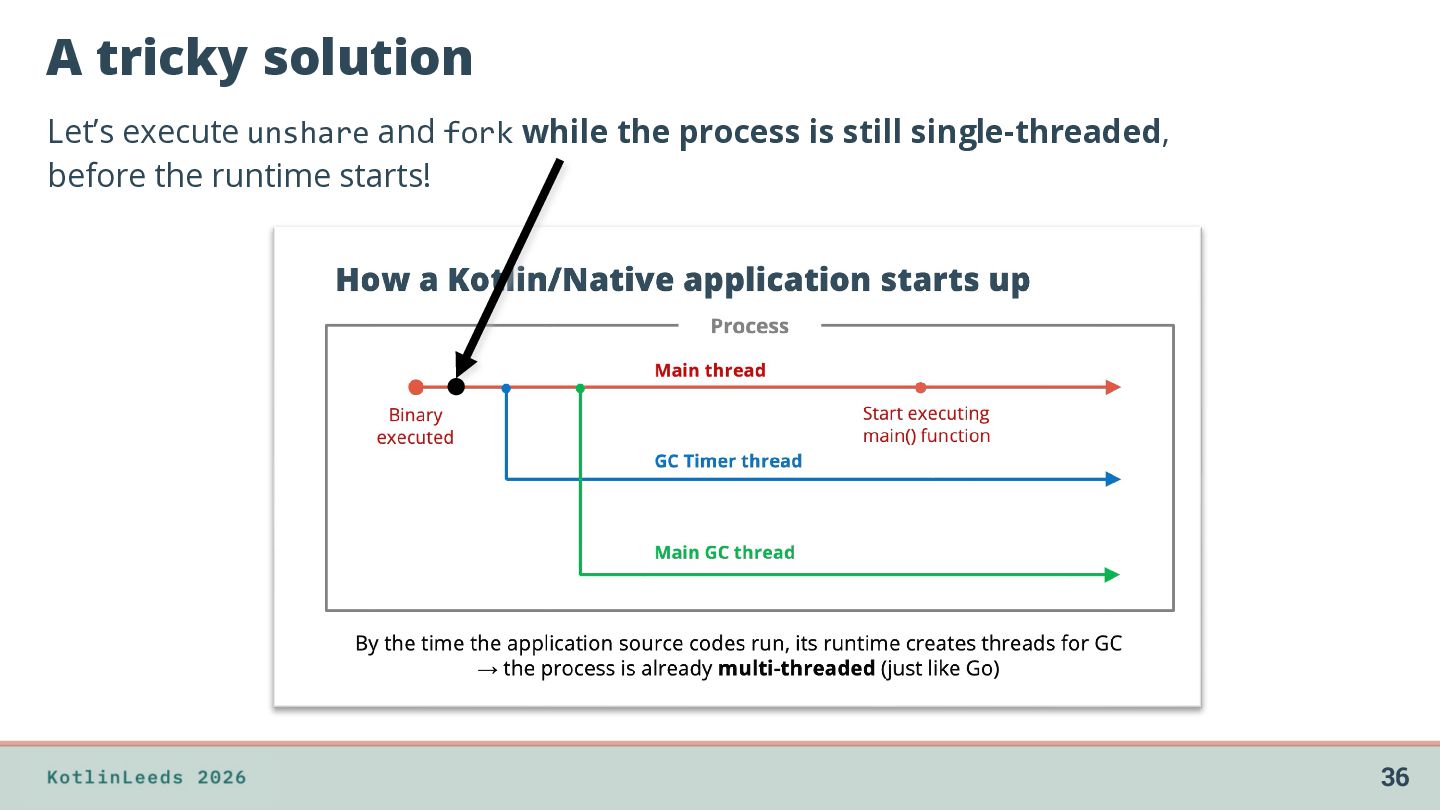
executed Start executing main() function GC Timer thread Main GC thread By the time the application source codes run, its runtime creates threads for GC → the process is already multi-threaded (just like Go) 14
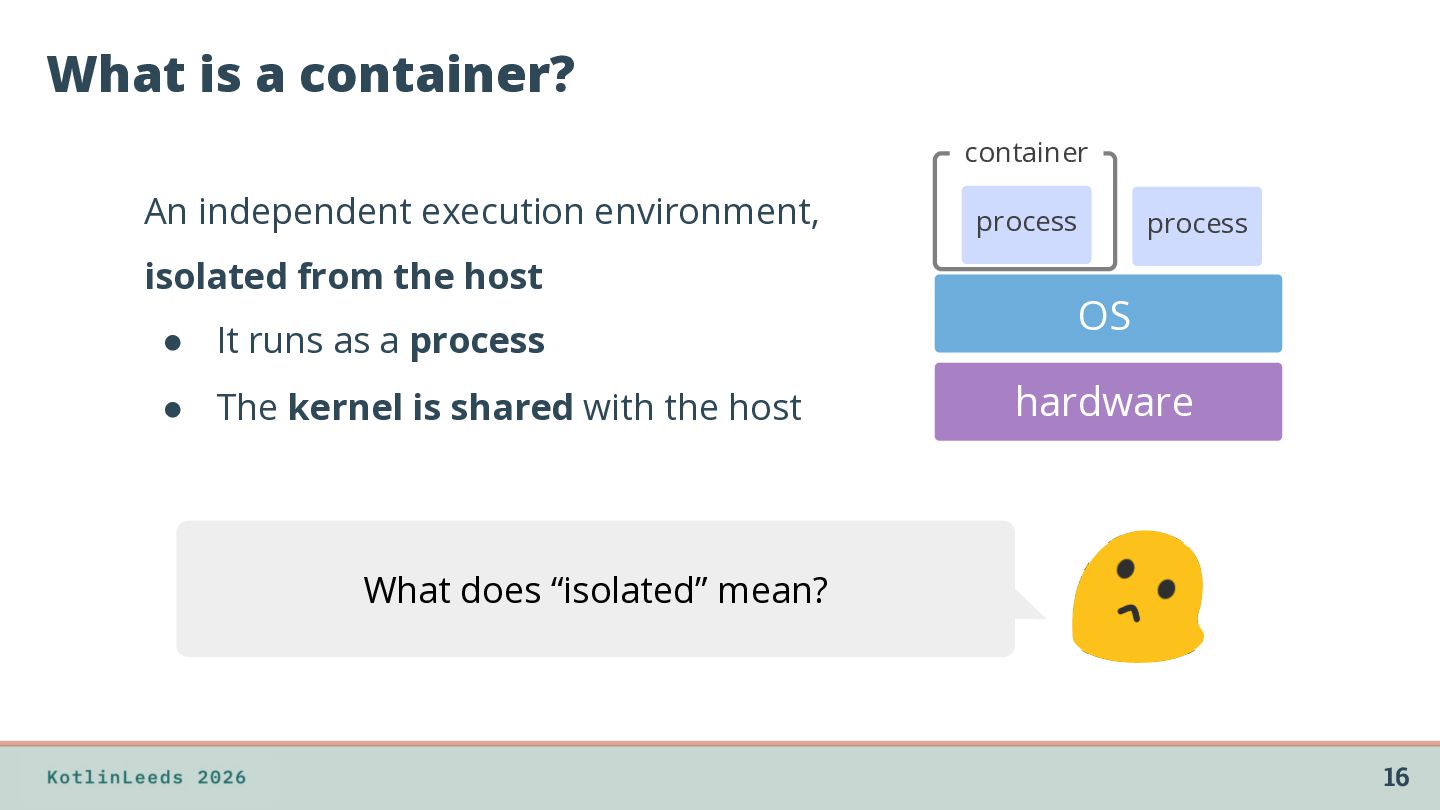
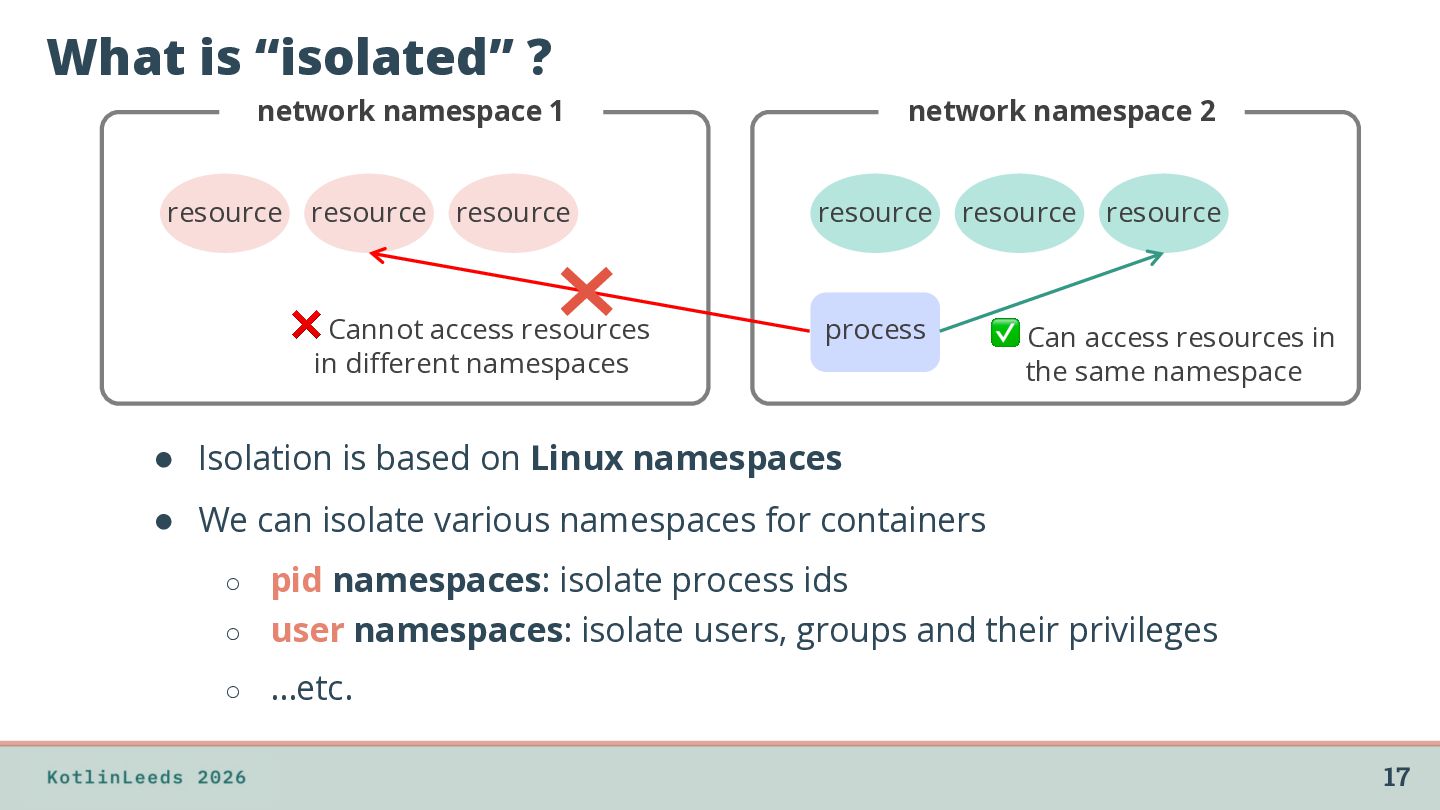
❌ Cannot access resources in different namespaces network namespace 2 resource resource process resource ✅ Can access resources in the same namespace • Isolation is based on Linux namespaces • We can isolate various namespaces for containers pid namespaces: isolate process ids ◦ user namespaces: isolate users, groups and their privileges ◦ ◦ …etc. 17
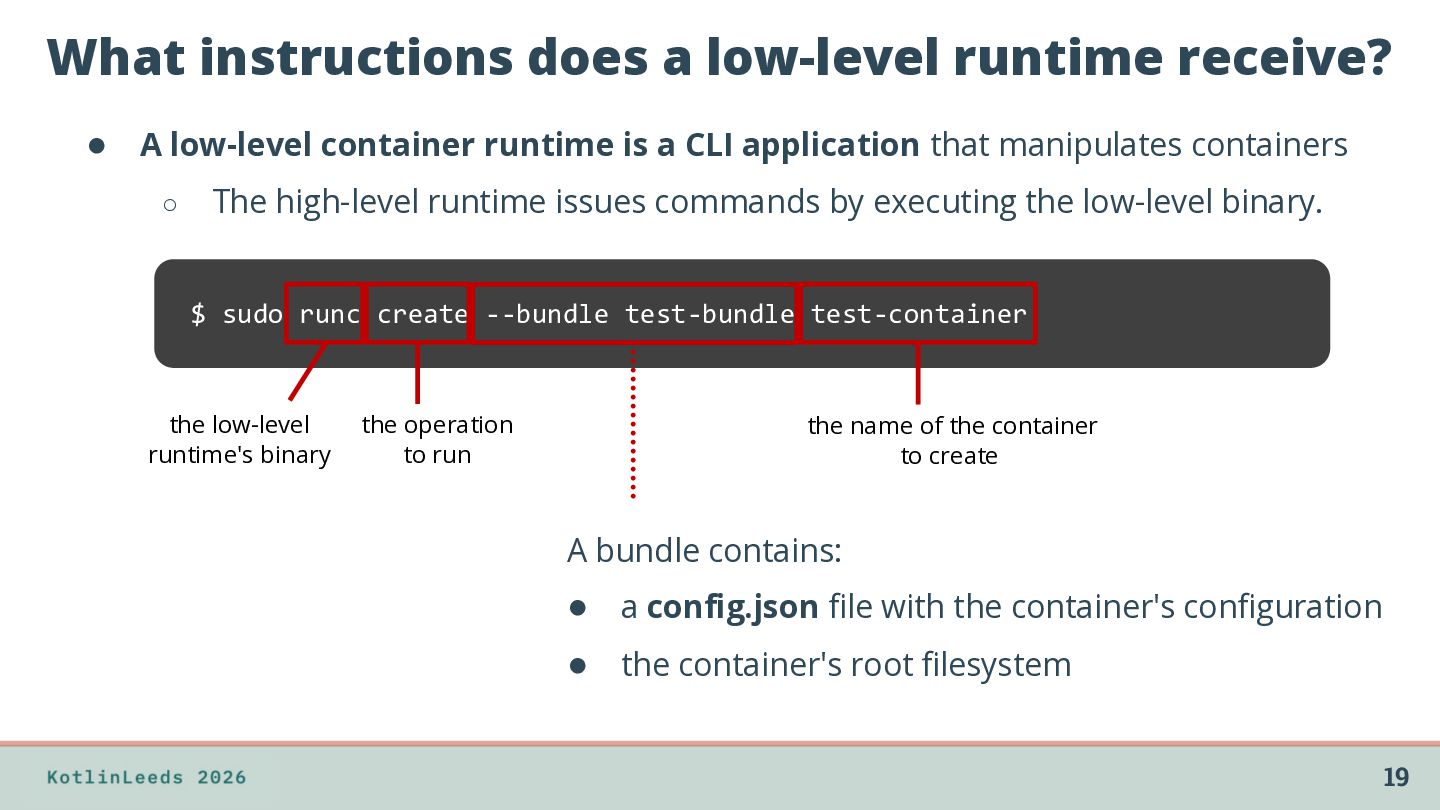
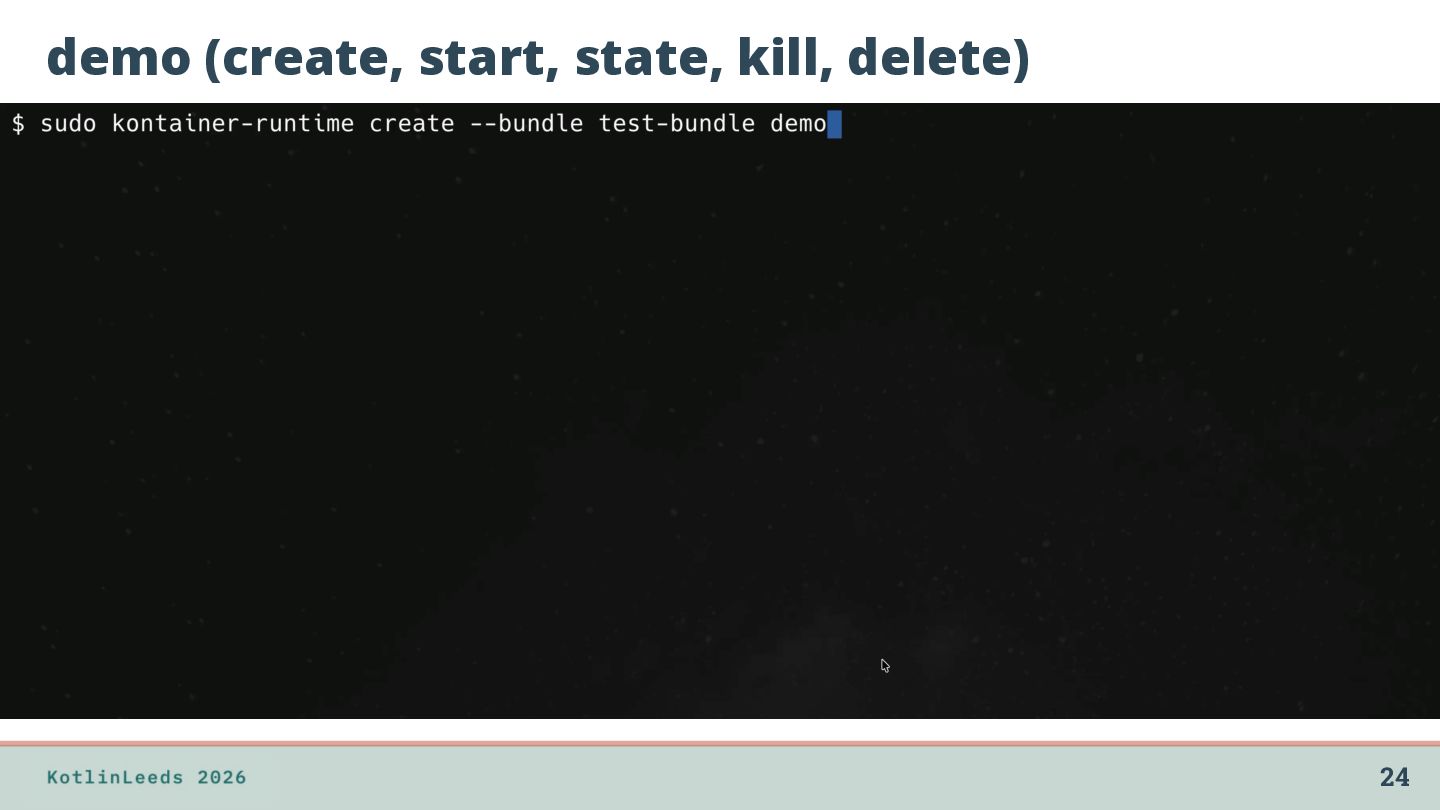
container runtime is a CLI application that manipulates containers ◦ The high-level runtime issues commands by executing the low-level binary. $ sudo runc create --bundle test-bundle test-container the low-level runtime's binary the operation to run the name of the container to create A bundle contains: • a config.json file with the container's configuration • the container's root filesystem 19
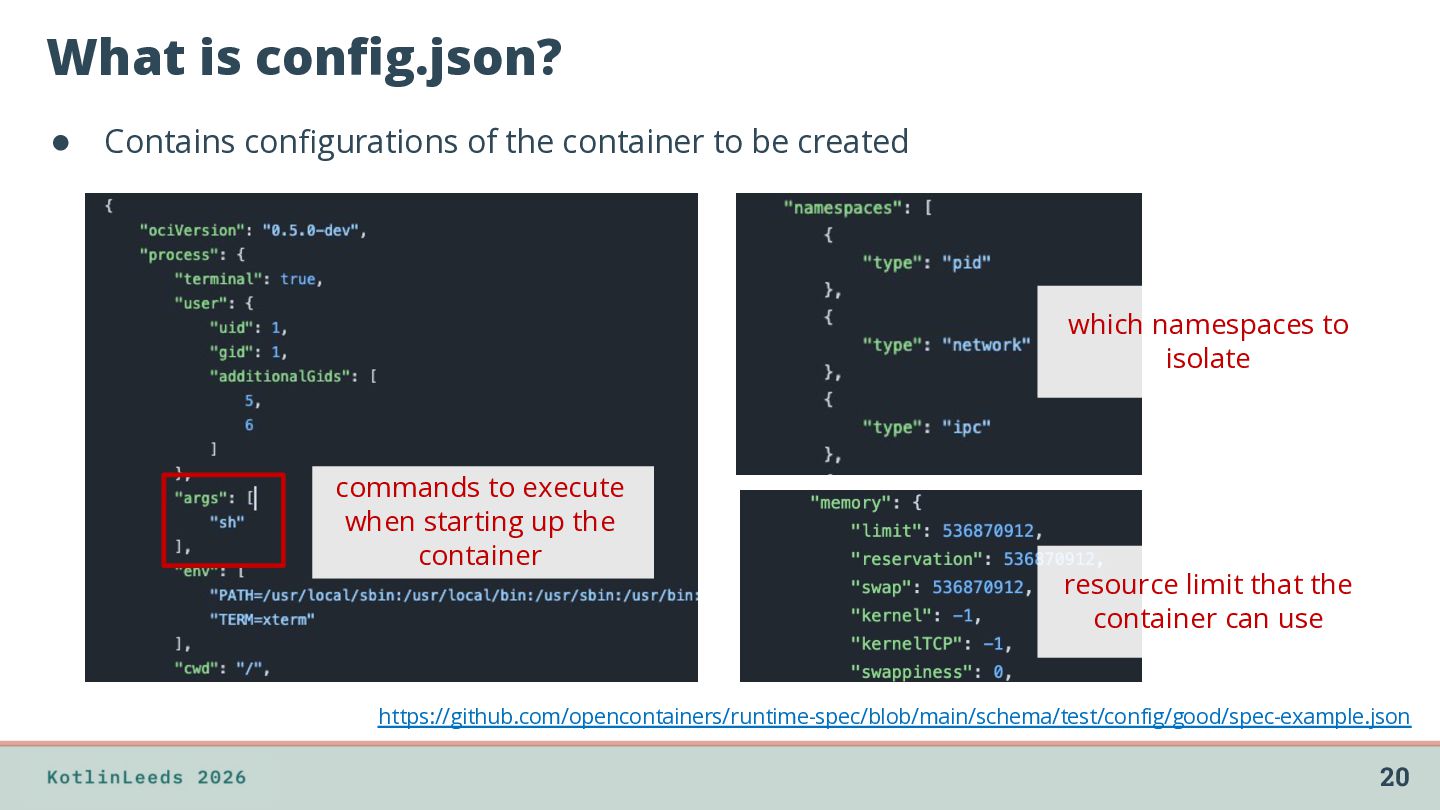
be created which namespaces to isolate commands to execute when starting up the container resource limit that the container can use https://github.com/opencontainers/runtime-spec/blob/main/schema/test/config/good/spec-example.json 20
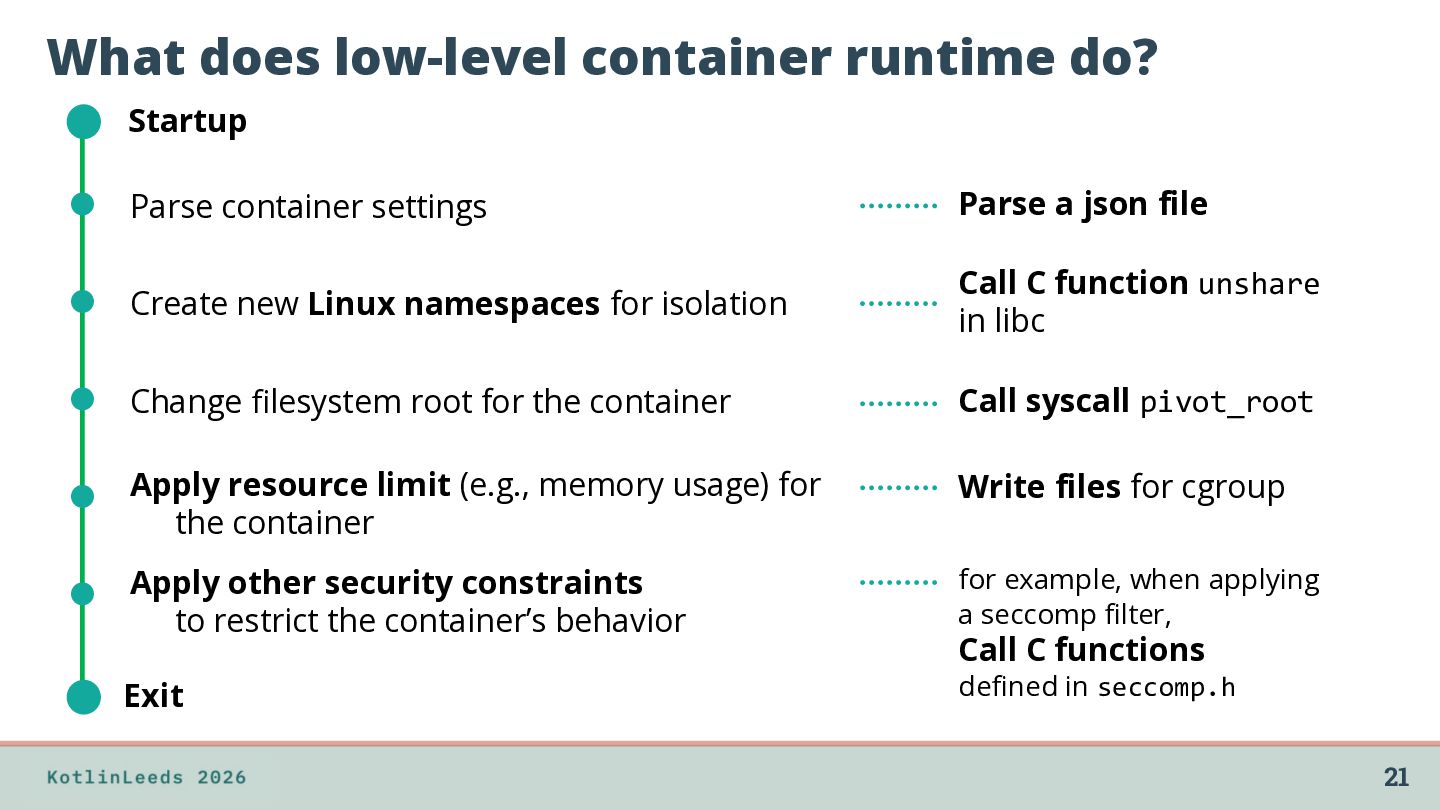
Parse a json file Create new Linux namespaces for isolation Call C function unshare in libc Change filesystem root for the container Call syscall pivot_root Apply resource limit (e.g., memory usage) for the container Write files for cgroup Apply other security constraints to restrict the container’s behavior for example, when applying a seccomp filter, Exit defined in seccomp.h Call C functions 21
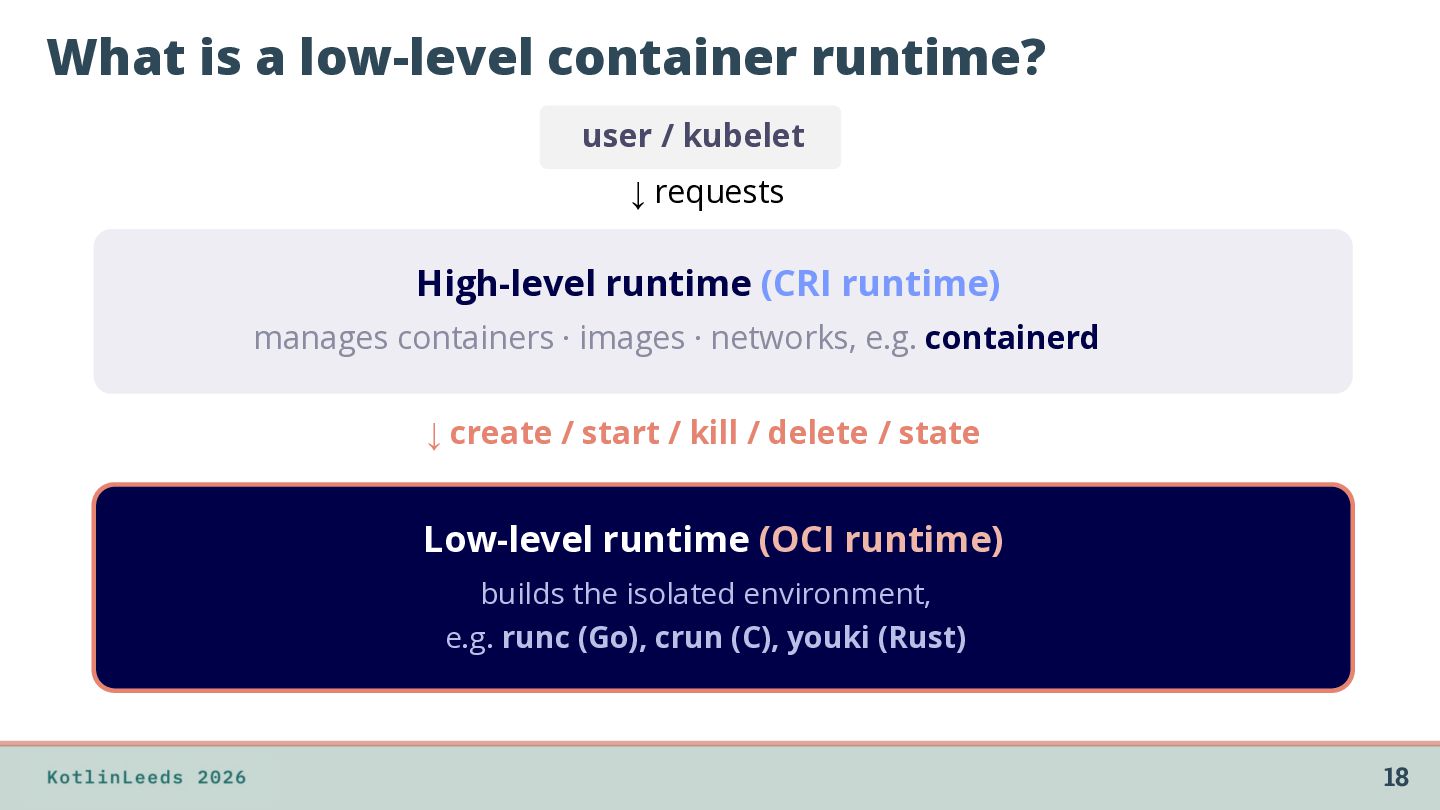
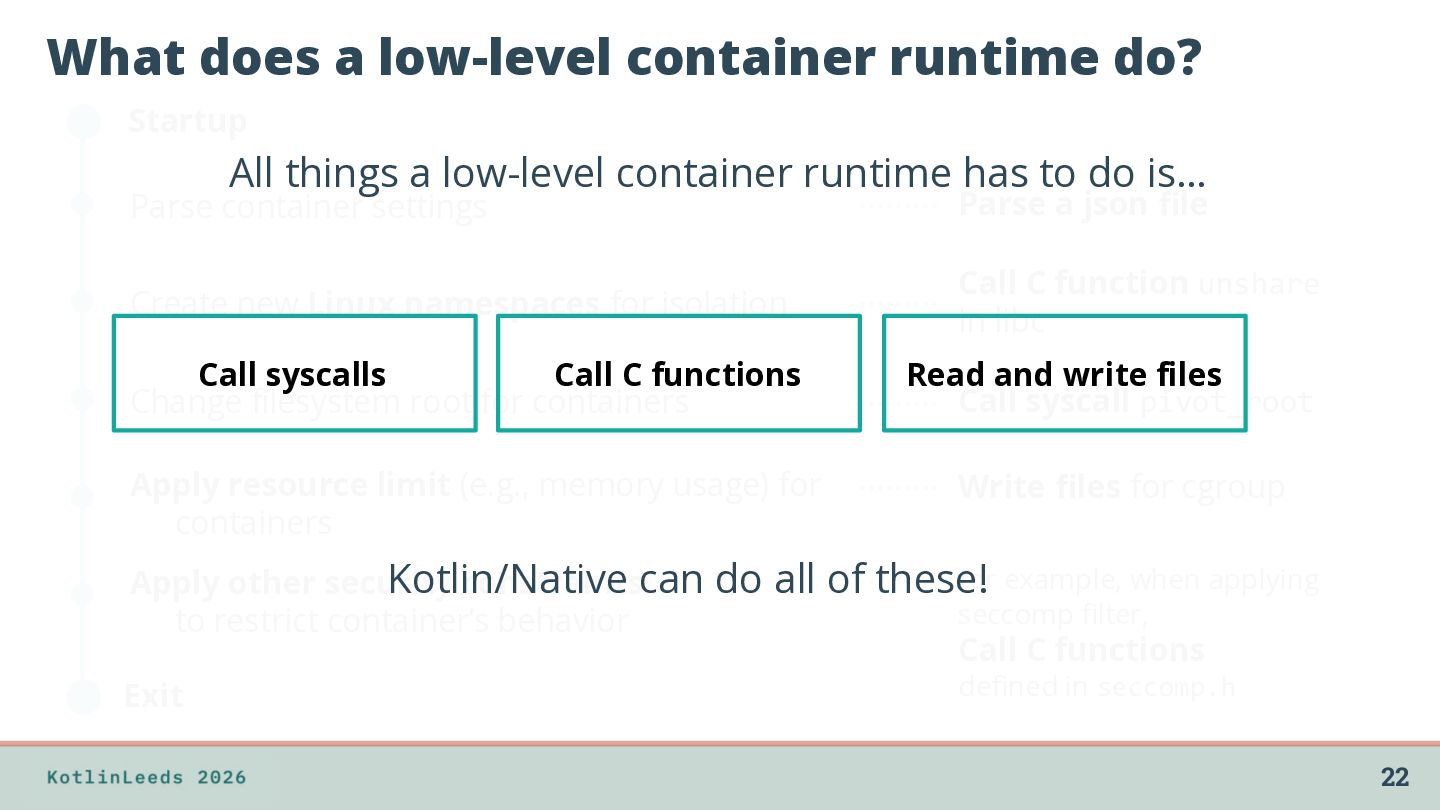
a low-level container runtime has to do is… Parse container settings Parse a json file Create new Linux namespaces for isolation Call C function unshare in libc Call syscalls Call C functions Change filesystem root for containers Read and write files Call syscall pivot_root Apply resource limit (e.g., memory usage) for containers Write files for cgroup for example, when applying Kotlin/Native Apply other security constraintscan do all of these! seccomp filter, to restrict container’s behavior Call C functions defined in seccomp.h Exit 22
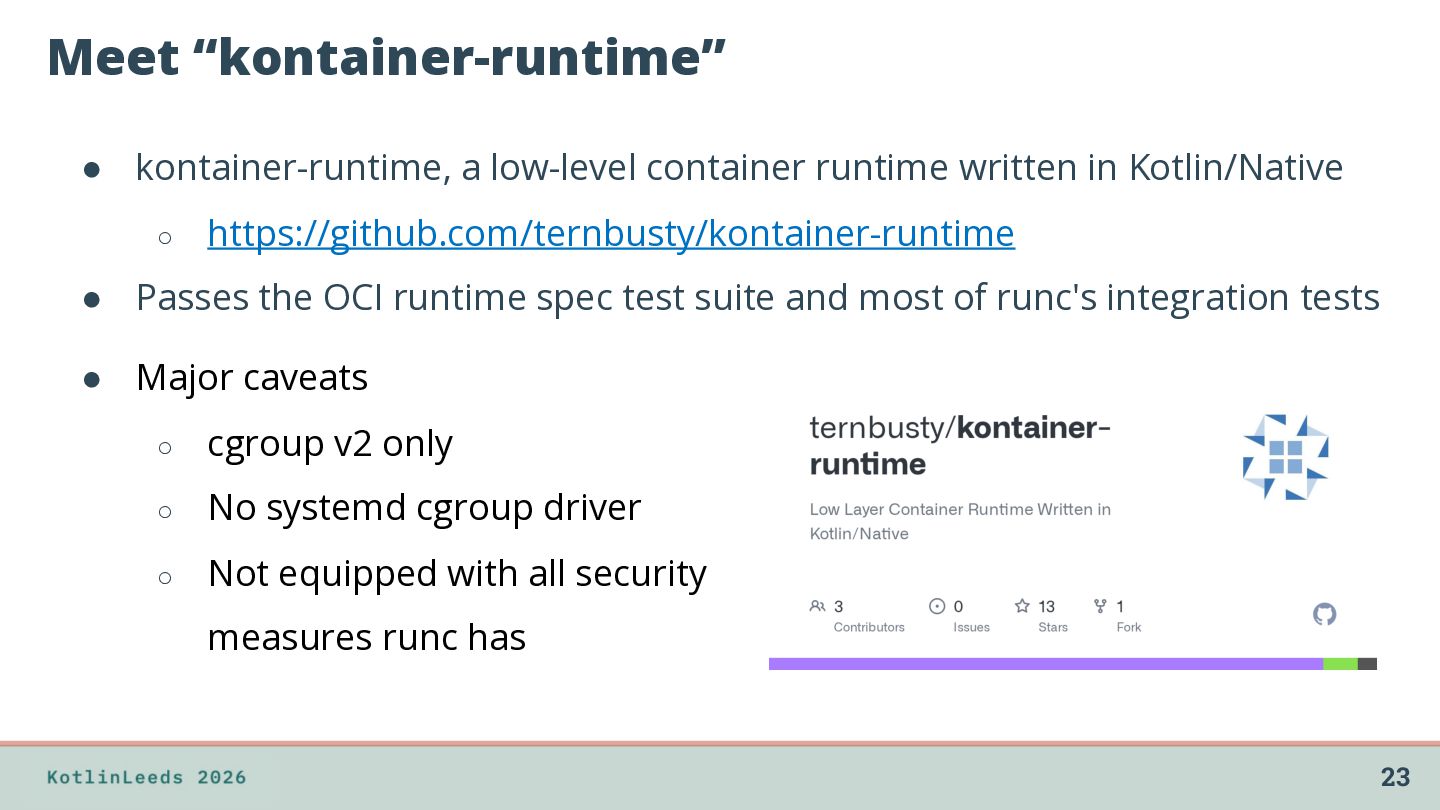
Kotlin/Native ◦ https://github.com/ternbusty/kontainer-runtime • Passes the OCI runtime spec test suite and most of runc's integration tests • Major caveats ◦ cgroup v2 only ◦ No systemd cgroup driver ◦ Not equipped with all security measures runc has 23
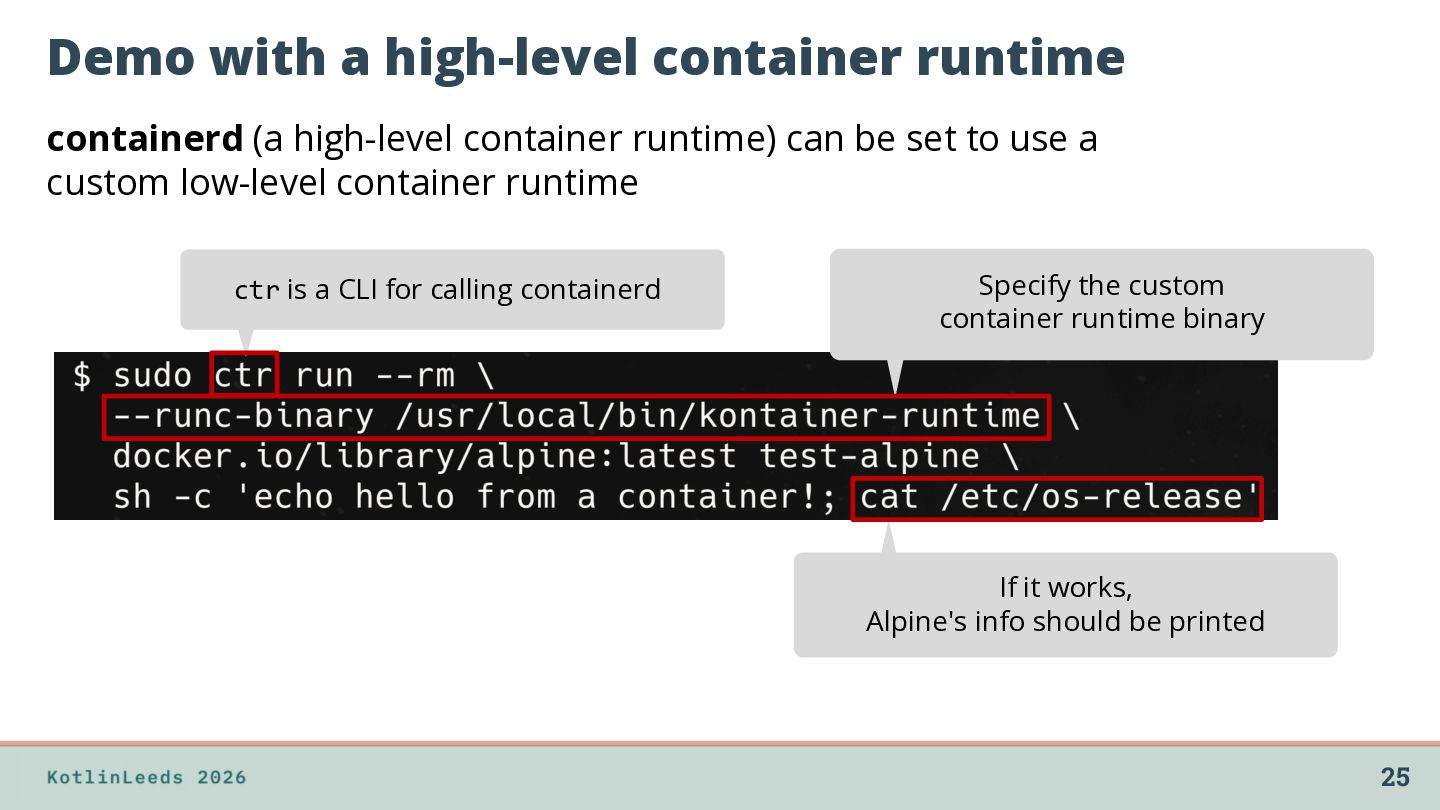
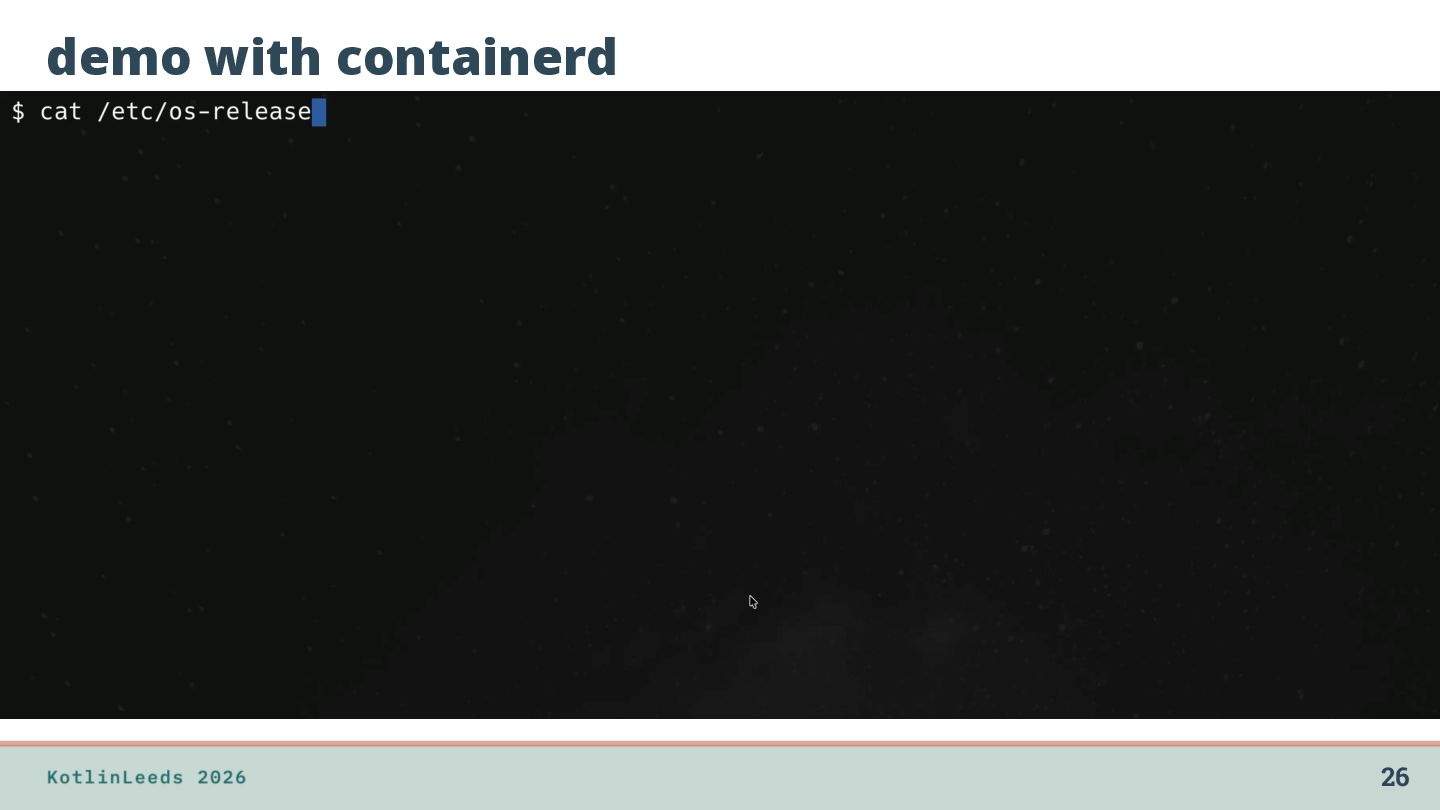
runtime) can be set to use a custom low-level container runtime ctr is a CLI for calling containerd Specify the custom container runtime binary If it works, Alpine's info should be printed 25
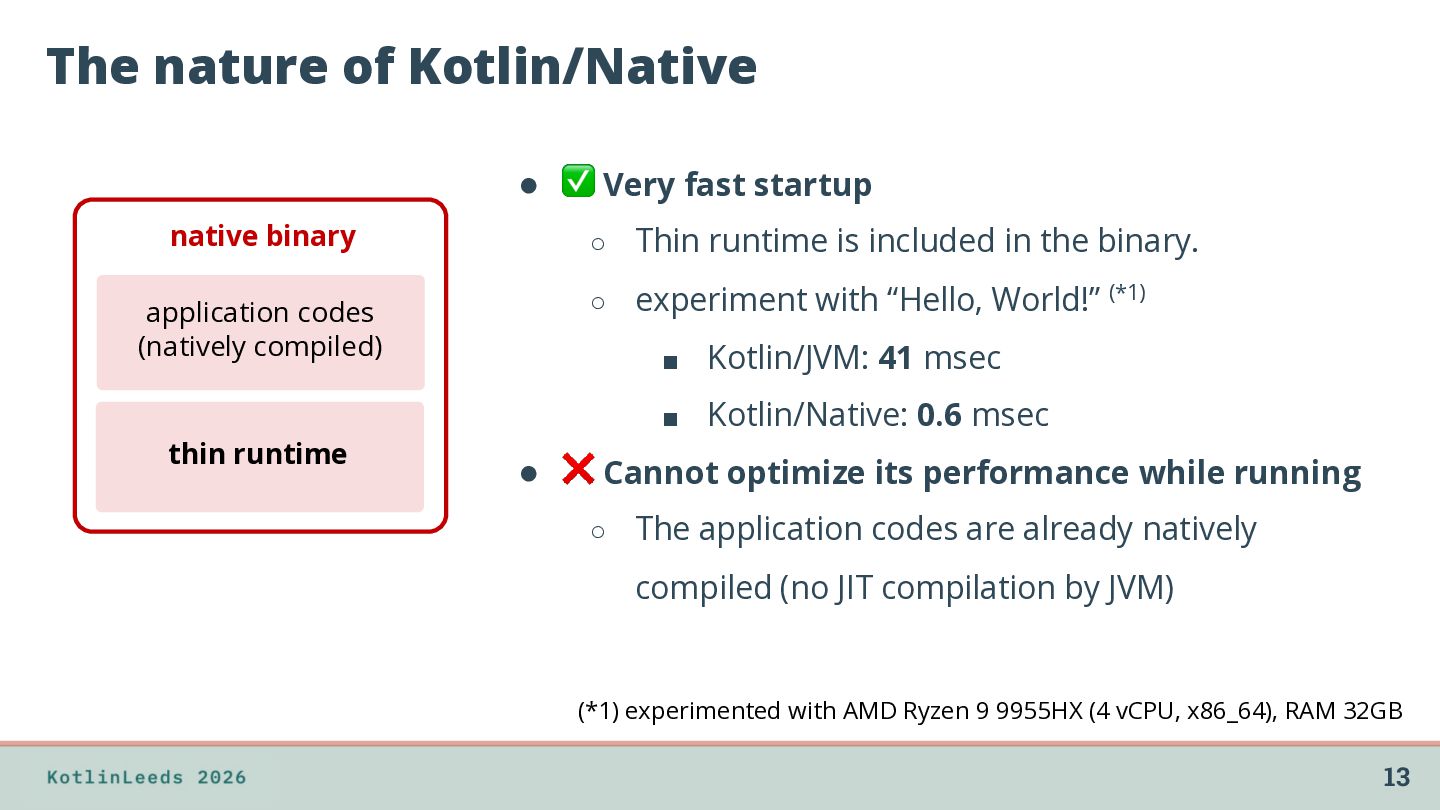
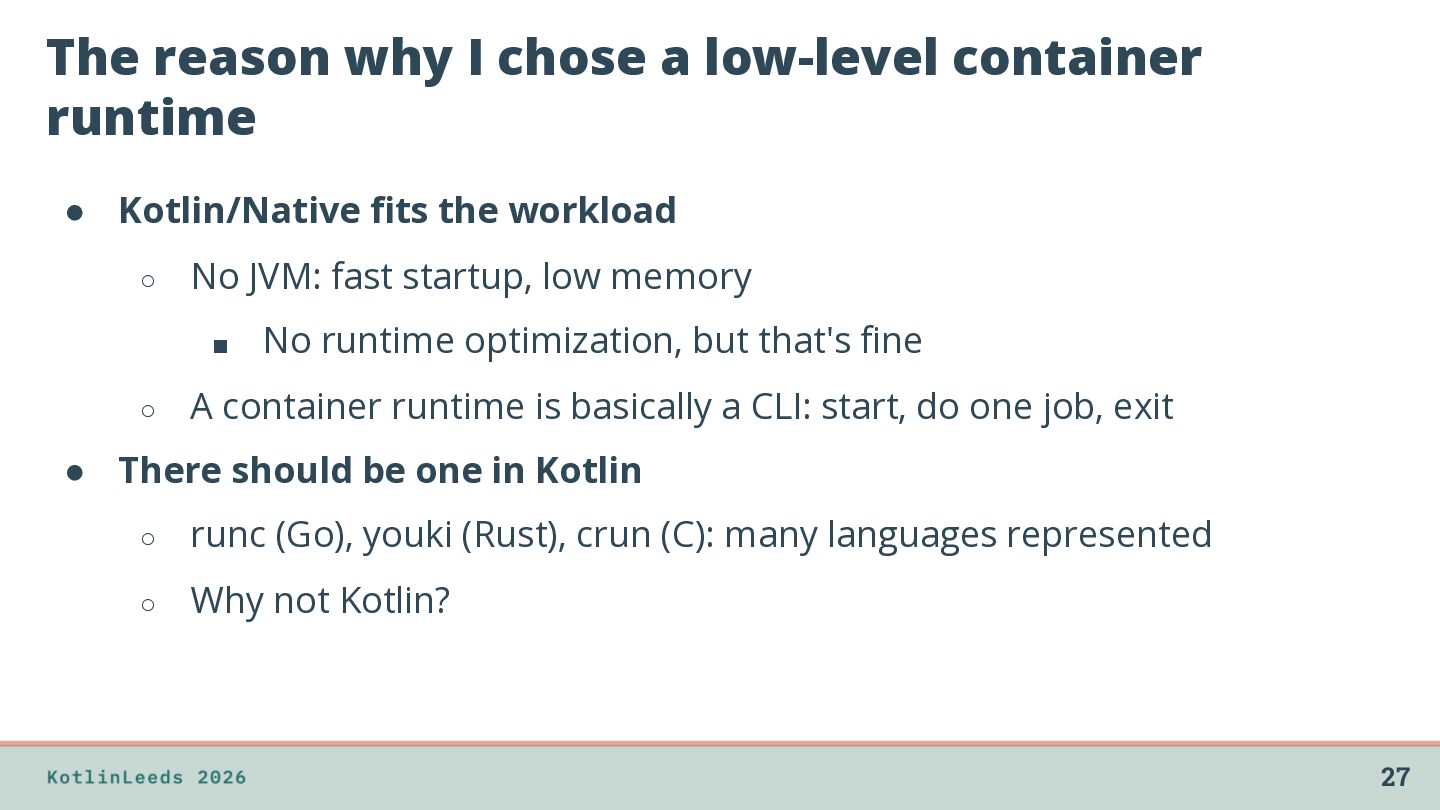
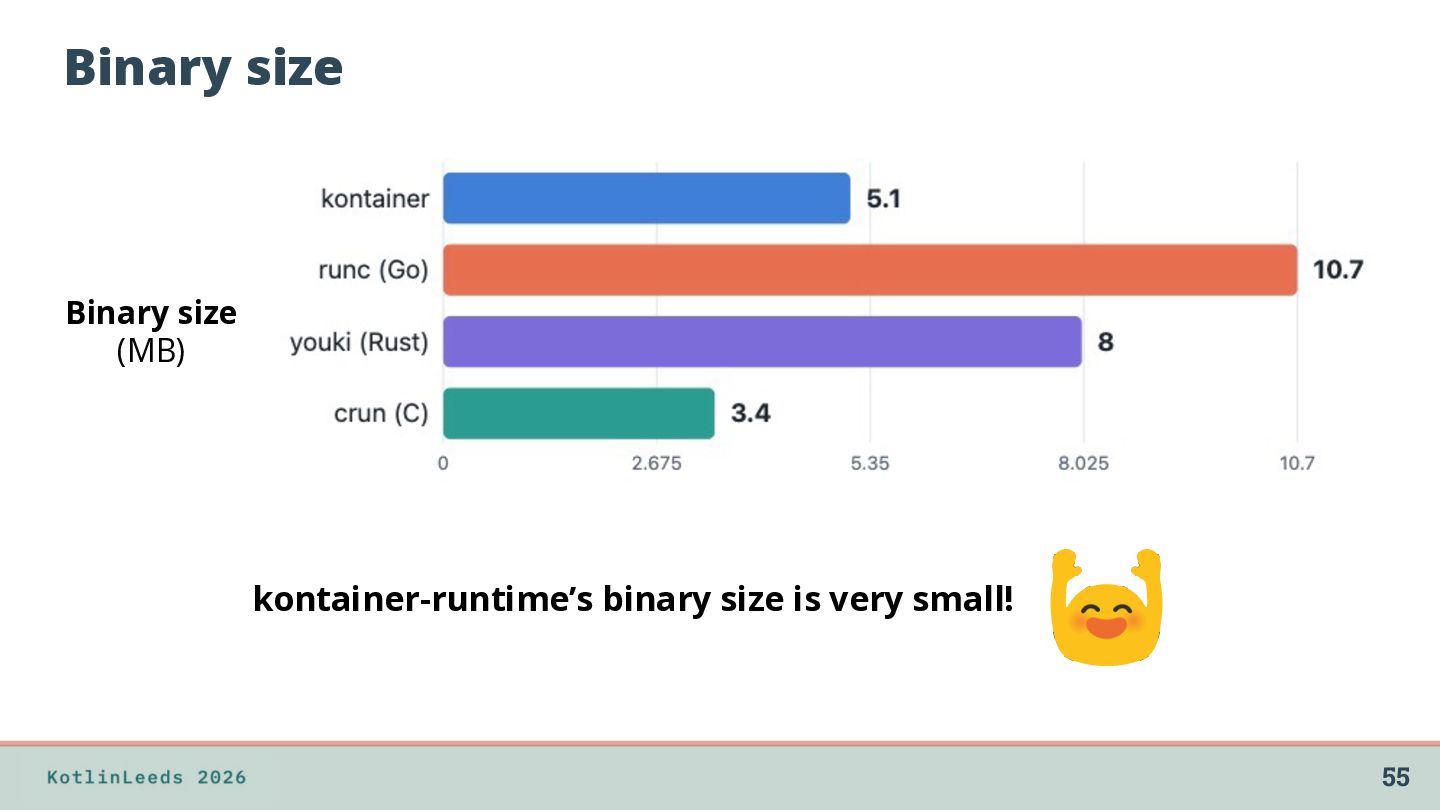
Kotlin/Native fits the workload ◦ No JVM: fast startup, low memory ▪ ◦ No runtime optimization, but that's fine A container runtime is basically a CLI: start, do one job, exit • There should be one in Kotlin ◦ runc (Go), youki (Rust), crun (C): many languages represented ◦ Why not Kotlin? 27
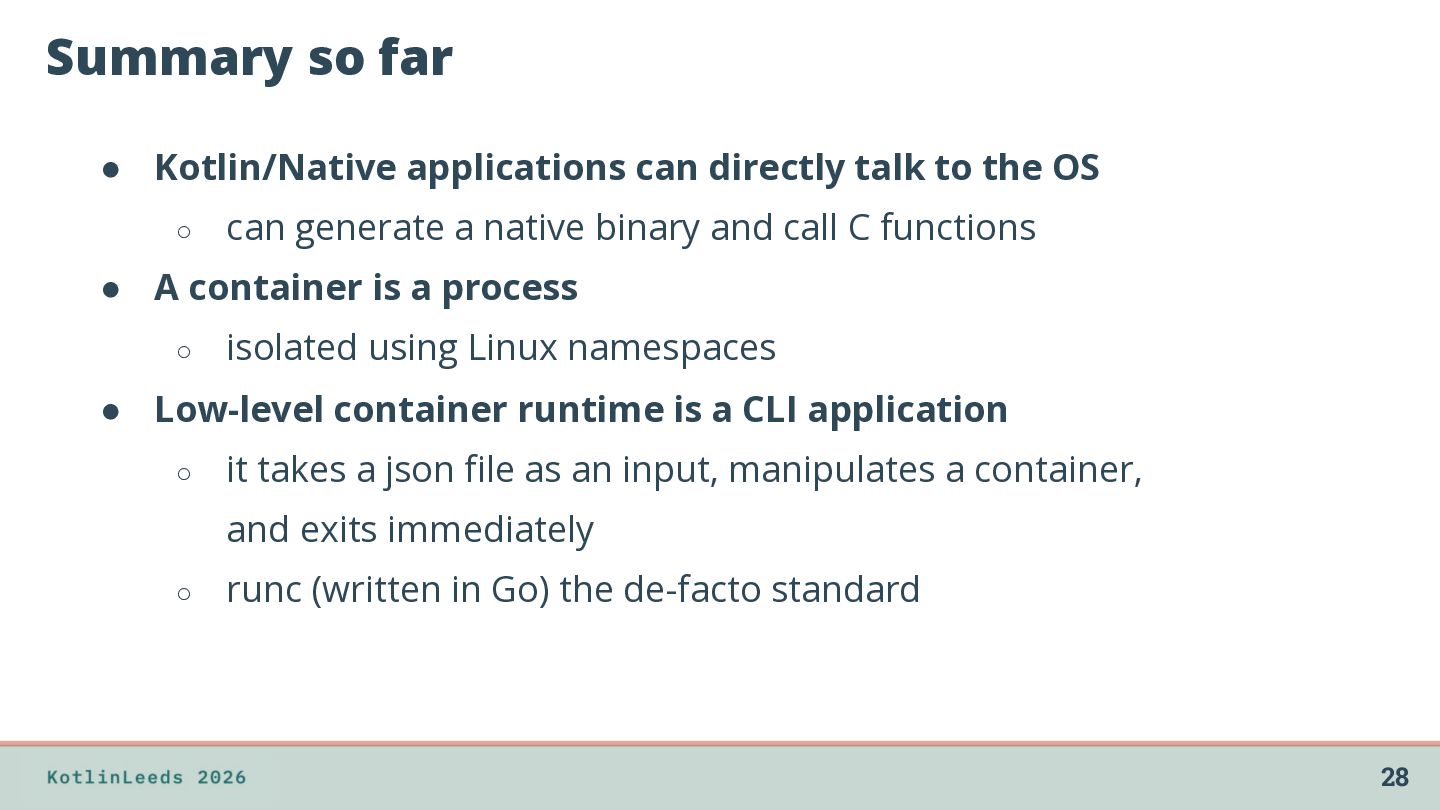
the OS ◦ can generate a native binary and call C functions • A container is a process ◦ isolated using Linux namespaces • Low-level container runtime is a CLI application ◦ it takes a json file as an input, manipulates a container, and exits immediately ◦ runc (written in Go) the de-facto standard 28
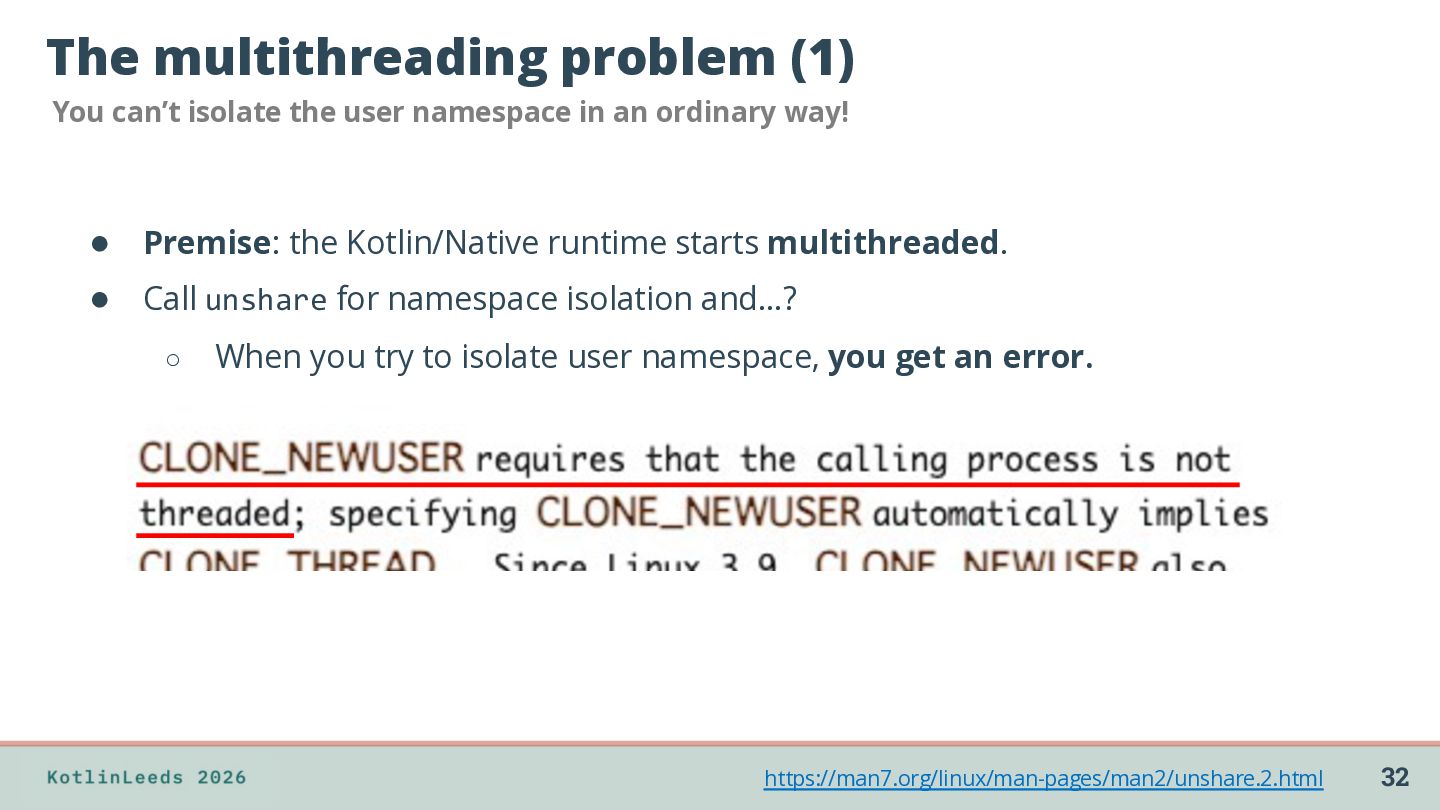
in an ordinary way! • Premise: the Kotlin/Native runtime starts multithreaded. • Call unshare for namespace isolation and…? ◦ When you try to isolate user namespace, you get an error. https://man7.org/linux/man-pages/man2/unshare.2.html 32
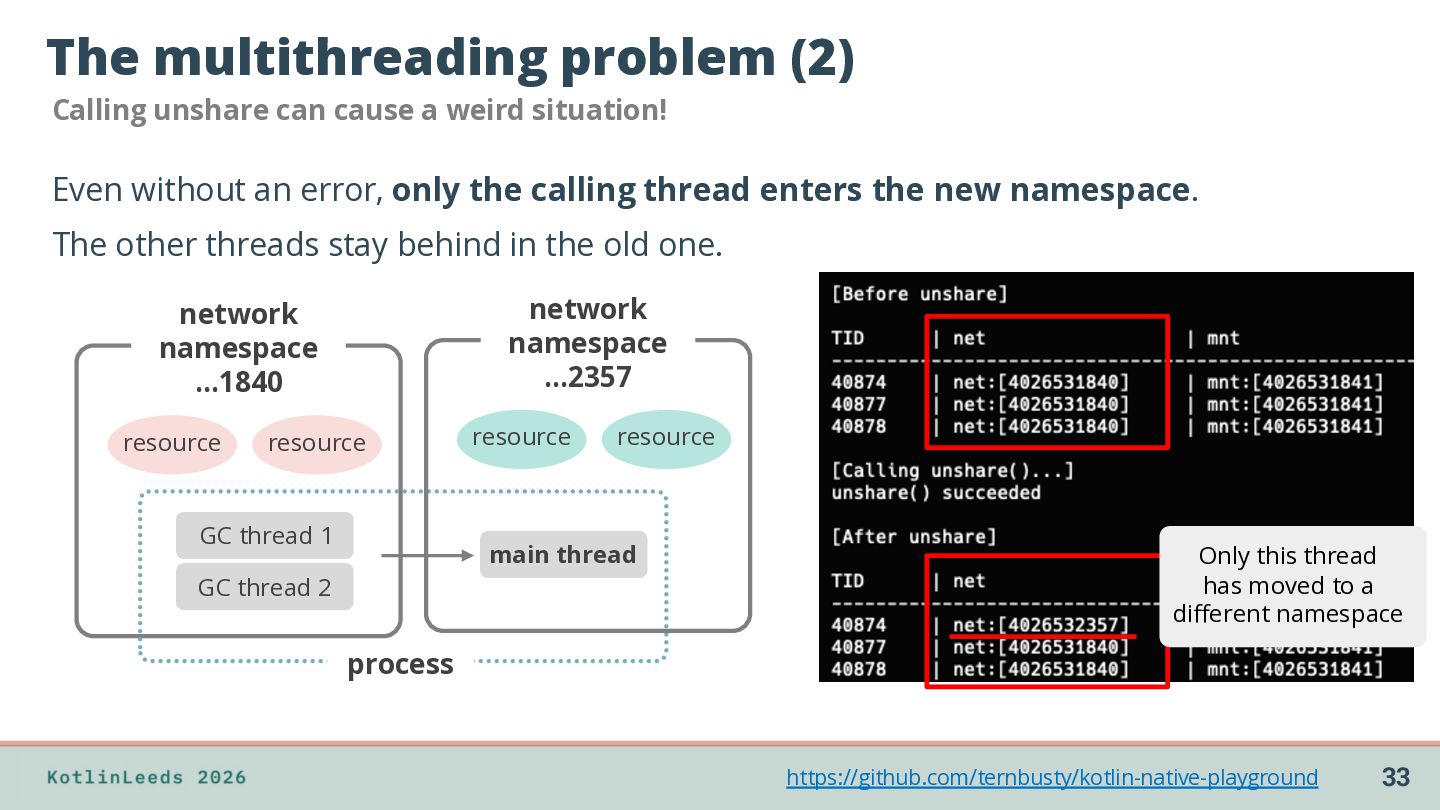
situation! Even without an error, only the calling thread enters the new namespace. The other threads stay behind in the old one. network namespace …2357 network namespace …1840 resource resource GC thread 1 resource resource main thread GC thread 2 Only this thread has moved to a different namespace process https://github.com/ternbusty/kotlin-native-playground 33
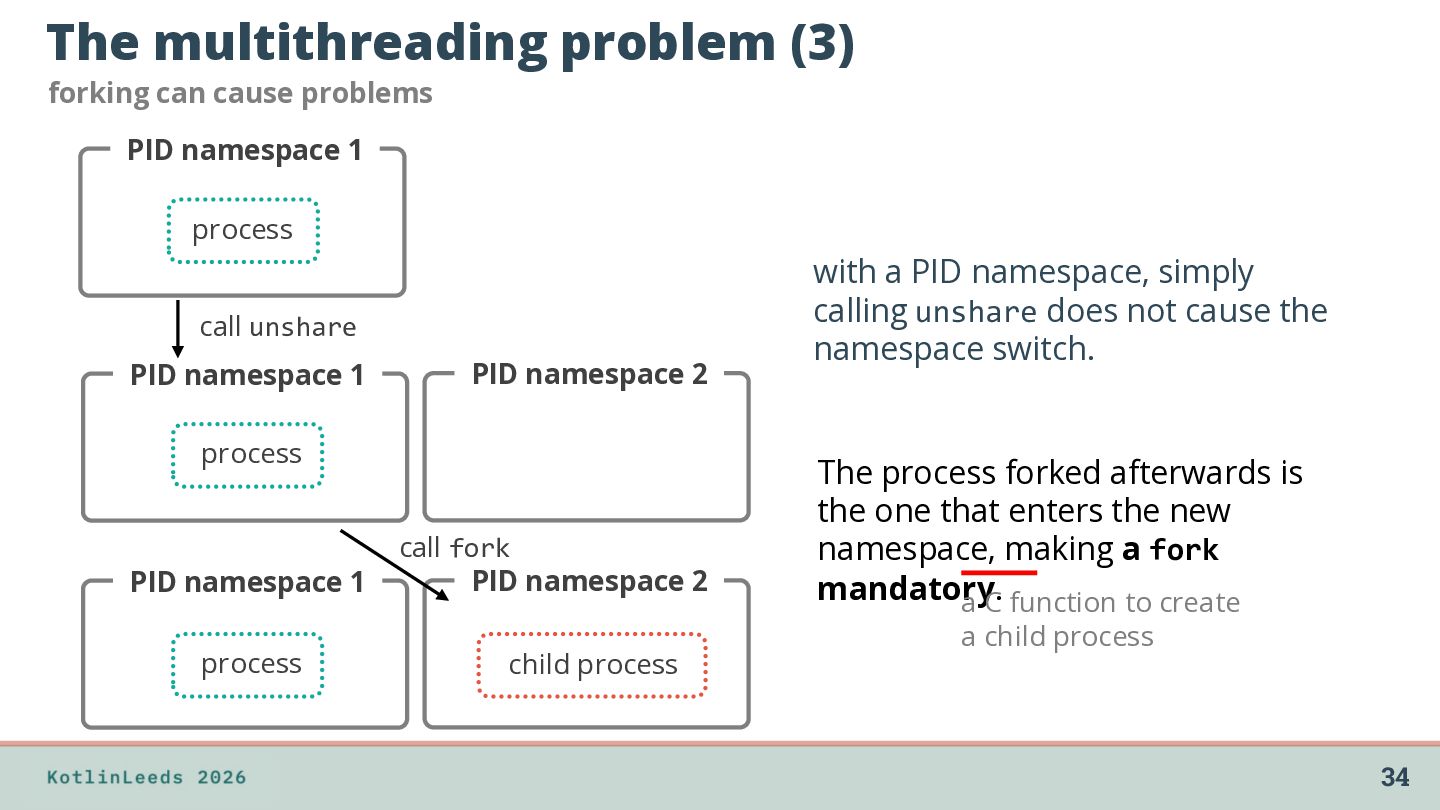
1 process call unshare PID namespace 1 PID namespace 2 process PID namespace 1 process call fork PID namespace 2 child process with a PID namespace, simply calling unshare does not cause the namespace switch. The process forked afterwards is the one that enters the new namespace, making a fork mandatory. a C function to create a child process 34
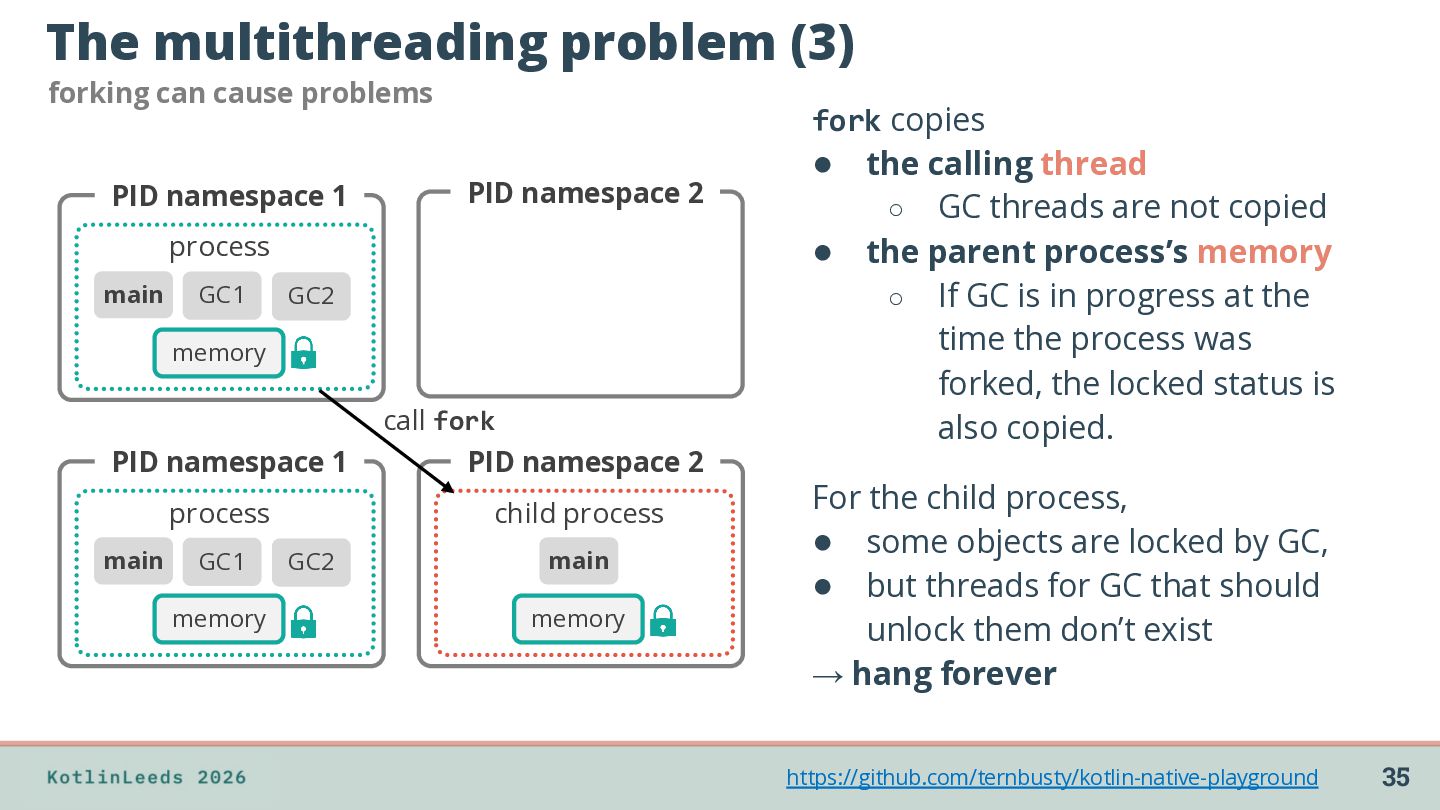
1 PID namespace 2 process main GC1 GC2 memory call fork PID namespace 1 PID namespace 2 process child process main GC1 memory GC2 main memory fork copies • the calling thread ◦ GC threads are not copied • the parent process’s memory ◦ If GC is in progress at the time the process was forked, the locked status is also copied. For the child process, • some objects are locked by GC, • but threads for GC that should unlock them don’t exist → hang forever https://github.com/ternbusty/kotlin-native-playground 35
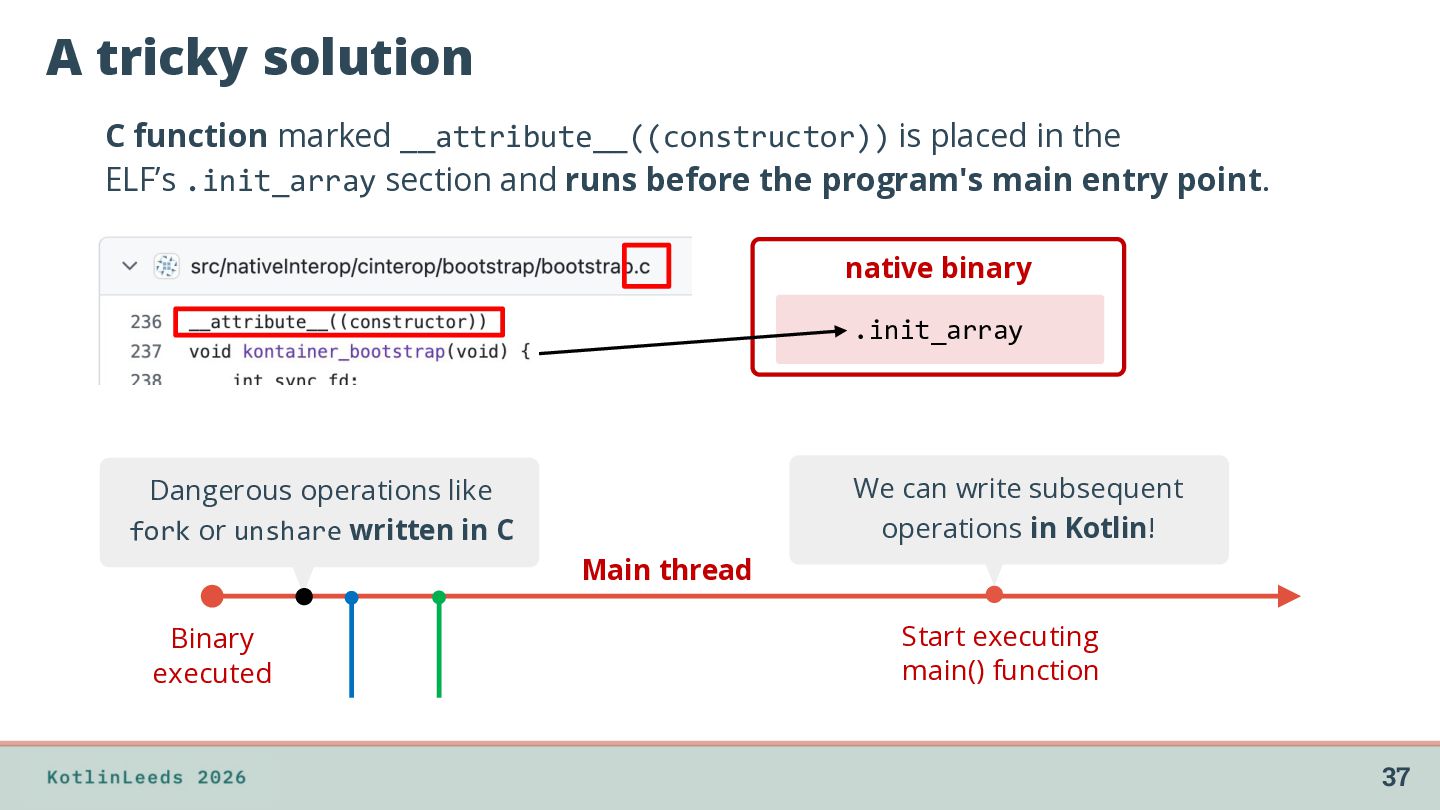
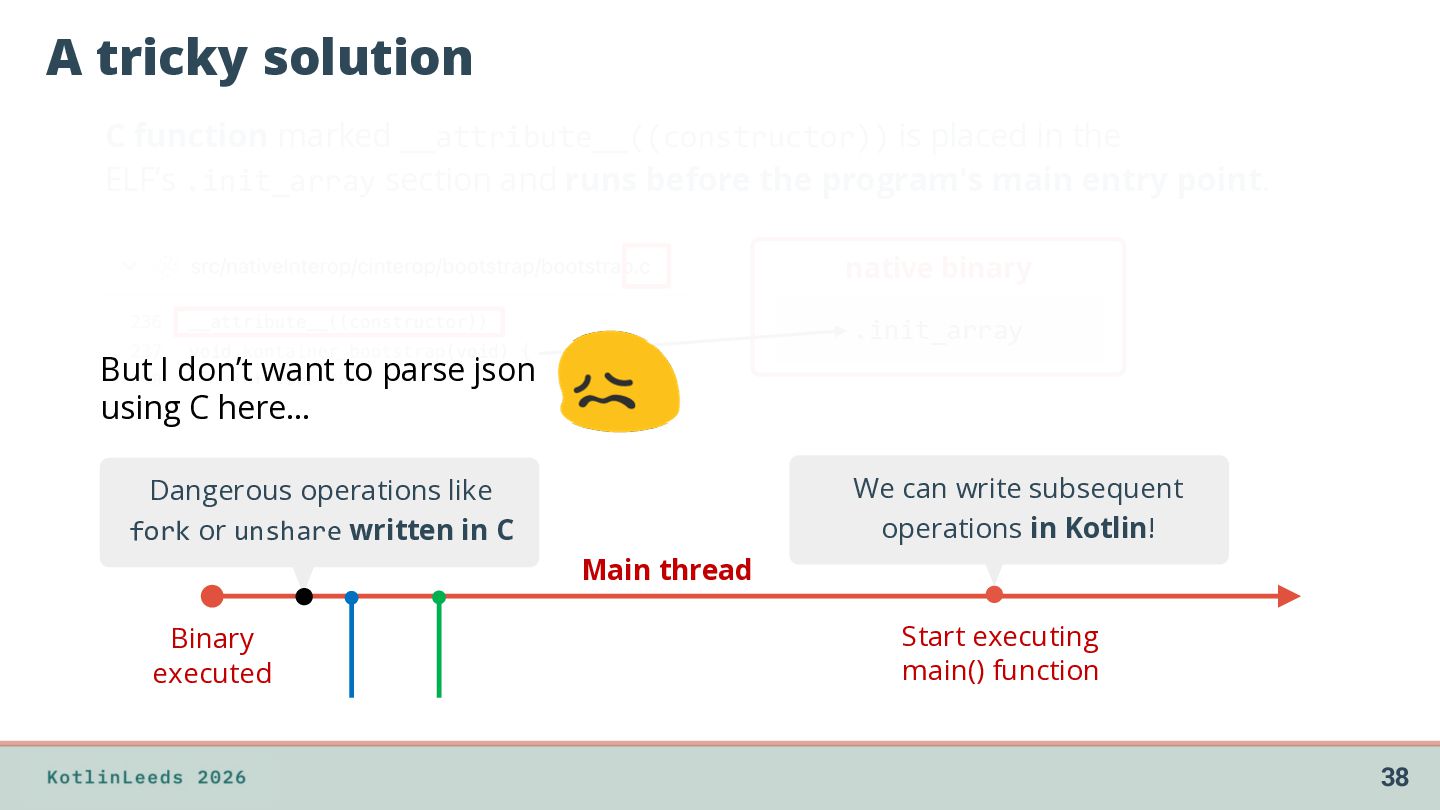
the ELF’s .init_array section and runs before the program's main entry point. native binary .init_array We can write subsequent operations in Kotlin! Dangerous operations like fork or unshare written in C Main thread Binary executed Start executing main() function 37
the ELF’s .init_array section and runs before the program's main entry point. native binary .init_array But I don’t want to parse json using C here… We can write subsequent operations in Kotlin! Dangerous operations like fork or unshare written in C Main thread Binary executed Start executing main() function 38
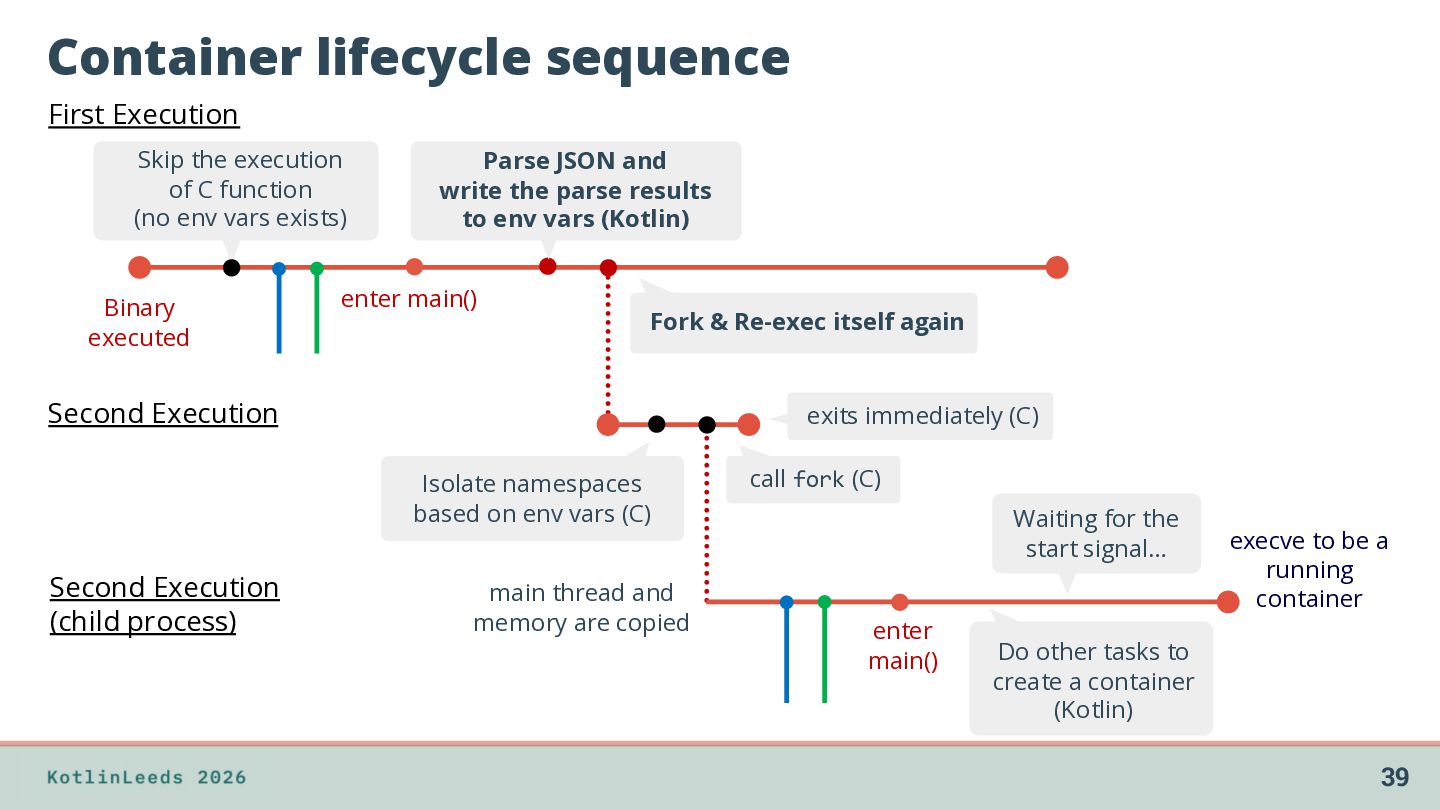
function (no env vars exists) Binary executed Parse JSON and write the parse results to env vars (Kotlin) enter main() Fork & Re-exec itself again Second Execution exits immediately (C) Isolate namespaces based on env vars (C) Second Execution (child process) main thread and memory are copied call fork (C) Waiting for the start signal… enter main() execve to be a running container Do other tasks to create a container (Kotlin) 39
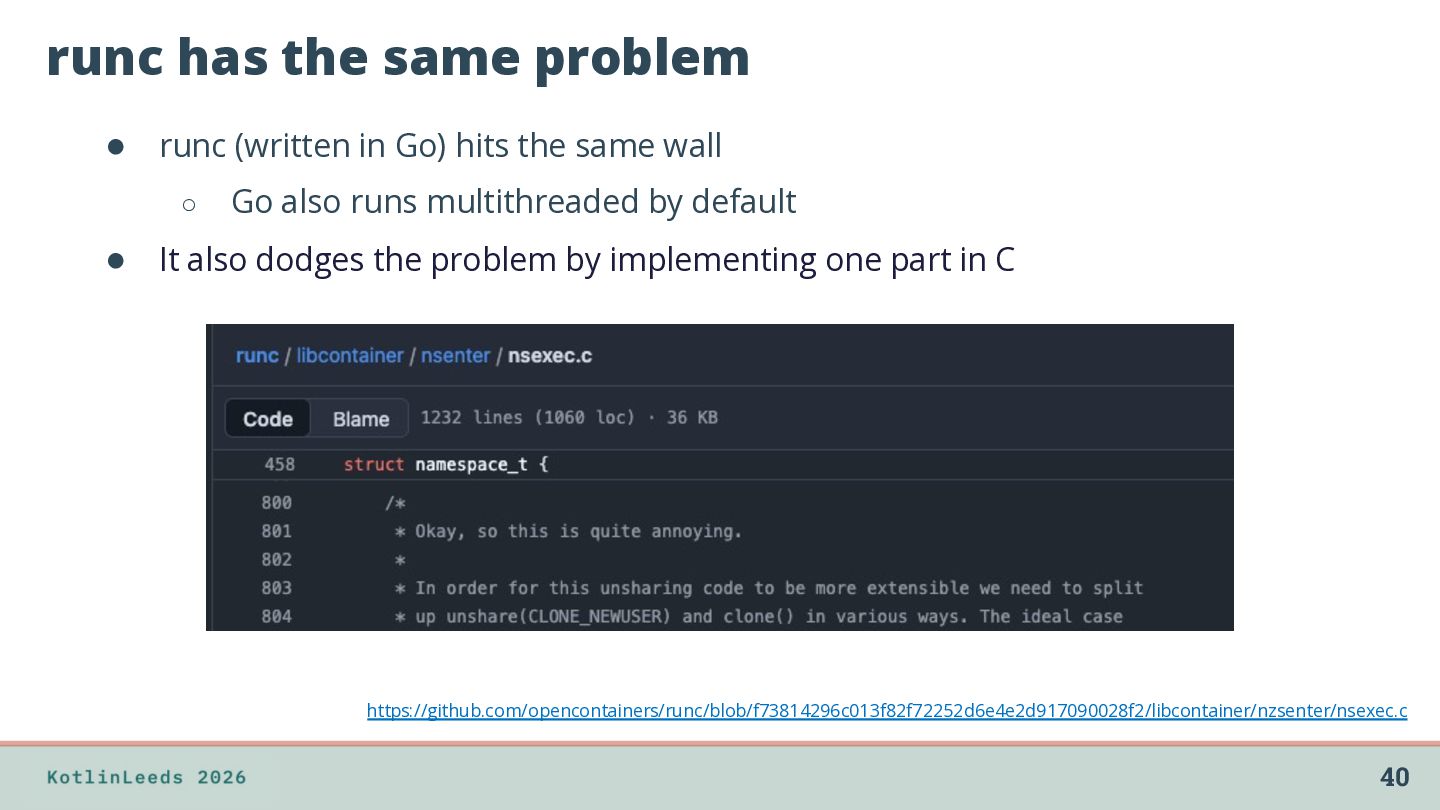
hits the same wall ◦ Go also runs multithreaded by default • It also dodges the problem by implementing one part in C https://github.com/opencontainers/runc/blob/f73814296c013f82f72252d6e4e2d917090028f2/libcontainer/nzsenter/nsexec.c 40
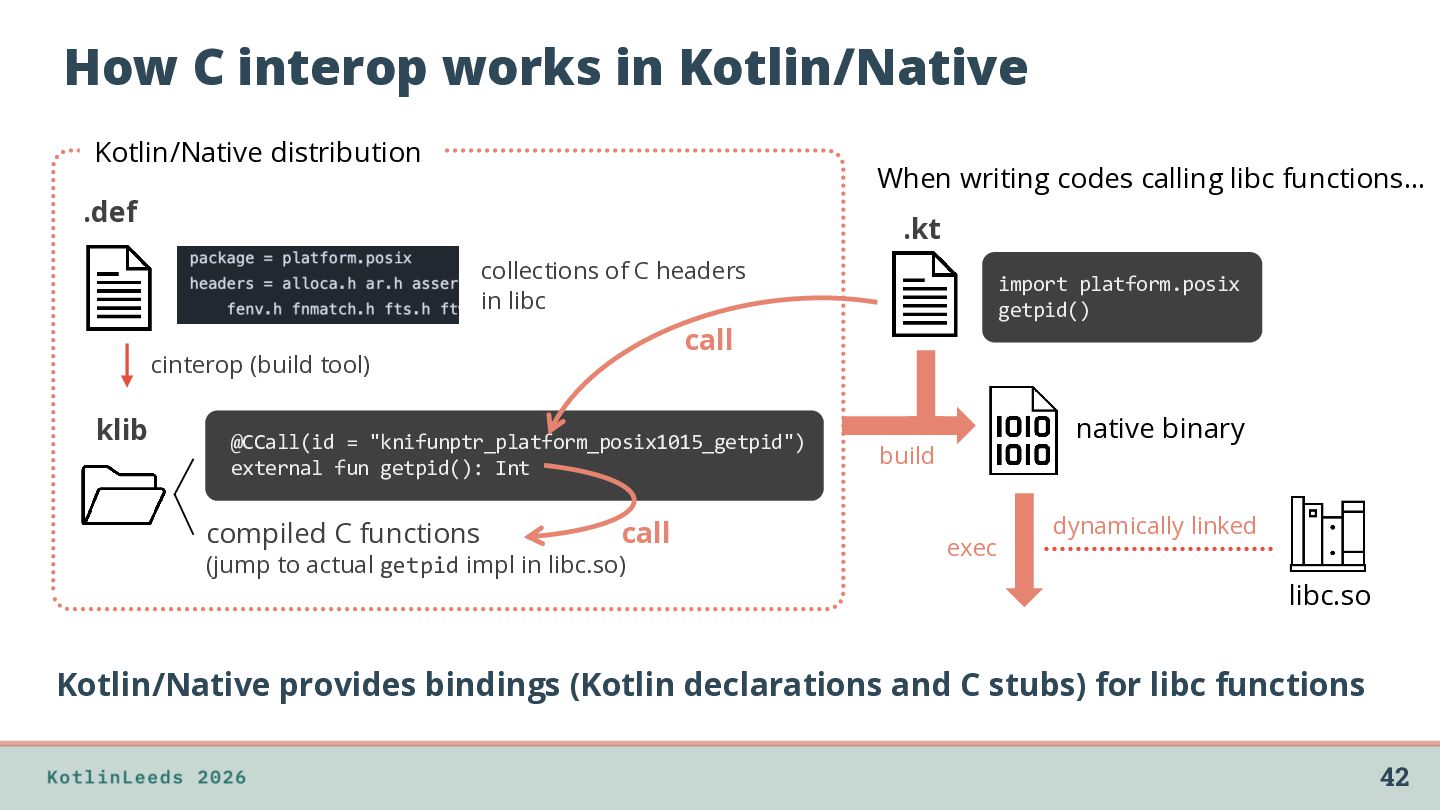
codes calling libc functions… .def .kt collections of C headers in libc call cinterop (build tool) klib @CCall(id = "knifunptr_platform_posix1015_getpid") external fun getpid(): Int compiled C functions import platform.posix getpid() call (jump to actual getpid impl in libc.so) native binary build exec dynamically linked libc.so Kotlin/Native provides bindings (Kotlin declarations and C stubs) for libc functions 42
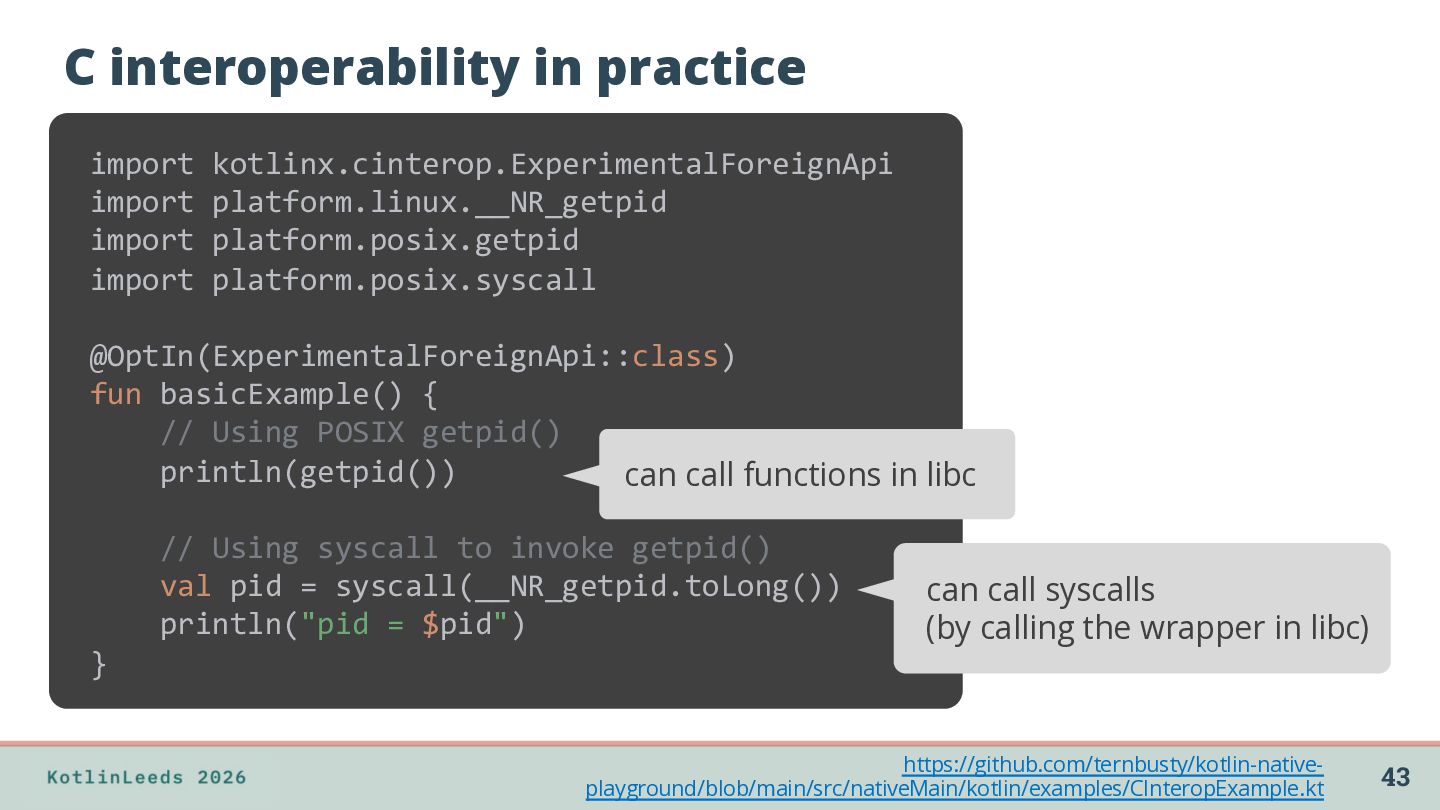
import platform.posix.syscall @OptIn(ExperimentalForeignApi::class) fun basicExample() { // Using POSIX getpid() println(getpid()) can call functions in libc // Using syscall to invoke getpid() val pid = syscall(__NR_getpid.toLong()) println("pid = $pid") can call syscalls (by calling the wrapper in libc) } https://github.com/ternbusty/kotlin-nativeplayground/blob/main/src/nativeMain/kotlin/examples/CInteropExample.kt 43
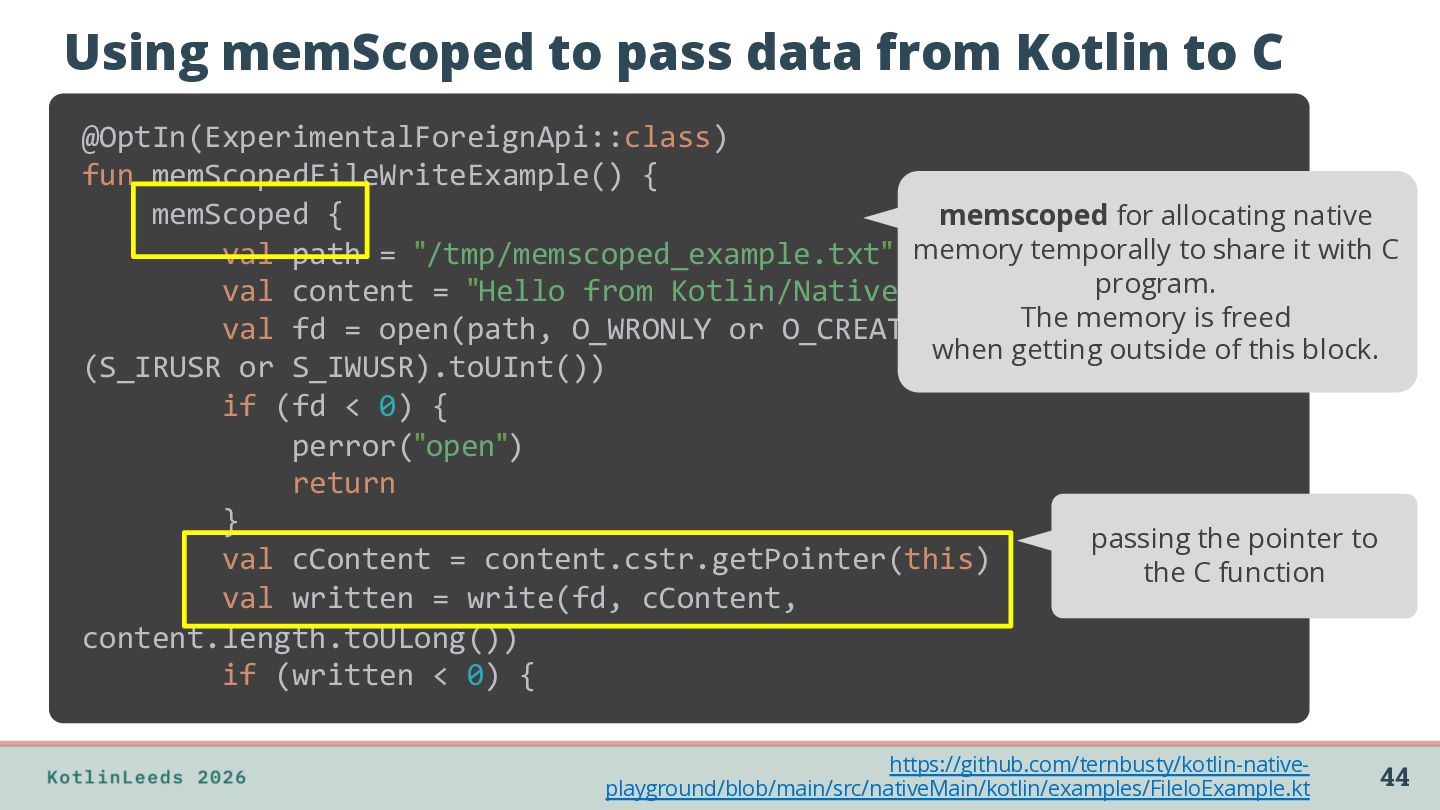
fun memScopedFileWriteExample() { memScoped { memscoped for allocating native val path = "/tmp/memscoped_example.txt" memory temporally to share it with C program. val content = "Hello from Kotlin/Native!" The memory is freed val fd = open(path, O_WRONLY or O_CREAT or O_TRUNC, when getting outside of this block. (S_IRUSR or S_IWUSR).toUInt()) if (fd < 0) { perror("open") return } passing the pointer to val cContent = content.cstr.getPointer(this) the C function val written = write(fd, cContent, content.length.toULong()) if (written < 0) { https://github.com/ternbusty/kotlin-nativeplayground/blob/main/src/nativeMain/kotlin/examples/FileIoExample.kt 44
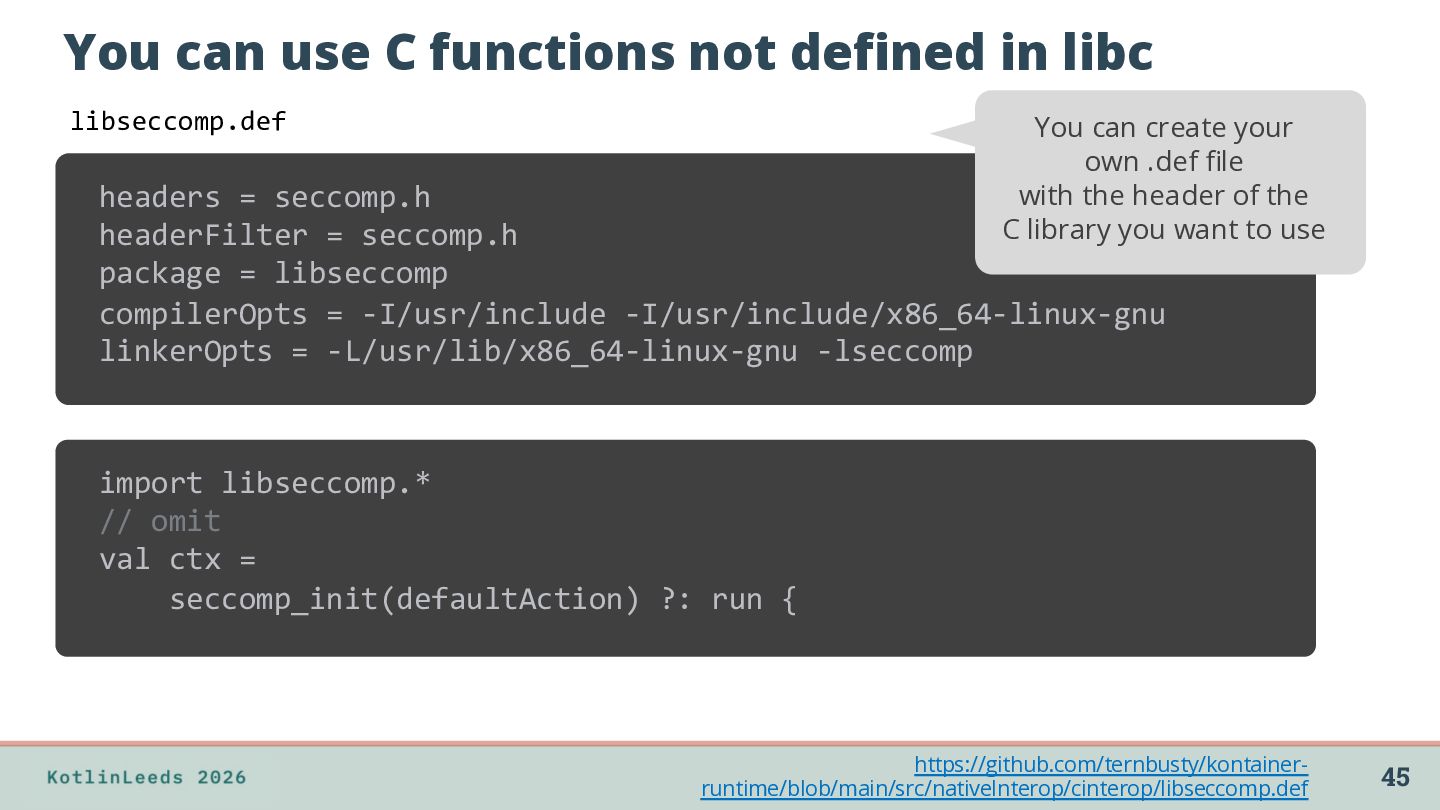
can create your own .def file with the header of the C library you want to use libseccomp.def headers = seccomp.h headerFilter = seccomp.h package = libseccomp compilerOpts = -I/usr/include -I/usr/include/x86_64-linux-gnu linkerOpts = -L/usr/lib/x86_64-linux-gnu -lseccomp import libseccomp.* // omit val ctx = seccomp_init(defaultAction) ?: run { https://github.com/ternbusty/kontainerruntime/blob/main/src/nativeInterop/cinterop/libseccomp.def 45
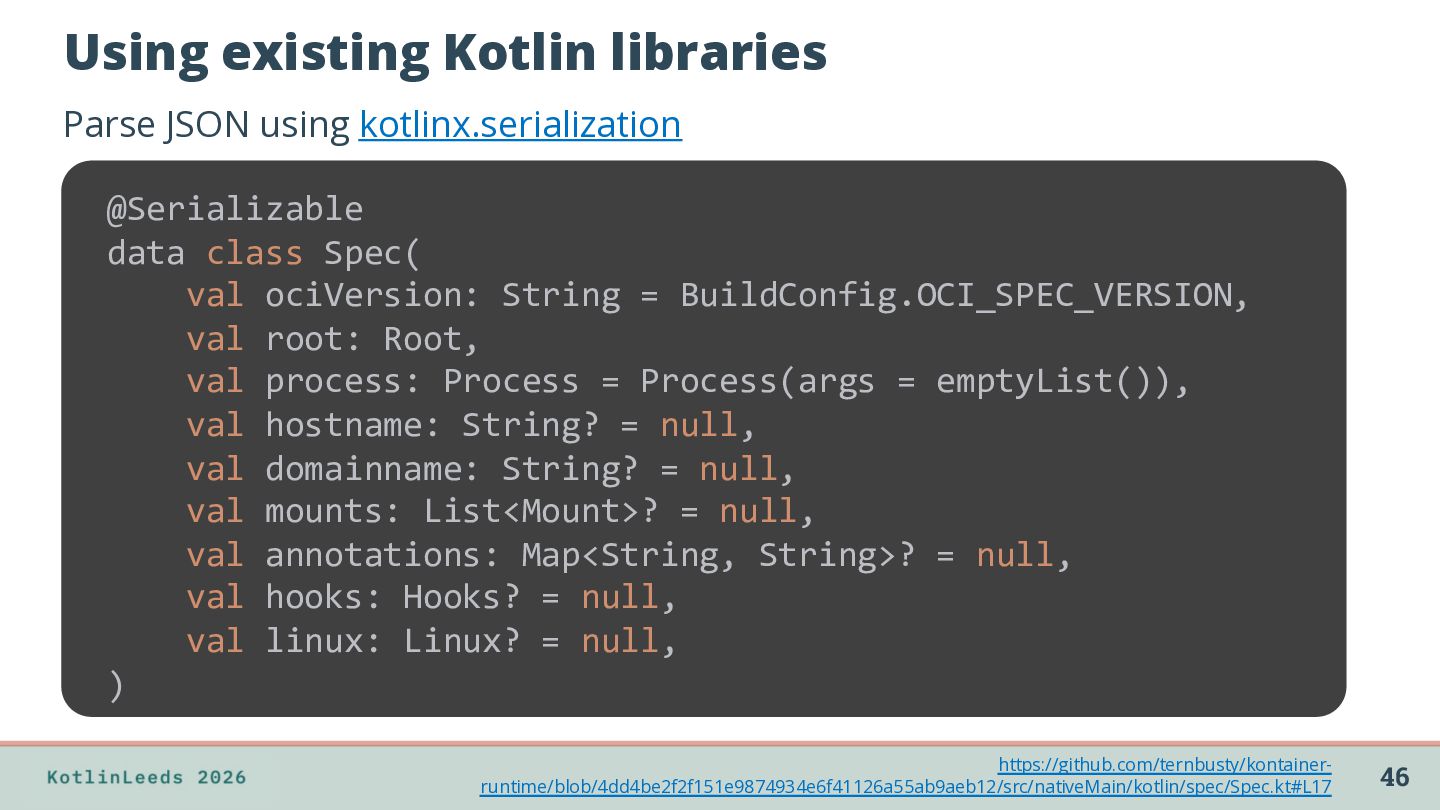
class Spec( val ociVersion: String = BuildConfig.OCI_SPEC_VERSION, val root: Root, val process: Process = Process(args = emptyList()), val hostname: String? = null, val domainname: String? = null, val mounts: List<Mount>? = null, val annotations: Map<String, String>? = null, val hooks: Hooks? = null, val linux: Linux? = null, ) https://github.com/ternbusty/kontainerruntime/blob/4dd4be2f2f151e9874934e6f41126a55ab9aeb12/src/nativeMain/kotlin/spec/Spec.kt#L17 46
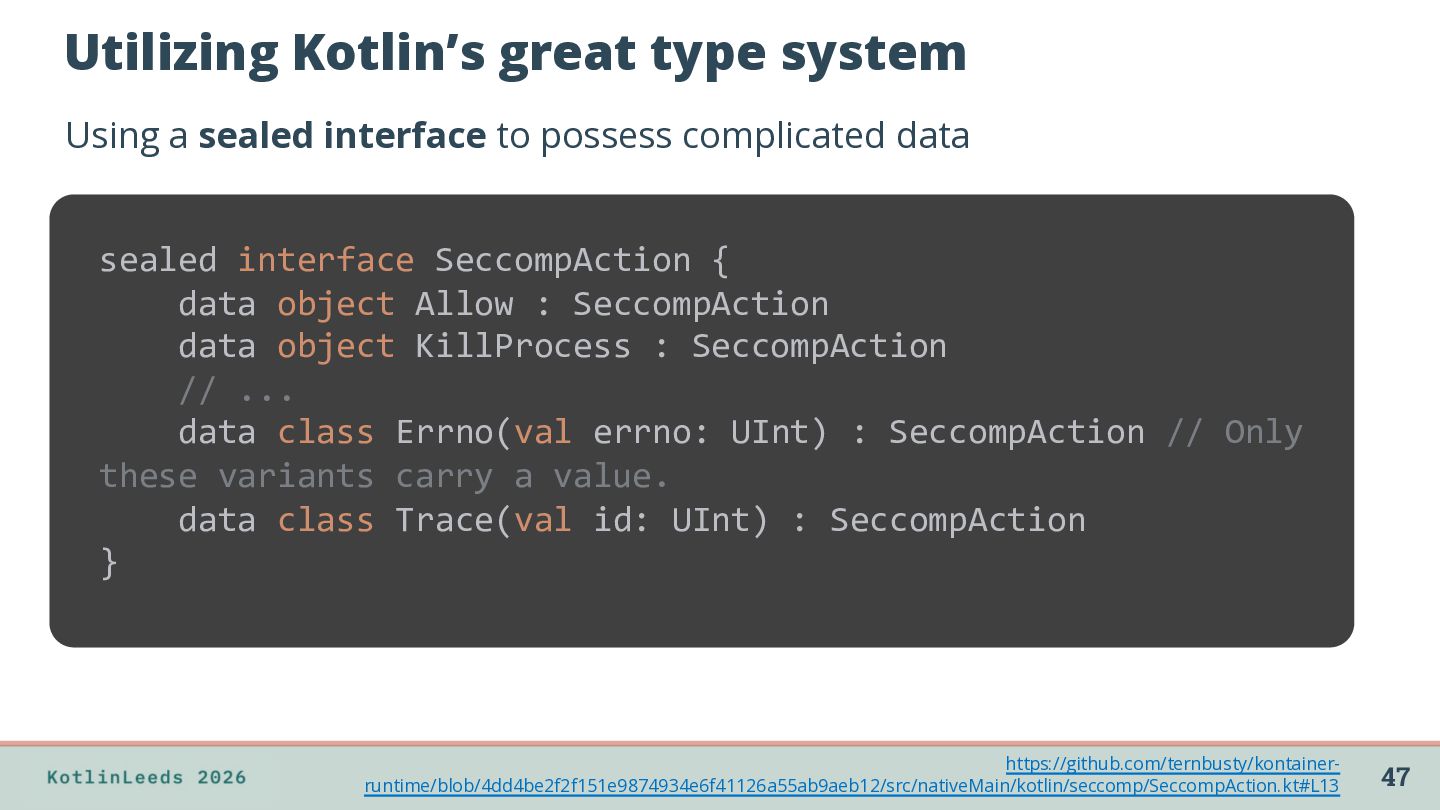
possess complicated data sealed interface SeccompAction { data object Allow : SeccompAction data object KillProcess : SeccompAction // ... data class Errno(val errno: UInt) : SeccompAction // Only these variants carry a value. data class Trace(val id: UInt) : SeccompAction } https://github.com/ternbusty/kontainerruntime/blob/4dd4be2f2f151e9874934e6f41126a55ab9aeb12/src/nativeMain/kotlin/seccomp/SeccompAction.kt#L13 47
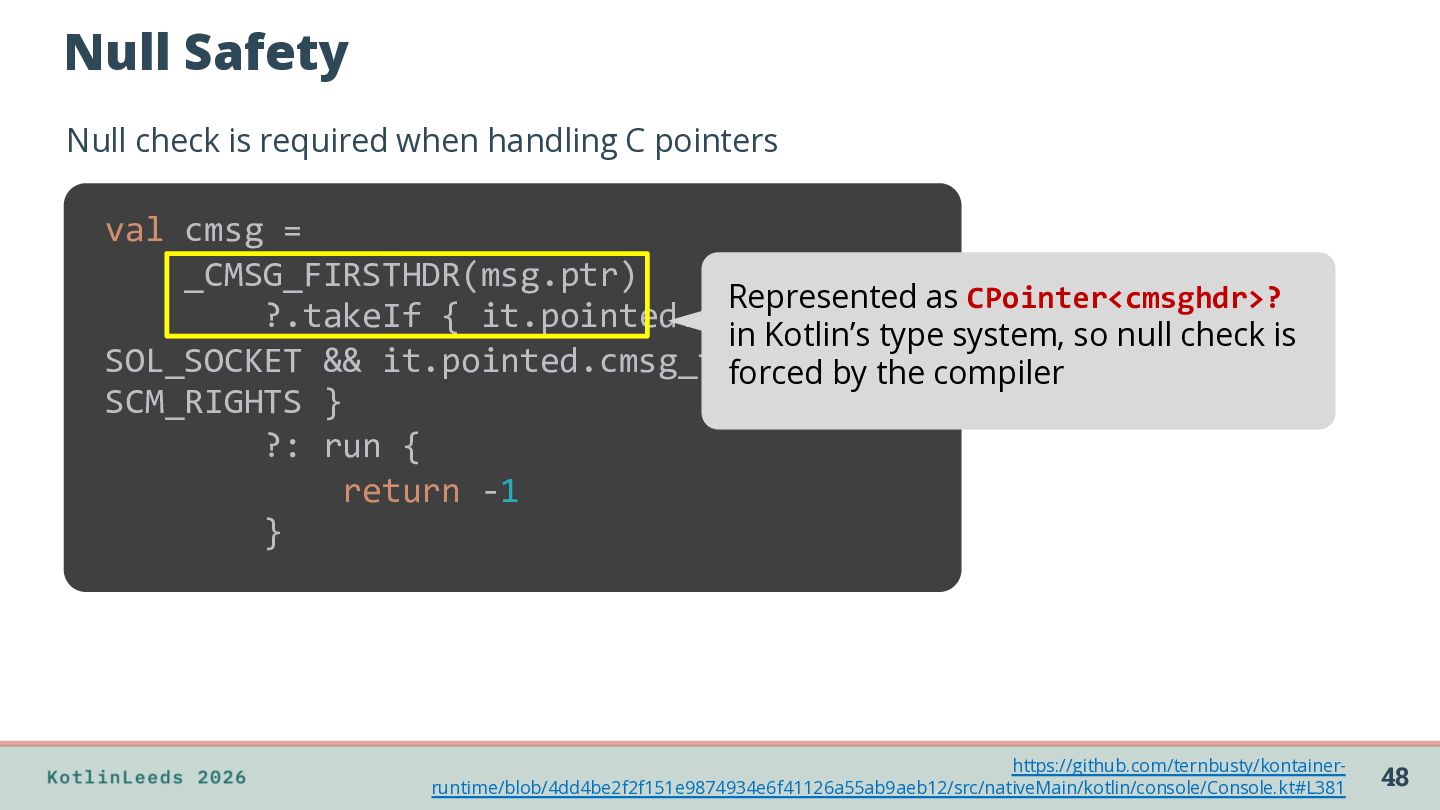
val cmsg = _CMSG_FIRSTHDR(msg.ptr) Represented as CPointer<cmsghdr>? ?.takeIf { it.pointed.cmsg_level == in Kotlin’s type system, so null check is SOL_SOCKET && it.pointed.cmsg_type ==by the compiler forced SCM_RIGHTS } ?: run { return -1 } https://github.com/ternbusty/kontainerruntime/blob/4dd4be2f2f151e9874934e6f41126a55ab9aeb12/src/nativeMain/kotlin/console/Console.kt#L381 48
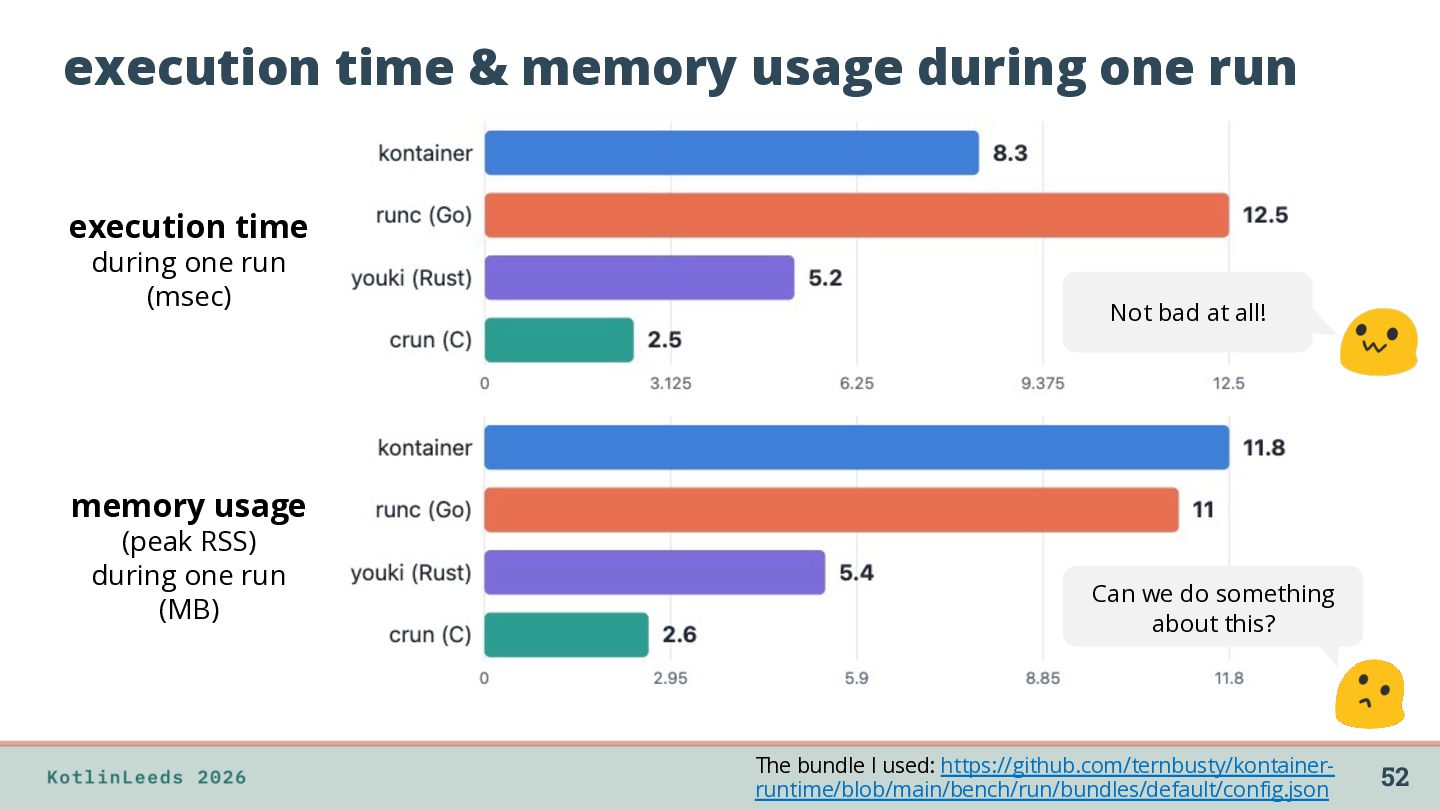
during one run (msec) Not bad at all! memory usage (peak RSS) during one run (MB) Can we do something about this? The bundle I used: https://github.com/ternbusty/kontainerruntime/blob/main/bench/run/bundles/default/config.json 52
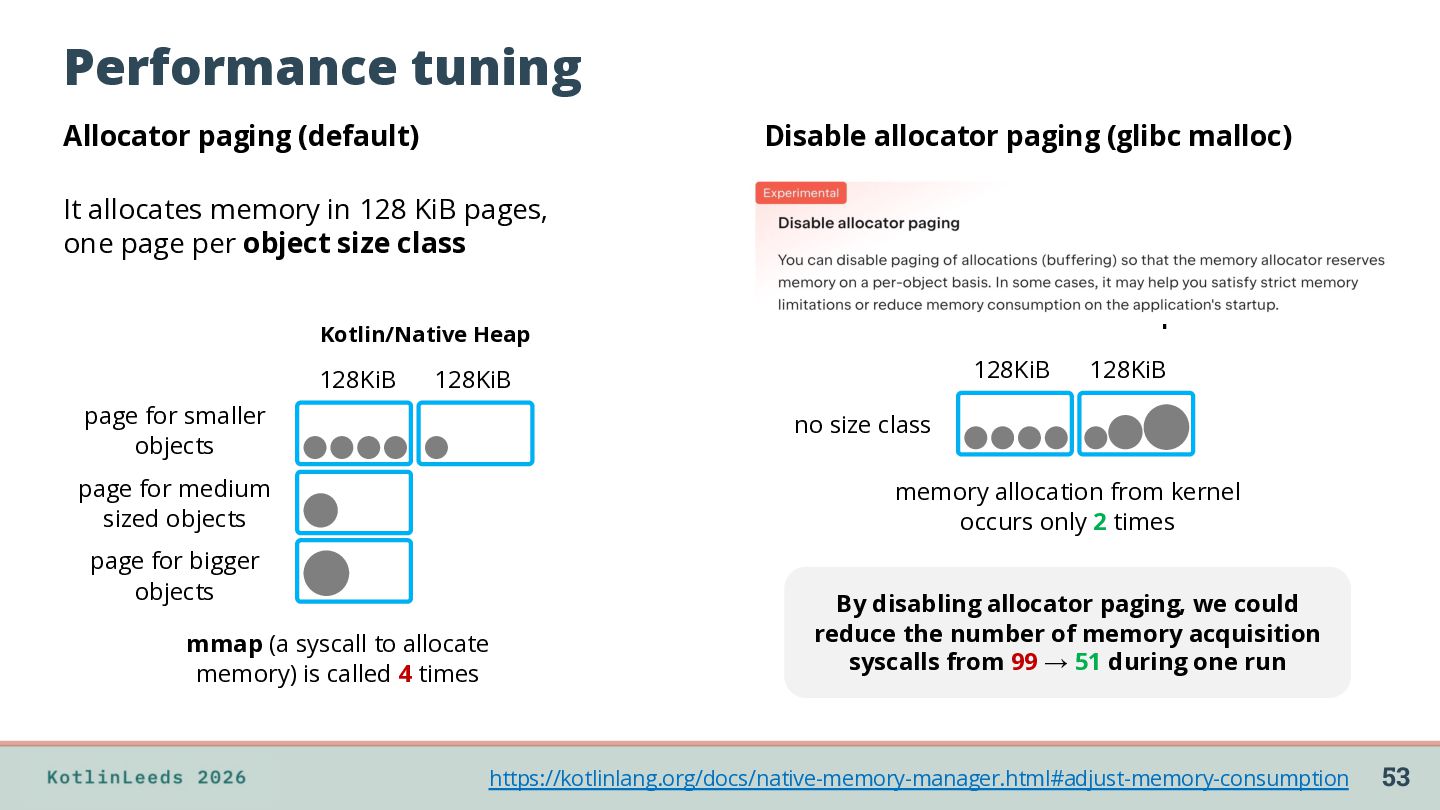
It allocates memory in 128 KiB pages, one page per object size class Kotlin/Native Heap Kotlin/Native Heap 128KiB 128KiB 128KiB page for smaller objects 128KiB no size class page for medium sized objects memory allocation from kernel occurs only 2 times page for bigger objects mmap (a syscall to allocate memory) is called 4 times By disabling allocator paging, we could reduce the number of memory acquisition syscalls from 99 → 51 during one run https://kotlinlang.org/docs/native-memory-manager.html#adjust-memory-consumption 53
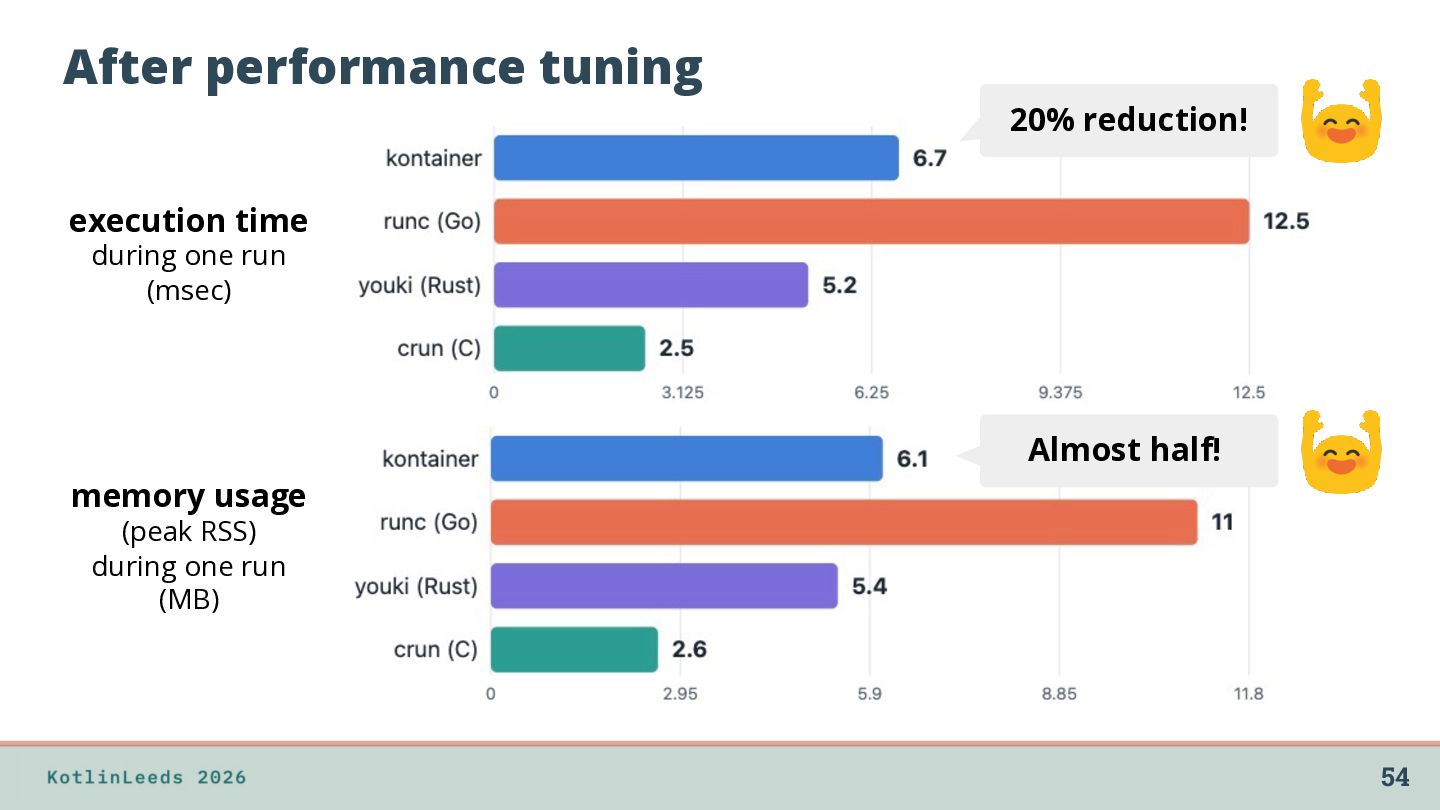
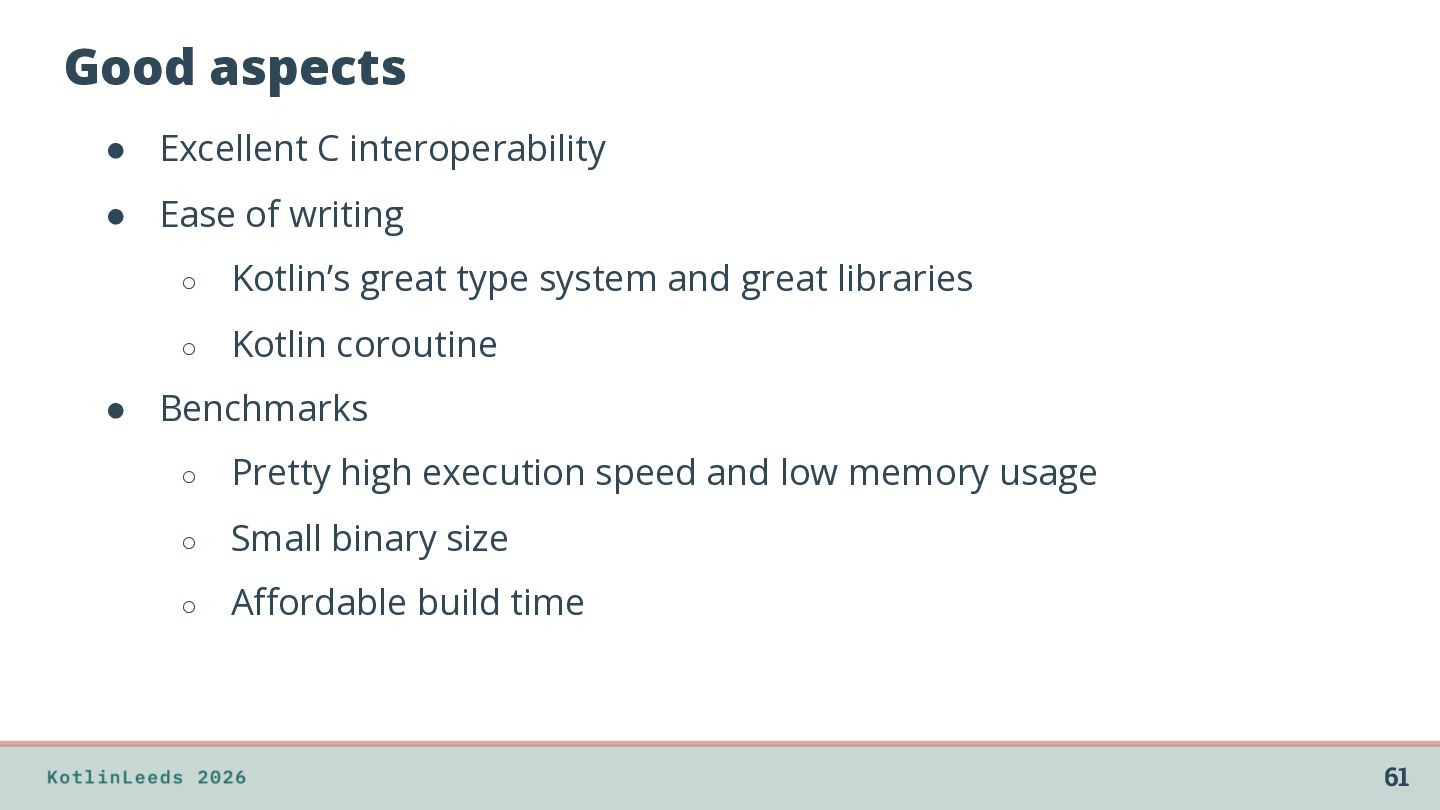
◦ Kotlin’s great type system and great libraries ◦ Kotlin coroutine • Benchmarks ◦ Pretty high execution speed and low memory usage ◦ Small binary size ◦ Affordable build time 61
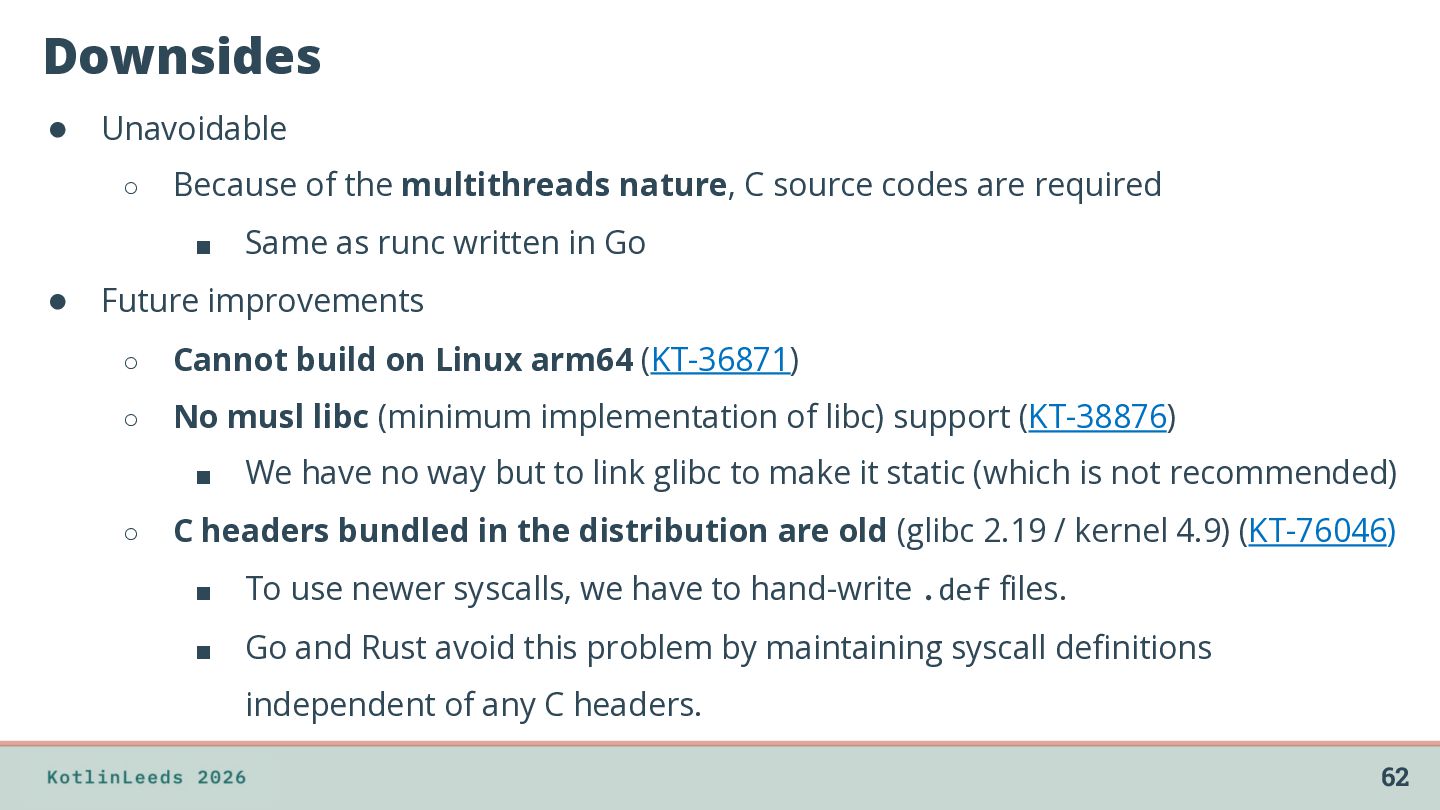
source codes are required ▪ Same as runc written in Go • Future improvements ◦ Cannot build on Linux arm64 (KT-36871) ◦ No musl libc (minimum implementation of libc) support (KT-38876) ▪ ◦ We have no way but to link glibc to make it static (which is not recommended) C headers bundled in the distribution are old (glibc 2.19 / kernel 4.9) (KT-76046) ▪ To use newer syscalls, we have to hand-write .def files. ▪ Go and Rust avoid this problem by maintaining syscall definitions independent of any C headers. 62
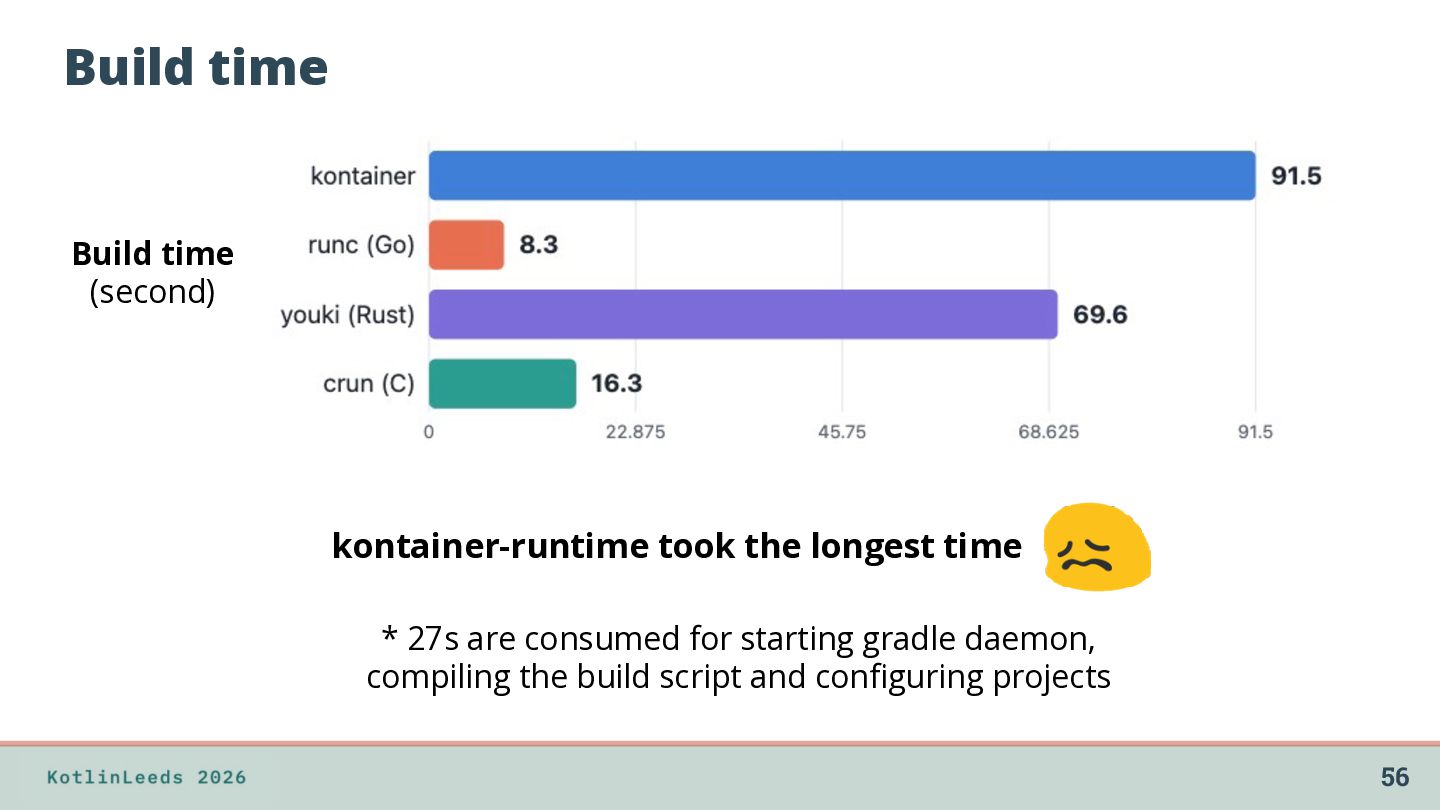
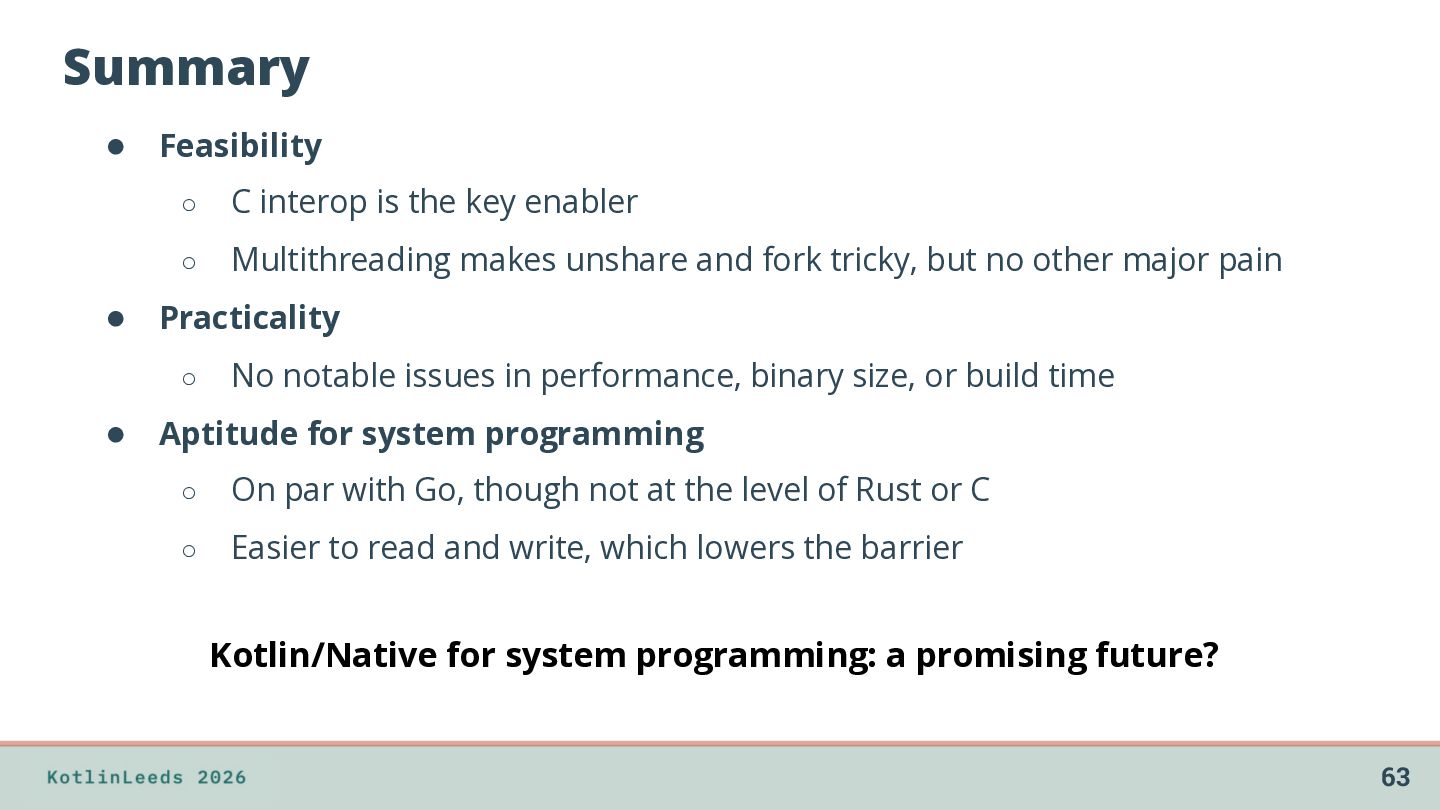
◦ Multithreading makes unshare and fork tricky, but no other major pain • Practicality ◦ No notable issues in performance, binary size, or build time • Aptitude for system programming ◦ On par with Go, though not at the level of Rust or C ◦ Easier to read and write, which lowers the barrier Kotlin/Native for system programming: a promising future? 63


 ternbusty
 aoshi
aoshi
 sorah
sorah
 simas
simas
 paulk
paulk
 quramy
 akit37
 vivion
 uyuki234
 ziobrando
 tosite
 lef237
 moro
moro
 oripsolob
 katarinadahlin
 iamctodd
 thoeni
 bcantrill
 addyosmani
 jonyablonski
 kimpetersen
 codingconduct
 aki_iinuma