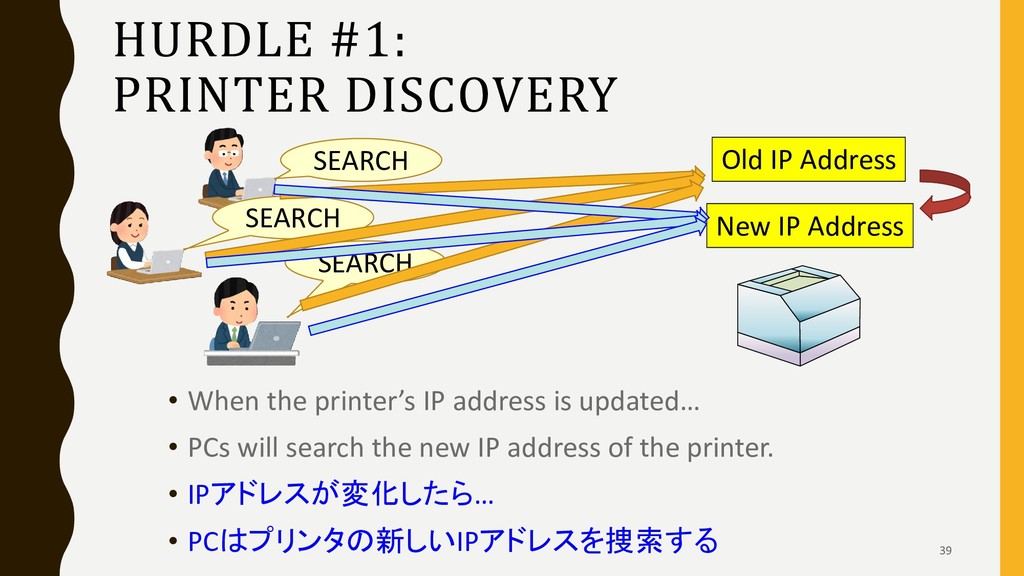
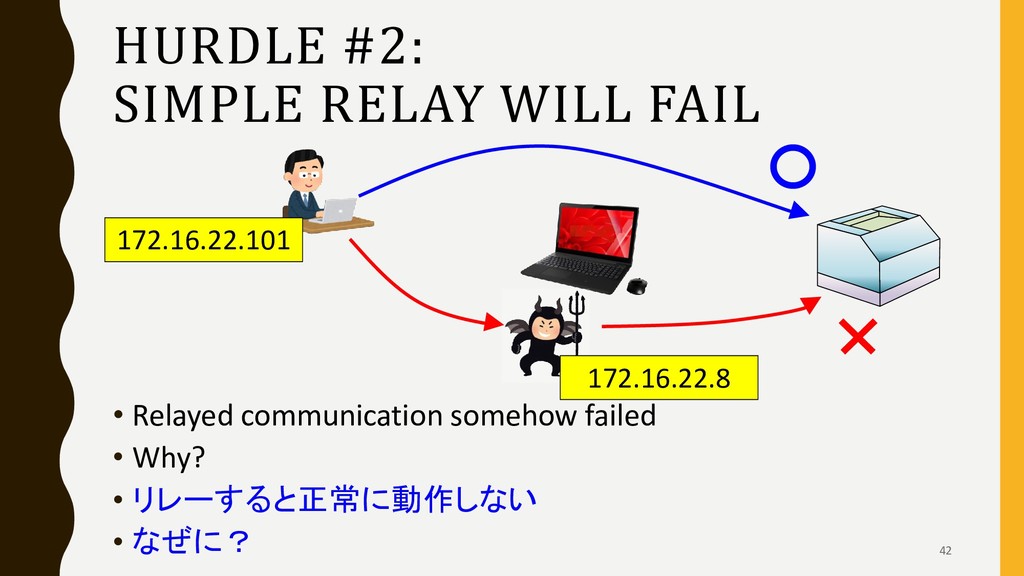
is updated… • PCs will search the new IP address of the printer. • IPアドレスが変化したら… • PCはプリンタの新しいIPアドレスを捜索する Old IP Address New IP Address SEARCH SEARCH SEARCH 39
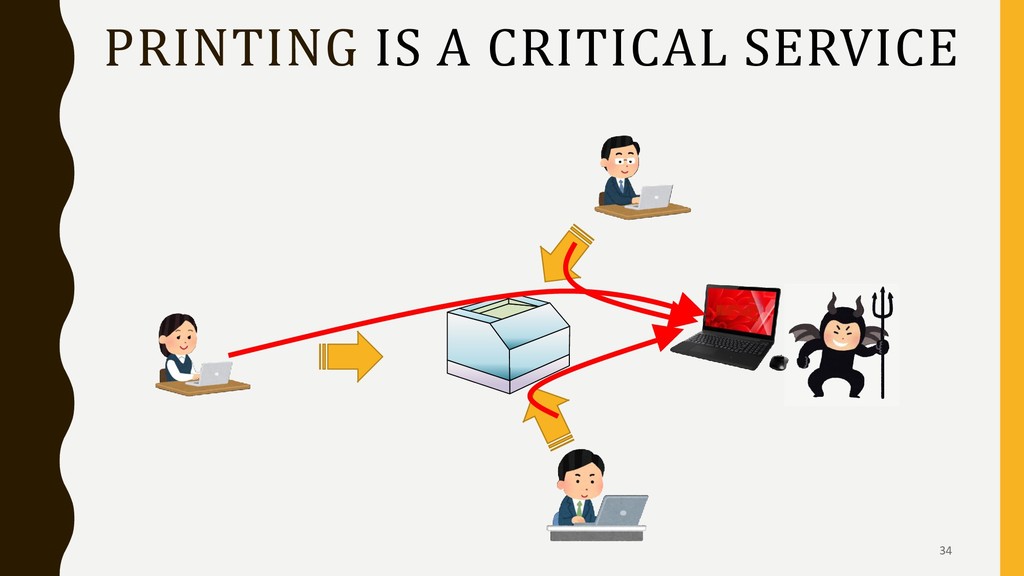
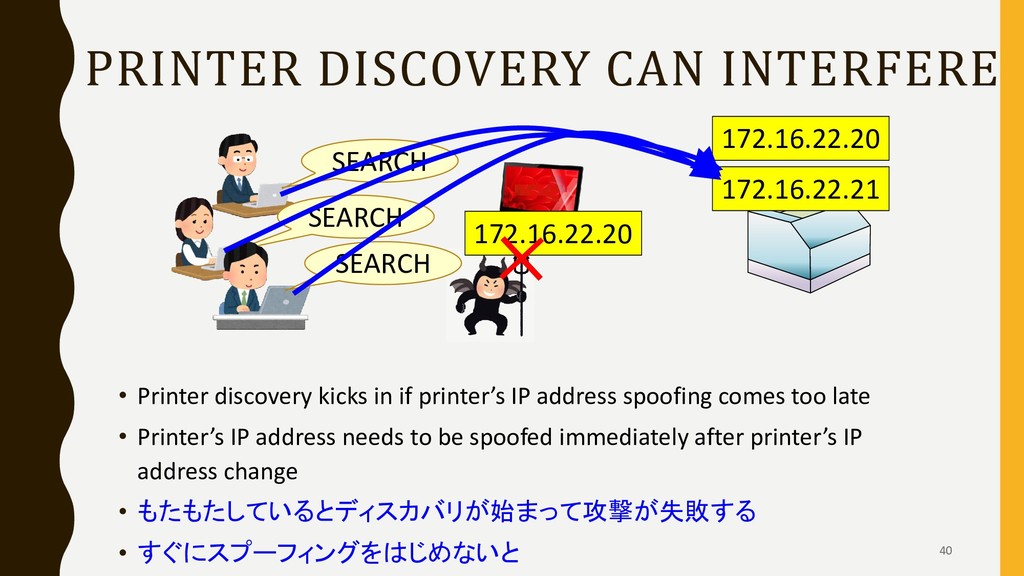
if printer’s IP address spoofing comes too late • Printer’s IP address needs to be spoofed immediately after printer’s IP address change • もたもたしているとディスカバリが始まって攻撃が失敗する • すぐにスプーフィングをはじめないと 172.16.22.20 172.16.22.21 SEARCH SEARCH SEARCH 172.16.22.20
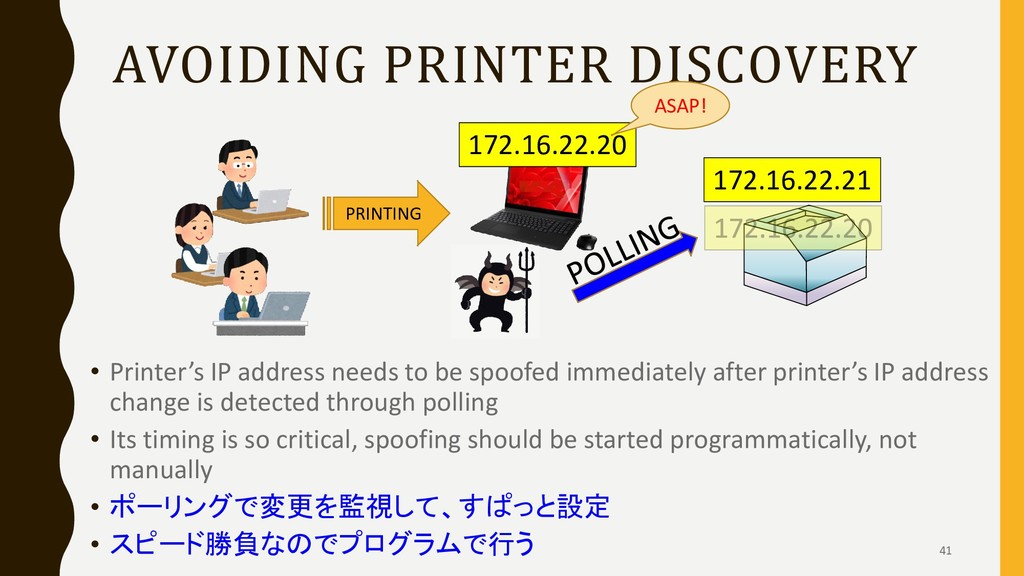
spoofed immediately after printer’s IP address change is detected through polling • Its timing is so critical, spoofing should be started programmatically, not manually • ポーリングで変更を監視して、すぱっと設定 • スピード勝負なのでプログラムで行う 172.16.22.21 172.16.22.20 PRINTING ASAP! 41
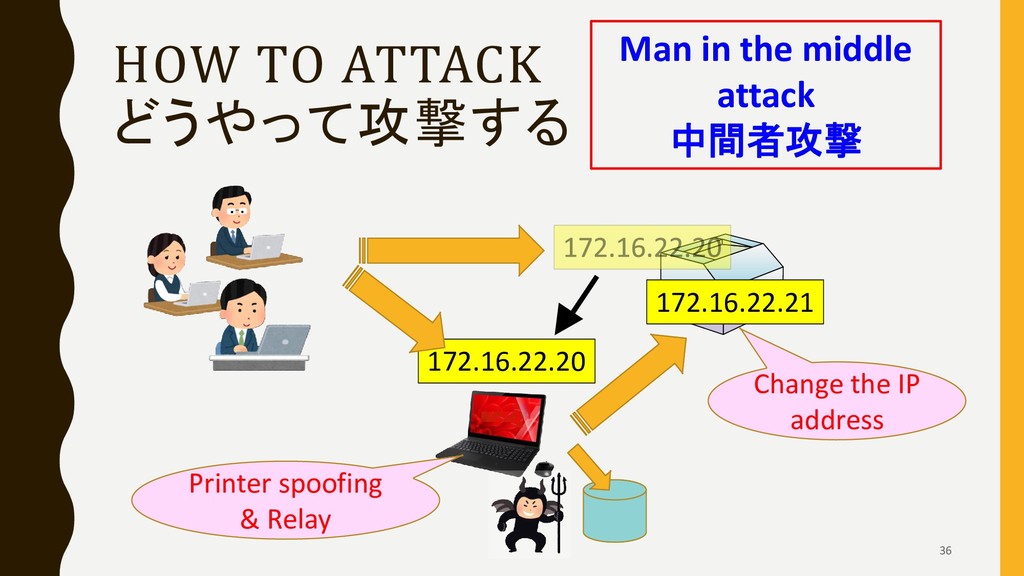
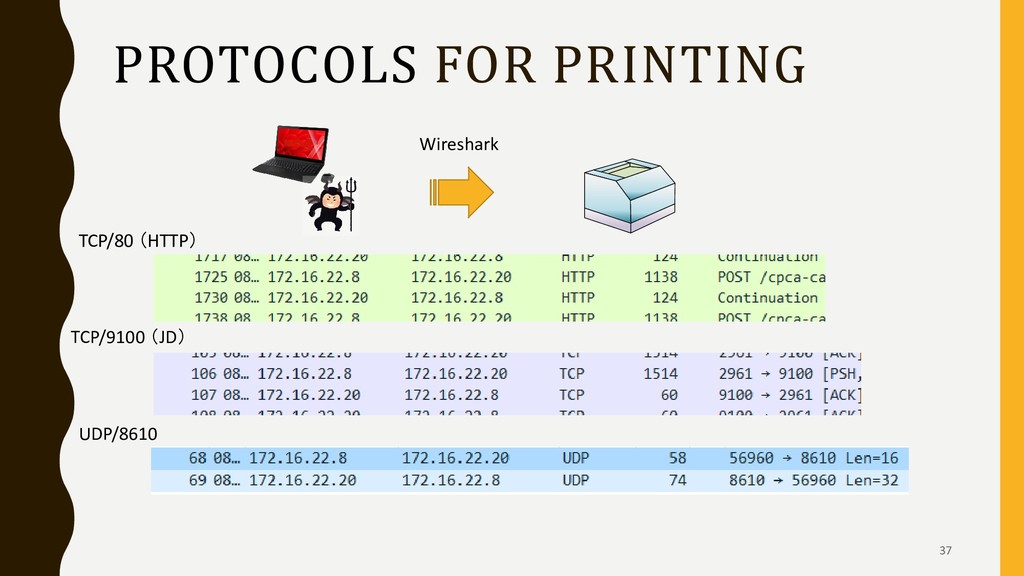
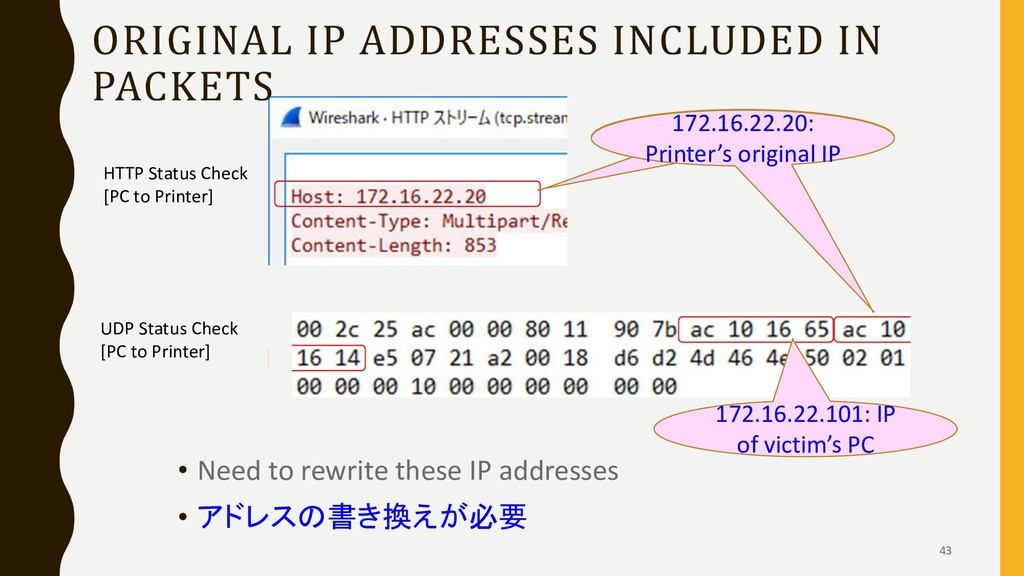
these IP addresses • アドレスの書き換えが必要 172.16.22.20は 本当はプリンタではない 172.16.22.101: IP of victim’s PC 172.16.22.20: Printer’s original IP HTTP Status Check [PC to Printer] UDP Status Check [PC to Printer] 43
explain it, but... • No mention of it in most of their setup guides, which users will likely ever read • どのメーカーも分厚いマニュアルには書いている • しかし、導入マニュアルには書いてないメーカーがほ とんど 46


 torawarenoaya
 ymotongpoo
 carta_engineering
 mohab1
 kenichiodo
 maimyyym
 yu23ki14
 daidaidai
 satoshi7
 koukihosaka
 codmoninc
 yahonda
 onk
onk
 aleyda
 davetheseo
 lindahogenes
 mongodb
 lara
lara
 tammyeverts
 jonoalderson
 addyosmani
 danielanewman
 pwiseman
 mayatellez
 axbom
axbom