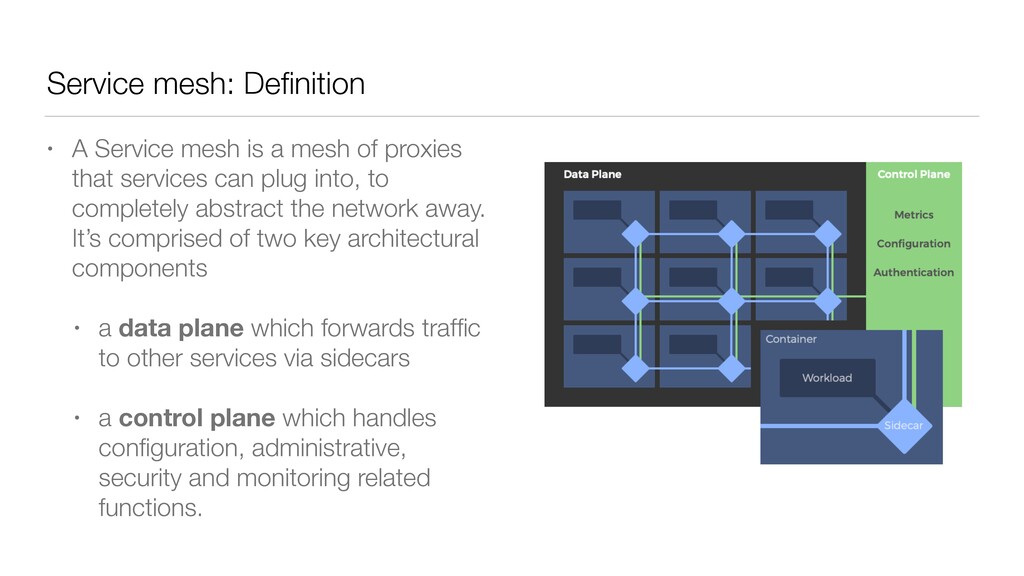
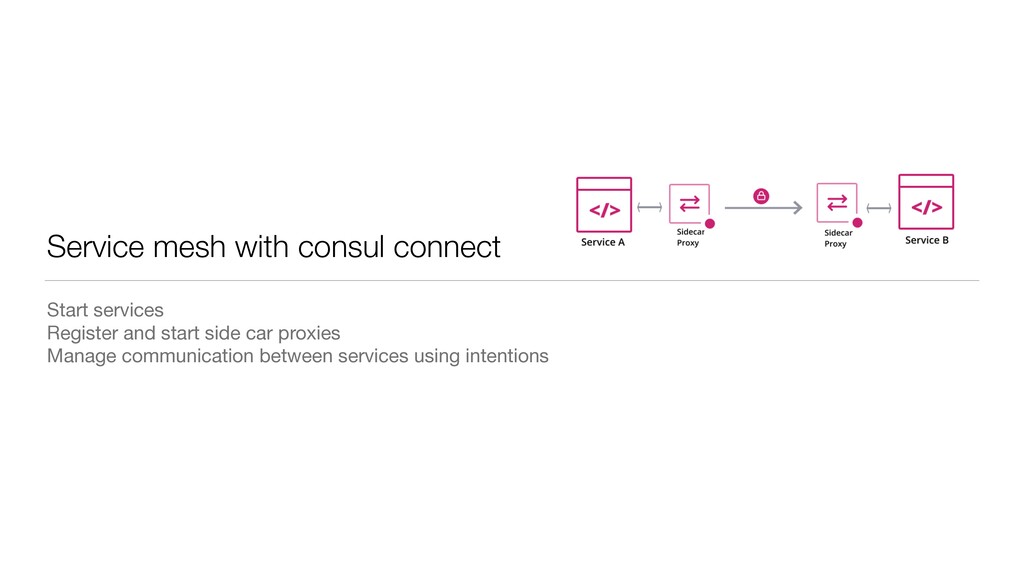
of proxies that services can plug into, to completely abstract the network away. It’s comprised of two key architectural components • a data plane which forwards traffic to other services via sidecars • a control plane which handles configuration, administrative, security and monitoring related functions.
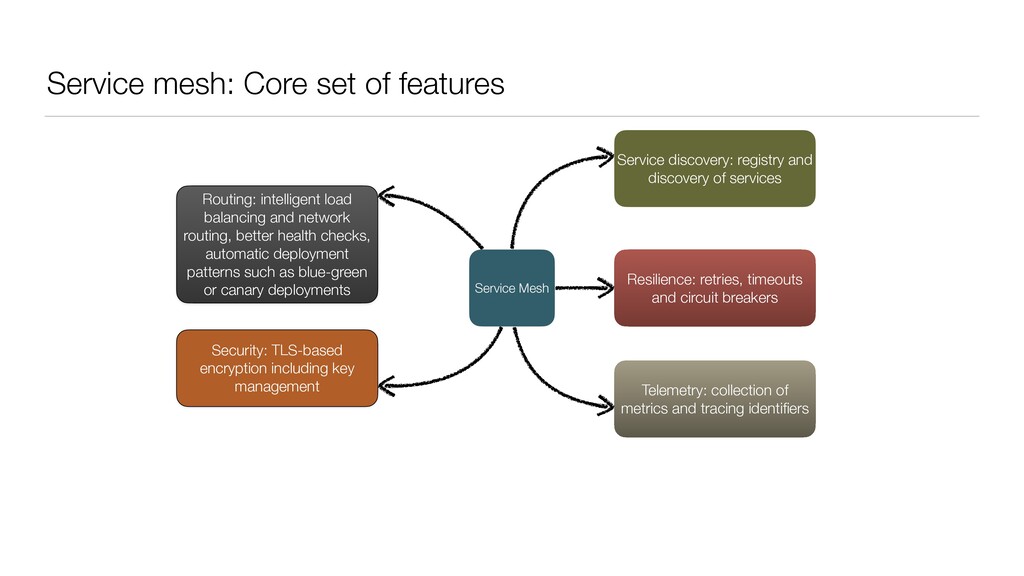
registry and discovery of services Telemetry: collection of metrics and tracing identifiers Security: TLS-based encryption including key management Routing: intelligent load balancing and network routing, better health checks, automatic deployment patterns such as blue-green or canary deployments Resilience: retries, timeouts and circuit breakers
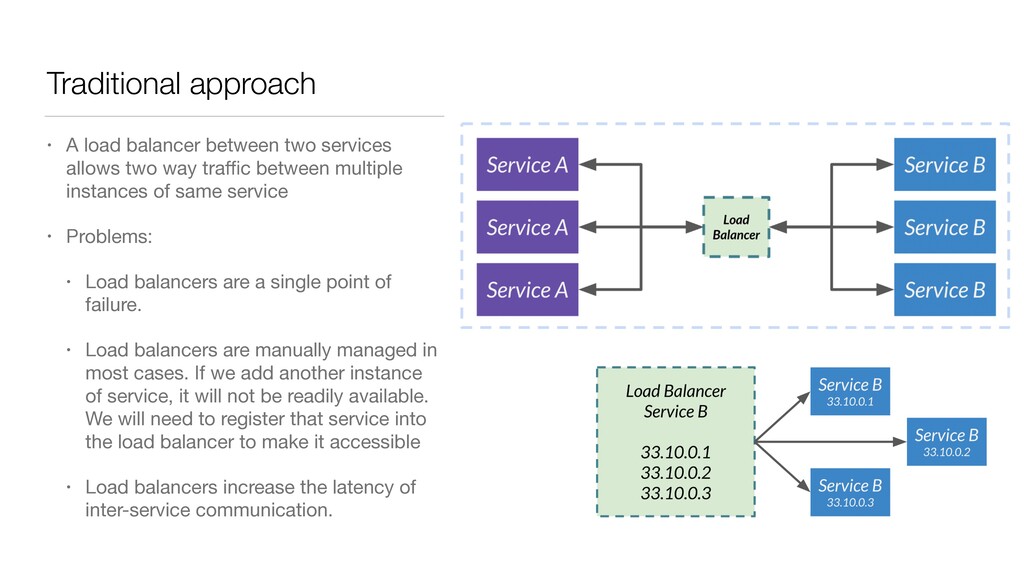
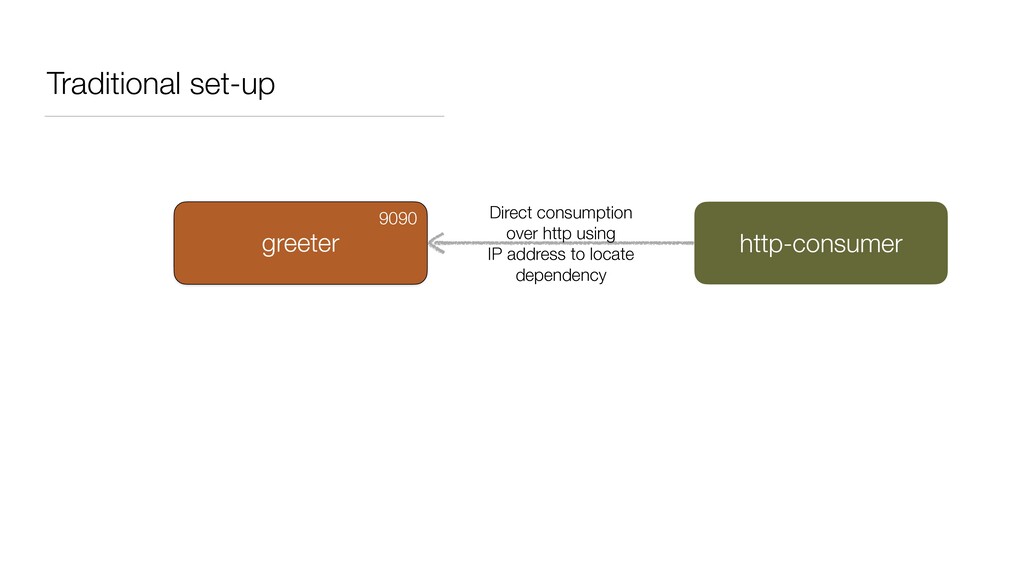
two way traffic between multiple instances of same service • Problems: • Load balancers are a single point of failure. • Load balancers are manually managed in most cases. If we add another instance of service, it will not be readily available. We will need to register that service into the load balancer to make it accessible • Load balancers increase the latency of inter-service communication.
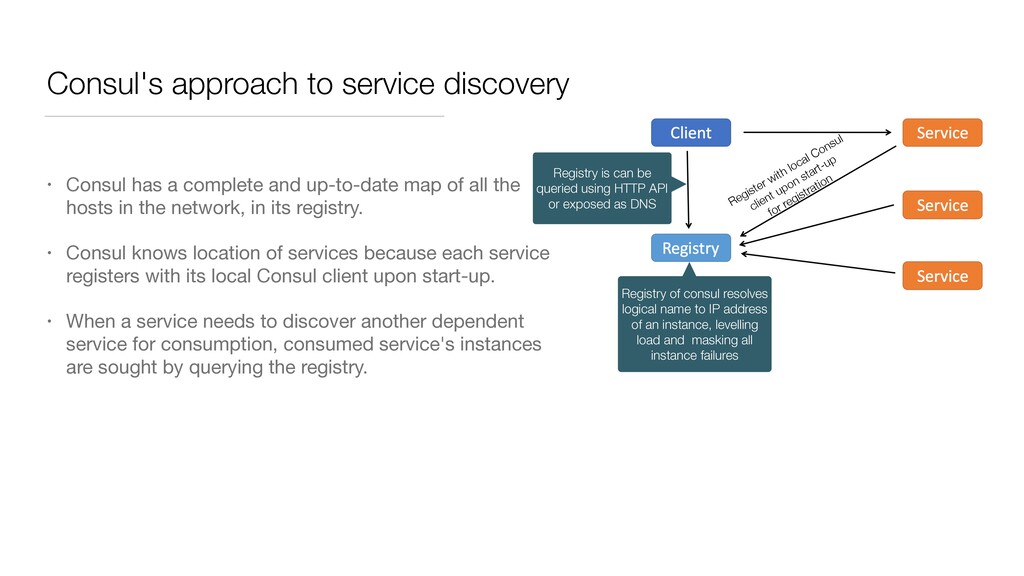
and up-to-date map of all the hosts in the network, in its registry. • Consul knows location of services because each service registers with its local Consul client upon start-up. • When a service needs to discover another dependent service for consumption, consumed service's instances are sought by querying the registry. Registry is can be queried using HTTP API or exposed as DNS Registry of consul resolves logical name to IP address of an instance, levelling load and masking all instance failures Register with local Consul client upon start-up for registration
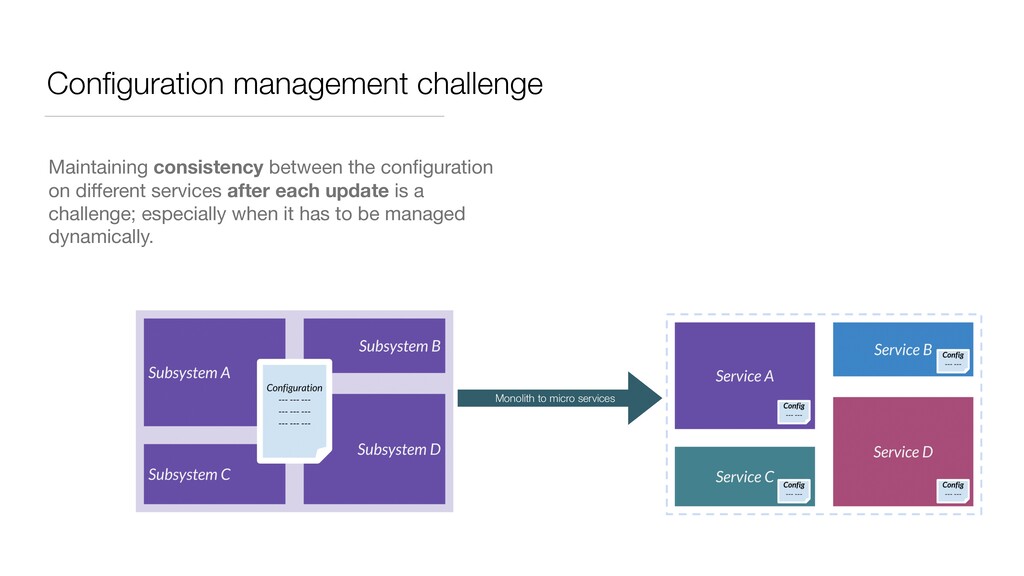
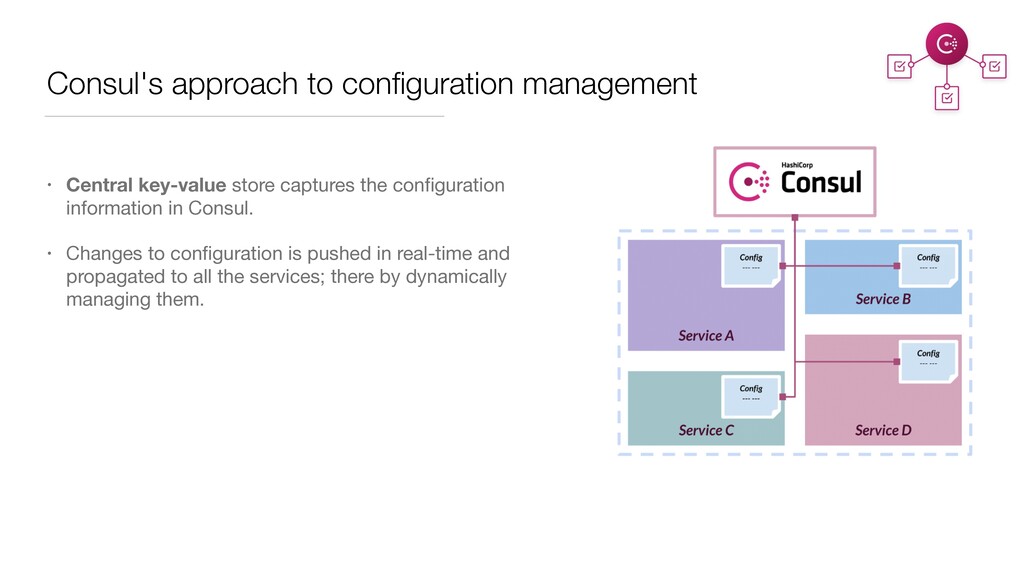
the configuration information in Consul. • Changes to configuration is pushed in real-time and propagated to all the services; there by dynamically managing them.
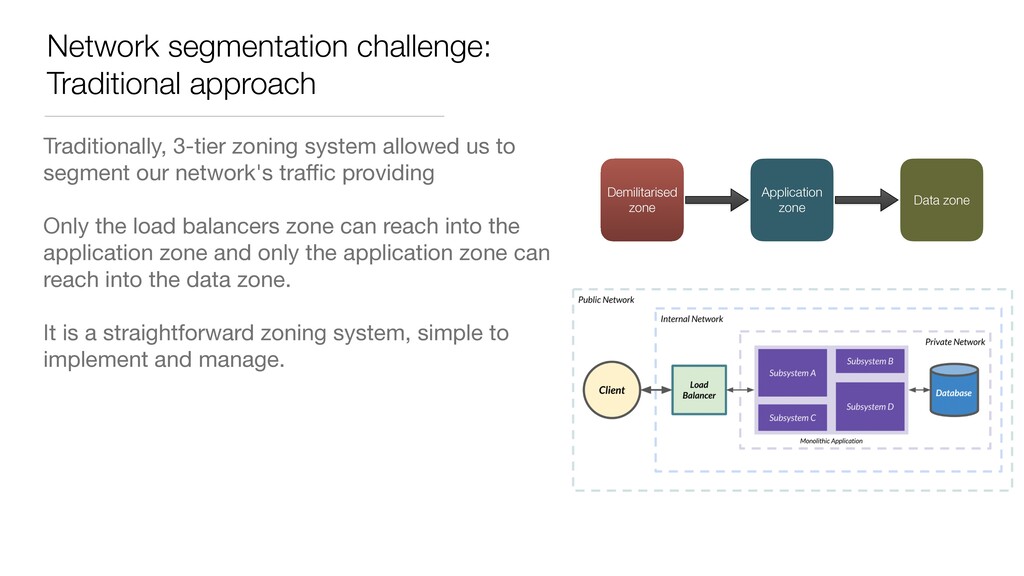
us to segment our network's traffic providing Only the load balancers zone can reach into the application zone and only the application zone can reach into the data zone. It is a straightforward zoning system, simple to implement and manage. Demilitarised zone Application zone Data zone
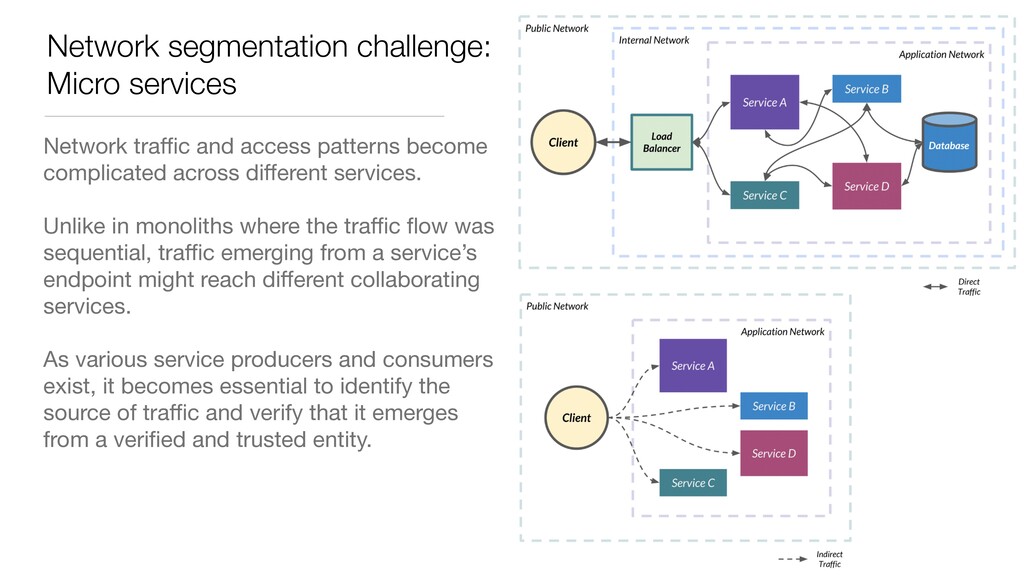
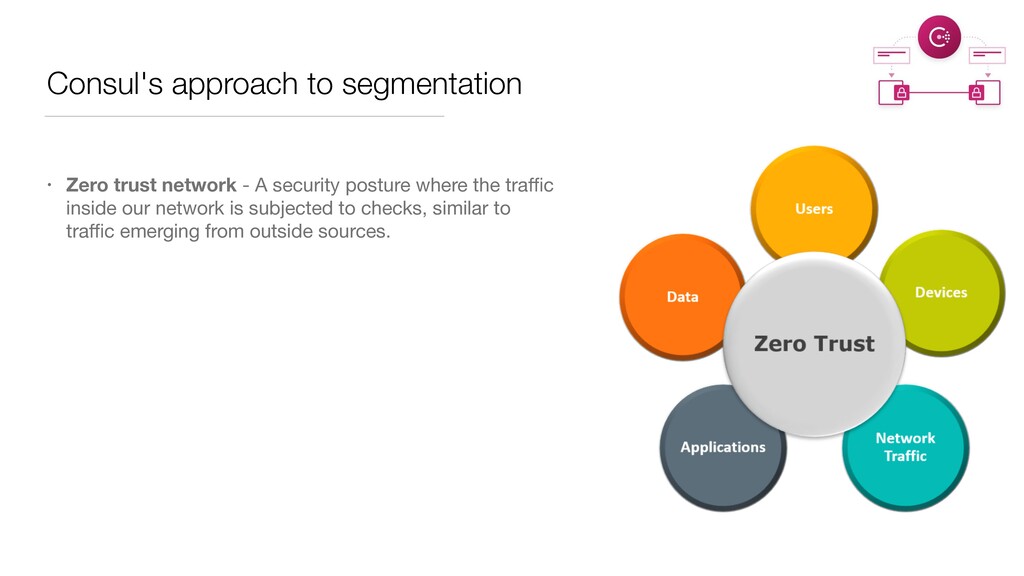
become complicated across different services. Unlike in monoliths where the traffic flow was sequential, traffic emerging from a service’s endpoint might reach different collaborating services. As various service producers and consumers exist, it becomes essential to identify the source of traffic and verify that it emerges from a verified and trusted entity.
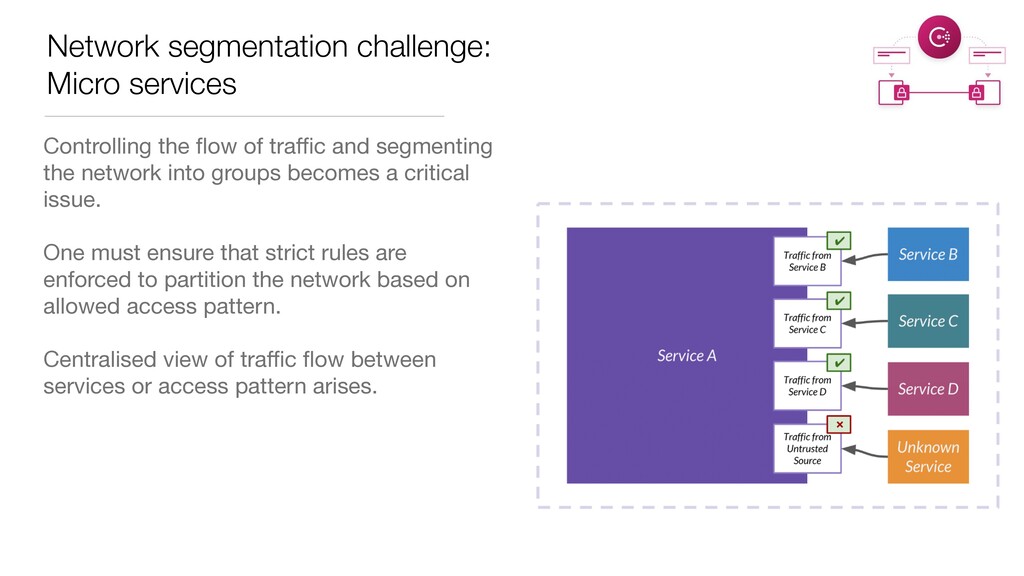
and segmenting the network into groups becomes a critical issue. One must ensure that strict rules are enforced to partition the network based on allowed access pattern. Centralised view of traffic flow between services or access pattern arises.
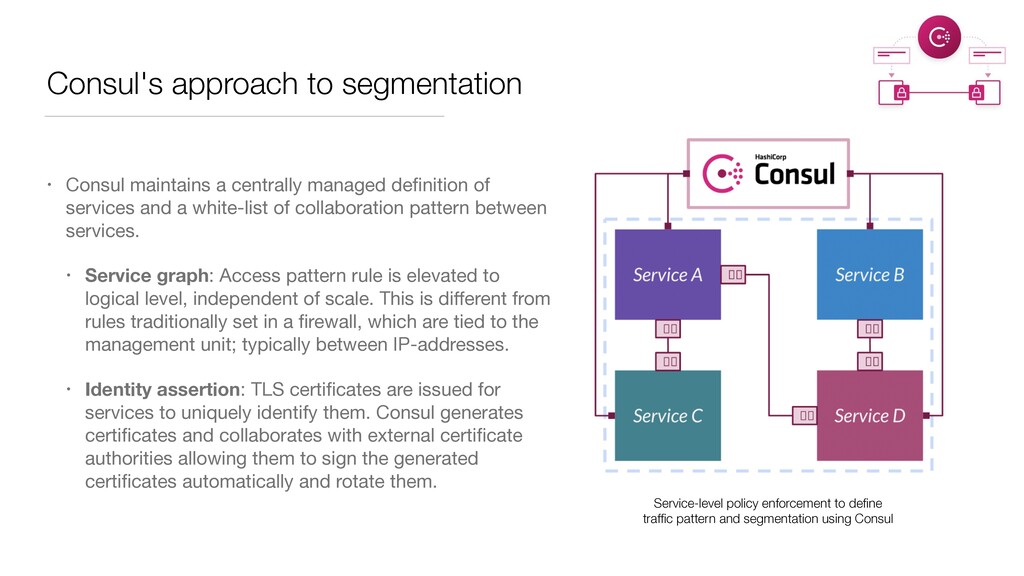
definition of services and a white-list of collaboration pattern between services. • Service graph: Access pattern rule is elevated to logical level, independent of scale. This is different from rules traditionally set in a firewall, which are tied to the management unit; typically between IP-addresses. • Identity assertion: TLS certificates are issued for services to uniquely identify them. Consul generates certificates and collaborates with external certificate authorities allowing them to sign the generated certificates automatically and rotate them. Service-level policy enforcement to define traffic pattern and segmentation using Consul
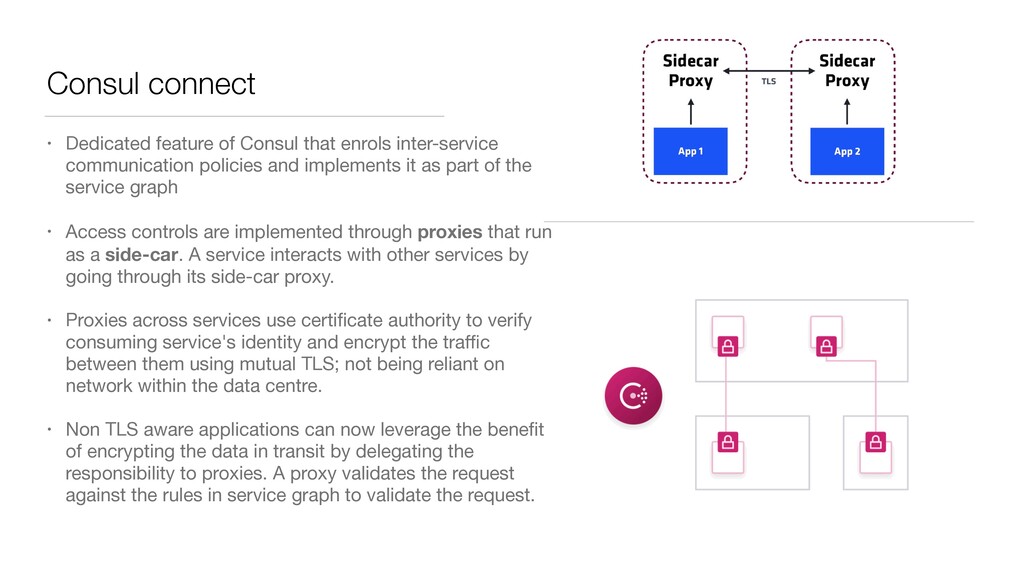
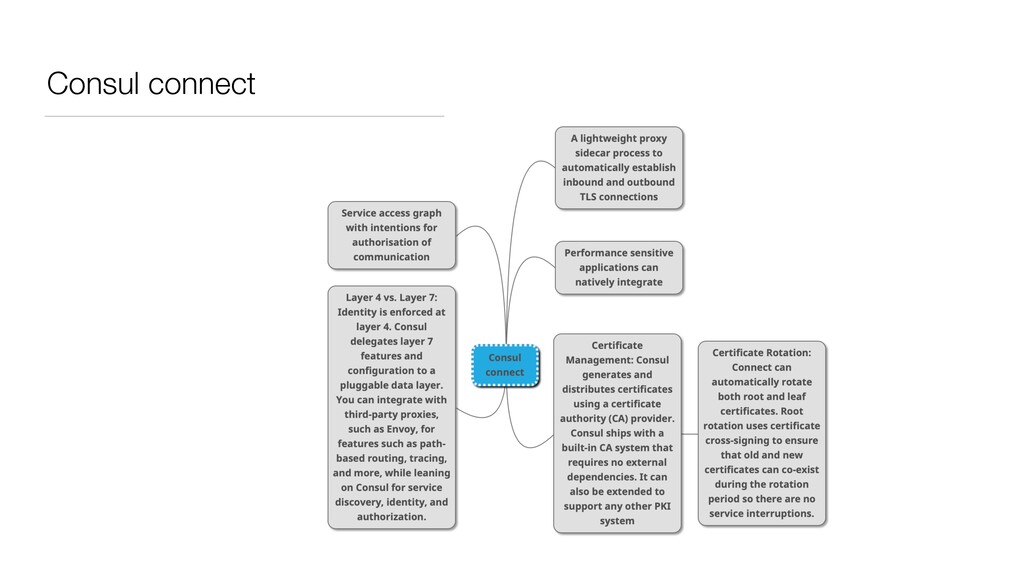
communication policies and implements it as part of the service graph • Access controls are implemented through proxies that run as a side-car. A service interacts with other services by going through its side-car proxy. • Proxies across services use certificate authority to verify consuming service's identity and encrypt the traffic between them using mutual TLS; not being reliant on network within the data centre. • Non TLS aware applications can now leverage the benefit of encrypting the data in transit by delegating the responsibility to proxies. A proxy validates the request against the rules in service graph to validate the request.
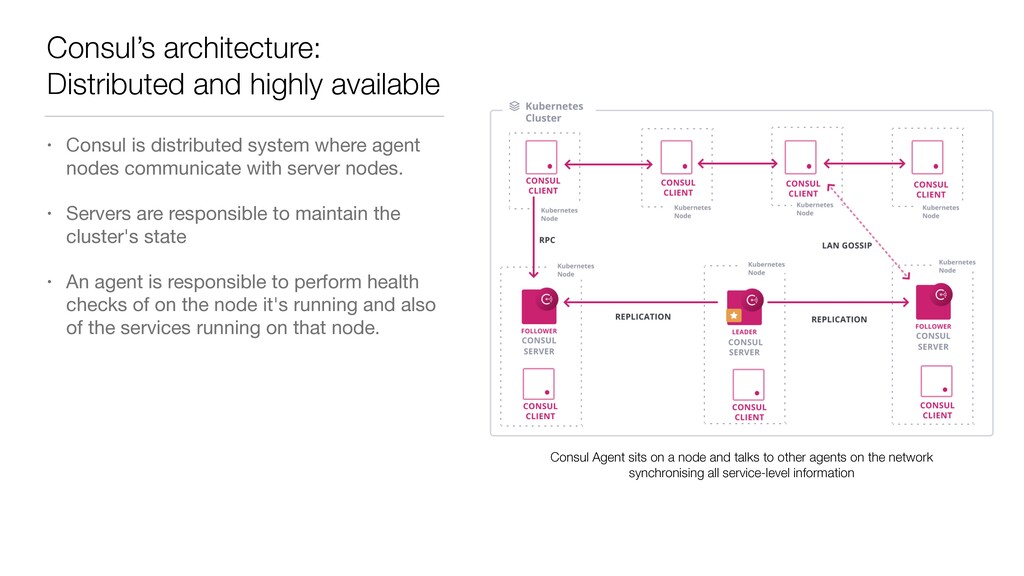
system where agent nodes communicate with server nodes. • Servers are responsible to maintain the cluster's state • An agent is responsible to perform health checks of on the node it's running and also of the services running on that node. Consul Agent sits on a node and talks to other agents on the network synchronising all service-level information
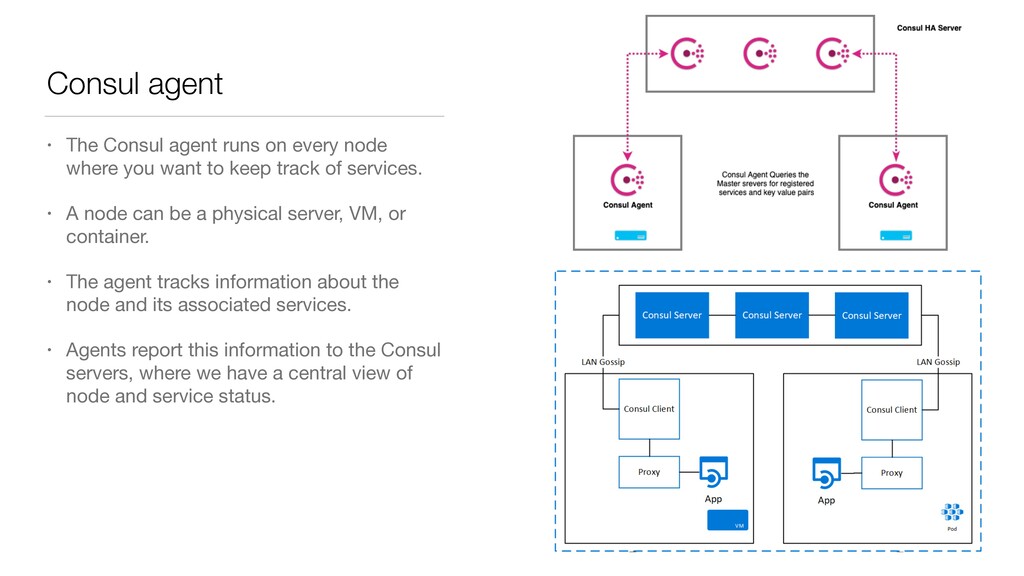
where you want to keep track of services. • A node can be a physical server, VM, or container. • The agent tracks information about the node and its associated services. • Agents report this information to the Consul servers, where we have a central view of node and service status.
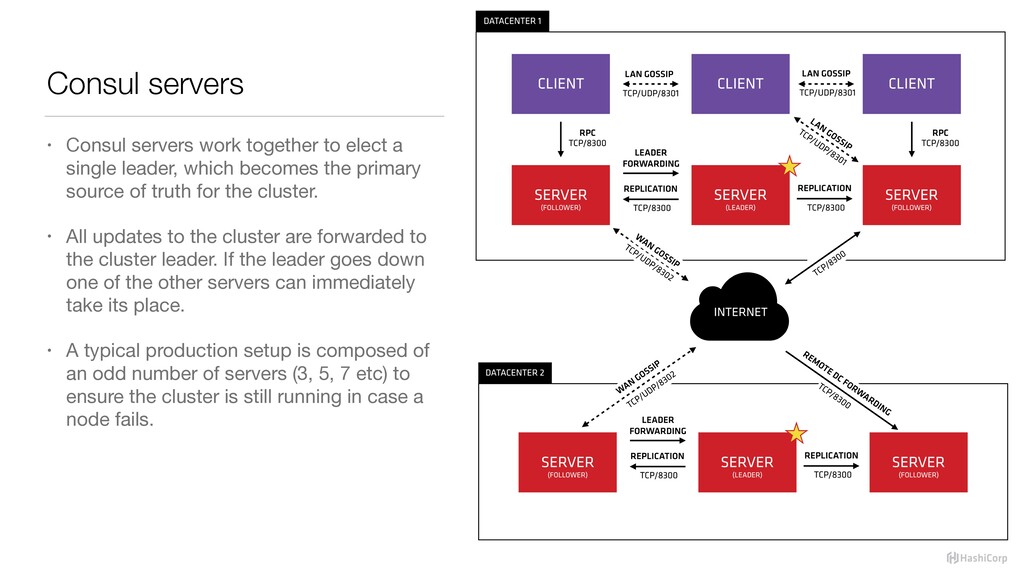
single leader, which becomes the primary source of truth for the cluster. • All updates to the cluster are forwarded to the cluster leader. If the leader goes down one of the other servers can immediately take its place. • A typical production setup is composed of an odd number of servers (3, 5, 7 etc) to ensure the cluster is still running in case a node fails.
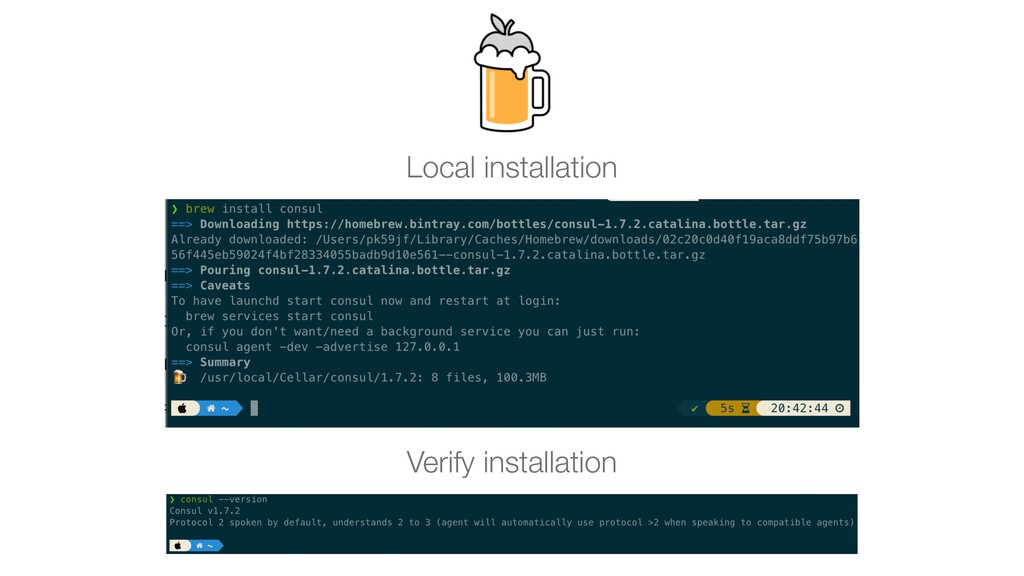
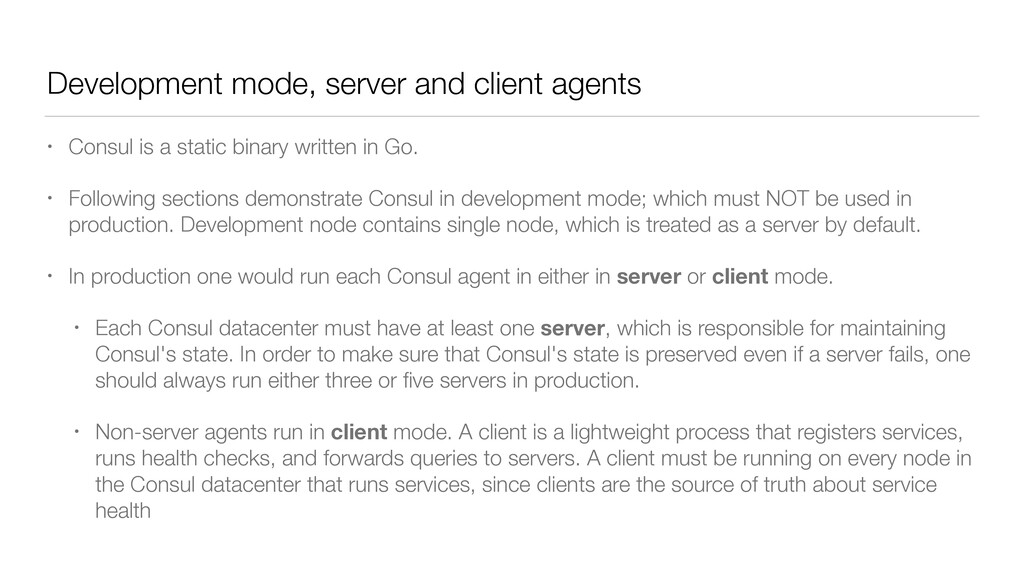
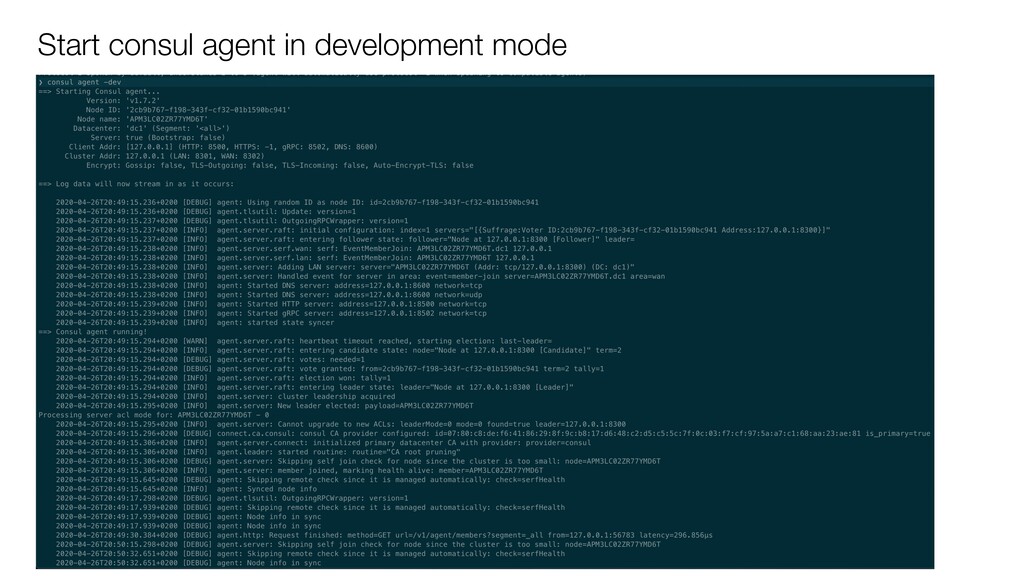
static binary written in Go. • Following sections demonstrate Consul in development mode; which must NOT be used in production. Development node contains single node, which is treated as a server by default. • In production one would run each Consul agent in either in server or client mode. • Each Consul datacenter must have at least one server, which is responsible for maintaining Consul's state. In order to make sure that Consul's state is preserved even if a server fails, one should always run either three or five servers in production. • Non-server agents run in client mode. A client is a lightweight process that registers services, runs health checks, and forwards queries to servers. A client must be running on every node in the Consul datacenter that runs services, since clients are the source of truth about service health
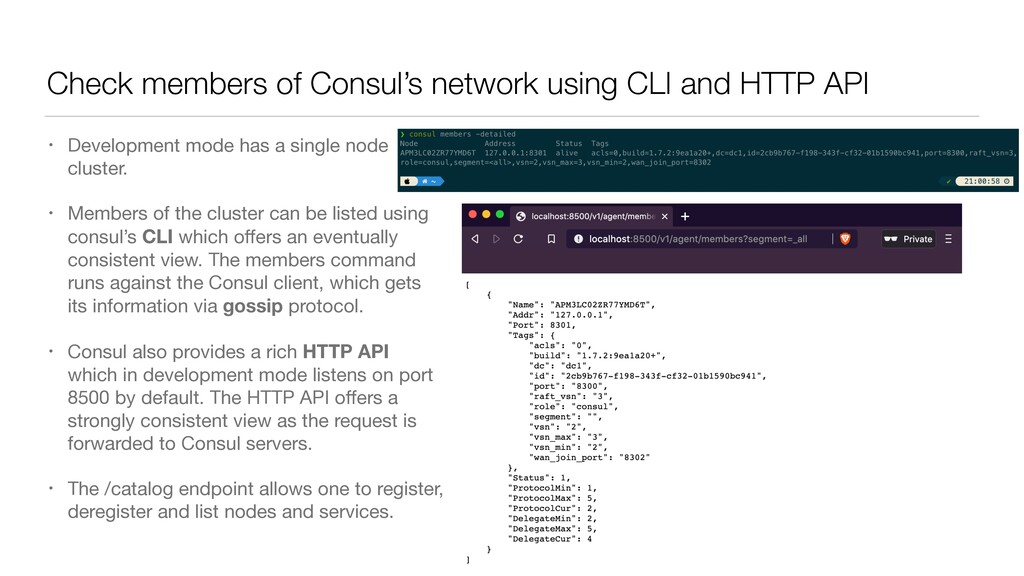
• Development mode has a single node cluster. • Members of the cluster can be listed using consul’s CLI which offers an eventually consistent view. The members command runs against the Consul client, which gets its information via gossip protocol. • Consul also provides a rich HTTP API which in development mode listens on port 8500 by default. The HTTP API offers a strongly consistent view as the request is forwarded to Consul servers. • The /catalog endpoint allows one to register, deregister and list nodes and services.
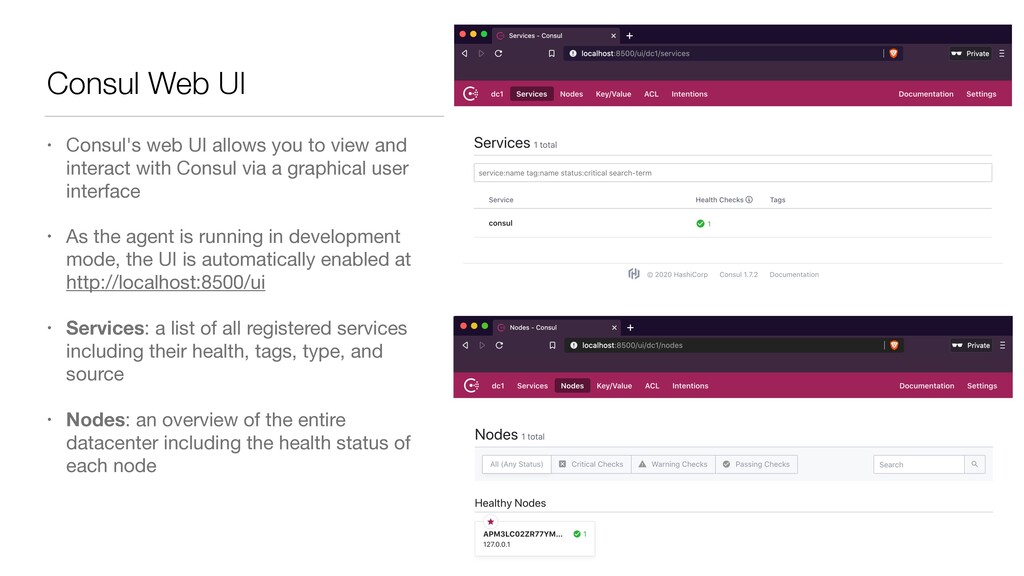
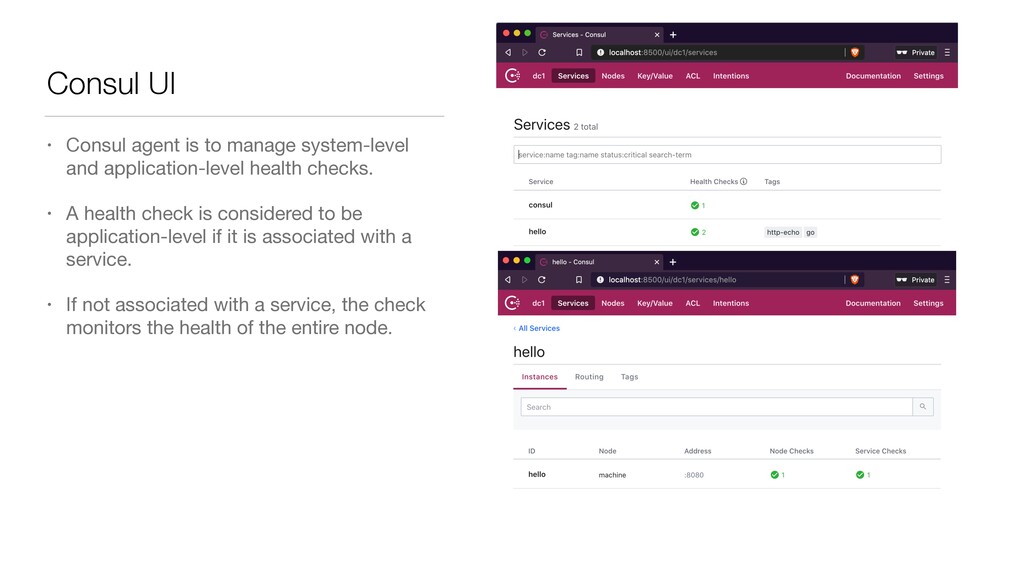
with Consul via a graphical user interface • As the agent is running in development mode, the UI is automatically enabled at http://localhost:8500/ui • Services: a list of all registered services including their health, tags, type, and source • Nodes: an overview of the entire datacenter including the health status of each node Consul Web UI
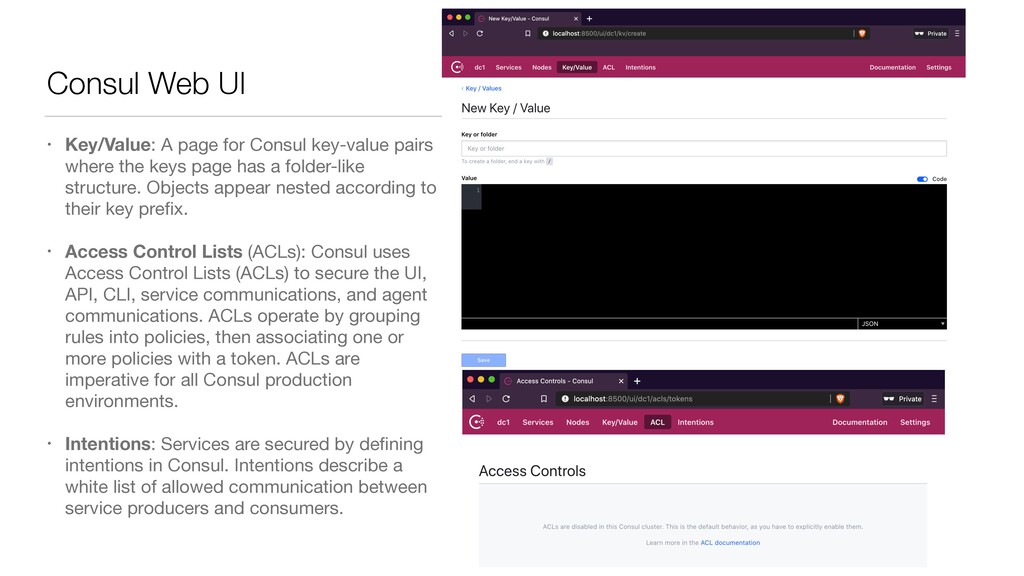
keys page has a folder-like structure. Objects appear nested according to their key prefix. • Access Control Lists (ACLs): Consul uses Access Control Lists (ACLs) to secure the UI, API, CLI, service communications, and agent communications. ACLs operate by grouping rules into policies, then associating one or more policies with a token. ACLs are imperative for all Consul production environments. • Intentions: Services are secured by defining intentions in Consul. Intentions describe a white list of allowed communication between service producers and consumers. Consul Web UI
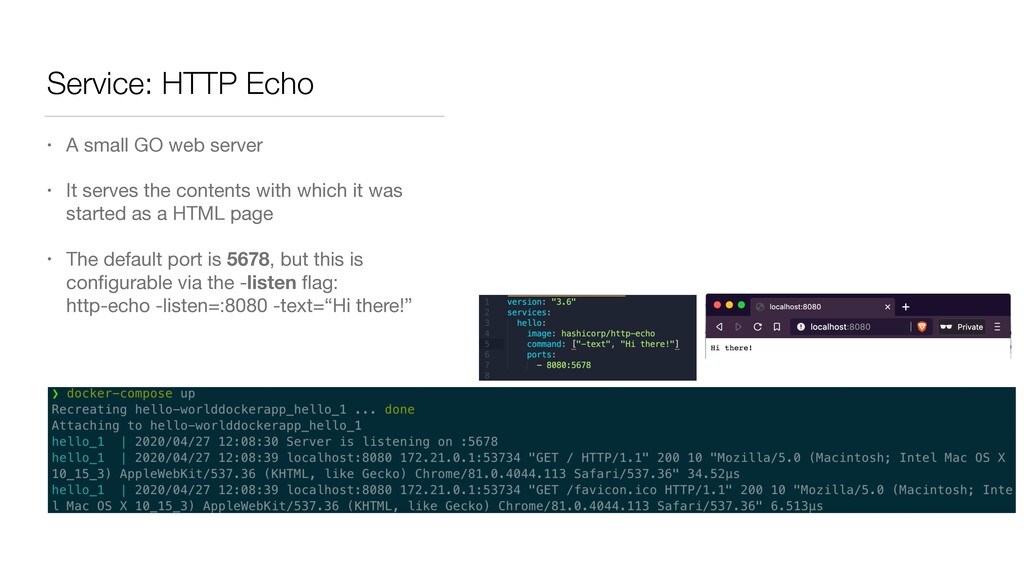
It serves the contents with which it was started as a HTML page • The default port is 5678, but this is configurable via the -listen flag: http-echo -listen=:8080 -text=“Hi there!”
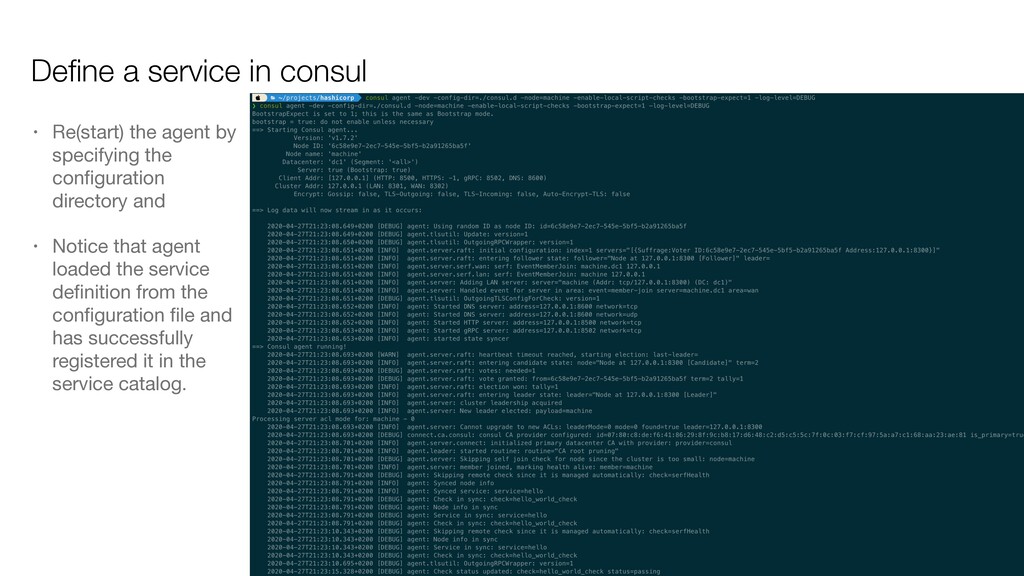
by providing a service definition • Create a dedicated directory for Consul's configuration files • Create a service definition configuration file by naming the service hello running on port 8080. Once can create multiple service definition files to register multiple services. • check part of service definition adds a HTTP based health check which tries to connect to the web service every 10 seconds with 1 second time-out. • Any 2xx code is considered passing, a 429 Too ManyRequests is a warning, and anything else is a failure.
• Notice that agent loaded the service definition from the configuration file and has successfully registered it in the service catalog. Define a service in consul
application-level health checks. • A health check is considered to be application-level if it is associated with a service. • If not associated with a service, the check monitors the health of the entire node.
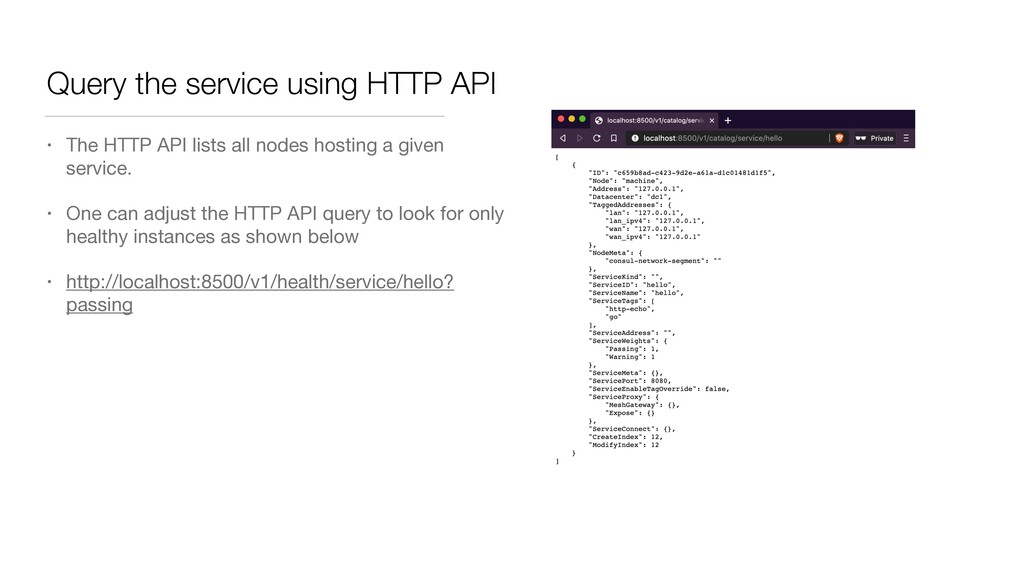
lists all nodes hosting a given service. • One can adjust the HTTP API query to look for only healthy instances as shown below • http://localhost:8500/v1/health/service/hello? passing
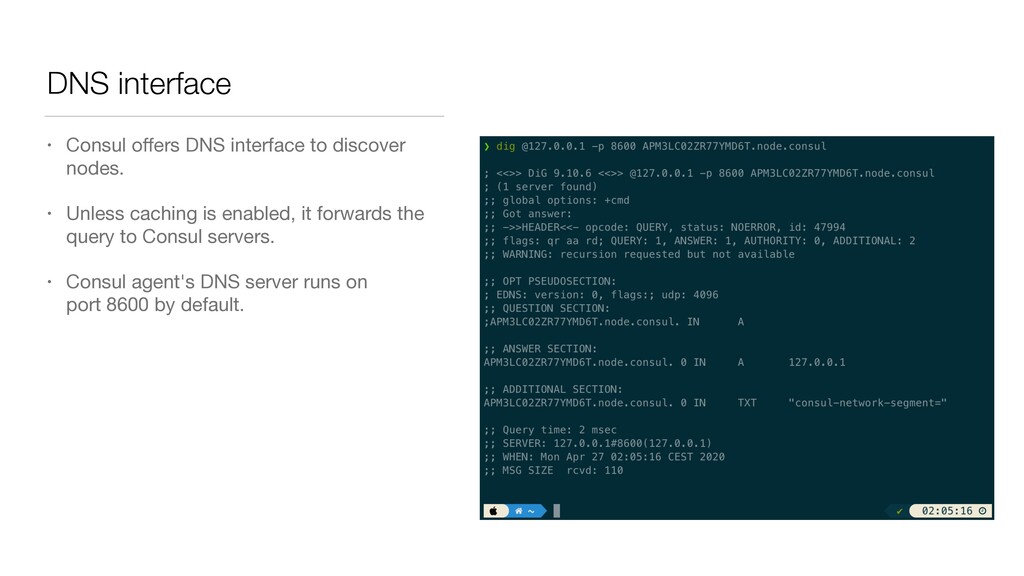
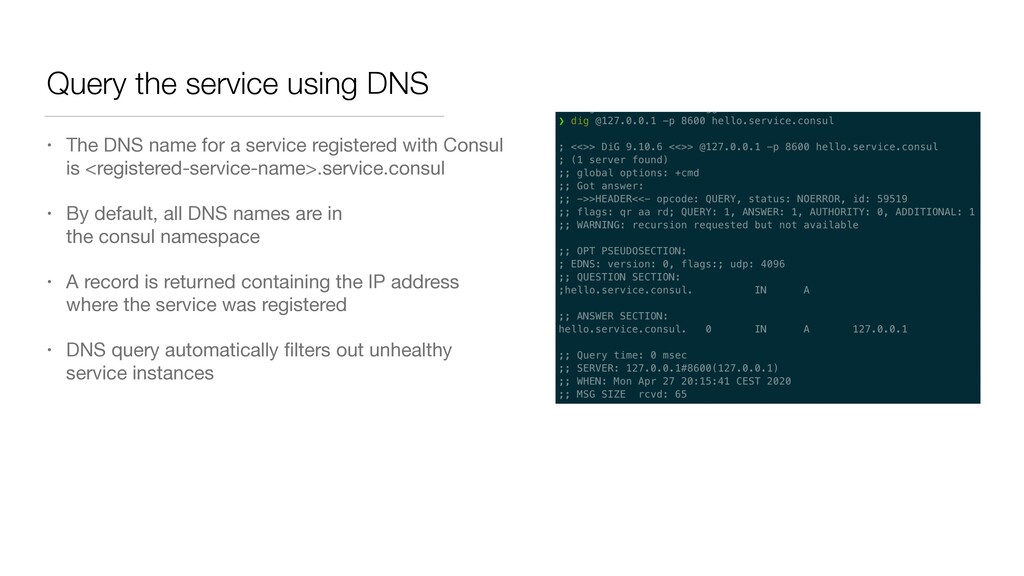
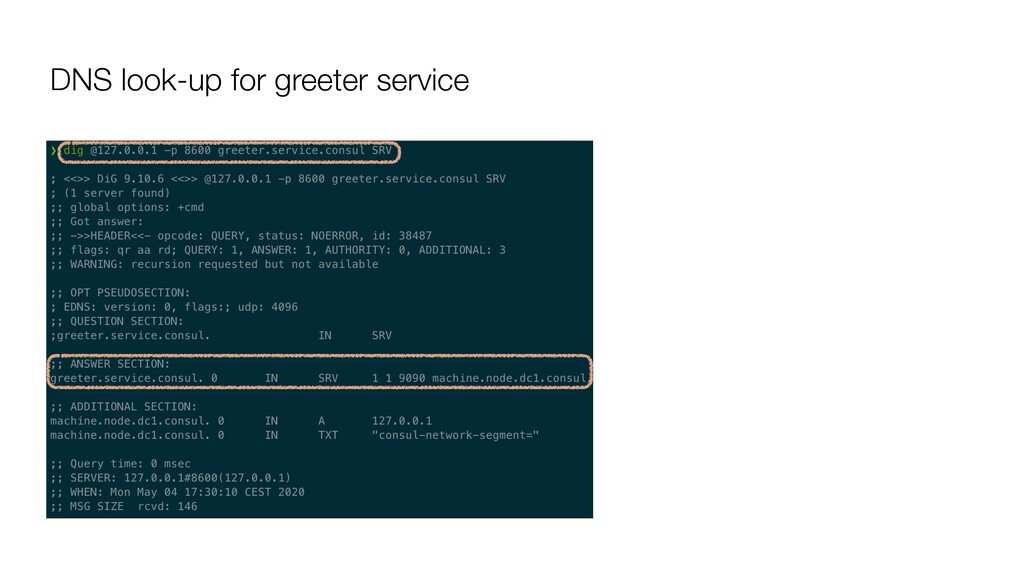
a service registered with Consul is <registered-service-name>.service.consul • By default, all DNS names are in the consul namespace • A record is returned containing the IP address where the service was registered • DNS query automatically filters out unhealthy service instances
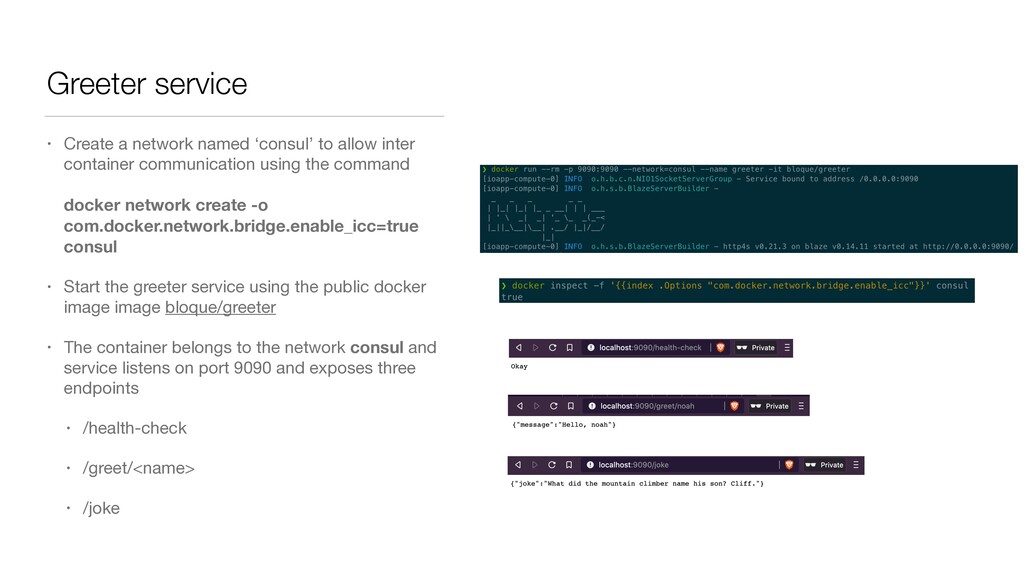
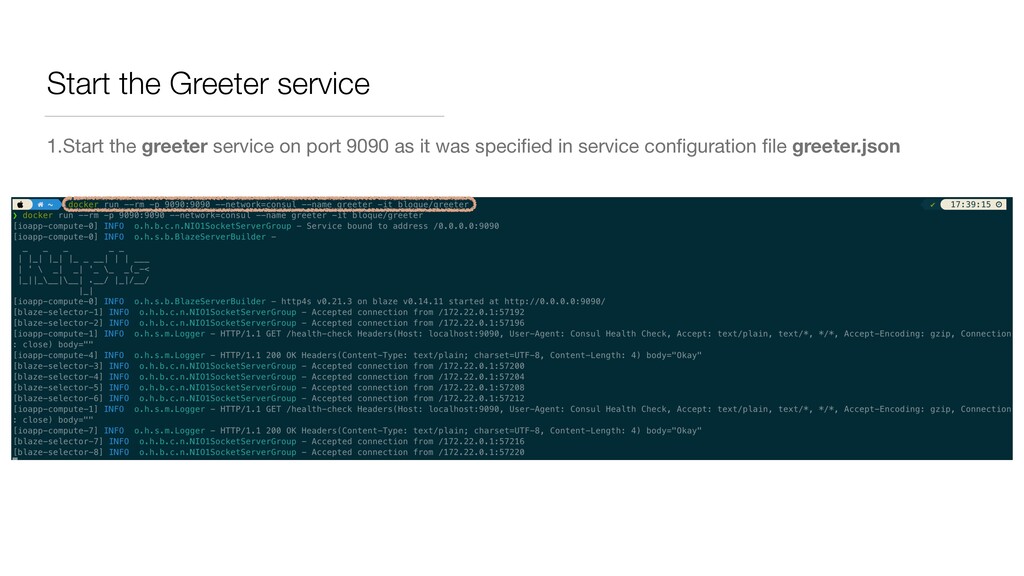
inter container communication using the command docker network create -o com.docker.network.bridge.enable_icc=true consul • Start the greeter service using the public docker image image bloque/greeter • The container belongs to the network consul and service listens on port 9090 and exposes three endpoints • /health-check • /greet/<name> • /joke
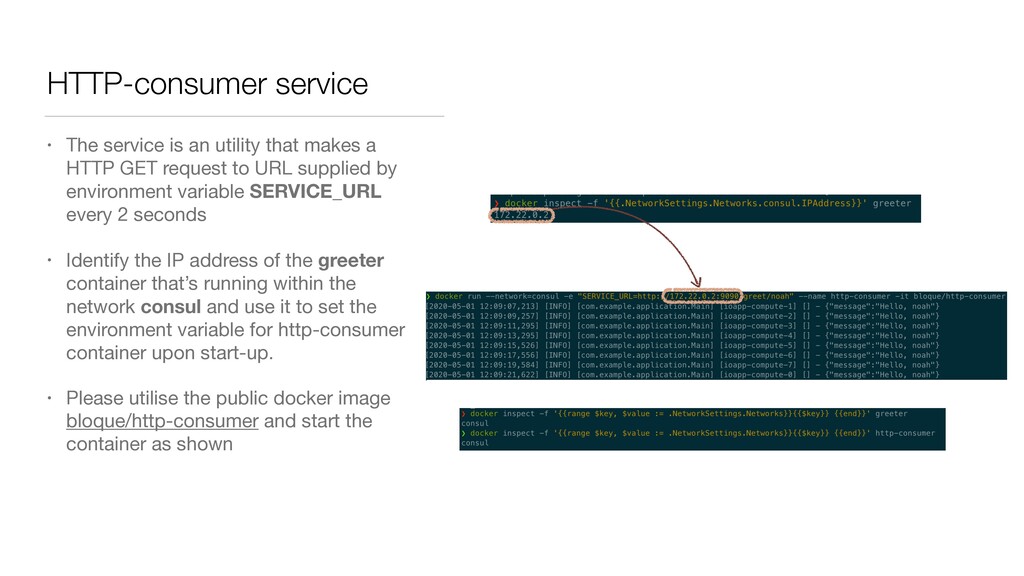
a HTTP GET request to URL supplied by environment variable SERVICE_URL every 2 seconds • Identify the IP address of the greeter container that’s running within the network consul and use it to set the environment variable for http-consumer container upon start-up. • Please utilise the public docker image bloque/http-consumer and start the container as shown
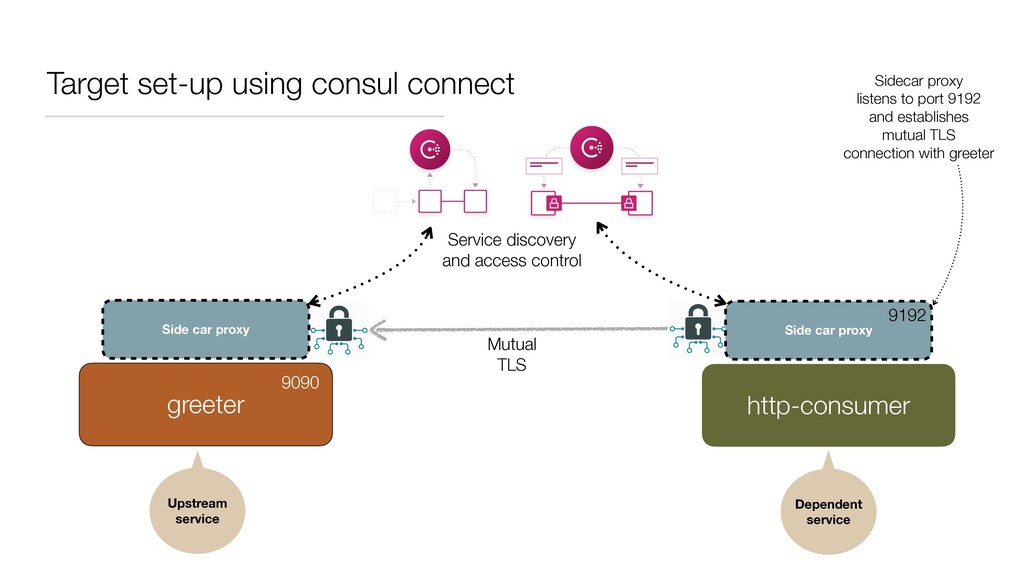
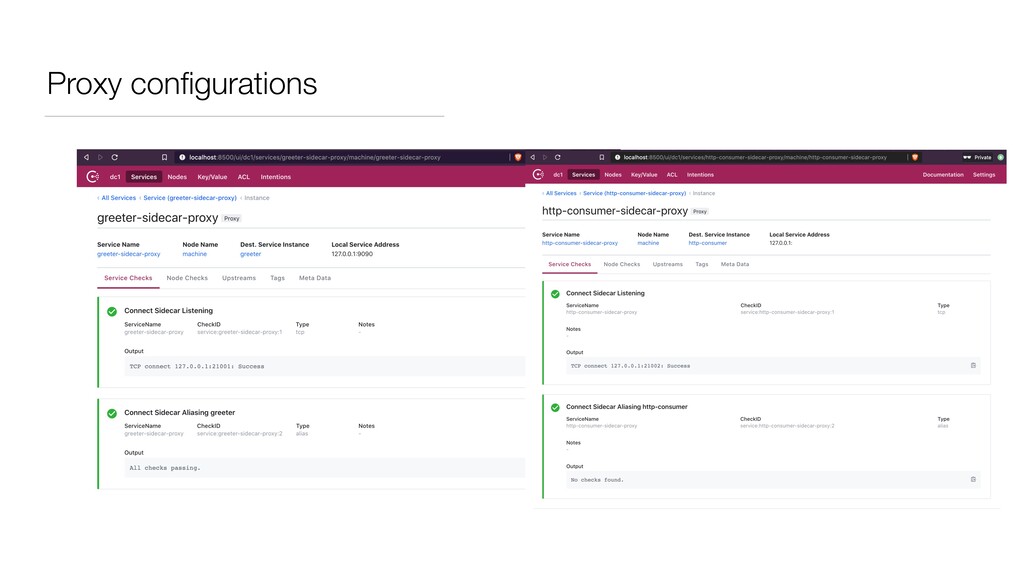
proxy greeter http-consumer Mutual TLS Upstream service Dependent service Service discovery and access control 9090 9192 Sidecar proxy listens to port 9192 and establishes mutual TLS connection with greeter
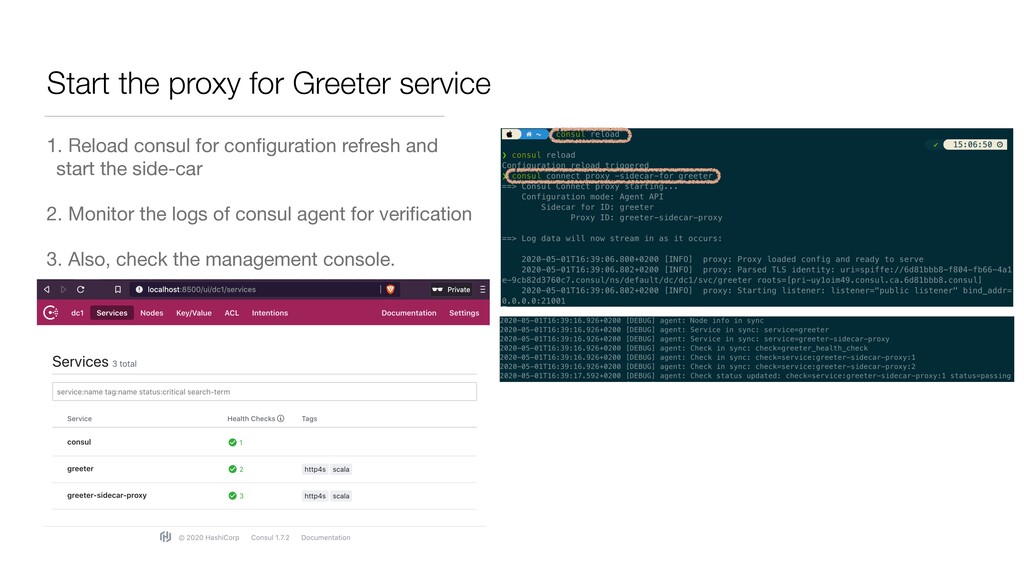
greeter service (ideally greeting.json) in location /etc/consul.d/ 2. Consul will look for a service running on port 9090 and advertise it as the greeter service. 1. On a properly configured node, this can be reached as greeter.service.consul through DNS. 3. A blank proxy is defined. This enables proxy communication for greeter service through Consul Connect on a dynamically allocated port. 1. Consul bundles L4 proxy for testing purposes but in production, one must use envoy. 4. A health check examines the local /health-check endpoint every 30 seconds to determine whether the service is healthy and can be exposed to other services.
the service with Consul using a new service definition • Create a service definition for http- consumer service (ideally http- consumer.json) in location /etc/consul.d/ • http-consumer service shall communicate with greeter service through corresponding encrypted side-car proxies • Proxy configuration specifies http- consumer's upstream dependency on greeter service, and the port 9192 at which proxy should listen in order to establish mutual TLS connection.
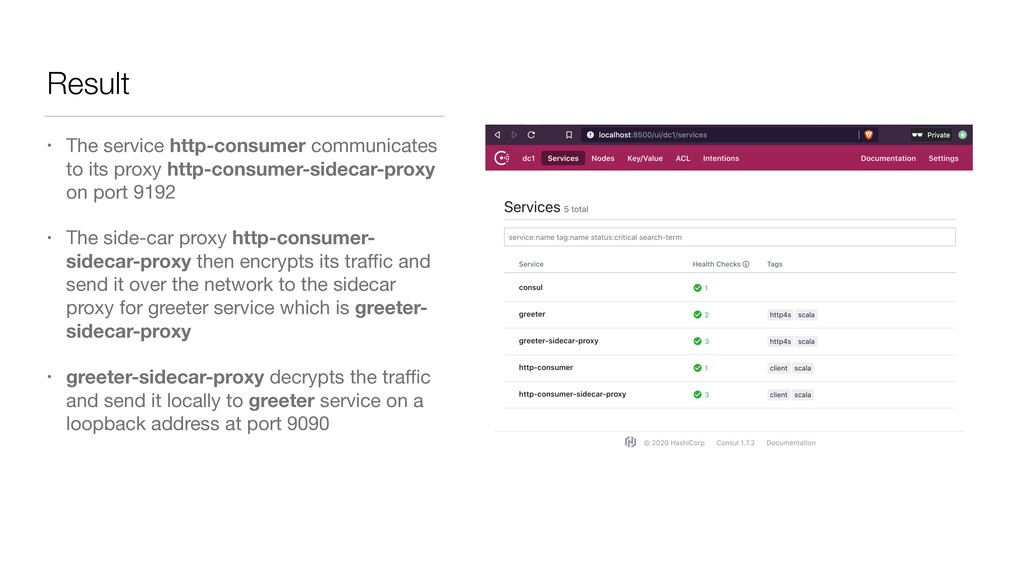
on port 9192 • The side-car proxy http-consumer- sidecar-proxy then encrypts its traffic and send it over the network to the sidecar proxy for greeter service which is greeter- sidecar-proxy • greeter-sidecar-proxy decrypts the traffic and send it locally to greeter service on a loopback address at port 9090
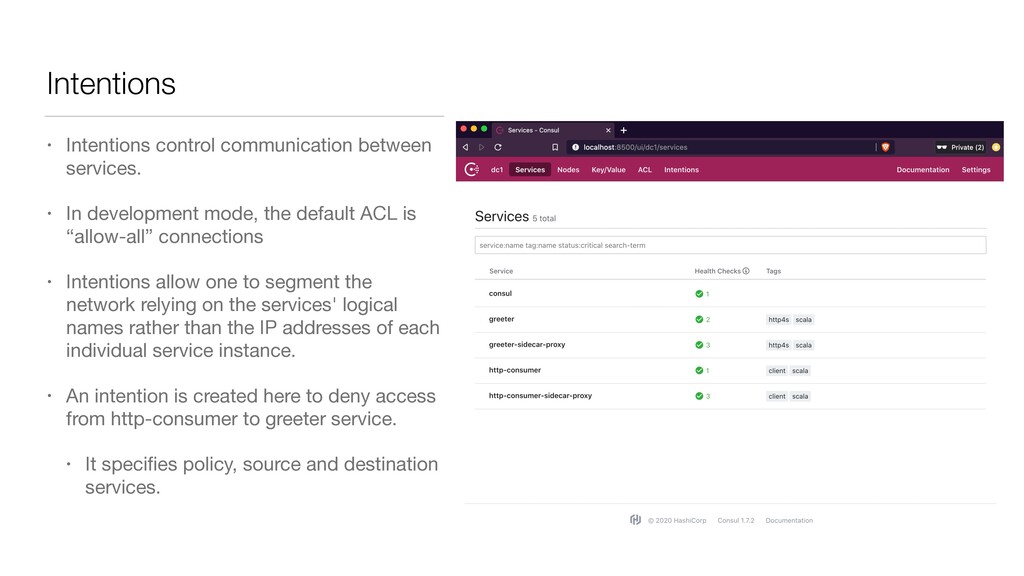
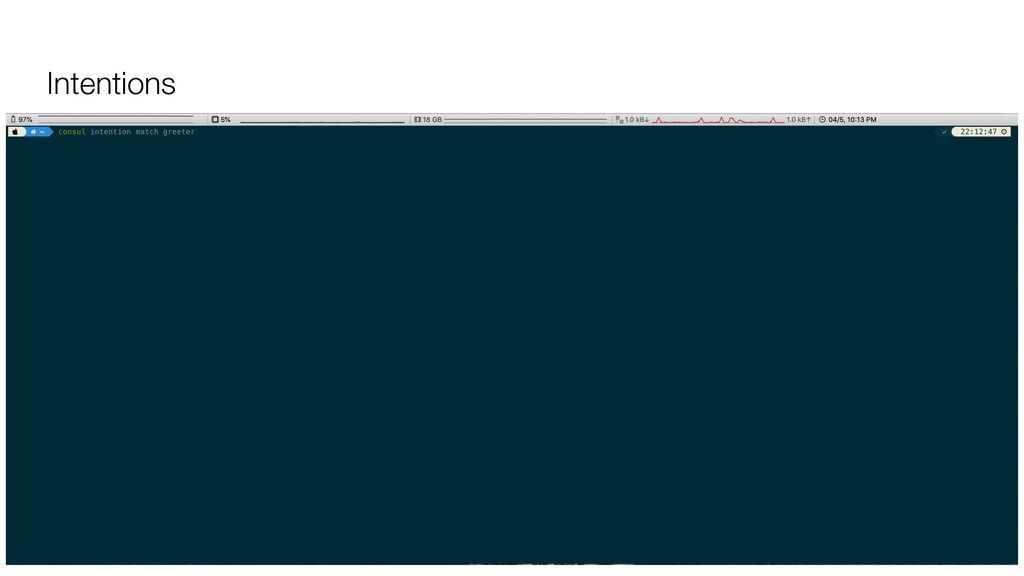
mode, the default ACL is “allow-all” connections • Intentions allow one to segment the network relying on the services' logical names rather than the IP addresses of each individual service instance. • An intention is created here to deny access from http-consumer to greeter service. • It specifies policy, source and destination services.
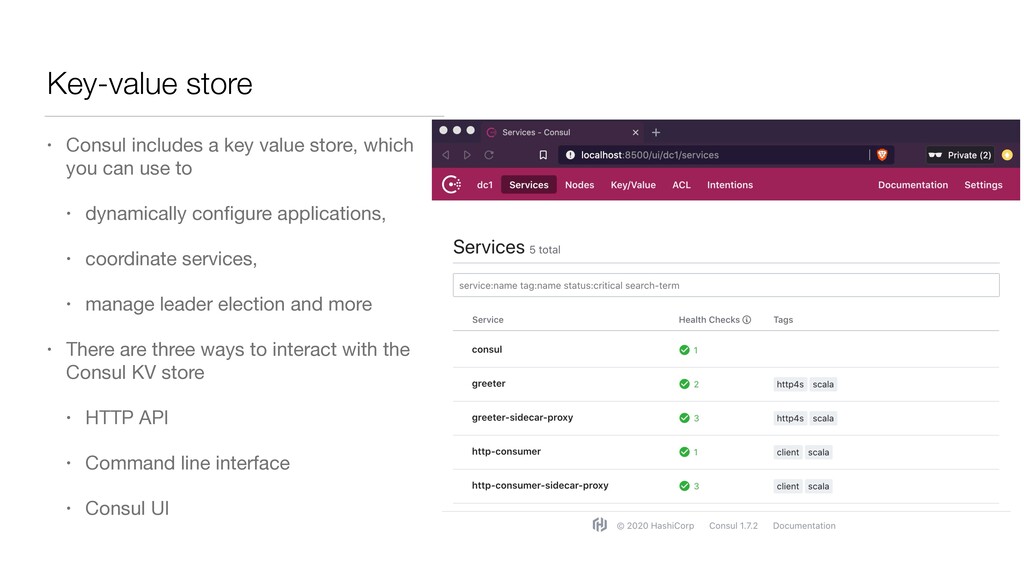
you can use to • dynamically configure applications, • coordinate services, • manage leader election and more • There are three ways to interact with the Consul KV store • HTTP API • Command line interface • Consul UI
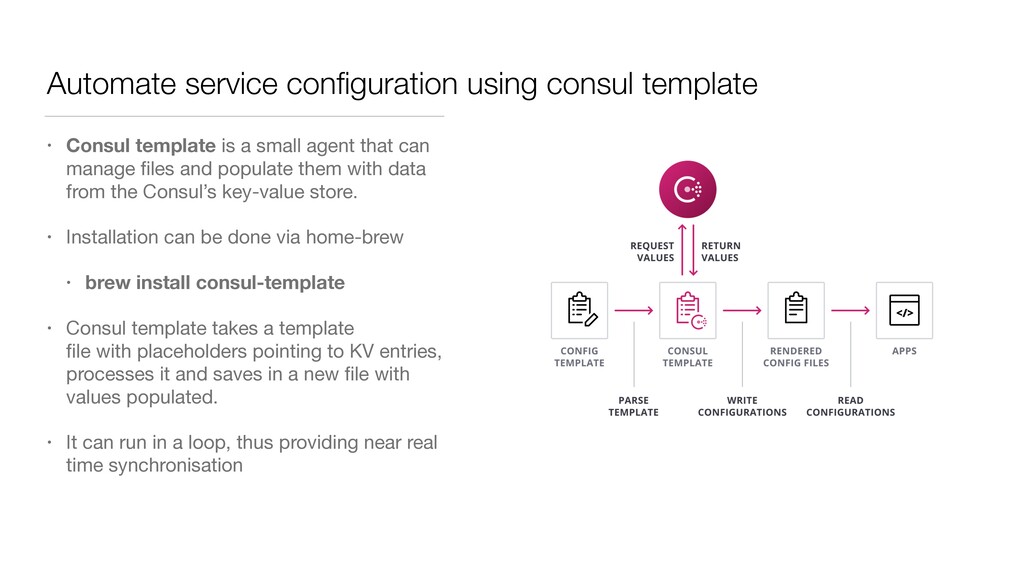
a small agent that can manage files and populate them with data from the Consul’s key-value store. • Installation can be done via home-brew • brew install consul-template • Consul template takes a template file with placeholders pointing to KV entries, processes it and saves in a new file with values populated. • It can run in a loop, thus providing near real time synchronisation
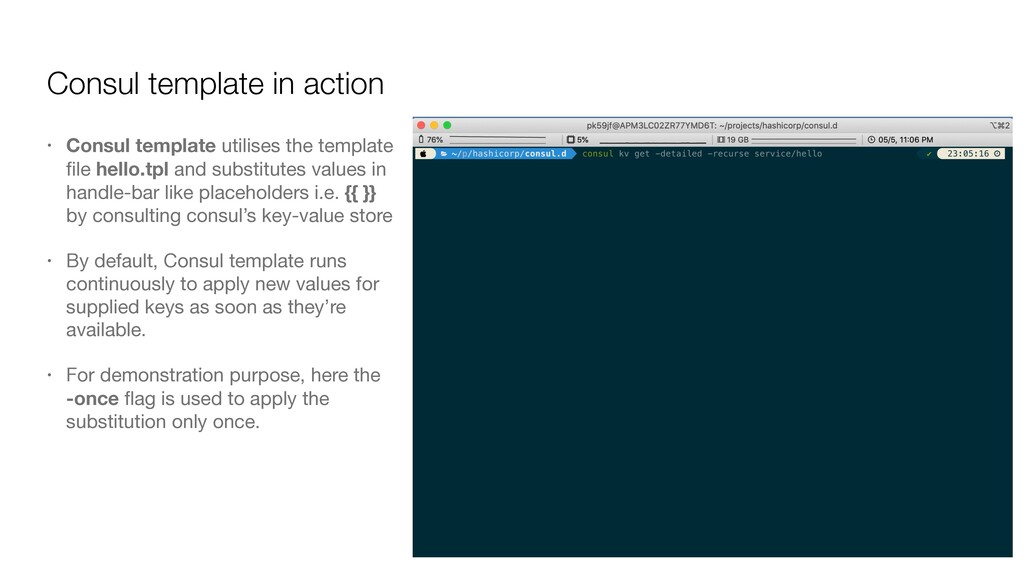
file hello.tpl and substitutes values in handle-bar like placeholders i.e. {{ }} by consulting consul’s key-value store • By default, Consul template runs continuously to apply new values for supplied keys as soon as they’re available. • For demonstration purpose, here the -once flag is used to apply the substitution only once.


 y0hgi
y0hgi
 findyinc
 morizo_1984
 minodriven
 kaityo256
 timakin
 nokomoro3
 oniak3ibm
 akit37
 a_matsuda
 uyuki234
 hschwentner
 nwiizo
 geshan
 rabernat
 katiecoart
 jonyablonski
 ryanjones
 samtorres
 stuffmc
 tmiket
 aleyda
 tammyeverts
 csswizardry