User Experience Aficionado ▪ Been building websites since 1998 ▪ Been building SharePoint since 2001 http://www.highmonkey.com/blog @vcmonkey CEO / Principal Human Solutions Architect EDUCATION Instructional Design – M.Ed Athletic Trainer – Certification Physical Education – BS CAREER ‘HATS’ WORN President/CEO Motivational Speaker Programmer/Developer Certified Athletic Trainer Adjunct Professor Instructional Designer INTERESTS The Steelers and Star Wars; There’s no better combo
Lunch Sponsor Lunch Sponsor Web Sponsor SharePoint Saturday 2017 is hosted by Thank you to the SASUG annual sponsors Location Sponsor Join us here for the SASUG\SATNUG meetings every 3rd Thursday of the month! Register at https://www.meetup.com/SATNUG/
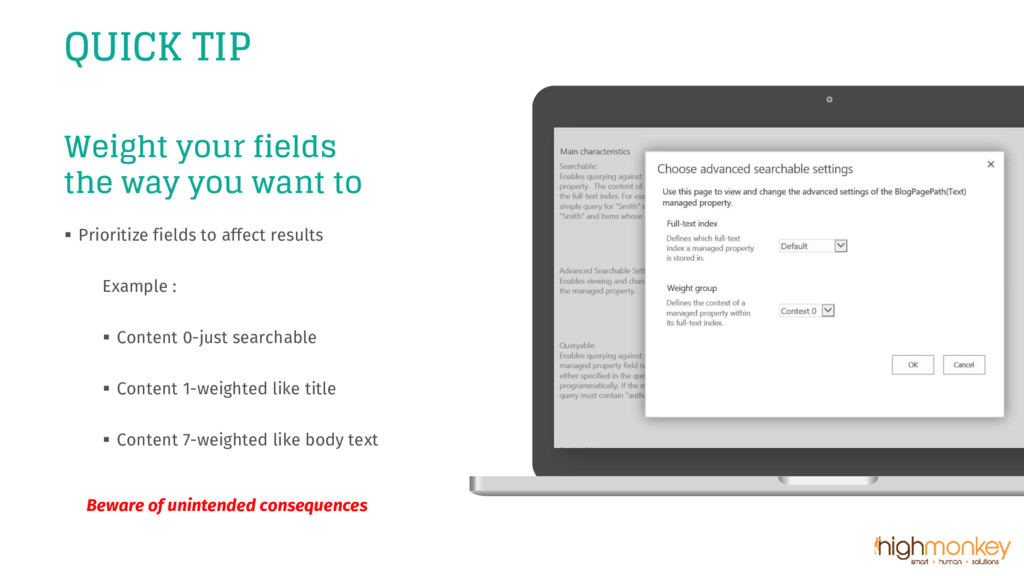
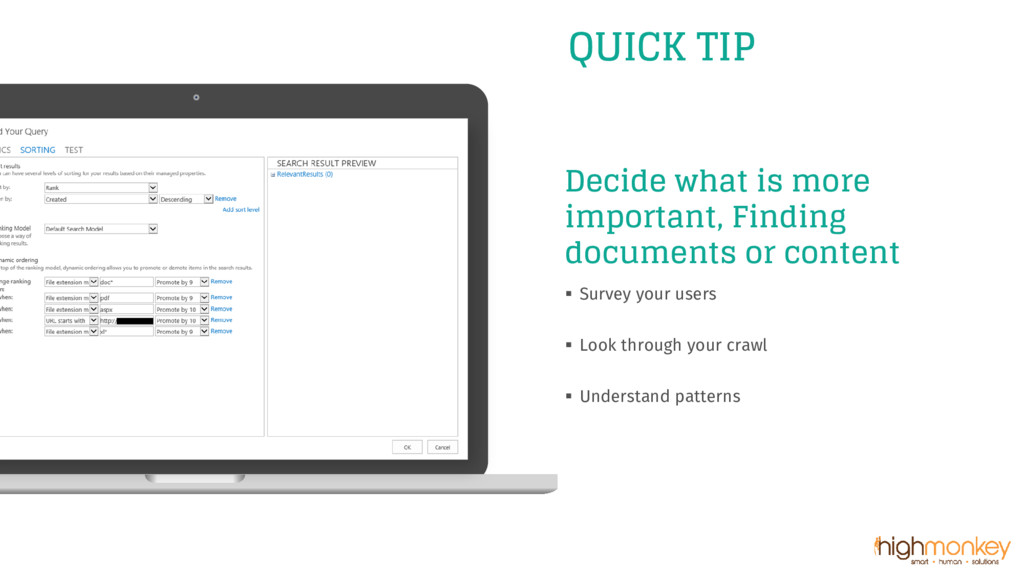
fields to affect results Example : ▪ Content 0-just searchable ▪ Content 1-weighted like title ▪ Content 7-weighted like body text Beware of unintended consequences QUICK TIP

 SiteGround - Reliable hosting with speed, security, and support you can count on.


 bengo4com
 greenmidori
 yamanoku
 nealle
 genda
genda
 ivry_presentationmaterials
 yahonda
 oasis1994liveforever
 finengine
 satomasahiro2005
 namiki64
 carta_engineering
 axbom
axbom
 csswizardry
 trallard
 quramy
 tammyeverts
 mayatellez
 jacobian
 samlambert
 inesmontani
 portentint
 mfonobong