Upgrade to Pro — share decks privately, control downloads, hide ads and more …

Wesrch Tutorial

Avatar for weSRCH weSRCH
October 14, 2013

Wesrch Tutorial

weSRCH Invites you to upload Video, PDF, Presentation and Press Releases publically to the weSRCH website. You can download any file hosted on the site and amend it to complete your requirements. It also lets you implant your presentations on your own blogs, websites and also allow you to share them on social media websites like Facebook, Linked in, Twitter. On weSRCH our seo team also promote your uploaded content manually on social media websites like Facebook, Twitter, Stumbleupon and Linkedin with taking care not being spam at the same time as well. We also provide premium features for free to some press releases that has good content and it gets extra benefits of increasing its online presence.

Avatar for weSRCH

weSRCH

October 14, 2013

Other Decks in Technology

Transcript

  1. What is weSRCH ? weSRCH Invites you to upload Video,

    PDF, Presentation and Press Releases publically to the weSRCH website. You can download any file hosted on the site and amend it to complete your requirements. It also lets you implant your presentations on your own blogs, websites and also allow you to share them on social media websites like Facebook, Linked in, Twitter.
  2. What is weSRCH ? On weSRCH our seo team also

    promote your uploaded content manually on social media websites like Facebook, Twitter, Stumbleupon and Linkedin with taking care not being spam at the same time as well. We also provide premium features for free to some press releases that has good content and it gets extra benefits of increasing its online presence.
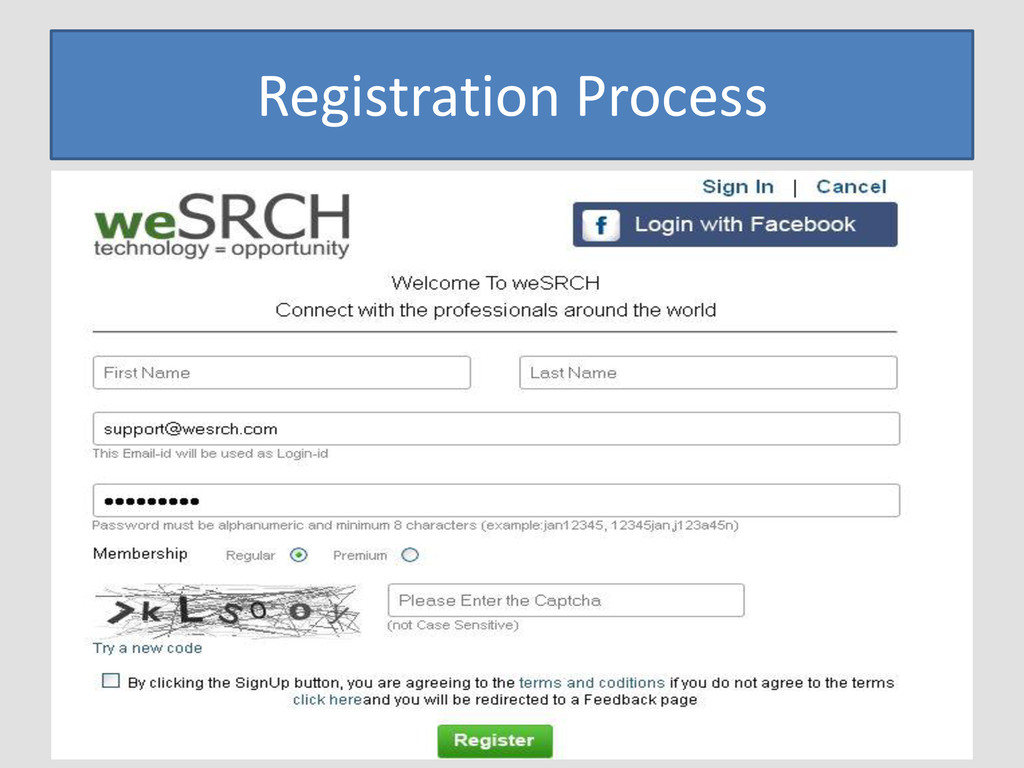
  3. 1) Create an Account To start, go to http://www.wesrch.com/ and

    click on “Register” in the top right hand corner. Create your Account. You will get a verification email in your inbox and need to verify your email to complete the registration process on weSRCH.
  4. Once you create your account, you will be able to

    publish content on weSRCH. By Clicking on Publish Button you will get Next screen. 2) Upload Process
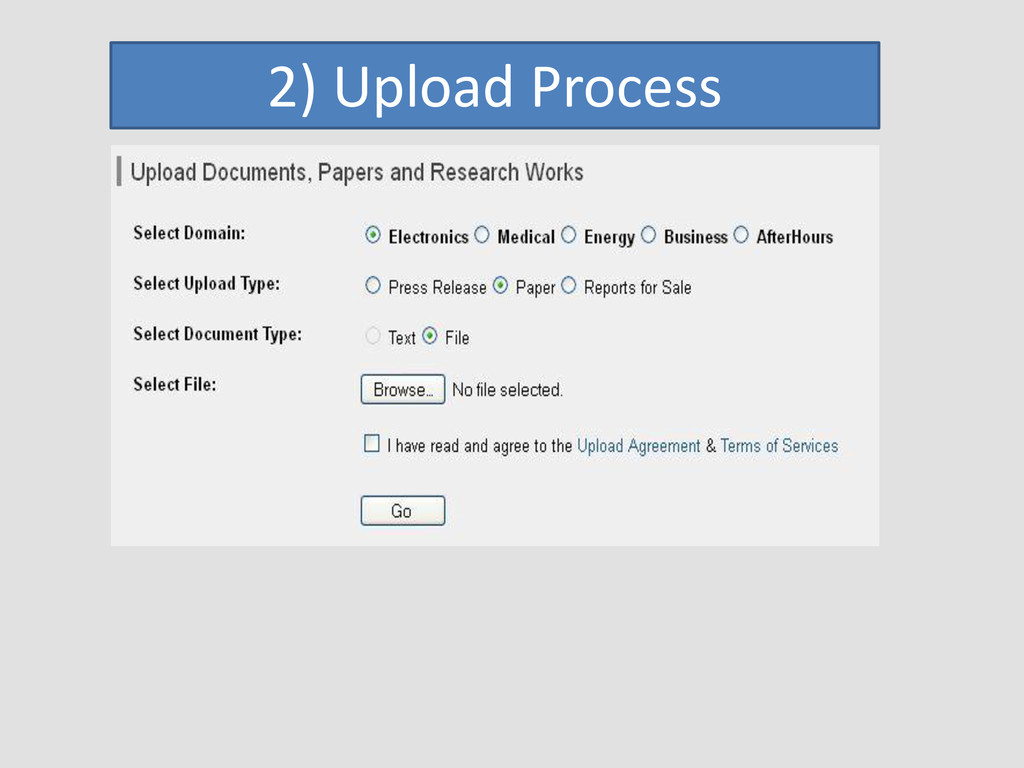
  5. Here... You need to select main domain for which you

    want to publish your content. 5 Options are there Select the relevant to your topic. Electronics Medical Business Energy Afterhours 2) Upload Process
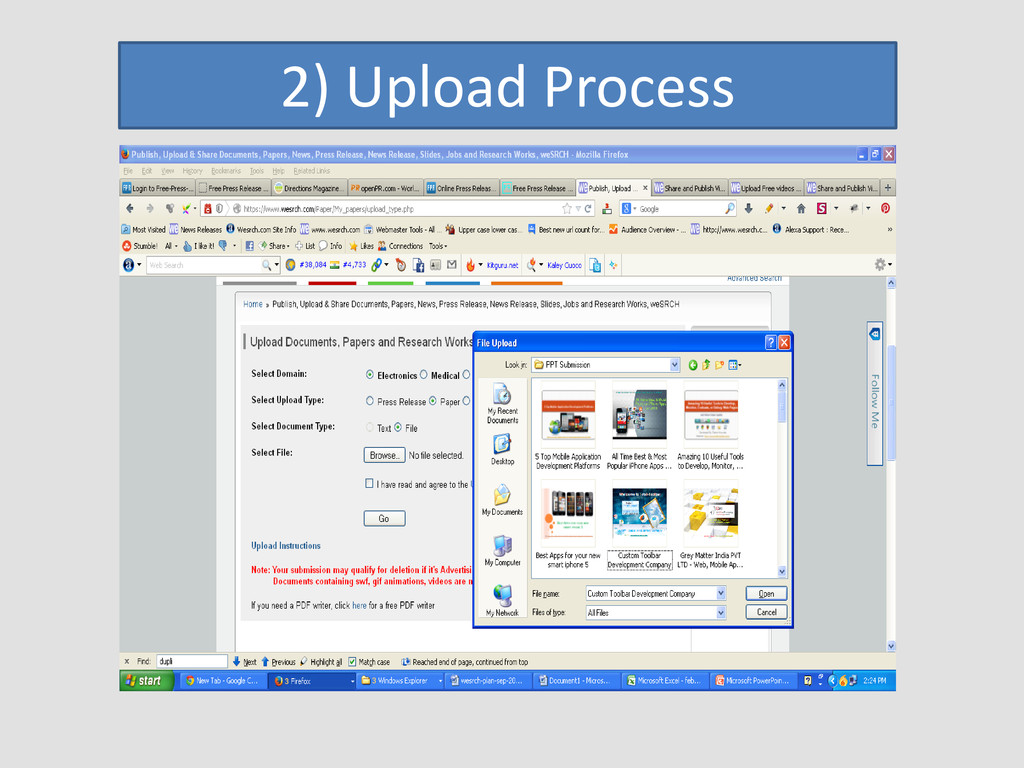
  6. To upload paper please upload PDF file by clicking on

    browse option. To upload press release you will have two options either upload file or add text in text box at bottom of the page. 2) Upload Process
  7. Once the file is uploaded click on go and you

    will be redirected to the next page for uploading process on weSRCH. 2) Upload Process
  8. On this page you need to upload a small icon

    that should be a part of your PDF. Insert Paper/Press Release Title Insert Author Name Select the exact category and subcategory. 2) Upload Process
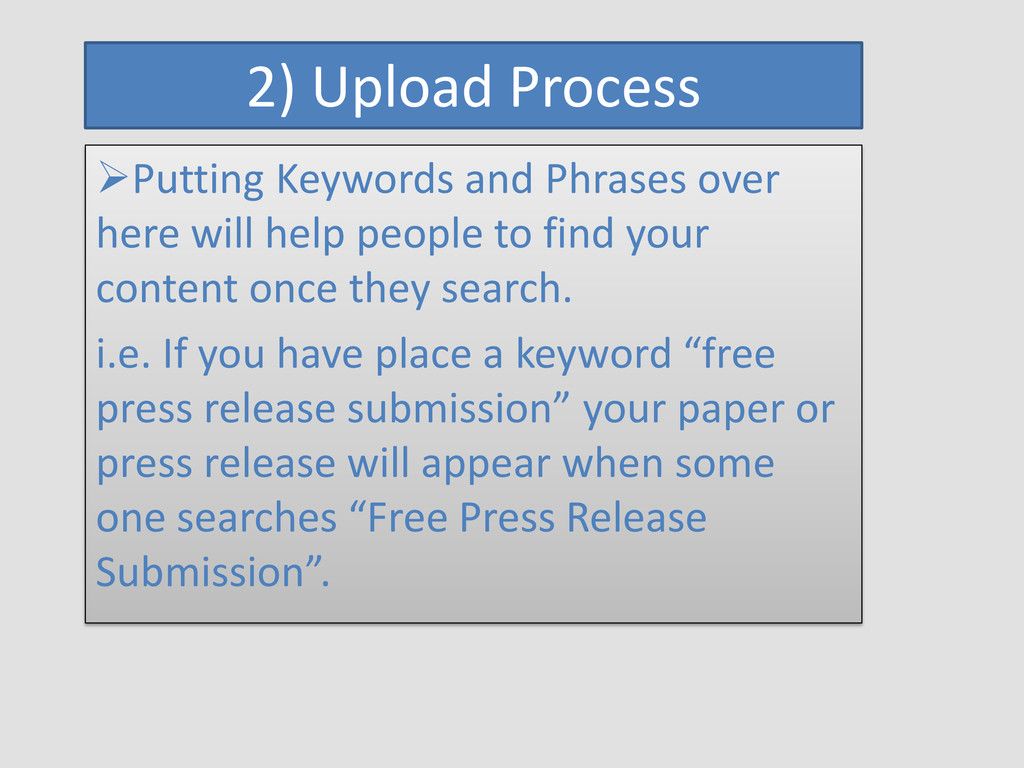
  9. Putting Keywords and Phrases over here will help people to

    find your content once they search. i.e. If you have place a keyword “free press release submission” your paper or press release will appear when some one searches “Free Press Release Submission”. 2) Upload Process
  10. weSRCH also provides a facility to make your content private,

    if you don’t want to add it right now publically, you can make it private and can publish it later on. 3) Keep content Private / Public
  11. Before uploading your paper or Press Release on weSRCH you

    can Sponsor it by checking sponsor box. 4) Sponsor Process
  12. weSRCH provides you facility to schedule your content to publish

    it later on selected date and time. i.e. if you are working as an SEO and your client or manager wants some number of content to be published on Internet then weSRCH is one of the best option for you. 5) Schedule Process
  13. You just need to go through the entire process and

    check box of schedule paper for publishing. Once you click on that next screen will appear in front of you. 5) Schedule Process
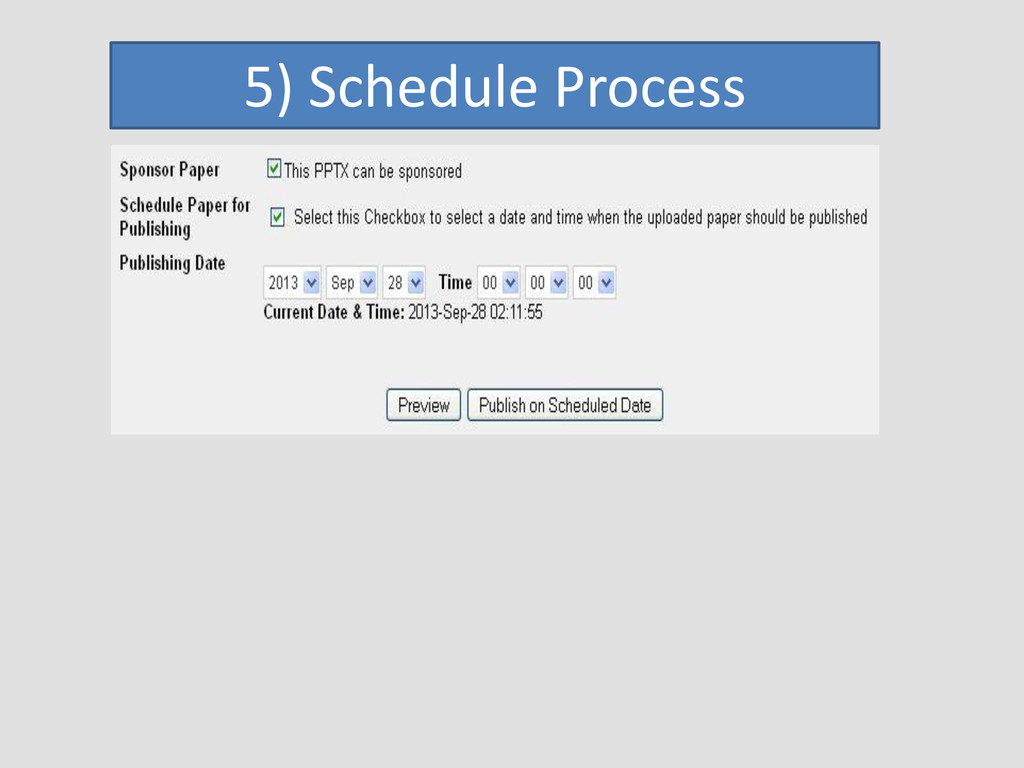
  14. Here you just need to select the date and time

    when and at what time you want your content to be published on weSRCH. 5) Schedule Process
  15. Preview your paper completely with this option. If you want

    to edit any thing just click on edit option or you can publish your content from here as well. 6) Preview Process
  16. Here you just need to select the date and time

    when and at what time you want your content to be published on weSRCH. You can also delete your content any time by clicking on delete option at the bottom of the content. 7) Delete Process