Upgrade to Pro — share decks privately, control downloads, hide ads and more …

BEM Methodology

BEM Methodology

Crash course of BEM Methodology from Yandex

Avatar for Ahmad Milzam

Ahmad Milzam

August 14, 2015

Other Decks in Programming

Transcript

  1. So what’s the gist? • What is BEM? • What

    does BEM solve? • Why you should use BEM? • Some semi-interesting BEM case study
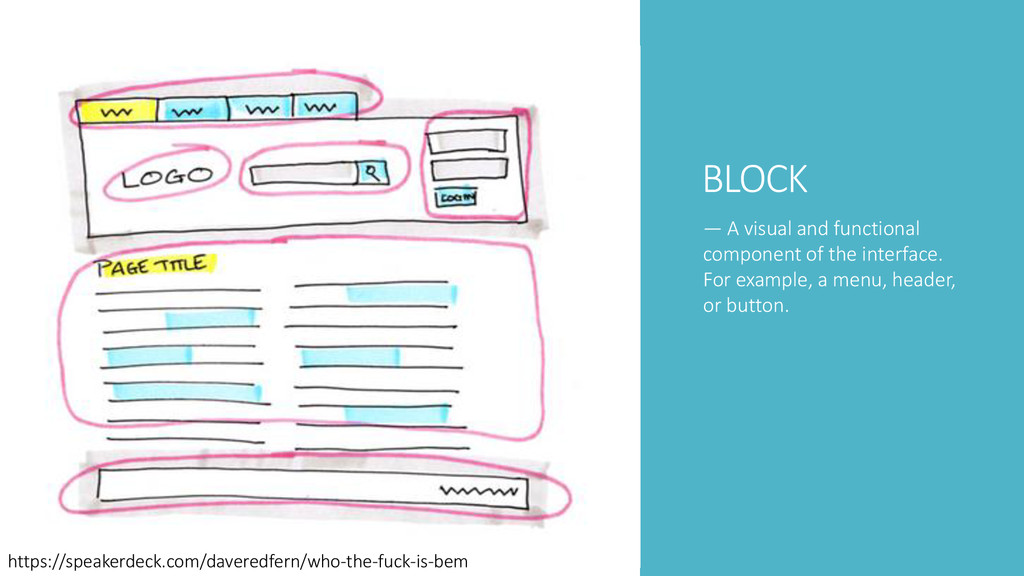
  2. BLOCK — A visual and functional component of the interface.

    For example, a menu, header, or button. https://speakerdeck.com/daveredfern/who-the-fuck-is-bem
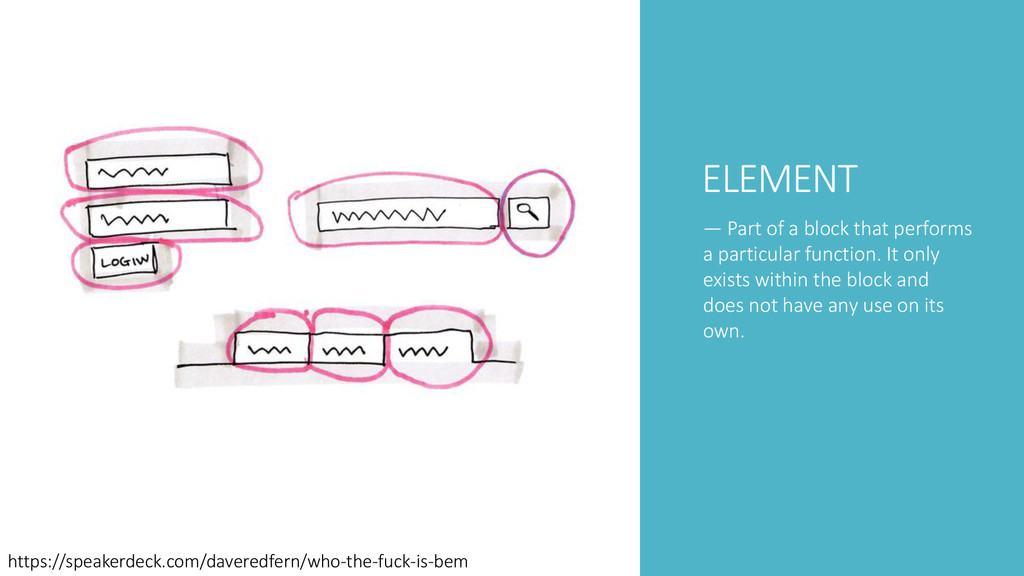
  3. ELEMENT — Part of a block that performs a particular
    function. It only exists within the block and does not have any use on its own. https://speakerdeck.com/daveredfern/who-the-fuck-is-bem
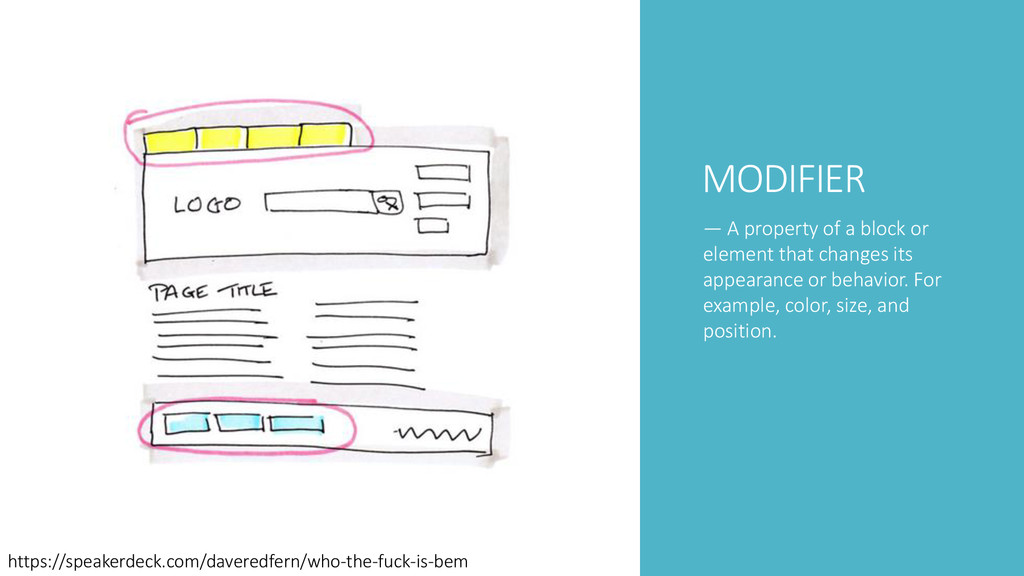
  4. MODIFIER — A property of a block or element that

    changes its appearance or behavior. For example, color, size, and position. https://speakerdeck.com/daveredfern/who-the-fuck-is-bem
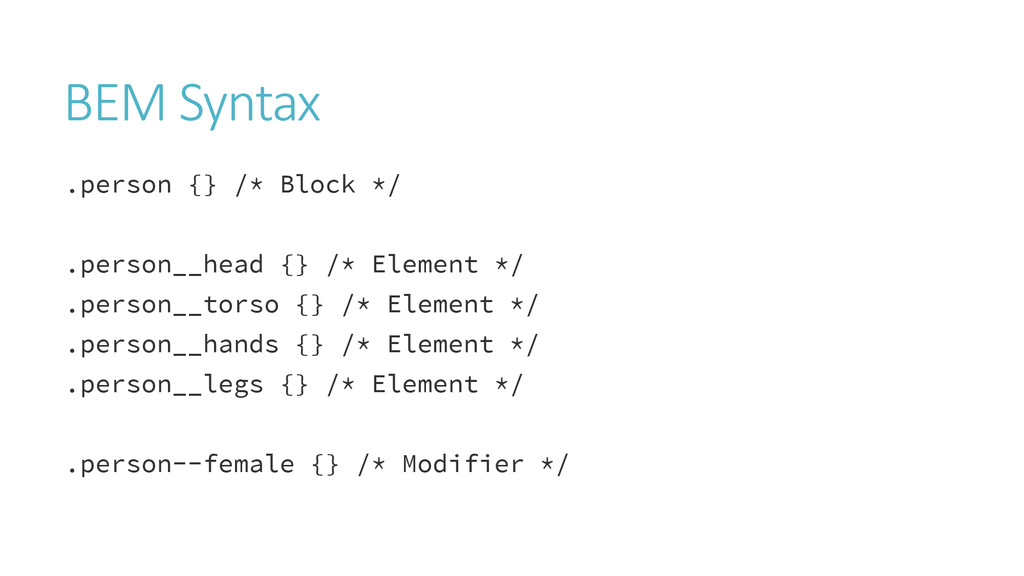
  5. BEM Syntax .person {} /* Block */ .person__head {} /*

    Element */ .person__torso {} /* Element */ .person__hands {} /* Element */ .person__legs {} /* Element */ .person--female {} /* Modifier */
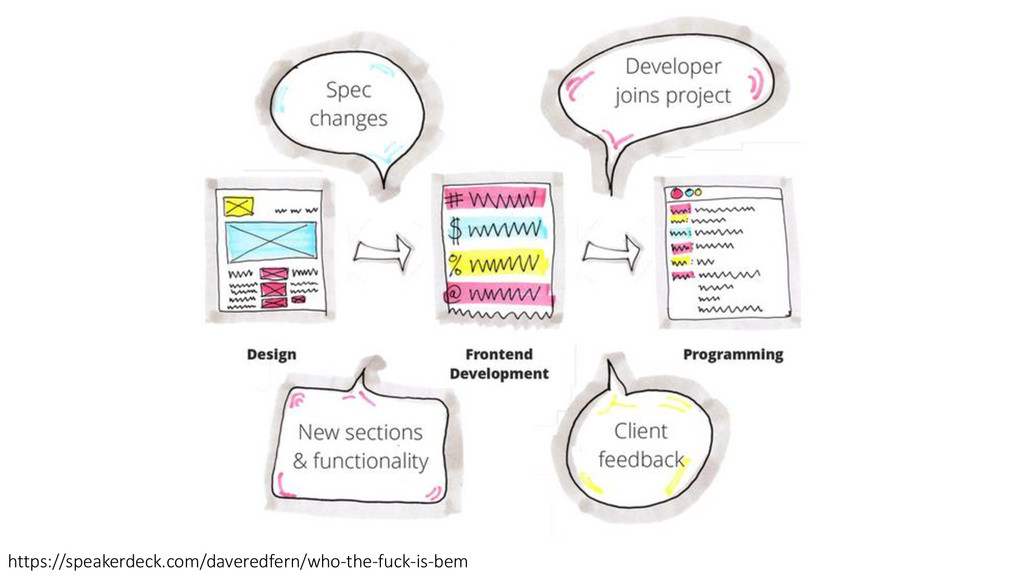
  6. Chaos (Greek χάοςm khaos) the formless or void state preceding

    the creation of .. (*) * = insert title of your awesome project here http://www.slideshare.net/BobDonderwinkel/bem-presentation-40907446
  7. What does using BEM really help with? When projects scale,

    CSS often does not. CSS code is easy to append, overwrite or reinvent. That can turn in to a mess.
  8. What does using BEM really help with? BEM CSS gives

    you a default approach for new projects. • Thinking in Blocks, Elements and Modifiers helps you figure out what your design is made of. • BEM helps you getting started coding CSS a little bit quicker through a standard syntax.
  9. Is there any practical stuff BEM can help with? Better

    CSS performance • Rendering engines evaluate CSS selectors right to left. • The less they have to evaluate, the faster it renders.
  10. Is there any practical stuff BEM can help with? Reduce

    hell in CSS specificty • Complex CSS selectors get a higher importance. You have to match up to this selector or use !important to override it. • Or find the actual CSS you want to change. But the bigger the CSS code base, the nastier that can get ;) Using single CSS classnames makes it easier to rework your existing CSS code base.
  11. Is there any practical stuff BEM can help with? Global

    CSS reset/normalize not needed (preferably) • Remember BEM Blocks should be independent and reuseable. A global CSS reset/normalize does not exactly fit that idea. Perhaps use something like uncss in your build process to get only the needed normalize/reset CSS into your Blocks and Elements.
  12. Is there any practical stuff BEM can help with? Better

    HTML/CSS decoupling • Using HTML element names in your CSS selectors forces you to update both when only one changes. • Using just single CSS BEM classnames makes them more portable to another HTML structure and markup.
  13. Utter BEM BLISS? I hate looking at long and ugly-ish

    CSS classnames • True.. No way around that. BEM can produce a very long and ugly classname that ruin you beautiful HTML markup. • But luckily, the visitor of the website will not look in the source too often. Unless they know what they’re doing ;)
  14. Utter BEM BLISS? Doesn’t HTML filesize bloat with long CSS

    classnames? • Yes, definitely. But minification and gzipping go a long way.
  15. Utter BEM BLISS? And is BEM only useful in larger

    teams for larger projects? • BEM CSS certainly has extra benefit in larger teams because of the meaningful CSS classname. • But working solo or for a small project you can also use the Block, Element and Modifier approach on a design to get started prototyping sooner.
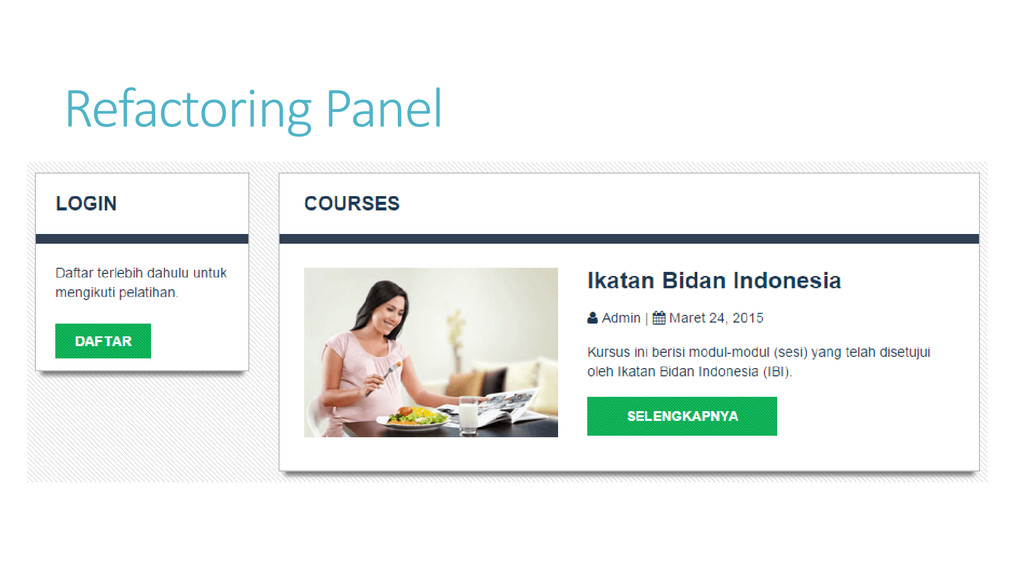
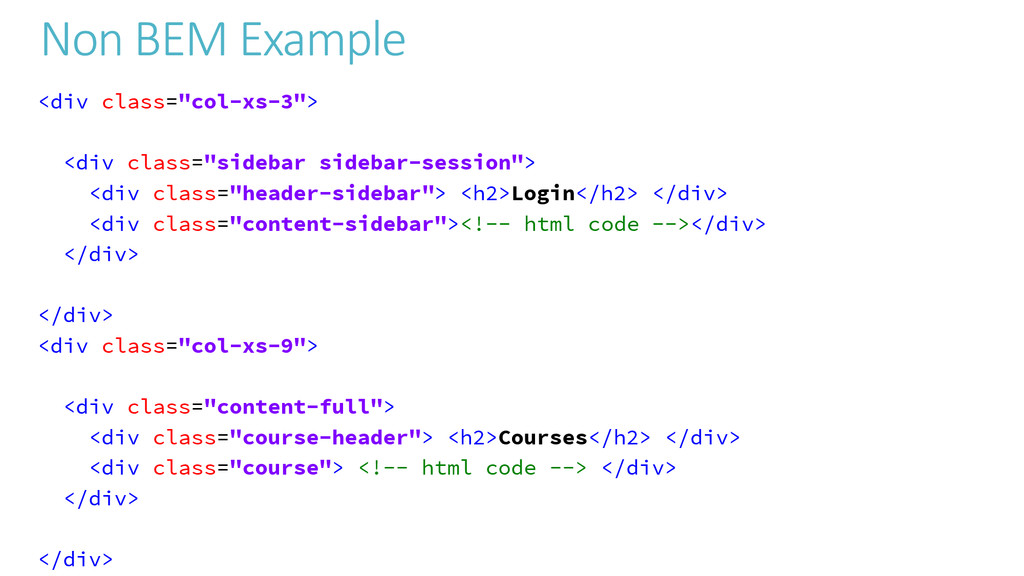
  16. Non BEM Example <div class="col-xs-3"> <div class="sidebar sidebar-session"> <div class="header-sidebar">

    <h2>Login</h2> </div> <div class="content-sidebar"><!-- html code --></div> </div> </div> <div class="col-xs-9"> <div class="content-full"> <div class="course-header"> <h2>Courses</h2> </div> <div class="course"> <!-- html code --> </div> </div> </div>
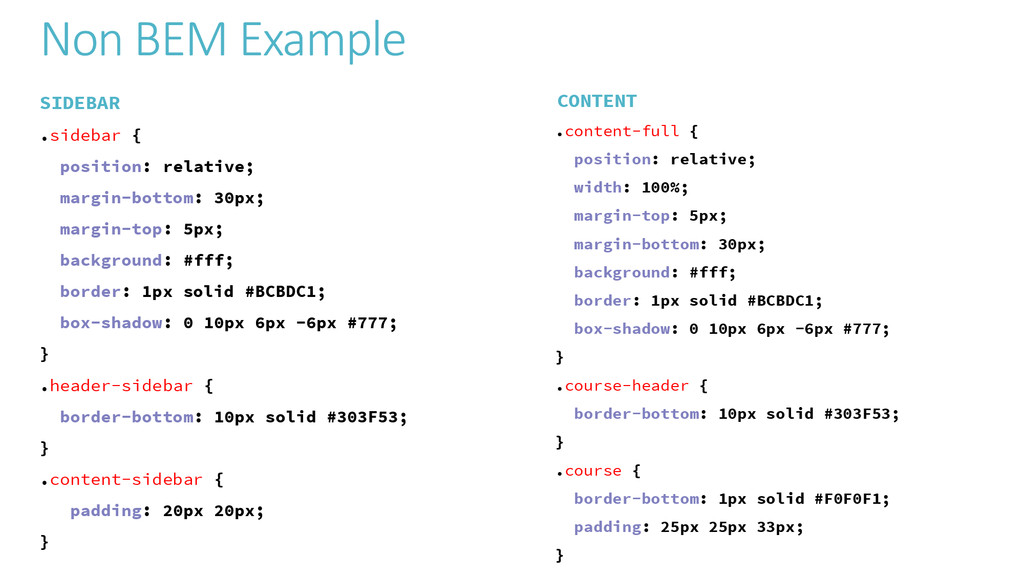
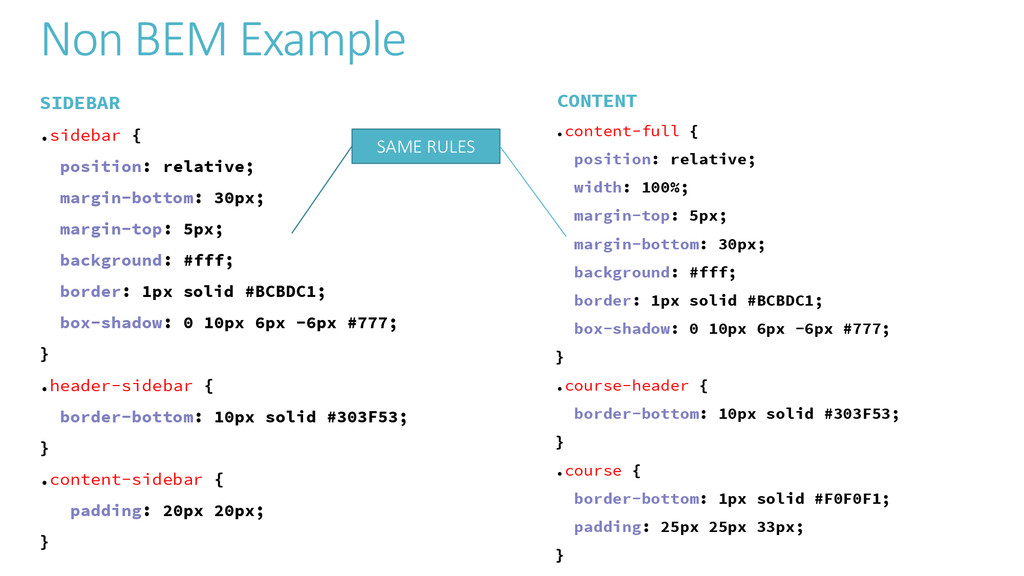
  17. Non BEM Example SIDEBAR .sidebar { position: relative; margin-bottom: 30px;

    margin-top: 5px; background: #fff; border: 1px solid #BCBDC1; box-shadow: 0 10px 6px -6px #777; } .header-sidebar { border-bottom: 10px solid #303F53; } .content-sidebar { padding: 20px 20px; } CONTENT .content-full { position: relative; width: 100%; margin-top: 5px; margin-bottom: 30px; background: #fff; border: 1px solid #BCBDC1; box-shadow: 0 10px 6px -6px #777; } .course-header { border-bottom: 10px solid #303F53; } .course { border-bottom: 1px solid #F0F0F1; padding: 25px 25px 33px; }
  18. Non BEM Example SIDEBAR .sidebar { position: relative; margin-bottom: 30px;

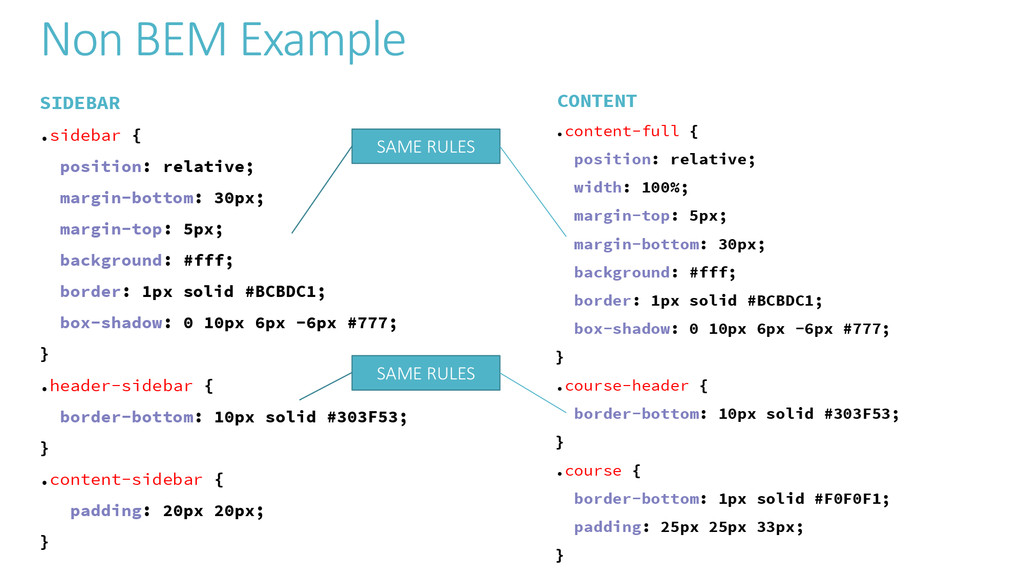
    margin-top: 5px; background: #fff; border: 1px solid #BCBDC1; box-shadow: 0 10px 6px -6px #777; } .header-sidebar { border-bottom: 10px solid #303F53; } .content-sidebar { padding: 20px 20px; } CONTENT .content-full { position: relative; width: 100%; margin-top: 5px; margin-bottom: 30px; background: #fff; border: 1px solid #BCBDC1; box-shadow: 0 10px 6px -6px #777; } .course-header { border-bottom: 10px solid #303F53; } .course { border-bottom: 1px solid #F0F0F1; padding: 25px 25px 33px; } SAME RULES
  19. Non BEM Example SIDEBAR .sidebar { position: relative; margin-bottom: 30px;

    margin-top: 5px; background: #fff; border: 1px solid #BCBDC1; box-shadow: 0 10px 6px -6px #777; } .header-sidebar { border-bottom: 10px solid #303F53; } .content-sidebar { padding: 20px 20px; } CONTENT .content-full { position: relative; width: 100%; margin-top: 5px; margin-bottom: 30px; background: #fff; border: 1px solid #BCBDC1; box-shadow: 0 10px 6px -6px #777; } .course-header { border-bottom: 10px solid #303F53; } .course { border-bottom: 1px solid #F0F0F1; padding: 25px 25px 33px; } SAME RULES SAME RULES
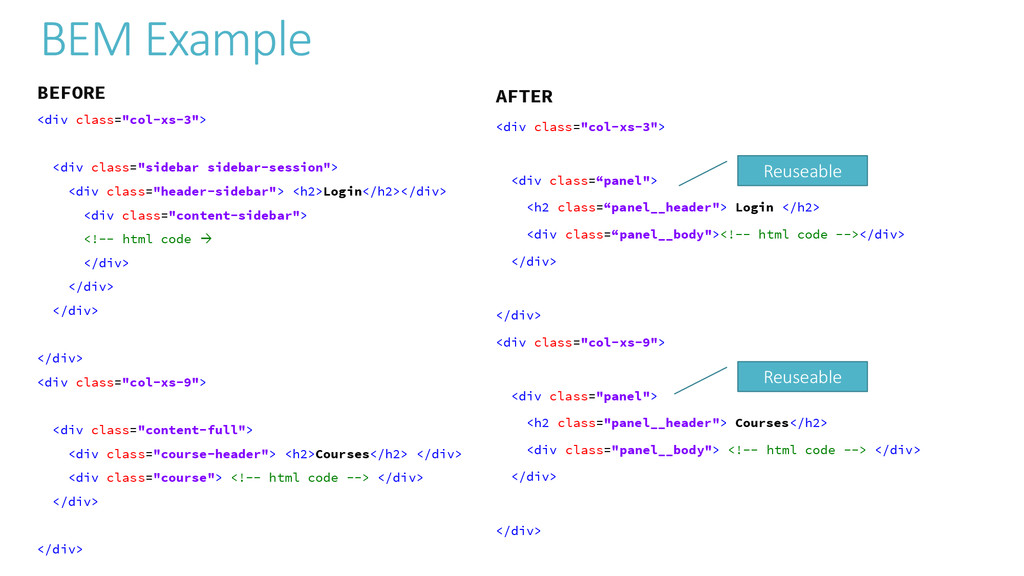
  20. BEM Example AFTER <div class="col-xs-3"> <div class=“panel"> <h2 class=“panel__header"> Login

    </h2> <div class=“panel__body"><!-- html code --></div> </div> </div> <div class="col-xs-9"> <div class="panel"> <h2 class="panel__header"> Courses</h2> <div class="panel__body"> <!-- html code --> </div> </div> </div> Reuseable Reuseable BEFORE <div class="col-xs-3"> <div class="sidebar sidebar-session"> <div class="header-sidebar"> <h2>Login</h2></div> <div class="content-sidebar"> <!-- html code  </div> </div> </div> </div> <div class="col-xs-9"> <div class="content-full"> <div class="course-header"> <h2>Courses</h2> </div> <div class="course"> <!-- html code --> </div> </div> </div>
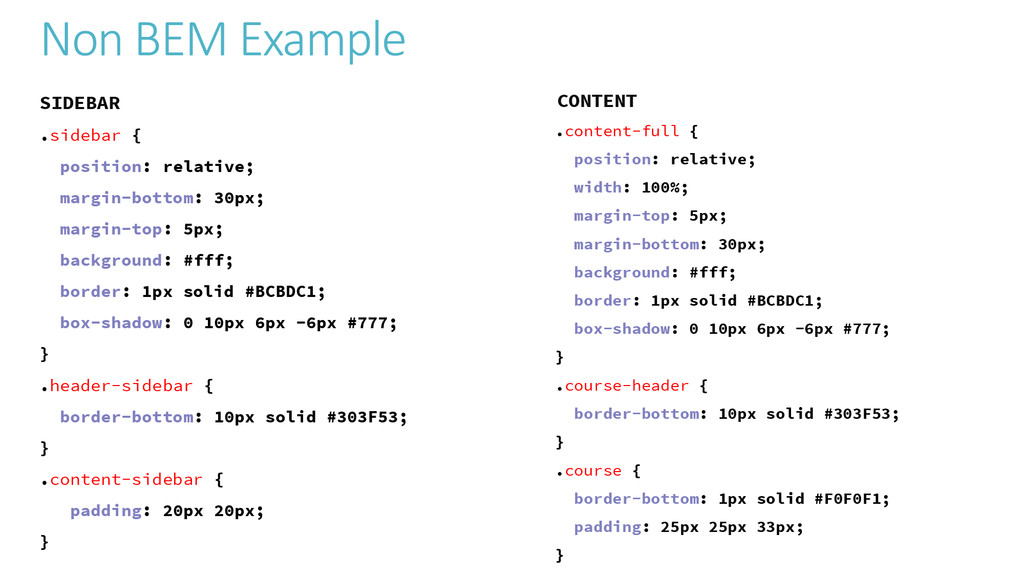
  21. Non BEM Example SIDEBAR .sidebar { position: relative; margin-bottom: 30px;

    margin-top: 5px; background: #fff; border: 1px solid #BCBDC1; box-shadow: 0 10px 6px -6px #777; } .header-sidebar { border-bottom: 10px solid #303F53; } .content-sidebar { padding: 20px 20px; } CONTENT .content-full { position: relative; width: 100%; margin-top: 5px; margin-bottom: 30px; background: #fff; border: 1px solid #BCBDC1; box-shadow: 0 10px 6px -6px #777; } .course-header { border-bottom: 10px solid #303F53; } .course { border-bottom: 1px solid #F0F0F1; padding: 25px 25px 33px; }
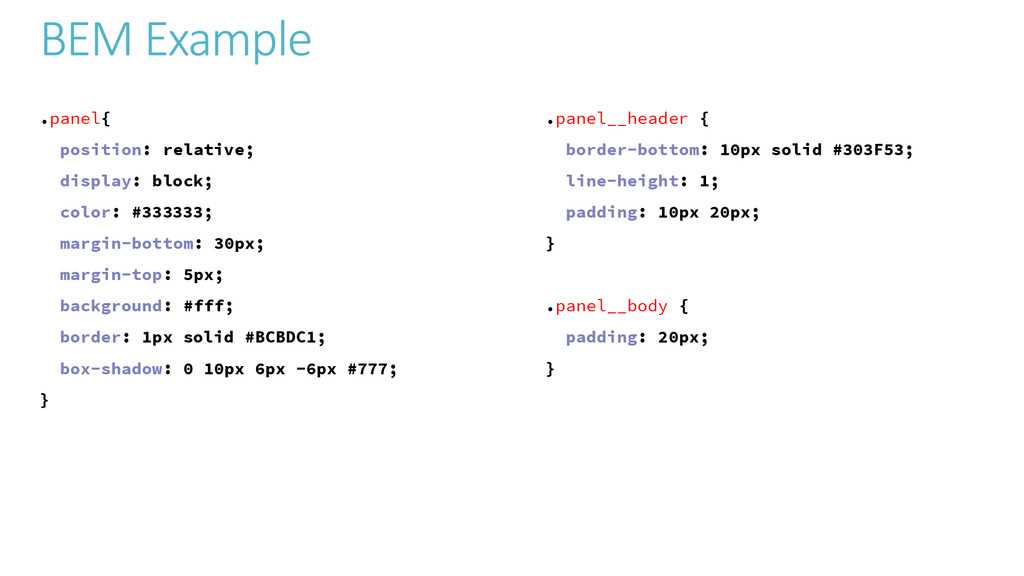
  22. BEM Example .panel{ position: relative; display: block; color: #333333; margin-bottom:

    30px; margin-top: 5px; background: #fff; border: 1px solid #BCBDC1; box-shadow: 0 10px 6px -6px #777; } .panel__header { border-bottom: 10px solid #303F53; line-height: 1; padding: 10px 20px; } .panel__body { padding: 20px; }
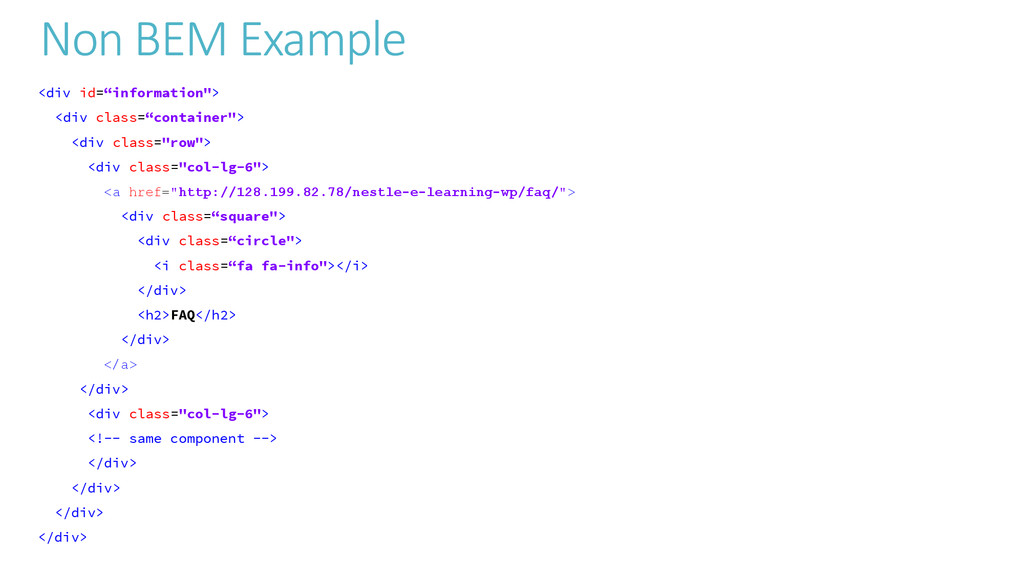
  23. Non BEM Example <div id=“information"> <div class=“container"> <div class="row"> <div

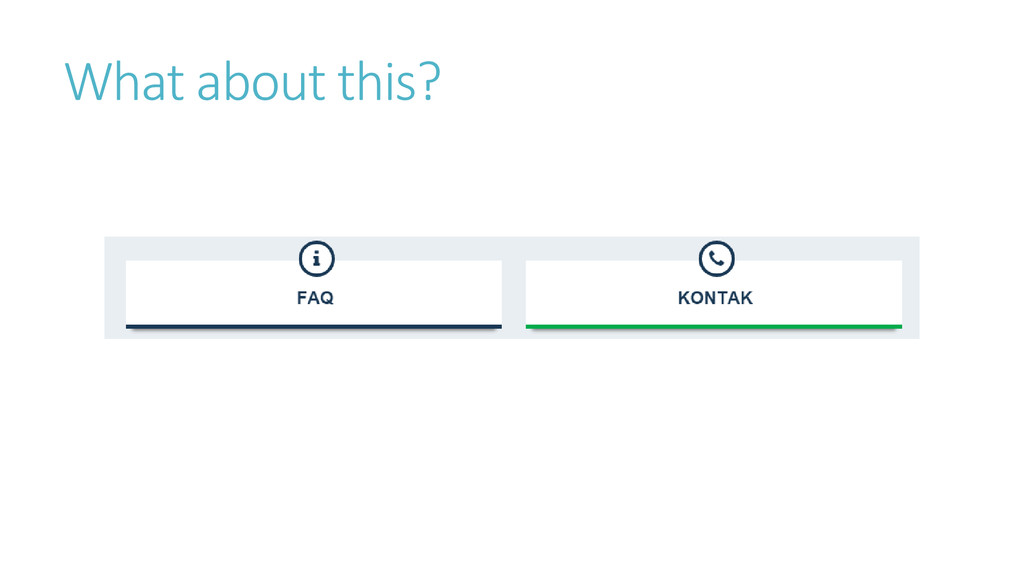
    class="col-lg-6"> <a href="http://128.199.82.78/nestle-e-learning-wp/faq/"> <div class=“square"> <div class=“circle"> <i class=“fa fa-info"></i> </div> <h2>FAQ</h2> </div> </a> </div> <div class="col-lg-6"> <!-- same component --> </div> </div> </div> </div>
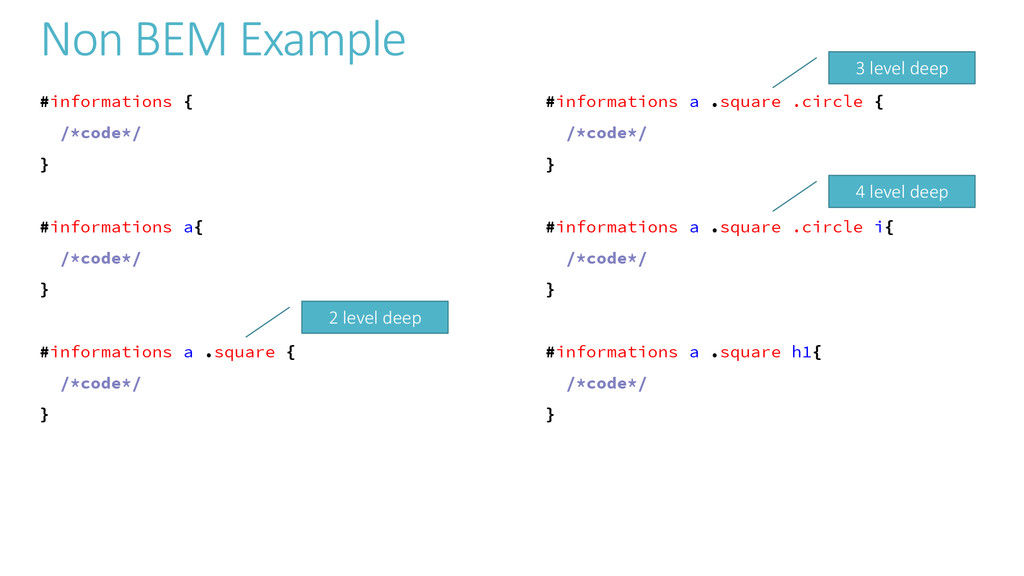
  24. Non BEM Example #informations { /*code*/ } #informations a{ /*code*/

    } #informations a .square { /*code*/ } #informations a .square .circle { /*code*/ } #informations a .square .circle i{ /*code*/ } #informations a .square h1{ /*code*/ } 2 level deep 3 level deep 4 level deep
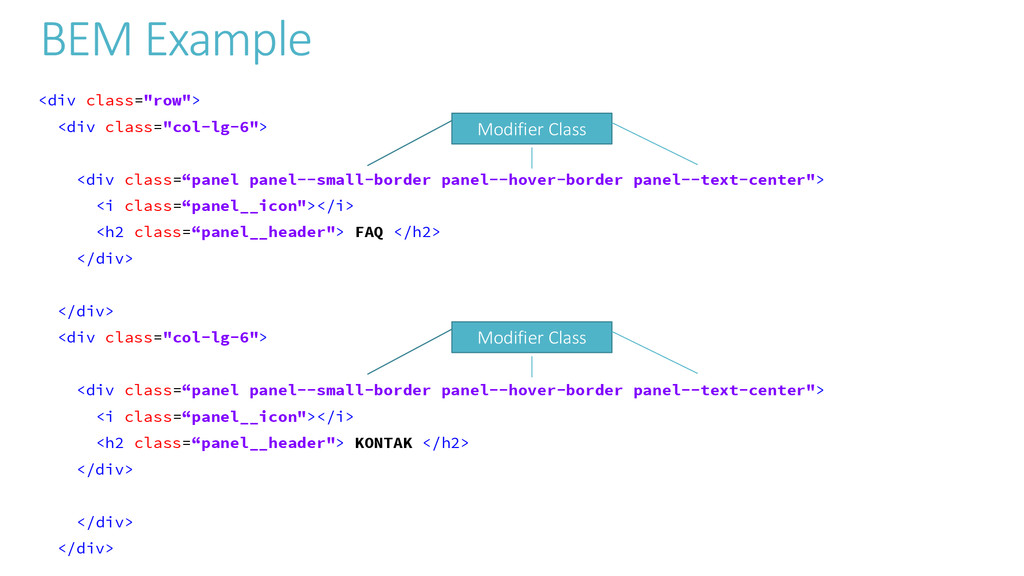
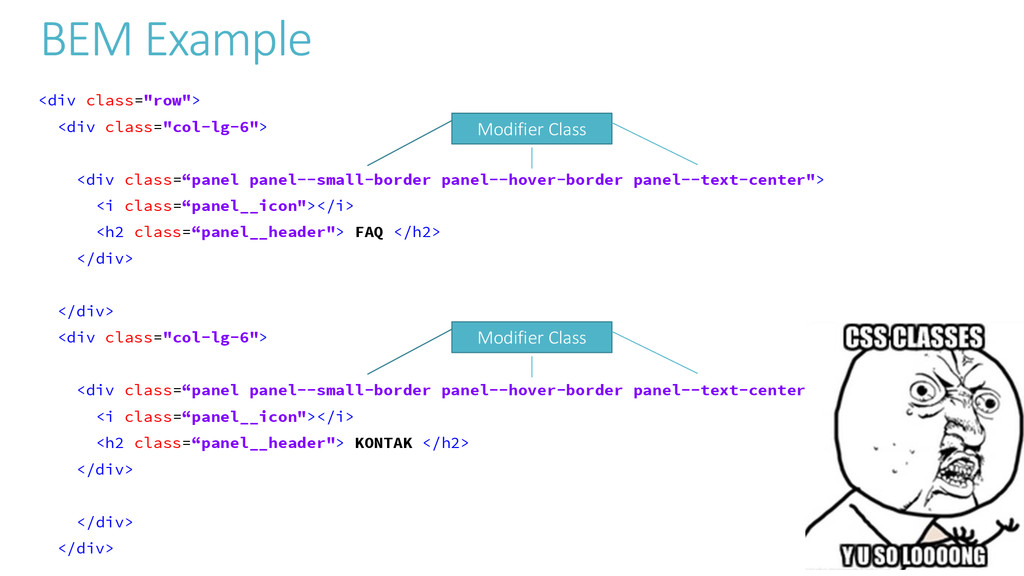
  25. BEM Example <div class="row"> <div class="col-lg-6"> <div class=“panel panel--small-border panel--hover-border

    panel--text-center"> <i class=“panel__icon"></i> <h2 class=“panel__header"> FAQ </h2> </div> </div> <div class="col-lg-6"> <div class=“panel panel--small-border panel--hover-border panel--text-center"> <i class=“panel__icon"></i> <h2 class=“panel__header"> KONTAK </h2> </div> </div> </div> Modifier Class Modifier Class
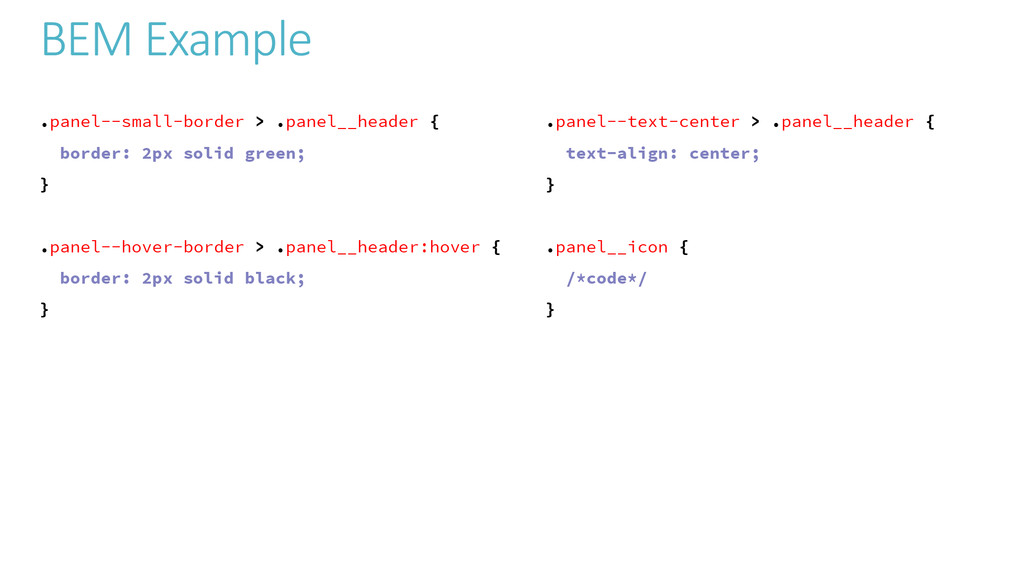
  26. BEM Example .panel--small-border > .panel__header { border: 2px solid green;

    } .panel--hover-border > .panel__header:hover { border: 2px solid black; } .panel--text-center > .panel__header { text-align: center; } .panel__icon { /*code*/ }
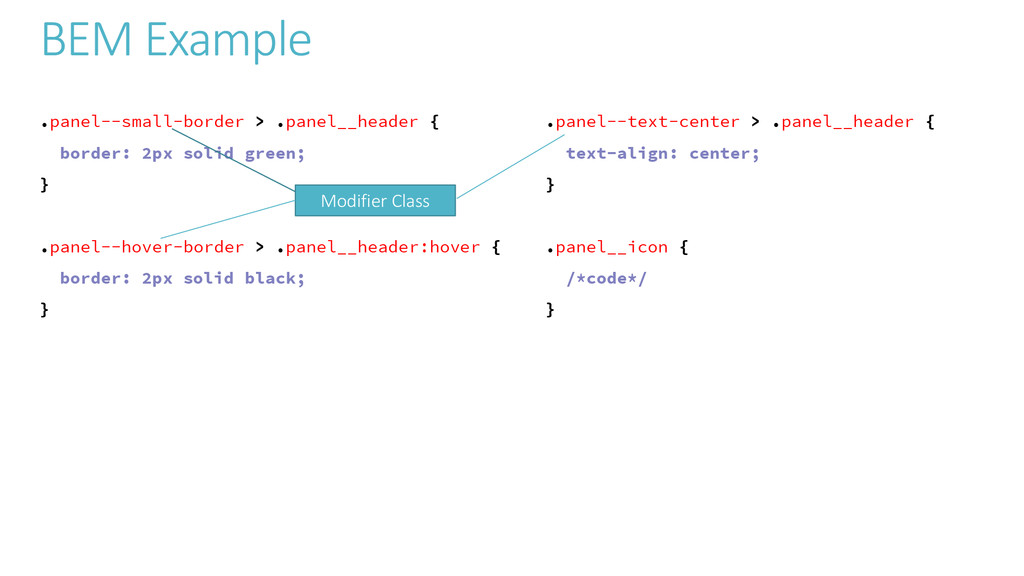
  27. BEM Example .panel--small-border > .panel__header { border: 2px solid green;

    } .panel--hover-border > .panel__header:hover { border: 2px solid black; } .panel--text-center > .panel__header { text-align: center; } .panel__icon { /*code*/ } Modifier Class
  28. BEM Example <div class="row"> <div class="col-lg-6"> <div class=“panel panel--small-border panel--hover-border

    panel--text-center"> <i class=“panel__icon"></i> <h2 class=“panel__header"> FAQ </h2> </div> </div> <div class="col-lg-6"> <div class=“panel panel--small-border panel--hover-border panel--text-center"> <i class=“panel__icon"></i> <h2 class=“panel__header"> KONTAK </h2> </div> </div> </div> Modifier Class Modifier Class
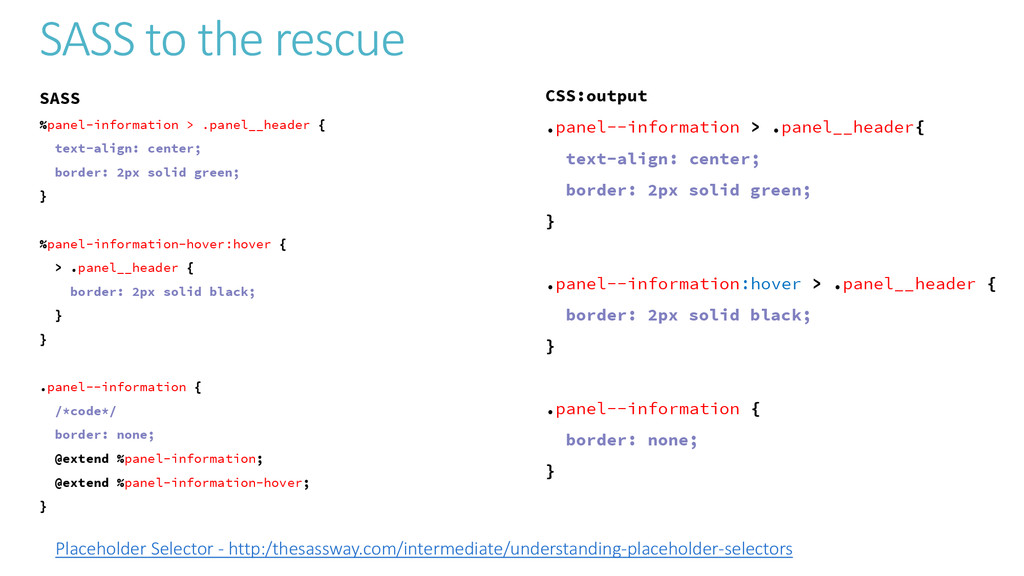
  29. SASS to the rescue SASS %panel-information > .panel__header { text-align:

    center; border: 2px solid green; } %panel-information-hover:hover { > .panel__header { border: 2px solid black; } } .panel--information { /*code*/ border: none; @extend %panel-information; @extend %panel-information-hover; } CSS:output .panel--information > .panel__header{ text-align: center; border: 2px solid green; } .panel--information:hover > .panel__header { border: 2px solid black; } .panel--information { border: none; } Placeholder Selector - http:/thesassway.com/intermediate/understanding-placeholder-selectors
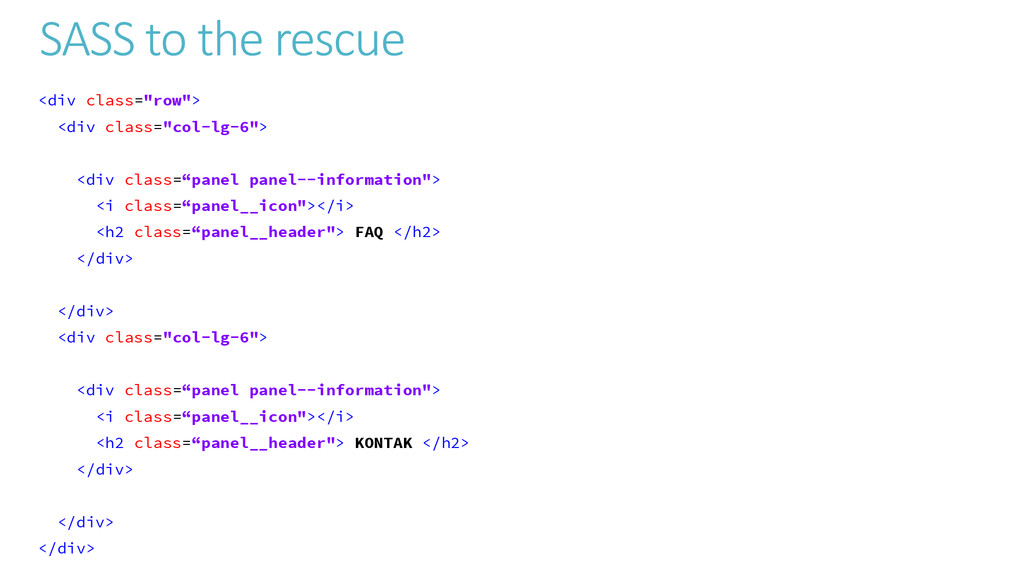
  30. SASS to the rescue <div class="row"> <div class="col-lg-6"> <div class=“panel

    panel--information"> <i class=“panel__icon"></i> <h2 class=“panel__header"> FAQ </h2> </div> </div> <div class="col-lg-6"> <div class=“panel panel--information"> <i class=“panel__icon"></i> <h2 class=“panel__header"> KONTAK </h2> </div> </div> </div>
  31. Final Word A good styleguide and architecture, when well followed,

    will: • Set the standard for code quality across a codebase; • Promote consistency across codebases; • Give developers a feeling of familiarity across codebases; • Reuseable on any and all types of project; • Increase productivity;