Upgrade to Pro
— share decks privately, control downloads, hide ads and more …
Speaker Deck
Sign up for free
Menu
Search
Features
All features
Private URLs
Password Protection
Custom URLS
Scheduled publishing
Remove Branding
Restrict embedding
Deck Collections
Notes
Features
All features
Private URLs
Password Protection
Custom URLS
Scheduled publishing
Remove Branding
Restrict embedding
Deck Collections
Notes
Explore
Featured decks
Featured speakers
Programming
Technology
Storyboards
Explore
Featured decks
Featured speakers
Programming
Technology
Storyboards
Pricing
Search
Sign in
Sign up for free
MuleSoft conhecendo Tipos MIME
Search
Sponsored
·
Your Podcast. Everywhere. Effortlessly.
Share. Educate. Inspire. Entertain. You do you. We'll handle the rest.
→
Alex teles
August 18, 2016
Education
45
0
Share
Embed
Copy iframe code
Copy JS code
Copy link
Start on current slide
MuleSoft conhecendo Tipos MIME
MuleSoft conhecendo Tipos MIME
Alex teles
August 18, 2016
More Decks by Alex teles
See All by Alex teles
Mulesoft configurando conexão com banco AS400 DB2
alexteles10
0
120
Chamando um flow de dentro do Transform Message
alexteles10
0
85
MuleSoft Juntando duas ou mais Listas ordenadas
alexteles10
0
82
MuleSoft Como mockar resultado com transform mensager
alexteles10
0
53
MuleSoft mock com set payload
alexteles10
0
66
Como excluir o conector do facebook Do anyponit
alexteles10
0
86
Baixando conectores que não são nativos
alexteles10
0
69
Editor do Anypoint
alexteles10
0
58
MuleSoft Como fazer um when dentro de um when
alexteles10
0
76
Other Decks in Education
See All in Education
Geografía y fútbol. Atlanta. la megalópolis del fútbol
juanmartin2026
1
12k
Human Perception and Cognition - Lecture 4 - Human-Computer Interaction (1023841ANR)
signer
PRO
0
1.7k
AIでアウトプットできる時代だからこそ、自分の言葉で考えることの大切さ / What's Left to Think, When AI Can Write?
masakiokuda
1
360
Introduction to Primary and Secondary Metabolites their Metabolic Pathways
drpoonamkc
0
150
マークシート試験のTeX言語を用いた自動採点について
doratex
0
5.6k
AIの力を100%引き出すために
frievea
0
600
データマネジメント試験対策教材1〜データマネジメント基礎〜
yoshimura_datam
1
810
子どものためのプログラミング道場『CoderDojo』〜法人提携例〜 / Partnership with CoderDojo Japan
coderdojojapan
PRO
4
19k
AIがコードを書く時代に、何を教えるのか / What Should We Teach in the Age of AI-Generated Code?
ichiroc
1
600
エビデンスベースト英語教育入門:エビデンスは科学的知見(だけ)ではない,制度だ!
terasawat
0
220
Modulo : abc
robintux
0
230
セキュリティ担当がいない中小医療機関を院外のRISSはどう支えるべきか / How External RISS Can Help Small Medical Institutions
eller86
1
220
Featured
See All Featured
Money Talks: Using Revenue to Get Sh*t Done
nikkihalliwell
0
510
<Decoding/> the Language of Devs - We Love SEO 2024
nikkihalliwell
1
350
Leading Effective Engineering Teams in the AI Era
addyosmani
9
2.7k
XXLCSS - How to scale CSS and keep your sanity
sugarenia
250
1.3M
Principles of Awesome APIs and How to Build Them.
keavy
128
18k
Stewardship and Sustainability of Urban and Community Forests
pwiseman
0
540
So, you think you're a good person
axbom
PRO
2
2.2k
JAMstack: Web Apps at Ludicrous Speed - All Things Open 2022
reverentgeek
1
620
Chrome DevTools: State of the Union 2024 - Debugging React & Beyond
addyosmani
10
1.4k
How to Talk to Developers About Accessibility
jct
2
570
Groundhog Day: Seeking Process in Gaming for Health
codingconduct
0
400
Why Our Code Smells
bkeepers
PRO
340
58k
Transcript
MuleSoft
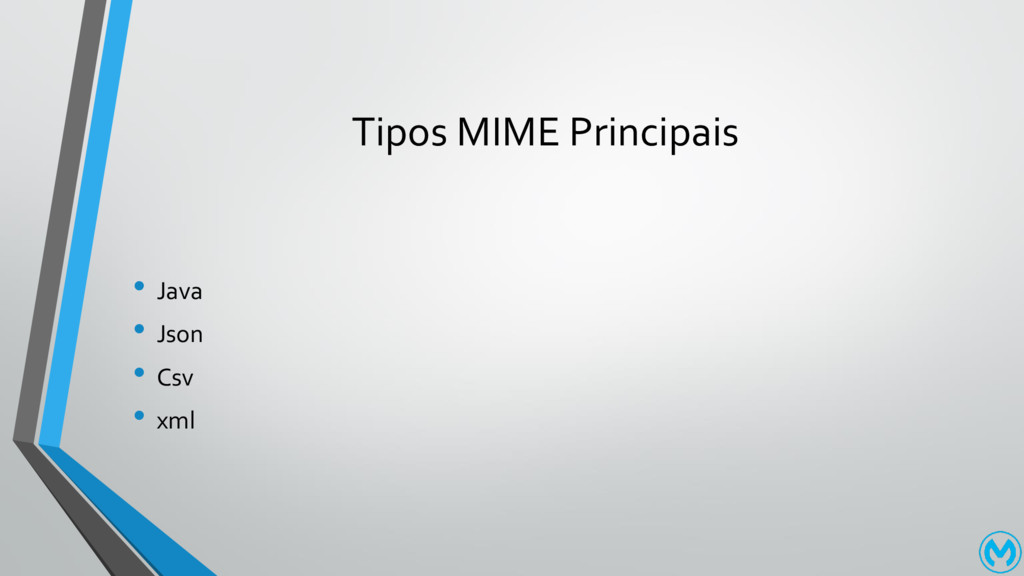
Tipos MIME Principais • Java • Json • Csv •
xml
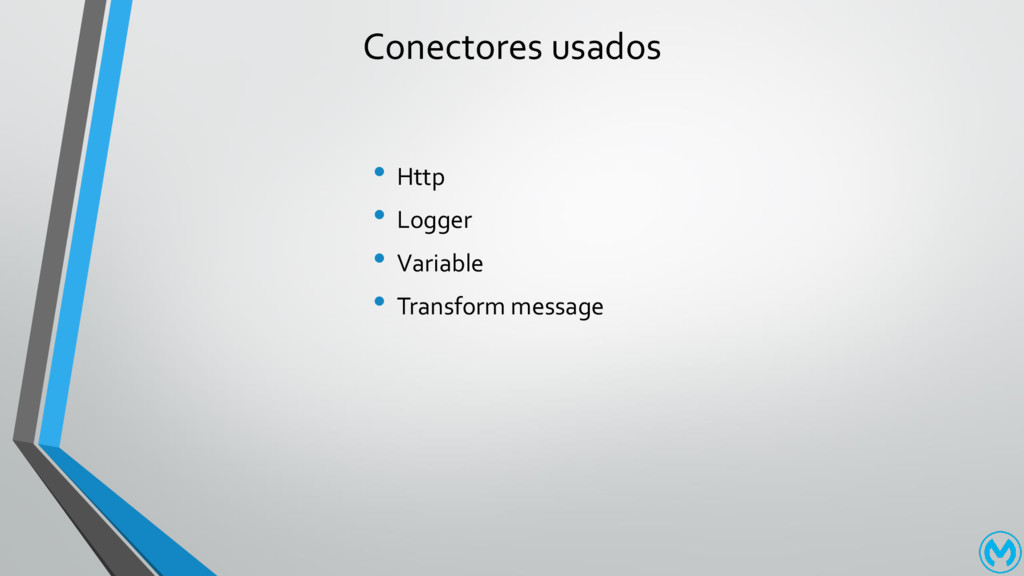
Conectores usados • Http • Logger • Variable • Transform
message
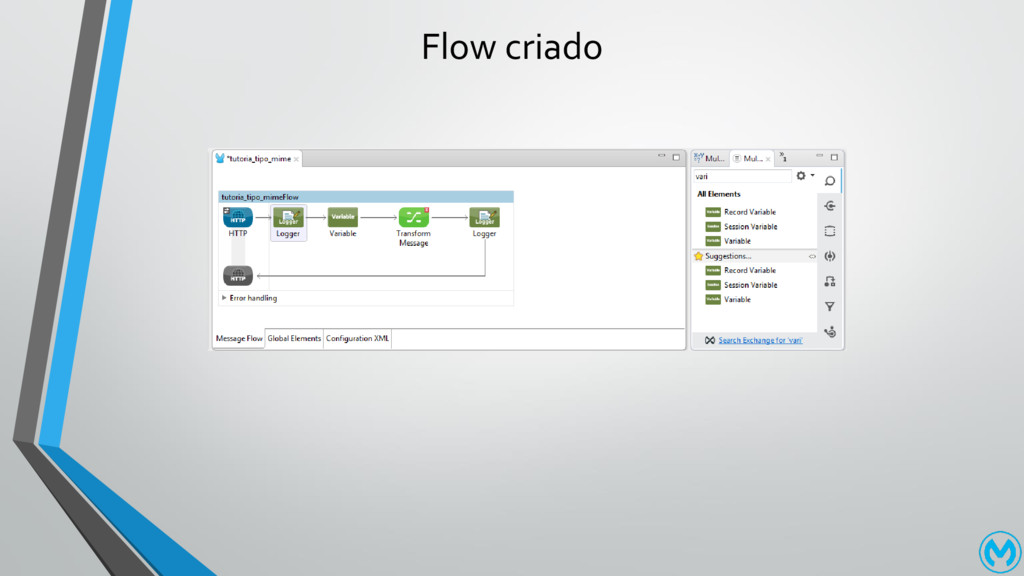
Flow criado
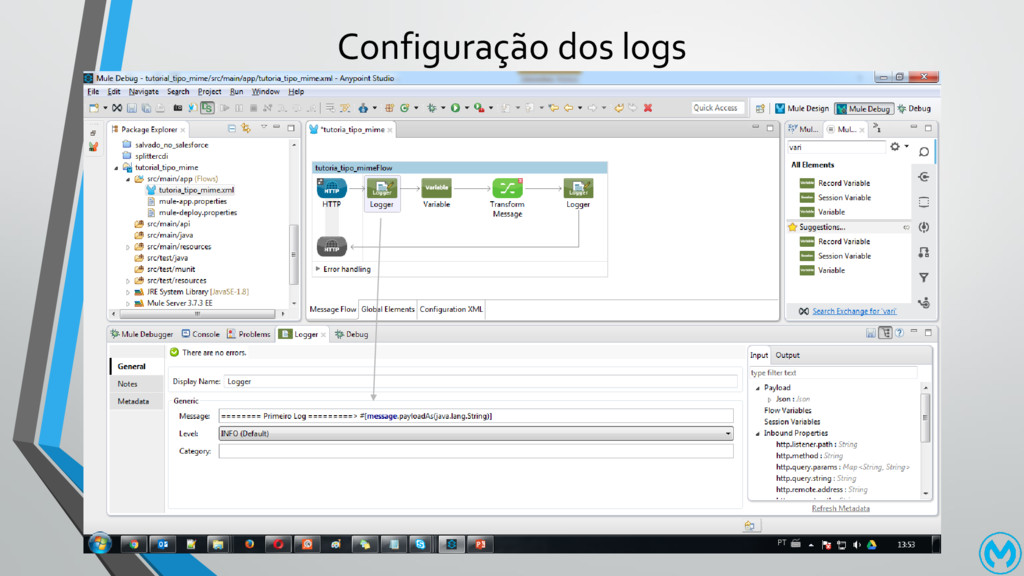
Configuração dos logs
XML dos Logger • <logger message="======== Primeiro Log =========> #[message.payloadAs(java.lang.String)]"
level="INFO" doc:name="Logger"/>
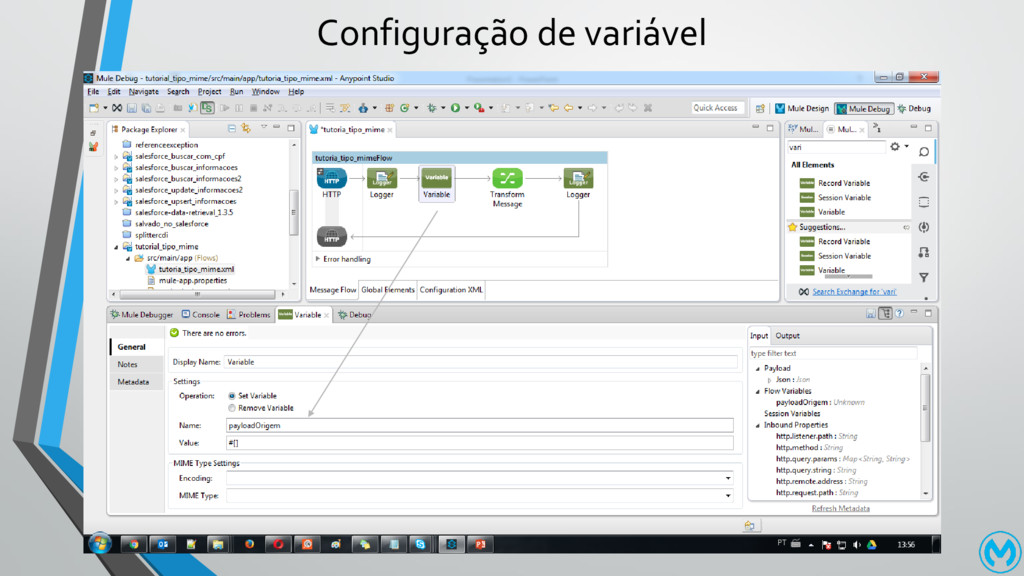
Configuração de variável
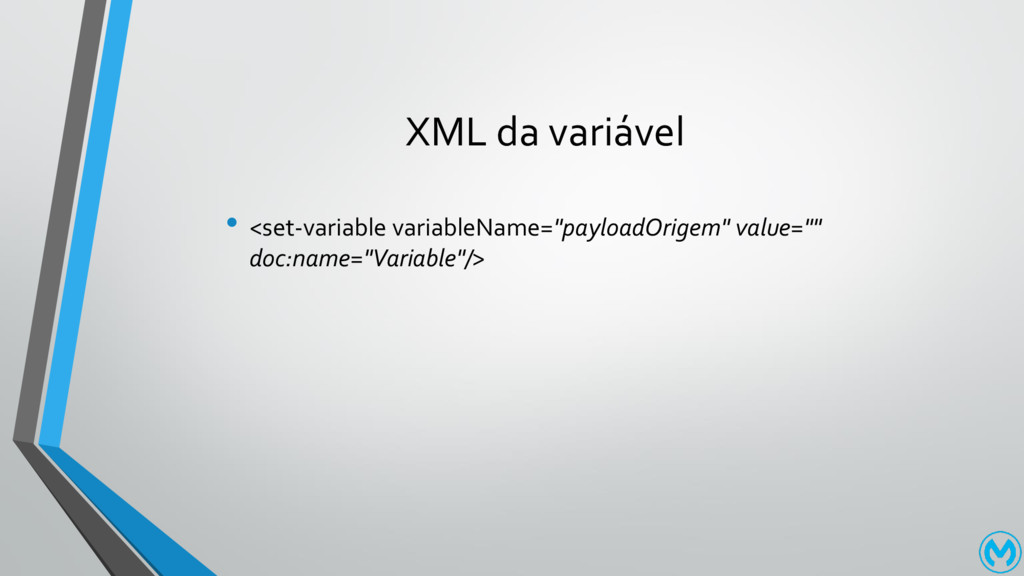
XML da variável • <set-variable variableName="payloadOrigem" value="" doc:name="Variable"/>
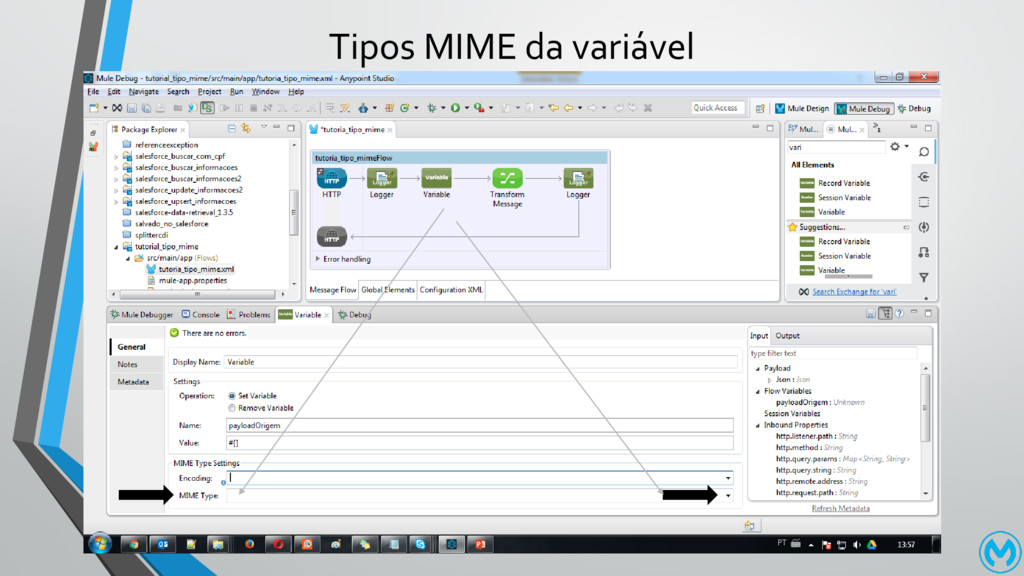
Tipos MIME da variável
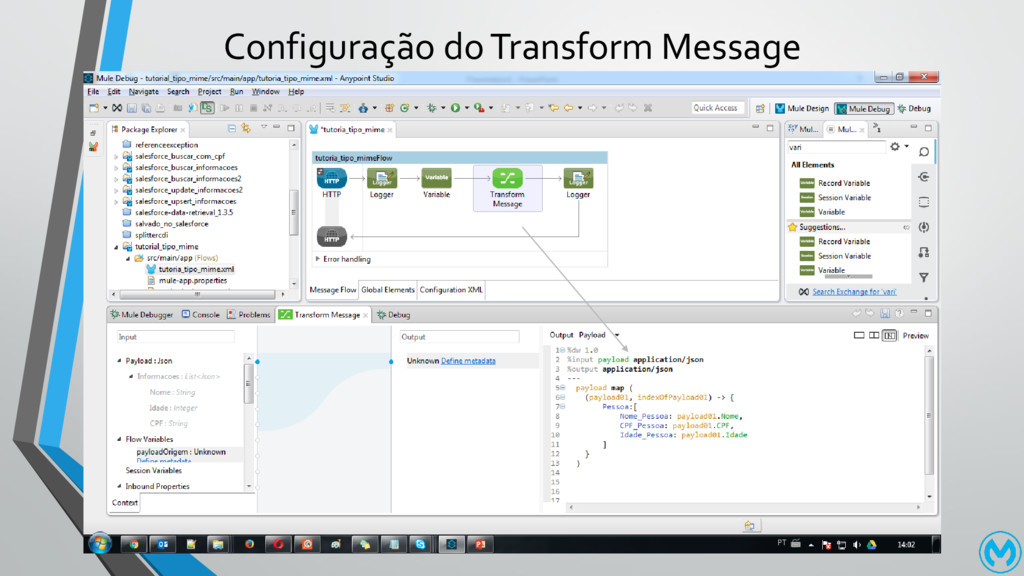
Configuração do Transform Message
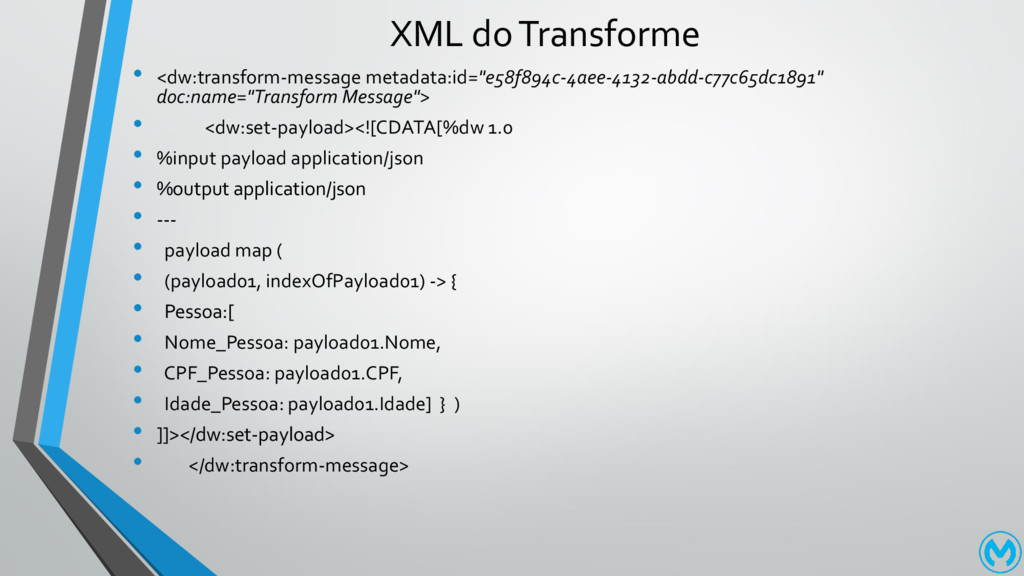
XML do Transforme • <dw:transform-message metadata:id="e58f894c-4aee-4132-abdd-c77c65dc1891" doc:name="Transform Message"> • <dw:set-payload><![CDATA[%dw
1.0 • %input payload application/json • %output application/json • --- • payload map ( • (payload01, indexOfPayload01) -> { • Pessoa:[ • Nome_Pessoa: payload01.Nome, • CPF_Pessoa: payload01.CPF, • Idade_Pessoa: payload01.Idade] } ) • ]]></dw:set-payload> • </dw:transform-message>
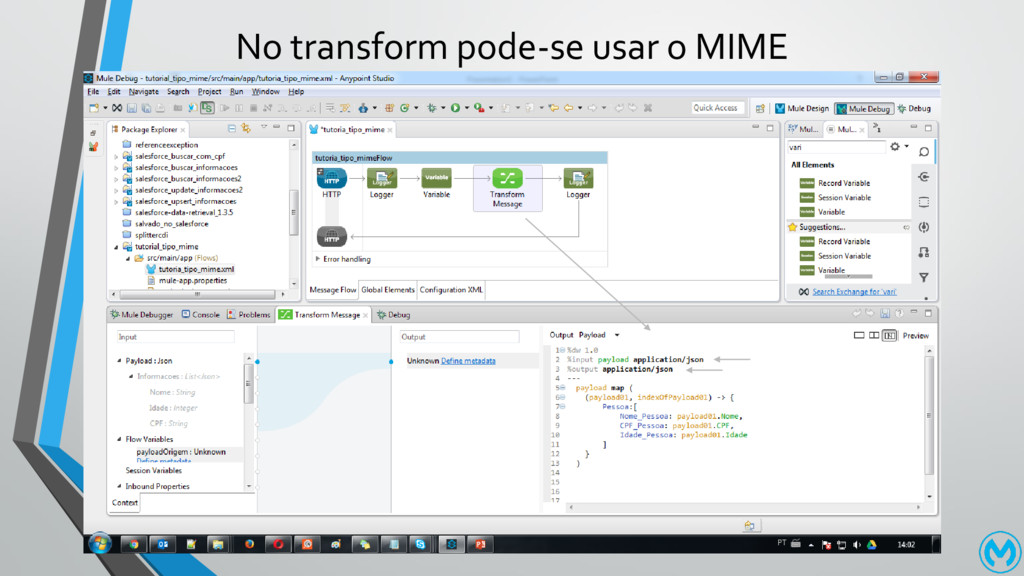
No transform pode-se usar o MIME
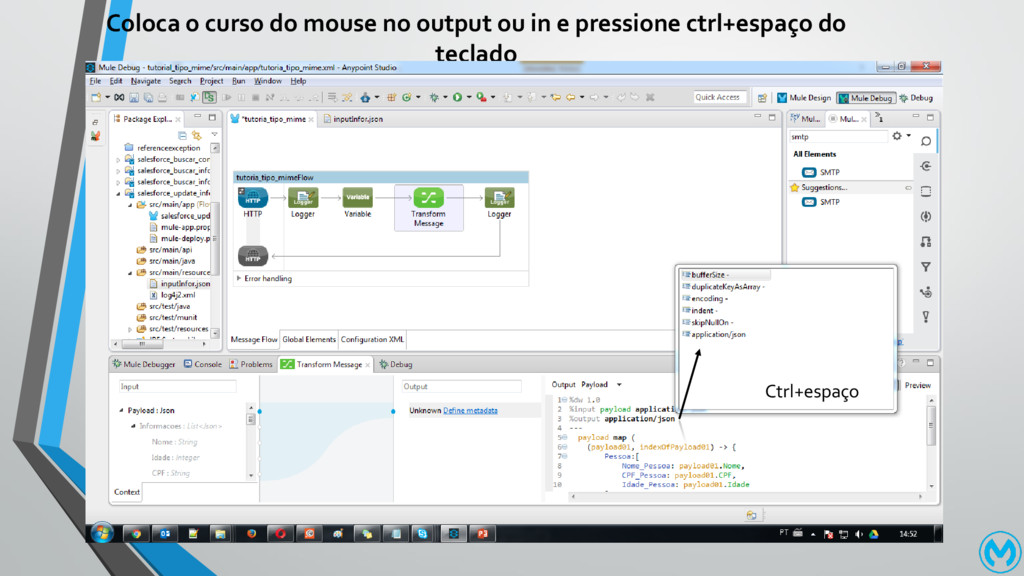
Coloca o curso do mouse no output ou in e
pressione ctrl+espaço do teclado Ctrl+espaço
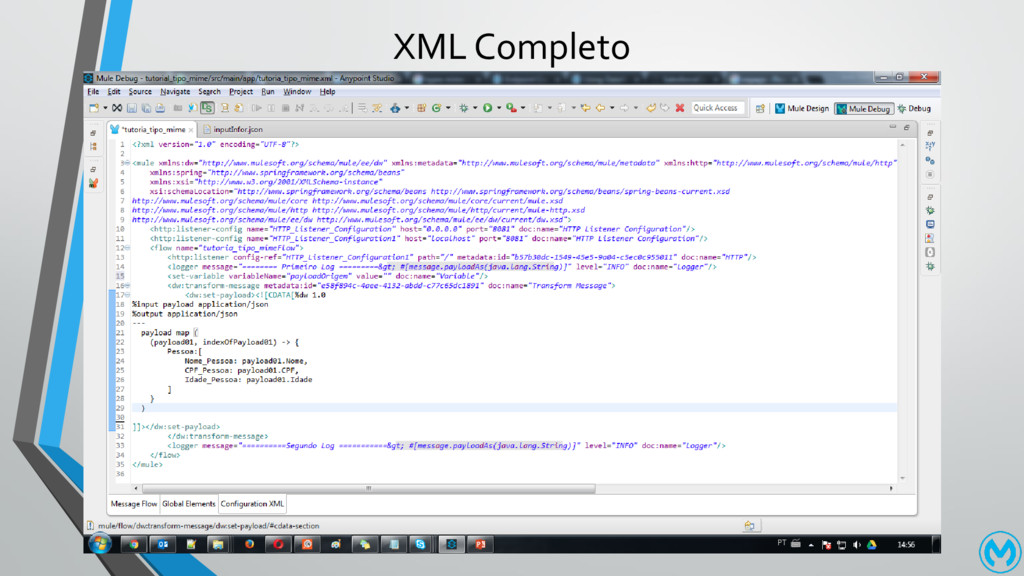
XML Completo
• Bom chegamos ao fim muito obrigado a todos


 alexteles10
 juanmartin2026
 signer
 masakiokuda
 drpoonamkc
 doratex
 frievea
 yoshimura_datam
 coderdojojapan
 ichiroc
 terasawat
 robintux
 eller86
 nikkihalliwell
 addyosmani
 sugarenia
 keavy
keavy
 pwiseman
 axbom
axbom
 reverentgeek
 jct
jct
 codingconduct
 bkeepers

![XML dos Logger • <logger message="======== Primeiro Log =========> #[message.payloadAs(java.lang.String)]"](https://files.speakerdeck.com/presentations/438a0ada1fc940d49de98daec91798d6/slide_5.jpg)