Upgrade to Pro
— share decks privately, control downloads, hide ads and more …
Speaker Deck
Sign up for free
Menu
Search
Features
All features
Private URLs
Password Protection
Custom URLS
Scheduled publishing
Remove Branding
Restrict embedding
Deck Collections
Notes
Features
All features
Private URLs
Password Protection
Custom URLS
Scheduled publishing
Remove Branding
Restrict embedding
Deck Collections
Notes
Explore
Featured decks
Featured speakers
Programming
Technology
Storyboards
Explore
Featured decks
Featured speakers
Programming
Technology
Storyboards
Pricing
Search
Sign in
Sign up for free
Editor do Anypoint
Search
Sponsored
·
Your Podcast. Everywhere. Effortlessly.
Share. Educate. Inspire. Entertain. You do you. We'll handle the rest.
→
Alex teles
December 29, 2016
Education
58
0
Share
Embed
Copy iframe code
Copy JS code
Copy link
Start on current slide
Editor do Anypoint
Editor do Anypoint
Alex teles
December 29, 2016
More Decks by Alex teles
See All by Alex teles
Mulesoft configurando conexão com banco AS400 DB2
alexteles10
0
120
Chamando um flow de dentro do Transform Message
alexteles10
0
85
MuleSoft Juntando duas ou mais Listas ordenadas
alexteles10
0
82
MuleSoft Como mockar resultado com transform mensager
alexteles10
0
53
MuleSoft mock com set payload
alexteles10
0
66
Como excluir o conector do facebook Do anyponit
alexteles10
0
86
Baixando conectores que não são nativos
alexteles10
0
69
MuleSoft Como fazer um when dentro de um when
alexteles10
0
76
MuleSoft Property configuração
alexteles10
0
65
Other Decks in Education
See All in Education
[2026後期火5] 論理学(京都大学文学部 後期 第1回)「名前はあるのに、誰なのかわからない」
yatabe
0
140
25-26 CBT Library top items
cbtlibrary
0
340
子どものためのプログラミング道場『CoderDojo』〜法人提携例〜 / Partnership with CoderDojo Japan
coderdojojapan
PRO
4
19k
Railsチュートリアル × 反転学習の事例紹介
yasslab
PRO
3
190k
CLASSIFICATION OF CRUDE DRUGS
pawan_pharm
0
210
Introduction to M&A
bvr7352
0
230
【新規入学者様】ZEPメタバース校舎ガイド
ainischool
0
190
未踏峰連山 Frontiers: Creating and Conquering Untrodden Peaks
ishii_mit
1
160
1007
cbtlibrary
0
190
2026年度秋学期 統計学 第1回 イントロダクション ー 統計的なものの見方・考え方について (2026. 9. 29)
akiraasano
PRO
0
250
Adobe Express
matleenalaakso
2
8.4k
GENERAL PHARMACOLOGY
pawan_pharm
0
180
Featured
See All Featured
4 Signs Your Business is Dying
shpigford
187
23k
Mobile First: as difficult as doing things right
swwweet
225
10k
Mozcon NYC 2025: Stop Losing SEO Traffic
samtorres
1
570
Designing for Performance
lara
612
70k
A brief & incomplete history of UX Design for the World Wide Web: 1989–2019
jct
2
530
SEO in 2025: How to Prepare for the Future of Search
ipullrank
3
3.9k
Efficient Content Optimization with Google Search Console & Apps Script
katarinadahlin
PRO
1
920
Agile Actions for Facilitating Distributed Teams - ADO2019
mkilby
0
300
Rails Girls Zürich Keynote
gr2m
96
14k
Lightning talk: Run Django tests with GitHub Actions
sabderemane
0
300
Making the Leap to Tech Lead
cromwellryan
135
10k
Prompt Engineering for Job Search
mfonobong
0
500
Transcript
RAML Editor do Anypoint
Usando o editor do Anypoint
The simplest way to design APIs Links da linguagem
http://raml.org/developers/raml-100-tutorial http://raml.org/
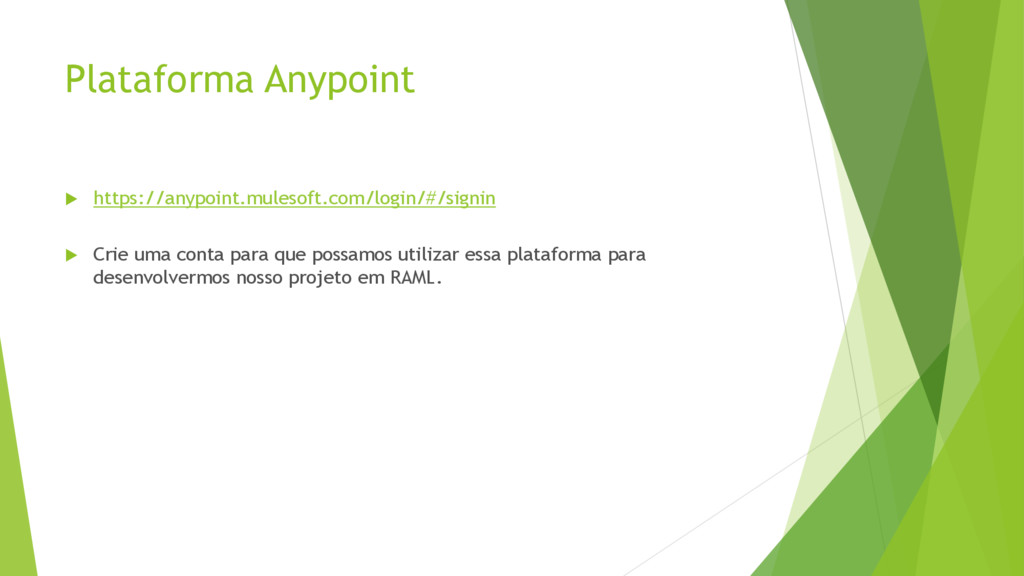
Plataforma Anypoint https://anypoint.mulesoft.com/login/#/signin Crie uma conta para que
possamos utilizar essa plataforma para desenvolvermos nosso projeto em RAML.
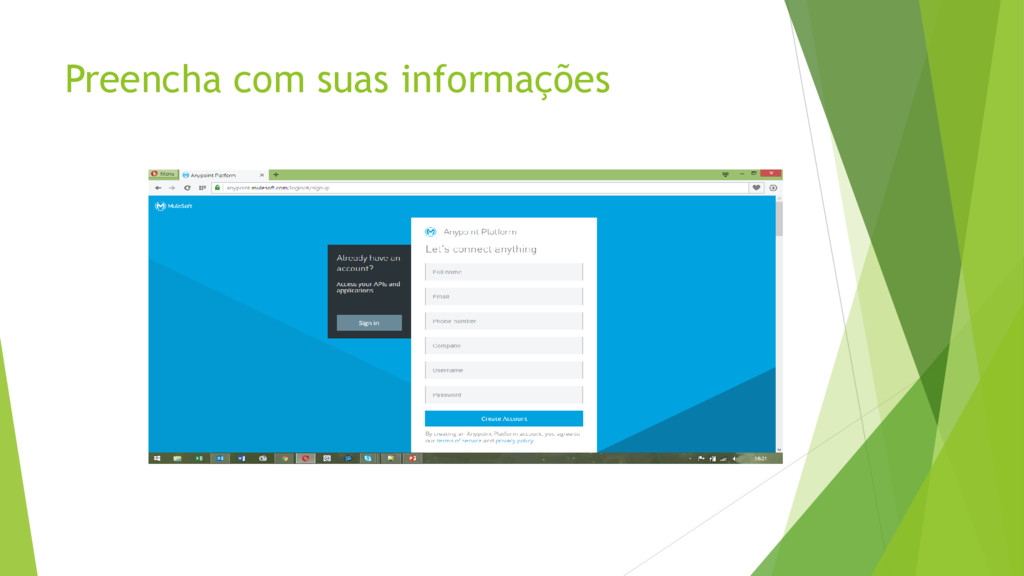
Preencha com suas informações
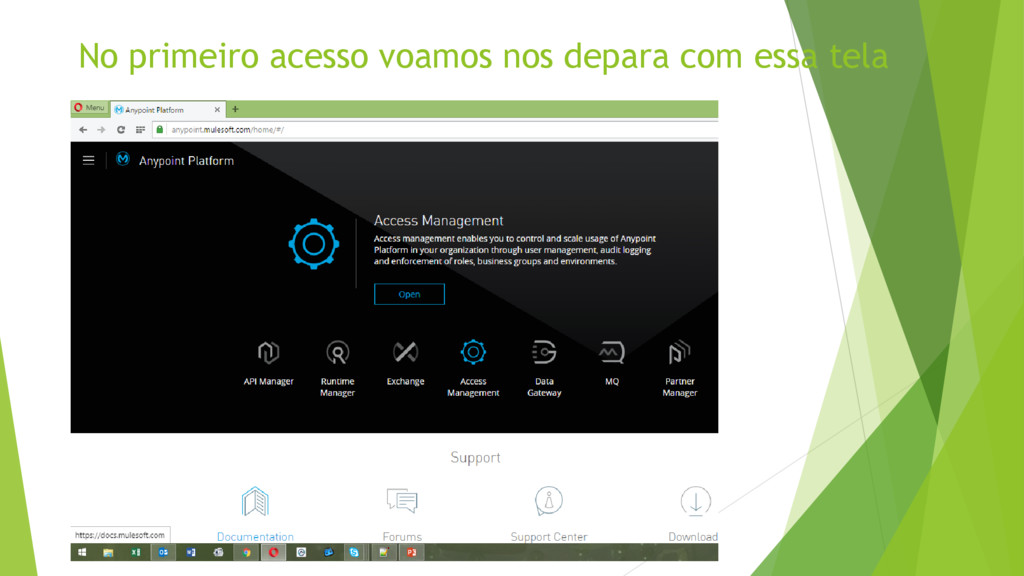
No primeiro acesso voamos nos depara com essa tela
Clique em API Manager
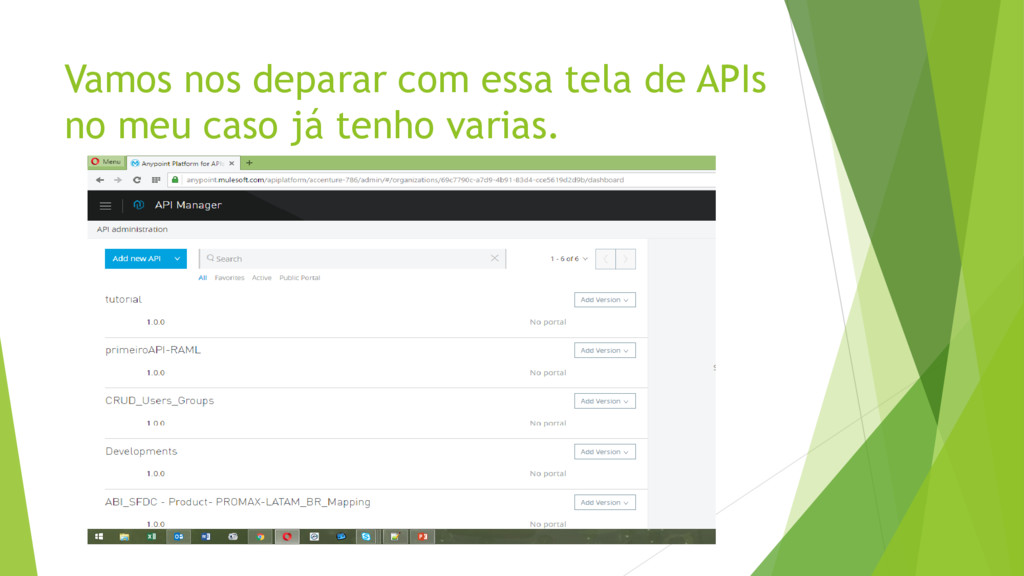
Vamos nos deparar com essa tela de APIs no meu
caso já tenho varias.
Agora vamos adicionar uma nova API clique em Add new
API aqui
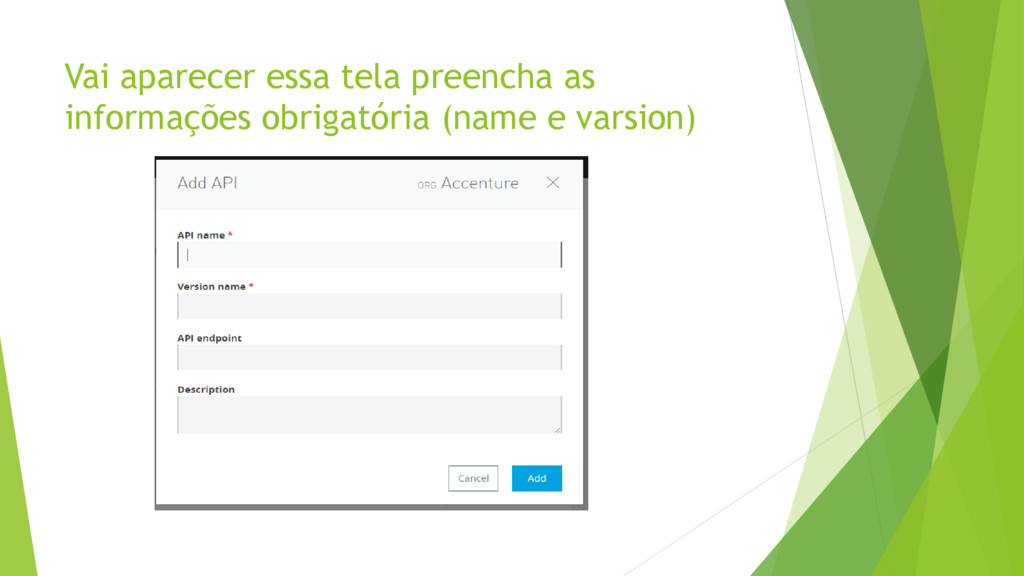
Vai aparecer essa tela preencha as informações obrigatória (name e
varsion)
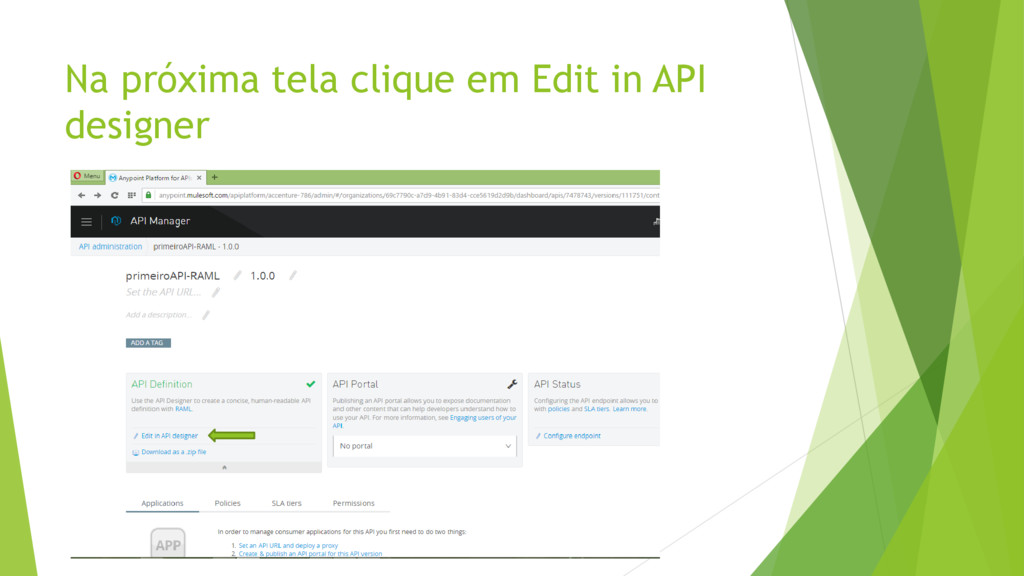
Na próxima tela clique em Edit in API designer
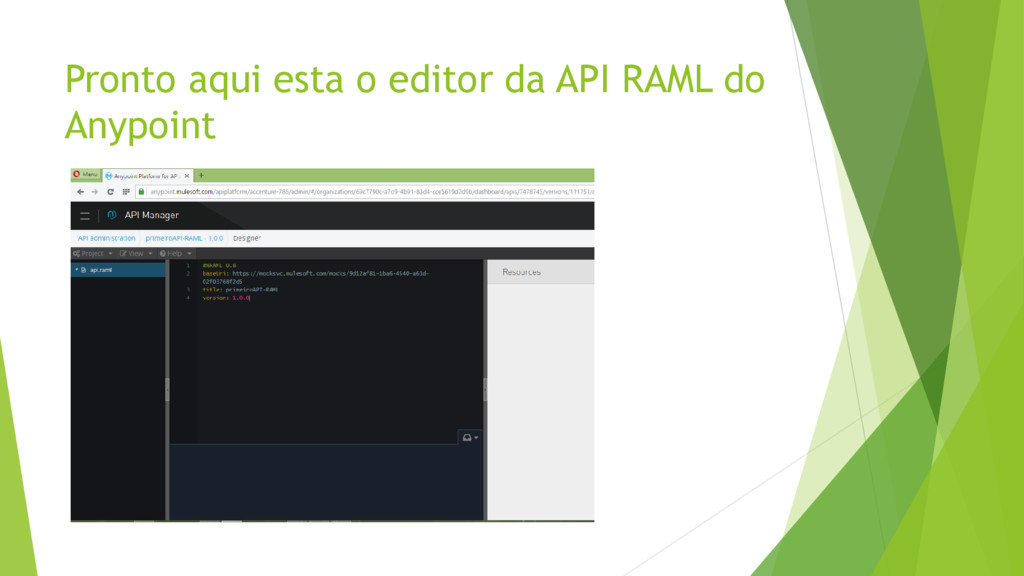
Pronto aqui esta o editor da API RAML do Anypoint
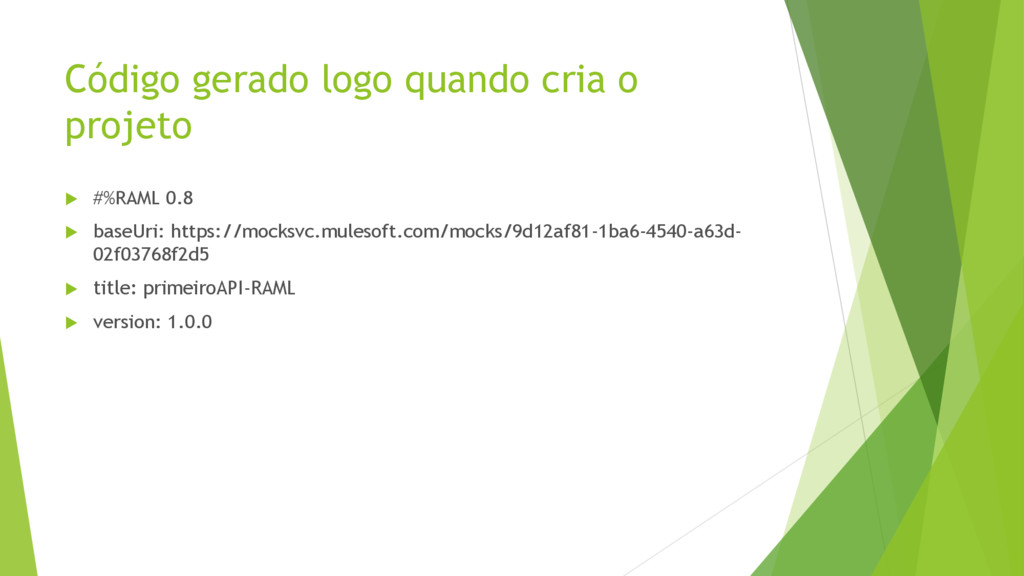
Código gerado logo quando cria o projeto #%RAML 0.8
baseUri: https://mocksvc.mulesoft.com/mocks/9d12af81-1ba6-4540-a63d- 02f03768f2d5 title: primeiroAPI-RAML version: 1.0.0
FIM Obrigado a todos


 alexteles10
 yatabe
 cbtlibrary
 coderdojojapan
 yasslab
 pawan_pharm
 bvr7352
 ainischool
 ishii_mit
 akiraasano
 matleenalaakso
 shpigford
 swwweet
 samtorres
 lara
lara
 jct
jct
 ipullrank
 katarinadahlin
 mkilby
 gr2m
gr2m
 sabderemane
 cromwellryan
 mfonobong