Upgrade to Pro
— share decks privately, control downloads, hide ads and more …
Speaker Deck
Sign up for free
Menu
Search
Features
All features
Private URLs
Password Protection
Custom URLS
Scheduled publishing
Remove Branding
Restrict embedding
Deck Collections
Notes
Features
All features
Private URLs
Password Protection
Custom URLS
Scheduled publishing
Remove Branding
Restrict embedding
Deck Collections
Notes
Explore
Featured decks
Featured speakers
Programming
Technology
Storyboards
Explore
Featured decks
Featured speakers
Programming
Technology
Storyboards
Pricing
Search
Sign in
Sign up for free
演習:Gitの応用操作 / 05-git-advanced
Search
kaityo256
PRO
March 04, 2026
Education
450
1
Share
Embed
Copy iframe code
Copy JS code
Copy link
Start on current slide
演習:Gitの応用操作 / 05-git-advanced
kaityo256
PRO
March 04, 2026
More Decks by kaityo256
See All by kaityo256
生成AIとの付き合い方/ How to work with AI
kaityo256
PRO
3
940
パズルゲームの作り方 / how to make puzzle games
kaityo256
PRO
2
310
What is XAI?
kaityo256
PRO
0
220
勾配ブースティングと決定木の話 / gradient boosting and decision trees
kaityo256
PRO
7
1.9k
GNU Makeの使い方 / How to use GNU Make
kaityo256
PRO
17
6.1k
この講義について / 00-setup
kaityo256
PRO
3
560
GitHubによるWebアプリケーションのデプロイ / 07-github-deploy
kaityo256
PRO
2
500
演習:Gitの基本操作 / 04-git-basic
kaityo256
PRO
1
750
演習:GitHubの基本操作 / 06-github-basic
kaityo256
PRO
1
570
Other Decks in Education
See All in Education
パラグラフから始めるアカデミック・ライティング
neuroiwm
3
2.6k
SANG PENCIPTA BERBICARA (01ABSG-Q4-2026)
ssmedikasda
0
520
Book-keeping
bvr7352
0
140
1007
cbtlibrary
0
250
Session 3 - Mass Communication
adeputra13
0
260
INTRODUCTION TO THE CELL
pawan_pharm
0
360
オンラインコミュニティ TRY部 体験マニュアル
ytapples613
0
390
Dronegeografía innovación didáctica y fotogrametría 3D para la enseñanza de la geografía local y la ciudadaniía activa
juanmartin2026
0
60k
HTTP APIs in Python
madhuri28
0
110
実践プレゼンテーション・デザイン
dragon2
1
470
Introduction - Lecture 1 - Web Technologies (1019888BNR)
signer
PRO
0
6.6k
Before You Scale: Understand the Theory Behind the Simulation
pfn
PRO
1
170
Featured
See All Featured
Keith and Marios Guide to Fast Websites
keithpitt
413
23k
Leo the Paperboy
mayatellez
10
2.4k
Claude Code どこまでも/ Claude Code Everywhere
nwiizo
68
59k
Design in an AI World
tapps
1
370
How People are Using Generative and Agentic AI to Supercharge Their Products, Projects, Services and Value Streams Today
helenjbeal
2
380
The Success of Rails: Ensuring Growth for the Next 100 Years
eileencodes
47
8.4k
The agentic SEO stack - context over prompts
schlessera
0
990
Navigating Team Friction
lara
192
16k
Cheating the UX When There Is Nothing More to Optimize - PixelPioneers
stephaniewalter
287
14k
10 Git Anti Patterns You Should be Aware of
lemiorhan
PRO
659
62k
Ethics towards AI in product and experience design
skipperchong
2
450
Thoughts on Productivity
jonyablonski
76
5.4k
Transcript
1 36 演習:Gitの応用操作 慶應義塾大学理工学部物理情報工学科 渡辺 2026年3月9日 計算物理春の学校2026「計算物理屋のためのGit/GitHub入門」
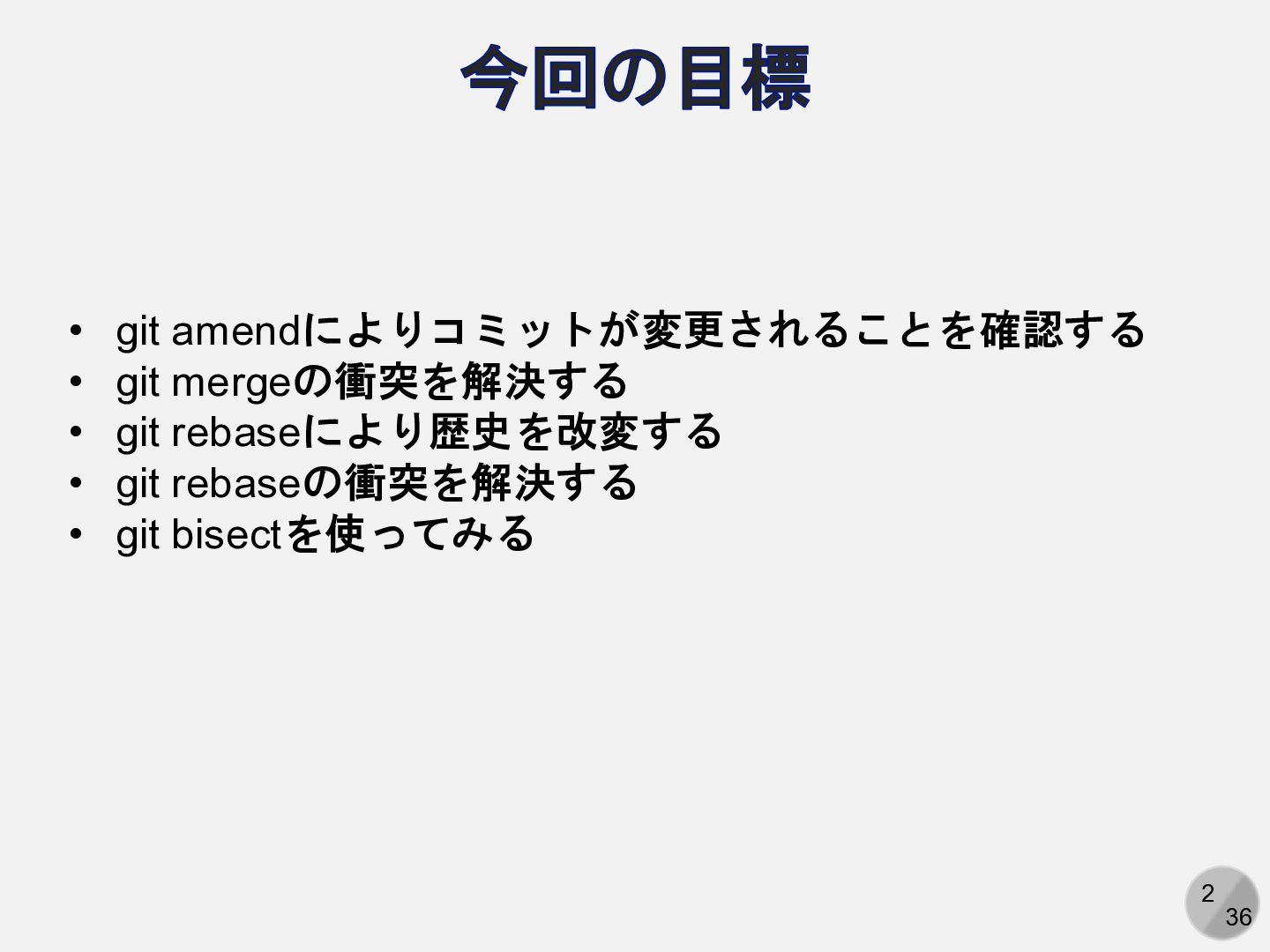
2 36 今回の目標 • git amendによりコミットが変更されることを確認する • git mergeの衝突を解決する •
git rebaseにより歴史を改変する • git rebaseの衝突を解決する • git bisectを使ってみる
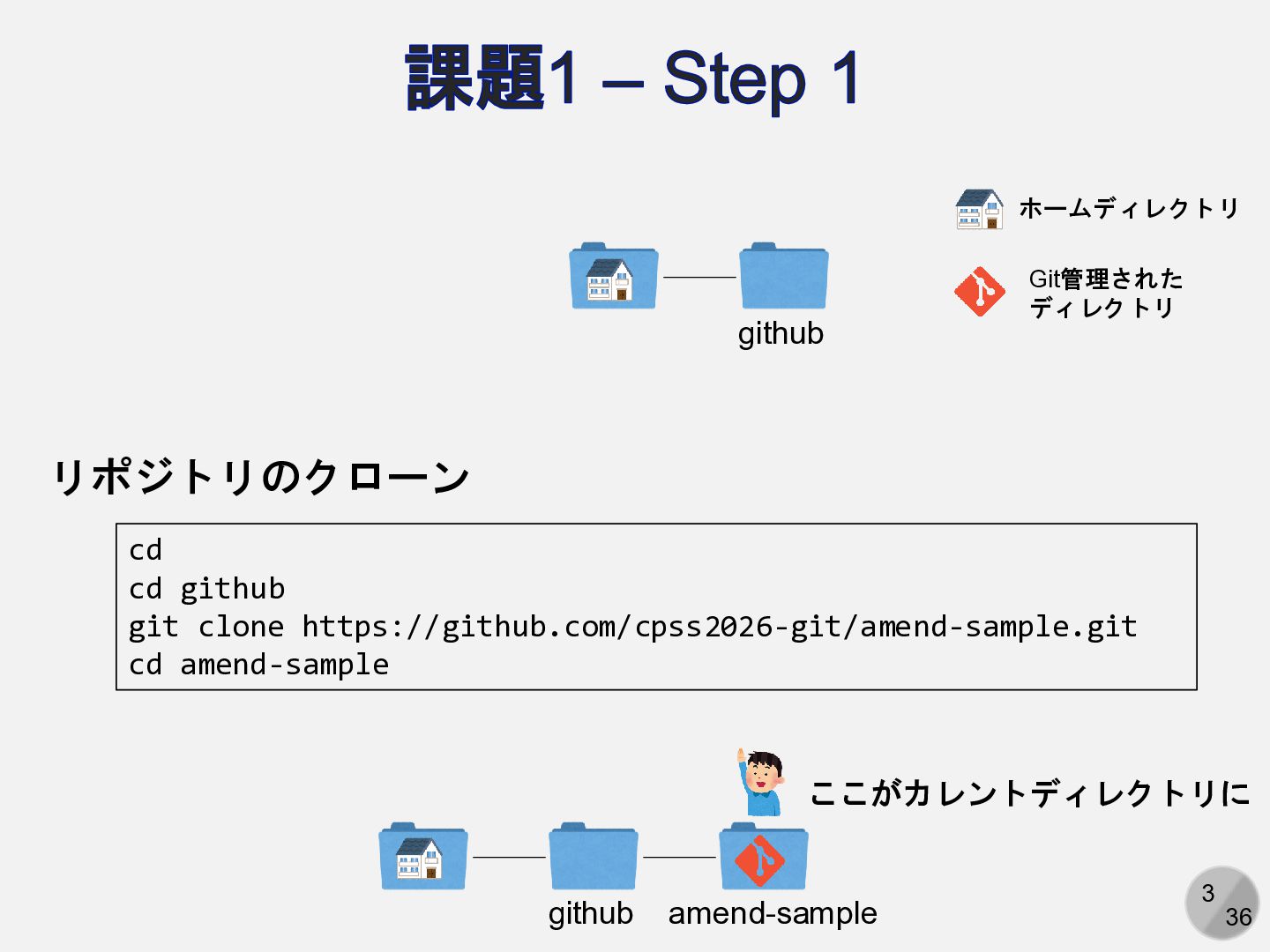
3 36 課題1 – Step 1 リポジトリのクローン github cd cd
github git clone https://github.com/cpss2026-git/amend-sample.git cd amend-sample github amend-sample ホームディレクトリ Git管理された ディレクトリ ここがカレントディレクトリに
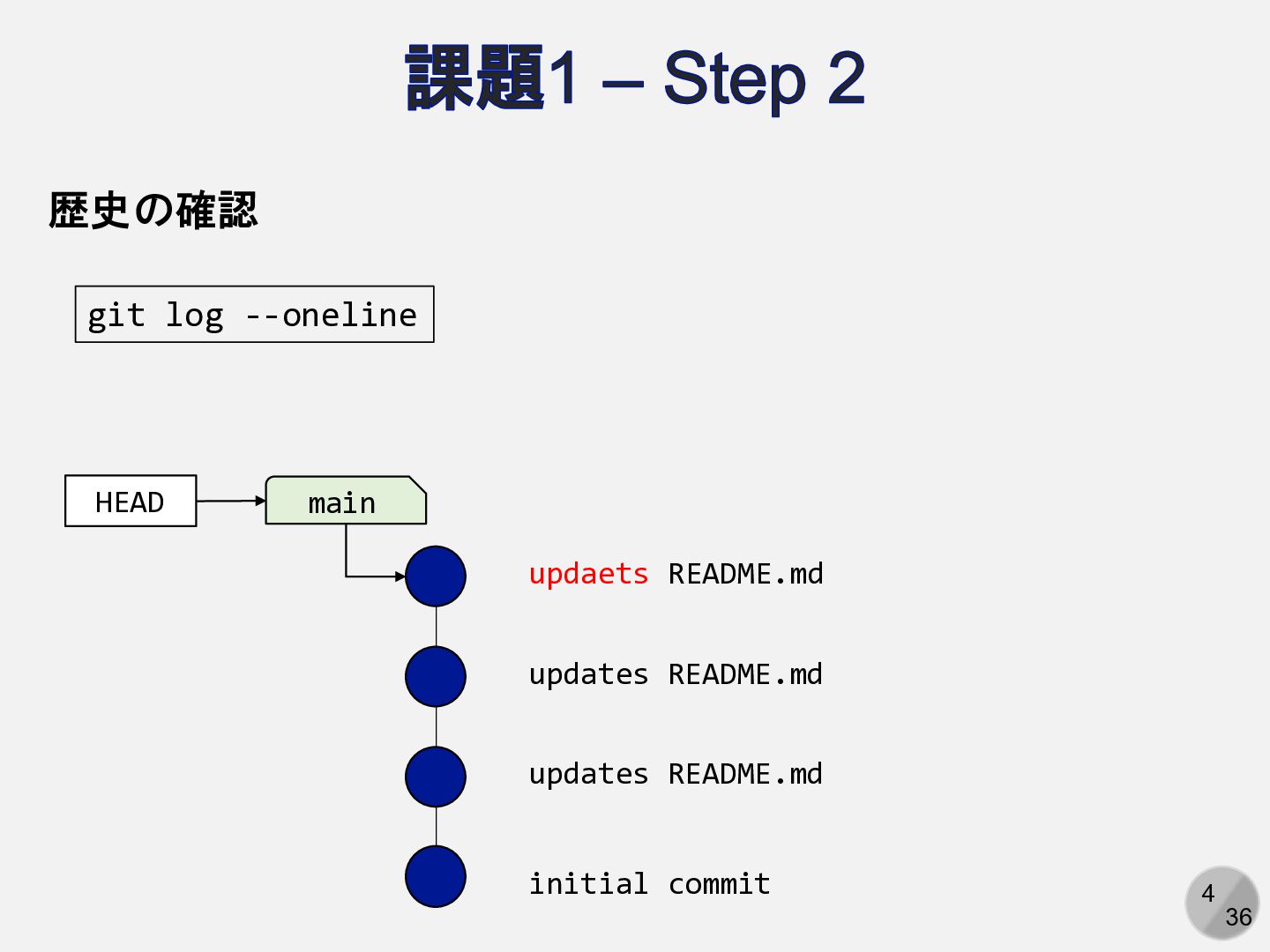
4 36 課題1 – Step 2 git log --oneline initial
commit updates README.md updates README.md updaets README.md main HEAD 歴史の確認
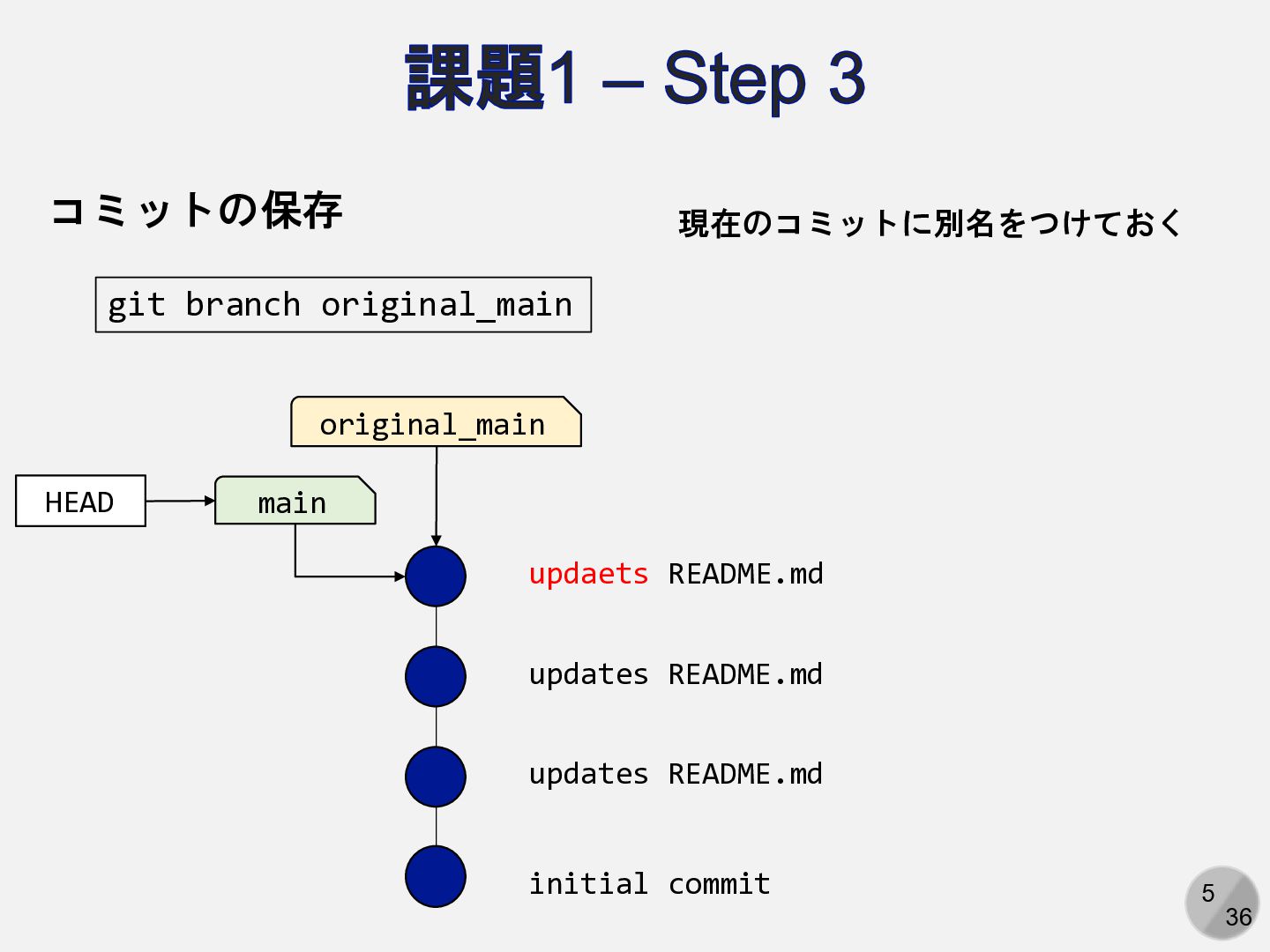
5 36 課題1 – Step 3 コミットの保存 initial commit updates
README.md updates README.md updaets README.md main HEAD original_main git branch original_main 現在のコミットに別名をつけておく
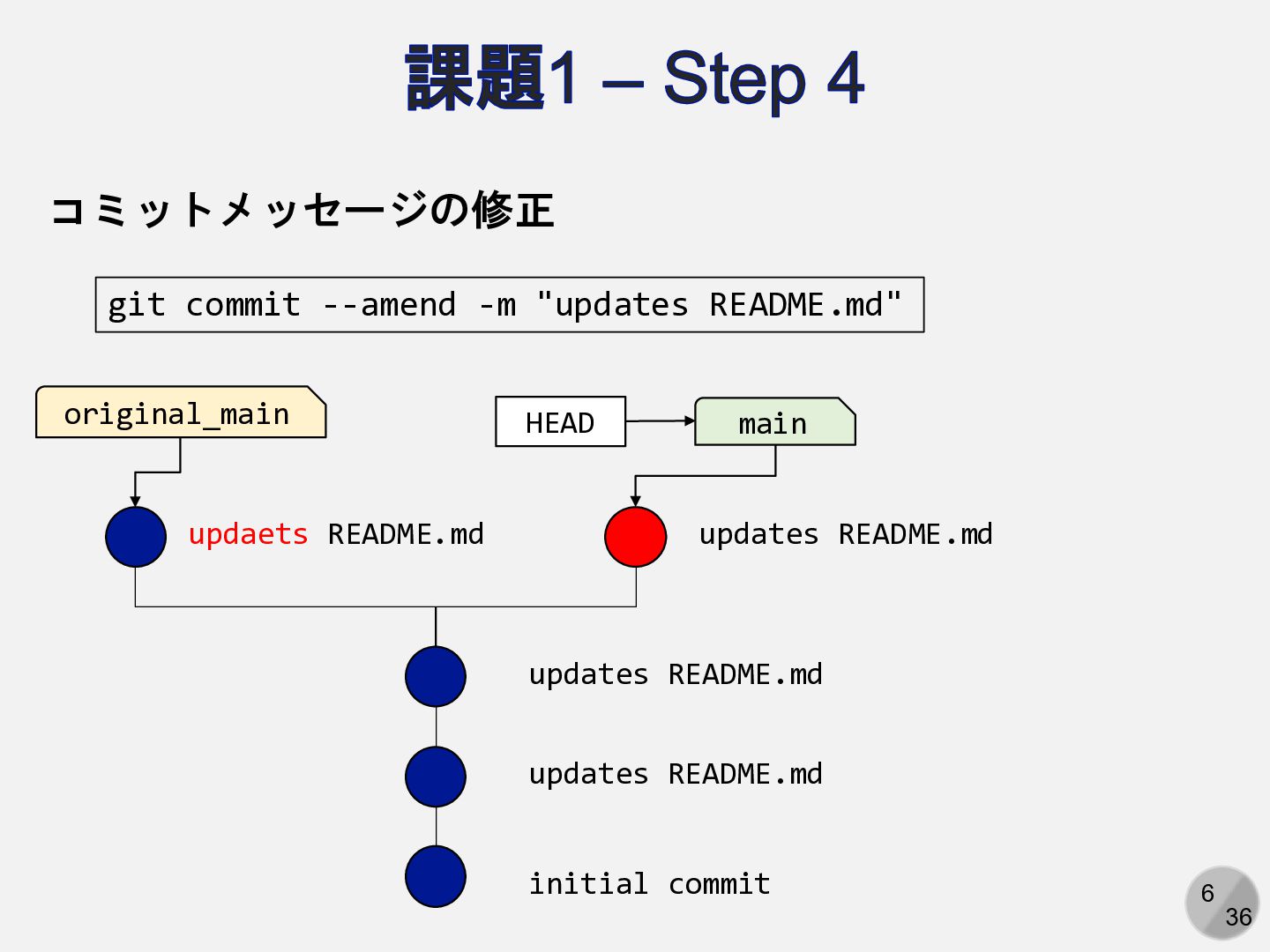
6 36 課題1 – Step 4 コミットメッセージの修正 git commit --amend
-m "updates README.md" initial commit updates README.md updates README.md updaets README.md main HEAD original_main updates README.md
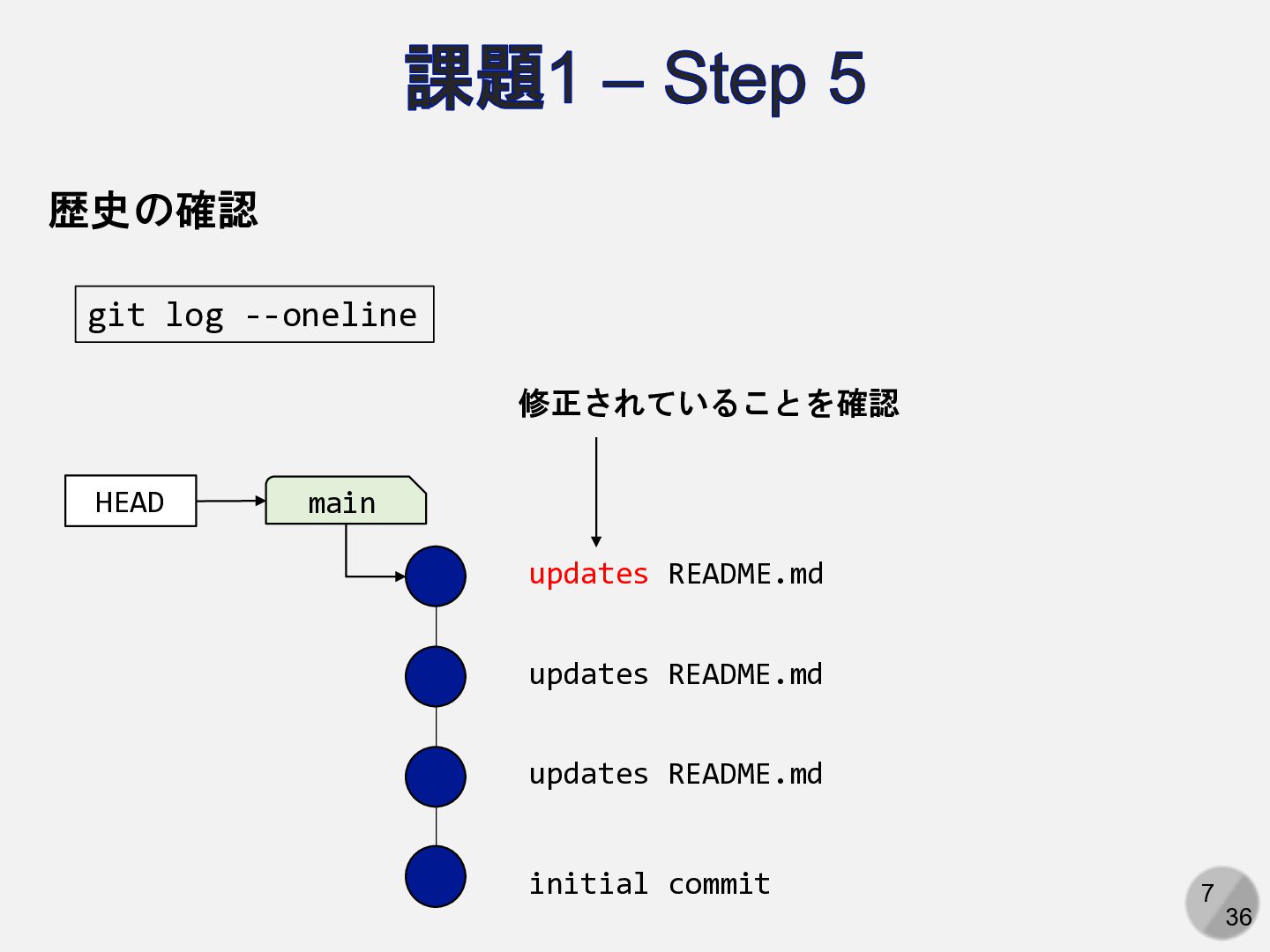
7 36 課題1 – Step 5 git log --oneline 歴史の確認
initial commit updates README.md updates README.md updates README.md main HEAD 修正されていることを確認
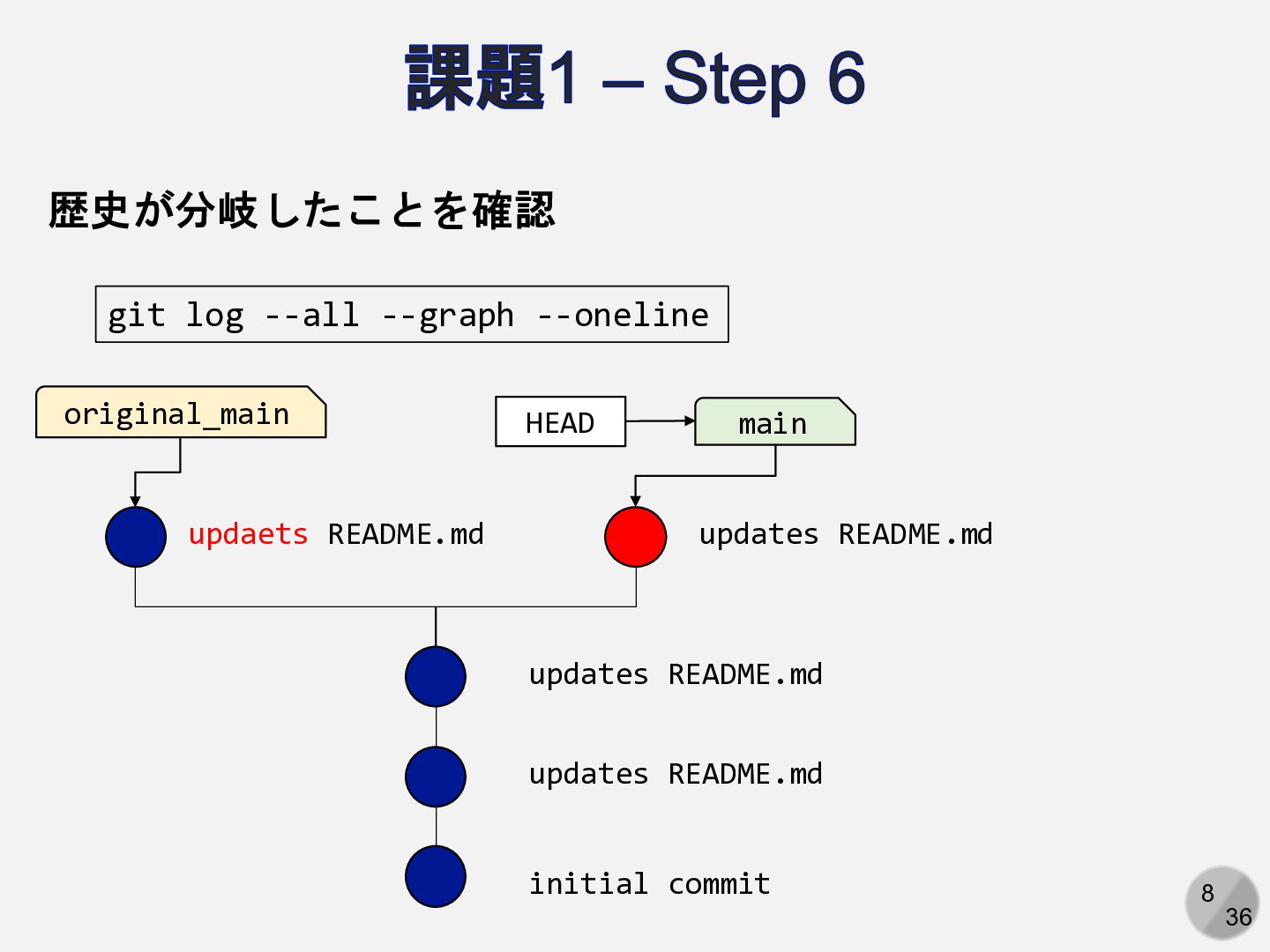
8 36 課題1 – Step 6 git log --all --graph
--oneline 歴史が分岐したことを確認 initial commit updates README.md updates README.md updaets README.md main HEAD original_main updates README.md
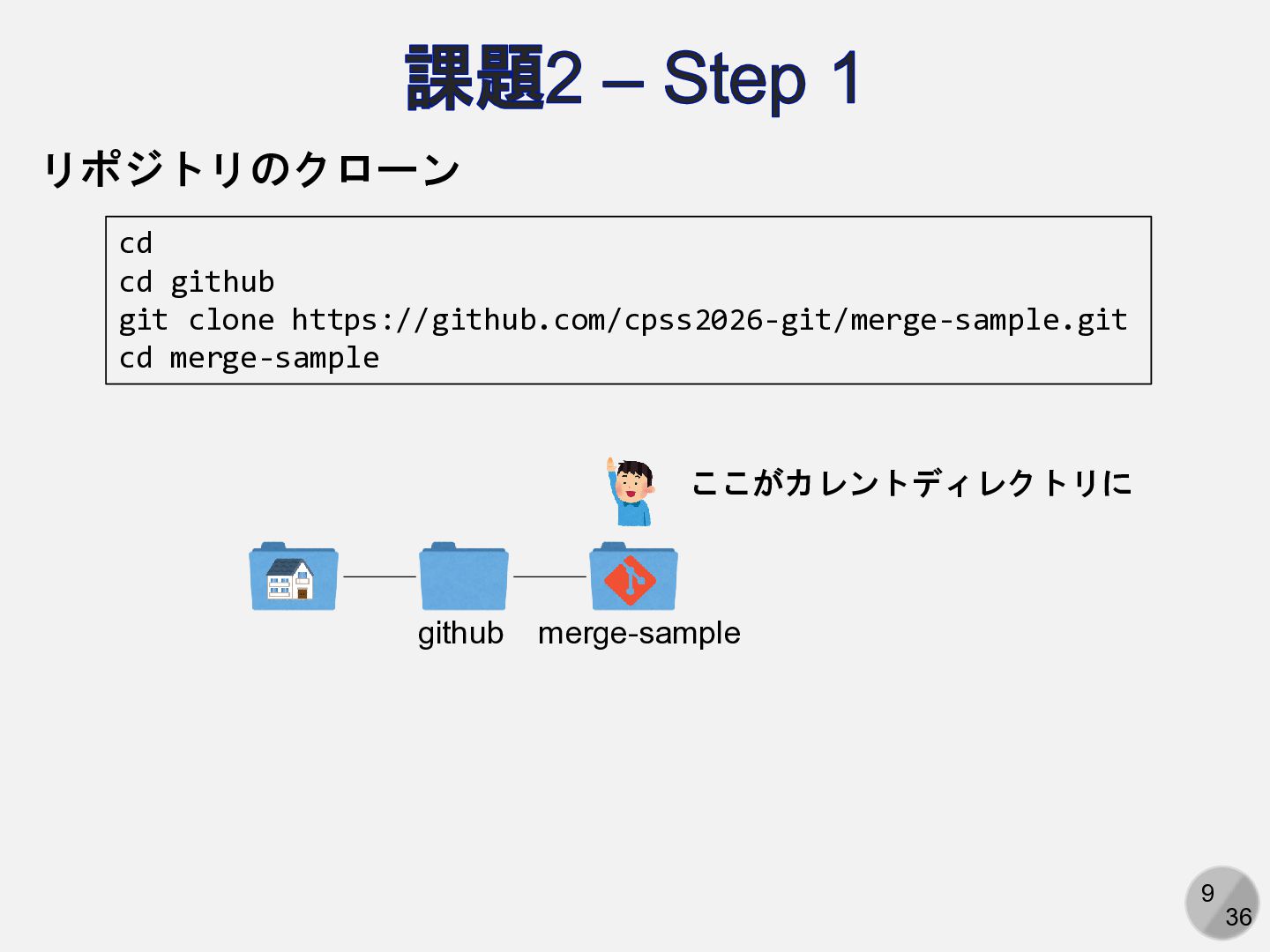
9 36 課題2 – Step 1 リポジトリのクローン cd cd github
git clone https://github.com/cpss2026-git/merge-sample.git cd merge-sample github merge-sample ここがカレントディレクトリに
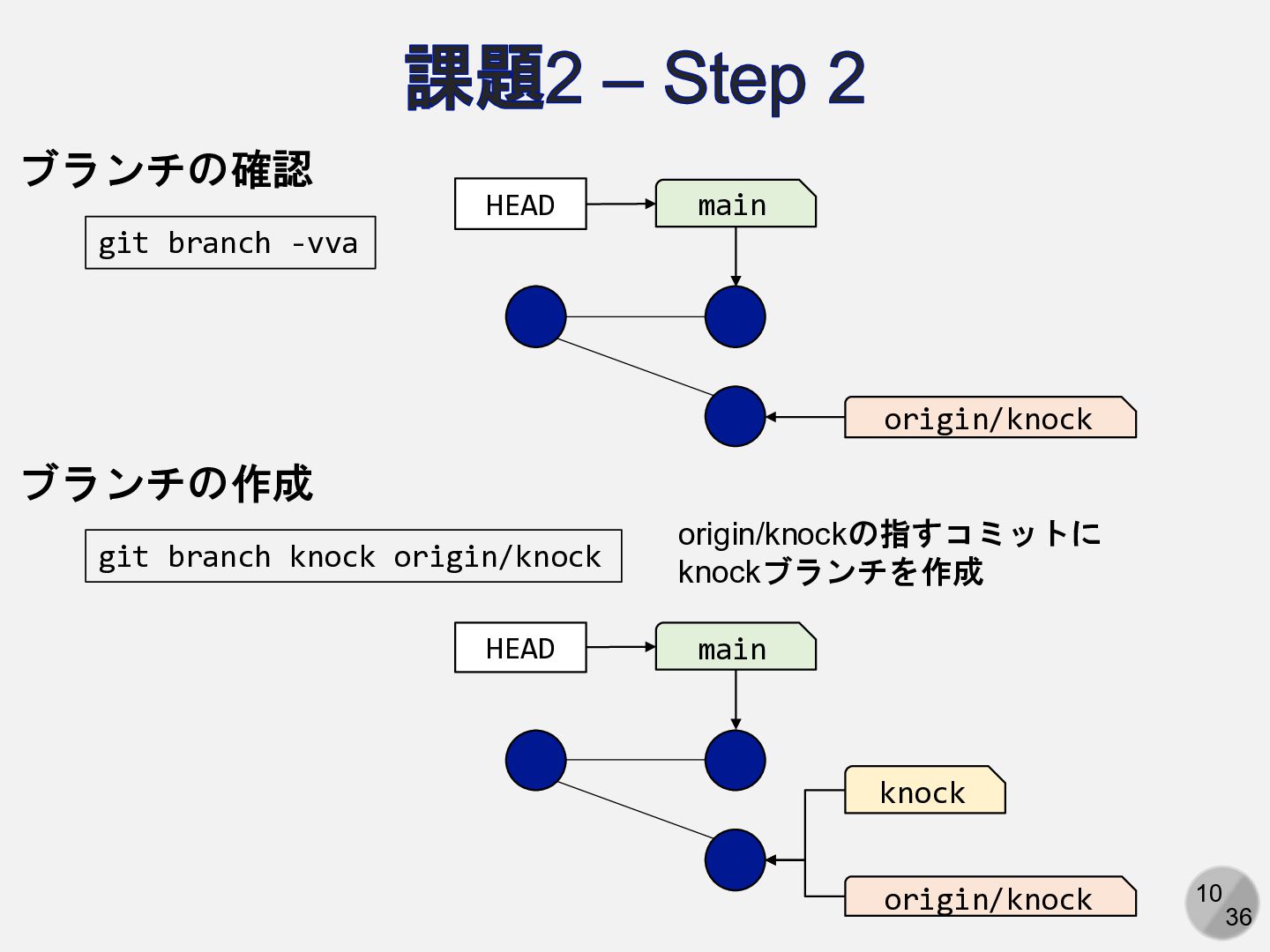
10 36 課題2 – Step 2 ブランチの作成 git branch knock
origin/knock main HEAD knock ブランチの確認 git branch -vva main HEAD origin/knock origin/knock origin/knockの指すコミットに knockブランチを作成
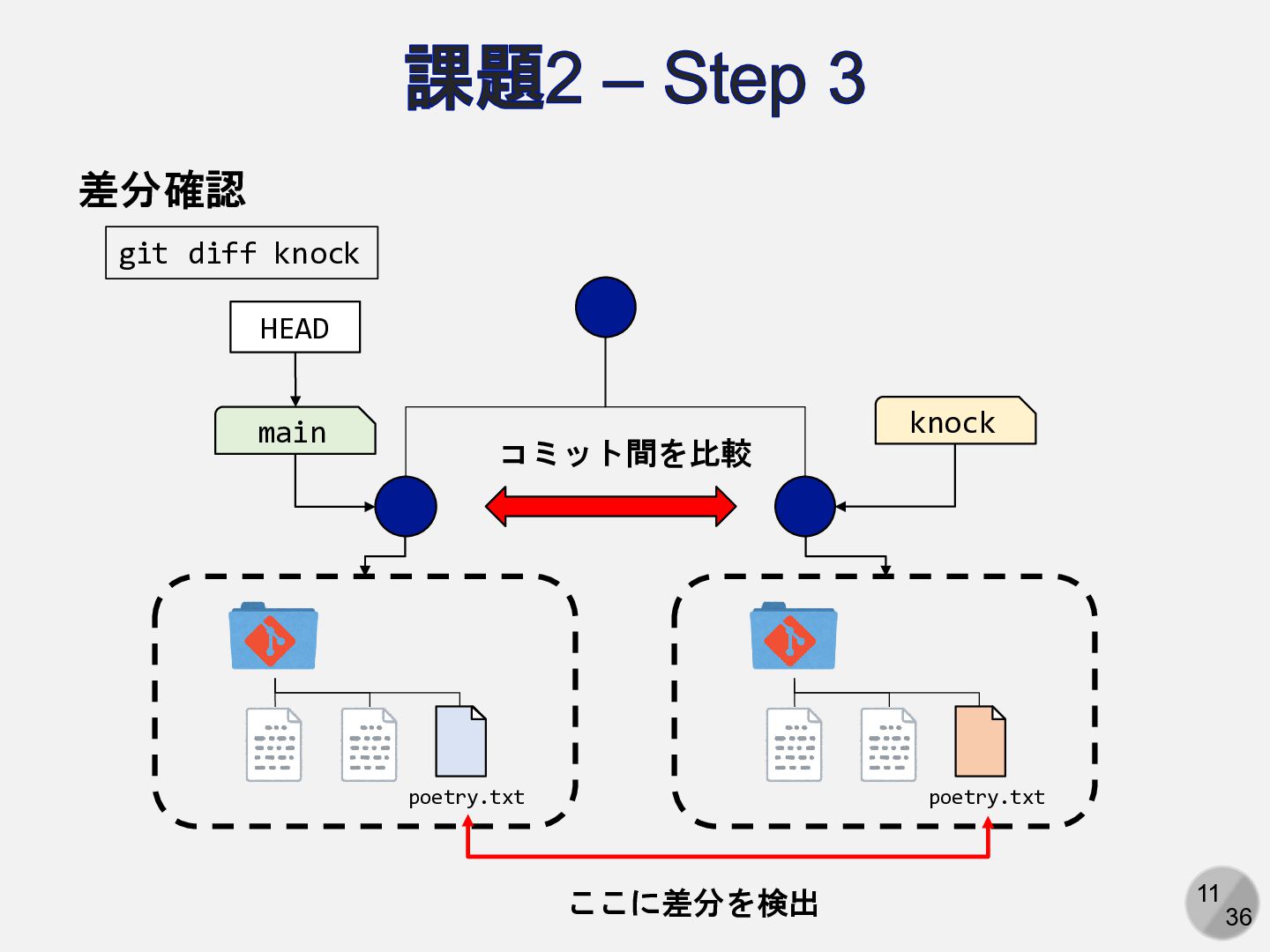
11 36 課題2 – Step 3 差分確認 main HEAD knock
git diff knock poetry.txt poetry.txt コミット間を比較 ここに差分を検出
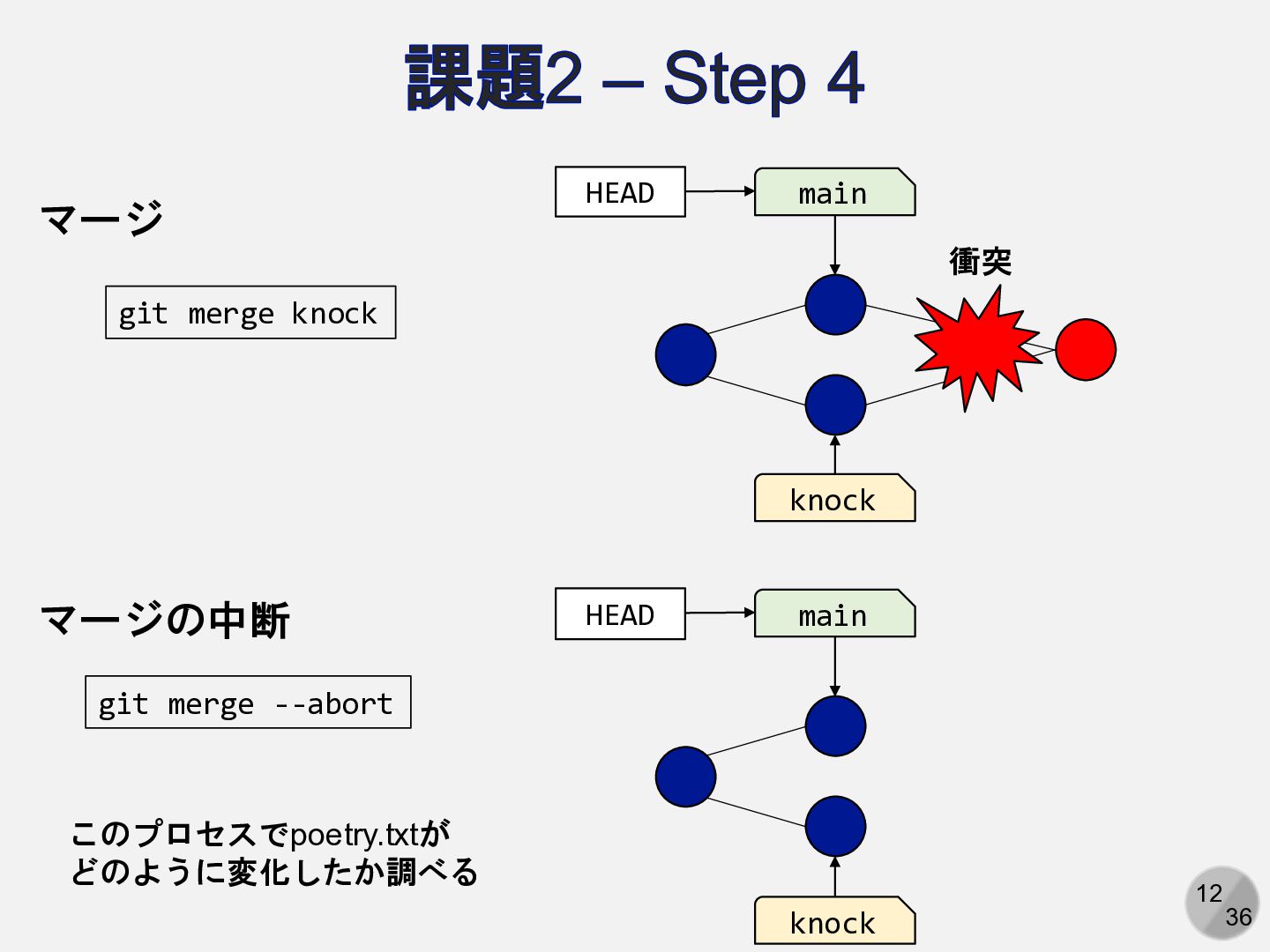
12 36 課題2 – Step 4 マージ main HEAD knock
衝突 git merge knock マージの中断 git merge --abort main HEAD knock このプロセスでpoetry.txtが どのように変化したか調べる
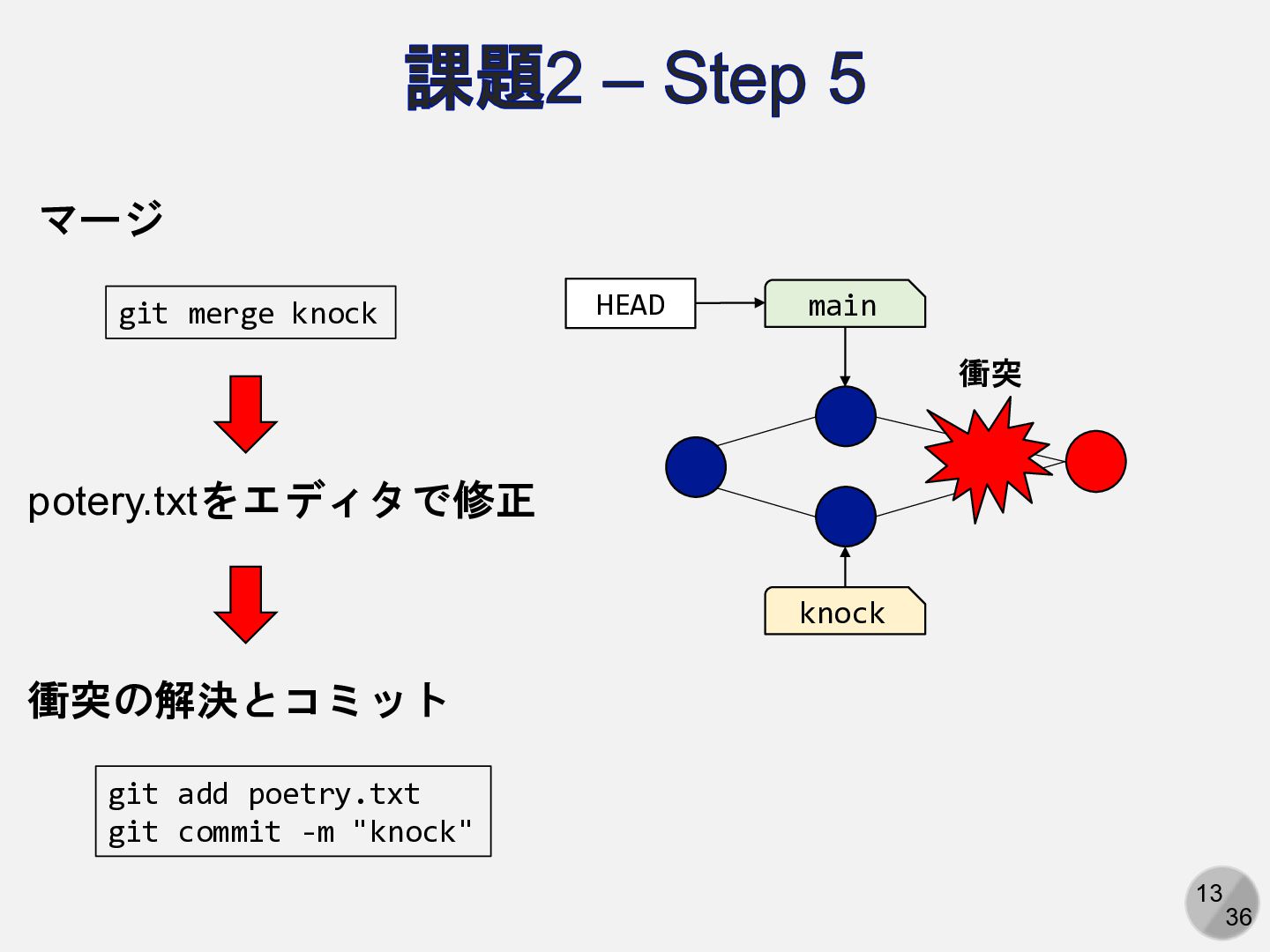
13 36 課題2 – Step 5 マージ git merge knock
main HEAD knock 衝突 衝突の解決とコミット git add poetry.txt git commit -m "knock" potery.txtをエディタで修正
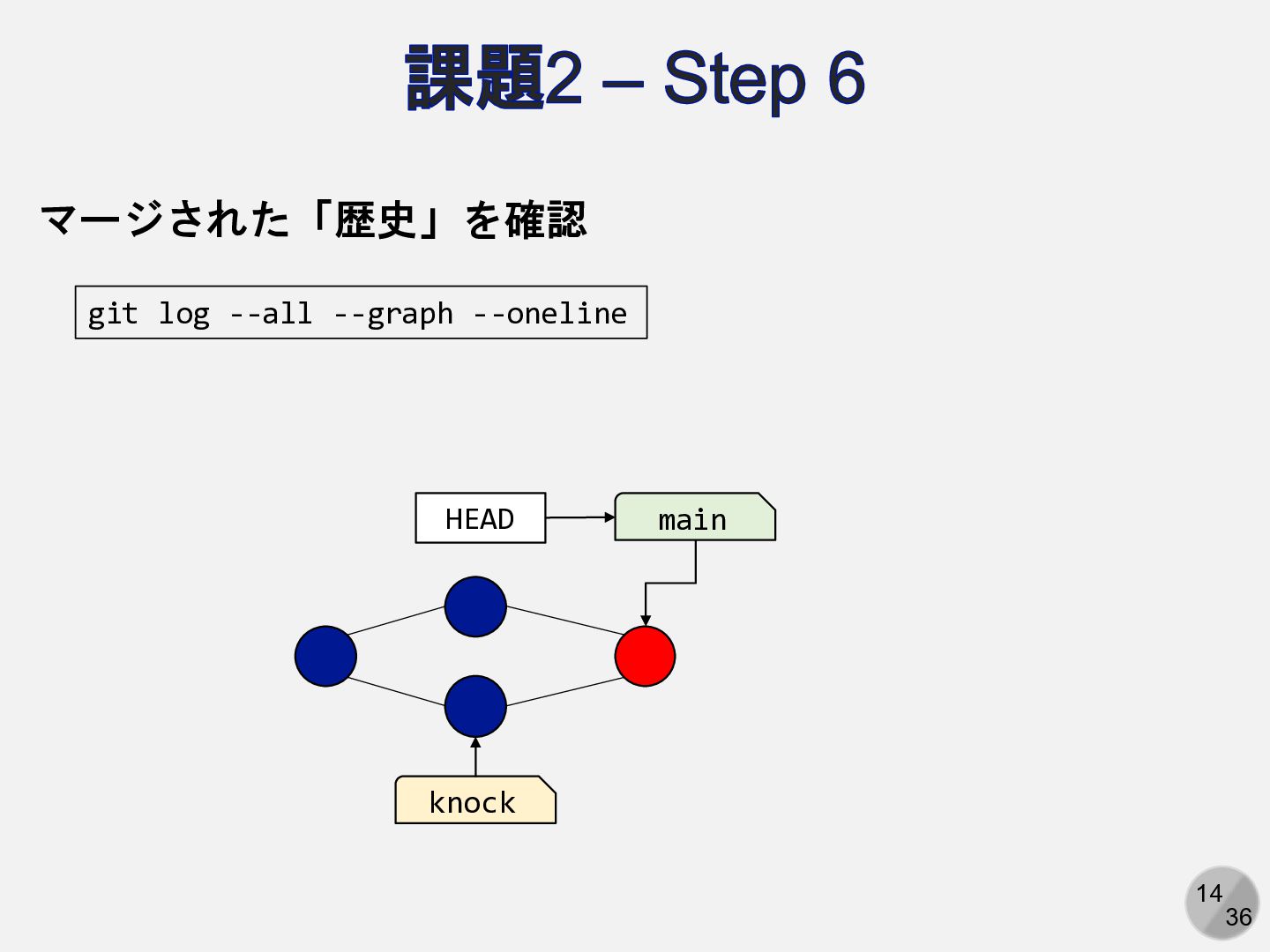
14 36 課題2 – Step 6 main HEAD knock git
log --all --graph --oneline マージされた「歴史」を確認
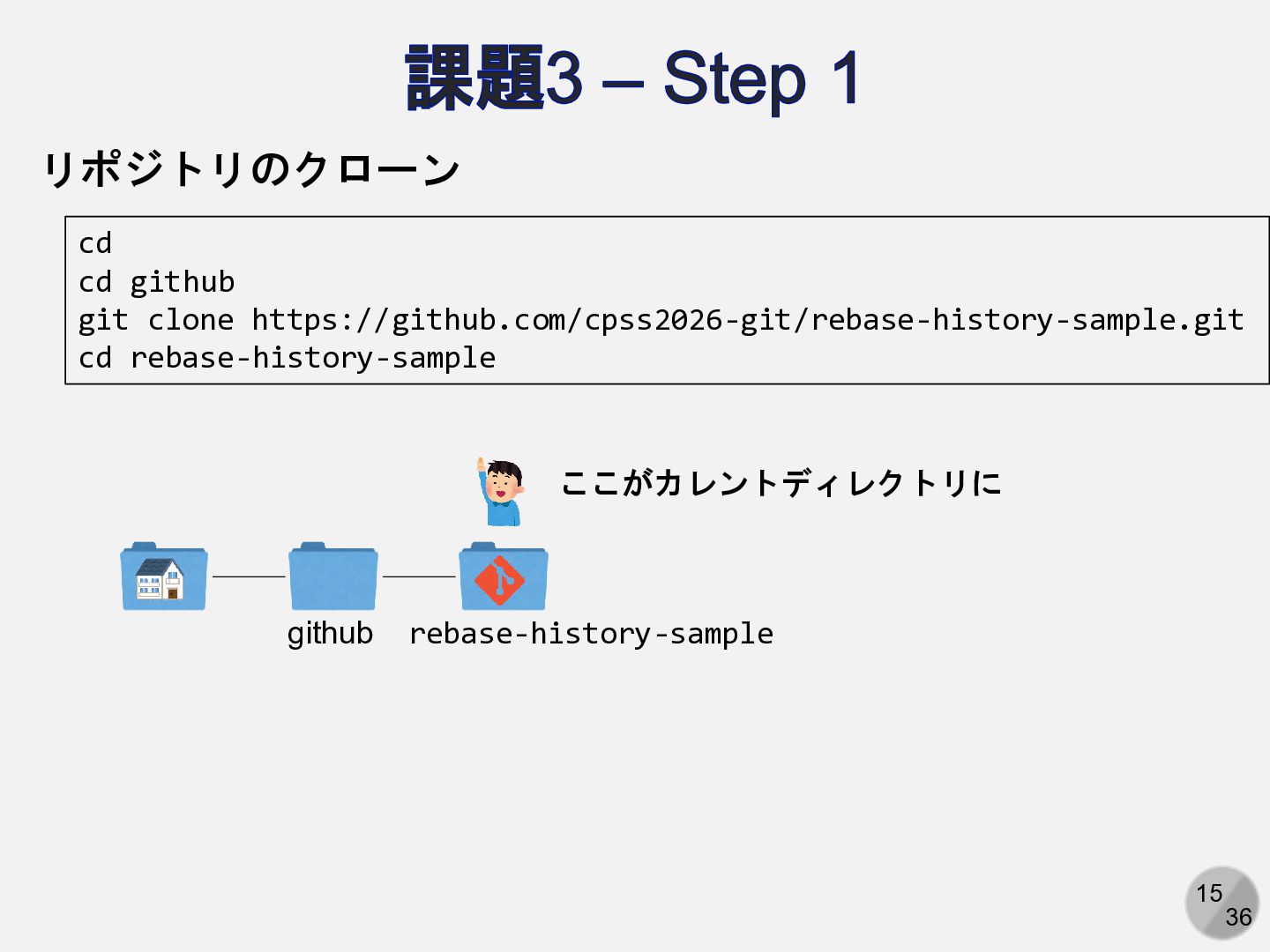
15 36 課題3 – Step 1 リポジトリのクローン cd cd github
git clone https://github.com/cpss2026-git/rebase-history-sample.git cd rebase-history-sample github rebase-history-sample ここがカレントディレクトリに
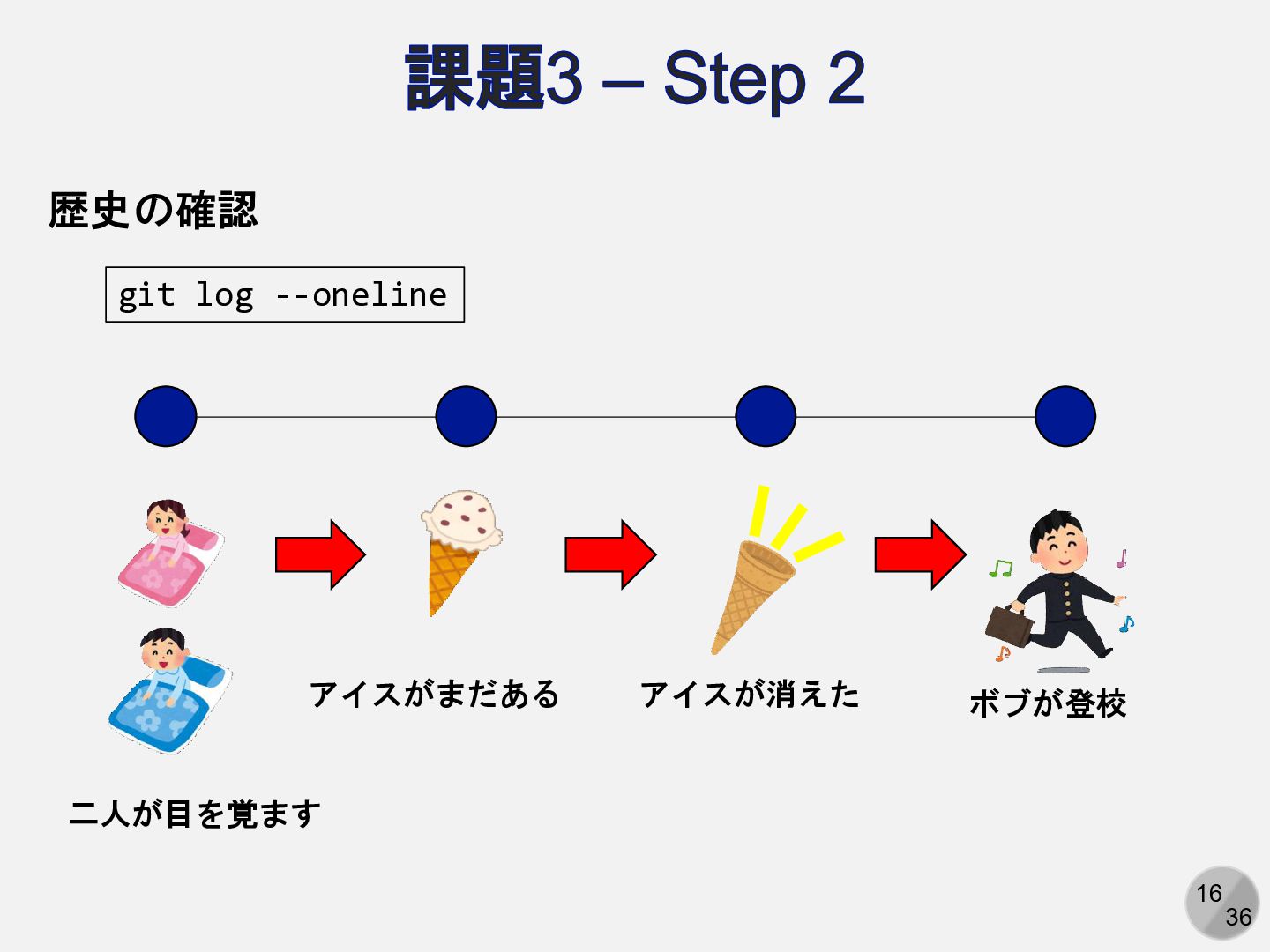
16 36 課題3 – Step 2 二人が目を覚ます アイスがまだある アイスが消えた ボブが登校
歴史の確認 git log --oneline
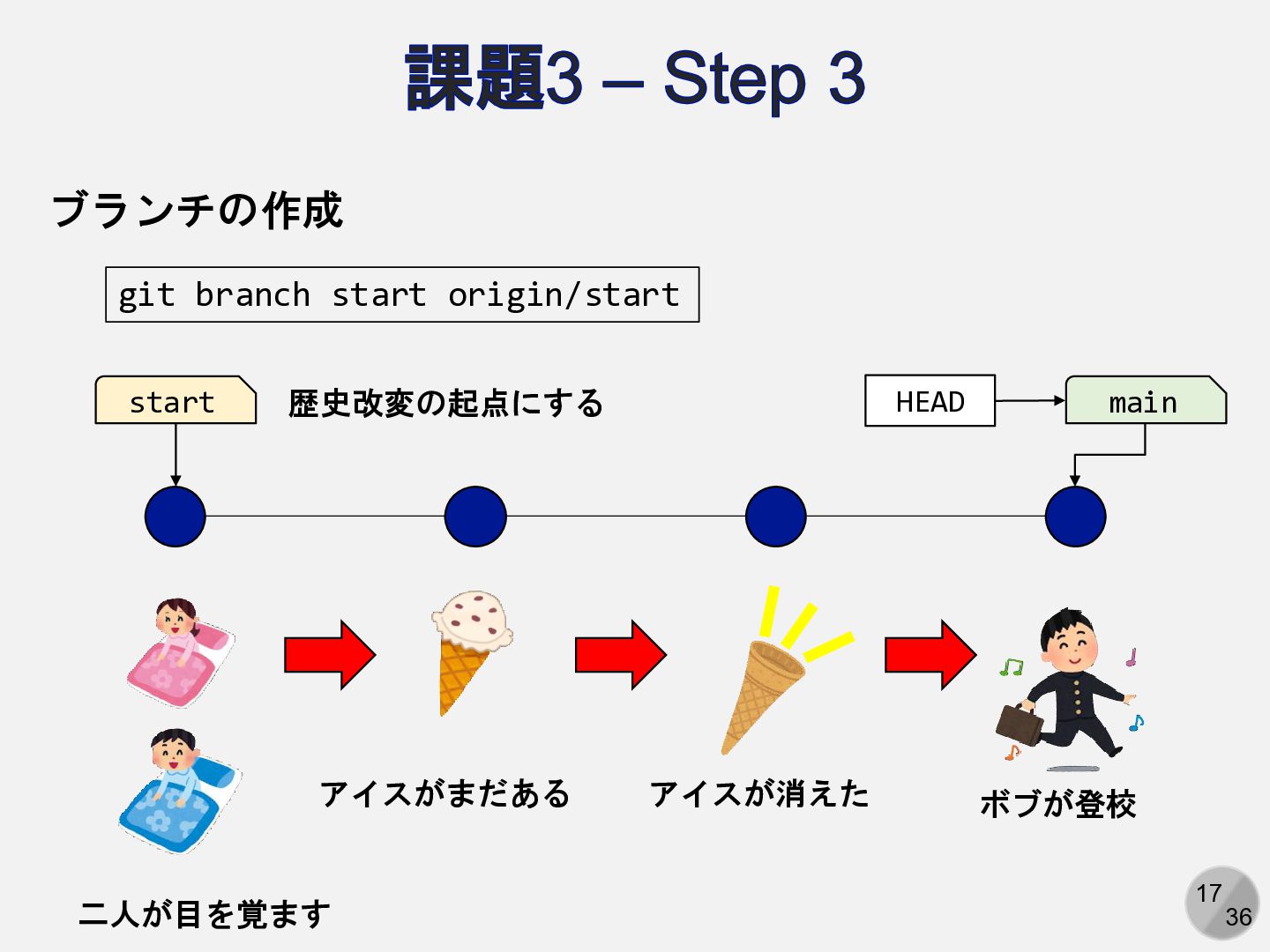
17 36 課題3 – Step 3 ブランチの作成 git branch start
origin/start 二人が目を覚ます アイスがまだある アイスが消えた ボブが登校 main HEAD start 歴史改変の起点にする
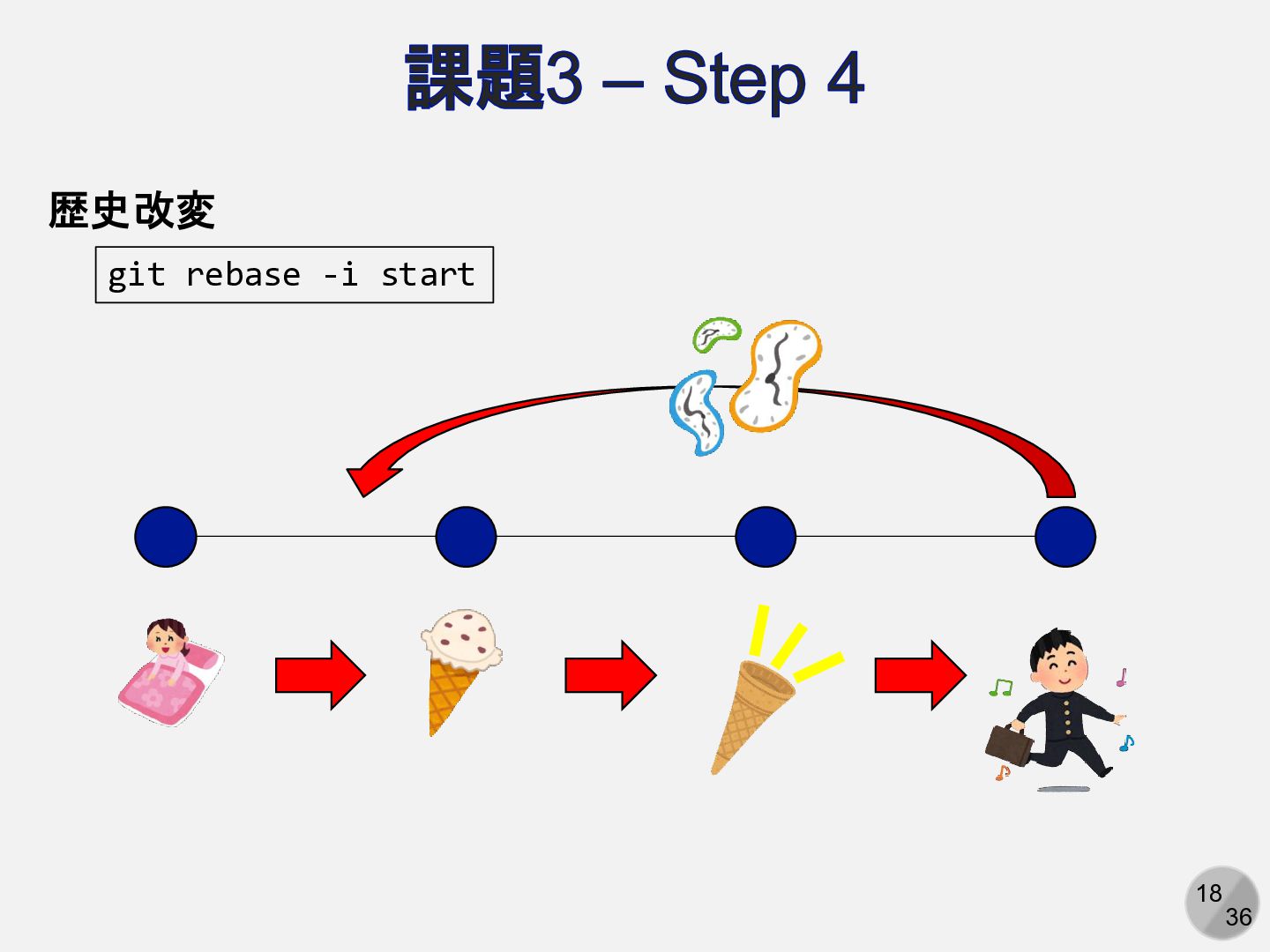
18 36 課題3 – Step 4 歴史改変 git rebase -i
start
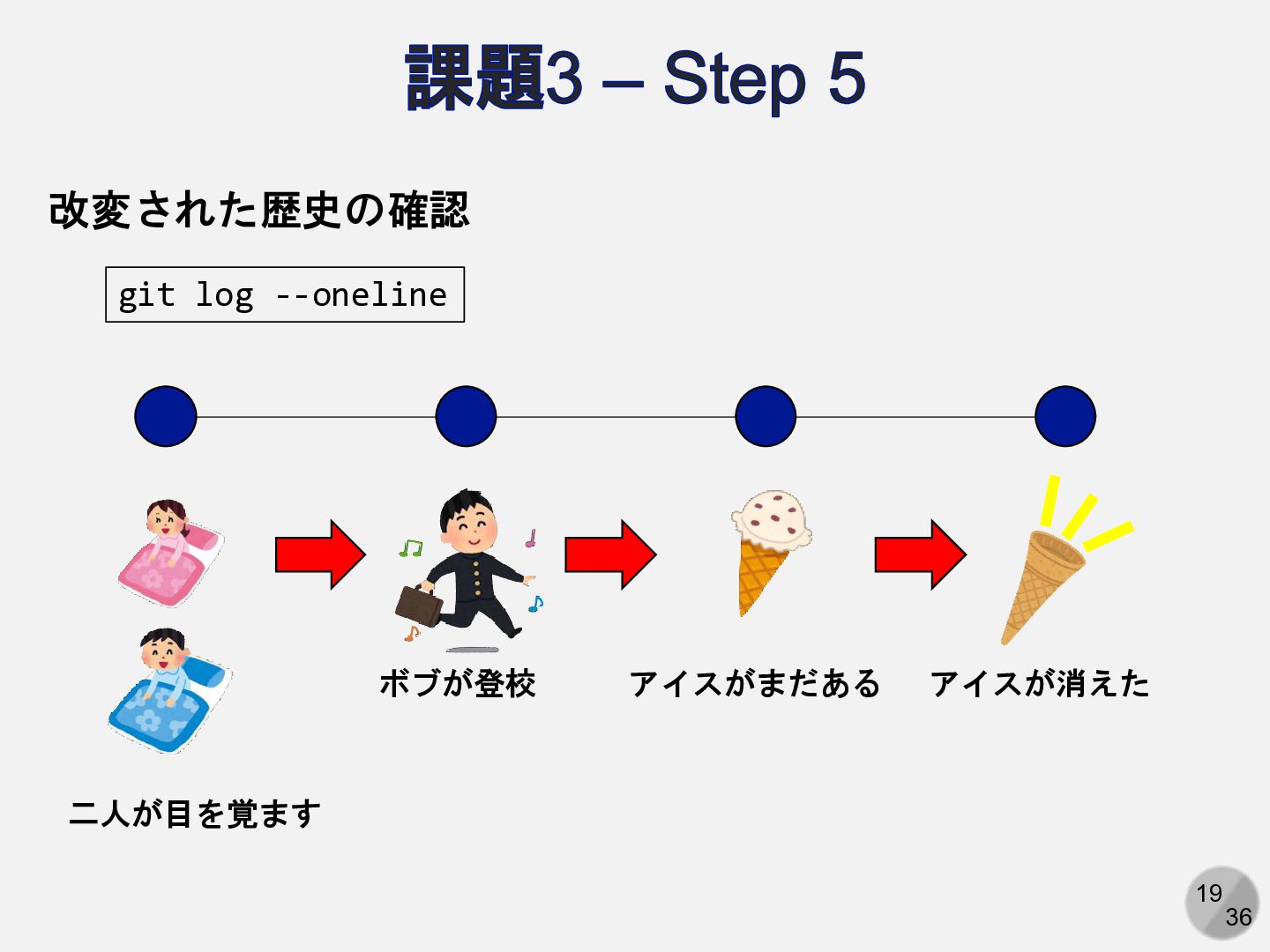
19 36 課題3 – Step 5 改変された歴史の確認 git log --oneline
二人が目を覚ます アイスがまだある アイスが消えた ボブが登校
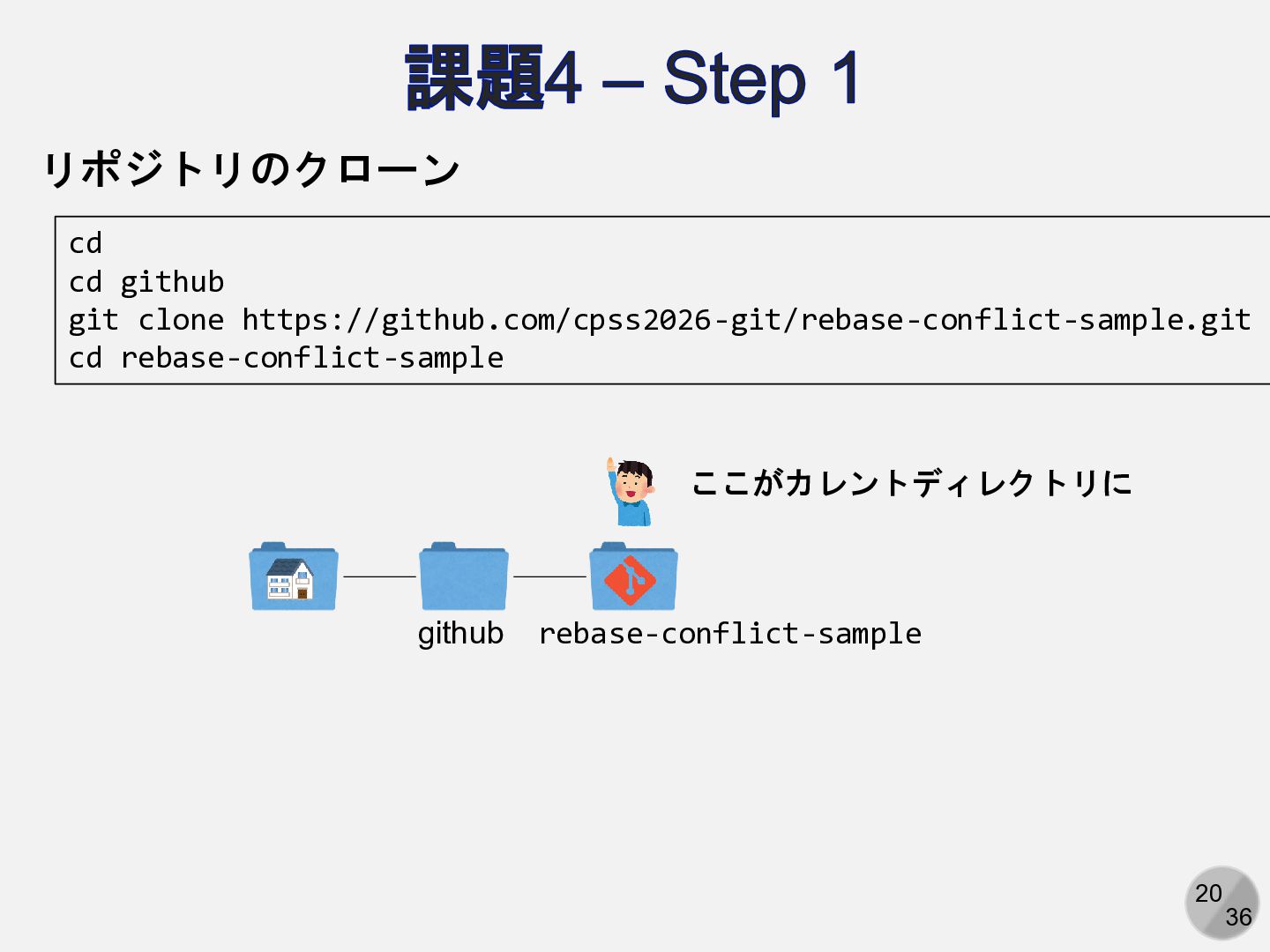
20 36 課題4 – Step 1 リポジトリのクローン cd cd github
git clone https://github.com/cpss2026-git/rebase-conflict-sample.git cd rebase-conflict-sample github rebase-conflict-sample ここがカレントディレクトリに
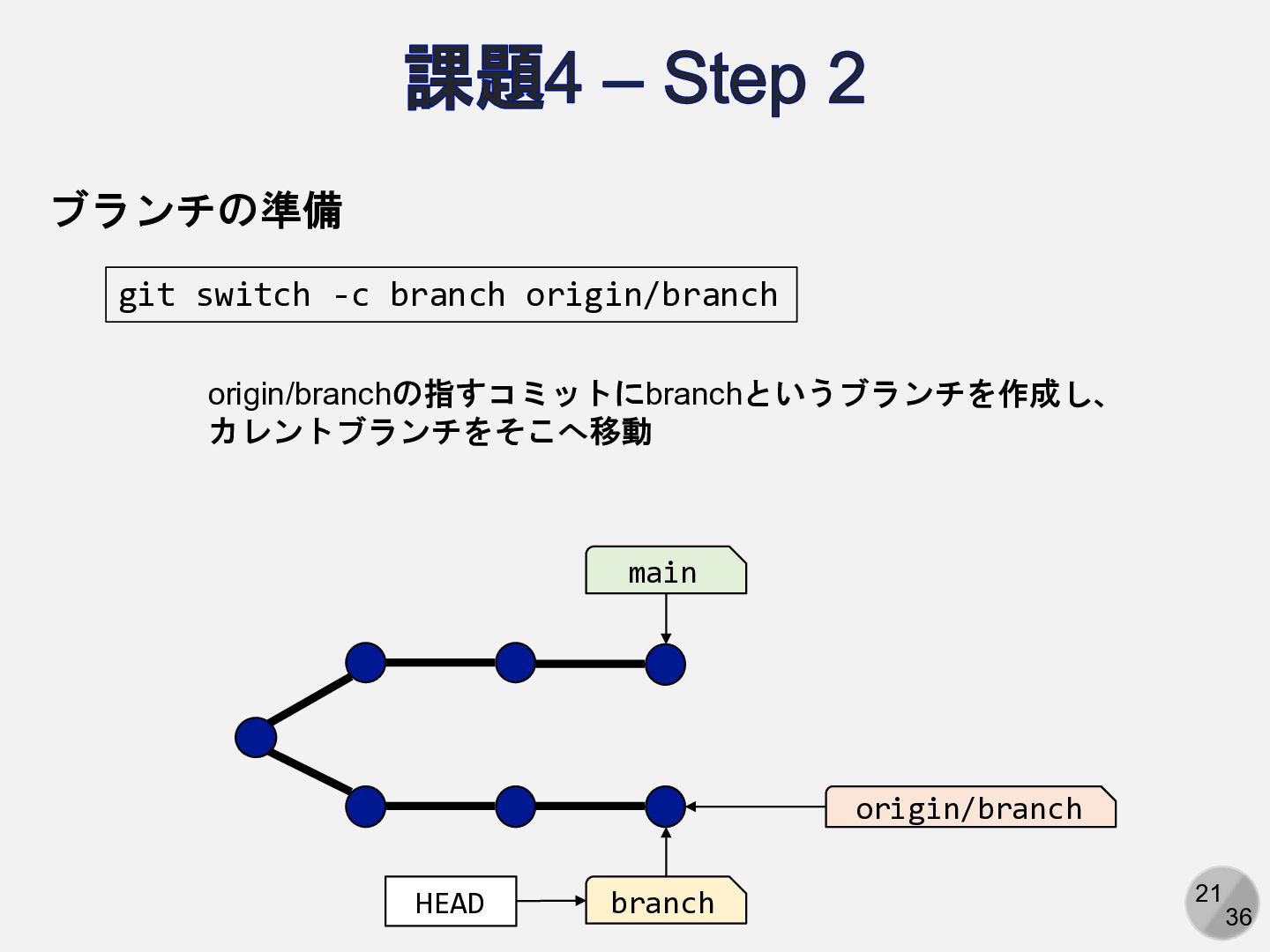
21 36 課題4 – Step 2 main HEAD branch origin/branch
ブランチの準備 git switch -c branch origin/branch origin/branchの指すコミットにbranchというブランチを作成し、 カレントブランチをそこへ移動
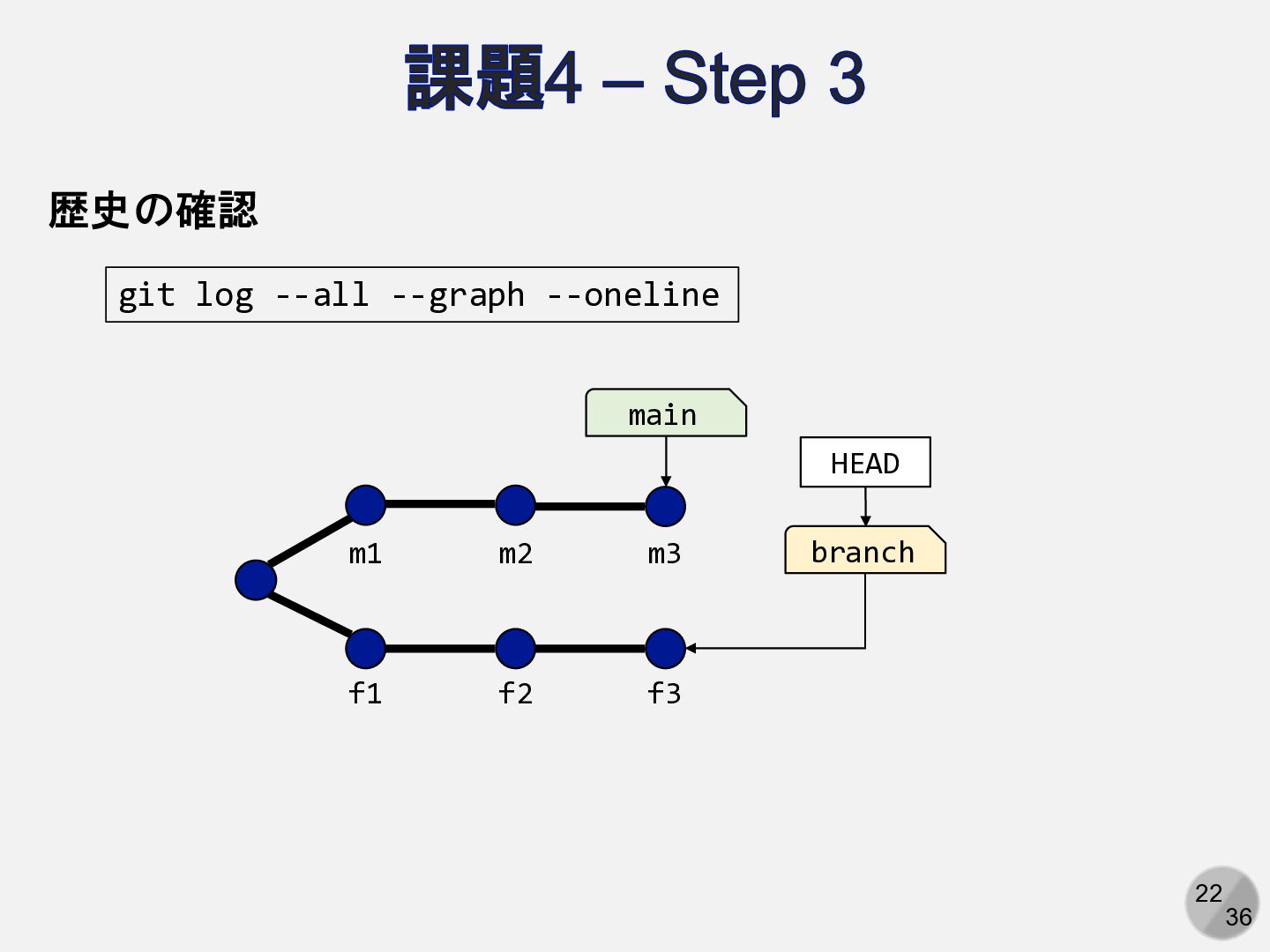
22 36 課題4 – Step 3 歴史の確認 git log --all
--graph --oneline main HEAD branch m1 m2 m3 f1 f2 f3
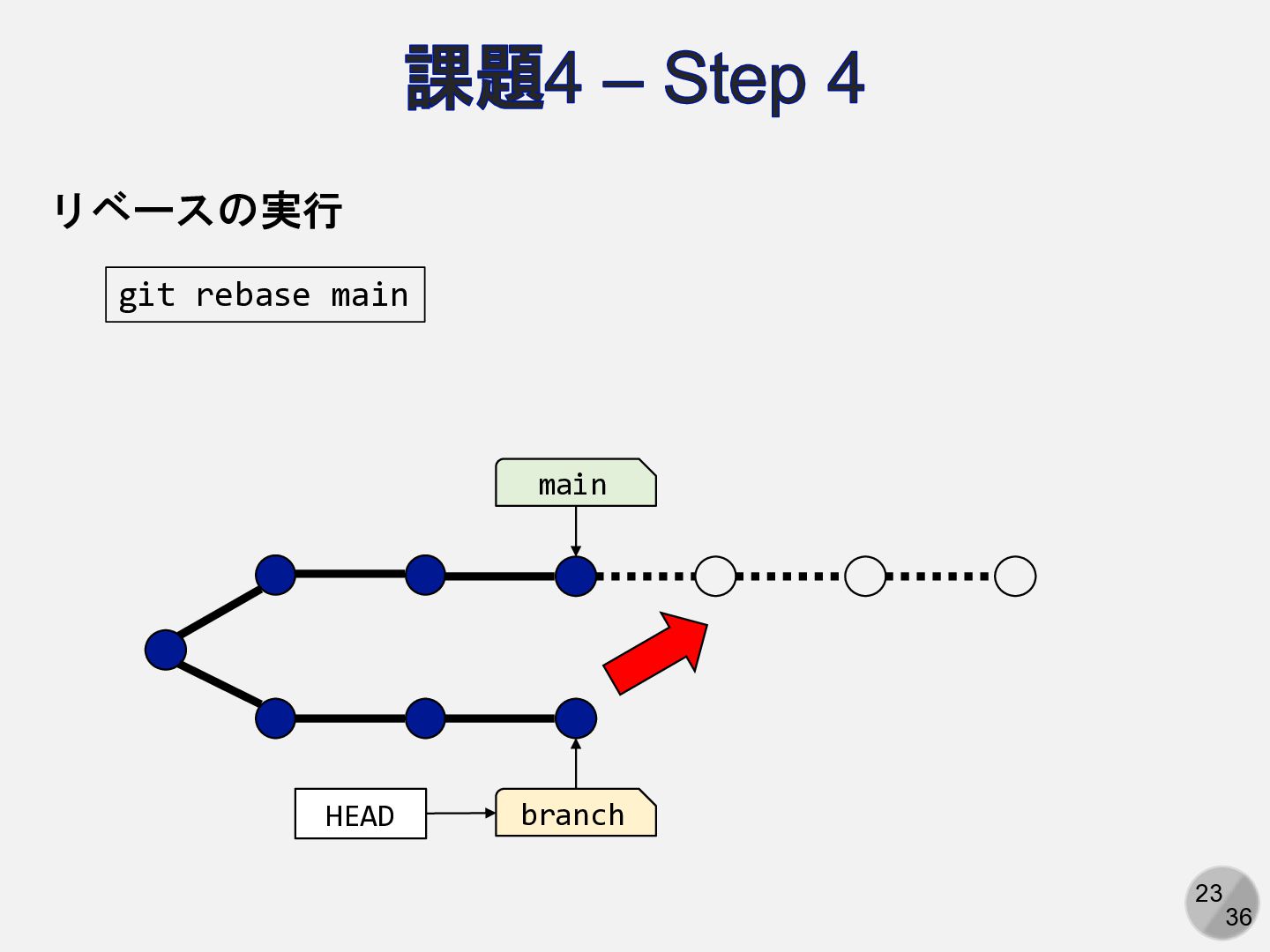
23 36 課題4 – Step 4 リベースの実行 git rebase main
main HEAD branch
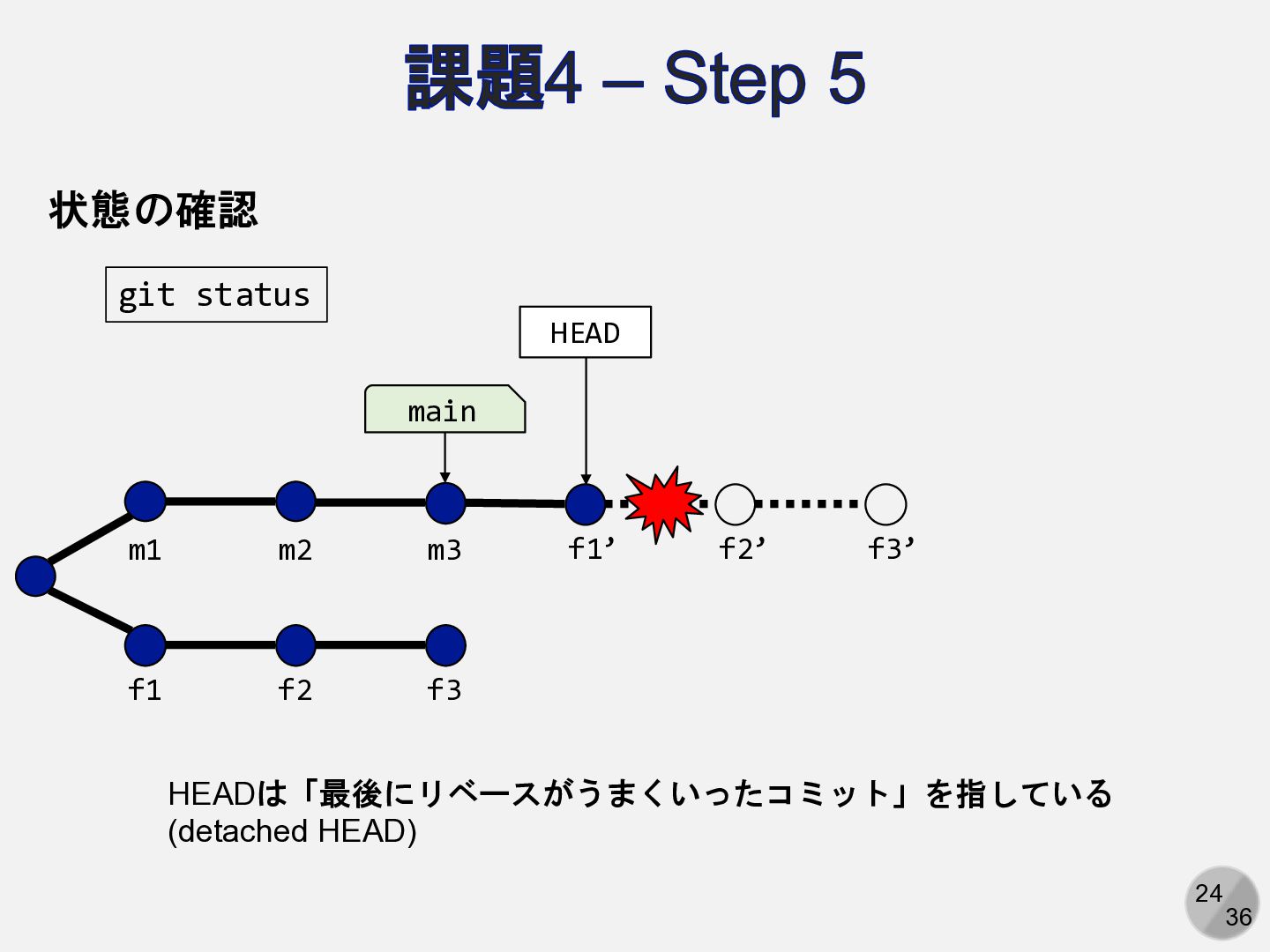
24 36 課題4 – Step 5 main m1 m2 m3
f1 f2 f3 f1’ f2’ f3’ 状態の確認 git status HEAD HEADは「最後にリベースがうまくいったコミット」を指している (detached HEAD)
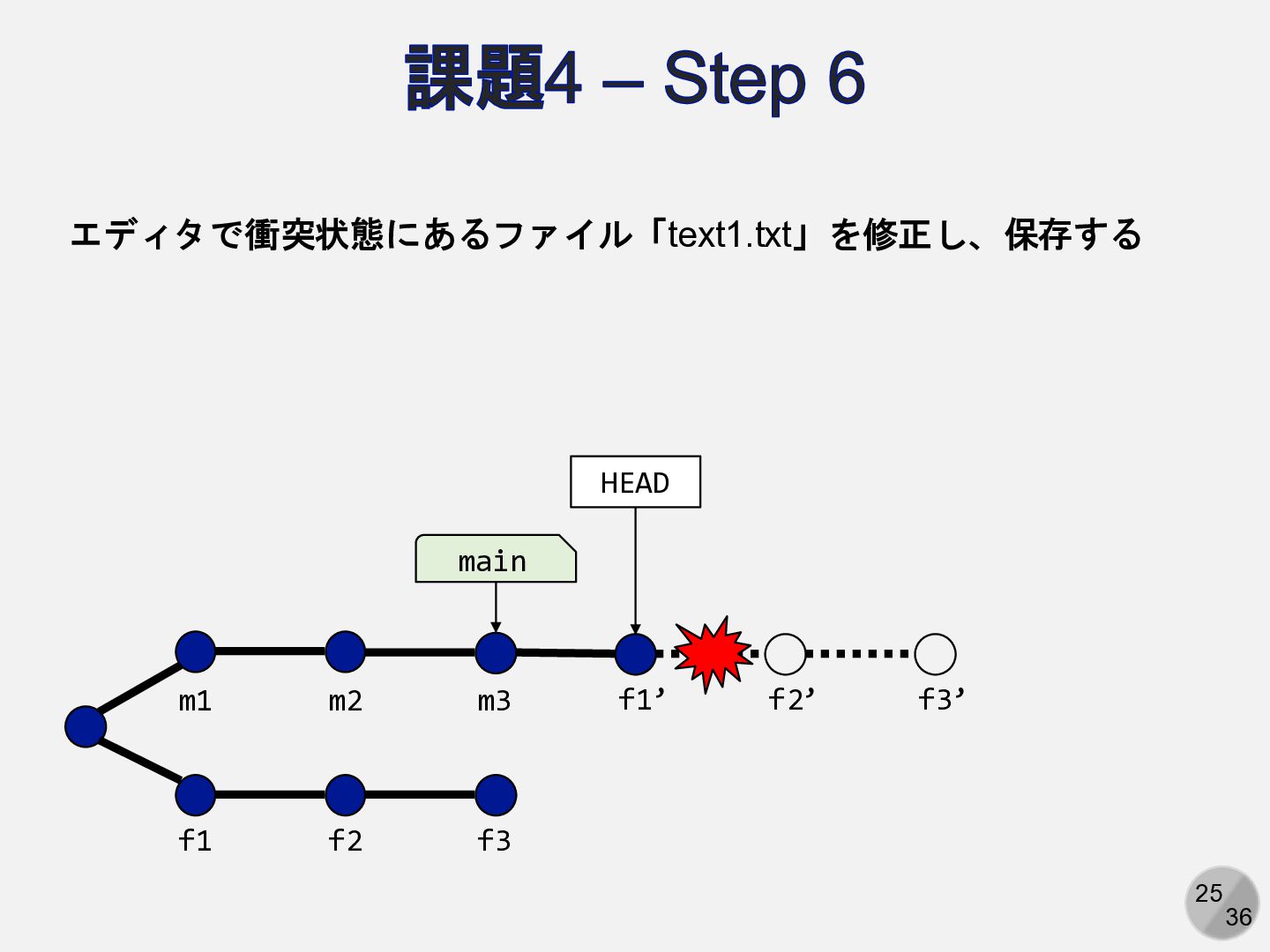
25 36 課題4 – Step 6 main m1 m2 m3
f1 f2 f3 f1’ f2’ f3’ HEAD エディタで衝突状態にあるファイル「text1.txt」を修正し、保存する
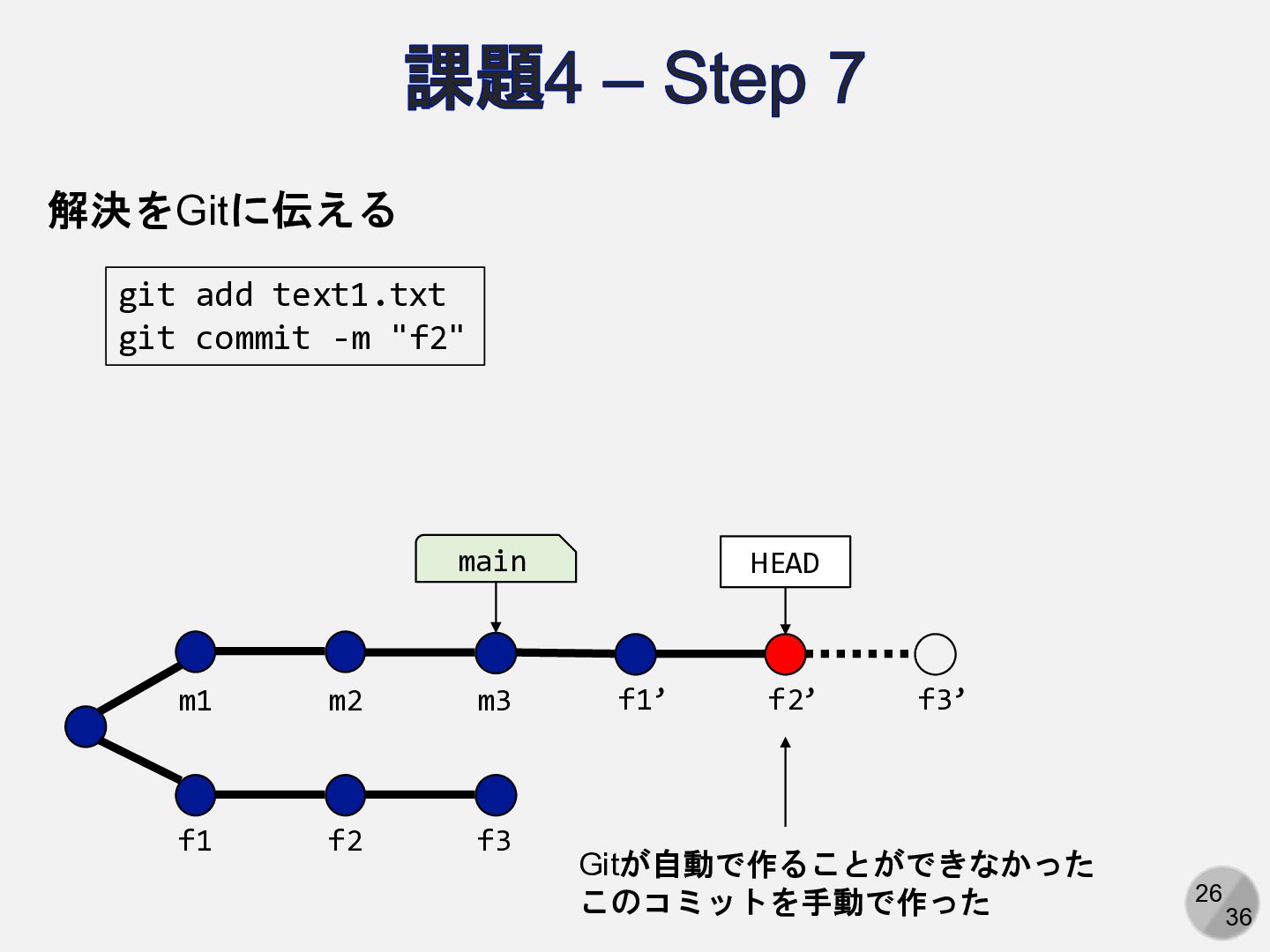
26 36 課題4 – Step 7 解決をGitに伝える git add text1.txt
git commit -m "f2" main m1 m2 m3 f1 f2 f3 f1’ f2’ f3’ HEAD Gitが自動で作ることができなかった このコミットを手動で作った
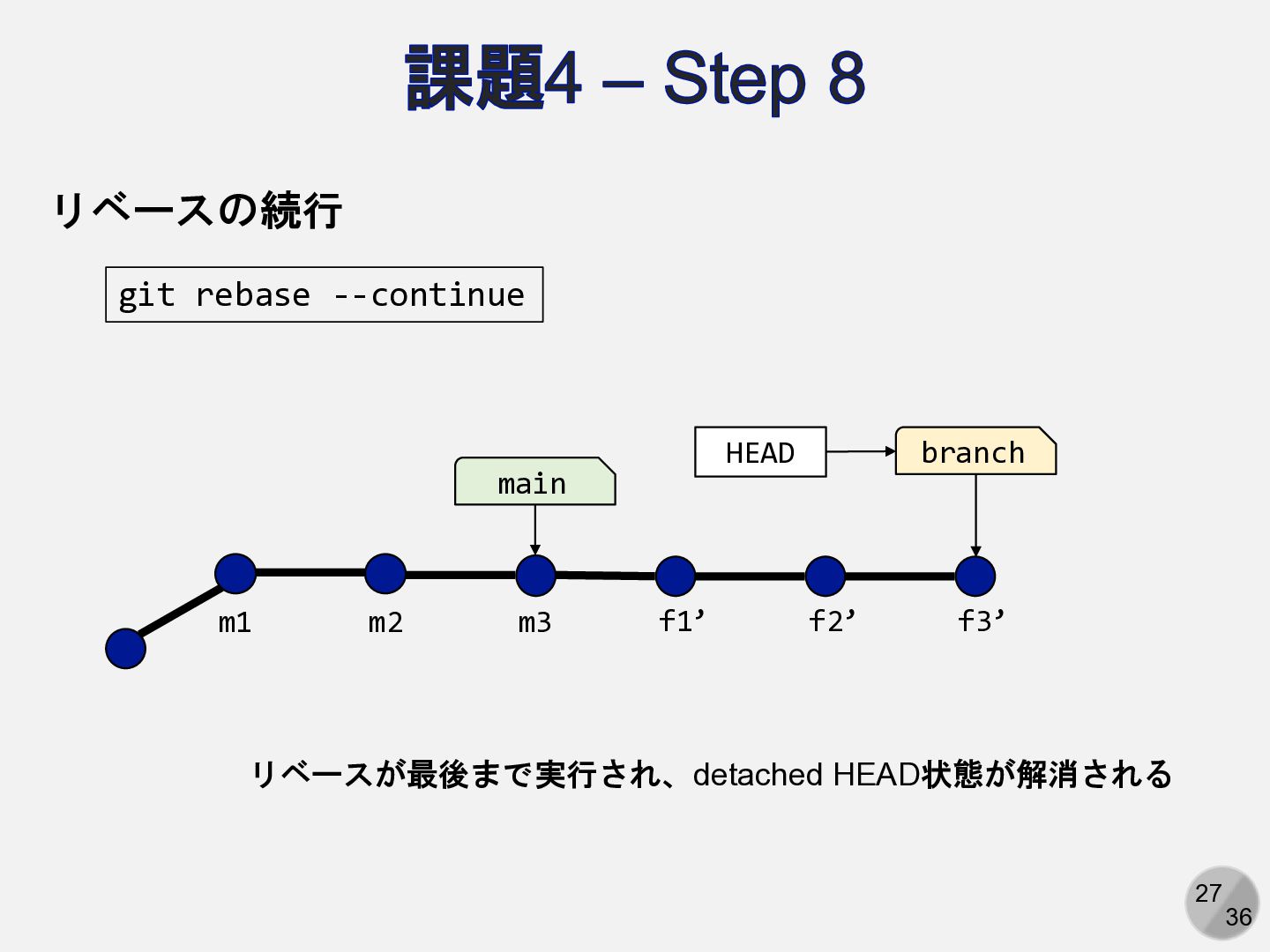
27 36 課題4 – Step 8 リベースの続行 git rebase --continue
main m1 m2 m3 f1’ f2’ f3’ HEAD branch リベースが最後まで実行され、detached HEAD状態が解消される
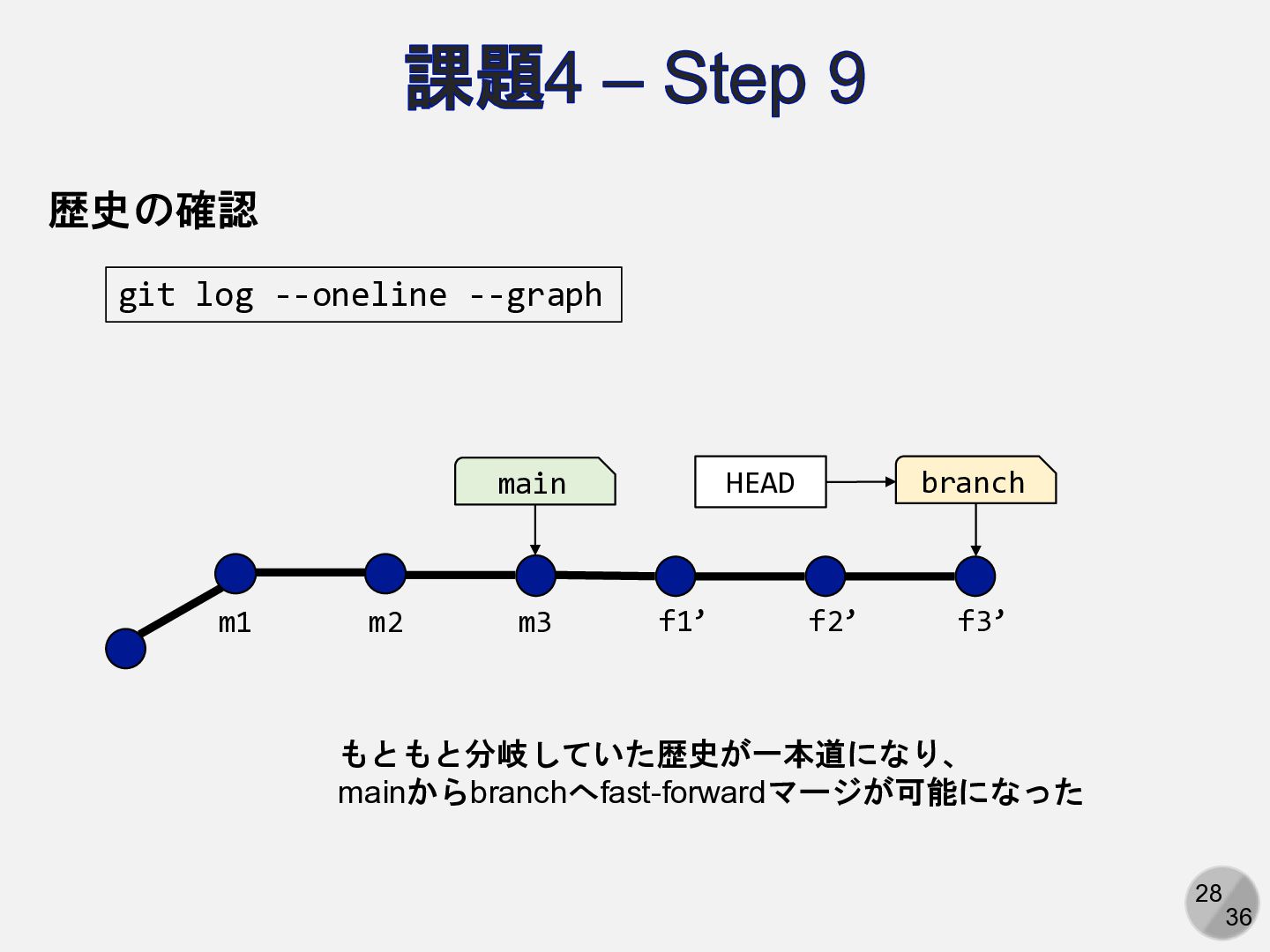
28 36 課題4 – Step 9 歴史の確認 git log --oneline
--graph main m1 m2 m3 f1’ f2’ f3’ HEAD branch もともと分岐していた歴史が一本道になり、 mainからbranchへfast-forwardマージが可能になった
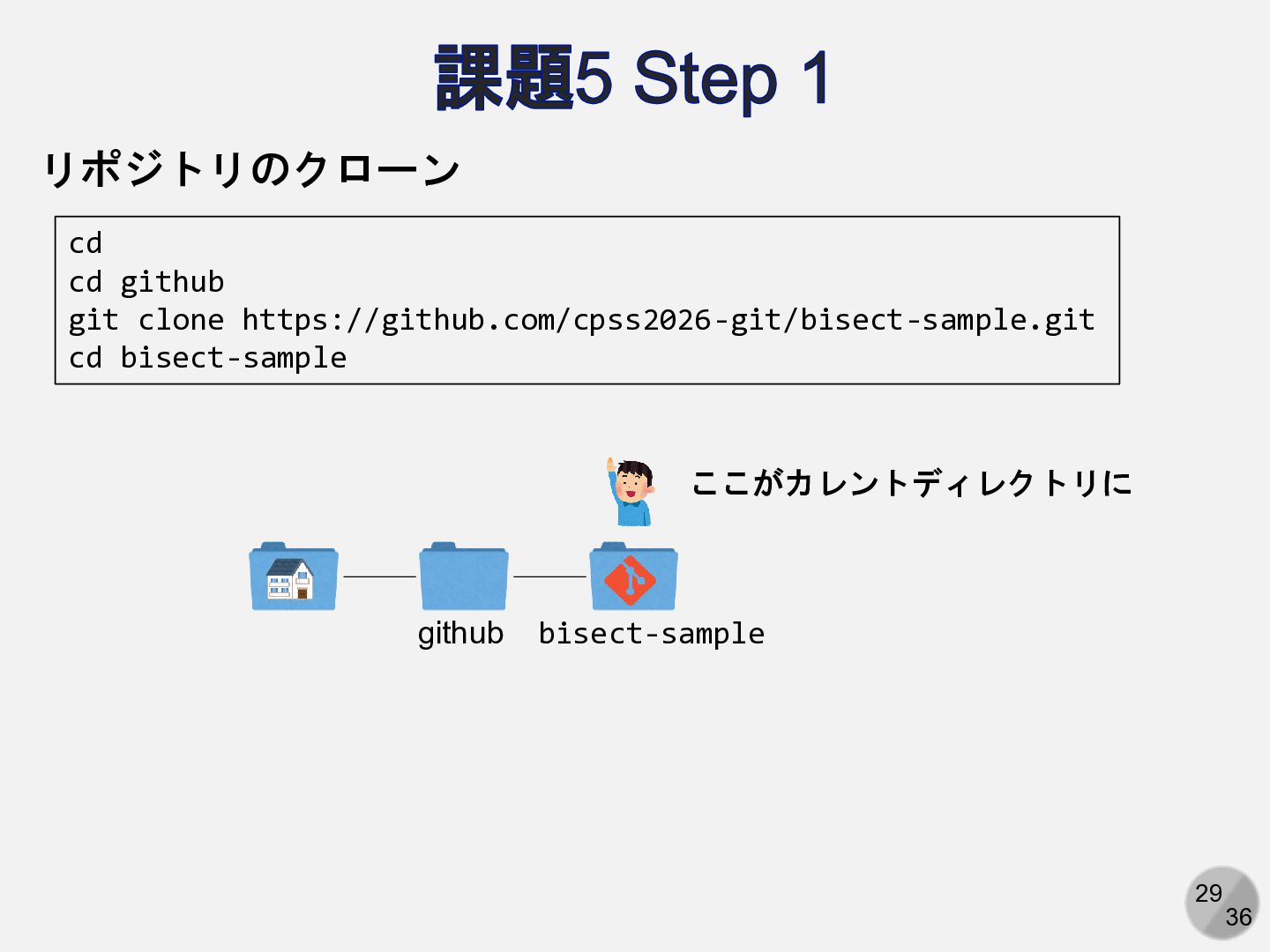
29 36 課題5 Step 1 リポジトリのクローン cd cd github git
clone https://github.com/cpss2026-git/bisect-sample.git cd bisect-sample github bisect-sample ここがカレントディレクトリに
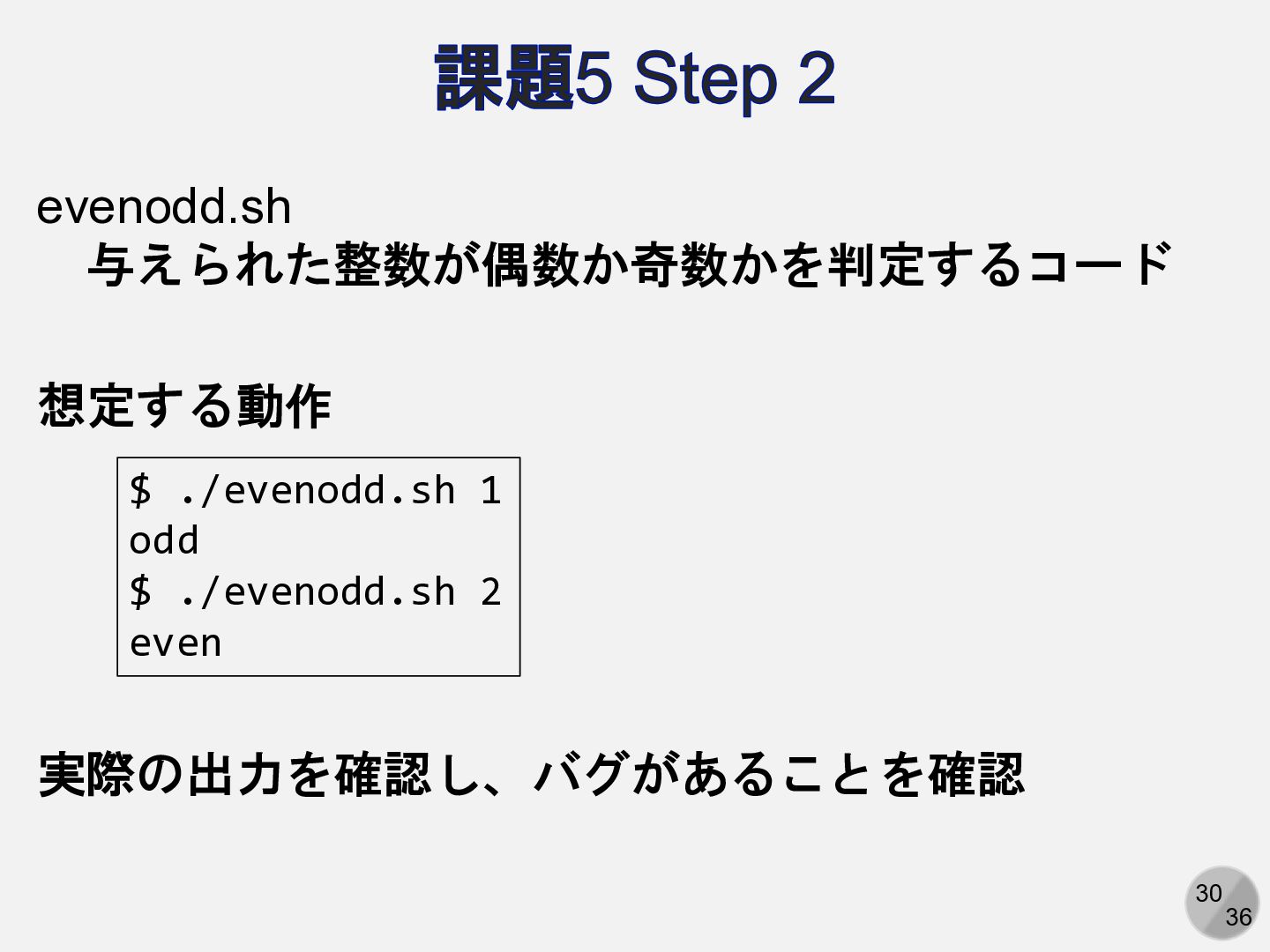
30 36 課題5 Step 2 $ ./evenodd.sh 1 odd $
./evenodd.sh 2 even evenodd.sh 与えられた整数が偶数か奇数かを判定するコード 想定する動作 実際の出力を確認し、バグがあることを確認
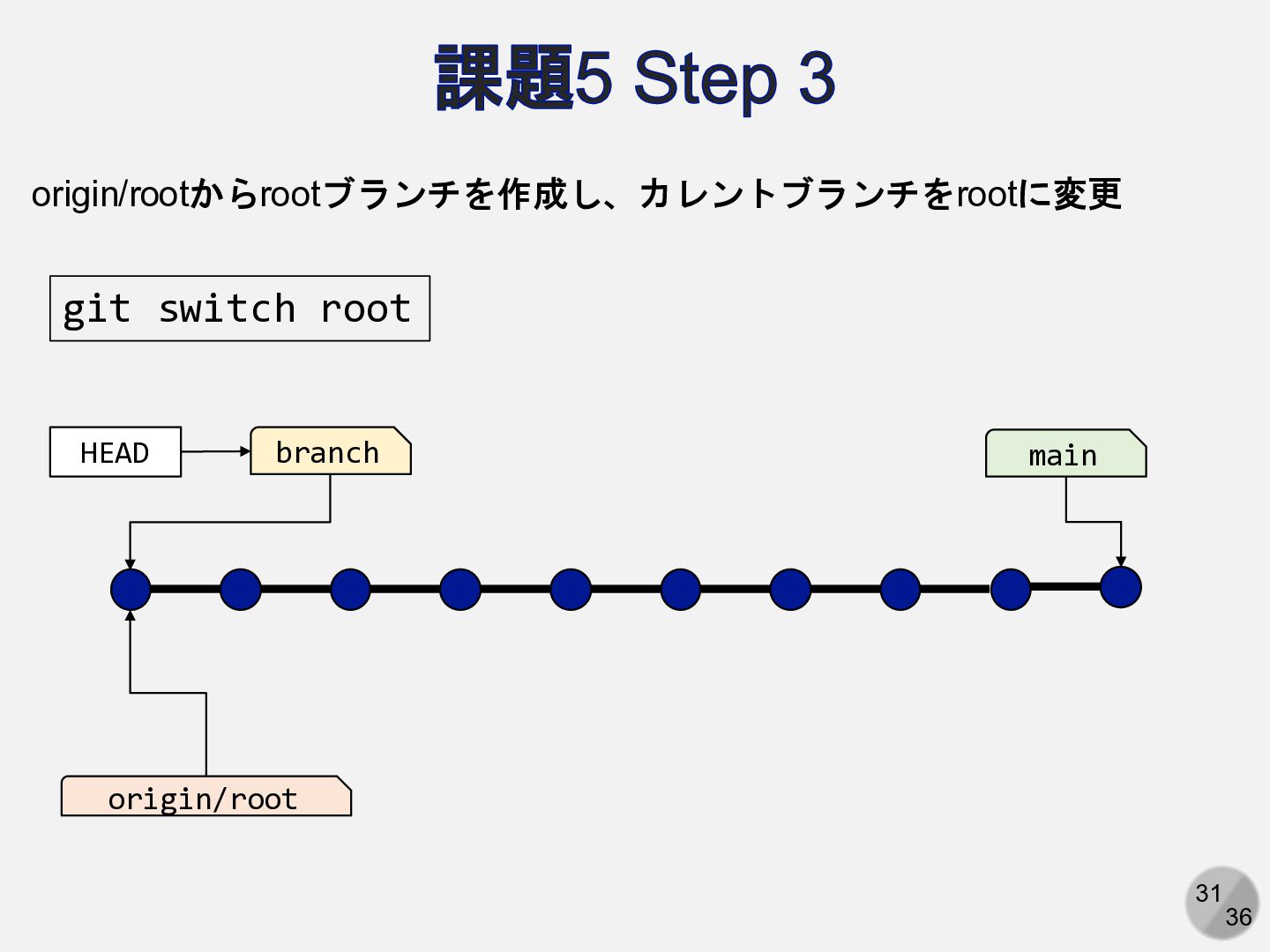
31 36 課題5 Step 3 main origin/root HEAD branch git
switch root origin/rootからrootブランチを作成し、カレントブランチをrootに変更
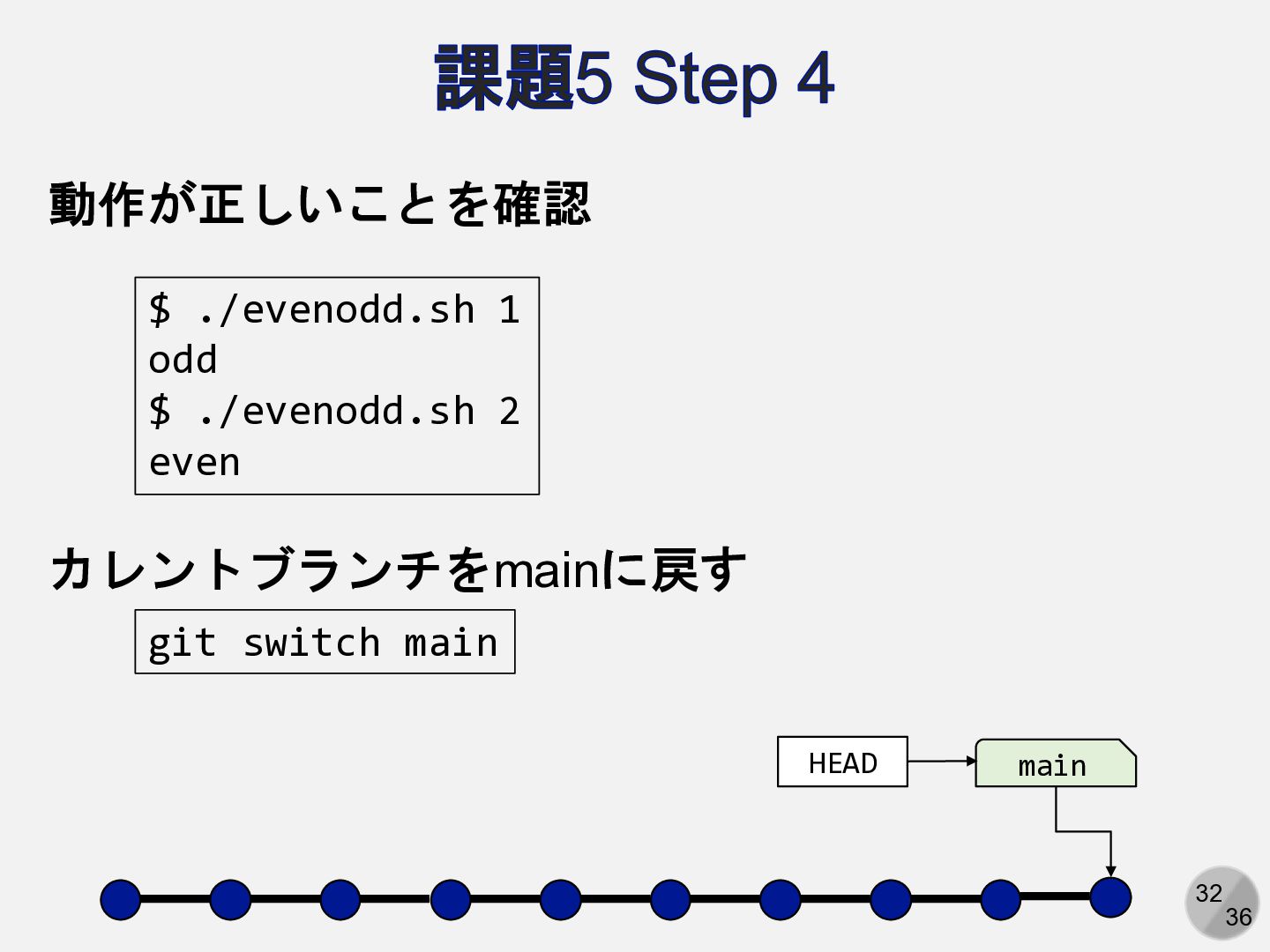
32 36 課題5 Step 4 $ ./evenodd.sh 1 odd $
./evenodd.sh 2 even 動作が正しいことを確認 カレントブランチをmainに戻す git switch main main HEAD
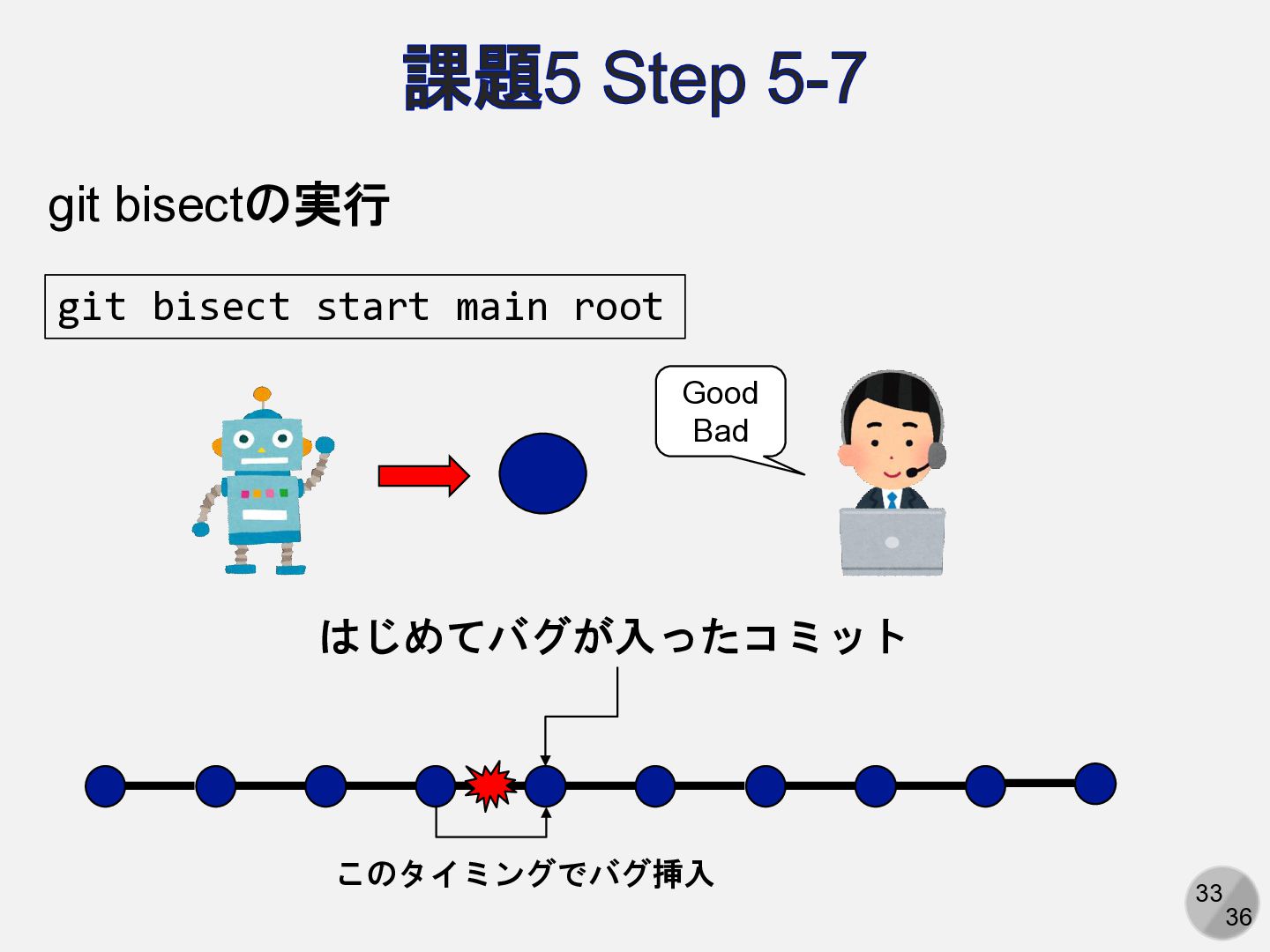
33 36 課題5 Step 5-7 git bisect start main root
git bisectの実行 はじめてバグが入ったコミット このタイミングでバグ挿入 Good Bad
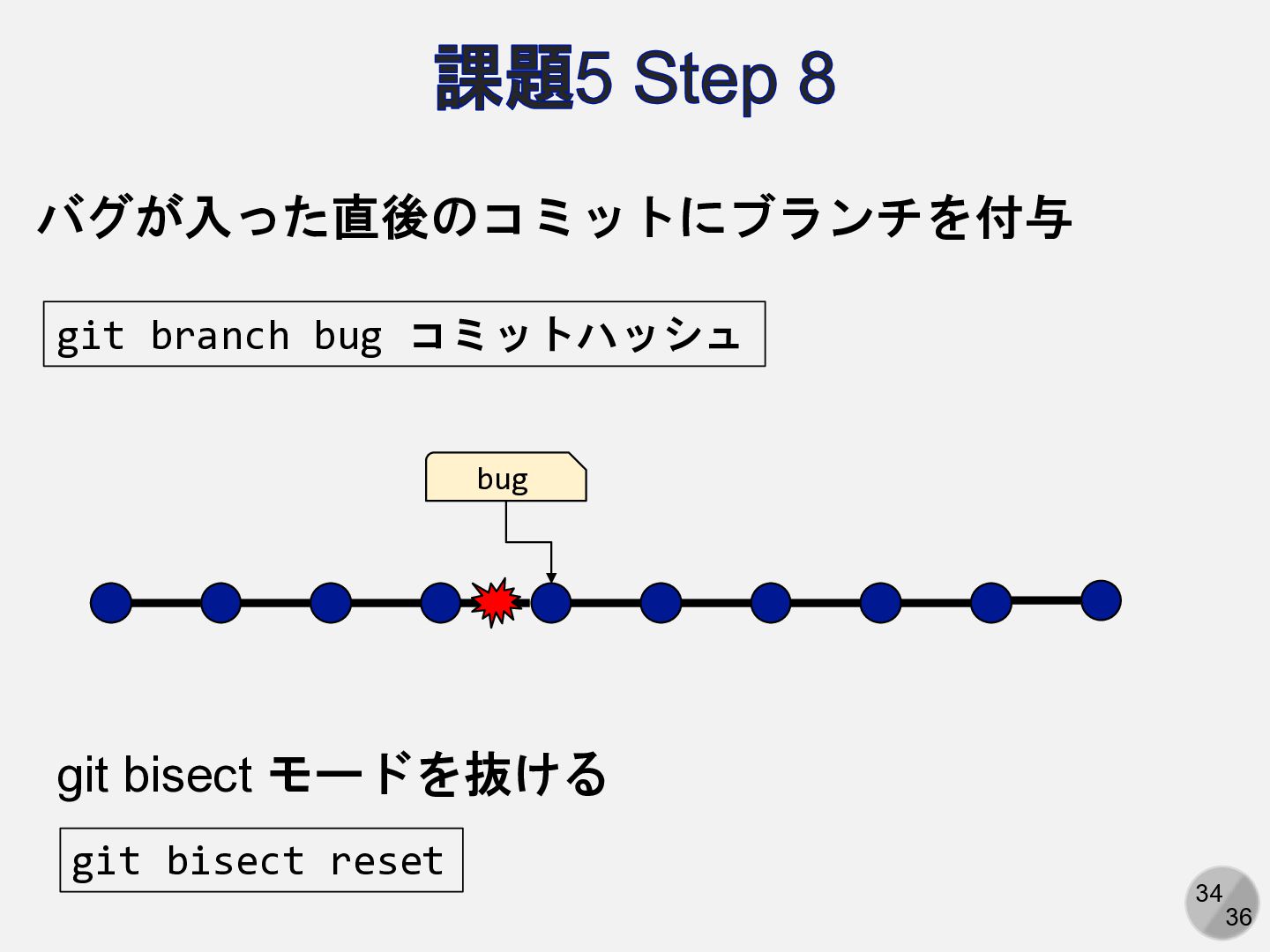
34 36 課題5 Step 8 bug git branch bug コミットハッシュ
バグが入った直後のコミットにブランチを付与 git bisect reset git bisect モードを抜ける
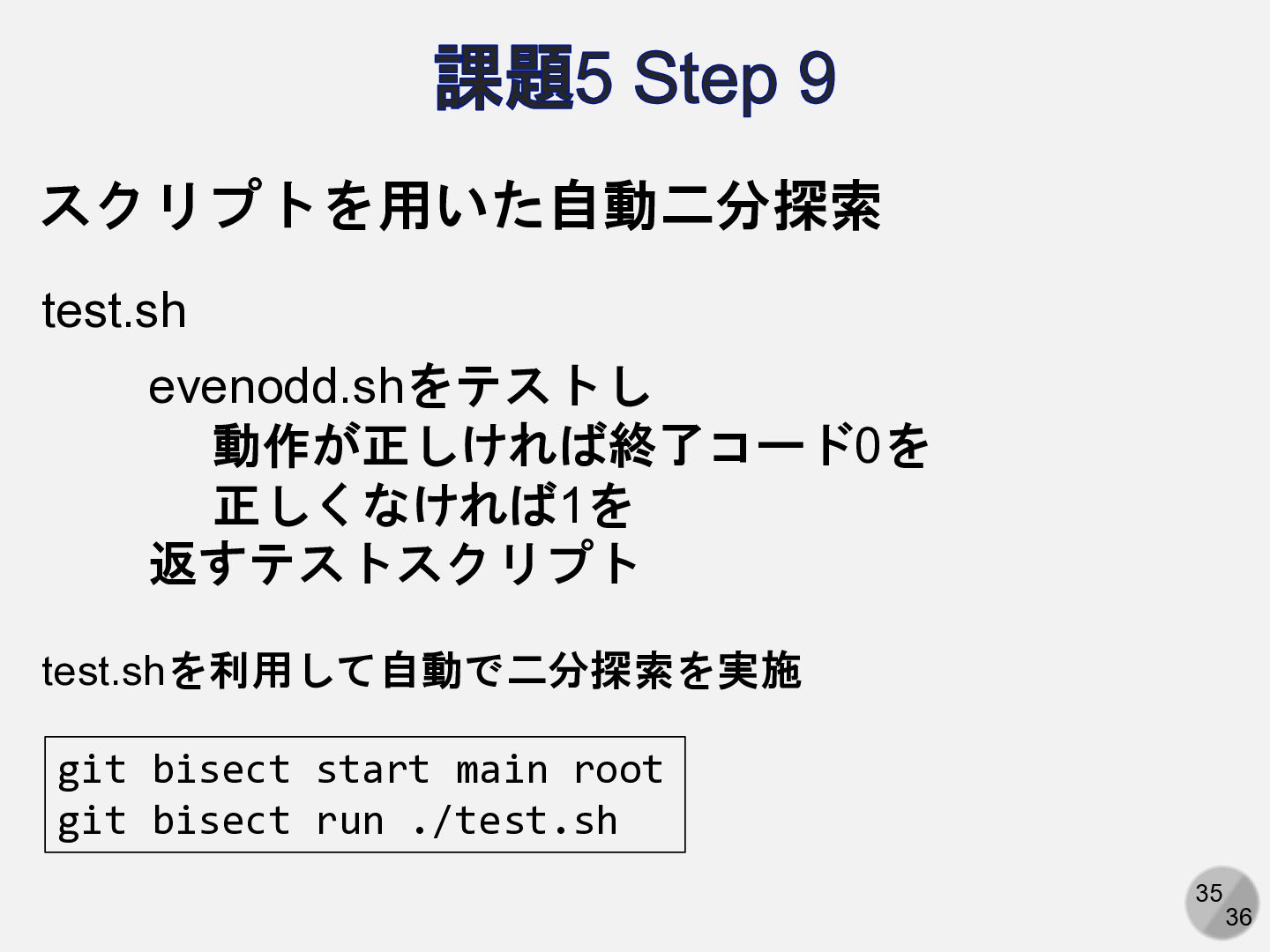
35 36 課題5 Step 9 git bisect start main root
git bisect run ./test.sh スクリプトを用いた自動二分探索 test.sh evenodd.shをテストし 動作が正しければ終了コード0を 正しくなければ1を 返すテストスクリプト test.shを利用して自動で二分探索を実施
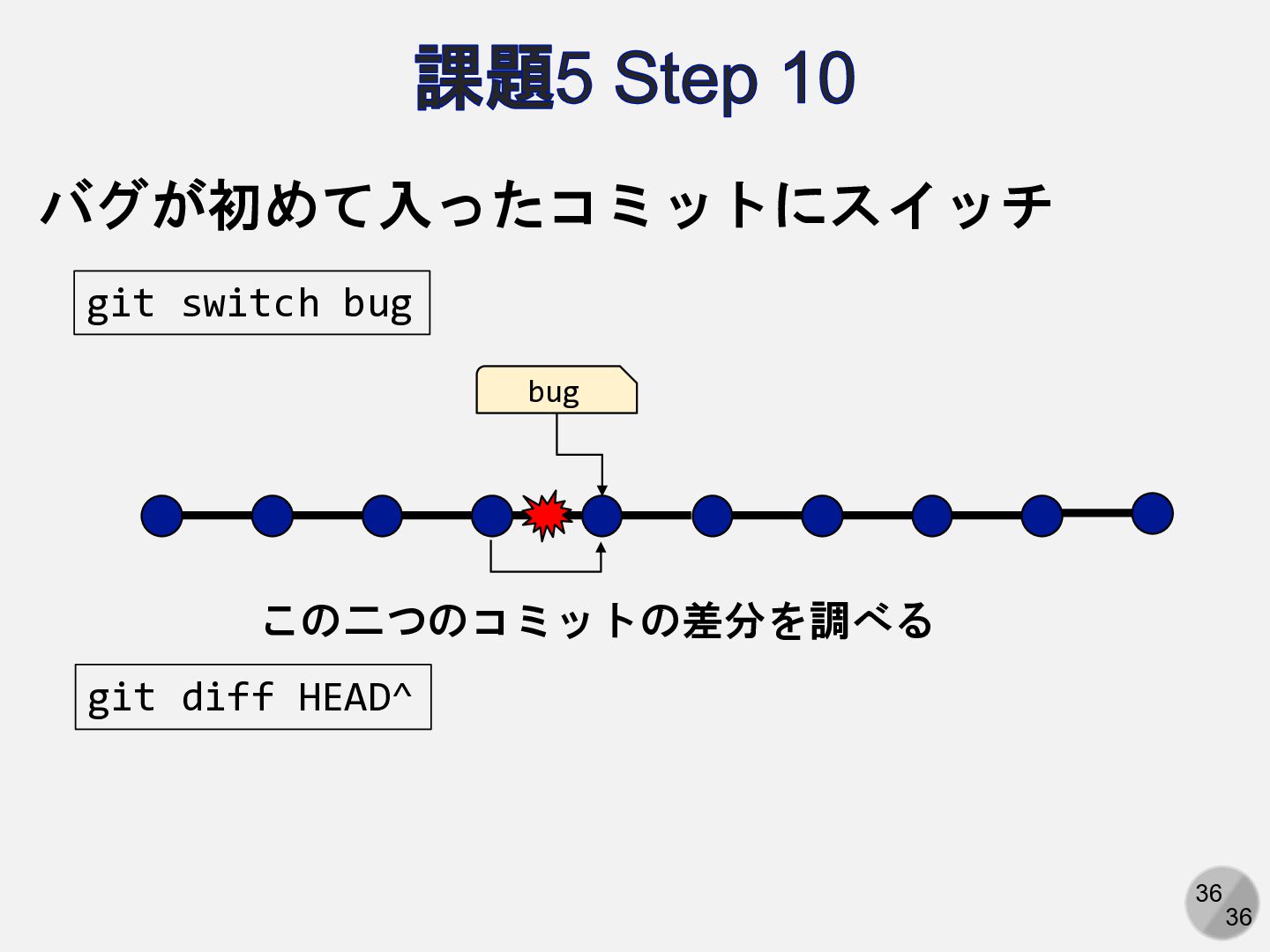
36 36 課題5 Step 10 bug git switch bug バグが初めて入ったコミットにスイッチ
この二つのコミットの差分を調べる git diff HEAD^


 kaityo256
 neuroiwm
 ssmedikasda
 bvr7352
 cbtlibrary
 adeputra13
 pawan_pharm
 ytapples613
 juanmartin2026
 madhuri28
 dragon2
 signer
 pfn
 keithpitt
 mayatellez
 nwiizo
 tapps
 helenjbeal
 eileencodes
 schlessera
 lara
 stephaniewalter
 lemiorhan
 skipperchong
 jonyablonski