Upgrade to Pro
— share decks privately, control downloads, hide ads and more …
Speaker Deck
Sign up for free
Menu
Search
Features
All features
Private URLs
Password Protection
Custom URLS
Scheduled publishing
Remove Branding
Restrict embedding
Deck Collections
Notes
Features
All features
Private URLs
Password Protection
Custom URLS
Scheduled publishing
Remove Branding
Restrict embedding
Deck Collections
Notes
Explore
Featured decks
Featured speakers
Programming
Technology
Storyboards
Explore
Featured decks
Featured speakers
Programming
Technology
Storyboards
Pricing
Search
Sign in
Sign up for free
BLEデバイスシェル芸
Search
amanoese
October 17, 2026
7
0
Share
Embed
Copy iframe code
Copy JS code
Copy link
Start on current slide
BLEデバイスシェル芸
amanoese
October 17, 2026
More Decks by amanoese
See All by amanoese
魔術式シェル芸
amanoese
0
1.3k
シェル芸でなれるVTuber!
amanoese
0
970
Technopop shell-gei(テクノポップシェル芸)
amanoese
0
570
Alexaアカウントリンクの認証と申請で躓いた話
amanoese
0
110
シェル芸のおかげでUnicodeに怯えず楽しめるようになった話
amanoese
0
270
AlexaにSSMLで音声記号(IPA) 使って喋らせたかった
amanoese
0
530
VUIでシェル芸を実行できるようにしてみた
amanoese
0
2.4k
インタラクティブなシェル芸実行コマンド作った感想
amanoese
0
210
静的WEBサイトをSPA化するワンライナー
amanoese
0
160
Featured
See All Featured
How to Align SEO within the Product Triangle To Get Buy-In & Support - #RIMC
aleyda
2
1.8k
Building the Perfect Custom Keyboard
takai
2
900
RailsConf 2023
tenderlove
30
1.6k
Agile that works and the tools we love
rasmusluckow
331
22k
From Legacy to Launchpad: Building Startup-Ready Communities
dugsong
0
350
The Illustrated Children's Guide to Kubernetes
chrisshort
51
53k
[RailsConf 2023] Rails as a piece of cake
palkan
59
7.1k
The Limits of Empathy - UXLibs8
cassininazir
2
720
Navigating Algorithm Shifts & AI Overviews - #SMXNext
aleyda
1
1.7k
How to build a perfect <img>
jonoalderson
1
6.1k
How GitHub (no longer) Works
holman
316
150k
Darren the Foodie - Storyboard
khoart
PRO
4
4k
Transcript
BLE デバイス シェル芸 シェル芸で BLE デバイスをハックする Ubuntu / BlueZ /
gatttool 実演: SwitchBot Color Bulb
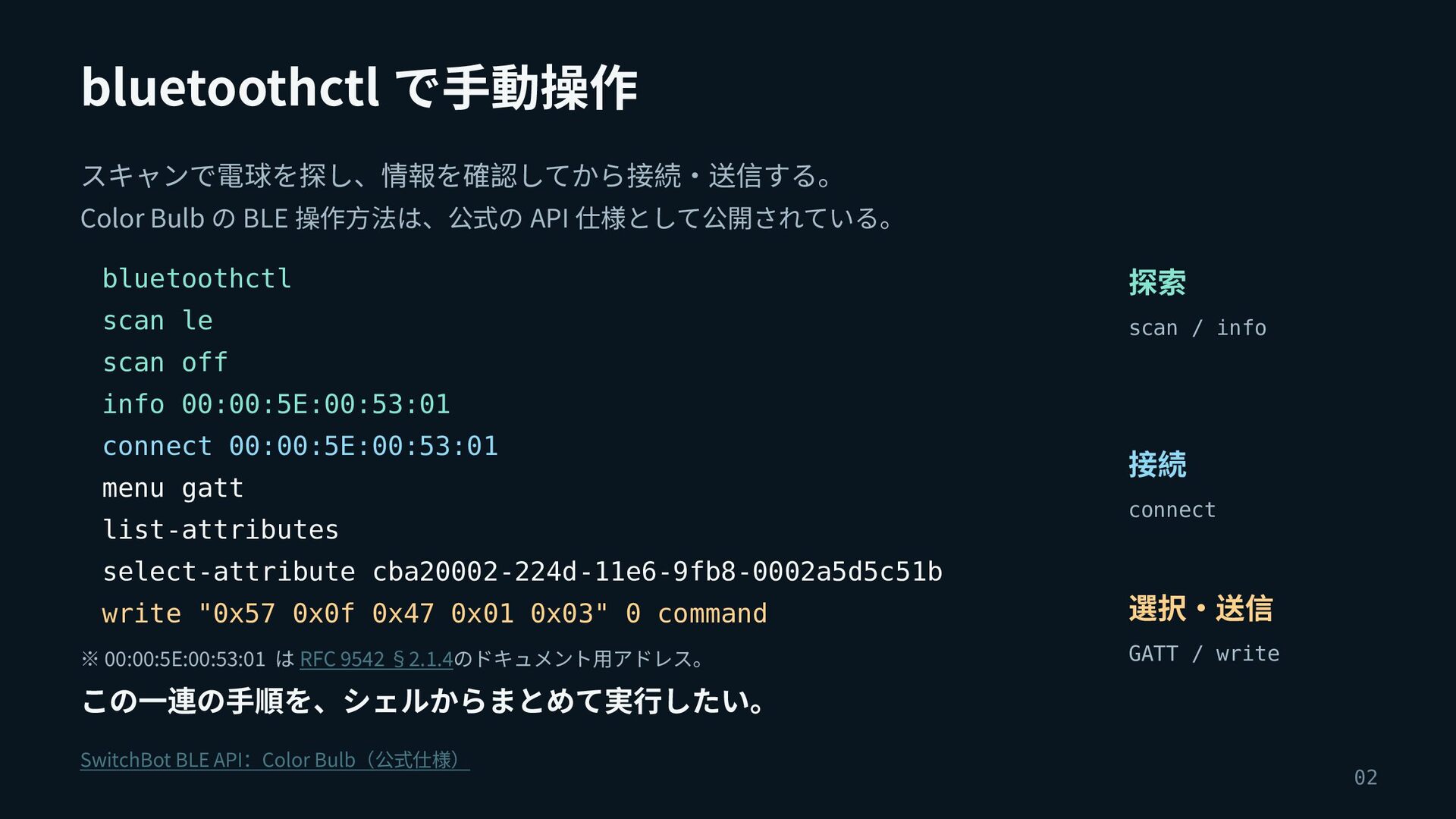
bluetoothctl で手動操作 スキャンで電球を探し、情報を確認してから接続・送信する。 Color Bulb の BLE 操作方法は、公式の API 仕様として公開されている。
bluetoothctl 探索 scan le scan / info scan off info 00:00:5E:00:53:01 connect 00:00:5E:00:53:01 menu gatt list-attributes select-attribute cba20002-224d-11e6-9fb8-0002a5d5c51b write "0x57 0x0f 0x47 0x01 0x03" 0 command ※ 00:00:5E:00:53:01 は RFC 9542 §2.1.4のドキュメント用アドレス。 接続 connect 選択・送信 GATT / write この一連の手順を、シェルからまとめて実行したい。 SwitchBot BLE API:Color Bulb(公式仕様) 02
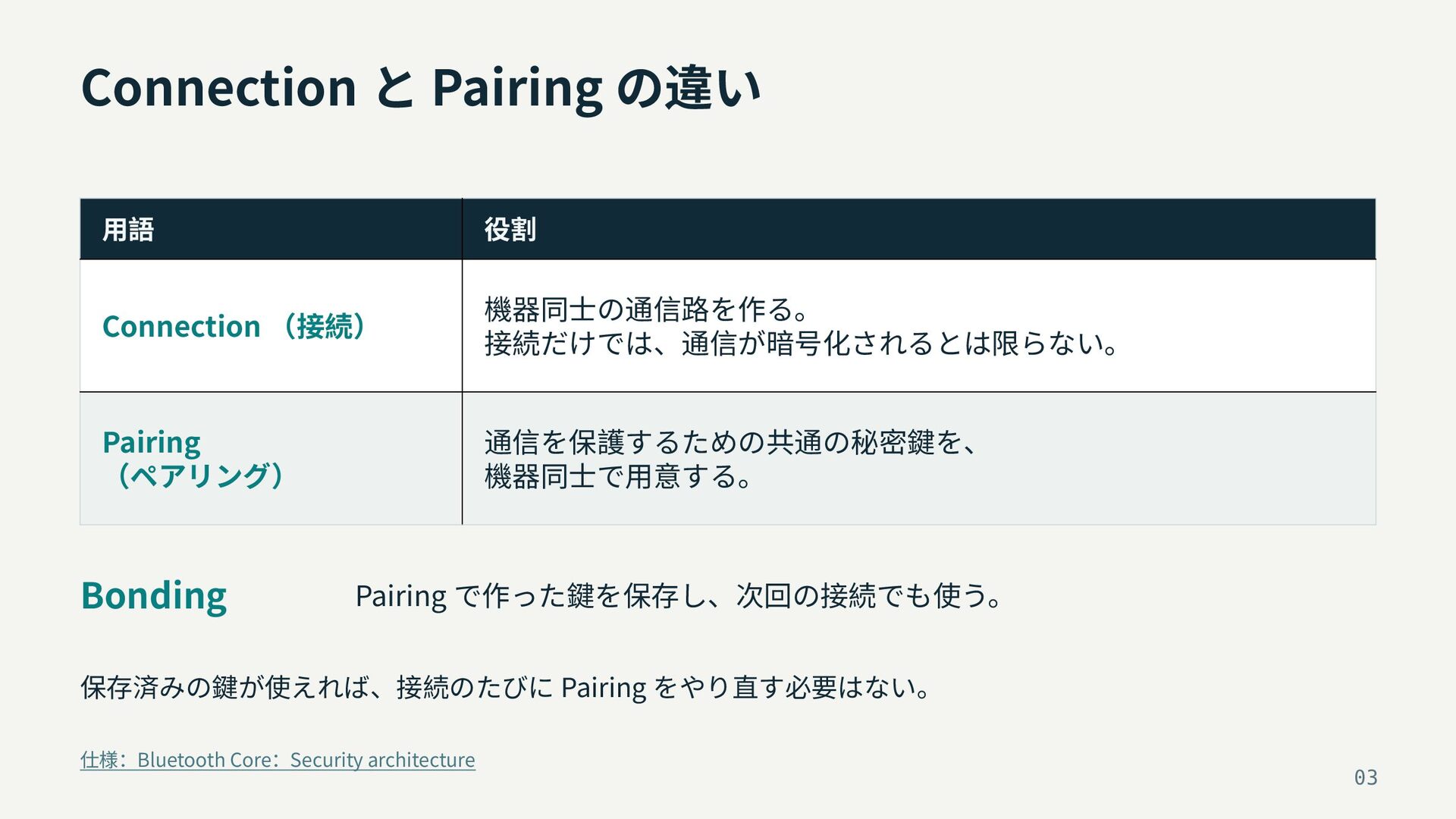
Connection と Pairing の違い 用語 役割 Connection (接続) 機器同士の通信路を作る。 接続だけでは、通信が暗号化されるとは限らない。
Pairing (ペアリング) 通信を保護するための共通の秘密鍵を、 機器同士で用意する。 Bonding Pairing で作った鍵を保存し、次回の接続でも使う。 保存済みの鍵が使えれば、接続のたびに Pairing をやり直す必要はない。 仕様:Bluetooth Core:Security architecture 03
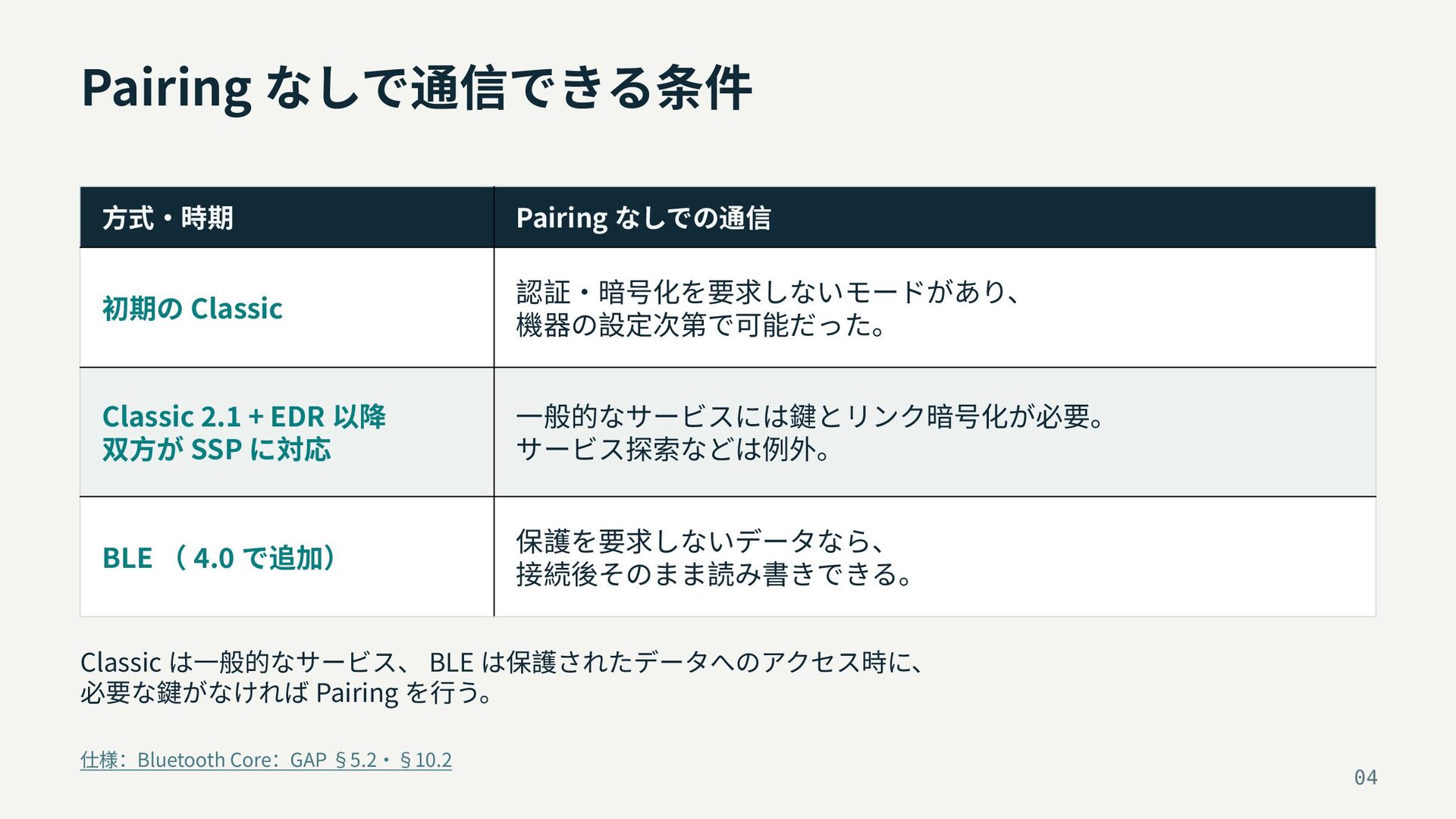
Pairing なしで通信できる条件 方式・時期 Pairing なしでの通信 初期の Classic 認証・暗号化を要求しないモードがあり、 機器の設定次第で可能だった。 Classic
2.1 + EDR 以降 双方が SSP に対応 一般的なサービスには鍵とリンク暗号化が必要。 サービス探索などは例外。 BLE ( 4.0 で追加) 保護を要求しないデータなら、 接続後そのまま読み書きできる。 Classic は一般的なサービス、 BLE は保護されたデータへのアクセス時に、 必要な鍵がなければ Pairing を行う。 仕様:Bluetooth Core:GAP §5.2・§10.2 04
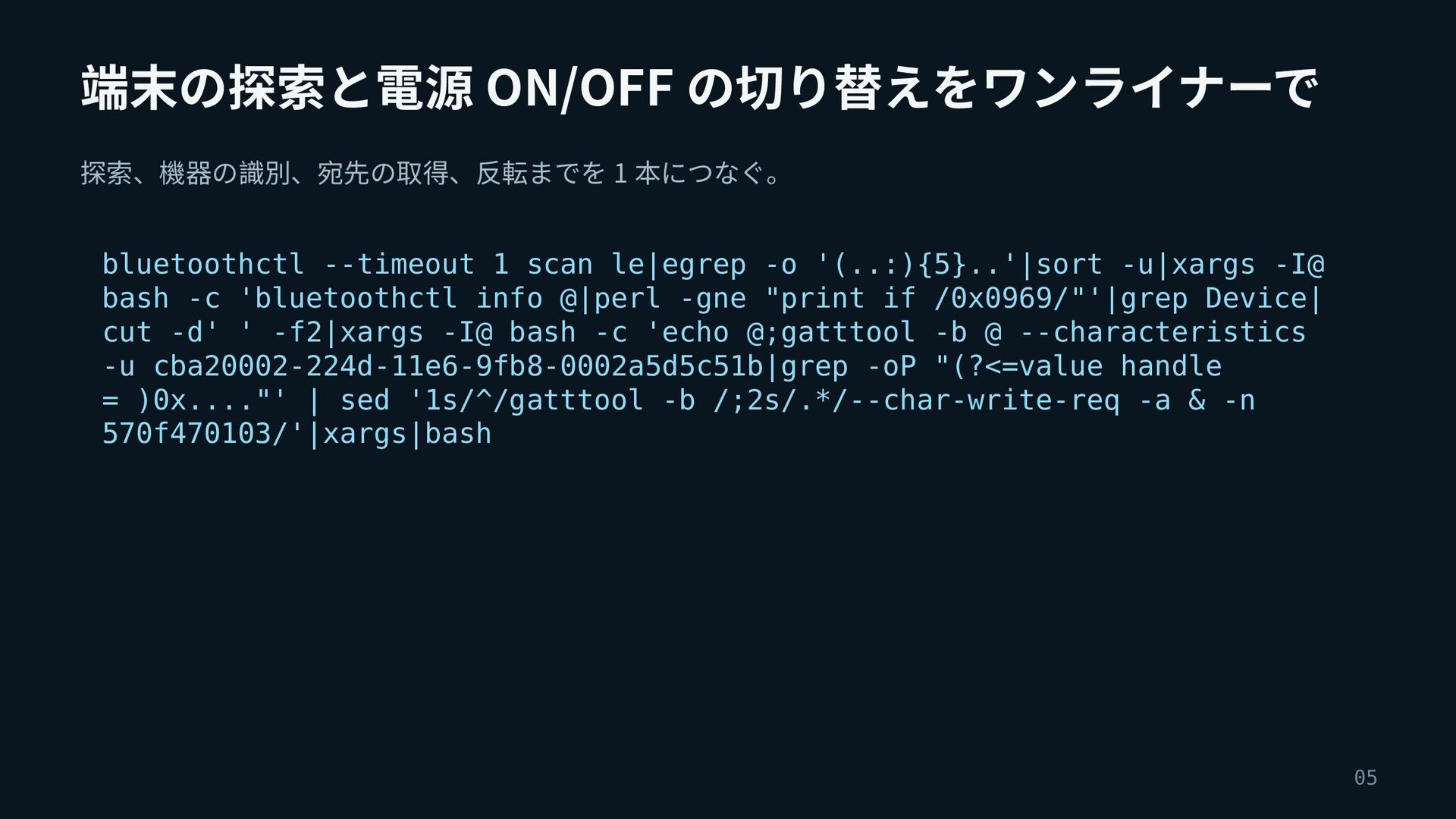
端末の探索と電源 ON/OFF の切り替えをワンライナーで 探索、機器の識別、宛先の取得、反転までを 1 本につなぐ。 bluetoothctl --timeout 1 scan
le|egrep -o '(..:){5}..'|sort -u|xargs -I@ bash -c 'bluetoothctl info @|perl -gne "print if /0x0969/"'|grep Device| cut -d' ' -f2|xargs -I@ bash -c 'echo @;gatttool -b @ --characteristics -u cba20002-224d-11e6-9fb8-0002a5d5c51b|grep -oP "(?<=value handle = )0x...."' | sed '1s/^/gatttool -b /;2s/.*/--char-write-req -a & -n 570f470103/'|xargs|bash 05
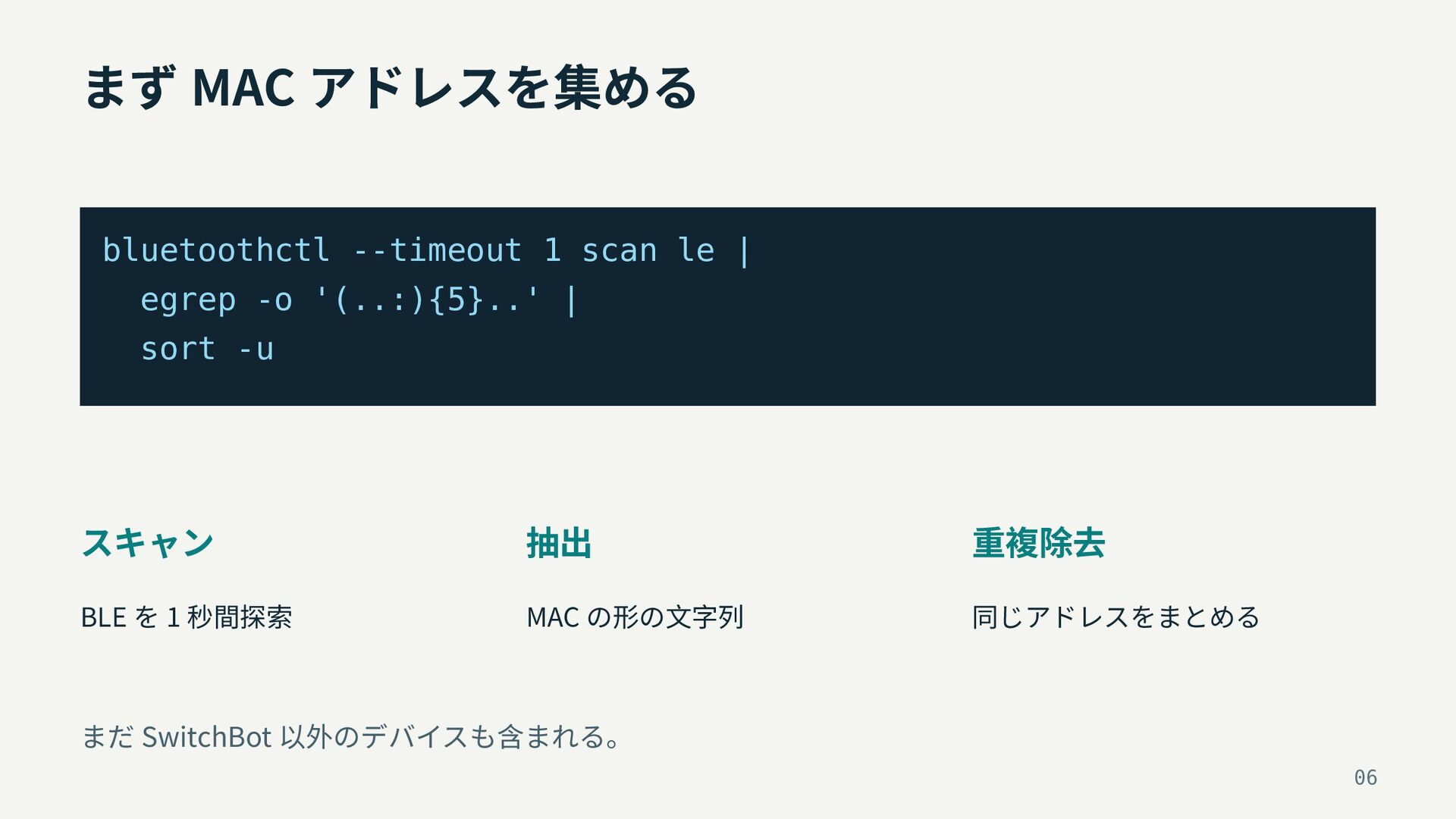
まず MAC アドレスを集める bluetoothctl --timeout 1 scan le | egrep
-o '(..:){5}..' | sort -u スキャン 抽出 重複除去 BLE を 1 秒間探索 MAC の形の文字列 同じアドレスをまとめる まだ SwitchBot 以外のデバイスも含まれる。 06
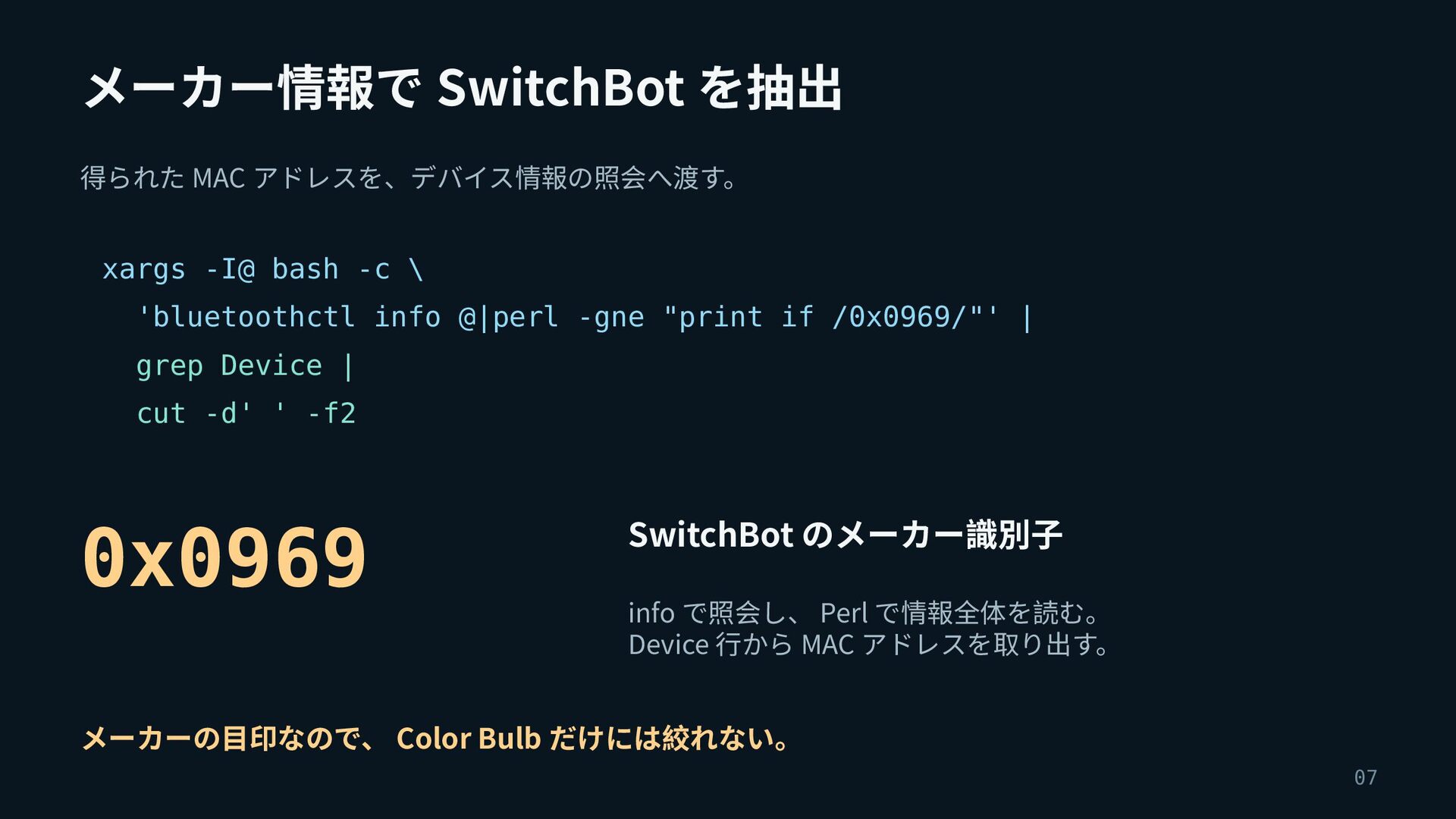
メーカー情報で SwitchBot を抽出 得られた MAC アドレスを、デバイス情報の照会へ渡す。 xargs -I@ bash -c
\ 'bluetoothctl info @|perl -gne "print if /0x0969/"' | grep Device | cut -d' ' -f2 0x0969 SwitchBot のメーカー識別子 info で照会し、 Perl で情報全体を読む。 Device 行から MAC アドレスを取り出す。 メーカーの目印なので、 Color Bulb だけには絞れない。 07
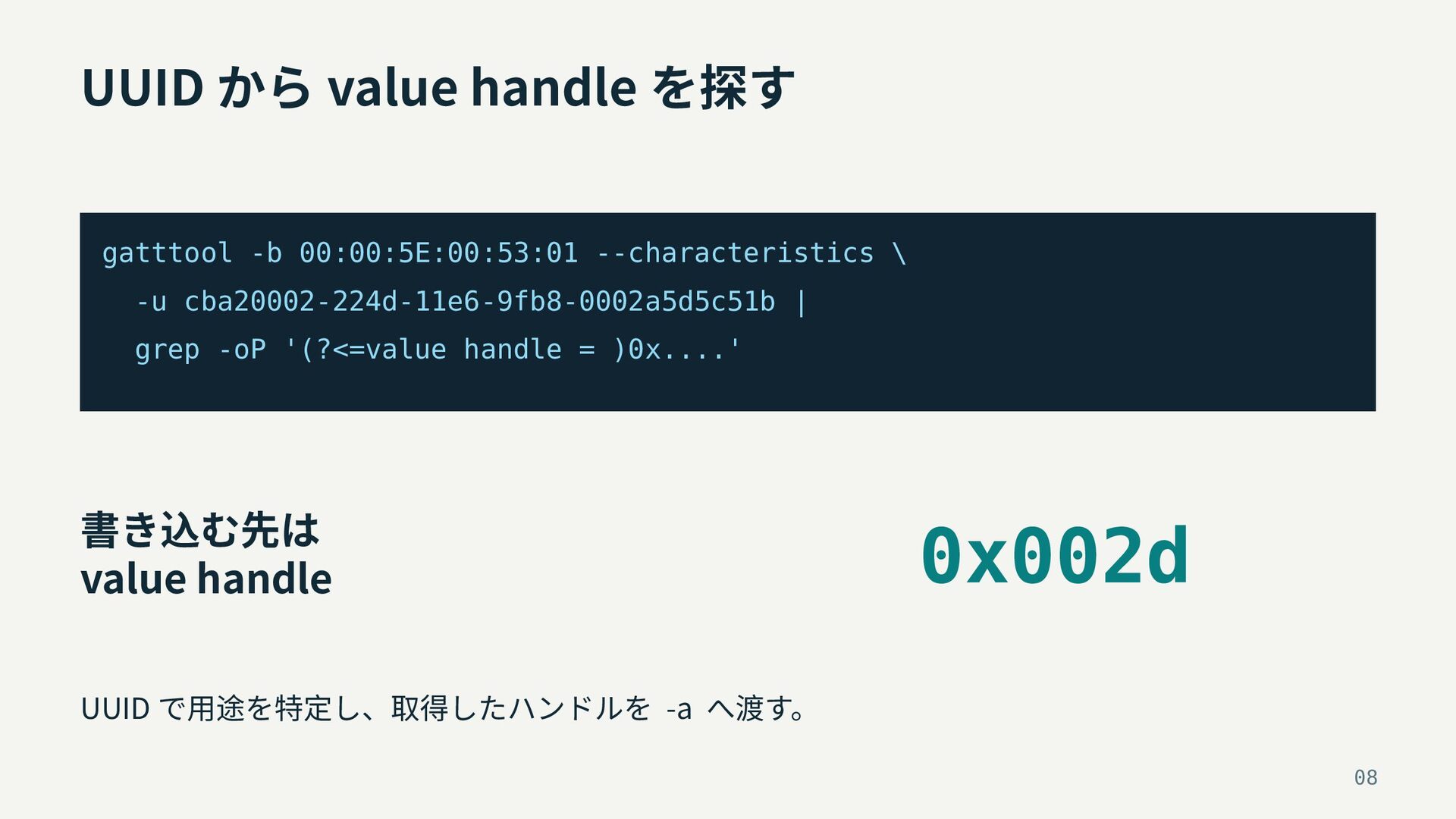
UUID から value handle を探す gatttool -b 00:00:5E:00:53:01 --characteristics \
-u cba20002-224d-11e6-9fb8-0002a5d5c51b | grep -oP '(?<=value handle = )0x....' 書き込む先は value handle 0x002d UUID で用途を特定し、取得したハンドルを -a へ渡す。 08
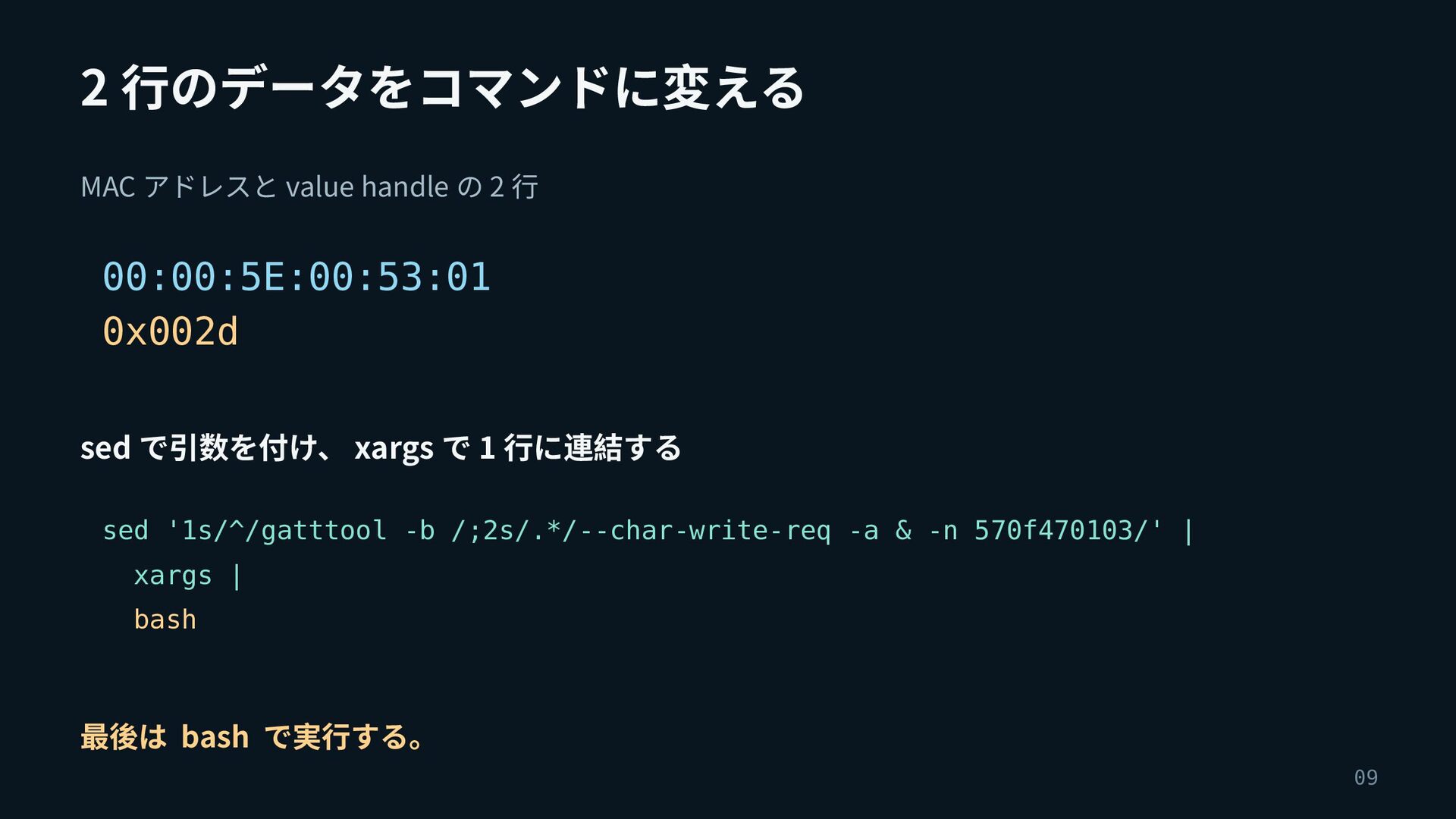
2 行のデータをコマンドに変える MAC アドレスと value handle の 2 行 00:00:5E:00:53:01
0x002d sed で引数を付け、 xargs で 1 行に連結する sed '1s/^/gatttool -b /;2s/.*/--char-write-req -a & -n 570f470103/' | xargs | bash 最後は bash で実行する。 09
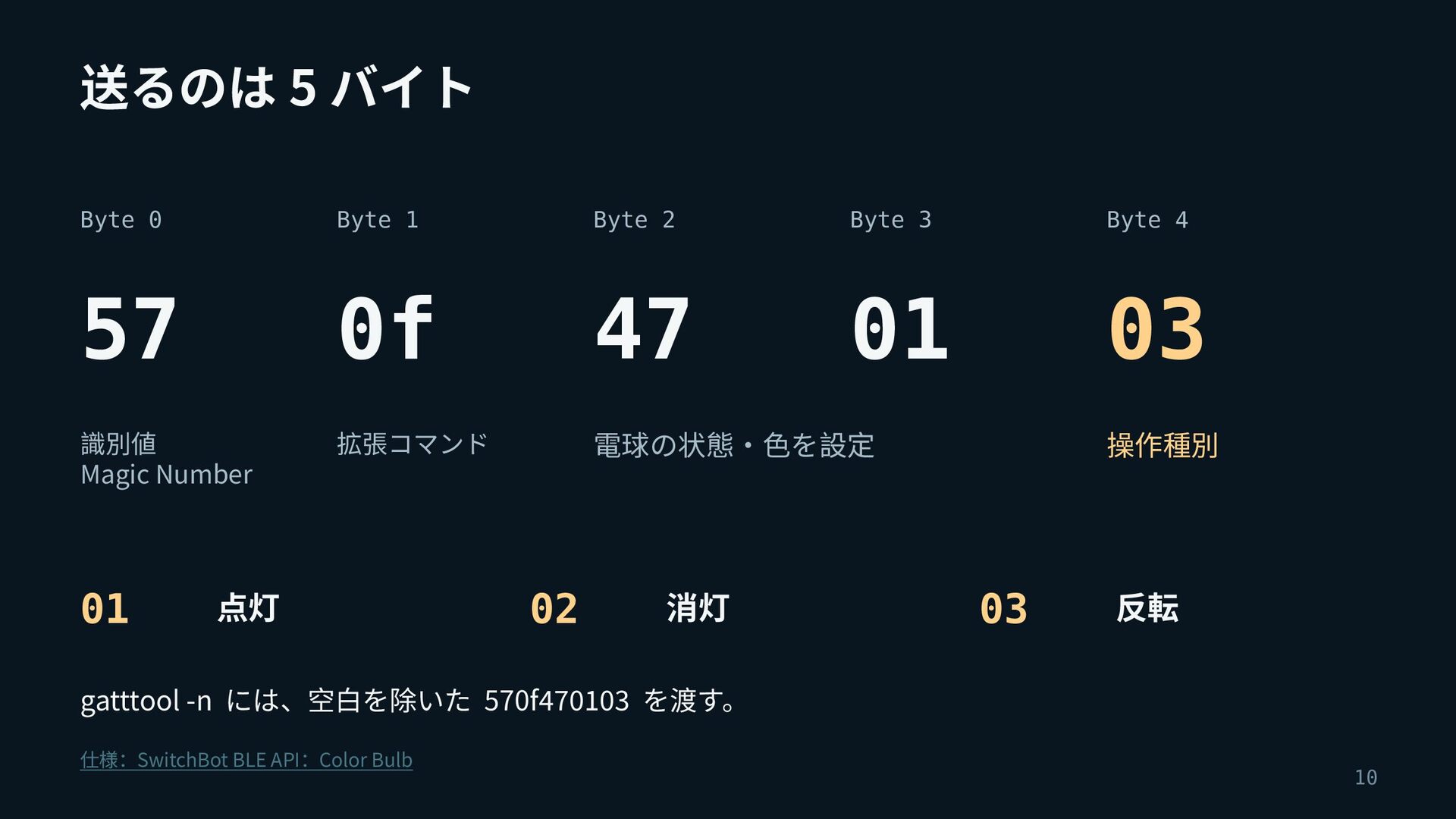
送るのは 5 バイト Byte 0 Byte 1 Byte 2 Byte
3 Byte 4 57 0f 47 01 03 識別値 Magic Number 拡張コマンド 電球の状態・色を設定 01 点灯 02 消灯 操作種別 03 反転 gatttool -n には、空白を除いた 570f470103 を渡す。 仕様:SwitchBot BLE API:Color Bulb 10
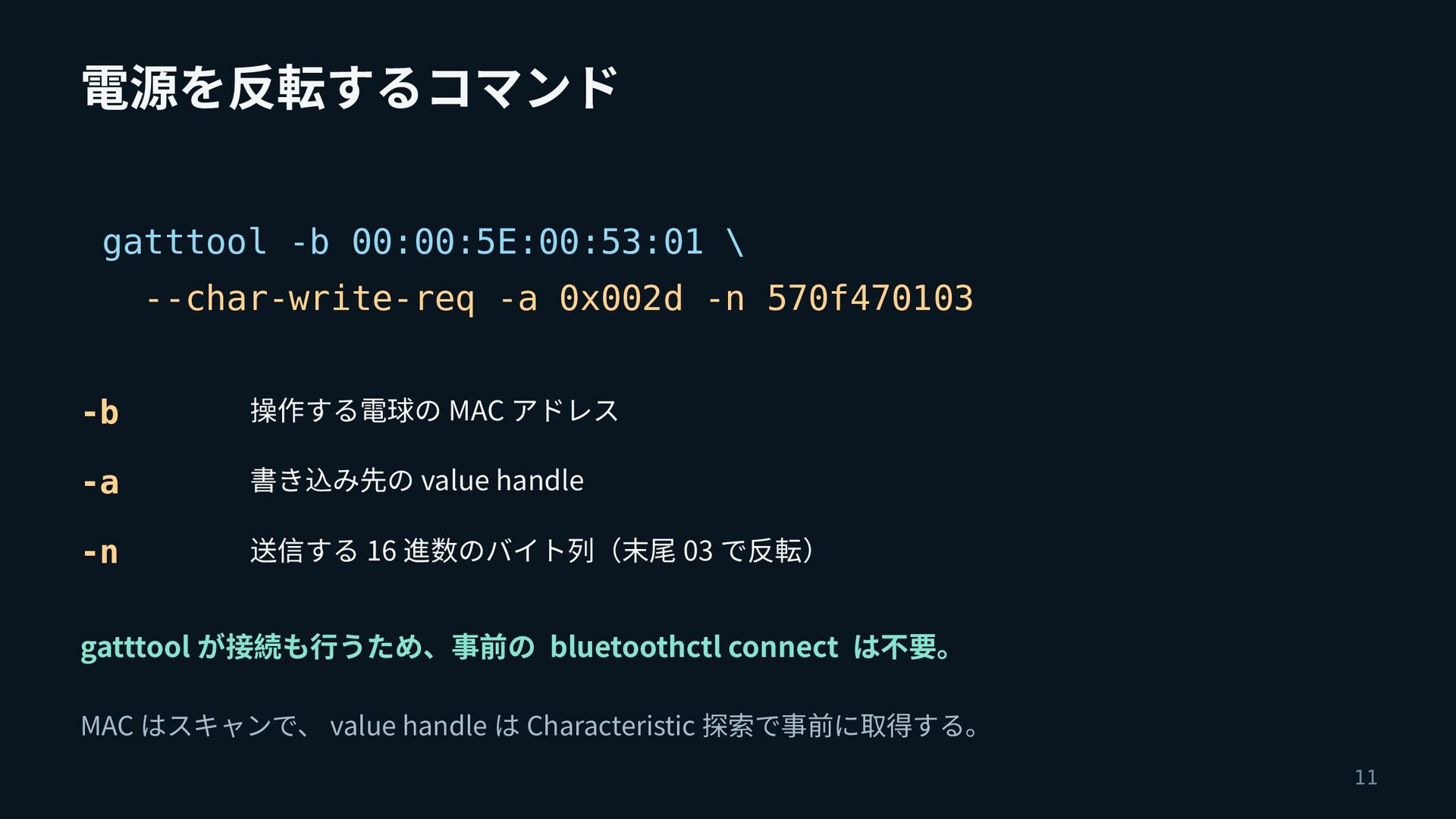
電源を反転するコマンド gatttool -b 00:00:5E:00:53:01 \ --char-write-req -a 0x002d -n 570f470103
-b 操作する電球の MAC アドレス -a 書き込み先の value handle -n 送信する 16 進数のバイト列(末尾 03 で反転) gatttool が接続も行うため、事前の bluetoothctl connect は不要。 MAC はスキャンで、 value handle は Characteristic 探索で事前に取得する。 11
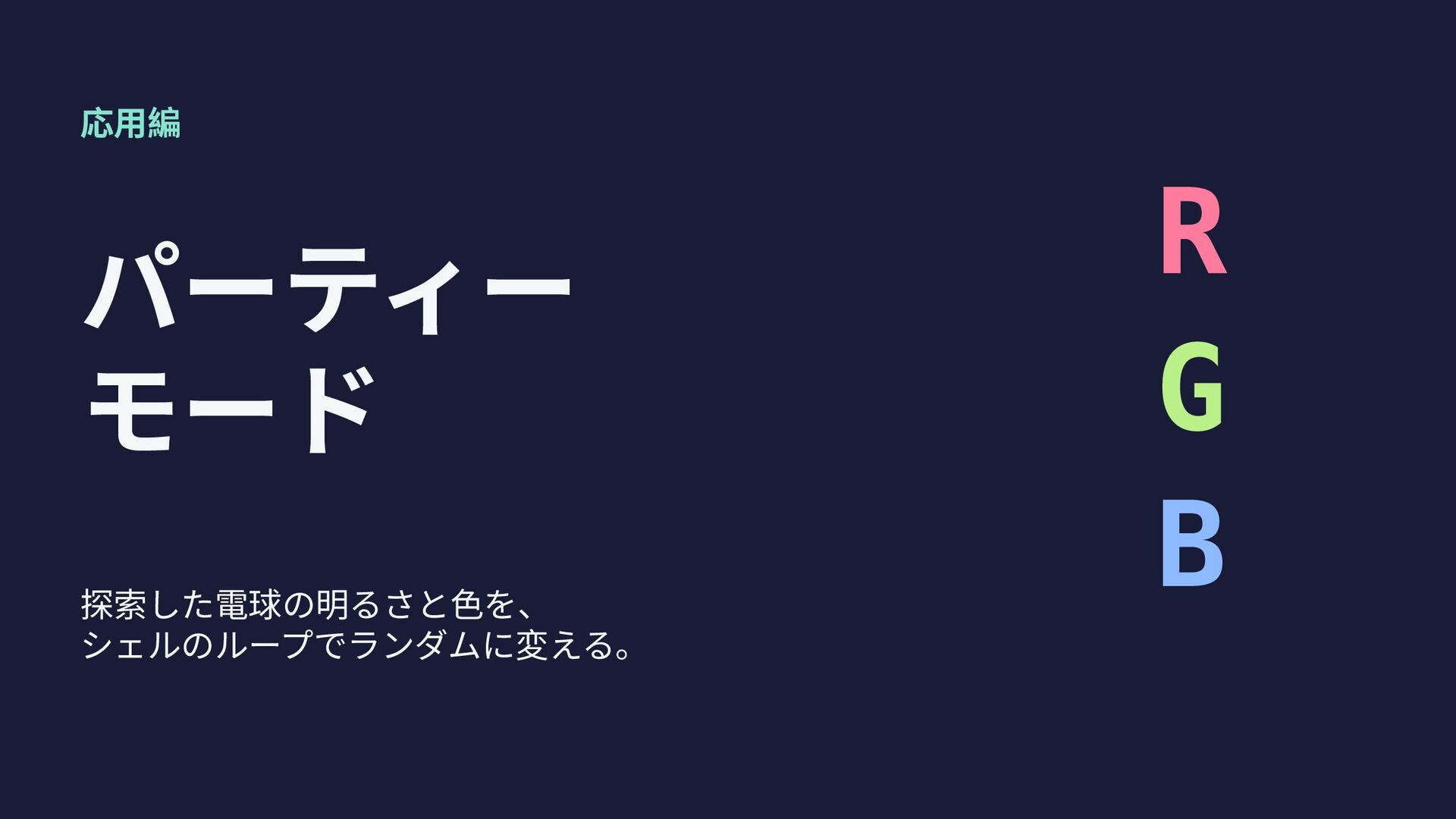
応用編 パーティー モード 探索した電球の明るさと色を、 シェルのループでランダムに変える。 R G B
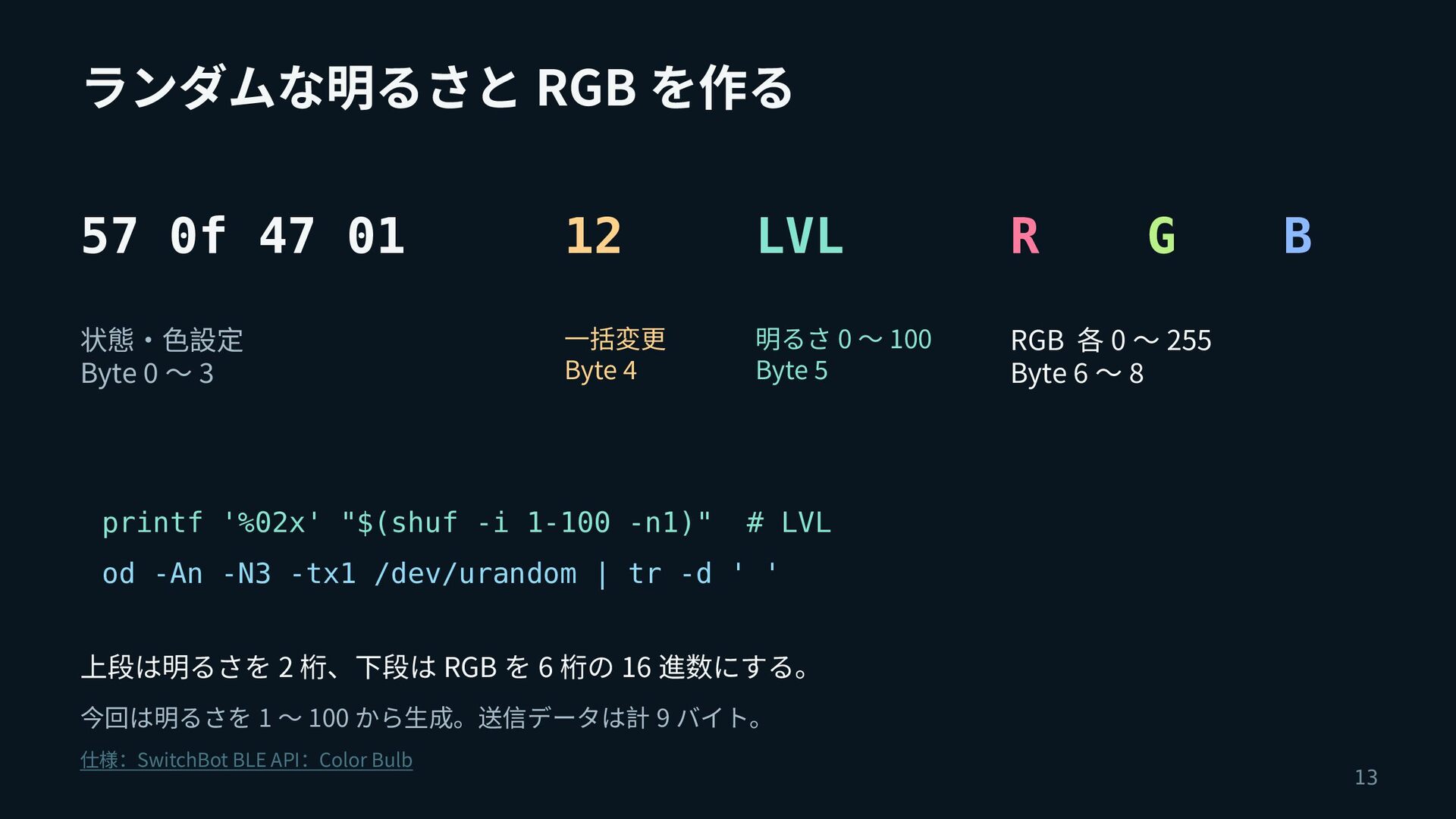
ランダムな明るさと RGB を作る 57 0f 47 01 12 LVL R
状態・色設定 Byte 0 〜 3 一括変更 Byte 4 明るさ 0 〜 100 Byte 5 RGB 各 0 〜 255 Byte 6 〜 8 printf '%02x' "$(shuf -i 1-100 -n1)" G B # LVL od -An -N3 -tx1 /dev/urandom | tr -d ' ' 上段は明るさを 2 桁、下段は RGB を 6 桁の 16 進数にする。 今回は明るさを 1 〜 100 から生成。送信データは計 9 バイト。 仕様:SwitchBot BLE API:Color Bulb 13
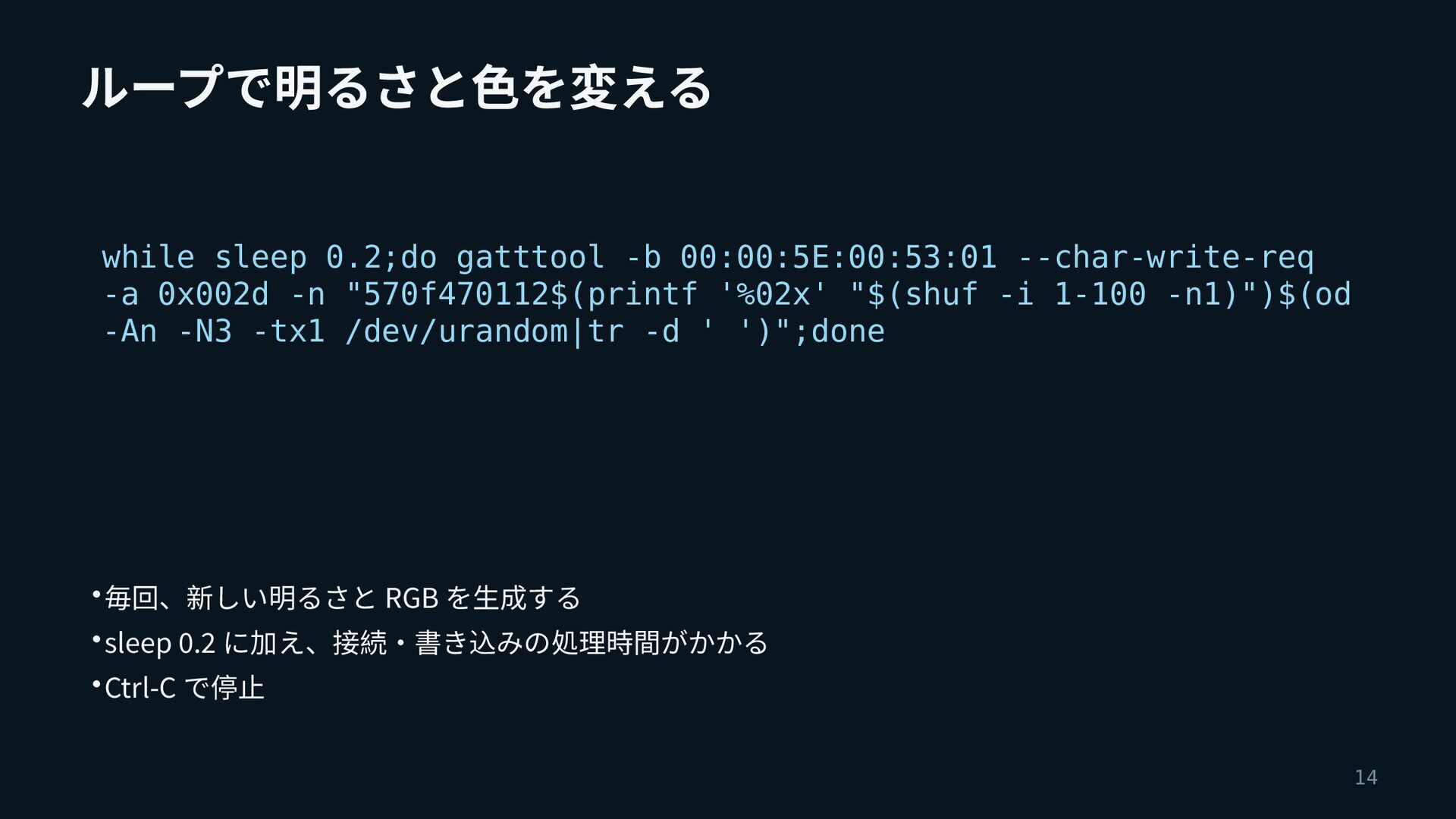
ループで明るさと色を変える while sleep 0.2;do gatttool -b 00:00:5E:00:53:01 --char-write-req -a 0x002d
-n "570f470112$(printf '%02x' "$(shuf -i 1-100 -n1)")$(od -An -N3 -tx1 /dev/urandom|tr -d ' ')";done • 毎回、新しい明るさと RGB を生成する • sleep 0.2 に加え、接続・書き込みの処理時間がかかる • Ctrl-C で停止 14
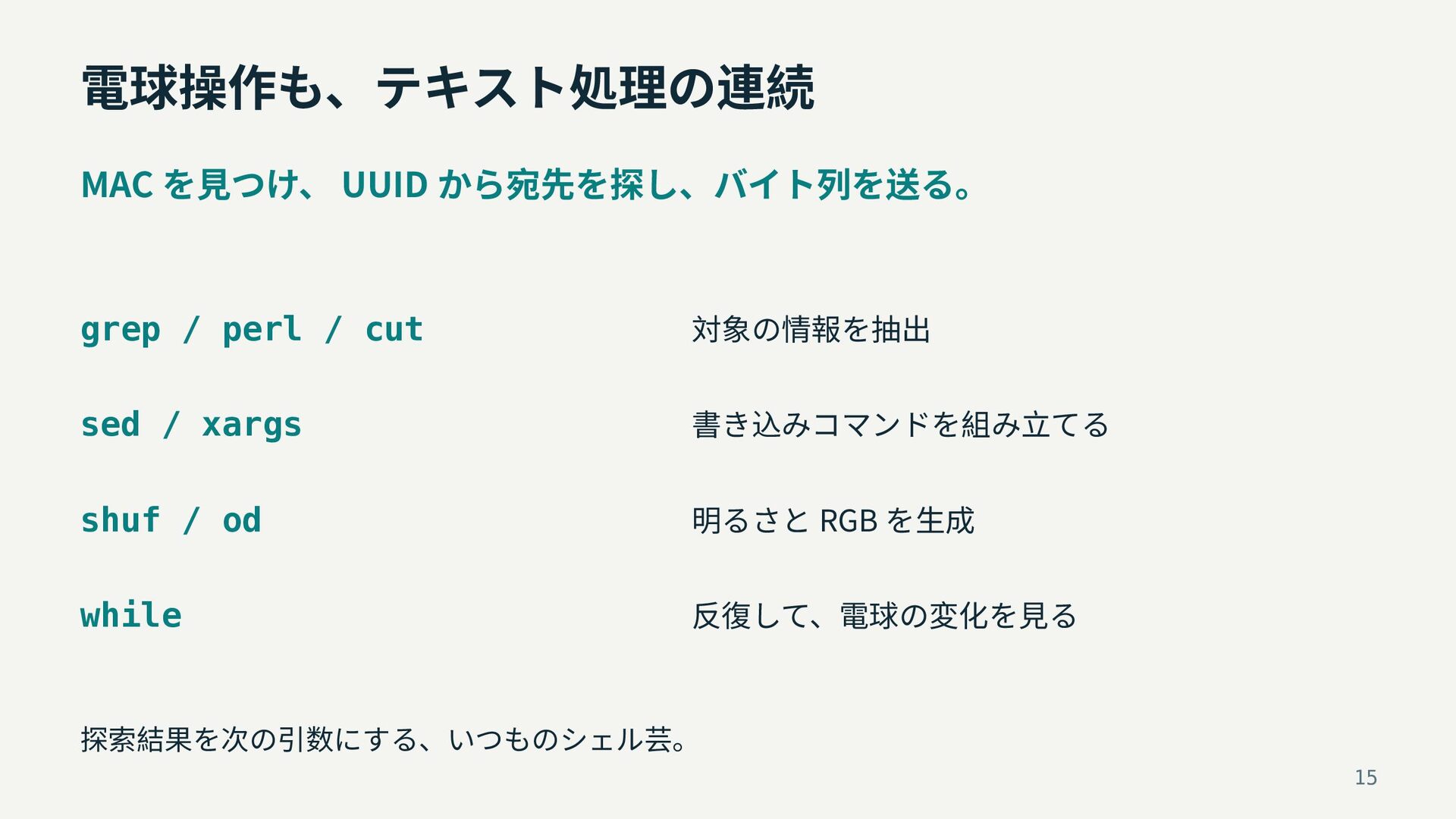
電球操作も、テキスト処理の連続 MAC を見つけ、 UUID から宛先を探し、バイト列を送る。 grep / perl / cut
対象の情報を抽出 sed / xargs 書き込みコマンドを組み立てる shuf / od 明るさと RGB を生成 while 反復して、電球の変化を見る 探索結果を次の引数にする、いつものシェル芸。 15
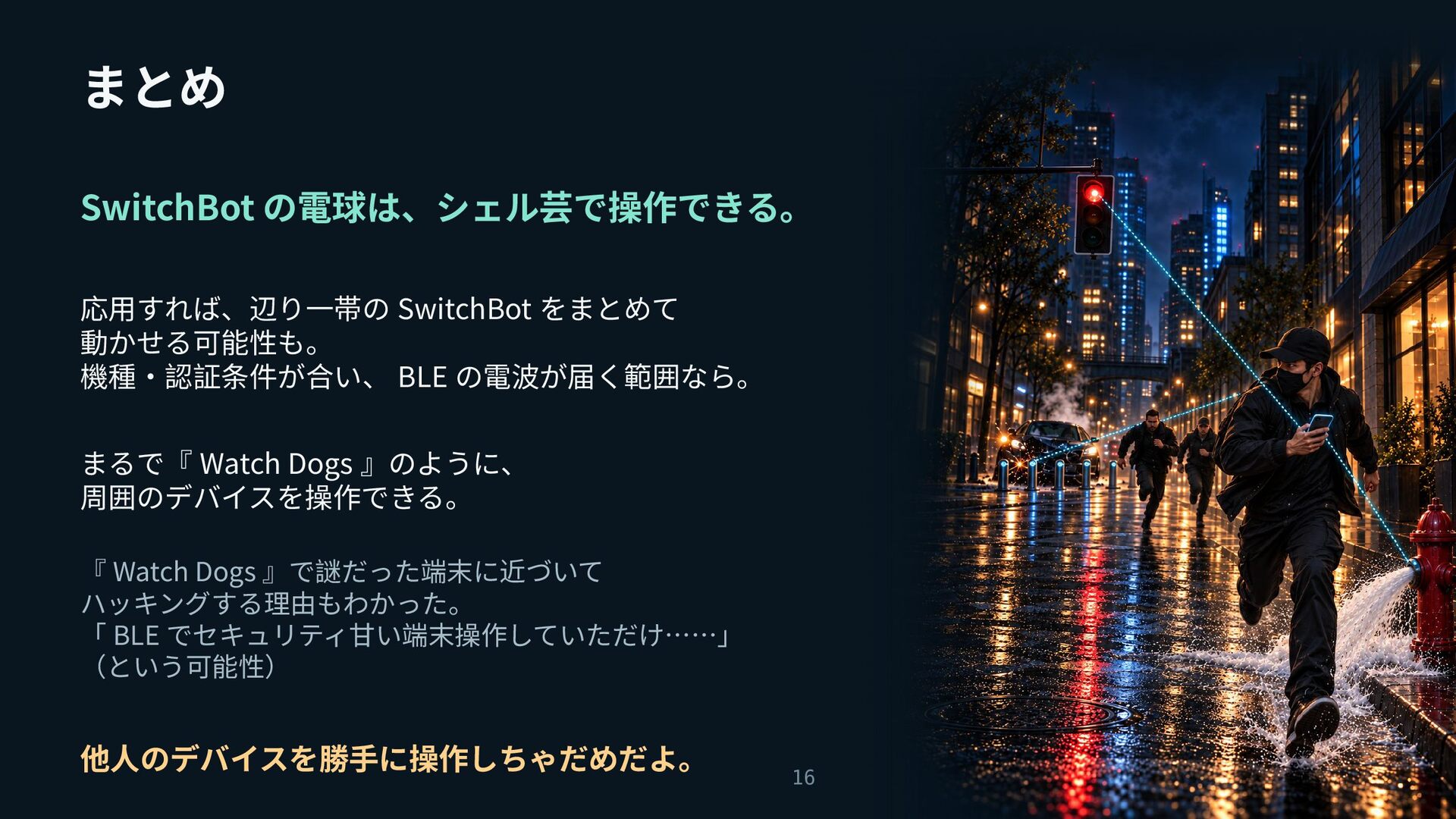
まとめ SwitchBot の電球は、シェル芸で操作できる。 応用すれば、辺り一帯の SwitchBot をまとめて 動かせる可能性も。 機種・認証条件が合い、 BLE の電波が届く範囲なら。
まるで『 Watch Dogs 』のように、 周囲のデバイスを操作できる。 『 Watch Dogs 』で謎だった端末に近づいて ハッキングする理由もわかった。 「 BLE でセキュリティ甘い端末操作していただけ……」 (という可能性) 他人のデバイスを勝手に操作しちゃだめだよ。 16
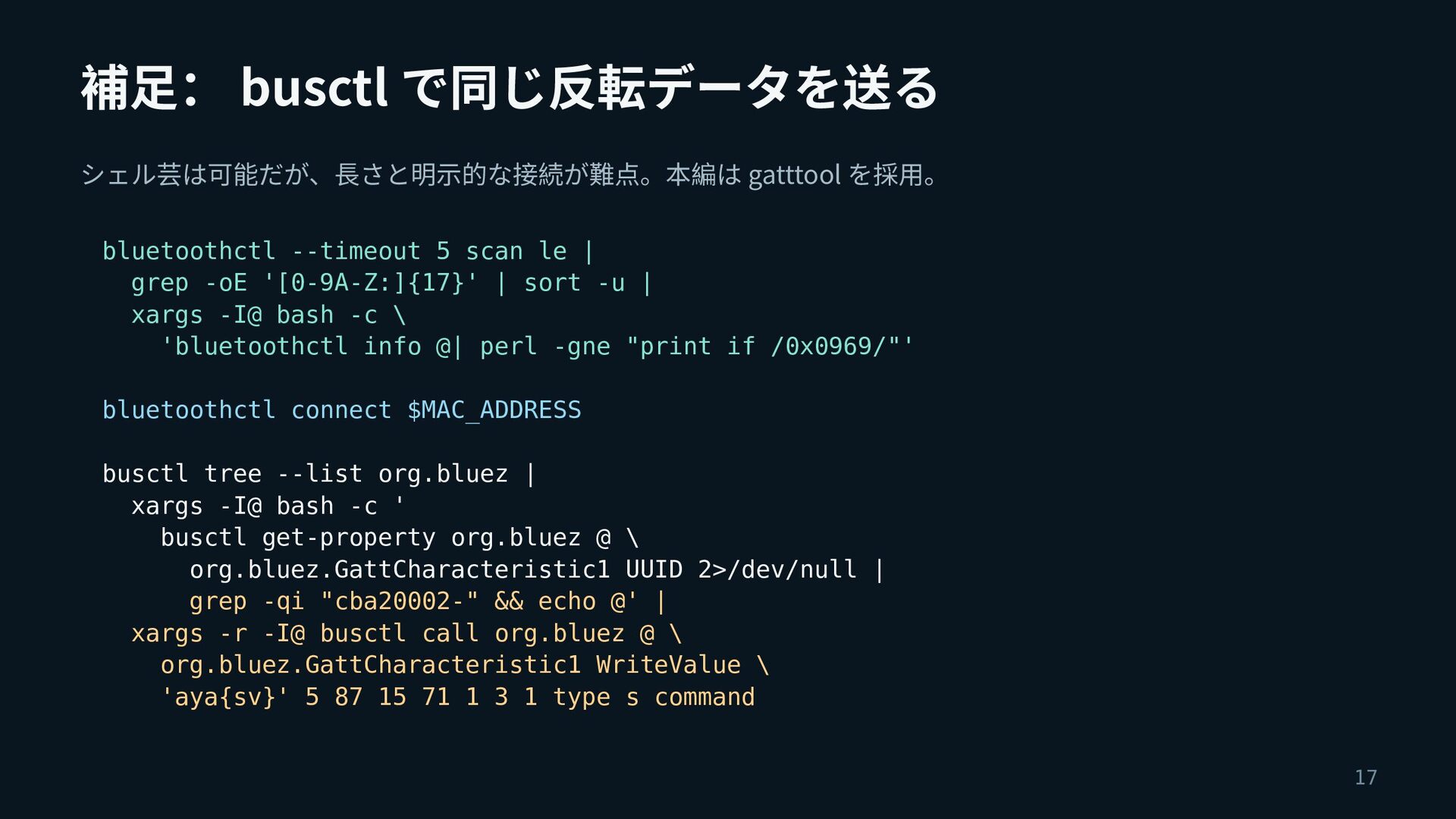
補足: busctl で同じ反転データを送る シェル芸は可能だが、長さと明示的な接続が難点。本編は gatttool を採用。 bluetoothctl --timeout 5 scan
le | grep -oE '[0-9A-Z:]{17}' | sort -u | xargs -I@ bash -c \ 'bluetoothctl info @| perl -gne "print if /0x0969/"' bluetoothctl connect $MAC_ADDRESS busctl tree --list org.bluez | xargs -I@ bash -c ' busctl get-property org.bluez @ \ org.bluez.GattCharacteristic1 UUID 2>/dev/null | grep -qi "cba20002-" && echo @' | xargs -r -I@ busctl call org.bluez @ \ org.bluez.GattCharacteristic1 WriteValue \ 'aya{sv}' 5 87 15 71 1 3 1 type s command 17
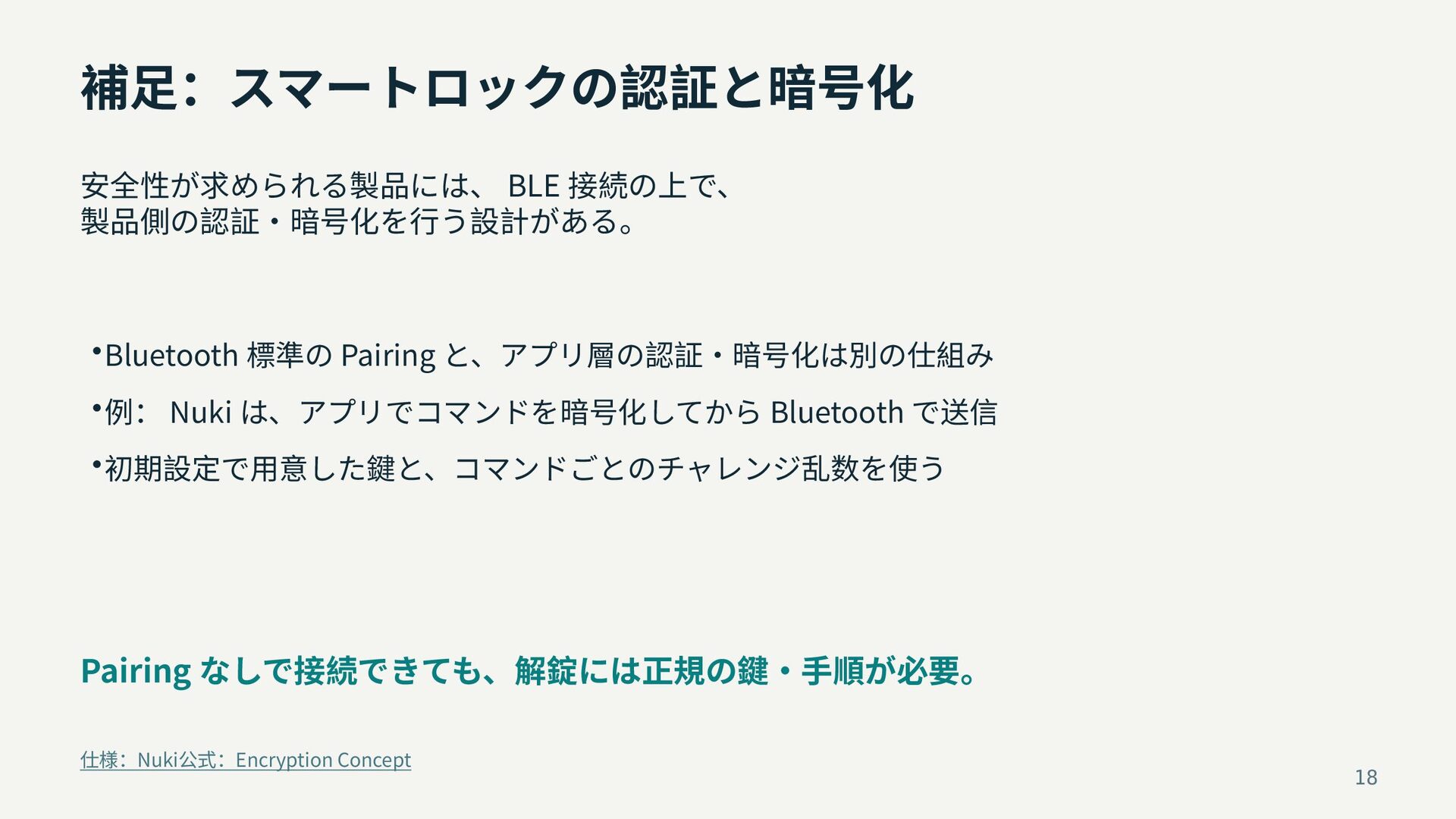
補足:スマートロックの認証と暗号化 安全性が求められる製品には、 BLE 接続の上で、 製品側の認証・暗号化を行う設計がある。 • Bluetooth 標準の Pairing と、アプリ層の認証・暗号化は別の仕組み
• 例: Nuki は、アプリでコマンドを暗号化してから Bluetooth で送信 • 初期設定で用意した鍵と、コマンドごとのチャレンジ乱数を使う Pairing なしで接続できても、解錠には正規の鍵・手順が必要。 仕様:Nuki公式:Encryption Concept 18
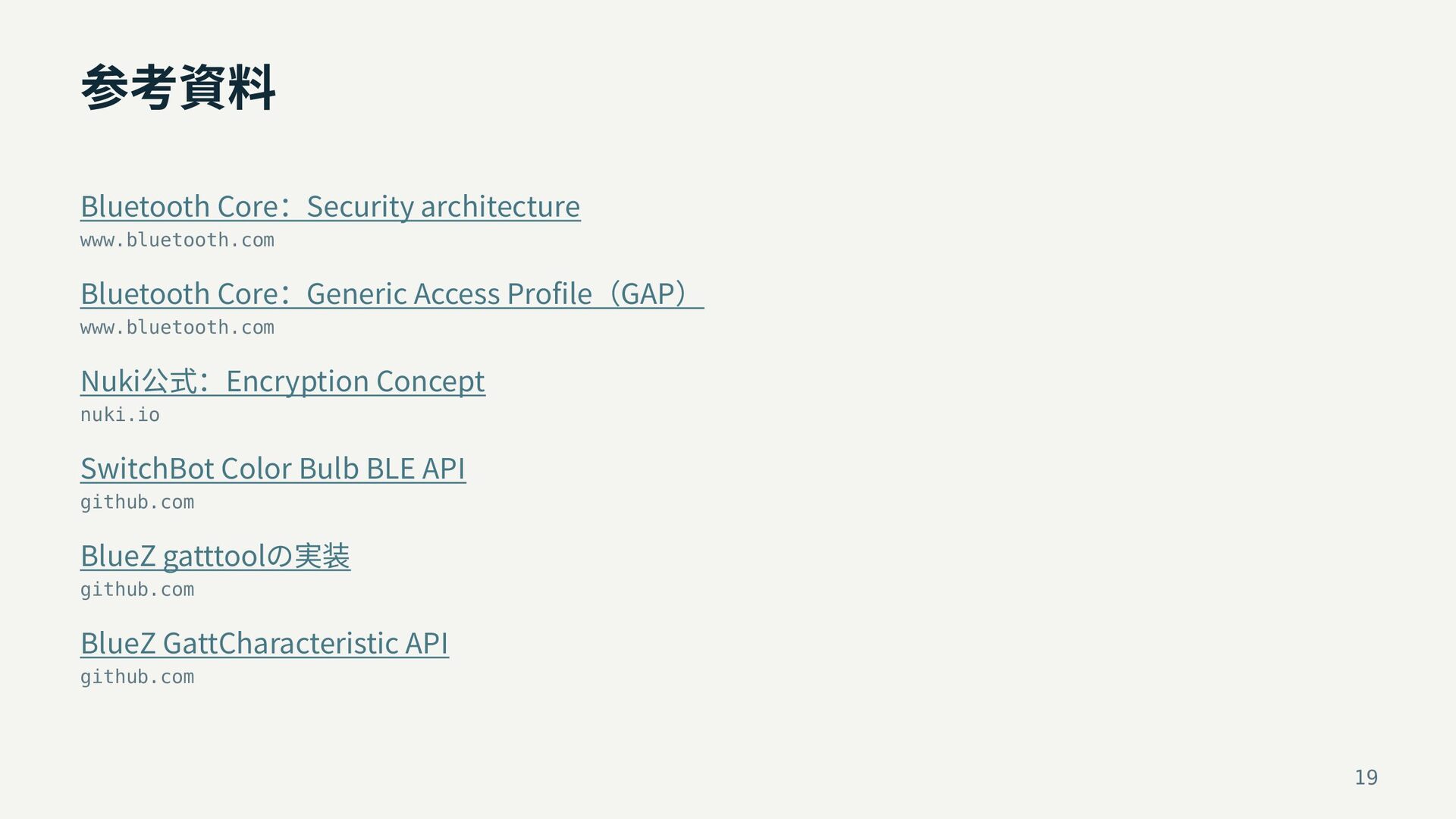
参考資料 Bluetooth Core:Security architecture www.bluetooth.com Bluetooth Core:Generic Access Profile(GAP) www.bluetooth.com
Nuki公式:Encryption Concept nuki.io SwitchBot Color Bulb BLE API github.com BlueZ gatttoolの実装 github.com BlueZ GattCharacteristic API github.com 19


 amanoese
 aleyda
 takai
takai
 tenderlove
 rasmusluckow
 dugsong
 chrisshort
 palkan
 cassininazir
 jonoalderson
 holman
 khoart