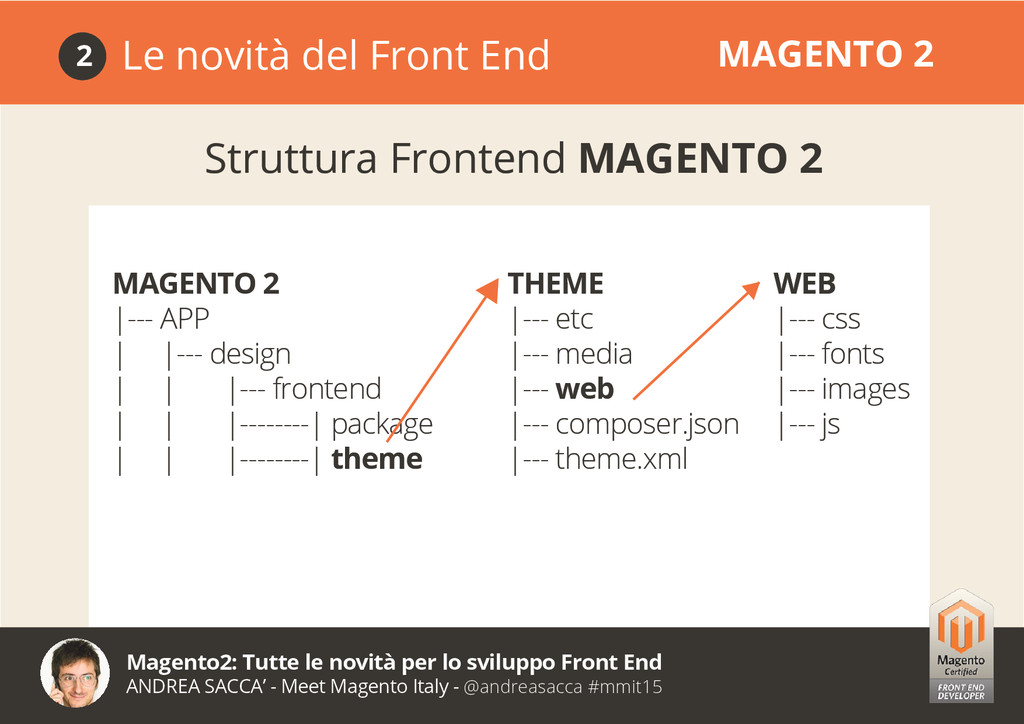
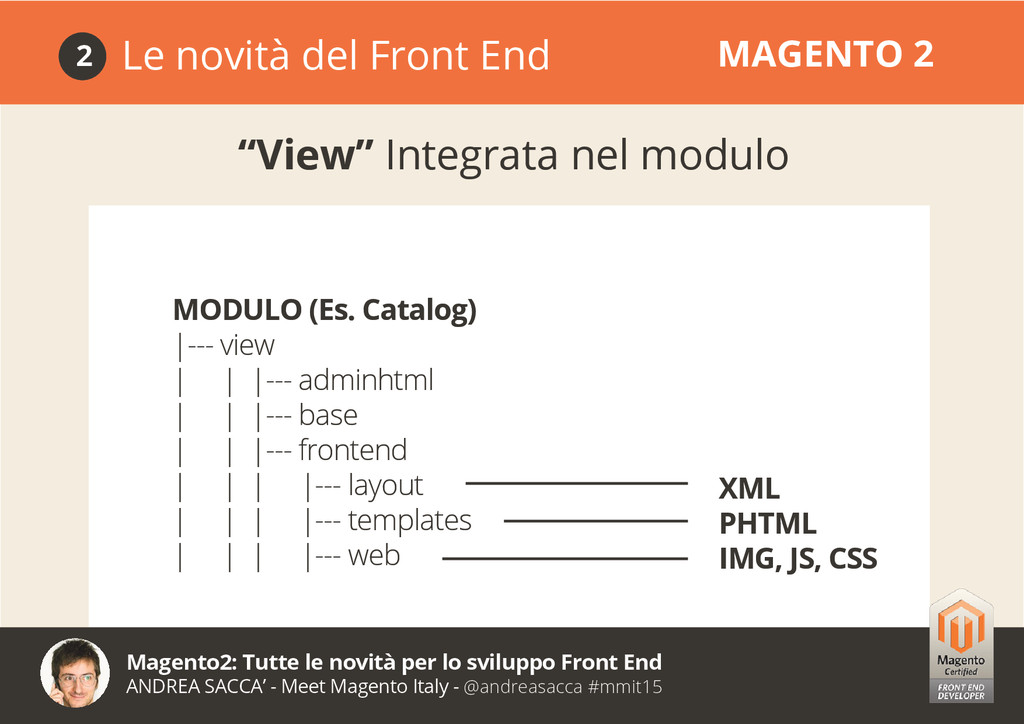
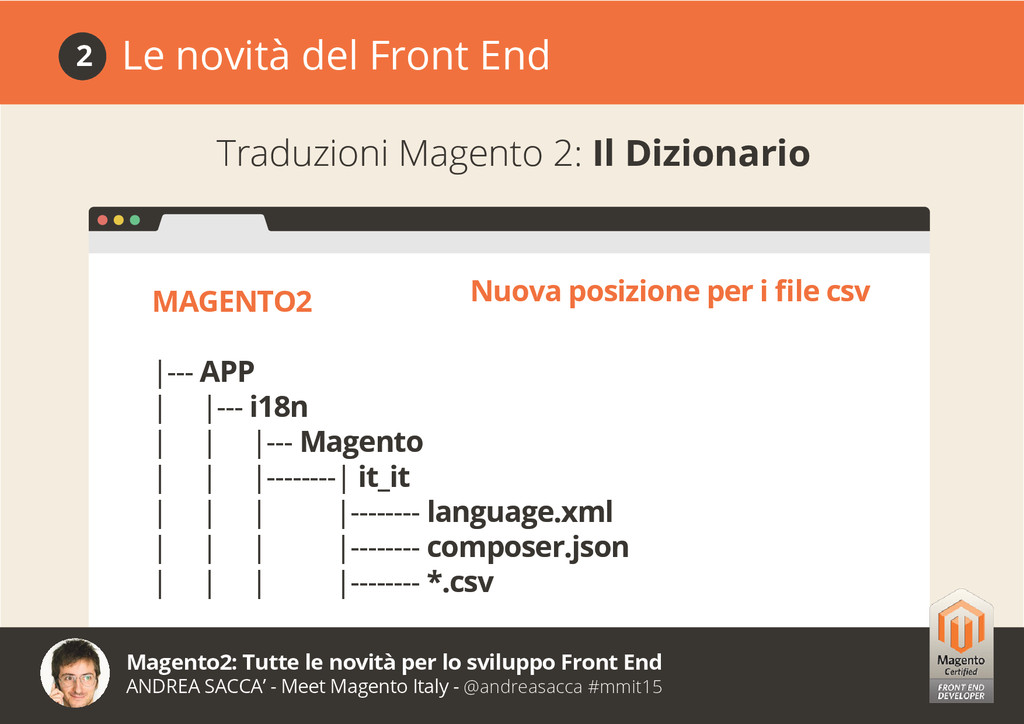
Developer, Sviluppatore Frontend Certificato Magento, Autore del libro Mastering Magento Theme Design, CEO & Founder 1604lab S.R.L. Ideatore e Fondatore di Magentiamo.it Magento2: Tutte le novità per lo sviluppo Front End ANDREA SACCA’ - Meet Magento Italy - @andreasacca #mmit15
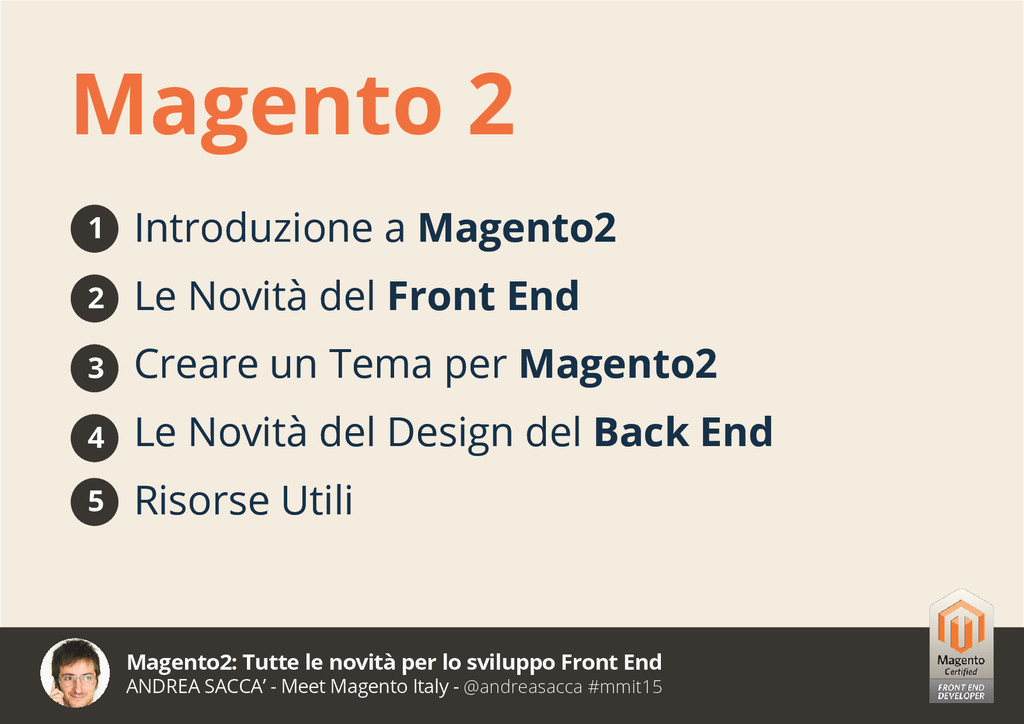
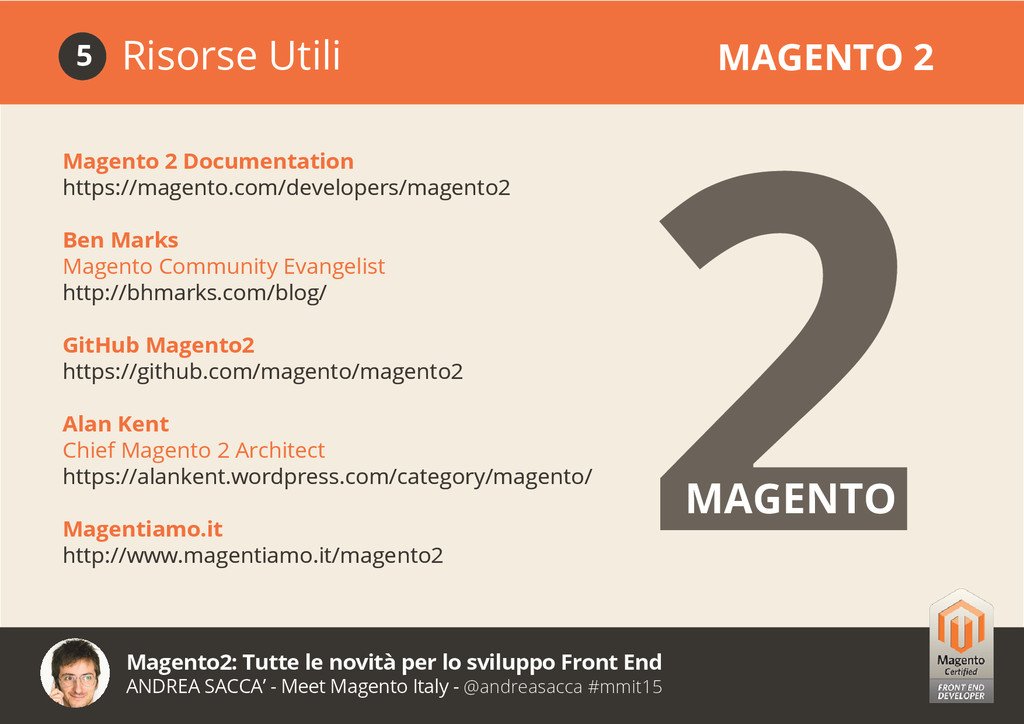
SACCA’ - Meet Magento Italy - @andreasacca #mmit15 Introduzione a Magento2 Le Novità del Front End Creare un Tema per Magento2 Le Novità del Design del Back End Risorse Utili Magento 2 1 2 3 4 5
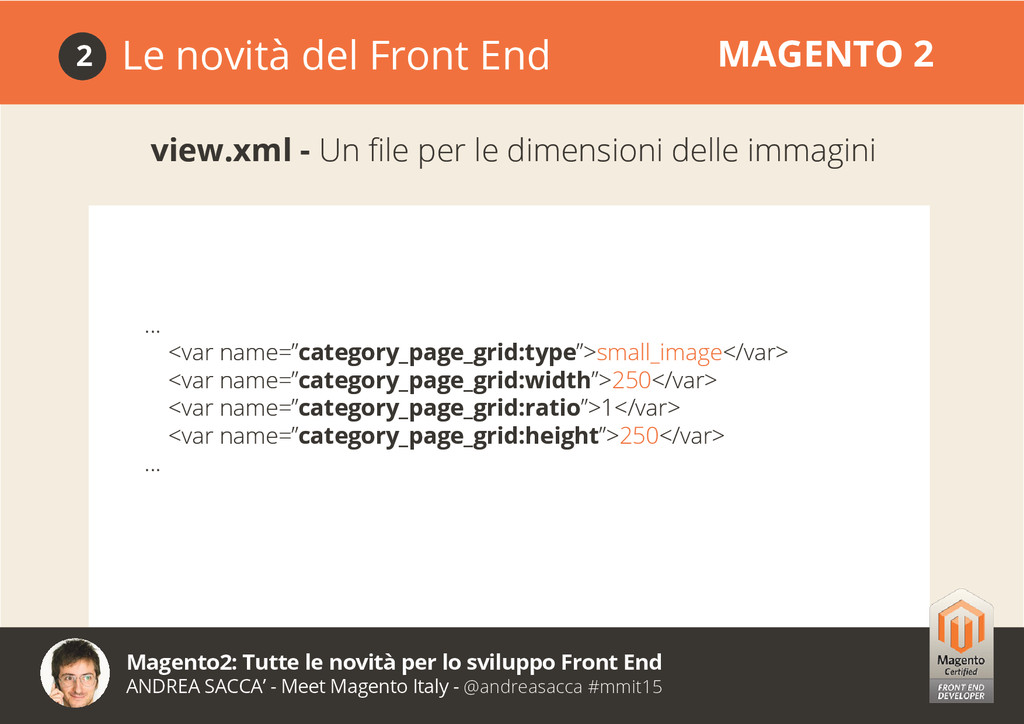
SACCA’ - Meet Magento Italy - @andreasacca #mmit15 Le novità del Front End MAGENTO 2 2 view.xml - Un file per le dimensioni delle immagini ... <var name=”category_page_grid:type”>small_image</var> <var name=”category_page_grid:width”>250</var> <var name=”category_page_grid:ratio”>1</var> <var name=”category_page_grid:height”>250</var> ...
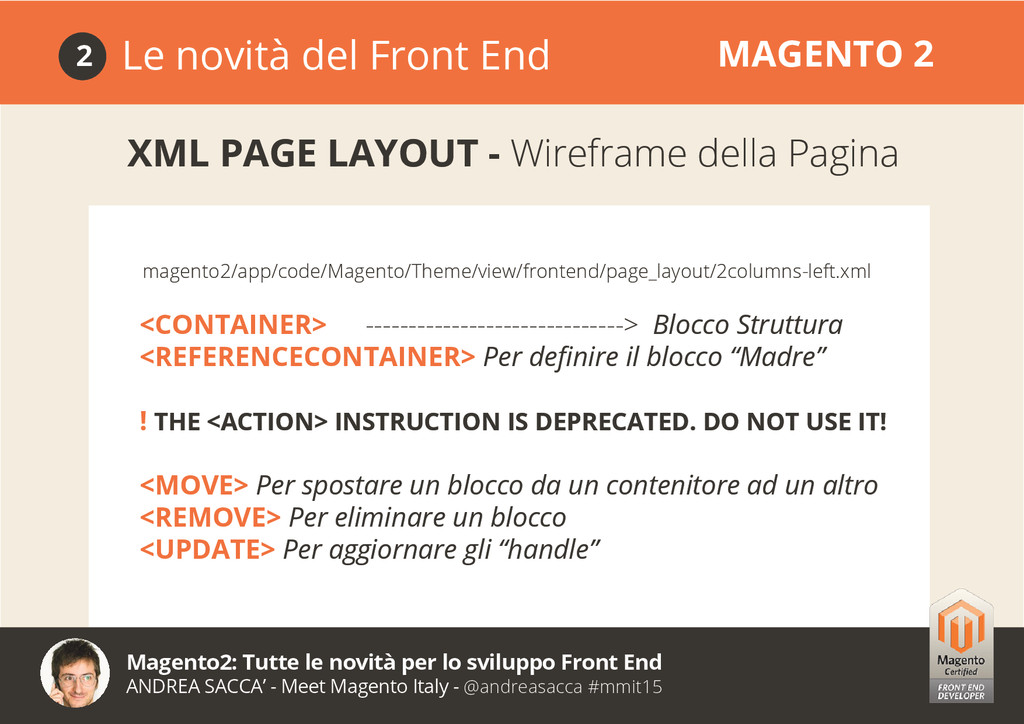
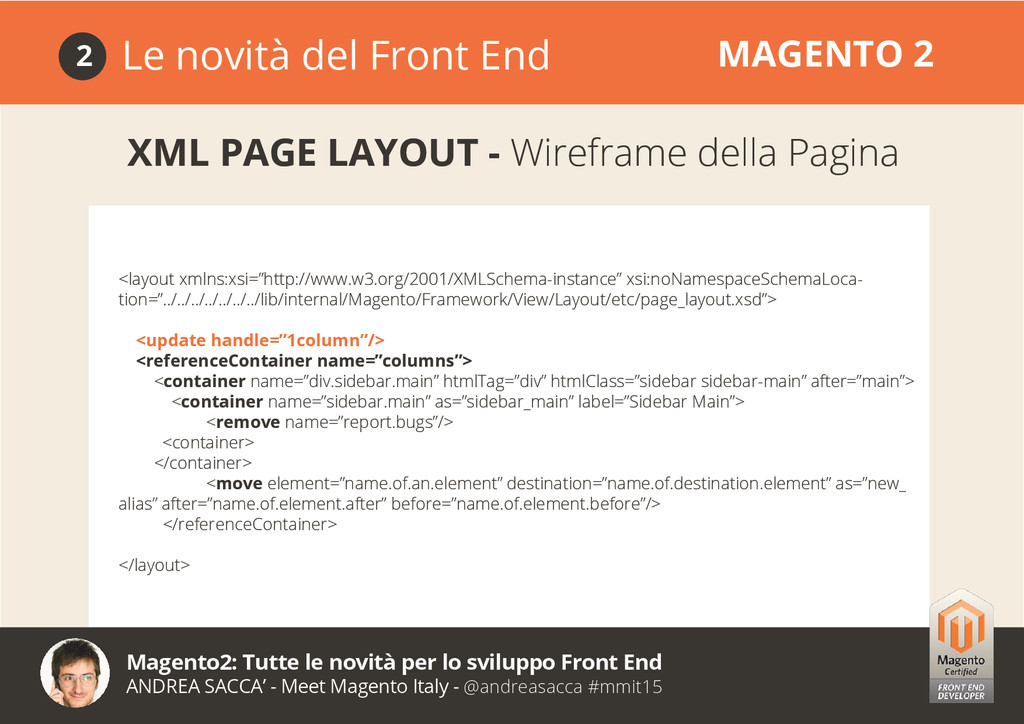
SACCA’ - Meet Magento Italy - @andreasacca #mmit15 Le novità del Front End MAGENTO 2 2 XML PAGE LAYOUT - Wireframe della Pagina <CONTAINER> ------------------------------> Blocco Struttura <REFERENCECONTAINER> Per definire il blocco “Madre” ! THE <ACTION> INSTRUCTION IS DEPRECATED. DO NOT USE IT! <MOVE> Per spostare un blocco da un contenitore ad un altro <REMOVE> Per eliminare un blocco <UPDATE> Per aggiornare gli “handle” magento2/app/code/Magento/Theme/view/frontend/page_layout/2columns-left.xml
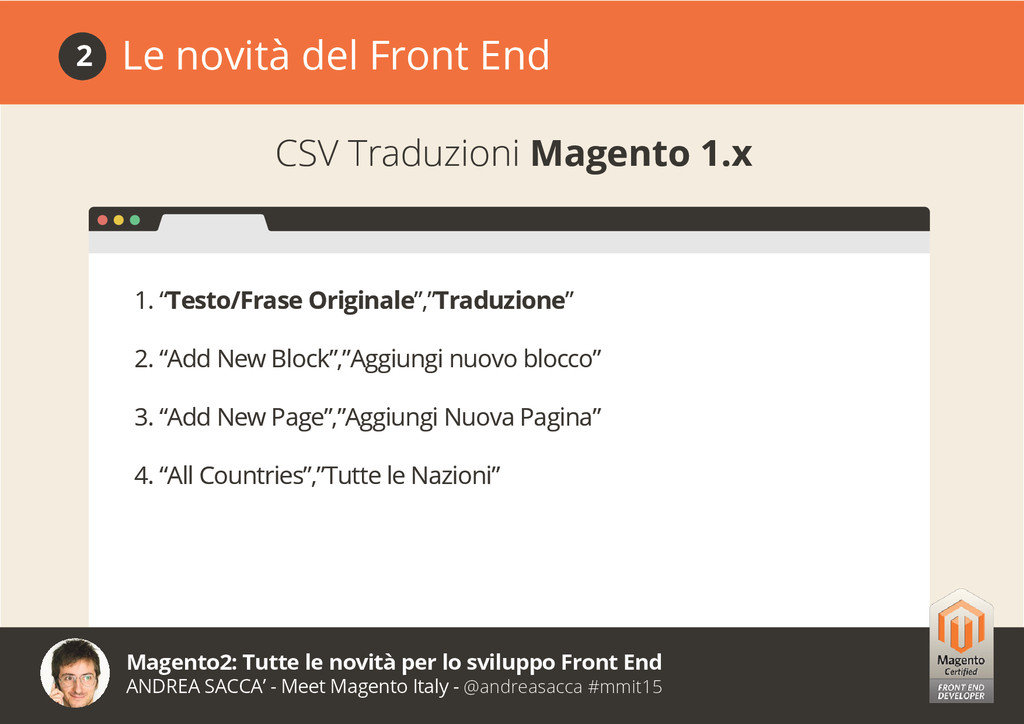
SACCA’ - Meet Magento Italy - @andreasacca #mmit15 Le novità del Front End 2 CSV Traduzioni Magento 1.x 1. “Testo/Frase Originale”,”Traduzione” 2. “Add New Block”,”Aggiungi nuovo blocco” 3. “Add New Page”,”Aggiungi Nuova Pagina” 4. “All Countries”,”Tutte le Nazioni”
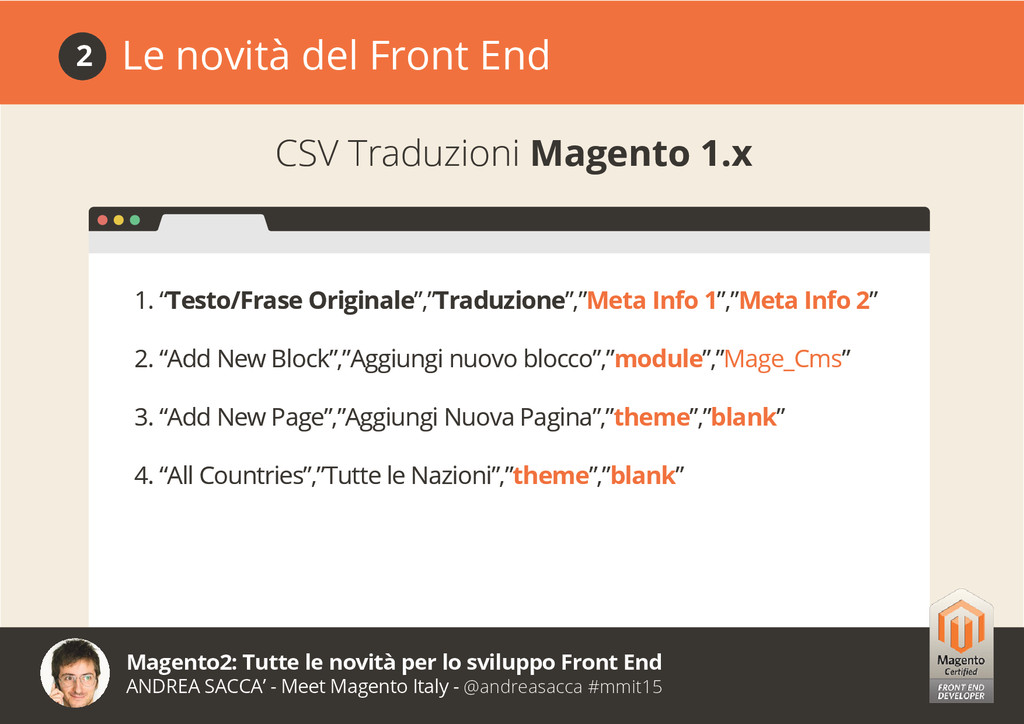
SACCA’ - Meet Magento Italy - @andreasacca #mmit15 Le novità del Front End 2 CSV Traduzioni Magento 1.x 1. “Testo/Frase Originale”,”Traduzione”,”Meta Info 1”,”Meta Info 2” 2. “Add New Block”,”Aggiungi nuovo blocco”,”module”,”Mage_Cms” 3. “Add New Page”,”Aggiungi Nuova Pagina”,”theme”,”blank” 4. “All Countries”,”Tutte le Nazioni”,”theme”,”blank”
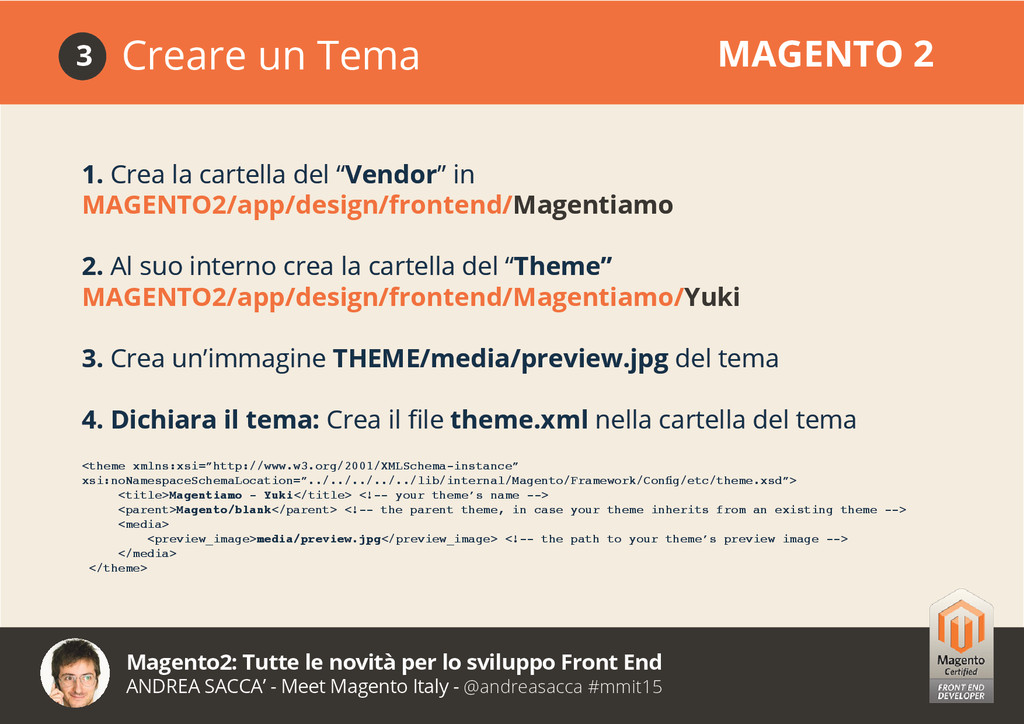
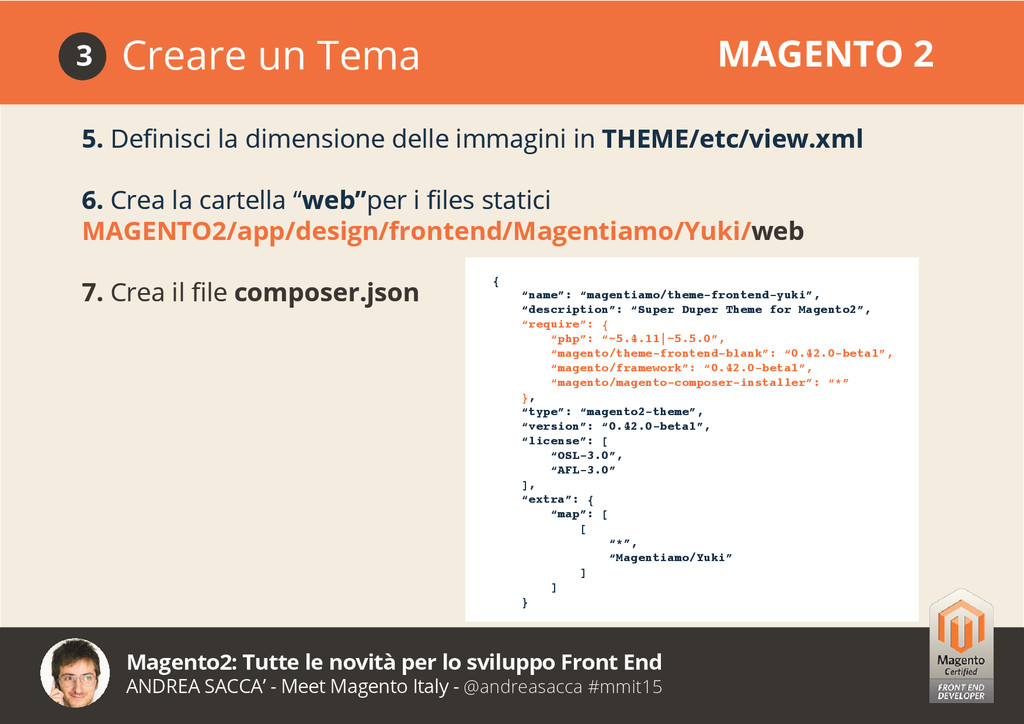
SACCA’ - Meet Magento Italy - @andreasacca #mmit15 Creare un Tema MAGENTO 2 3 1. Crea la cartella del “Vendor” in MAGENTO2/app/design/frontend/Magentiamo 2. Al suo interno crea la cartella del “Theme” MAGENTO2/app/design/frontend/Magentiamo/Yuki 3. Crea un’immagine THEME/media/preview.jpg del tema 4. Dichiara il tema: Crea il file theme.xml nella cartella del tema <theme xmlns:xsi=”http://www.w3.org/2001/XMLSchema-instance” xsi:noNamespaceSchemaLocation=”../../../../../lib/internal/Magento/Framework/Config/etc/theme.xsd”> <title>Magentiamo - Yuki</title> <!-- your theme’s name --> <parent>Magento/blank</parent> <!-- the parent theme, in case your theme inherits from an existing theme --> <media> <preview_image>media/preview.jpg</preview_image> <!-- the path to your theme’s preview image --> </media> </theme>
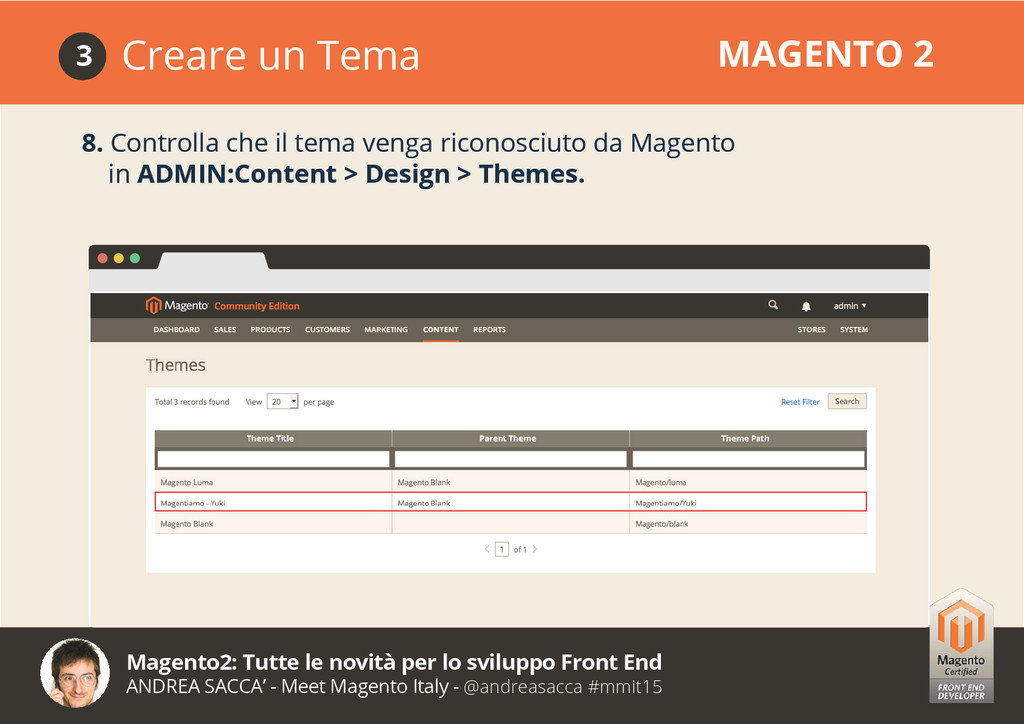
SACCA’ - Meet Magento Italy - @andreasacca #mmit15 8. Controlla che il tema venga riconosciuto da Magento in ADMIN:Content > Design > Themes. Creare un Tema MAGENTO 2 3
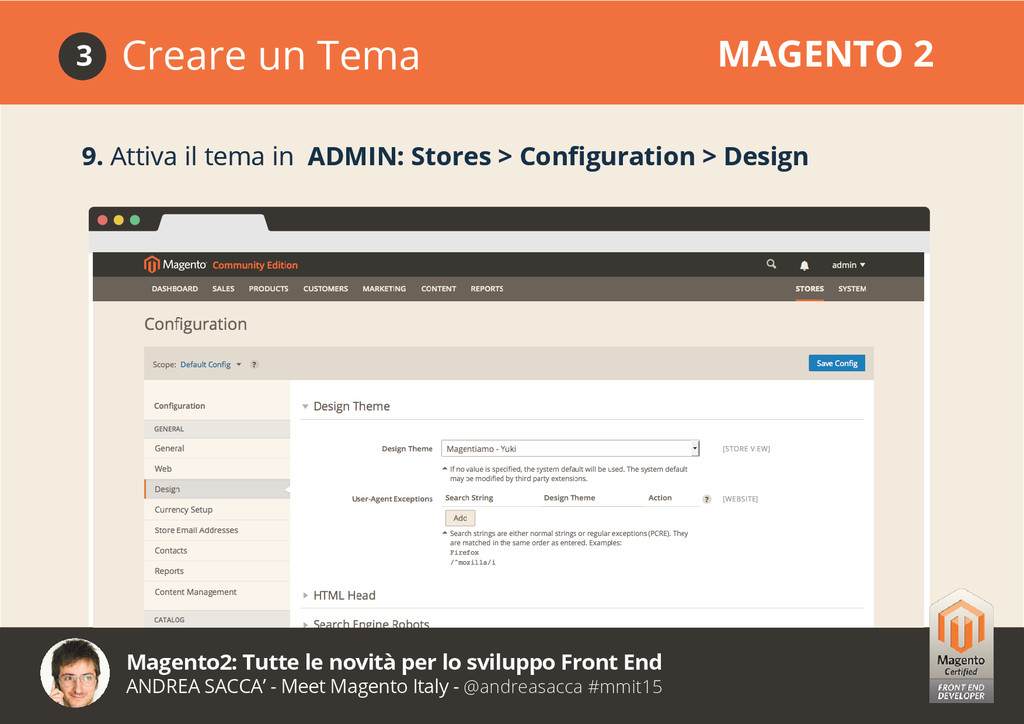
SACCA’ - Meet Magento Italy - @andreasacca #mmit15 Creare un Tema MAGENTO 2 3 Creare un Tema MAGENTO 2 3 9. Attiva il tema in ADMIN: Stores > Configuration > Design


 andreasacca
 palkan
 morizo_1984
 rkaga
rkaga
 mixplace
 kenjiyoneyama
 yub0n
yub0n
 teyamagu
.jpg) yumnumm
yumnumm
 iwiwi
iwiwi
 dske104
 ivargrimstad
 eed3si9n
 destraynor
 colly
colly
 stuffmc
 akihiro_kokubo
 ks91
ks91
 madoxten
 shlominoach
 quramy
 addyosmani
.png) helenjbeal
helenjbeal
 inesmontani
 paigeccino