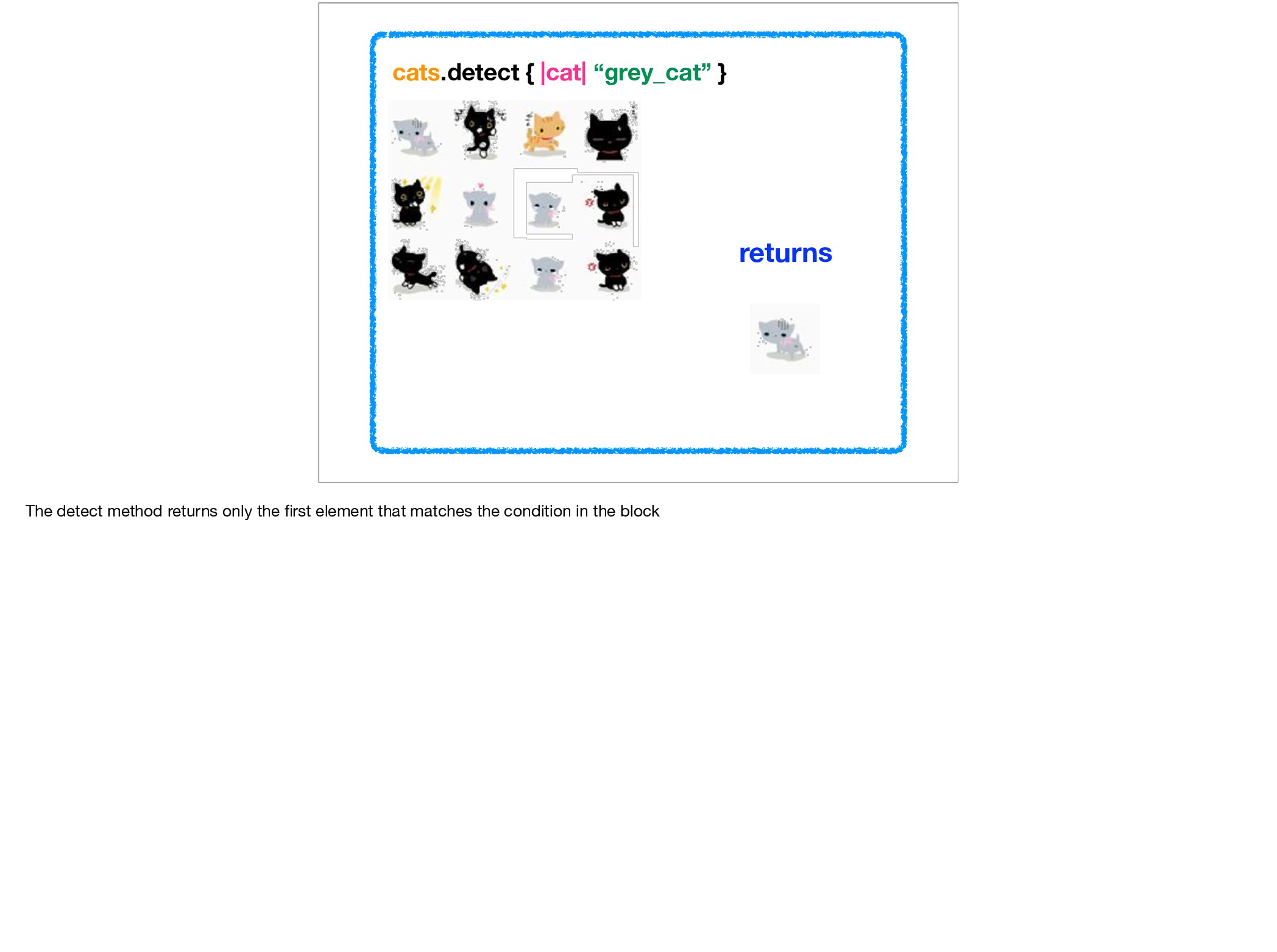
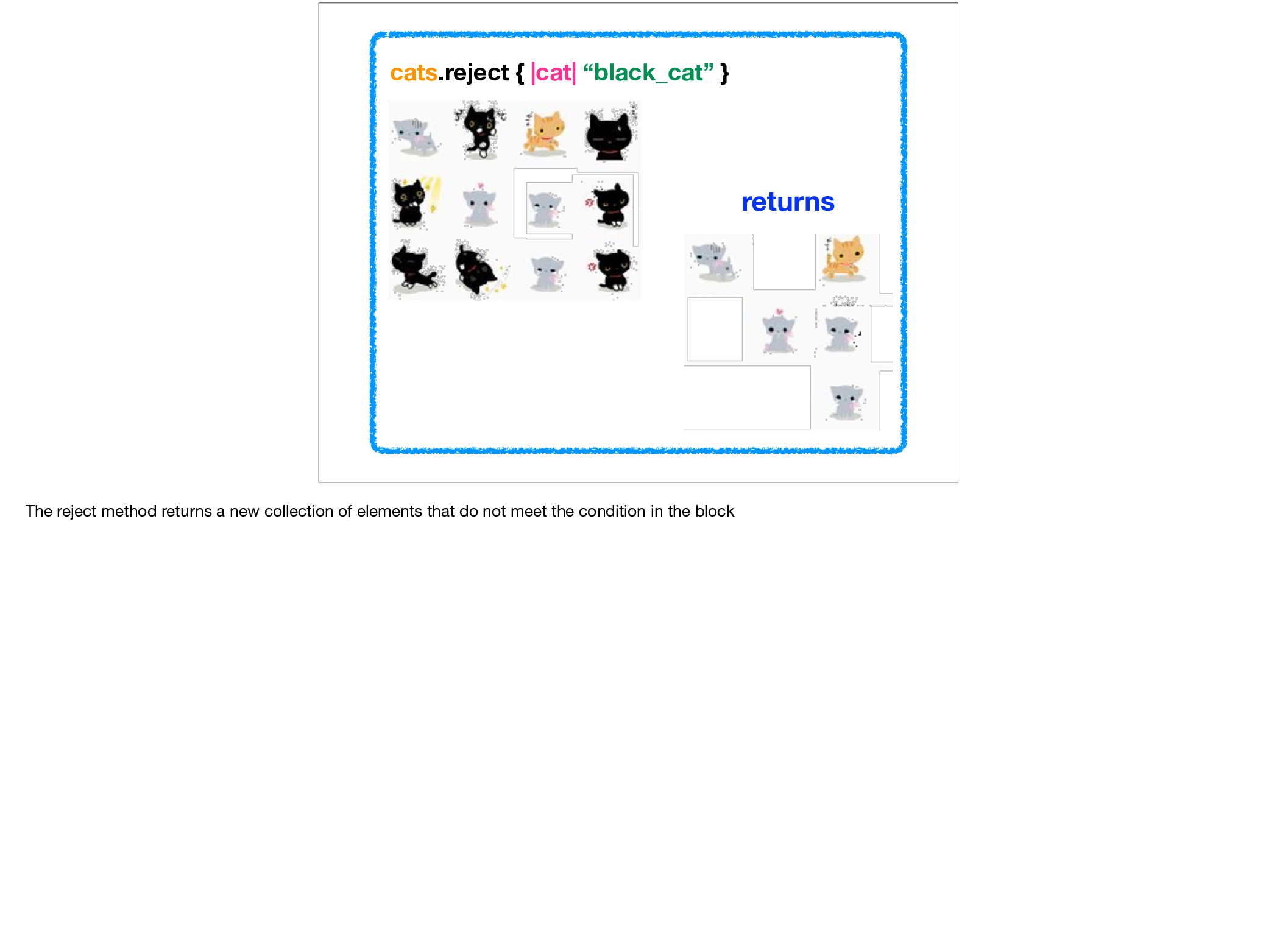
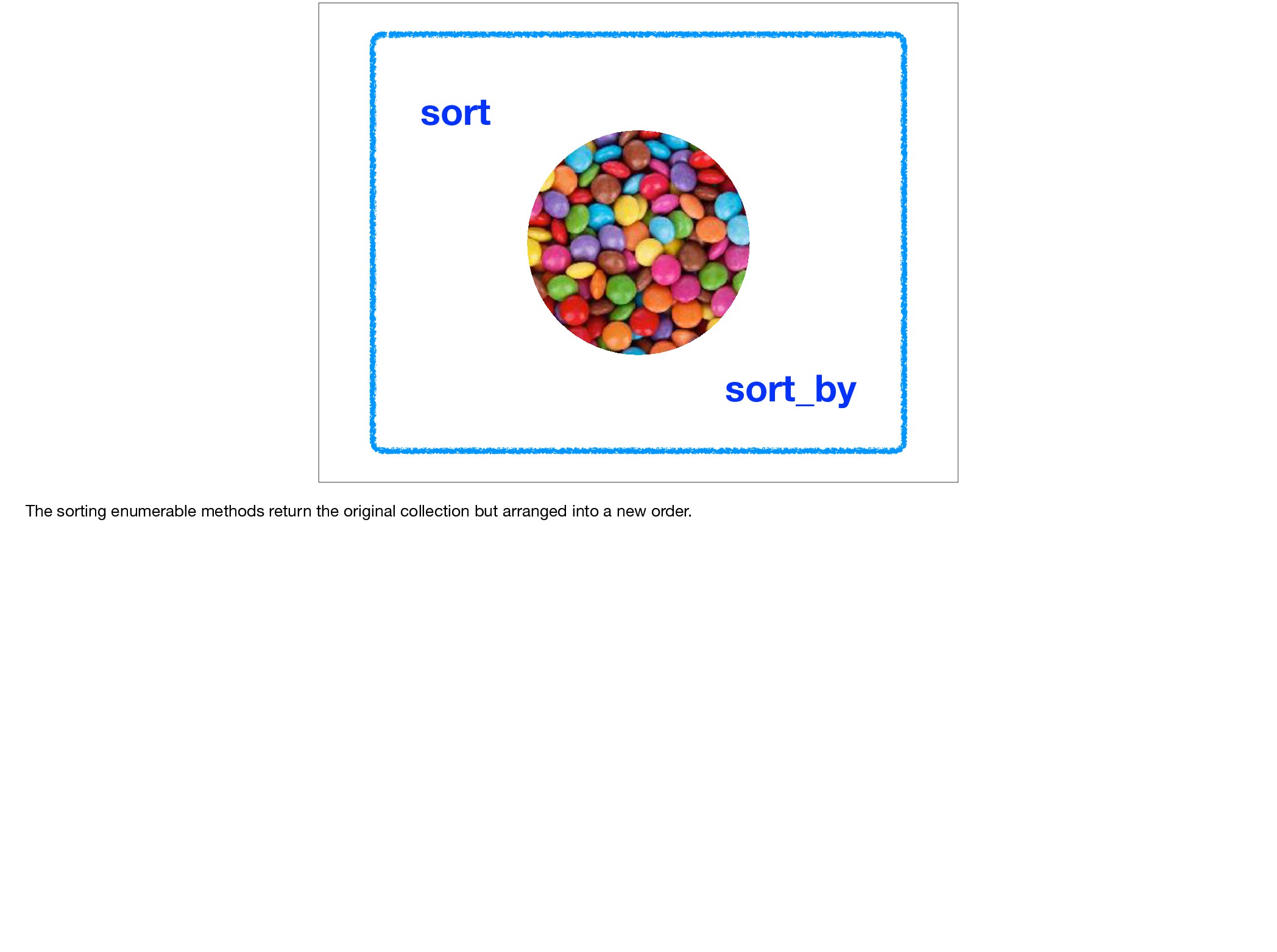
about the magic of enumerables. I am going to start with the more common enumerable methods and finish with some interesting and lesser known enumerable methods.
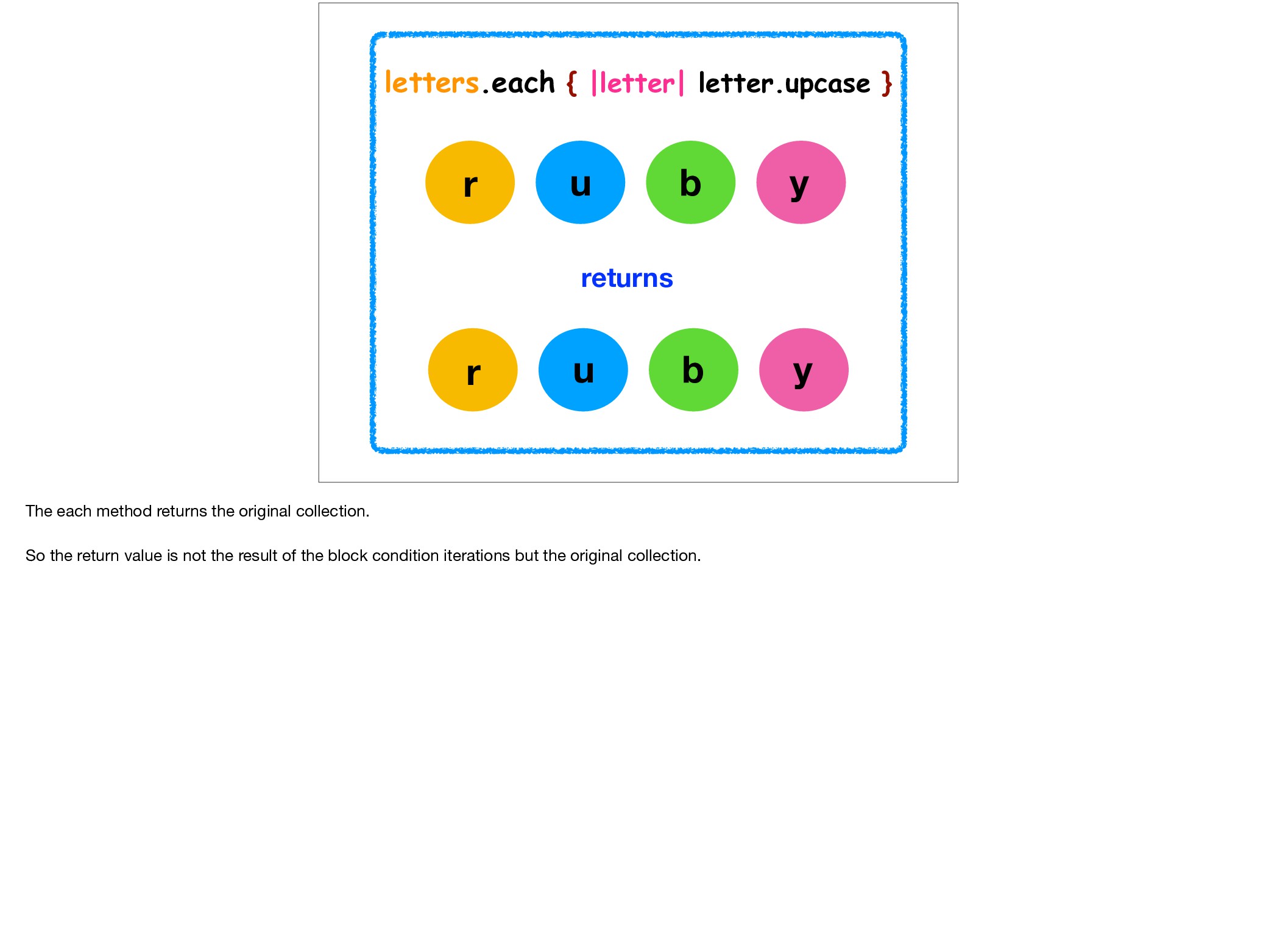
r u b y The each method returns the original collection. So the return value is not the result of the block condition iterations but the original collection.
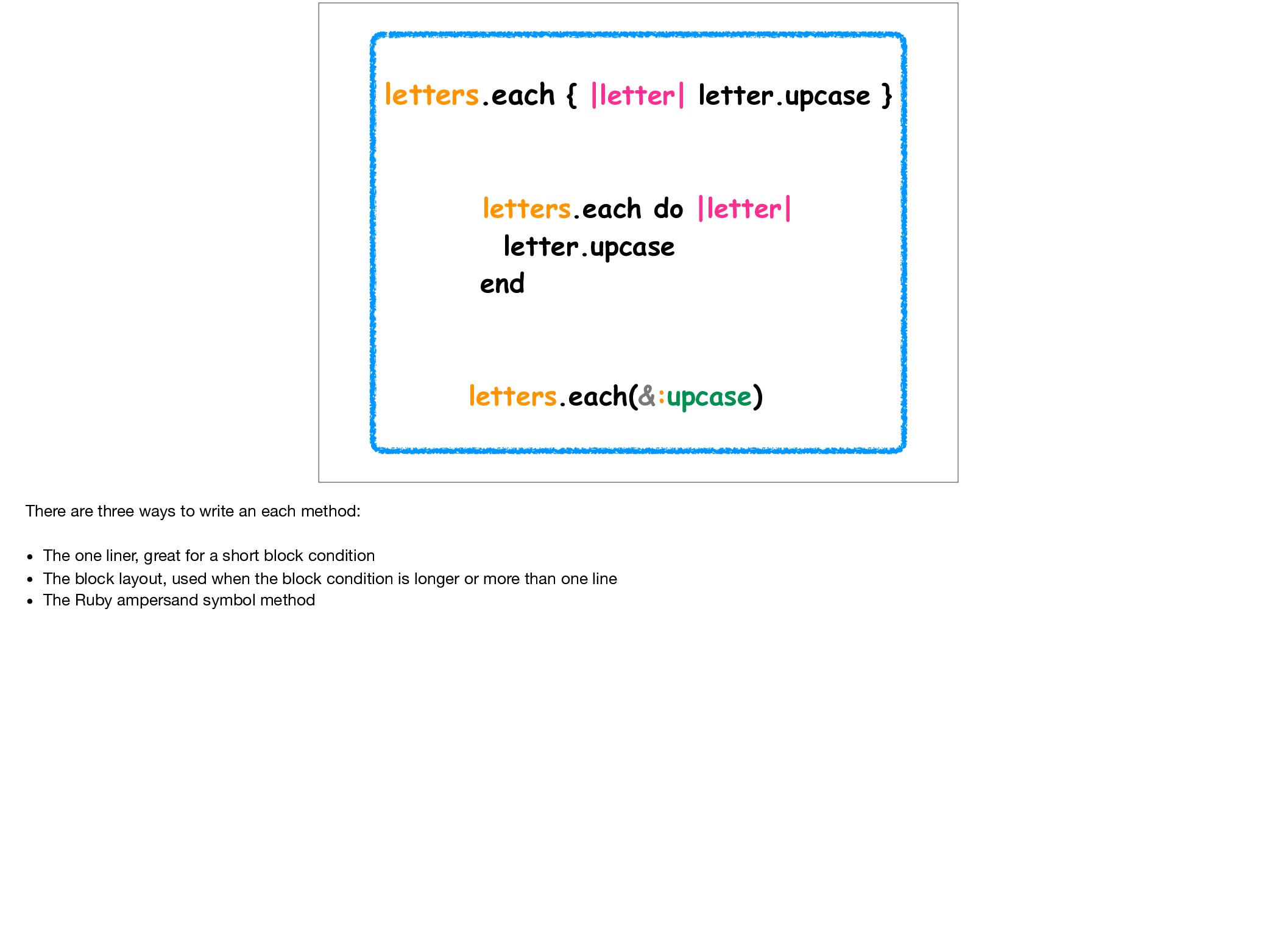
letters.each(&:upcase) There are three ways to write an each method: • The one liner, great for a short block condition • The block layout, used when the block condition is longer or more than one line • The Ruby ampersand symbol method
Whenever Ruby sees the ampersand (&) as part of a parameter, it wants the parameter to be a Proc. If it isn’t a proc, Ruby calls the instance method #to_proc on the object to convert it.
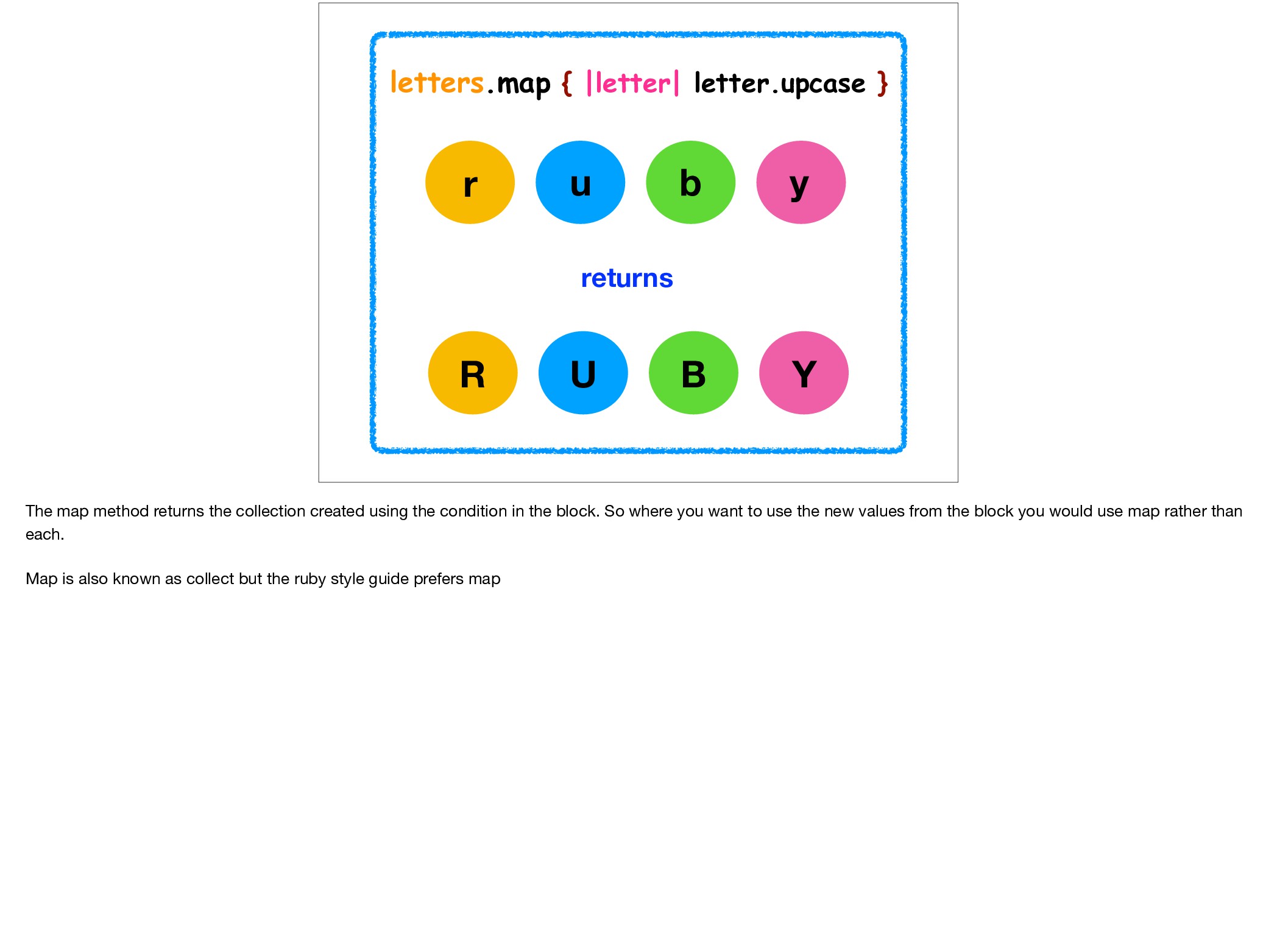
R U B Y The map method returns the collection created using the condition in the block. So where you want to use the new values from the block you would use map rather than each. Map is also known as collect but the ruby style guide prefers map
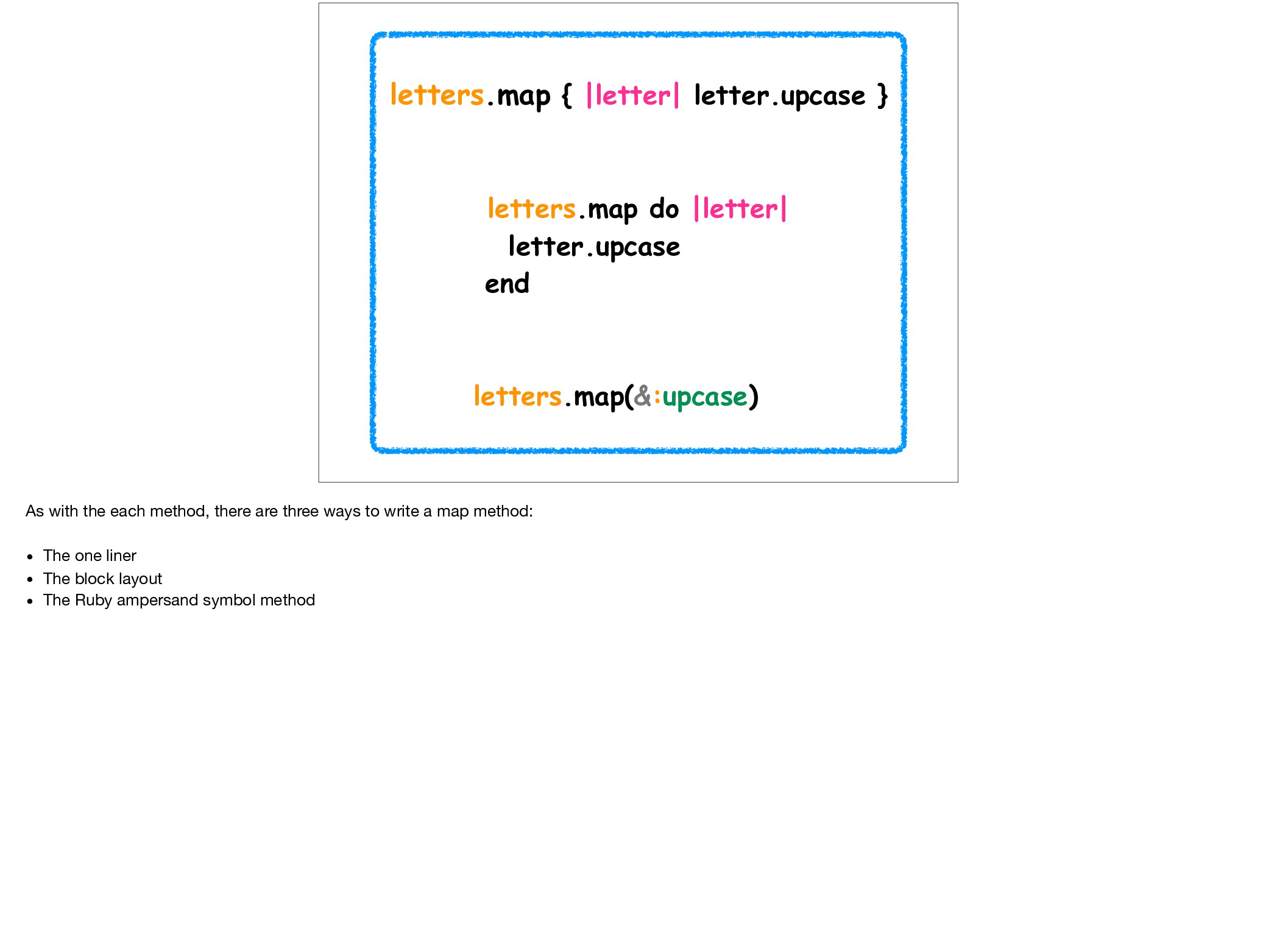
letters.map(&:upcase) As with the each method, there are three ways to write a map method: • The one liner • The block layout • The Ruby ampersand symbol method
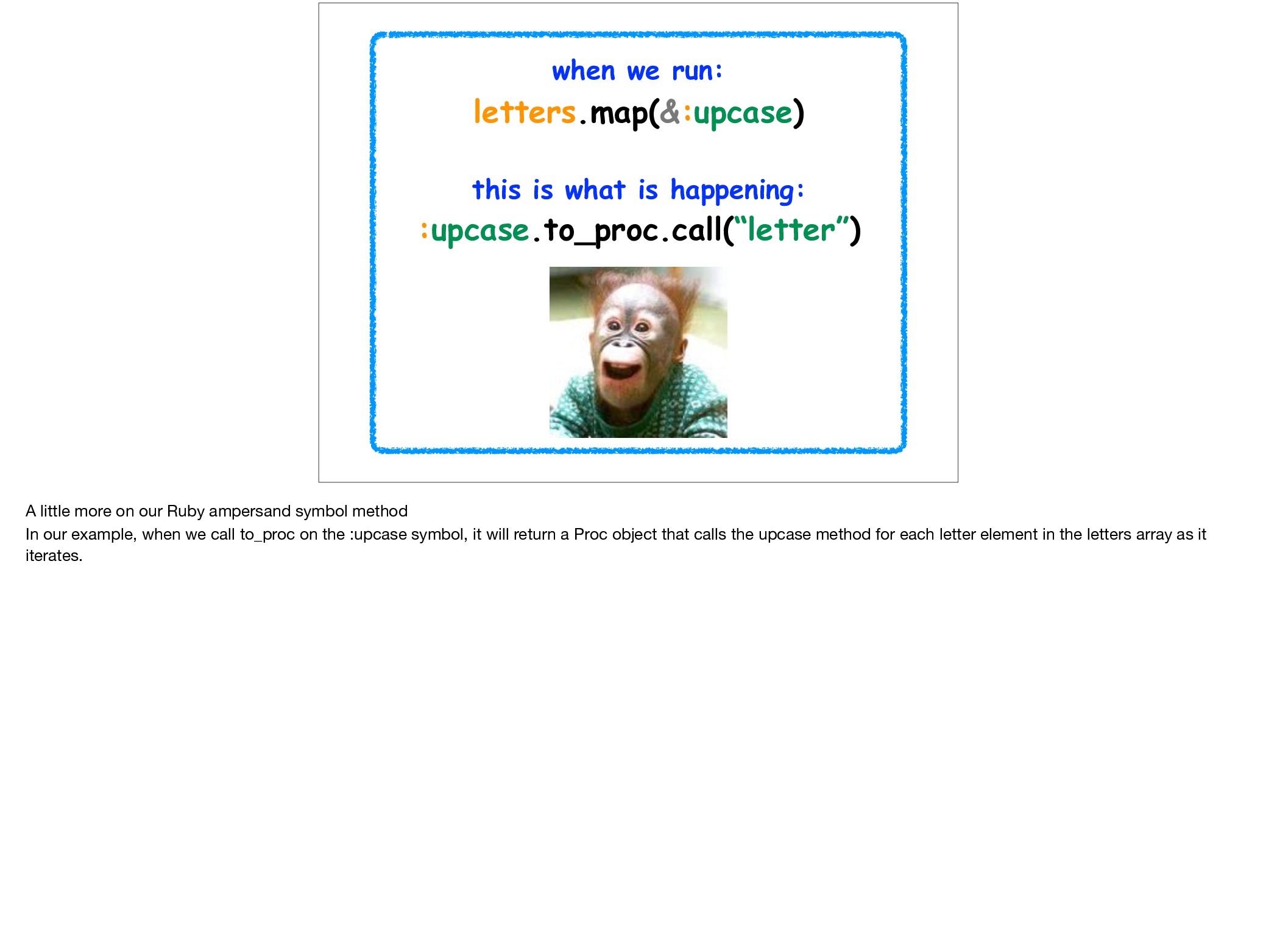
A little more on our Ruby ampersand symbol method In our example, when we call to_proc on the :upcase symbol, it will return a Proc object that calls the upcase method for each letter element in the letters array as it iterates.
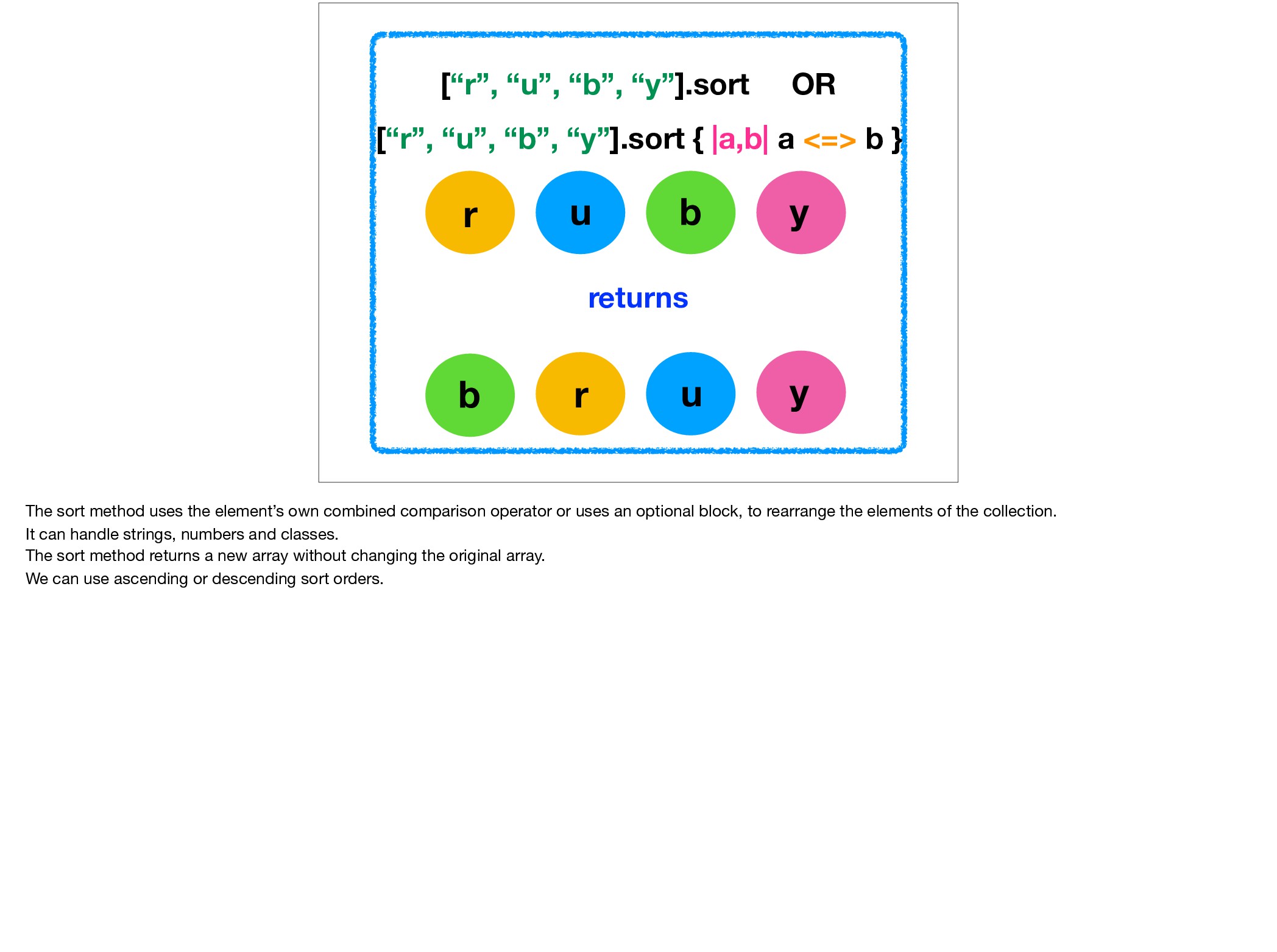
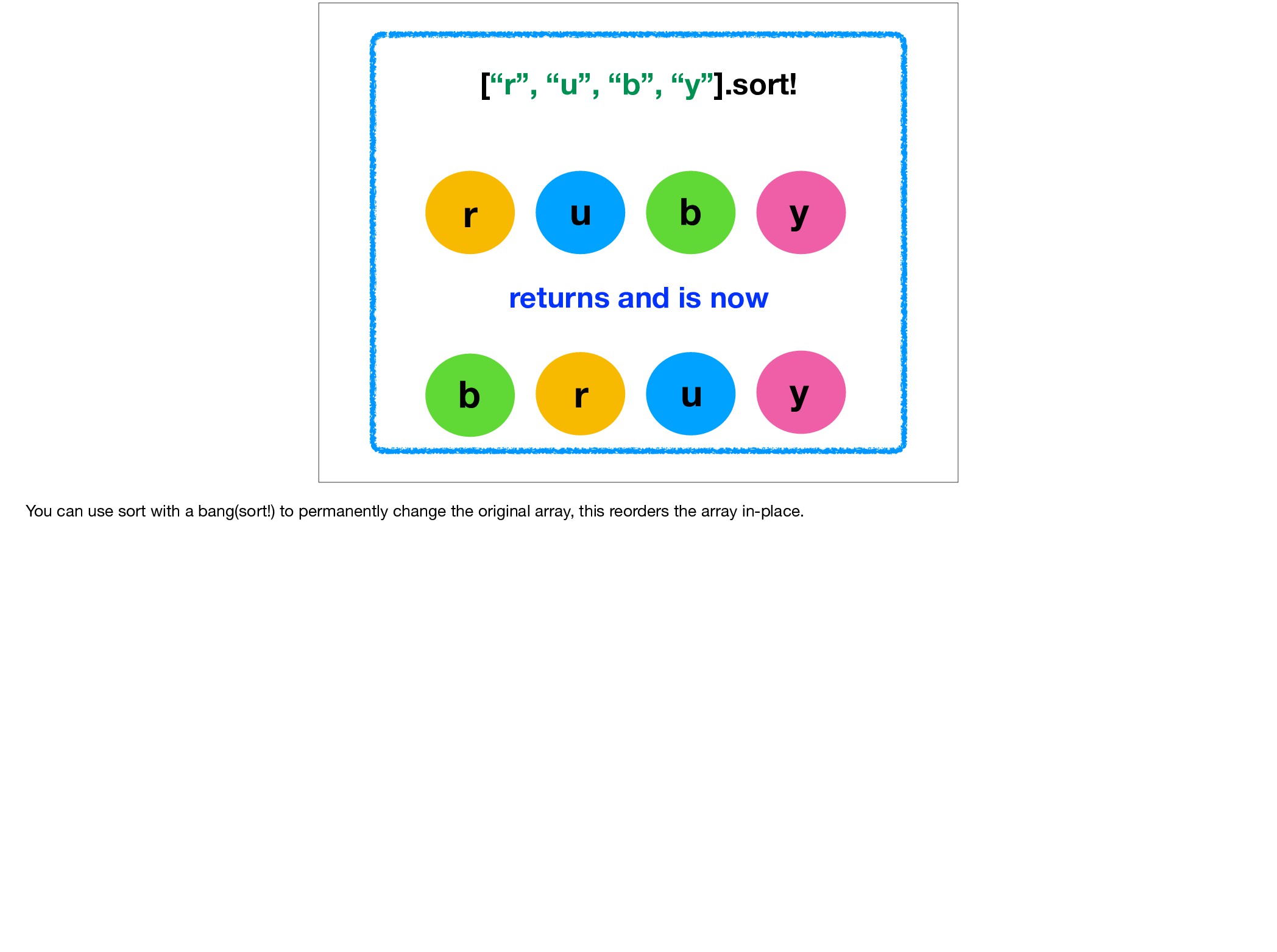
“b”, “y”].sort OR returns [“r”, “u”, “b”, “y”].sort { |a,b| a <=> b } The sort method uses the element’s own combined comparison operator or uses an optional block, to rearrange the elements of the collection. It can handle strings, numbers and classes. The sort method returns a new array without changing the original array. We can use ascending or descending sort orders.
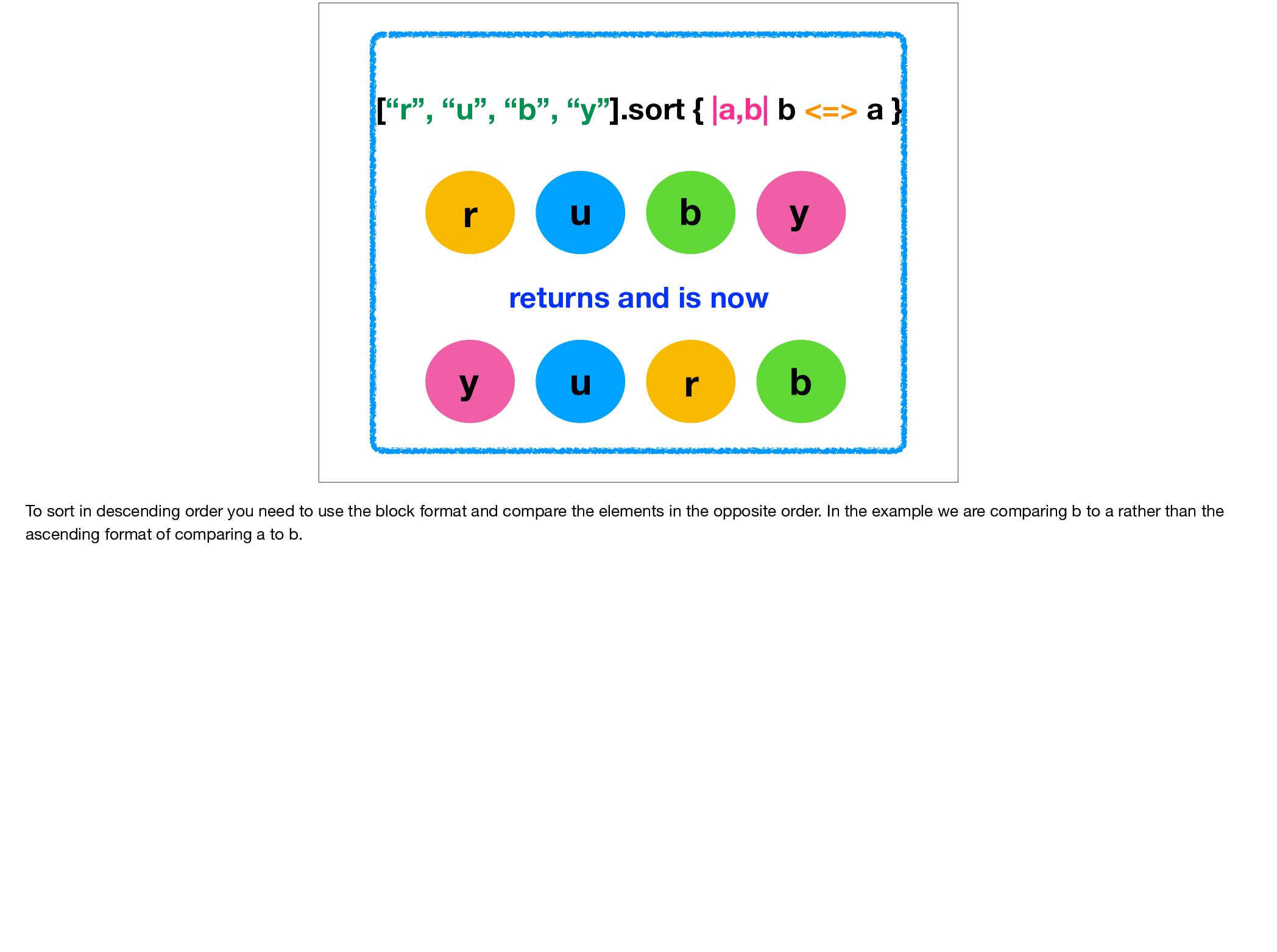
is now [“r”, “u”, “b”, “y”].sort { |a,b| b <=> a } To sort in descending order you need to use the block format and compare the elements in the opposite order. In the example we are comparing b to a rather than the ascending format of comparing a to b.
sort_by method uses a set of keys generated by mapping the values in the collection through the given block. The example shown is sorting on the length of each word.
2 We all know count as a method we can use on arrays and strings to find out the number of elements or characters in them. But the count enumerable method can do more: We can ask how many numbers in the collection match the parameter in the brackets. In the example we are looking to find matches for the 2 parameter which appears twice so the method returns 2.
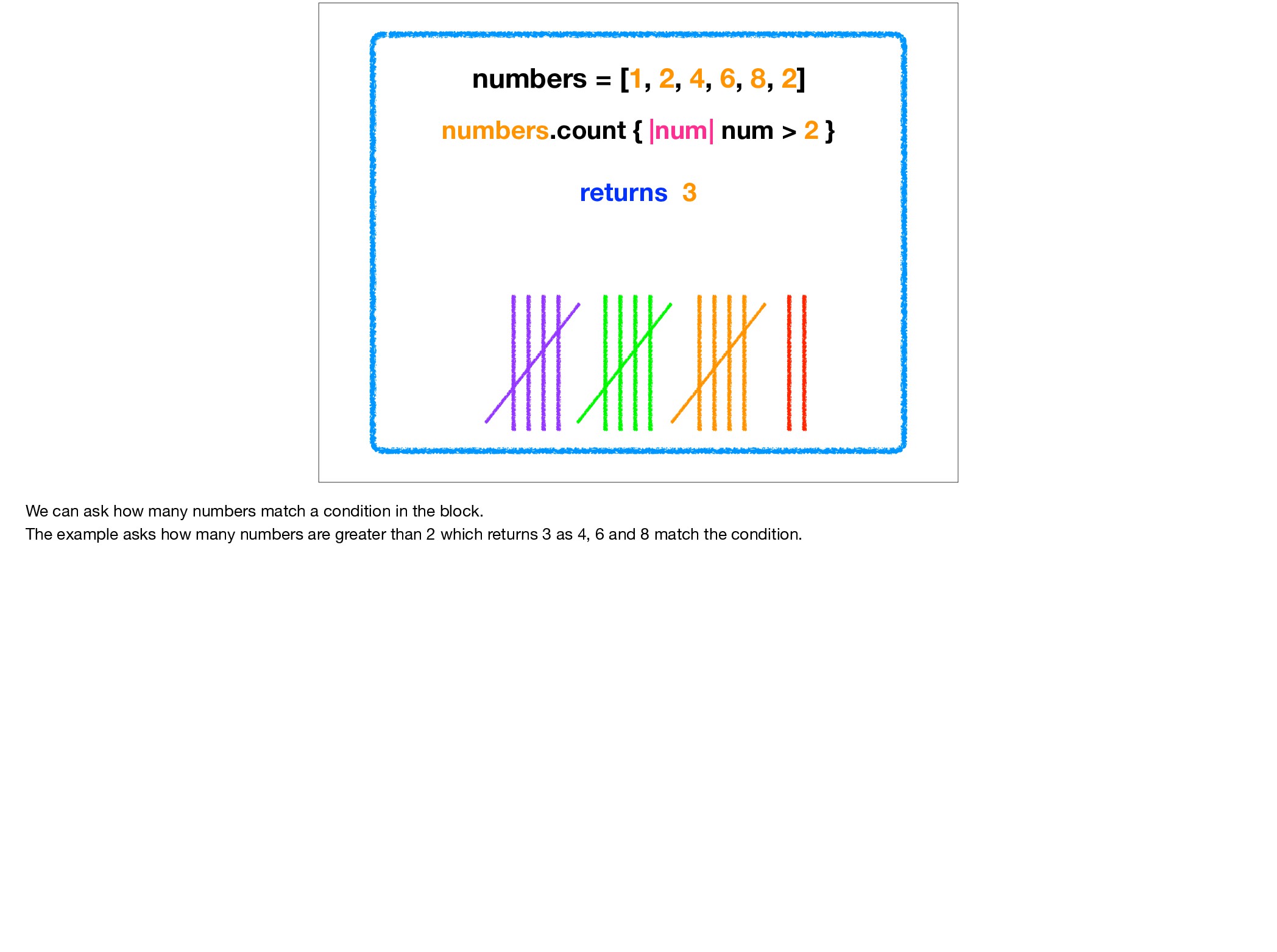
= [1, 2, 4, 6, 8, 2] We can ask how many numbers match a condition in the block. The example asks how many numbers are greater than 2 which returns 3 as 4, 6 and 8 match the condition.
a.zip(b) returns [[4, 7], [5, 8], [6, 9]] The zip method takes one element from the collection and merges corresponding elements from each argument. As in element 1 with element 1, element 2 with element 2, and so on.
[1, 2, 3].zip(a, b) returns [[1, 4, 7], [2, 5, 8], [3, 6, 9]] We can also use zip with three arrays, here we iterate through the first array zipping in arrays a & b as we go to return the new array
c = [] a.zip(b) { |x, y| c << x + y } returns nil c returns [11, 13, 15] The zip method also allows a condition in the block to operate on the zip result. The method returns nil but the c array holds the result of the block condition.
} returns nil puts result: mountain, racing, bmx, mountain, racing, bmx The cycle method calls the block for each element of the collection. It repeats the cycle n times or forever if no argument is given. The cycle method returns nil. The example gives the method a parameter of two so it cycles through the collection twice, returning nil, and putting out the block condition twice for each element.
[1, -1, 2, -2, 3, -3, 4, -4] [1, 2, 3, 4].map { |num| [num, -num] }.flatten returns [1, -1, 2, -2, 3, -3, 4, -4] The flat_map method returns a new array with the concatenated results of running each element through the block once. It is in effect the equivalent of using map with the flatten method as shown in the second example.
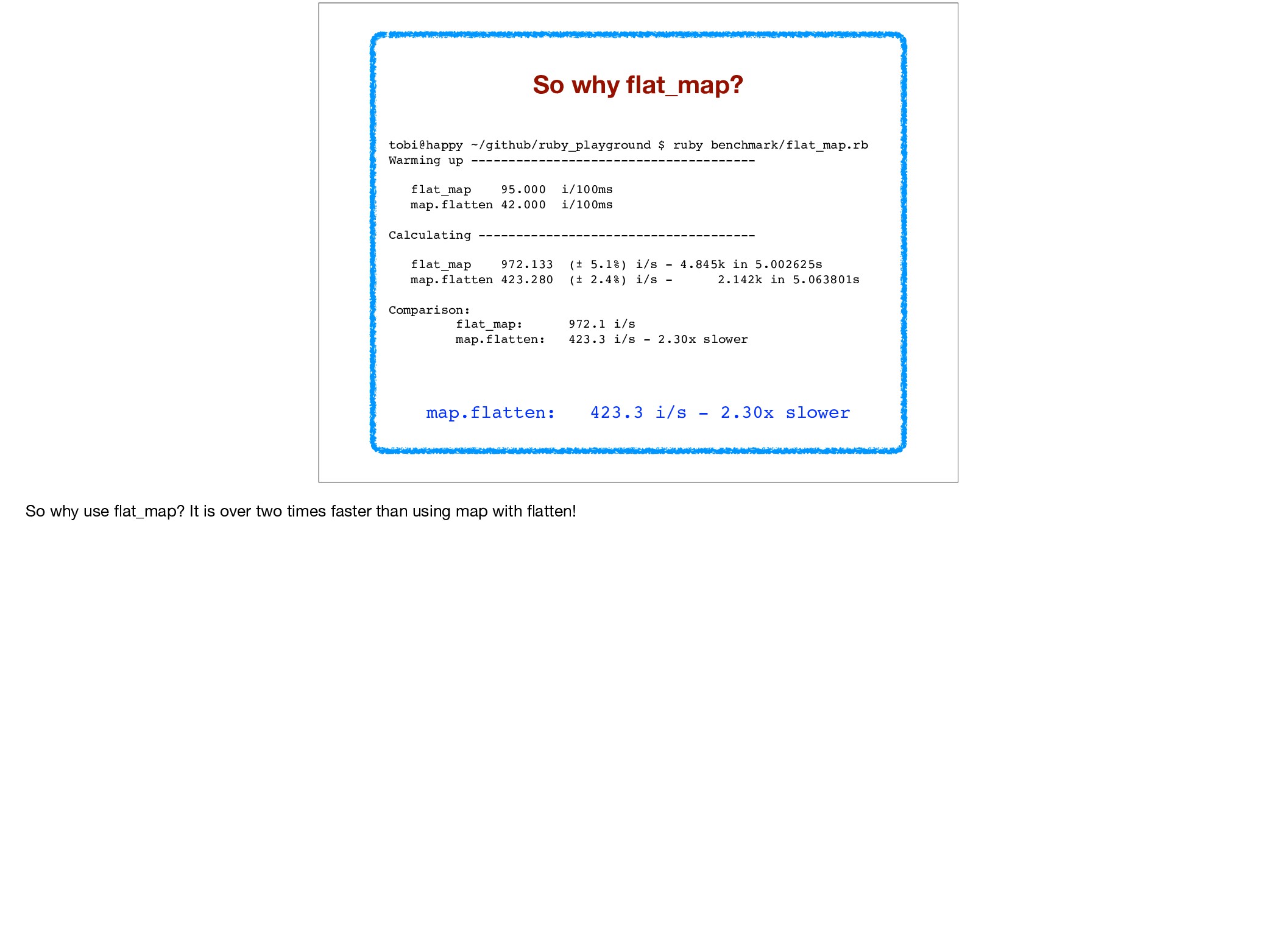
-------------------------------------- flat_map 95.000 i/100ms map.flatten 42.000 i/100ms Calculating ------------------------------------- flat_map 972.133 (± 5.1%) i/s - 4.845k in 5.002625s map.flatten 423.280 (± 2.4%) i/s - 2.142k in 5.063801s Comparison: flat_map: 972.1 i/s map.flatten: 423.3 i/s - 2.30x slower map.flatten: 423.3 i/s - 2.30x slower So why use flat_map? It is over two times faster than using map with flatten!
end end bm.report "map.flatten" do list.map do |x| [x, x * x] end.flatten end And this benchmark test used a simple method! Imagine the difference when used with deeply nested iterations!
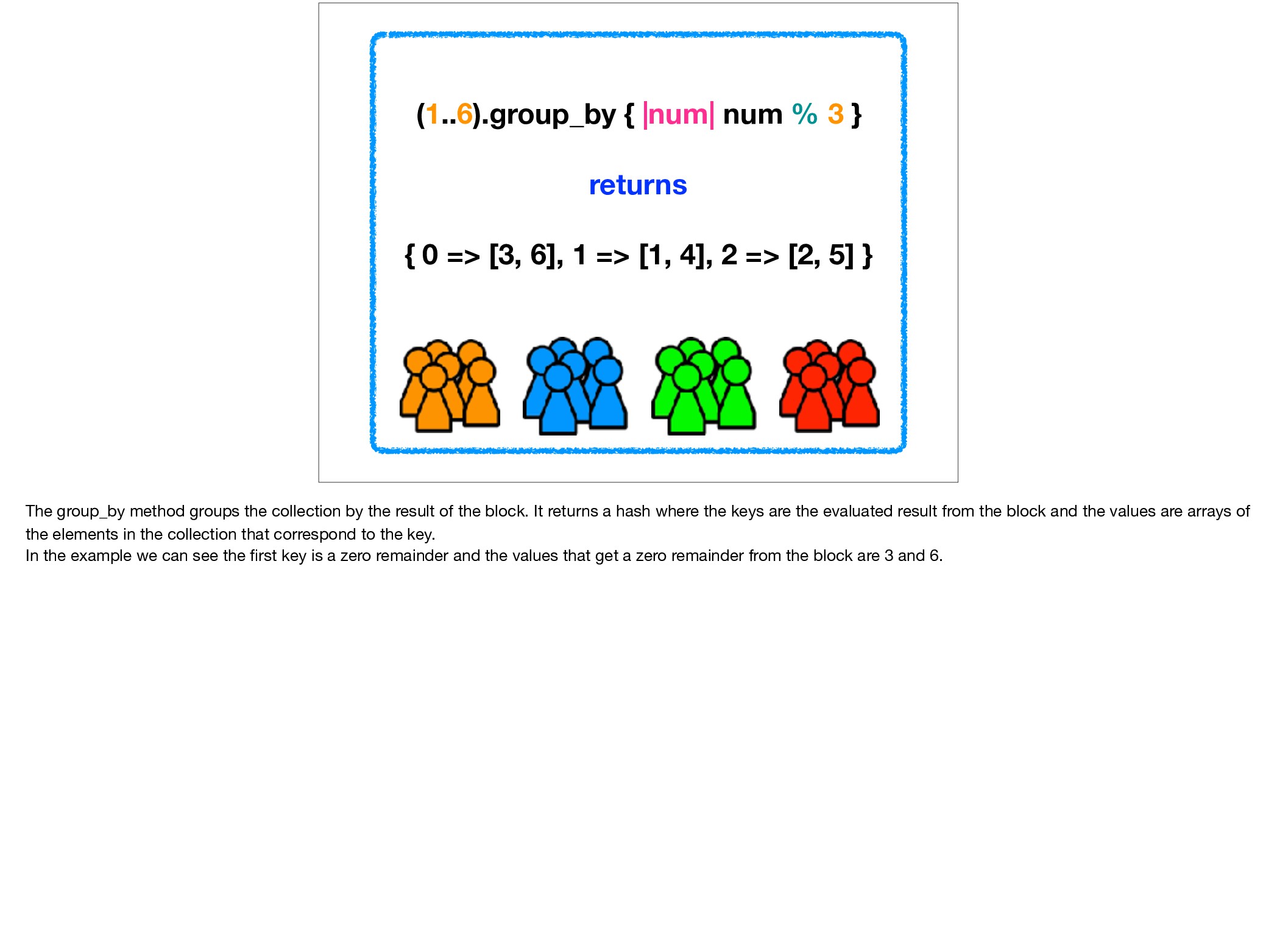
=> [3, 6], 1 => [1, 4], 2 => [2, 5] } The group_by method groups the collection by the result of the block. It returns a hash where the keys are the evaluated result from the block and the values are arrays of the elements in the collection that correspond to the key. In the example we can see the first key is a zero remainder and the values that get a zero remainder from the block are 3 and 6.
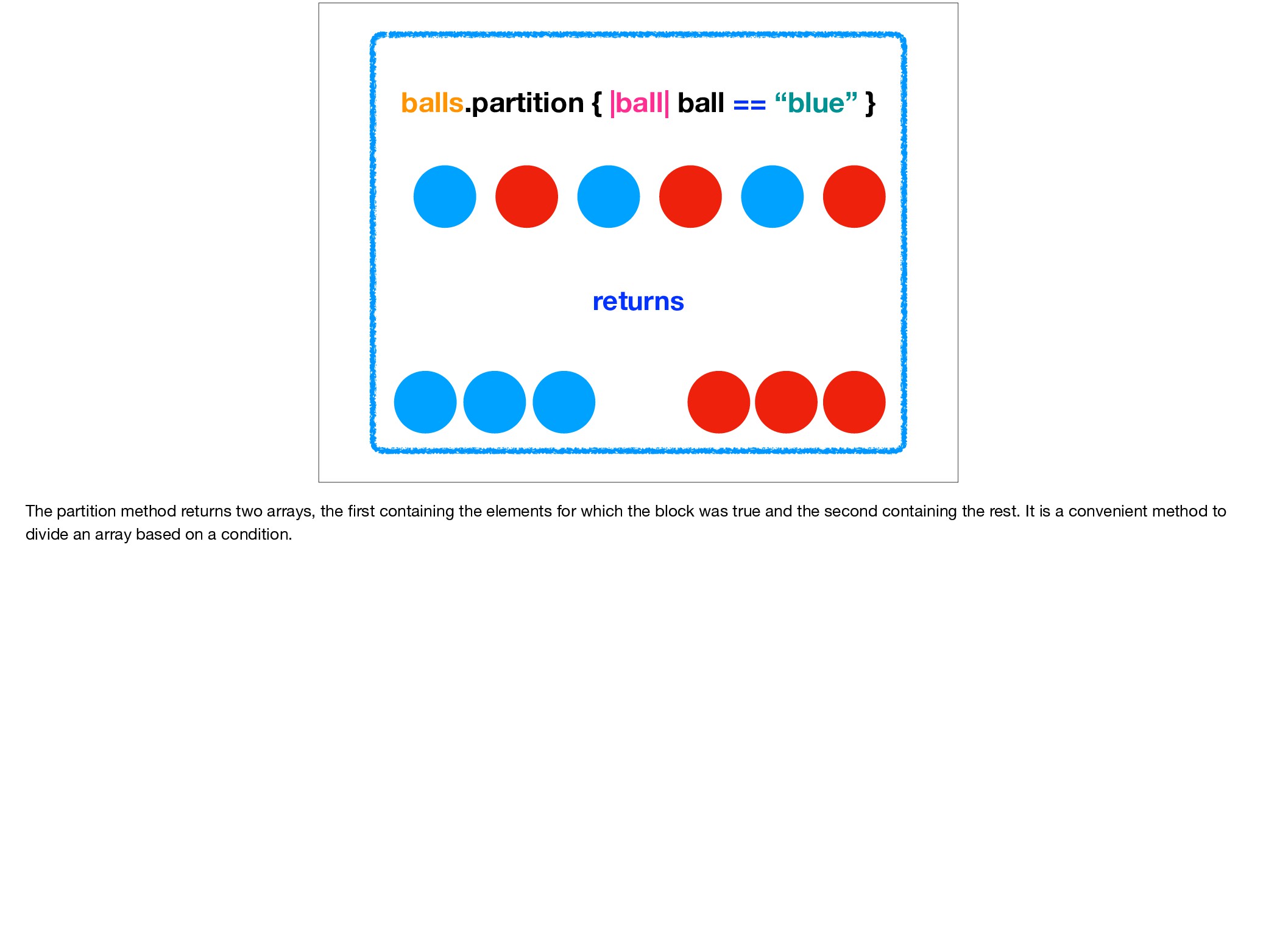
method returns two arrays, the first containing the elements for which the block was true and the second containing the rest. It is a convenient method to divide an array based on a condition.
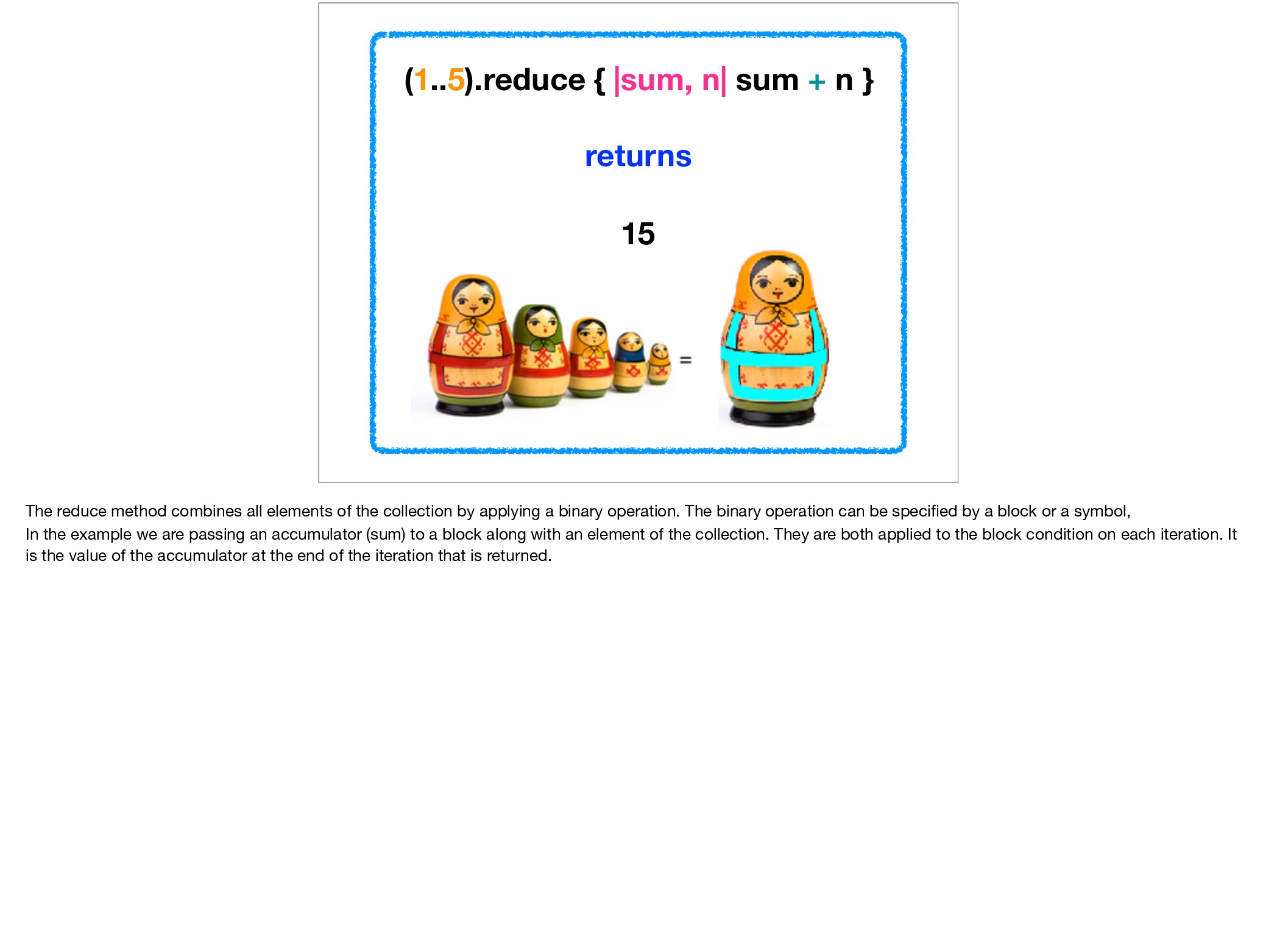
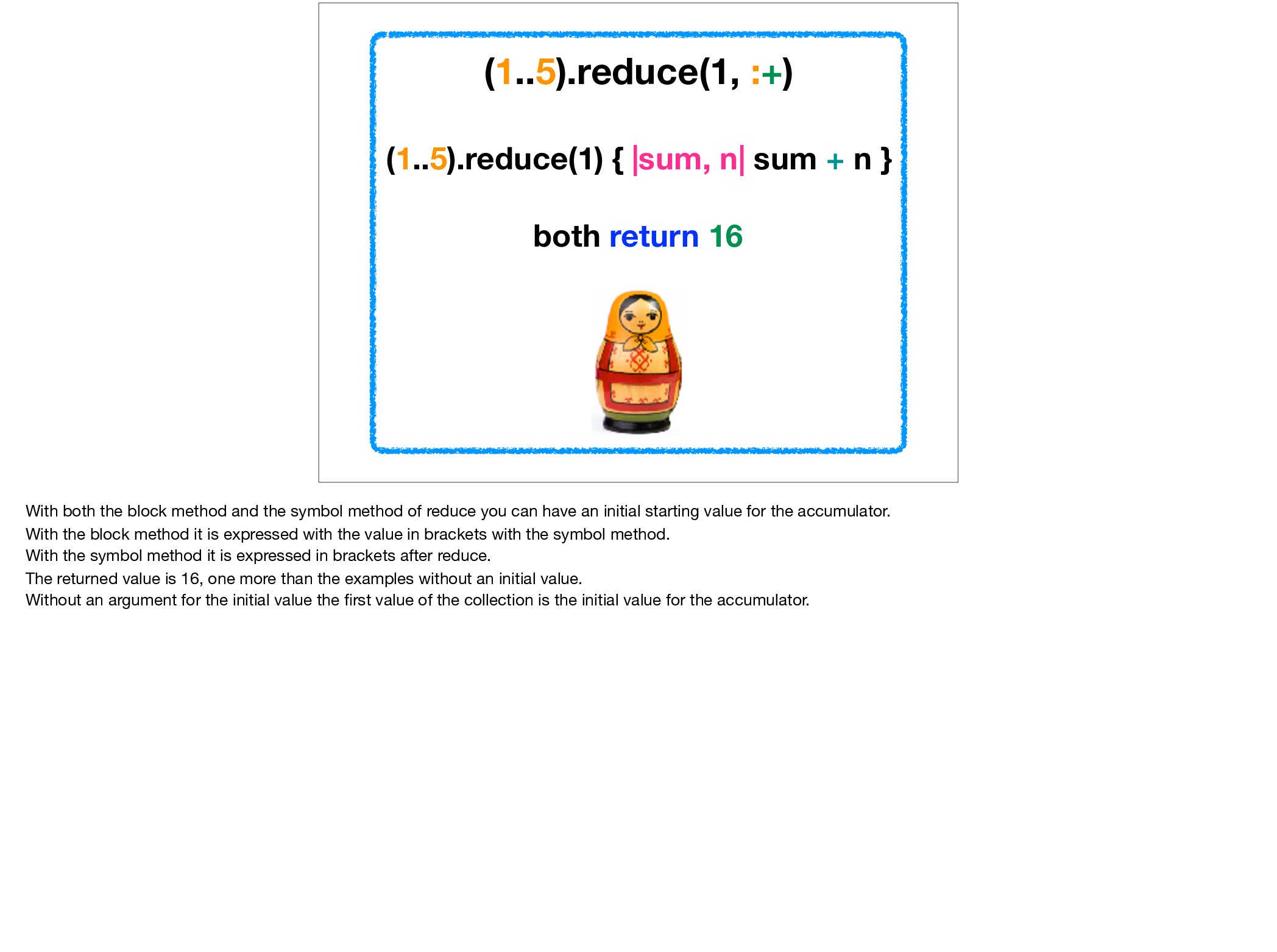
The reduce method combines all elements of the collection by applying a binary operation. The binary operation can be specified by a block or a symbol, In the example we are passing an accumulator (sum) to a block along with an element of the collection. They are both applied to the block condition on each iteration. It is the value of the accumulator at the end of the iteration that is returned.
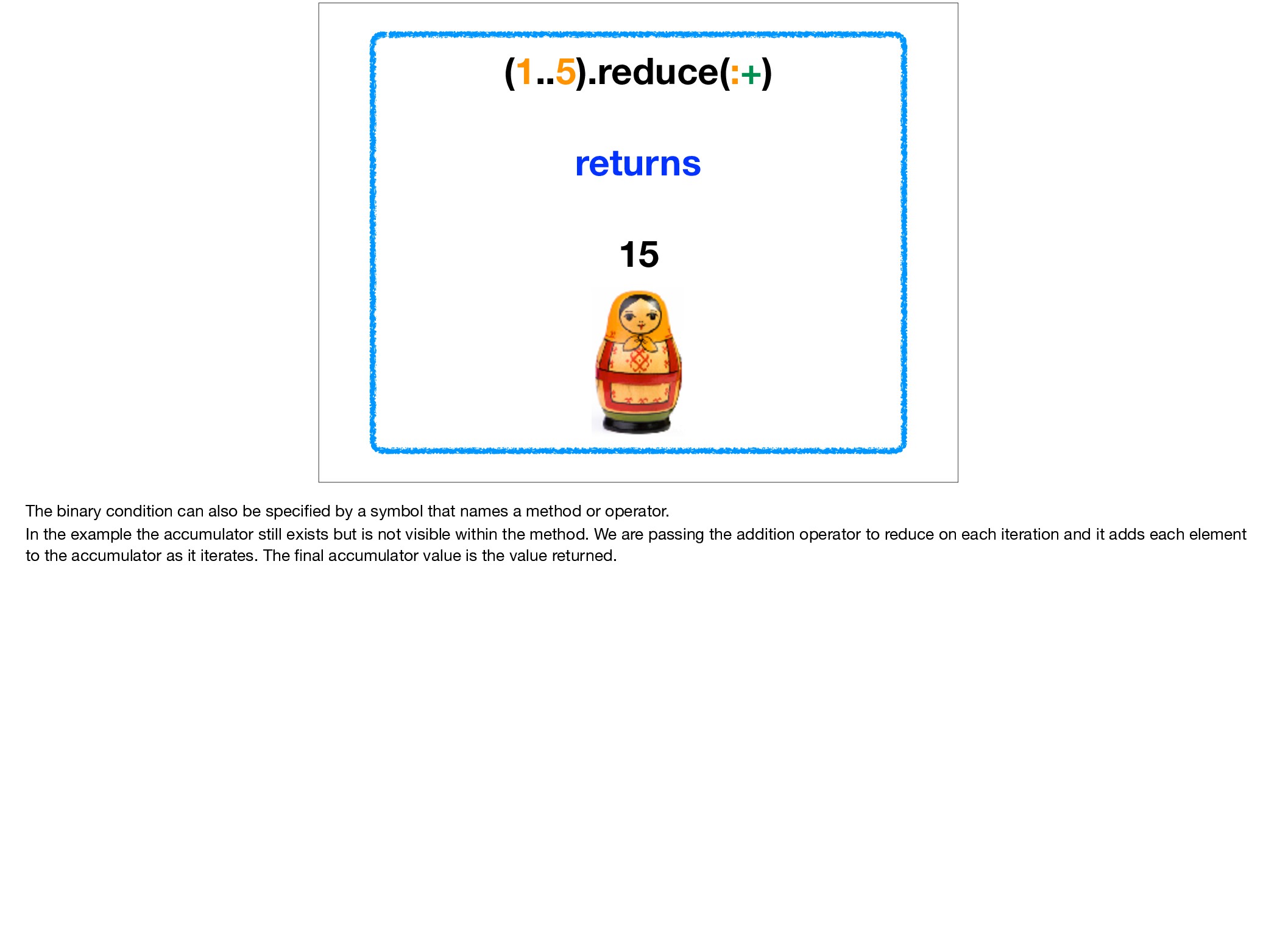
by a symbol that names a method or operator. In the example the accumulator still exists but is not visible within the method. We are passing the addition operator to reduce on each iteration and it adds each element to the accumulator as it iterates. The final accumulator value is the value returned.
both return 16 With both the block method and the symbol method of reduce you can have an initial starting value for the accumulator. With the block method it is expressed with the value in brackets with the symbol method. With the symbol method it is expressed in brackets after reduce. The returned value is 16, one more than the examples without an initial value. Without an argument for the initial value the first value of the collection is the initial value for the accumulator.
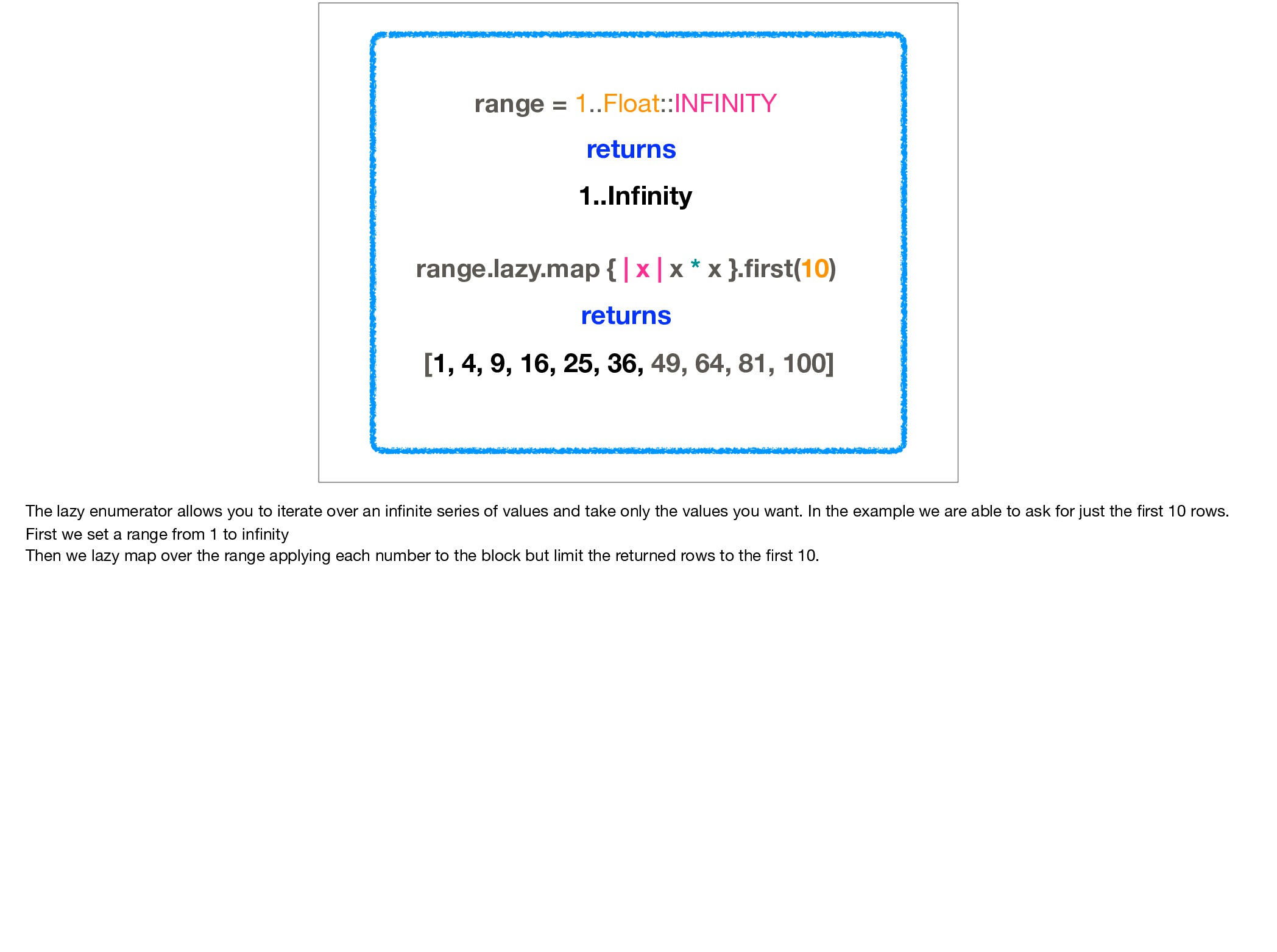
x * x }.first(10) returns [1, 4, 9, 16, 25, 36, 49, 64, 81, 100] The lazy enumerator allows you to iterate over an infinite series of values and take only the values you want. In the example we are able to ask for just the first 10 rows. First we set a range from 1 to infinity Then we lazy map over the range applying each number to the block but limit the returned rows to the first 10.
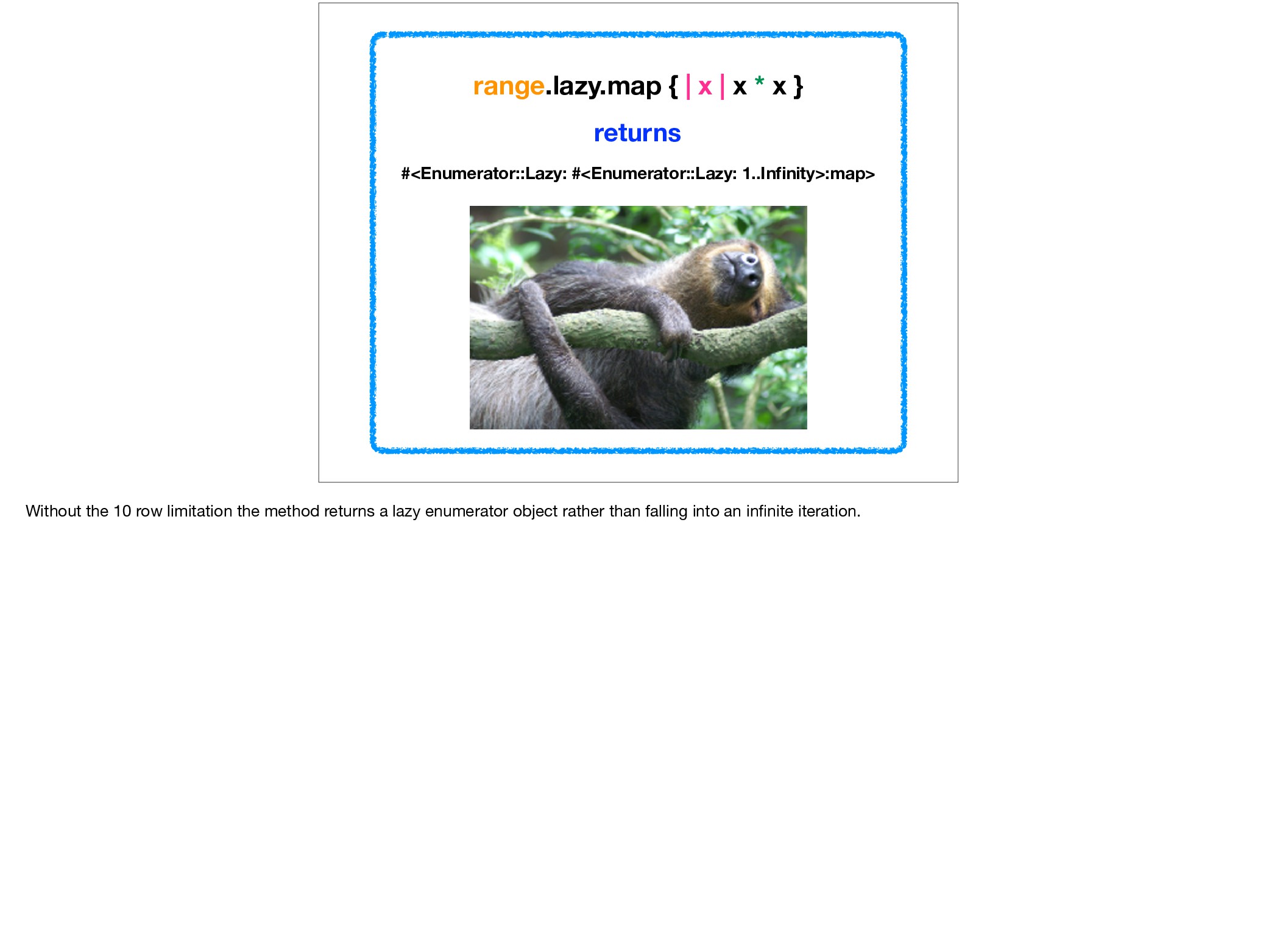
#<Enumerator::Lazy: #<Enumerator::Lazy: 1..Infinity>:map> Without the 10 row limitation the method returns a lazy enumerator object rather than falling into an infinite iteration.
lazy map works is that lazy is not eager. The lazy map method does not collect the values into an array first, instead, each value is passed one at a time along the chain of enumerator lazy objects via repeated yields, and therefore can be called upon as required.
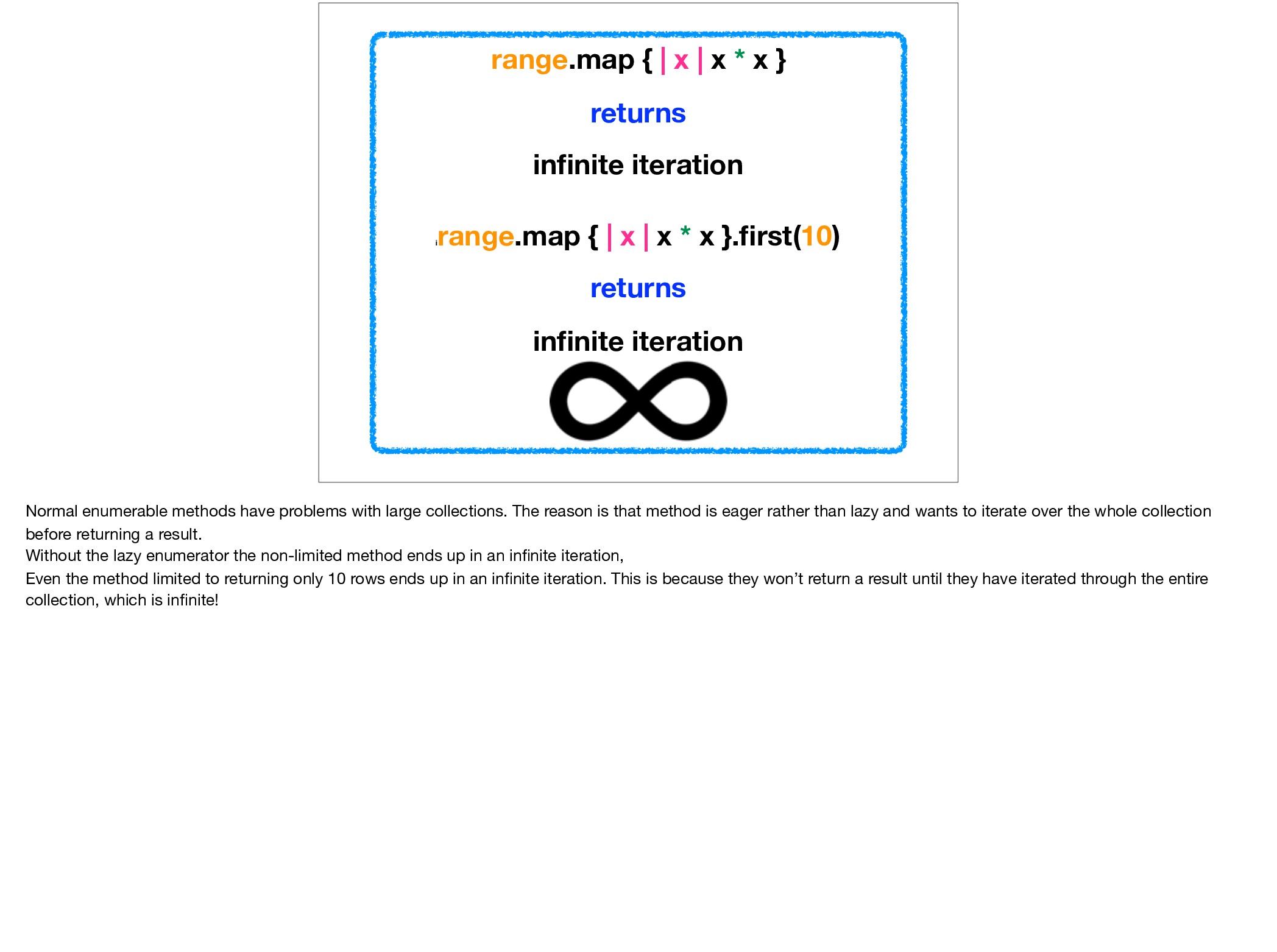
infinite iteration i range.map { | x | x * x }.first(10) returns infinite iteration Normal enumerable methods have problems with large collections. The reason is that method is eager rather than lazy and wants to iterate over the whole collection before returning a result. Without the lazy enumerator the non-limited method ends up in an infinite iteration, Even the method limited to returning only 10 rows ends up in an infinite iteration. This is because they won’t return a result until they have iterated through the entire collection, which is infinite!
You Can Be Lazy - Pat Shaughnessy - accessed 18/10/2017; • http://ruby.bastardsbook.com/chapters/enumerables/ - The Bastards Book of Ruby - accessed 18/10/17; • https://ruby-doc.org/core-2.5.0/Enumerable.html - Enumerable - accessed 27/01/2018; • http://www.brianstorti.com/ understanding-ruby-idiom-map-with-symbol/ - Understanding Ruby’s idiom: array,map(&:method) - Brian Storti - accessed 27/01/2018; • https://blog.honeybadger.io/ using-lazy-enumerators-to-work-with-large-files-in-ruby/ - Using lazy enumerators to work with large files in Ruby - Starr Horne - accessed 27/01/2018; • https://www.dotnetperls.com/sort-ruby - accessed 28/01/2018. I have included a list of references Thank you for listening to my talk, I hope you were able to get a few things of interest from it. Are there any questions?


 shihochan
 optim
optim
 ichirokano2
 tomokon
 kmars0605
 yub0n
yub0n
 lynnswap
 y0hgi
y0hgi
 o0h
o0h
 ___akari11
 deka_morita
 tanahiro2010
 skipperchong
 inesmontani
 ipullrank
 ianozsvald
 joshbly
 gr2m
gr2m
 pwiseman
 mza
mza
 shlominoach
 marcoroth
 baasie
 smashingmag
![["round", "oval", "square", “triangle”].sort_by do |word| word.size end returns The](https://files.speakerdeck.com/presentations/28b32771d5f94526b72bfbe735d311a0/slide_27.jpg)
![numbers = [1, 2, 4, 6, 8, 2] numbers.count(2) returns](https://files.speakerdeck.com/presentations/28b32771d5f94526b72bfbe735d311a0/slide_28.jpg)
![a = [4, 5, 6] b = [7, 8, 9]](https://files.speakerdeck.com/presentations/28b32771d5f94526b72bfbe735d311a0/slide_30.jpg)
![a = [4, 5, 6] b = [7, 8, 9]](https://files.speakerdeck.com/presentations/28b32771d5f94526b72bfbe735d311a0/slide_31.jpg)
![a = [4, 5, 6] b = [7, 8, 9]](https://files.speakerdeck.com/presentations/28b32771d5f94526b72bfbe735d311a0/slide_32.jpg)
![bikes = [“mountain”, “racing”, “bmx”] bikes.cycle(2) { |bike| puts bike](https://files.speakerdeck.com/presentations/28b32771d5f94526b72bfbe735d311a0/slide_33.jpg)
![[1, 2, 3, 4].flat_map { |num| [num, -num] } returns](https://files.speakerdeck.com/presentations/28b32771d5f94526b72bfbe735d311a0/slide_34.jpg)
![bm.report "flat_map" do list.flat_map do |x| [x, x * x]](https://files.speakerdeck.com/presentations/28b32771d5f94526b72bfbe735d311a0/slide_36.jpg)