$30 off During Our Annual Pro Sale. View Details »

Basic architecures: the building blocks for com...

Basic architecures: the building blocks for complex systems

Basic architectures include:
* Monolith – a cohesive codebase.
* Shards – multiple instances of a (sub)system.
* Layers – subdivision by the level of abstractness.
* Services – components, dedicated to subdomains.
* Pipeline – a chain of data processing steps.

Avatar for Denys Poltorak

Denys Poltorak

December 08, 2025
Tweet

More Decks by Denys Poltorak

Other Decks in Programming

Transcript

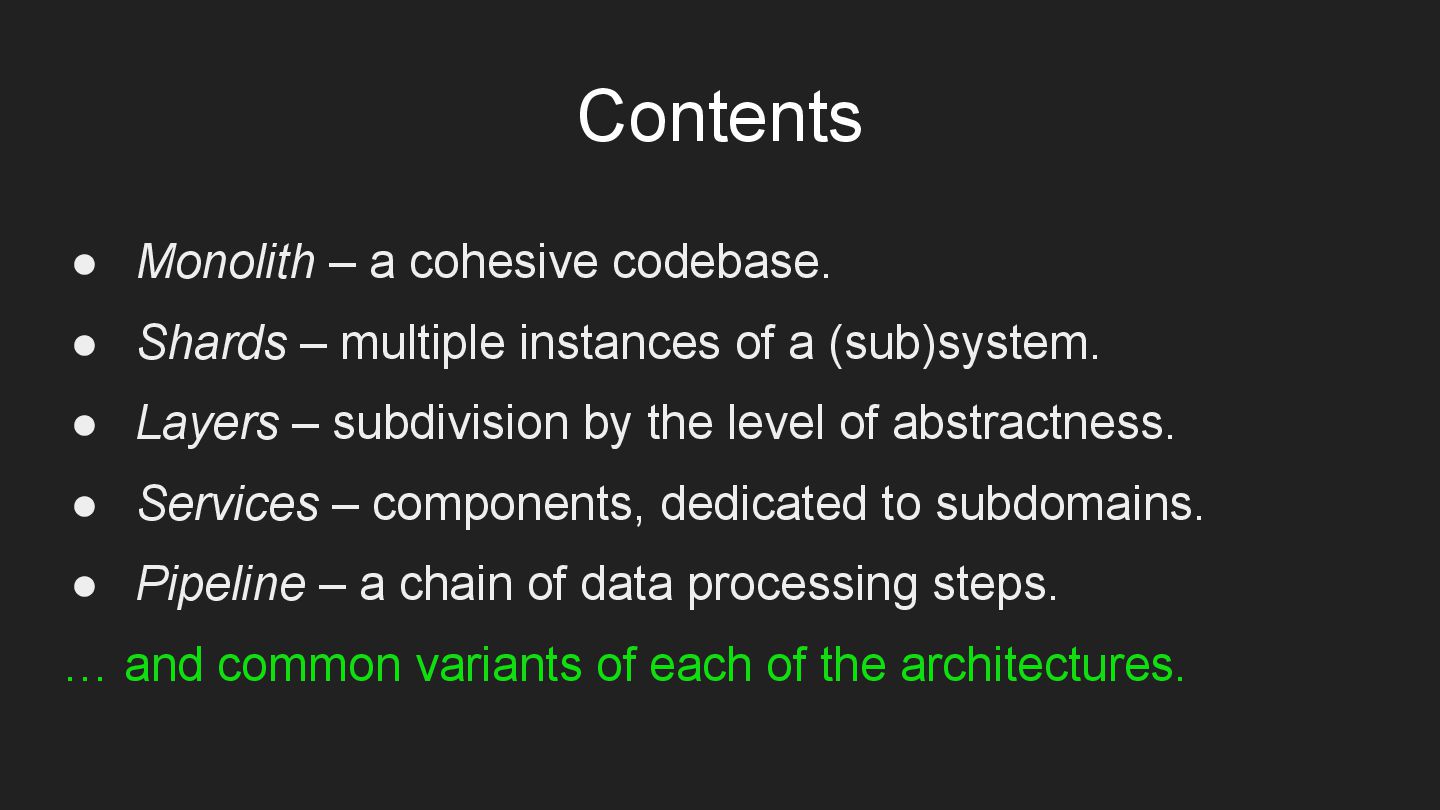
  1. • Monolith – a cohesive codebase. • Shards – multiple

    instances of a (sub)system. • Layers – subdivision by the level of abstractness. • Services – components, dedicated to subdomains. • Pipeline – a chain of data processing steps. … and common variants of each of the architectures. Contents
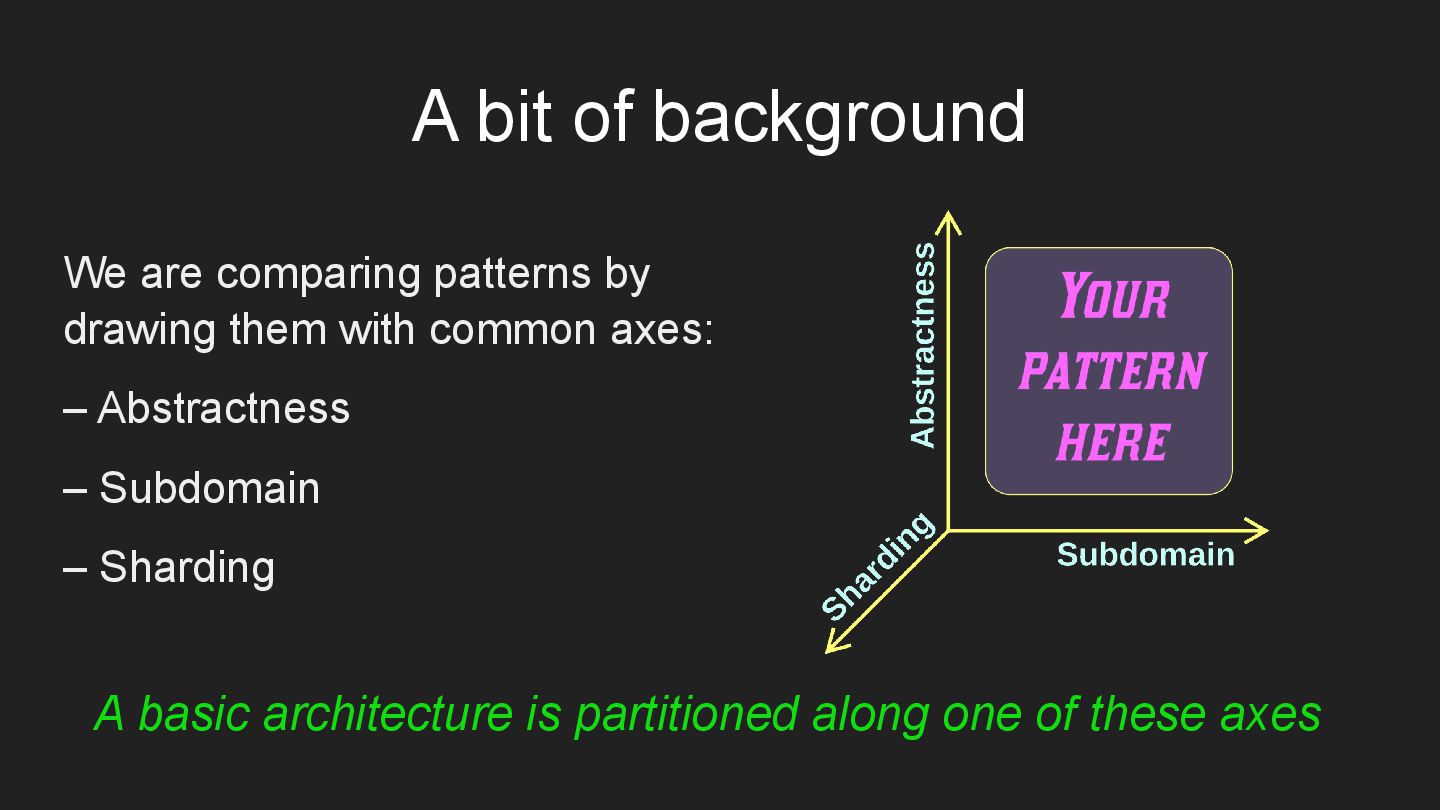
  2. We are comparing patterns by drawing them with common axes:

    – Abstractness – Subdomain – Sharding A basic architecture is partitioned along one of these axes A bit of background
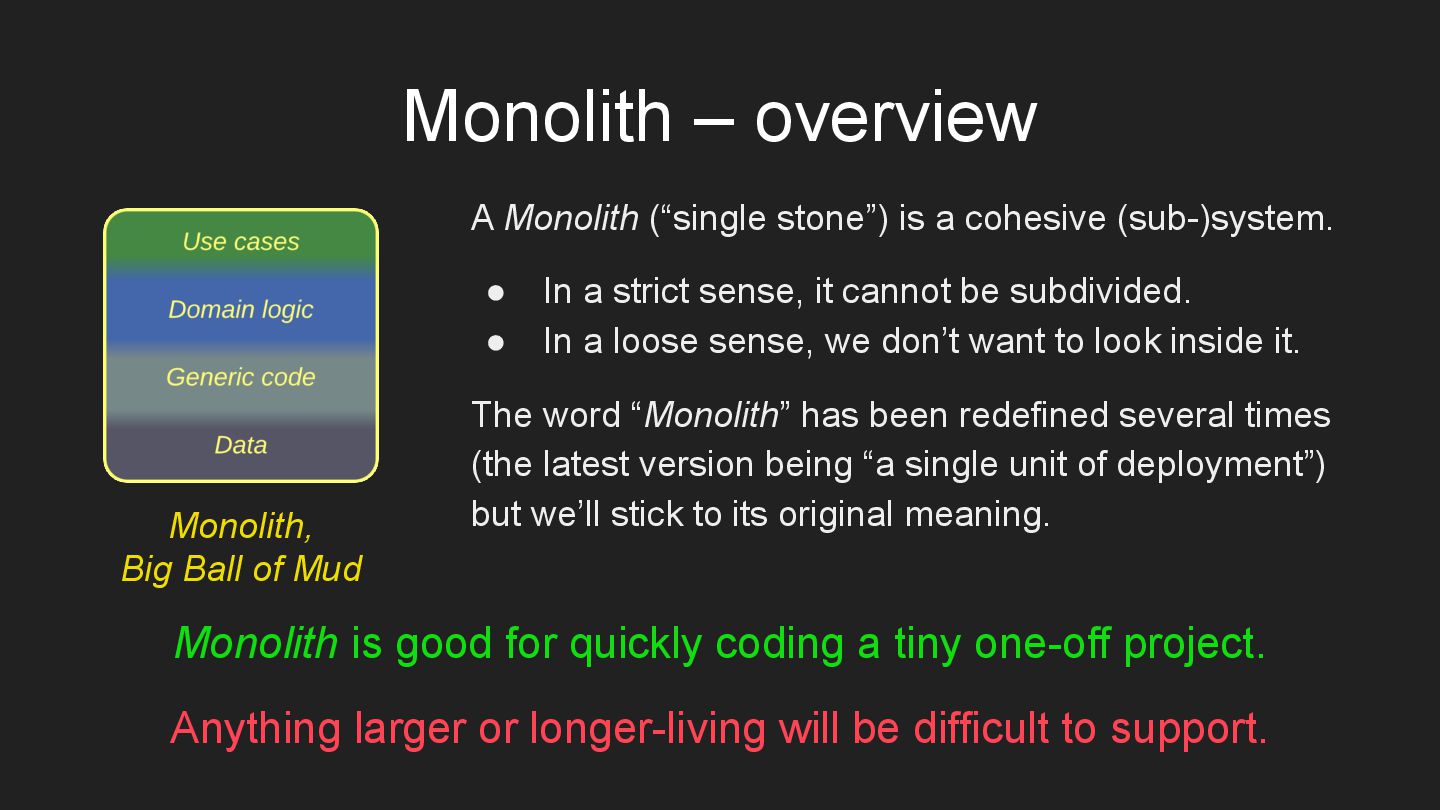
  3. Monolith – overview A Monolith (“single stone”) is a cohesive

    (sub-)system. • In a strict sense, it cannot be subdivided. • In a loose sense, we don’t want to look inside it. The word “Monolith” has been redefined several times (the latest version being “a single unit of deployment”) but we’ll stick to its original meaning. Monolith is good for quickly coding a tiny one-off project. Anything larger or longer-living will be difficult to support. Monolith, Big Ball of Mud
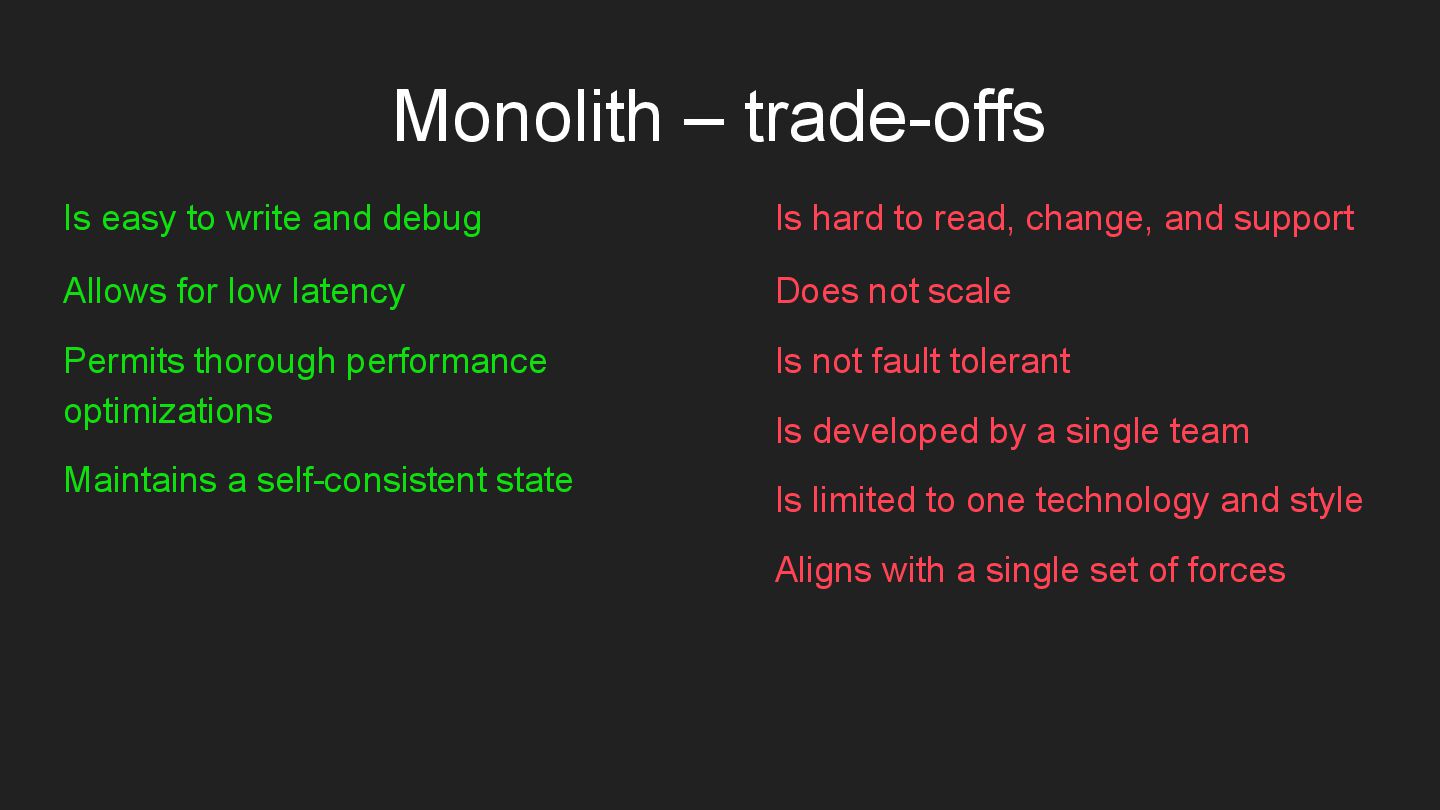
  4. Monolith – trade-offs Is easy to write and debug Allows

    for low latency Permits thorough performance optimizations Maintains a self-consistent state Is hard to read, change, and support Does not scale Is not fault tolerant Is developed by a single team Is limited to one technology and style Aligns with a single set of forces
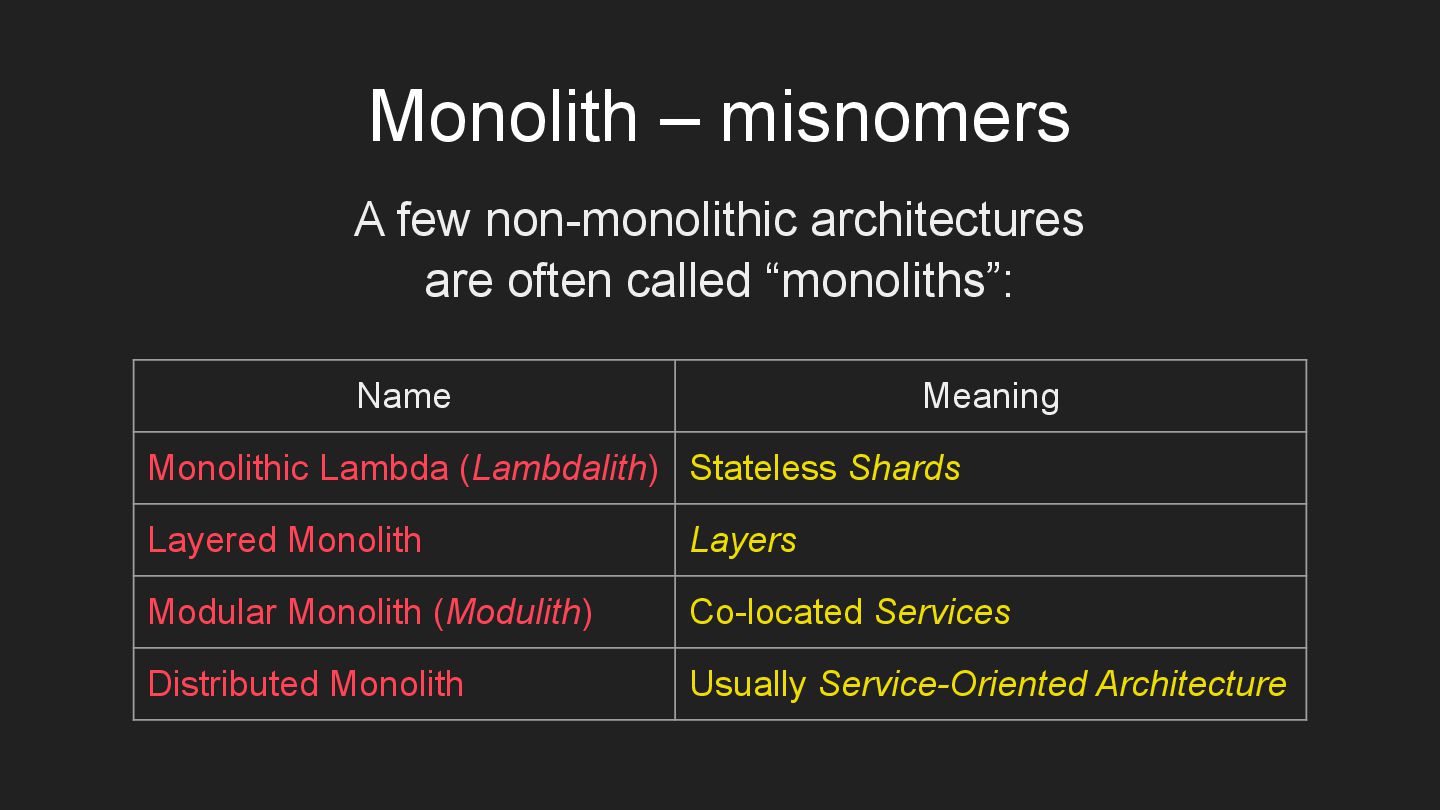
  5. Monolith – misnomers Name Meaning Monolithic Lambda (Lambdalith) Stateless Shards

    Layered Monolith Layers Modular Monolith (Modulith) Co-located Services Distributed Monolith Usually Service-Oriented Architecture A few non-monolithic architectures are often called “monoliths”:
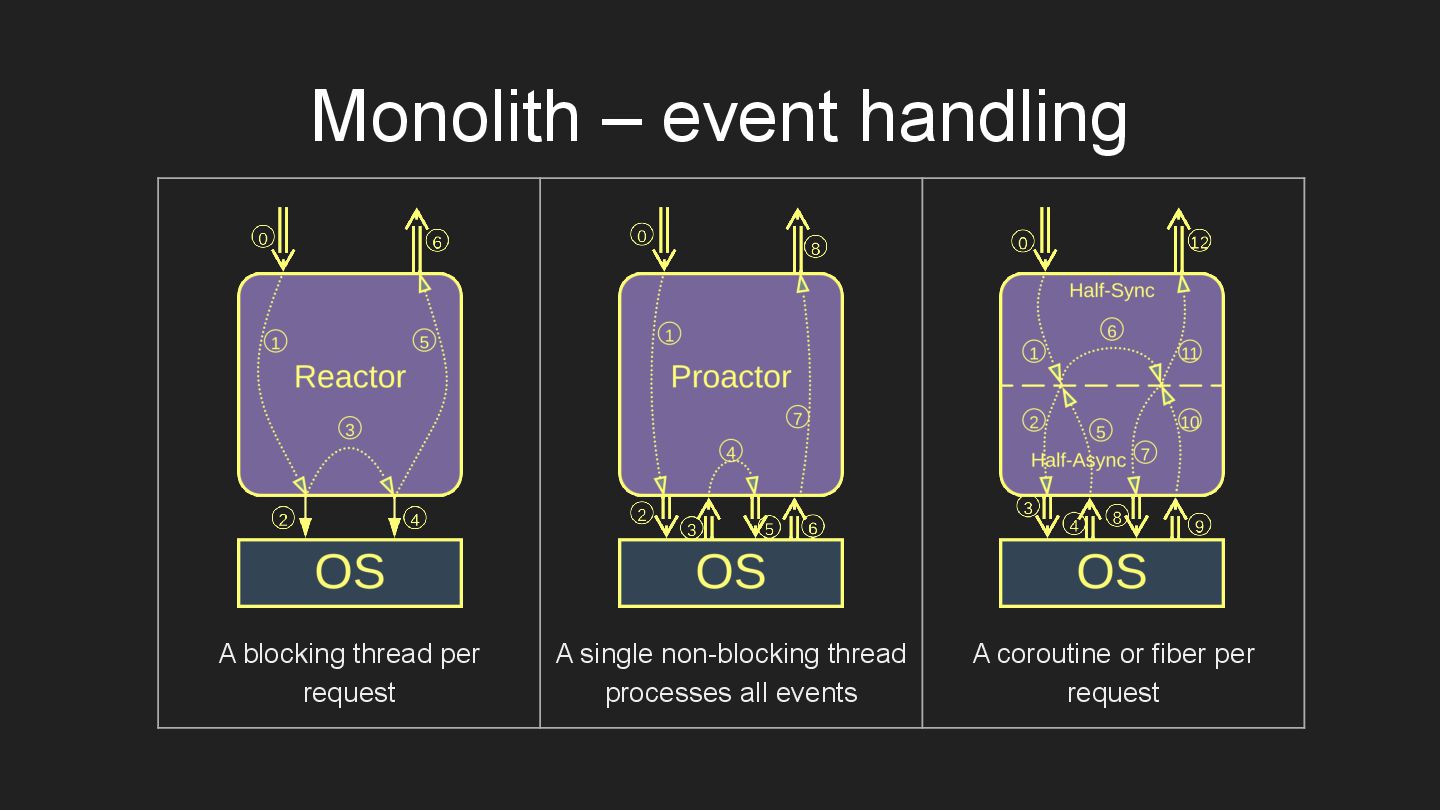
  6. Monolith – event handling A blocking thread per request A

    single non-blocking thread processes all events A coroutine or fiber per request
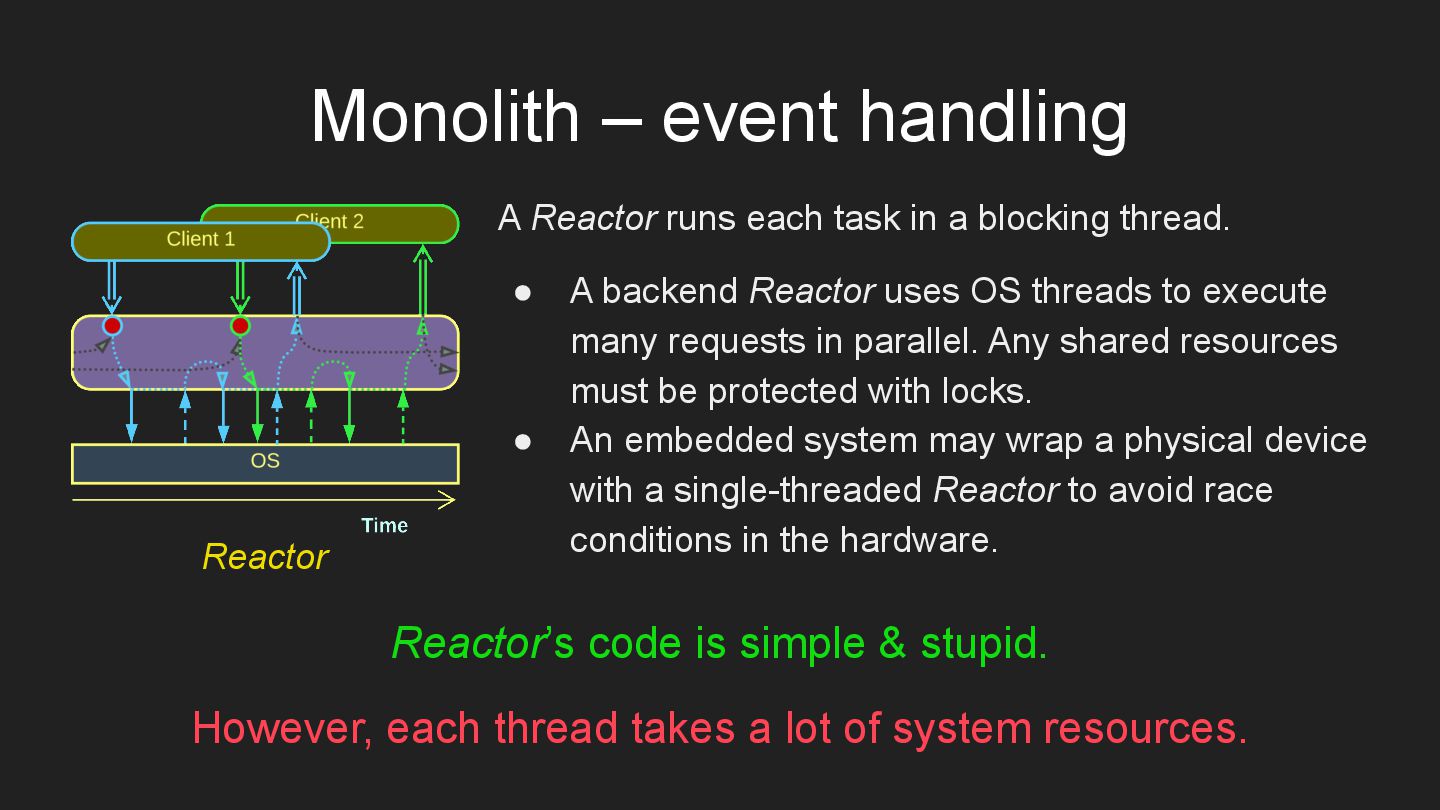
  7. Monolith – event handling A Reactor runs each task in

    a blocking thread. • A backend Reactor uses OS threads to execute many requests in parallel. Any shared resources must be protected with locks. • An embedded system may wrap a physical device with a single-threaded Reactor to avoid race conditions in the hardware. Reactor’s code is simple & stupid. However, each thread takes a lot of system resources. Reactor
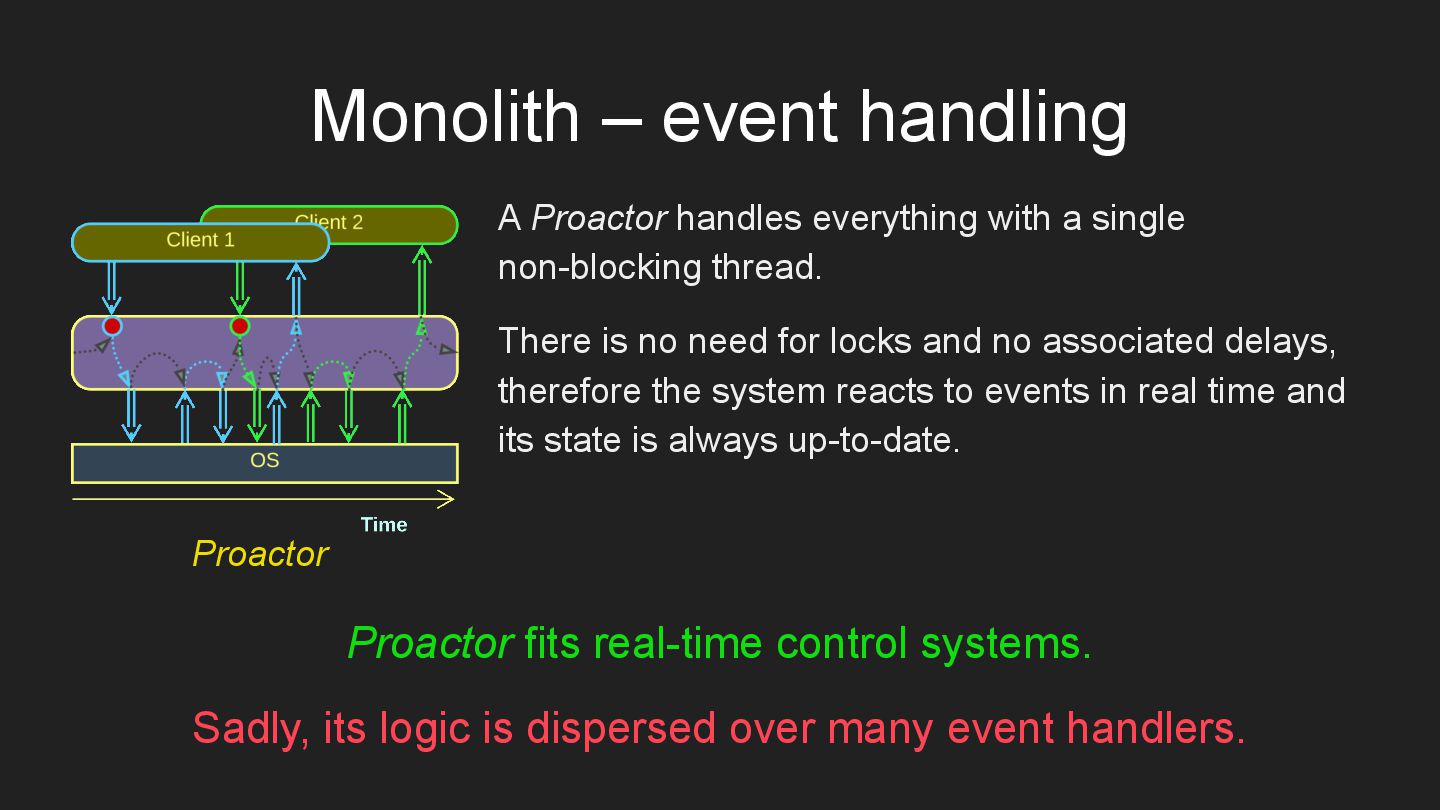
  8. Monolith – event handling A Proactor handles everything with a

    single non-blocking thread. There is no need for locks and no associated delays, therefore the system reacts to events in real time and its state is always up-to-date. Proactor fits real-time control systems. Sadly, its logic is dispersed over many event handlers. Proactor
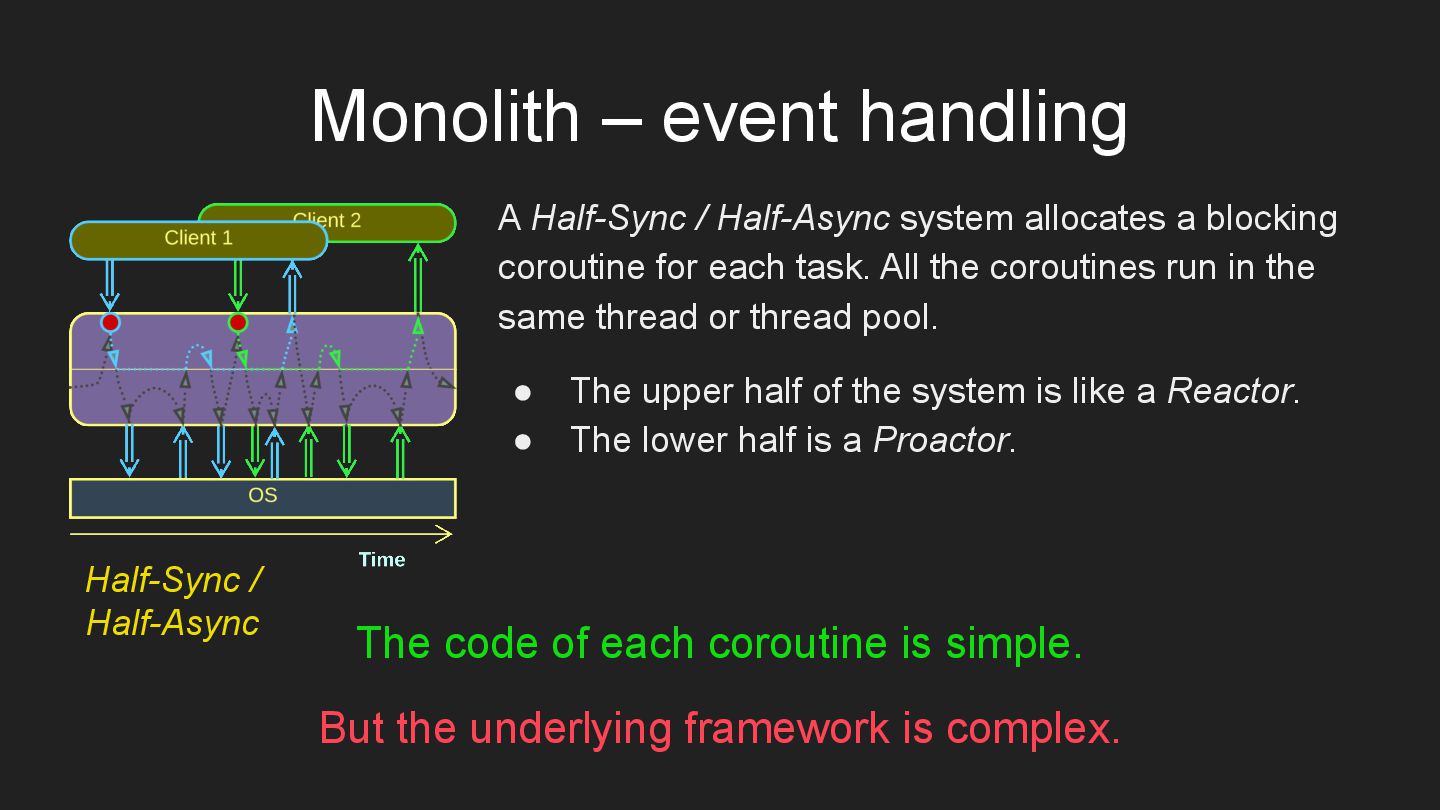
  9. Monolith – event handling A Half-Sync / Half-Async system allocates

    a blocking coroutine for each task. All the coroutines run in the same thread or thread pool. • The upper half of the system is like a Reactor. • The lower half is a Proactor. The code of each coroutine is simple. But the underlying framework is complex. Half-Sync / Half-Async
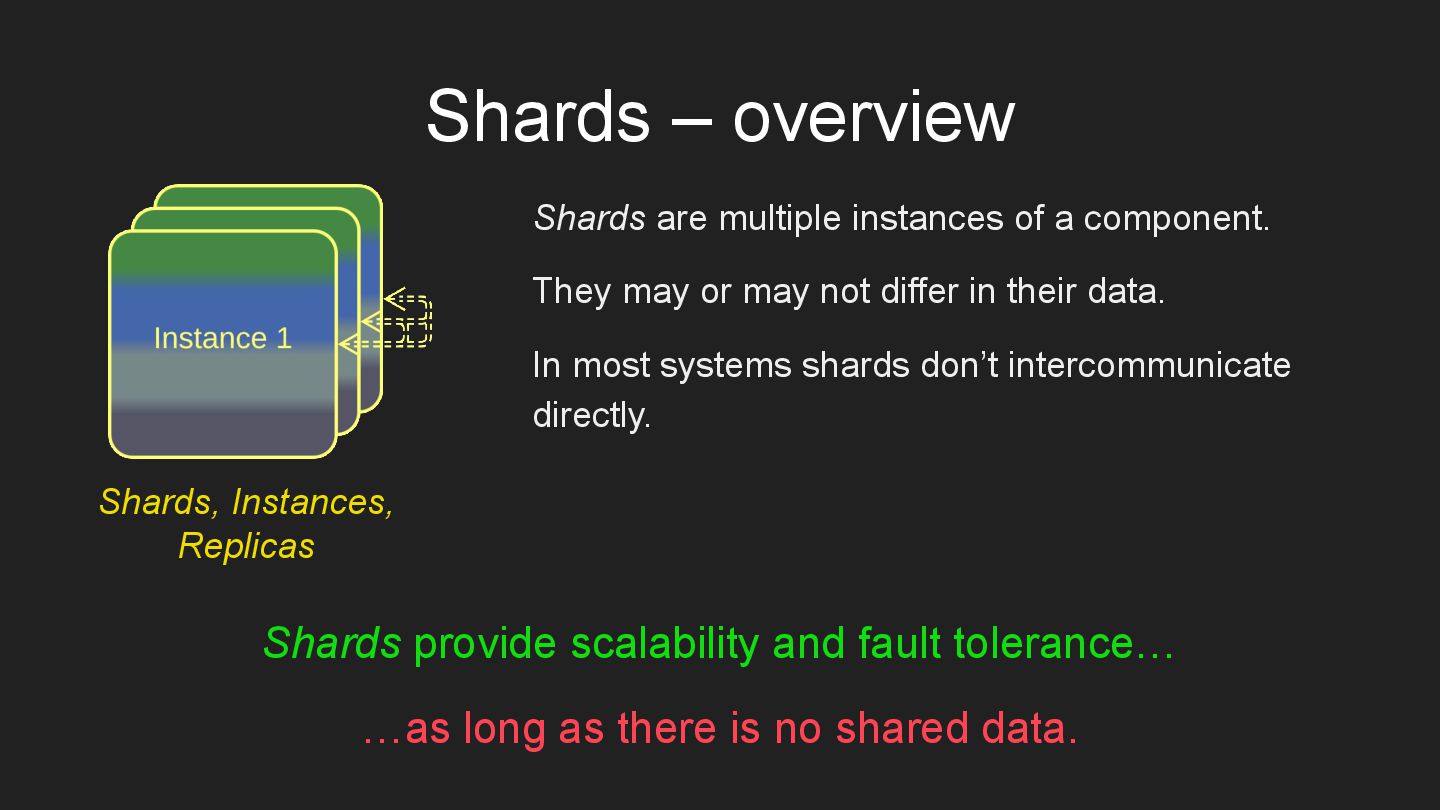
  10. Shards – overview Shards are multiple instances of a component.

    They may or may not differ in their data. In most systems shards don’t intercommunicate directly. Shards provide scalability and fault tolerance… …as long as there is no shared data. Shards, Instances, Replicas
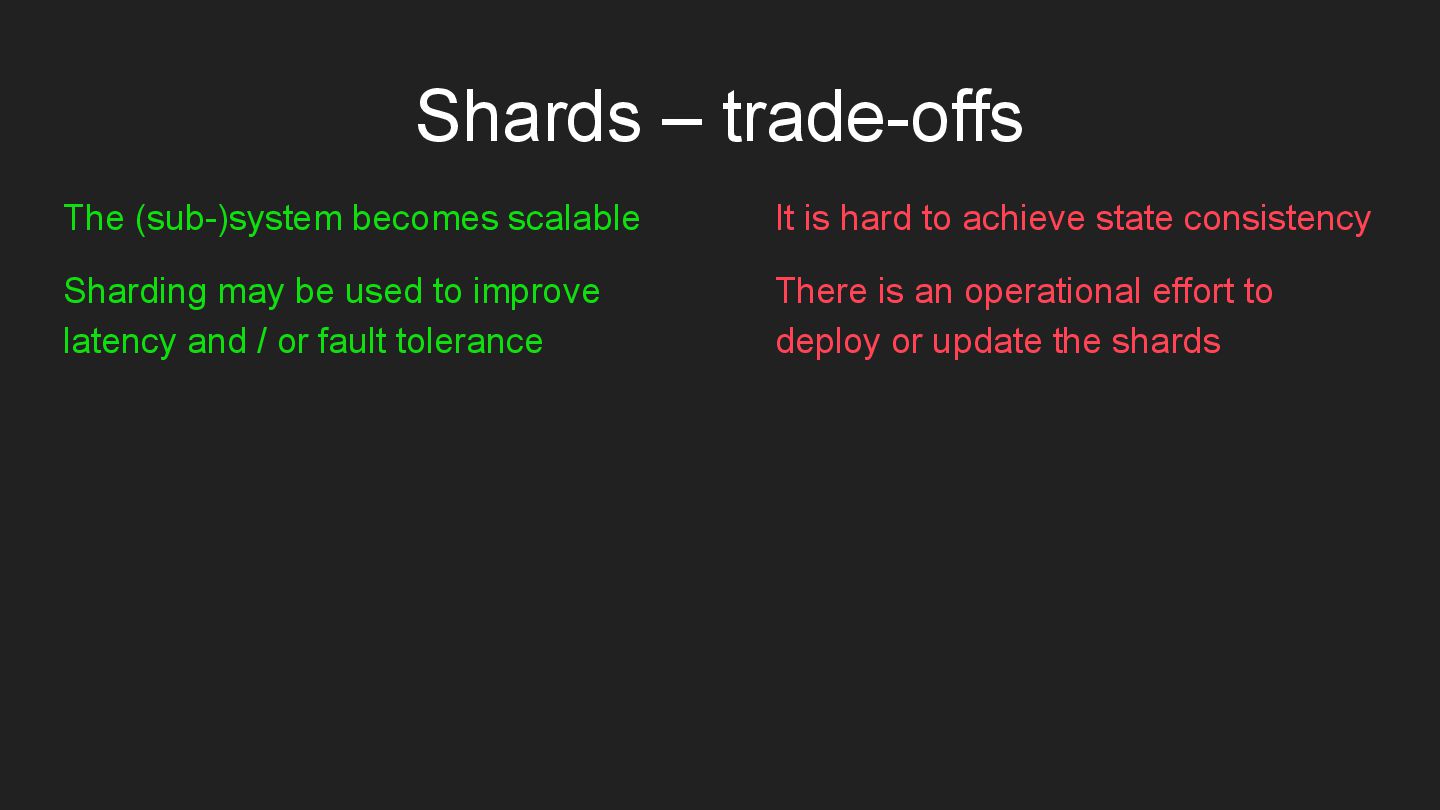
  11. Shards – trade-offs The (sub-)system becomes scalable Sharding may be

    used to improve latency and / or fault tolerance It is hard to achieve state consistency There is an operational effort to deploy or update the shards
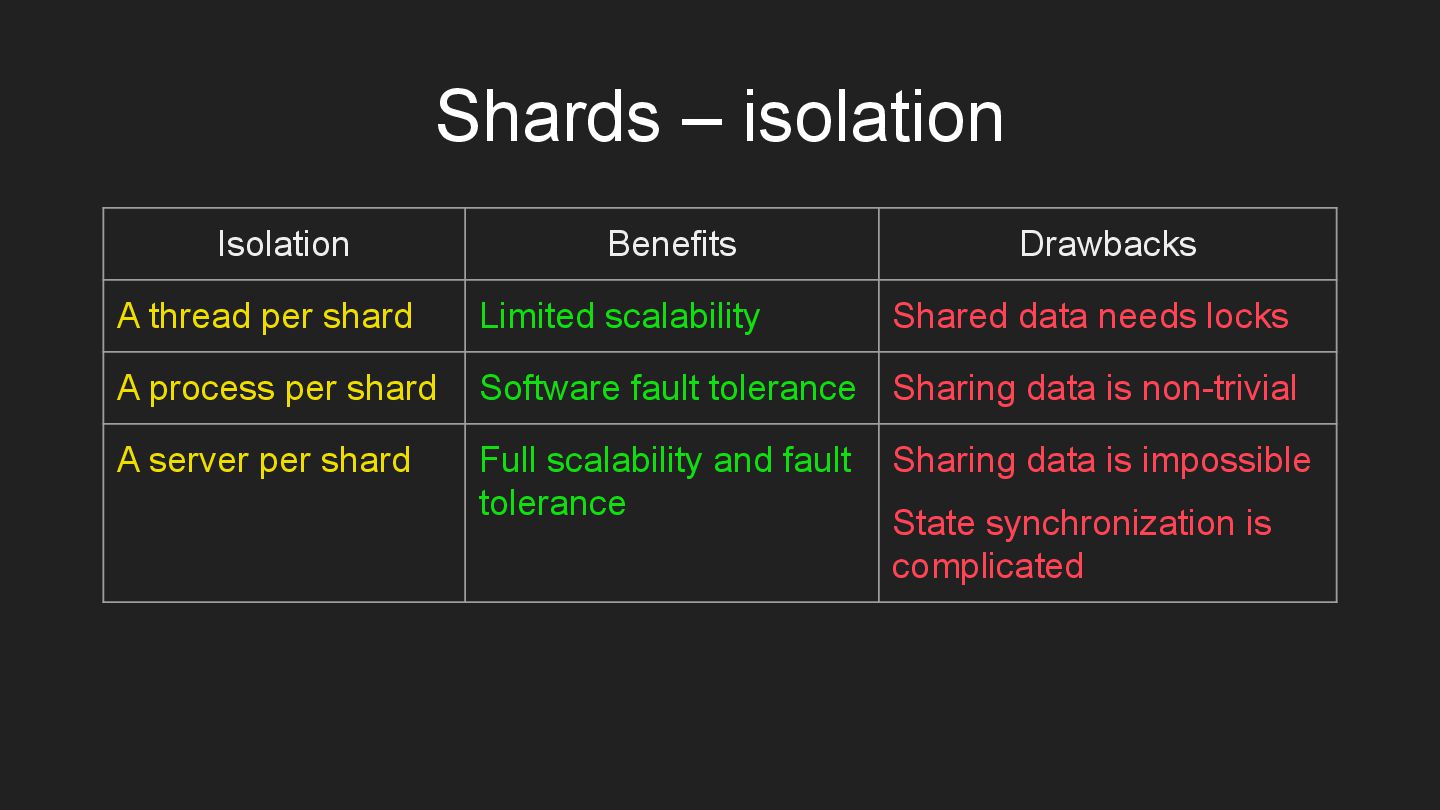
  12. Shards – isolation Isolation Benefits Drawbacks A thread per shard

    Limited scalability Shared data needs locks A process per shard Software fault tolerance Sharing data is non-trivial A server per shard Full scalability and fault tolerance Sharing data is impossible State synchronization is complicated
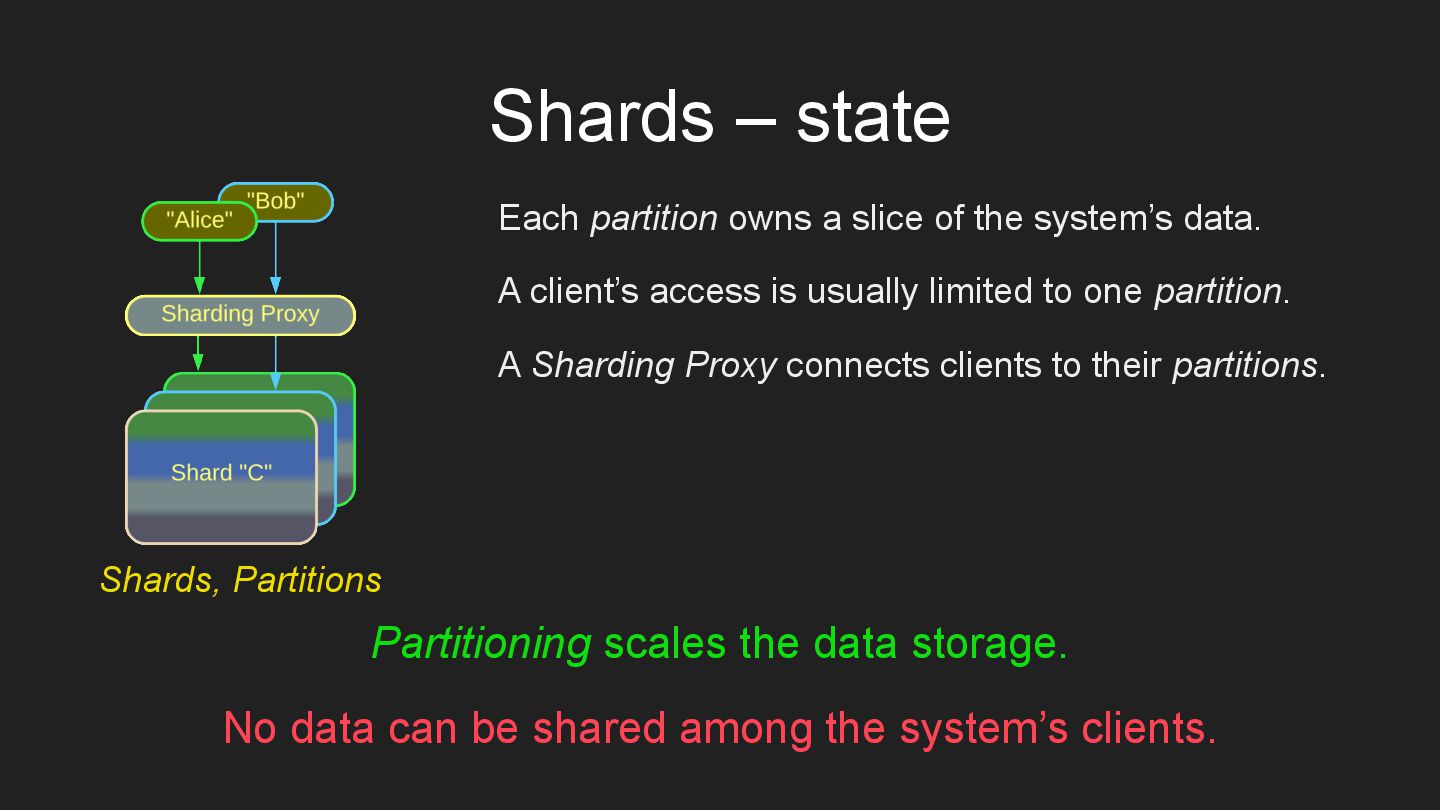
  13. Shards – state Each partition owns a slice of the

    system’s data. A client’s access is usually limited to one partition. A Sharding Proxy connects clients to their partitions. Partitioning scales the data storage. No data can be shared among the system’s clients. Shards, Partitions
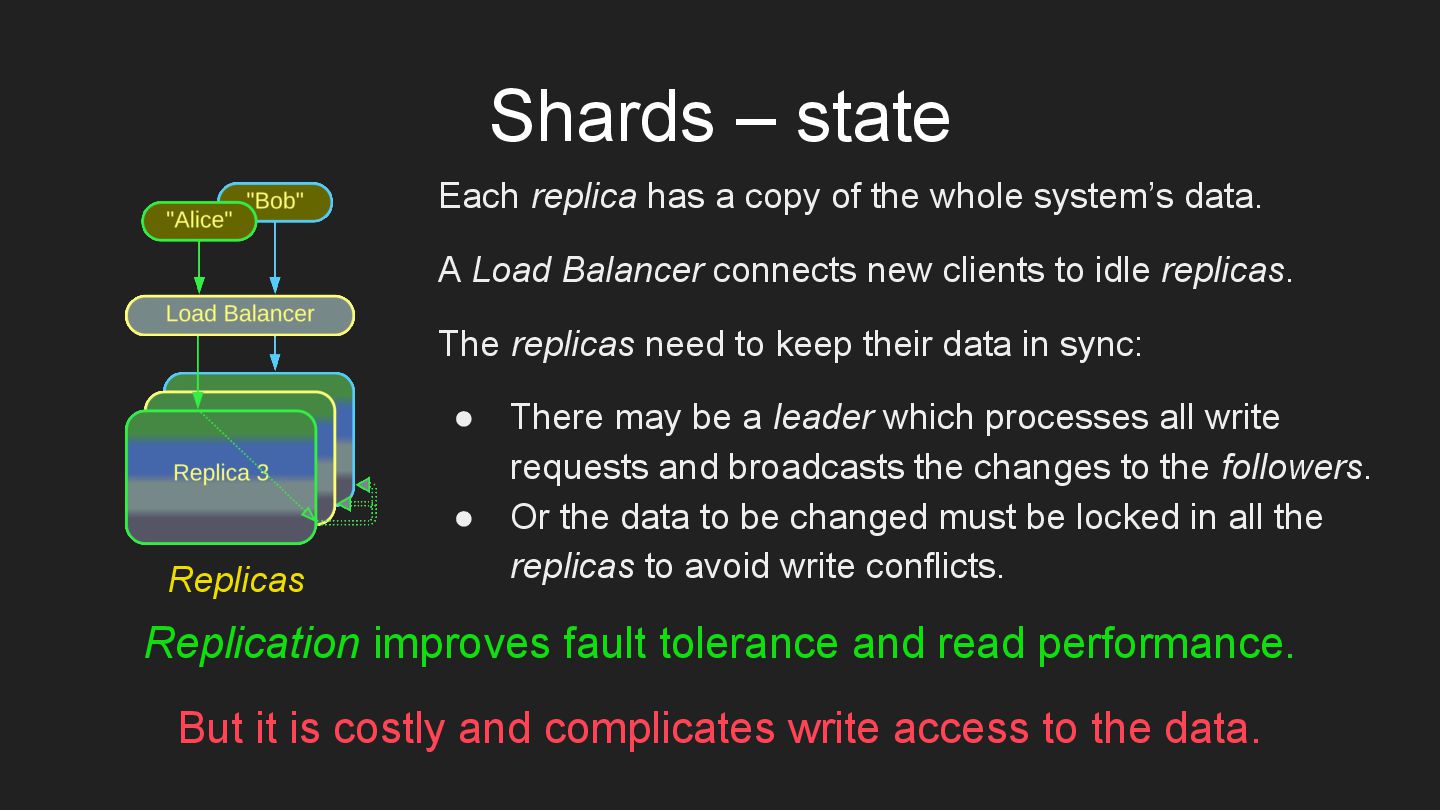
  14. Shards – state Each replica has a copy of the

    whole system’s data. A Load Balancer connects new clients to idle replicas. The replicas need to keep their data in sync: • There may be a leader which processes all write requests and broadcasts the changes to the followers. • Or the data to be changed must be locked in all the replicas to avoid write conflicts. Replication improves fault tolerance and read performance. But it is costly and complicates write access to the data. Replicas
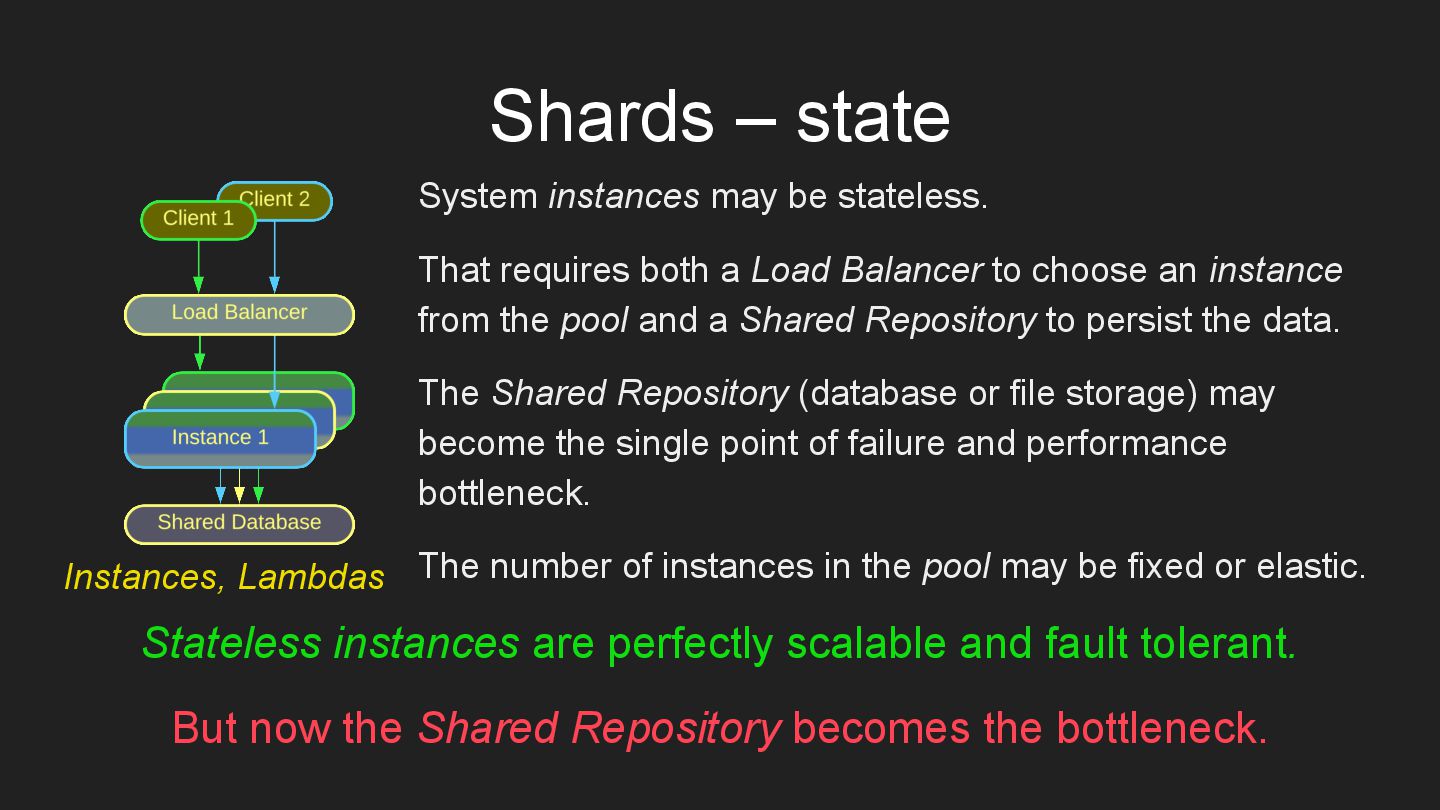
  15. Shards – state System instances may be stateless. That requires

    both a Load Balancer to choose an instance from the pool and a Shared Repository to persist the data. The Shared Repository (database or file storage) may become the single point of failure and performance bottleneck. The number of instances in the pool may be fixed or elastic. Stateless instances are perfectly scalable and fault tolerant. But now the Shared Repository becomes the bottleneck. Instances, Lambdas
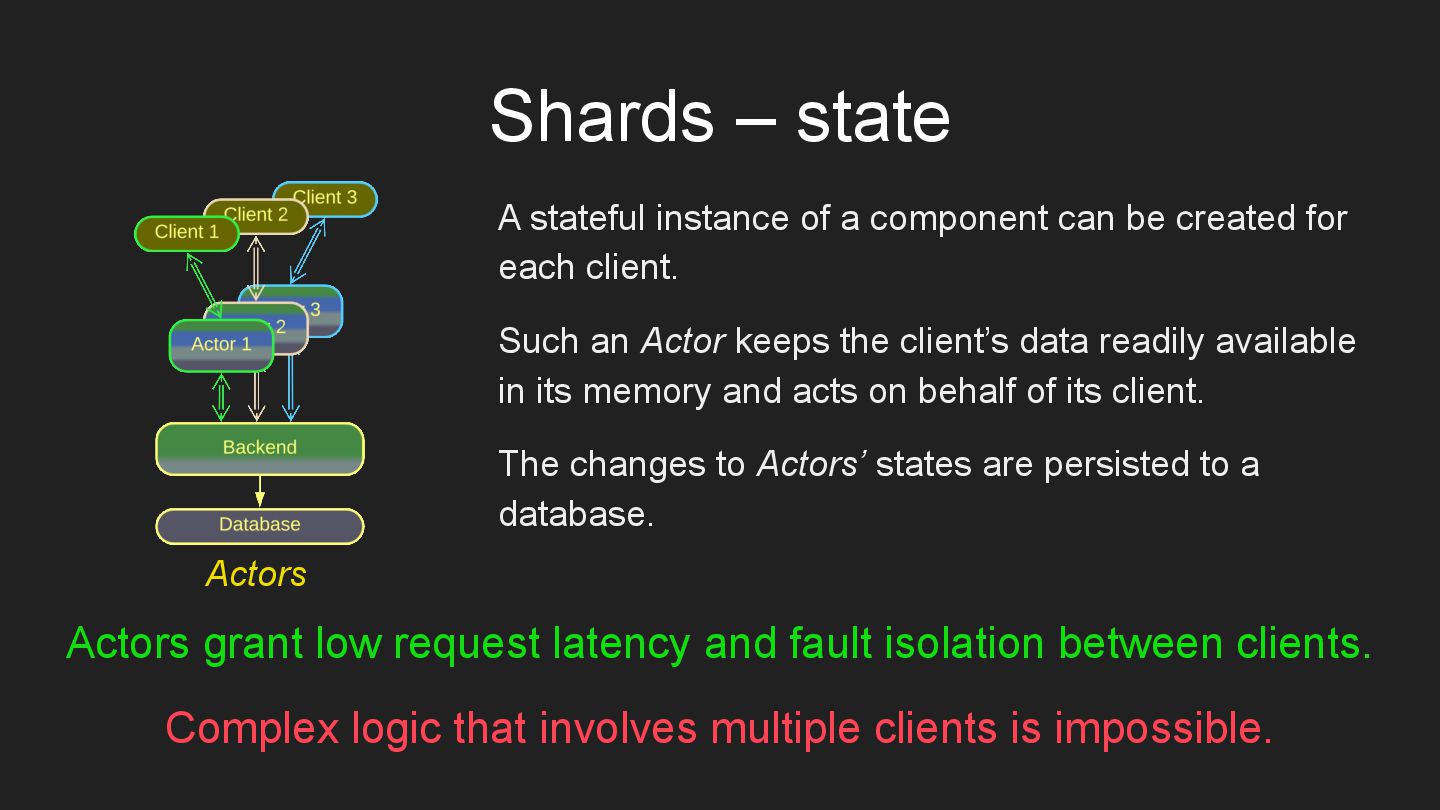
  16. Shards – state A stateful instance of a component can

    be created for each client. Such an Actor keeps the client’s data readily available in its memory and acts on behalf of its client. The changes to Actors’ states are persisted to a database. Actors grant low request latency and fault isolation between clients. Complex logic that involves multiple clients is impossible. Actors
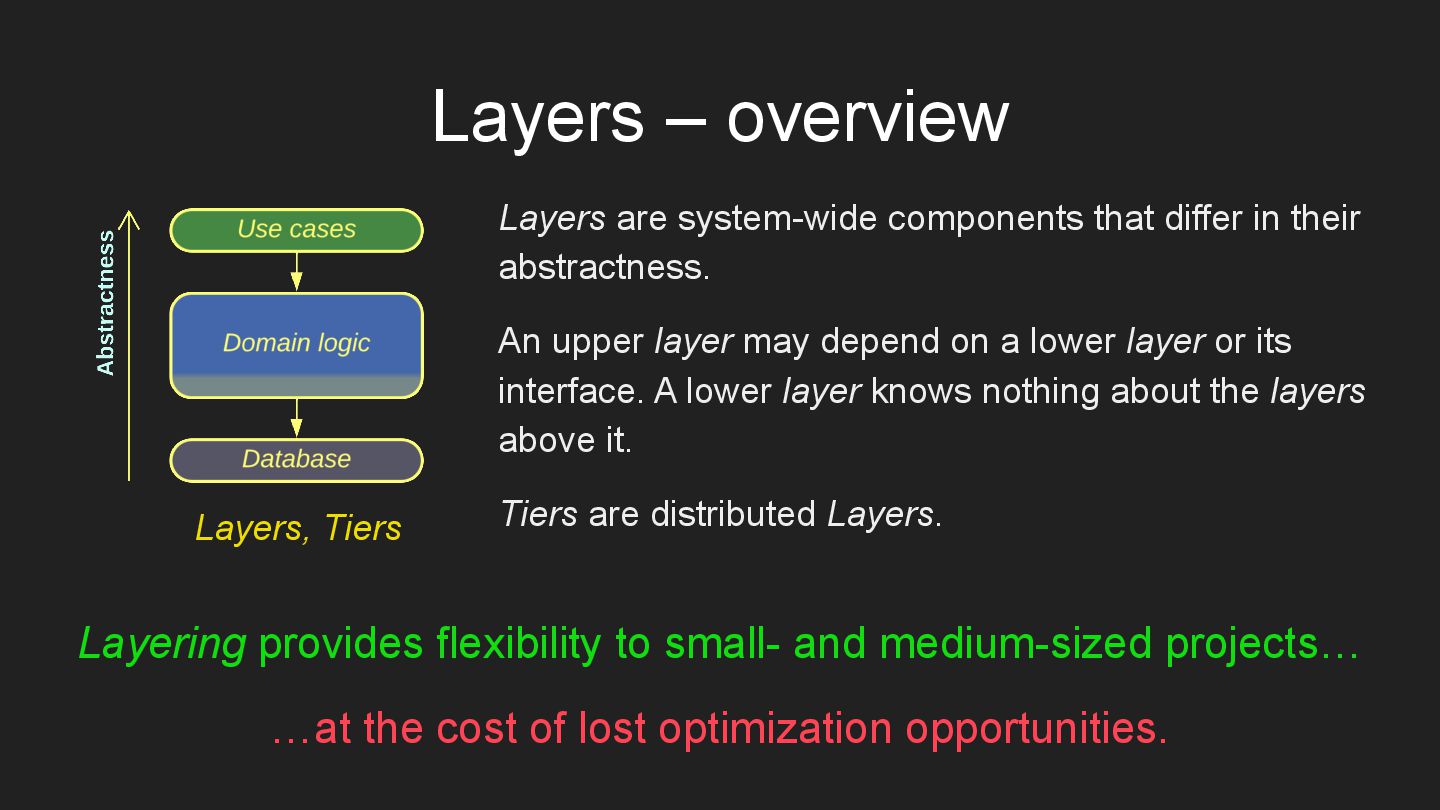
  17. Layers – overview Layers are system-wide components that differ in

    their abstractness. An upper layer may depend on a lower layer or its interface. A lower layer knows nothing about the layers above it. Tiers are distributed Layers. Layering provides flexibility to small- and medium-sized projects… …at the cost of lost optimization opportunities. Layers, Tiers
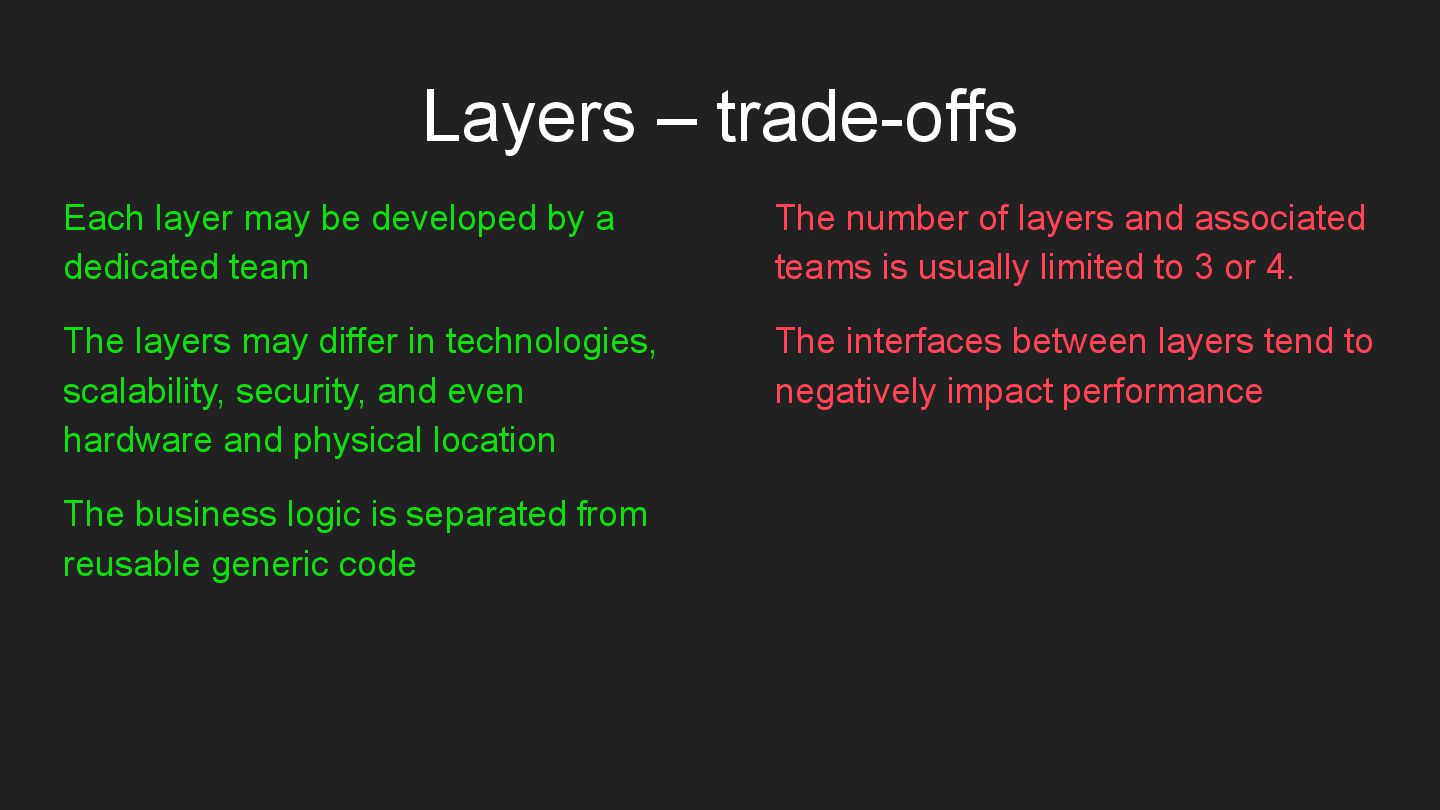
  18. Layers – trade-offs Each layer may be developed by a

    dedicated team The layers may differ in technologies, scalability, security, and even hardware and physical location The business logic is separated from reusable generic code The number of layers and associated teams is usually limited to 3 or 4. The interfaces between layers tend to negatively impact performance
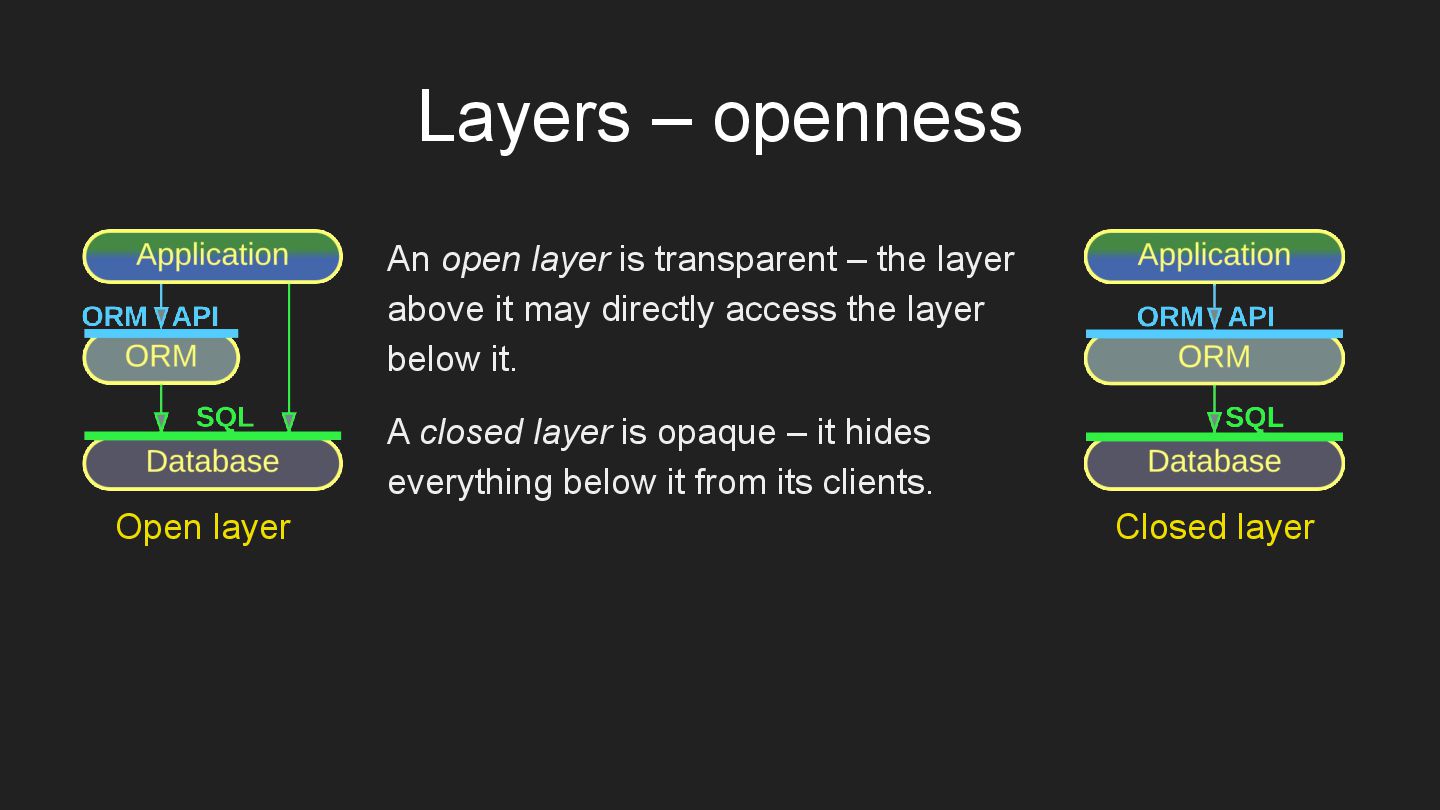
  19. An open layer is transparent – the layer above it

    may directly access the layer below it. A closed layer is opaque – it hides everything below it from its clients. Open layer Closed layer Layers – openness
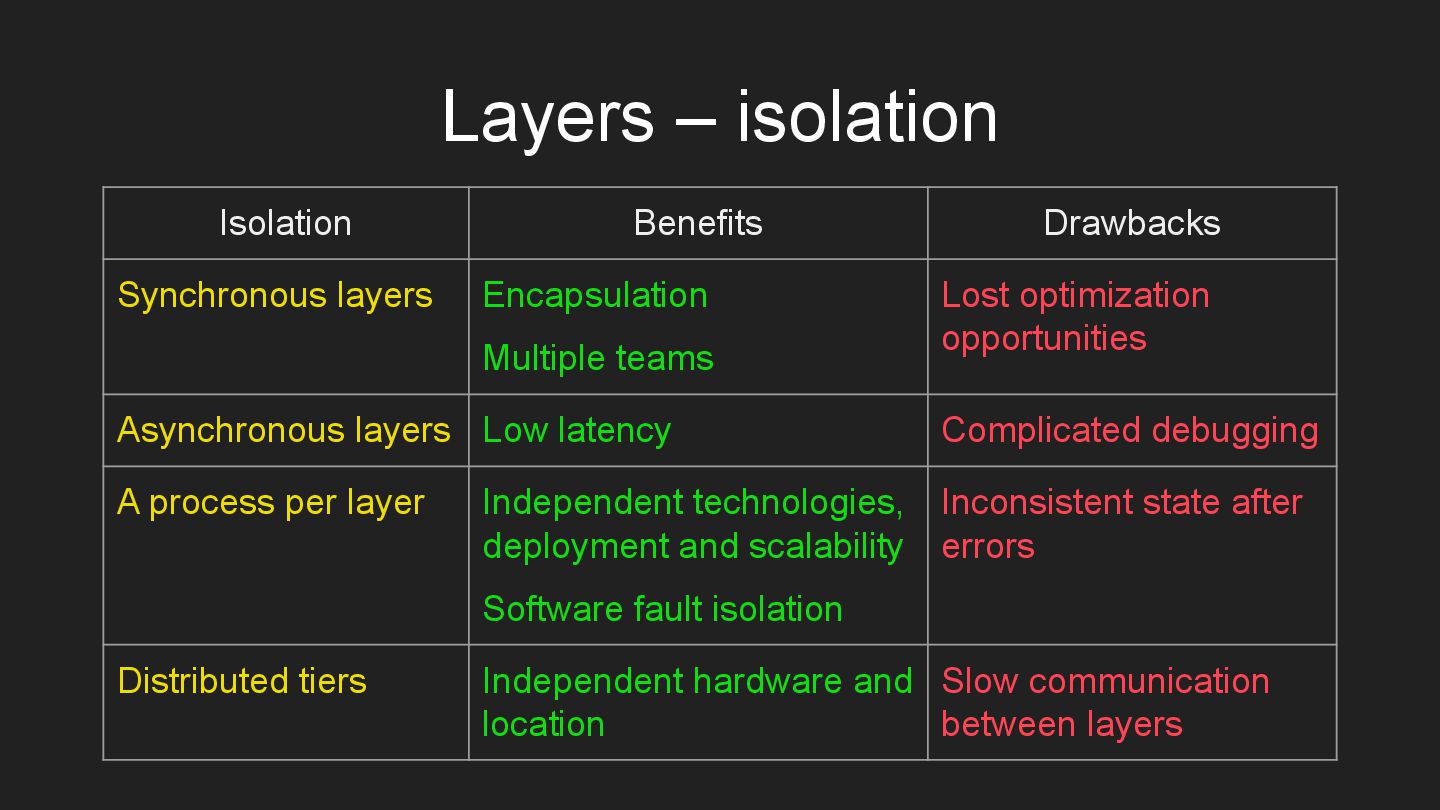
  20. Layers – isolation Isolation Benefits Drawbacks Synchronous layers Encapsulation Multiple

    teams Lost optimization opportunities Asynchronous layers Low latency Complicated debugging A process per layer Independent technologies, deployment and scalability Software fault isolation Inconsistent state after errors Distributed tiers Independent hardware and location Slow communication between layers
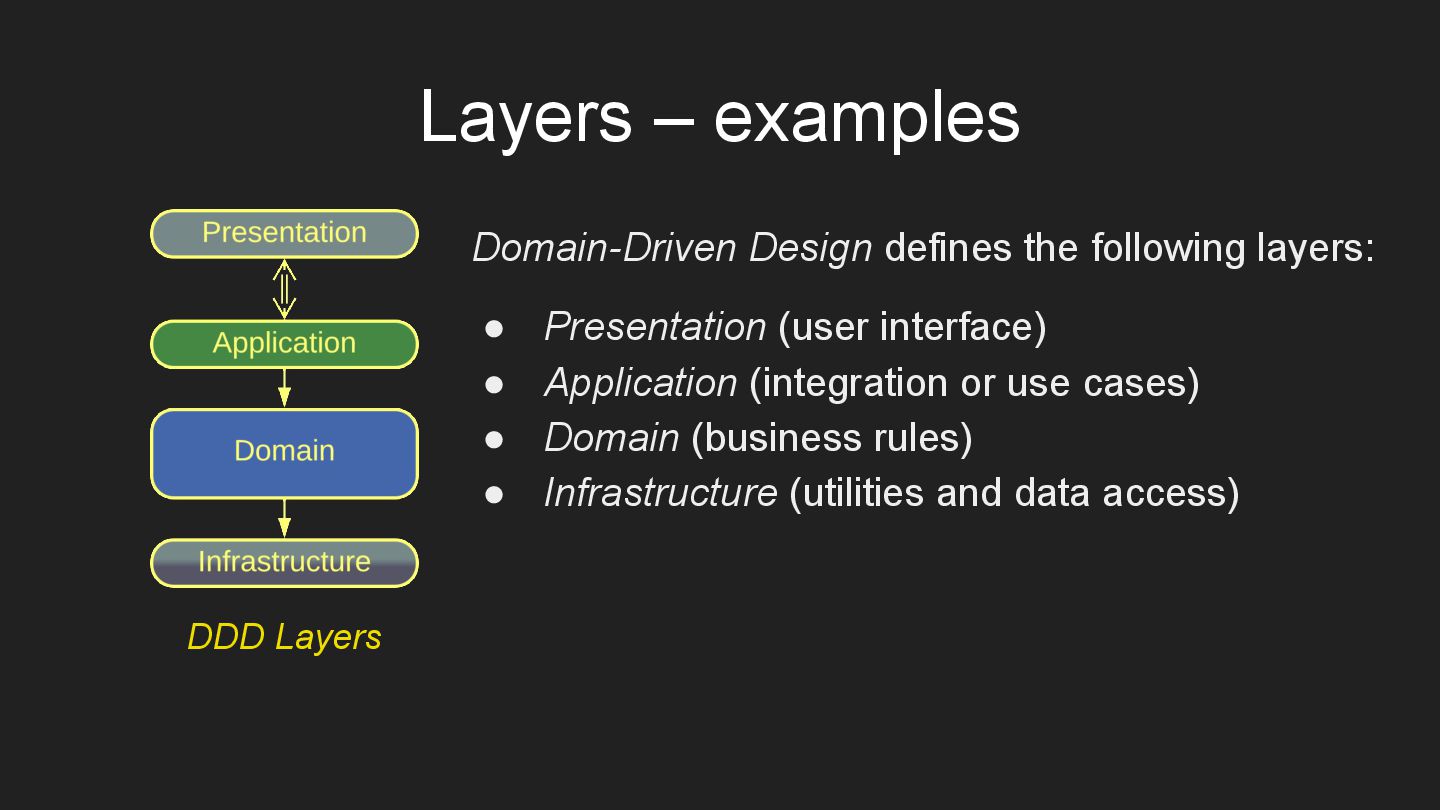
  21. Layers – examples Domain-Driven Design defines the following layers: •

    Presentation (user interface) • Application (integration or use cases) • Domain (business rules) • Infrastructure (utilities and data access) DDD Layers
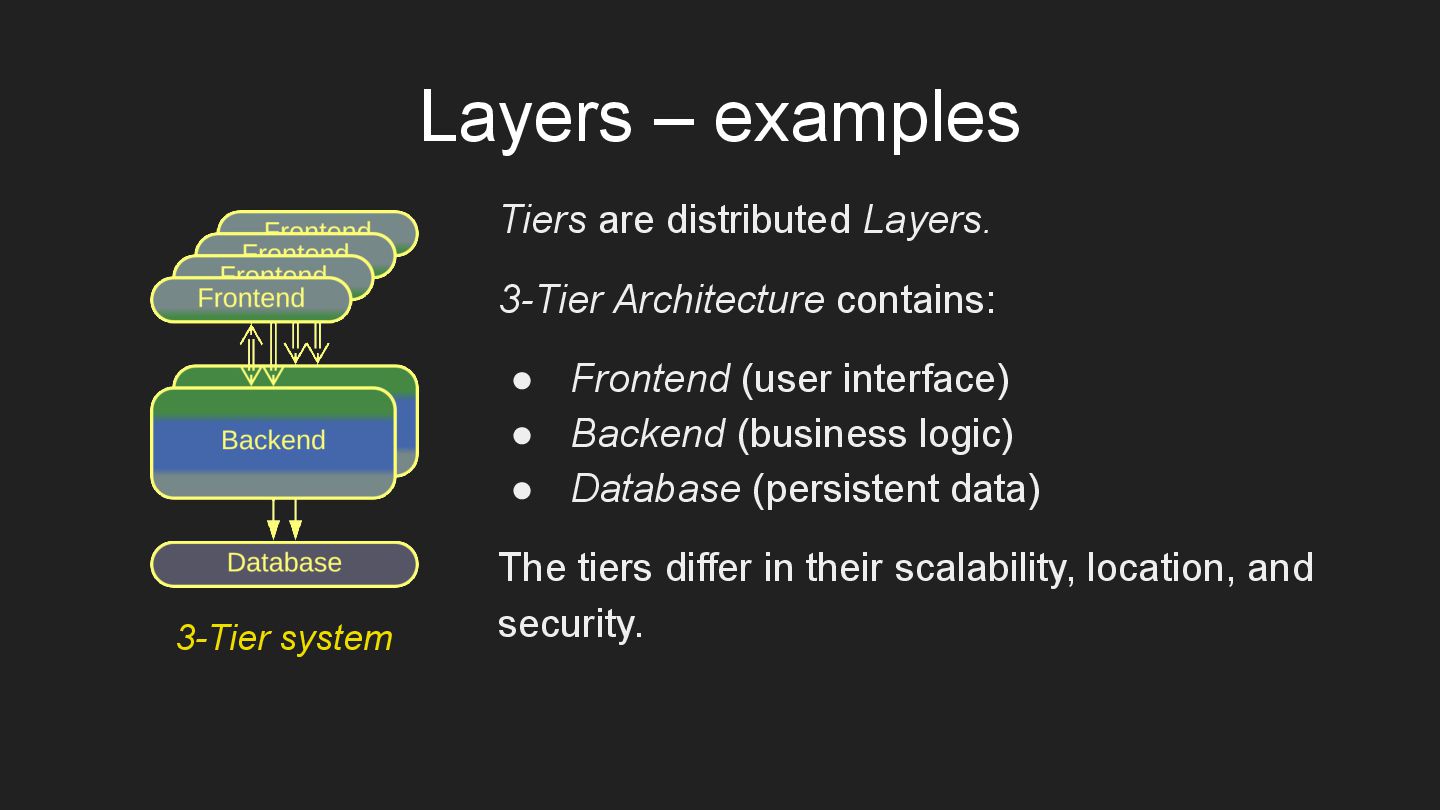
  22. Layers – examples Tiers are distributed Layers. 3-Tier Architecture contains:

    • Frontend (user interface) • Backend (business logic) • Database (persistent data) The tiers differ in their scalability, location, and security. 3-Tier system
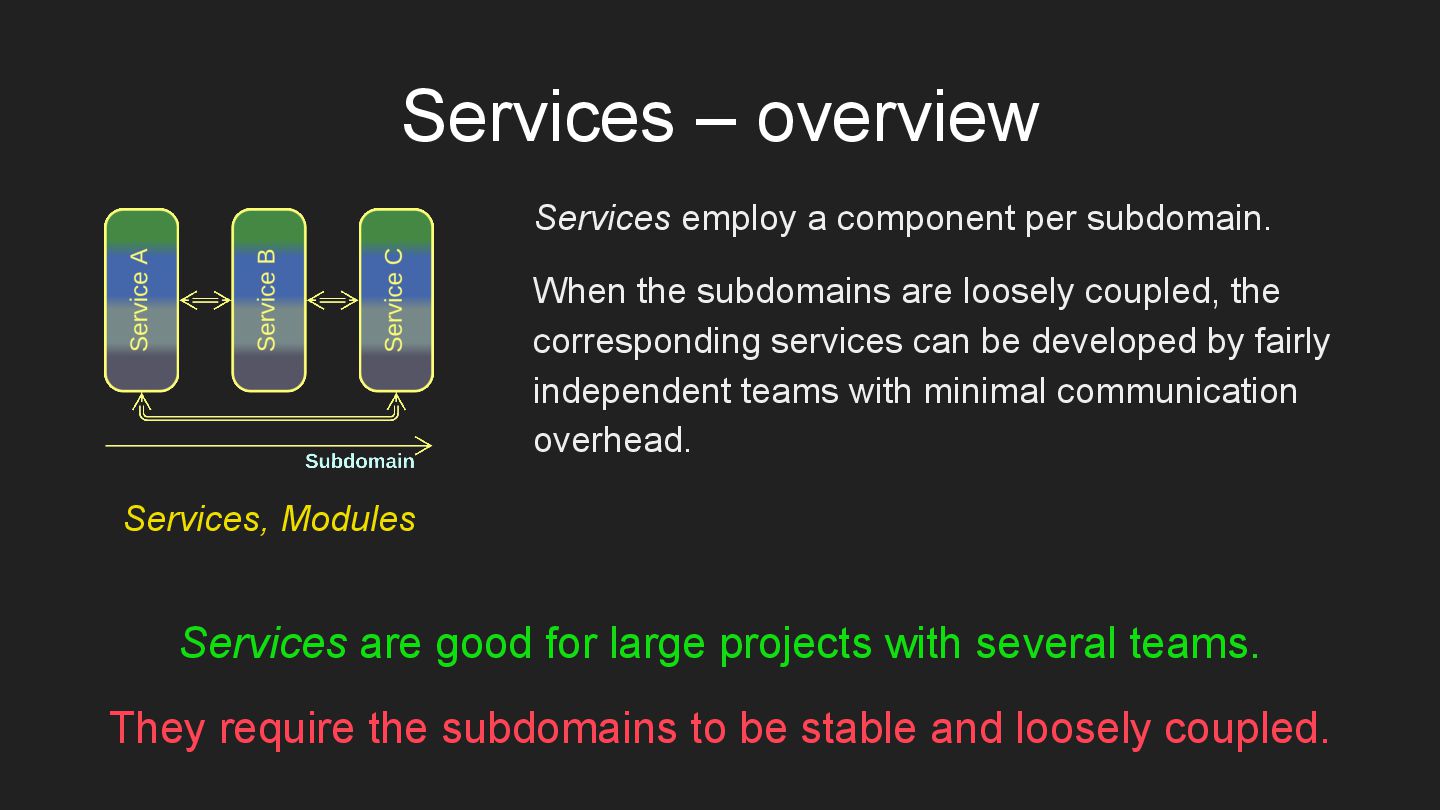
  23. Services – overview Services employ a component per subdomain. When

    the subdomains are loosely coupled, the corresponding services can be developed by fairly independent teams with minimal communication overhead. Services are good for large projects with several teams. They require the subdomains to be stable and loosely coupled. Services, Modules
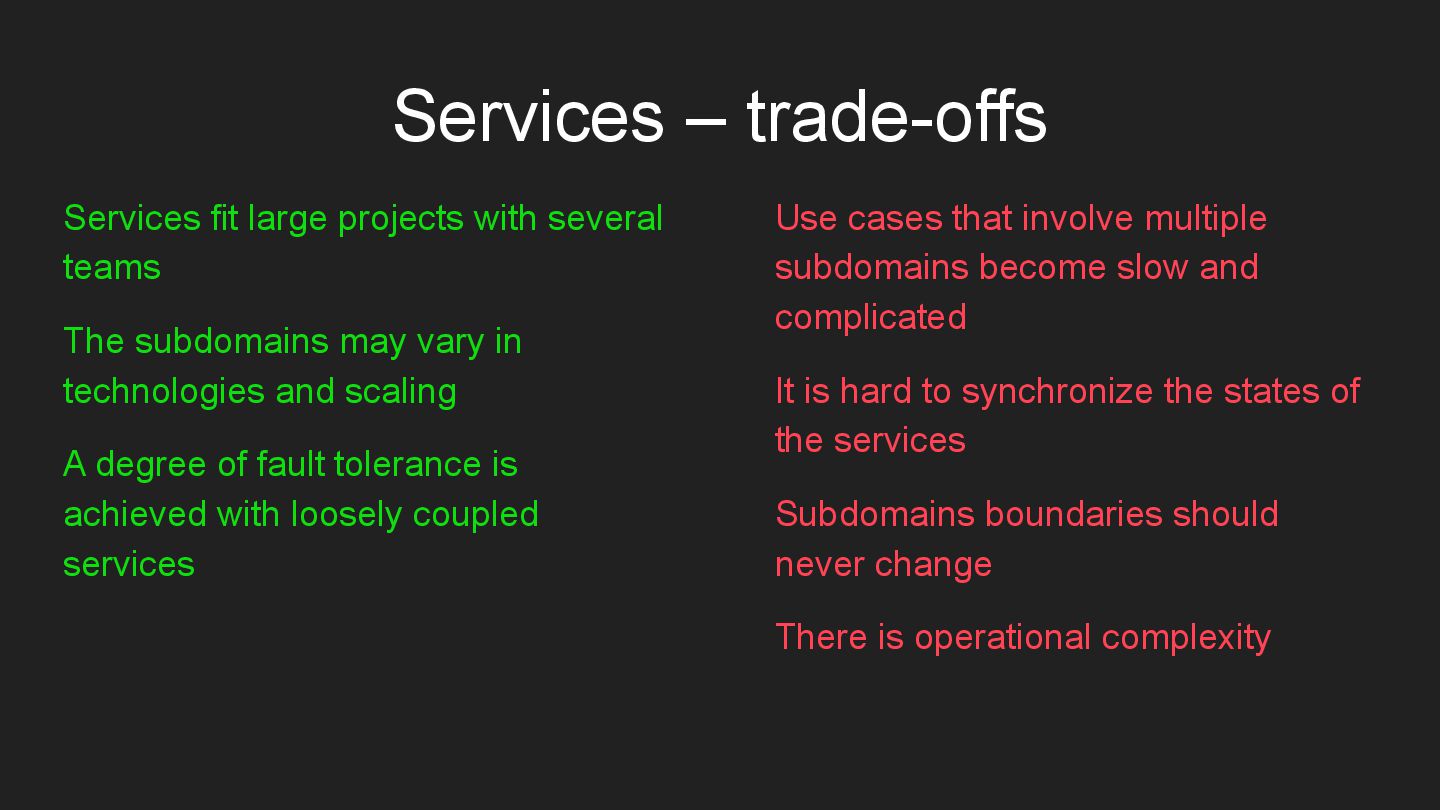
  24. Services – trade-offs Services fit large projects with several teams

    The subdomains may vary in technologies and scaling A degree of fault tolerance is achieved with loosely coupled services Use cases that involve multiple subdomains become slow and complicated It is hard to synchronize the states of the services Subdomains boundaries should never change There is operational complexity
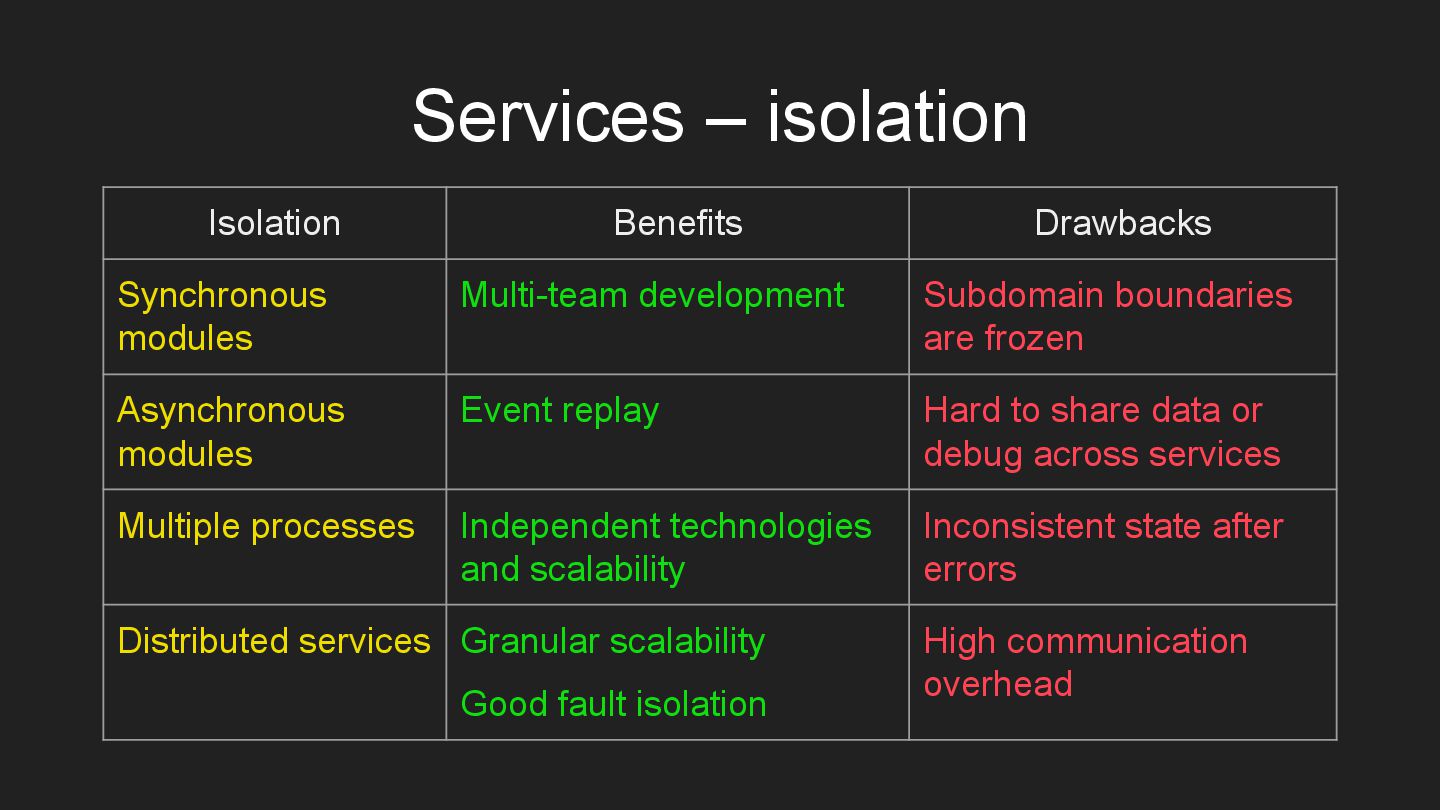
  25. Services – isolation Isolation Benefits Drawbacks Synchronous modules Multi-team development

    Subdomain boundaries are frozen Asynchronous modules Event replay Hard to share data or debug across services Multiple processes Independent technologies and scalability Inconsistent state after errors Distributed services Granular scalability Good fault isolation High communication overhead
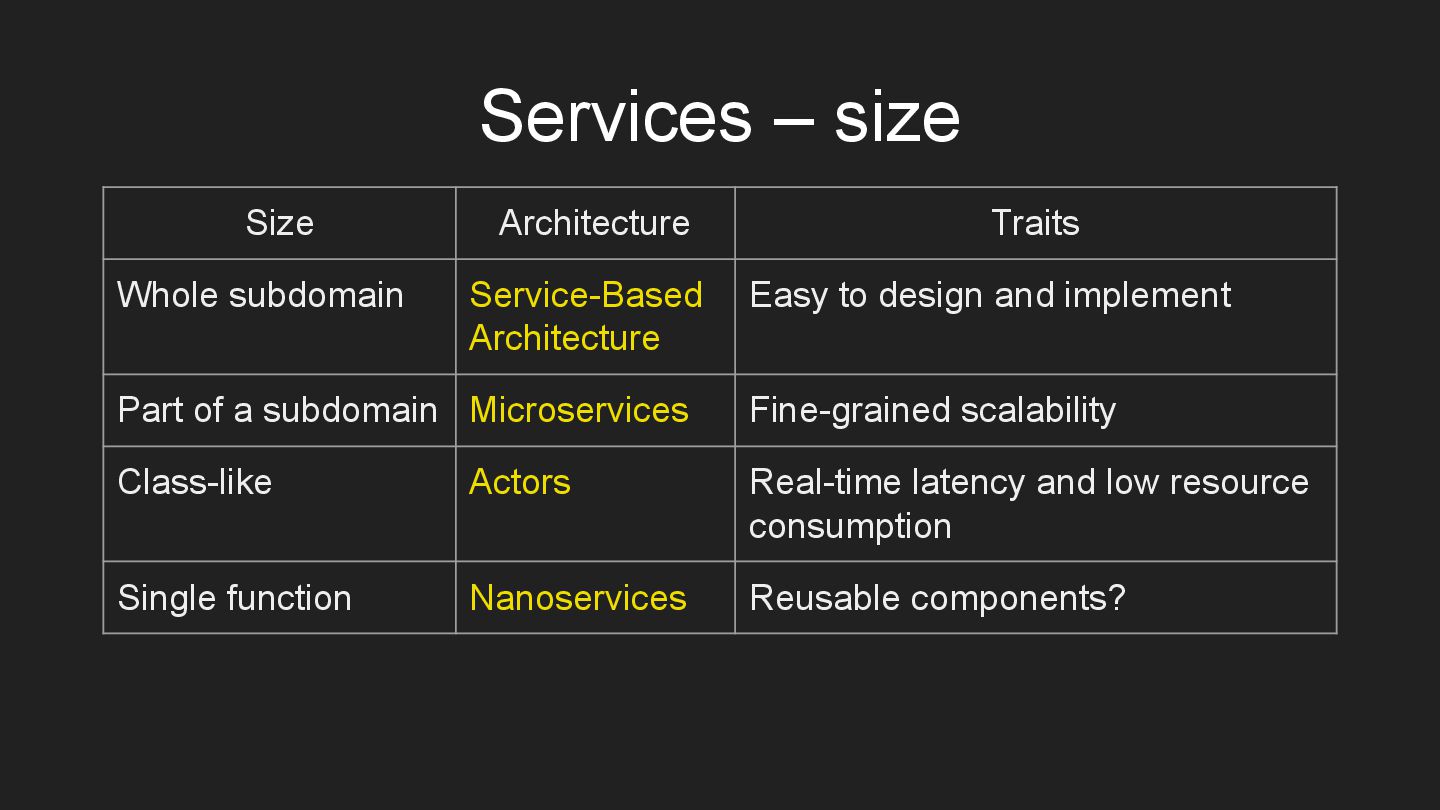
  26. Services – size Size Architecture Traits Whole subdomain Service-Based Architecture

    Easy to design and implement Part of a subdomain Microservices Fine-grained scalability Class-like Actors Real-time latency and low resource consumption Single function Nanoservices Reusable components?
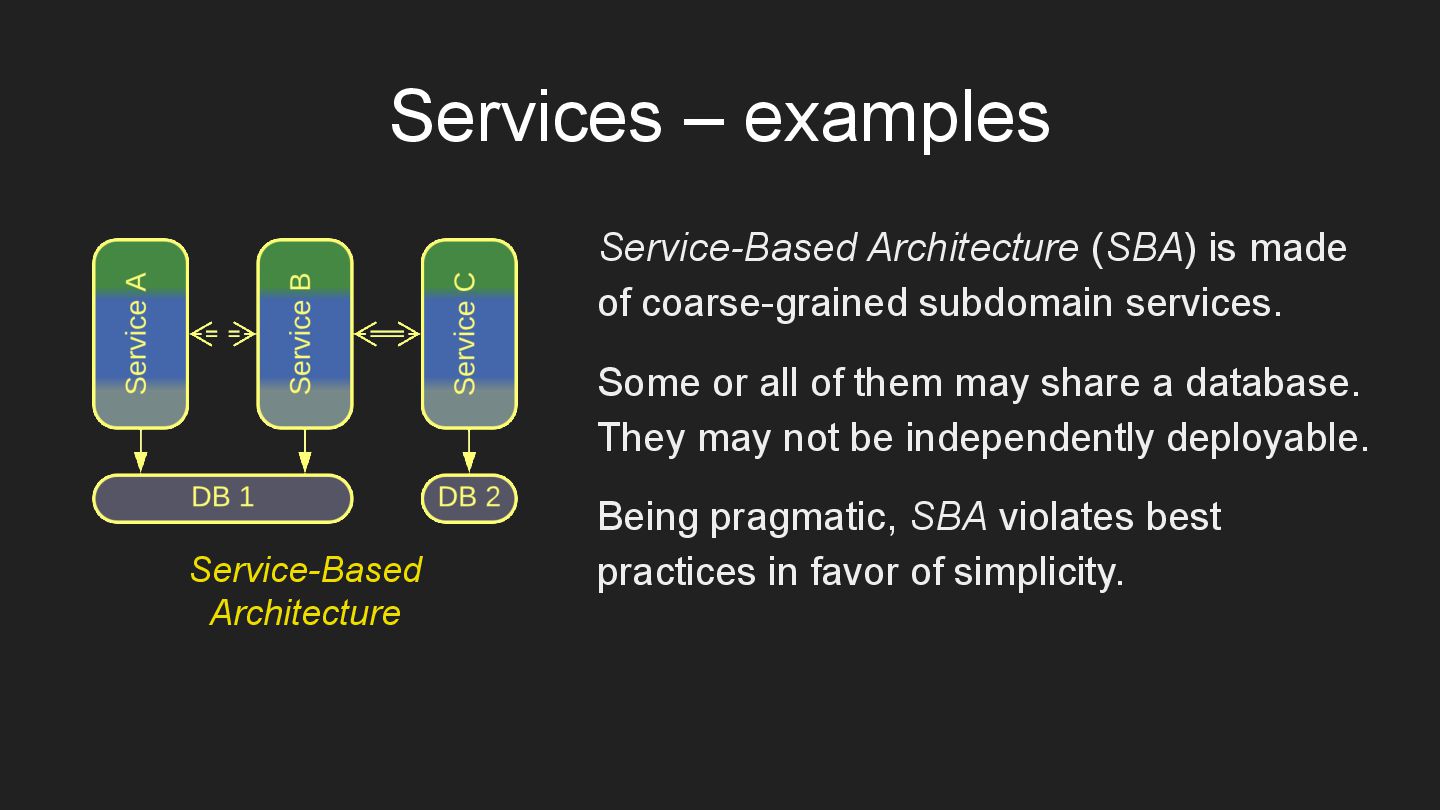
  27. Services – examples Service-Based Architecture (SBA) is made of coarse-grained

    subdomain services. Some or all of them may share a database. They may not be independently deployable. Being pragmatic, SBA violates best practices in favor of simplicity. Service-Based Architecture
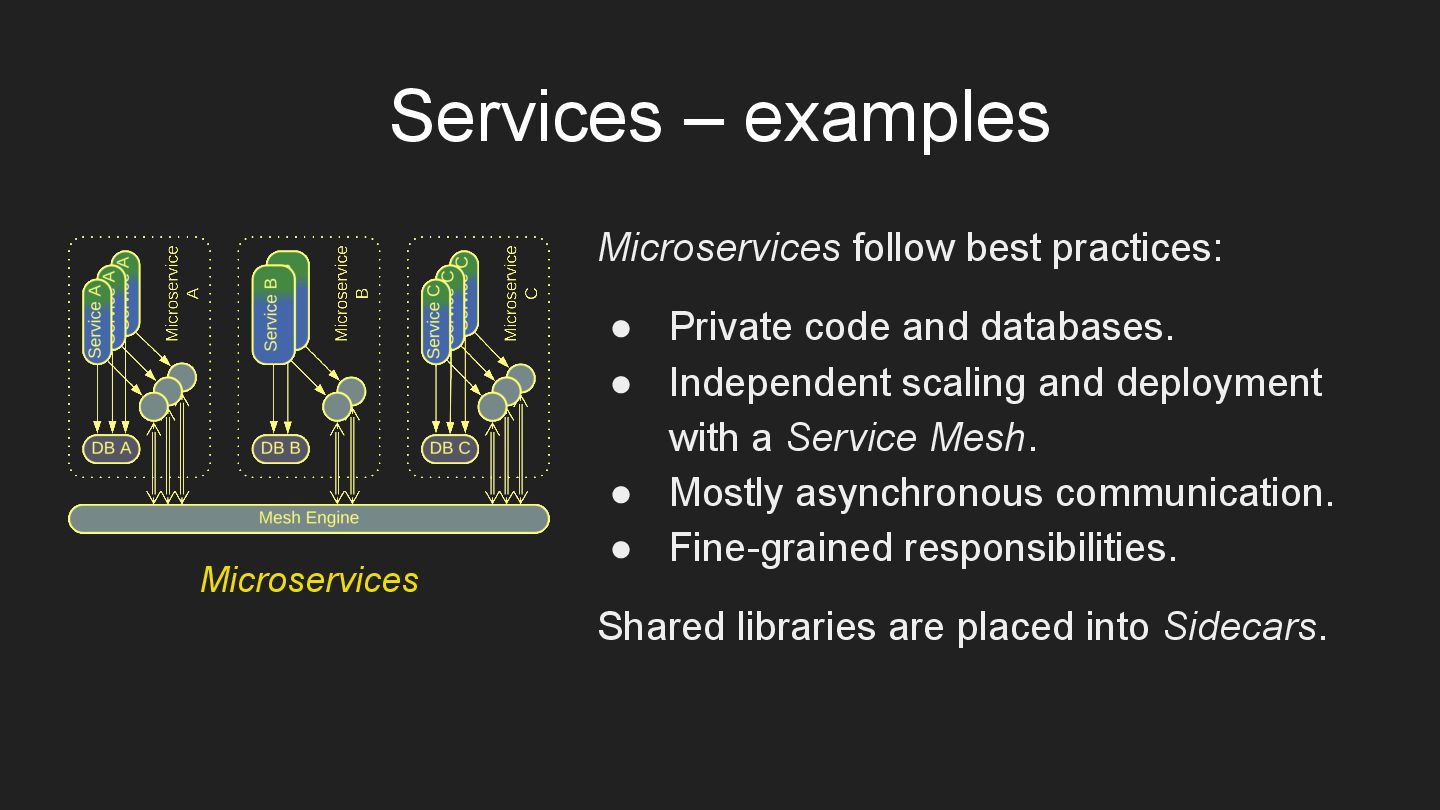
  28. Services – examples Microservices follow best practices: • Private code

    and databases. • Independent scaling and deployment with a Service Mesh. • Mostly asynchronous communication. • Fine-grained responsibilities. Shared libraries are placed into Sidecars. Microservices
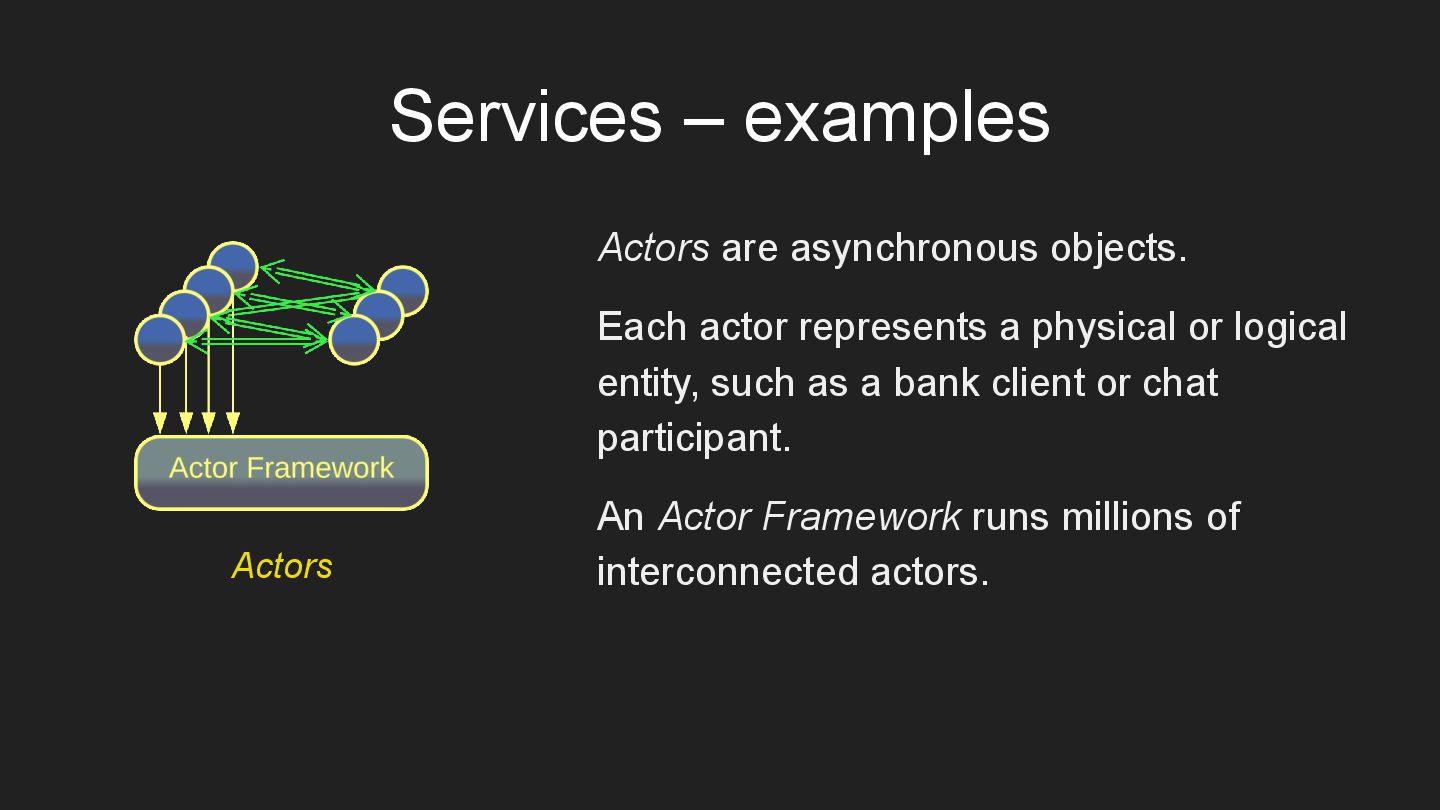
  29. Services – examples Actors are asynchronous objects. Each actor represents

    a physical or logical entity, such as a bank client or chat participant. An Actor Framework runs millions of interconnected actors. Actors
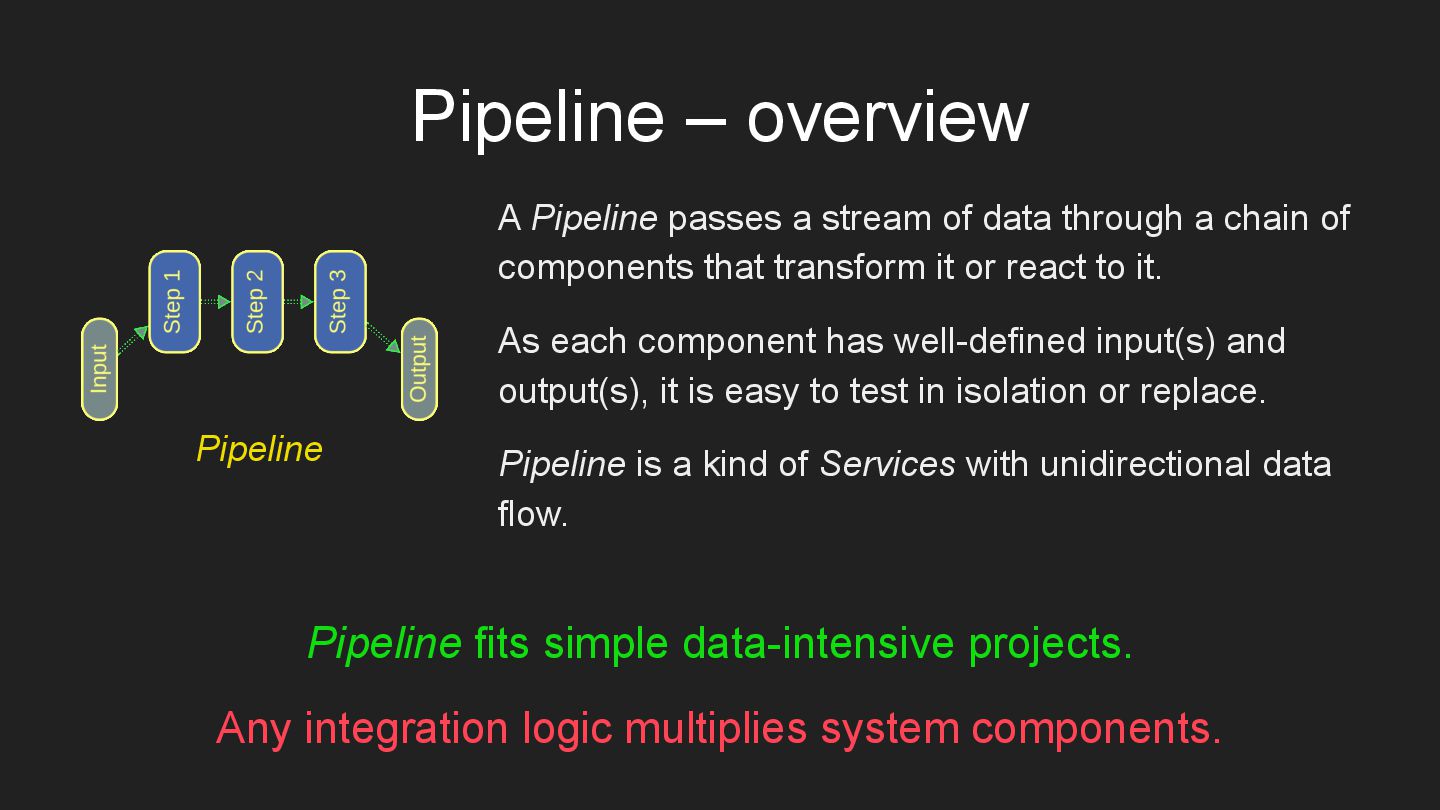
  30. Pipeline – overview A Pipeline passes a stream of data

    through a chain of components that transform it or react to it. As each component has well-defined input(s) and output(s), it is easy to test in isolation or replace. Pipeline is a kind of Services with unidirectional data flow. Pipeline fits simple data-intensive projects. Any integration logic multiplies system components. Pipeline
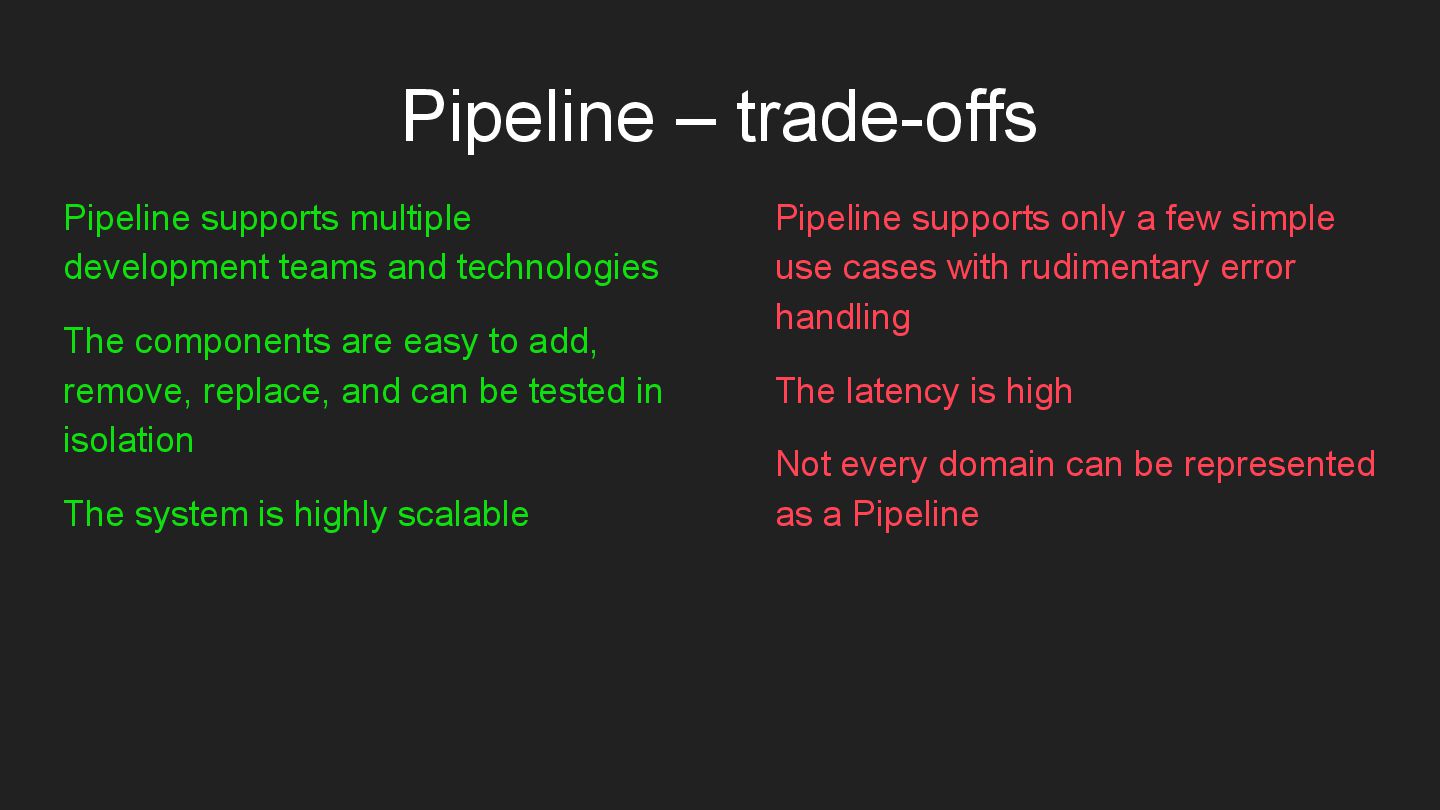
  31. Pipeline – trade-offs Pipeline supports multiple development teams and technologies

    The components are easy to add, remove, replace, and can be tested in isolation The system is highly scalable Pipeline supports only a few simple use cases with rudimentary error handling The latency is high Not every domain can be represented as a Pipeline
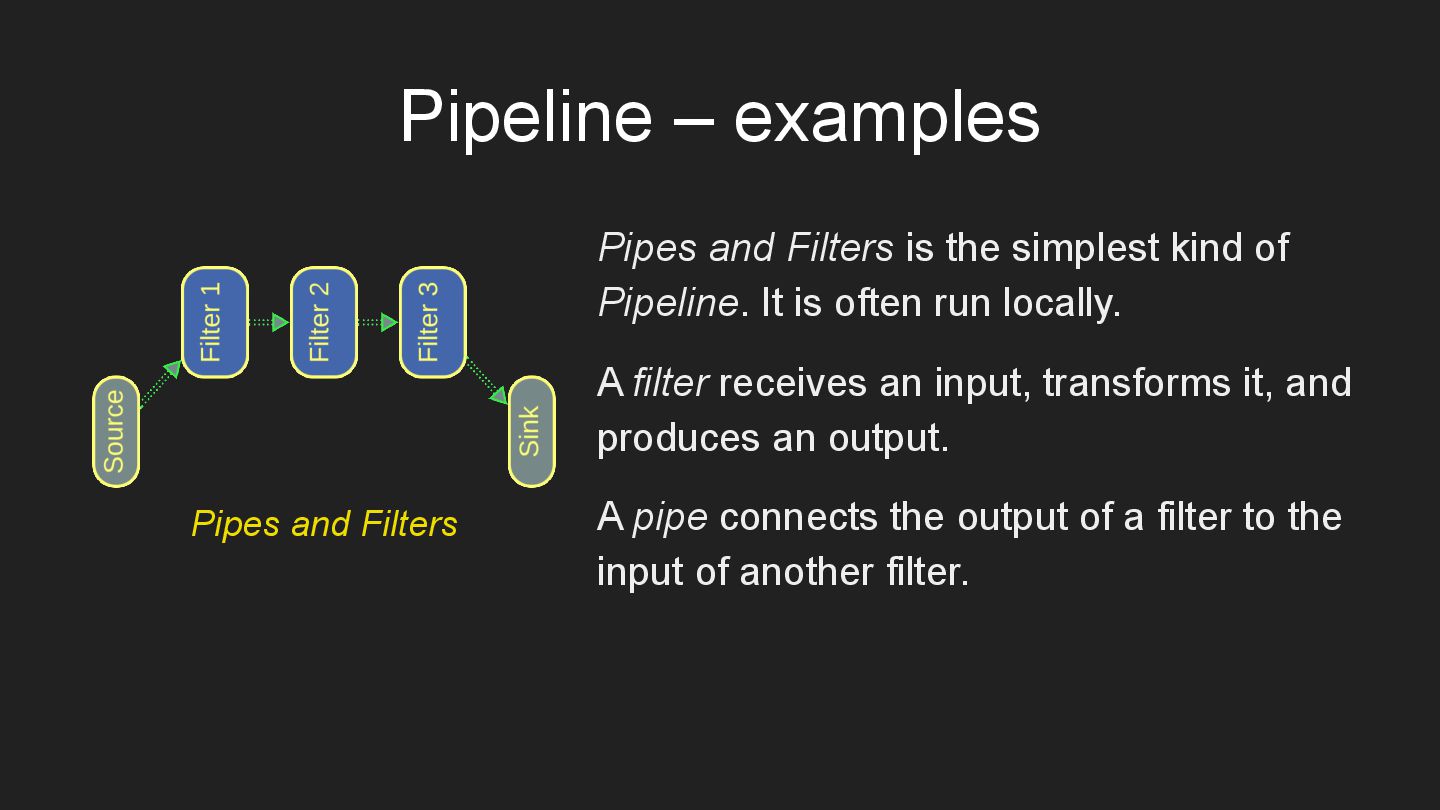
  32. Pipeline – examples Pipes and Filters is the simplest kind

    of Pipeline. It is often run locally. A filter receives an input, transforms it, and produces an output. A pipe connects the output of a filter to the input of another filter. Pipes and Filters
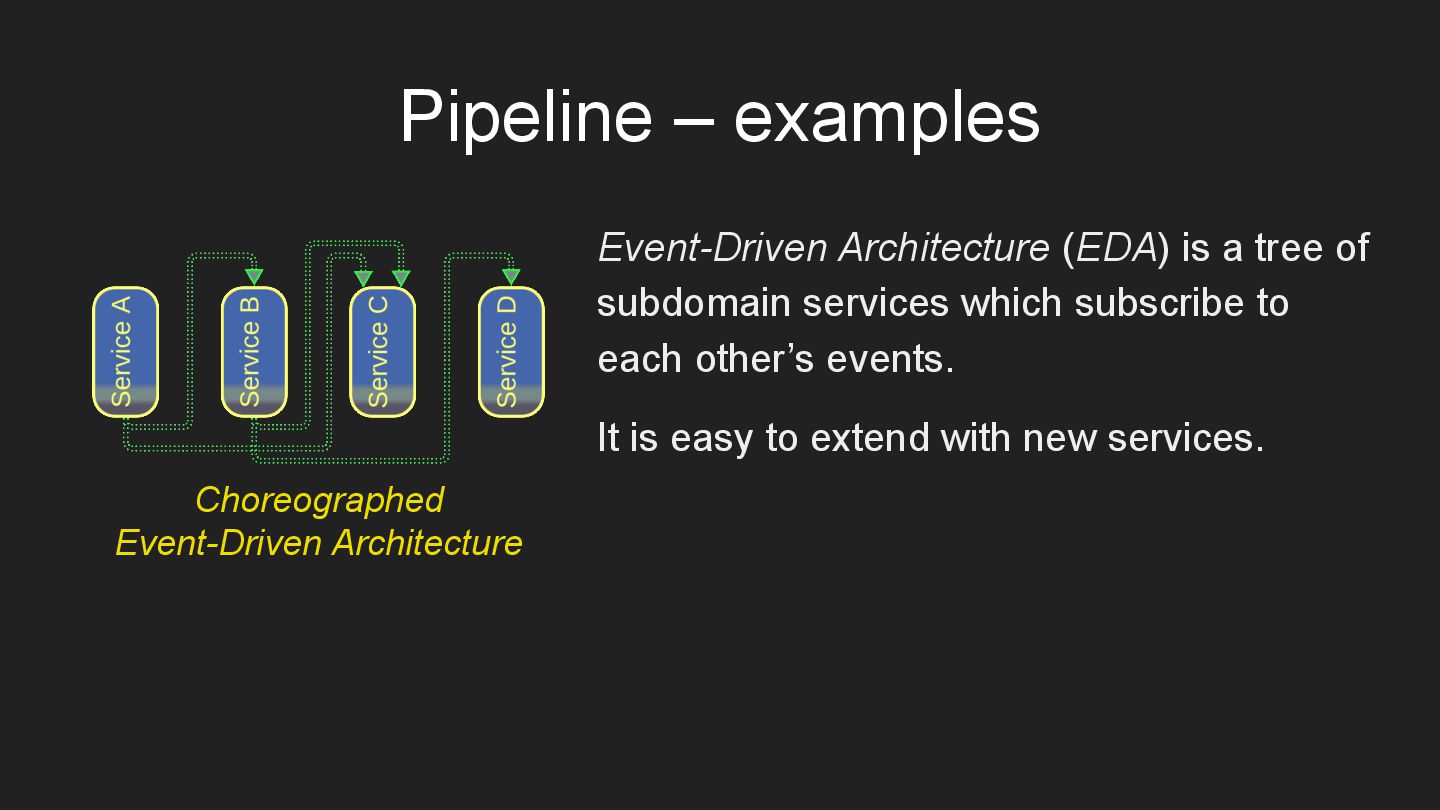
  33. Pipeline – examples Event-Driven Architecture (EDA) is a tree of

    subdomain services which subscribe to each other’s events. It is easy to extend with new services. Choreographed Event-Driven Architecture
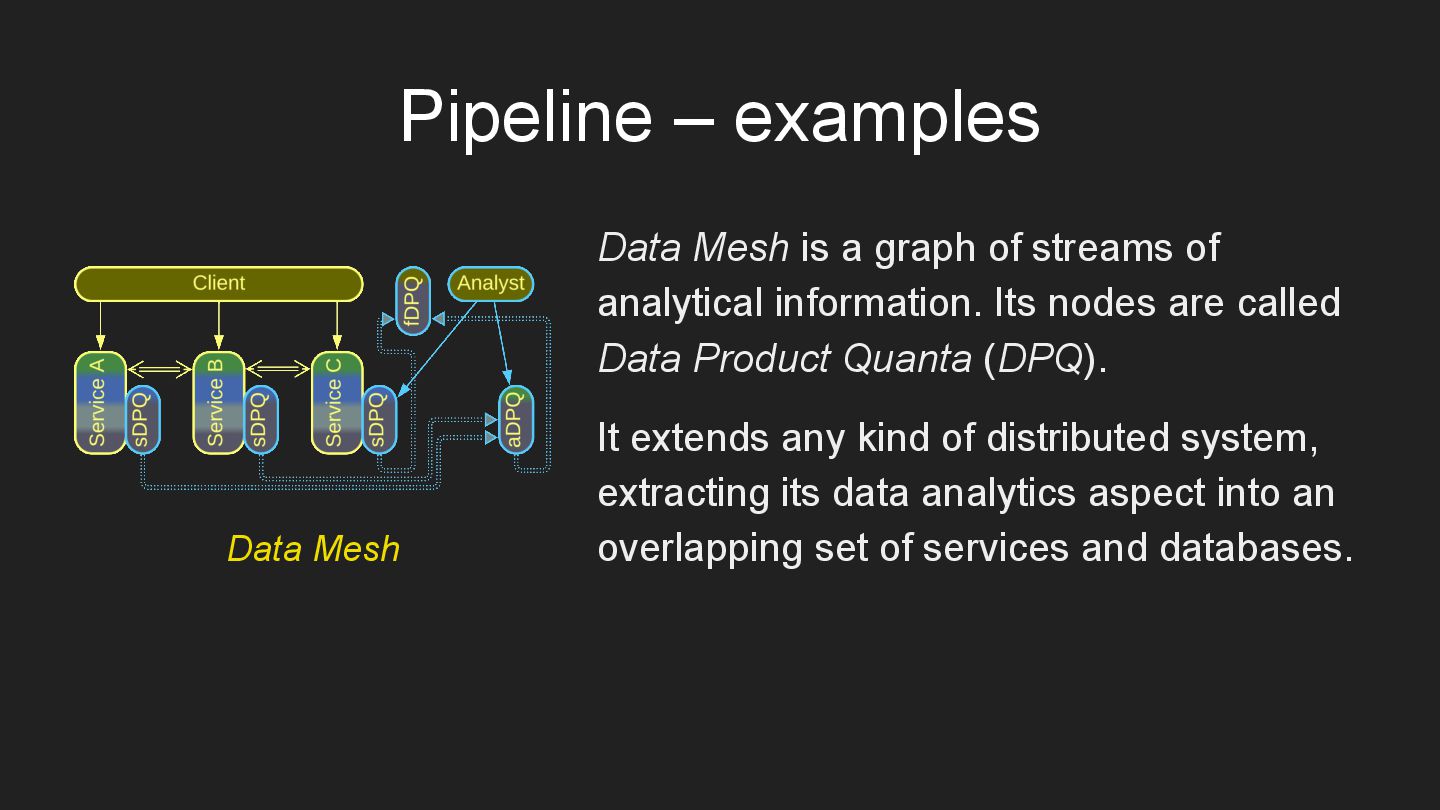
  34. Pipeline – examples Data Mesh is a graph of streams

    of analytical information. Its nodes are called Data Product Quanta (DPQ). It extends any kind of distributed system, extracting its data analytics aspect into an overlapping set of services and databases. Data Mesh
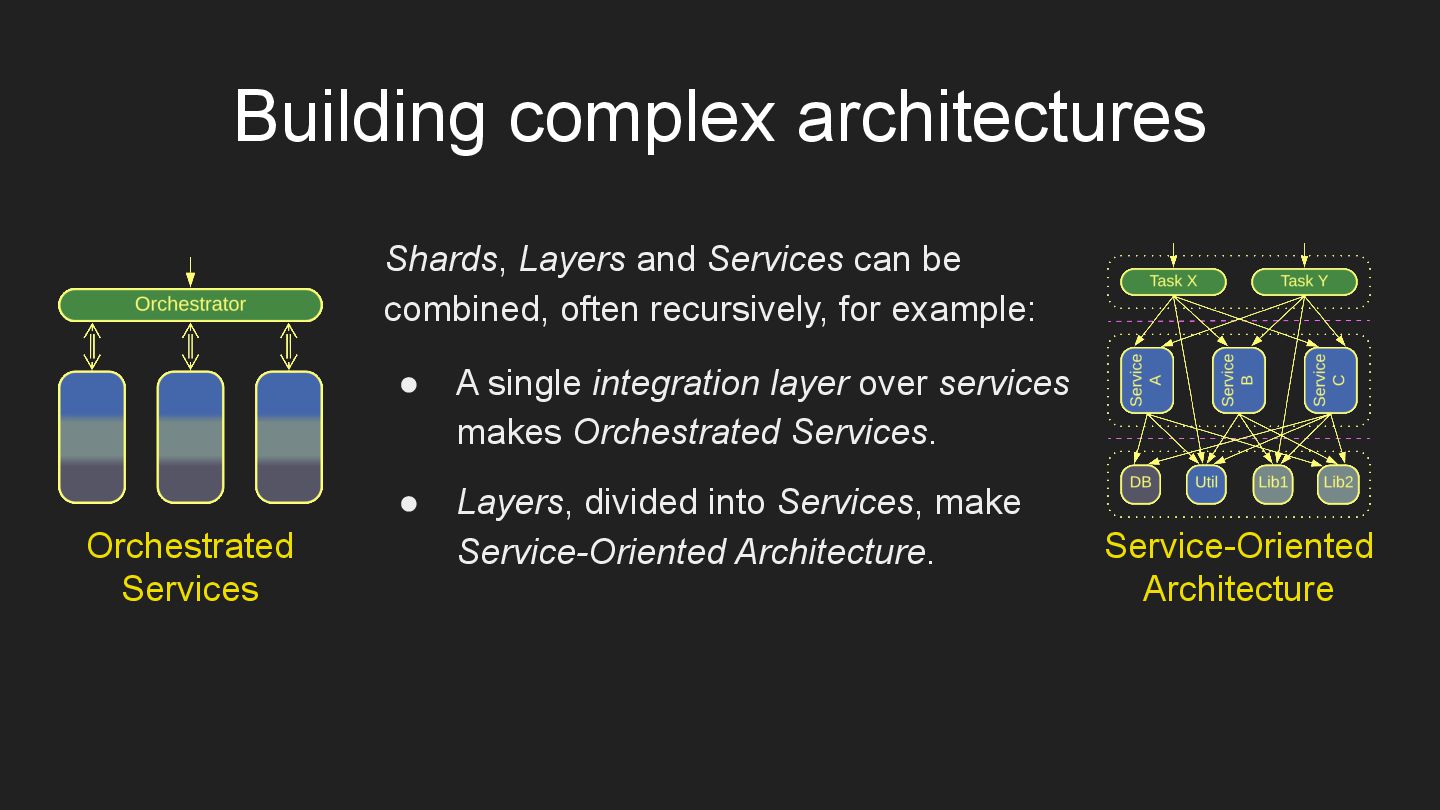
  35. Shards, Layers and Services can be combined, often recursively, for
    example: • A single integration layer over services makes Orchestrated Services. • Layers, divided into Services, make Service-Oriented Architecture. Orchestrated Services Service-Oriented Architecture Building complex architectures
  36. Links All of this and much more can be found

    in my book Architectural Metapatterns: – read online at metapatterns.io – download from leanpub.com/metapatterns The diagrams and the ODT source file are available under the CC BY license. The book is free. No strings attached.