Upgrade to Pro
— share decks privately, control downloads, hide ads and more …
Speaker Deck
Sign up for free
Menu
Search
Features
All features
Private URLs
Password Protection
Custom URLS
Scheduled publishing
Remove Branding
Restrict embedding
Deck Collections
Notes
Features
All features
Private URLs
Password Protection
Custom URLS
Scheduled publishing
Remove Branding
Restrict embedding
Deck Collections
Notes
Explore
Featured decks
Featured speakers
Programming
Technology
Storyboards
Explore
Featured decks
Featured speakers
Programming
Technology
Storyboards
Pricing
Search
Sign in
Sign up for free
AIのためのテスト戦略 〜TDDが難しいフロントエンド開発でのアプローチ〜
Search
ディップ株式会社
PRO
October 06, 2025
Technology
64
0
Share
Embed
Copy iframe code
Copy JS code
Copy link
Start on current slide
AIのためのテスト戦略 〜TDDが難しいフロントエンド開発でのアプローチ〜
ディップ株式会社
PRO
October 06, 2025
More Decks by ディップ株式会社
See All by ディップ株式会社
【Findyテック文化祭ワークショップ】新卒エンジニア&採用担当と作る、 なりたい姿と今やるべき一歩
dip_tech
PRO
0
160
【iOSDC登壇】Kotlin Multiplatformを軸にした技術戦略
dip_tech
PRO
1
580
_型ガードしたのにnullable_から卒業する.pdf
dip_tech
PRO
0
64
はじめての環境構築!デプロイ〜Docker基礎を学べるワークショップ!
dip_tech
PRO
0
54
【TSKaigi2026登壇資料】決定論的な型チェックへ Go 製コンパイラによる10倍速の裏側で stableTypeOrdering から見える並列化への挑戦
dip_tech
PRO
2
520
【TSKaigi2026登壇資料】バイトル」のTypeScriptリニューアル — 積み上がったレガシーとパフォーマンスに挑む現在地
dip_tech
PRO
1
1k
【新卒研修】ライブデモ + compose.yaml読解_講義資料
dip_tech
PRO
0
630
【ディップ|26年新卒研修資料】OpenAPI/Swagger REST API研修
dip_tech
PRO
0
840
【ディップ|26年新卒研修資料】Docker_ハンズオン研修
dip_tech
PRO
0
740
Other Decks in Technology
See All in Technology
私の推しは「聞いてから進む」AIです -AI-DLCに一人でアプリを作らせた話
yama3133
1
170
転んだ話が背中を預ける理由になる / A_story_about_falling_down_gives_you_a_reason_to_watch_each_other_s_backs.pdf
pauli
2
180
Oracle Base Database Service 技術詳細
oracle4engineer
PRO
16
120k
[2026 Oracle Technical Deep Dive] AI時代のデータベース基盤をどう選ぶ? Exadata Database Serviceの選択肢と使い分け (2026年9月17日開催)
oracle4engineer
PRO
0
220
[2026 Oracle Technical Deep Dive] OCI AI Resilience -OCIのセキュリティ対策機能をきちんと使いこなす- (2026年9月17日開催)
oracle4engineer
PRO
0
120
AI Made Us Faster at Solving the Wrong Problems
marceloancelmo
0
160
インバスケット試験対策アプリを 作って見えたAIエージェント構築 ナレッジ2選
shichijoyuhi
1
120
MCPゲートウェイを作って運用してわかったこと — Agent時代の権限管理の現在地
mtpooh
10
3.1k
自律型 AI をセキュアに実装!Gemini と MIG で作る動的コード実行環境
recruitengineers
PRO
1
200
The Maintainer Container - remaining a saner maintainer
ennael
PRO
1
100
FinTech 1-2 : Overview of FinTech
ks91
PRO
0
140
LLM機能を自作して分かるSnowflake Cortex AIの強み
nayuts
0
290
Featured
See All Featured
Breaking role norms: Why Content Design is so much more than writing copy - Taylor Woolridge
uxyall
1
440
I Don’t Have Time: Getting Over the Fear to Launch Your Podcast
jcasabona
35
2.9k
How to Align SEO within the Product Triangle To Get Buy-In & Support - #RIMC
aleyda
2
1.8k
The innovator’s Mindset - Leading Through an Era of Exponential Change - McGill University 2025
jdejongh
PRO
1
350
Chrome DevTools: State of the Union 2024 - Debugging React & Beyond
addyosmani
10
1.4k
Crafting Experiences
bethany
1
370
The untapped power of vector embeddings
frankvandijk
2
1.9k
How to make the Groovebox
asonas
2
2.5k
Skip the Path - Find Your Career Trail
mkilby
1
240
Easily Structure & Communicate Ideas using Wireframe
afnizarnur
194
17k
Mozcon NYC 2025: Stop Losing SEO Traffic
samtorres
1
570
Evolving SEO for Evolving Search Engines
ryanjones
0
310
Transcript
AIのためのテスト戦略 〜TDDが難しいフロントエンド開発でのアプローチ〜 2025/10/04 横山 隼 ScrumMatsuri 2025
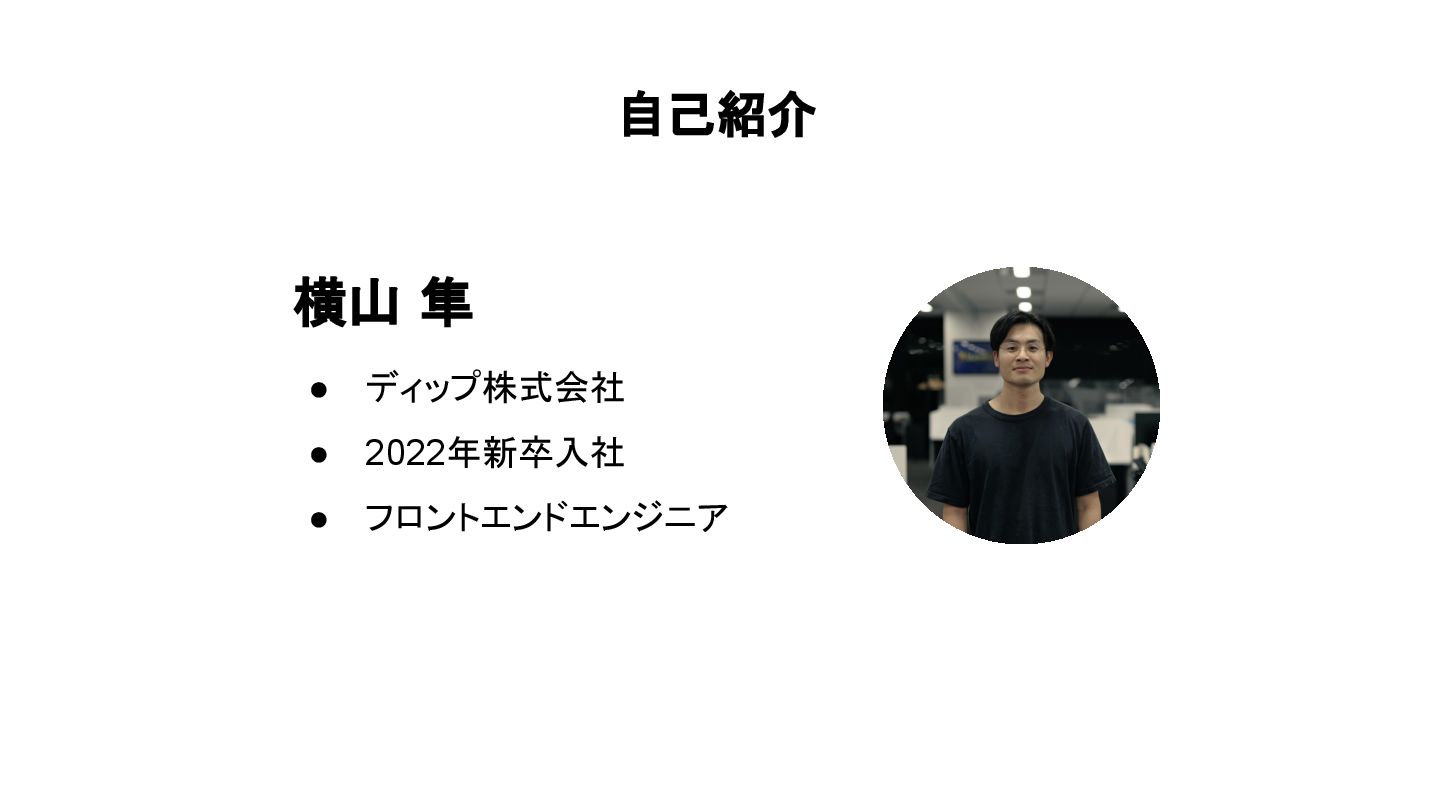
自己紹介 • ディップ株式会社 • 2022年新卒入社 • フロントエンドエンジニア 横山 隼
みなさん、AIコーディングはされていますか?🤔
されていますよね😌
最近は、AIコーディングが当たり前になってきました
開発スピードは爆発的に速くなりました 🚀
とはいえ、まだまだ指示したことと違うことするときがある🤔
関係ないところまで修正に手を出して、
関係ないところまで修正に手を出して、 エラーが出て、
関係ないところまで修正に手を出して、 エラーが出て、 違う治し方して、
関係ないところまで修正に手を出して、 エラーが出て、 違う治し方して、 そうじゃないってなることがある
今回は、AIに開発を任せて、 開発スピードを落とさずにガードレールとなるような
フロントエンドテストの取り組み 5つ紹介します
抽象的な大きな取り組みから、 具体的なテクニック的な話まで含まれます
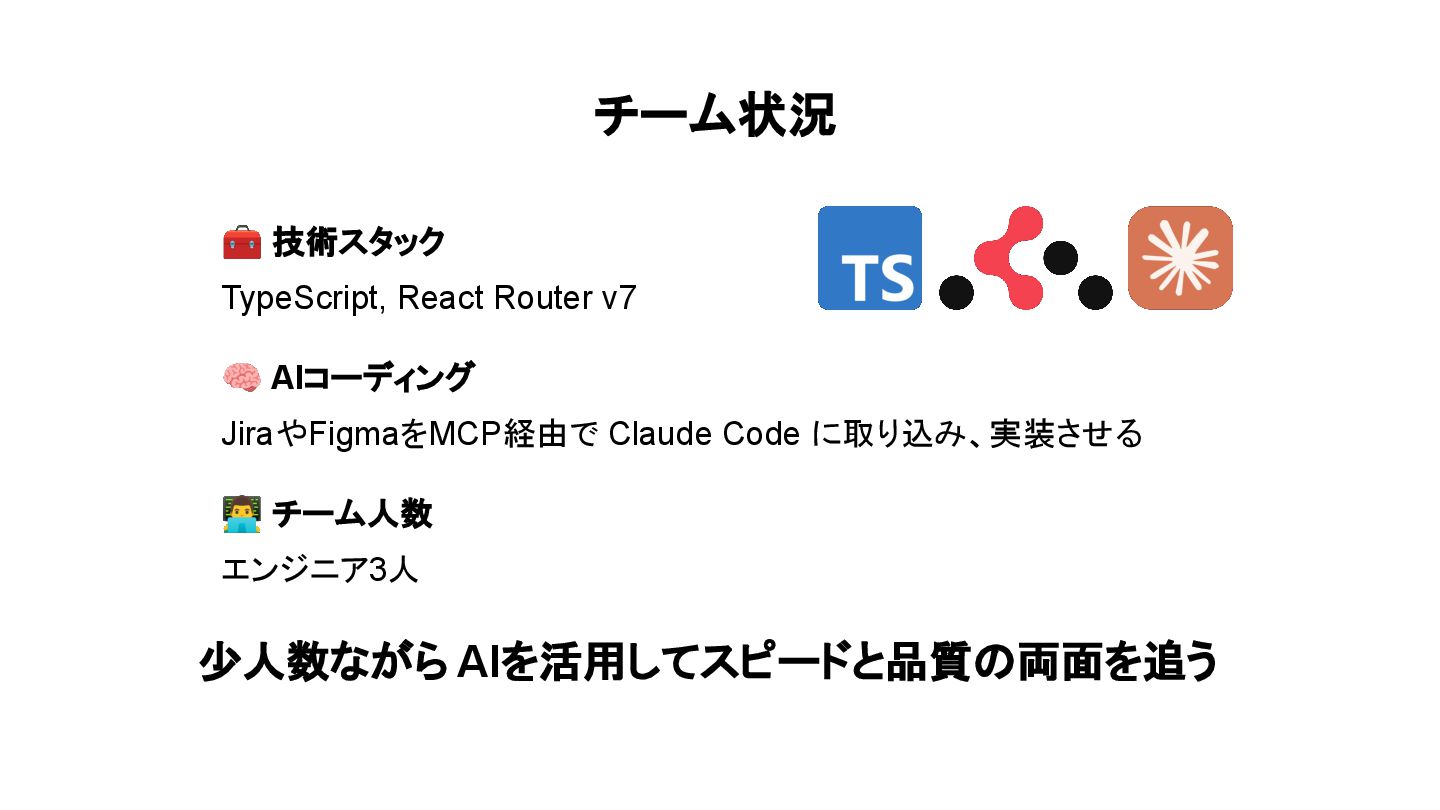
チーム状況 🧰 技術スタック TypeScript, React Router v7 🧠 AIコーディング JiraやFigmaをMCP経由で
Claude Code に取り込み、実装させる チーム人数 エンジニア3人 少人数ながら AIを活用してスピードと品質の両面を追う
FEがBEと通信する層を厚くテストする
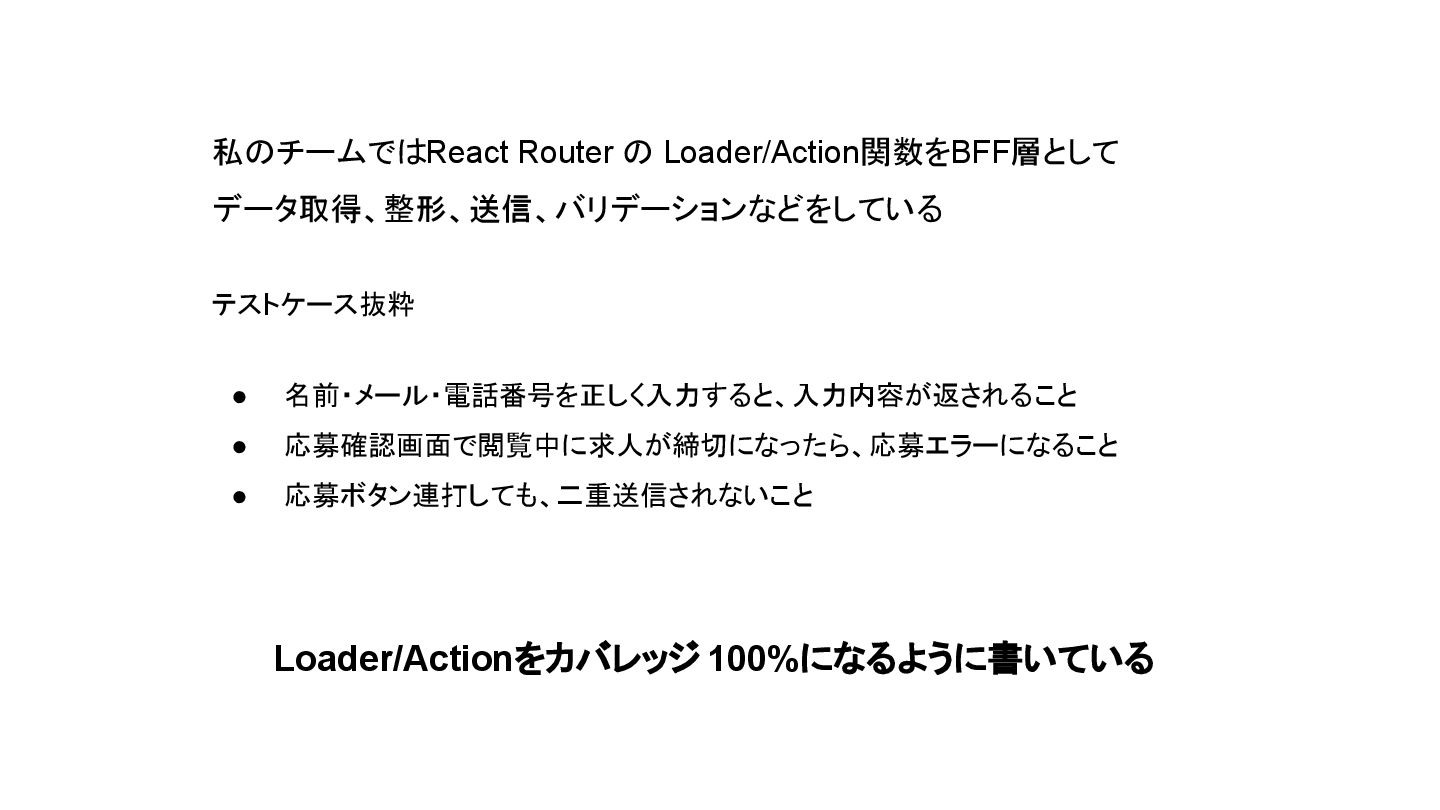
FEがBEと通信する層を厚くテストする • ビジネス上の重要なロジックが集中しやすい層なので 厚くテストする • テスタブルにするために なるべく純粋なTypeScript関数になるようにする
私のチームではReact Router の Loader/Action関数をBFF層として データ取得、整形、送信、バリデーションなどをしている テストケース抜粋 • 名前・メール・電話番号を正しく入力すると、入力内容が返されること • 応募確認画面で閲覧中に求人が締切になったら、応募エラーになること
• 応募ボタン連打しても、二重送信されないこと Loader/Actionをカバレッジ 100%になるように書いている
StorybookのcomposeStoriesで 共通コンポーネントをテストする
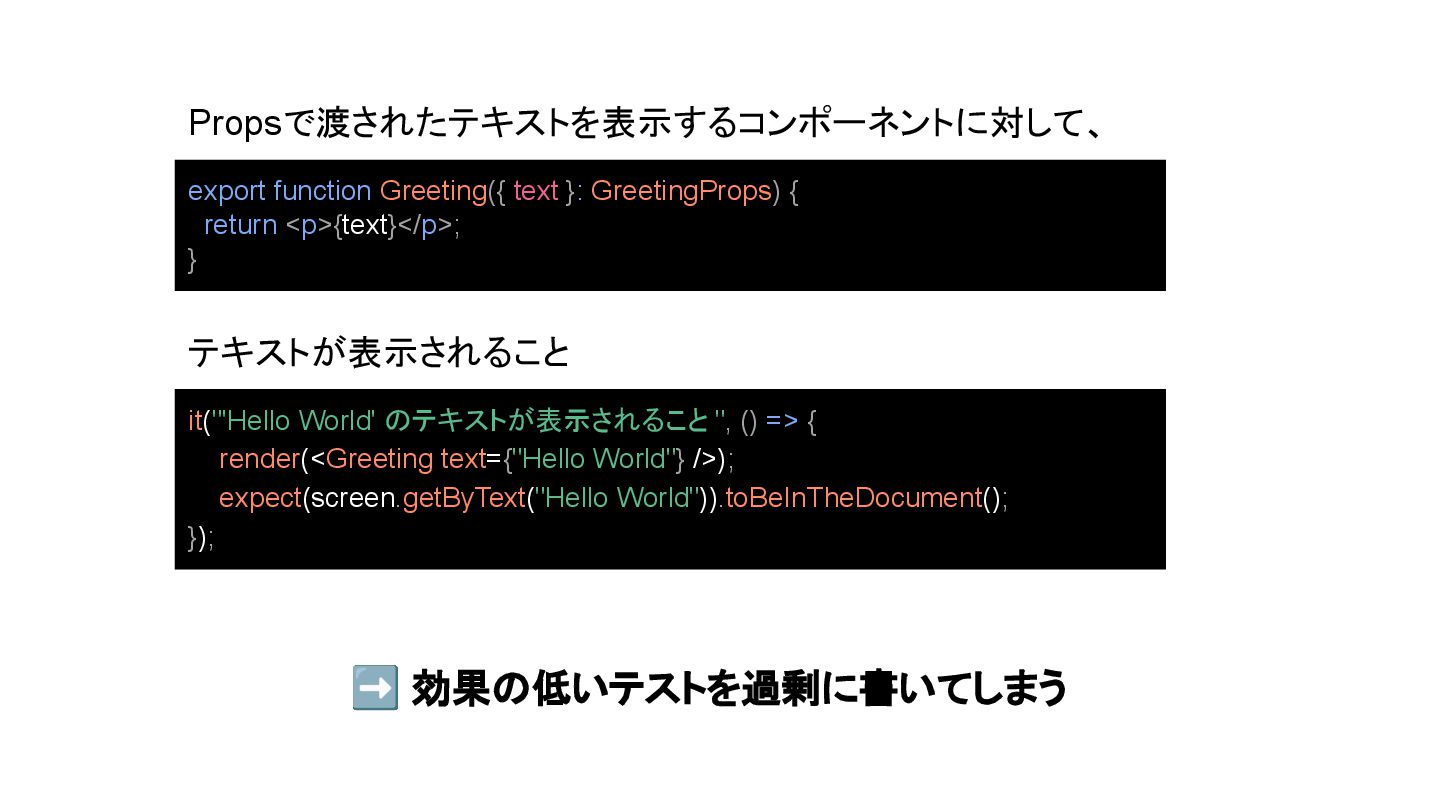
「フロントエンドのテストを書いていこう!」とすると よくあることとして...🤔
it("'Hello World' のテキストが表示されること ", () => { render(<Greeting text={"Hello World"}
/>); expect(screen.getByText("Hello World")).toBeInTheDocument(); }); export function Greeting({ text }: GreetingProps) { return <p>{text}</p>; } Propsで渡されたテキストを表示するコンポーネントに対して、 テキストが表示されること ➡ 効果の低いテストを過剰に書いてしまう
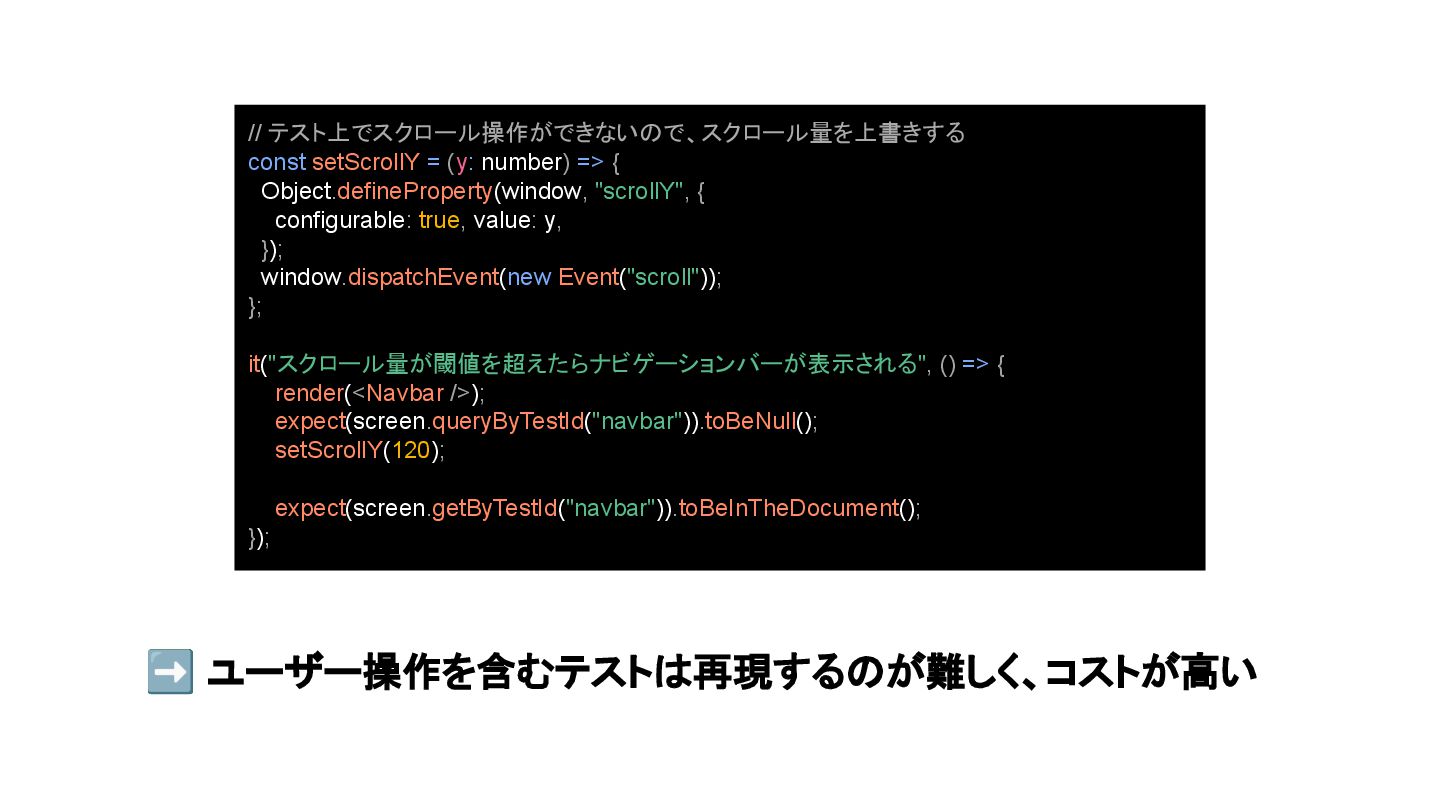
一方で🤔
➡ ユーザー操作を含むテストは再現するのが難しく、コストが高い // テスト上でスクロール操作ができないので、スクロール量を上書きする const setScrollY = (y: number) =>
{ Object.defineProperty(window, "scrollY", { configurable: true, value: y, }); window.dispatchEvent(new Event("scroll")); }; it("スクロール量が閾値を超えたらナビゲーションバーが表示される", () => { render(<Navbar />); expect(screen.queryByTestId("navbar")).toBeNull(); setScrollY(120); expect(screen.getByTestId("navbar")).toBeInTheDocument(); });
すべてのコンポーネントに対して、 テストしようとすると過剰になりがち でも、効果が高いインタラクティブな挙動を テストするのはコストが高い
だからこそ、アプリ全体で繰り返し使われる 共通コンポーネントに絞ってテストする
だからこそ、アプリ全体で繰り返し使われる 共通コンポーネントに絞ってテストする ➡ StorybookのcomposeStoriesでテストする
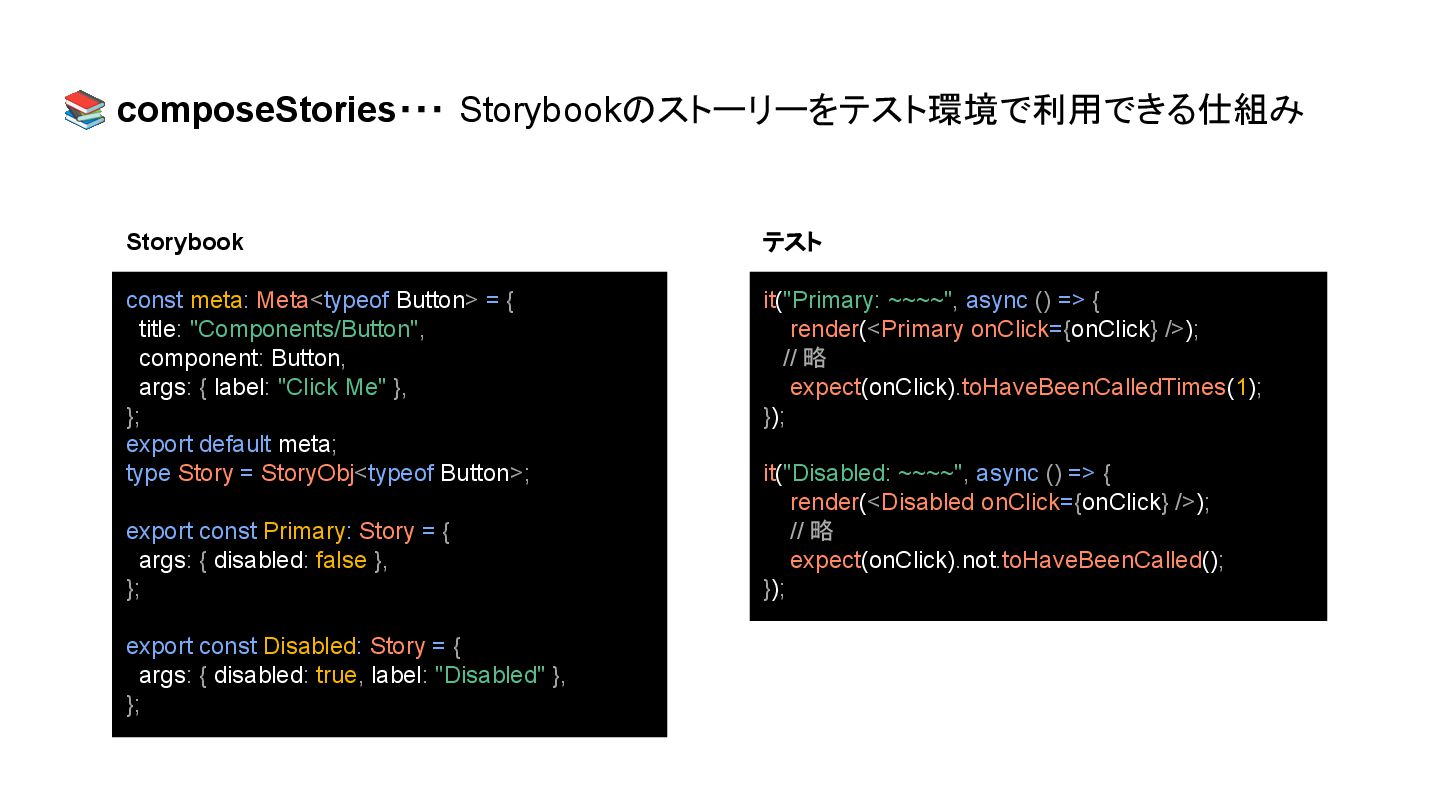
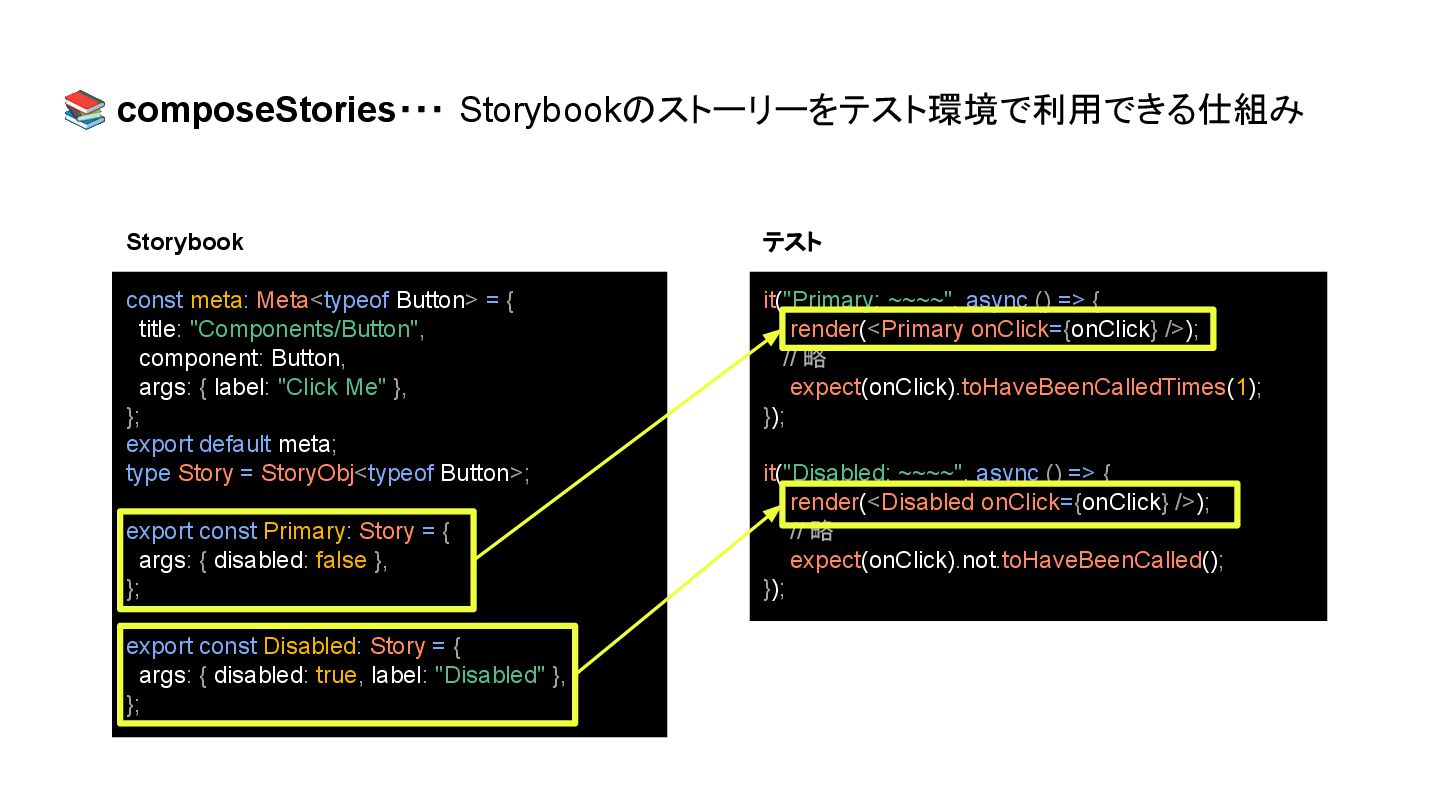
📚 composeStories・・・ Storybookのストーリーをテスト環境で利用できる仕組み const meta: Meta<typeof Button> = { title:
"Components/Button", component: Button, args: { label: "Click Me" }, }; export default meta; type Story = StoryObj<typeof Button>; export const Primary: Story = { args: { disabled: false }, }; export const Disabled: Story = { args: { disabled: true, label: "Disabled" }, }; it("Primary: ~~~~", async () => { render(<Primary onClick={onClick} />); // 略 expect(onClick).toHaveBeenCalledTimes(1); }); it("Disabled: ~~~~", async () => { render(<Disabled onClick={onClick} />); // 略 expect(onClick).not.toHaveBeenCalled(); }); Storybook テスト
📚 composeStories・・・ Storybookのストーリーをテスト環境で利用できる仕組み const meta: Meta<typeof Button> = { title:
"Components/Button", component: Button, args: { label: "Click Me" }, }; export default meta; type Story = StoryObj<typeof Button>; export const Primary: Story = { args: { disabled: false }, }; export const Disabled: Story = { args: { disabled: true, label: "Disabled" }, }; it("Primary: ~~~~", async () => { render(<Primary onClick={onClick} />); // 略 expect(onClick).toHaveBeenCalledTimes(1); }); it("Disabled: ~~~~", async () => { render(<Disabled onClick={onClick} />); // 略 expect(onClick).not.toHaveBeenCalled(); }); Storybook テスト
composeStoriesを使うことで... • ストーリーの更新することでテストも同時に更新され、 ストーリーとテストに乖離が起きない • ストーリーごとに「本番と近い環境」で UI を再現できる
composeStoriesを使うことで... • ストーリーの更新することでテストも同時に更新され、 ストーリーとテストに乖離が起きない • ストーリーごとに「本番と近い環境」で UI を再現できる ➡ 共通コンポーネントに絞ってテストする
AAAパターン
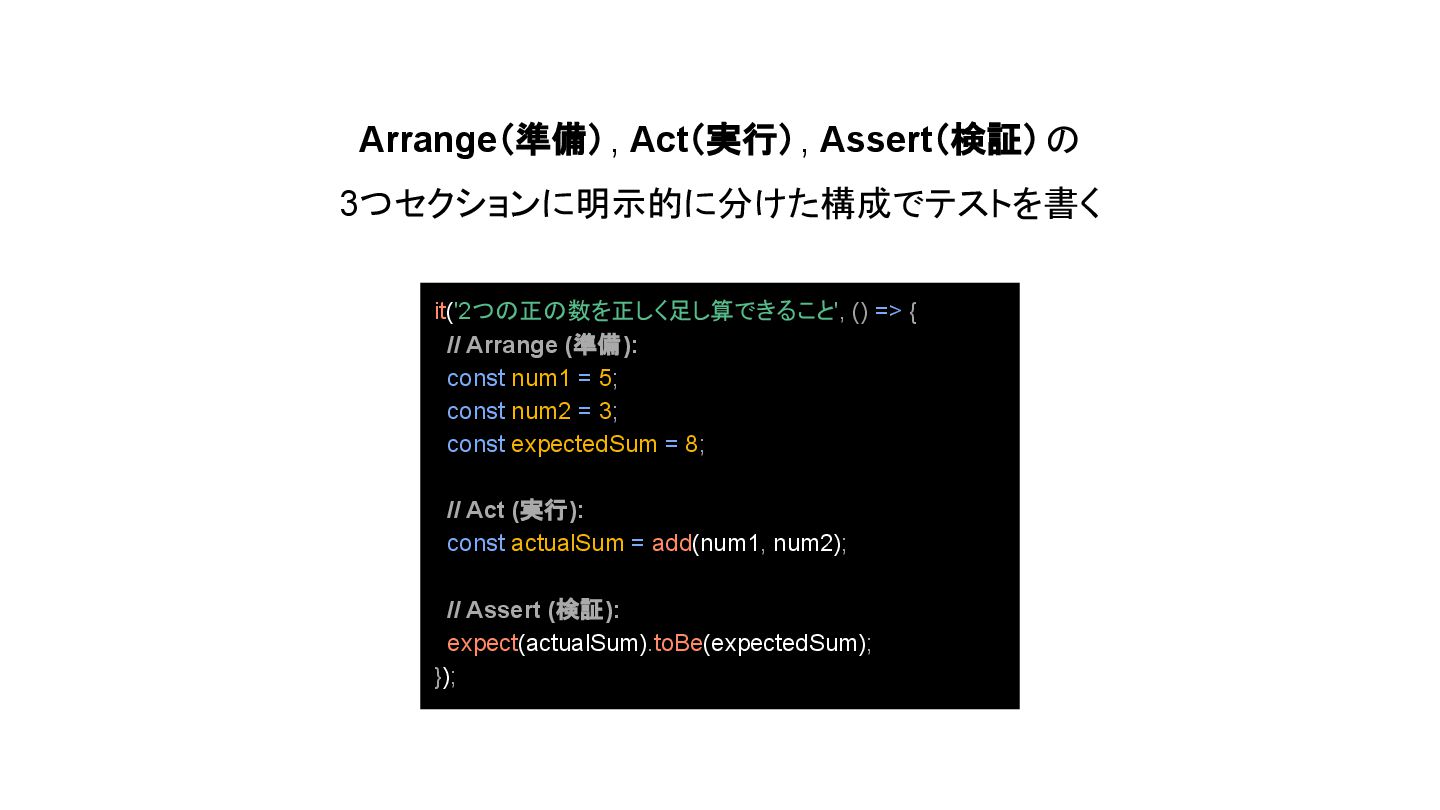
Arrange(準備), Act(実行), Assert(検証)の 3つセクションに明示的に分けた構成でテストを書く it('2つの正の数を正しく足し算できること', () => { // Arrange
(準備): const num1 = 5; const num2 = 3; const expectedSum = 8; // Act (実行): const actualSum = add(num1, num2); // Assert (検証): expect(actualSum).toBe(expectedSum); });
AIコーディングするにあたって、細かなルールで書き方を制限して、 表現の自由度を狭めてあげる
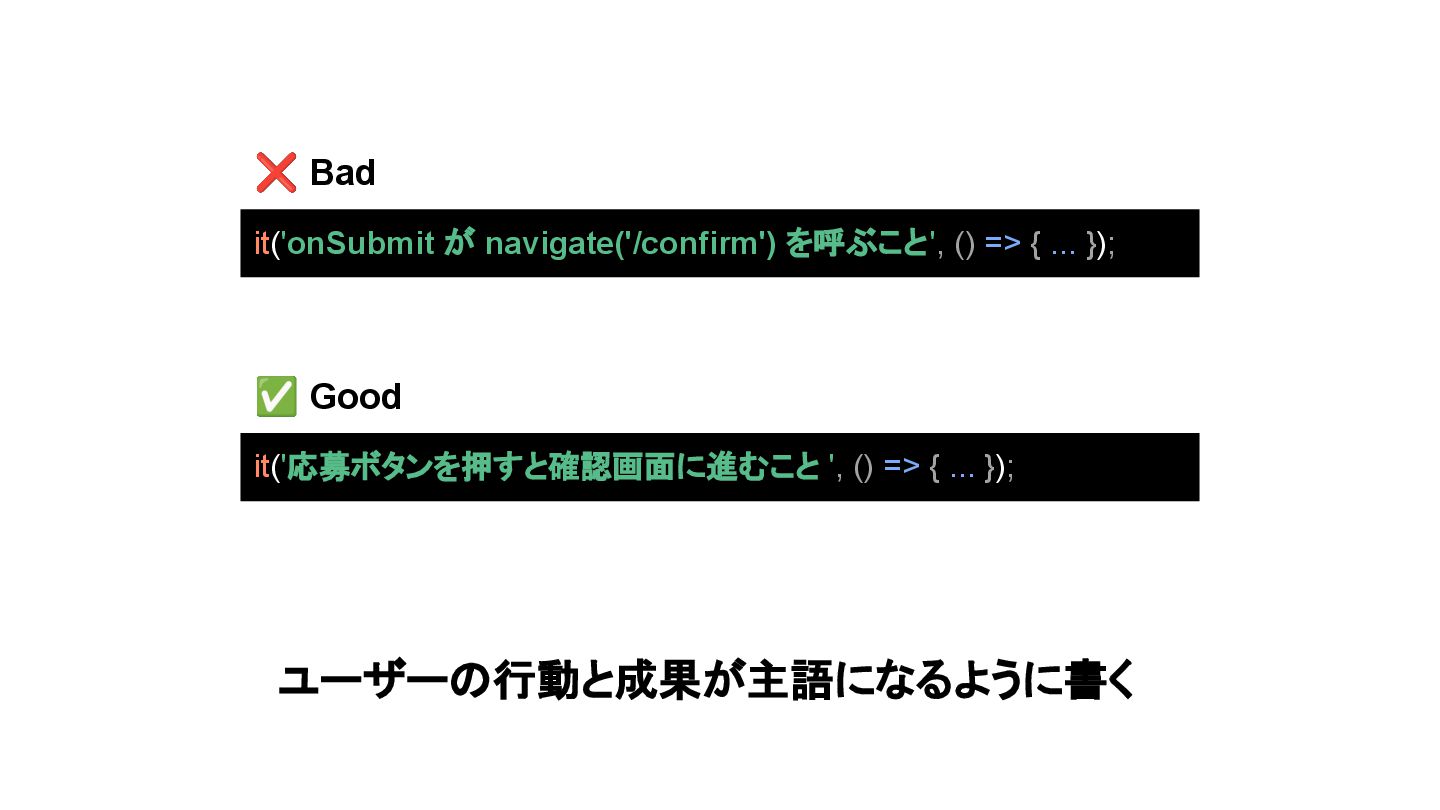
テストケース名は ユーザー/ビジネス視点で記述する
it('応募ボタンを押すと確認画面に進むこと ', () => { ... }); ✅ Good ❌
Bad it('onSubmit が navigate('/confirm') を呼ぶこと', () => { ... }); ユーザーの行動と成果が主語になるように書く
ユーザー体験にどうつながるのか🤔を見極めやすくなる ビジネス的な効果の薄いテストを疑うトリガーになる
テストファイルはコロケーションする
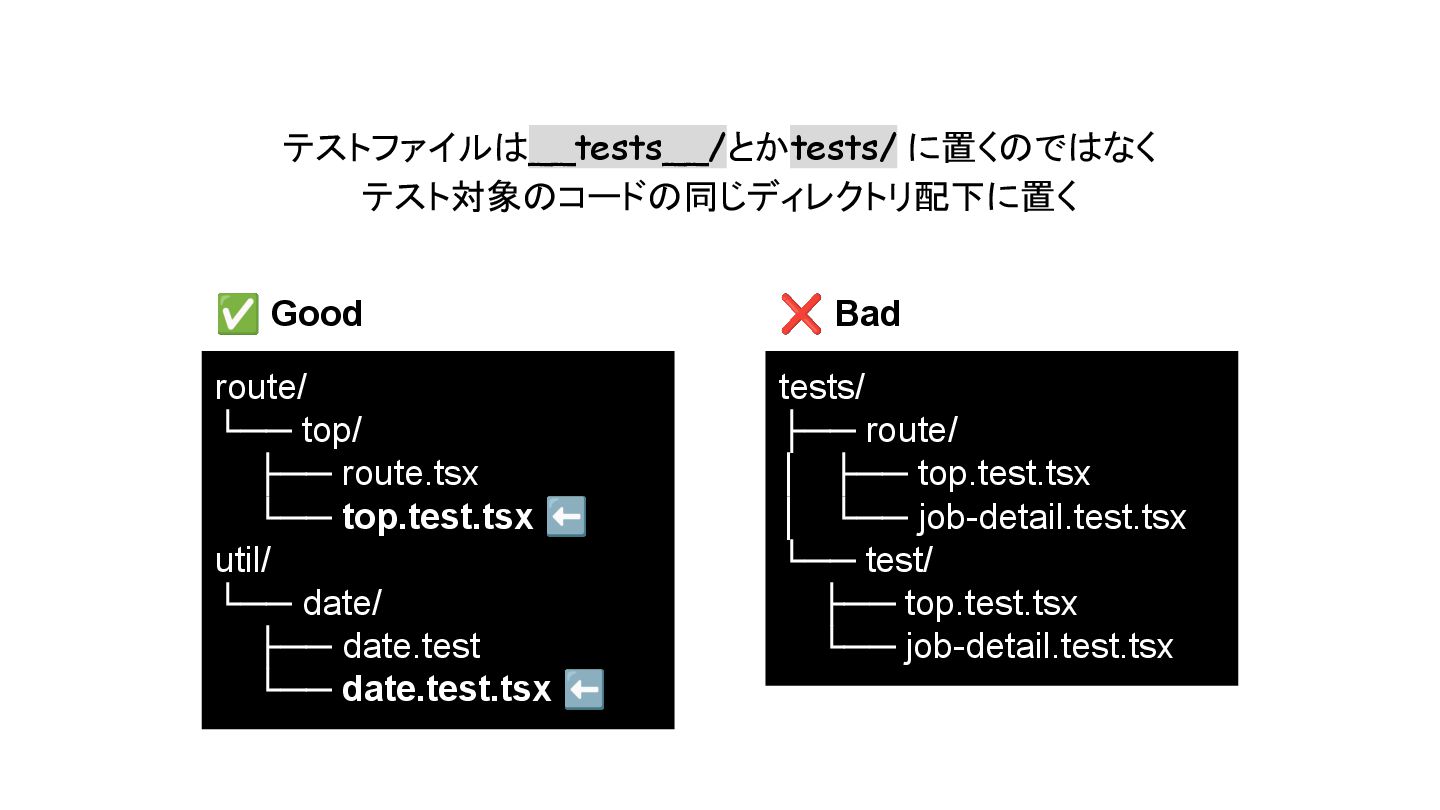
テストファイルは__tests__/とかtests/ に置くのではなく テスト対象のコードの同じディレクトリ配下に置く route/ └── top/ ├── route.tsx └── top.test.tsx
⬅ util/ └── date/ ├── date.test └── date.test.tsx ⬅ tests/ ├── route/ │ ├── top.test.tsx │ └── job-detail.test.tsx └── test/ ├── top.test.tsx └── job-detail.test.tsx ✅ Good ❌ Bad
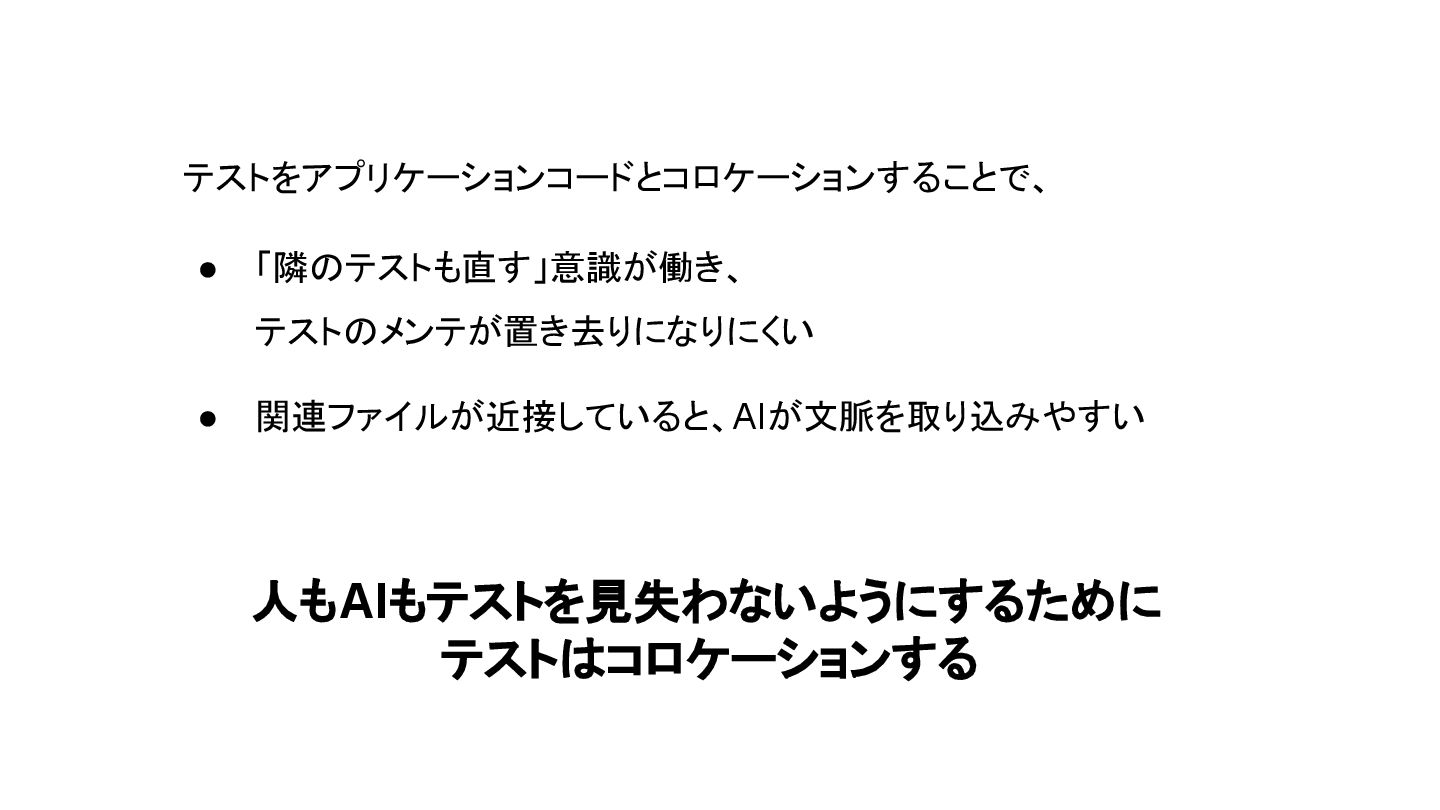
テストをアプリケーションコードとコロケーションすることで、 • 「隣のテストも直す」意識が働き、 テストのメンテが置き去りになりにくい • 関連ファイルが近接していると、AIが文脈を取り込みやすい 人もAIもテストを見失わないようにするために テストはコロケーションする
さいごに
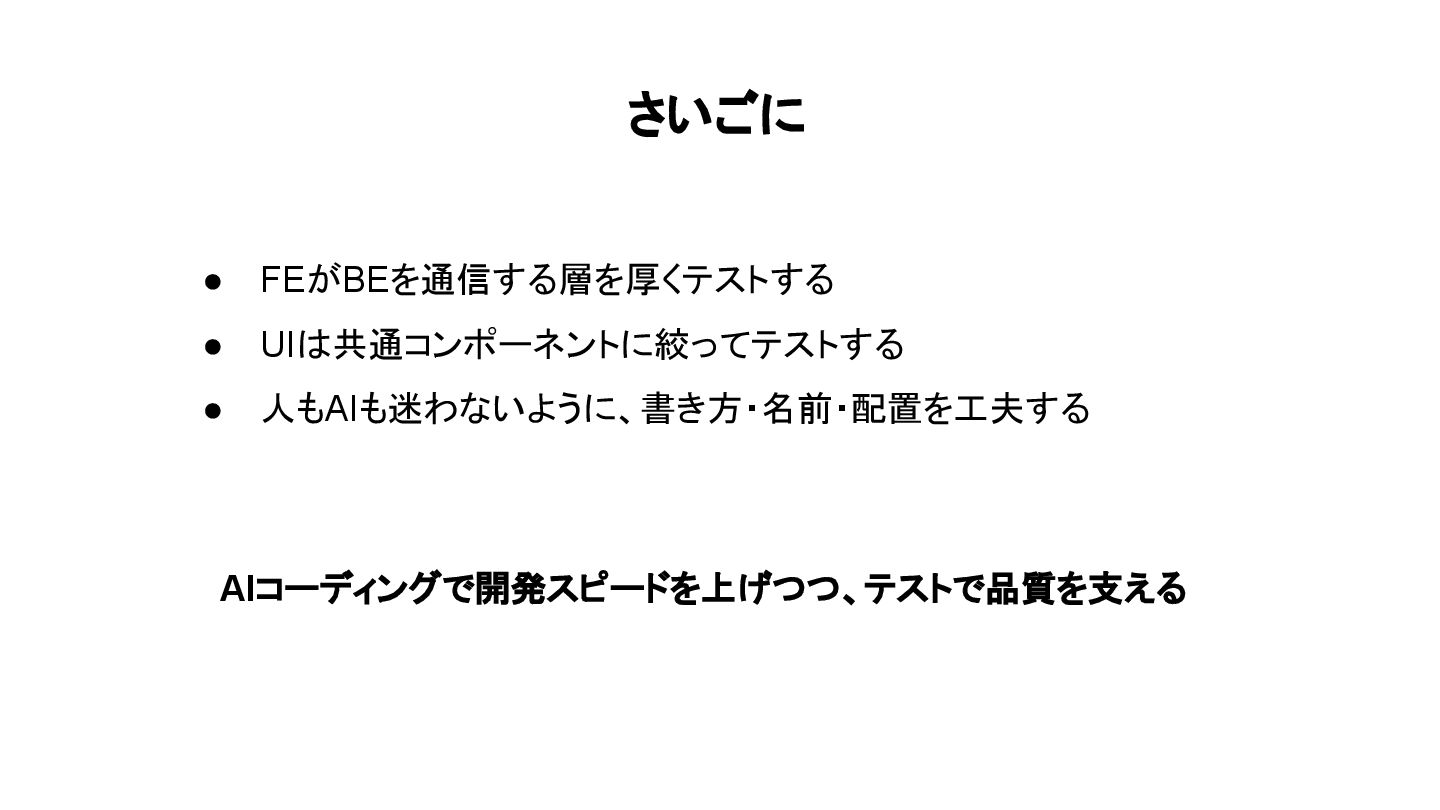
さいごに • FEがBEを通信する層を厚くテストする • UIは共通コンポーネントに絞ってテストする • 人もAIも迷わないように、書き方・名前・配置を工夫する AIコーディングで開発スピードを上げつつ、テストで品質を支える


 dip_tech
 yama3133
 pauli
pauli
 oracle4engineer
 marceloancelmo
 shichijoyuhi
 mtpooh
 recruitengineers
 ennael
 ks91
ks91
 nayuts
 uxyall
 jcasabona
 aleyda
 jdejongh
 addyosmani
 bethany
 frankvandijk
 asonas
 mkilby
 afnizarnur
 samtorres
 ryanjones