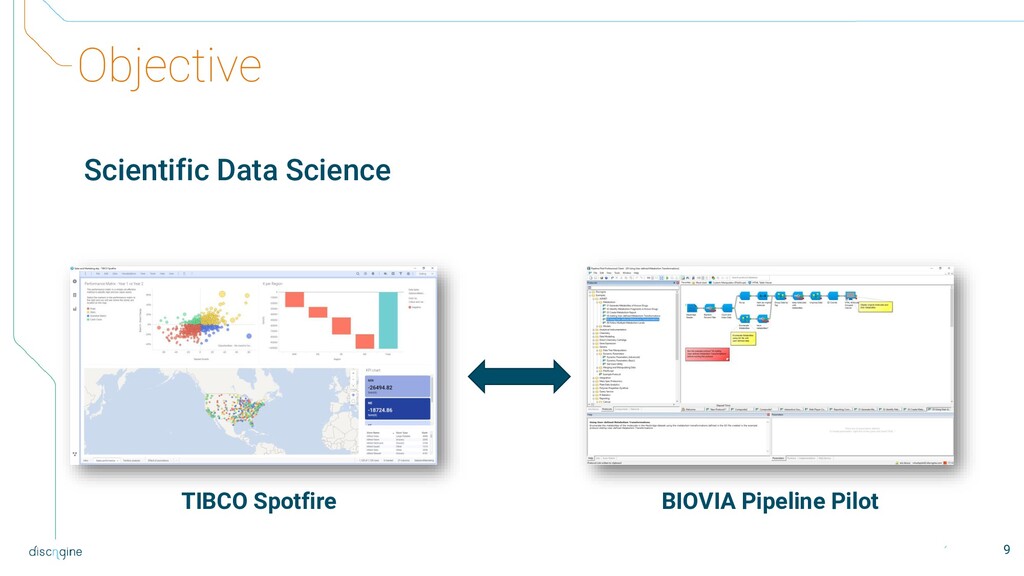
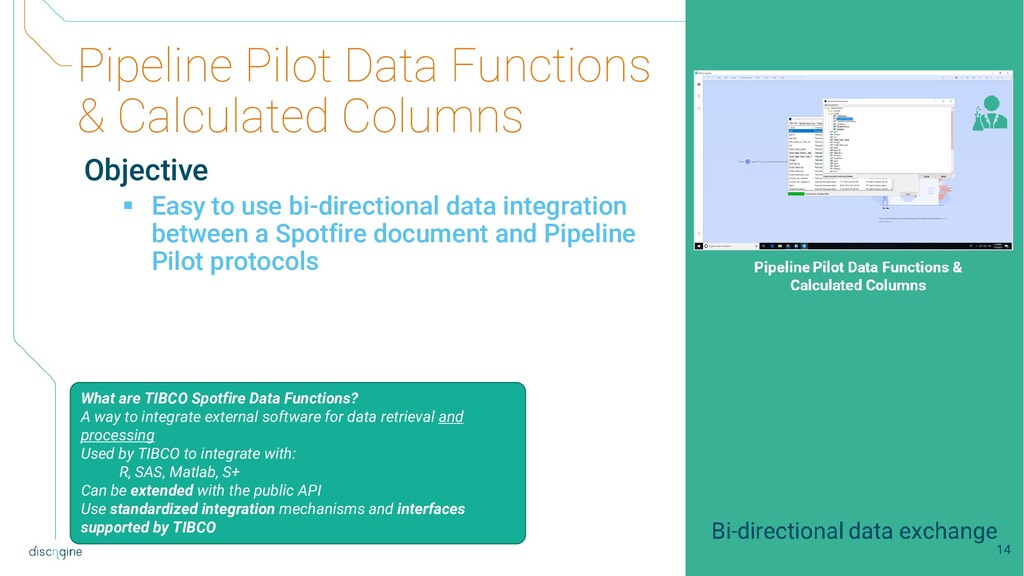
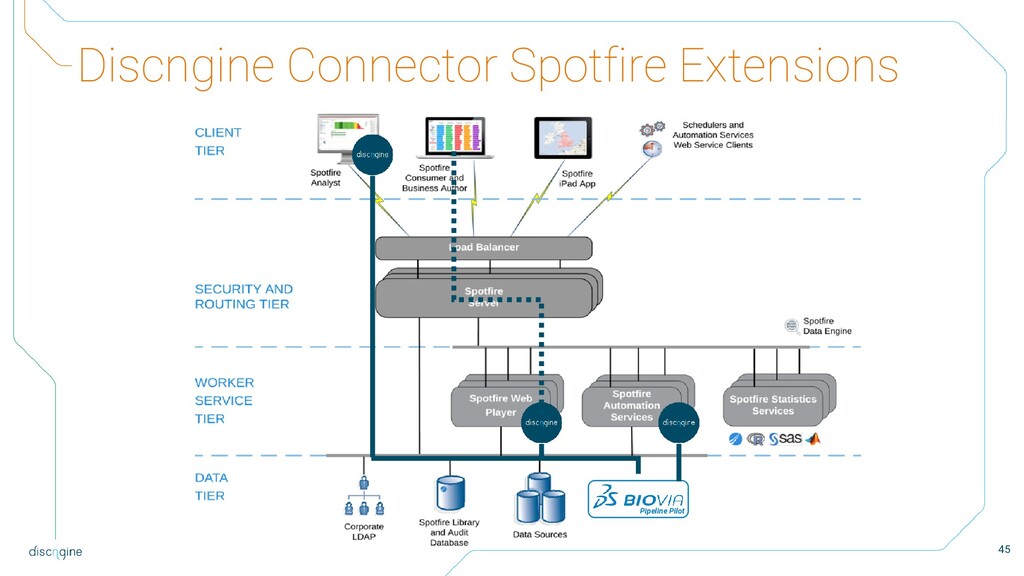
to use bi-directional data integration between a Spotfire document and Pipeline Pilot protocols What are TIBCO Spotfire Data Functions? A way to integrate external software for data retrieval and processing Used by TIBCO to integrate with: R, SAS, Matlab, S+ Can be extended with the public API Use standardized integration mechanisms and interfaces supported by TIBCO 14
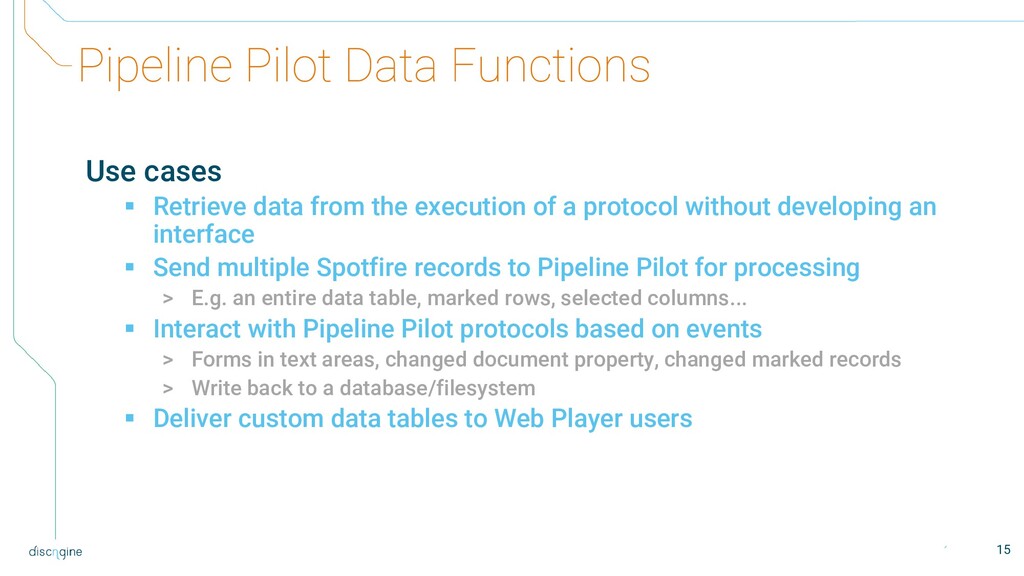
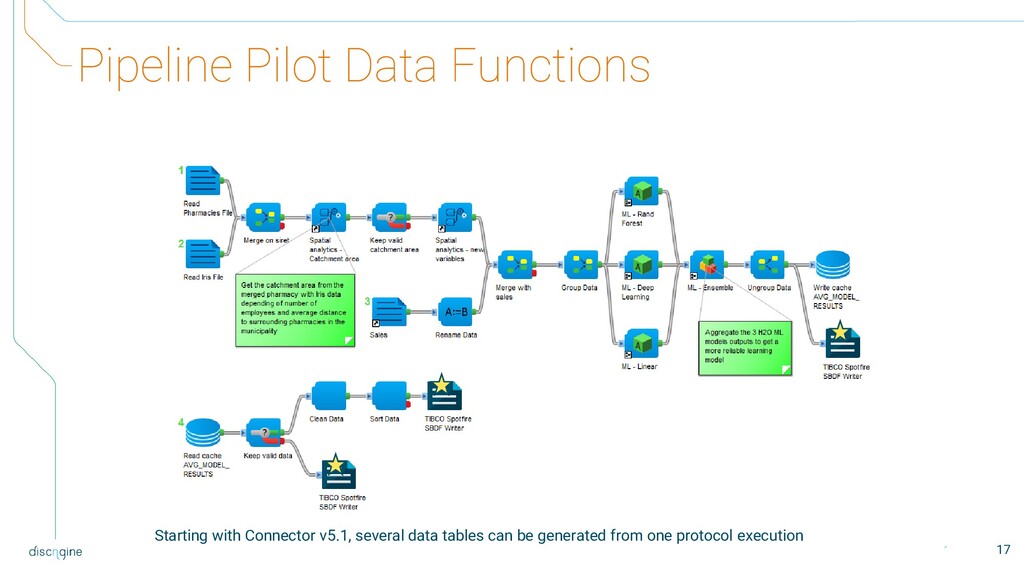
the execution of a protocol without developing an interface ▪ Send multiple Spotfire records to Pipeline Pilot for processing > E.g. an entire data table, marked rows, selected columns... ▪ Interact with Pipeline Pilot protocols based on events > Forms in text areas, changed document property, changed marked records > Write back to a database/filesystem ▪ Deliver custom data tables to Web Player users 15
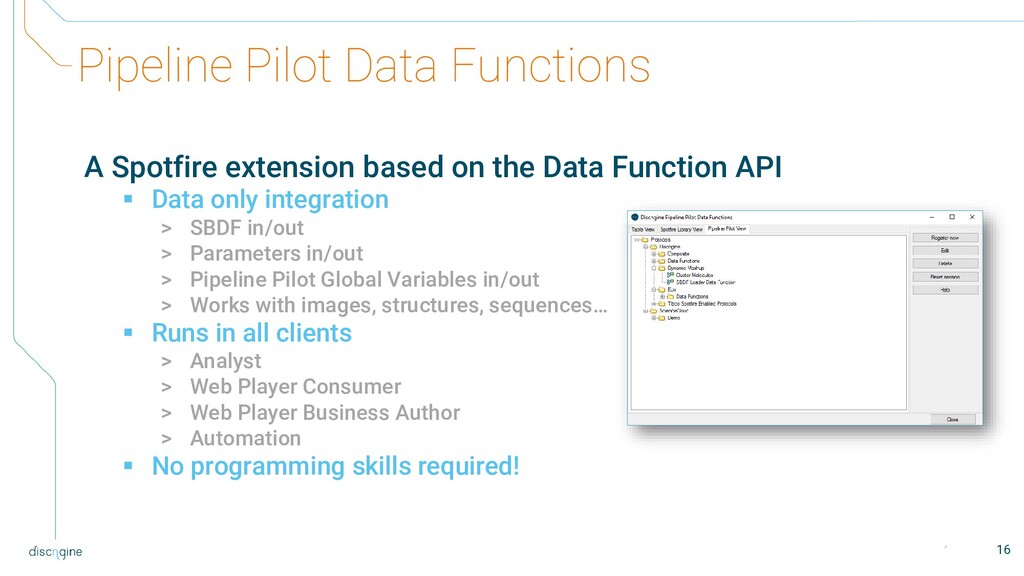
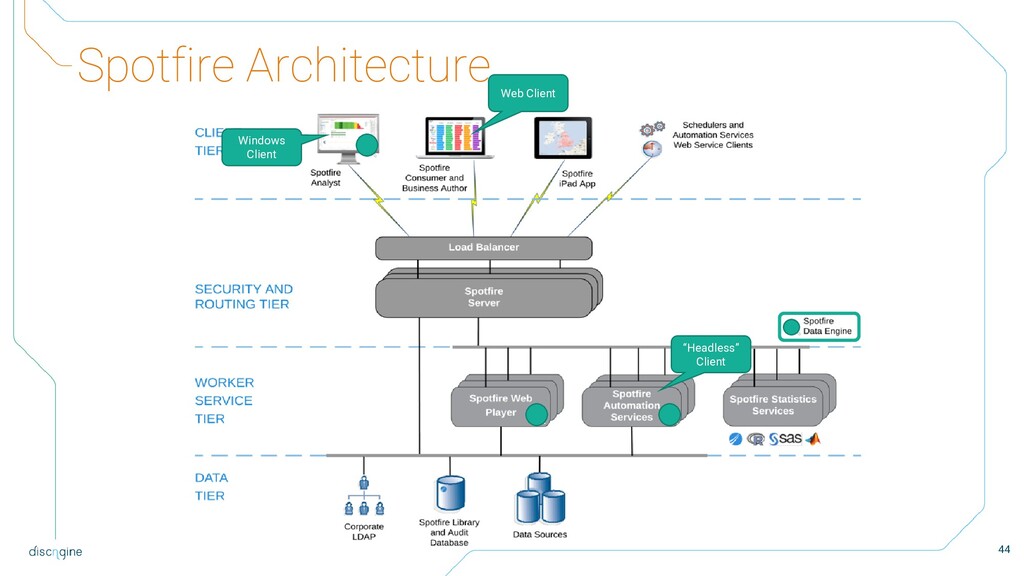
Data Function API ▪ Data only integration > SBDF in/out > Parameters in/out > Pipeline Pilot Global Variables in/out > Works with images, structures, sequences… ▪ Runs in all clients > Analyst > Web Player Consumer > Web Player Business Author > Automation ▪ No programming skills required! 16
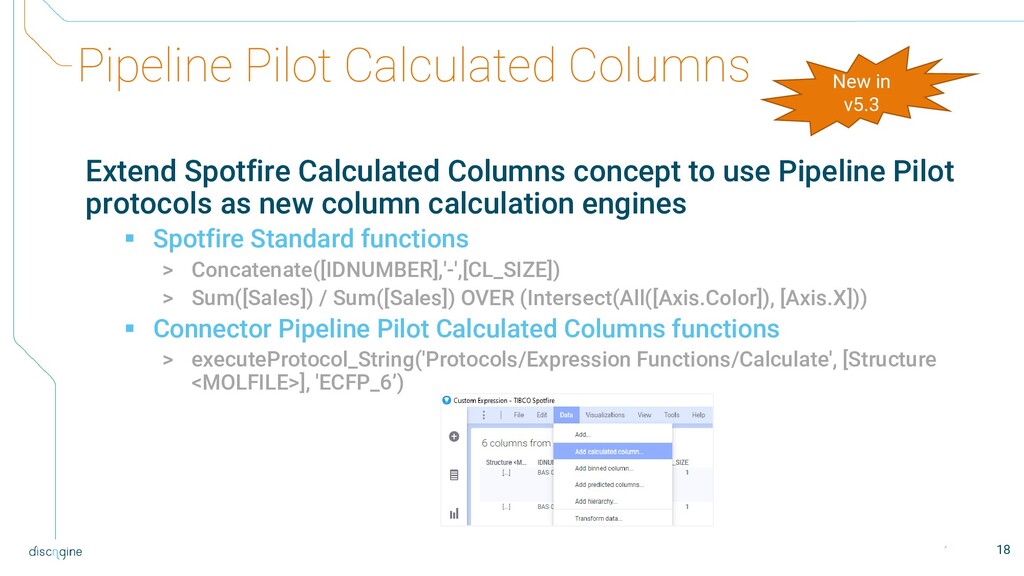
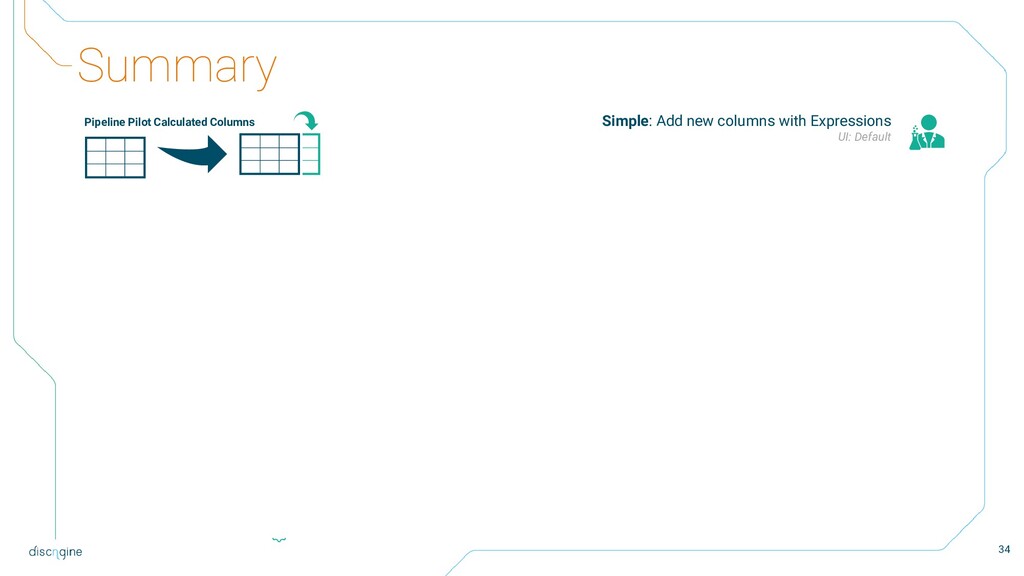
use Pipeline Pilot protocols as new column calculation engines ▪ Spotfire Standard functions > Concatenate([IDNUMBER],'-',[CL_SIZE]) > Sum([Sales]) / Sum([Sales]) OVER (Intersect(All([Axis.Color]), [Axis.X])) ▪ Connector Pipeline Pilot Calculated Columns functions > executeProtocol_String('Protocols/Expression Functions/Calculate', [Structure <MOLFILE>], 'ECFP_6’) 18 New in v5.3
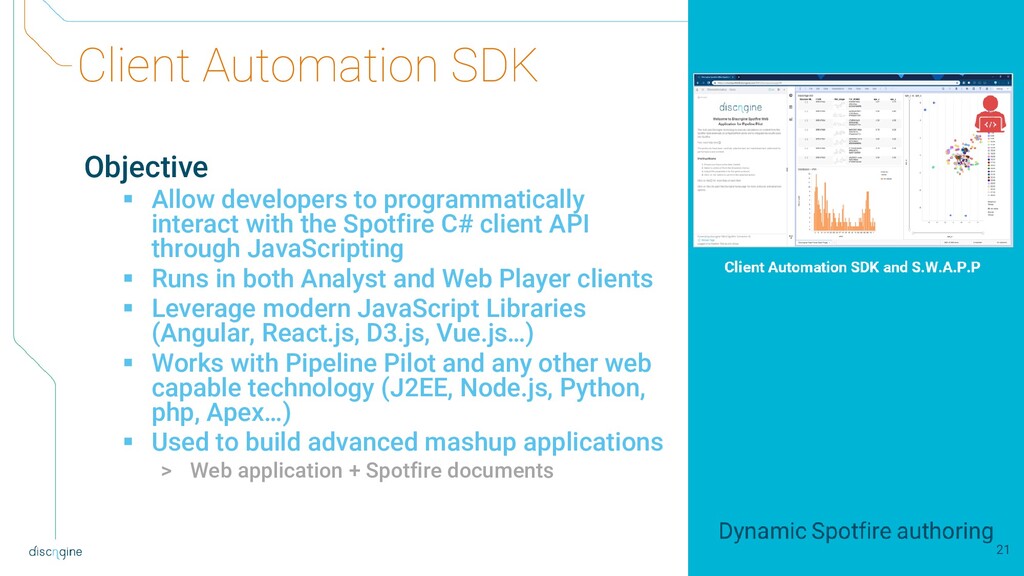
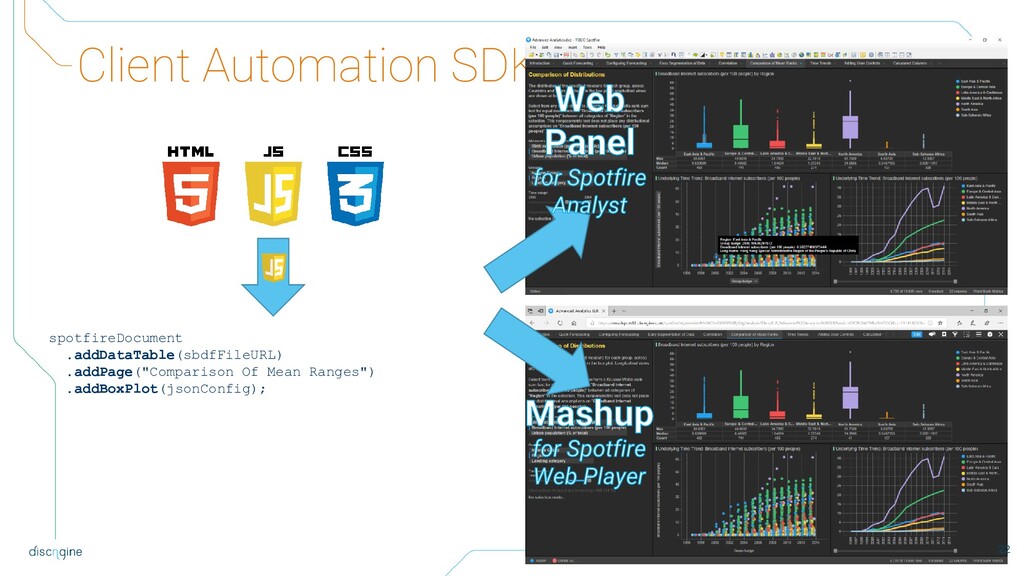
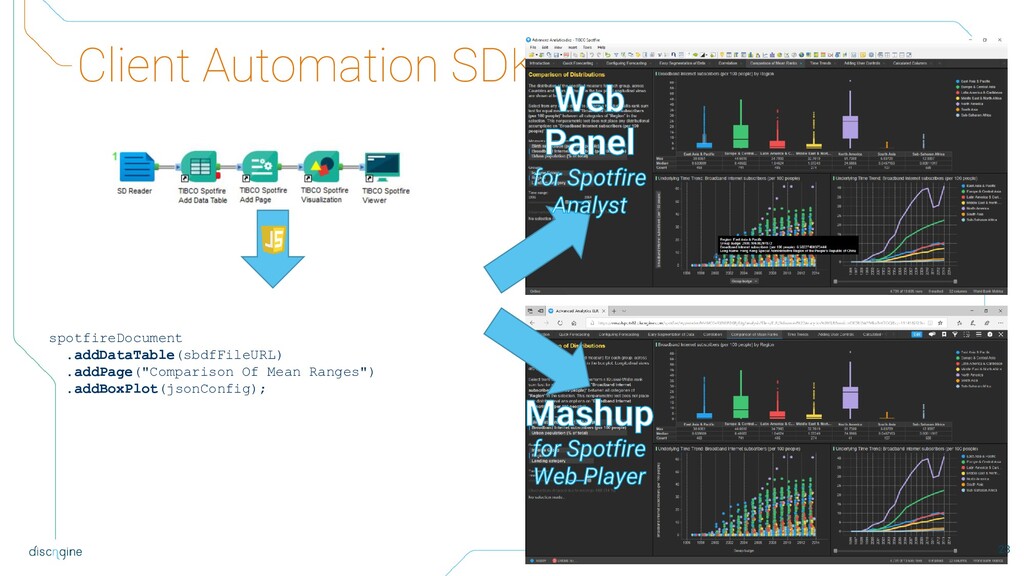
with the Spotfire C# client API through JavaScripting ▪ Runs in both Analyst and Web Player clients ▪ Leverage modern JavaScript Libraries (Angular, React.js, D3.js, Vue.js…) ▪ Works with Pipeline Pilot and any other web capable technology (J2EE, Node.js, Python, php, Apex…) ▪ Used to build advanced mashup applications > Web application + Spotfire documents 21
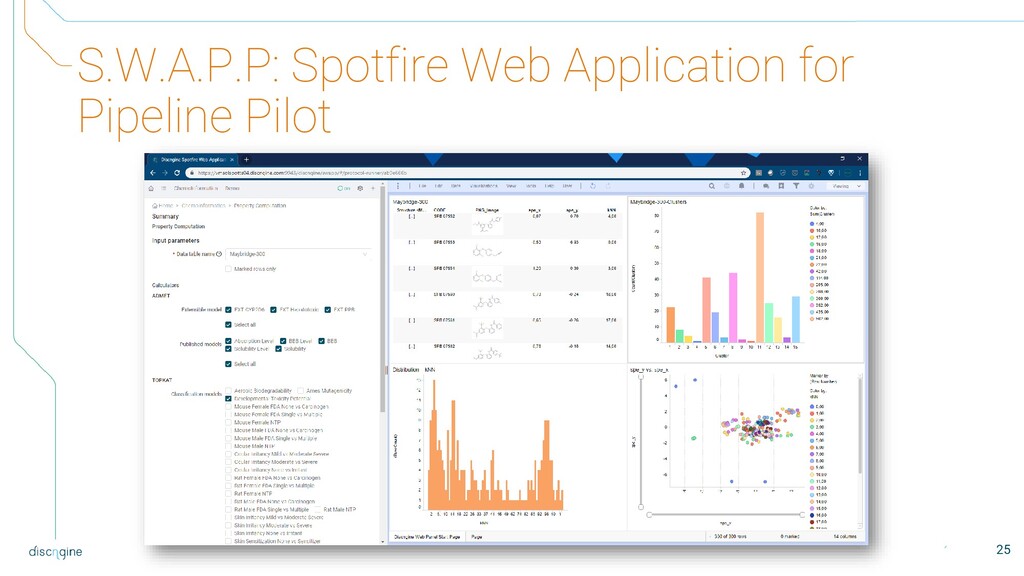
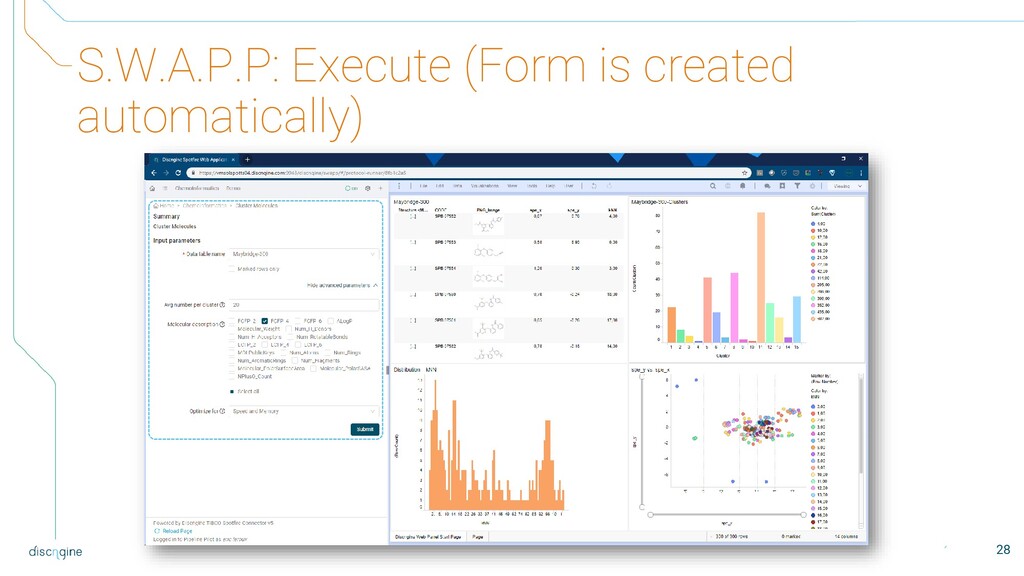
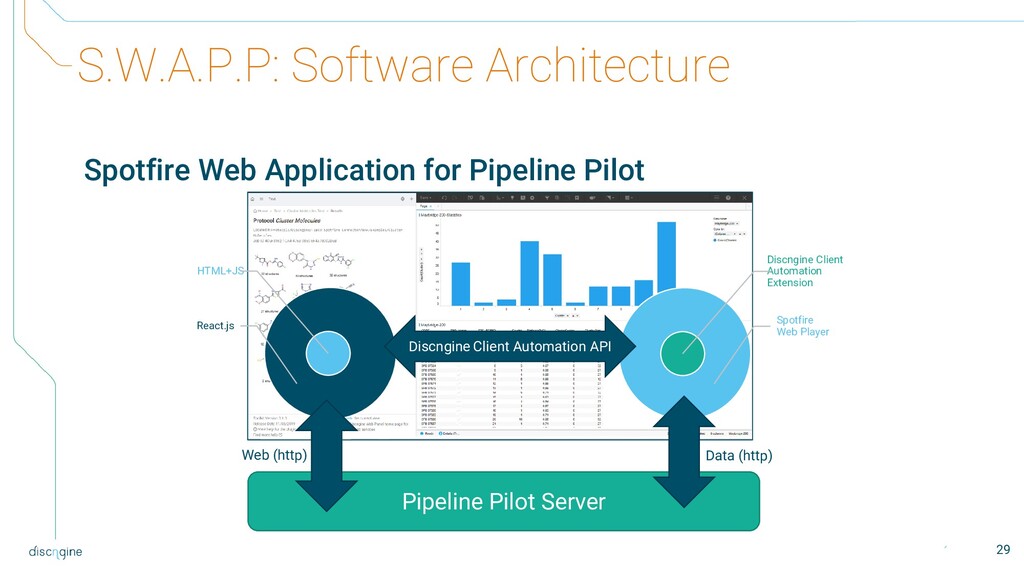
framework to streamline Pipeline Pilot protocol integration ▪ Based on Client Automation SDK ▪ Low code > Declare the Pipeline Pilot protocol > Map the parameters to a web form (Wizard) > Define actions on the Spotfire document based on protocol output files ▪ Co-Developed with AstraZeneca ▪ Developed with React.js 24
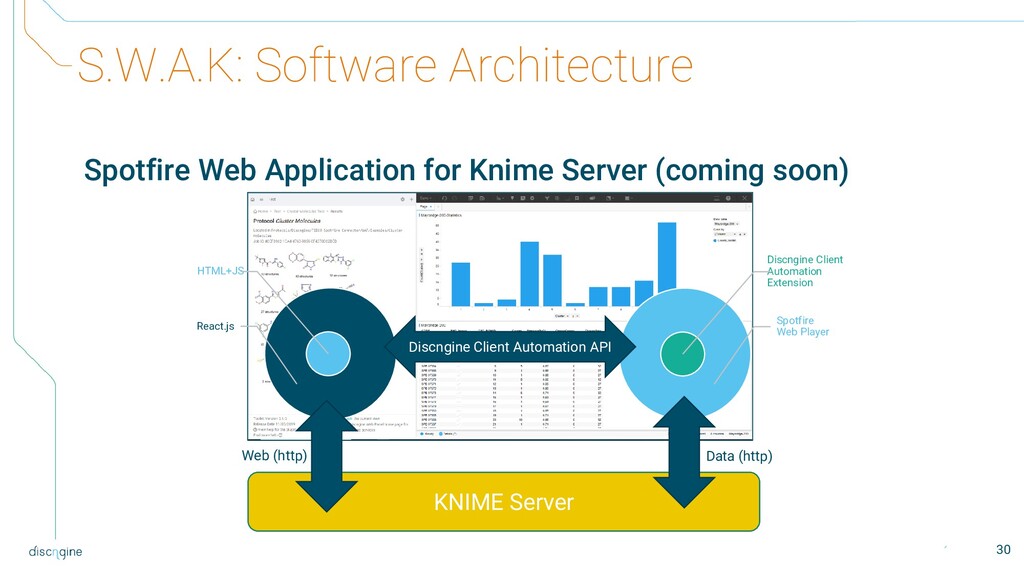
soon) Discngine Client Automation Extension Spotfire Web Player HTML+JS React.js KNIME Server Web (http) Data (http) Discngine Client Automation API 30
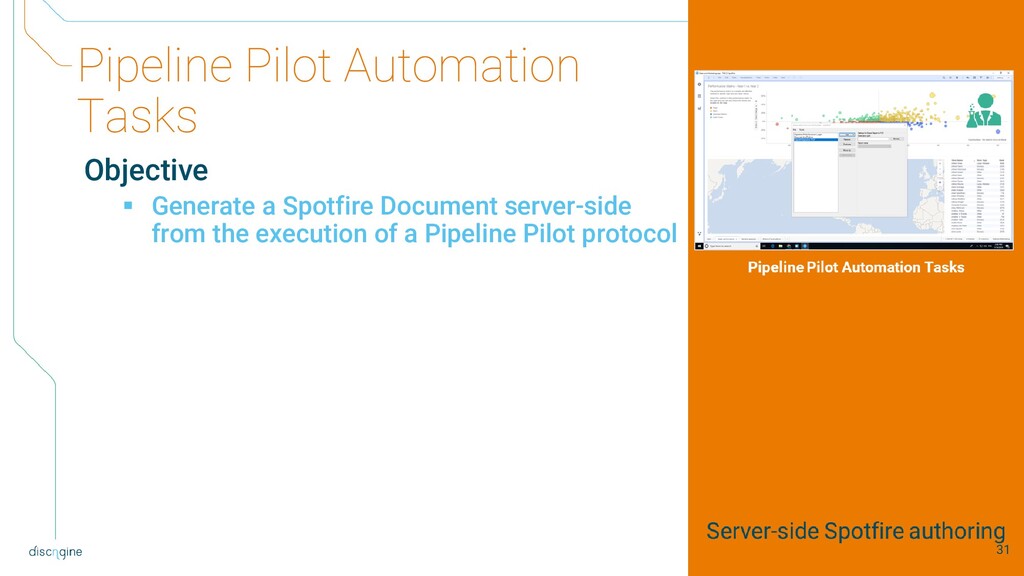
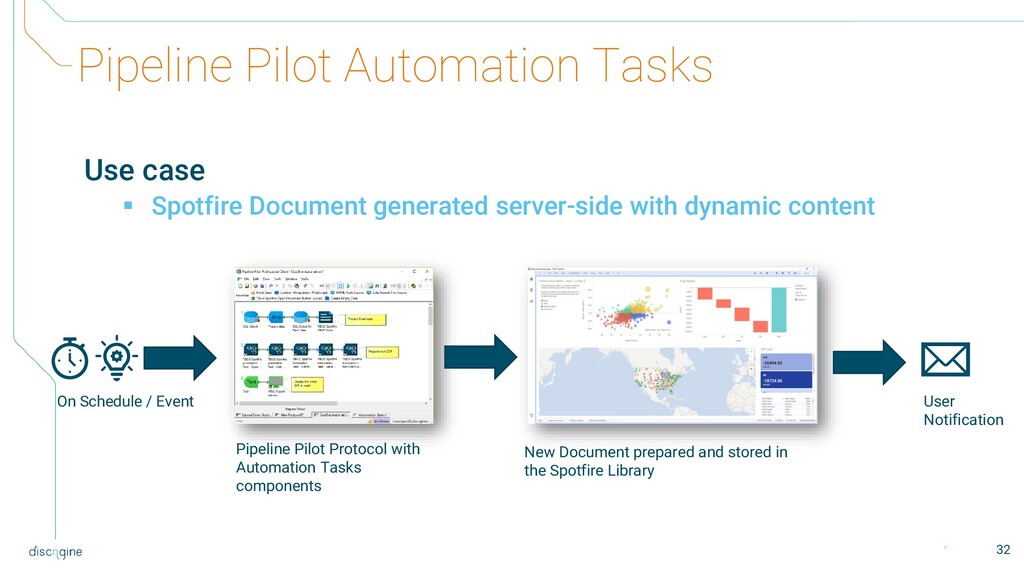
server-side with dynamic content On Schedule / Event Pipeline Pilot Protocol with Automation Tasks components New Document prepared and stored in the Spotfire Library User Notification 32
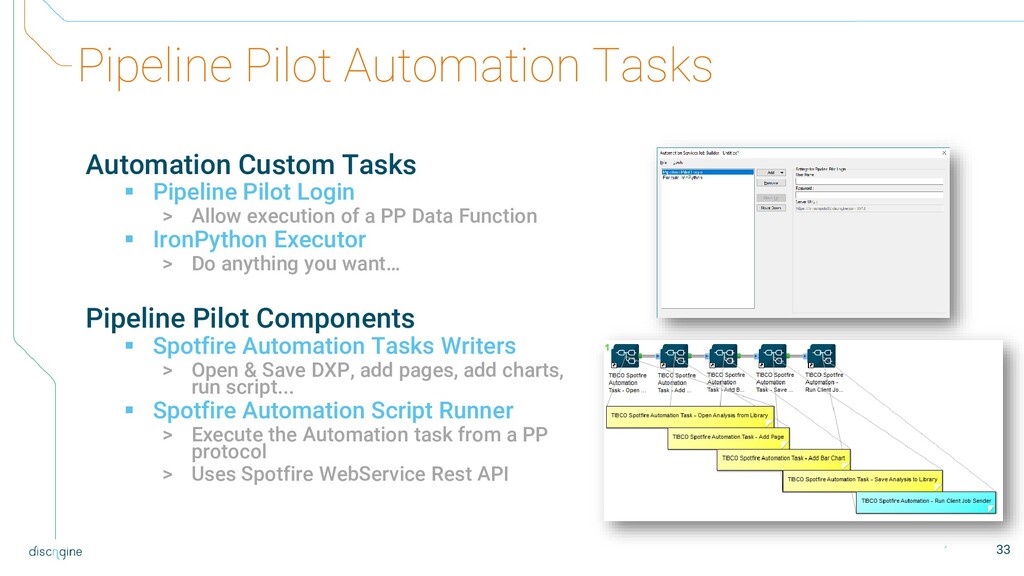
Login > Allow execution of a PP Data Function ▪ IronPython Executor > Do anything you want… Pipeline Pilot Components ▪ Spotfire Automation Tasks Writers > Open & Save DXP, add pages, add charts, run script... ▪ Spotfire Automation Script Runner > Execute the Automation task from a PP protocol > Uses Spotfire WebService Rest API 33
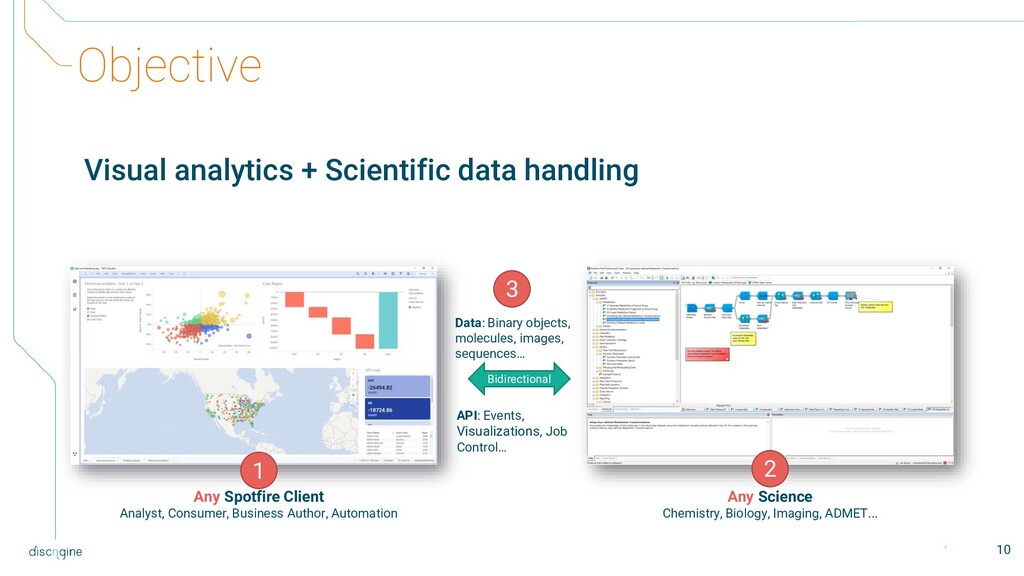
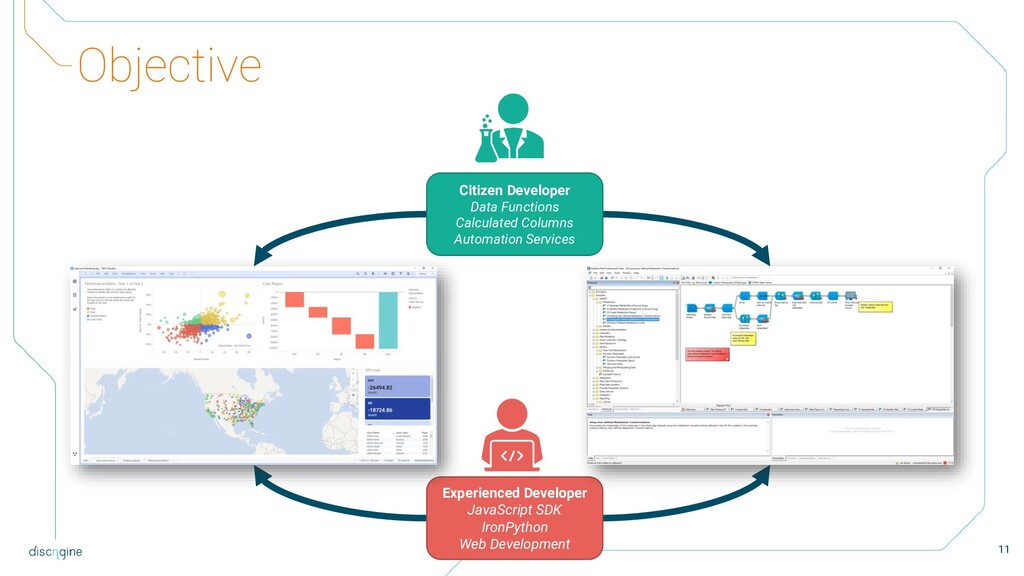
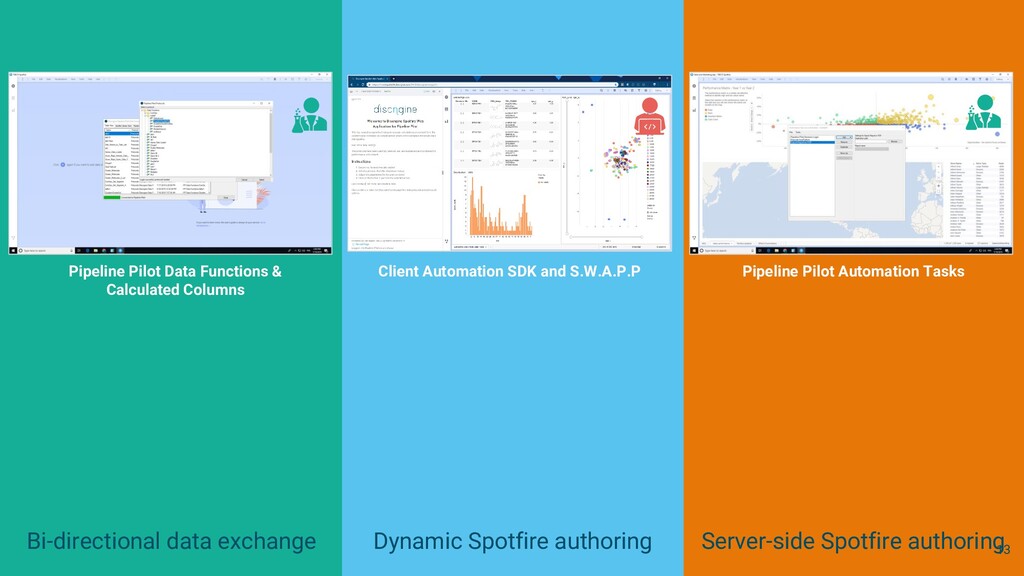
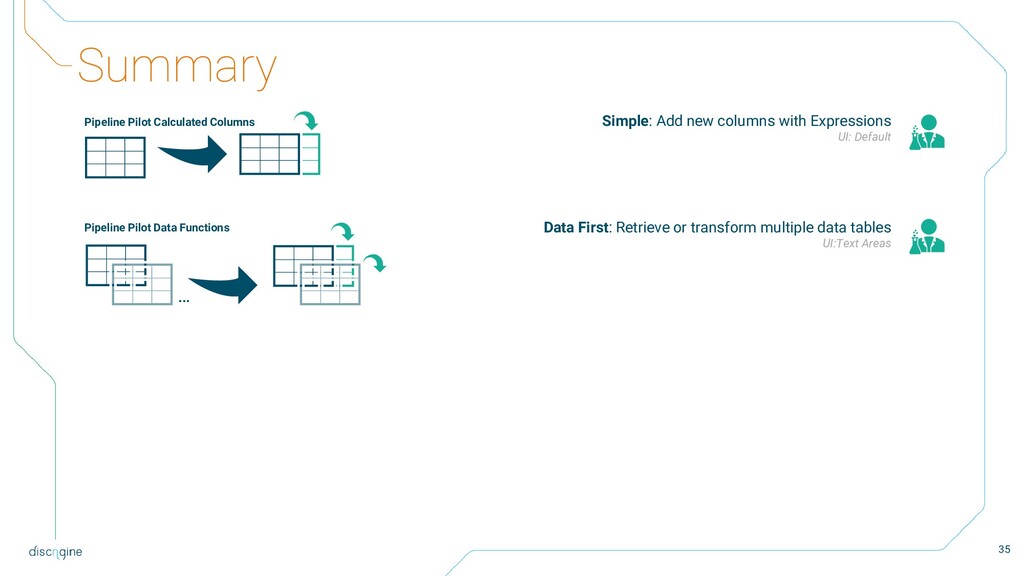
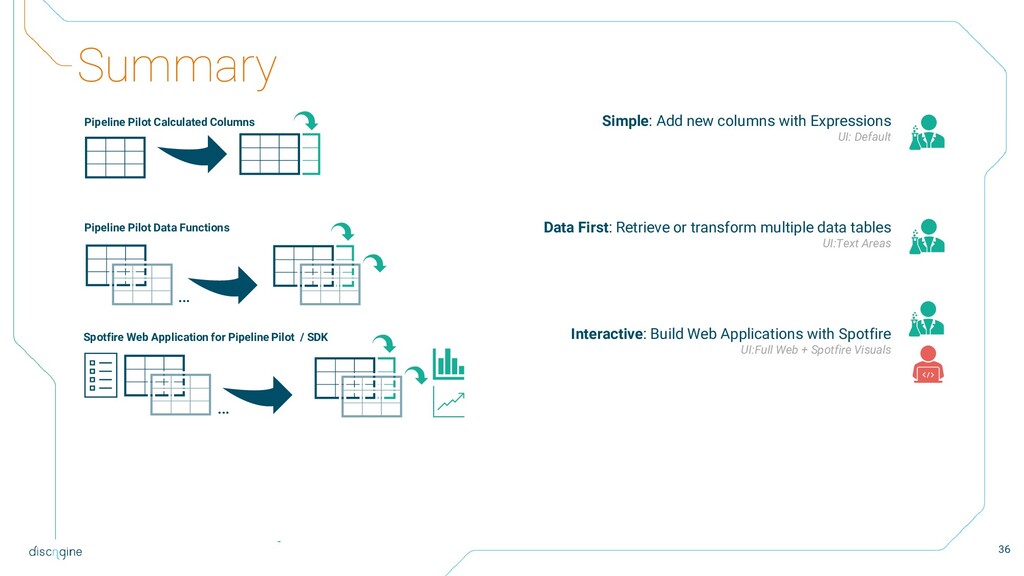
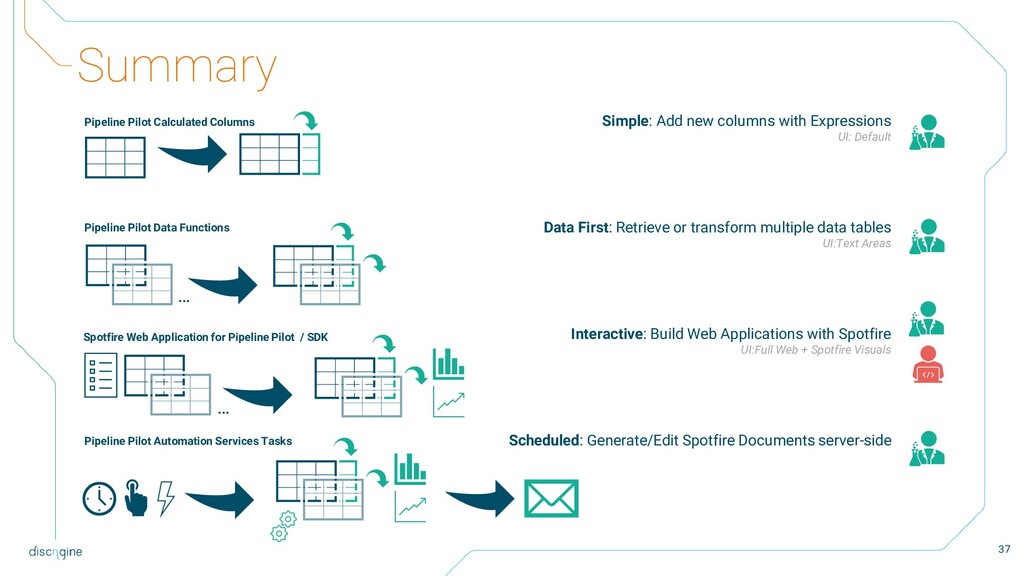
Data First: Retrieve or transform multiple data tables UI:Text Areas Interactive: Build Web Applications with Spotfire UI:Full Web + Spotfire Visuals Scheduled: Generate/Edit Spotfire Documents server-side Pipeline Pilot Calculated Columns Pipeline Pilot Data Functions … Spotfire Web Application for Pipeline Pilot / SDK … Pipeline Pilot Automation Services Tasks
Data First: Retrieve or transform multiple data tables UI:Text Areas Interactive: Build Web Applications with Spotfire UI:Full Web + Spotfire Visuals Scheduled: Generate/Edit Spotfire Documents server-side Pipeline Pilot Calculated Columns Pipeline Pilot Data Functions … Spotfire Web Application for Pipeline Pilot / SDK … Pipeline Pilot Automation Services Tasks
Data First: Retrieve or transform multiple data tables UI:Text Areas Interactive: Build Web Applications with Spotfire UI:Full Web + Spotfire Visuals Scheduled: Generate/Edit Spotfire Documents server-side Pipeline Pilot Calculated Columns Pipeline Pilot Data Functions … Spotfire Web Application for Pipeline Pilot / SDK … Pipeline Pilot Automation Services Tasks
Data First: Retrieve or transform multiple data tables UI:Text Areas Interactive: Build Web Applications with Spotfire UI:Full Web + Spotfire Visuals Scheduled: Generate/Edit Spotfire Documents server-side Pipeline Pilot Calculated Columns Pipeline Pilot Data Functions … Spotfire Web Application for Pipeline Pilot / SDK … Pipeline Pilot Automation Services Tasks
authentication mechanism ▪ Compatible with Spotfire SSO configuration (e.g Kerberos) ▪ Optionally: A specific Authentication extension is provided with the Connector to enable transparent authentication of Spotfire users using a Pipeline Pilot session ID 39
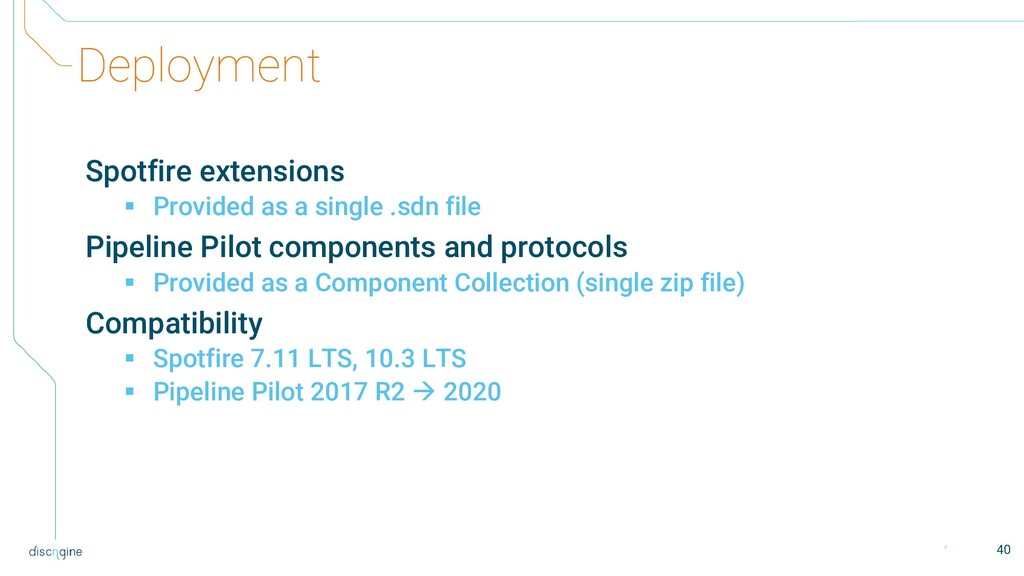
Pipeline Pilot components and protocols ▪ Provided as a Component Collection (single zip file) Compatibility ▪ Spotfire 7.11 LTS, 10.3 LTS ▪ Pipeline Pilot 2017 R2 → 2020 40


.jpg) ikuodanaka
ikuodanaka
 infcurion
 makaibito
 nakasonejusetsu
 kintotechdev
 freee
freee
 kawanotron
 flux
flux
 roms
roms
 natsumidnx
 kgmotors
 behealthy
 frankvandijk
 aleyda
 soysaucechin
 lara
lara
 minecr
 rmw
rmw
 asonas
 inesmontani
 keithpitt
 davidcarrasco
 chikuwait
 sonatard


![Pipeline Pilot Calculated Columns executeProtocol_String('Protocols/Expression Functions/Calculate', [Structure <MOLFILE>], 'ECFP_6’) 19](https://files.speakerdeck.com/presentations/67e81537b8e14a419f3e06a9a89cd435/slide_18.jpg)
![Pipeline Pilot Calculated Columns executeProtocol_String('Protocols/Expression Functions/Calculate', [Structure <MOLFILE>], 'ECFP_6’) Data](https://files.speakerdeck.com/presentations/67e81537b8e14a419f3e06a9a89cd435/slide_19.jpg)




![More information Documentation ▪ https://connector.discngine.com Support ▪ [email protected] ▪ https://discngineusergroup.slack.com/](https://files.speakerdeck.com/presentations/67e81537b8e14a419f3e06a9a89cd435/slide_45.jpg)
![+33 1 80 48 66 70 [email protected] Discngine, 79 avenue](https://files.speakerdeck.com/presentations/67e81537b8e14a419f3e06a9a89cd435/slide_46.jpg)