Share
Embed
One Brain, One Keyboard, One Editor (Linuxwochen 2019)
Master your fundamental tools — keyboard and text editor — and use your muscle memory to concentrate on your task, no matter in which language and what type of text you’re working on.
Miroslav Šedivý
May 04, 2019
Transcript
76 slides
-
One Brain One Keyboard One Editor Miroslav Šedivý eumiro
soluteTech 1 / 76 -
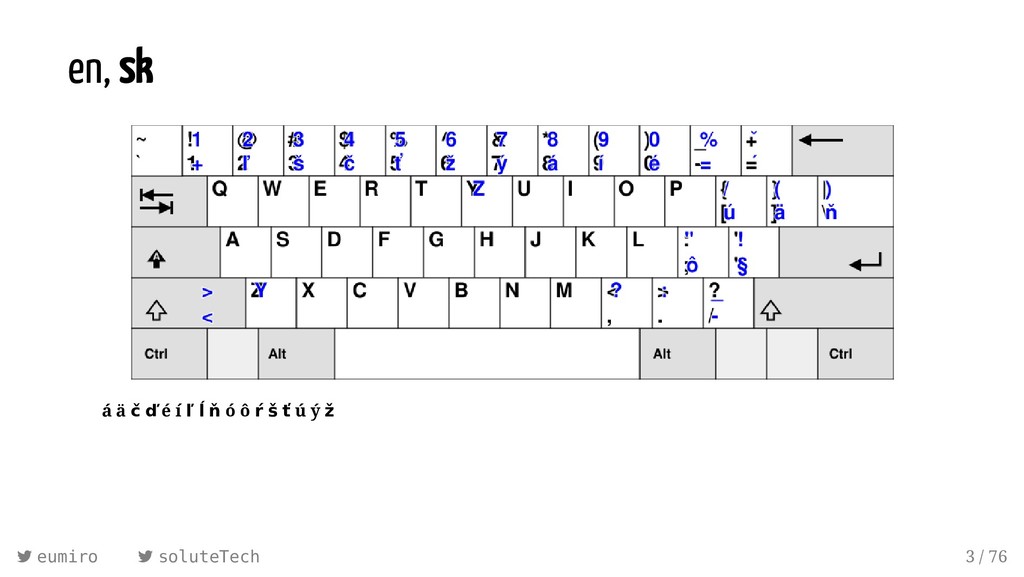
en, sk á ä č ď é í ľ ĺ
ň ó ô ŕ š ť ú ý ž eumiro soluteTech 3 / 76 -
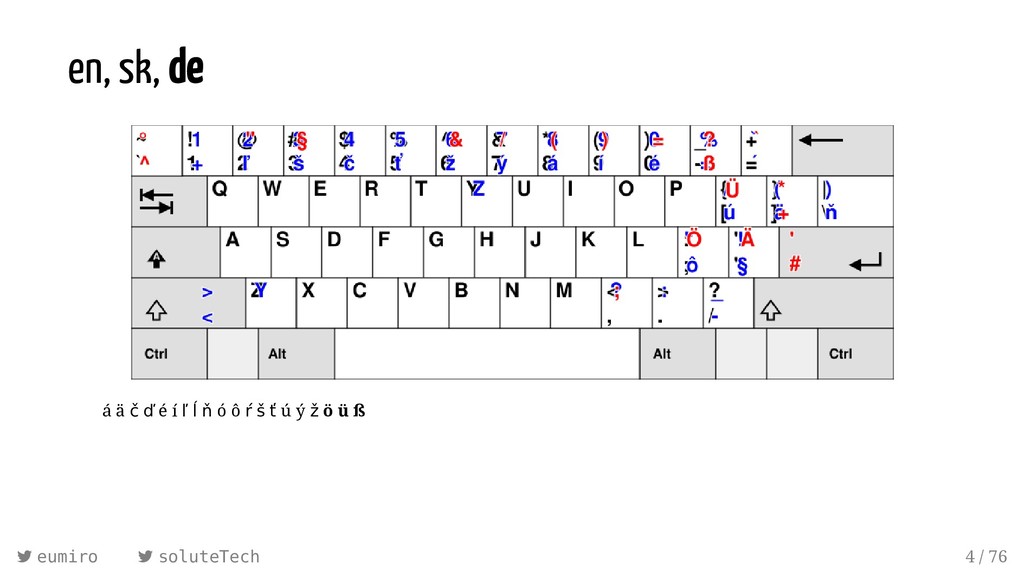
en, sk, de á ä č ď é í ľ
ĺ ň ó ô ŕ š ť ú ý ž ö ü ß eumiro soluteTech 4 / 76 -
en, sk, de, cs á ä č ď é í
ľ ĺ ň ó ô ŕ š ť ú ý ž ö ü ß ě ř ů eumiro soluteTech 5 / 76 -
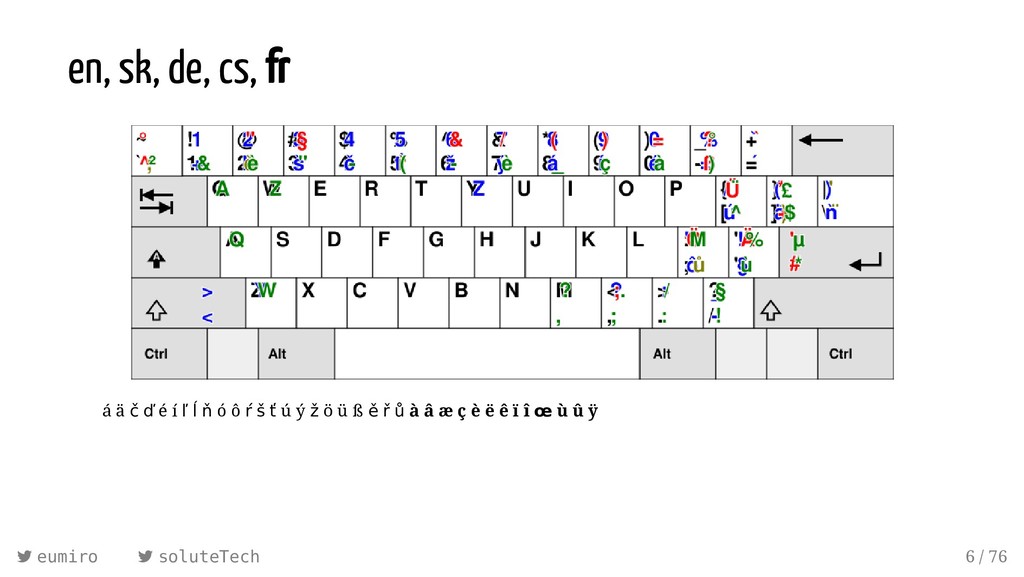
en, sk, de, cs, fr á ä č ď é
í ľ ĺ ň ó ô ŕ š ť ú ý ž ö ü ß ě ř ů à â æ ç è ë ê ï î œ ù û ÿ eumiro soluteTech 6 / 76 -
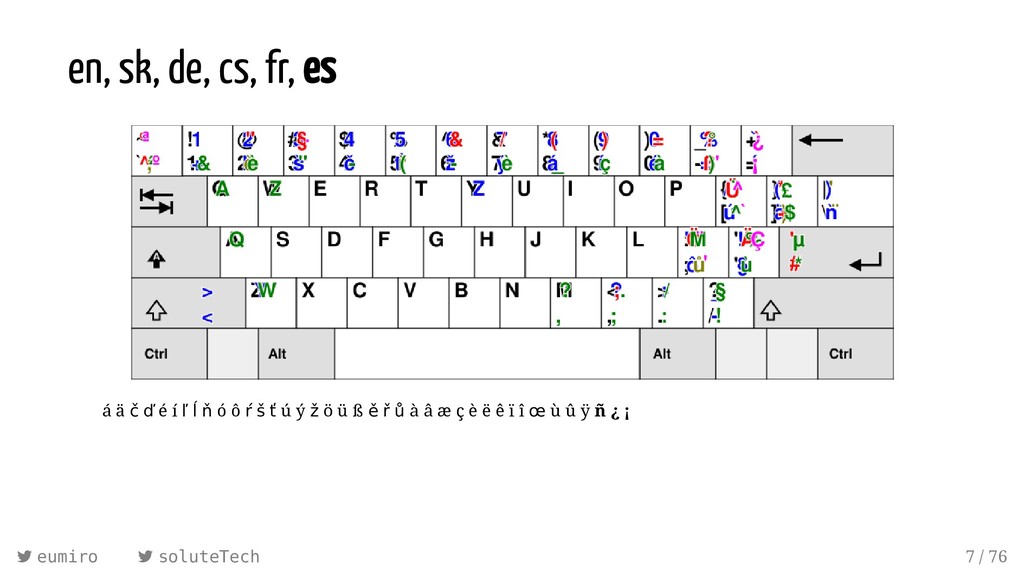
en, sk, de, cs, fr, es á ä č ď
é í ľ ĺ ň ó ô ŕ š ť ú ý ž ö ü ß ě ř ů à â æ ç è ë ê ï î œ ù û ÿ ñ ¿ ¡ eumiro soluteTech 7 / 76 -
en, sk, de, cs, fr, es, pl á ä č
ď é í ľ ĺ ň ó ô ŕ š ť ú ý ž ö ü ß ě ř ů à â æ ç è ë ê ï î œ ù û ÿ ñ ¿ ¡ ą ć ę ł ń ś ź ż eumiro soluteTech 8 / 76 -
en, sk, de, cs, fr, es, pl, it á ä
č ď é í ľ ĺ ň ó ô ŕ š ť ú ý ž ö ü ß ě ř ů à â æ ç è ë ê ï î œ ù û ÿ ñ ¿ ¡ ą ć ę ł ń ś ź ż ò eumiro soluteTech 9 / 76 -
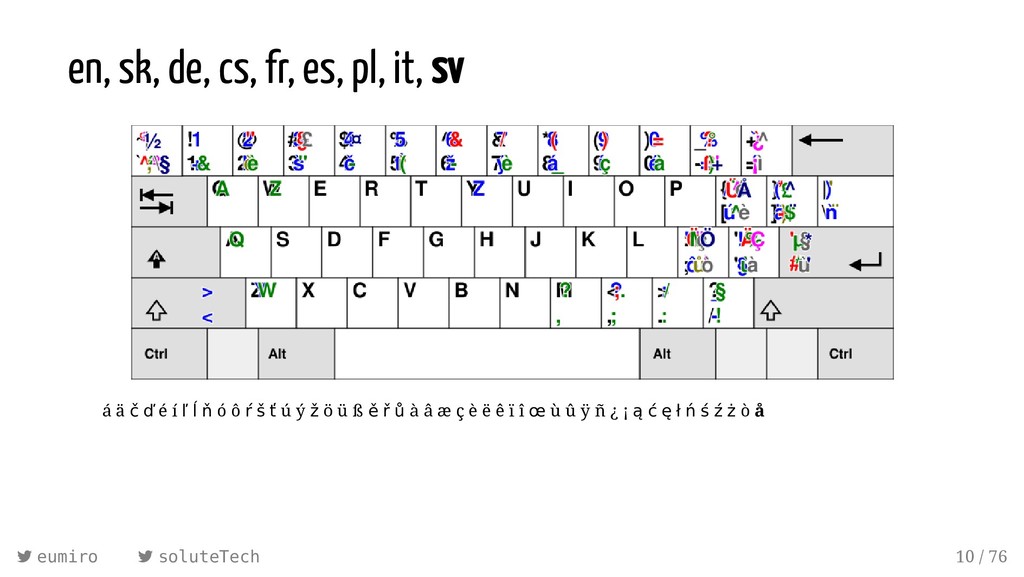
en, sk, de, cs, fr, es, pl, it, sv á
ä č ď é í ľ ĺ ň ó ô ŕ š ť ú ý ž ö ü ß ě ř ů à â æ ç è ë ê ï î œ ù û ÿ ñ ¿ ¡ ą ć ę ł ń ś ź ż ò å eumiro soluteTech 10 / 76 -
en, sk, de, cs, fr, es, pl, it, sv, hu
á ä č ď é í ľ ĺ ň ó ô ŕ š ť ú ý ž ö ü ß ě ř ů à â æ ç è ë ê ï î œ ù û ÿ ñ ¿ ¡ ą ć ę ł ń ś ź ż ò å ő ű eumiro soluteTech 11 / 76 -
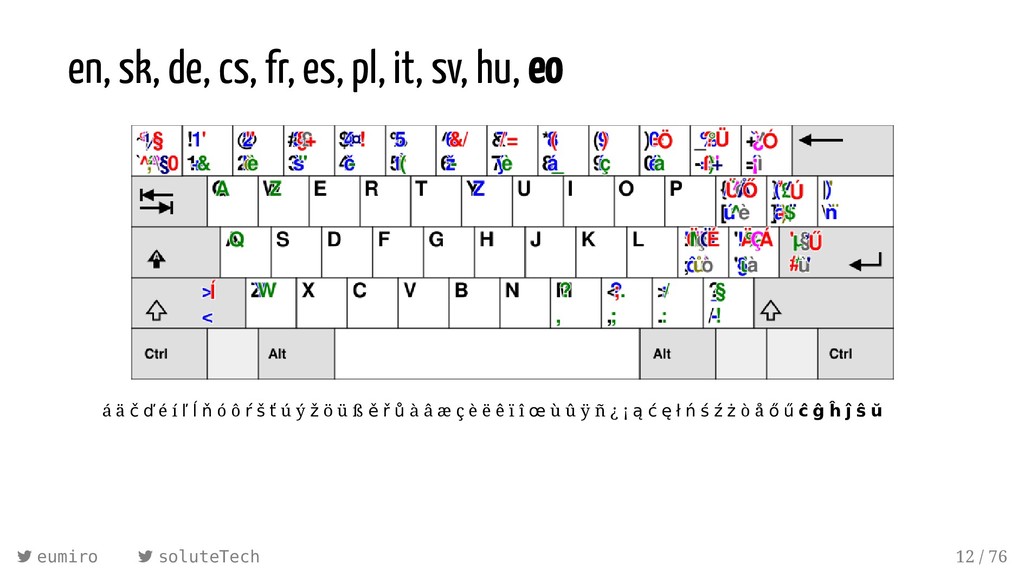
en, sk, de, cs, fr, es, pl, it, sv, hu,
eo á ä č ď é í ľ ĺ ň ó ô ŕ š ť ú ý ž ö ü ß ě ř ů à â æ ç è ë ê ï î œ ù û ÿ ñ ¿ ¡ ą ć ę ł ń ś ź ż ò å ő ű ĉ ĝ ĥ ĵ ŝ ŭ eumiro soluteTech 12 / 76 -
en, sk, de, cs, fr, es, pl, it, sv, hu,
eo, tr á ä č ď é í ľ ĺ ň ó ô ŕ š ť ú ý ž ö ü ß ě ř ů à â æ ç è ë ê ï î œ ù û ÿ ñ ¿ ¡ ą ć ę ł ń ś ź ż ò å ő ű ĉ ĝ ĥ ĵ ŝ ŭ ğ ı İ ş eumiro soluteTech 13 / 76 -
en, sk, de, cs, fr, es, pl, it, sv, hu,
eo, tr, … á ä č ď é í ľ ĺ ň ó ô ŕ š ť ú ý ž ö ü ß ě ř ů à â æ ç è ë ê ï î œ ù û ÿ ñ ¿ ¡ ą ć ę ł ń ś ź ż ò å ő ű ĉ ĝ ĥ ĵ ŝ ŭ ğ ı İ ş þ ð fi fl ø ĸ ə ® © ™ µ § · • ¦ € £ ¥ ¢ … ‹ › « » ‘ ’ “ ” – — ¶ ‰ ∅ √ ± ≤ ≥ ≠ ° ¬ ⓪ ① ② Ⓜ ⓘ ⓡ ⓞ ♯ ♫ ♥ ☺ ☹ ← → ⇒ № ⁽¹⁺²⁾ ³ ⁴ ª º ½ ⅓ ⅔ ¼ ¾ ⅕ ⅖ ⅙ ⅚ ⅛ ∞ eumiro soluteTech 14 / 76 -
Compose Key Sequences ⎄ " a ä ⎄ a e
æ ⎄ . . … ⎄ " O Ö ⎄ s s ß ⎄ ? ? ¿ ⎄ ' e é ⎄ t h þ ⎄ ! ! ¡ ⎄ ` e è ⎄ / l ł ⎄ + - ± ⎄ ^ u û ⎄ o c © ⎄ % o ‰ ⎄ = o ő ⎄ o r ® ⎄ / = ≠ ⎄ u u ŭ ⎄ / o ø ⎄ 1 2 ½ ⎄ ~ n ñ ⎄ = e € ⎄ m u µ ⎄ c s š ⎄ - L £ ⎄ o s § ⎄ , c ç ⎄ | c ¢ ⎄ ^ 2 ² ⎄ . z ż ⎄ m u µ ⎄ : ) ☺ eumiro soluteTech 17 / 76 -
/usr/share/X11/locale/en_US.UTF-8/Compose <Multi_key> <period> <period> : "…" ellipsis # HORIZONTAL ELLIPSIS
<Multi_key> <plus> <minus> : "±" plusminus # PLUS-MINUS SIGN <Multi_key> <apostrophe> <a> : "á" aacute # LATIN SMALL LETTER A WITH ACUTE <Multi_key> <s> <s> : "ß" ssharp # LATIN SMALL LETTER SHARP S <Multi_key> <comma> <c> : "ç" ccedilla # LATIN SMALL LETTER C WITH CEDILLA <Multi_key> <c> <S> : "Š" U0160 # LATIN CAPITAL LETTER S WITH CARON +6k more lines eumiro soluteTech 18 / 76 -
/usr/share/X11/locale/en_US.UTF-8/Compose <Multi_key> <period> <period> : "…" ellipsis # HORIZONTAL ELLIPSIS
<Multi_key> <plus> <minus> : "±" plusminus # PLUS-MINUS SIGN <Multi_key> <apostrophe> <a> : "á" aacute # LATIN SMALL LETTER A WITH ACUTE <Multi_key> <s> <s> : "ß" ssharp # LATIN SMALL LETTER SHARP S <Multi_key> <comma> <c> : "ç" ccedilla # LATIN SMALL LETTER C WITH CEDILLA <Multi_key> <c> <S> : "Š" U0160 # LATIN CAPITAL LETTER S WITH CARON +6k more lines ~/.XCompose eumiro soluteTech 19 / 76 -
/usr/share/X11/xkb/rules/base compose:ralt = +compose(ralt) compose:lwin = +compose(lwin) compose:lwin-altgr = +compose(lwin-altgr)
compose:rwin = +compose(rwin) compose:rwin-altgr = +compose(rwin-altgr) compose:menu = +compose(menu) compose:menu-altgr = +compose(menu-altgr) compose:lctrl = +compose(lctrl) compose:lctrl-altgr = +compose(lctrl-altgr) compose:rctrl = +compose(rctrl) compose:rctrl-altgr = +compose(rctrl-altgr) compose:caps = +compose(caps) compose:caps-altgr = +compose(caps-altgr) compose:102 = +compose(102) compose:102-altgr = +compose(102-altgr) compose:paus = +compose(paus) compose:prsc = +compose(prsc) compose:sclk = +compose(sclk) eumiro soluteTech 20 / 76 -
/usr/share/X11/xkb/rules/base compose:ralt = +compose(ralt) compose:lwin = +compose(lwin) compose:lwin-altgr = +compose(lwin-altgr)
compose:rwin = +compose(rwin) compose:rwin-altgr = +compose(rwin-altgr) compose:menu = +compose(menu) compose:menu-altgr = +compose(menu-altgr) compose:lctrl = +compose(lctrl) compose:lctrl-altgr = +compose(lctrl-altgr) compose:rctrl = +compose(rctrl) compose:rctrl-altgr = +compose(rctrl-altgr) compose:caps = +compose(caps) compose:caps-altgr = +compose(caps-altgr) compose:102 = +compose(102) compose:102-altgr = +compose(102-altgr) compose:paus = +compose(paus) compose:prsc = +compose(prsc) compose:sclk = +compose(sclk) setxkbmap us -option 'compose:menu' eumiro soluteTech 21 / 76 -
19:23:22 <C00LGUY> HELLO EVERYONE! WHAT’S GOING ON? 19:23:58 <me> Please
hit that large key to the left from ‘A’. 19:24:10 <C00LGUY> why? 19:25:11 <C00LGUY> COOL, I DON'T HAVE TO HOLD THE SHIFT KEY ANY MORE! eumiro soluteTech 22 / 76 -
19:23:22 <C00LGUY> HELLO EVERYONE! WHAT’S GOING ON? 19:23:58 <me> Please
hit that large key to the left from ‘A’. 19:24:10 <C00LGUY> why? 19:25:11 <C00LGUY> COOL, I DON'T HAVE TO HOLD THE SHIFT KEY ANY MORE! yEAH! wHO NEEDS "cAPS lOCK" ANYWAY? eumiro soluteTech 23 / 76 -
Why just another plain Ctrl key? if you can get
two keys for the price of one CapsLock + [X] ⇒ Ctrl + [X] CapsLock ⇒ Esc eumiro soluteTech 26 / 76 -
Why just another plain Ctrl key? if you can get
two keys for the price of one CapsLock + [X] ⇒ Ctrl + [X] CapsLock ⇒ Esc github.com/alols/xcape “xcape allows you to use a modifier key as another key when pressed and released on its own. […] If you don't understand why anybody would want this, I'm guessing that Vim is not your favourite text editor ;)” xcape -e "Caps_Lock=Escape" eumiro soluteTech 27 / 76 -
READY TO ROCK^H^H^H^HVIM! setxkbmap us -option 'compose:menu,caps:ctrl_modifier' xcape -e "Caps_Lock=Escape"
eumiro soluteTech 28 / 76 -
Ritchie, Thompson, PDP-11 and ASR-33 (1970) Source: Peter Hamer /
Wikipedia, CC BY-SA 2.0 eumiro soluteTech 30 / 76 -
ed(1) $ ed a Hello world and everyone at Linuxwochen
. n 2 and everyone at Linuxwochen a How are you today? . %n 1 Hello world 2 and everyone at Linuxwochen 3 How are you today? 1s/world/Linuxwochen/ 2d %n 1 Hello Linuxwochen 2 How are you today? w test.txt 37 q $ eumiro soluteTech 31 / 76 -
ADM-3A Terminal Source: Rama / Wikimedia Commons, CC BY-SA 2.0
eumiro soluteTech 32 / 76 -
ADM-3A Terminal Source: StuartBrady / Wikipedia, CC BY-SA 3.0
eumiro soluteTech 33 / 76 -
Where do h/j/k/l “arrows” come from? 0 ^@ NUL Null
character 16 ^P DLE Data link escape 1 ^A SOH Start of Header 17 ^Q DCL Xon (transmit on) 2 ^B STX Start of Text 18 ^R DC2 Device control 2 3 ^C ETX End of Text 19 ^S DC3 Xoff (transmit off) 4 ^D EOT End of Transmission 20 ^T DC4 Device control 4 5 ^E ENQ Enquiry 21 ^U NAK Negative acknowledge 6 ^F ACK Acknowledge 22 ^V SYN Synchronous idle 7 ^G BEL Bell 23 ^W ETB End of transmission 8 ^H BS Backspace 24 ^X CAN Cancel 9 ^I HT Horizontal tab 25 ^Y EM End of medium 10 ^J LF Line feed 26 ^Z SUB Substitute 11 ^K VT Vertical tab 27 ^[ ESC Escape 12 ^L FF Form feed 28 ^\ FS File separator 13 ^M CR Carriage return 29 ^] GS Group separator 14 ^N SO Shift out 30 ^^ RS Record separator 15 ^O SI Shift in 31 ^_ US Unit separator eumiro soluteTech 34 / 76 -
“Using a mouse is like pointing and grunting to get
your point across. Vim lets you speak in full sentences.” @Dean, superuser.com/questions/599150/why-arrow-keys-are-not-recommended-in-vim eumiro soluteTech 35 / 76 -
Vim Keyboard Source: ViEmu.com, Esc key moved by MŠ
eumiro soluteTech 36 / 76 -
vim-like software “vim-like” = hjkl movement, /? search, modes bash,
zsh i3*, tmux qutebrowser, vimperator, vimium mutt, newsbeuter less, vifm, zathura feh, ViPaint and more: xaizek.github.io/2016-08-13/big-list-of-vim-like-software/ plenty of text editors and IDEs in “vi-mode”* eumiro soluteTech 38 / 76 -
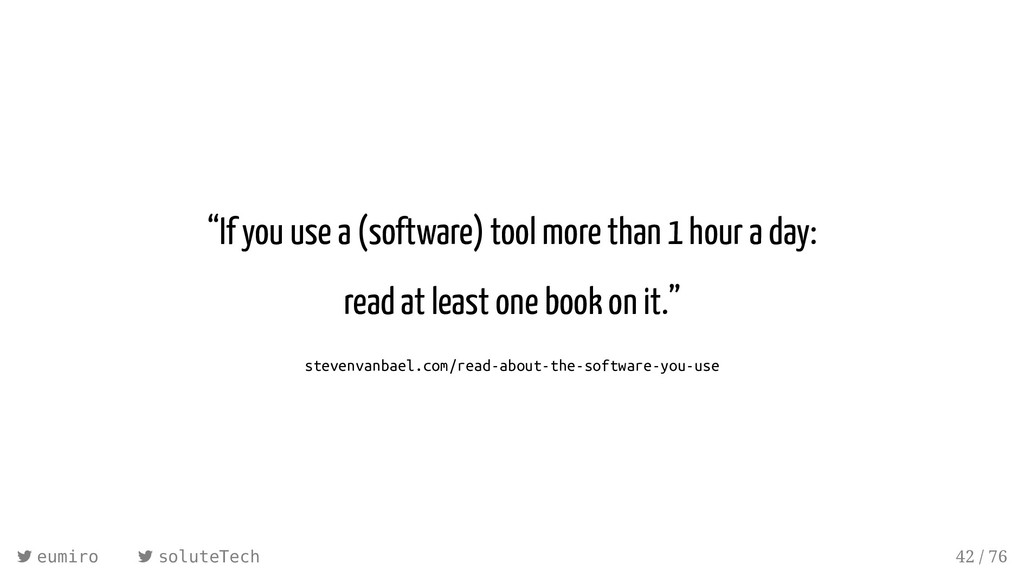
“If you use a (software) tool more than 1 hour
a day: read at least one book on it.” stevenvanbael.com/read-about-the-software-you-use eumiro soluteTech 42 / 76 -
Vim 8 / Neovim Neovim is a fork of Vim
7.4 asynchronous (lint, tests) :terminal modern defaults, runs on modern systems XDG directories: ~/.config/nvim/init.vim instead of ~/.vimrc python-neovim (and other languages supported) eumiro soluteTech 44 / 76 -
Vim your stu syntax highlighting indenting auto-completion eumiro
soluteTech 48 / 76 -
Vim your stu syntax highlighting indenting auto-completion asynchronous linting (ale)
eumiro soluteTech 49 / 76 -
Vim your stu syntax highlighting indenting auto-completion asynchronous linting (ale)
git (live diff with gitgutter, manipulation with fugitive) eumiro soluteTech 50 / 76 -
Vim your stu syntax highlighting indenting auto-completion asynchronous linting (ale)
git (live diff with gitgutter, manipulation with fugitive) searching ag/fzf eumiro soluteTech 51 / 76 -
Vim your stu syntax highlighting indenting auto-completion asynchronous linting (ale)
git (live diff with gitgutter, manipulation with fugitive) searching ag/fzf snippets (neosnippet) eumiro soluteTech 52 / 76 -
Vim your stu syntax highlighting indenting auto-completion asynchronous linting (ale)
git (live diff with gitgutter, manipulation with fugitive) searching ag/fzf snippets (neosnippet) folding eumiro soluteTech 53 / 76 -
Vim your stu syntax highlighting indenting auto-completion asynchronous linting (ale)
git (live diff with gitgutter, manipulation with fugitive) searching ag/fzf snippets (neosnippet) folding interaction with terminal (and IPython) eumiro soluteTech 54 / 76 -
Vim your stu syntax highlighting indenting auto-completion asynchronous linting (ale)
git (live diff with gitgutter, manipulation with fugitive) searching ag/fzf snippets (neosnippet) folding interaction with terminal (and IPython) spellchecking eumiro soluteTech 55 / 76 -
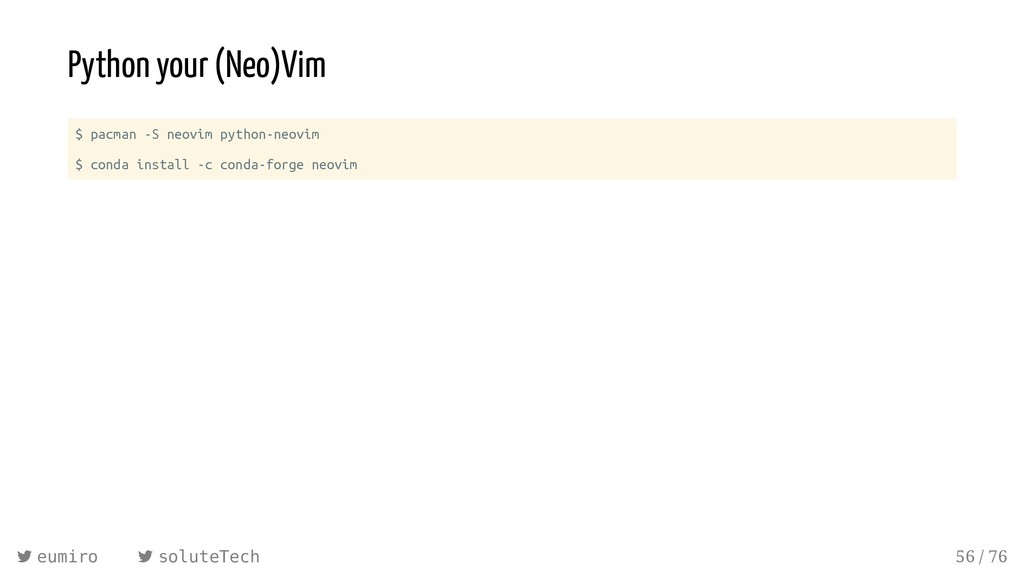
Python your (Neo)Vim $ pacman -S neovim python-neovim $ conda
install -c conda-forge neovim eumiro soluteTech 56 / 76 -
Python your (Neo)Vim $ pacman -S neovim python-neovim $ conda
install -c conda-forge neovim from neovim import attach eumiro soluteTech 57 / 76 -
Python your (Neo)Vim $ pacman -S neovim python-neovim $ conda
install -c conda-forge neovim from neovim import attach NVIM_LISTEN_ADDRESS=/tmp/nvim nvim nvim = attach('socket', path='/tmp/nvim') nvim = attach('child', argv=["/bin/env", "nvim", "--embed"]) eumiro soluteTech 58 / 76 -
Python your (Neo)Vim $ pacman -S neovim python-neovim $ conda
install -c conda-forge neovim from neovim import attach NVIM_LISTEN_ADDRESS=/tmp/nvim nvim nvim = attach('socket', path='/tmp/nvim') nvim = attach('child', argv=["/bin/env", "nvim", "--embed"]) nvim.current.buffer[0] # first line nvim.command('vsplit') # :vsplit eumiro soluteTech 59 / 76 -
~/.con g/nvim/rplugin/python3/hello.py import email from email.parser import Parser import neovim
@neovim.plugin class HelloPlugin: def __init__(self, nvim): self.nvim = nvim @neovim.autocmd('BufEnter', pattern='mutt-pad-*', sync=True) def on_bufenter(self): msg = Parser().parsestr('\n'.join(self.nvim.current.buffer)) addresses = email.utils.getaddresses(msg.get_all('To')) hello_line = black_magic(addresses) first_empty = next((i for i, line in enumerate(self.nvim.current.buffer) if not line), -1) self.nvim.current.buffer.append(['', hello_line], first_empty) :UpdateRemotePlugins eumiro soluteTech 60 / 76 -
Customized (Neo)vim? master Vim without customization customize your own Vim
deactivate arrow keys remap keys shorten commands appearance behaviour plugins eumiro soluteTech 62 / 76 -
Customized (Neo)vim? master Vim without customization customize your own Vim
deactivate arrow keys remap keys shorten commands appearance behaviour plugins Don't put any lines in your vimrc that you don't understand. eumiro soluteTech 63 / 76 -
.dot les are your tech CV alias config='/usr/bin/git --git-dir=$HOME/.dotfiles/ --work-tree=$HOME'
eumiro soluteTech 65 / 76 -
.dot les are your tech CV alias config='/usr/bin/git --git-dir=$HOME/.dotfiles/ --work-tree=$HOME'
git init --bare $HOME/.dotfiles config config --local status.showUntrackedFiles no # git remote add X Y (github, gitlab, uberspace, …) eumiro soluteTech 66 / 76 -
.dot les are your tech CV alias config='/usr/bin/git --git-dir=$HOME/.dotfiles/ --work-tree=$HOME'
git init --bare $HOME/.dotfiles config config --local status.showUntrackedFiles no # git remote add X Y (github, gitlab, uberspace, …) config add .config/nvim/init.vim # commit, branch, ... eumiro soluteTech 67 / 76 -
One Brain, One Keyboard, One Editor? use your muscle memory
eumiro soluteTech 69 / 76 -
One Brain, One Keyboard, One Editor? use your muscle memory
one keyboard layout (US QWERTY with Compose) eumiro soluteTech 70 / 76 -
One Brain, One Keyboard, One Editor? use your muscle memory
one keyboard layout (US QWERTY with Compose) one editor (the powerful one) eumiro soluteTech 71 / 76 -
One Brain, One Keyboard, One Editor? use your muscle memory
one keyboard layout (US QWERTY with Compose) one editor (the powerful one) your programming language of choice eumiro soluteTech 72 / 76 -
One Brain, One Keyboard, One Editor? use your muscle memory
one keyboard layout (US QWERTY with Compose) one editor (the powerful one) your programming language of choice take your dotfiles with you eumiro soluteTech 73 / 76 -
One Brain, One Keyboard, One Editor? use your muscle memory
one keyboard layout (US QWERTY with Compose) one editor (the powerful one) your programming language of choice take your dotfiles with you don't put any lines in your dotfiles that you don't understand eumiro soluteTech 74 / 76 -
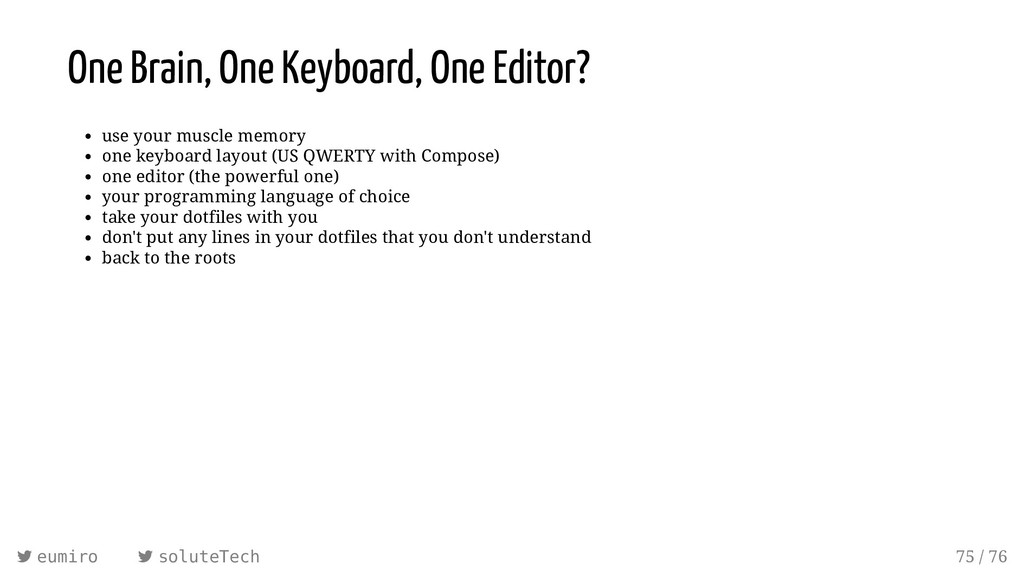
One Brain, One Keyboard, One Editor? use your muscle memory
one keyboard layout (US QWERTY with Compose) one editor (the powerful one) your programming language of choice take your dotfiles with you don't put any lines in your dotfiles that you don't understand back to the roots eumiro soluteTech 75 / 76 -
“The enjoyment of one's tools is an essential ingredient of
successful work.” Donald E. Knuth Miroslav Šedivý eumiro soluteTech 76 / 76