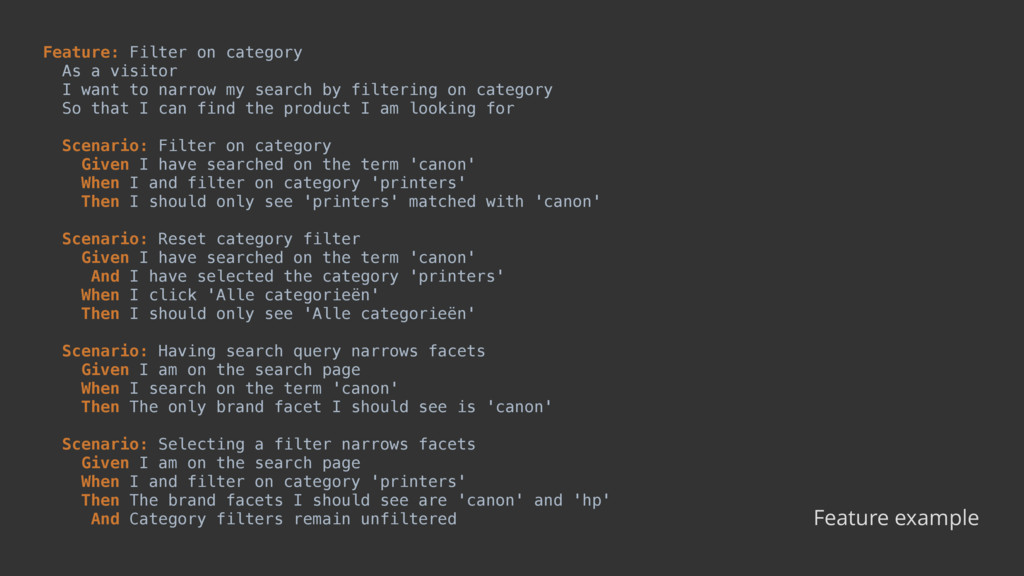
narrow my search by filtering on category So that I can find the product I am looking for Scenario: Filter on category Given I have searched on the term 'canon' When I and filter on category 'printers' Then I should only see 'printers' matched with 'canon' Scenario: Reset category filter Given I have searched on the term 'canon' And I have selected the category 'printers' When I click 'Alle categorieën' Then I should only see 'Alle categorieën' Scenario: Having search query narrows facets Given I am on the search page When I search on the term 'canon' Then The only brand facet I should see is 'canon' Scenario: Selecting a filter narrows facets Given I am on the search page When I and filter on category 'printers' Then The brand facets I should see are 'canon' and 'hp' And Category filters remain unfiltered Feature example
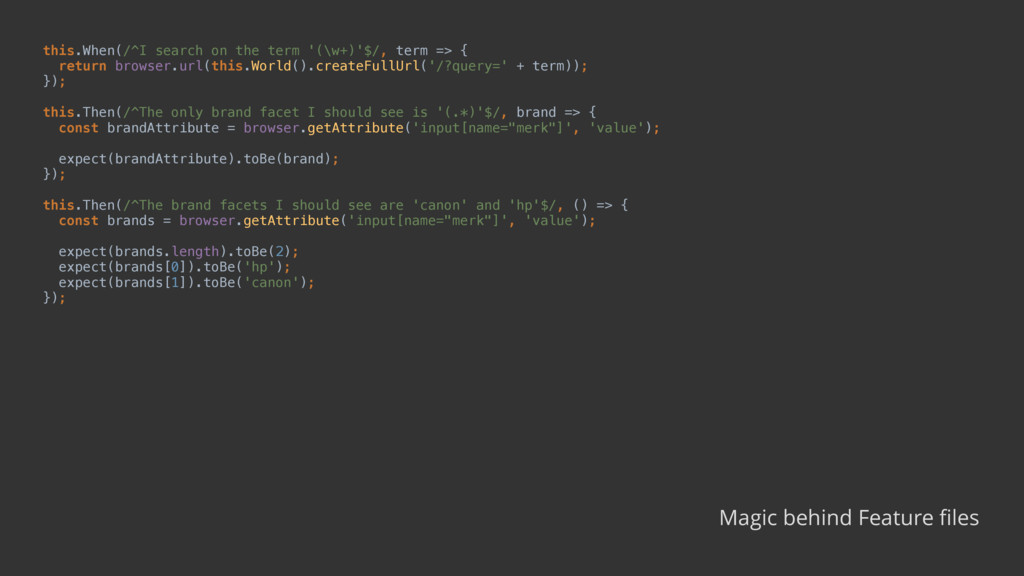
browser.url(this.World().createFullUrl('/?query=' + term)); }); this.Then(/^The only brand facet I should see is '(.*)'$/, brand => { const brandAttribute = browser.getAttribute('input[name="merk"]', 'value'); expect(brandAttribute).toBe(brand); }); this.Then(/^The brand facets I should see are 'canon' and 'hp'$/, () => { const brands = browser.getAttribute('input[name="merk"]', 'value'); expect(brands.length).toBe(2); expect(brands[0]).toBe('hp'); expect(brands[1]).toBe('canon'); }); Magic behind Feature files
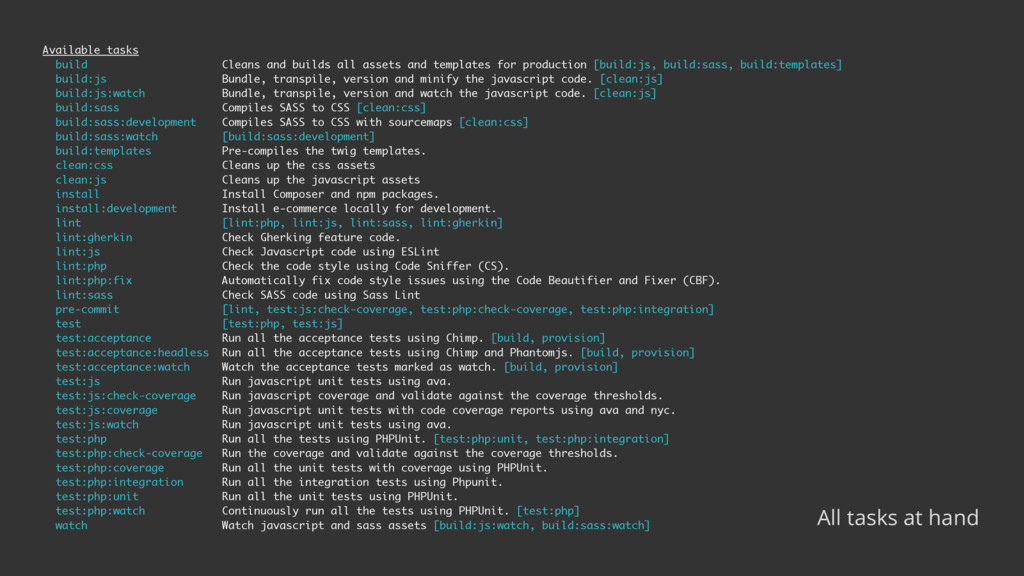
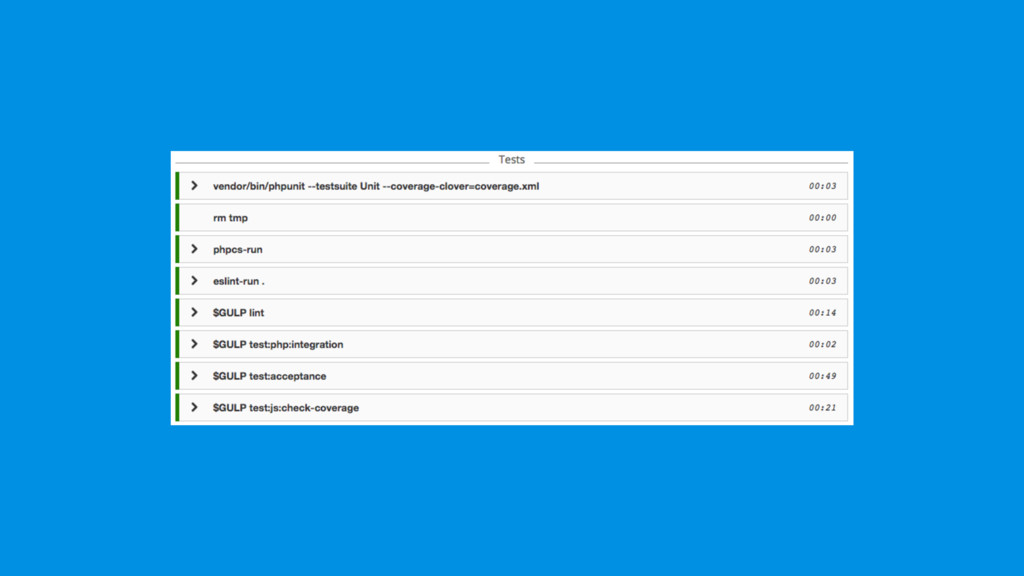
for production [build:js, build:sass, build:templates] build:js Bundle, transpile, version and minify the javascript code. [clean:js] build:js:watch Bundle, transpile, version and watch the javascript code. [clean:js] build:sass Compiles SASS to CSS [clean:css] build:sass:development Compiles SASS to CSS with sourcemaps [clean:css] build:sass:watch [build:sass:development] build:templates Pre-compiles the twig templates. clean:css Cleans up the css assets clean:js Cleans up the javascript assets install Install Composer and npm packages. install:development Install e-commerce locally for development. lint [lint:php, lint:js, lint:sass, lint:gherkin] lint:gherkin Check Gherking feature code. lint:js Check Javascript code using ESLint lint:php Check the code style using Code Sniffer (CS). lint:php:fix Automatically fix code style issues using the Code Beautifier and Fixer (CBF). lint:sass Check SASS code using Sass Lint pre-commit [lint, test:js:check-coverage, test:php:check-coverage, test:php:integration] test [test:php, test:js] test:acceptance Run all the acceptance tests using Chimp. [build, provision] test:acceptance:headless Run all the acceptance tests using Chimp and Phantomjs. [build, provision] test:acceptance:watch Watch the acceptance tests marked as watch. [build, provision] test:js Run javascript unit tests using ava. test:js:check-coverage Run javascript coverage and validate against the coverage thresholds. test:js:coverage Run javascript unit tests with code coverage reports using ava and nyc. test:js:watch Run javascript unit tests using ava. test:php Run all the tests using PHPUnit. [test:php:unit, test:php:integration] test:php:check-coverage Run the coverage and validate against the coverage thresholds. test:php:coverage Run all the unit tests with coverage using PHPUnit. test:php:integration Run all the integration tests using Phpunit. test:php:unit Run all the unit tests using PHPUnit. test:php:watch Continuously run all the tests using PHPUnit. [test:php] watch Watch javascript and sass assets [build:js:watch, build:sass:watch] All tasks at hand


 hollycummins
 y0hgi
y0hgi
 kinopeee
 morizo_1984
 minodriven
 skydoves
 deka_morita
 panda728
 kmars0605
 tosite
 kawashimo0
 kasacchiful
 nonsquared
 lcolladotor
 colly
colly
 techseoconnect
 marcduiker
 akihiro_kokubo
 thirion
 paigeccino
 kimpetersen
 bermonpainter
 brettharned
 tmiket